



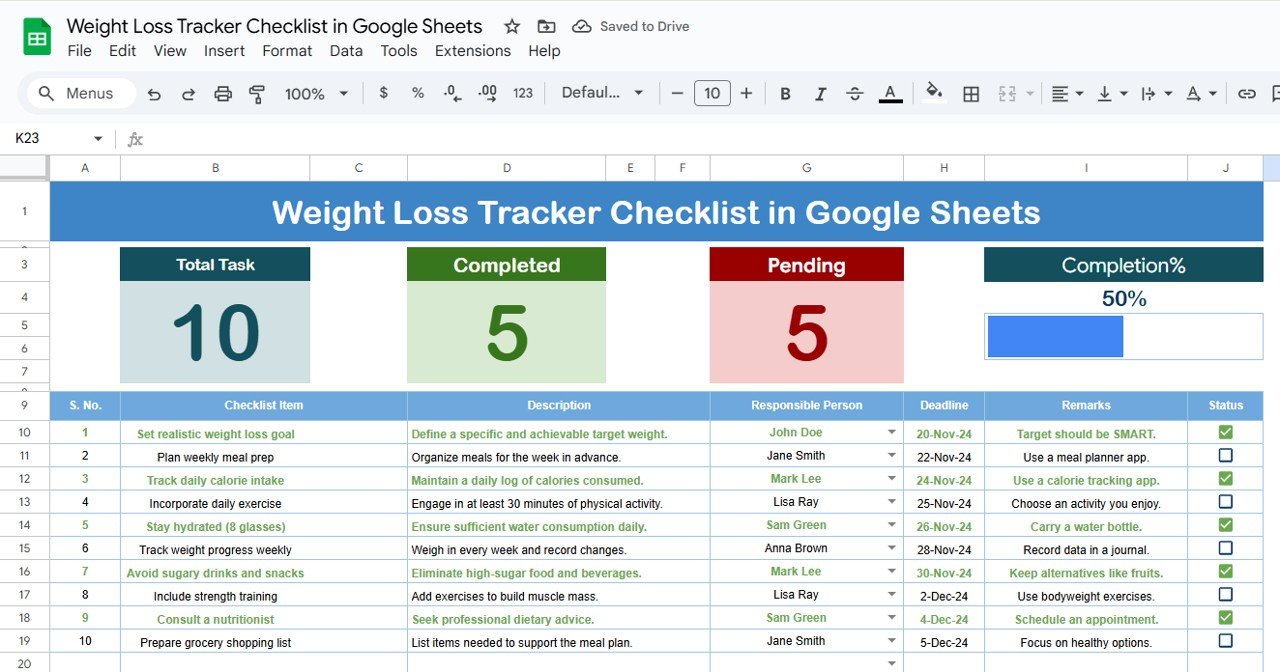
The Weight Loss Tracker Checklist in Google Sheets is a comprehensive and user-friendly tool designed to help individuals monitor and achieve their weight loss goals. Whether you’re aiming to shed a few pounds or embark on a significant transformation, this checklist provides a structured approach to track your progress and stay motivated.
Key Features:
Customizable Categories: Tailor the checklist to suit your specific needs by adding or modifying categories such as weight, body measurements, calories consumed, and exercise routines.
Daily Tracking: Log your daily weight, calorie intake, and physical activities to maintain consistency and identify patterns.
Visual Indicators: Utilize color-coded cells and conditional formatting to highlight trends, making it easier to spot areas for improvement.
Progress Charts: Generate graphs to visualize your weight loss journey over time, providing a clear picture of your achievements.
Notes Section: Include a space for personal reflections, challenges faced, or adjustments made to your routine.
Benefits:
Enhanced Accountability: Regularly updating the checklist encourages commitment and responsibility towards your weight loss goals.
Motivation Boost: Visual representations of your progress can inspire continued effort and perseverance.
Informed Decisions: Tracking various metrics allows you to make data-driven adjustments to your diet and exercise plan.
Easy Accessibility: Being a Google Sheets template, it can be accessed from any device with internet connectivity, allowing for convenient tracking on the go.
How to Use:
Download the Template: Access the provided Google Sheets template link.
Customize Categories: Modify the existing categories or add new ones that align with your weight loss goals.
Log Daily Data: Record your weight, calorie intake, and physical activities each day.
Analyze Trends: Regularly review the generated charts and visual indicators to assess your progress and identify areas needing attention.
Adjust Routine: Based on your analysis, make necessary adjustments to your diet and exercise habits to enhance your weight loss journey.
Who Can Benefit:
Individuals with Weight Loss Goals: Track and manage your weight loss journey effectively.
Fitness Enthusiasts: Monitor your physical activities and their impact on your weight.
Health Coaches: Utilize the checklist to guide clients in their weight management programs.
Researchers or Students: Use the data for academic purposes or personal studies related to weight loss and health metrics.
By implementing the Weight Loss Tracker Checklist in Google Sheets, individuals can take proactive steps towards achieving their weight loss goals in a structured and measurable way.
Click here to read the Detailed blog post
Visit our YouTube channel to learn step-by-step video tutorials
Youtube.com/@PKAnExcelExpert
Watch the step-by-step video Demo:
Compatibility and Requirements
- Works in Google Sheets. You need a free Google account and a web browser.
- To change or add charts, see Google’s guide Add & edit a chart or graph.
Frequently Asked Questions
What can I track with this checklist?
You can track weight, body measurements, calories consumed and exercise routines, and add your own categories.
Do I log data every day?
Yes. You log your weight, calorie intake and activity each day to spot patterns.
Does it show progress over time?
Yes. Progress charts show your weight loss journey, and color-coded cells highlight trends.
Can a health coach use it with clients?
Yes. Health coaches can use the checklist to guide clients in weight management programs.
Is there an Excel version?
Yes. The Weight Loss Tracker Checklist Template in Excel does the same job in Excel.
Related Weight Loss and Fitness Templates
- Weight Loss Tracker Checklist Template in Excel: the same checklist in Excel
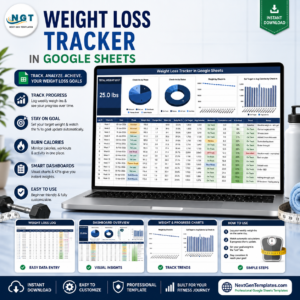
- Weight Loss Tracker in Google Sheets: a dedicated weight loss tracker
- Fitness Routine Checklist in Google Sheets: plan your workouts
- Habit Tracker in Google Sheets: build healthy daily habits
- Checklist & SOP Pack: 12 checklist templates in one download
Browse all Google Sheets checklists or the Google Sheets trackers.







Reviews
There are no reviews yet.