



The Quality Control Checklist in Google Sheets is a comprehensive and easy-to-use tool designed to streamline your quality control process. This template helps you systematically monitor and ensure product quality by providing a clear checklist for every step of the process. With this customizable checklist, you can track key quality metrics, assess production quality, and maintain consistent product standards across your operations.
Built in Google Sheets, this checklist allows for real-time collaboration and updates, making it easy for teams to work together and ensure product quality is maintained throughout the production cycle. Whether you’re tracking inspections, testing procedures, or compliance, this checklist provides a structured and organized approach to quality control management.
Key Features of the Quality Control Checklist in Google Sheets
📌 Customizable Quality Control Checklist
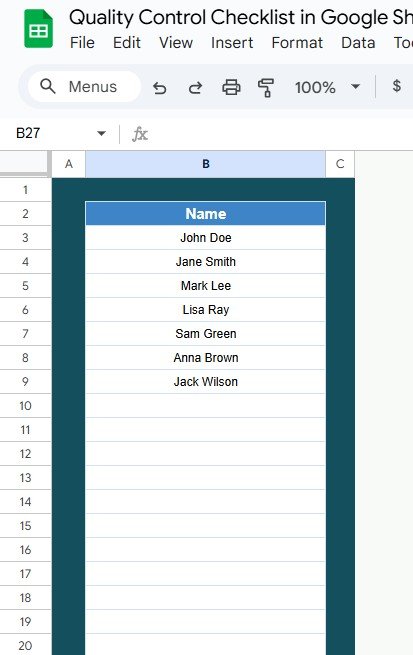
This checklist template is designed to be fully customizable to meet your specific quality control needs. You can add or remove checklist items, adjust categories, and tailor the template to fit your quality control requirements, ensuring that every critical process is accounted for.
🛠 Easy Task Tracking
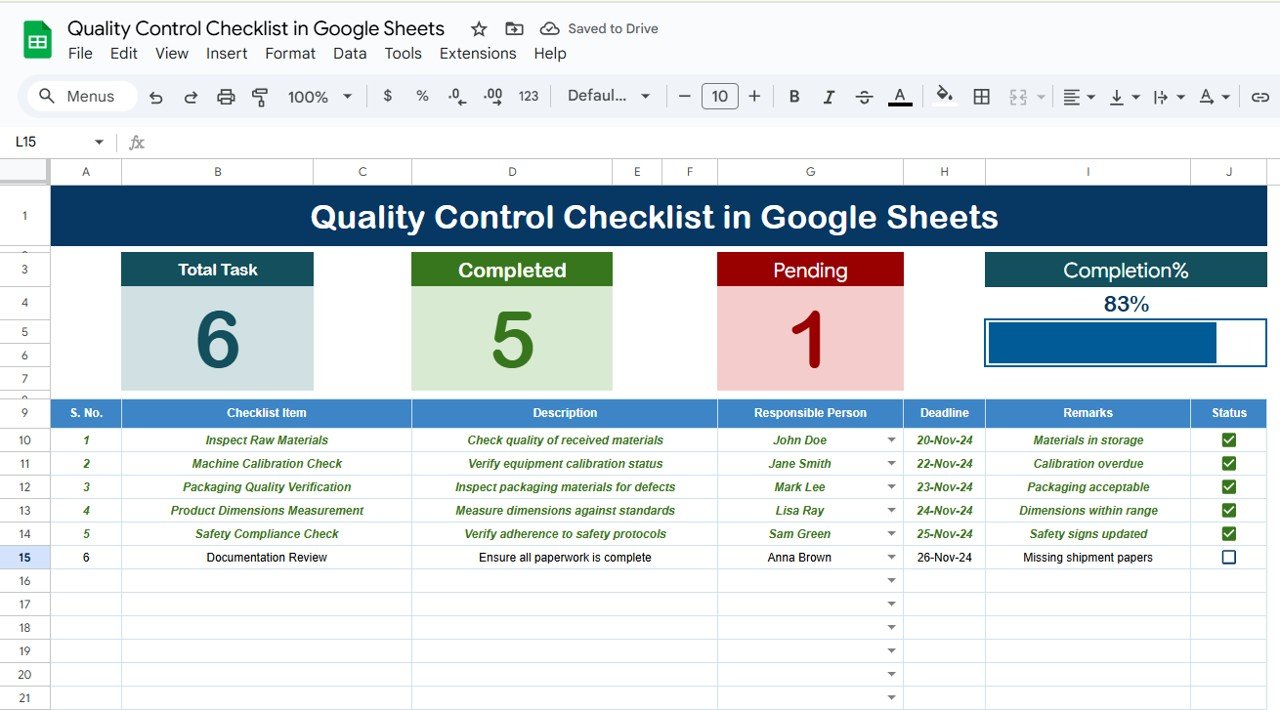
Track every quality control step with ease. The template allows you to input data such as the date of inspection, inspector’s name, results, and whether a particular task was completed successfully or requires further action.
💡 Real-Time Collaboration
Being built in Google Sheets means that multiple team members can collaborate in real-time, making updates, providing feedback, and monitoring progress. This feature enhances team communication and ensures that everyone stays aligned throughout the process.
🔢 Color-Coded Status Indicators
The checklist includes visual status indicators (color-coded labels) that help you quickly identify whether a task is completed, pending, or needs attention. This makes tracking progress simple and helps you prioritize tasks based on urgency.
🚀 Data Integrity and Documentation
Maintain a clear record of quality control activities and outcomes. The checklist allows you to document inspection results, note any issues found, and track whether corrective actions have been taken. This provides a comprehensive log for future reference and audits.
📊 Comprehensive Quality Tracking
Monitor every aspect of your quality control process with detailed sections for inspection, testing, and evaluation. Track product specifications, measurements, and any non-conformances or defects to ensure that your products meet the required standards.
⚙ Simple Setup and Customization
With clear setup instructions and an intuitive interface, this template is user-friendly and requires no advanced Google Sheets skills. Get started right away by inputting your quality control criteria and customizing it as needed.
🚀 Why You’ll Love the Quality Control Checklist in Google Sheets
✅ Customizable and Flexible – Adapt the checklist to fit your unique quality control processes. ✅ Real-Time Collaboration – Collaborate with your team instantly for seamless communication and updates. ✅ Color-Coded Status Indicators – Quickly spot tasks that are completed, pending, or need attention. ✅ Comprehensive Quality Tracking – Track all aspects of product quality, including inspections and corrective actions. ✅ Simple Setup – Easy-to-use, with no technical skills required for setup or customization.
📂 What’s Inside the Quality Control Checklist in Google Sheets?
- Customizable Quality Control Tasks: Easily add or remove tasks and categories to fit your needs.
- Real-Time Data Updates: Ensure everyone stays on the same page with real-time updates and collaboration.
- Color-Coded Status Indicators: Visualize task status with color-coded labels for easy tracking.
- Comprehensive Quality Tracking: Keep a record of inspections, results, and corrective actions.
- Simple Setup Instructions: Quick and easy setup with clear instructions to get started.
🔍 How to Use the Quality Control Checklist in Google Sheets
1️⃣ Download the Template – Instant access to the Google Sheets template upon purchase. 2️⃣ Customize Your Checklist – Modify the checklist items and categories based on your quality control process. 3️⃣ Track Inspections and Testing – Enter the data for each inspection, including dates, results, and any corrective actions. 4️⃣ Collaborate in Real-Time – Share the checklist with your team and make real-time updates. 5️⃣ Analyze Results – Use the color-coded system to identify completed tasks and areas that need attention.
🎯 Who Can Benefit from the Quality Control Checklist in Google Sheets? 🔹 Quality Control Managers
🔹 Manufacturing Teams
🔹 Product Inspectors
🔹 Operations Teams
🔹 Production Managers
🔹 Anyone in charge of maintaining product quality and standards
Streamline your quality control process with the Quality Control Checklist in Google Sheets. Maintain high standards, track inspections, and ensure your products meet the required specifications with this easy-to-use, customizable checklist template.
Click here to read the Detailed blog post
https://neotechnavigators.com/quality-control-checklist-in-google-sheets/
Visit our YouTube channel to learn step-by-step video tutorials
Visit our YouTube channel to learn step-by-step video tutorials





























Reviews
There are no reviews yet.