

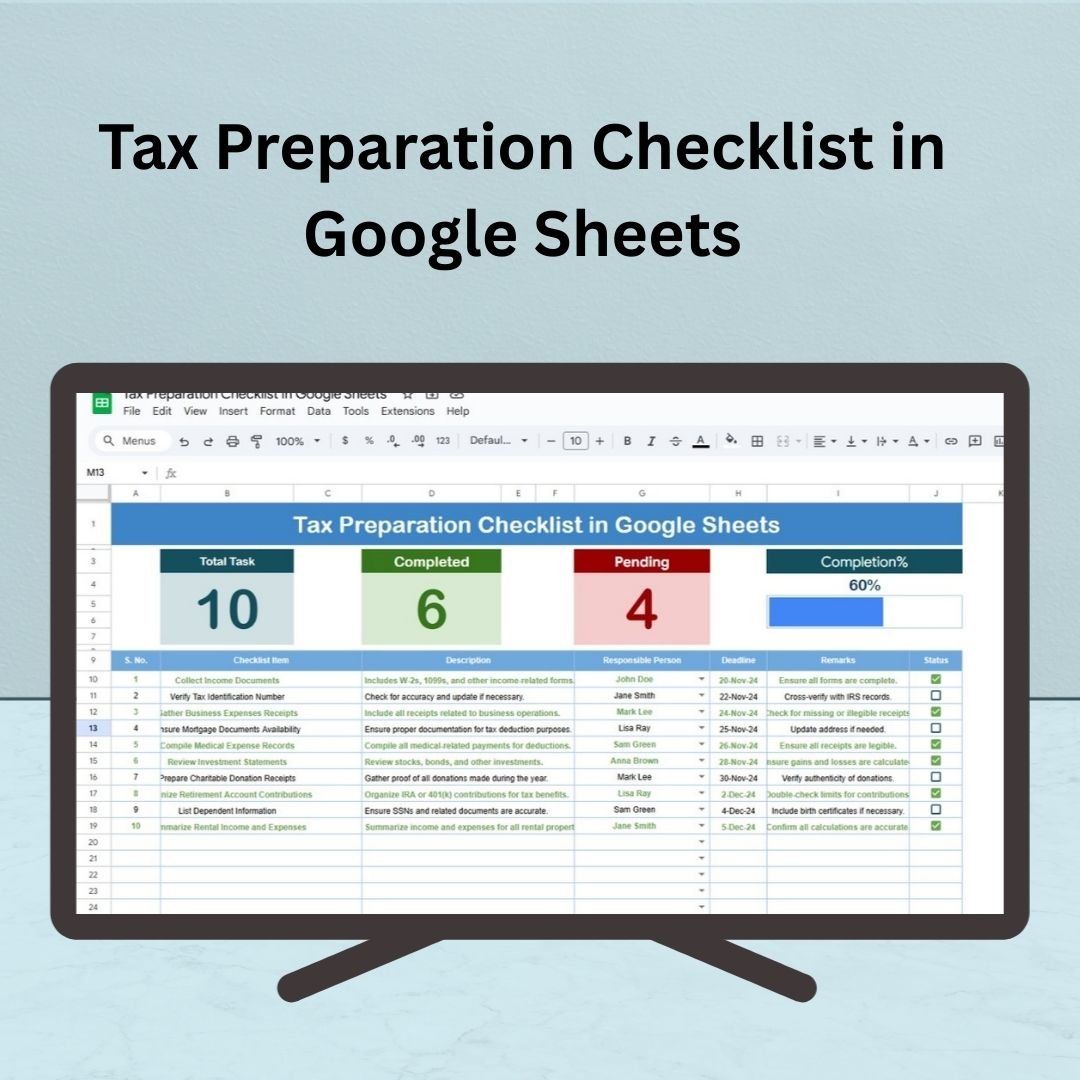
The Tax Preparation Checklist in Google Sheets is an indispensable tool for anyone looking to streamline and simplify their tax preparation process. Whether you’re handling your taxes independently or collaborating with a team, this template helps you stay organized, track deadlines, and ensure you don’t miss any critical steps. With its customizable structure and real-time tracking features, this checklist makes tax filing more efficient and stress-free.
By using this template, you can systematically break down the tax preparation process into smaller, manageable tasks and assign responsibilities to ensure timely completion. The checklist’s cloud-based accessibility also allows for updates and collaboration from any device, making it an ideal tool for managing your tax filing process.
📊 What’s Inside the Tax Preparation Checklist 📊
The Tax Preparation Checklist consists of two essential worksheets:
Tax Preparation Checklist Sheet Tab
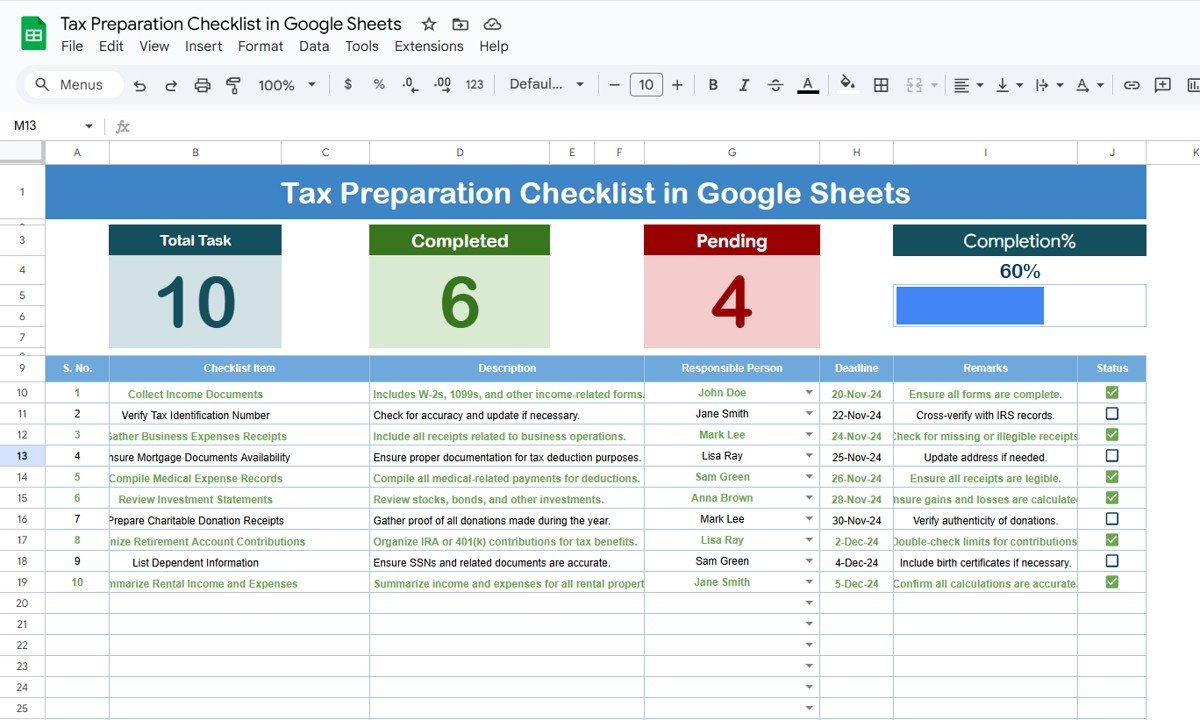
Comprehensive Overview: This sheet displays all tasks needed for tax preparation, making it easy to monitor and track progress.
Top Section:
Total Count: A count of all the tasks you need to complete.
Completed Count: The number of tasks that have been completed.
Pending Count: The number of tasks still pending.
Progress Bar: A visual progress bar to track how much of the process has been completed.
Checklist Table: The core of the template where each task is listed. It includes the following columns:
Serial No.: Sequential numbering for each task.
Checklist Item: A specific task that needs to be completed (e.g., “Gather tax documents,” “Complete Schedule A”).
Description: Details or notes about the task.
Responsible Person: The individual or department responsible for the task.
Deadline: The date by which the task should be completed.
Remarks: Space for any additional notes.
Status: A checkbox to mark each task as ✔ completed or ✘ pending.
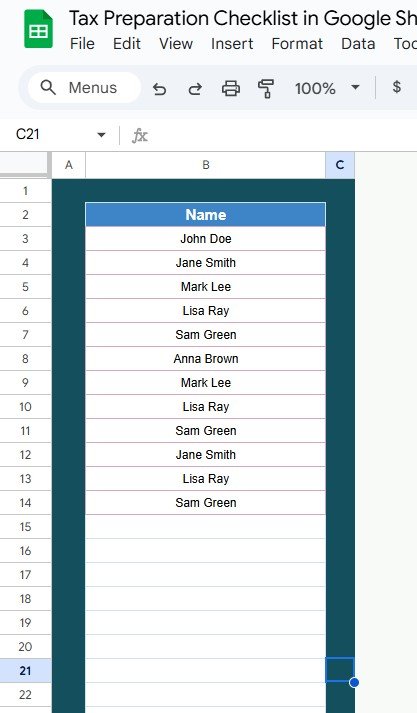
List Sheet Tab
Task Assignment: Capture the names of individuals or teams responsible for completing tasks. The drop-down list allows you to easily assign tasks to the responsible person.
💡 How to Use the Tax Preparation Checklist 💡
Fill Out the Checklist: Start by listing all the tasks and tasks categories required for your tax preparation. Add deadlines, descriptions, and any relevant details for each task.
Assign Responsibilities: If working with others, assign tasks using the Responsible Person drop-down list to keep everyone accountable.
Track Progress: As tasks are completed, mark them as ✔ in the Status column. The Progress Bar will update automatically, showing how far along you are in the process.
Stay Organized: Regularly update the checklist to reflect changes or additional tasks. This ensures your tax filing process stays organized and on track.
💰 Who Can Benefit from the Tax Preparation Checklist 💰
Individuals: Track all tasks related to personal tax filing, ensuring you don’t forget important steps.
Families: Organize tasks for multiple members involved in tax preparation, from gathering documents to filing returns.
Small Business Owners: Streamline the tax preparation process for your business by tracking deductions, forms, and other required tasks.
Accountants: Use the checklist to manage tax filing tasks and keep your clients’ returns organized and on schedule.
🏅 Benefits of Using the Tax Preparation Checklist 🏅
Improved Organization: Breaks down the tax preparation process into manageable steps, ensuring you stay organized.
Increased Accountability: Assign tasks to specific individuals to make sure everyone is on track to complete their tasks.
Easier Collaboration: Share the checklist with your tax preparers, accountants, or team members, making it easy for everyone to contribute.
Real-Time Progress Tracking: The progress bar helps you visualize your progress and stay motivated to complete tasks.
Customizable: Easily adjust the checklist to fit your specific tax preparation needs, whether it’s personal taxes, business taxes, or other financial obligations.
⚡ Opportunities for Improvement in the Tax Preparation Checklist ⚡
While the Tax Preparation Checklist in Google Sheets is already a powerful tool, here are some ways to enhance its functionality:
Automated Reminders: Setting up automated reminders for approaching deadlines would ensure that no tasks are overlooked.
Advanced Data Integration: By integrating with accounting software (like QuickBooks) or banking APIs, you could automatically update financial data and minimize manual entry.
Conditional Formatting: Adding color-coding (e.g., green for completed tasks, red for overdue tasks) would make it easier to identify which tasks need immediate attention.
Mobile-Friendly Version: Making the template mobile-optimized would allow you to access and update your checklist on the go, providing more flexibility.
✅ Best Practices for Using the Tax Preparation Checklist ✅
Update Regularly: Keep your checklist updated by checking off completed tasks and adjusting deadlines as necessary. This will ensure you stay on top of your tax preparation process.
Set Realistic Deadlines: Assign achievable deadlines for each task to keep the preparation process on track.
Use Color-Coding: Utilize Google Sheets’ color-coding and conditional formatting features to easily spot completed tasks, pending tasks, and overdue items.
Review Your Checklist Regularly: At the start of each month or tax season, review your checklist and adjust deadlines, responsibilities, and tasks as needed.
Collaborate with Team Members: If you’re working with others (e.g., an accountant or family members), make sure everyone is aligned on the responsibilities and deadlines.
Click here to read the detailed blog post
Watch the step-by-step video Demo:




























Reviews
There are no reviews yet.