



The Solar Energy Dashboard in Google Sheets tracks 4 portfolio KPIs and 14 interactive charts across 6 connected tabs, with native slicers that filter every page in one click. Setup takes under 10 minutes — make your own copy, paste your plant records into the Data tab, and every card, chart, and slicer recalculates automatically. No Apps Script, no add-ons.
🌍 Join 8,400+ teams in 40+ countries using NextGenTemplates to replace paid SaaS tools with one-time-purchase Excel, Google Sheets, Power BI, and HTML templates.
✅ Instant download · One-time payment · No subscription · No per-user fees · Lifetime access
🔑 Key Features of the Solar Energy Dashboard in Google Sheets
This Google Sheets dashboard turns a flat list of solar plant records into a filterable reporting suite. Here is what it does:
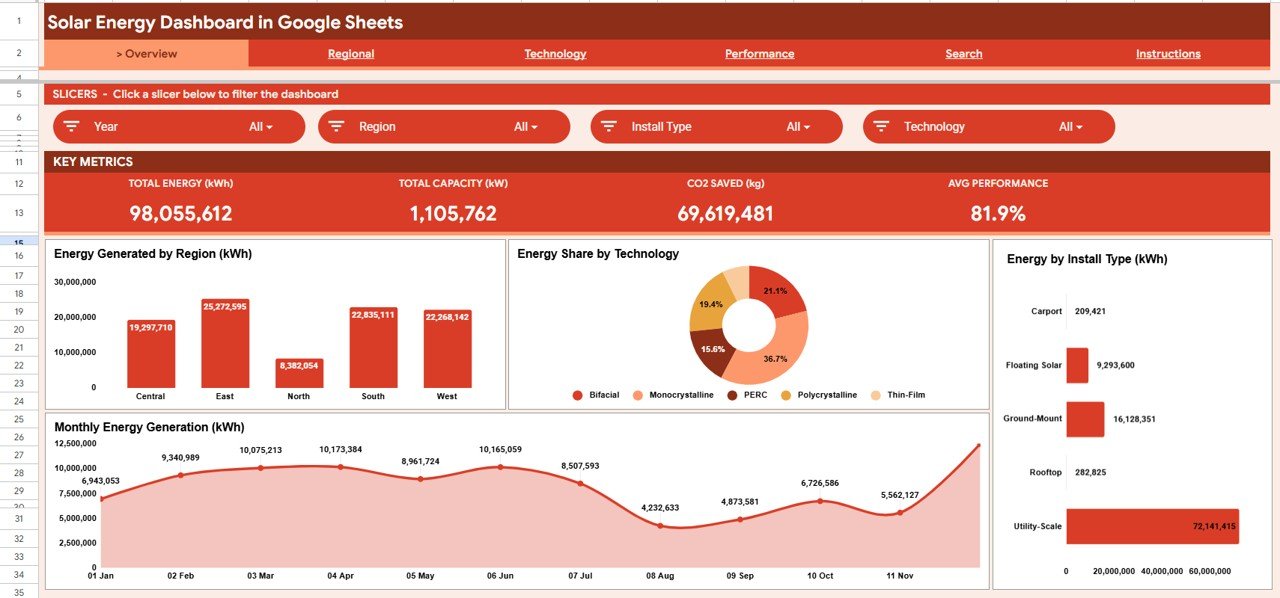
- 🔹 4 KPI cards summarize the whole portfolio at a glance: Total Energy (kWh), Total Capacity (kW), CO2 Saved (kg), and Average Performance Ratio.
- 🔹 14 auto-updating charts cover energy by region, technology share, install type, operational status, and monthly generation trends across four analysis tabs.
- 🔹 Native Google Sheets slicers filter the entire dashboard by region, technology, or install type without editing a single formula.
- 🔹 A Plant ID search tab returns any site’s full profile — region, technology, operator, capacity, performance ratio, CO2 saved, status, and month — in one lookup.
- 🔹 Built-in CO2 savings tracking quantifies environmental impact by region and install type, ready for ESG and stakeholder reports.
📦 What’s Inside the Solar Energy Dashboard in Google Sheets
Page 1: Overview
The Overview tab leads with the four KPI cards — Total Energy (kWh), Total Capacity (kW), CO2 Saved (kg), and Average Performance — then four charts: Energy Generated by Region, Energy Share by Technology, Energy by Install Type, and Monthly Energy Generation. Slicers across the top filter everything at once.
Page 2: Regional Analysis
This tab breaks output down by geography with Energy Generated by Region, Installed Capacity by Region, and Monthly Energy Generation by Region — so you can see which regions carry the portfolio and how each trends over time.

Page 3: Technology Analysis
The Technology tab compares system types through Energy Share by Technology, Installed Capacity by Technology, and Monthly Energy Generation by Technology, showing which technologies deliver the most energy per installed kW.

Page 4: Performance Analysis
The Performance tab pairs reliability with impact: Sites by Operational Status, Average Monthly Performance Ratio, CO2 Saved by Install Type, and CO2 Saved by Region — all on one screen.

Page 5: Search Sheet
Enter any Plant ID and the Search tab instantly returns that site’s complete record: region, install type, technology, operator, description, energy generated, capacity, performance ratio, CO2 saved, status, and month.

Page 6: Data Sheet
The Data tab is your single source of truth. Add your solar plant records in the same column format as the sample data and every KPI, chart, slicer, and search result updates automatically.

📊 Solar Energy Dashboard in Google Sheets vs. Excel vs. Paid Solar Monitoring — Where This Fits
| Feature | Solar Energy Dashboard (Google Sheets) | Microsoft Excel Dashboard | Paid Solar Monitoring (Solar-Log / Aurora) |
|---|---|---|---|
| Cost | $9.99 one-time | $10–$30 one-time | $300–$2,000+ / year |
| Platform | Browser-based Google Sheets | Desktop Excel | Vendor cloud / hardware |
| Setup time | Under 10 minutes | Under 10 minutes | Days (hardware + onboarding) |
| Real-time team collaboration | ✅ Built in | Limited | ✅ |
| Mobile access | ✅ Any browser | App required | ✅ |
| Customizable fields | ✅ Fully open | ✅ | ❌ Locked to vendor schema |
| Share with a link | ✅ Native | Manual file sharing | ✅ |
| Year-1 cost at 5 users | $9.99 total | $10–$30 total | $1,500–$10,000+ |
| Works without hardware/sensors | ✅ Manual or imported data | ✅ | ❌ Needs loggers |
For teams that want portfolio-level solar reporting without paying for per-site monitoring contracts, the Solar Energy Dashboard in Google Sheets sits in the sweet spot.
👥 Who This Template Is For — and Who It’s Not For
✅ This template is built for:
- Solar EPC firms and O&M teams managing 5–500 sites who need fast portfolio reporting
- Renewable energy consultants presenting generation and CO2 impact to clients
- Facility and sustainability managers tracking rooftop or ground-mount arrays for ESG reports
❌ This template is NOT for:
- Teams needing live, second-by-second telemetry straight from inverters and data loggers
- Operations requiring automated fault alarms or SCADA-grade control — this is a reporting layer, not a monitoring controller
⚙️ How to Use the Solar Energy Dashboard in Google Sheets
- Open the PDF guide in your download and click the Google Sheets copy link to create your own editable copy.
- Open the Data tab and replace the sample records with your own solar plant data, keeping the same column order.
- Return to the Overview tab — every KPI card and chart has already recalculated from your data.
- Use the slicers to filter by region, technology, or install type across all pages.
- Type any Plant ID into the Search tab to pull a single site’s full profile.
💼 Real-World Use Cases
Priya runs O&M for a 60-site rooftop solar portfolio. Each Monday she pastes the weekly generation export into the Data tab, uses the region slicer to spot underperforming clusters, and sends leadership a one-page view of energy, performance ratio, and CO2 saved — without logging into multiple vendor portals.
Daniel is a renewable energy consultant. He uses the Technology Analysis tab to show clients how monocrystalline arrays outproduce thin-film per installed kW, then pulls a specific plant’s profile from the Search tab live during the meeting.
Aisha manages sustainability reporting for a manufacturer. She uses CO2 Saved by Region and by Install Type to fill the renewable-energy section of the annual ESG report in minutes.
❓ Frequently Asked Questions
What KPIs does the Solar Energy Dashboard in Google Sheets track?
The Solar Energy Dashboard in Google Sheets tracks four headline KPIs — Total Energy (kWh), Total Capacity (kW), CO2 Saved (kg), and Average Performance Ratio — plus 14 charts across region, technology, install type, status, and monthly trends. All metrics update automatically from the Data tab.
How long does setup take?
Setup takes under 10 minutes. Copy the Solar Energy Dashboard in Google Sheets, paste your plant records into the Data tab in the sample format, and every KPI, chart, slicer, and search result refreshes automatically.
Do I need Apps Script or any add-on?
No. The Solar Energy Dashboard in Google Sheets uses native pivot tables and slicers, so there is nothing to deploy or install. It works in any browser on any device with a Google account.
How does this compare to paid solar monitoring software?
Paid platforms like Solar-Log or Aurora bill per site or per year and require hardware. The Solar Energy Dashboard in Google Sheets is a one-time $9.99 reporting layer you fully own — ideal when you already have generation data and just need clean portfolio analysis.
Can I look up a single plant?
Yes. Type any Plant ID into the Search tab and the Solar Energy Dashboard in Google Sheets returns that site’s full record, including region, technology, operator, capacity, performance ratio, CO2 saved, status, and month.
Can I add my own regions or technologies?
Absolutely. Because the Solar Energy Dashboard in Google Sheets is fully open, you can add regions, technologies, and install types in the Data tab and the slicers and charts pick them up automatically.
👤 About the Author
Built by PK — Microsoft Certified Professional with 15+ years of Excel, Google Sheets, and Power BI experience. Founder of NextGenTemplates, reaching 300K+ subscribers across YouTube channels (@PK-AnExcelExpert, @NextGenTemplates, @NeoTechNavigators). Every template is hand-built and tested before release.
🔗 Explore Related Templates
- Oil and Gas Analysis Dashboard in Google Sheets — same slicer-driven design for energy operations.
- Contract Manufacturing Dashboard in Google Sheets — production KPIs in the same format.
- Browse all Google Sheets Dashboards.
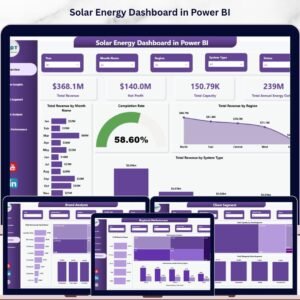
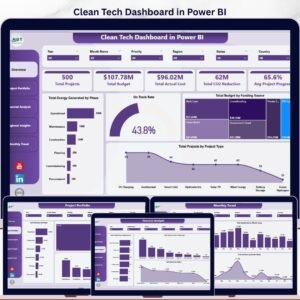
Also available as: Solar Energy Dashboard in Power BI and the Clean Tech Dashboard in Excel.
📖 Click here to read the Detailed Blog Post
Watch the step-by-step video tutorial:
🎥 Visit our YouTube channel for step-by-step video tutorials
Compatibility and Requirements
- Works in Google Sheets. You need a free Google account and a web browser.
- Charts are covered in Google’s guide, Add and edit a chart.































Reviews
There are no reviews yet.