


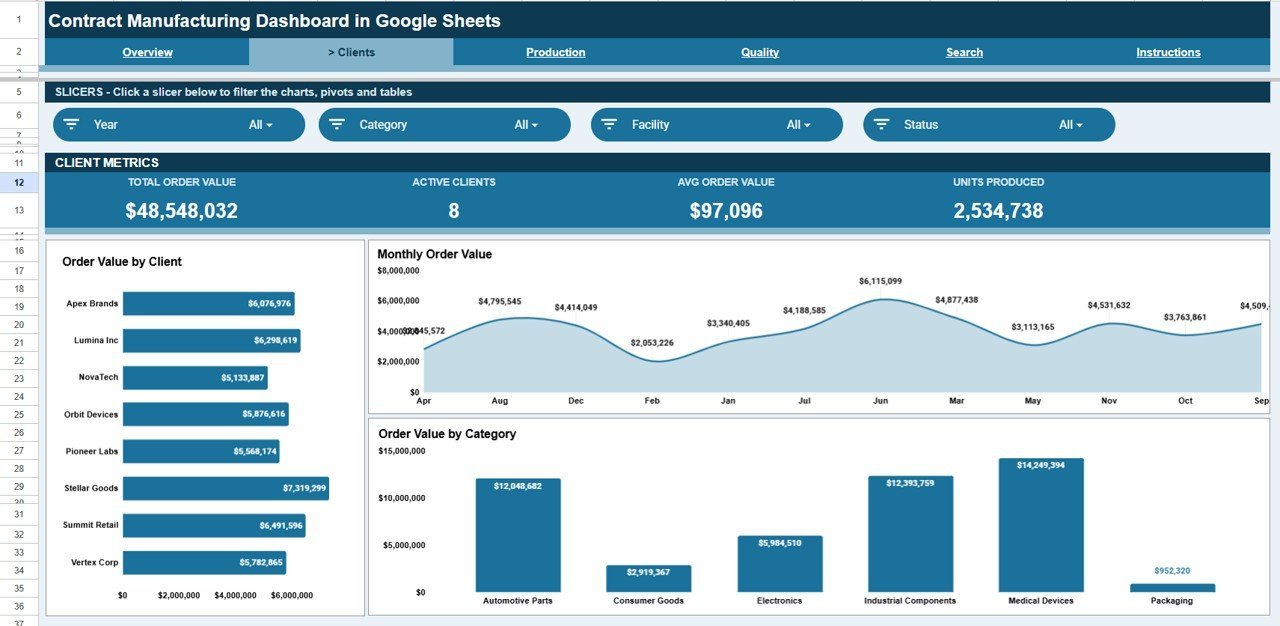



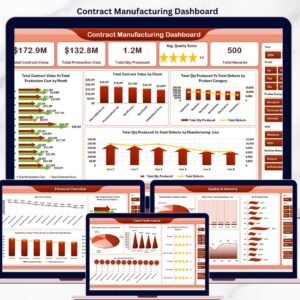
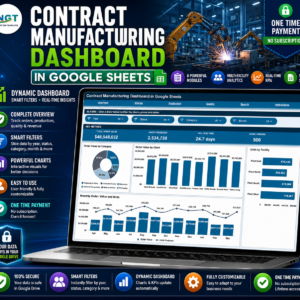
The Contract Manufacturing Dashboard in Google Sheets tracks 4 headline KPIs across 5 interactive pages, with 13 pre-built charts and one-click slicers for client, category, facility, and production line. Setup takes under 10 minutes — paste your work orders into the Data sheet and every chart, card, and the Work Order search refresh automatically.
🌍 Join 8,400+ teams in 40+ countries using NextGenTemplates to replace paid SaaS tools with one-time-purchase Excel, Google Sheets, Power BI, and HTML templates.
✅ Instant access · One-time payment · No subscription · No per-user fees · Lifetime access
🔑 Key Features of the Contract Manufacturing Dashboard in Google Sheets
This Google Sheets Manufacturing Dashboard tracks every contract production run from purchase order to shipped units. It monitors 4 KPI cards — Total Order Value, Units Produced, Average Lead Time, and Work Orders — so you see plant performance the moment the file opens. 📊
🎛️ Native Google Sheets slicers let you filter every chart by client, product category, facility, or production line in a single click — no formulas to edit and no pivot tables to rebuild. The whole dashboard re-draws instantly. ⚡
🔍 A dedicated Search sheet returns the full record for any Work Order ID — date, client, product category, production line, facility, description, order value, units produced, defect units, lead time, and status — in one lookup, ideal for client status calls. 📞
🧮 Built entirely with native Google Sheets functions and charts, the template works in any browser, shares with a link, and supports real-time collaboration across your operations, quality, and account-management teams.
📦 What’s Inside the Contract Manufacturing Dashboard in Google Sheets
Overview Page
The home page shows the 4 KPI cards — Total Order Value, Units Produced, Avg Lead Time, and Work Orders — above charts for Order Value by Category, Order Value by Client, Units by Facility, and Monthly Order Value and Units. Slicers at the top filter the entire page in one click.

Clients Page
This page breaks revenue down by customer with charts for Order Value by Client, Monthly Order Value, and Order Value by Category. It shows which contracts carry your book of business and how each client trends month over month.

Production Page
The production view tracks output capacity with charts for Units by Facility, Order Value by Line, and Monthly Units by Line. Use it to compare plant throughput and spot which production lines are carrying the load.

Quality Page
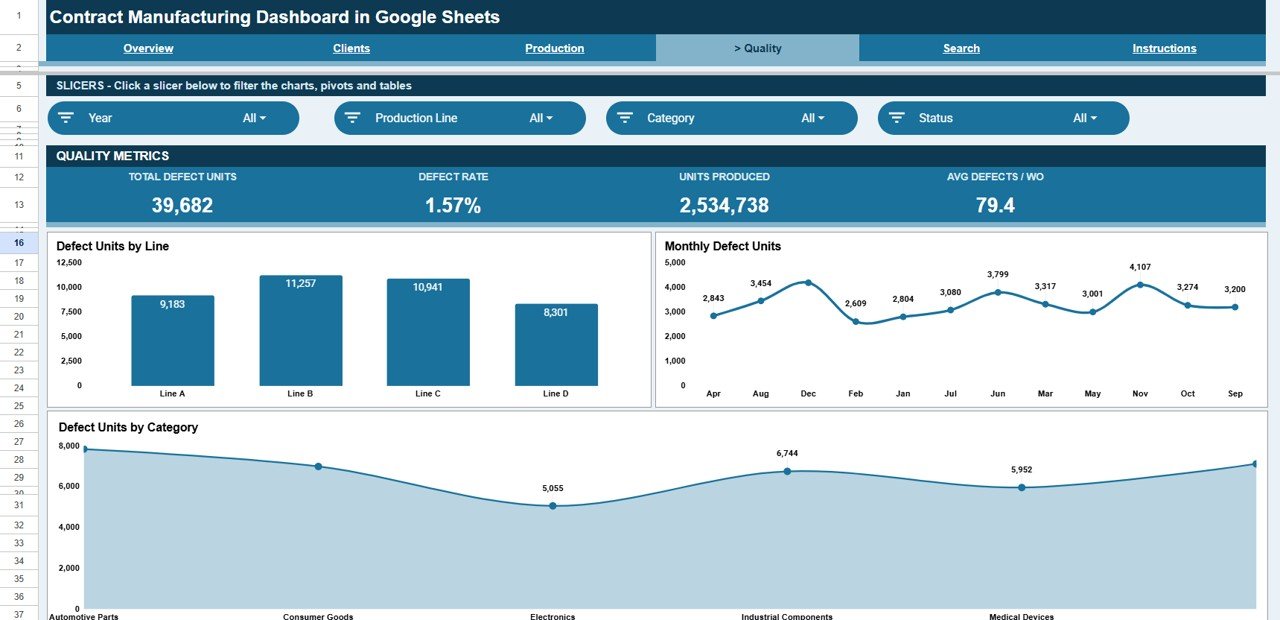
The quality view surfaces defects with charts for Defect Units by Line, Monthly Defect Units, and Defect Units by Category. It pinpoints where rework and scrap originate so you can act before a client complaint lands.
Search Sheet
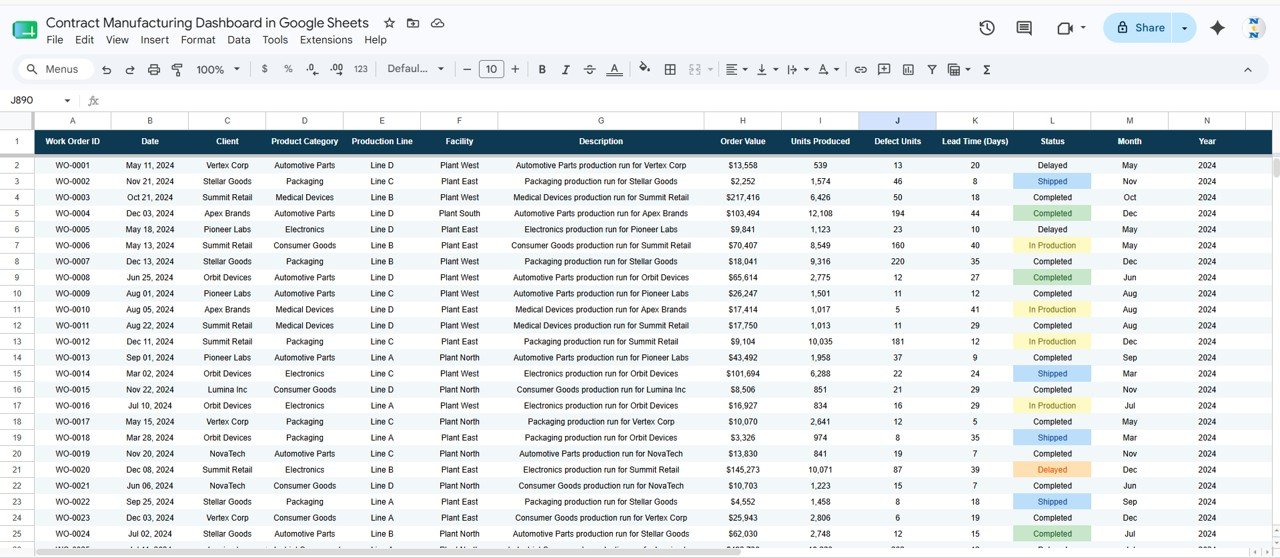
Enter any Work Order ID and instantly view its full detail — date, client, product category, production line, facility, description, order value, units produced, defect units, lead time, and status — without scrolling the raw data.

Data Sheet
This is the single source of truth. Add or paste your work orders here in the same column format and every page, chart, KPI card, and the Search sheet update automatically.
📊 Contract Manufacturing Dashboard in Google Sheets vs. Excel vs. Paid MRP/SaaS — Where This Fits
| Feature | Contract Manufacturing Dashboard (Google Sheets) | Microsoft Excel Dashboard | MRPeasy / Katana MRP |
|---|---|---|---|
| Cost | $9.99 one-time | $12–$18 one-time | $49–$199 / user / month |
| Platform | Google Sheets (browser, any device) | Desktop Excel | Cloud SaaS |
| Setup time | Under 10 minutes ✅ | Under 10 minutes ✅ | Days to weeks |
| Real-time team collaboration | Yes — share with a link ✅ | Limited (file passing) | Yes ✅ |
| Mobile access | Yes, native ✅ | Limited | Yes ✅ |
| Work Order ID lookup | Built-in Search sheet ✅ | Built-in | Yes ✅ |
| Defect / quality tracking | Yes — by line, month, category ✅ | Yes | Yes ✅ |
| Own your data / no vendor lock-in | Yes ✅ | Yes ✅ | No |
| Year-1 cost at 5 users | $9.99 total ✅ | ~$15 total | $3,000–$12,000+ |
For contract manufacturers who want live order, output, and defect visibility without paying thousands a year for an MRP seat, the Contract Manufacturing Dashboard in Google Sheets sits in the sweet spot.
👥 Who This Template Is For — and Who It’s Not For
✅ This template is built for:
- Contract manufacturers and CMOs managing multiple client production orders across facilities
- Operations and plant managers who need order value, output, and lead-time visibility in one place
- Quality and account managers tracking defect units and Work Order status without an ERP login
- Small and mid-size job shops that want a dashboard without paying for MRPeasy or Katana seats
❌ This template is NOT for:
- Plants that need live machine/IoT data feeds or automated shop-floor scheduling
- Enterprises requiring full MRP, BOM explosion, and inventory netting in one system
- Teams that cannot use Google Sheets (no Google account or browser access)
⚙️ How to Use the Contract Manufacturing Dashboard in Google Sheets
- Open the PDF in your download and click the Google Sheets copy link to save your own editable copy to Google Drive.
- Go to the Data sheet and replace the sample rows with your work orders, keeping the same column order.
- Return to the Overview page — the 4 KPI cards and all charts refresh automatically from your data.
- Use the slicers at the top of each page to filter by client, category, facility, or production line.
- Open the Search sheet and type a Work Order ID to pull its full record instantly.
💼 Real-World Use Cases
Ravi runs a 3-facility electronics contract manufacturer. He uses the Contract Manufacturing Dashboard in Google Sheets to see Total Order Value and Units Produced by facility each morning, then filters the Production page by line to decide where to add a shift — without opening an ERP.
Maria is a quality lead at a packaging CMO. She filters the Quality page to find which production line drove the month’s defect spike, opens the Search sheet for the affected Work Order IDs, and walks into the client review with the full record ready.
James manages key accounts at a metal-parts job shop. Before each client call he filters the Clients page to that customer, reviews their Monthly Order Value trend, and shares the live Google Sheets link so the client sees the same numbers in real time.
❓ Frequently Asked Questions
What KPIs does the Contract Manufacturing Dashboard in Google Sheets track?
The Contract Manufacturing Dashboard in Google Sheets tracks 4 headline KPIs — Total Order Value, Units Produced, Average Lead Time, and Work Orders — plus defect units, order value by client, category and line, and units by facility. Every metric updates automatically when you add data.
How long does setup take?
Setup takes under 10 minutes. Make your own copy from the included link, paste your work orders into the Data sheet using the same column format, and the Contract Manufacturing Dashboard in Google Sheets refreshes every chart, KPI card, and the Search sheet automatically.
How does this compare to MRPeasy or Katana MRP?
MRP platforms like MRPeasy and Katana charge $49–$199 per user per month. The Contract Manufacturing Dashboard in Google Sheets is a $9.99 one-time purchase that covers order, output, lead-time, and defect reporting — ideal when you want visibility without an ongoing MRP subscription.
Can I filter the dashboard by client or facility?
Yes. Native slicers at the top of each page let you filter the Contract Manufacturing Dashboard in Google Sheets by client, product category, facility, or production line in one click, and every chart and KPI re-draws instantly.
Does it work on mobile and for team sharing?
Yes. Because the Contract Manufacturing Dashboard in Google Sheets runs natively in Google Sheets, you can open it in any browser, view it on mobile, and share a link for real-time collaboration with no per-user fees.
Can I look up a single work order?
Yes. The Search sheet in the Contract Manufacturing Dashboard in Google Sheets returns the full record for any Work Order ID — date, client, category, line, facility, order value, units, defects, lead time, and status — in one lookup.
👤 About the Author
Built by PK — Microsoft Certified Professional with 15+ years of Excel, Google Sheets, and Power BI experience. Founder of NextGenTemplates, reaching 300K+ subscribers across YouTube channels (@PK-AnExcelExpert, @NextGenTemplates, @NeoTechNavigators). Every template is hand-built and tested before release.
🔗 Explore Related Templates
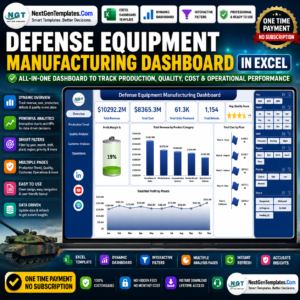
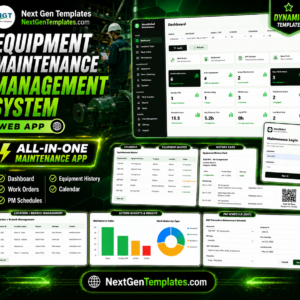
Pair this with the Oil and Gas Analysis Dashboard in Google Sheets for another industry-specific Sheets dashboard, or add the Compliance and Audit Dashboard in Google Sheets to track audits alongside production. Prefer Excel or Power BI? See the Defense Equipment Manufacturing Dashboard in Excel and the Cryogenics Dashboard in Excel. Need a full app? The Equipment Maintenance Management System Web App goes further. Browse all Google Sheets Dashboards and Manufacturing templates.
💎 Need the whole supply side? Get all 7 templates in the Procurement and Vendor Management Kit and save versus buying individually.
📖 Click here to read the Detailed Blog Post
Watch the step-by-step video tutorial:
🎥 Visit our YouTube channel for step-by-step video tutorials
👉 YouTube.com/@NextGenTemplates
Compatibility and Requirements
- Works in Google Sheets. You need a free Google account and a web browser.
- The slicers, charts and Search sheet are built with native Google Sheets features. Google explains how to build charts in Add and edit a chart or graph.















Reviews
There are no reviews yet.