

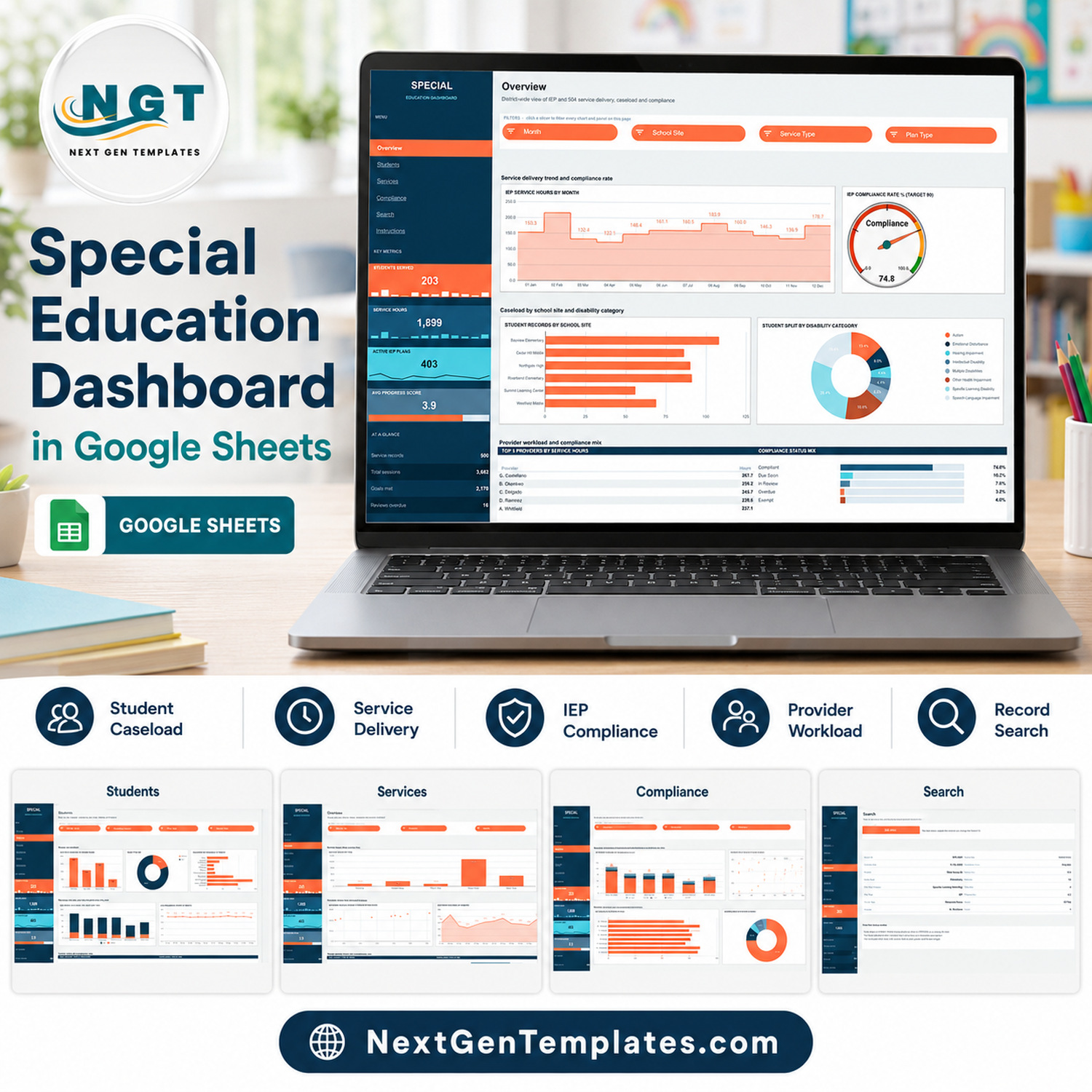

The Special Education Dashboard in Google Sheets is an administrative tracking template built on 6 linked pages, 16 charts, 15 slicers and 8 headline metrics. It ships with 500 demo service records, and every formula and pivot is pre-wired to 1,000 rows, so you can paste your own administrative data straight in and the whole workbook redraws itself.
Setup takes under 10 minutes: open the PDF in your download, click the “Make a copy” link, replace the sample rows on the Data tab and keep the 16 column headers as they are.
🌍 Join 10,000+ customers in 180+ countries using NextGenTemplates to replace paid SaaS tools with one-time-purchase Excel, Google Sheets, Power BI and HTML templates.
✅ Instant download · One-time payment · No subscription · No per-user fees · Lifetime access
⚠️ Please read before you buy — what this template is and is not.
This is a spreadsheet template for administrative tracking only. It is not an IEP system, not a special-education case-management system, not a student information system and not a compliance tool.
It does not make you or your district compliant with IDEA, Section 504, FERPA, ADA, GDPR or any other state or national special-education regulation, and it produces no legally valid IEP, 504 plan, evaluation, eligibility determination or progress report.
It gives no clinical, educational, diagnostic, therapeutic or placement advice, and it has no assessment or screening capability. Every figure and name in the file is demo data, not a real student.
Data protection is your responsibility. If you type real student names or disability information into this sheet you are handling sensitive personal data about minors, and securing, retaining and sharing it lawfully is entirely down to you and your organisation.
🔑 Key Features of the Special Education Dashboard in Google Sheets
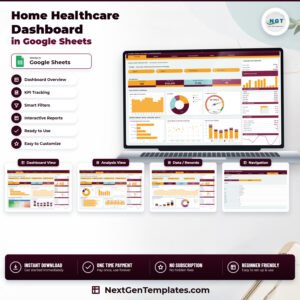
🔹 Six linked pages, one navigation rail. Overview, Students, Services, Compliance, Search and Instructions each sit on their own page, and the rail on the left jumps between them. The four KPI cards in the rail stay visible on every page, so the headline numbers travel with you as you move around.
🔹 Eight metrics computed from your own rows. The rail shows Students Served, Service Hours, Active IEP Plans and Avg Progress Score as large cards with sparklines, plus an “At a glance” block carrying Service records, Total sessions, Goals met and Reviews overdue. In the demo file these read 203, 1,899, 403, 3.9, 500, 3,682, 2,170 and 16.
🔹 16 charts across four analysis pages. Stepped area, gauge, bar, column, stacked column, donut and scatter charts are already built and pointed at pivot tables that start at column Z. You never build a chart — you replace data and the charts follow.
🔹 15 slicers, scoped per page. Month, School Site, Service Type, Plan Type, Grade Band, Disability Category, Provider and Compliance Status filter the charts, the Top 5 panel and the status mix on the page they sit on. Because slicers apply to one page only, each page can hold its own view at the same time.
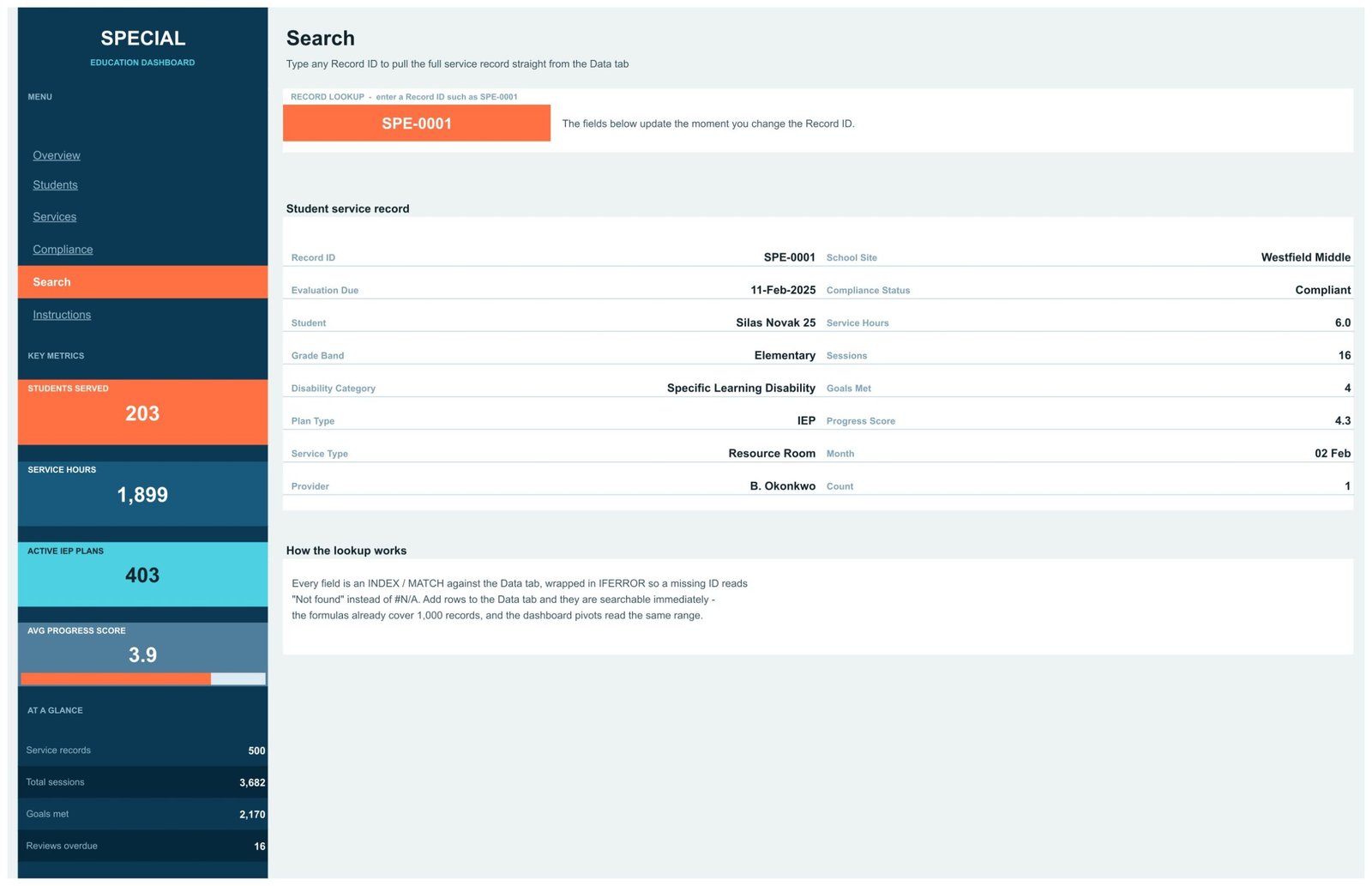
🔹 A Record ID lookup page. Type any Record ID such as SPE-0001 and 16 fields fill in instantly. Every field is an INDEX / MATCH against the Data tab wrapped in IFERROR, so a missing ID reads “Not found” instead of #N/A.
🔹 Google Sheets native, nothing to install. No add-ons, no Apps Script, no macros. It opens in a browser, shares with a link, and works in the Google Sheets mobile app.
📦 What’s Inside the Special Education Dashboard
Page 1: Overview
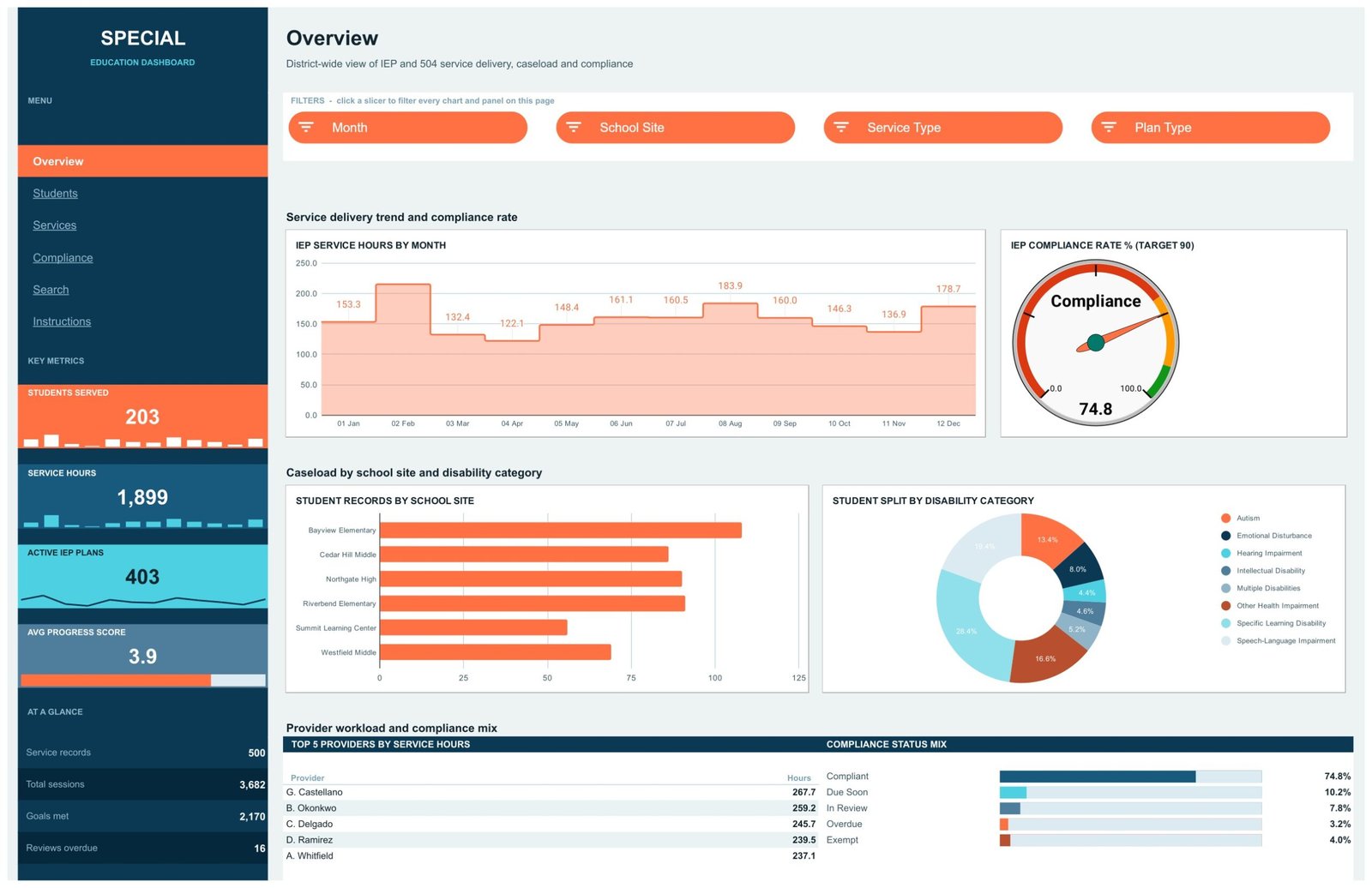
A district-wide view of service delivery, caseload and internal review status, filtered by Month, School Site, Service Type and Plan Type. Charts include IEP Service Hours by Month, IEP Compliance Rate % (Target 90) on a gauge, Student Records by School Site and Student Split by Disability Category, with a Top 5 Providers by Service Hours table and a Compliance Status Mix panel underneath.
Page 2: Students
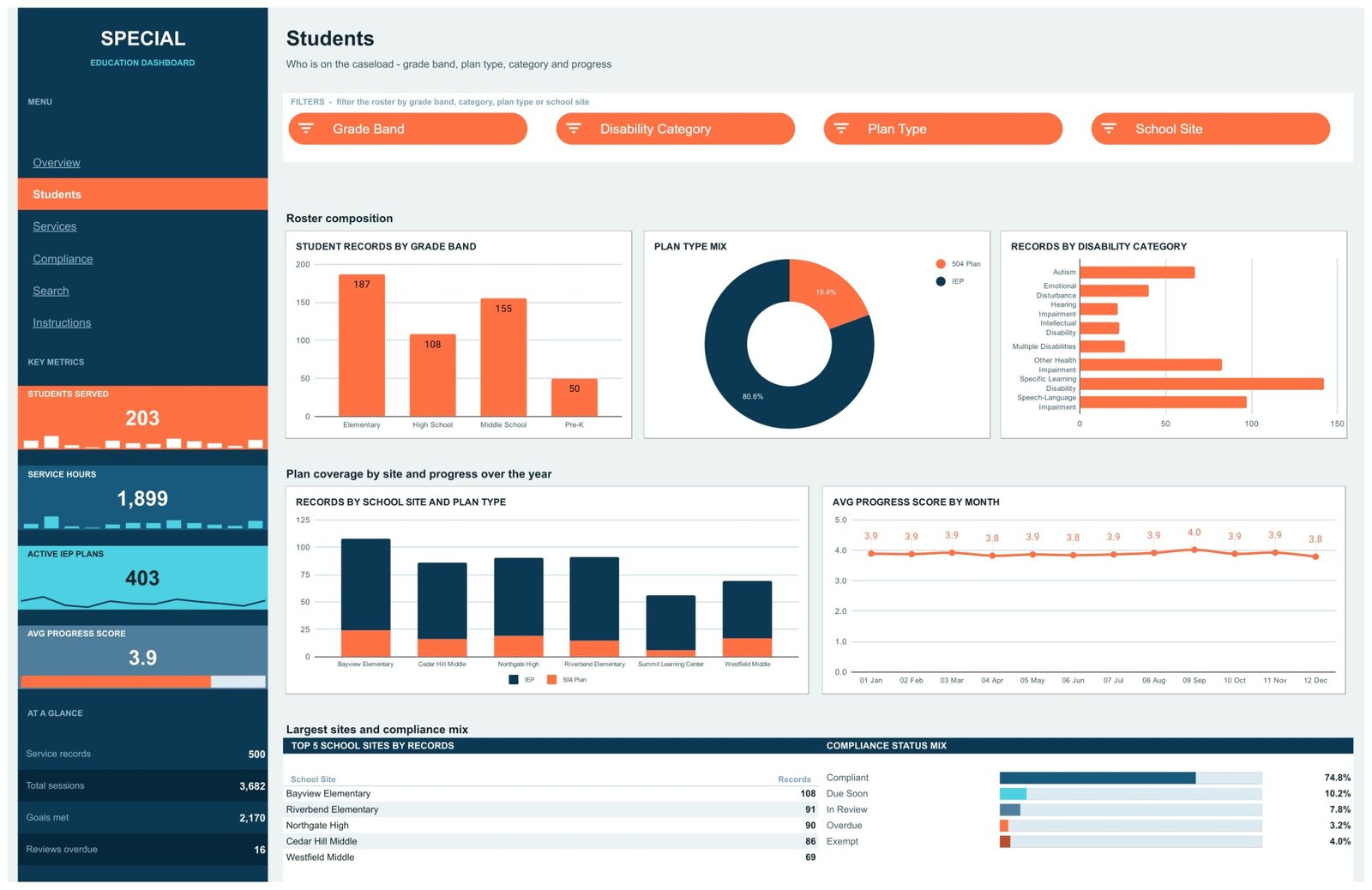
Shows who is on the caseload by grade band, plan type, category and progress, filtered by Grade Band, Disability Category, Plan Type and School Site. Charts include Student Records by Grade Band, Plan Type Mix, Records by Disability Category, Records by School Site and Plan Type, and Avg Progress Score by Month, plus a Top 5 School Sites by Records table.
Page 3: Services
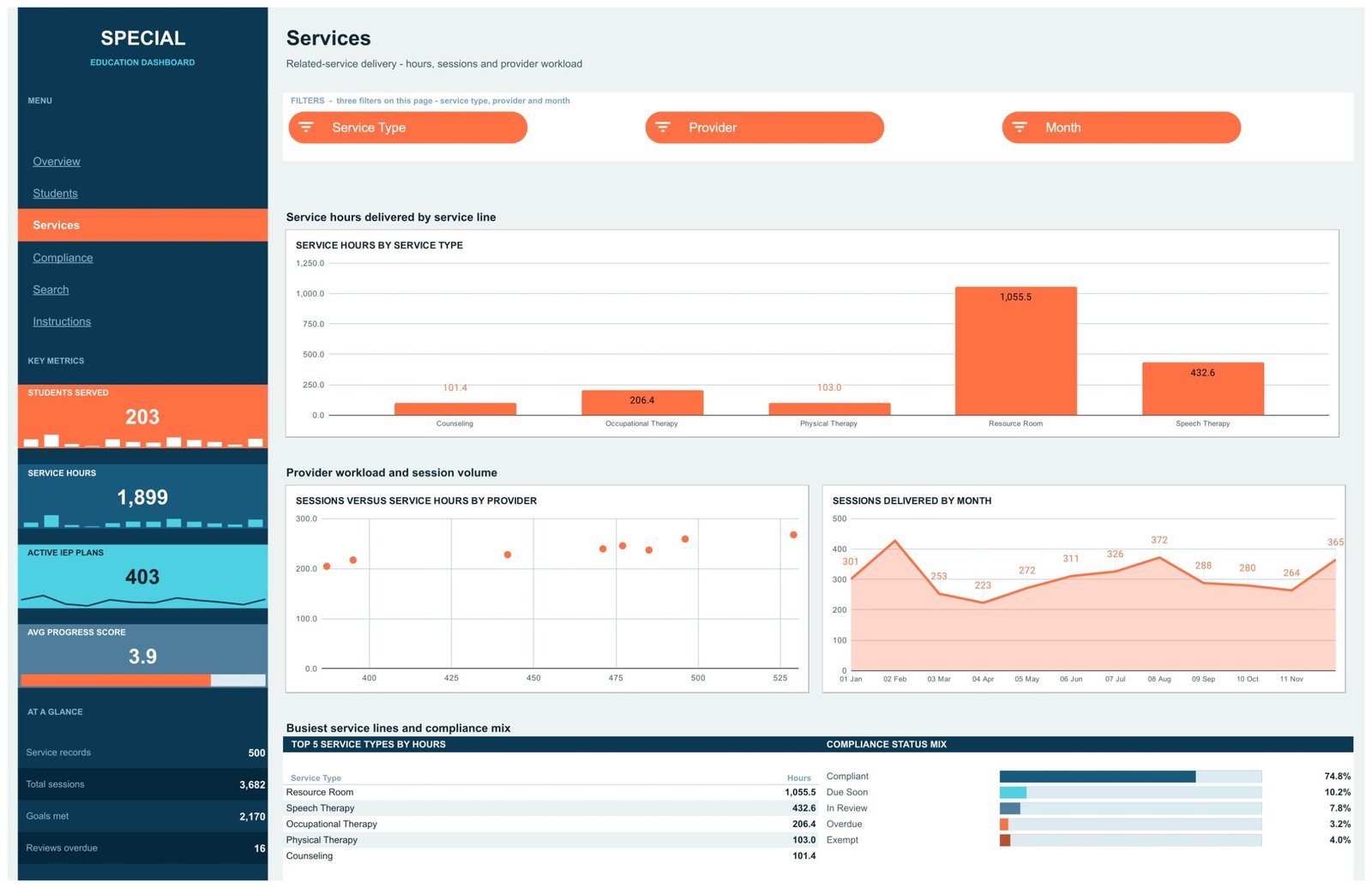
Covers related-service delivery — hours, sessions and provider workload — with Service Type, Provider and Month slicers. Charts include Service Hours by Service Type, Sessions versus Service Hours by Provider and Sessions Delivered by Month, with a Top 5 Service Types by Hours table beneath them.
Page 4: Compliance
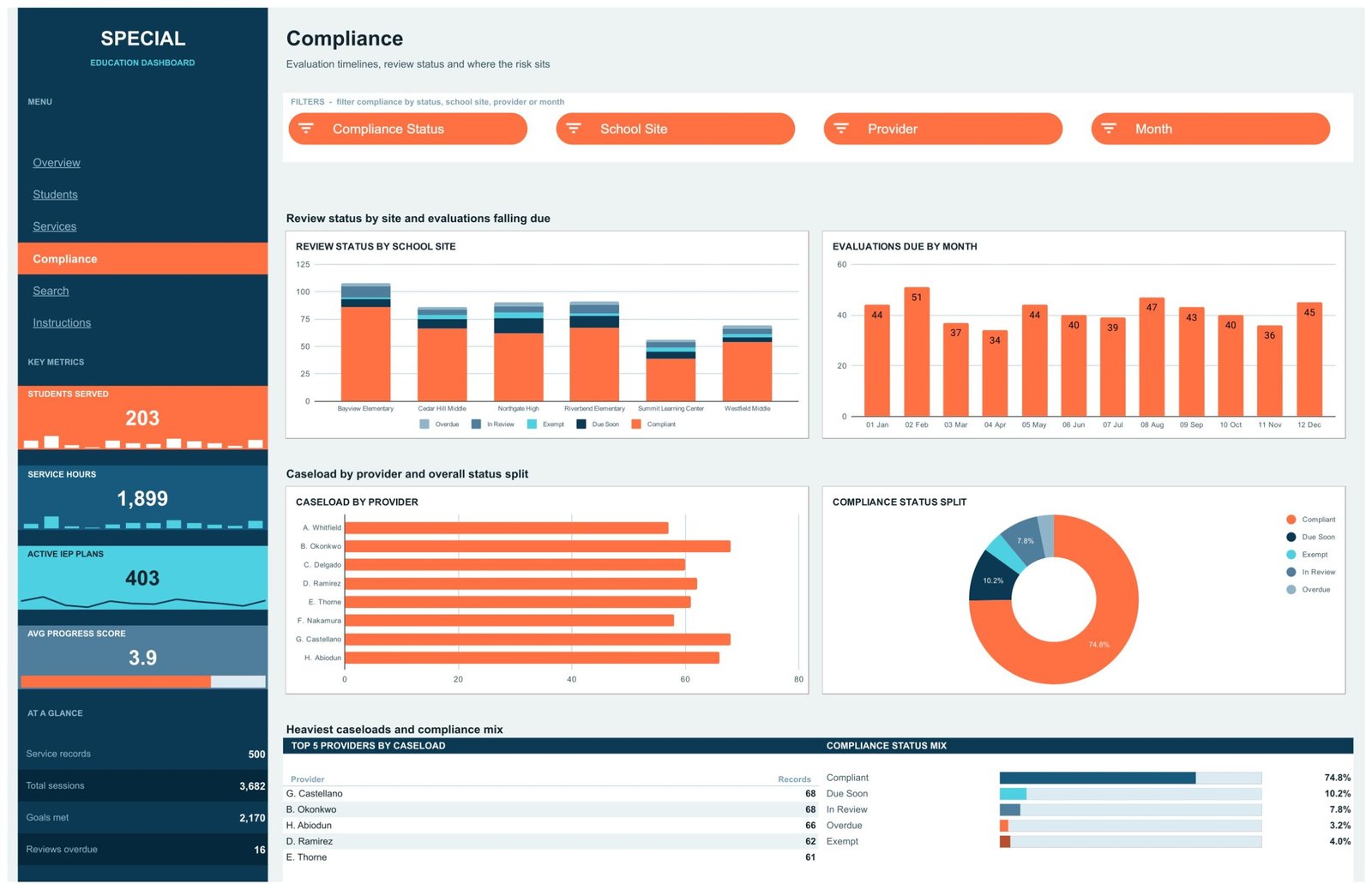
Tracks the internal review timelines and administrative backlog that you record yourself, filtered by Compliance Status, School Site, Provider and Month. Charts include Review Status by School Site, Evaluations Due by Month, Caseload by Provider and Compliance Status Split, with a Top 5 Providers by Caseload table. These reflect the dates and statuses you type in — they are not a regulatory assessment.
Page 5: Search
A single-record lookup. Enter a Record ID and the page returns School Site, Evaluation Due, Grade Band, Plan Type, Service Type, Provider, Service Hours, Sessions, Goals Met, Progress Score, Month and Compliance Status for that row. The record shown in the screenshot is fictional demo data.
Page 6: Instructions
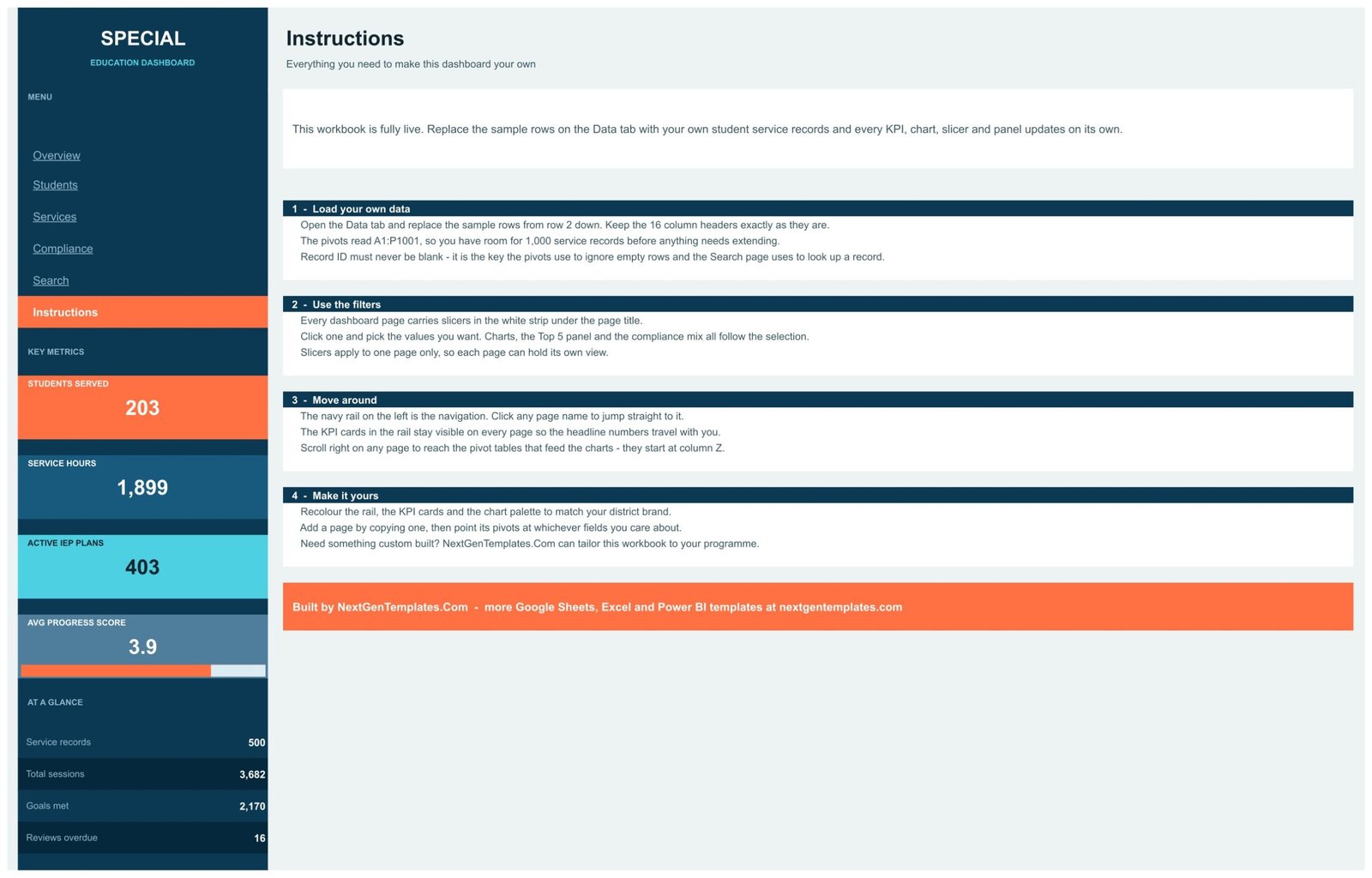
Four short setup steps covering how to load your own data, how the slicers behave, how the navigation rail works, and how to recolour the rail, the cards and the chart palette to match your own branding.
📊 Special Education Dashboard vs. Excel Dashboard vs. Paid Special-Programs SaaS — Where This Fits
| Feature | Special Education Dashboard in Google Sheets | Microsoft Excel Dashboard | Frontline IEP / PowerSchool Special Programs |
|---|---|---|---|
| Cost | $9.99 one-time ✅ | $13.99 to $19.99 one-time | Quoted per district, typically thousands per year |
| Platform | Google Sheets, browser only ✅ | Microsoft Excel desktop | Hosted web platform |
| Setup time | Under 10 minutes ✅ | Under 15 minutes | Weeks of onboarding and data migration |
| Real-time team collaboration | Yes, native multi-user editing ✅ | Only via OneDrive co-authoring | Yes |
| Mobile access | Google Sheets mobile app ✅ | Excel mobile, limited slicer support | Yes |
| Customisable fields and colours | Fully editable, 16 columns ✅ | Fully editable | Vendor-configured |
| Share with a link | Yes ✅ | File attachment or OneDrive link | Account-based access |
| Year-1 cost at 5 users | $9.99 total ✅ | $13.99 to $19.99 total | Four to five figures |
| Generates legal IEP or 504 documents | No | No | Yes ✅ |
| Statutory compliance workflow and audit trail | No | No | Yes ✅ |
Read the last two rows carefully — a special-programs platform does something this spreadsheet deliberately does not. For a coordinator who only needs caseload, service hours and internal review dates in one place, and who keeps the legal record where it belongs, the Special Education Dashboard in Google Sheets sits in the sweet spot.
👥 Who This Template Is For — and Who It’s Not For
✅ This template is built for:
- Special-education coordinators and programme administrators who keep caseload counts in scattered spreadsheets today
- Small districts, single schools and independent providers who want one administrative view of service hours and provider workload
- Therapy and related-service practices that report on session counts and need a simple monthly summary
- Anyone who wants a Google Sheets reporting layer alongside an existing system of record
❌ This template is NOT for:
- Anyone who needs to author, sign or store IEPs, 504 plans, evaluations or eligibility determinations — buy a special-programs platform instead
- Anyone looking for a compliance guarantee under IDEA, Section 504, FERPA, ADA or GDPR — this template offers none
- Anyone expecting clinical, diagnostic, therapeutic or placement guidance — it contains no such capability
- Districts that require SOC 2, single sign-on, role-based permissions or an audit trail on student records
- Anyone who wants to store identifiable student data without doing their own data-protection assessment first
⚙️ How to Use the Special Education Dashboard
- Download your purchase and open the PDF guide. Click the “Make a copy” link to create your own editable copy in Google Drive.
- Decide first what you will and will not store. Use initials or internal codes rather than full names unless you have cleared identifiable data internally.
- Open the Data tab and replace the sample rows from row 2 down. Keep the 16 column headers exactly as they are.
- Keep Record ID filled on every row. It is the key the pivots use to skip empty rows and the Search page uses to look up a record.
- Go to any dashboard page and click a slicer in the white strip under the page title to filter that page.
- Recolour the rail, the KPI cards and the chart palette from the Instructions page to match your own branding.
💼 Real-World Use Cases
Dana coordinates related services across six school sites. Every Monday she pastes the week’s session log into the Data tab and opens the Services page to read Service Hours by Service Type and Sessions versus Service Hours by Provider, so she can spot an unbalanced workload before the term ends.
Marcus runs a four-therapist private practice. He uses the Students and Services pages to summarise sessions delivered by month for his own staffing and invoicing decisions, and keeps every identifiable record in his practice-management software rather than in the sheet.
Priya administers a single independent school. She uses the Compliance page to see which internal reviews her team has logged as due soon, then takes that list into the systems where the actual documents live.
❓ Frequently Asked Questions
Does this make our district compliant with IDEA or FERPA?
No. The Special Education Dashboard in Google Sheets is an administrative tracking spreadsheet. It confers no compliance with IDEA, Section 504, FERPA, ADA, GDPR or any other regulation, and it produces no legally valid IEP, 504 plan, evaluation or progress report. Keep using your official system of record.
Is this an IEP or case-management system?
No. It does not author, store or sign IEPs, 504 plans or evaluations, and it is not a student information system. It reads a flat table of administrative records you maintain yourself and charts the totals. Nothing in it replaces a special-programs platform.
Can I put real student names in it?
Technically yes, but that is your decision and your responsibility. Real names and disability information are sensitive personal data about minors. Assess your legal position first, and consider using initials or internal record codes. Every sample row shipped in the file is demo data.
What does the template actually track?
Sixteen columns of administrative data, summarised into eight metrics and 16 charts: students served, service hours, active plan counts, sessions, goals met, progress scores, provider caseload and the internal review status you record yourself. It performs no assessment or scoring of its own.
How long does setup take?
Under 10 minutes. Open the PDF, click the copy link, paste your rows into the Data tab from row 2 down and keep the headers unchanged. Every KPI card, chart, slicer and panel updates on its own — there is nothing to rebuild.
How many records can it hold?
The pivots and lookup formulas read A1:P1001, so there is room for 1,000 service records before anything needs extending. The demo file ships with 500 rows. Extending those ranges is a normal Google Sheets edit if you outgrow it.
How does this compare with a paid special-programs platform?
It costs $9.99 once instead of a recurring district licence and it sets up in minutes. In exchange it does none of the statutory work: no document generation, no audit trail, no permissions. It is a reporting layer, not a replacement.
👤 About the Author
Built by PK — Microsoft Certified Professional with 15+ years of Excel, Google Sheets and Power BI experience. Founder of NextGenTemplates, reaching 300K+ subscribers across YouTube channels (@PKAnExcelExpert, @NextGenTemplates, @NeoTechNavigators). Every template is hand-built and tested before release.
🔗 Explore Related Templates
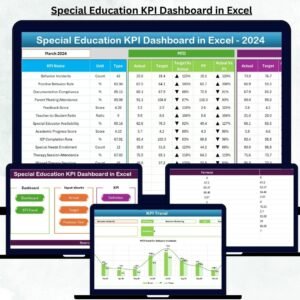
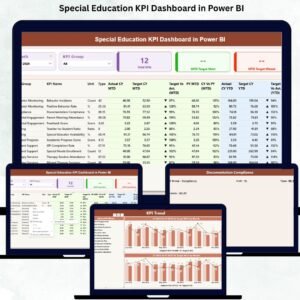
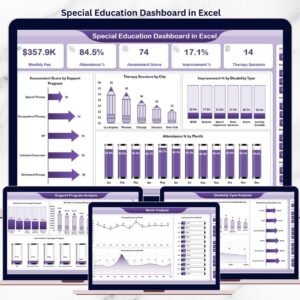
The same subject exists on other platforms if you prefer them. Also available as: Special Education Dashboard in Excel and Special Education Dashboard in Power BI. If you want a month-picker KPI scorecard rather than an analytical dashboard, look at the Special Education KPI Dashboard in Excel — the KPI Dashboard and KPI Scorecard lines are different templates with similar names, not the same file.
For neighbouring school reporting, teams usually pair this with the Primary Schools Dashboard in Google Sheets, the Secondary Schools Dashboard in Google Sheets or the broader Education Dashboard in Google Sheets. Browse the full Google Sheets Dashboards collection, or the wider Google Sheets Templates library.
📖 Click here to read the Detailed Blog Post
🎥 Visit our YouTube channel for step-by-step video tutorials
👉 YouTube.com/@NextGenTemplates
Watch the step-by-step video Demo:
📅 Last updated: September 2026
Compatibility and Requirements
- Works in Google Sheets. You need a free Google account and a web browser. The Google Sheets mobile app also opens it.
- There are no add-ons, Apps Script or macros to install.
- Google explains in-cell dropdown lists in Create an in-cell dropdown list.































Reviews
There are no reviews yet.