

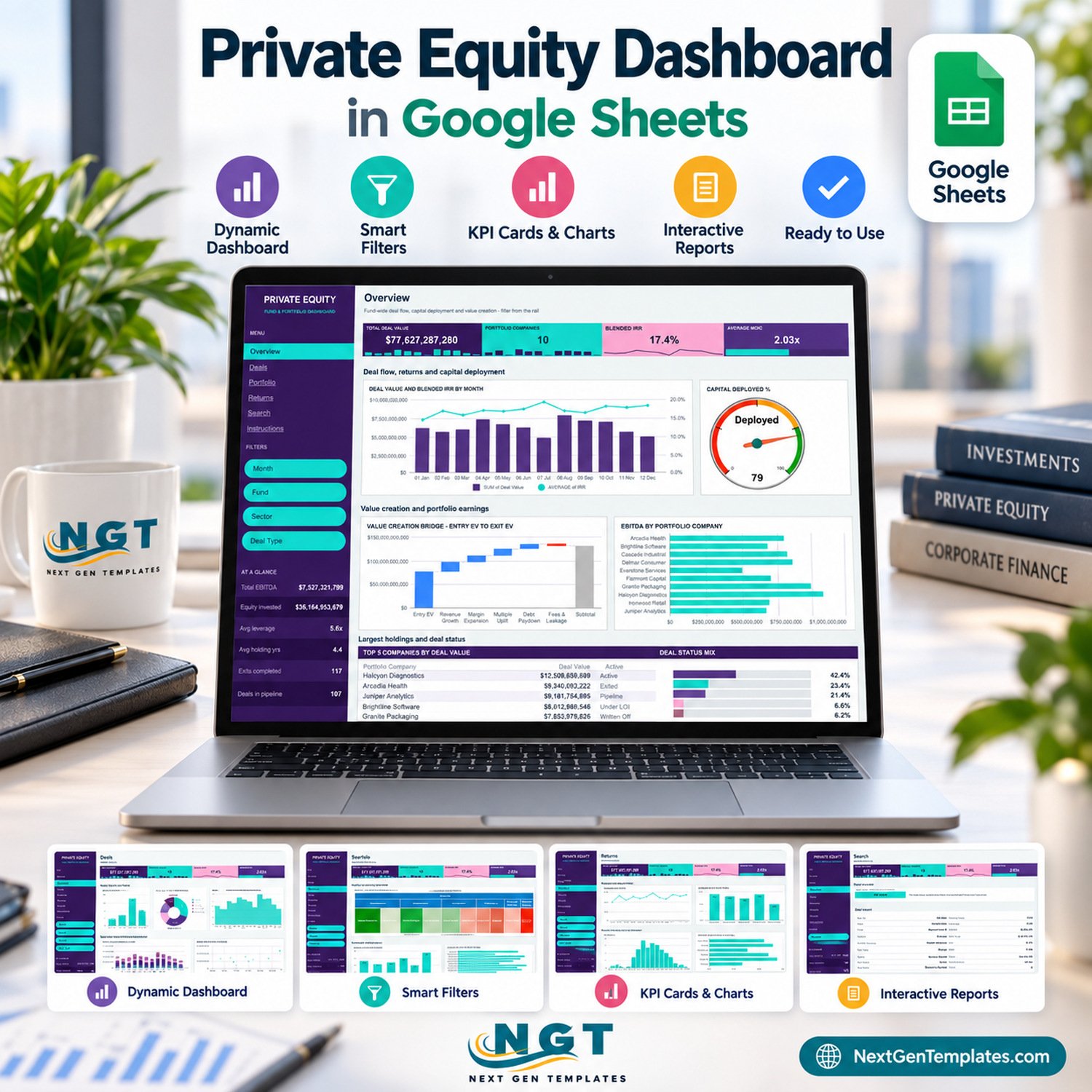

The Private Equity Dashboard in Google Sheets turns a deal register into a six-page fund and portfolio report: 500 sample deals, 18 data columns, 16 charts, 15 slicers and four headline KPI tiles, all driven by native Google Sheets pivot tables. The fictional sample book covers 5 funds, 10 portfolio companies, 6 sectors, 5 regions and 5 deal types across calendar year 2024, and the pivots and the Search page already read 1,000 data rows. Make your copy, paste your own deals over the sample rows and every chart redraws.
🌍 Join 10,000+ customers in 180+ countries using NextGenTemplates to replace paid SaaS tools with one-time-purchase Excel, Google Sheets, Power BI and HTML templates.
✅ Instant download · One-time payment · No subscription · No per-user fees · Lifetime access
🔑 Key Features of the Private Equity Dashboard in Google Sheets
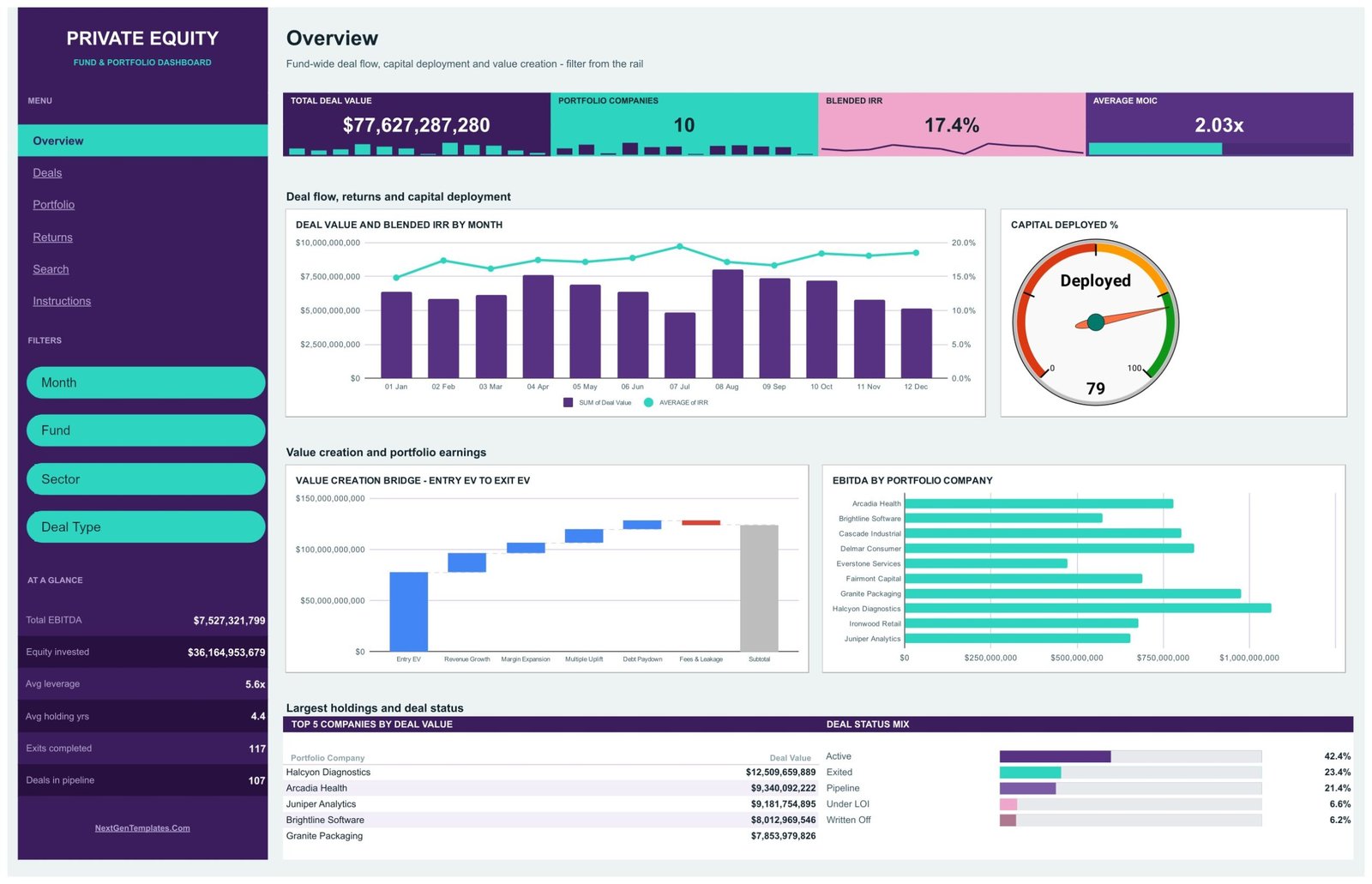
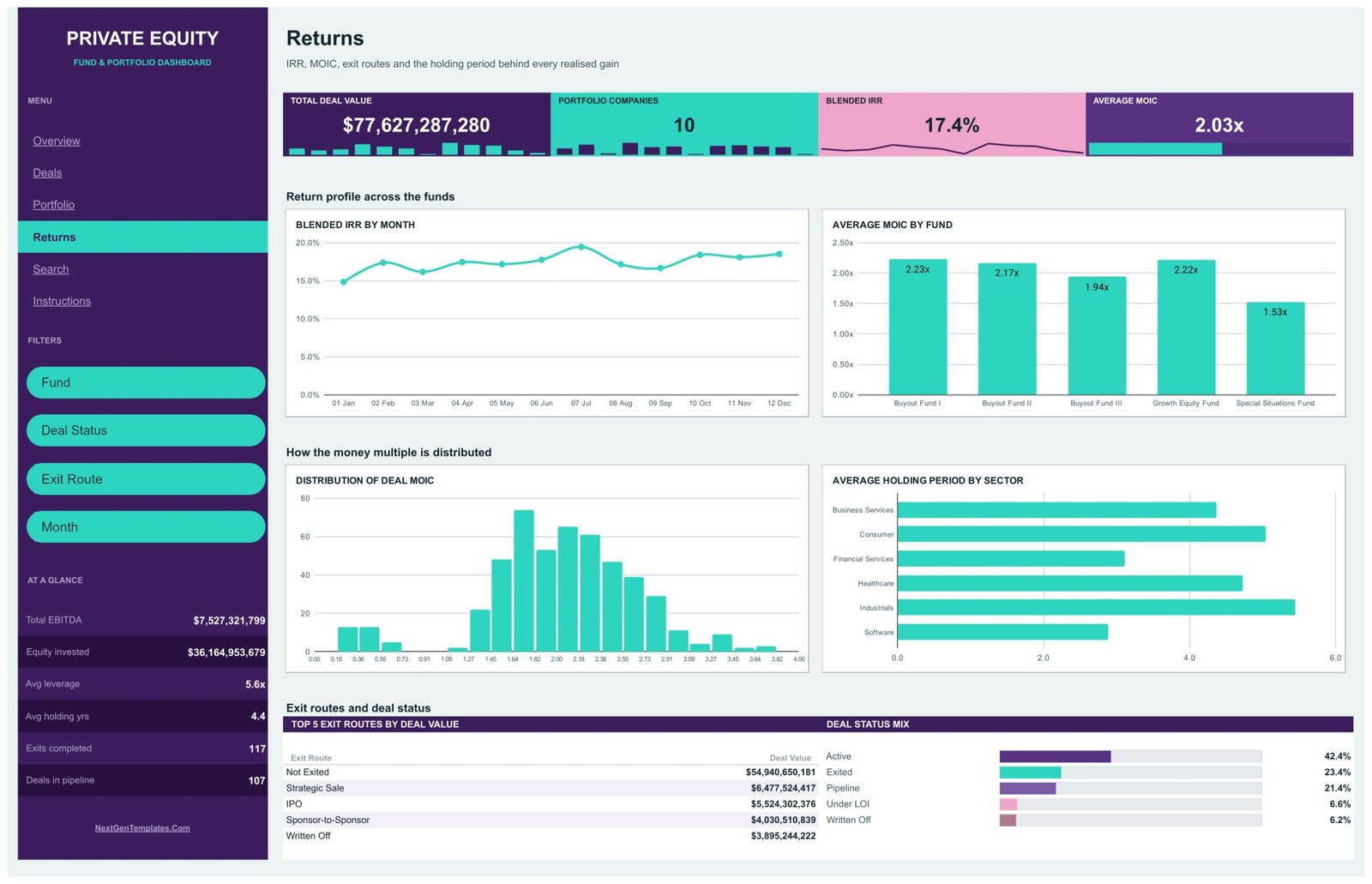
🔹 Four headline KPI tiles on every analysis page. Total Deal Value ($77,627,287,280 in the sample), Portfolio Companies (10), Blended IRR (17.4%) and Average MOIC (2.03x) sit under each page title, with small monthly spark bars under the first three and a progress bar under MOIC.
🔹 Deal flow, returns and value creation on one screen. The Overview pairs Deal Value and Blended IRR by Month with a Capital Deployed % gauge, a Value Creation Bridge from Entry EV through revenue growth, margin expansion, multiple uplift, debt paydown and fees, and EBITDA by Portfolio Company.
🔹 Fifteen slicers in a left navigation rail. Each analysis page carries its own filters: Month, Fund, Sector, Deal Type, Region, Deal Status and Exit Route. Slicers apply to one page only, so Overview, Deals, Portfolio and Returns can each hold a different view.
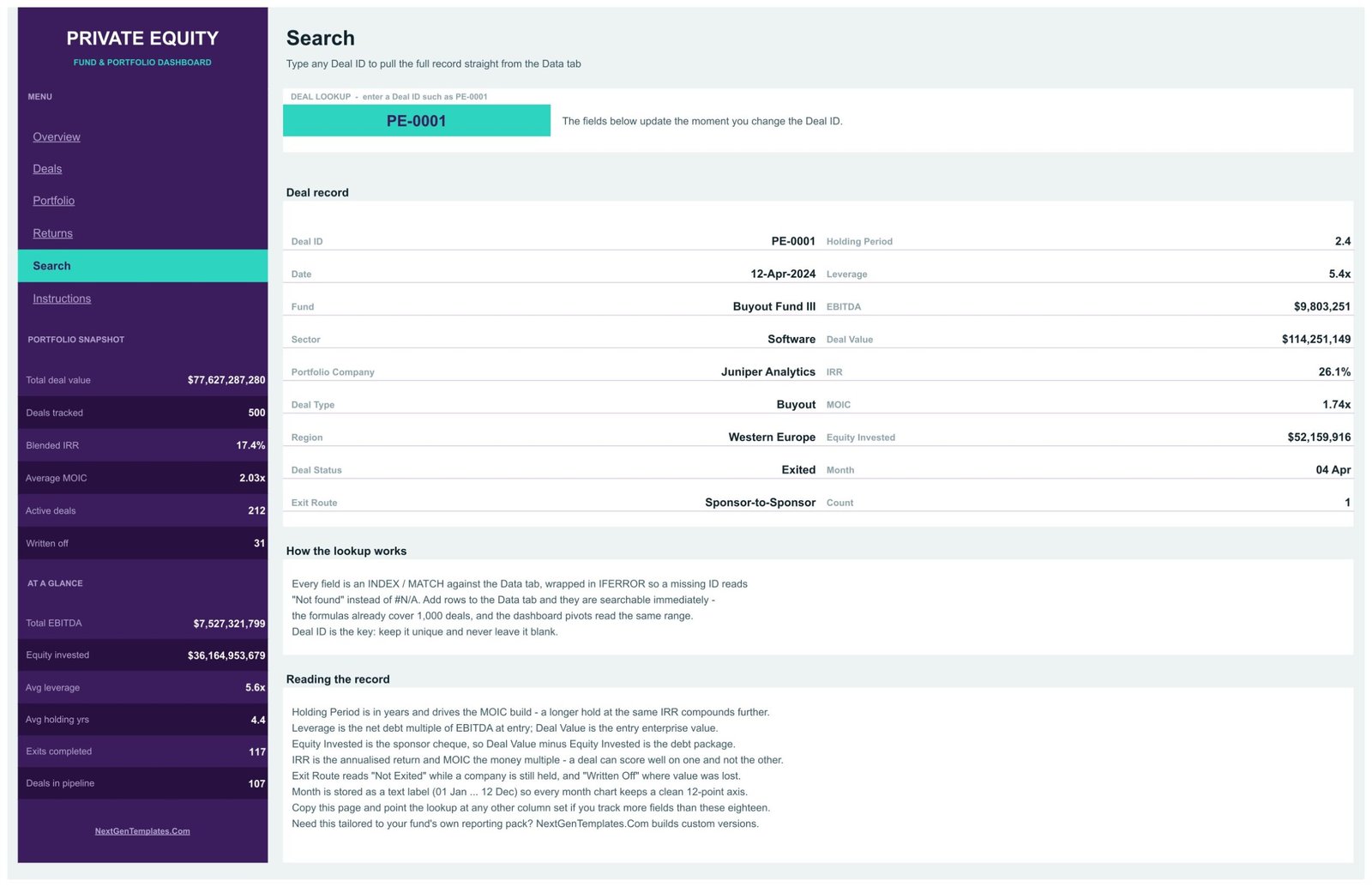
🔹 A Deal ID Search page. Type any Deal ID (such as PE-0001) and read the full 18-field record: fund, sector, company, deal type, region, status, exit route, holding period, leverage, EBITDA, deal value, IRR, MOIC and equity invested.
🔹 No scripts, no add-ons. Every chart reads a pivot table parked to the right of its page (from column Z), and the Google Sheets slicer filters are built-in features, so the file opens in any Google account.
📦 What’s Inside the Private Equity Dashboard in Google Sheets
Page 1: Overview
Fund-wide deal flow, capital deployment and value creation. Charts include Deal Value and Blended IRR by Month, Capital Deployed %, the Value Creation Bridge from Entry EV to Exit EV and EBITDA by Portfolio Company, plus a Top 5 Companies by Deal Value panel and a Deal Status Mix (Active 42.4%, Exited 23.4%, Pipeline 21.4%, Under LOI 6.6%, Written Off 6.2%).
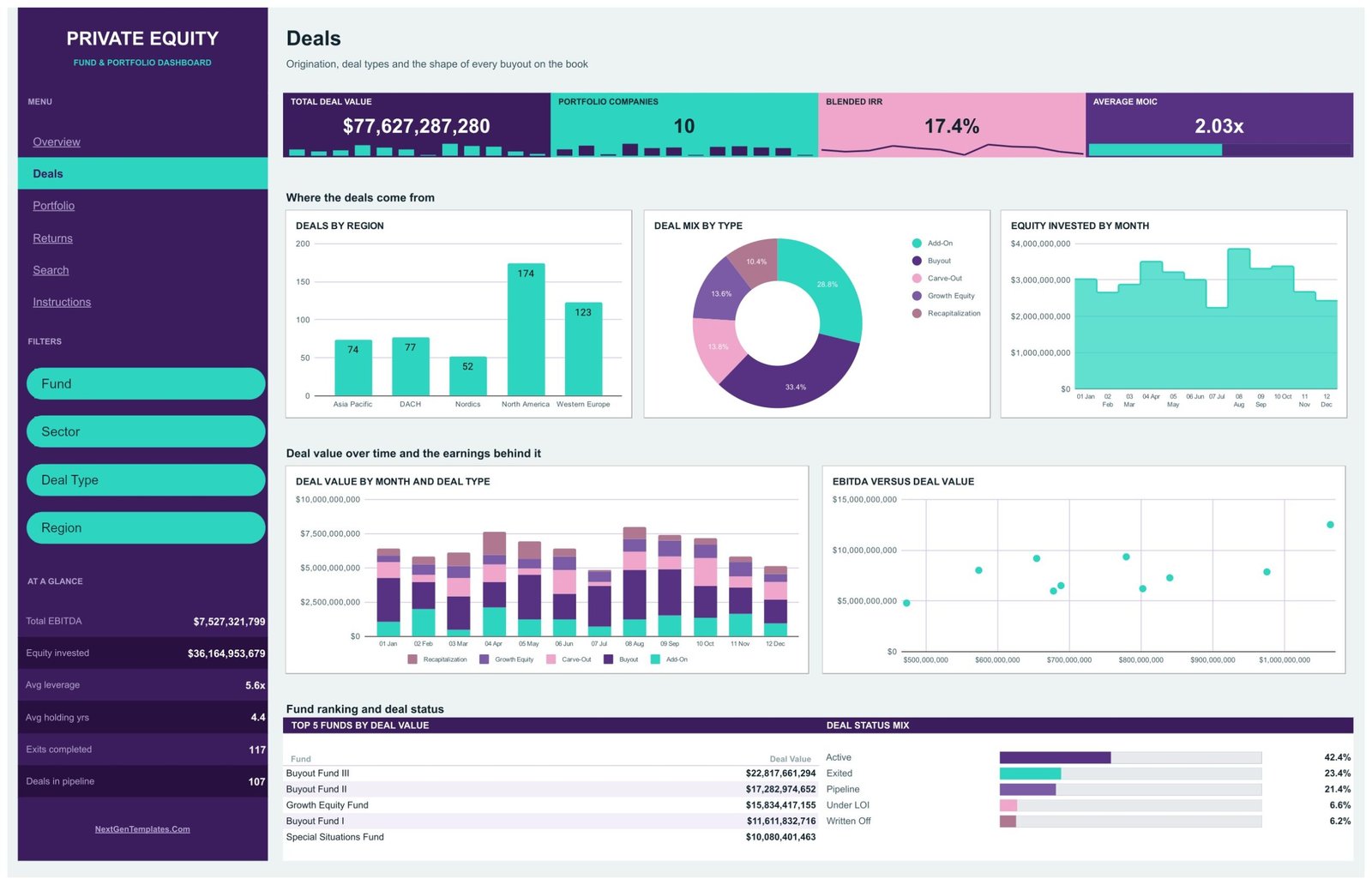
Page 2: Deals
Origination and deal shape. Charts include Deals by Region, Deal Mix by Type, Equity Invested by Month, Deal Value by Month and Deal Type, and EBITDA versus Deal Value, with a Top 5 Funds by Deal Value panel led by Buyout Fund III.
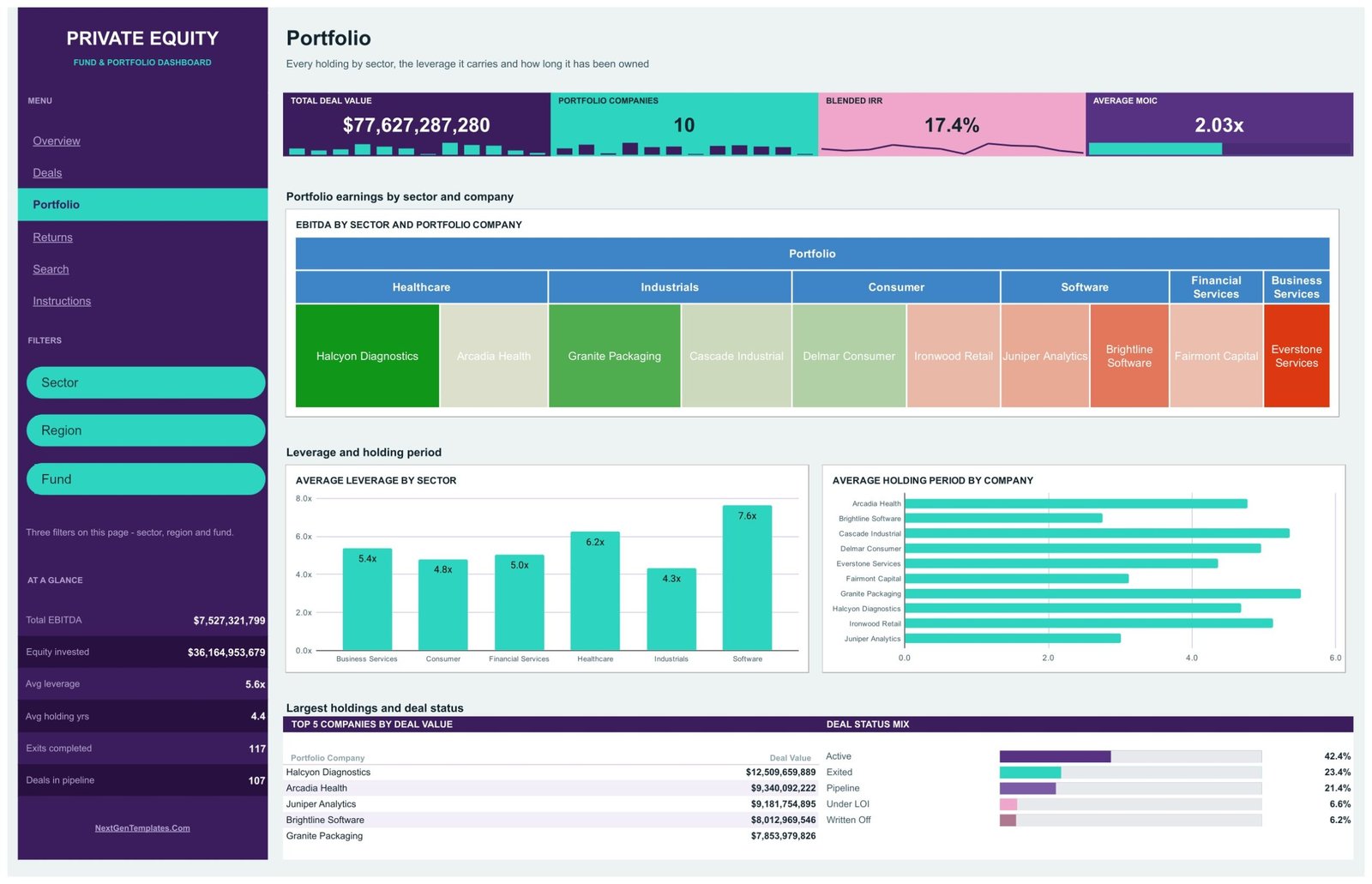
Page 3: Portfolio
Every holding by sector. A treemap shows EBITDA by Sector and Portfolio Company, next to Average Leverage by Sector (4.3x to 7.6x in the sample) and Average Holding Period by Company.
Page 4: Returns
IRR, MOIC and exits. Charts include Blended IRR by Month, Average MOIC by Fund, Distribution of Deal MOIC and Average Holding Period by Sector, with a Top 5 Exit Routes by Deal Value panel.
Page 5: Search
An INDEX/MATCH lookup that pulls one deal’s full record from the Data tab and shows “Not found” for an unknown ID, beside a Portfolio Snapshot of 500 deals tracked, 212 active and 31 written off.
Page 6: Instructions
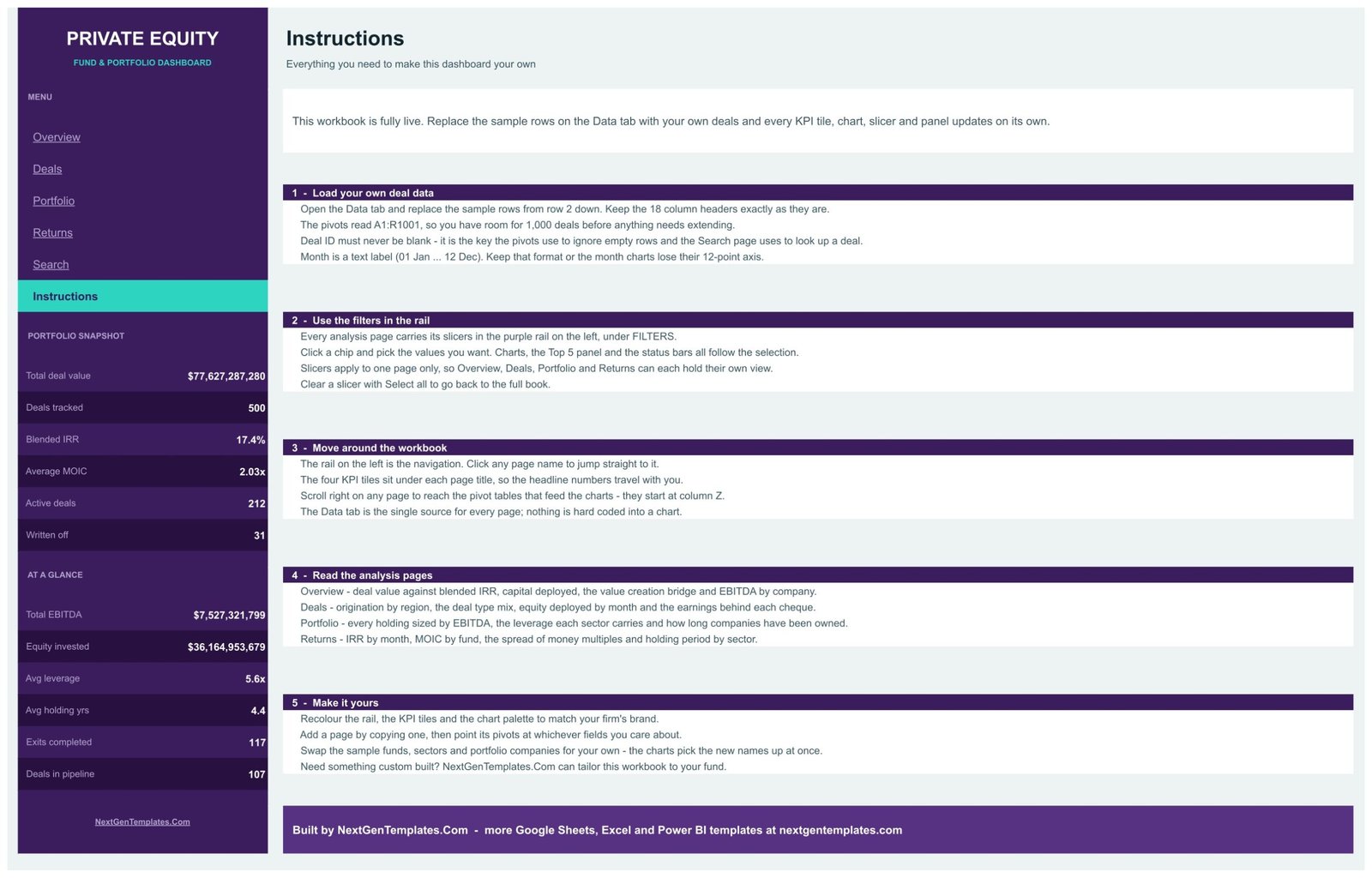
Five short steps: load your deal data, use the filters, move around the workbook, read the analysis pages and make it yours.
📊 Private Equity Dashboard in Google Sheets vs. Microsoft Excel Dashboard vs. Paid Fund Software
| Feature | This Google Sheets dashboard | Microsoft Excel Dashboard | Paid PE platforms (e.g. Allvue, eFront) |
|---|---|---|---|
| Cost | ✅ $9.99 one-time | One-time template plus an Excel licence | Quote-based annual subscription |
| Platform | ✅ Any browser with a Google account | Excel desktop | Vendor web app |
| Setup time | ✅ Minutes: paste your deals | Minutes | Weeks of onboarding |
| Real-time team collaboration | ✅ Yes, Google Sheets sharing | Via OneDrive or SharePoint | Yes |
| Mobile access | ✅ Google Sheets app | Excel mobile app | ✅ Yes |
| Customizable fields | ✅ Fully editable | ✅ Fully editable | Within vendor limits |
| Fund accounting, capital calls and LP reporting | No | No | ✅ Yes |
| Live data feeds and audited valuations | No, manual data entry | No | ✅ Typically |
| Year-1 cost at 5 users | ✅ $9.99 total | Template plus licences | Custom enterprise pricing |
For deal teams and analysts who want a clear deal-level picture without buying fund administration software, this template sits in the sweet spot.
👥 Who This Template Is For — and Who It’s Not For
✅ This template is built for:
- Analysts and associates who keep a deal log and need quick charts by fund, sector and region
- Emerging managers, search funds and family offices presenting a portfolio summary
- Finance students and trainers teaching IRR, MOIC, leverage and holding period
❌ This template is NOT for:
- Firms needing fund accounting, waterfall or carry calculations, capital-call tracking or ILPA-format LP reports
- Anyone needing audited valuations, cash-flow IRR, a live data feed or regulatory (SEC or other) reporting
⚙️ How to Use the Private Equity Dashboard
- Open the PDF in your download and click the link to make your own copy in Google Drive.
- On the Data tab, replace the sample rows from row 2 down, keeping the 18 headers and a unique Deal ID on every row.
- Keep Month as a text label (01 Jan to 12 Dec) so month charts keep their 12-point axis.
- Click the rail links to move between pages and use each page’s slicers to filter.
- Type a Deal ID on the Search page to read one deal’s record.
💼 Real-World Use Cases
Maya is an associate at a mid-market buyout firm. Before the Monday pipeline meeting she filters Deals by Region and Deal Type to show how many add-ons sit in North America and which funds carry the largest deal value.
Daniel runs a single-family office with direct stakes. He uses the Portfolio page to compare average leverage by sector and holding periods by company, then prints the Returns page for his quarterly review.
Priya teaches a private equity elective. Her students use the Search page to trace how leverage, equity invested, IRR and MOIC sit together on a single deal.
⚠️ Good to Know Before You Buy
🔹 All companies, funds and figures are fictional sample data. This is a reporting template, not investment advice, fund accounting or valuation software, and it makes no SEC or ILPA compliance claim.
🔹 The KPI tiles and the AT A GLANCE rail show whole-book totals. The built-in Instructions say the charts, Top 5 panels and status bars follow the slicers.
🔹 Blended IRR and Average MOIC are simple averages of the deal-level IRR and MOIC columns, not a pooled cash-flow IRR, and the sample gives pipeline and LOI deals IRR and MOIC values too. EBITDA totals add up every deal row, so a company’s figure is the sum of its deal records, not one year’s reported EBITDA.
🔹 The Capital Deployed gauge and the Value Creation Bridge are illustrative, and the Data tab has no exit-value column, so check how they are built before you present them. The Top 5 panels list five rows only, so the sixth exit route, Secondary Buyout, does not appear on Returns.
🔹 The PDF guide still links an older, hyphenated YouTube handle; the current channel is youtube.com/@PKAnExcelExpert.
❓ Frequently Asked Questions
What does the Private Equity Dashboard in Google Sheets track?
It tracks deal value, portfolio companies, blended IRR, average MOIC, EBITDA, equity invested, leverage, holding period, deal status and exit route across funds, sectors, regions and deal types. The sample holds 500 deals, and the pivots and Search page read up to 1,000 rows.
How long does setup take?
Setup is quick: make a copy from the PDF link, paste your deals over the sample rows on the Data tab with the same 18 headers, and the pivots, charts and Search page pick up the new rows automatically.
How is this different from the Private Equity KPI Dashboard in Google Sheets?
The Private Equity KPI Dashboard in Google Sheets is a separate KPI-style template. This dashboard is built on a 500-row deal register with slicers, a value creation bridge, a sector treemap and a Deal ID lookup.
Is the Excel or Power BI version the same file?
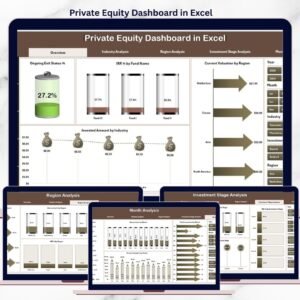
No. The Private Equity Dashboard in Excel and the Private Equity Dashboard in Power BI are separate builds whose listings focus on valuation, ownership and stage. This Google Sheets edition centres on leverage, EBITDA, deal type and exit route.
How does it compare with paid private equity software?
Paid platforms such as Allvue or eFront add fund accounting, LP reporting and valuation workflows on subscription. This template costs $9.99 once and covers deal-level reporting only, which suits smaller teams, analysts and training.
Does it connect to live data or calculate audited returns?
No. You enter or paste deal data yourself. IRR and MOIC are read from your Data tab rows and averaged, not calculated from cash flows, so the dashboard is a presentation layer, not a source of audited performance.
👤 About the Author
Built by PK — Microsoft Certified Professional with 15+ years of Excel, Google Sheets and Power BI experience. Founder of NextGenTemplates, reaching 300K+ subscribers across YouTube channels (@PKAnExcelExpert, @NextGenTemplates, @NeoTechNavigators). Every template is hand-built and tested before release.
🔗 Explore Related Templates
📌 Private Equity KPI Scorecard in Google Sheets — monthly MTD and YTD KPI tracking with traffic lights.
📌 Wealth Management Dashboard in Google Sheets — AUM, advisory fees and net flows by advisor and client segment.
📌 Also on other platforms: Excel and Power BI editions (separate designs).
📂 Browse all Google Sheets Dashboards.
📖 Click here to read the Detailed Blog Post
🎥 Visit our YouTube channel for step-by-step video tutorials
👉 YouTube.com/@NextGenTemplates
📅 Last updated: September 2026
































Reviews
There are no reviews yet.