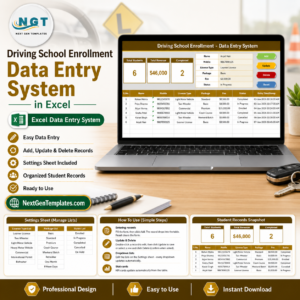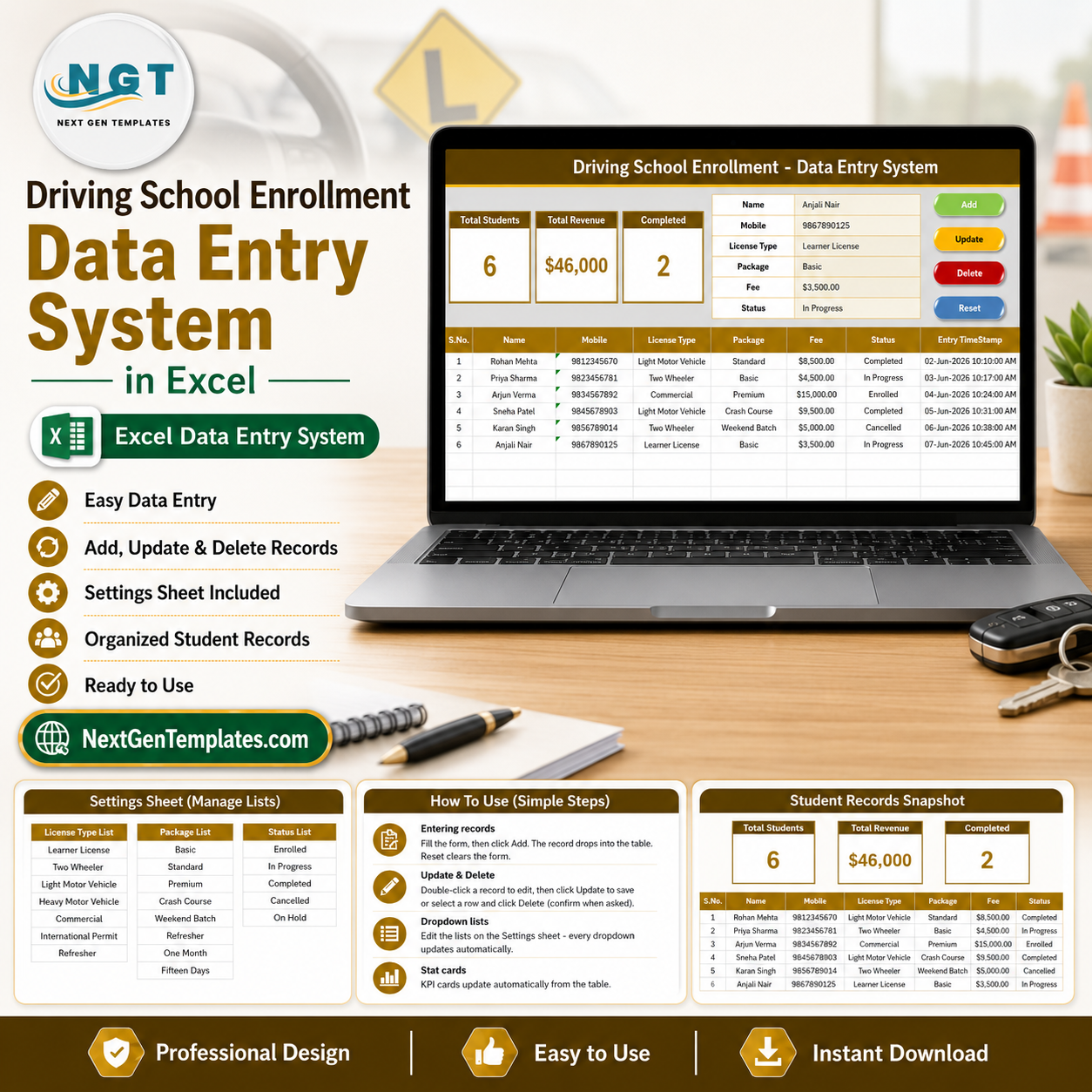
The Driving School Enrollment Data Entry System in Excel records 6 fields per admission through one VBA form and updates 3 live KPI cards — Total Students, Total Revenue, and Completed — the instant you save a record. Setup takes under 5 minutes, the file runs fully offline, and it is a one-time $5.99 instead of $10–50 per month for driving-school management software.
🌍 Join 8,400+ teams in 40+ countries using NextGenTemplates to replace paid SaaS tools with one-time-purchase Excel, Google Sheets, Power BI, and HTML templates.
✅ Instant download · One-time payment · No subscription · No per-student fees · Lifetime access
🔑 Key Features of the Driving School Enrollment Data Entry System in Excel
Every feature exists to make student enrollment faster and reporting automatic for driving schools, motor training institutes, and individual instructors.
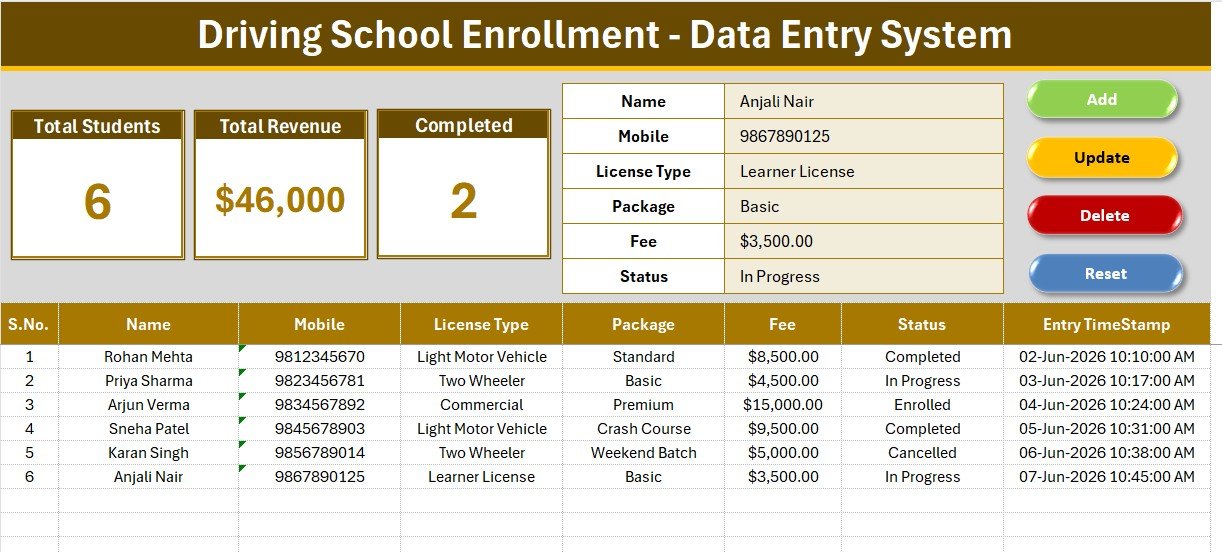
- 🚗 6-field enrollment form – Name, Mobile, License Type, Package, Fee, and Status sit at the top of the Data Entry sheet, so the front desk can register a learner in seconds without scrolling.
- 📊 3 live KPI cards – Total Students counts every enrollment row, Total Revenue sums the Fee column, and Completed counts learners whose Status is Completed. All three recalculate on every Add, Update, or Delete.
- 🖱️ 4 one-click VBA buttons – Add appends a timestamped enrollment, Update overwrites the selected row, Delete removes a record after a confirmation prompt, and Reset clears the form.
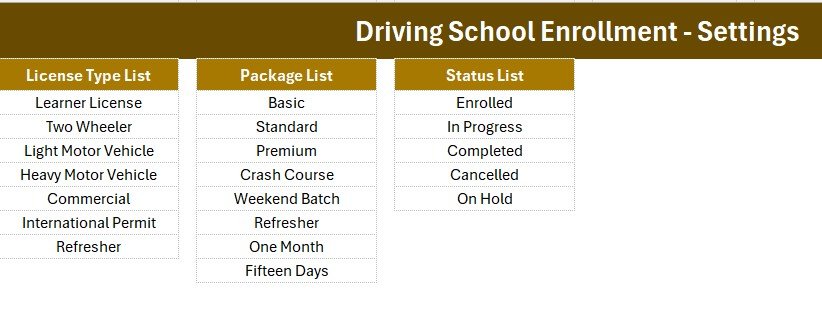
- 🔽 Editable dropdowns – 7 license types (Learner License, Two Wheeler, Light Motor Vehicle, Heavy Motor Vehicle, Commercial, International Permit, Refresher), 8 packages (Basic, Standard, Premium, Crash Course, Weekend Batch, Refresher, One Month, Fifteen Days), and 5 statuses (Enrolled, In Progress, Completed, Cancelled, On Hold) are wired as named ranges on the Setting sheet.
- 🔢 Auto S.No and Entry TimeStamp – every saved enrollment gets a serial number and a date-time stamp for a clean admission audit trail.
- 📴 Works 100% offline – built in Microsoft Excel with no login, no internet, and no recurring fee.
📦 What’s Inside the Driving School Enrollment Data Entry System in Excel
Data Entry Dashboard in Excel
The main sheet holds the dark heading bar, the three KPI cards (Total Students, Total Revenue, Completed), the 6-field enrollment form, the Add/Update/Delete/Reset buttons, and a records table with auto S.No, Name, Mobile, License Type, Package, Fee, Status, and Entry TimeStamp.
Setting Sheet – Dropdowns and KPI Source
This sheet stores the License Type, Package, and Status lists that feed every dropdown, plus a duplicate of the Total Students, Total Revenue, and Completed cards you can copy and Paste Special as a linked picture into a management report.
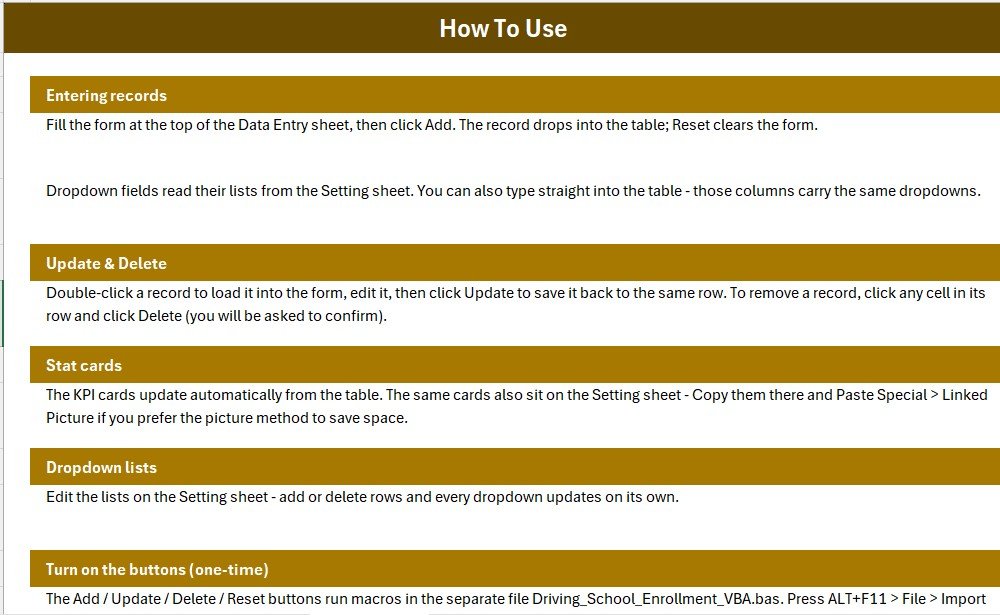
Records Table, Instructions, and Get More Templates
Every saved enrollment lands in a clean hair-grid table, while the Instructions sheet explains the one-time macro setup and the Get More Templates sheet links to related Education templates.
📊 Driving School Enrollment System vs. Google Sheets vs. Paid Driving-School Software — Where This Fits
| Feature | Driving School Enrollment System (Excel) | Google Sheets version | DriveScout / TotalDrive |
|---|---|---|---|
| Cost | $5.99 one-time | Free – manual build | $10–50 / month |
| Platform | Microsoft Excel (offline) | Google Sheets (online) | Cloud SaaS |
| Setup time | Under 5 minutes | 15–30 minutes | Days + onboarding |
| One-click Add / Update / Delete | Built-in VBA buttons | Needs Apps Script | Yes |
| Works fully offline | Yes | No | No |
| Per-student / per-seat fees | None | None | Often charged |
| Own your data file | Yes (.xlsm) | Google account | Vendor-hosted |
| Live Students / Revenue counts | Auto KPI cards | Needs formulas | Yes |
| Year-1 cost at 100 students | $5.99 | $0 | $120–600 |
For driving schools and instructors that want to register learners and watch Students, Revenue, and Completed figures without paying a monthly per-seat fee, the Driving School Enrollment Data Entry System in Excel sits in the sweet spot.
👥 Who This Template Is For — and Who It’s Not For
✅ This template is built for:
- Driving schools and motor training institutes enrolling learners by license type and package
- Individual driving instructors who want fast offline admission logging with live Students and Revenue figures
- Front-desk staff who prefer a simple Excel form over a heavy training-school ERP
❌ This template is NOT for:
- Schools needing online student logins, automated SMS reminders, or an online payment gateway
- Multi-branch chains needing real-time cloud sync across locations
- Mac users who cannot enable Excel VBA macros
⚙️ How to Use the Driving School Enrollment Data Entry System in Excel
- Open the .xlsm file in Microsoft Excel and enable macros when prompted — the buttons need them.
- On the Setting sheet, edit the License Type, Package, and Status lists to match your driving school.
- Fill the form on the Data Entry sheet and click Add to save a timestamped enrollment.
- Double-click any enrollment to load it into the form, edit it, then click Update to write it back.
- Use Delete to remove a record (with confirmation) and Reset to clear the form.
💼 Real-World Use Cases
Rakesh runs a driving school with 4 instructors. He enrolls each learner by License Type and Package through the form, picks the Status from the dropdown, and reads the Total Revenue card to give his partner an instant month-to-date figure — without paying a per-seat SaaS fee.
Sunita is an independent driving instructor. She logs every new student, checks the Completed card to see how many learners have finished their course, and trusts the Total Students card to show exactly how many admissions are on her books this month.
❓ Frequently Asked Questions
What does the Driving School Enrollment Data Entry System in Excel track?
The Driving School Enrollment Data Entry System in Excel tracks 6 fields per learner — Name, Mobile, License Type, Package, Fee, and Status — and rolls them into Total Students, Total Revenue, and Completed KPI cards that update automatically on every entry.
How does it calculate Total Revenue and Completed?
Total Revenue sums the Fee column across all enrollments, and Completed counts every row whose Status equals Completed. Both cards recalculate instantly whenever you Add, Update, or Delete a record, so your figures are always current.
Do I need to enable macros?
Yes. The Add, Update, Delete, and Reset buttons run on a small VBA module, so enable macros when Excel prompts you and save the file as a macro-enabled (.xlsm) workbook. Without macros you can still type into the table manually.
Can I change the License Type, Package, or Status lists?
Absolutely. All dropdown values live on the Setting sheet as named ranges. Edit a list once and every future entry in the Driving School Enrollment System follows it, keeping your admission data clean and filter-ready.
How does this compare to paid driving-school software?
Paid tools like DriveScout or TotalDrive often charge $10–50 each month. The Driving School Enrollment Data Entry System in Excel is a one-time $5.99 file you own and run offline — ideal for a single instructor or school that mainly needs enrollment logging and revenue visibility.
How long does setup take?
Under 5 minutes. Open the file, enable macros, edit the License Type, Package, and Status lists on the Setting sheet, and start enrolling learners from the form on the Data Entry sheet.
👤 About the Author
Built by PK — Microsoft Certified Professional with 15+ years of Excel, Google Sheets, and Power BI experience. Founder of NextGenTemplates, reaching 300K+ subscribers across YouTube channels (@PK-AnExcelExpert, @NextGenTemplates, @NeoTechNavigators). Every template is hand-built and tested before release.
🔗 Explore Related Templates
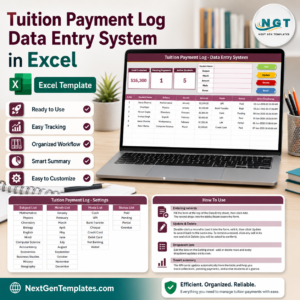
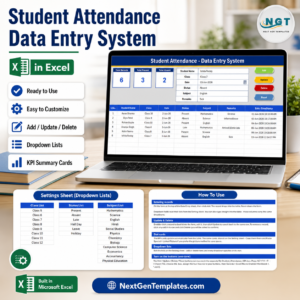
The Driving School Enrollment System pairs naturally with other education tools. Capture leads with the Admission Enquiry Data Entry System in Excel, log fees with the Tuition Payment Log Data Entry System in Excel, and track presence with the Student Attendance Data Entry System in Excel. Browse more Excel VBA Tools.
💎 Save 68% — get this and 7 more school tools
Admissions, fees, attendance, enrollment, and more in one pack.
📖 Click here to read the Detailed Blog Post
🎥 Visit our YouTube channel for step-by-step video tutorials
👉 YouTube.com/@NextGenTemplates
📅 Last updated: June 2026