

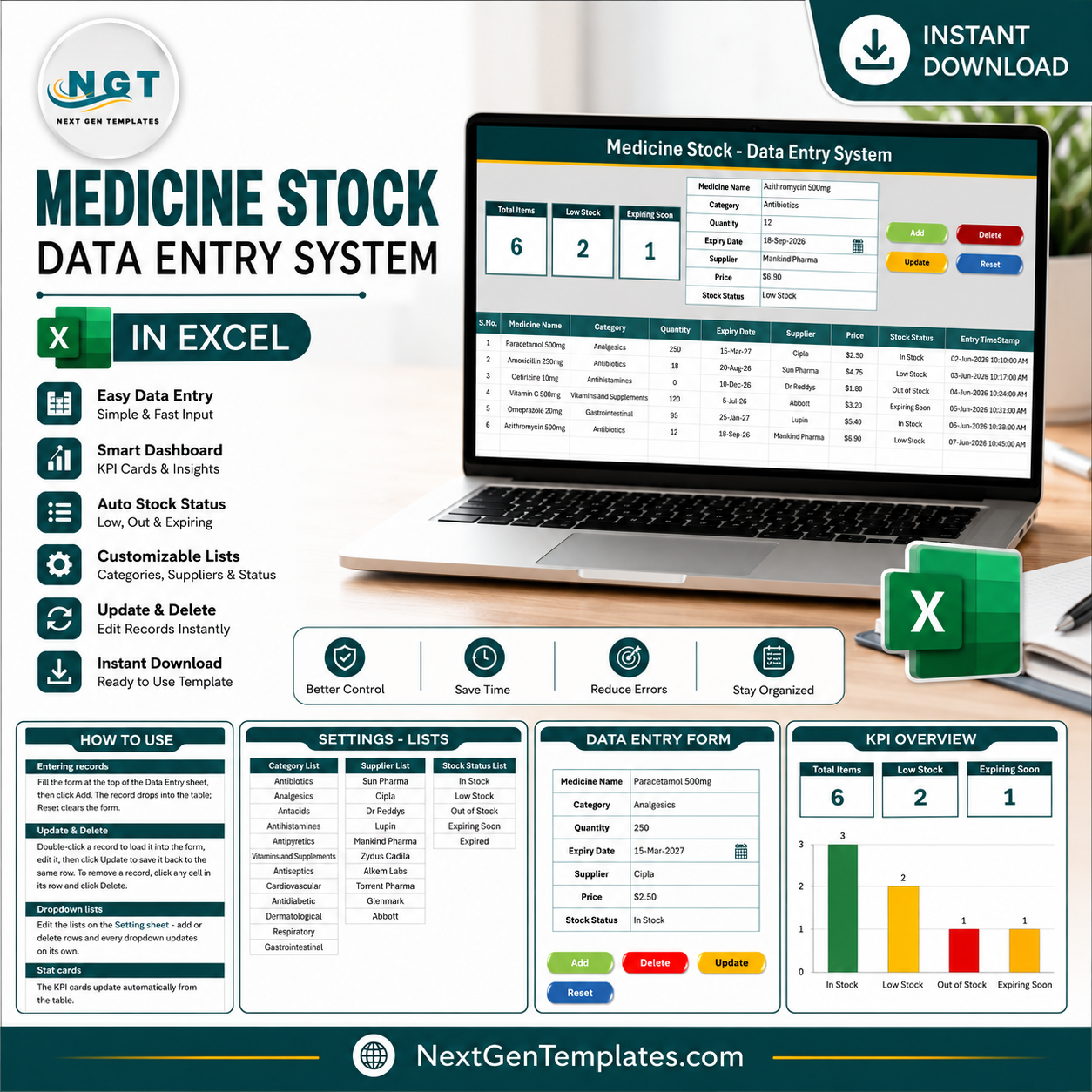
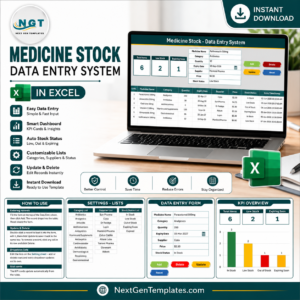
The Medicine Stock Data Entry System in Excel tracks 7 fields per medicine — Medicine Name, Category, Quantity, Expiry Date, Supplier, Price, and Stock Status — across 4 sheets, with 3 live KPI cards and VBA-powered Add/Update/Delete/Reset buttons. Setup takes under 10 minutes: import the included VBA module, assign 4 buttons, and you can log pharmacy stock instantly. The three KPI cards count Total Items, Low Stock, and Expiring Soon medicines automatically as you add rows.
🌍 Join 8,400+ teams in 40+ countries using NextGenTemplates to replace paid SaaS tools with one-time-purchase Excel, Google Sheets, Power BI, and HTML templates.
✅ Instant download · One-time payment · No subscription · No per-user fees · Lifetime access
🔑 Key Features of the Medicine Stock Data Entry System in Excel
This system captures 7 core fields for every medicine through a single structured form at the top of the Data Entry sheet. Category, Supplier, and Stock Status are dropdown-validated, pulling from editable lists on the Setting sheet — 12 built-in medicine categories, 10 default suppliers, and 5 stock statuses cover most pharmacy and clinic scenarios.
Three live KPI cards give you an instant read on your inventory: Total Items (a COUNTA of all medicine records), Low Stock (a COUNTIF of items marked Low Stock), and Expiring Soon (a COUNTIF of items flagged Expiring Soon). Each card is wired with live formulas, so the moment you add a new medicine, every KPI refreshes by itself.
The dedicated Expiry Date field and Stock Status dropdown (In Stock, Low Stock, Out of Stock, Expiring Soon, Expired) let you separate fresh stock from medicines that need reordering or removal. An Entry TimeStamp column records the exact date and time of every add or update automatically, and an auto-numbered S.No column renumbers itself when records are deleted.
The VBA module is supplied as a separate .bas file and powers four macro-assigned buttons: Add Record writes the form inputs to the next empty row, Update Record overwrites the selected row, Delete Record removes a selected entry, and Reset Form clears all input fields. The workbook ships as .xlsx so the macro code stays separate — one Save As to .xlsm after import and the system is live.
📦 What’s Inside the Medicine Stock Data Entry System in Excel
Data Entry Sheet
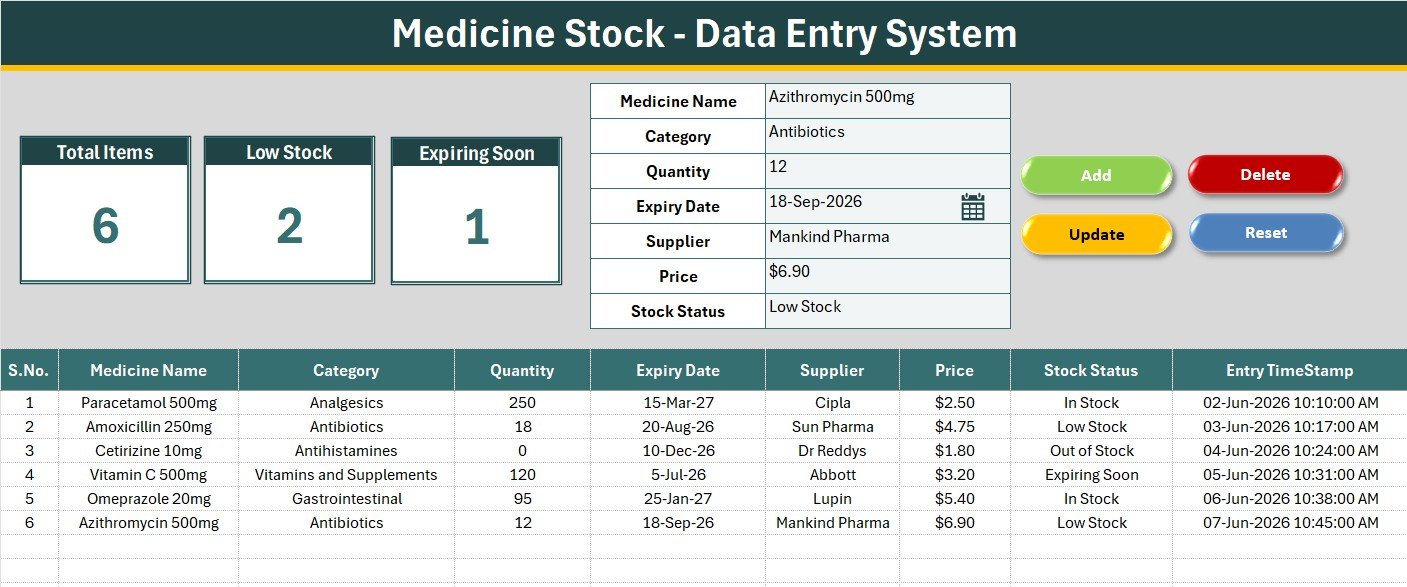
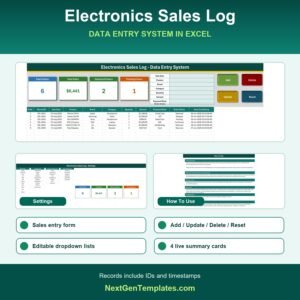
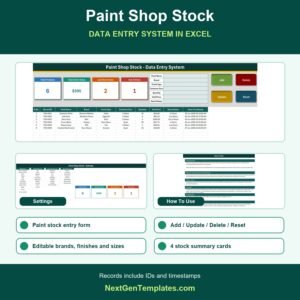
The main working sheet features a gray dashboard panel with the input form on top and the records table below. Bold labels guide each field; the Category, Supplier, and Stock Status fields show a dropdown validation arrow. Four flat-colour button cells (green Add, red Delete, gold Update, dark-blue Reset) sit in a 2×2 block — overlay your own shapes and assign the macros.
KPI Dashboard Cards
Three white KPI cards with teal-toned borders sit on the dashboard panel. Each card shows a big live number: Total Items (count of all medicine records), Low Stock (count of items marked Low Stock), and Expiring Soon (count of items flagged Expiring Soon). The Setting sheet carries a duplicate set of cards so you can copy them as linked pictures into pharmacy stock reports.
Setting Sheet & Records Table
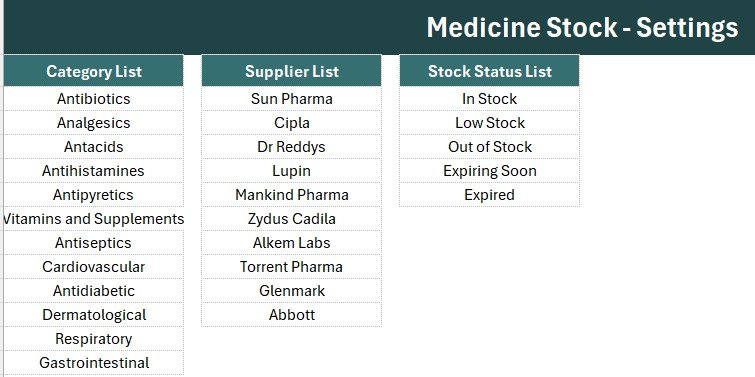
The Setting sheet stores all dropdown source lists — Category, Supplier, and Stock Status — plus the duplicate KPI cards. Editing a list here instantly updates the dropdown validation on the Data Entry form. The records table auto-numbers rows with an S.No formula, applies currency format to the Price column, formats Expiry Date as a date, and logs an Entry TimeStamp for every transaction.
📊 Medicine Stock Data Entry System in Excel vs. Google Sheets Inventory vs. Zoho Inventory — Where This Fits
| Feature | Medicine Stock Data Entry System in Excel | Google Sheets Inventory (DIY) | Zoho Inventory |
|---|---|---|---|
| Cost | $5.99 one-time | Free (hours of setup) | $39–$99 / month |
| Platform | Microsoft Excel (offline) | Browser only | Cloud SaaS |
| Setup time | Under 10 minutes | 2–4 hours DIY | 1–2 days |
| VBA-powered form buttons | ✅ Pre-built | ❌ Requires scripting | ❌ Not applicable |
| Expiry & Stock Status tracking | ✅ Built-in fields | Manual columns | ✅ Batch & expiry (paid tier) |
| Live KPI cards | ✅ 3 cards | Manual formula work | ✅ Dashboard (paid) |
| Works offline | ✅ Fully offline | ❌ Needs internet | ❌ Cloud only |
| Year-1 cost (1 user) | $5.99 total | $0 (build time cost) | $468–$1,188 |
| No subscription | ✅ One-time purchase | ✅ | ❌ Monthly billing |
For pharmacies, clinics, and small medical stores that want a structured, VBA-powered medicine stock form with expiry tracking — without paying monthly SaaS fees — the Medicine Stock Data Entry System in Excel sits in the sweet spot.
👥 Who This Template Is For — and Who It’s Not For
✅ This template is built for:
- Independent pharmacy and chemist shop owners tracking medicine stock and expiry in Excel
- Clinic and small hospital store managers logging drug quantities, suppliers, and prices
- Medical wholesalers and distributors who need a fast, button-driven entry form for daily stock updates
- Excel users who want a ready-made medicine inventory form instead of building one from scratch
❌ This template is NOT for:
- Large pharmacy chains needing real-time multi-store cloud sync or barcode/batch scanning integration
- Teams requiring billing, GST invoicing, or automated expiry alerts via SMS or email in a single tool
- Mac-only users — the VBA macro buttons require Windows Excel (the table and KPI cards still work for manual entry)
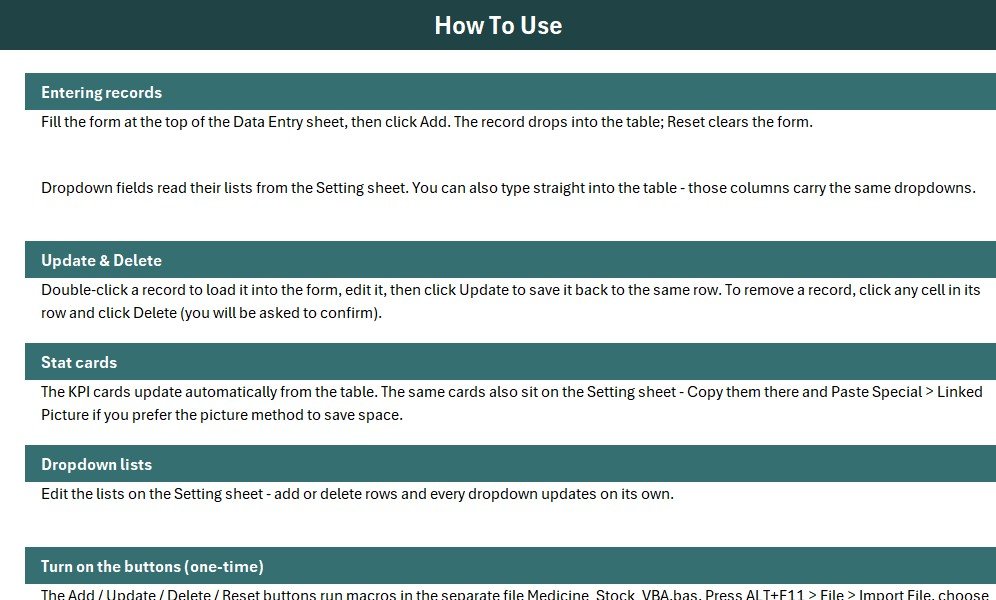
⚙️ How to Use the Medicine Stock Data Entry System in Excel
- Download and unzip the file; open Medicine_Stock_System.xlsx in Microsoft Excel.
- Press ALT+F11, go to File → Import File, and select Medicine_Stock_VBA.bas.
- On the Data Entry sheet, draw 4 Form-Control buttons over the coloured cells and assign Add_Record, Delete_Record, Update_Record, Reset_Form.
- Save As → Excel Macro-Enabled Workbook (.xlsm).
- Update the Category, Supplier, and Stock Status lists on the Setting sheet with your own values.
- Start entering medicines — every new row instantly refreshes the Total Items, Low Stock, and Expiring Soon KPI cards.
💼 Real-World Use Cases
Anil runs an independent pharmacy with 600+ medicine lines. He uses the Medicine Stock Data Entry System in Excel to log each medicine with its expiry date and supplier, checks the Expiring Soon KPI card every Monday, and pulls near-expiry stock for return or discount — without paying $39/month for cloud pharmacy software.
Dr. Meera manages the in-house dispensary at a small clinic. She adds newly received drugs via the Add button, marks low items as Low Stock, and watches the Low Stock KPI before placing her weekly distributor order. The auto-timestamp gives her a simple audit trail of every change.
Sandeep handles a medical wholesale counter. He sorts the records table by Supplier and Category to see which lines are running down, updates quantities as orders ship using the Update button, and resets the form between entries with one click — no formula writing required.
❓ Frequently Asked Questions
What does the Medicine Stock Data Entry System in Excel track?
The Medicine Stock Data Entry System in Excel tracks 7 fields per medicine: Medicine Name, Category, Quantity, Expiry Date, Supplier, Price, and Stock Status. Three live KPI cards summarise Total Items, Low Stock, and Expiring Soon counts, and every record is stored in a structured table with an auto S.No and Entry TimeStamp.
Do I need VBA or coding skills to use this template?
No coding skills are required. The VBA module is pre-written and supplied as a .bas file. You import it via ALT+F11 → Import File, assign 4 buttons, and save as .xlsm. The whole activation takes under 10 minutes and is documented step-by-step on the Instructions sheet.
How does the system track medicine expiry?
The Medicine Stock Data Entry System in Excel includes a dedicated Expiry Date field for every medicine and a Stock Status dropdown with Expiring Soon and Expired options. The Expiring Soon KPI card counts flagged items automatically, so you can spot near-expiry medicines at a glance.
Can I add my own medicine categories and suppliers?
Yes. The Category, Supplier, and Stock Status lists live on the Setting sheet. Simply type your own values into those lists and the data validation on the Data Entry form picks them up immediately. No formula changes are needed.
How does this compare to Zoho Inventory or pharmacy SaaS?
The Medicine Stock Data Entry System in Excel costs $5.99 once, with no monthly fees and no per-user charges. Zoho Inventory starts at $39/month. For a single pharmacy or clinic managing a few hundred to a few thousand medicines in Excel, this template delivers core entry, expiry, and stock-status tracking at a fraction of the cost.
How many medicines can the records table hold?
The Medicine Stock Data Entry System in Excel supports an unlimited number of rows within Excel’s native limit of over one million rows. For typical pharmacy use with up to 5,000 medicine lines, performance stays fast even on older hardware.
👤 About the Author
Built by PK — Microsoft Certified Professional with 15+ years of Excel, Google Sheets, and Power BI experience. Founder of NextGenTemplates, reaching 300K+ subscribers across YouTube channels (@PK-AnExcelExpert, @NextGenTemplates, @NeoTechNavigators). Every template is hand-built and tested before release.
🔗 Explore Related Templates
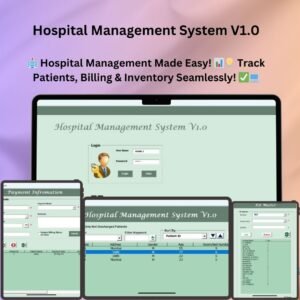
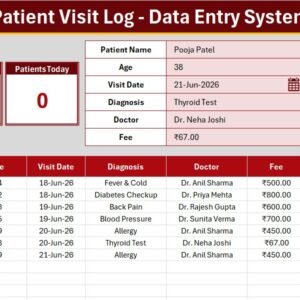
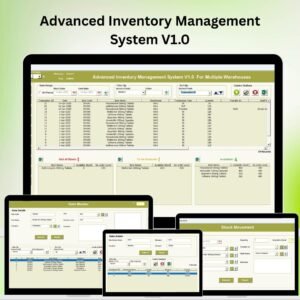
Looking for more tools in this series? Check out the Product Inventory Data Entry System in Excel for general stock tracking, pair it with the Product Expiration Date Calendar in Excel to visualise expiry dates, and for a full clinic solution see the Hospital Management System V1.0. You can also log patient visits with the Patient Appointment Data Entry System in Excel. Browse all Inventory Management Templates and VBA Tools in Excel on NextGenTemplates.
📖 Click here to read the Detailed Blog Post
🎥 Visit our YouTube channel for step-by-step video tutorials
👉 YouTube.com/@NextGenTemplates
Watch the step-by-step video tutorial:











Reviews
There are no reviews yet.