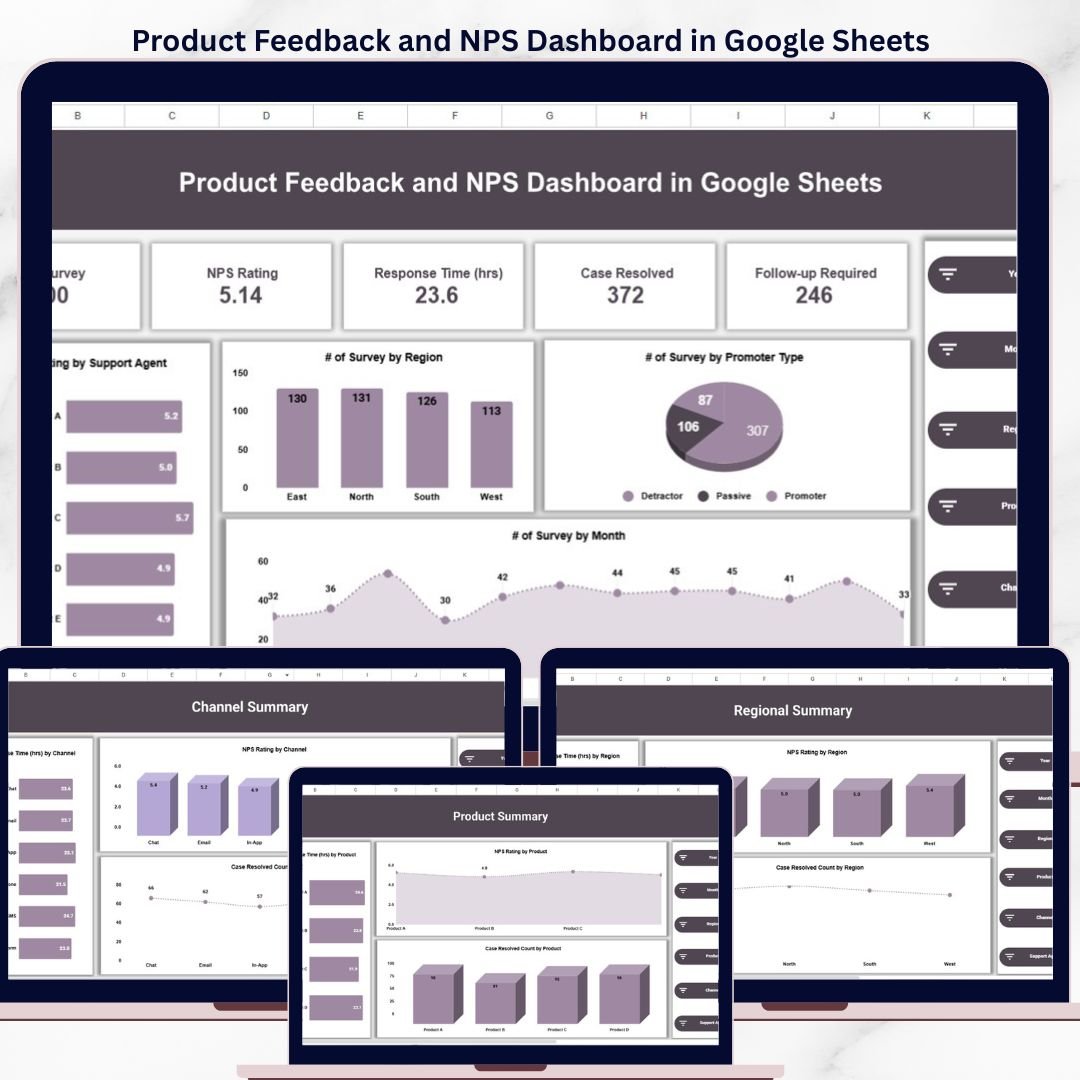
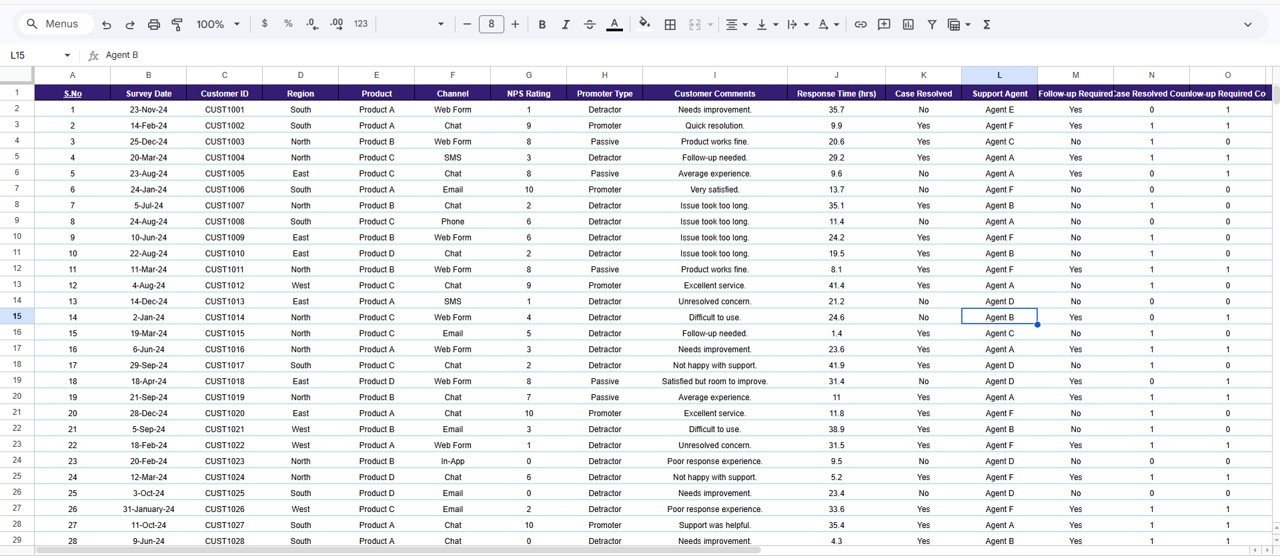
The Product Feedback and NPS Dashboard in Google Sheets tracks 5 KPIs across 7 interactive pages, with 4 slicer-filtered charts on the overview and dedicated summary pages for product, region, channel, and monthly trend analysis. Setup takes under 10 minutes — replace the sample data and every chart, card, and filter updates automatically.
🌍 Join 8,400+ teams in 40+ countries using NextGenTemplates to replace paid survey-analysis SaaS with one-time-purchase Excel, Google Sheets Dashboards, Power BI, and HTML templates.
✅ Instant download · One-time payment · No subscription · No per-user fees · Lifetime access
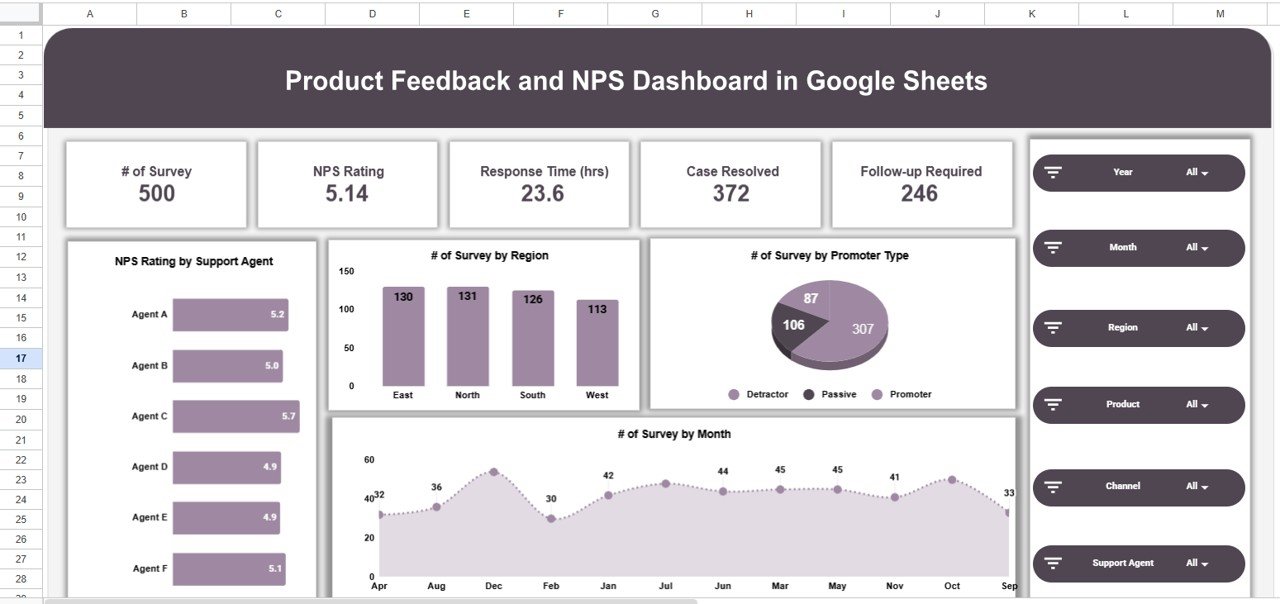
Product Feedback and NPS Dashboard in Google Sheets
🔑 Key Features of the Product Feedback and NPS Dashboard in Google Sheets
🔹 5 KPI cards on the Overview page — Number of Surveys, NPS Rating, Response Time (hrs), Cases Resolved, and Follow-up Required — giving managers a single-screen snapshot of feedback health across all products and regions.
🔹 4 slicer-driven charts on the Overview — NPS Rating by Support Agent, Number of Surveys by Region, Number of Surveys by Promoter Type, and Number of Surveys by Month. Apply slicers to filter the entire dashboard instantly without editing formulas.
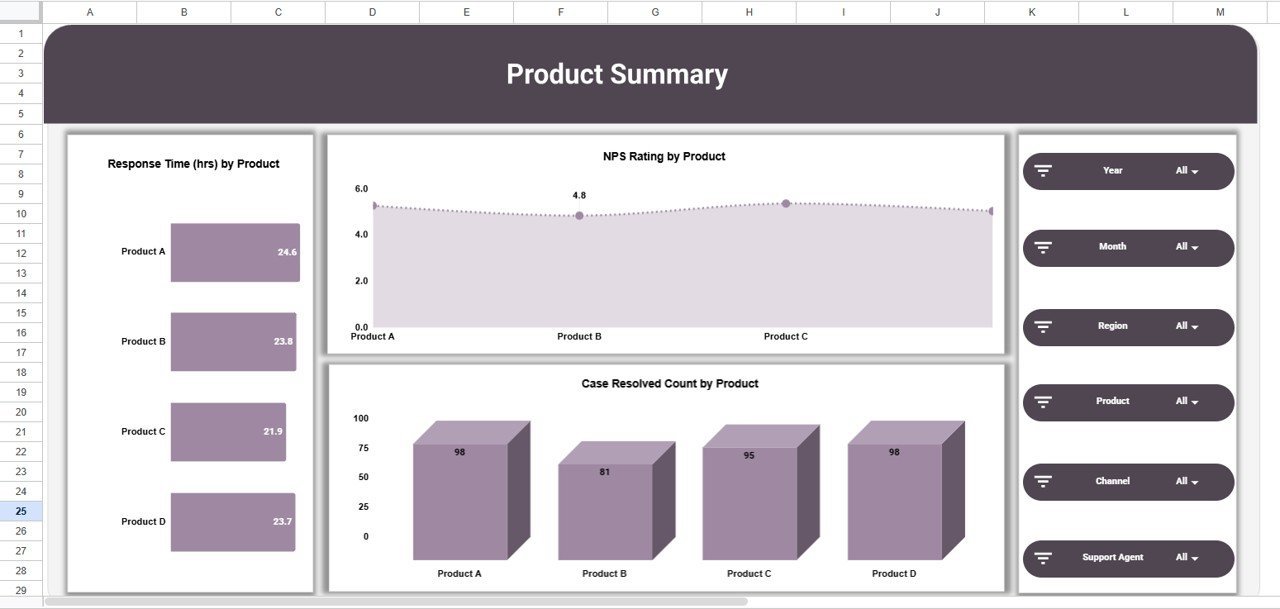
🔹 Product Summary page with 3 analysis charts — Response Time by Product, NPS Rating by Product, and Case Resolved Count by Product — so you can pinpoint which products generate the most detractors or longest resolution cycles.Product Feedback and NPS Dashboard in Google Sheets
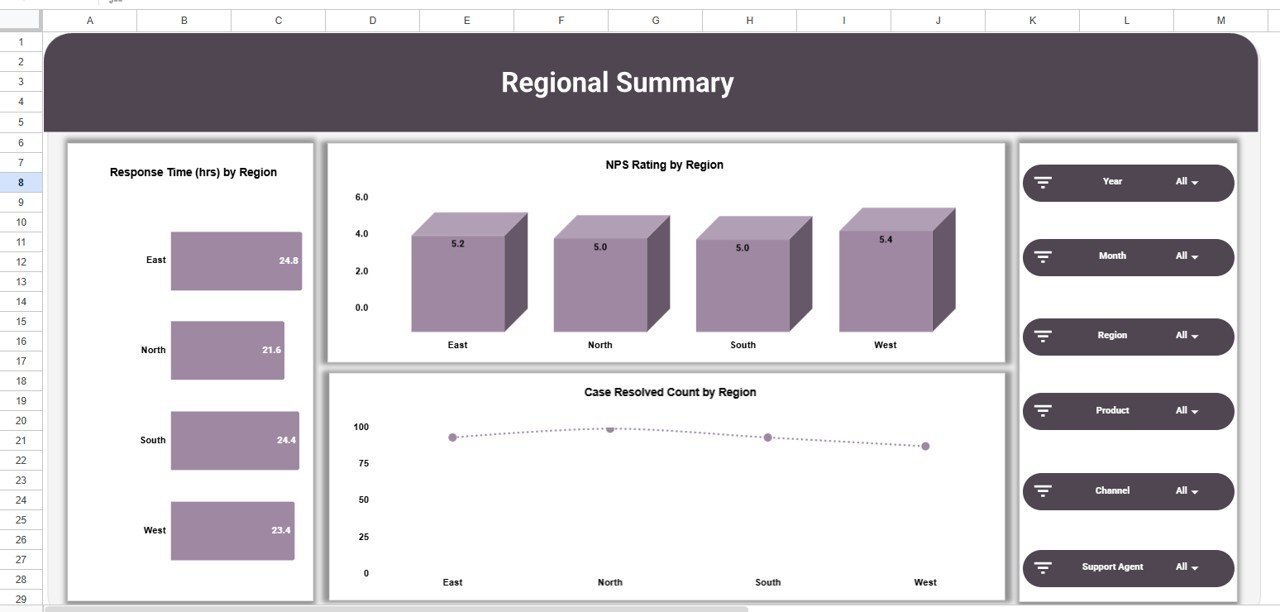
🔹 Regional Summary page — Response Time by Region, NPS Rating by Region, and Case Resolved Count by Region — ideal for multi-location teams comparing service quality across geographies.Product Feedback and NPS Dashboard in Google Sheets
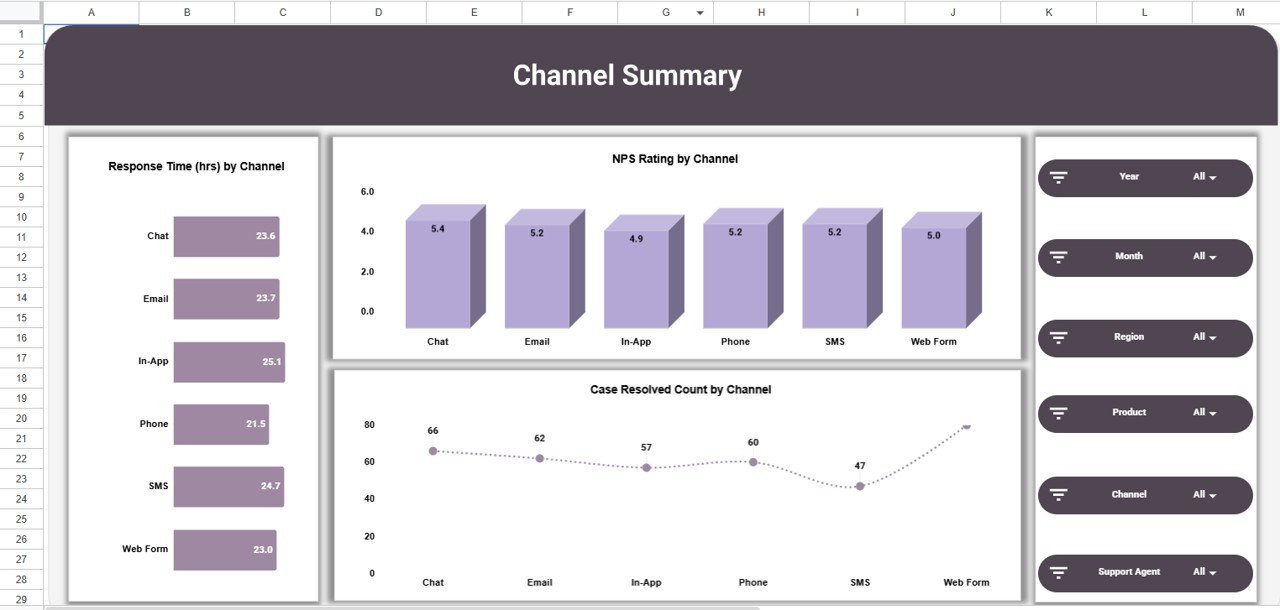
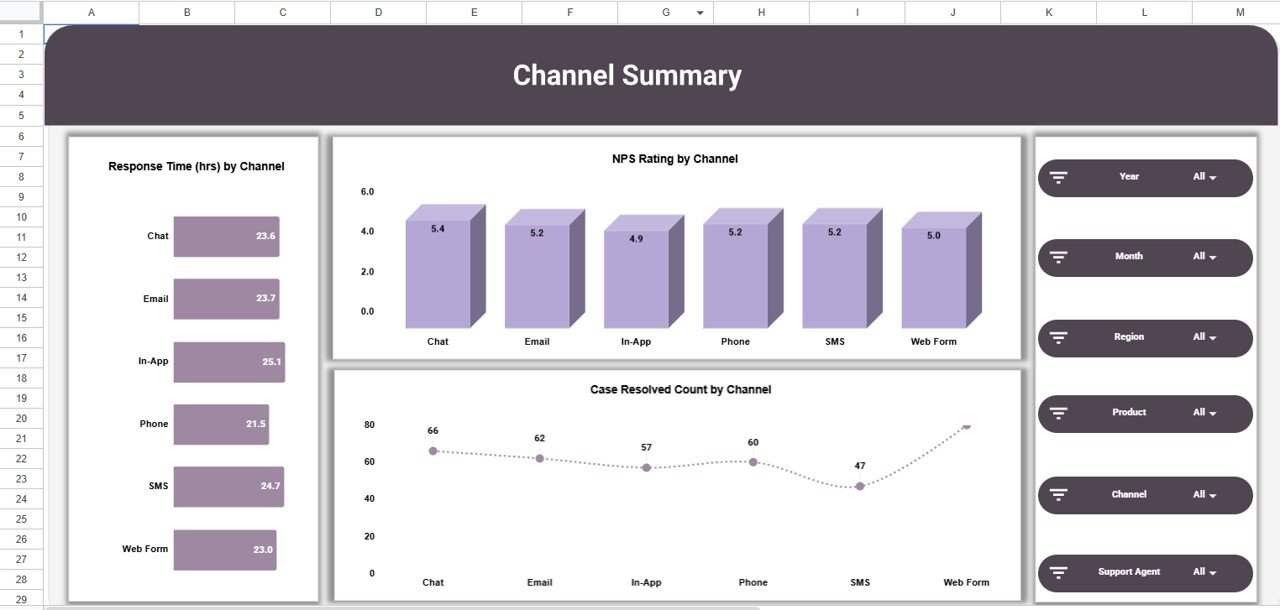
🔹 Channel Summary page — Response Time by Channel, NPS Rating by Channel, and Case Resolved Count by Channel — evaluate whether email, phone, chat, or social media delivers the fastest resolutions and highest NPS.Product Feedback and NPS Dashboard in Google Sheets
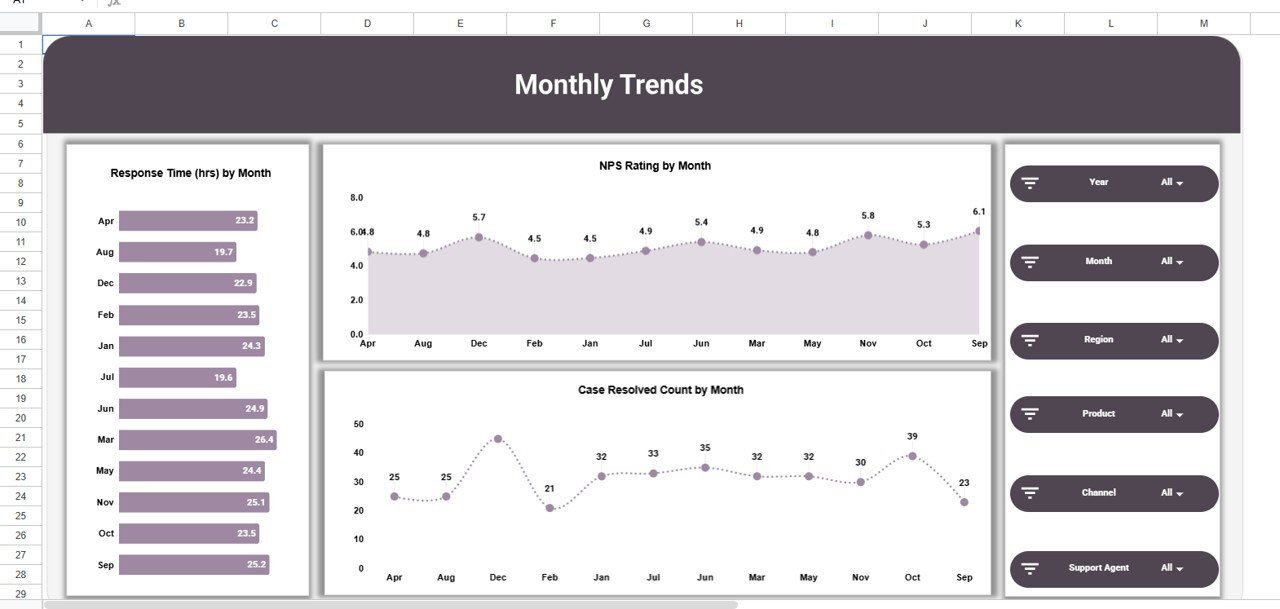
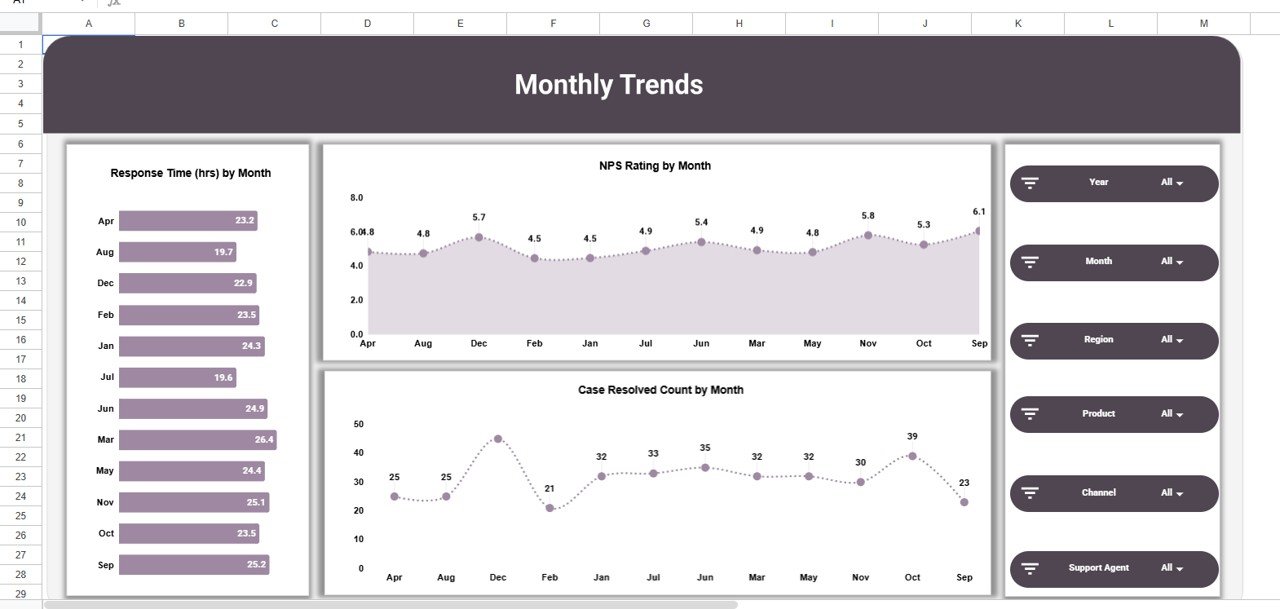
🔹 Monthly Trends page — Response Time by Month, NPS Rating by Month, and Case Resolved Count by Month — track seasonal patterns and measure the impact of process improvements over time.Product Feedback and NPS Dashboard in Google Sheets
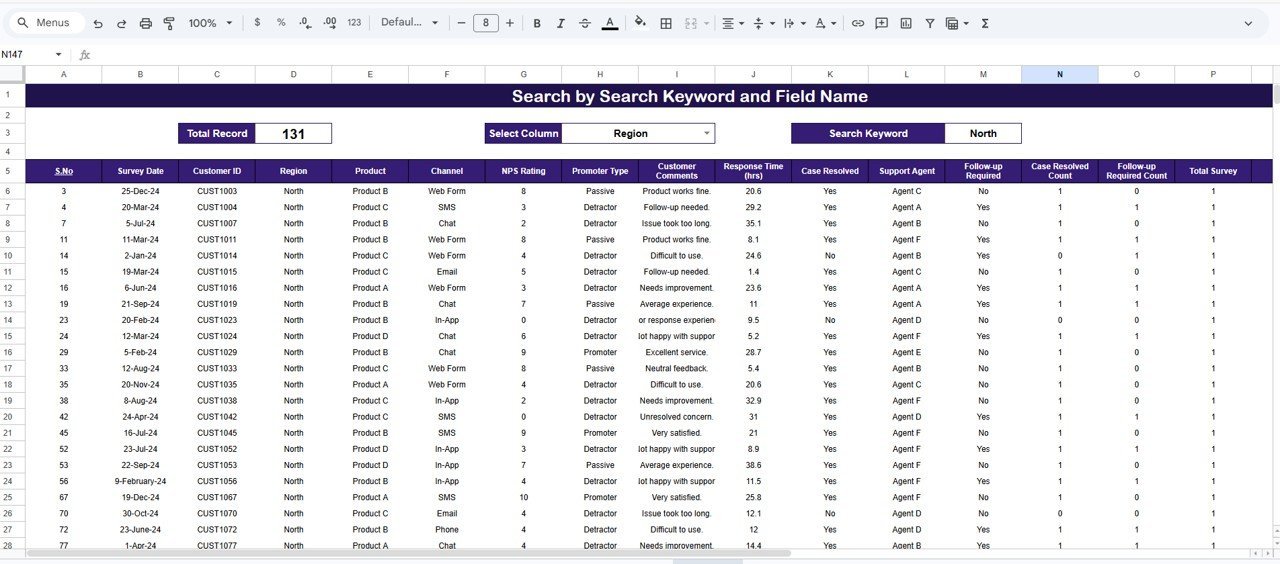
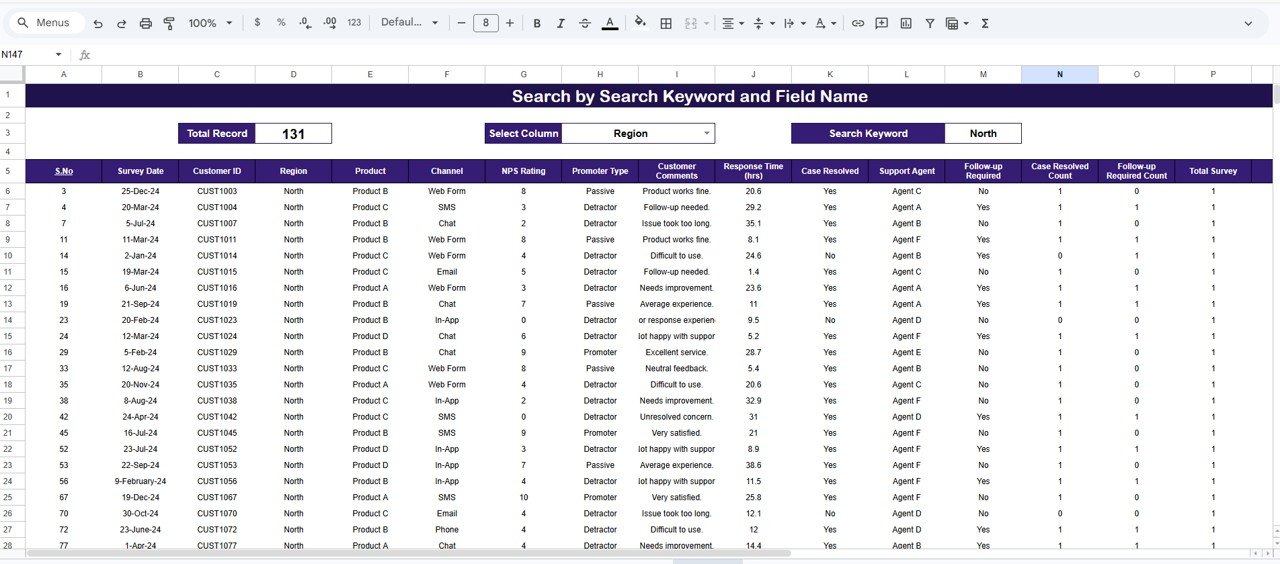
🔹 Search Sheet with column-selector dropdown and keyword field — type a search term, pick a column, and instantly filter all matching survey records with a total record count displayed.Product Feedback and NPS Dashboard in Google Sheets
🔹 Works on any device with Google Sheets — browser-based, real-time multi-user collaboration, no software installation needed. Compatible with desktop, tablet, and mobile.
📦 What’s Inside the Product Feedback and NPS Dashboard
The dashboard contains 7 sheet tabs organized for end-to-end feedback analysis:
🔹 1. Overview Page — 5 KPI cards (Number of Surveys, NPS Rating, Response Time, Cases Resolved, Follow-up Required) plus 4 slicer-driven charts covering agent performance, regional distribution, promoter-type breakdown, and monthly survey volume.
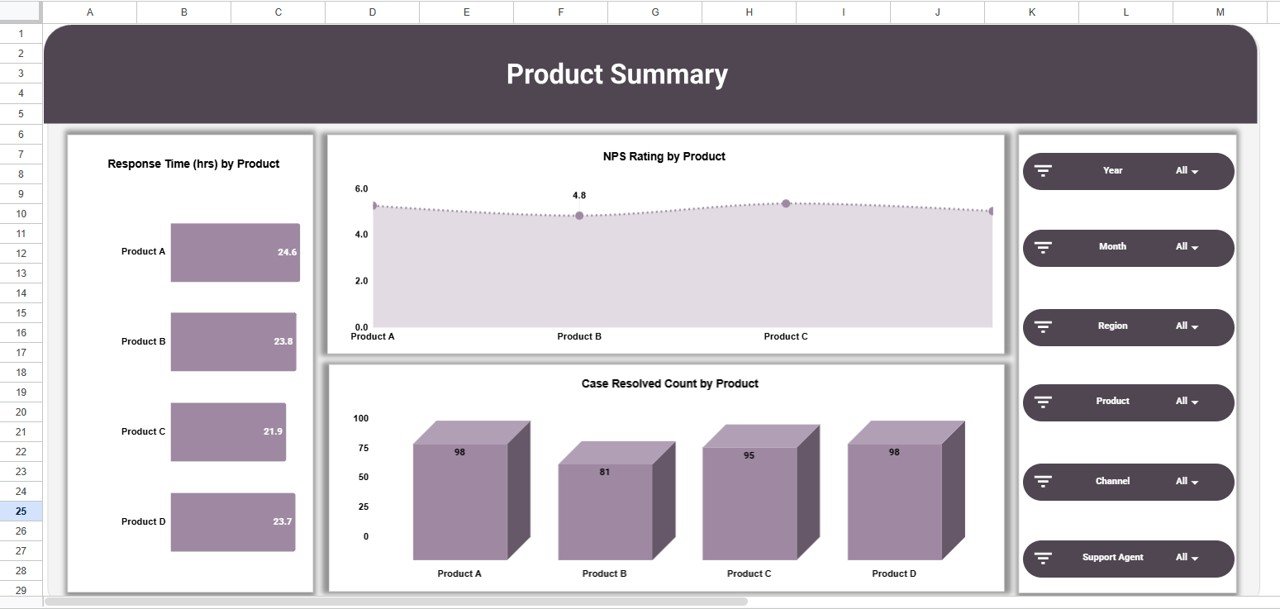
Product Summary Page
🔹 2. Product Summary — 3 charts analyzing response time, NPS rating, and case resolution count broken down by product name. Identify which products need immediate attention.
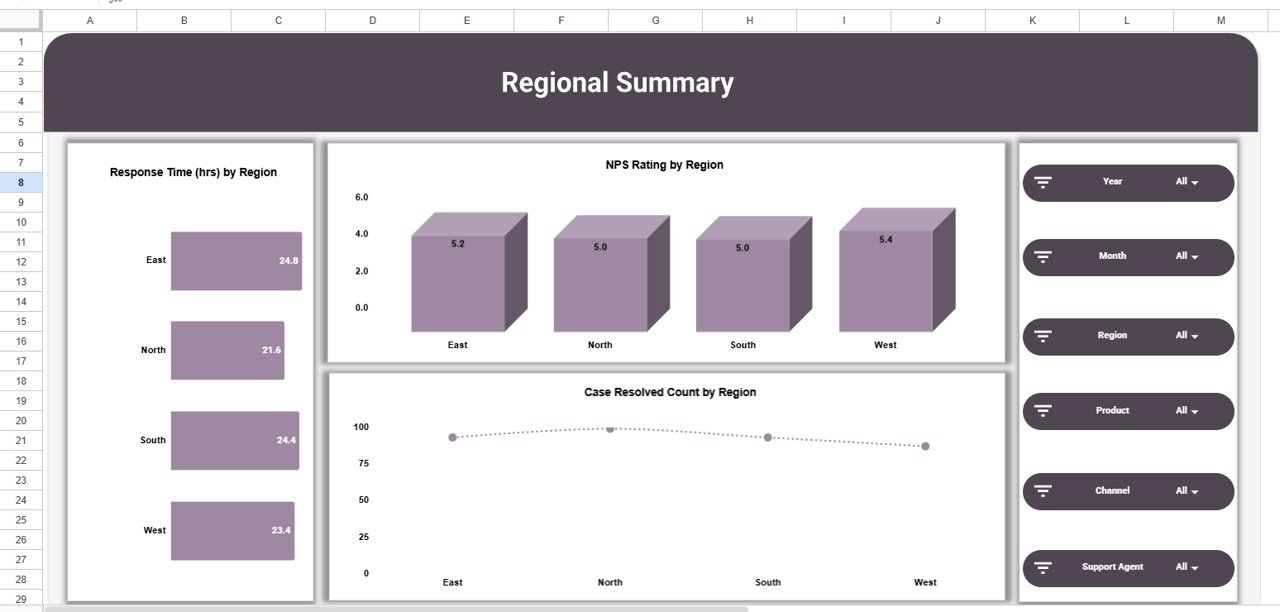
Regional Summary Page
🔹 3. Regional Summary — 3 charts showing response time, NPS rating, and case resolution by region. Compare geographic performance at a glance.
Channel Summary Page
🔹 4. Channel Summary — 3 charts breaking down response time, NPS rating, and case resolution by support channel (email, phone, chat, social media).
Monthly Trends Page
🔹 5. Monthly Trends — 3 line/bar charts tracking response time, NPS rating, and case resolution count month over month. Spot seasonal dips and measure improvement initiatives.
Search Sheet Tab
🔹 6. Search Sheet — Select any column from the dropdown, type a keyword, and the sheet instantly filters all matching survey records with a Total Record count.
Data Sheet Tab
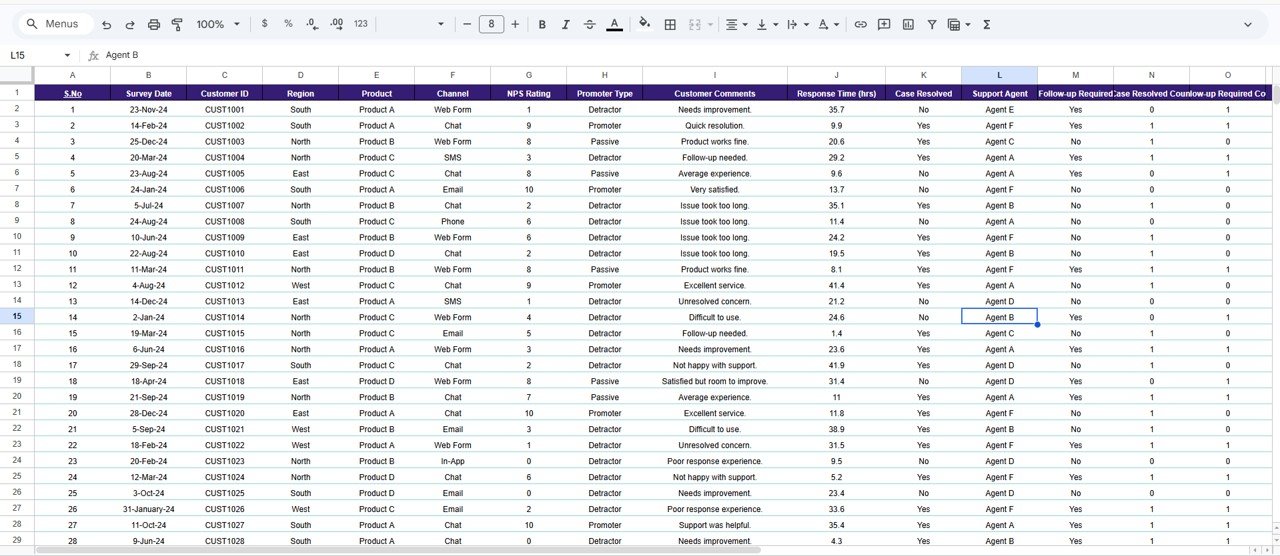
🔹 7. Data Sheet — The master data table where you add survey records in a structured format. All dashboard pages auto-update when new rows are added.
📊 Product Feedback and NPS Dashboard vs. Microsoft Excel Dashboard vs. Paid Feedback SaaS — Where This Fits
| Feature | Product Feedback and NPS Dashboard in Google Sheets | Microsoft Excel Dashboard | Paid SaaS (e.g., Medallia / Qualtrics / SurveyMonkey) |
|---|---|---|---|
| Cost | $9.99 one-time ✅ | $9.99–$12.99 one-time | $25–$300 per user per month ($1,500–$18,000/yr at 5 users) |
| Platform | Google Sheets (browser, any device) ✅ | Microsoft Excel (desktop-first) | Cloud SaaS — vendor lock-in |
| Setup time | Under 10 minutes ✅ | Under 10 minutes | 2–8 weeks (vendor onboarding) |
| Real-time team collaboration | Yes — multiple users, live edits ✅ | Limited (OneDrive co-authoring) | Yes |
| Mobile access | Yes (Google Sheets app + browser) ✅ | Excel mobile (limited) | Yes (native app) |
| Slicer-driven filtering | Yes — 4 slicers on Overview ✅ | Yes (Excel slicers) | Pre-built filters |
| Keyword search across records | Yes — built-in Search Sheet ✅ | Ctrl+F only | Yes (advanced search) |
| Customizable fields | Fully editable — own your data ✅ | Fully editable | Vendor-controlled field types |
| Year-1 cost at 5 users | $9.99 ✅ | $9.99–$12.99 | $1,500–$18,000 |
For product managers and CX teams who want a slicer-driven NPS and feedback dashboard without a per-seat subscription, the Product Feedback and NPS Dashboard in Google Sheets sits in the sweet spot — real-time collaboration, built-in search, and 7 analysis pages for the price of a single SaaS day pass.
👥 Who This Template Is For — and Who It’s Not For
✅ This template is built for:
- Product managers at 10–500 person companies tracking NPS, response times, and case resolution across multiple products
- Customer success and CX leads consolidating feedback from surveys, support tickets, and NPS campaigns into one visual dashboard
- Founders and SaaS makers who want a $9.99 alternative to a $1,500–$18,000/year survey analytics subscription
- Support managers comparing performance across regions, channels, and support agents
- Operations teams that need monthly trend data to present at leadership reviews
❌ This template is NOT for:
- Enterprise teams that require SOC 2 compliance, SSO, or API integrations with Salesforce/Zendesk
- Organizations needing in-app survey collection — this dashboard analyzes data, it does not collect responses directly
- Teams that require AI-powered sentiment analysis on open-text feedback fields
⚙️ How to Use the Product Feedback and NPS Dashboard
- Open the PDF guide in your download — click the Google Sheets copy link to create your own editable copy in Google Drive.
- Go to the Data Sheet and replace the sample survey records with your own feedback data (keep the same column structure).
- Review the Overview page — all 5 KPI cards and 4 slicer-driven charts update automatically as you add rows.
- Use slicers to filter — click any slicer on the Overview to filter by region, product, agent, or promoter type.
- Explore summary pages — open Product Summary, Regional Summary, Channel Summary, and Monthly Trends for deeper analysis.
- Search records — open the Search Sheet, select a column, type a keyword, and view all matching survey entries instantly.
💼 Real-World Use Cases
Ananya is a product manager at a 120-person edtech startup in Bangalore. She uses the Product Feedback and NPS Dashboard in Google Sheets to consolidate NPS survey results from 4 product lines into one view. The Product Summary page lets her present a “lowest-NPS products” slide at monthly product reviews — without paying $4,800/year for a Qualtrics subscription.
Carlos runs CX at a 50-person B2B SaaS company in Mexico City. He uses the Regional Summary to compare NPS and response times between LATAM and US clients, and the Channel Summary to evaluate whether email or live chat produces faster case resolution. The Monthly Trends page shows his leadership team that NPS has improved 12 points since Q1.
Priya leads customer support at a D2C brand in Mumbai. She uses the Search Sheet to quickly pull all survey records mentioning “shipping delay” and the Overview slicers to filter by Detractor — giving her team a targeted list of unhappy customers who need immediate follow-up.
❓ Frequently Asked Questions
What pages are included in the Product Feedback and NPS Dashboard?
The Product Feedback and NPS Dashboard in Google Sheets includes 7 pages — Overview with 5 KPI cards and 4 slicer-driven charts, Product Summary, Regional Summary, Channel Summary, Monthly Trends, Search Sheet, and Data Sheet — all connected so adding a record updates every page automatically.
What KPIs does the Overview page display?
The Overview page shows 5 KPI cards: Number of Surveys, NPS Rating, Response Time (hrs), Cases Resolved, and Follow-up Required. Four charts visualize NPS by Support Agent, Surveys by Region, Surveys by Promoter Type, and Surveys by Month.
How long does setup take for this dashboard?
Setup of the Product Feedback and NPS Dashboard takes under 10 minutes — open the PDF guide, click the copy link, replace sample data in the Data Sheet, and all 7 pages update automatically. No formulas or coding needed.
How does this compare to paid NPS tools like Medallia or Qualtrics?
Paid NPS platforms typically cost $25–$300 per user per month — about $1,500 to $18,000 per year for five users. The Product Feedback and NPS Dashboard in Google Sheets is $9.99 one-time with no recurring fees, no per-user pricing, and full ownership of your data.
Can I use this dashboard on mobile devices?
Yes. The Product Feedback and NPS Dashboard works on any device that runs Google Sheets — desktop browsers, tablets, and mobile phones via the Google Sheets app. Multiple team members can view and edit simultaneously.
Does the dashboard include a search feature?
Yes. The built-in Search Sheet lets you select any column from a dropdown, type a keyword, and the sheet instantly filters all matching survey records. A Total Record count displays how many entries match your search.
Is the Product Feedback and NPS Dashboard a one-time purchase?
Yes. The Product Feedback and NPS Dashboard in Google Sheets is $9.99 one-time, instant download, no subscription, no per-user fees, and lifetime access. Free updates are included whenever the template is revised.
👤 About the Author
Built by PK — Microsoft Certified Professional with 15+ years of Excel, Google Sheets, and Power BI experience. Founder of NextGenTemplates, reaching 300K+ subscribers across YouTube channels (@PK-AnExcelExpert, @NextGenTemplates, @NeoTechNavigators). Every template is hand-built and tested before release.
🔗 Explore Related Templates
🔹 Also available: NPS Dashboard in Google Sheets — focused NPS-only dashboard with the same slicer-driven analysis pattern.
🔹 Product Feedback Tracker in Excel — VBA-powered feedback tracker with login form, data entry UserForm, and slicer dashboard for Windows Excel users.
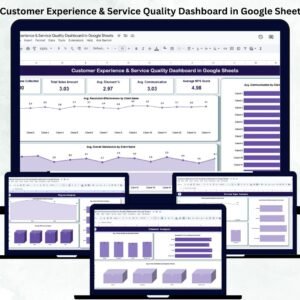
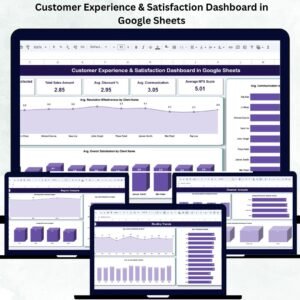
🔹 Customer Experience & Service Quality Dashboard in Google Sheets — broader CX analytics covering satisfaction, communication, and NPS across regions and service types.
🔹 Customer Satisfaction Survey Tracker in Google Sheets — survey tracker with timeliness, professionalism, and communication scoring.
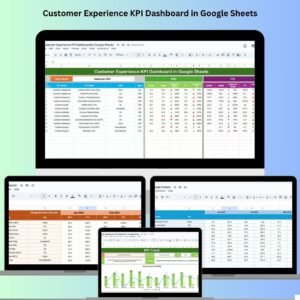
🔹 Customer Experience KPI Dashboard in Google Sheets — KPI scorecard tracking NPS, CSAT, churn rate, and 10 CX metrics with MTD/YTD analysis.
🔹 Browse all Google Sheets Dashboard Templates on NextGenTemplates.
📖 Click here to read the Detailed Blog Post
Watch the step-by-step video tutorial:
🎥 Visit our YouTube channel for step-by-step video tutorials
👉 YouTube.com/@NextGenTemplates