



Managing office supplies doesn’t have to be chaotic or time-consuming. Say goodbye to scattered emails and missed approvals—introducing the Office Supply Request Tracker in Google Sheets, a smart, ready-to-use tool that centralizes, tracks, and streamlines all your office supply requests. Whether you’re handling small stationery needs or large procurement processes, this template brings order, visibility, and control to your entire supply chain.
📌 Key Features of the Office Supply Request Tracker Template
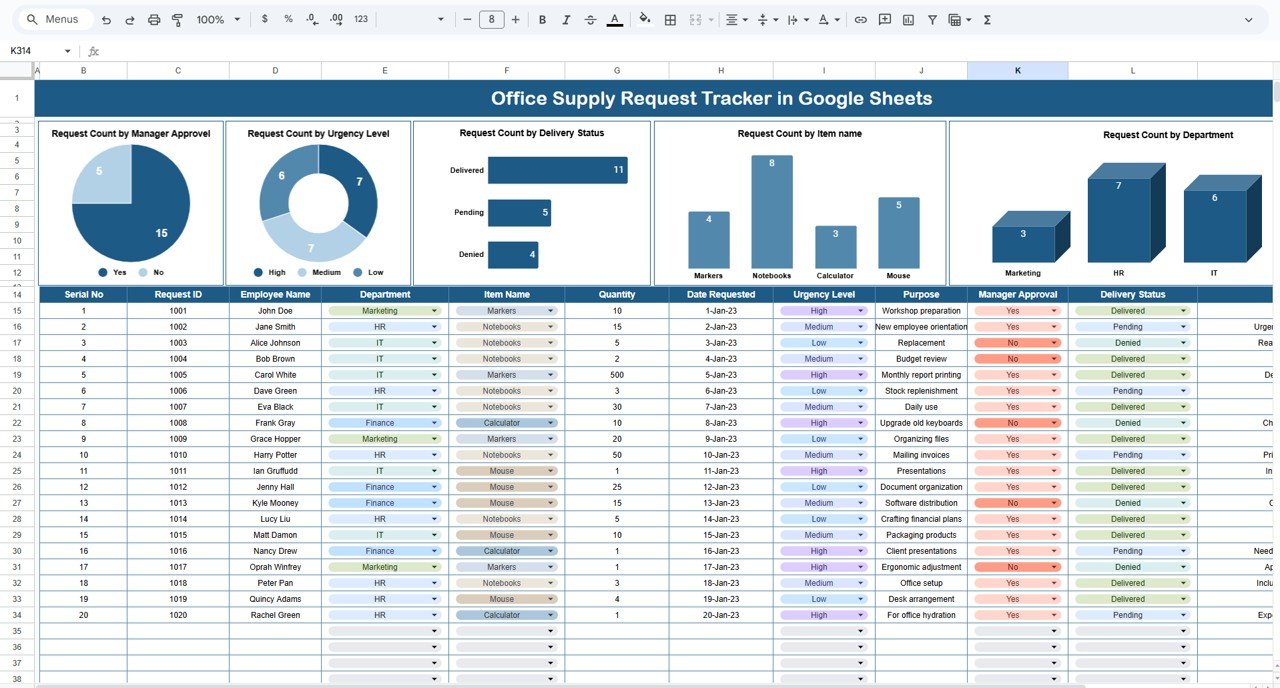
📊 Dynamic Charts Dashboard
Requests by Approval Status – Instantly see which requests are pending or approved
Requests by Urgency Level – Prioritize what needs attention first
Requests by Delivery Status – Track delivered vs. pending supplies
Requests by Department – Identify high-demand departments
Requests by Item Name – Know which supplies are used the most
📋 All-in-One Data Table
🆔 Request ID – Unique identifier for each request
📅 Date – When the request was submitted
📌 Department – Who made the request
📦 Item Name – What item is being requested
🔢 Quantity – Number of items requested
🔥 Urgency Level – High, Medium, or Low priority
✅ Manager Approval – Approved or pending
🚚 Delivery Status – Delivered or still pending
👤 Requested By – Name of the requester
💬 Remarks – Additional notes or special instructions
Everything is updated in real-time to provide clear insights and fast decision-making!
📥 What’s Inside the Office Supply Request Tracker in Google Sheets
This single-sheet template is packed with value and ready to use immediately:
✅ Tracker Sheet Tab
This is your main hub. Track, analyze, and visualize all office supply requests from one place. As you fill out the table, the interactive charts update automatically—no extra work required!
📈 Visual Dashboard
Charts update instantly as data is entered—providing management with real-time summaries and helping teams act fast on pending or high-priority requests.
🎯 Custom Fields
Tailor the columns to match your internal workflow, such as adding a location field or expanding approval levels. The structure is flexible to fit your unique process.
🚀 How to Use the Tracker
🔹 Step 1: Start entering requests in the data section—include who made the request, what they need, and how urgent it is.
🔹 Step 2: Use dropdowns for fields like approval and delivery status to keep the data clean and consistent.
🔹 Step 3: As you update the table, check the charts for real-time performance insights.
🔹 Step 4: Use filters or sorting to view requests by department, item, or urgency.
🔹 Step 5: Share the sheet with your team for collaborative tracking and updates.
👥 Who Can Benefit from This Tracker?
🏢 Office Admins & Managers – Simplify supply request tracking and reduce follow-ups
🛠️ Facilities & Operations Teams – Gain real-time visibility into office supply usage
💼 Procurement Departments – Make faster decisions based on urgency and approval status
🏬 Multi-Location Offices – Track requests by site or department
👨💻 Startups & Remote Teams – Stay organized without complex software
Anyone responsible for ordering or managing office supplies will find this tool invaluable.
💡 Why You’ll Love This Google Sheets Template
✅ No need to install software—just open in Google Sheets
✅ Fully editable to suit your internal workflow
✅ Works for single or multiple office locations
✅ Saves time with built-in charts and dropdowns
✅ Keeps your team aligned and accountable
✅ Helps avoid duplicate or missed requests
Forget the paperwork mess—this tracker has everything you need to keep supplies flowing smoothly.
🔁 Click here to read the Detailed blog post
Click here to read the Detailed blog post
Watch the step-by-step video Demo:
🎥 Visit our YouTube channel to learn step-by-step video tutorials
Youtube.com/@NeotechNavigators
Compatibility and Requirements
- Works in Google Sheets. You need a free Google account and a web browser.
- The approval and delivery status fields use dropdowns. Google explains them in Create an in-cell dropdown list.
- The charts update as you fill in the data table on the Tracker sheet.
Frequently Asked Questions
What does the tracker record for each request?
Each row holds a Request ID, date, department, item name, quantity, urgency level, manager approval, delivery status, the name of the requester and remarks.
Which charts are on the dashboard?
Five charts: requests by approval status, by urgency level, by delivery status, by department and by item name.
Do the charts update by themselves?
Yes. When you add or change rows in the data table, the charts update as you enter the data.
Can I change the columns to fit my process?
Yes. You can edit the columns, for example by adding a location field or more approval levels.
Is there an Excel version?
Yes. See the Office Supply Request Tracker in Excel.
Related Office Request Templates
- Office Supply Request Tracker in Excel: the same tracker for Excel
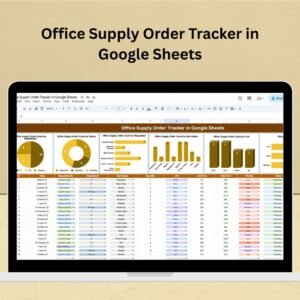
- Office Supply Order Tracker in Google Sheets: follow supply orders once they are placed
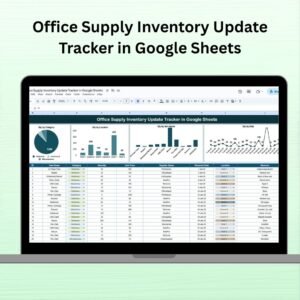
- Office Supply Inventory Update Tracker in Google Sheets: record changes to your supply stock
- Office Stationery Request Tracker in Google Sheets: a request log for stationery items
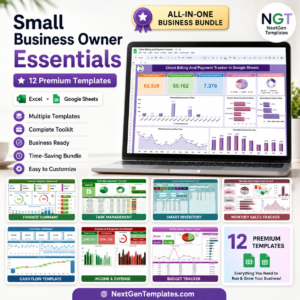
- Small Business Owner Essentials: 12 templates for owners in one download
Browse all Google Sheets trackers.








Reviews
There are no reviews yet.