

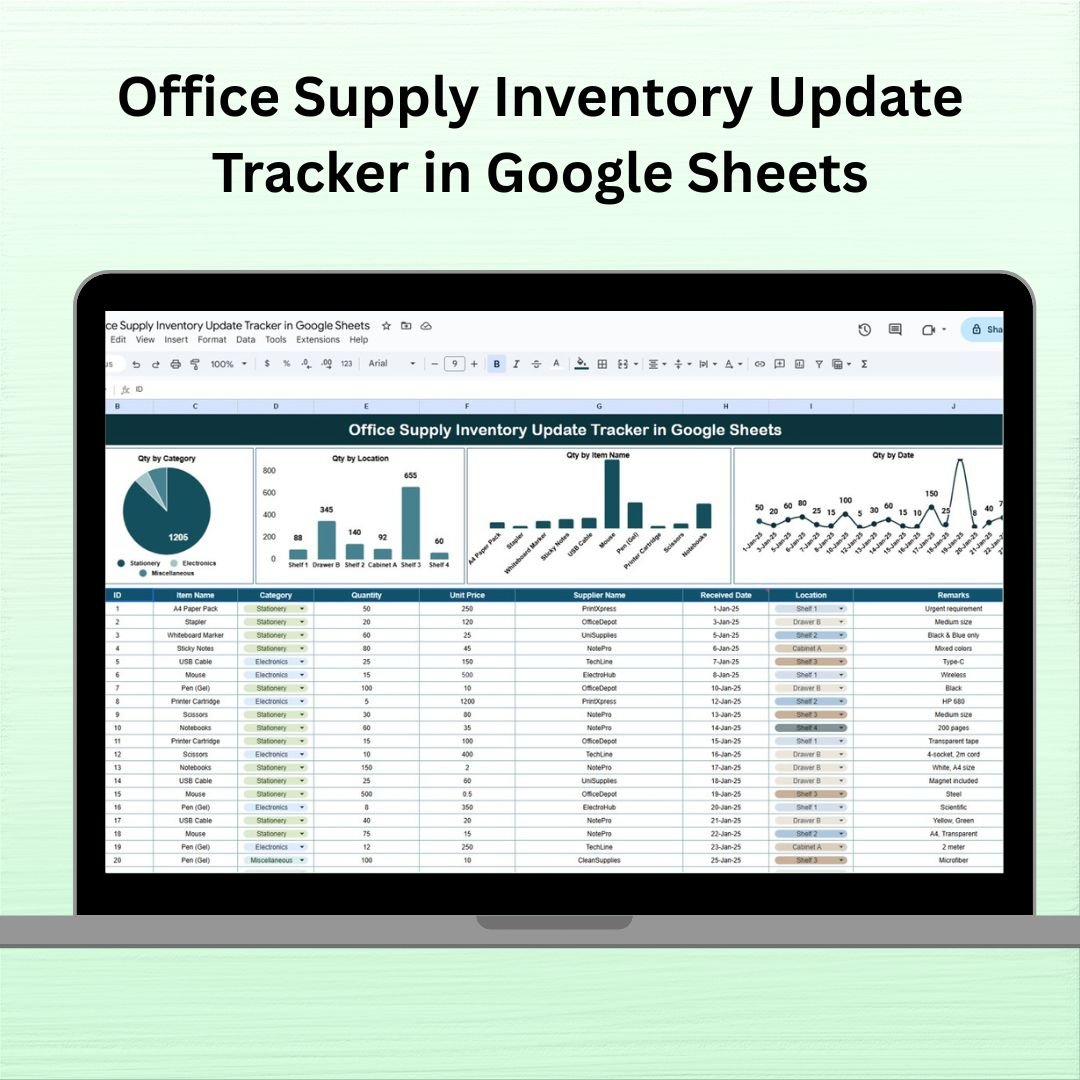

Managing office supplies shouldn’t feel like a never-ending scavenger hunt .Say goodbye to cluttered storerooms and missing items with our Office Supply Inventory Update Tracker in Google Sheets — a powerful and easy-to-use solution to monitor your office essentials in real time. Whether you’re overseeing a small team or a large corporate setup, this template makes supply tracking efficient, collaborative, and stress-free.
✨ Key Features of Office Supply Inventory Update Tracker in Google Sheets
This tracker is thoughtfully built to streamline your inventory management process and provide instant insights at a glance:
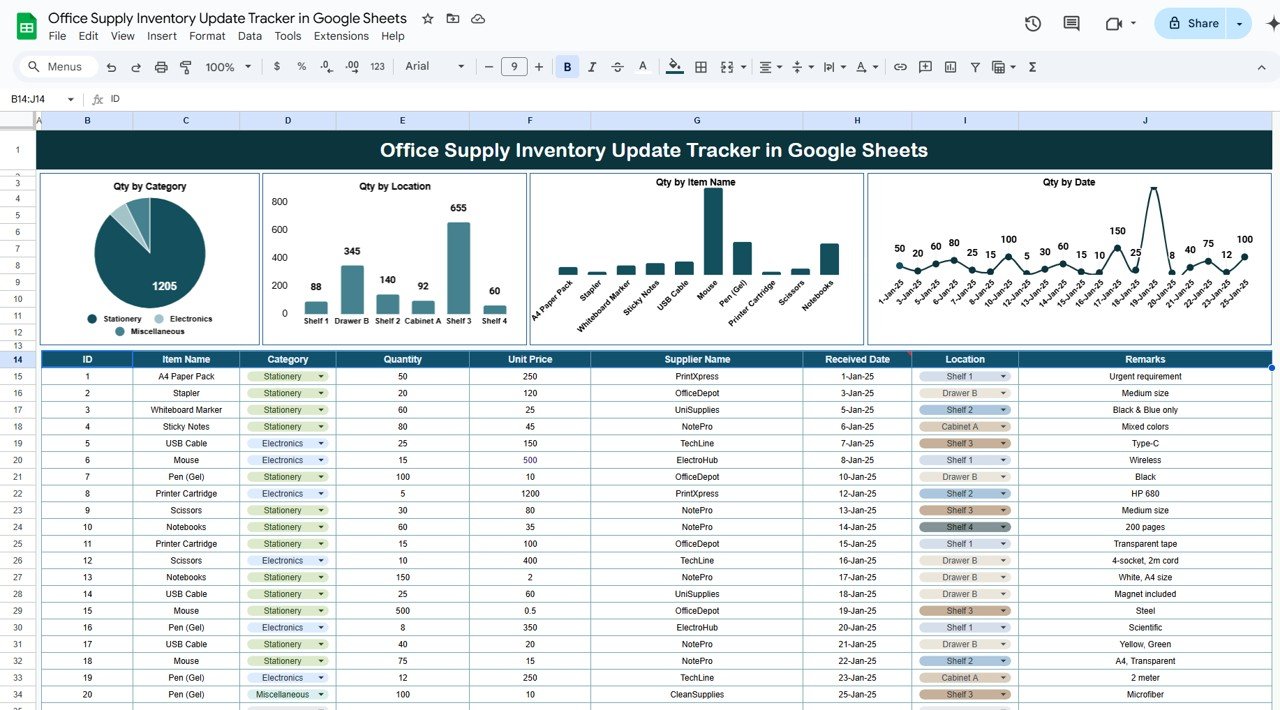
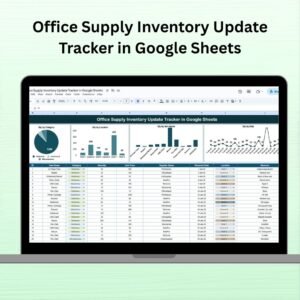
Interactive Charts 📊: Instantly view stock breakdowns by category, location, date, and item name.
One-Stop Dashboard 🗃️: All data is managed from a single sheet with structured columns and visual summaries.
Real-Time Collaboration 🤝: Hosted on Google Sheets, allowing multiple users to view and update simultaneously.
Inventory Categorization 🗂️: Organize your supplies into categories like stationery, electronics, or office essentials.
Supplier Tracking 🔍: Keep tabs on your vendors, their delivery timelines, and associated costs.
Reorder Monitoring ⏳: Never run out again by tracking quantities and restocking dates proactively.
📦 What’s Inside the Office Supply Inventory Update Tracker
Your template comes with a well-designed Tracker Sheet Tab that combines both data entry and visual dashboards:
Charts Section:
Qty by Category: Quickly analyze which category consumes most inventory.
Qty by Location: Pinpoint which office or storage room holds what.
Qty by Item Name: Know your most and least stocked items.
Qty by Date: Track supply trends over time.
Data Entry Table Includes:
ID: Auto-assigned unique item number
Item Name: For each product (e.g., Printer Paper)
Category: Type of supply (e.g., Stationery)
Quantity: Stock available
Unit Price: Cost per item
Supplier Name: Vendor details
Received Date: When last replenished
Location: Where it’s stored
Remarks: Optional notes
🛠️ How to Use the Office Supply Inventory Update Tracker
Getting started is effortless. Here’s how:
Input Office Supplies: Enter all supply details into the table – item name, supplier, price, quantity, and storage location.
Track Stock Movement: Update the Quantity and Received Date as supplies come in or go out.
Visual Monitoring: Watch the charts update in real-time to identify trends or low-stock items.
Control Costs: Use the Unit Price to estimate total spend per category or vendor.
Ensure Availability: Monitor which items are running low and replenish them ahead of time.
👥 Who Can Benefit from This Tracker?
This template is designed for:
Office Admins looking for a centralized and digital way to manage supplies.
Facility Managers overseeing multiple rooms or locations.
Procurement Teams needing real-time insights into stock levels and costs.
Startup Founders & Entrepreneurs aiming to reduce operational chaos.
Remote Teams sharing resources across locations.
No matter your team size, this tool brings clarity and control to your inventory operations.
👉 Click here to read the Detailed blog post
Watch the step-by-step video Demo:

























Reviews
There are no reviews yet.