

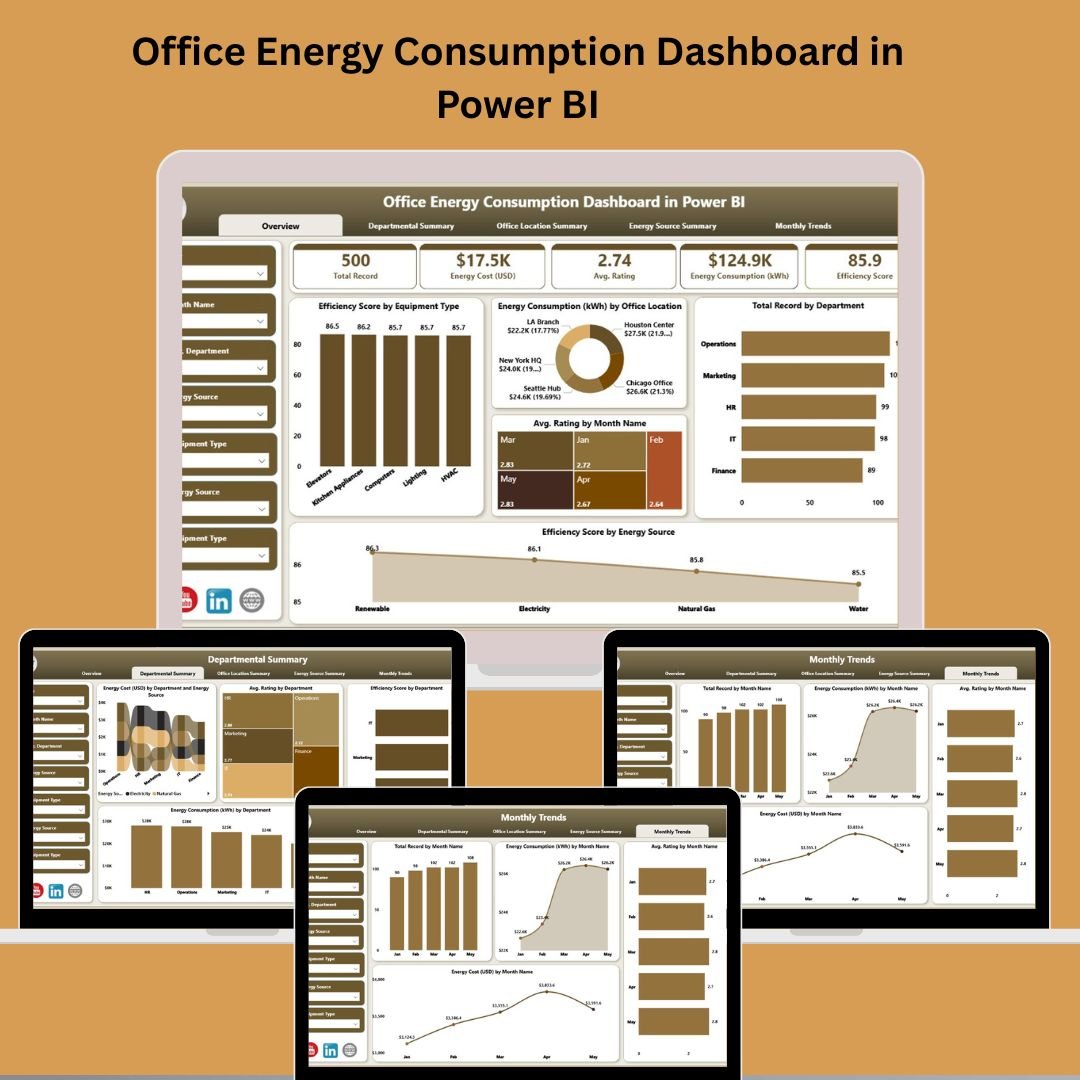

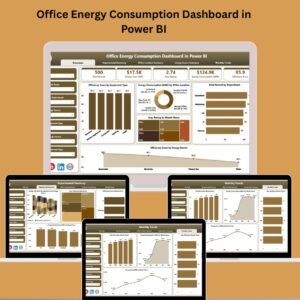
The Office Energy Consumption Dashboard in Power BI is your go-to solution for visualizing and managing energy usage across departments, locations, and sources. With increasing attention on operational efficiency and green initiatives, this dashboard empowers facility managers, sustainability officers, and data analysts with actionable insights into office energy patterns.
🔍 Key Features of Office Energy Consumption Dashboard
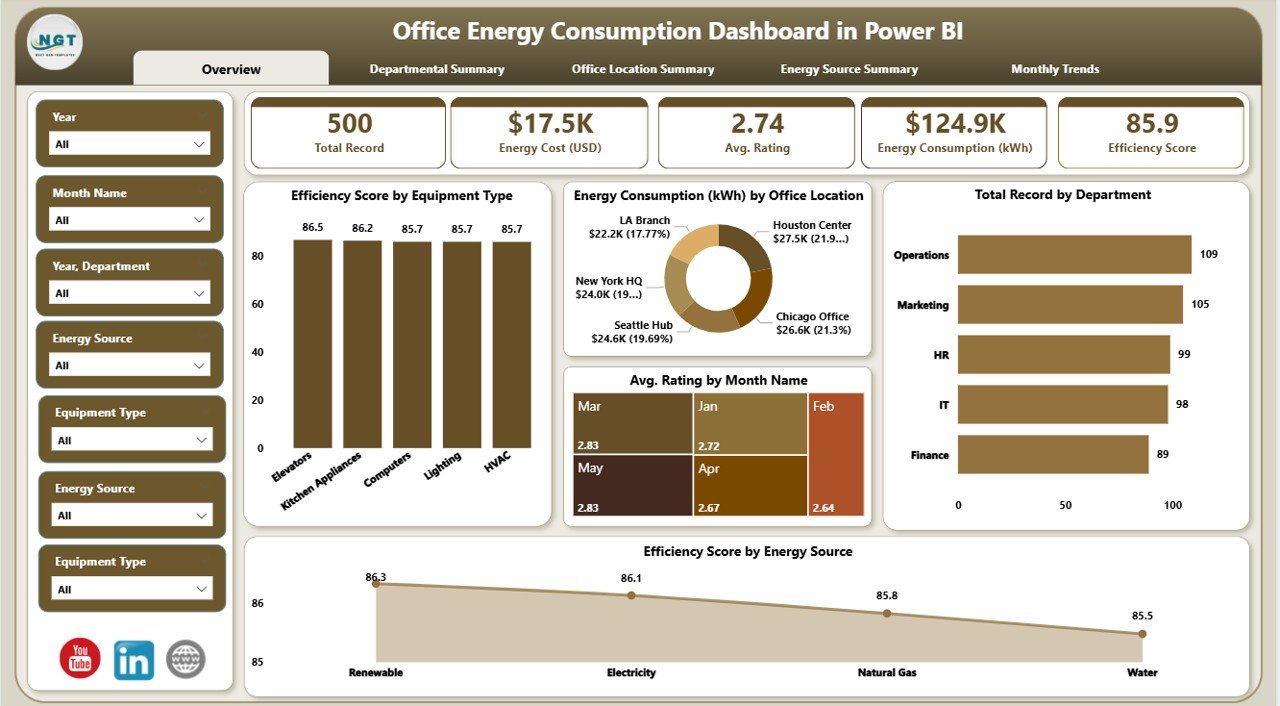
📊 Real-Time Energy Insights
The dashboard is fully interactive, pulling live data from Excel, allowing you to filter and view energy performance by department, source, or location.
🌍 5 Insightful Pages
Get detailed breakdowns on:
- ✨ Overview
- 💼 Departmental Summary
- 🚪 Office Location Summary
- ⚡ Energy Source Summary
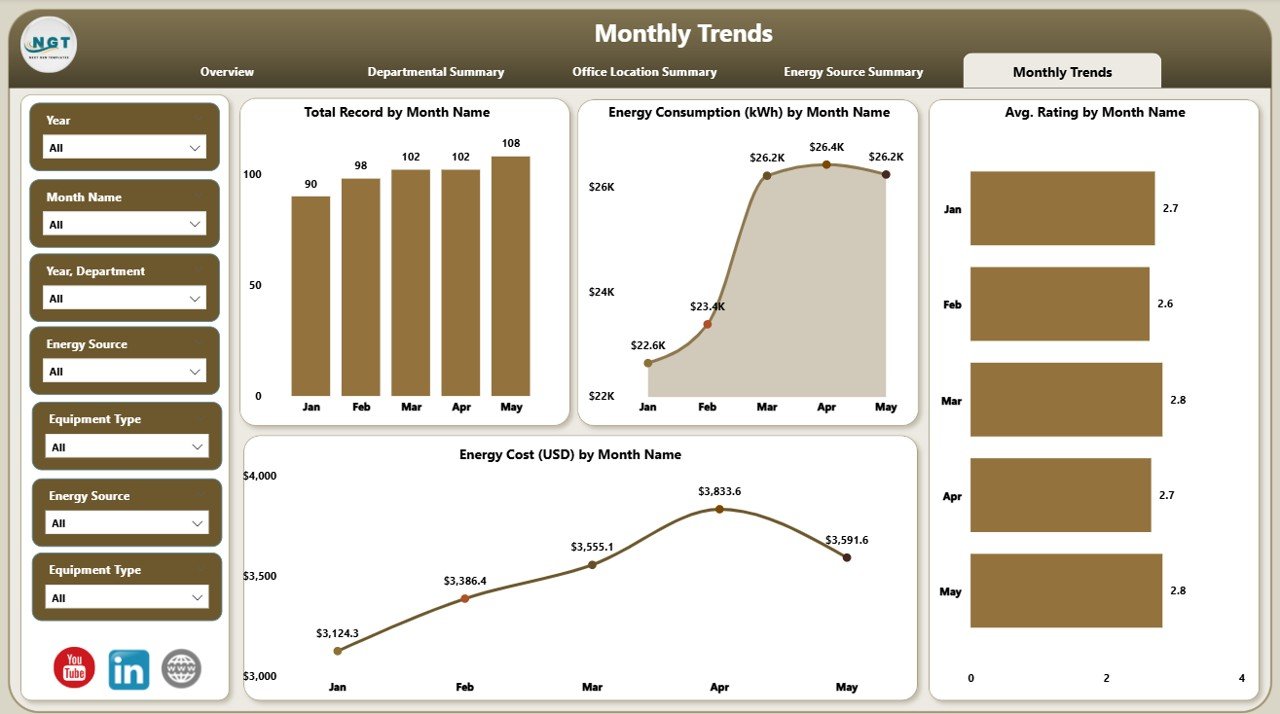
- 📅 Monthly Trends
🔍 Filter with Ease
Every page comes with 7 slicers to let you customize the view. Whether you’re comparing energy cost, efficiency scores, or usage patterns—you get it all at your fingertips.
📈 Visual KPIs
Use visually rich cards and charts to track:
- Energy Consumption (kWh)
- Energy Cost (USD)
- Average Ratings
- Efficiency Scores
📂 What’s Inside the Office Energy Dashboard
📅 Overview Page
- View energy usage metrics with 5 key performance cards
- Filter by location, department, month, and more
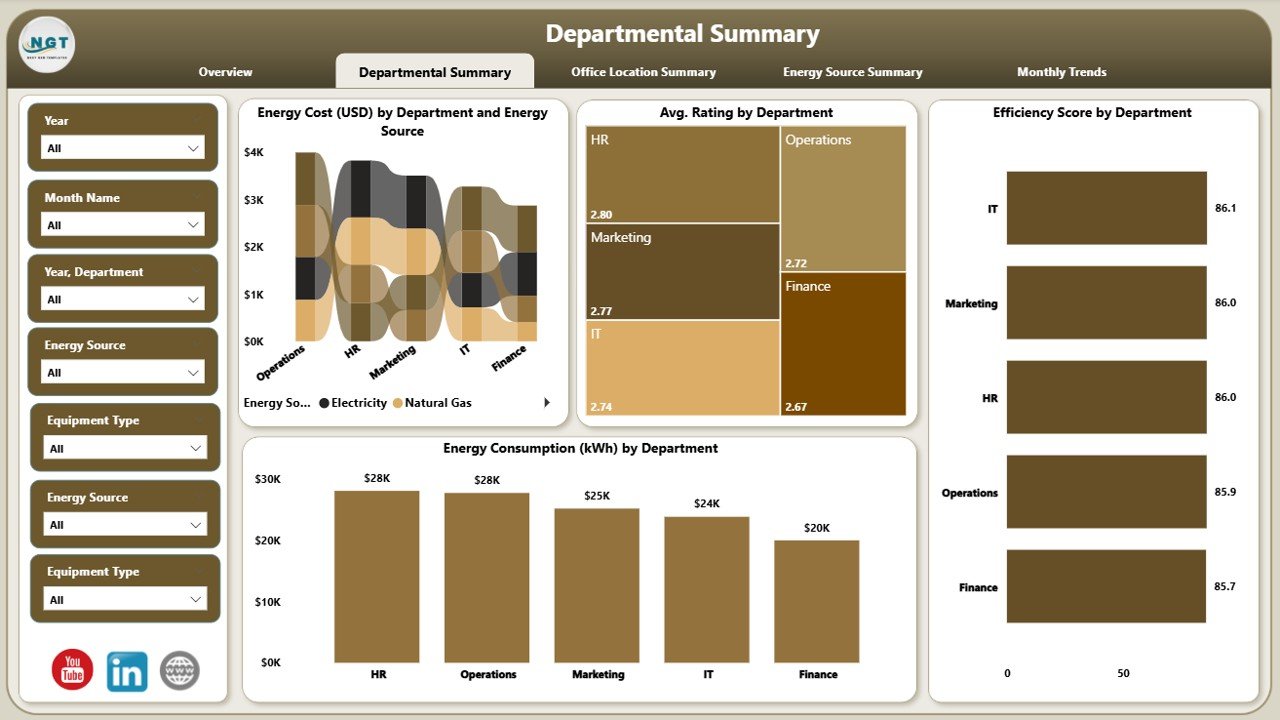
💼 Departmental Summary
- Charts show cost, consumption, source, and rating by department
- Efficiency score ranks departmental performance
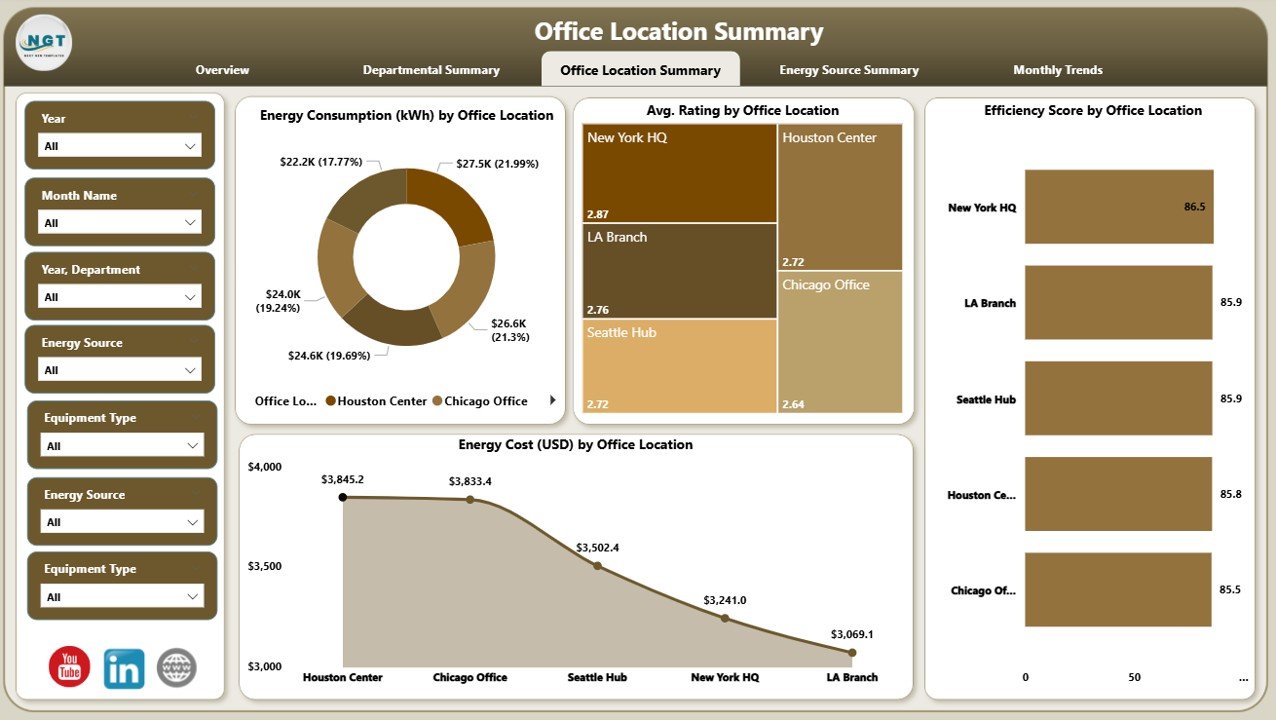
🚪 Office Location Summary
- Analyze which office sites are most and least efficient
- Target areas for energy-saving initiatives
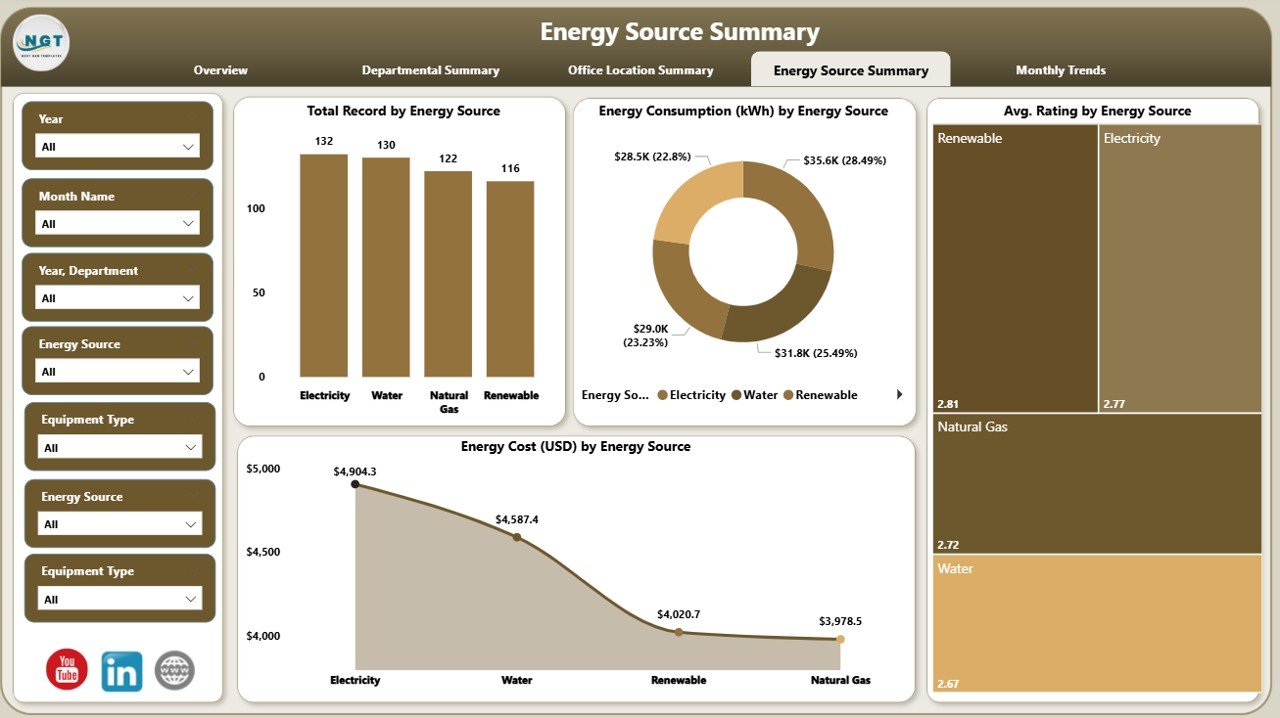
⚡ Energy Source Summary
- Visualize how different energy sources are utilized
- Identify high-cost or inefficient energy types
📊 Monthly Trends
- Monitor energy consumption and cost trends over time
- Plan monthly or seasonal savings initiatives
📖 How to Use the Product
- 🔹 Connect your Excel energy data
- 🔹 Open the Power BI dashboard
- 🔹 Use slicers to explore data by month, department, location
- 🔹 Interpret visuals and take action
- 🔹 Share insights with your leadership team
No complex setup. Just plug, play, and optimize.
💼 Who Can Benefit from This Product?
- 💳 Facility Managers: Track costs and control budgets
- 🌿 Sustainability Teams: Measure carbon footprint
- 🧱 Operations Heads: Pinpoint inefficiencies
- 🤖 IT Departments: Monitor energy use in server rooms
- 📈 Data Analysts: Extract performance trends
Whether you’re a small business or a large enterprise, if energy matters to you, this dashboard delivers.
🔗 Click here to read the Detailed blog post
🎥 Visit our YouTube channel to learn step-by-step video tutorials
Watch the step-by-step video tutorial:
Compatibility and Requirements
- Opens in Power BI Desktop, which is free from Microsoft. See Get Power BI Desktop.
- Power BI Desktop runs on Windows. Sharing through Power BI Service needs a Power BI account.
- The energy data comes from an Excel file that the report reads.
Frequently Asked Questions
What pages are in the Office Energy Consumption Dashboard?
Five: Overview, Departmental Summary, Office Location Summary, Energy Source Summary and Monthly Trends.
Which metrics does it show?
Energy consumption in kWh, energy cost in USD, average ratings and efficiency scores. The Overview page has 5 KPI cards.
How do I filter the report?
Every page has 7 slicers, so you can view the data by month, department, location, energy source and more.
Can I use my own energy data?
Yes. Connect your Excel energy data, open the report in Power BI and the visuals read from it.
Is there an Excel or Google Sheets version?
Yes. See the Office Energy Consumption Dashboard in Excel and the Google Sheets edition.
Related Energy Templates
- Office Energy Consumption Dashboard in Excel: the Excel edition.
- Office Energy Consumption Dashboard in Google Sheets: the Google Sheets edition.
- Energy Consumption Analysis Dashboard in Power BI: a deeper look at consumption patterns.
- Energy & Utility Dashboard in Power BI: energy and utility costs together.
- Energy & ESG Sustainability Bundle: 8 energy and sustainability templates in Excel and Power BI.
Browse all Power BI dashboards or the Power BI templates.





























Reviews
There are no reviews yet.