

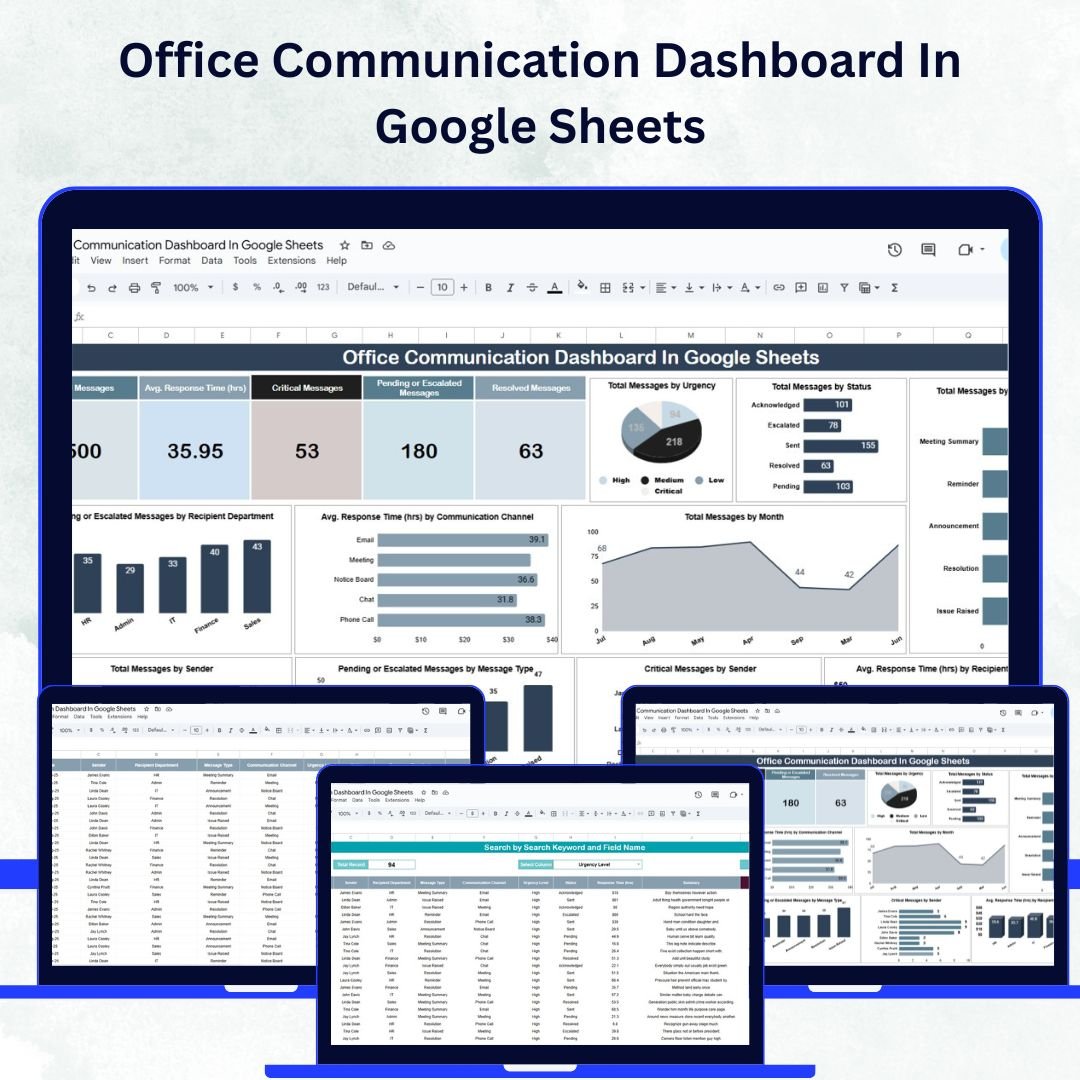
Smooth communication is the foundation of every successful workplace. When internal messages are delayed or overlooked, productivity drops and collaboration suffers. The Office Communication Dashboard in Google Sheets is a ready-to-use, interactive tool designed to help teams track, analyze, and improve communication efficiency across departments.Office Communication Dashboard In Google Sheets
With this dashboard, managers can monitor message volume, response times, and critical escalations — all in real time. Built in Google Sheets, it’s fully collaborative, easy to customize, and requires no advanced technical skills. Whether you manage a small office or a large organization, this tool provides a complete communication overview to enhance responsiveness and teamwork. ⚡Office Communication Dashboard In Google Sheets
🔑 Key Features of the Office Communication Dashboard
📋 Dashboard Sheet Tab
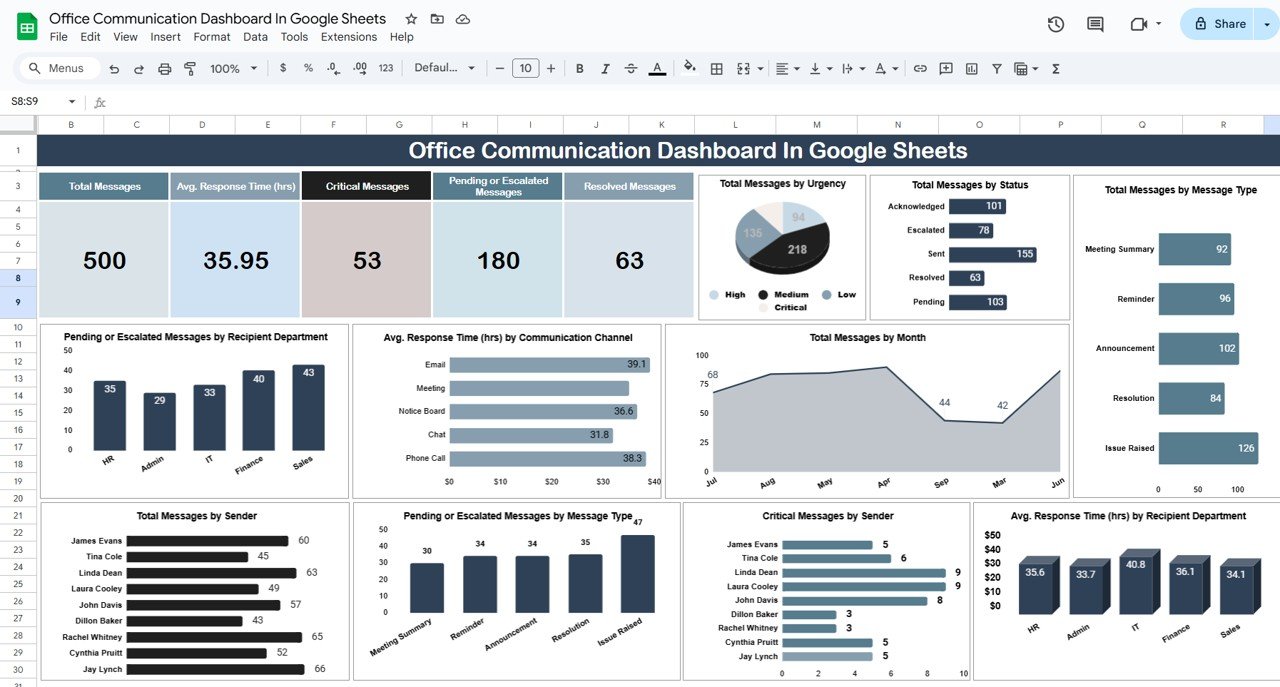
The main dashboard delivers a snapshot of your office communication health through cards and charts:
-
Cards:
-
Total Messages
-
Average Response Time (hrs)
-
Critical Messages
-
Pending or Escalated Messages
-
Resolved Messages
-
-
Charts:
-
Total Messages by Urgency Level
-
Total Messages by Status
-
Pending/Escalated Messages by Recipient Department
-
Average Response Time by Communication Channel
-
Total Messages by Month
-
Average Response Time by Department
-
Critical Messages by Sender
-
Pending or Escalated Messages by Message Type
-
Total Messages by Sender
-
Total Messages by Message Type
-
📊 These visuals allow managers to pinpoint delays, monitor workload balance, and identify departments that need communication support.
🔍 Search Sheet Tab
-
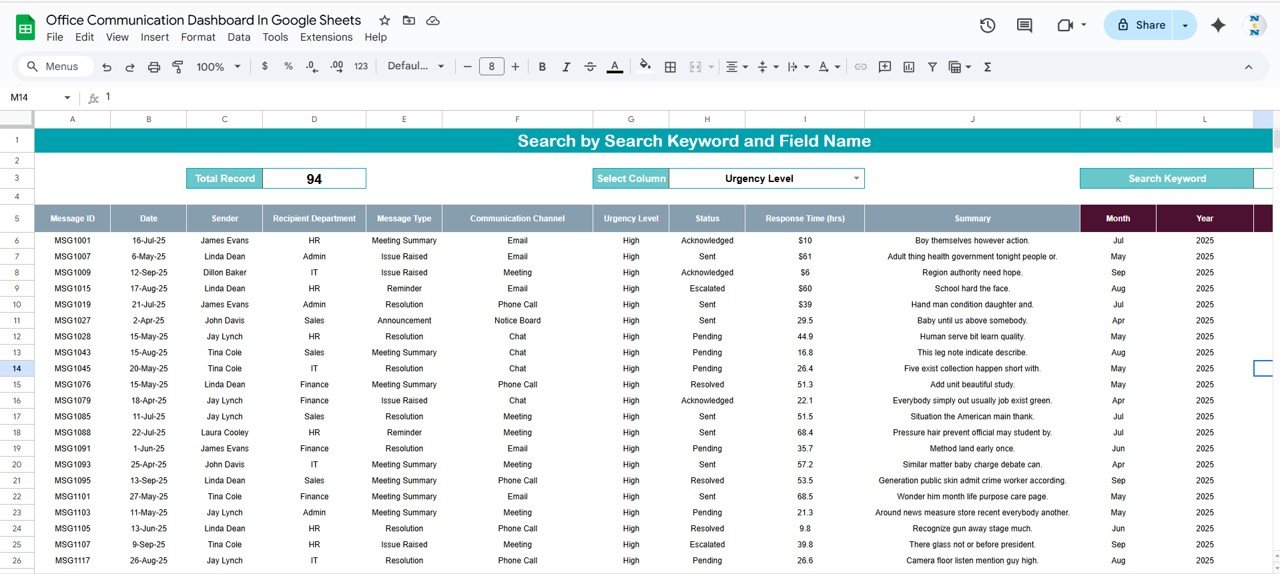
Quickly locate messages using keywords and field-based search
-
Filter by sender, recipient, urgency, or message type
-
Ideal for tracking high-priority or unresolved communications
📑 Data Sheet Tab
-
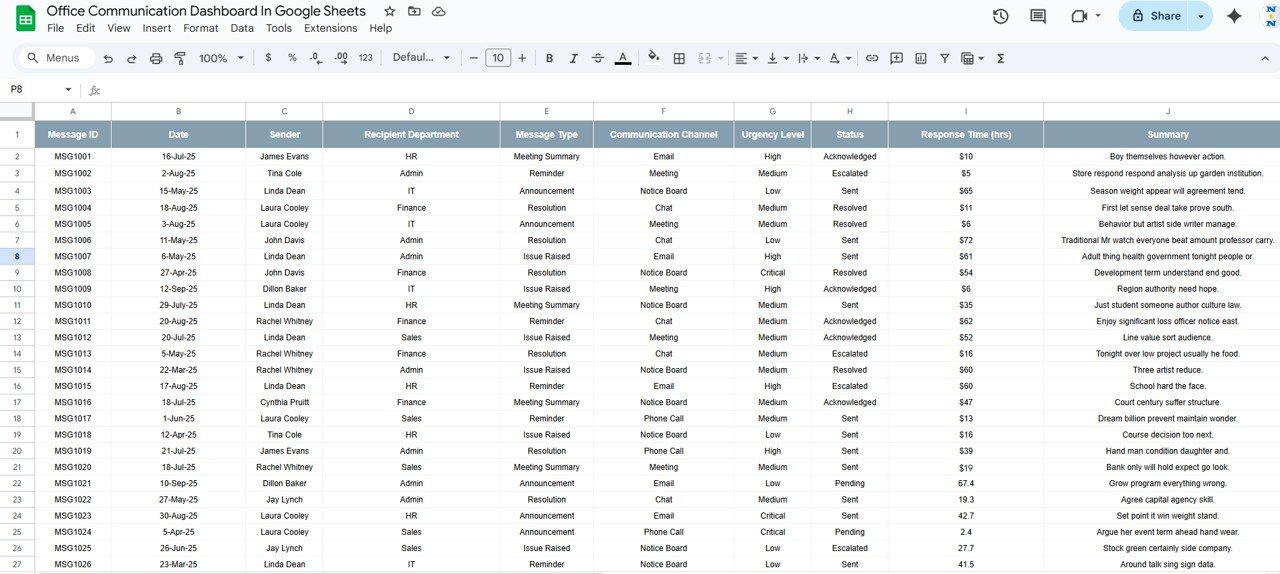
The structured data entry sheet that powers the dashboard
-
Record each message with fields like:
-
Sender, Recipient, Message Type, Urgency, Status, Response Time, and Date
-
-
Any updates here automatically refresh all dashboard metrics
📦 What’s Inside the Dashboard?
When you download this template, you’ll receive:
✅ Interactive Dashboard with KPI cards and charts
✅ Search Sheet for fast data lookup
✅ Data Sheet for structured message tracking
✅ Auto-updating visuals for real-time analytics
✅ Pre-filled sample data for easy setup
✅ Fully customizable structure to match your organization’s workflow
🧑💼 Who Can Benefit from This Dashboard?
🎯 Office Managers – Monitor message flow and response efficiency
🎯 Team Leaders – Track departmental communication and escalations
🎯 HR & Admin Teams – Ensure quick internal communication resolution
🎯 Executives – Get summarized insights into office collaboration
🎯 Remote & Hybrid Teams – Maintain visibility across distributed environments
🧪 How to Use the Office Communication Dashboard
-
Enter Data – Log all communication details into the Data Sheet.
-
View Insights – The Dashboard Sheet updates instantly with new visuals.
-
Search Easily – Use the Search Sheet to locate specific messages or patterns.
-
Monitor Trends – Check response times, monthly activity, and escalation rates.
-
Take Action – Identify departments or message types causing delays and improve workflows.
No technical setup is needed — just plug in your data and start analyzing instantly! 🚀
🌟 Why Choose This Dashboard?
-
Centralized view of all office communications
-
Real-time updates and automated reports
-
Detect communication gaps and delayed responses
-
Improve collaboration and accountability
-
Fully customizable to fit your company’s communication structure
-
Built in Google Sheets — accessible from anywhere, by anyone
With the Office Communication Dashboard in Google Sheets, you can foster a more responsive, transparent, and productive office culture. 🌟
🔗 Click here to read the Detailed blog post
Watch the step-by-step video Demo:


















Reviews
There are no reviews yet.