




Managing finances effectively is the cornerstone of every successful business. The Financial Summary Dashboard in Google Sheets is a ready-to-use, professional-grade tool designed to help organizations track revenue, expenses, and profits in real time. This intuitive dashboard turns raw financial data into powerful visual insights, empowering decision-makers to improve profitability and financial transparency.
Built entirely in Google Sheets, this dashboard combines flexibility, accessibility, and collaboration—making it perfect for finance teams, business owners, and executives who want a clear view of their financial health at any moment. 🧾💼

🔑 Key Features of the Financial Summary Dashboard in Google Sheets
📊 Overview Sheet
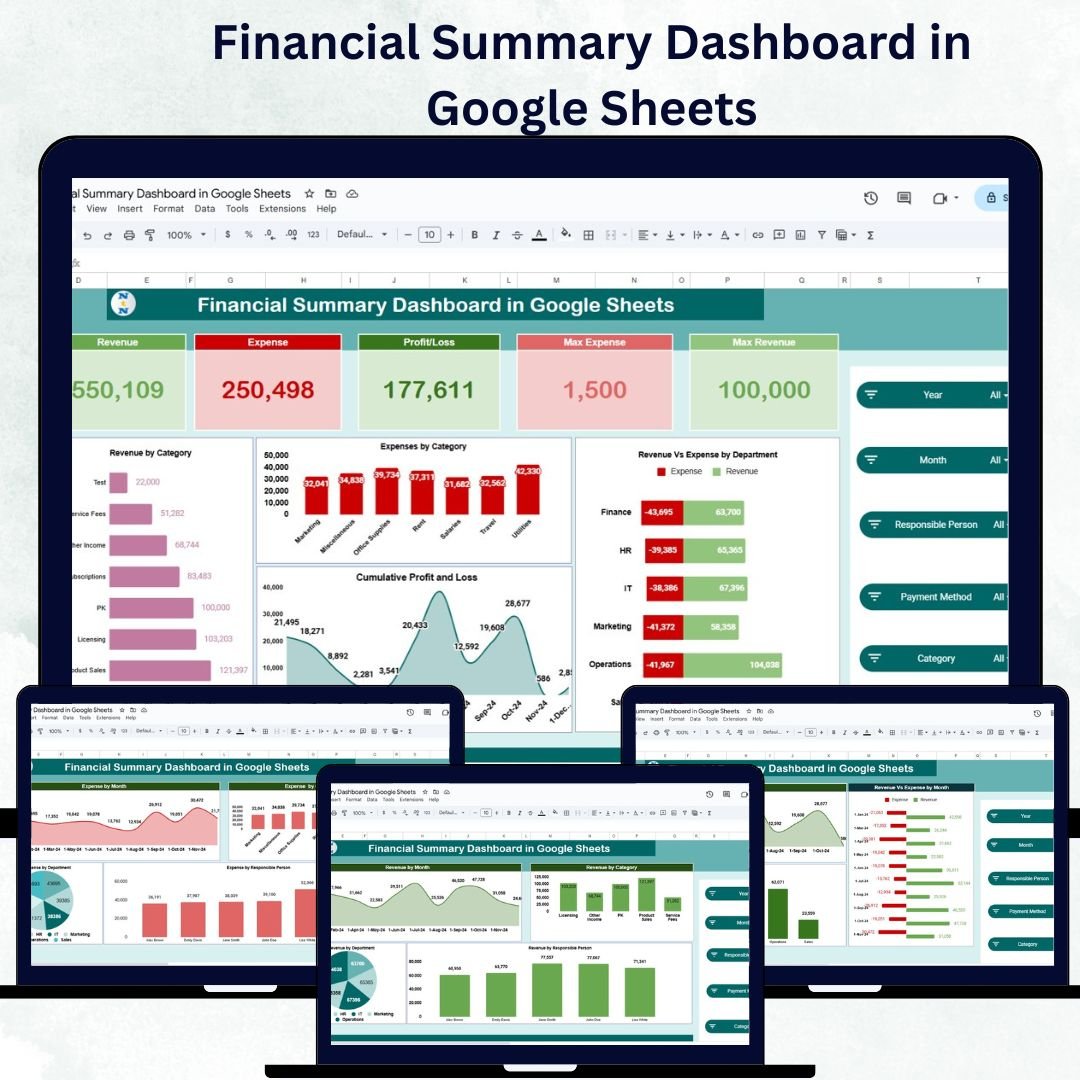
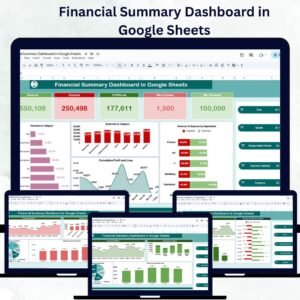
Gain an instant snapshot of your financial performance with interactive charts and summary cards:
Cards Section:
💵 Revenue: Total income generated
💰 Expense: Total spending during the selected period
📈 Profit-Loss: Net profit or loss value
🏆 Max Revenue: Highest revenue recorded
⚠️ Max Expense: Highest cost identified
Charts Section:
Revenue by Category: Understand where your income comes from
Expenses by Category: Identify key spending areas
Revenue vs Expense by Department: Compare performance across teams
Cumulative Profit & Loss: Visualize overall growth and performance over time
This sheet acts as the main financial dashboard, combining all critical metrics in one place for real-time decision-making.
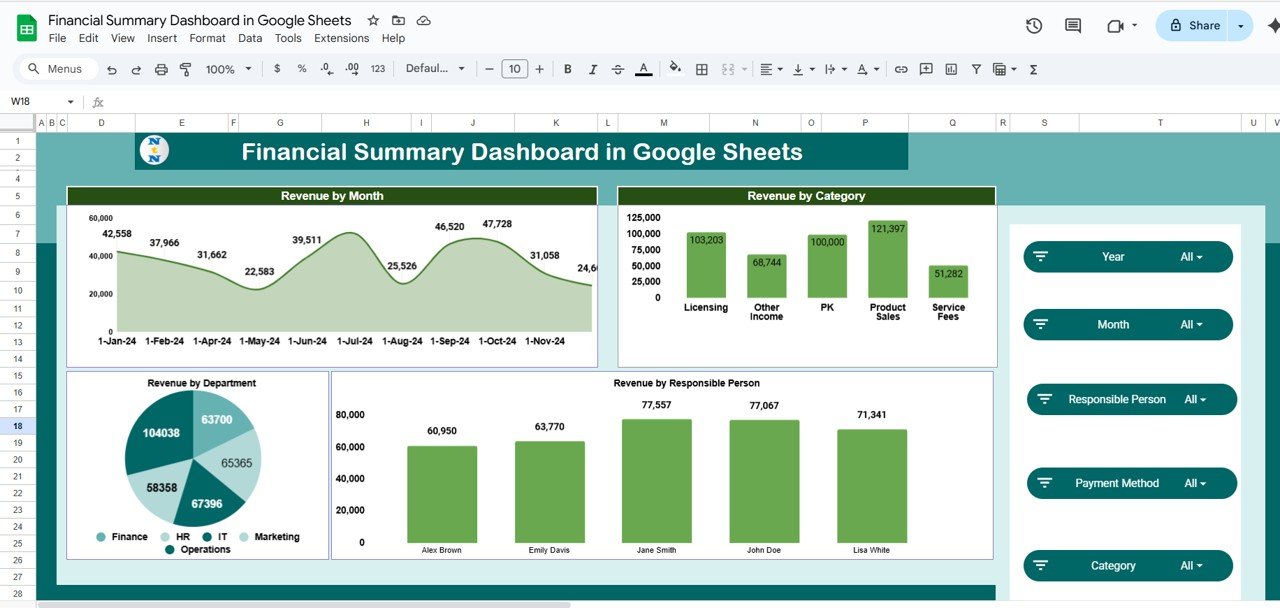
📈 Revenue Sheet
Dive deeper into your revenue analysis:
Revenue by Month: Track sales and revenue trends over the year
Revenue by Category: Identify best-performing products or services
Revenue by Responsible Person: Evaluate contributions by sales representatives
Revenue by Department: See which departments are driving financial growth
This sheet helps you understand which areas are fueling success—and where improvements can be made.
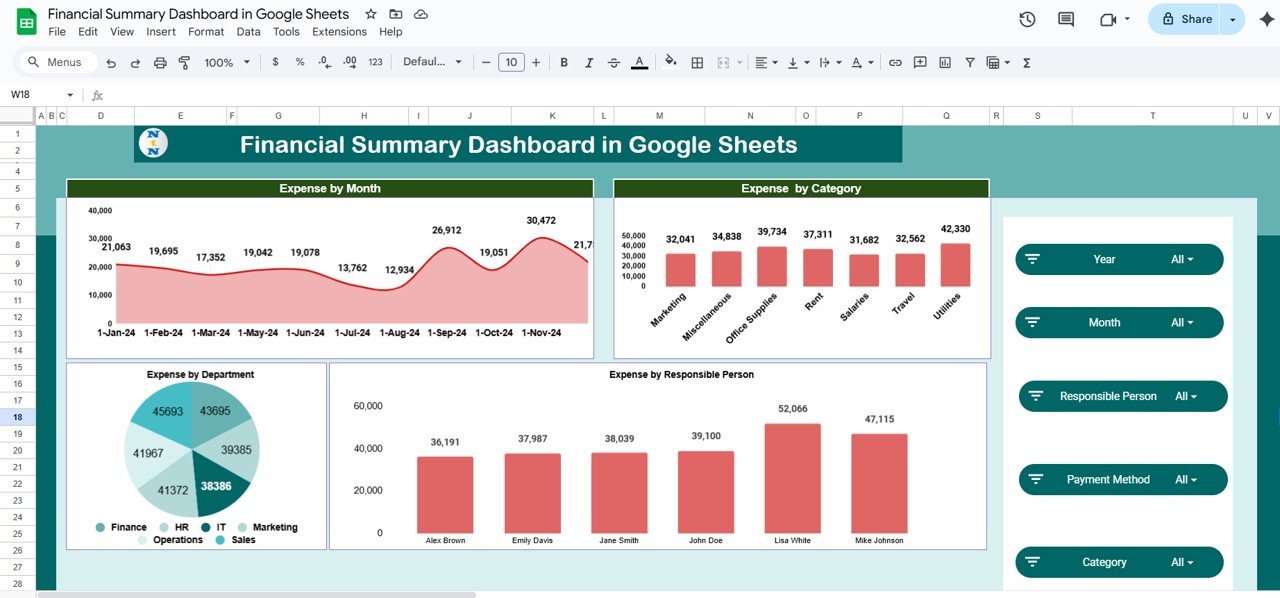
💸 Expense Sheet
Keep your spending in check:
Expense by Month: Monitor expenses over time and detect peaks
Expense by Category: Analyze cost breakdowns for better budgeting
Expense by Responsible Person: Evaluate cost accountability
Expense by Department: Identify which departments are overspending
This sheet gives you a clear financial picture, helping reduce waste and optimize budgets.
💹 Profit-Loss Sheet
Measure what truly matters—profitability:
Profit/Loss by Month: Evaluate monthly net performance
Revenue vs Expense by Month: Track correlation between earnings and costs
Profit/Loss by Department: Identify which teams are driving or draining profit
These insights allow for strategic cost-cutting and investment planning.
🧾 Data Sheet
The foundation of your dashboard—simply input your data and let automation do the rest:
Record Revenue, Expenses, Profit, Category, Department, Responsible Person, and Date
All charts and calculations update automatically
This ensures accuracy, consistency, and effortless data management.
💡 Advantages of Using the Financial Summary Dashboard
✅ Centralized Data View: Manage all key financial metrics in one structured file
📊 Real-Time Insights: Instantly visualize trends as you enter data
💼 Budget Optimization: Identify cost-saving opportunities across departments
📈 Departmental Comparison: Evaluate which teams are most efficient or profitable
🧠 Data-Driven Decisions: Improve financial planning with clear visual insights
🕒 Time Efficiency: Eliminate manual reporting with automated summaries
⚙️ Customizable: Add or modify categories to suit your organization’s needs
Whether you’re a CFO, finance analyst, or small business owner, this dashboard gives you complete financial control—without needing complex accounting software.
🧠 Best Practices for Using the Dashboard
Update Data Regularly: Keep inputs current for accurate reporting
Segment Your Data: Use categories and departments for better insights
Set Monthly Targets: Compare actuals with goals to track performance
Use Conditional Formatting: Highlight variances automatically
Collaborate with Teams: Share the dashboard with department heads for transparency
Review Trends Frequently: Identify long-term growth or decline patterns
🧾 How This Dashboard Helps Organizations
Monitors Financial Health: Consolidates revenue, expense, and profit metrics
Improves Accountability: Tracks departmental and individual contributions
Supports Forecasting: Use trends to predict future profits and losses
Saves Time: Reduces manual effort in creating reports
Empowers Decision-Makers: Delivers data visualization for better financial decisions
The Financial Summary Dashboard in Google Sheets transforms complex data into actionable insights. From daily expense tracking to quarterly profit reviews, it’s your all-in-one finance management tool for clarity, control, and confidence. 💰📈
🔗 Click here to read the Detailed blog post
Watch the step-by-step video Demo:
🔗 Visit our YouTube channel to learn step-by-step video tutorials
What’s Included
- Overview sheet with Revenue, Expense, Profit-Loss, Max Revenue and Max Expense cards and four summary charts
- Revenue sheet with revenue by month, category, responsible person and department
- Expense sheet with expenses by month, category, responsible person and department
- Profit-Loss sheet with profit or loss by month and department, and revenue against expense by month
- Data sheet for revenue, expense, profit, category, department, responsible person and date
Compatibility and Requirements
- Works in Google Sheets. You need a free Google account and a web browser.
- The charts are standard Google Sheets charts. Google explains how to edit them in Add & edit a chart or graph.
Frequently Asked Questions
What does the Financial Summary Dashboard track?
Revenue, expenses and profit or loss, broken down by category, department, responsible person and month.
What do I enter on the Data sheet?
Revenue, expenses, profit, category, department, responsible person and date for each record. The charts and calculations update from it.
Can I compare departments?
Yes. The Overview sheet charts revenue against expense by department, and the Profit-Loss sheet shows profit or loss by department.
Can I add my own categories?
Yes. You can add or change categories to suit your organization.
Related Financial Dashboard Templates
- Financial Summary Dashboard in Power BI: the same summary in Power BI
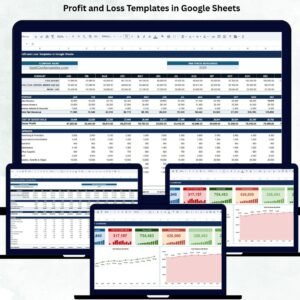
- Profit and Loss Templates in Google Sheets: P&L statements in Google Sheets
- Cash Flow Dashboard in Google Sheets: track money coming in and going out
- Profit and Loss (P&L) Template in Excel: a P&L template for Excel users
- Finance & Accounting Command Center: 8 finance templates for Excel, Power BI and Google Sheets
Browse all Google Sheets dashboards or the Google Sheets financial tools.
























Reviews
There are no reviews yet.