


Procurement is one of the most critical functions in any business. From cost savings to supplier performance, procurement directly impacts profitability, efficiency, and compliance. But without structured tracking, it’s easy to lose visibility of how well the function is performing.
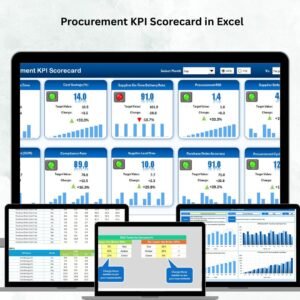
That’s why we created the Procurement KPI Scorecard in Excel — a ready-to-use template that helps businesses measure, monitor, and improve procurement performance with clarity and precision. This tool transforms scattered reports into one structured, interactive scorecard that ensures accountability and smarter decision-making.
🔑 Key Features of Procurement KPI Scorecard in Excel
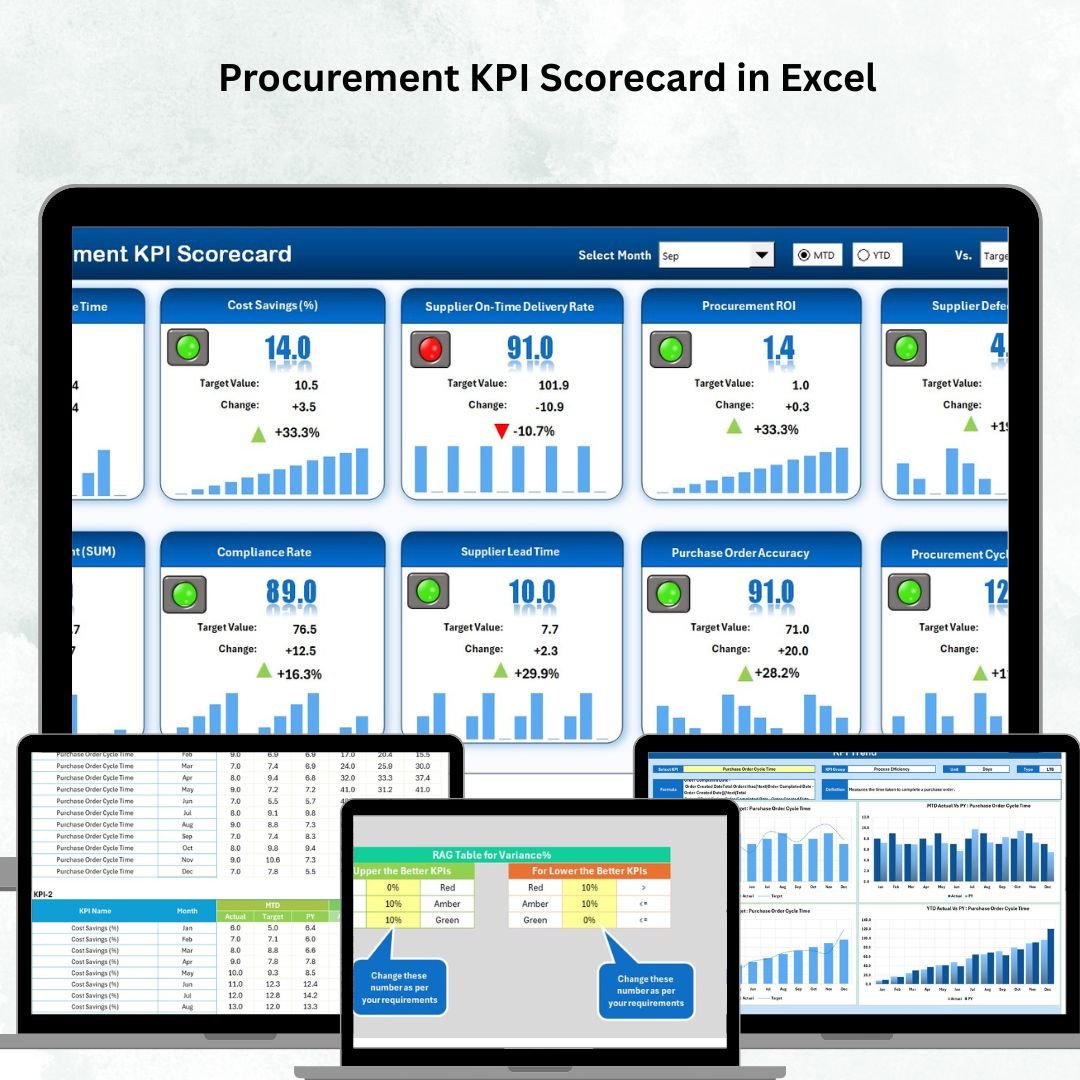
📊 Centralized Dashboard – View procurement KPIs in one place.
🎯 Actual vs Target Tracking – Instantly compare performance with set goals.
🖥 Four Dedicated Sheets – Scorecard, KPI Trend, Input Data, and KPI Definition.
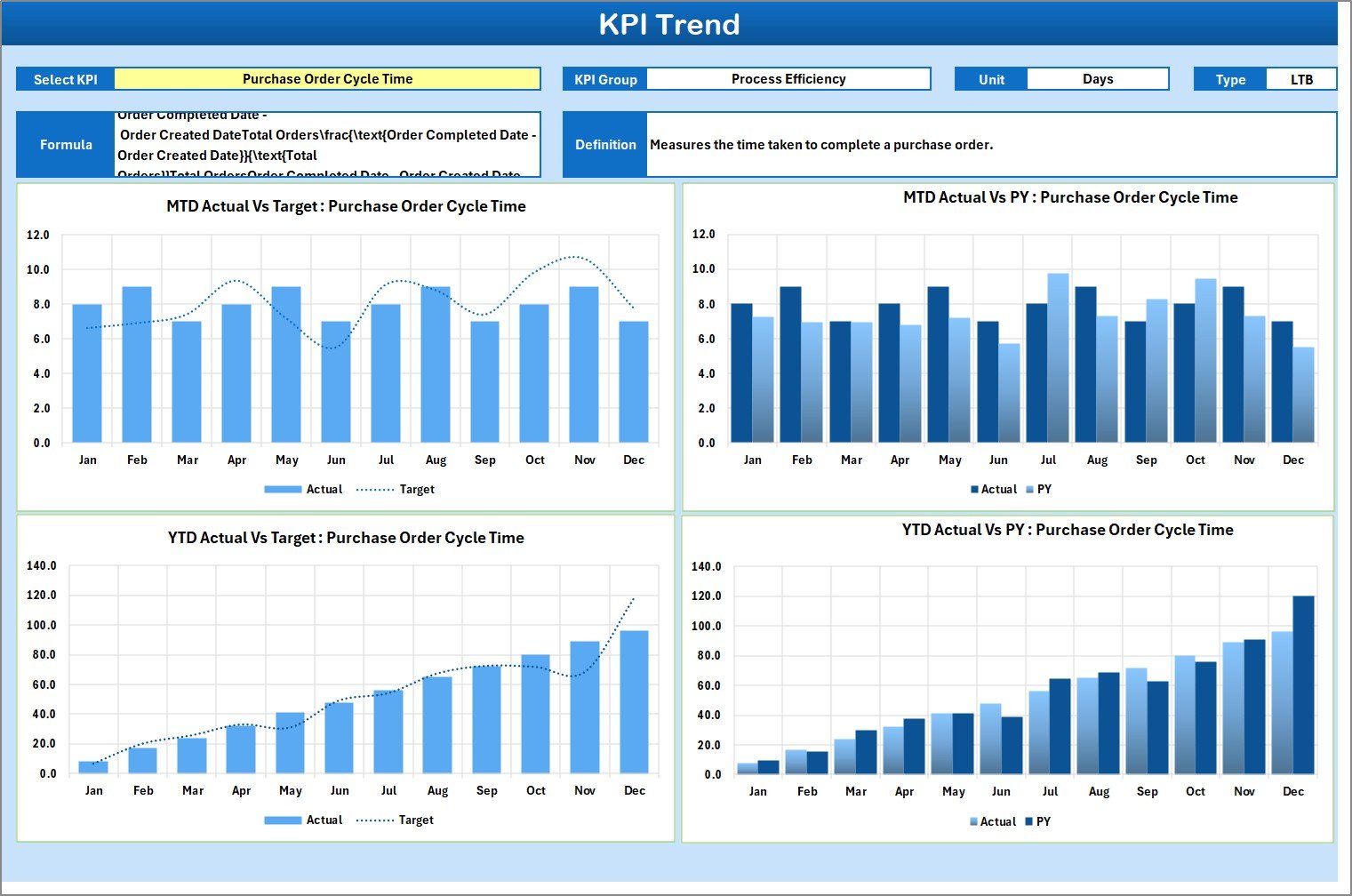
📈 Trend Analysis – Visual charts for MTD, YTD, and Previous Year comparisons.
🔍 KPI Clarity – Includes formulas, units, and definitions for transparency.
✅ Customizable – Add or modify KPIs as per your business needs.
⏱ Time-Saving – Automates reporting through dropdowns and formulas.
💰 Cost-Effective – Get ERP-like insights without expensive systems.
📂 What’s Inside the Procurement KPI Scorecard
This Excel scorecard is structured into four essential worksheets:
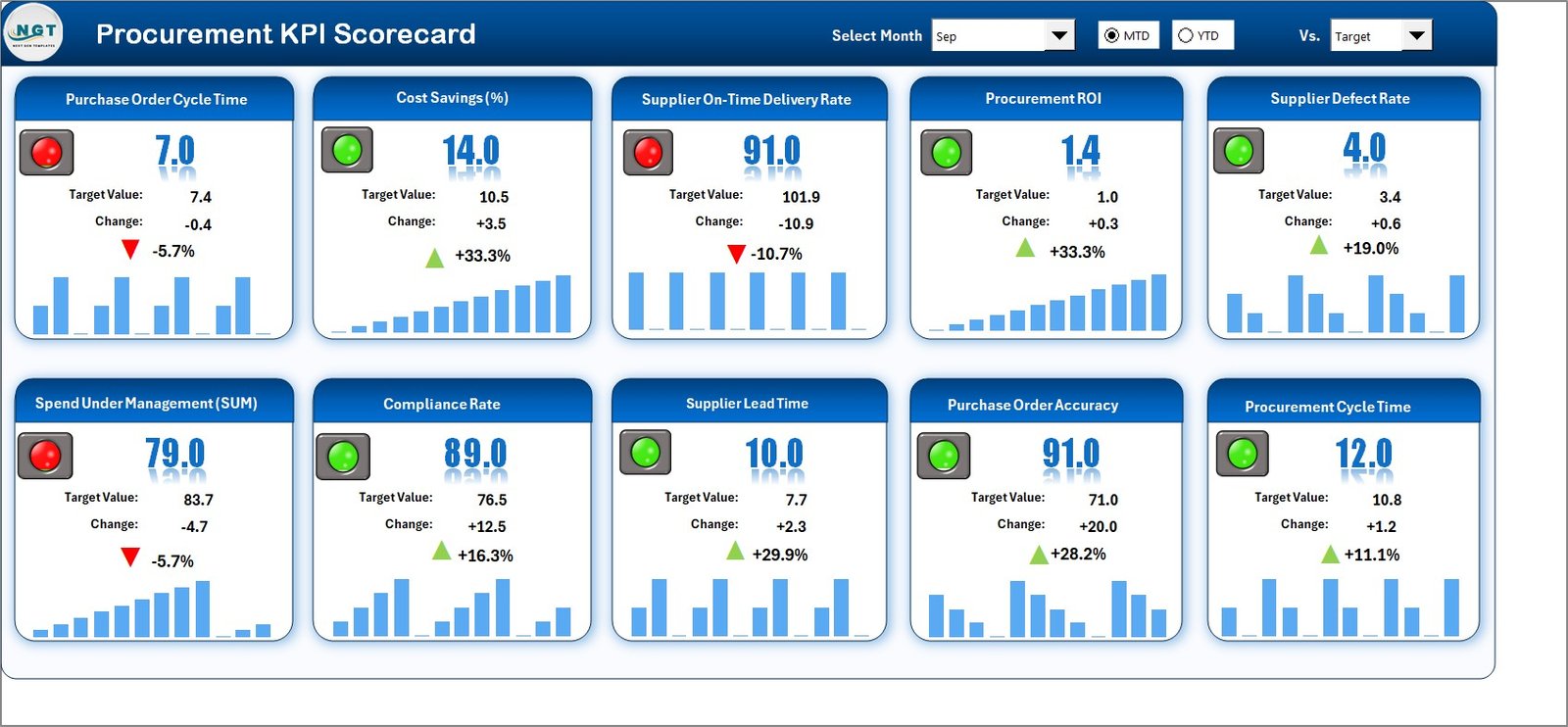
Scorecard Sheet
The main dashboard for procurement performance.
Dropdown menus for selecting Month, MTD, or YTD.
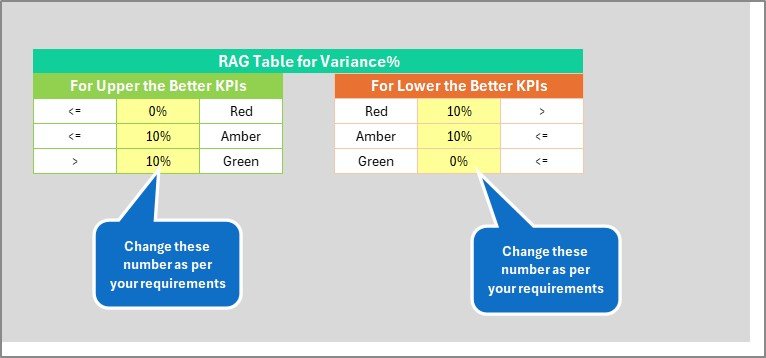
Conditional formatting highlights KPIs that need attention.
Side-by-side comparison of Actual vs. Target.
KPI Trend Sheet
Interactive KPI selector to view specific trends.
Displays KPI Group, Unit, Formula, and Definition.
Visual charts for Actual, Target, and Previous Year.
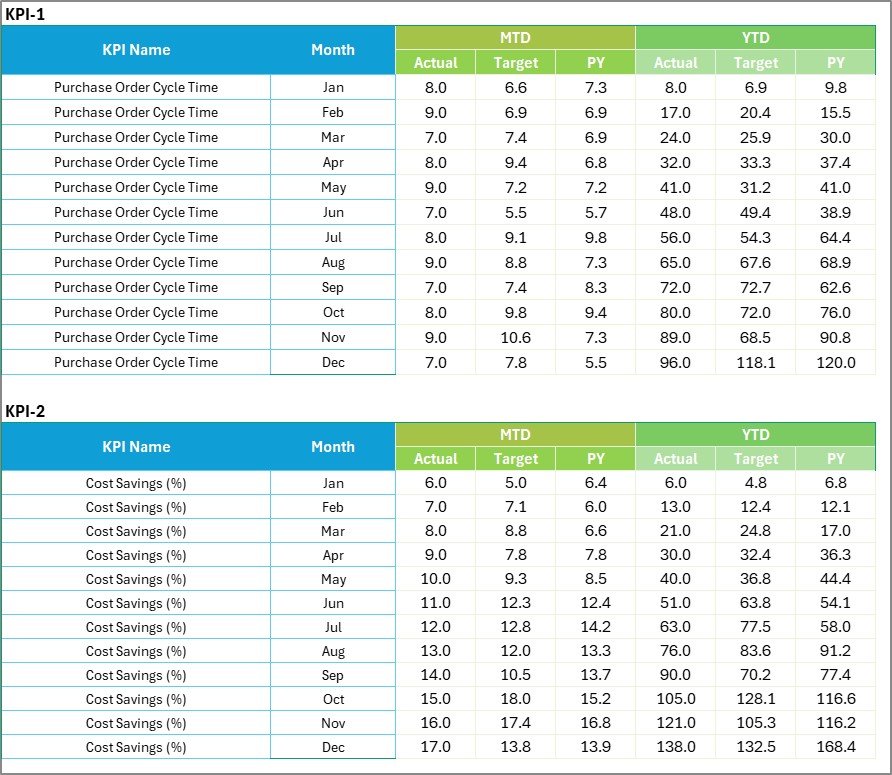
Input Data Sheet
Centralized data entry for actuals and targets.
Flexible structure for monthly updates.
Ensures all procurement records are stored in one place.
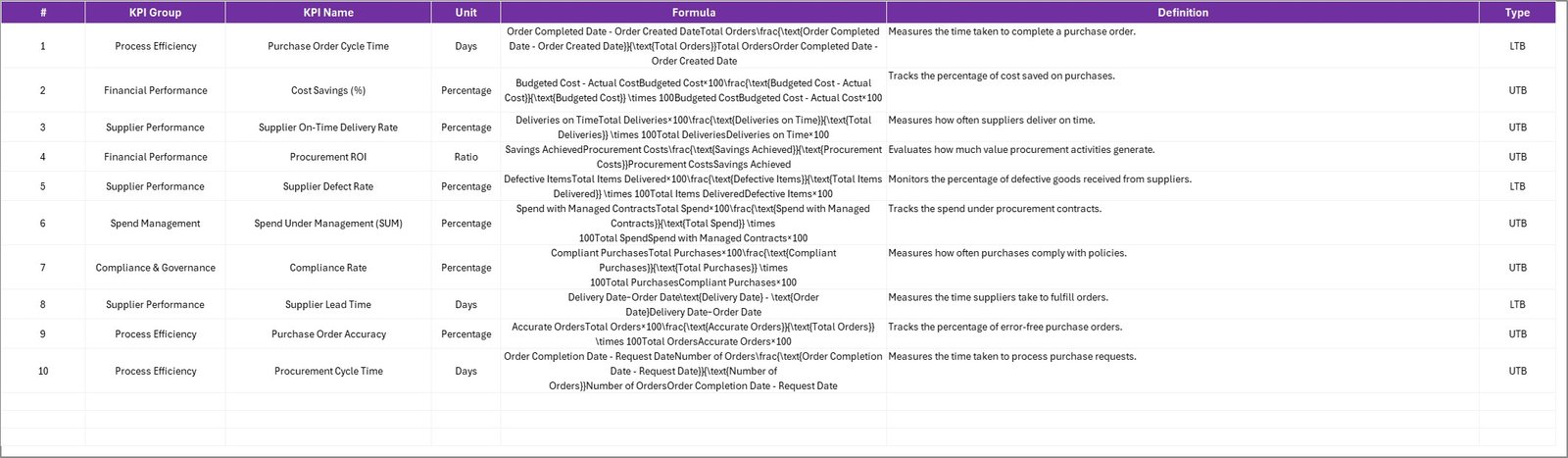
KPI Definition Sheet
Lists KPI names, groups, units, and formulas.
Provides clear definitions to avoid confusion.
Ensures consistency across the procurement team.
🛠 How to Use the Procurement KPI Scorecard in Excel
Identify Key KPIs – Select the most relevant metrics for your organization.
Update Input Data – Enter actual and target values monthly.
Analyze Trends – Use the KPI Trend sheet to spot patterns.
Review Performance – Check the Scorecard sheet for underperforming KPIs.
Take Action – Address bottlenecks, negotiate better supplier terms, or refine strategies.
Repeat Monthly – Keep the scorecard updated for accuracy.
👥 Who Can Benefit from This Procurement KPI Scorecard?
🏭 Manufacturing Firms – Monitor raw material costs and supplier lead times.
🛒 Retail Chains – Track vendor compliance, order accuracy, and seasonal trends.
🏥 Healthcare Procurement – Ensure supplier quality and timely delivery of medical supplies.
🏗 Construction Companies – Manage subcontractor compliance and cost savings.
💼 Corporate Procurement Teams – Improve efficiency, compliance, and ROI.
✅ Why Choose This Scorecard?
Unlike generic reports, this template is interactive, flexible, and designed for real procurement challenges. From tracking cost savings to evaluating supplier reliability, it empowers teams with data-driven insights while keeping reporting simple and affordable.
Click here to read the Detailed blog post
👉 Visit our YouTube channel to learn step-by-step video tutorials
Watch the step-by-step video tutorial:
Compatibility and Requirements
- Works in Microsoft Excel desktop (Excel 2016 or later, or Microsoft 365).
- The month and KPI selectors are drop-down lists. Microsoft explains drop-downs in Create a drop-down list.
Frequently Asked Questions
Which sheets are in the scorecard?
It has four sheets: Scorecard, KPI Trend, Input Data and KPI Definition.
How do I switch between MTD and YTD?
Use the drop-down menus on the Scorecard sheet to pick the month and MTD or YTD.
Where do I enter actuals and targets?
Enter them each month in the Input Data sheet.
How do I see one KPI over time?
Pick a KPI in the KPI Trend sheet to see its group, unit, formula, definition and charts of actual, target and previous year.
Can I add my own procurement KPIs?
Yes. You can add or change KPIs in the KPI Definition sheet.
Related Procurement KPI Templates
- Procurement KPI Scorecard in Google Sheets: the same scorecard for Google Sheets
- Procurement KPI Dashboard In Excel: a dashboard view of procurement KPIs
- Procurement KPI Dashboard in Google Sheets: the dashboard for Google Sheets
- Procurement Dashboard in Excel: reports spend and supplier performance
- KPI Scorecard Mega Pack: 12 Excel and Google Sheets scorecards in one bundle
Browse all Excel KPI dashboards or the MS Excel templates.












Reviews
There are no reviews yet.