



Maintaining product quality is at the heart of every successful business. The Quality Assurance Dashboard in Google Sheets provides a ready-to-use, fully interactive solution to monitor inspection results, defect rates, rework time, and inspection performance across departments — all in one place.
Built entirely in Google Sheets, this dashboard helps quality managers, inspectors, and production teams make informed, data-driven decisions. With real-time charts, automated summaries, and easy collaboration, your QA process becomes transparent, measurable, and continuously improving. ✅

🔑 Key Features of the Quality Assurance Dashboard in Google Sheets
📊 Dashboard Sheet Tab
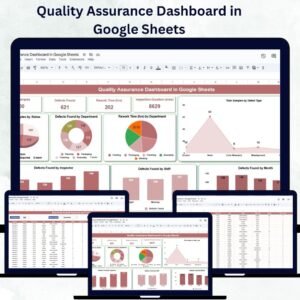
Get a complete overview of your QA performance:
Cards Section:
Total Samples: Total number of samples tested
Defects Found: Total number of defects identified
Rework Time (hrs): Average hours spent correcting defects
Inspection Duration (mins): Average inspection time per sample
Charts Section:
Total Samples by Status (Completed, Pending, In-Progress)
Defects Found by Department
Rework Time by Department
Total Samples by Defect Type
Defects Found by Month
Defects Found by Shift
Defects Found by Inspector
This main sheet offers visual clarity and actionable insights — allowing quality teams to identify trends, problem areas, and efficiency gaps instantly.
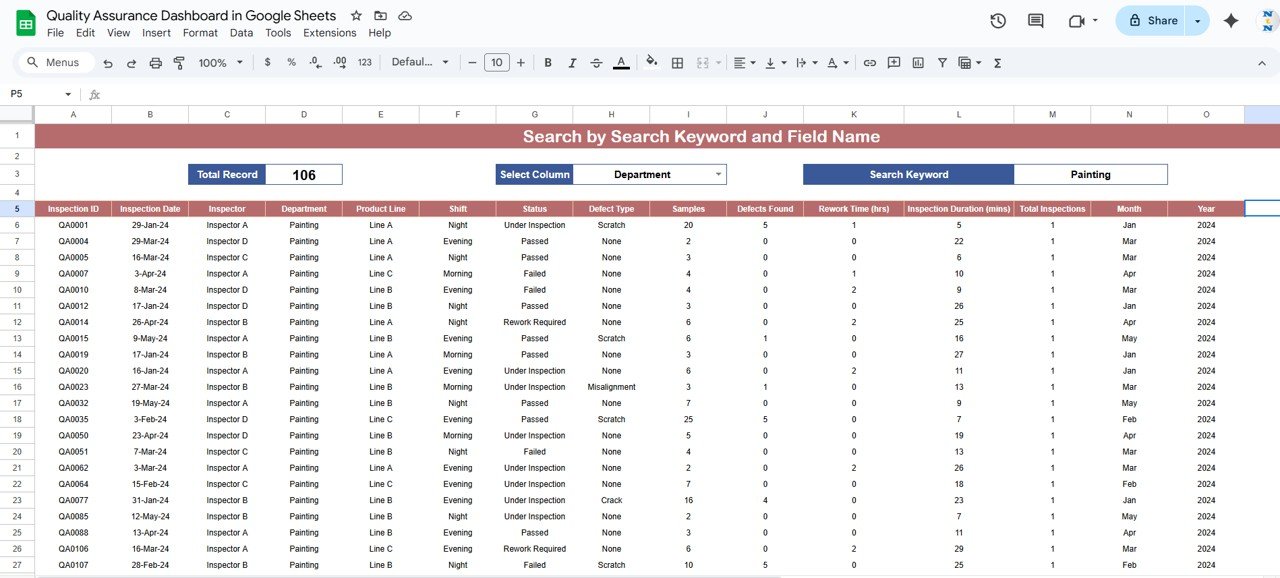
🔎 Search Sheet Tab
Quickly locate and analyze data without scrolling through thousands of rows:
Search by Keyword or Field Name
Filter and isolate specific records such as defect type, inspector name, or department
Perfect for audits, performance reviews, and issue tracking
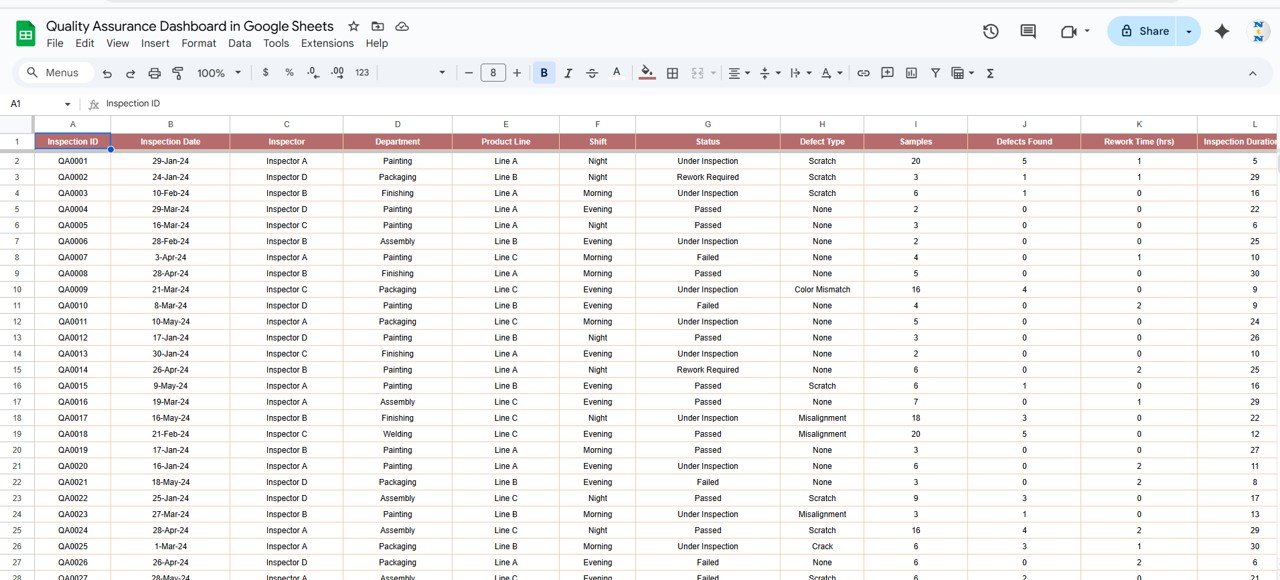
📋 Data Sheet Tab
The foundation of the dashboard — record all inspection data here:
Input Sample ID, Department, Inspector, Shift, Date, Defect Type, Status, and Duration
As you update this sheet, all visual dashboards refresh automatically
Ensures data accuracy, consistency, and real-time reporting
💡 Advantages of Using the QA Dashboard
✅ Centralized Quality Tracking: View all inspection data in one structured, interactive dashboard
📈 Real-Time Updates: As soon as new data is entered, charts and KPIs auto-update
🔍 Trend Monitoring: Identify monthly, departmental, and inspector-level trends
⚙️ Root Cause Analysis: Use department and defect-type breakdowns to find recurring issues
👩🏭 Performance Management: Evaluate inspector performance based on defects and accuracy
📉 Continuous Improvement: Make data-backed decisions to reduce rework and enhance quality
The dashboard ensures that every inspection tells a story — turning data into insight and insight into action.
🧠 Best Practices for Using the QA Dashboard
Update Data Promptly: Log sample and defect information daily or weekly for accuracy
Segment by Department or Shift: Analyze patterns in specific teams or timeframes
Set Targets and Thresholds: Define acceptable defect rates or rework hours
Monitor Long-Term Trends: Use the monthly defect chart for performance forecasting
Share Insights: Distribute dashboards with production and QA leads for accountability
Highlight Key Areas: Apply conditional formatting to flag high-defect or high-rework zones
🏭 How This Dashboard Helps Quality Teams
Reduce Defects: Detect and correct recurring quality issues quickly
Enhance Efficiency: Optimize inspection processes and reduce rework time
Improve Accountability: Track inspector and department performance
Ensure Compliance: Maintain structured QA data for audits and certifications
Enable Data-Driven Improvements: Identify patterns to enhance production and product quality
Whether you’re in manufacturing, services, or R&D, this dashboard ensures consistent quality control, minimal waste, and maximum accuracy.
👥 Ideal For
Quality Managers & Inspectors – Track inspection accuracy and performance
Production Teams – Identify areas with repeated defects
Process Improvement Teams – Leverage insights for continuous improvement
Compliance Officers – Maintain documentation for audits and certifications
Operations Directors – Monitor quality KPIs across departments in real time
🔗 Click here to read the Detailed blog post
Watch the step-by-step video Demo:
🔗 Visit our YouTube channel to learn step-by-step video tutorials
Compatibility and Requirements
- Works in Google Sheets with a free Google account and a web browser. Nothing to install.
- The charts refresh when you update the Data sheet. Google explains charts in Add & edit a chart or graph.
Frequently Asked Questions
Which KPI cards are on the dashboard?
The cards show Total Samples, Defects Found, Rework Time in hours and Inspection Duration in minutes.
Which charts are included?
Charts show samples by status and by defect type, plus defects found by department, month, shift and inspector, and rework time by department.
What do I enter on the Data sheet?
Each record has a Sample ID, Department, Inspector, Shift, Date, Defect Type, Status and Duration.
How do I find a specific record?
Use the Search sheet to look up records by keyword or field name, such as a defect type, inspector or department.
Do the charts update on their own?
Yes. When you add or change rows on the Data sheet, the dashboard charts and cards refresh.
Related Quality Assurance Templates
- Quality Assurance Dashboard in Excel: the same topic for Excel users
- Quality Assurance Dashboard in Power BI: the Power BI edition
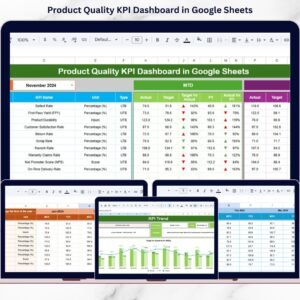
- Product Quality KPI Dashboard in Google Sheets: product quality KPIs in Google Sheets
- Quality Control Tracker in Google Sheets: log quality checks day to day
- Quality & Audit Management Bundle: 8 premium Excel templates for quality and audit work
Browse all Google Sheets dashboards or the Google Sheets KPI dashboards.







Reviews
There are no reviews yet.