




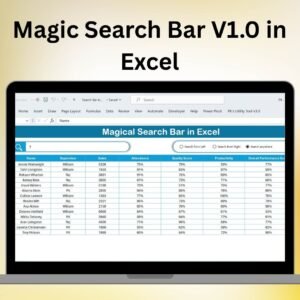
The Magic Search Bar V1.0 in Excel is a powerful feature that can revolutionize the way you work in Excel. Whether you’re a beginner or an advanced user, the Magic Search Bar offers an intuitive and time-saving tool to help you find Excel functions, features, and data faster than ever before.
This innovative feature streamlines your workflow by making it easier to locate specific functions, options, or even data within your spreadsheets, all with a simple search. Instead of sifting through menus or remembering complex keyboard shortcuts, the Magic Search Bar allows you to access everything you need in just a few clicks.
Perfect for anyone working with Excel on a daily basis, this feature can help you save hours and increase productivity. From finding formulas to navigating complex workbooks, the Magic Search Bar provides an effortless solution to streamline your Excel experience.

Key Features of the Magic Search Bar in Excel:
🔍 Instant Search Functionality
Search for any Excel feature, function, or data in seconds, without having to dig through menus or sub-menus.
⚡ Time-Saving Navigation
Quickly jump to different parts of your workbook, find relevant commands, and even get suggestions for Excel functions, all from one place.
🎯 Find Excel Functions and Formulas
Easily locate specific functions or formulas and get instant suggestions on how to use them, eliminating the need to remember complex syntax.
📈 Search for Data
Locate data within large spreadsheets by searching for specific keywords, values, or even cell references to save time on manual searches.
📂 Access Excel Features with Ease
Whether it’s formatting, charts, or table management, the Magic Search Bar helps you find and access any feature instantly.
🚀 Why You’ll Love the Magic Search Bar in Excel:
✅ Boost Productivity – Spend less time navigating menus and more time working with data by using the search bar to find what you need instantly.
✅ Improve Efficiency – No more hunting for formulas, options, or data. Simply type your query, and the Magic Search Bar delivers the results.
✅ Simplify Complex Tasks – Reduce the frustration of remembering complex functions or searching through long lists of options.
✅ Navigate Excel Faster – Move quickly from one part of your workbook to another, or find the Excel function you need without a second thought.
✅ User-Friendly Interface – Whether you’re a beginner or an advanced Excel user, the Magic Search Bar is easy to use and integrates seamlessly with your workflow.
✅ Perfect for Beginners and Experts – From simple queries to advanced functions, the Magic Search Bar caters to users of all skill levels, offering solutions to make every task easier.
What’s Inside the Magic Search Bar in Excel:
- Instant Search: Type any keyword, function name, or data reference and get immediate suggestions.
- Formula Finder: Search for Excel functions and get descriptions and examples of how to use them.
- Quick Navigation: Jump to different sections of your workbook with just a click, saving time when working with large files.
- Suggestions and Shortcuts: Get intelligent suggestions for formulas, formatting, and more, speeding up your workflow.
- Help and Tips: If you’re ever unsure about a feature, use the search bar to find built-in help and tips to guide you through the process.
How to Use the Magic Search Bar in Excel:
1️⃣ Open Excel – Ensure you’re using Excel with the Magic Search Bar enabled.
2️⃣ Type Your Query – In the search bar, type a formula, function, feature, or even a specific keyword from your data.
3️⃣ Explore Suggestions – The Magic Search Bar will show results related to your query, including formulas, functions, and data cells.
4️⃣ Use Shortcuts – Click on any result to quickly access the corresponding feature, function, or data range.
5️⃣ Enhance Your Workflow – Make Excel navigation easier, speed up your tasks, and improve overall efficiency with this simple yet powerful tool.
Who Can Benefit from the Magic Search Bar in Excel:
- Excel Beginners
- Data Analysts
- Financial Analysts
- Project Managers
- Business Owners
- Administrative Assistants
- Anyone Who Uses Excel Regularly
The Magic Search Bar in Excel is a game-changing feature for anyone working with large datasets, complex formulas, or navigating complex workbooks. It’s designed to make your Excel experience more efficient, intuitive, and productive.
Click here to read the Detailed blog post
https://www.pk-anexcelexpert.com/unlock-excel-secrets-magic-search-bar-you-never-knew-about/
Visit our YouTube channel to learn step-by-step video tutorials
Youtube.com/@PKAnExcelExpert
Watch the step-by-step video tutorial:
Compatibility and Requirements
- Works in Microsoft Excel desktop (Excel 2016 or later, or Microsoft 365).
- It is a free Excel download, so there is nothing to install beyond Excel itself.
- New to Excel lists? Microsoft covers the basics in Apply data validation to cells.
Frequently Asked Questions
Is the Magic Search Bar V1.0 free?
Yes. The Excel file is a free download from this page.
What can I search for with it?
You can type a keyword, a function name or a value from your data, and the search bar lists matching results so you can jump to them.
Do I need to know formulas to use it?
No. You type your query into the search bar and click a result. It is aimed at beginners as well as advanced users.
How is V1.0 different from V3.0?
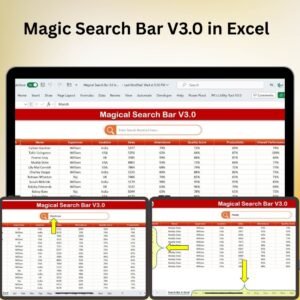
V3.0 adds search across multiple worksheets and search inside specific columns. If you need those, download the Magic Search Bar V3.0 in Excel.
Related Excel Search Tools
- Magic Search Bar V3.0 in Excel: the newer free version with multi-sheet and column search
- Universal Searchable Drop-down List in Excel: type a few letters to filter a drop-down list
- Data Entry Form with Picture Box in Excel VBA: a form for adding and finding records
Browse all Excel tools or the Excel utilities and converters.




























Reviews
There are no reviews yet.