



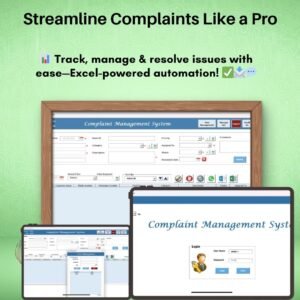
The Complaint Management System V1.0 in Excel is a ready-made VBA tool for logging, tracking and resolving customer complaints from one place. It suits customer support teams, e-commerce stores, IT helpdesks and small businesses that want an organized complaint process inside Microsoft Excel. Every complaint gets a unique Ticket ID, a clear status and an owner, and you can contact customers directly by WhatsApp and Email.

Key Features of the Complaint Management System
This complaint tracking tool brings login security, ticketing, user management and customer communication together in one Excel workbook.
1. User Login Form
- Secure access to the system with a default login authentication.
- Role-based access keeps data management controlled and secure.
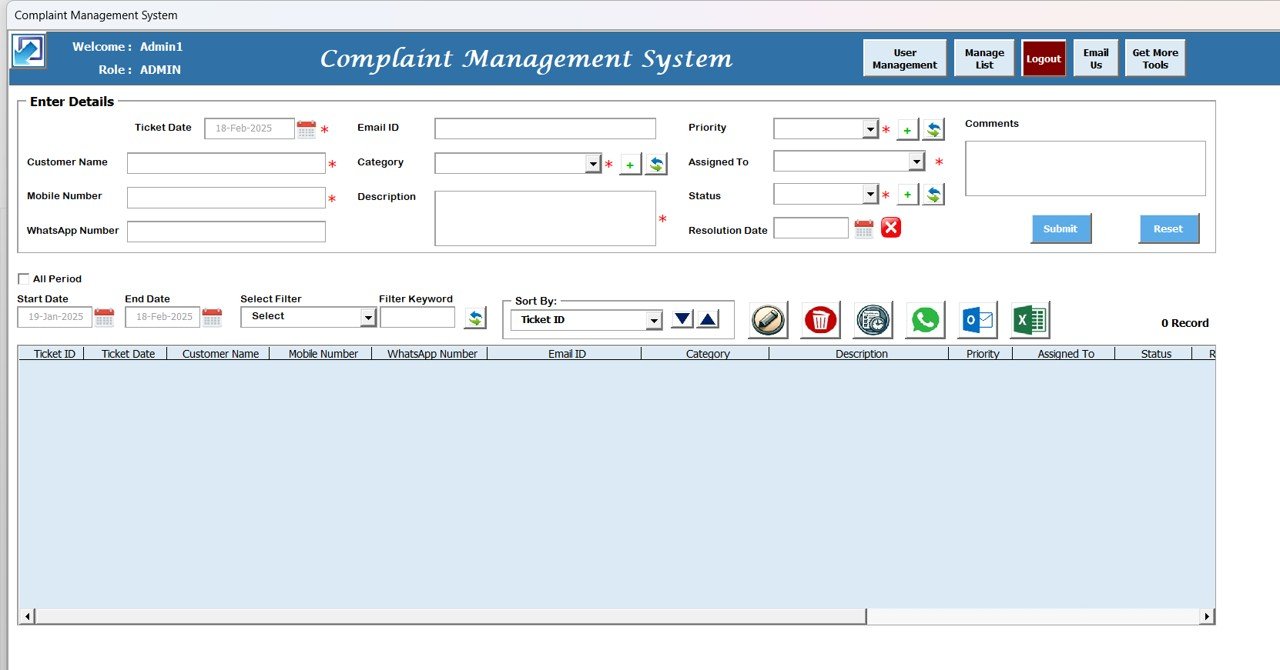
2. Dynamic Main Form
- Resizable interface with maximize and minimize options.
- Easy navigation through a well-organized layout.
3. User Management
- Admins can create, modify and delete user roles.
- Each user has a unique username and password for secure access.
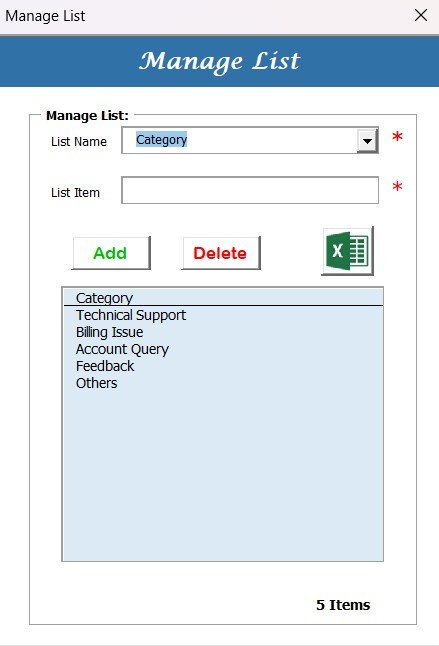
4. Manage List Window
- Admins can customize the dropdown lists used for complaint categories.
- Data extraction and export options into new Excel files.
5. Logout Feature
- One-click secure logout for data protection and session control.
6. Product Navigation Button
- Direct access to more tools and product information on the website.
7. Data Entry and Management
- Mandatory fields ensure every complaint is logged completely.
- Priority and category selection to classify complaints for faster resolution.
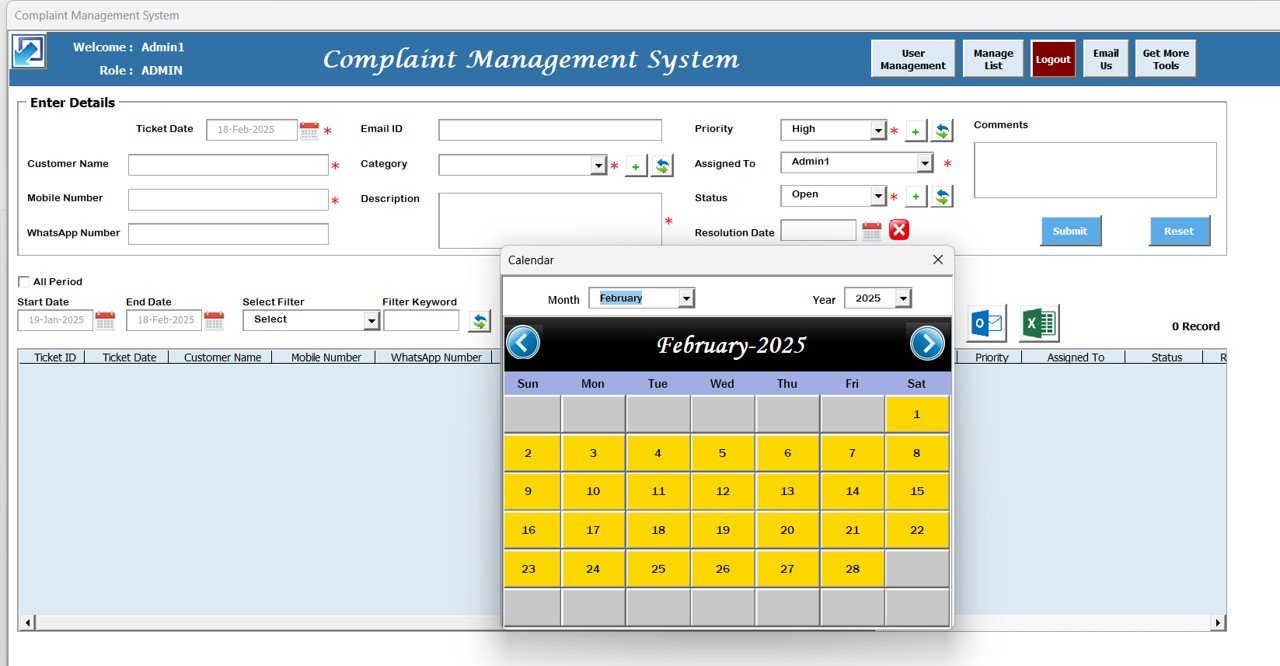
- Automated date picker to assign resolution deadlines easily.
8. Advanced Data Section
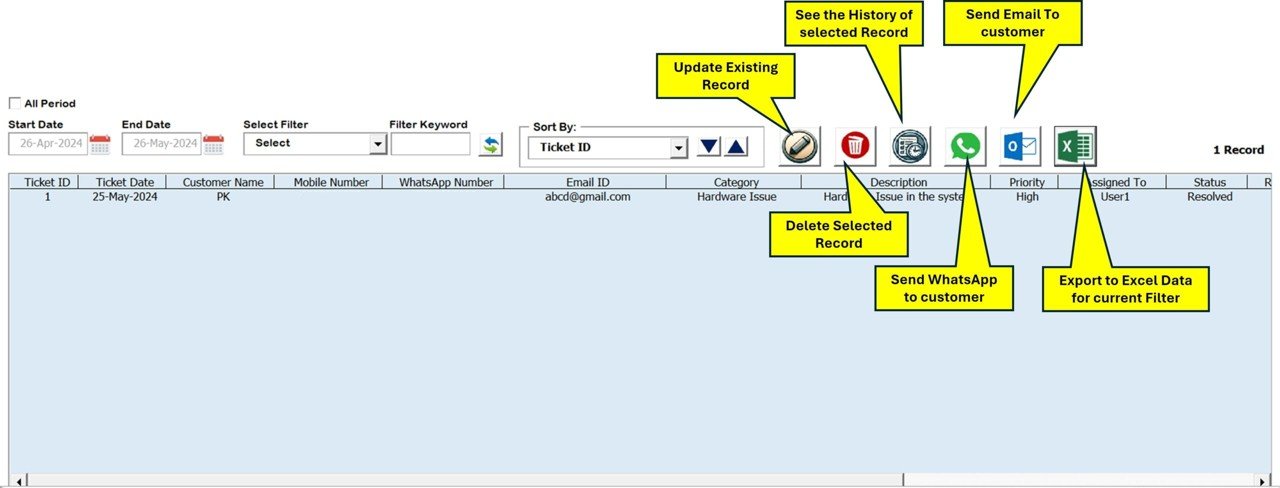
- Users can filter, sort, update and delete complaint records, including by date, priority or category.
- Historical data storage supports long-term complaint tracking.
- Option to export complaint records to Excel for external reporting and deeper analysis.
9. Communication Tools
- Integrated WhatsApp and Email options to communicate directly with customers.
- Enables quick responses and faster complaint resolution.
10. Automatic Ticket Generation and Tracking
- Each complaint gets a unique Ticket ID.
- Complaints are tracked by status (Open, In Progress, Resolved).
- Admins can track ticket progress for accountability and timely resolution.
What’s Inside: Complaint Fields You Can Record
The data entry form works as a structured Excel complaint log. Each ticket captures the following details:
| Field | Purpose |
|---|---|
| Ticket Date | When the complaint was received |
| Customer Name | Who raised the complaint |
| Mobile Number | Customer phone contact |
| WhatsApp Number | For WhatsApp follow-ups |
| Email ID | For email follow-ups |
| Category | Type of complaint (from customizable dropdown) |
| Description | Details of the issue |
| Priority | How urgent the complaint is |
| Assigned To | Team member responsible |
| Status | Open, In Progress or Resolved |
| Comments | Notes and updates |
| Resolution Date | Target or actual resolution date |
How This System Benefits You
- Improved efficiency: Centralizes all complaints, making issues easier to track and resolve.
- Better organization: Maintains a well-structured log of complaints with clear statuses.
- Faster resolutions: Integrated communication tools enable quick follow-ups.
- Data security: Role-based login access ensures only authorized personnel can use the system.
- Customizable: Modify lists, statuses and categories to match your business requirements.
- No additional software needed: Fully functional within Excel without third-party applications.
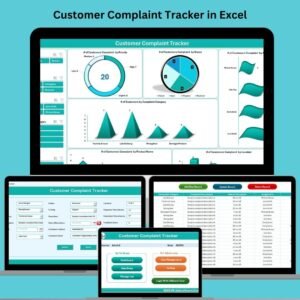
Who Is This Customer Complaint Tracker For?
- Customer support teams managing and resolving technical or service-related issues.
- E-commerce businesses tracking complaints about orders, returns and payments.
- IT helpdesk teams handling internal and external support tickets.
- Manufacturing and service providers monitoring quality complaints and service requests.
- Small and medium businesses keeping records of customer grievances and taking corrective action.
Whether you handle technical support issues, billing disputes or general feedback, this customer complaint tracker keeps your data organized and your service process consistent.
System Requirements
- Microsoft Excel 2016 or later (Windows and Mac compatible).
- Basic Excel knowledge is helpful but not required.
- Macros must be enabled, as this is a VBA-based tool.
How to Use It
- Download and unzip the file.
- Enable macros in Excel. Follow our step-by-step tutorial on enabling macros: https://www.pk-anexcelexpert.com/4-easy-ways-to-enable-macros-in-excel-vba/
- Log in with the default login, then create users and roles in User Management.
- Customize complaint categories and dropdowns in the Manage List window.
- Log complaints in the data entry form, assign them, set priority and resolution dates.
- Update statuses, follow up via WhatsApp and Email, and export records when you need reports.
Read the detailed blog post
Click here to read the detailed blog post Complaint Management System.
Watch the step-by-step video tutorial: Complaint Management System
Visit our YouTube channel to learn from step-by-step video tutorials: Youtube.com/@PKAnExcelExpert
🎁 Try Before You Buy: 7-Day Free Trial
Download the free trial of the Complaint Management System in Excel and use the complete system for 7 days. Every form, register, dashboard, printable document and setting works exactly as in the full version, so you can test it with your own records before you decide.
How the free trial works
- Click Get the 7-Day Free Trial below, enter your email and download the ZIP from the email we send you. Unzip it.
- Open it in Microsoft Excel for Windows (the desktop app, not Excel Online or Mac) and click Enable Content on the yellow bar. If there is no yellow bar, right-click the file, choose Properties, tick Unblock and open it again.
- Your 7 days start the first time the file opens with macros on. The title bar of the main window shows how many days are left.
- After 7 days the trial locks and shows a Buy Full Version button. Buy the full version to keep working with no time limit.
| Free Trial | Full Version | |
|---|---|---|
| Every feature, form and dashboard | Yes | Yes |
| Time limit | 7 days | None, lifetime use |
| Trial banner | Yes | No |
| Editable (unlocked) VBA code | No, locked | Yes |
Enter your email and we send the download link straight to your inbox.
The trial runs once per computer: downloading it again does not restart the 7 days. Records you enter during the trial can be copied into the full version.
Frequently Asked Questions
Which Excel versions does the Complaint Management System support?
It works with Microsoft Excel 2016 or later and is compatible with both Windows and Mac.
Do I need to enable macros?
Yes. After downloading and unzipping the file, make sure macros are enabled before use. Our tutorial linked above explains how.
Can multiple users log in with different access?
Yes. Admins can create, modify and delete users and roles, and each user gets a unique username and password with role-based access.
Can I contact customers from inside the tool?
Yes. Integrated WhatsApp and Email options let you communicate directly with customers for quick follow-ups.
Can I customize complaint categories?
Yes. The Manage List window lets admins edit the dropdown lists, and you can adapt lists, statuses and categories to your business.
Can I export complaint data?
Yes. You can export complaint records into new Excel files for external reporting and deeper analysis.
Also check our Download Attachments from Multiple Emails Automatically using VBA
Last updated: October 2026
Related Complaint Management Templates
- Customer Complaint Tracker in Excel: a simpler complaint log without login forms
- Customer Complaint Tracker in Google Sheets: for teams that share one online sheet
- Complaint Submission Management System V1.0: another Excel system for collecting complaints
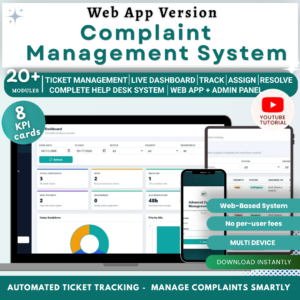
- Complaint Management System: Web App Version: the browser-based version
- VBA Management Systems Mega Pack: 5 Excel VBA systems in one bundle
Browse all Excel VBA tools or the Excel trackers.















Reviews
There are no reviews yet.