

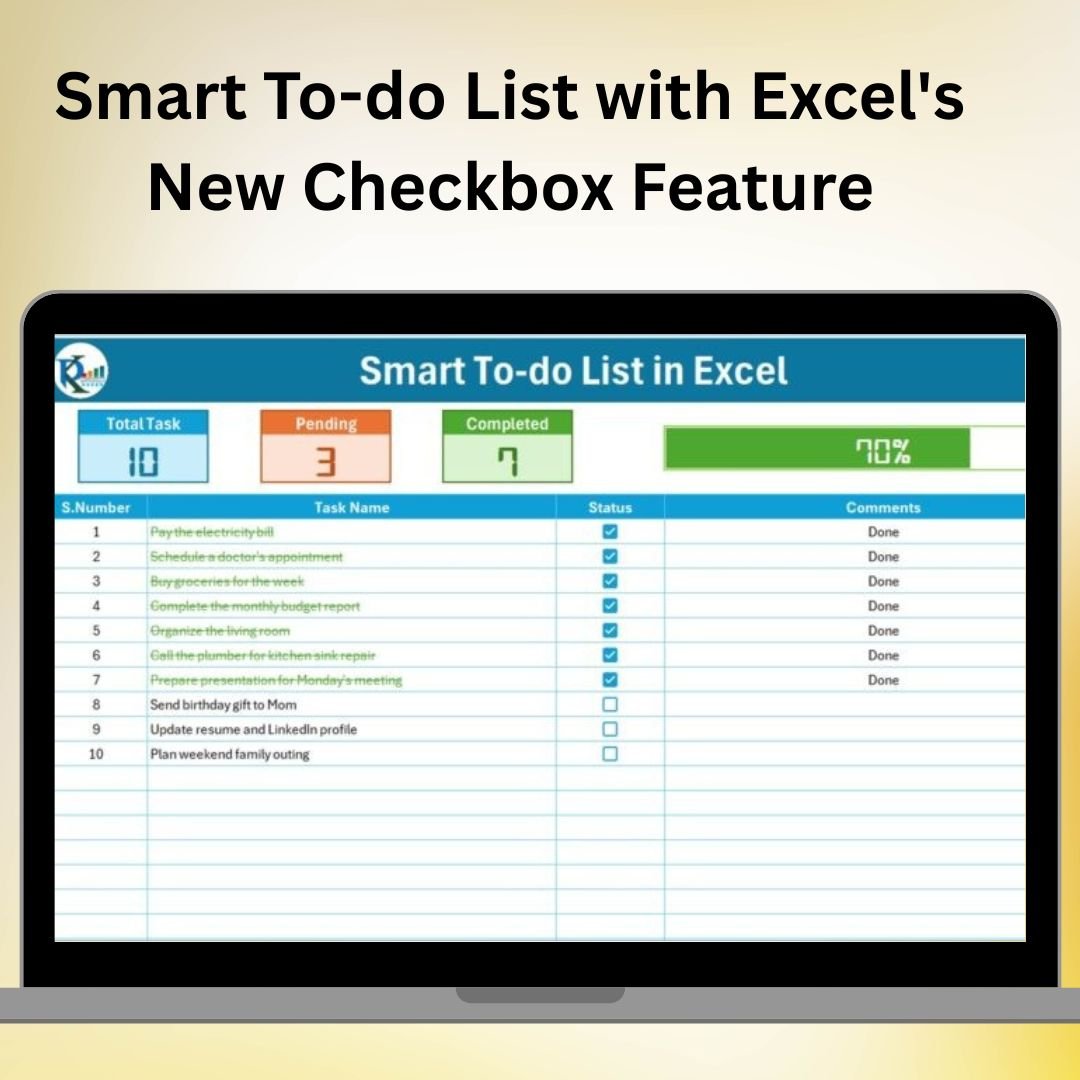

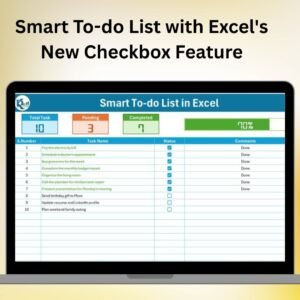
The Smart To-Do List with Excel’s New Checkbox Feature is a free Excel task template for recording tasks, due dates and priorities. Mark finished work with checkboxes and use the progress summary to review what remains. The task categories help organise personal plans, work assignments or project activities.
With a simple and intuitive design, this tool lets you mark off completed tasks with just a click, while also tracking due dates, priorities, and progress. This checklist system offers you the flexibility to tailor it to your specific needs, whether you’re managing personal goals, team objectives, or large projects.
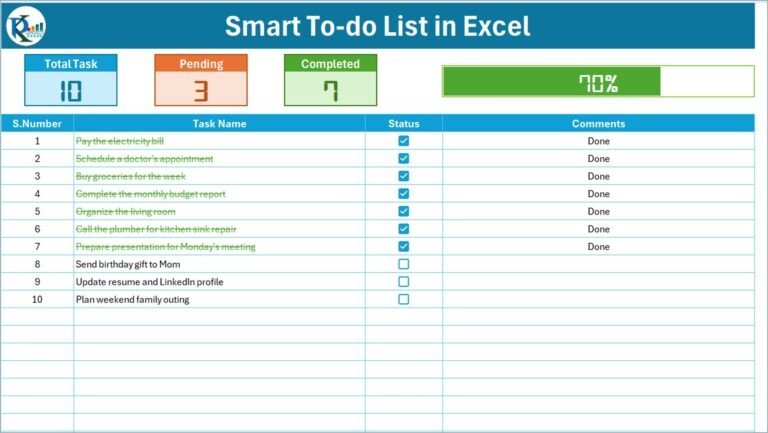
Key Features of the Smart To-Do List with Excel’s New Checkbox Feature:
✅ Interactive Checkboxes
Utilize Excel’s new checkbox feature to mark tasks as complete with a simple click. Track your progress as you go, ensuring tasks are completed on time.
📅 Due Date Tracking
Assign due dates to tasks and monitor deadlines, ensuring that no task gets overlooked and that you stay on track to meet your goals.
🎯 Priority Levels
Set priority levels (High, Medium, Low) for each task to ensure you’re focusing on the most important items first.
🔄 Task Progress Tracking
Track the completion status of tasks and get a visual overview of your progress throughout the day, week, or month.
🛠 Customizable Task Categories
Group your tasks into different categories or projects to help stay organized and manage multiple tasks or team members effectively.
📊 Simple Reports & Summaries
Generate task summaries with completion rates, deadlines, and priority breakdowns to stay on top of your workload and projects.
🚀 Why You’ll Love the Smart To-Do List with Excel’s New Checkbox Feature:
✅ Boost Productivity – Keep all your tasks organized in one place and track them effortlessly using checkboxes and automatic updates.
✅ Stay on Schedule – Monitor deadlines and task progress to avoid procrastination and ensure timely completion of all tasks.
✅ Easy Task Management – Prioritize tasks and visualize your daily or weekly workload with a simple and effective system.
✅ Improve Organization – Group tasks by category or project for easy management and streamlined workflow.
✅ User-Friendly Interface – Designed for simplicity, the checklist system makes it easy to get started and keep your tasks organized.
✅ Perfect for Individuals and Teams – Whether you’re working solo or as part of a team, this to-do list can be easily customized for various purposes and uses.
What’s Inside the Smart To-Do List with Excel’s New Checkbox Feature:
- Interactive Checkboxes: Use Excel’s checkbox feature to mark tasks as complete with a single click.
- Due Date Column: Add due dates to tasks and get timely reminders.
- Priority Levels: Assign priorities to each task to focus on the most important ones.
- Task Categories: Organize tasks into groups or projects for better organization and tracking.
- Task Summary: Generate reports with task completion rates, deadlines, and priorities.
- Progress Bar: Track how much of your to-do list has been completed with a dynamic progress bar.
How to Use the Smart To-Do List with Excel’s New Checkbox Feature:
1️⃣ Download the Template – Download the free Excel file from this product page.
2️⃣ Input Your Tasks – Enter your tasks, including due dates and priorities, in the designated columns.
3️⃣ Set Priorities and Deadlines – Assign priority levels and set deadlines to ensure tasks are completed on time.
4️⃣ Track Progress – Mark tasks as complete using checkboxes and visually track your progress over time.
5️⃣ Generate Reports – Use Excel’s built-in reporting tools to generate summaries and analyze your task management.
Who Can Benefit from the Smart To-Do List with Excel’s New Checkbox Feature:
- Business Owners
- Project Managers
- Students
- Team Leaders
- Freelancers
- Administrative Assistants
- Entrepreneurs
- Anyone with a Busy Schedule
The Smart To-Do List with Excel’s New Checkbox Feature is the ultimate tool to help you stay organized, prioritize tasks, and track your progress in a way that’s efficient and easy to use.
Click here to read the Detailed blog post
https://www.pk-anexcelexpert.com/smart-to-do-list-with-excels-new-checkbox-feature/
Visit our YouTube channel to learn step-by-step video tutorials
Youtube.com/@PKAnExcelExpert
Watch the step-by-step video tutorial:
Compatibility and Requirements
- Works in Microsoft Excel desktop (Excel 2016 or later, or Microsoft 365).
- The checkboxes use Excel’s newer in-cell check box feature, which is part of Microsoft 365. Microsoft explains it in Using check boxes in Excel.
Frequently Asked Questions
Is the Smart To-Do List free?
Yes. It is a free Excel download from this page.
How do I mark a task as done?
Click the checkbox next to the task. The progress bar and the task summary update to show how much of the list is complete.
Can I set priorities and due dates?
Yes. Each task has a due date column and a priority level of High, Medium or Low, so you can see what to work on first.
Can I group tasks by project?
Yes. Use the task categories to group tasks into projects or areas, such as personal plans, work assignments or project activities.
Related Task and To-Do Templates
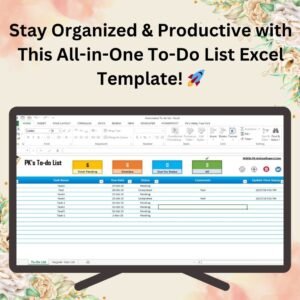
- Fully Functional To-do List in Excel: a paid to-do list with more tracking options
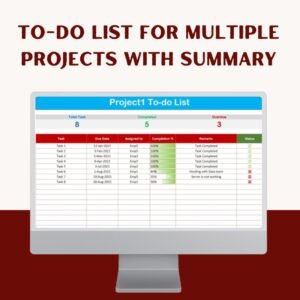
- To-do list for multiple Projects with Summary: one list per project with a summary page
- Automated Daily Task Manager with auto Check boxes: another free checkbox task manager
- Task Management Dashboard in Excel: charts for task status across a team
- Task Management Tracker in Google Sheets: the same idea for teams that work in the browser
Browse all Excel project management templates or the Excel checklist templates.
















Reviews
There are no reviews yet.