



PK’s Utility Tool is a free Excel VBA add-in that puts 20+ productivity shortcuts into your Excel ribbon — auto-resize rows and columns, bulk-add prefixes and serial numbers, standardise chart and shape sizes, create named ranges in seconds, insert checkboxes, merge cells, manage pivot tables, and even launch WhatsApp chats directly from a cell. It installs as an Excel add-in (.xlam) and appears as a dedicated tab in your ribbon, so every feature is one click away in any workbook you open.
Built by PK — An Excel Expert (297K+ YouTube subscribers), this tool was originally created to speed up dashboard building and template development. It is now used by 1,800+ Excel users worldwide and has been refined across three major versions. The current release is V3.0, and it is 100% free — no trial, no feature limits, no subscription.

What PK’s Utility Tool Does — Feature-by-Feature
The add-in organises its features into four ribbon groups. Here is exactly what each group gives you.
📊 Selection Group — Cell & Range Utilities
Select a range and instantly auto-fit row heights and column widths to content, add a prefix or suffix to every selected cell (useful for adding currency symbols, units, or codes in bulk), insert sequential serial numbers, or strip formatting. These are the shortcuts you use twenty times a day when cleaning data or building Excel dashboards.

🎨 Object Manager — Chart & Shape Tools
Align multiple charts to the same height and width in one click, or copy the formatting of one shape and apply it to a batch of others. If you build dashboards with 5–10 charts on a single sheet, this group alone saves 15+ minutes per layout. For complete pre-built dashboard templates, browse our KPI Dashboard collection with 500+ ready-made layouts.

⚙️ General Group — Workflow & Navigation
Open the folder containing your current workbook with one click (no more navigating through File Explorer). Create static or dynamic named ranges across multiple sheets without opening the Name Manager. Insert checkboxes into a selected range instantly. Merge cells in bulk. And for teams that communicate via WhatsApp, launch a chat to any phone number directly from an Excel cell — ideal for CRM lists and contact sheets. For full-featured contact management, check the Automated Address Book with Auto WhatsApp & Email.

📋 Worksheet Manager — Pivot Table & Sheet Operations
Refresh and manage pivot tables across your workbook from a single panel. Pivot tables are the backbone of every reporting workflow, and this group keeps them accurate without the manual click-through of individual refresh commands. Users who need complete automated reporting systems should explore our premium VBA Management Systems that include login forms, auto-generated reports, dashboards, and full business automation.

Why PK’s Utility Tool Is Free
This tool is our way of giving back to the Excel community that has supported the PK — An Excel Expert YouTube channel for years. It is completely free with no hidden costs, no feature gating, no trial period, and no data collection. Download it, install it, and use it forever.
If you find the utility tool useful and want to go deeper with VBA automation, we build premium management systems that take the same automation philosophy and apply it to complete business workflows — inventory, billing, HR, complaints, orders, and more.
Explore Premium VBA Management Systems
If you love the automation in PK’s Utility Tool, these premium VBA tools take it to the next level with full business applications inside Excel:
📦 Inventory Management System V3.0 — stock tracking, purchase/sales logging, reorder alerts, PDF reports
🧾 GST Billing Software V1.0 — invoicing + inventory in one tool, auto tax calculation
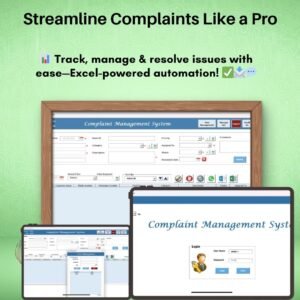
📋 Complaint Management System V1.0 — track, assign, escalate, and resolve customer complaints
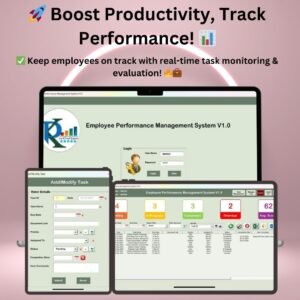
📊 Employee Performance Management System V1.0 — KPI scoring, review tracking, performance reports
📝 Order Management System V1.0 — end-to-end order lifecycle from placement to delivery
🕐 Attendance Management System — daily attendance, overtime, leave tracking with reports
📧 Bulk Auto Emailer — send personalised emails with HTML body and picture signatures from Excel
📁 Folder Automation Tool V1.0 — create, rename, and organise folders in bulk from a spreadsheet
🗂️ Browse all — all VBA Tools & Management Systems and all Free Templates
How to Install PK’s Utility Tool
1️⃣ Download — click “Add to Cart” above (it is free) and download the .zip file.
2️⃣ Extract — unzip the file to get the .xlam add-in file.
3️⃣ Enable macros — Excel will prompt you when you open the file. Click “Enable Content.” If you need help, follow our step-by-step macro setup guide.
4️⃣ Install as add-in — go to File → Options → Add-ins → Manage Excel Add-ins → Browse → select the .xlam file. The PK’s Utility Tool tab now appears in your ribbon permanently.
5️⃣ Start using — open any workbook and all 20+ features are available from the dedicated ribbon tab.
Frequently Asked Questions
What is PK’s Utility Tool?
PK’s Utility Tool is a free Excel VBA add-in that adds 20+ productivity shortcuts to your Excel ribbon. It includes features for auto-resizing cells, bulk-adding prefixes and serial numbers, standardising chart sizes, creating named ranges, inserting checkboxes, merging cells, managing pivot tables, and launching WhatsApp chats from Excel. It is built by PK — An Excel Expert and has been downloaded by 1,800+ users.
Is PK’s Utility Tool really free?
Yes, 100% free. There is no trial period, no feature limit, no registration required, and no subscription. Download it, install it, and use it forever at no cost.
Does it work with Excel 2016, 2019, 2021, and Microsoft 365?
Yes. PK’s Utility Tool works on Excel 2016, 2019, 2021, and Microsoft 365 for Windows. Mac versions of Excel have limited VBA support, so some features may not function fully on Mac.
Do I need to enable macros?
Yes. The tool is built with Excel VBA, so macros must be enabled. When you open the file, Excel will display a security warning — click “Enable Content.” For detailed instructions, see our guide to enable macros in Excel.
Will it slow down my Excel?
No. The add-in is lightweight and only activates its VBA code when you click a button in the ribbon. It does not run any background processes, does not monitor your workbooks, and does not affect Excel’s startup time.
What is the difference between V1.0, V2.0, and V3.0?
Each version added more features. V1.0 introduced the Selection Group and basic Object Manager. V2.0 expanded the General Group with named ranges, checkboxes, and WhatsApp integration. V3.0 added the Worksheet Manager with pivot table controls and refined the entire ribbon layout. The download on this page is always the latest version (V3.0).
Are there premium VBA tools from the same developer?
Yes. If you like PK’s Utility Tool, we offer 15+ premium VBA management systems for inventory, billing, HR, complaints, orders, attendance, and more. Each is a complete business application inside Excel with login screens, automated reports, and full VBA automation. Browse the complete range at VBA Tools & Management Systems.
Version History & Video Demos
PK’s Utility Tool V3.0 (Latest)
PK’s Utility Tool V2.0
PK’s Utility Tool V1.0
Download PK’s Utility Tool — It’s Free
Join 1,800+ Excel users who have already added PK’s Utility Tool to their ribbon. Click “Add to Cart” above, download the .zip file, install the add-in, and start saving time on every workbook you open. No cost, no catch, no expiry.
For step-by-step video tutorials on Excel, VBA, and dashboards, visit our YouTube channel: Youtube.com/@PKAnExcelExpert
What’s in the Download
- A .zip file that contains the PK’s Utility Tool add-in (.xlam).
- Four ribbon groups: Selection Group, Object Manager, General Group and Worksheet Manager.
- Works in Excel 2016, 2019, 2021 and Microsoft 365 for Windows, with macros enabled. Microsoft’s official guide is Enable or disable macros in Microsoft 365 files.











Reviews
There are no reviews yet.