

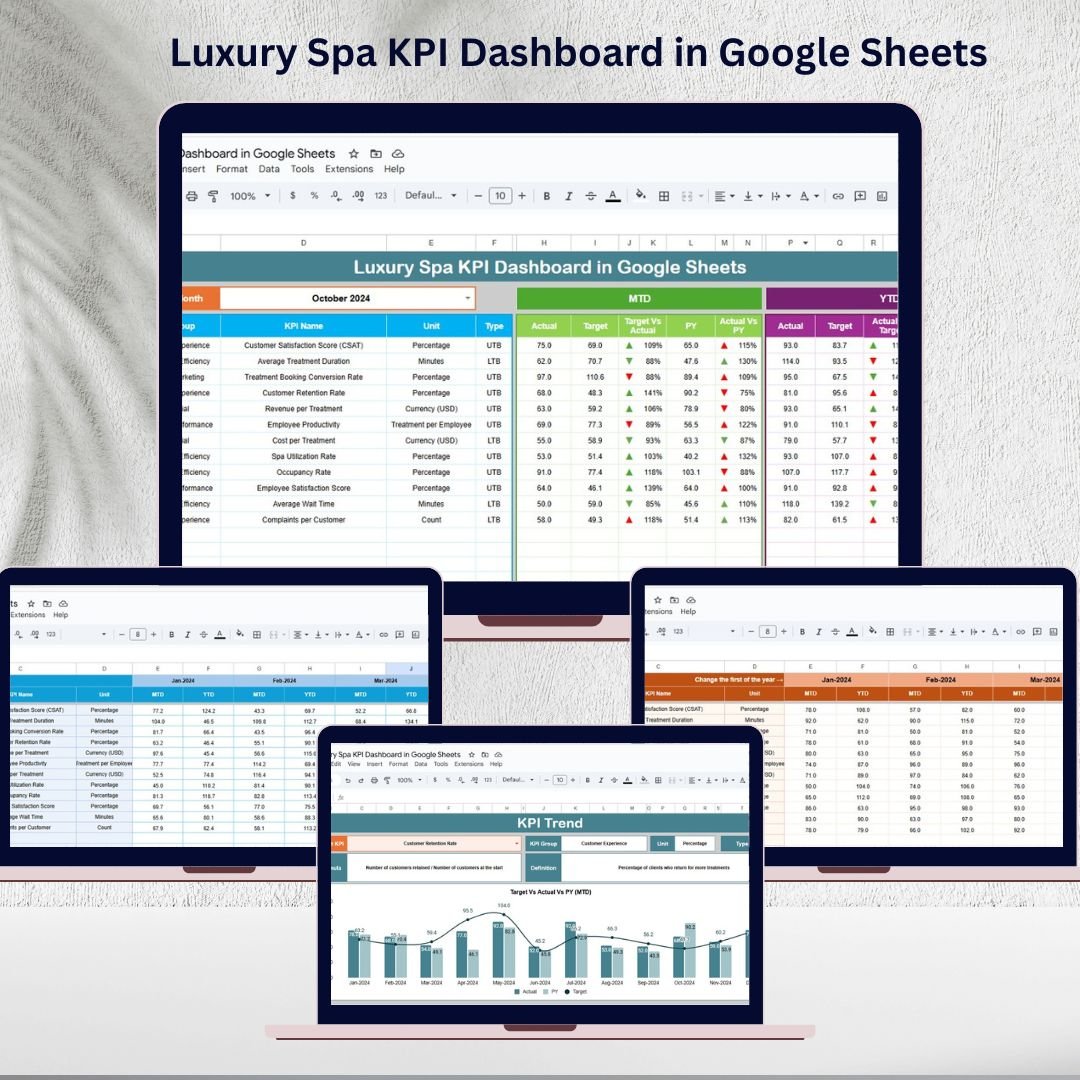

Managing a luxury spa is more than offering relaxing treatments—it’s about ensuring every client leaves satisfied, every staff member performs efficiently, and every service contributes to revenue growth. Without structured tracking, important insights about customer experience, staff performance, and financial health can slip through the cracks. That’s where the Luxury Spa KPI Dashboard in Google Sheets steps in—a ready-to-use tool that transforms raw numbers into actionable insights.
This interactive dashboard empowers spa owners, managers, and operators to track customer satisfaction, staff performance, occupancy rates, upsell opportunities, and repeat visits—all in one place. With easy-to-read visuals, month-to-date (MTD) and year-to-date (YTD) comparisons, and customizable KPIs, this template helps you make smarter business decisions.
✨ Key Features of the Luxury Spa KPI Dashboard
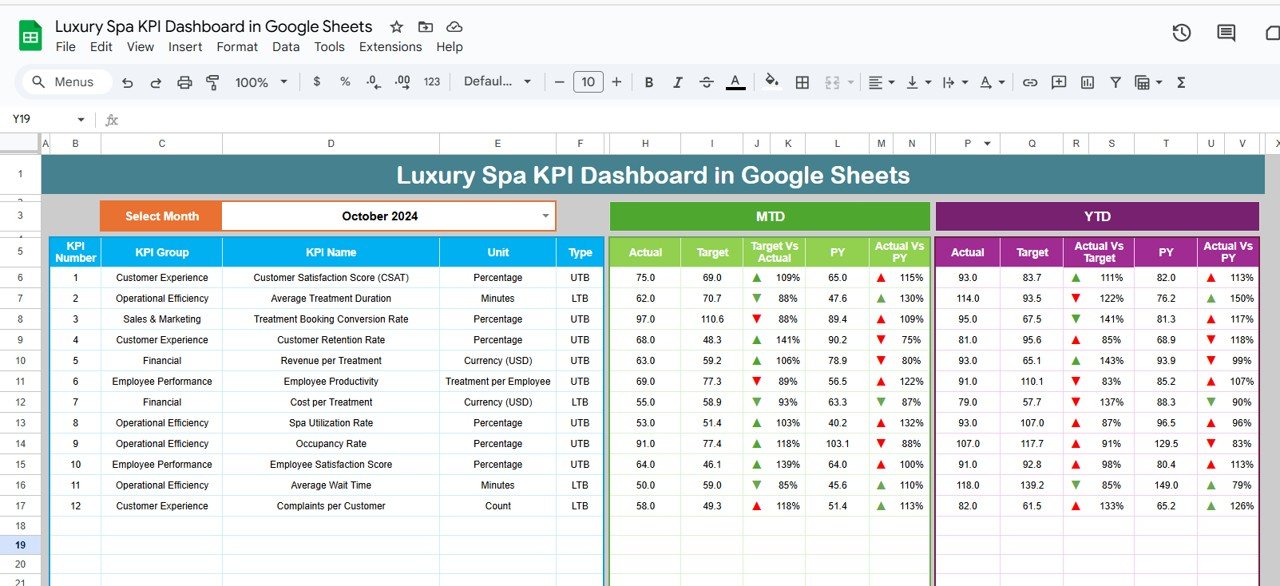
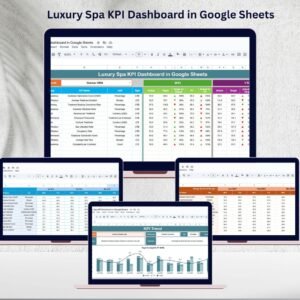
📊 Dynamic Dashboard Sheet – Get a high-level overview of all spa KPIs in real-time. Simply select the month, and the dashboard automatically updates MTD and YTD metrics. Conditional formatting arrows instantly show whether performance is improving or slipping.
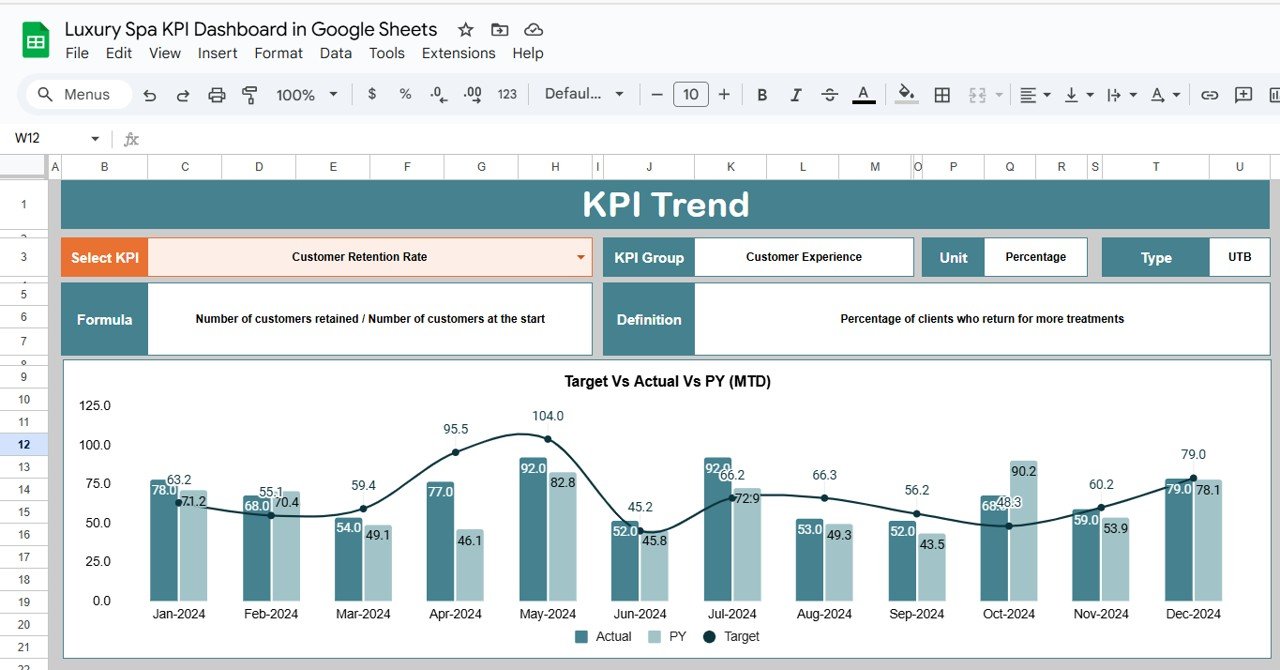
📈 KPI Trend Analysis – Dive deeper into individual KPIs using trend charts. Monitor growth patterns, spot declines, and understand seasonal behavior for smarter planning.
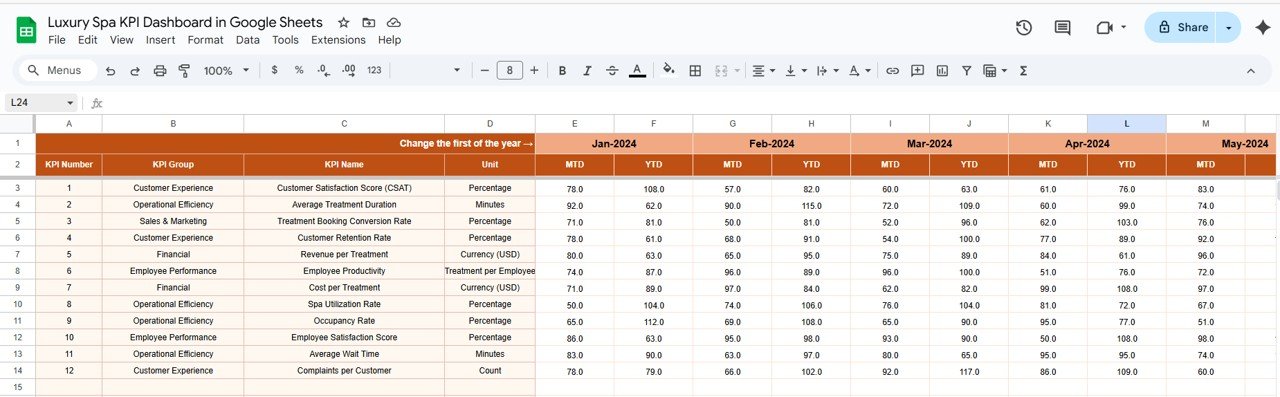
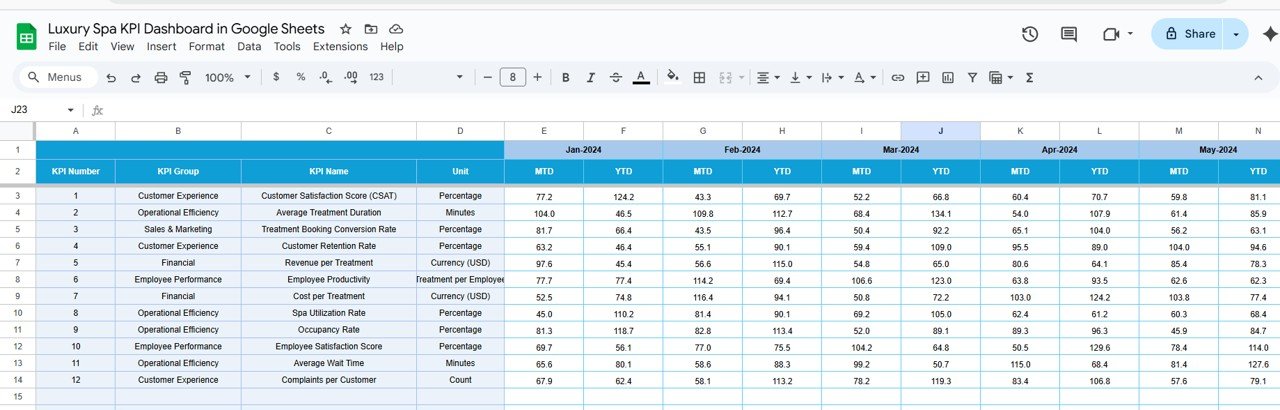
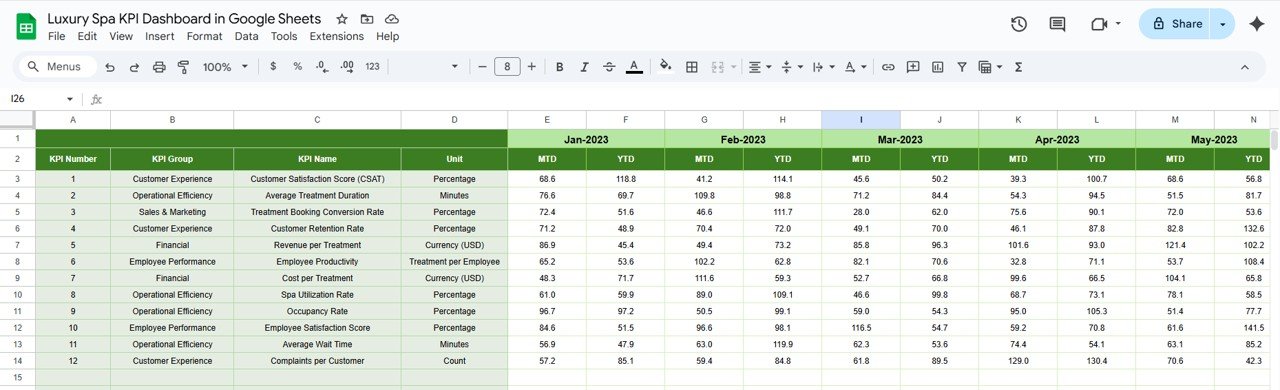
🧾 Actual, Target & Previous Year Sheets – Compare today’s performance against set goals and last year’s results. Perfect for identifying progress and areas needing attention.
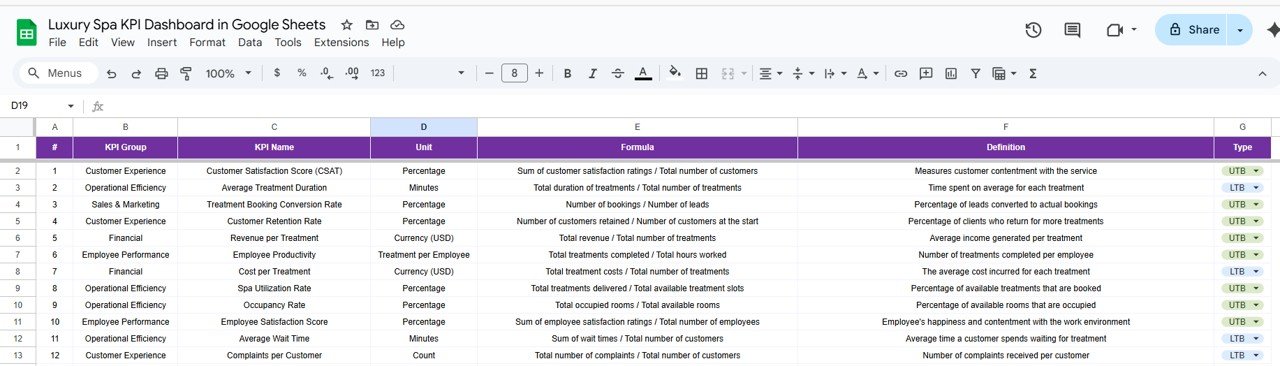
📘 KPI Definition Sheet – No more confusion—each KPI includes its name, group, unit, formula, and definition. This ensures clear and consistent tracking across the team.
⚡ Real-Time Google Sheets Collaboration – Multiple managers or staff can update and access the dashboard simultaneously, making it a powerful collaborative tool.
📂 What’s Inside the Luxury Spa KPI Dashboard
This template is structured into six powerful sheets:
Dashboard Sheet Tab – Your main performance hub with MTD/YTD metrics and conditional arrows.
KPI Trend Sheet Tab – Analyze month-by-month KPI performance with trend lines.
Actual Numbers Sheet Tab – Input real performance data.
Target Sheet Tab – Set monthly and annual performance goals.
Previous Year Numbers Sheet Tab – Compare against historical data for growth analysis.
KPI Definition Sheet Tab – A complete reference for KPI meaning, formulas, and types.
🛠 How to Use the Luxury Spa KPI Dashboard
Enter Actual Data – Update MTD and YTD values in the Actual Numbers sheet.
Set Your Targets – Define monthly and yearly performance goals in the Target sheet.
Load Previous Year Data – Add past KPIs to enable year-over-year comparison.
Monitor Dashboard – Use the Dashboard Sheet for instant insights on revenue, satisfaction, staff ratings, and more.
Deep Dive with Trends – Analyze long-term improvements or issues with the KPI Trend Sheet.
No advanced Excel or BI skills are required—this is plug-and-play.
👥 Who Can Benefit from This Dashboard
Spa Owners 🏩 – Gain visibility into revenue, repeat clients, and service utilization.
Spa Managers 👩💼 – Monitor staff performance, treatment efficiency, and customer satisfaction.
Customer Experience Teams 💬 – Track client feedback, upsell rates, and retention metrics.
Financial Controllers 💰 – Compare actual revenue vs. targets and optimize profitability.
Marketing Teams 📣 – Measure the impact of promotions on repeat visits and upsell opportunities.
✅ Advantages of Using the Dashboard
Centralized data tracking in one Google Sheet
Real-time updates and collaboration
Visual performance indicators (up/down arrows, charts, MTD/YTD)
Customizable KPI library tailored for spa operations
Easy-to-use interface—no technical expertise required
📖 Click here to read the Detailed blog post
Watch the step-by-step video Demo:
📺 Visit our YouTube channel to learn step-by-step video tutorials: PK An Excel Expert
Compatibility and Requirements
- Works in Google Sheets with a free Google account and a web browser.
- Several managers can update the file at the same time from a shared Google Sheet.
- New to Google Sheets? Google covers the basics in How to use Google Sheets.
Frequently Asked Questions
Which sheets does the Luxury Spa KPI Dashboard include?
It has six sheets: Dashboard, KPI Trend, Actual Numbers, Target, Previous Year Numbers and KPI Definition.
How does the dashboard update?
Select the month and the Dashboard sheet updates the MTD and YTD figures, with arrows that show whether each KPI is up or down.
Can I compare against targets and last year?
Yes. You enter targets in the Target sheet and past results in the Previous Year Numbers sheet, and the dashboard compares them with actuals.
Is there an Excel version?
Yes. See the Luxury Spa KPI Dashboard in Excel if you prefer to work in Excel.
Related Spa and Salon Templates
- Luxury Spa KPI Dashboard in Excel: the same KPIs built in Excel
- Salon and Spa Dashboard in Google Sheets: a page based dashboard for salons and spas
- Spas and Wellness Centres KPI Dashboard in Excel: KPIs for wellness centres
- Salon and Spa Dashboard in Excel: salon and spa analysis in Excel
- Beauty Salons Dashboard in Power BI: salon analysis in Power BI
Browse all Google Sheets KPI dashboards or the Google Sheets dashboards.





















Reviews
There are no reviews yet.