

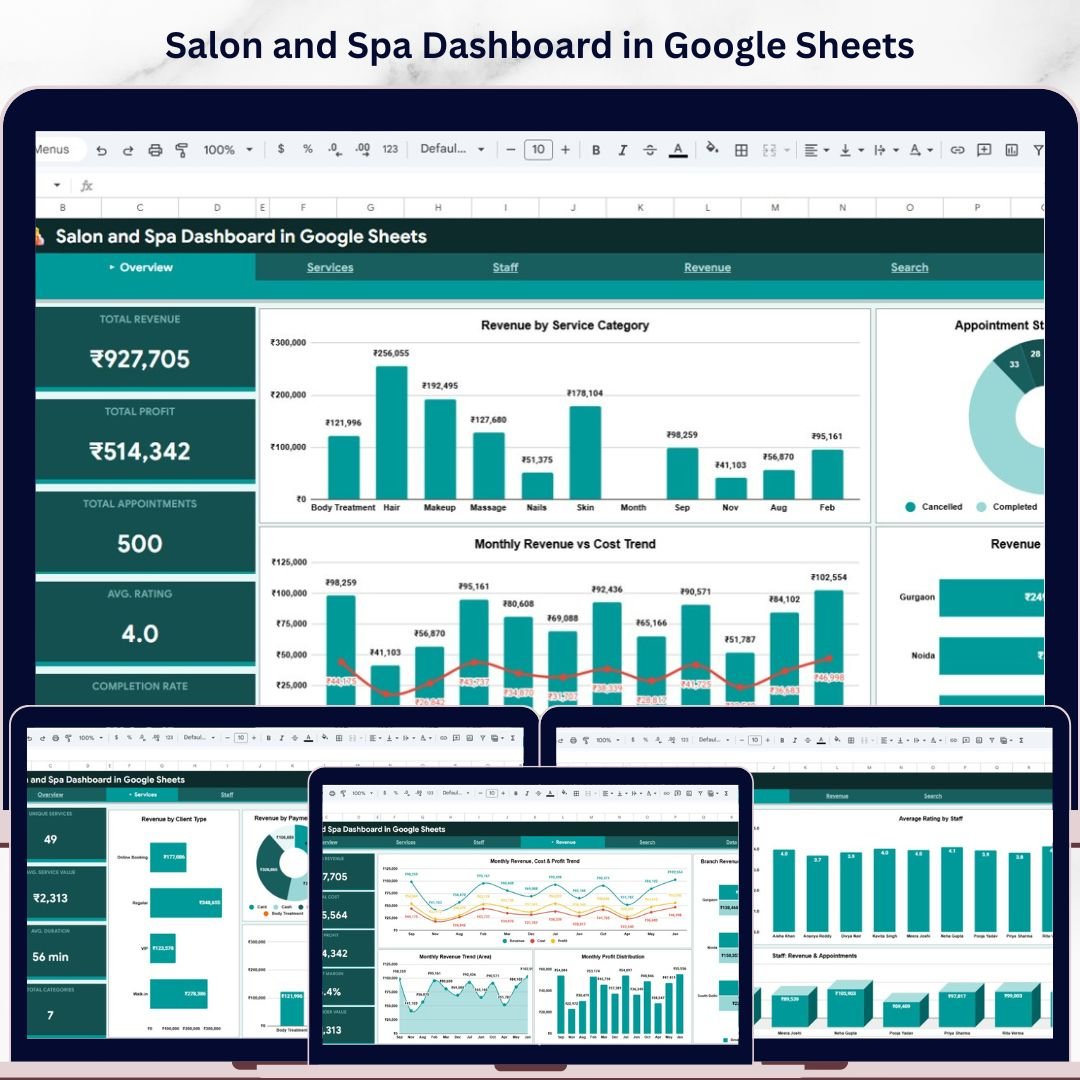

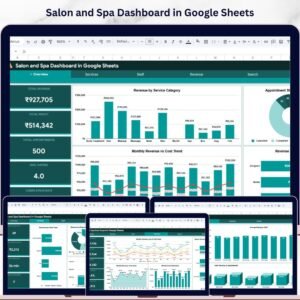
Salon and Spa Dashboard in Google Sheets is a professionally designed, ready-to-use interactive dashboard built for salon owners, spa managers, beauty professionals, and wellness business operators who want to track revenue, monitor staff performance, analyze service trends, and measure client satisfaction — all inside Google Sheets. This template includes 4 interactive analysis pages covering Overview, Services, Staff, and Revenue, plus a Search Page and a structured Data Sheet — making it one of the most complete Google Sheets salon analytics solutions available today. Whether you manage a boutique day spa, a multi-branch hair salon, or a full-service wellness center, this dashboard transforms your raw appointment data into beautiful, actionable visual insights that help you maximize profitability and deliver exceptional client experiences.
Running a salon or spa without data-driven insights means missed revenue opportunities, underperforming staff going unnoticed, and client satisfaction issues slipping through the cracks. The Salon and Spa Dashboard in Google Sheets solves this by providing 6 sheet tabs with dynamic charts, KPI cards, and slicers that update automatically when you replace the sample data with your own records. This dashboard tracks 5 key performance indicators including Total Revenue, Total Profit, Total Appointments, Avg. Rating, and Completion Rate across multiple service categories, staff members, branches, client types, and payment methods. If you prefer working in other platforms, explore the Salon and Spa Dashboard in Excel or the Salon and Spa Dashboard in Power BI.
🔑 Key Features of Salon and Spa Dashboard in Google Sheets
📌 4 Interactive Analysis Pages + Search + Data Sheet — Overview, Services, Staff, and Revenue pages deliver complete visibility into your salon and spa business operations with dynamic charts, KPI cards, and interactive slicers for instant filtering.
📌 5 Real-Time KPI Cards — Monitor Total Revenue, Total Profit, Total Appointments, Avg. Rating, and Completion Rate at a glance from the Overview page.
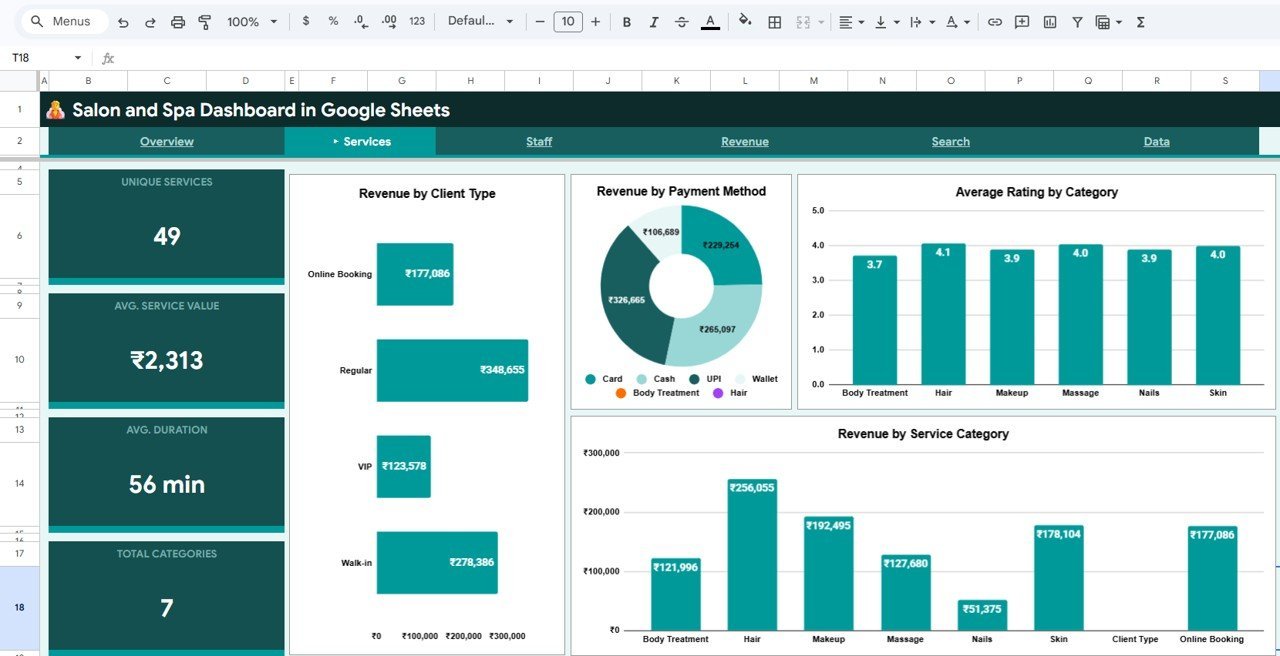
📌 Service Category Analysis — Understand which treatments drive the most revenue with Revenue by Client Type, Revenue by Payment Method, Average Rating by Category, and Revenue by Service Category charts.
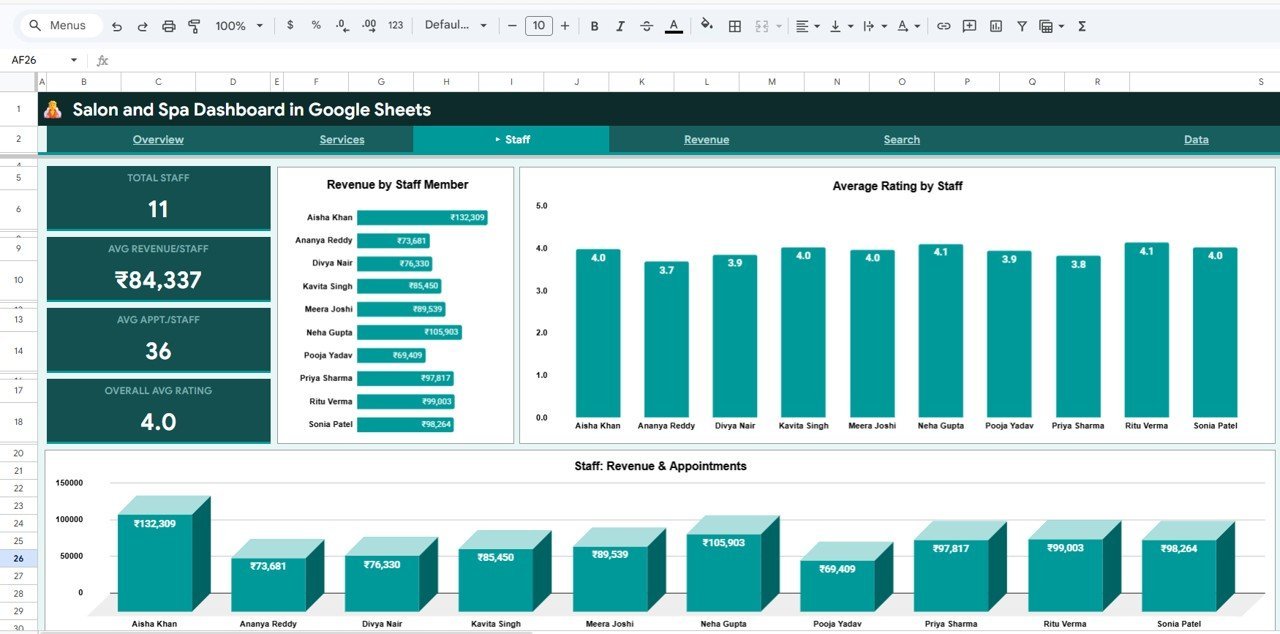
📌 Staff Performance Tracking — Evaluate individual therapist and stylist contributions with Revenue by Staff Member, Average Rating by Staff, and Staff Revenue and Appointments analysis.
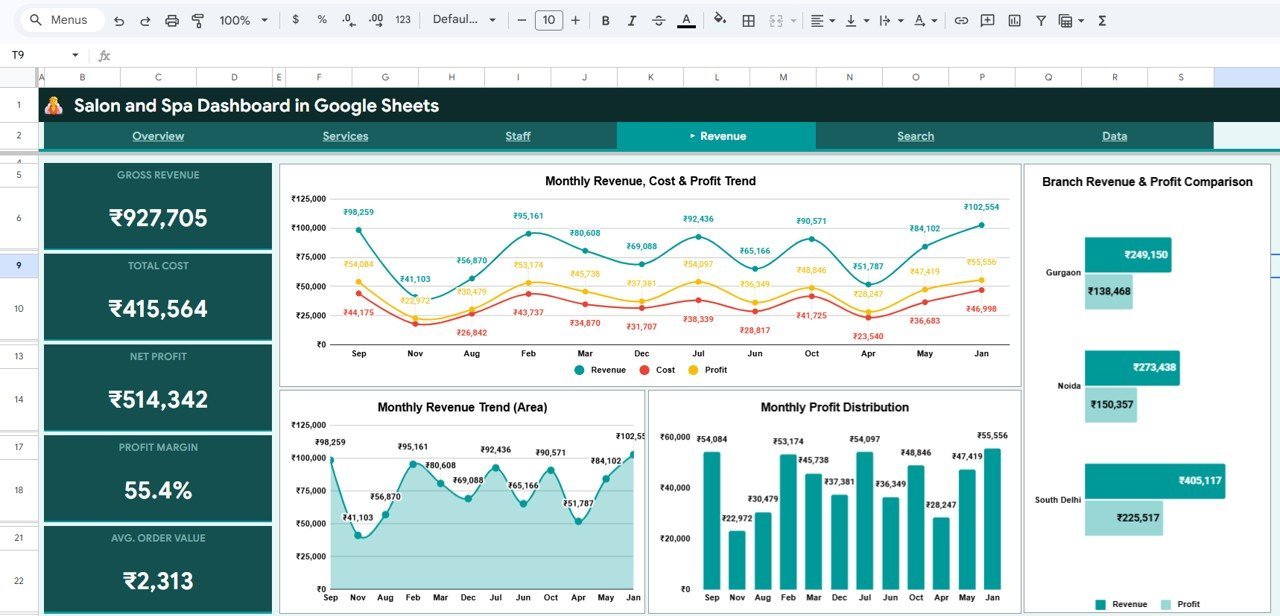
📌 Revenue Deep Dive — Analyze financial performance with Monthly Revenue, Cost and Profit Trend, Monthly Revenue Trend, Monthly Profit Distribution, and Branch Revenue and Profit Comparison charts.
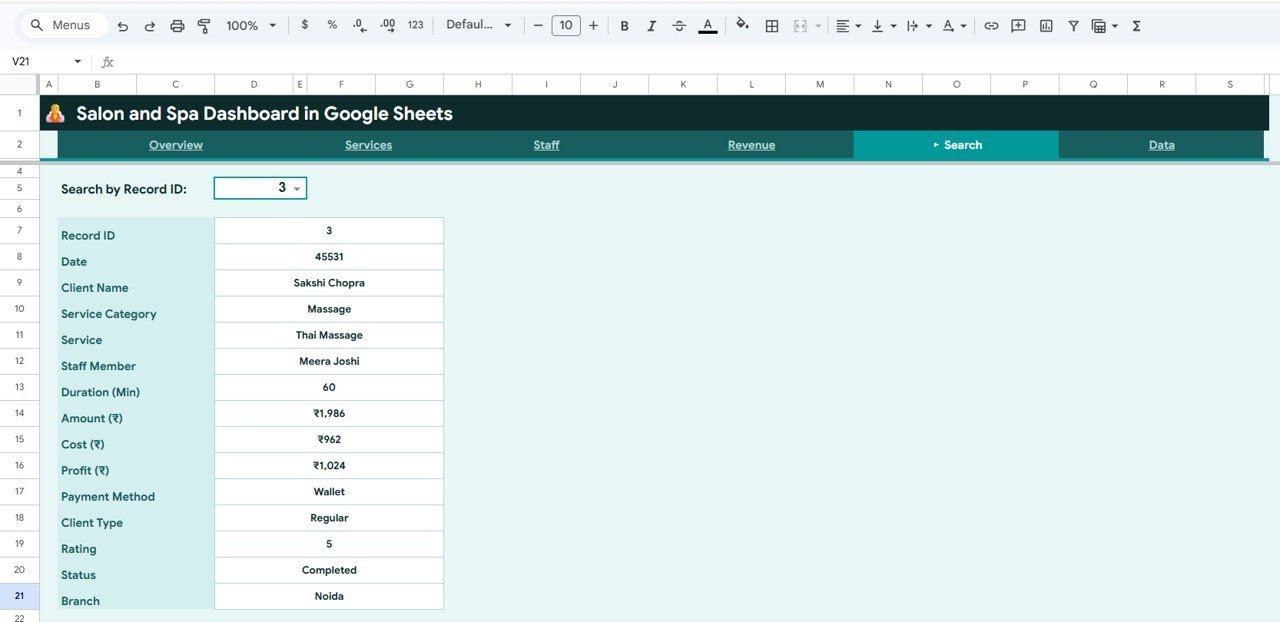
📌 Smart Search Feature — Select any Record ID from the dropdown and instantly view all appointment details including date, client name, service category, service, staff member, duration, amount, cost, profit, payment method, client type, rating, status, and branch.
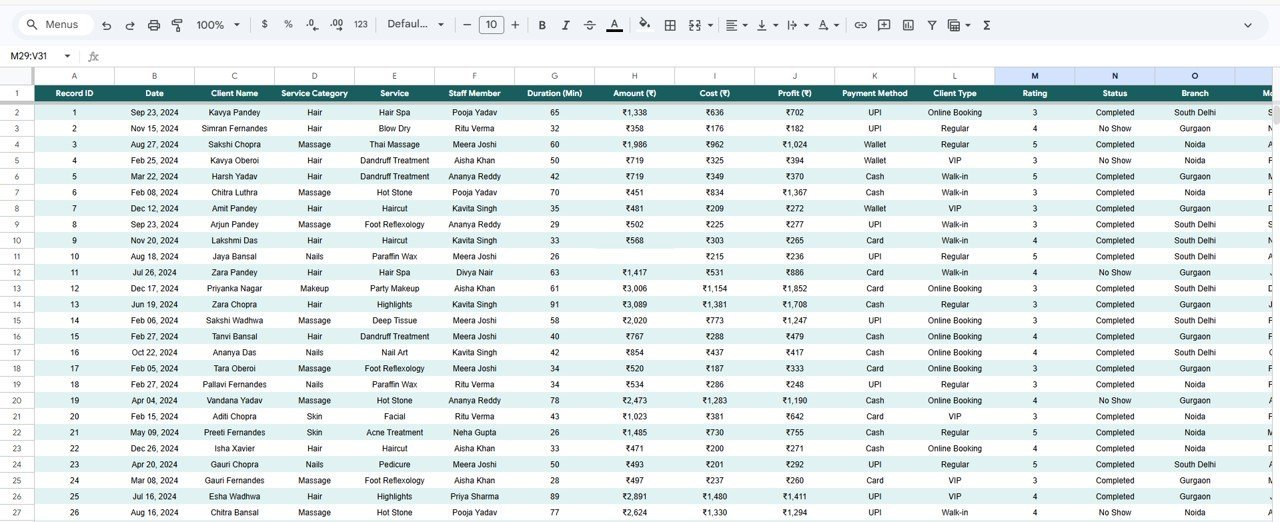
📌 Structured Data Sheet — Simply replace the sample data with your own salon records in the pre-formatted Data Sheet and all charts, KPIs, and analysis pages update automatically.
📌 No Advanced Skills Required — Built entirely with Google Sheets formulas and native charts. No coding, no macros, no add-ons needed.
📦 What’s Inside the Salon and Spa Dashboard in Google Sheets
📊 Overview Page — Displays 5 KPI cards (Total Revenue, Total Profit, Total Appointments, Avg. Rating, Completion Rate) plus interactive charts for Revenue by Service Category, Monthly Revenue vs Cost Trend, Appointment Status Distribution, and Revenue by Branch.
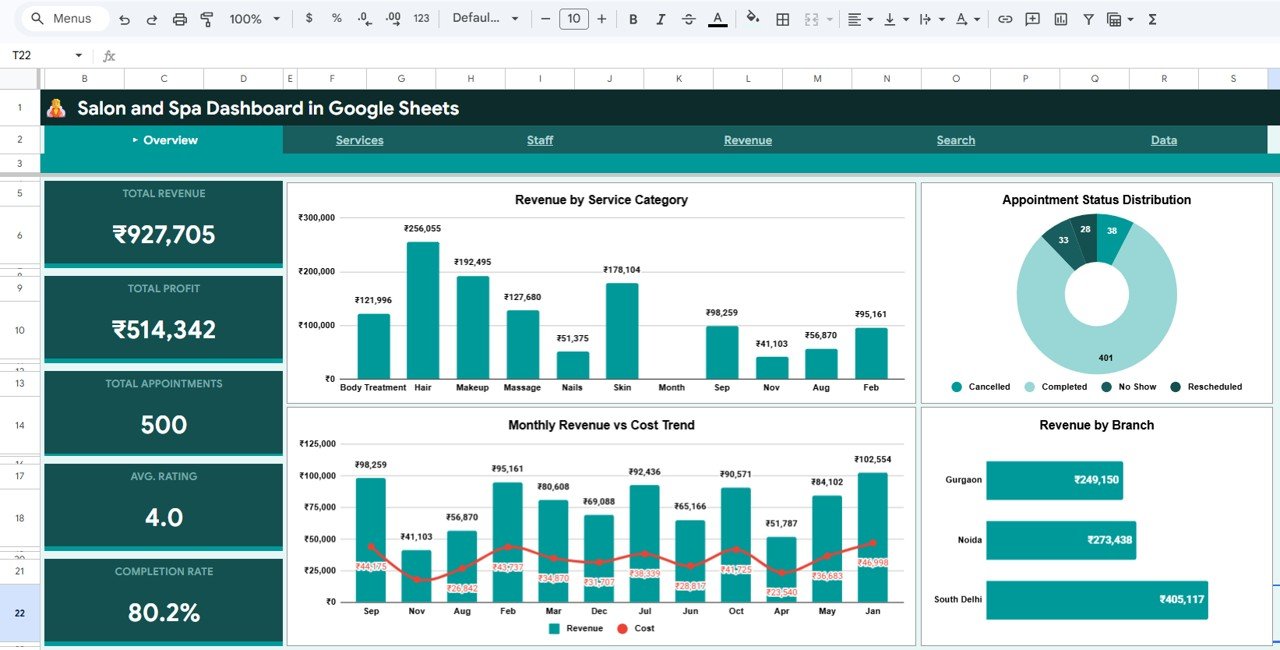
Salon and Spa Dashboard in Google Sheets
📊 Services Page — Revenue by Client Type, Revenue by Payment Method, Average Rating by Category, and Revenue by Service Category.
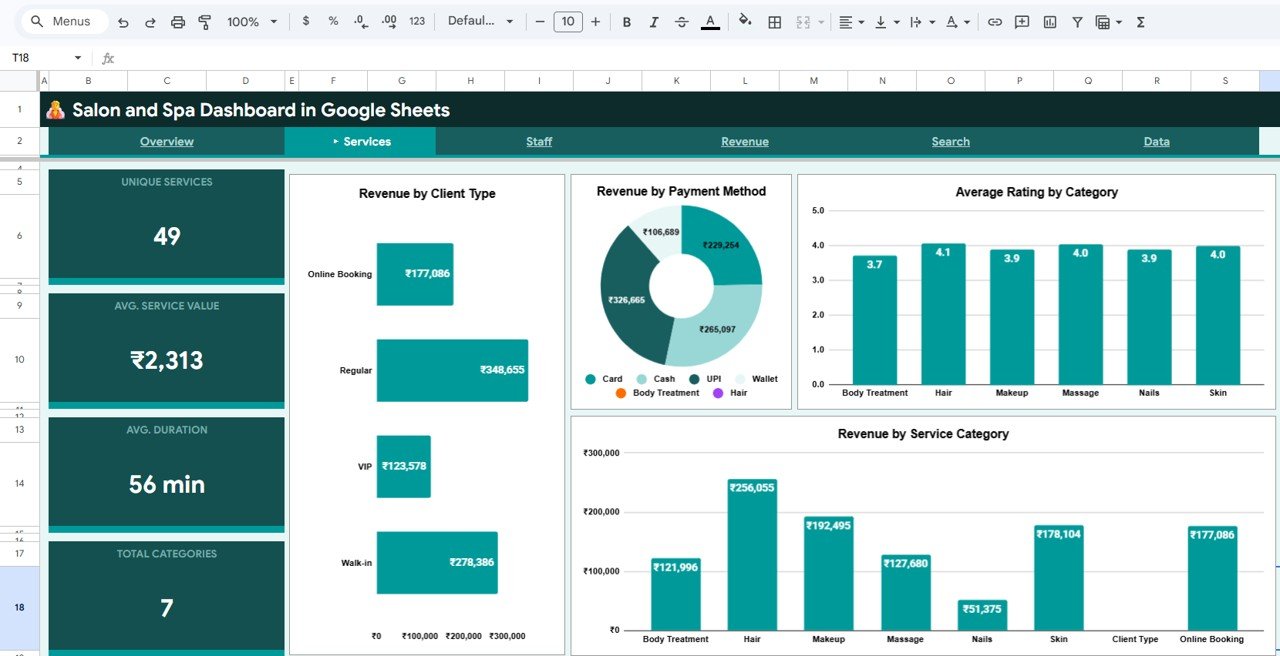
Services Page
📊 Staff Page — Revenue by Staff Member, Average Rating by Staff, and Staff Revenue and Appointments.
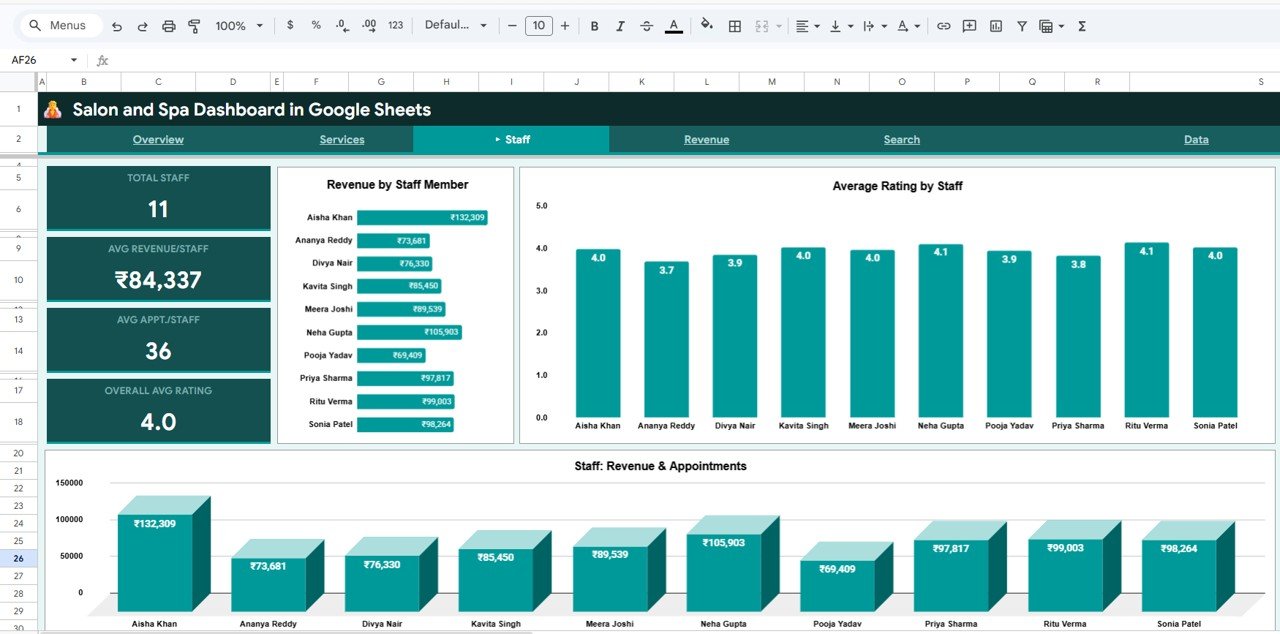
Staff Page
📊 Revenue Page — Monthly Revenue, Cost and Profit Trend, Monthly Revenue Trend, Monthly Profit Distribution, and Branch Revenue and Profit Comparison.
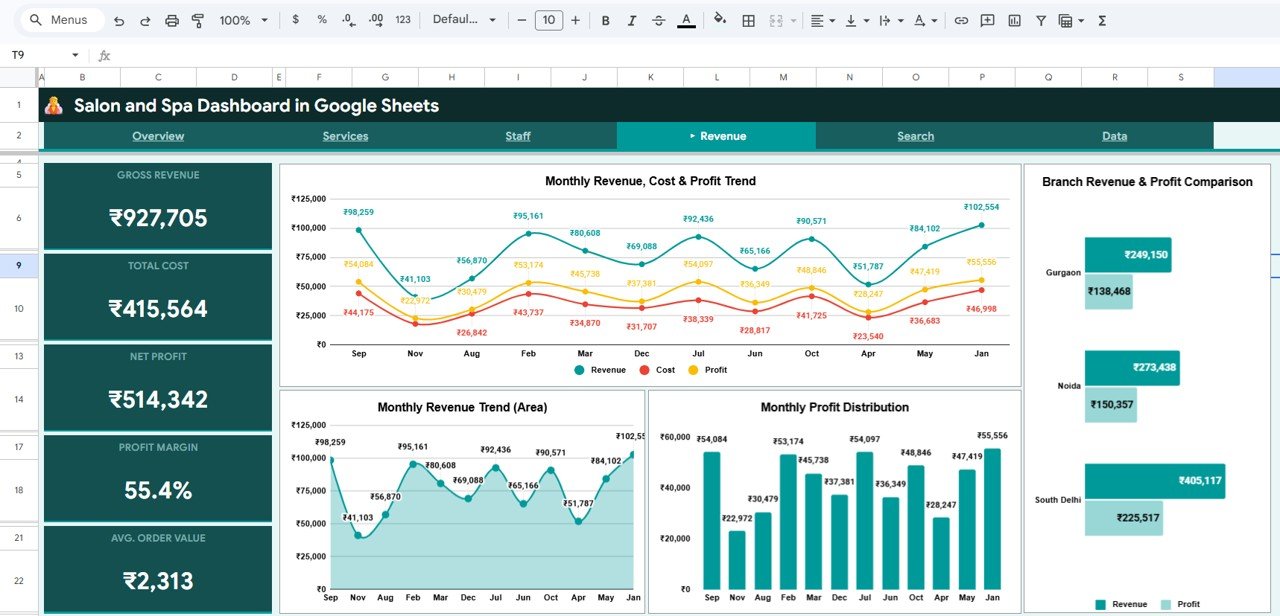
Revenue Page
📊 Search Page — Select any Record ID to view all 14 appointment fields instantly.
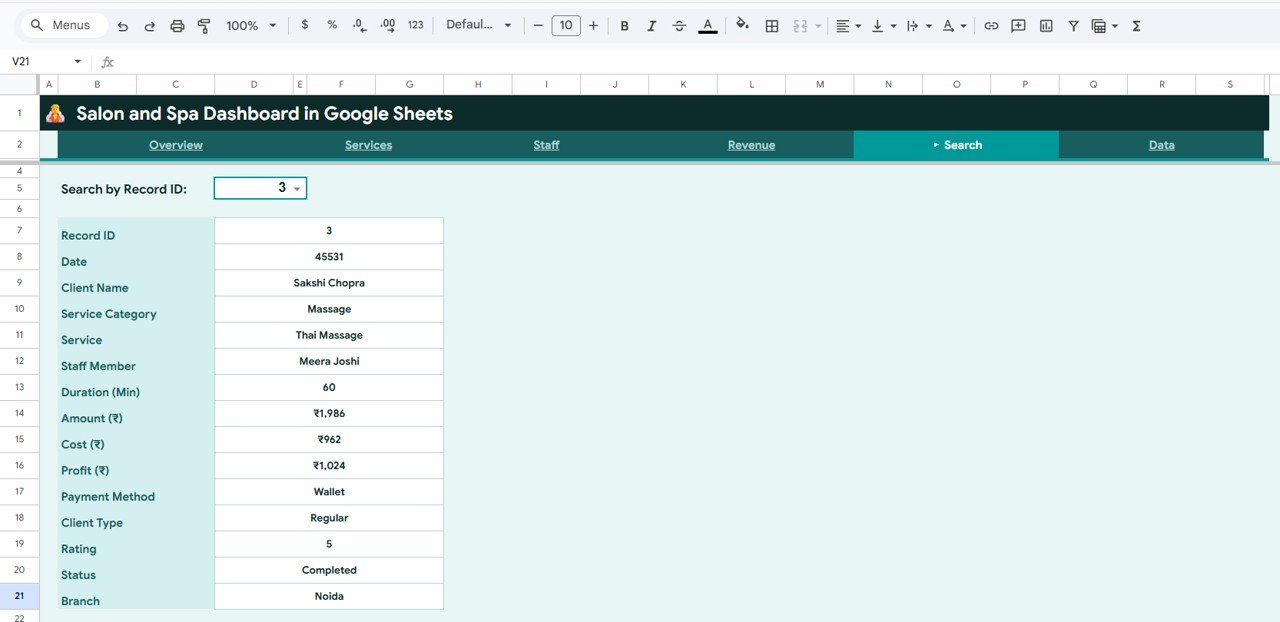
Search Sheet Tab
📊 Data Sheet — Enter your salon records here. All dashboard pages update automatically.
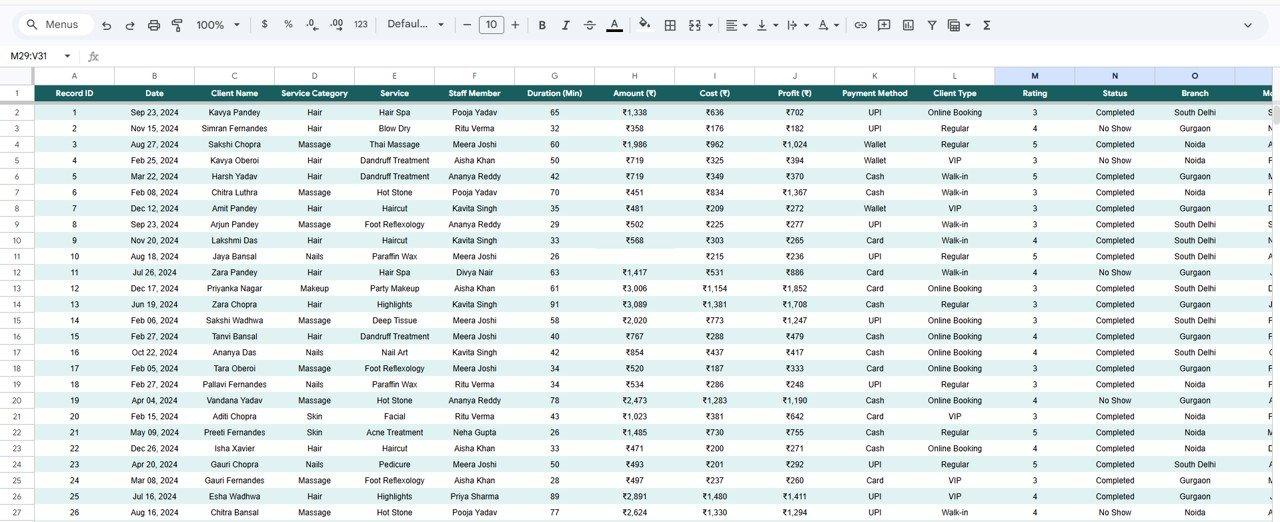
Data Sheet Tab
⚙️ How to Use the Salon and Spa Dashboard in Google Sheets
1️⃣ Open the PDF guide and click the Google Sheets copy link to create your own editable copy in Google Drive.
2️⃣ Navigate to the Data Sheet and replace the sample data with your salon’s actual records.
3️⃣ Return to the Overview page to see your KPI cards and charts update automatically.
4️⃣ Use the slicers and filters to drill down by service category, branch, staff, or time period.
5️⃣ Explore the Services, Staff, and Revenue pages for deeper analysis.
6️⃣ Use the Search Page to look up any specific appointment by Record ID.
👥 Who Can Benefit from This Salon and Spa Dashboard
💈 Salon Owners — Track revenue, profit, and appointment trends across all branches.
💆 Spa Managers — Monitor service performance, client satisfaction, and staff productivity.
💇 Beauty Professionals — Analyze which services generate the most revenue and highest ratings.
📊 Wellness Business Analysts — Generate insights from appointment data for strategic decisions.
🏢 Multi-Location Operators — Compare branch-level revenue and profit performance.
🎓 Students and Freelancers — Build salon analytics portfolios.
Browse our Google Sheets Dashboard Templates for more solutions.
❓ Frequently Asked Questions
What KPIs does the Salon and Spa Dashboard in Google Sheets track?
The Salon and Spa Dashboard in Google Sheets tracks 5 key performance indicators: Total Revenue, Total Profit, Total Appointments, Avg. Rating, and Completion Rate across 4 interactive pages with over 15 dynamic charts.
Do I need advanced Google Sheets skills to use this salon dashboard?
No. Simply replace the sample data with your own salon records and everything updates automatically. No formulas, no coding required.
Can I track multiple salon branches with this dashboard?
Yes. The Overview and Revenue pages include branch-level comparison charts with slicer filtering.
What is the best Google Sheets dashboard for salon and spa businesses?
The Salon and Spa Dashboard in Google Sheets from NextGenTemplates includes 4 analysis pages, a search feature, 5 KPI cards, and 15+ charts — one of the most complete options available.
Can I use this for a hair salon, nail salon, or wellness center?
Absolutely. Customize the service categories in the Data Sheet to match any beauty or wellness business.
Is this dashboard available in other platforms?
Yes. Also available in Excel, Power BI, and the Luxury Spa KPI Dashboard in Google Sheets.
🔗 Explore Related Templates
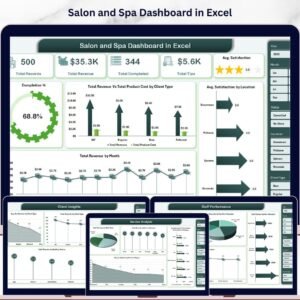
📎 Salon and Spa Dashboard in Excel — Pivot-powered Excel version with interactive slicers.
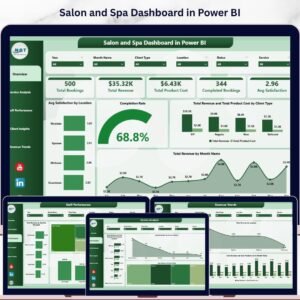
📎 Salon and Spa Dashboard in Power BI — Advanced interactive Power BI version.
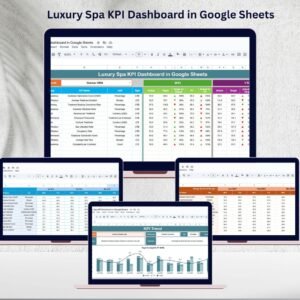
📎 Luxury Spa KPI Dashboard in Google Sheets — MTD/YTD KPI tracking with target vs actual.
📖 Click here to read the Detailed Blog Post
Watch the step-by-step video tutorial:
🎥 Visit our YouTube channel to learn step-by-step video tutorials
👉 YouTube.com/@NextGenTemplates
Compatibility and Requirements
- Works in Google Sheets. You need a free Google account and a web browser.
- You make your own copy from the link in the PDF guide. The charts are native Google Sheets charts, which Google explains in Add & edit a chart or graph.






























Reviews
There are no reviews yet.