


Running a spa or wellness centre is not just about great treatments—it is about tracking performance, controlling costs, improving customer satisfaction, and maximizing revenue. However, when performance data sits in scattered spreadsheets or manual reports, critical insights remain hidden.
That is exactly why the Spas and Wellness Centres KPI Dashboard in Excel is a game-changing performance management tool 📊✨.
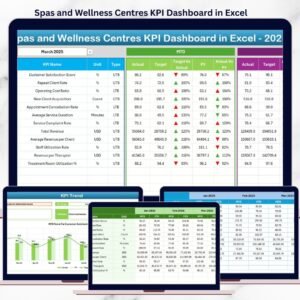
This ready-to-use Excel dashboard helps spa owners and wellness managers monitor KPIs, compare targets vs actuals, analyze trends, and make confident business decisions—without complex software or technical skills.
🚀 Key Features of Spas and Wellness Centres KPI Dashboard in Excel
This dashboard is designed to give you instant clarity and control over your spa operations.
✅ Centralized spa KPI monitoring dashboard
✅ MTD & YTD performance tracking
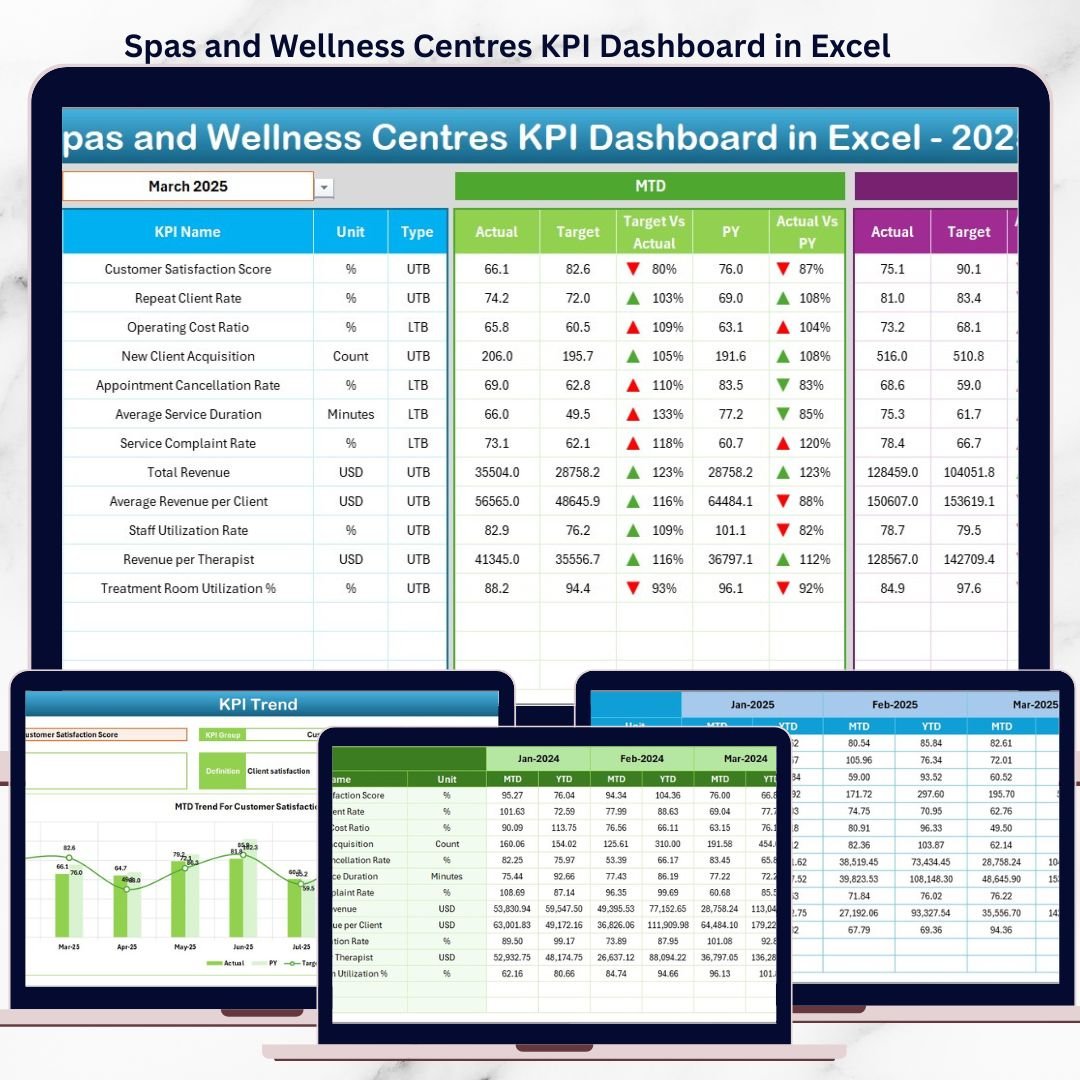
✅ Actual vs Target comparison with arrows
✅ Previous Year (PY) comparison for growth analysis
✅ Interactive month selection dropdown
✅ Trend analysis charts for individual KPIs
✅ Dedicated KPI Definition sheet for standardization
✅ Fully customizable Excel-based solution
With these features, performance gaps become visible before they impact revenue.
📦 What’s Inside the Spas and Wellness Centres KPI Dashboard in Excel
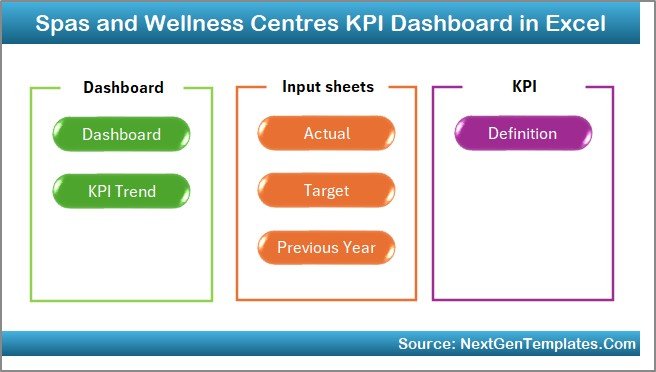
This product includes seven professionally designed worksheets, working together as a complete KPI monitoring system.
🏠 Home Sheet
Acts as a navigation hub with six buttons that allow quick access to all analytical pages.
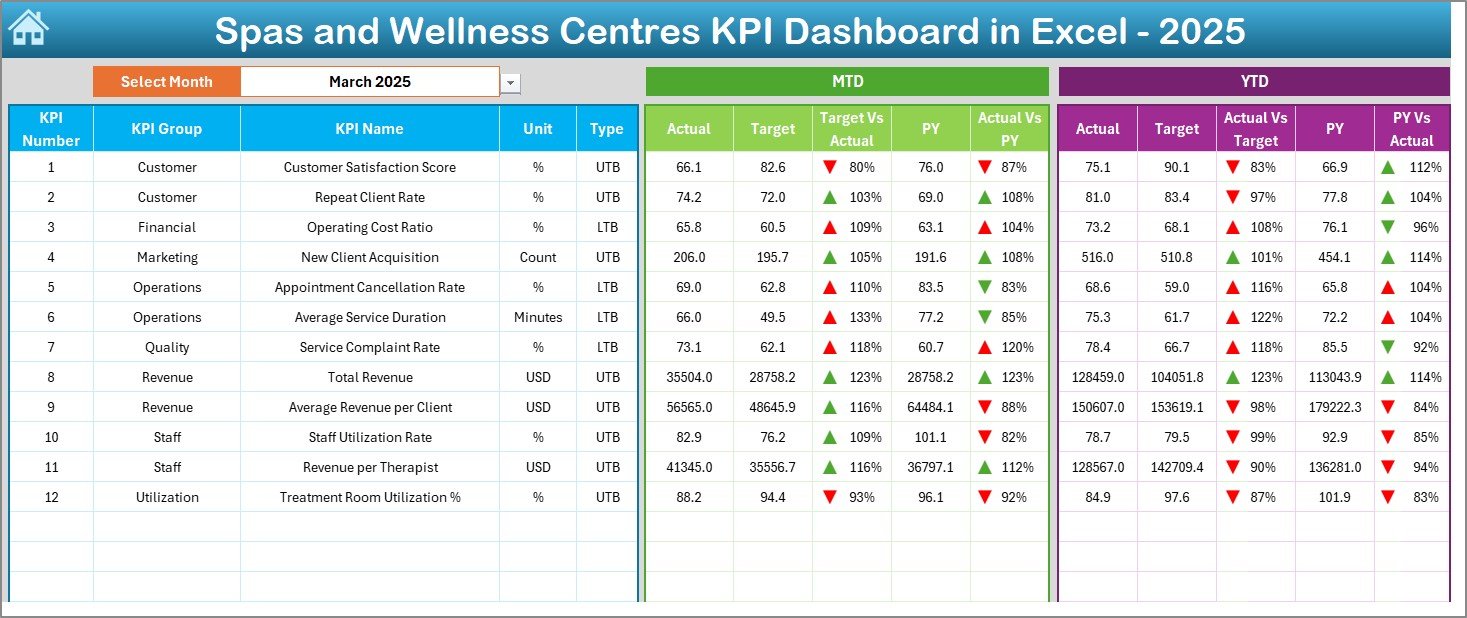
📊 Dashboard Sheet
The main KPI overview page showing MTD, YTD, Target, and PY values. It uses arrows and conditional formatting to highlight performance instantly.
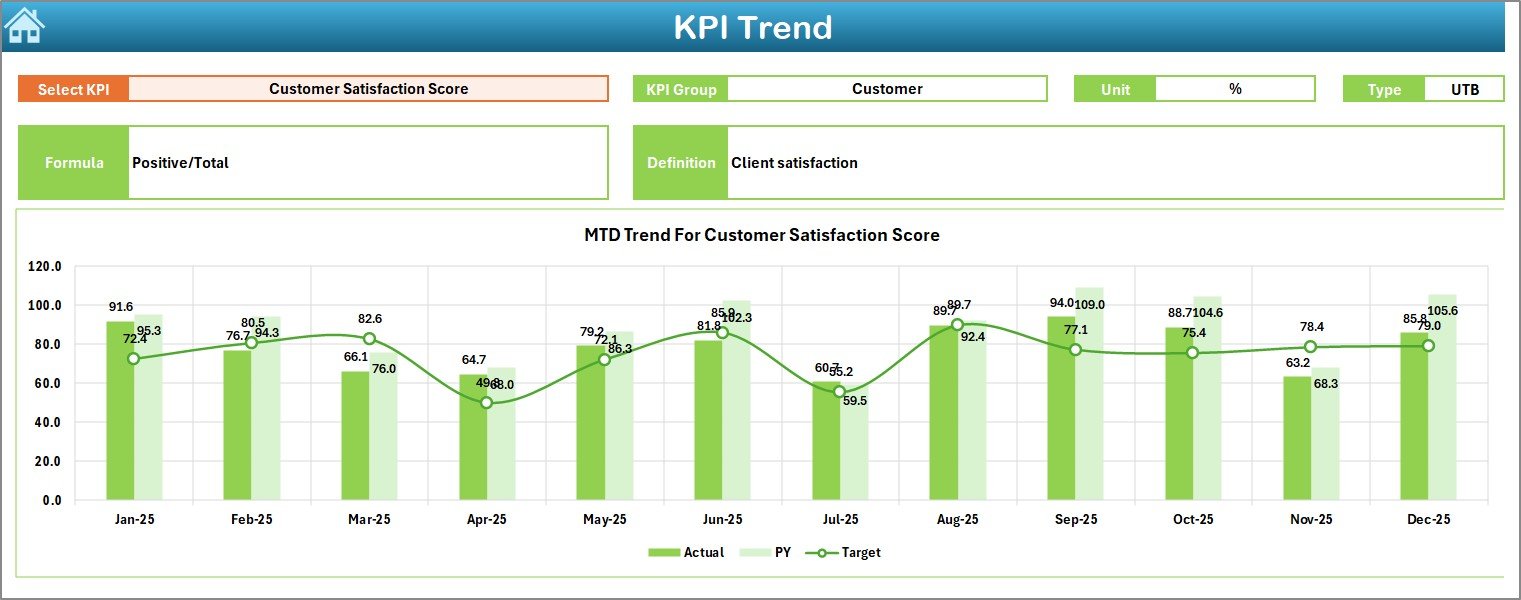
📈 KPI Trend Sheet
Provides deep-dive analysis for a selected KPI, including definitions, formulas, and MTD & YTD trend charts.
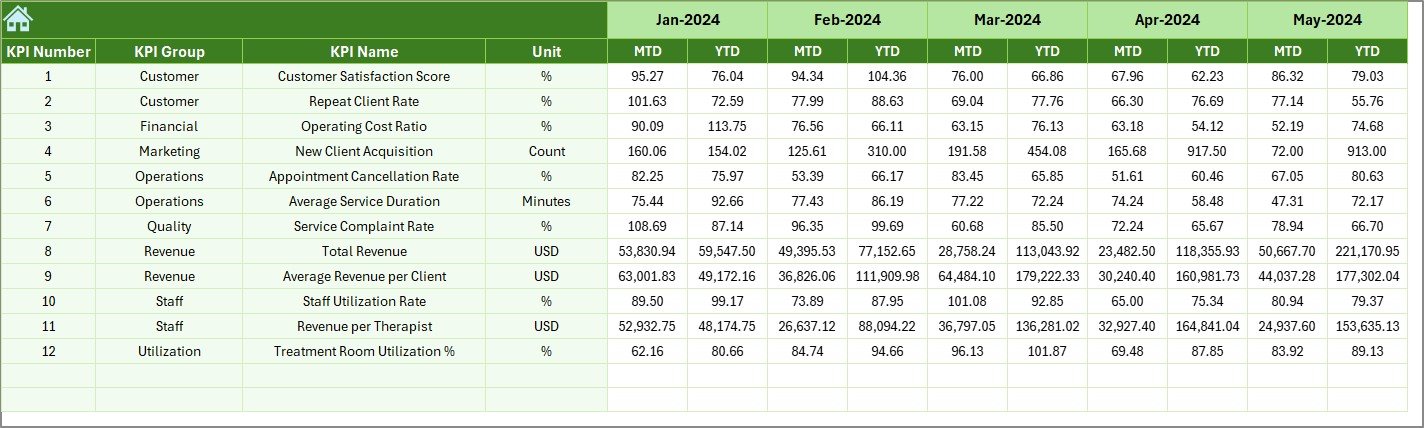
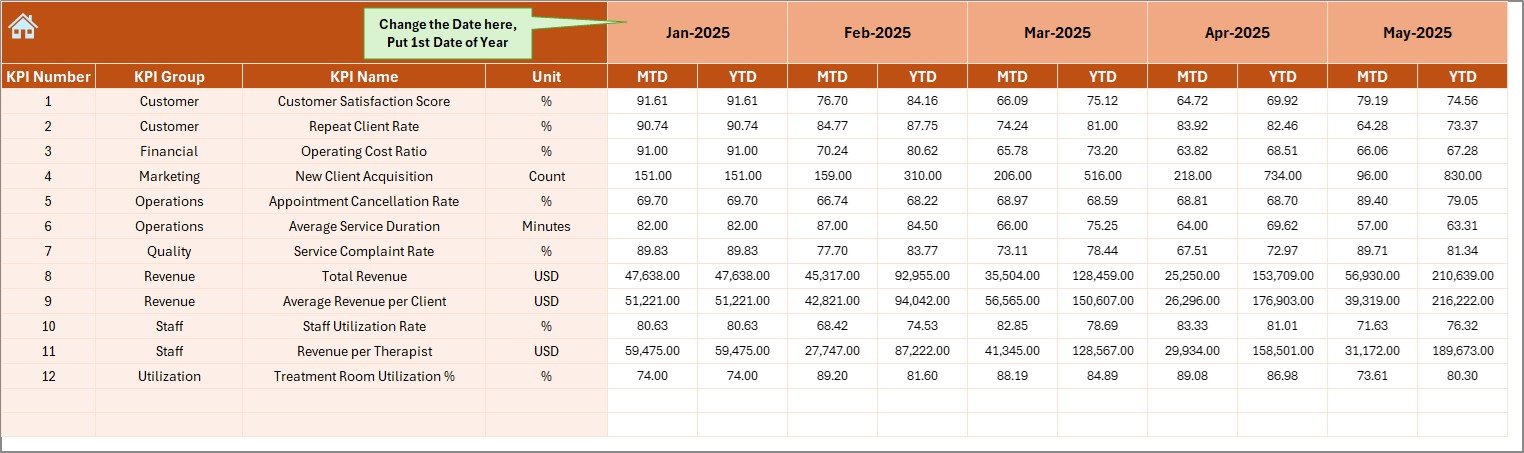
🧾 Actual Numbers Input Sheet
Used to enter actual MTD and YTD values while allowing easy financial year adjustments.
🎯 Target Sheet
Stores KPI targets for accurate performance benchmarking.
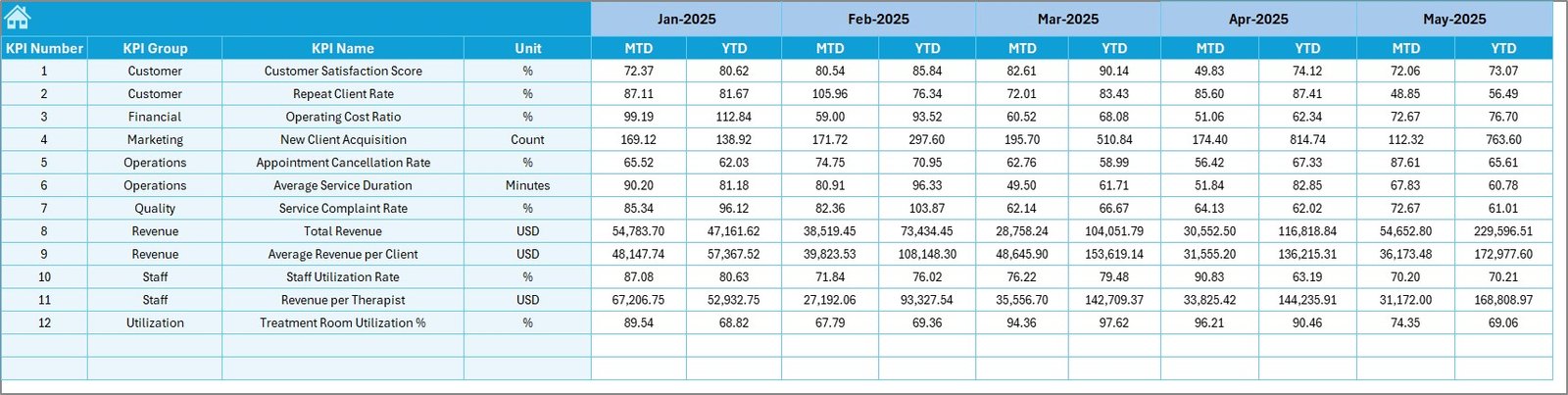
📆 Previous Year Numbers Sheet
Captures historical data to enable year-over-year performance comparisons.
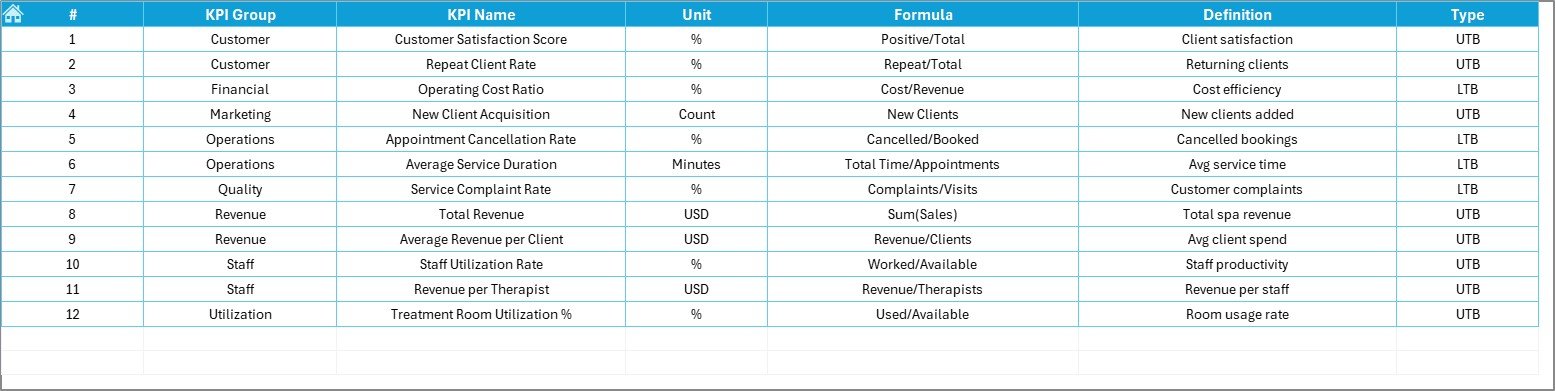
📘 KPI Definition Sheet
Standardizes KPIs with clear names, groups, units, formulas, and definitions.
Together, these sheets create a structured and reliable KPI dashboard for spa businesses.
🛠️ How to Use the Spas and Wellness Centres KPI Dashboard in Excel
Using this dashboard is simple and intuitive:
1️⃣ Enter actual performance data in the Actual Numbers Input Sheet
2️⃣ Set KPI targets in the Target Sheet
3️⃣ Add previous year values for comparison
4️⃣ Select the reporting month from the dropdown
5️⃣ Review overall performance on the Dashboard Sheet
6️⃣ Analyze detailed KPI trends using the KPI Trend Sheet
No advanced Excel skills needed—just update data and gain insights instantly.
🎯 Who Can Benefit from This Spas and Wellness Centres KPI Dashboard in Excel
This dashboard is ideal for:
✔️ Spa owners
✔️ Wellness centre managers
✔️ Operations and finance teams
✔️ Franchise operators
✔️ Multi-location spa managers
✔️ Performance analysts
If you manage spa performance, this dashboard becomes an essential tool.
📈 How This Dashboard Improves Spa Business Performance
Because the dashboard highlights trends and gaps early:
Managers fix issues before revenue drops
Teams align with clear targets
Staff productivity improves
Customer experience becomes more consistent
As a result, performance management turns proactive instead of reactive.
📖 Click here to read the Detailed Blog Post
🎥 Visit our YouTube channel to learn step-by-step video tutorials
👉 https://youtube.com/@PKAnExcelExpert
Watch the step-by-step video tutorial:
Compatibility and Requirements
- Works in Microsoft Excel desktop (Excel 2016 or later, or Microsoft 365).
- The KPI views, arrows and trend charts are built into the workbook. Microsoft explains Excel charts in Create a chart from start to finish.
Frequently Asked Questions
Which sheets are included?
Seven: Home, Dashboard, KPI Trend, Actual Numbers Input, Target, Previous Year Numbers and KPI Definition.
How do I pick the month?
Select the reporting month from the dropdown and the Dashboard sheet shows MTD, YTD, target and previous year values.
How are gaps shown?
Arrows and conditional formatting highlight where actuals are above or below target.
What is on the KPI Definition sheet?
Each KPI’s name, group, unit, formula and definition.
Can I adjust the financial year?
Yes. The Actual Numbers Input sheet lets you adjust the financial year when you enter MTD and YTD values.
Related Spa and Wellness Templates
- Luxury Spa KPI Dashboard in Excel: KPIs for luxury spas
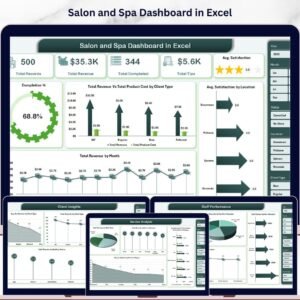
- Salon and Spa Dashboard in Excel: a chart-based salon and spa dashboard
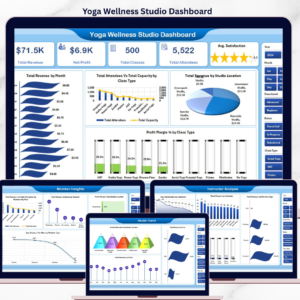
- Yoga and Wellness Studio Dashboard in Excel: for yoga and wellness studios
- Fitness and Wellness KPI Dashboard in Excel: fitness and wellness KPIs
- Luxury Spa KPI Dashboard in Google Sheets: spa KPIs in a shared online sheet
Browse all Excel KPI dashboards or the Excel dashboards.


























Reviews
There are no reviews yet.