

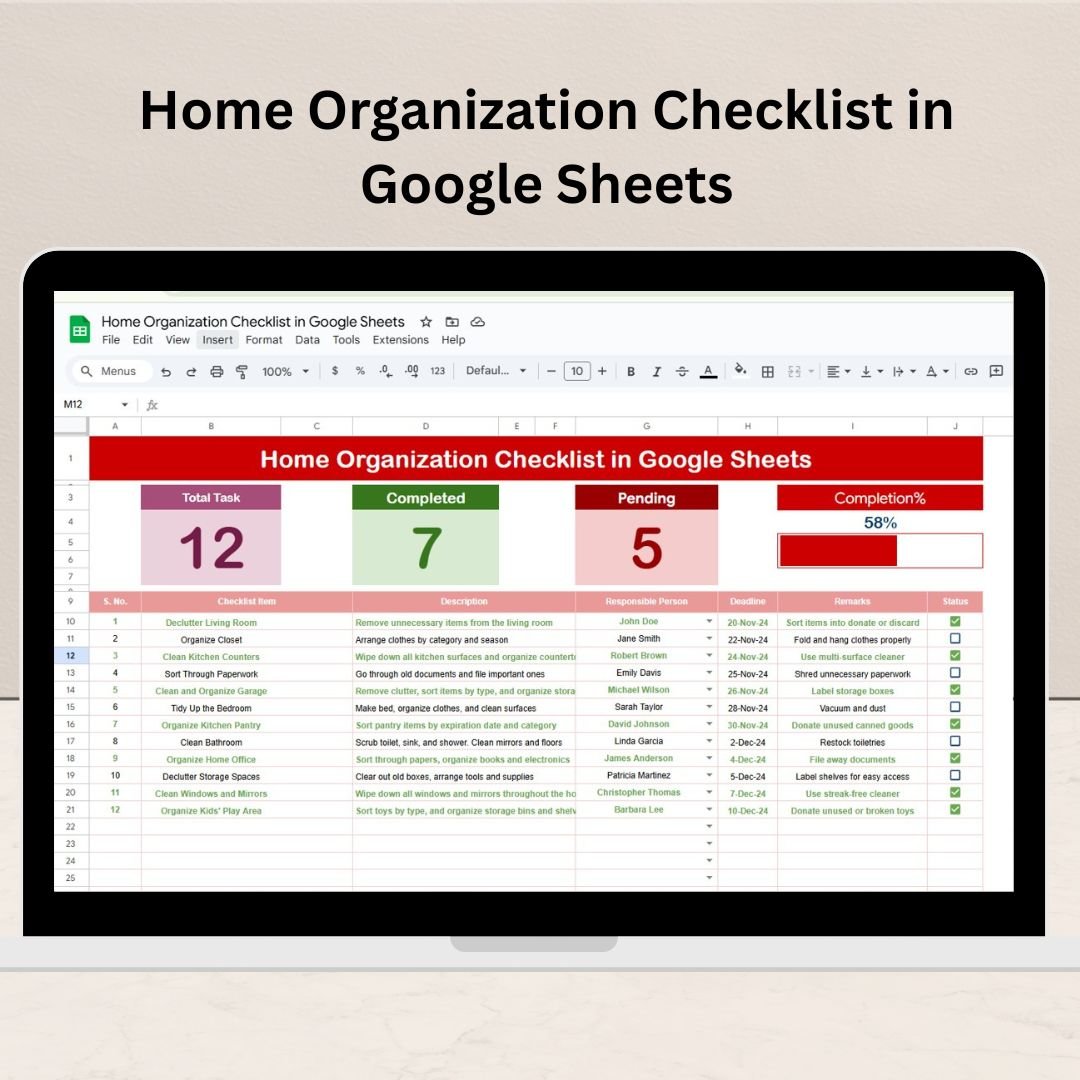
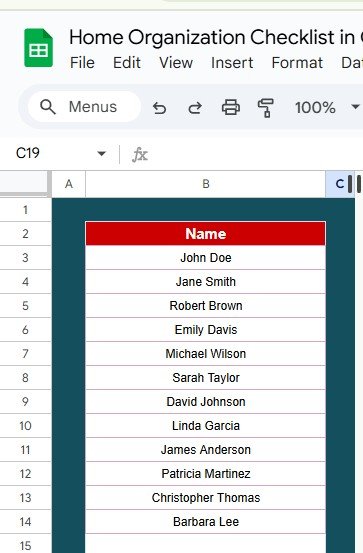

The Home Organization Checklist in Google Sheets is a comprehensive and customizable tool designed to help individuals declutter and organize their living spaces efficiently. Whether you’re moving into a new home, preparing for a seasonal change, or simply aiming to maintain a tidy environment, this checklist provides a structured approach to managing household tasks.
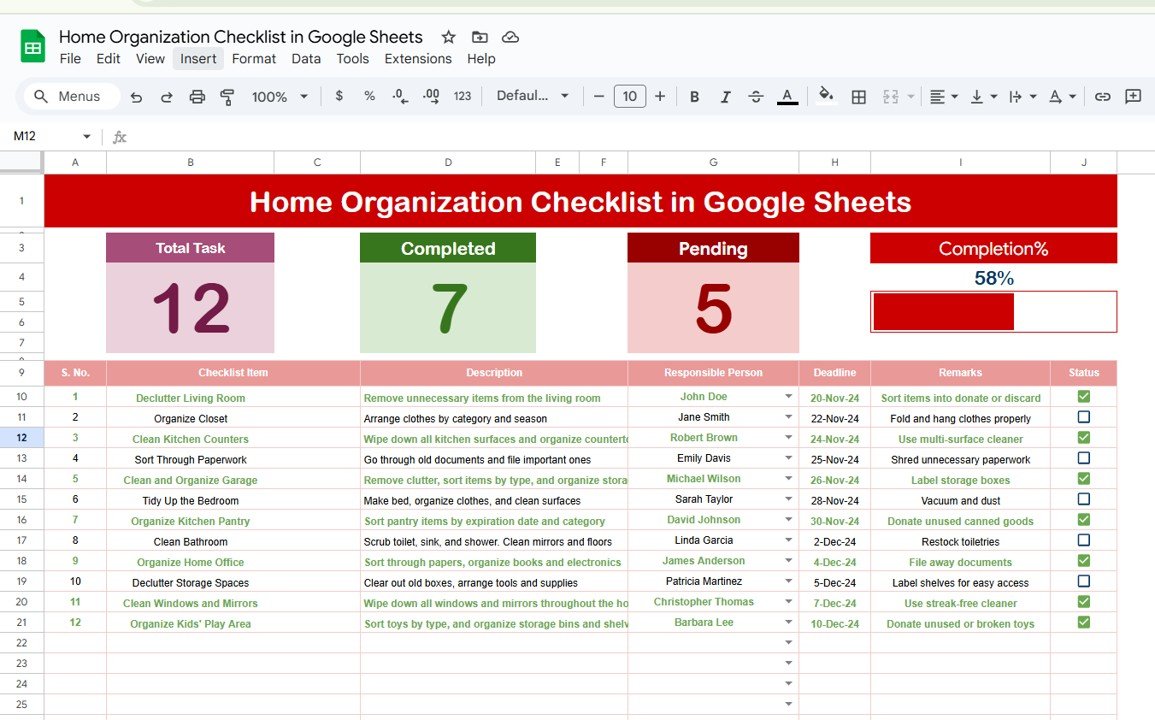
Key Features of the Home Organization Checklist in Google Sheets
📋 Room-by-Room Breakdown
Organize by Area: Break down tasks for each room in your home—kitchen, bedroom, bathroom, and living room—so no space is overlooked.
Specific Tasks: Define tasks for each area to ensure all corners of your home are organized.
⏳ Task Prioritization
Set Priorities: Assign priority levels (e.g., high, medium, low) to tasks to focus on the most important ones first.
Deadline Tracking: Set deadlines for each task to stay on schedule and meet your home organization goals.
🔧 Customizable Template
Adapt to Your Needs: Modify the checklist to include specific tasks that suit your organizational style and goals.
Easy Editing: Add or remove tasks as necessary to make it fit your current needs.
📊 Progress Tracking
Track Accomplishments: Use checkboxes to mark off completed tasks, providing a visual representation of your progress.
Stay Motivated: Seeing completed tasks can motivate you to keep working towards a fully organized space.
Benefits of Using the Home Organization Checklist
✅ Enhanced Organization
Break down large tasks into smaller, manageable ones, making the organization process less overwhelming.
✅ Increased Productivity
Stay on track with clear goals, reducing procrastination and ensuring steady progress towards a well-organized home.
✅ Motivation Boost
By checking off tasks as you go, you gain a sense of accomplishment that encourages you to continue organizing.
✅ Long-Term Organization
Develop habits and routines that promote long-term tidiness and maintenance in your home.
How to Use the Home Organization Checklist in Google Sheets
Download the Template: Download the Home Organization Checklist template and save it to your Google Drive.
Customize the Checklist: Add personalized tasks relevant to your home and the areas you want to organize.
Set Deadlines: Assign realistic deadlines to each task to ensure you stay on track.
Track Progress: Mark tasks as complete as you go along, and adjust deadlines if necessary.
Review and Adjust: Periodically check the checklist to track your progress and adjust your goals as needed.
By using the Home Organization Checklist in Google Sheets, you can organize your home systematically and maintain a clutter-free, efficient living space.
Click here to read the Detailed blog post
Home Organization Checklist in Google Sheets
Visit our YouTube channel to learn step-by-step video tutorials
YouTube.com/@NeotechNavigators
Watch the step-by-step video Demo:
Who Uses This Checklist
Homeowners, renters and families who are moving, getting ready for a new season or simply want a tidy home, room by room.
Compatibility and Requirements
- Works in Google Sheets. You need a free Google account and a web browser.
- New to Sheets? Google’s guide How to use Google Sheets covers the basics.
Frequently Asked Questions
How is the checklist organized?
Tasks are grouped room by room, such as kitchen, bedroom, bathroom and living room, so no space is missed.
Can I set priorities and deadlines?
Yes. You can give each task a high, medium or low priority and a deadline.
How do I mark tasks as done?
You tick the checkbox next to each task, which gives you a visual record of your progress.
Can I add my own tasks?
Yes. You can add or remove tasks to fit your home and the areas you want to organize.
Related Home and Routine Templates
- Home Organization Checklist in Excel: the same checklist for Excel
- Seasonal Cleaning Checklist in Excel: plan a deep clean each season
- Weekly Meal Prep Checklist in Google Sheets: organize the kitchen and weekly meals
- Daily Habits Tracker Checklist in Google Sheets: keep up tidy daily habits
- Checklist & SOP Pack: 12 Excel and Google Sheets checklists in one download
Browse all Google Sheets checklists or the Google Sheets trackers.

























Reviews
There are no reviews yet.