

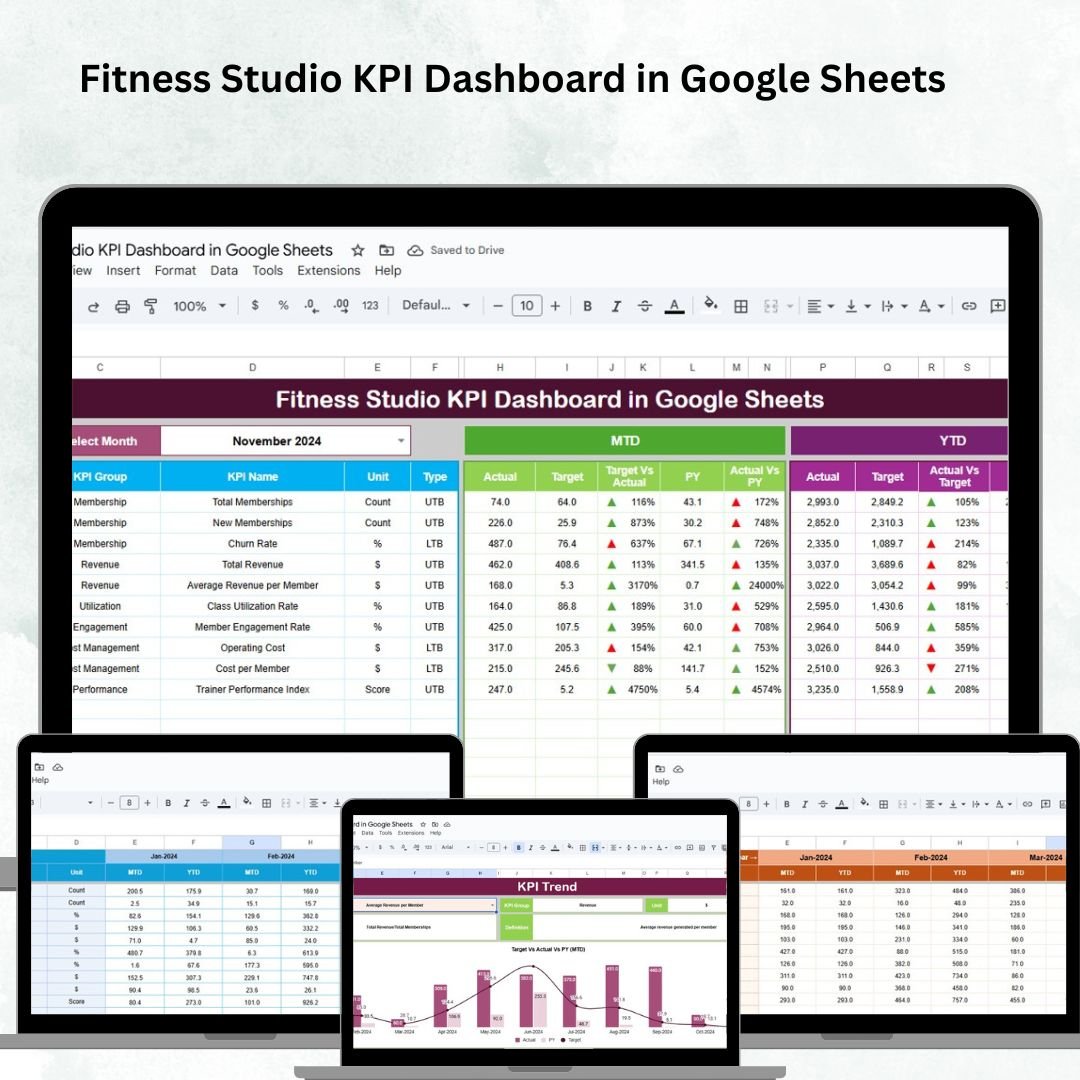

Running a fitness studio is about more than just offering great classes — it requires consistent tracking of memberships, attendance, revenue, and trainer performance to ensure business growth. The Fitness Studio KPI Dashboard in Google Sheets is a ready-to-use solution designed for studio owners and managers who want data-driven insights without the hassle of complex tools.
This interactive dashboard consolidates all your key performance indicators (KPIs) in one place, giving you a clear, visual, and actionable view of how your studio is performing. From tracking membership growth 📈 to evaluating trainer performance 🧑🏫, this tool helps you make informed decisions that drive results.
🔑 Key Features of the Fitness Studio KPI Dashboard
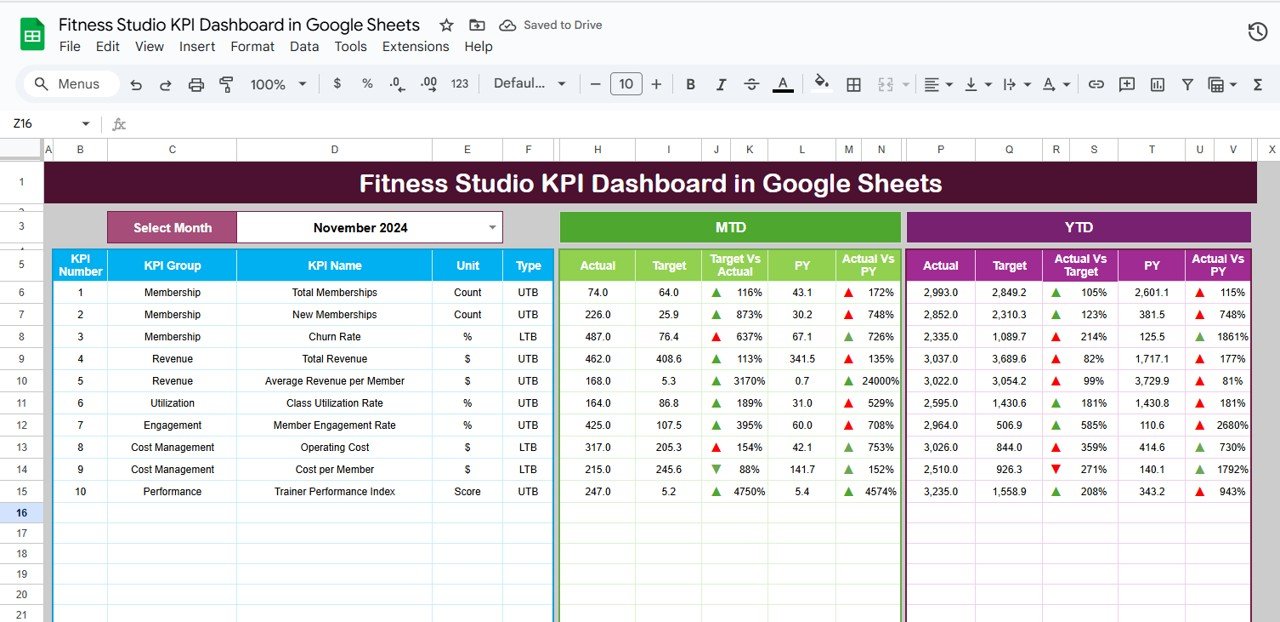
📋 Dashboard Sheet Tab
KPI cards for quick insights:
Total Memberships
Active Members
Average Session Attendance
Revenue
Trainer Performance Score
Interactive charts:
Membership Growth by Month
Attendance Trends by Program
Revenue by Membership Type
Trainer Performance by Class
Dropdown selector (Range D3) to view MTD or YTD data dynamically
Conditional formatting arrows to highlight performance vs target and previous year
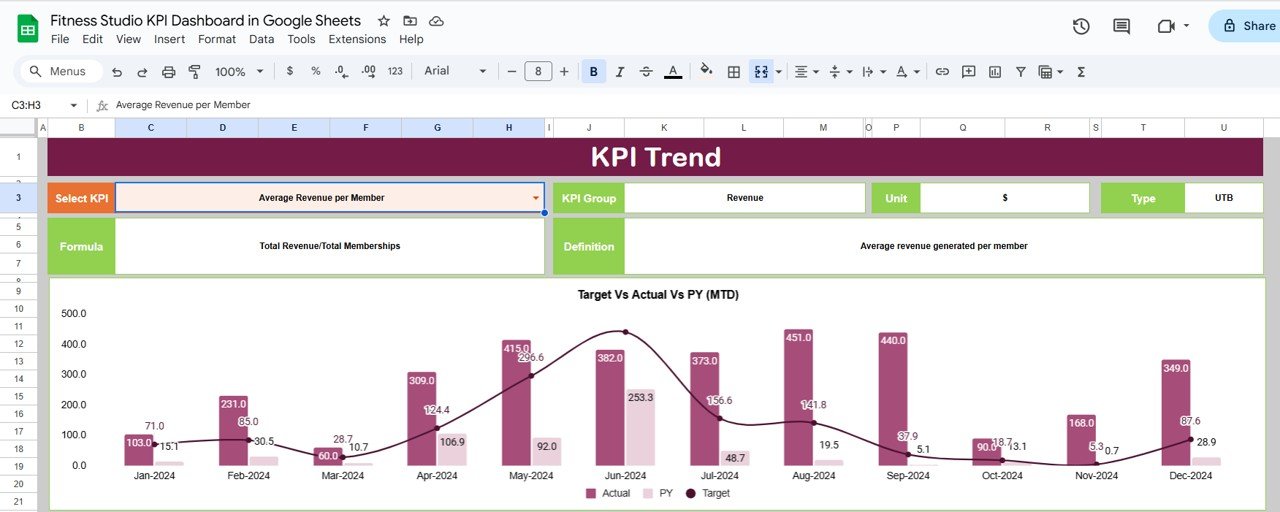
📊 KPI Trend Sheet Tab
Select any KPI from a dropdown (Range C3)
View KPI Group, Unit, Formula, and Type (UTB/LTB)
Trend charts for month-over-month analysis
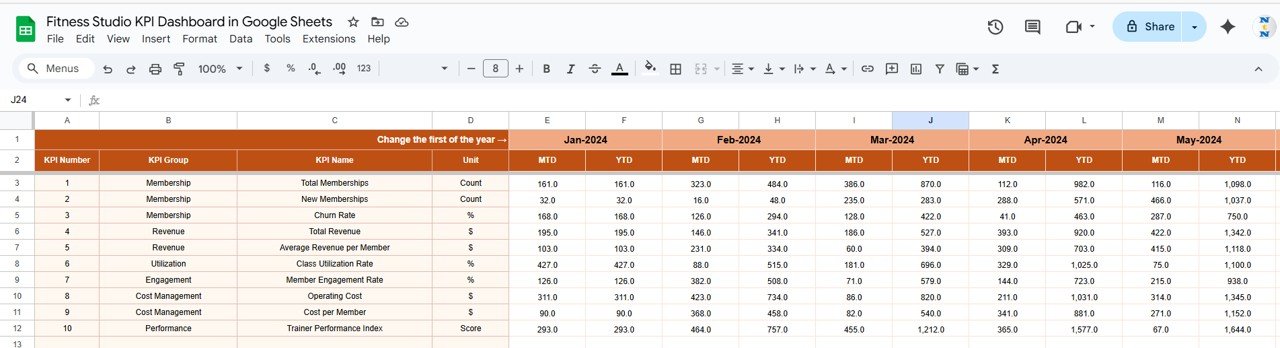
📑 Actual Number Sheet Tab
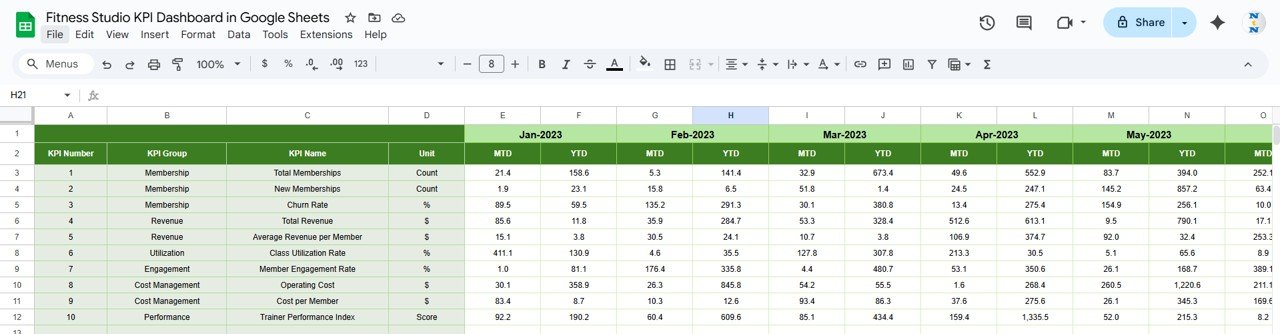
Record MTD and YTD actuals
Change first month (Range E1) to update automatically
Provides real-time reflection of business performance
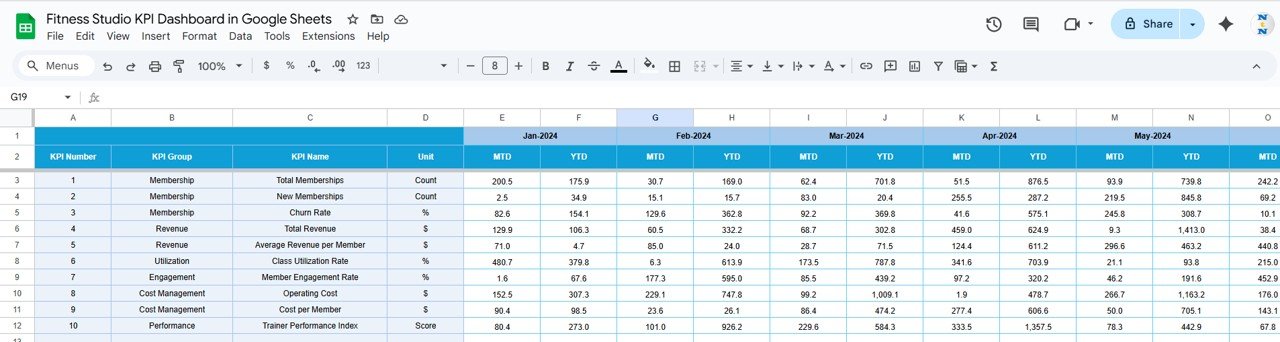
🎯 Target Sheet Tab
Enter monthly & yearly targets
Compare actuals vs goals
Track performance both MTD and YTD
📉 Previous Year Sheet Tab
Record previous year’s KPIs
Enables year-over-year comparisons
Provides context for growth tracking
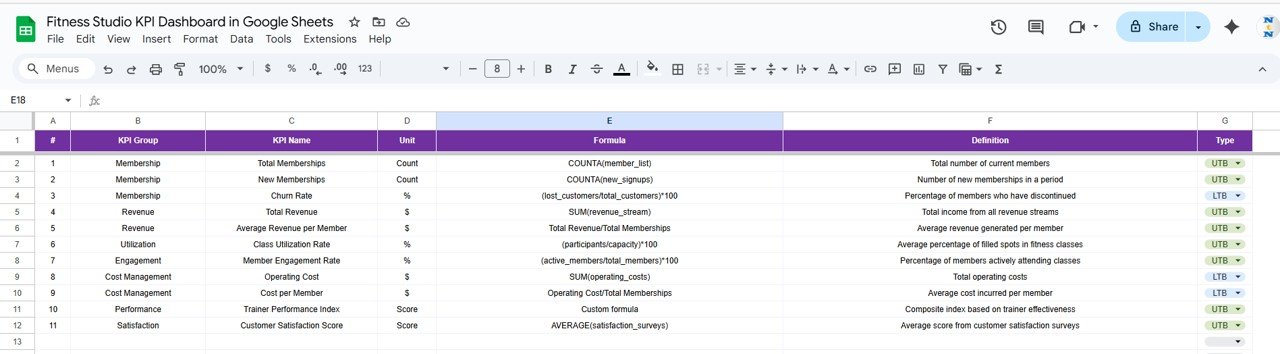
📖 KPI Definition Sheet Tab
Define each KPI clearly with name, unit, formula, and type
Ensures consistency across reporting
📦 What’s Inside the Dashboard?
When you download this template, you’ll get:
✅ Pre-built Dashboard with KPI cards & charts
✅ KPI Trend Tracker to visualize growth & gaps
✅ Actuals, Targets, & Previous Year sheets for structured analysis
✅ KPI Definitions for consistency
✅ Fully customizable Google Sheets format
✅ Sample data included for a quick start
🧑💼 Who Can Benefit from This Dashboard?
🎯 Fitness Studio Owners – Monitor business health in real time
🎯 Managers – Track attendance, retention, and revenue
🎯 Trainers & Coaches – Measure class performance and engagement
🎯 Multi-Branch Studios – Track performance across locations
🎯 Startups & SMEs – Affordable alternative to expensive BI tools
🧪 How to Use the Fitness Studio KPI Dashboard
Enter actual data in the Actual Numbers sheet
Set goals in the Target sheet
Record last year’s data in the Previous Year sheet
View your studio’s performance on the Dashboard
Analyze trends and patterns in the KPI Trend sheet
Use insights to optimize classes, trainers, and promotions
No advanced skills required — just plug in your data and watch the dashboard come alive with insights! 🚀
🌟 Why Choose This Dashboard?
Centralized KPI tracking in one sheet
Real-time updates & interactive visuals
Year-over-year and target comparisons
Conditional formatting for instant insights
Fully customizable to your studio’s needs
Easy to share & collaborate with team members
With the Fitness Studio KPI Dashboard in Google Sheets, you’ll have the clarity to boost memberships, optimize trainer performance, and grow revenue with confidence.
🔗 Click here to read the Detailed blog post
Watch the step-by-step video Demo:
🔗 Visit our YouTube channel to learn step-by-step video tutorials
Compatibility and Requirements
- Works in Google Sheets with a free Google account and a web browser. Nothing to install.
- The MTD/YTD selector (D3) and the KPI picker (C3) are in-cell dropdowns. Google explains these in Create an in-cell dropdown list.
Frequently Asked Questions
What does the Fitness Studio KPI Dashboard show?
KPI cards for total memberships, active members, average session attendance, revenue and trainer performance score, plus charts for membership growth by month, attendance by program, revenue by membership type and trainer performance by class.
How do I switch between MTD and YTD?
Use the dropdown in cell D3 of the Dashboard sheet. Arrows show performance against target and against the previous year.
How do I see the trend for one KPI?
Open the KPI Trend sheet and pick a KPI in cell C3. The sheet shows its group, unit, formula and type with month-by-month charts.
Can I start the year in a month other than January?
Yes. Change the first month in cell E1 of the Actual Number sheet.
Is there an Excel or Power BI version?
Yes. See the Fitness Studio KPI Dashboard in Excel and the Fitness Studio KPI Dashboard in Power BI.
Related Fitness Templates
- Fitness Studio KPI Dashboard in Excel: the same KPIs in Excel.
- Fitness Studio KPI Dashboard in Power BI: the Power BI edition.
- Fitness Industry KPI Dashboard in Google Sheets: KPIs for gyms and fitness chains.
- Gym Membership Tracker in Google Sheets: keep the member list behind your KPIs.
- Gym Fitness Business Dashboard in Google Sheets: a dashboard for gym revenue and members.
Browse all Google Sheets KPI dashboards or the Google Sheets dashboards.





















Reviews
There are no reviews yet.