

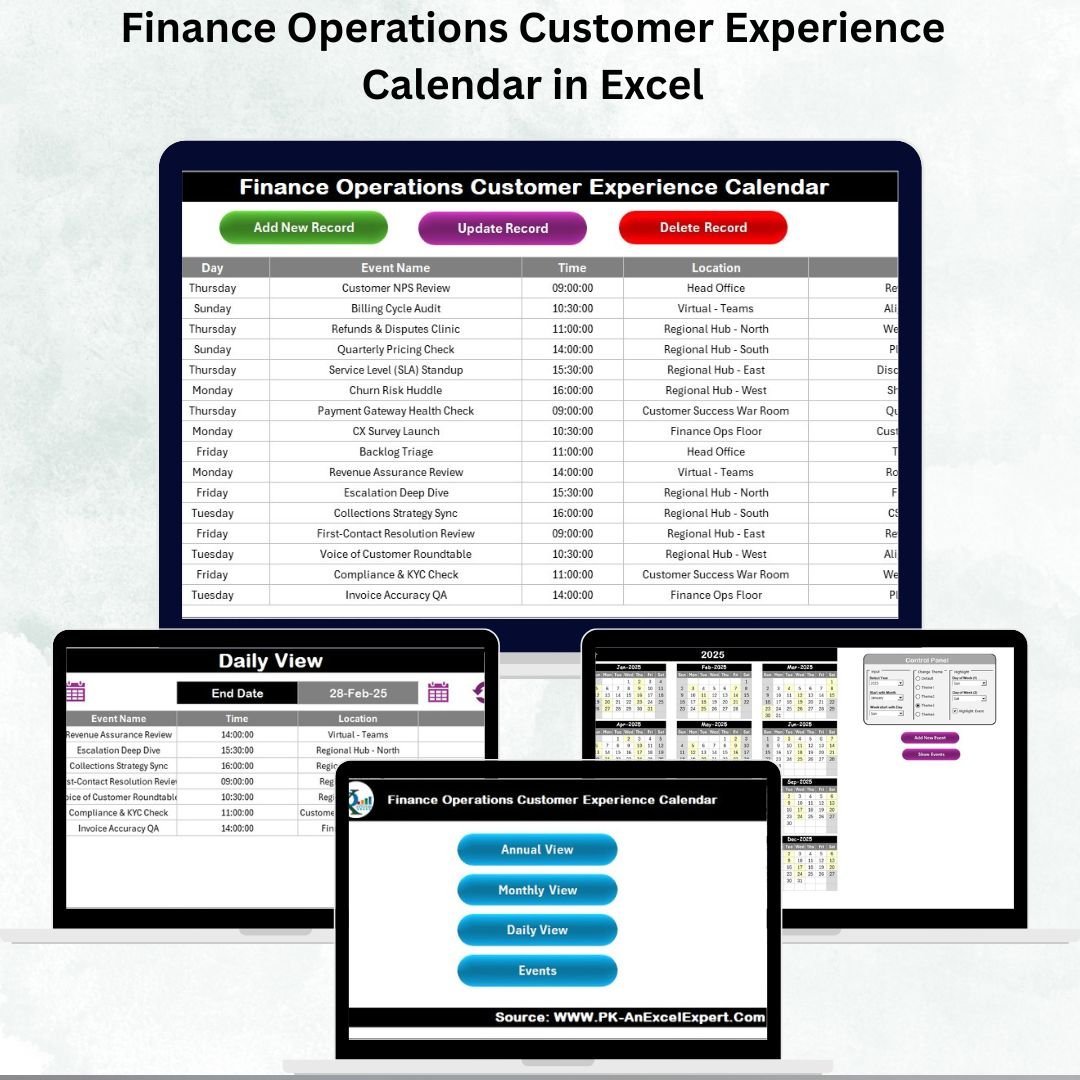

Managing customer experience in finance operations can feel overwhelming. Customers demand faster services, higher transparency, and personalized interactions—while finance teams must balance compliance, deadlines, and reporting accuracy. That’s exactly why we designed the Finance Operations Customer Experience Calendar in Excel — a ready-to-use, professional tool to help finance teams streamline event planning, improve customer interactions, and stay on top of every detail 🚀.
This powerful Excel calendar combines simplicity, flexibility, and automation to ensure your customer-related operations are well-organized. Whether it’s meetings, feedback sessions, reporting deadlines, or training programs, this template makes sure no event is missed and every customer interaction adds value.
✨ Key Features of Finance Operations Customer Experience Calendar
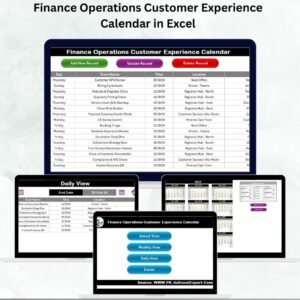
✅ 5 Pre-Built Worksheets – Includes Home, Annual View, Monthly View, Daily View, and Events database.
✅ Interactive Event Forms – Add, update, or delete records through simple forms without messy manual edits.
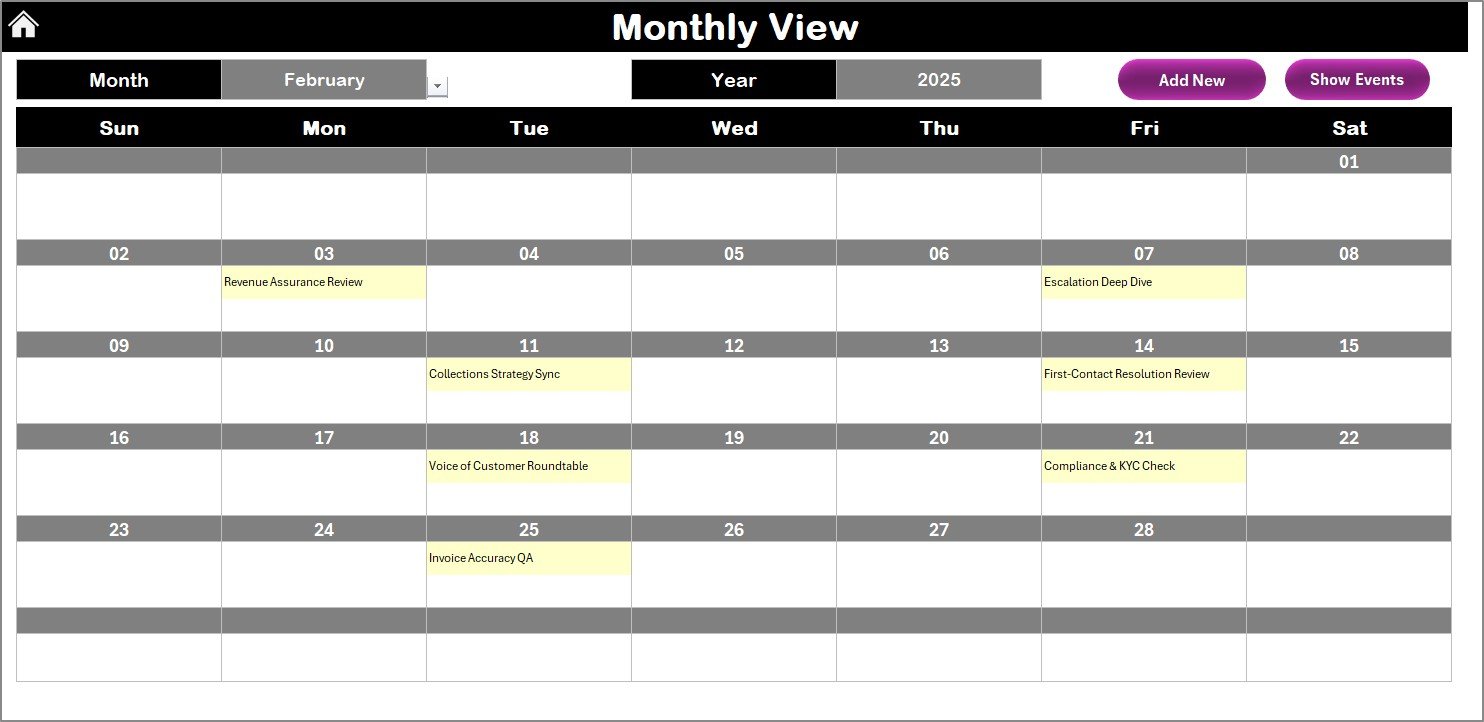
✅ Multiple Views – Switch seamlessly between annual, monthly, and daily breakdowns of activities.
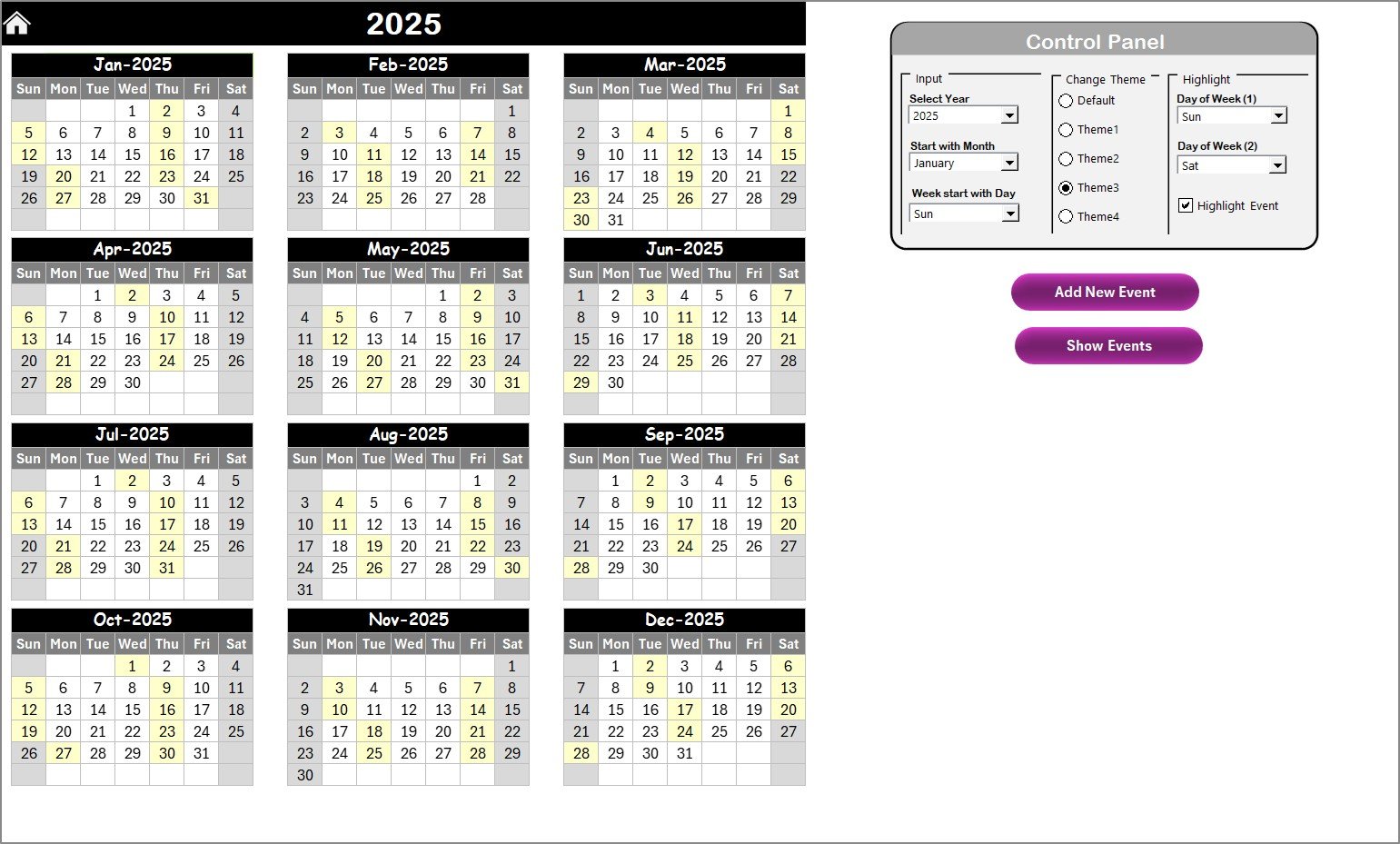
✅ Highlighting Options – Mark weekends, holidays, and key event dates with automatic highlighting.
✅ Theme Customization – Choose from 5 different color themes to personalize your calendar.
✅ Auto-Generated IDs – Every event gets a unique ID for error-free tracking.
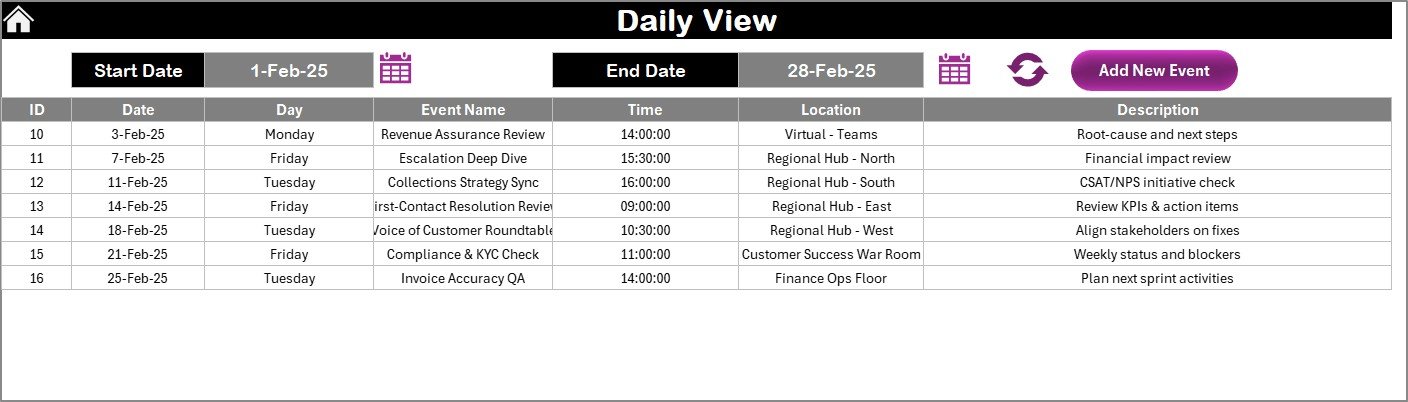
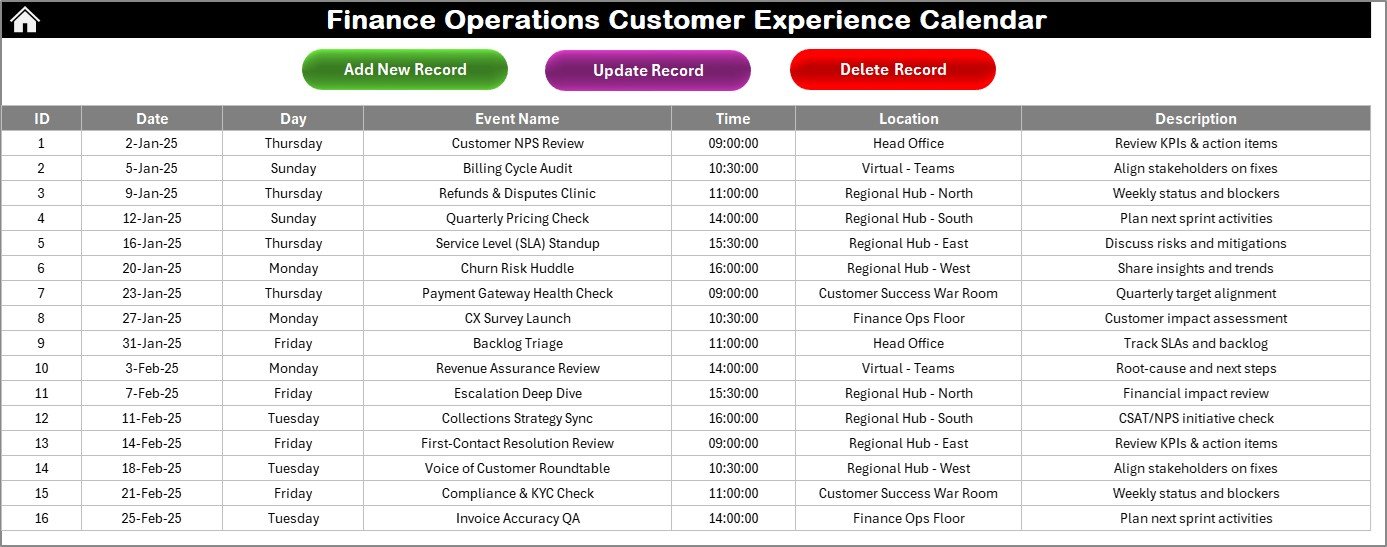
✅ Event Database – Centralized list of all activities with details like Date, Time, Location, and Description.
✅ User-Friendly Navigation – Home sheet with one-click buttons for smooth movement across views.
📊 What’s Inside the Finance Operations Customer Experience Calendar
When you download this Excel template, you’ll find a complete system designed for efficiency:
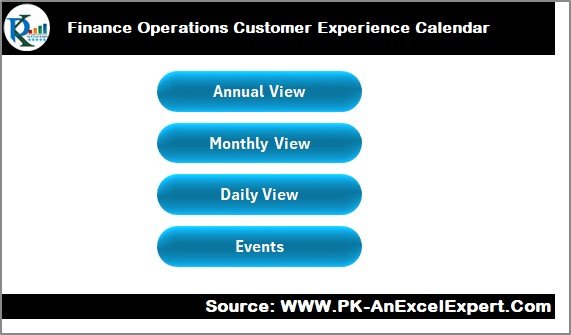
Home Sheet: The control center with buttons to navigate Annual, Monthly, Daily, and Events views.
Annual View Sheet: Bird’s-eye view of the entire year with highlighting and event management options.
Monthly View Sheet: Month-specific breakdown with quick event access for focused planning.
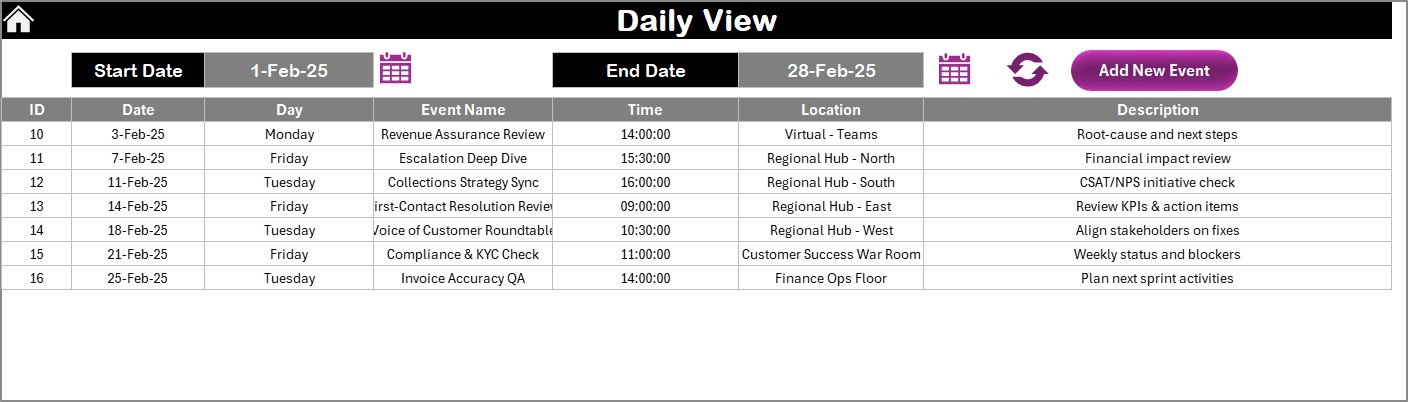
Daily View Sheet: Drill down into specific days with start and end date selection for detailed tracking.
Events Sheet: Master database of all events, equipped with Add, Update, and Delete functionality.
This structure ensures you can plan, monitor, and update your finance events without ever losing track.
🛠️ How to Use the Finance Operations Customer Experience Calendar
1️⃣ Select Your Year & Month – Set up the calendar from the Annual View tab.
2️⃣ Add Events Easily – Use the event form to schedule meetings, reviews, or deadlines.
3️⃣ Track Monthly Activities – Switch to Monthly View for focused tracking of ongoing tasks.
4️⃣ Drill Down to Daily – Use the Daily View sheet to monitor specific customer interactions.
5️⃣ Manage the Database – All records are stored in the Events sheet with auto-generated IDs.
6️⃣ Review & Update – Keep events accurate by updating or deleting records as needed.
No advanced technical skills required—if you can use Excel, you can master this calendar ✅.
👥 Who Can Benefit from This Finance Operations Customer Experience Calendar
💼 Finance Managers – Stay on top of deadlines, reporting, and client meetings.
📊 Customer Experience Teams – Ensure timely follow-ups and service improvements.
🏢 Corporate Finance Departments – Track compliance-related events and customer sessions.
🤝 Consultants – Use this tool to provide structured event tracking for clients.
📈 SMEs & Large Enterprises – Suitable for organizations of any size looking to streamline finance operations.
This Excel calendar is flexible, customizable, and built to strengthen customer relationships through better planning.
Click here to read the Detailed blog post
Visit our YouTube channel to learn step-by-step video tutorials
👉 PKAnExcelExpert
Watch the step-by-step video tutorial:
Compatibility and Requirements
- Works in Microsoft Excel desktop (Excel 2016 or later, or Microsoft 365).
- The add, update and delete forms for events use Excel macros. Excel explains how to turn them on in Enable or disable macros in Microsoft 365 files.
Frequently Asked Questions
Which sheets are included?
Five sheets: Home, Annual View, Monthly View, Daily View and Events. The Home sheet has buttons that take you to each view.
How do I add or change an event?
Use the event form to add, update or delete a record. Each record is saved on the Events sheet with an auto-generated ID, a date, a time, a location and a description.
Can I highlight weekends and holidays?
Yes. The calendar has highlighting options for weekends, holidays and key event dates.
Can I change the colors?
Yes. You can choose from 5 color themes.
Is there a similar calendar for another finance team?
Yes. See the Finance Compliance Customer Experience Calendar in Excel and the Finance Customer Service Customer Experience Calendar in Excel.
Related Customer Experience Templates
- Finance Marketing Customer Experience Calendar in Excel: the same calendar for finance and marketing events
- Finance Compliance Customer Experience Calendar in Excel: a calendar for compliance dates
- Operations Customer Experience Calendar in Excel: a calendar for operations teams
- Customer Experience KPI Dashboard in Excel: a dashboard for customer experience metrics
- Customer Experience KPI Dashboard in Power BI: the Power BI edition of the dashboard
Browse all Excel calendar templates.






























Reviews
There are no reviews yet.