

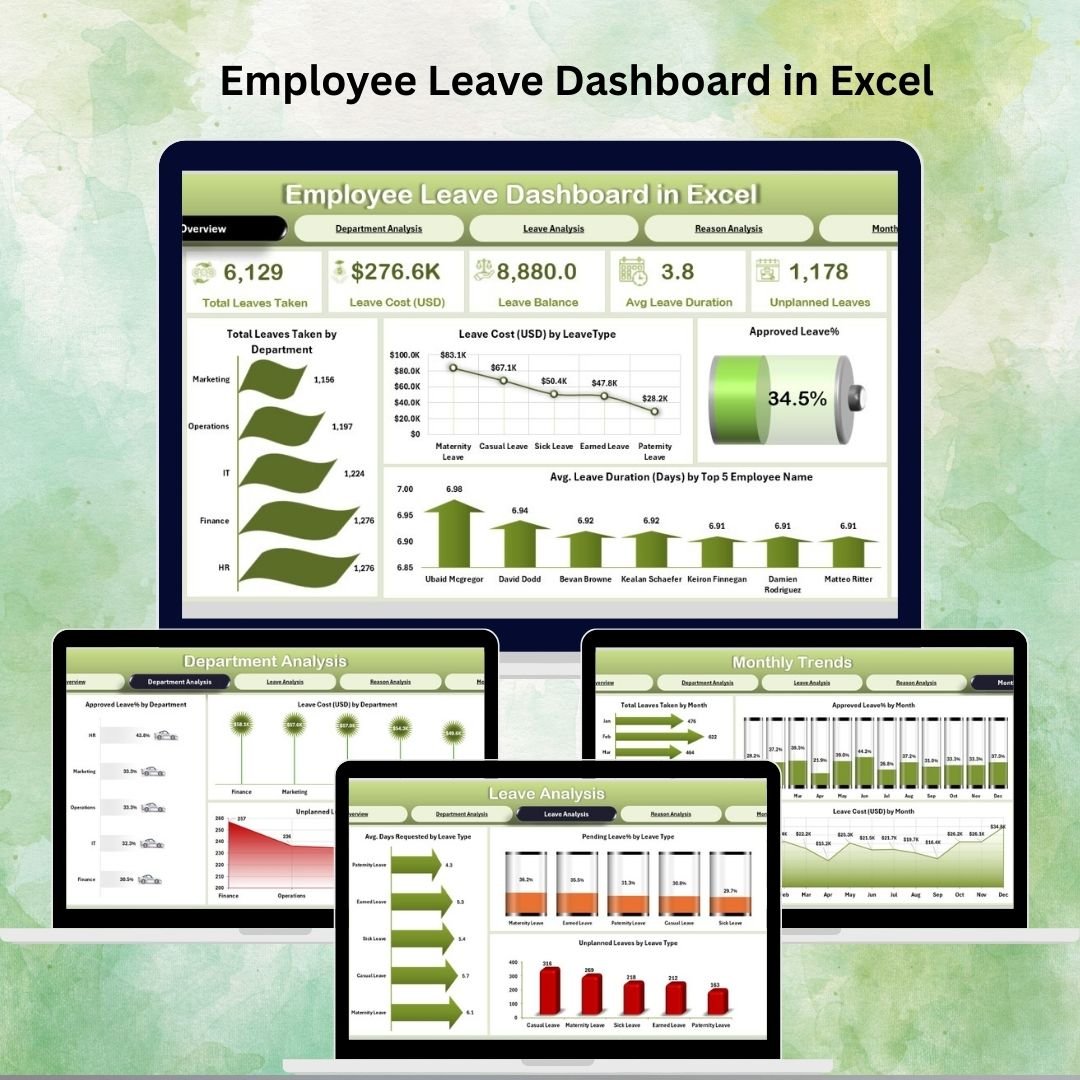
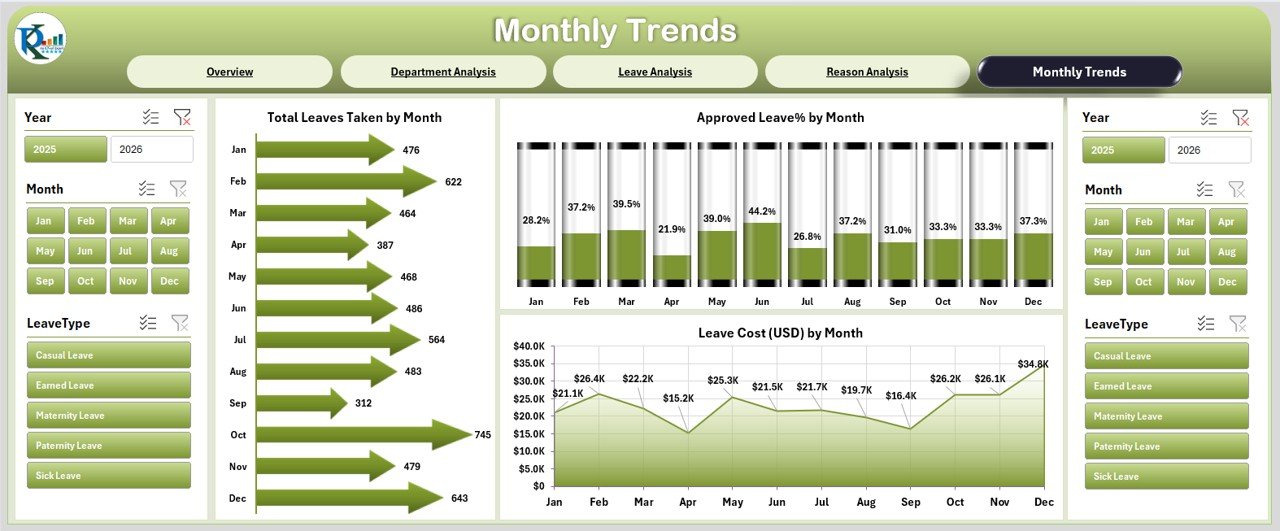

Managing employee leave is one of the biggest challenges HR teams face. Without a proper system, approvals pile up, budgets derail, and workforce planning becomes a headache. That’s where our Employee Leave Dashboard in Excel comes in – a ready-to-use, powerful, and user-friendly solution to simplify leave tracking while delivering actionable insights.
With this dashboard, you get a data-driven view of all employee leaves, costs, reasons, and approvals. Built entirely in Excel, it requires no expensive HR software or steep learning curves. Instead, it leverages the tool everyone already knows – Excel – making it cost-effective, flexible, and highly customizable.
✨ Key Features of Employee Leave Dashboard in Excel
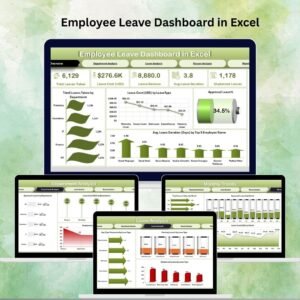
✅ Five Analytical Pages – Overview, Department Analysis, Leave Analysis, Reason Analysis, and Monthly Trends.
✅ KPI Cards – Track total leaves, leave costs, approval rates, and average duration instantly.
✅ Charts & Visuals – Gain insights into leave by department, leave type, reason, and month.
✅ Interactive Slicers – Drill down by department, employee, leave type, or period effortlessly.
✅ Data Sheet – Centralized database with employee IDs, names, departments, leave types, reasons, approval status, and costs.
✅ Support Sheet – Pre-built dropdowns and lists to keep your data clean and consistent.
✅ Unplanned Leave Tracking – Identify absenteeism patterns that affect productivity.
✅ Cost Analysis – Monitor leave-related expenses for budget planning.
📦 What’s Inside the Employee Leave Dashboard
When you download this template, you get a fully functional Excel file with the following:
Overview Page: 5 KPI cards + 4 key charts for high-level leave trends.
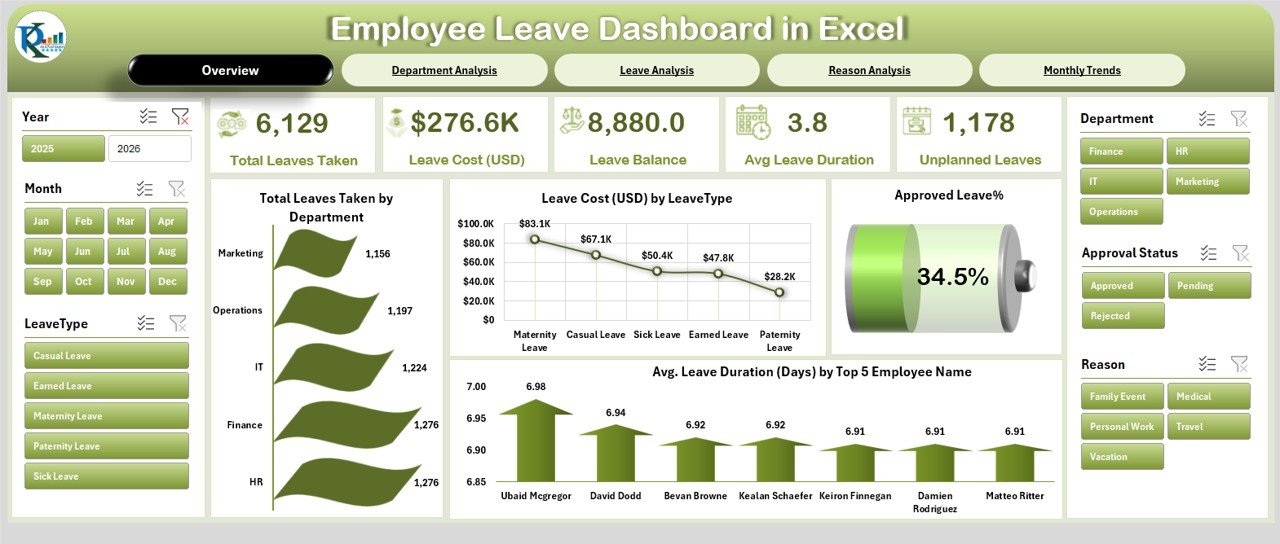
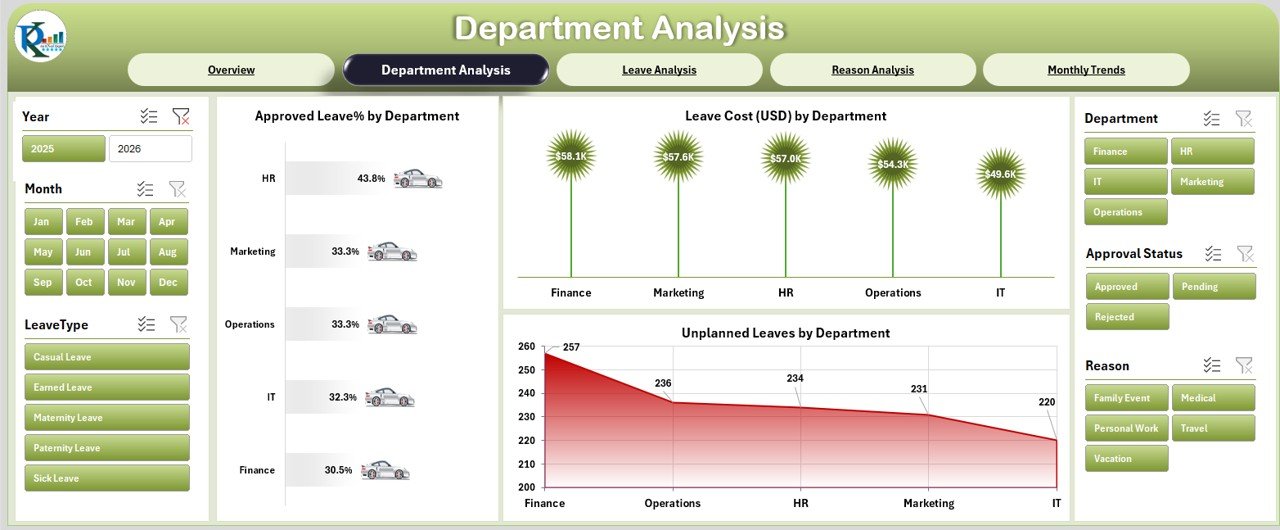
Department Analysis Page: Compare leave cost, approvals, and unplanned leaves by department.
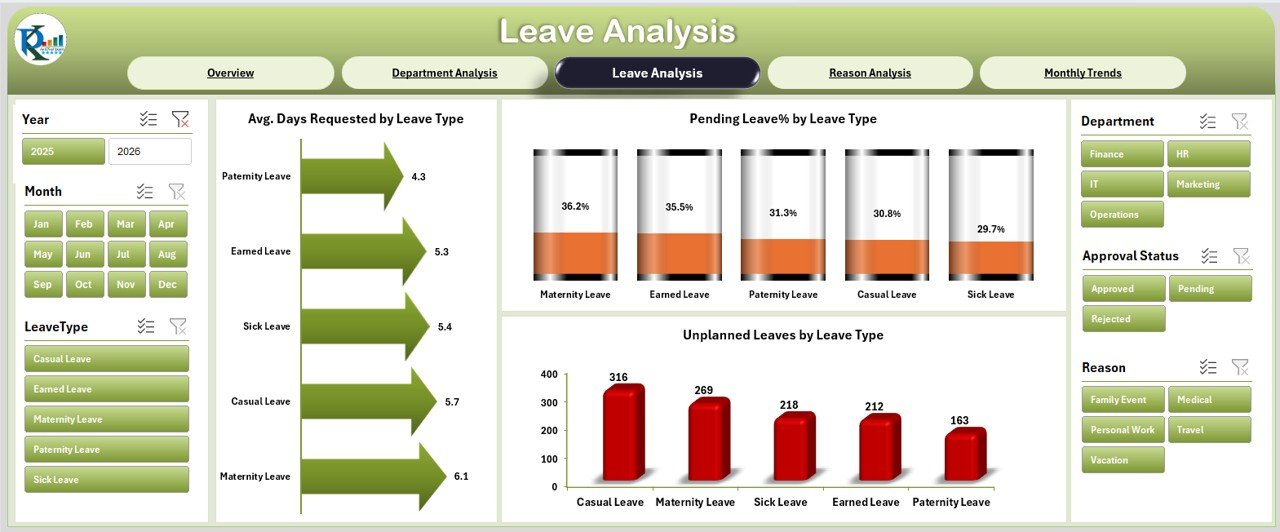
Leave Analysis Page: Drill down into leave types, average days requested, and pending approval %.
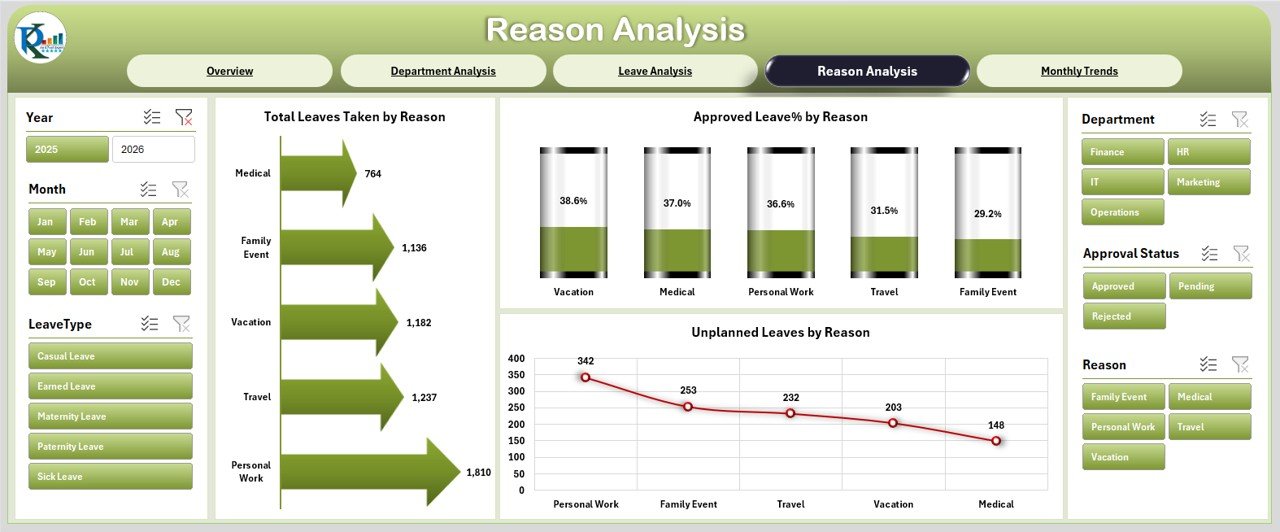
Reason Analysis Page: Identify top reasons for leave and approval/rejection trends.
Monthly Trends Page: Track absences and approvals month-by-month.
Data Sheet: Enter employee leave records with structured columns.
Support Sheet: Dropdown-ready list for departments, leave types, approvers, etc.
Everything is pre-built. All you need to do is enter your employee leave data, and the dashboard instantly updates with meaningful insights.
🛠️ How to Use the Employee Leave Dashboard
Enter Leave Data – Fill in employee ID, department, leave type, reason, duration, status, and cost.
Refresh Dashboard – All KPI cards and charts update automatically.
Apply Filters – Use slicers to analyze specific departments, leave types, or months.
Review Insights – Spot high-cost departments, identify unplanned leave trends, and monitor approvals.
Customize Easily – Add new charts, rename KPIs, or expand data fields as per your company policies.
No coding or advanced Excel knowledge required – just plug in your data and start analyzing!
👩💼 Who Can Benefit from This Dashboard?
HR Managers – Simplify leave approval tracking and reduce manual errors.
Team Leaders – Monitor leave trends to ensure project deadlines aren’t disrupted.
Finance Managers – Track leave costs and forecast budget impacts.
Executives – Get a high-level overview of workforce availability.
Small & Medium Businesses – Affordable alternative to expensive HR software.
Project-Based Teams – Ensure critical resources are available during key deadlines.
This tool is designed to make leave management transparent, cost-effective, and stress-free.
👉 Click here to read the Detailed blog post
Visit our YouTube channel to learn step-by-step video tutorials
Watch the step-by-step video tutorial:
Compatibility and Requirements
- Works in Microsoft Excel desktop (Excel 2016 or later, or Microsoft 365).
- The dashboard pages use slicers, so filter in the desktop app. Microsoft explains slicers in Use slicers to filter data.
Frequently Asked Questions
Which pages does the Employee Leave Dashboard have?
Five analysis pages: Overview, Department Analysis, Leave Analysis, Reason Analysis and Monthly Trends, plus a Data sheet and a Support sheet.
What do the KPI cards show?
Total leaves, leave costs, approval rates and average leave duration.
What leave data do I enter?
Employee ID, name, department, leave type, reason, duration, approval status and cost, using the dropdown lists on the Support sheet.
Can I filter by department or leave type?
Yes. Slicers filter the pages by department, employee, leave type or period.
Does it track unplanned leave?
Yes. Unplanned leave is tracked by department so you can spot absence patterns.
Related Leave and Attendance Templates
- Leave Management System: record and approve leave requests in Excel
- Annual Leave Tracker with Daily Monthly View in Excel: a day-by-day leave tracker
- Annual Leave Calendar in Excel: see planned leave on a yearly calendar
- Attendance and Overtime Dashboard in Excel: attendance and overtime reporting
- HR and Workforce Analytics Bundle: 10 HR templates for Excel, Google Sheets and Power BI
Browse all Excel dashboard templates or the Excel HR and payroll templates.

























Reviews
There are no reviews yet.