

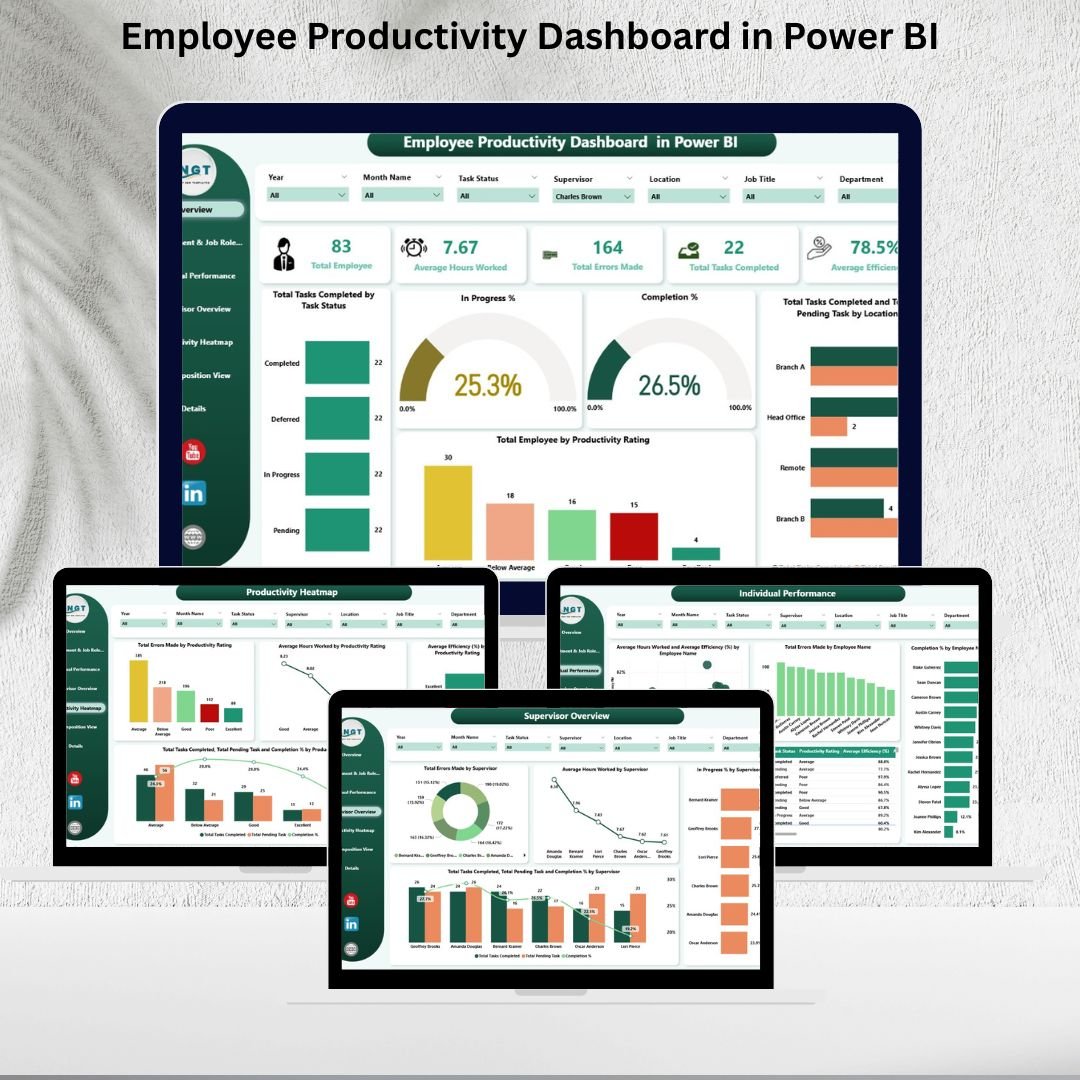
Employee productivity is the heartbeat of any organization. Tracking hours worked, completed tasks, efficiency, and errors is critical for ensuring optimal performance, but managing this manually can be overwhelming. That’s where the Employee Productivity Dashboard in Power BI comes in.
This ready-to-use Power BI template transforms complex data into clear, interactive visualizations, allowing managers, supervisors, and HR teams to monitor workforce performance, uncover bottlenecks, and make data-driven decisions that boost productivity. 📊✅
🔑 Key Features of the Employee Productivity Dashboard
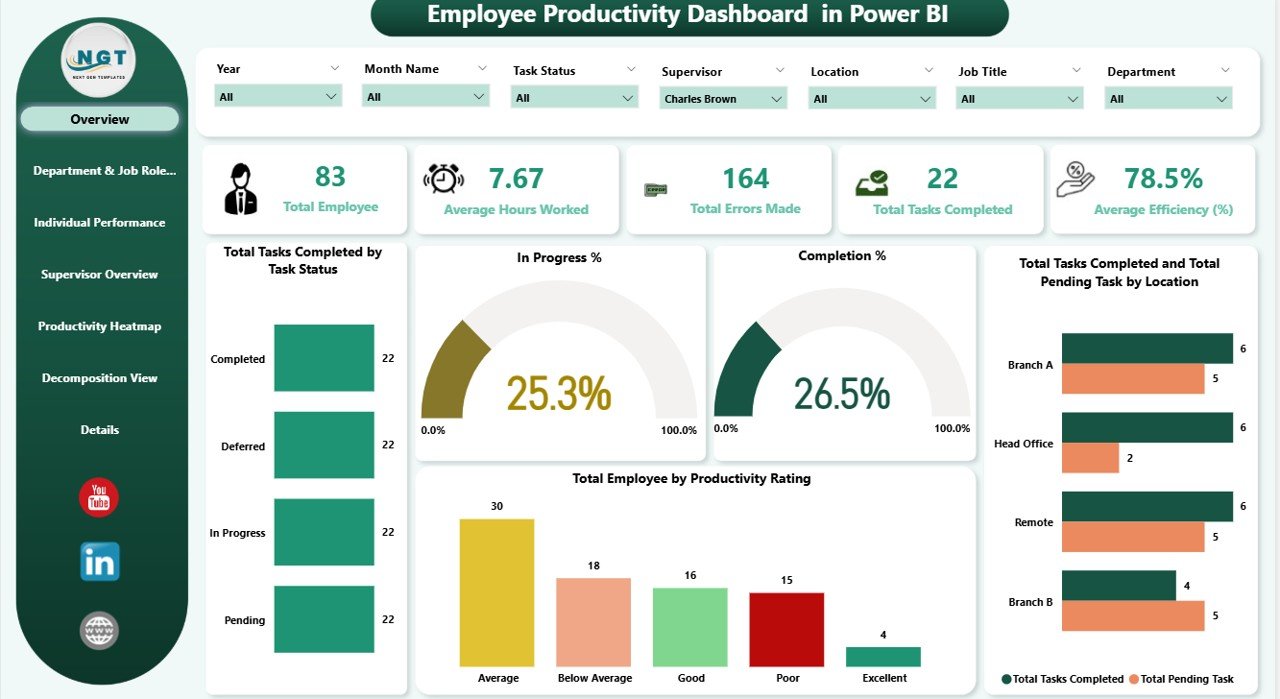
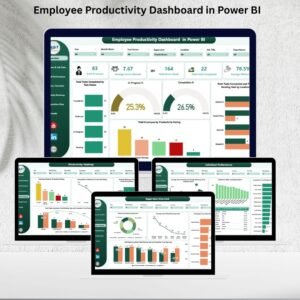
📋 Overview Page
Instant snapshot of performance with key cards:
Total Employees
Average Hours Worked
Total Errors Made
Total Tasks Completed
Average Efficiency (%)
Visual charts to analyze task status, completion %, employee productivity ratings, and task distribution by location.
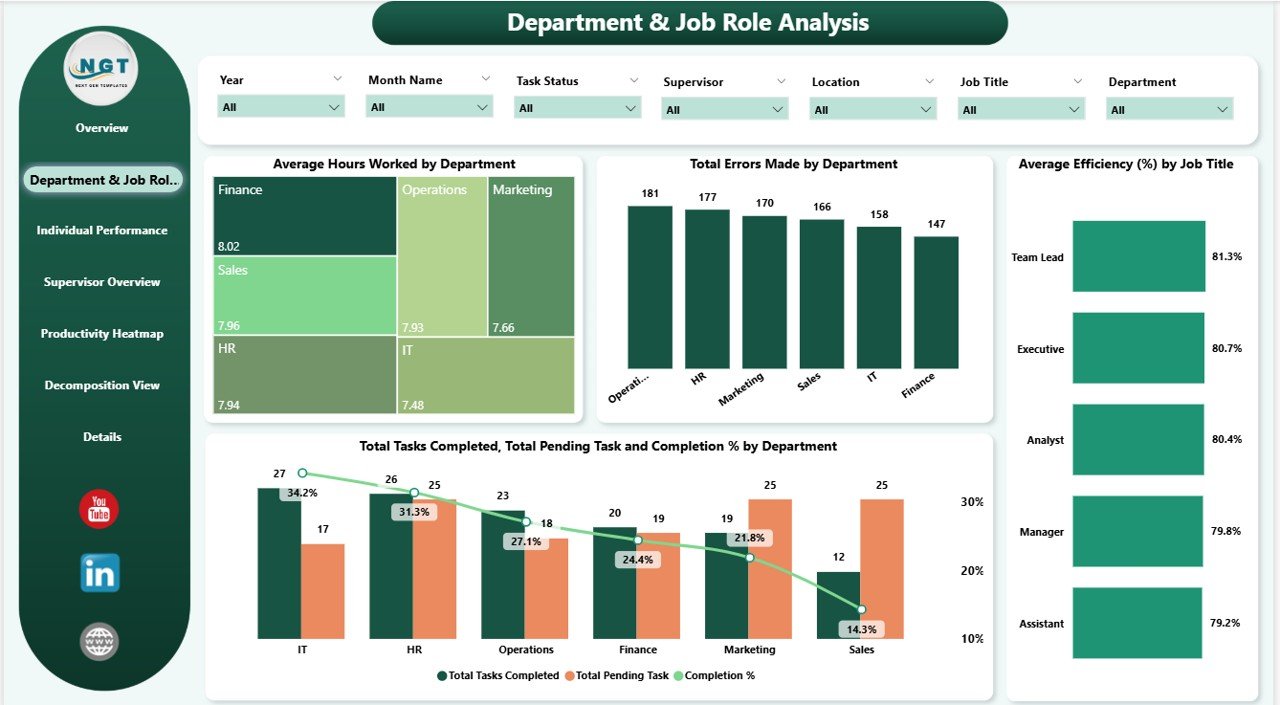
🏢 Department & Job Role Analysis
Evaluate productivity at the team and role level.
Track average hours, completion %, and errors across departments.
Compare job roles to identify high-performing groups or underutilized roles.
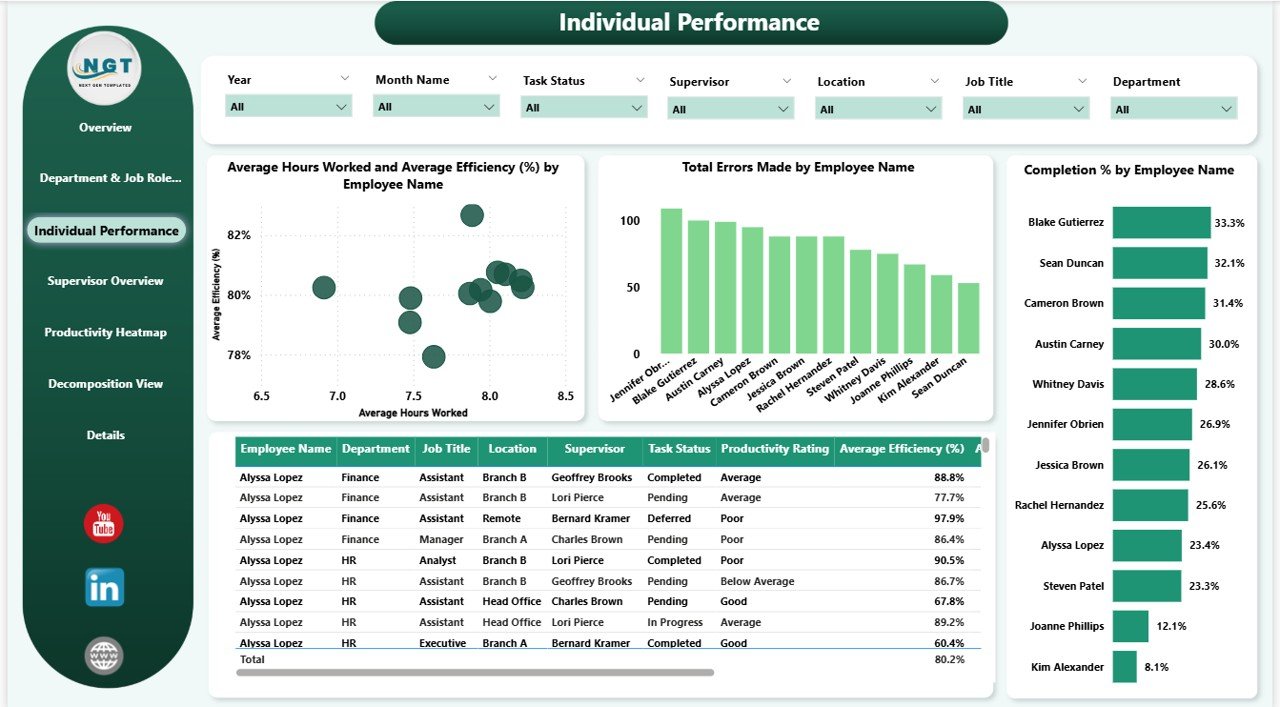
👤 Individual Performance
Drill into employee-level performance.
Track hours worked, errors made, efficiency, and completion % by name.
Identify top performers and employees needing support.
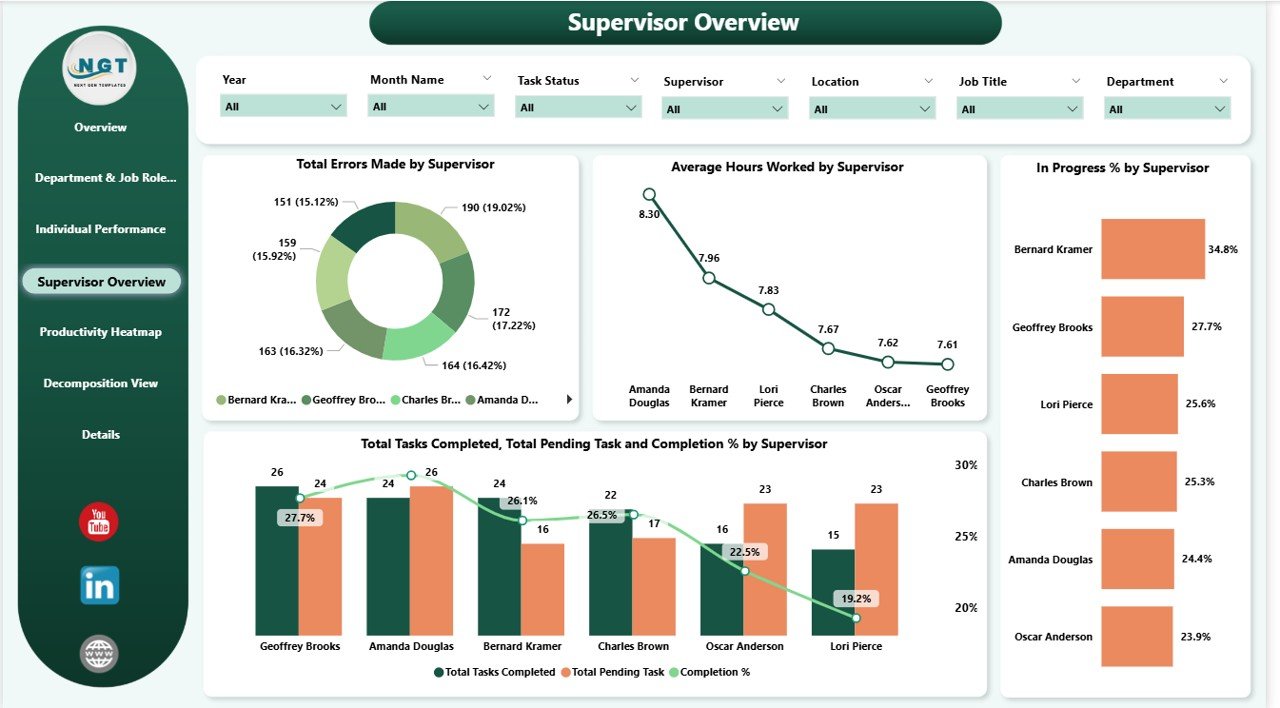
👨💼 Supervisor Overview
Assess how supervisors influence performance.
Charts include total errors by supervisor, hours worked, and task completion.
Evaluate managerial effectiveness and team oversight.
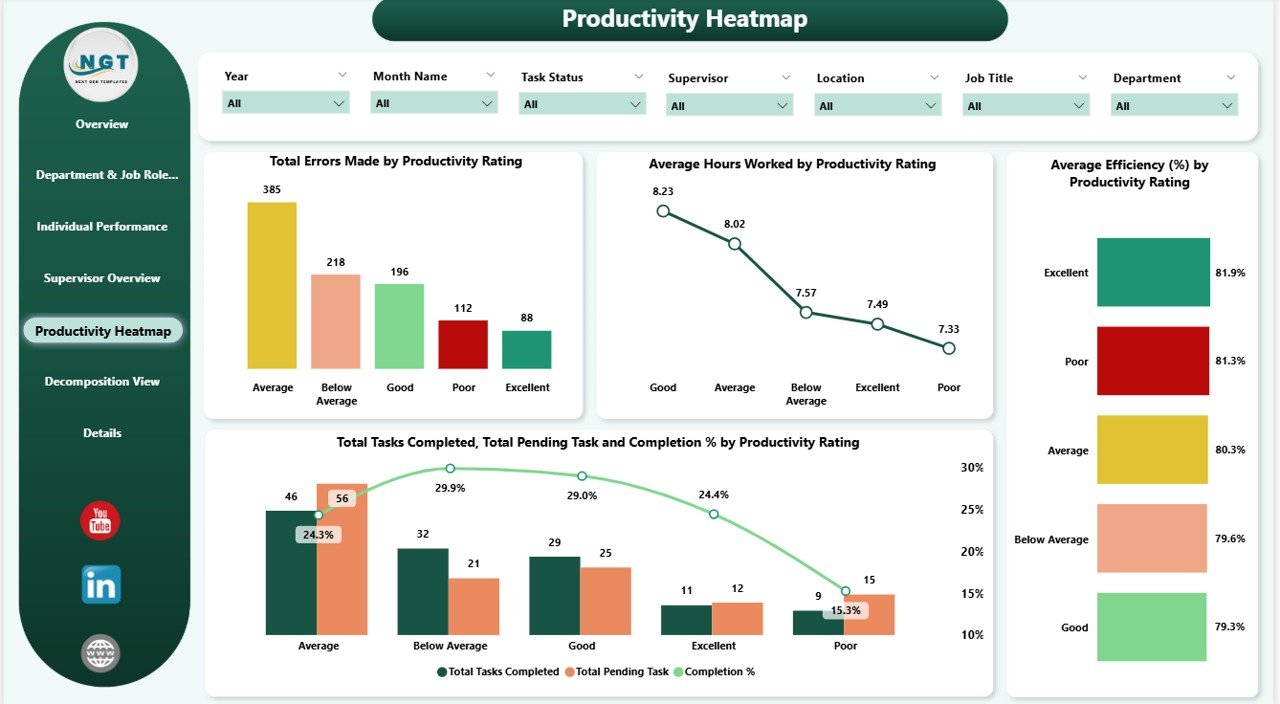
🔥 Productivity Heatmap
Visualize trends based on productivity ratings.
Charts include errors, hours worked, efficiency, and task completion by rating.
Spot strengths and weaknesses across employee groups.
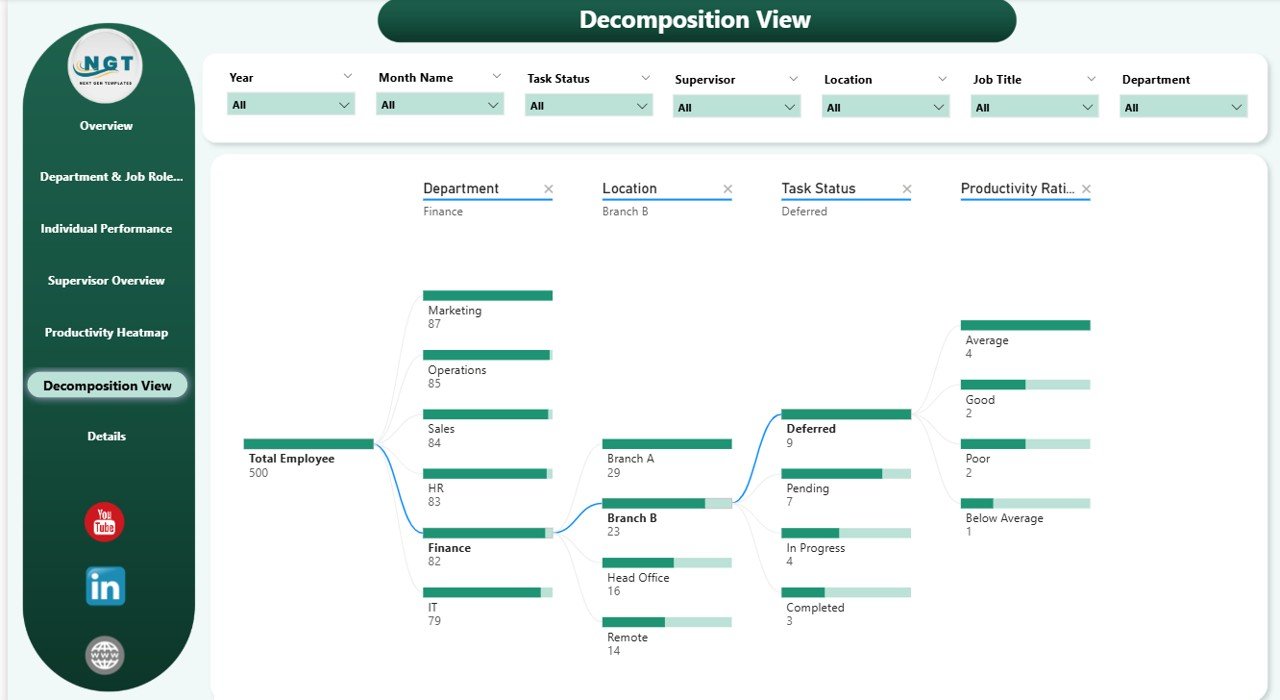
🌳 Decomposition View
Analyze metrics hierarchically with a decomposition tree.
Break down productivity by department, employee, or task type.
Pinpoint root causes of inefficiencies.
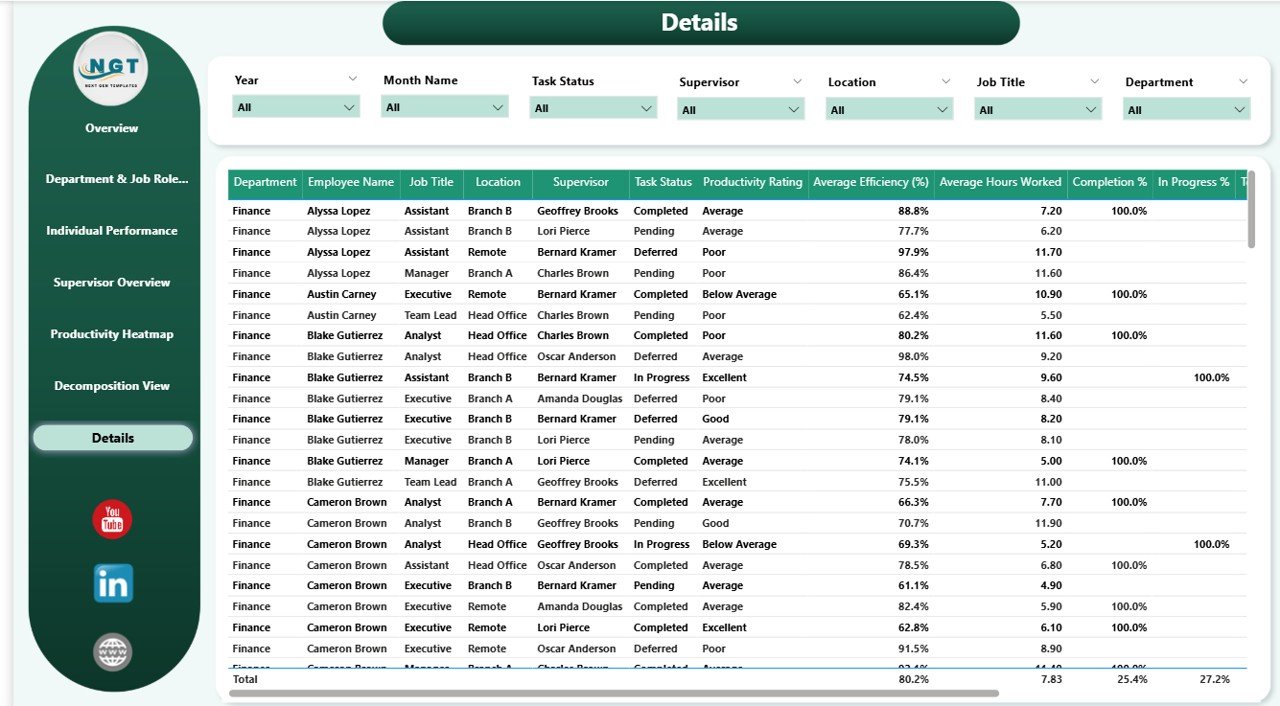
📑 Details Page
Access raw tabular data for in-depth analysis.
Drill through individual records to uncover deeper insights.
📦 What’s Inside the Employee Productivity Dashboard?
When you download this product, you’ll get:
✅ Power BI File (.pbix) – Pre-built, fully interactive dashboard
✅ Overview Page – High-level workforce insights
✅ Department & Job Role Analysis Page – Evaluate team performance
✅ Individual Performance Page – Employee-specific details
✅ Supervisor Overview Page – Assess leadership effectiveness
✅ Productivity Heatmap Page – Spot workforce trends
✅ Decomposition View Page – Break down metrics hierarchically
✅ Details Page – Complete tabular data view
This dashboard is 100% customizable. Add your own KPIs, adjust visuals, and tailor it to your organization’s reporting needs.
🧑💼 Who Can Benefit from This Dashboard?
🎯 HR Teams – Monitor employee efficiency and identify training needs
🎯 Department Heads – Track team performance and resource allocation
🎯 Supervisors – Gain insights into task completion and error management
🎯 Executives – View high-level workforce trends to support strategic decisions
🎯 Project Managers – Ensure tasks are completed on time and within quality standards
This tool is designed for organizations of all sizes that want clarity and control over workforce productivity.
🧪 How to Use the Employee Productivity Dashboard
Load Your Data – Connect your task, time, and employee data into Power BI.
Explore the Overview Page – View KPIs like hours worked, efficiency, and task completion.
Drill into Analysis Pages – Explore department, job role, individual, or supervisor performance.
Monitor Trends – Use the heatmap and decomposition tree for deeper insights.
Take Action – Use the data to optimize workflows, reduce errors, and reward top performers.
With its intuitive design and built-in drill-down features, this dashboard turns complex data into simple, actionable insights.
🌟 Why Choose This Dashboard?
Centralized productivity tracking
Interactive visualizations & heatmaps
Employee, supervisor, and department-level insights
Error and efficiency monitoring
Fully customizable for your KPIs
Built for actionable decision-making
With the Employee Productivity Dashboard in Power BI, you’ll always know where your teams stand — and how to help them improve. 🌟
🔗 Click here to read the Detailed blog post
Watch the step-by-step video Demo:
🔗 Visit our YouTube channel to learn step-by-step video tutorials
Compatibility and Requirements
- Opens in Power BI Desktop, which is free to download from Microsoft. See Get Power BI Desktop.
- The download is a .pbix file. You connect your own task, time and employee data to it.
Frequently Asked Questions
Which pages does the dashboard include?
Overview, Department and Job Role Analysis, Individual Performance, Supervisor Overview, Productivity Heatmap, Decomposition View and a Details page.
What KPIs are on the Overview page?
Total employees, average hours worked, total errors made, total tasks completed and average efficiency (%).
Can I drill into a single employee?
Yes. The Individual Performance page tracks hours worked, errors, efficiency and completion % by name, and the Details page lets you drill through individual records.
Is there an Excel or Google Sheets version?
Yes. See the Employee Productivity Dashboard in Excel and the Google Sheets edition.
Related Employee Performance Templates
- Employee Productivity Dashboard in Excel: the same topic in Excel
- Employee Productivity Dashboard in Google Sheets: a shared online version
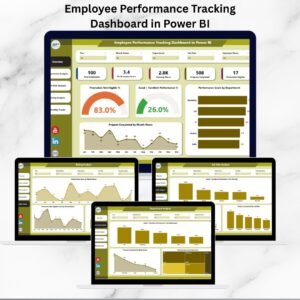
- Employee Performance Tracking Dashboard in Power BI: performance reviews and ratings in Power BI
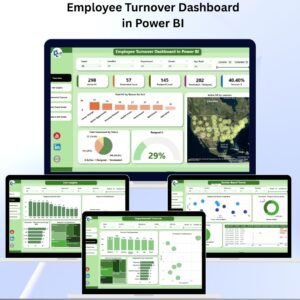
- Employee Turnover Dashboard in Power BI: track attrition alongside productivity
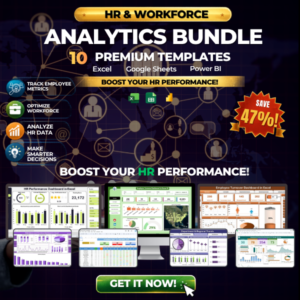
- HR & Workforce Analytics Bundle: 10 HR and workforce templates in one download
Browse all Power BI dashboards or the Excel HR and payroll templates.



Reviews
There are no reviews yet.