





Dialysis Centers Dashboard in Excel helps dialysis center administrators, clinic owners, nephrology operations teams, and healthcare analysts monitor 5 headline KPI cards, 5 interactive report pages, and 20 ready-made charts from one editable Excel workbook. Instead of stitching together manual monthly reports or paying for a recurring analytics platform, this template gives you a one-time purchase dashboard with instant download, lifetime access, no subscription, and no per-user fee.
Dialysis operations are high-volume, high-accountability environments. A center can run hundreds or thousands of sessions each month, while leadership still needs to watch revenue, treatment completion, patient satisfaction, adequacy, cost, complications, and center-level profitability. This dashboard turns that operational data into a clean Excel reporting system built with slicers, charts, KPI cards, a Data sheet, and a hidden Support sheet.
Key Features of Dialysis Centers Dashboard in Excel
- 5 KPI cards: Total Sessions, Total Revenue, Net Profit, Avg. Satisfaction, and Completion Rate %.
- 5 analysis pages: Overview, Monthly Trend, Center Analysis, Clinical Quality, and Treatment Insights.
- 20 chart views: Review monthly revenue, treatment type mix, regional margin, center performance, adequacy rate, city revenue, complications, nephrologist performance, shift volume, treatment status, and more.
- Interactive slicers: Filter pages quickly during management reviews without editing formulas.
- Pivot-table engine: Update the Data sheet, click Refresh All, and every pivot, chart, and KPI card updates.
- Healthcare-focused structure: Built for dialysis centers, renal clinics, hospital nephrology units, and multi-location healthcare operators.
What’s Inside the Dialysis Centers Dashboard in Excel
1. Overview Page
The Overview page gives a high-level snapshot with cards for Total Sessions, Total Revenue, Net Profit, Avg. Satisfaction, and Completion Rate %. Total Revenue by Month shows how income changes across the year and helps identify strong or weak reporting periods. Total Sessions by Treatment Type compares treatment volume across modalities, making it easier to understand service mix. Profit Margin % by Region highlights where profitability is strongest or weakest. Total Cost by Month tracks monthly cost movement so finance teams can spot pressure points.

Dialysis Centers Dashboard in Excel
2. Monthly Trend
The Monthly Trend page focuses on time-based performance. Total Sessions by Month reveals treatment volume patterns across the calendar. Total Revenue by Year compares annual financial movement. Adequacy Rate % by Month tracks treatment quality trend lines, while Total Revenue by Center Name identifies which centers contribute the most revenue.

Monthly Trend
3. Center Analysis
The Center Analysis page supports branch-level review. Total Sessions by Center Name compares patient service volume by location. Profit Margin % by Adequacy connects clinical adequacy with financial performance. Adequacy Rate % by Center Name highlights center-level quality, and Total Revenue by City shows geographic revenue contribution.
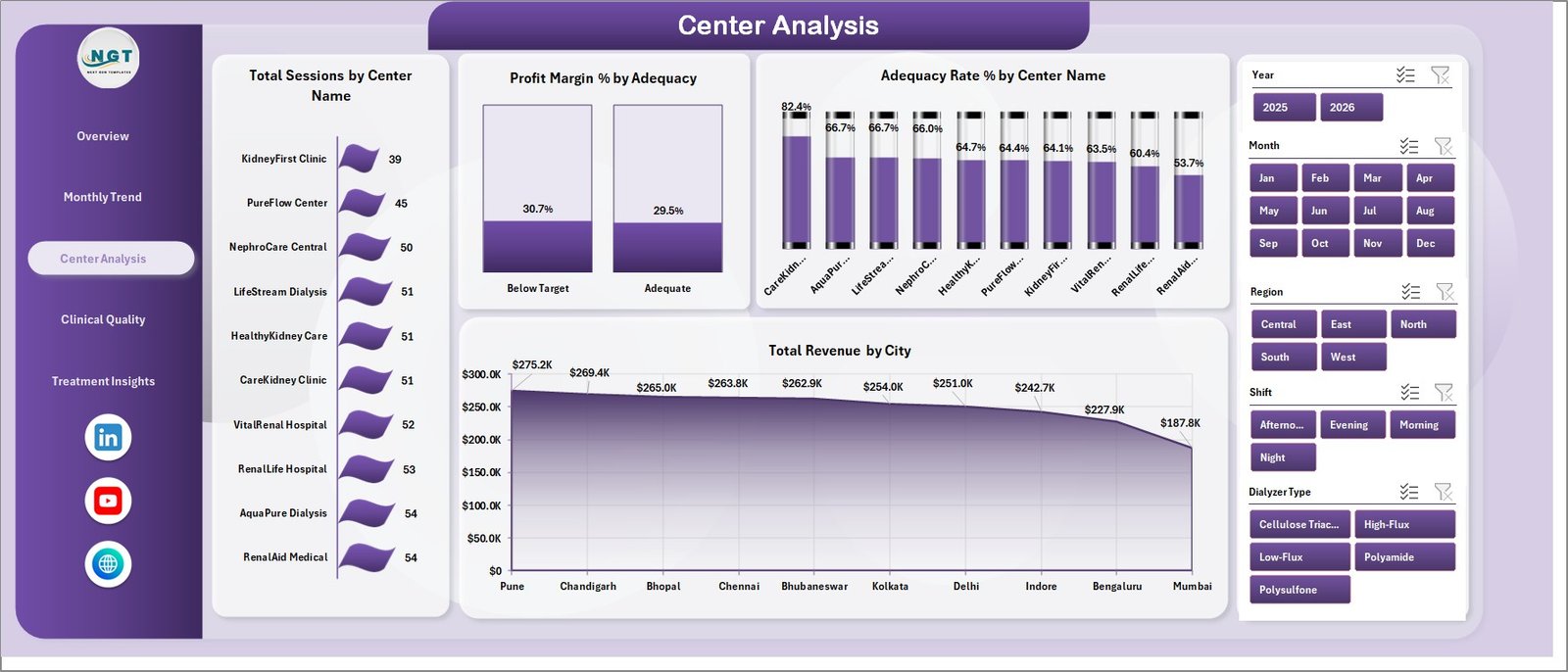
Center Analysis
4. Clinical Quality
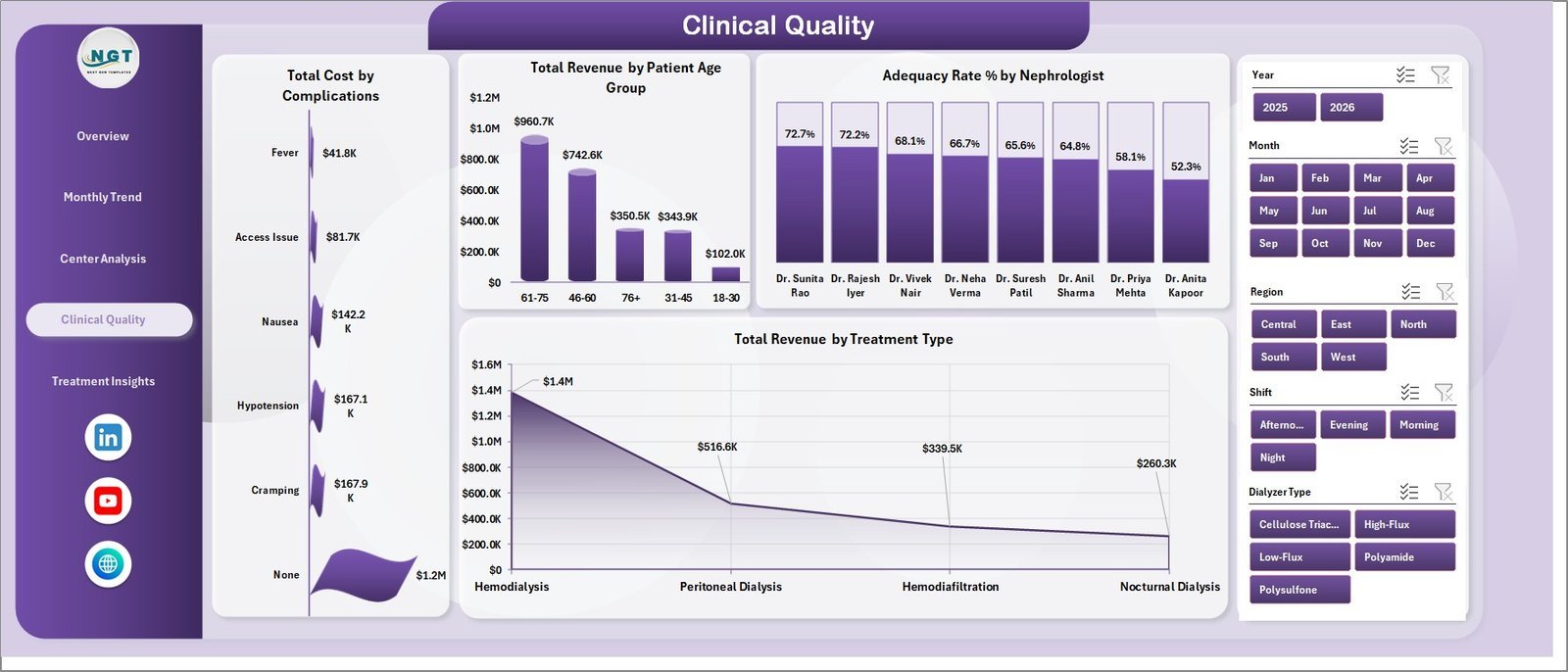
The Clinical Quality page connects operating cost, patient profile, nephrologist performance, and treatment category. Total Cost by Complications helps quantify complication-related cost load. Total Revenue by Patient Age Group shows revenue distribution across patient age bands. Adequacy Rate % by Nephrologist supports provider-level clinical review, and Total Revenue by Treatment Type compares financial contribution by modality.

Clinical Quality
5. Treatment Insights
The Treatment Insights page helps managers review operational delivery. Total Sessions by Shift shows treatment workload by shift. Adequacy Rate % by Dialyzer Type compares adequacy across dialyzer categories. Total Sessions by Status tracks completed, pending, cancelled, or other session states, while Profit Margin % by Month shows monthly profitability trend.

Treatment Insights
6. Data Sheet Tab
The Data sheet is where you add dialysis center records in the same column format. Replace the sample rows with your own sessions, centers, revenue, cost, patient, treatment, and quality data, then refresh the workbook.

Data Sheet tab
7. Support Sheet Tab
The Support sheet contains the pivot tables that create the full dashboard dynamically. After updating the Data sheet, go to the Data tab in the Excel ribbon and click Refresh All. All pivots and charts refresh together. You can keep this sheet hidden during normal use.

Support sheet tab
Dialysis Centers Dashboard in Excel vs. Google Sheets vs. Paid Healthcare SaaS – Where This Fits
| Feature | This Excel Dashboard | Google Sheets Alternative | Paid Healthcare SaaS |
|---|---|---|---|
| Cost | $17.99 one-time | Manual build or template cost | Monthly or annual subscription |
| Platform | Microsoft Excel | Browser-based Sheets | Vendor-hosted cloud system |
| Setup time | Paste data and refresh | Build charts and formulas | Implementation required |
| Real-time team collaboration | Via shared drive or OneDrive | Native collaboration | Usually included |
| Mobile access | Excel mobile app | Browser or app | Vendor app |
| Customizable fields | Fully editable | Editable | Limited by vendor settings |
| Share with link | Possible through OneDrive | Native | Login controlled |
| Year-1 cost at 5 users | $17.99 total | Template or build time | Often hundreds or thousands |
| Dialysis-specific views | Built in | Must be built | Depends on vendor module |
Who This Template Is For – and Who It’s Not For
This template is for dialysis center administrators, regional clinic managers, nephrology department analysts, healthcare finance teams, operations managers, and consultants who need a practical Excel dashboard for sessions, revenue, costs, profit, satisfaction, adequacy, complications, treatment types, shifts, and center-level performance.
It is not a patient medical record system, billing platform, appointment scheduler, EHR, claims system, or live clinical monitoring tool. Use it as a reporting layer after approved data has been exported or prepared for Excel.
How to Use the Dialysis Centers Dashboard in Excel
- Download and unzip the template.
- Open the workbook in Microsoft Excel.
- Go to the Data sheet and replace the sample rows with your own records.
- Keep the same column format so pivots and slicers read the data correctly.
- Open the Data tab in Excel and click Refresh All.
- Use slicers on each page to filter the dashboard during review meetings.
Real-World Use Cases
Aisha, dialysis center administrator: Aisha reviews sessions by treatment type, completion rate, satisfaction, and cost every Monday before the operations meeting.
Rahul, regional healthcare finance manager: Rahul compares Total Revenue by Center Name, Profit Margin % by Region, and Total Cost by Month to identify centers that need cost review.
Maria, nephrology quality analyst: Maria monitors Adequacy Rate % by Month, Center Name, Nephrologist, and Dialyzer Type to support quality improvement discussions.
Frequently Asked Questions
What KPI cards are included?
The Overview page includes Total Sessions, Total Revenue, Net Profit, Avg. Satisfaction, and Completion Rate %.
Do I need macros?
No. The dashboard is designed around Excel charts, slicers, and pivot tables. You refresh the workbook from the Data tab.
Can I add more dialysis centers?
Yes. Add new center names in the Data sheet using the same column structure, then refresh all pivots and charts.
Can I customize the charts?
Yes. The workbook is editable, so you can change chart titles, colors, fields, slicers, and page layout.
Is this a clinical system?
No. It is an Excel reporting dashboard for management analysis, not an EHR, clinical decision system, or patient care platform.
Which Excel version should I use?
Use Microsoft Excel desktop with PivotTable and slicer support, ideally Excel 2016 or later or Microsoft 365.
About the Author
Built by PK – Microsoft Certified Professional with 15+ years of Excel, Google Sheets, and Power BI experience. Founder of NextGenTemplates, reaching 300K+ subscribers across YouTube channels. Every template is hand-built and tested before release.
Explore Related Templates
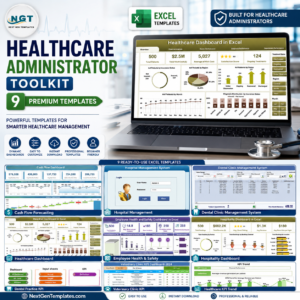
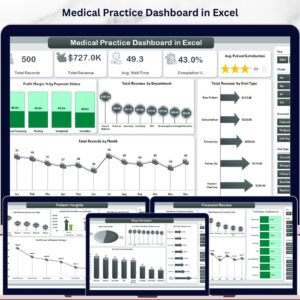
Browse more Excel Dashboard Templates. Related templates include Healthcare Dashboard in Excel, Medical Practice Dashboard in Excel, Home Healthcare Dashboard in Excel, and Dialysis Centers KPI Dashboard in Power BI.
Ready to track dialysis center performance in Excel? Download the Dialysis Centers Dashboard in Excel, update the Data sheet, refresh the pivots, and start reviewing sessions, revenue, quality, treatment, and profitability today.
Last updated: June 2026
Watch the step-by-step video tutorial:
Compatibility and Requirements
- Works in Microsoft Excel desktop (Excel 2016 or later, or Microsoft 365) with PivotTable and slicer support.
- The 5 report pages use slicers to filter the data. Microsoft explains them in Use slicers to filter data.
More Questions About This Template
Which pages does the dashboard have?
Five pages: Overview, Monthly Trend, Center Analysis, Clinical Quality and Treatment Insights. The workbook also has a Data sheet and a Support sheet that holds the pivot tables.
How do I refresh the dashboard after adding data?
Add your records to the Data sheet in the same column format, open the Data tab in Excel and click Refresh All. The pivots, charts and KPI cards update together.
Which KPI cards are on the Overview page?
Total Sessions, Total Revenue, Net Profit, Avg. Satisfaction and Completion Rate %.
Is there a Power BI version?
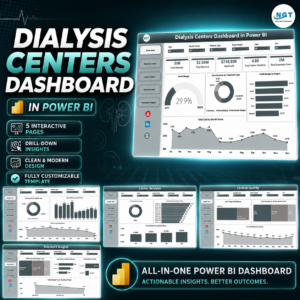
Yes. See the Dialysis Centers Dashboard in Power BI and the Dialysis Centers KPI Dashboard in Power BI.
Can I track dialysis sessions on a calendar?
Yes. The Dialysis Session Calendar in Excel is a separate template for scheduling sessions.

















Reviews
There are no reviews yet.