


Struggling to keep your daily sales organized and insights actionable? Whether you’re running a retail store, a small business, or managing a sales team, tracking daily sales is the heartbeat of success. Introducing the Daily Sales Report Form in Google Sheets — a powerful, ready-to-use tool that helps you capture sales data, analyze it visually, and make better decisions without complex software. 📊💡
From product sales to sales rep performance, this form automates calculations and generates real-time dashboards that give you a bird’s-eye view of your revenue trends.
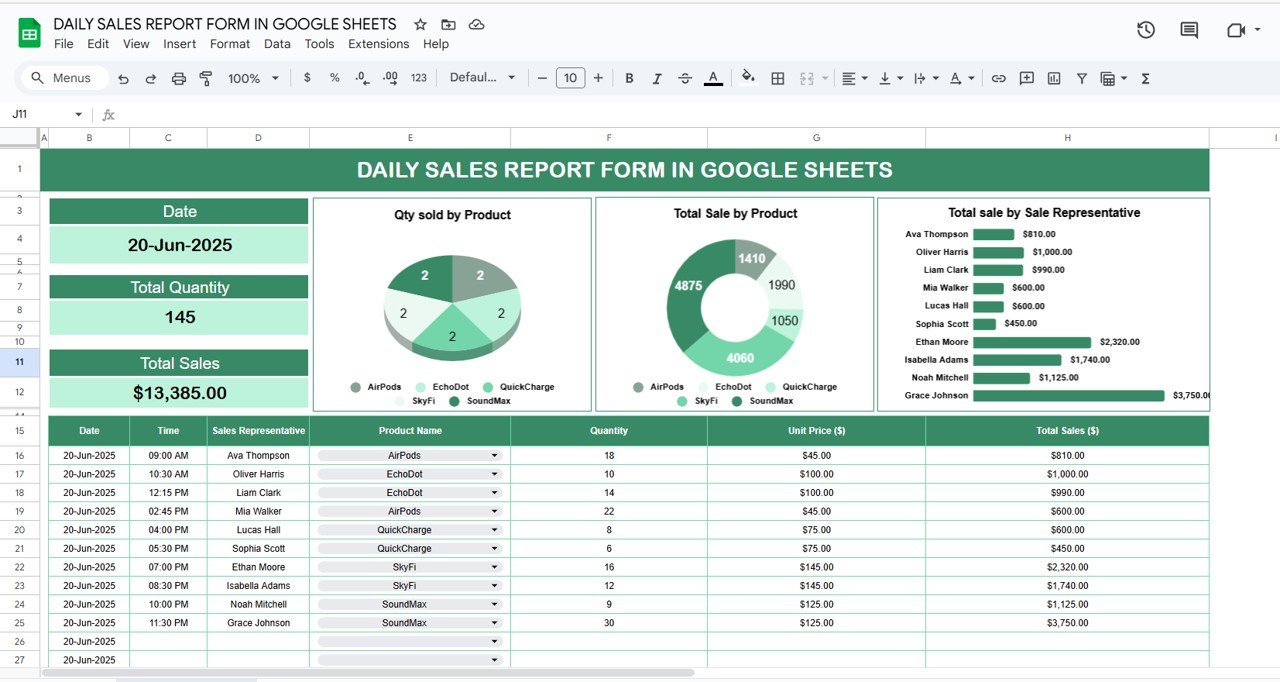
✨ Key Features of the Daily Sales Report Form
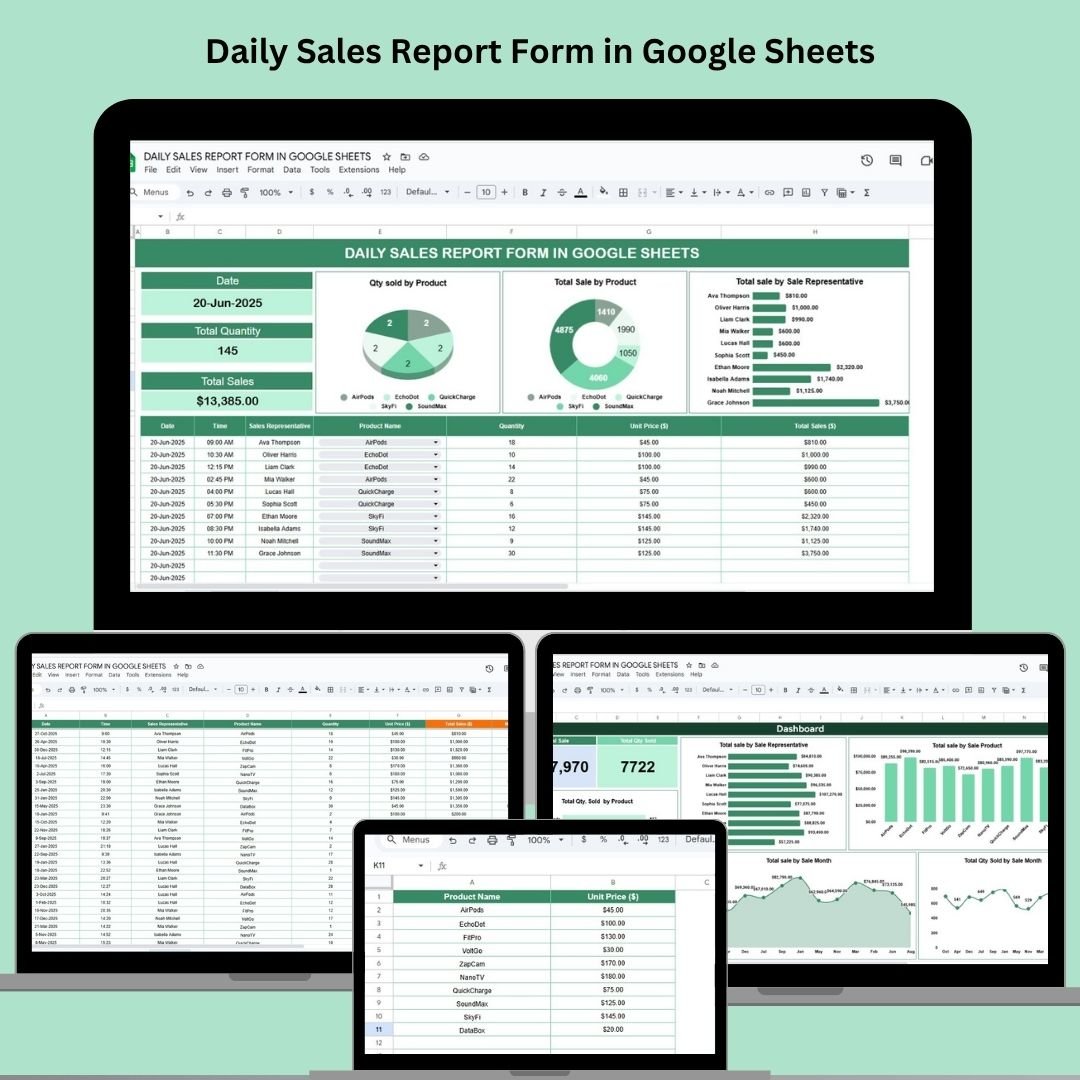
📋 1. Daily Sales Form
Your front-end data entry sheet where the magic begins:
Date selection via dropdowns 📅
Auto-calculated Total Quantity and Total Sales 💵
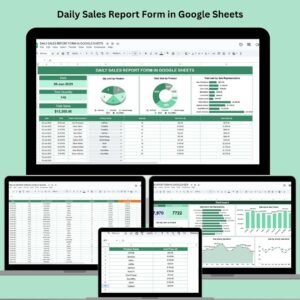
Charts Included:
Quantity Sold by Product
Total Sales by Product
Total Sales by Sales Representative
💡 Just enter the sales entries and everything else updates automatically.
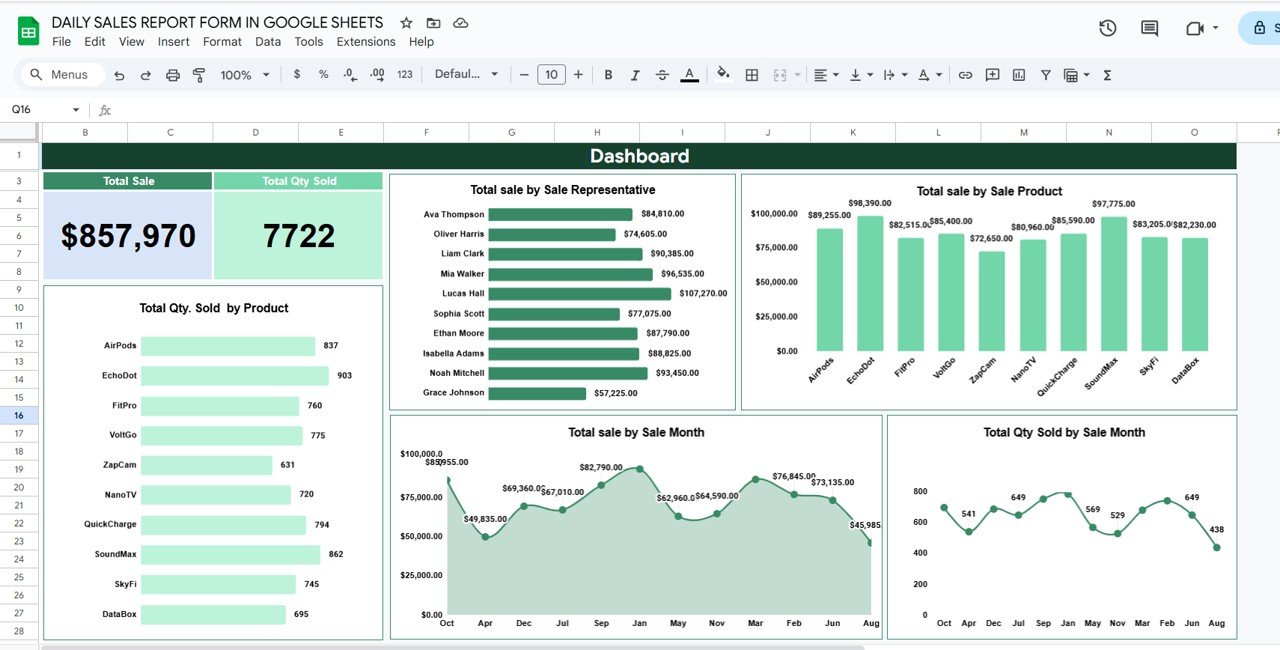
📊 2. Dashboard Sheet
Get a visual summary of your sales performance daily or monthly.
Includes:
Total Sales & Quantity Sold Cards
Charts:
🔹 Sales by Product
🔹 Sales by Sales Representative
🔹 Sales by Month
🔹 Quantity Sold by Product
🔹 Quantity Sold by Month
Perfect for quick decision-making and performance reviews!
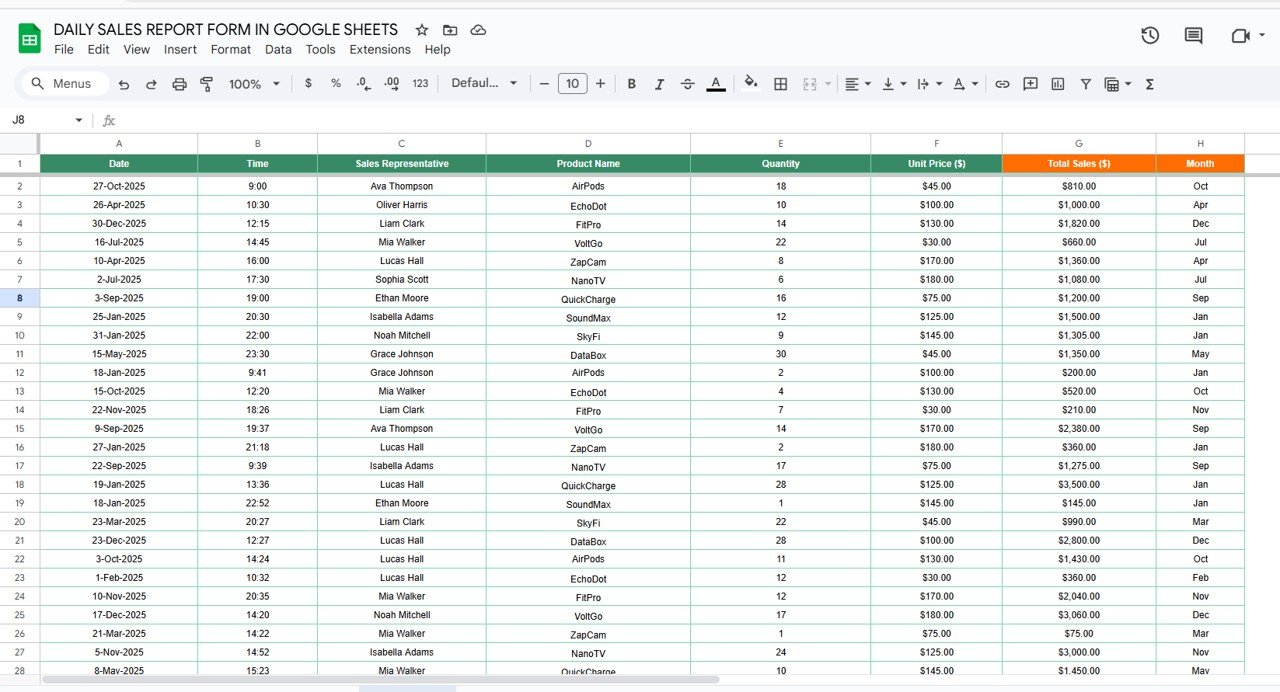
📦 3. Database Sheet
Every sales entry you input is logged here — your central repository of all historical sales data.
Supports real-time data logging
Keeps past entries safe for future analysis
Enables trend spotting over time
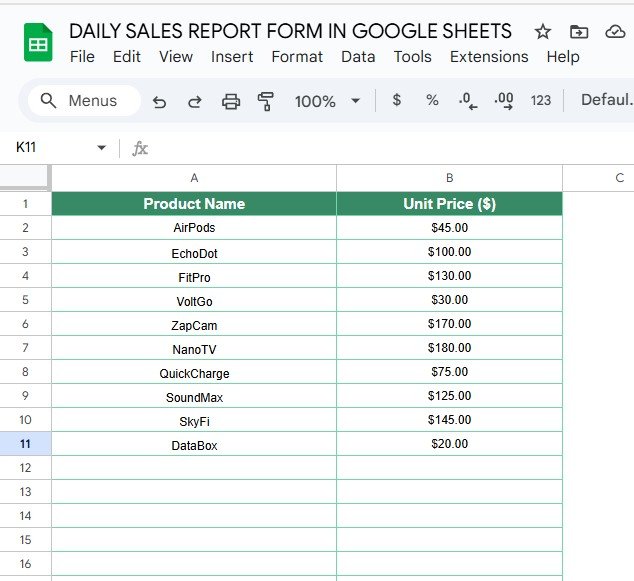
📝 4. List Sheet
Maintain a clean master list of all your products and their prices.
Add/edit products easily
Unit Prices sync with your sales form
Saves time and reduces manual entry errors
🎯 What’s Inside the Daily Sales Report Form?
✅ Pre-built sales entry form
✅ Auto-calculating total quantity and sales
✅ 7+ visual charts tracking daily and monthly performance
✅ Fully editable Google Sheets format
✅ Database tab that logs every entry
✅ Product price list tab for quick lookups
✅ No coding required – just plug and play!
🧠 How to Use the Daily Sales Report Form
🔓 Open the template in Google Sheets
✍️ Fill in your sales data: Date, Sales Rep, Product, Quantity
💰 Let it auto-calculate total sales
📈 Switch to the Dashboard to analyze insights
🔁 Update the Product List as needed
No learning curve — it’s as easy as filling out a table!
👥 Who Can Benefit from This Tool?
This tool is perfect for:
🛒 Small Retailers & Shops
📦 Product-Based Businesses
🧑💼 Sales Managers & Executives
🏪 Franchise Outlets
🎓 Entrepreneurs learning sales analytics
📊 Freelancers or Consultants who sell services
Whether you sell one product or one hundred, this form scales with your needs.
🚀 Why Businesses Love It
🕒 Saves Hours on manual reporting
💸 Reduces Errors with automated calculations
📉 Tracks Trends effortlessly with built-in charts
🌐 Accessible Anywhere — it’s on Google Sheets!
🔧 Fully Customizable to fit any industry
Say goodbye to spreadsheets that do nothing — and hello to smart automation!
📘 Click here to read the Detailed blog post
🎥 Visit our YouTube channel to learn step-by-step video tutorials
Compatibility and Requirements
- Works in Google Sheets with a free Google account and a web browser.
- Product prices come from the List sheet, so keep that sheet up to date.
- Google explains in-cell dropdowns, used here for date selection, in Create an in-cell dropdown list.
Frequently Asked Questions
Which sheets are in the Daily Sales Report Form?
Four: the Daily Sales Form for data entry, a Dashboard, a Database that logs every entry and a List sheet with products and unit prices.
What do I enter for each sale?
The date, sales rep, product and quantity. Total quantity and total sales are calculated for you.
What does the dashboard show?
Total sales and quantity cards plus charts for sales by product, sales by representative, sales by month, quantity sold by product and quantity sold by month.
Can I add new products?
Yes. Add or edit products and unit prices in the List sheet and they flow into the sales form.
Related Sales Templates
- Daily Sales Dashboard in Excel: daily sales analysis for Excel users
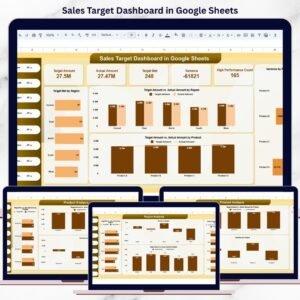
- Sales Target Dashboard in Google Sheets: compare sales against targets
- Sales Performance Management Dashboard in Google Sheets: review team performance
- Daily Sales Purchase Tracker V1.0: record both sales and purchases
Browse all Google Sheets sales templates or the Google Sheets dashboards.









Reviews
There are no reviews yet.