

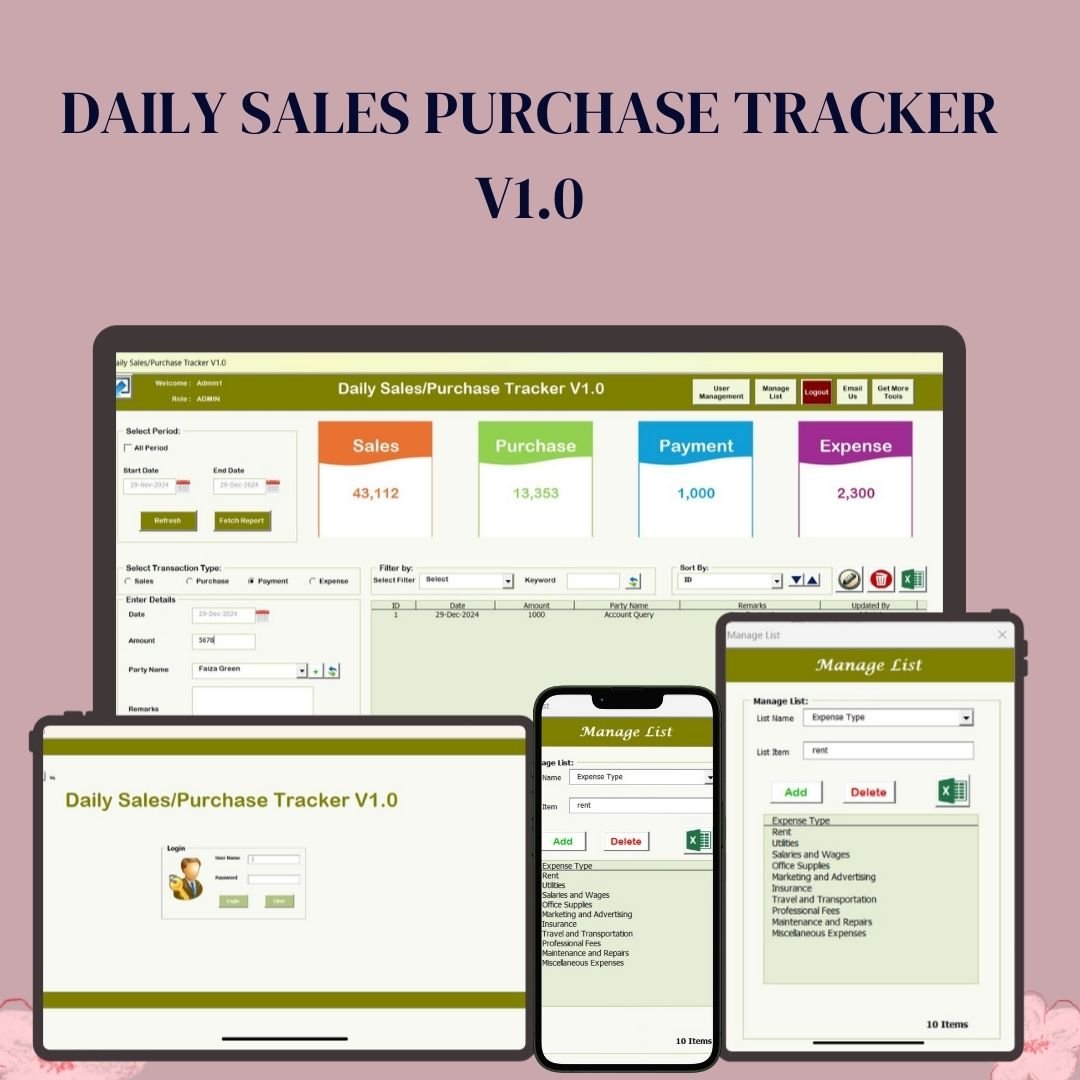


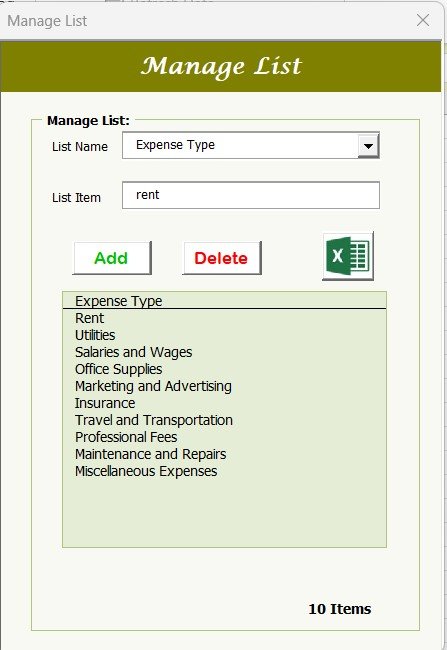

Daily Sales Purchase Tracker V1.0 is an Excel VBA tool that keeps your daily sales, purchases, payments and expenses in one organised system. It is built for retailers, freelancers, small business owners, accountants and e-commerce sellers who want accurate financial records without advanced Excel skills. You get a secure login, a real-time dashboard, filtered reports and Excel export, so you always know where your money is going.
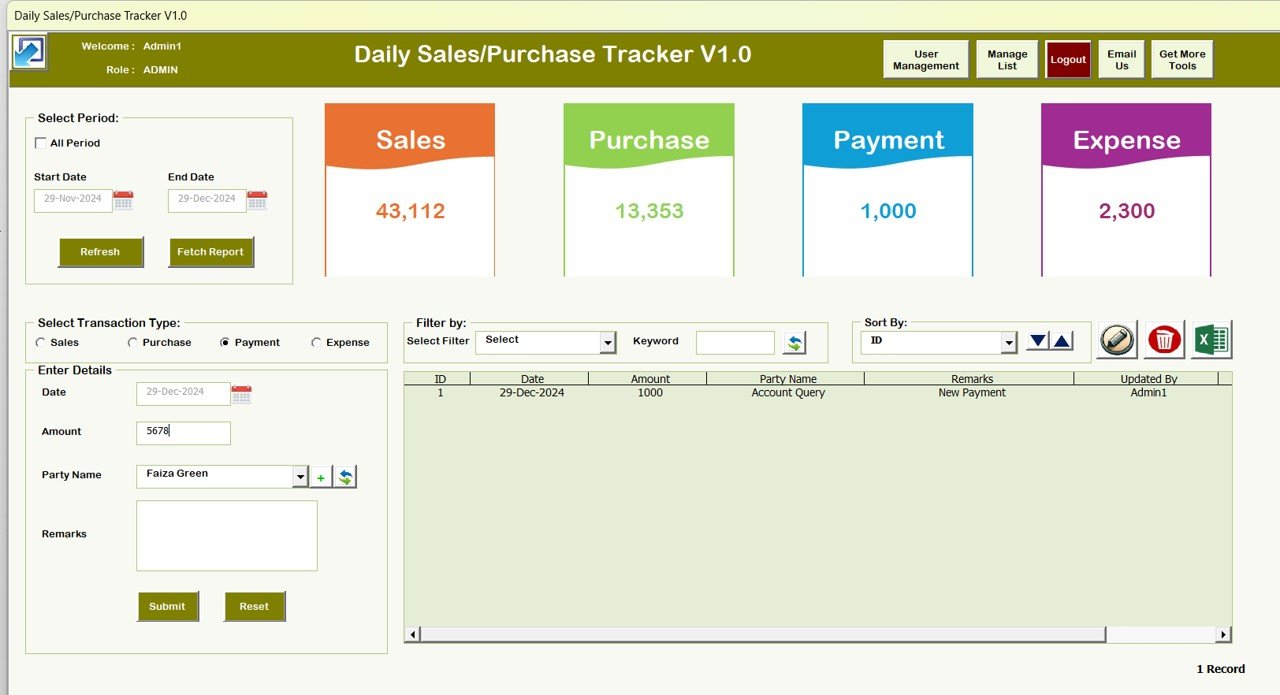
Key Features of Daily Sales Purchase Tracker V1.0
Managing daily transactions without a structured system leads to missed entries and calculation errors. This sales and purchase tracker in Excel gives you a clear, repeatable way to record every transaction and report on it.
1. Secure Login Form
- Protects your data with user authentication and role-based access.
- Restricts unauthorised access and maintains data integrity.
- Different user roles give you better control over financial transactions.
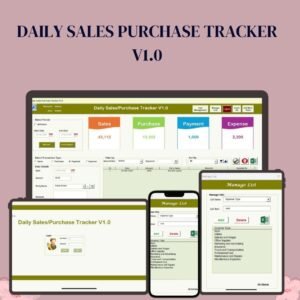
2. Main Dashboard with Display Cards
- Real-time updates on daily sales, purchases, payments and expenses.
- An overview of total transactions at a glance for quick decision-making.
- An intuitive interface with categorised sections for easy navigation.
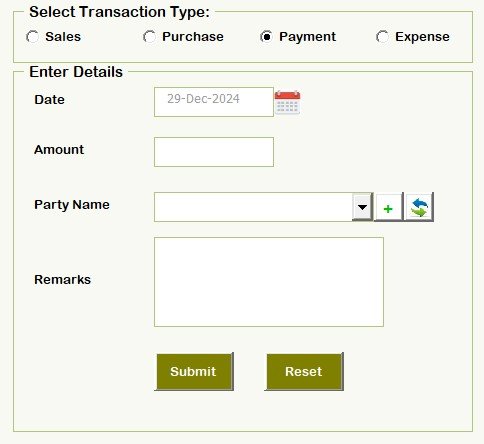
3. Multi-Category Transaction Tracking
- Record transactions under Sales, Purchases, Payments and Expenses.
- Assign party names, transaction types and custom remarks for clarity.
- Date filters let you analyse financial activity over a specific period.
4. Customizable Report Generation
- Generate detailed reports filtered by specific dates, amounts and categories.
- Export data to Excel for further analysis and record-keeping.
- Reports include summary statistics for better financial insight.
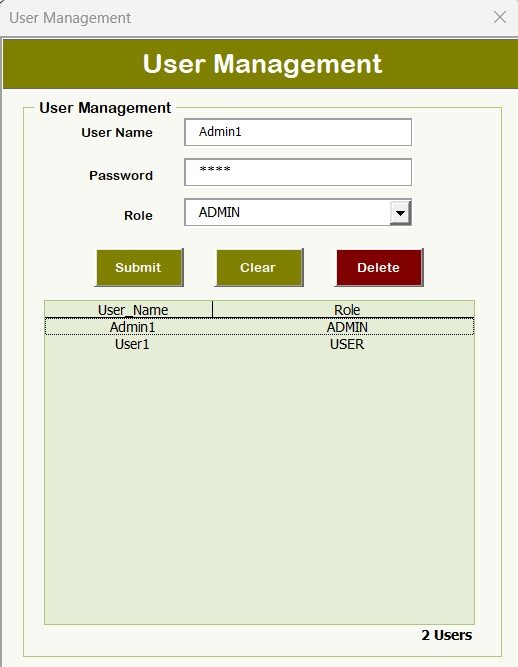
5. User Management System
- The Admin can add, modify or delete user accounts.
- Assign roles such as Admin or User to control access levels.
- Track who updated or modified transaction records.
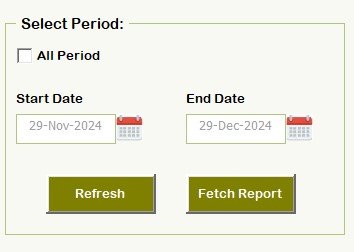
6. Select Period Functionality
- Choose a date range to fetch specific reports.
- Compare sales and expenses across different time periods for financial planning.
- Analyse trends and manage cash flow more effectively.
7. Filter and Sorting Options
- Sort transactions by ID, Date, Amount, Party Name and Remarks.
- A quick search function finds specific entries instantly.
- Prioritise important financial transactions with minimal effort.
8. Expense and Income Tracking
- Categorise transactions to understand profitability and cash flow.
- Use it as an expense tracker to identify overspending and optimise budget planning.
- Maintain an organised financial structure.
9. Excel Export and Backup Support
- Export reports to Excel format for record-keeping and analysis.
- Save data backups to prevent loss in case of accidental deletion.
- Maintain financial transparency with well-organised spreadsheets.
10. Easy-to-Use Interface
- Designed for business owners, accountants and finance teams.
- No advanced Excel skills needed: just input the data and let the tool handle the calculations.
- Works on Windows and Mac with Excel compatibility.
What’s Inside the Tool
| Component | What it does |
|---|---|
| Login Form | User authentication with Admin and User roles |
| Main Dashboard | Display cards for sales, purchases, payments and expenses |
| Transaction Entry | Record entries with party name, transaction type and remarks |
| Reports | Filter by date, amount and category, with summary statistics |
| User Management | Add, modify or delete users and assign access levels |
| Excel Export | Export reports and keep backups of your data |
Why Choose Daily Sales Purchase Tracker V1.0?
- Time-saving: Automates financial tracking and report generation.
- Error-free calculations: Reduces manual entry errors.
- Business growth: Supports financial decision-making and planning.
- Secure and reliable: Role-based access and data backup help keep your records safe.
- Customizable: Tailor it to your business with editable fields and filters.
Who Is It For?
- Retailers: Track daily sales, purchases and expenses efficiently.
- Freelancers: Manage income, payments and outstanding balances.
- Small business owners: Maintain an organised financial record.
- Accountants and bookkeepers: Generate reports for financial analysis.
- E-commerce businesses: Keep track of payments, orders and expenses.
How to Use It
- Download Daily Sales Purchase Tracker V1.0 and unzip the file.
- Enable macros in Excel (see the tutorial link below).
- Enter your user credentials for secure access.
- Add transactions under Sales, Purchases, Payments or Expenses.
- Filter and generate reports for business insights.
- Export data to Excel for detailed analysis and record-keeping.
After downloading and unzipping this file, ensure that macros are enabled before use. Refer to our tutorial for step-by-step instructions on enabling macros in Excel: https://www.pk-anexcelexpert.com/4-easy-ways-to-enable-macros-in-excel-vba/
Click here to read the detailed blog post
Watch the step-by-step video tutorial:
Visit our YouTube channel to learn from step-by-step video tutorials: Youtube.com/@PKAnExcelExpert
🎁 Try Before You Buy: 7-Day Free Trial
Download the free trial of the Daily Sales Purchase tracker V1.0 and use the complete system for 7 days. Every form, register, dashboard, printable document and setting works exactly as in the full version, so you can test it with your own records before you decide.
How the free trial works
- Click Get the 7-Day Free Trial below, enter your email and download the ZIP from the email we send you. Unzip it.
- Open it in Microsoft Excel for Windows (the desktop app, not Excel Online or Mac) and click Enable Content on the yellow bar. If there is no yellow bar, right-click the file, choose Properties, tick Unblock and open it again.
- Your 7 days start the first time the file opens with macros on. The title bar of the main window shows how many days are left.
- After 7 days the trial locks and shows a Buy Full Version button. Buy the full version to keep working with no time limit.
| Free Trial | Full Version | |
|---|---|---|
| Every feature, form and dashboard | Yes | Yes |
| Time limit | 7 days | None, lifetime use |
| Trial banner | Yes | No |
| Editable (unlocked) VBA code | No, locked | Yes |
Enter your email and we send the download link straight to your inbox.
The trial runs once per computer: downloading it again does not restart the 7 days. Records you enter during the trial can be copied into the full version.
Frequently Asked Questions
What can I track with Daily Sales Purchase Tracker V1.0?
You can record and report on four transaction categories: Sales, Purchases, Payments and Expenses, each with party name, transaction type and remarks.
Do I need to enable macros?
Yes. This is an Excel VBA tool, so macros must be enabled after you download and unzip the file. Our macros tutorial explains how.
Does it work on Mac?
The tool is described as working on both Windows and Mac with Excel compatibility.
Can multiple people use it with different permissions?
Yes. The secure login supports role-based access with Admin and User roles, and the Admin can add, modify or delete user accounts.
Can I export my reports?
Yes. Reports can be filtered by date, amount and category and exported to Excel for analysis, record-keeping and backup.
Do I need advanced Excel skills?
No. You simply input your data and the tool handles the calculations, dashboard and reports.
Also check our Download Attachments from Multiple Emails Automatically using VBA
Last updated: October 2026
Compatibility and Requirements
- Needs Microsoft Excel desktop with macros enabled, because the login, forms and reports run on VBA.
- It does not work in Excel for the web, Google Sheets or the Excel mobile apps. Microsoft explains macro settings in Enable or disable macros in Microsoft 365 files.
Related Sales and Purchase Templates
- Sale Purchase Software: another Excel sale and purchase system
- Daily Sales Purchase System Web App: the same workflow as a browser app
- GST Billing Software V1.0: create GST invoices in Excel
- Income and Expense Dashboard in Google Sheets: review income and spending
- VBA Management Systems Mega Pack: 5 premium Excel VBA systems in one bundle
Browse all Excel financial tools or the Excel VBA tools.












Reviews
There are no reviews yet.