

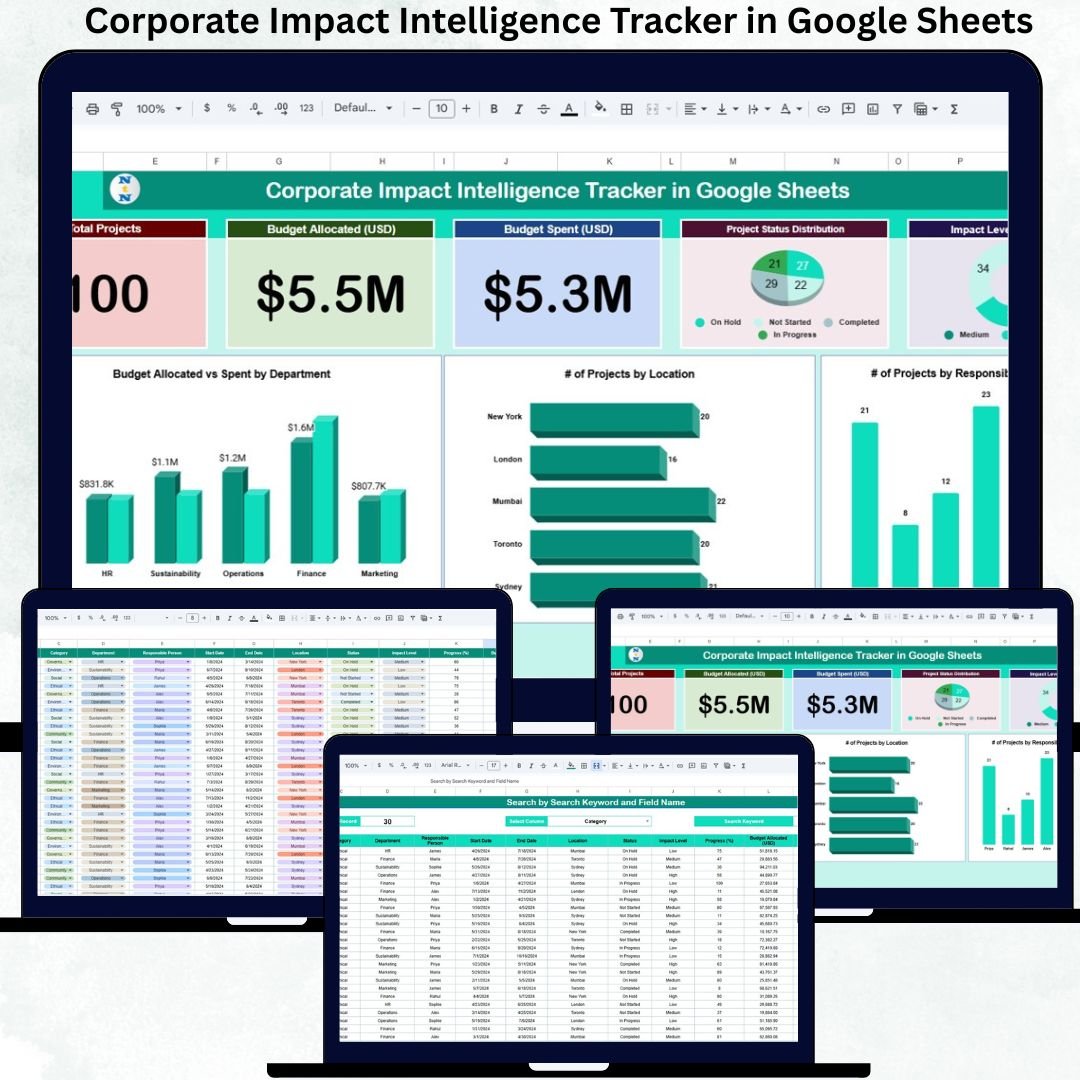

Measuring corporate impact is no longer optional. Today, organizations are expected to track social, environmental, governance, and operational impact initiatives with the same seriousness as financial performance. However, many teams still manage impact data through emails, presentations, disconnected spreadsheets, and manual updates. As a result, leaders struggle with poor visibility, weak accountability, and unclear outcomes.
That is exactly where the Corporate Impact Intelligence Tracker in Google Sheets becomes a powerful and practical solution.
This ready-to-use tracker helps organizations centralize corporate impact projects, monitor budgets, track impact levels, and analyze performance across departments, locations, and owners—all in one clean and dynamic Google Sheets file. Because it runs in Google Sheets, teams collaborate easily and update progress in real time without expensive ESG or BI software.
✅ Key Features of Corporate Impact Intelligence Tracker
🌱 Centralized impact project tracking
💰 Budget allocated vs budget spent visibility
📊 Dynamic KPI cards & charts
📍 Department & location-wise insights
👤 Project ownership and accountability tracking
🔍 Smart search functionality
☁️ 100% cloud-based in Google Sheets
⚡ Auto-updating insights with structured tables
This tracker converts scattered impact data into clear intelligence for leadership decisions.
📂 What’s Inside the Corporate Impact Intelligence Tracker
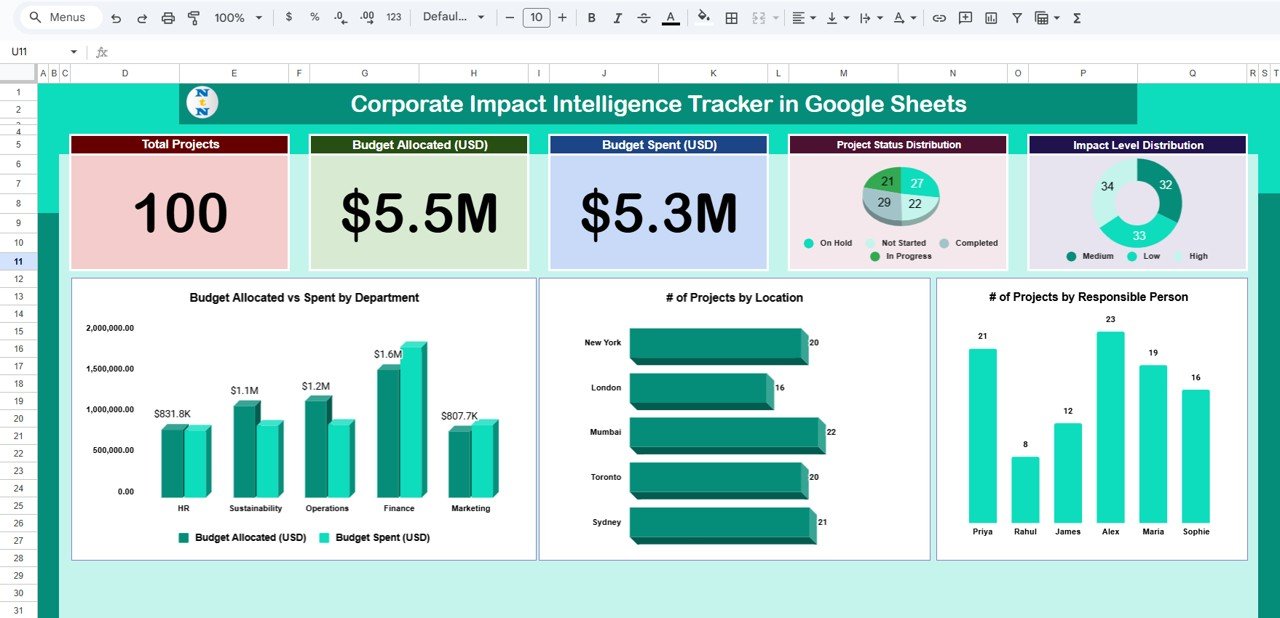
📊 Tracker Dashboard – Impact Control Center
This is the main working and insight page of the tracker.
At the top, you get instant KPI clarity through summary cards:
🔹 Total Projects – Total number of corporate impact initiatives
🔹 Budget Allocated (USD) – Approved investment across projects
🔹 Budget Spent (USD) – Actual utilization till date
These cards give leadership a quick snapshot of scale, investment, and financial progress.
📈 Impact Analytics Charts
The tracker includes multiple smart charts that update automatically when data changes:
📌 Project Status Distribution
Shows how many projects are Planned, In Progress, Completed, or On Hold.
📌 Impact Level Distribution
Highlights projects categorized as High, Medium, or Low impact—helping prioritize initiatives.
📌 Number of Projects by Responsible Person
Improves accountability by clearly showing project ownership.
📌 Number of Projects by Location
Gives geographic visibility into where impact initiatives are concentrated.
📌 Budget Allocated vs Budget Spent by Department
Helps identify overspending, under-utilization, and budget efficiency.
Together, these visuals turn impact data into clear impact stories.
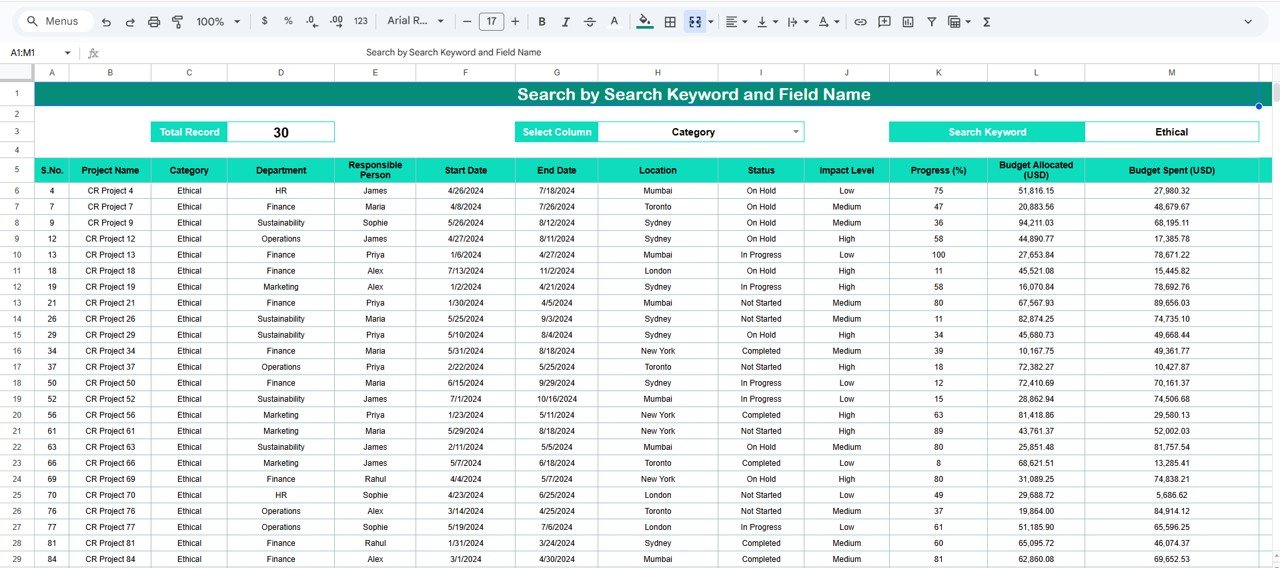
🔍 Search Functionality – Find Any Project Instantly
The built-in Smart Search Panel helps you:
✅ Search by keyword
✅ Select a field name (Project Name, Department, Responsible Person, Location, Status)
✅ Instantly filter matching records
This feature saves time during reviews, audits, ESG reporting, and leadership discussions.
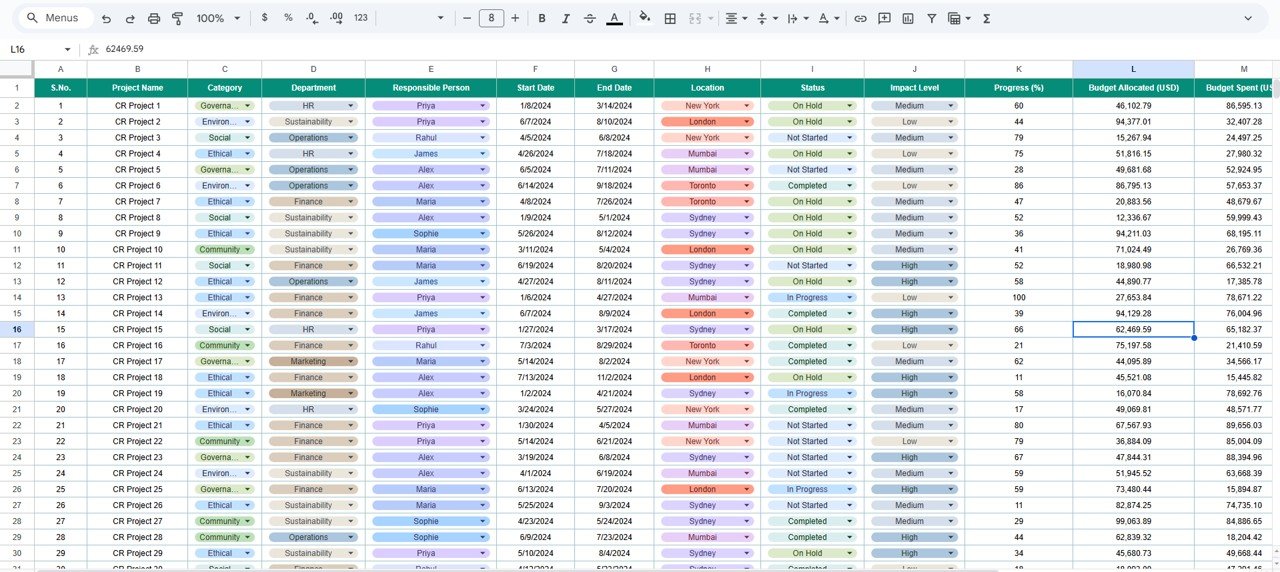
🧾 Data Section – Structured Project Information
This section is the foundation of the tracker. Here you enter:
• Project Name
• Department
• Responsible Person
• Location
• Project Status
• Impact Level
• Budget Allocated
• Budget Spent
• Start Date & End Date
• Remarks / Notes
Because the tracker uses structured tables, all KPI cards, charts, and searches update automatically—no manual work needed.
🎯 How This Tracker Supports Better Decisions
✔ Improves visibility of corporate impact initiatives
✔ Tracks budget utilization accurately
✔ Strengthens accountability across departments
✔ Identifies high-impact focus areas
✔ Supports transparent ESG & CSR reporting
✔ Aligns corporate impact with strategic goals
👥 Who Can Benefit from This Tracker
✅ CSR & Sustainability Teams
✅ ESG & Impact Managers
✅ Strategy & Leadership Teams
✅ Corporate Governance Teams
✅ Operations & Finance Teams
Perfect for organizations managing multiple impact initiatives across teams and regions.
💡 Best Practices for Using the Tracker
✔ Keep project names and impact levels standardized
✔ Update budget figures regularly
✔ Review dashboard monthly with leadership
✔ Assign one clear owner per project
✔ Use impact levels thoughtfully for prioritization
✅ Conclusion
The Corporate Impact Intelligence Tracker in Google Sheets gives organizations a single source of truth for managing and measuring corporate impact. Instead of fragmented updates and unclear reporting, teams gain clarity, transparency, and control over every initiative.
Because the tracker combines KPI cards, charts, search functionality, and structured data, it transforms corporate impact reporting into a data-driven decision system.
### 📖 Click here to read the Detailed Blog Post
Watch the step-by-step video tutorial:
🎥 Visit our YouTube channel to learn step-by-step video tutorials
👉 https://youtube.com/@NeotechNavigators
Compatibility and Requirements
- Works in Google Sheets. You need a free Google account and a web browser.
- The Tracker Dashboard has a search panel where you pick a field name and type a keyword. Google explains the basics in Get started with Google Sheets.
Frequently Asked Questions
What do the dashboard KPI cards show?
Three cards sit at the top: Total Projects, Budget Allocated (USD) and Budget Spent (USD).
Which charts are included?
Five charts: Project Status Distribution, Impact Level Distribution, Number of Projects by Responsible Person, Number of Projects by Location, and Budget Allocated vs Budget Spent by Department.
What do I enter in the Data section?
For each project you enter the project name, department, responsible person, location, status, impact level, budget allocated, budget spent, start date, end date and remarks. The cards and charts update from these entries.
How do I find one project quickly?
Use the search panel on the dashboard. Type a keyword, choose a field (Project Name, Department, Responsible Person, Location or Status) and the matching records are filtered.
Is there an Excel version for corporate responsibility projects?
Yes. See the Corporate Responsibility Project Tracker in Excel, or the Corporate Social Responsibility Dashboard in Excel for a dashboard view.
Related Corporate Templates
- Corporate Responsibility Project Tracker in Google Sheets: another project tracker for responsibility initiatives
- Corporate Responsibility Project Tracker in Excel: the same topic in Excel
- Corporate Social Responsibility Dashboard in Excel: a dashboard view of CSR work
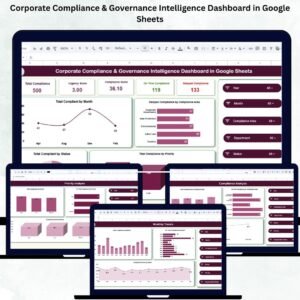
- Corporate Compliance & Governance Intelligence Dashboard in Google Sheets: a governance view in Google Sheets
- Google Sheets Business Pack (Pro): 14 business templates in one download
Browse all Google Sheets trackers.
































Reviews
There are no reviews yet.