

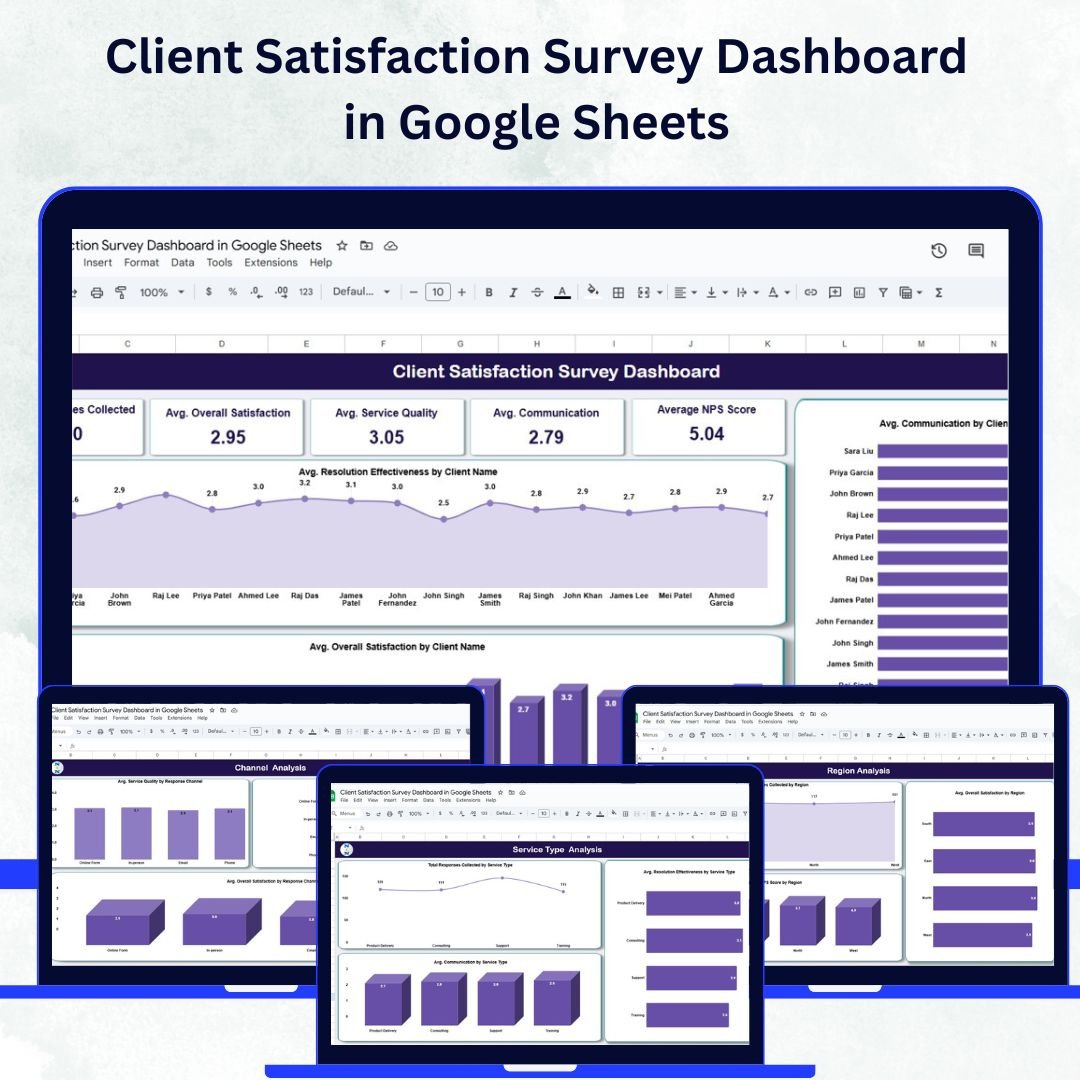

Client satisfaction is the foundation of long-term business success. To retain loyal clients and improve service delivery, organizations need a clear and data-driven understanding of customer feedback. The Client Satisfaction Survey Dashboard in Google Sheets is a ready-to-use, interactive tool that helps businesses track survey results, analyze satisfaction trends, and monitor performance metrics — all in one place.
Built in Google Sheets, this dashboard combines simplicity, collaboration, and automation to deliver real-time insights into how clients perceive your services. Whether you’re managing client feedback for a small agency or a large enterprise, this tool ensures you make smarter, faster, and more informed business decisions. 🚀
🔑 Key Features of the Client Satisfaction Survey Dashboard
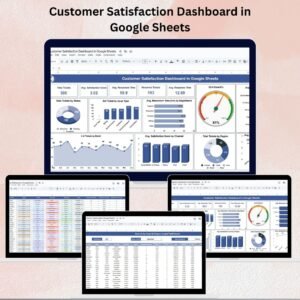
📋 Overview Sheet Tab
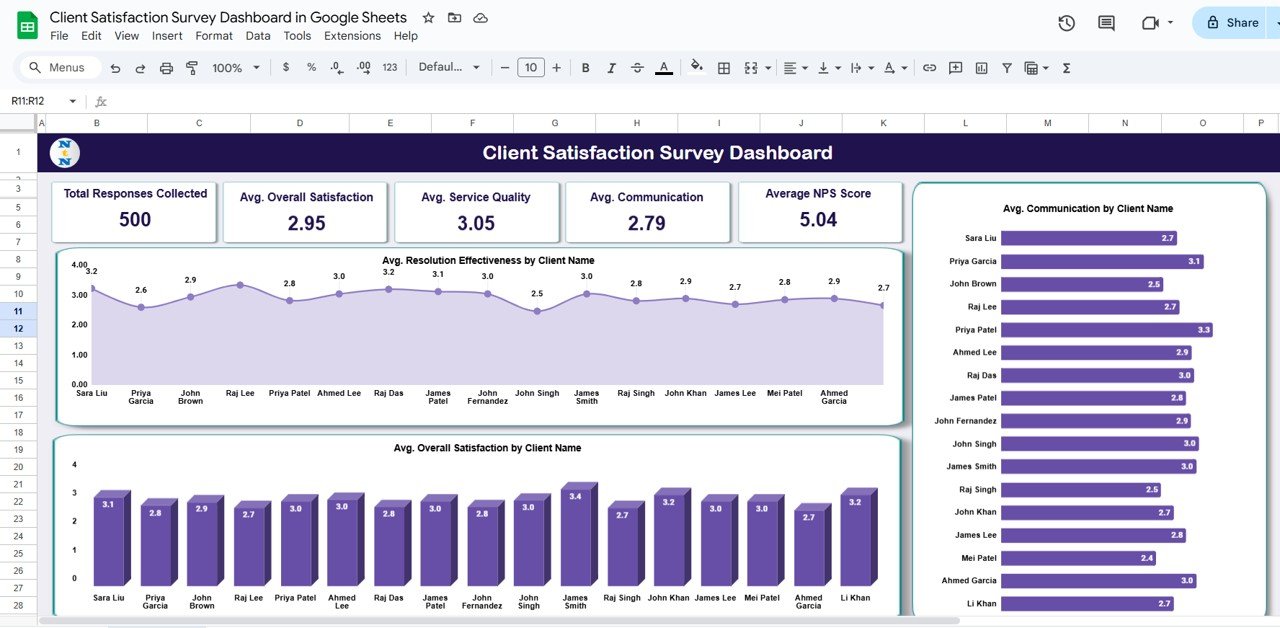
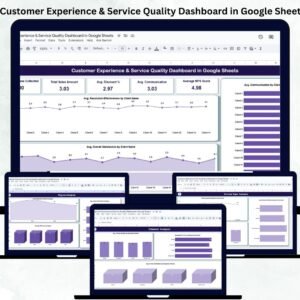
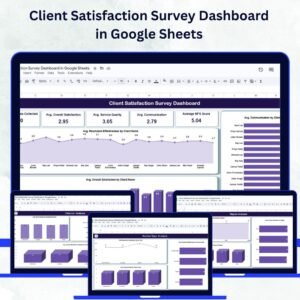
Gain a quick snapshot of your overall client satisfaction with metrics and visuals:
Total Responses Collected – Track how many clients have provided feedback
Avg. Overall Satisfaction – Measure the average rating across all clients
Avg. Service Quality & Communication – Evaluate service performance and relationship management
Average NPS Score – Understand client loyalty and likelihood to recommend your business
Charts visualize metrics such as:
Satisfaction by client name
Resolution effectiveness
Communication scores
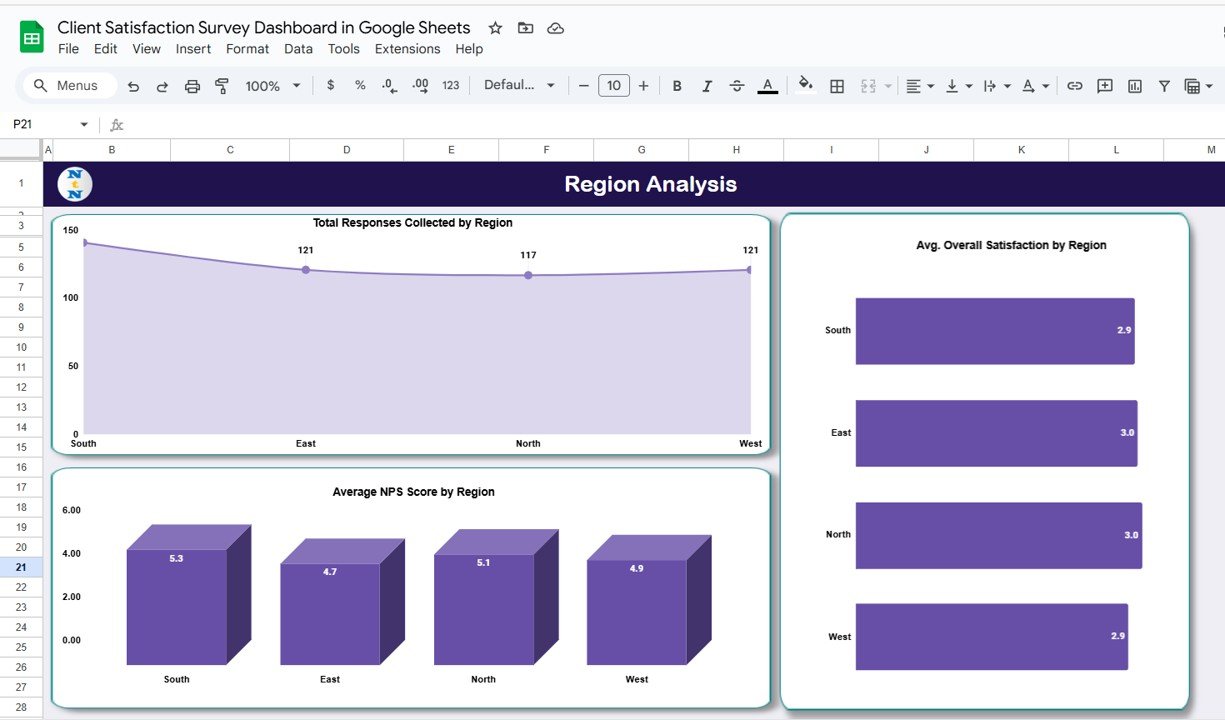
🌍 Region Analysis Sheet Tab
Monitor satisfaction trends across geographical regions:
Compare response volumes, average satisfaction, and NPS scores by region
Identify areas with higher satisfaction or those needing improvement
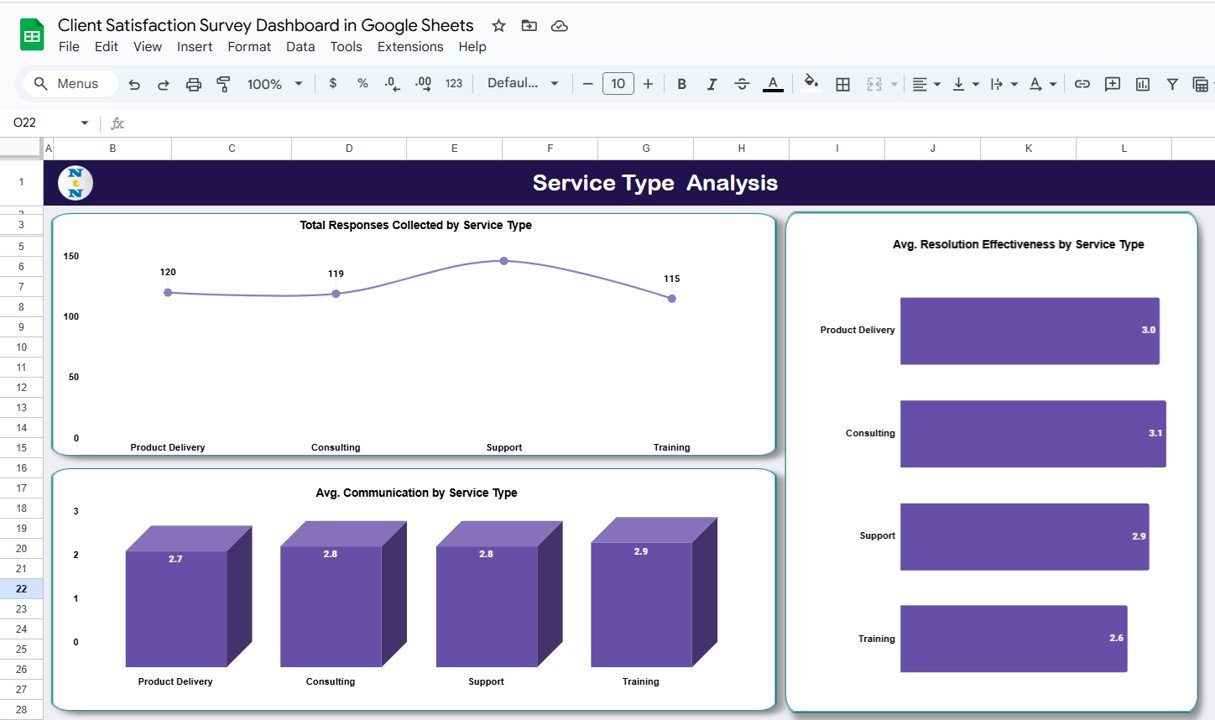
🧩 Service Type Analysis Sheet Tab
Evaluate feedback by service categories:
Track Total Responses and Service Quality by service type
Analyze Resolution Effectiveness and Communication for each category
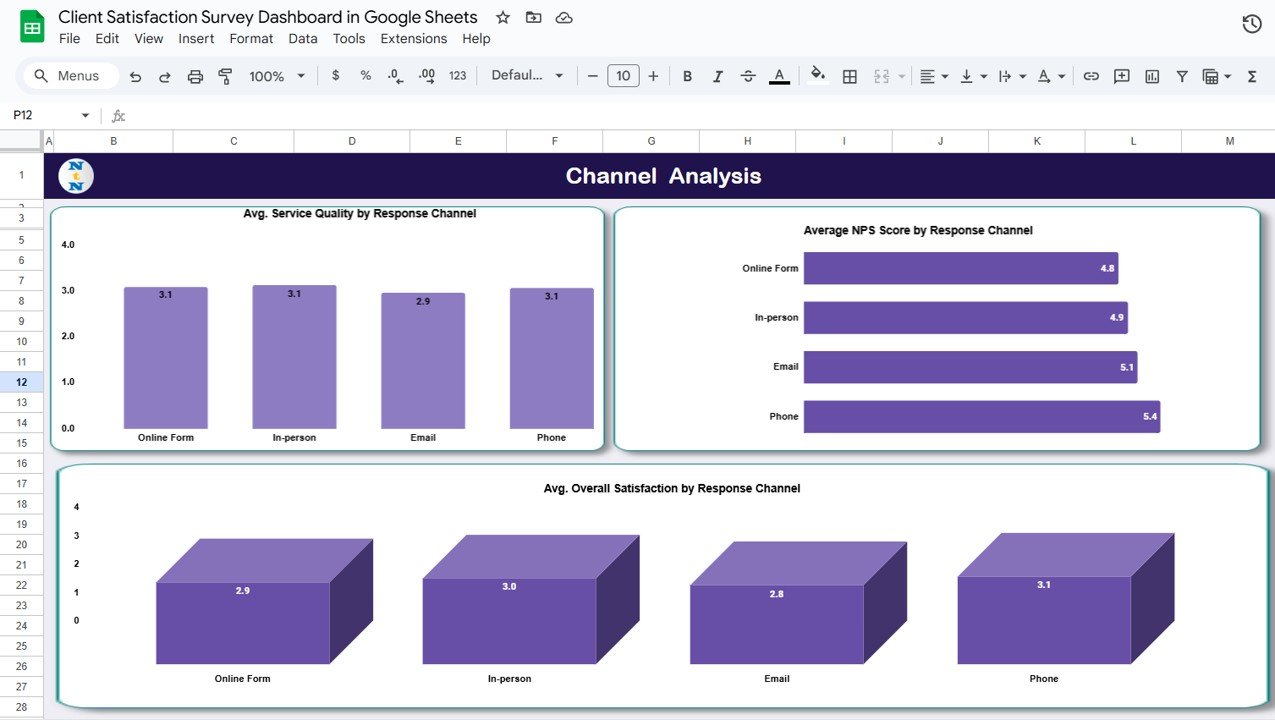
💬 Channel Analysis Sheet Tab
Determine how different communication channels impact satisfaction:
Visualize Service Quality, NPS, and Satisfaction by response channel (email, phone, chat, etc.)
Identify the most effective communication methods
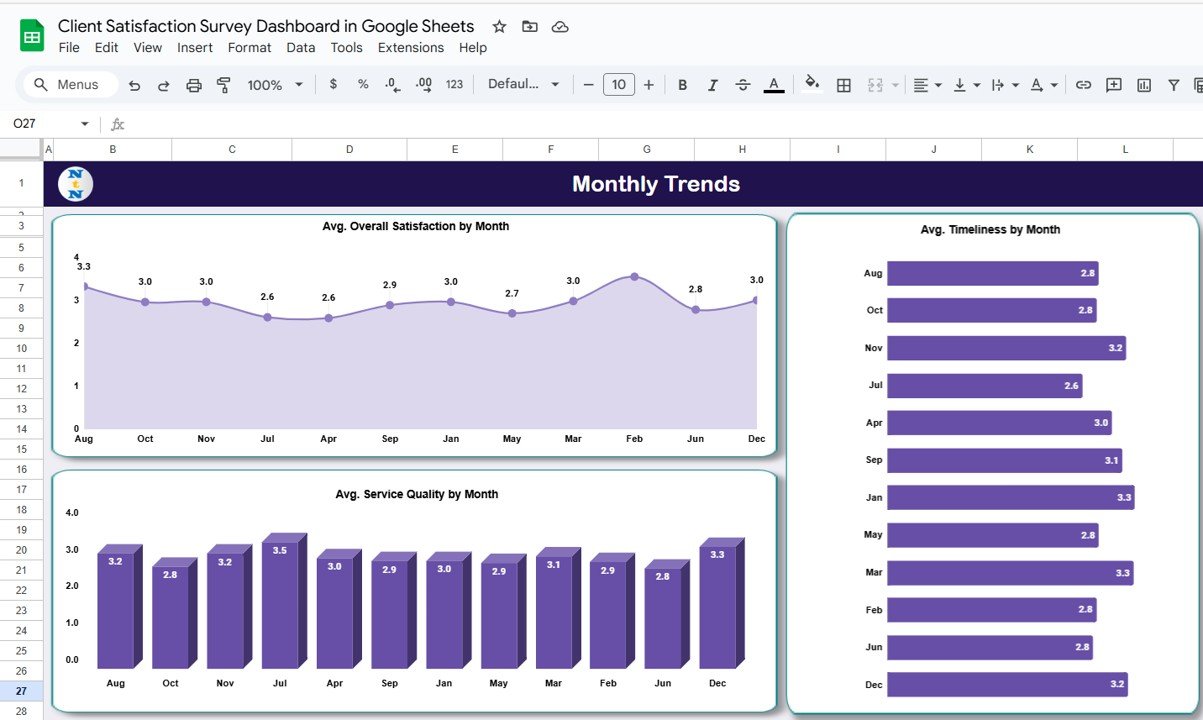
📅 Monthly Trends Sheet Tab
Keep an eye on how satisfaction evolves over time:
Monitor Overall Satisfaction, Service Quality, and Timeliness month by month
Detect seasonal performance changes or the impact of improvement initiatives
📑 Data & Search Sheet Tabs
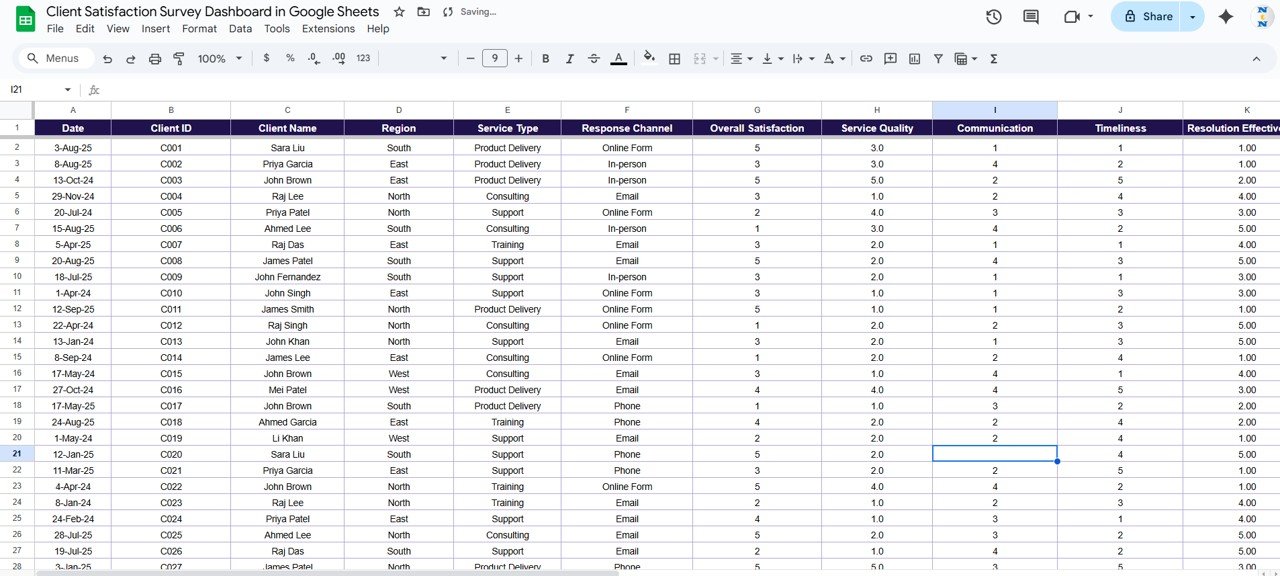
Data Sheet: Central repository for all responses (client name, region, service type, channel, scores, and comments)
Search Sheet: Quick lookup feature to filter responses by keyword or field name
📦 What’s Inside the Dashboard?
✅ Pre-built Dashboard Sheets for each analysis type
✅ Search Functionality for fast record access
✅ Automated Charts linked to live data
✅ Sample Data for easy understanding
✅ Customizable Fields for your unique survey parameters
✅ Collaboration Ready via Google Sheets sharing
🧑💼 Who Can Benefit from This Dashboard?
🎯 Customer Success Teams – Track and respond to client satisfaction metrics
🎯 Account Managers – Monitor feedback by client or region for better engagement
🎯 Executives – Get a clear, visual overview of service performance and loyalty
🎯 Marketing & Operations Teams – Identify improvement areas and communication gaps
🎯 Consultants & Agencies – Present professional, data-driven reports to clients
🧪 How to Use the Client Satisfaction Survey Dashboard
Input Data: Add new survey responses in the Data Sheet.
Review Dashboard: Analyze satisfaction metrics, trends, and NPS on the Overview tab.
Segment Insights: Explore Region, Service Type, and Channel Analysis for targeted action.
Search Records: Quickly locate individual client feedback via the Search Sheet.
Monitor Monthly Trends: Track changes in satisfaction scores and service improvements.
This tool is plug-and-play, requiring no coding — simply input your survey results and watch the dashboard update automatically. ⚡
🌟 Why Choose This Dashboard?
📊 Centralized Insights: All satisfaction metrics in one place
🔄 Real-Time Updates: Dashboards refresh automatically as new data is added
🌍 Multi-Dimensional Analysis: By region, service, and channel
💬 Action-Oriented Insights: Focus on NPS, communication, and service quality
🧠 Data-Driven Decisions: Empower leadership with clear visual analytics
🧩 Customizable Design: Adapt to your survey format and business needs
🚀 Google Sheets Advantage: Cloud-based collaboration and accessibility
With the Client Satisfaction Survey Dashboard in Google Sheets, you can transform feedback into strategy, retain more clients, and elevate service excellence. 🌟
🔗 Click here to read the Detailed blog post
Watch the step-by-step video Demo:
🔗 Visit our YouTube channel to learn step-by-step video tutorials
Compatibility and Requirements
- Works in Google Sheets with a free Google account and a web browser.
- Charts are linked to the Data sheet, so there is nothing else to install.
- Want to adjust a chart? Google explains how in Add & edit a chart or graph.
Frequently Asked Questions
Which sheets are in the Client Satisfaction Survey Dashboard?
Overview, Region Analysis, Service Type Analysis, Channel Analysis and Monthly Trends tabs, plus a Data sheet and a Search sheet.
What does the Overview tab show?
Total Responses, Average Overall Satisfaction, Average Service Quality and Communication, and Average NPS Score, with charts by client, resolution effectiveness and communication.
How do I find one client’s feedback?
Use the Search sheet to filter responses by keyword or field name.
Does it include sample data?
Yes. Sample data shows how each tab works before you add your own survey results.
Related Client Satisfaction Templates
- Client Satisfaction Survey Dashboard in Excel: the same dashboard in Excel
- Client Satisfaction Survey Dashboard in Power BI: the Power BI edition
- Client Satisfaction Survey Tracker in Google Sheets: log survey responses
- Client Satisfaction Improvement Tracker in Google Sheets: follow up on improvement actions
- Google Sheets Business Pack (Pro): 14 Google Sheets business templates in one download
Browse all Google Sheets dashboards or the Google Sheets sales and marketing templates.





Reviews
There are no reviews yet.