Efficient budget management is crucial for maintaining financial discipline and organizational transparency. The Budget Request & Approval Tracker in Google Sheets provides a ready-to-use, automated, and collaborative solution that helps finance teams, department heads, and business leaders manage, review, and analyze all budget requests in one place. 💼📊
Built entirely in Google Sheets, this tool simplifies financial approvals — from submission to authorization — while offering clear insights into spending patterns, approval timelines, and department-level budget trends. It’s the perfect balance between simplicity and power — no coding, no add-ons, just smart automation. ⚙️✅
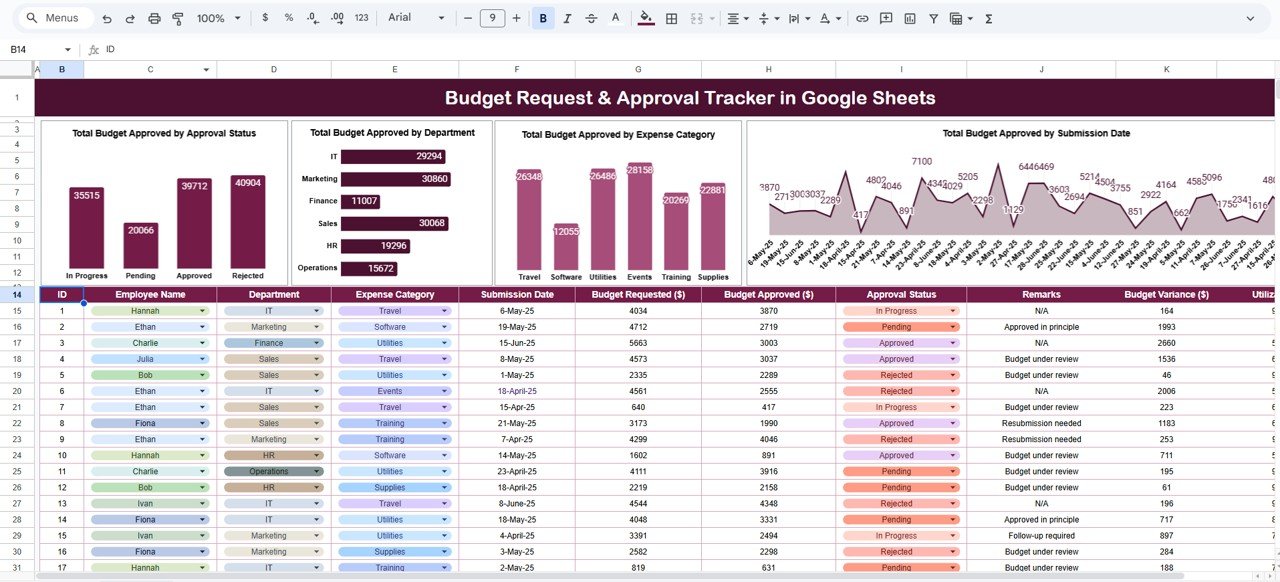
🔑 Key Features of the Budget Request & Approval Tracker in Google Sheets
📋 Tracker Sheet Tab (Main Dashboard)
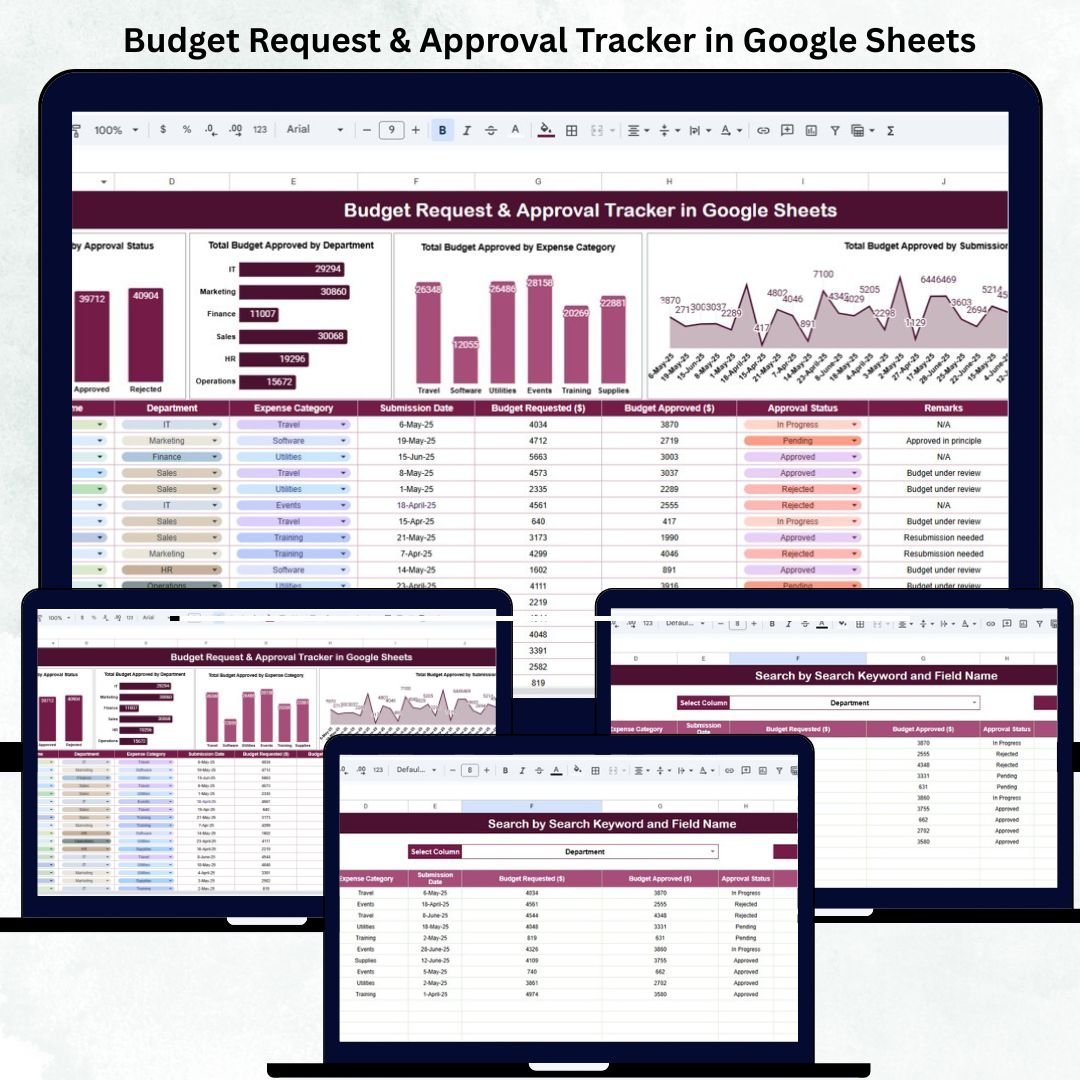
The Tracker Sheet is your financial control center — showcasing real-time approval summaries and visual analytics that update automatically with every data entry.
Charts Included:
💰 Total Budget Approved by Approval Status: Displays the percentage of requests that are Approved, Pending, or Rejected for quick workflow tracking.
🏢 Total Budget Approved by Department: Compares how much each department — such as HR, IT, Marketing, or Operations — has requested and received.
📂 Total Budget Approved by Expense Category: Categorizes spending into key areas like Travel, Supplies, Training, or Advertising for better allocation analysis.
📅 Total Budget Approved by Submission Date: Tracks request activity over time to help identify peak submission periods and approval bottlenecks.
All visuals refresh dynamically, ensuring accurate insights without manual intervention.
🔎 Search Sheet Tab (Smart Record Finder)
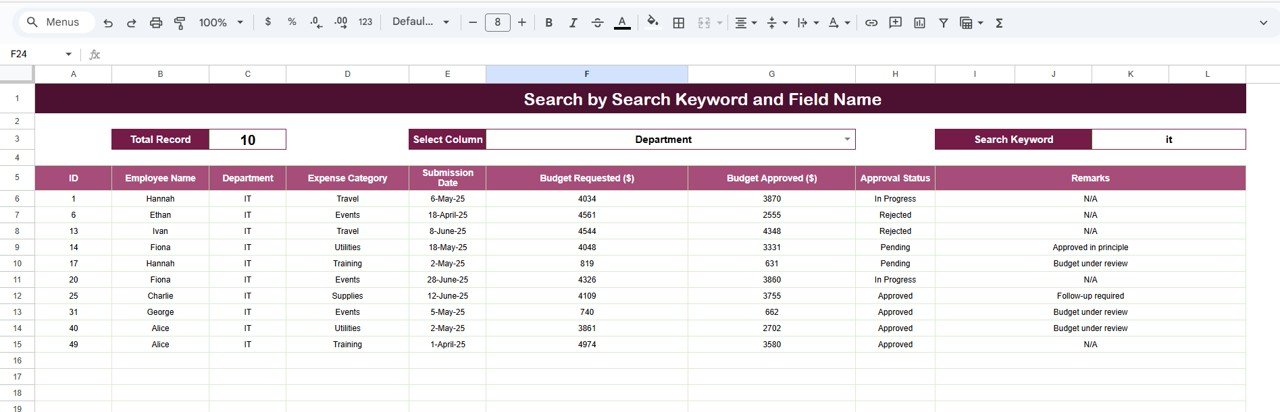
Quickly locate any budget request or approval record with built-in keyword and field-based search features.
Search by Keyword: e.g., “Marketing” or “Travel” to find all related records.
Search by Field Name: e.g., “Status,” “Department,” or “Category” to filter results instantly.
Examples:
Enter “Pending” → Displays all unapproved budget requests.
Enter “Training” → Shows all training-related budget entries across teams.
Perfect for audits, reports, or finance meetings — without needing to scroll through hundreds of rows.
📦 What’s Inside the Tracker
✅ Pre-designed Google Sheets file with interactive charts and reports
✅ Auto-refreshing visuals for Approval Status, Department, and Expense Categories
✅ Keyword-based search functionality
✅ Editable dropdowns for Expense Categories, Departments, and Status
✅ Easy-to-use data input fields
✅ Real-time collaboration and multi-user access
✅ Plug-and-play — ready for immediate use
This tracker replaces outdated spreadsheets with a professional, automated financial approval system — tailored for modern business needs.
🧑💼 Who Can Benefit from This Tracker
💼 Finance Teams – Manage and monitor budget approvals efficiently.
🏢 Department Heads – Submit and track requests easily by category and period.
👩💻 Project Managers – Align project budgets with company targets.
📈 Executives & Decision-Makers – Review organization-wide financial activity instantly.
📊 Auditors & Controllers – Ensure data accuracy, traceability, and accountability.
Ideal for companies of any size — from startups managing small departmental budgets to large organizations with multiple approval hierarchies.
🧪 How to Use the Budget Request & Approval Tracker
1️⃣ Add New Budget Requests: Input details such as Department, Category, Amount, and Status in the data sheet.
2️⃣ Track Automatically: Dashboard charts update instantly as data changes.
3️⃣ Filter by Status or Department: Use filters or Search Tab to isolate key records.
4️⃣ Review & Approve: Update Status (Approved, Pending, Rejected) for each record.
5️⃣ Analyze Trends: View approval rates, category spending, and department-wise allocations.
💡 Pro Tip: Use Google Forms linked to the sheet for automated submission workflows and approval notifications.
🌟 Why Choose This Tracker
💰 Centralized and transparent budget management
📈 Real-time analytics with visual summaries
⚙️ Fully automated — no complex formulas or add-ons
👥 Cloud collaboration for multi-department teams
🔍 Smart search and instant record retrieval
🧩 Customizable to your organization’s structure
🚀 Ready to use from day one — no setup required
The Budget Request & Approval Tracker in Google Sheets empowers organizations to manage financial requests efficiently, ensuring every dollar is tracked, approved, and analyzed with complete visibility and control. 🌟