

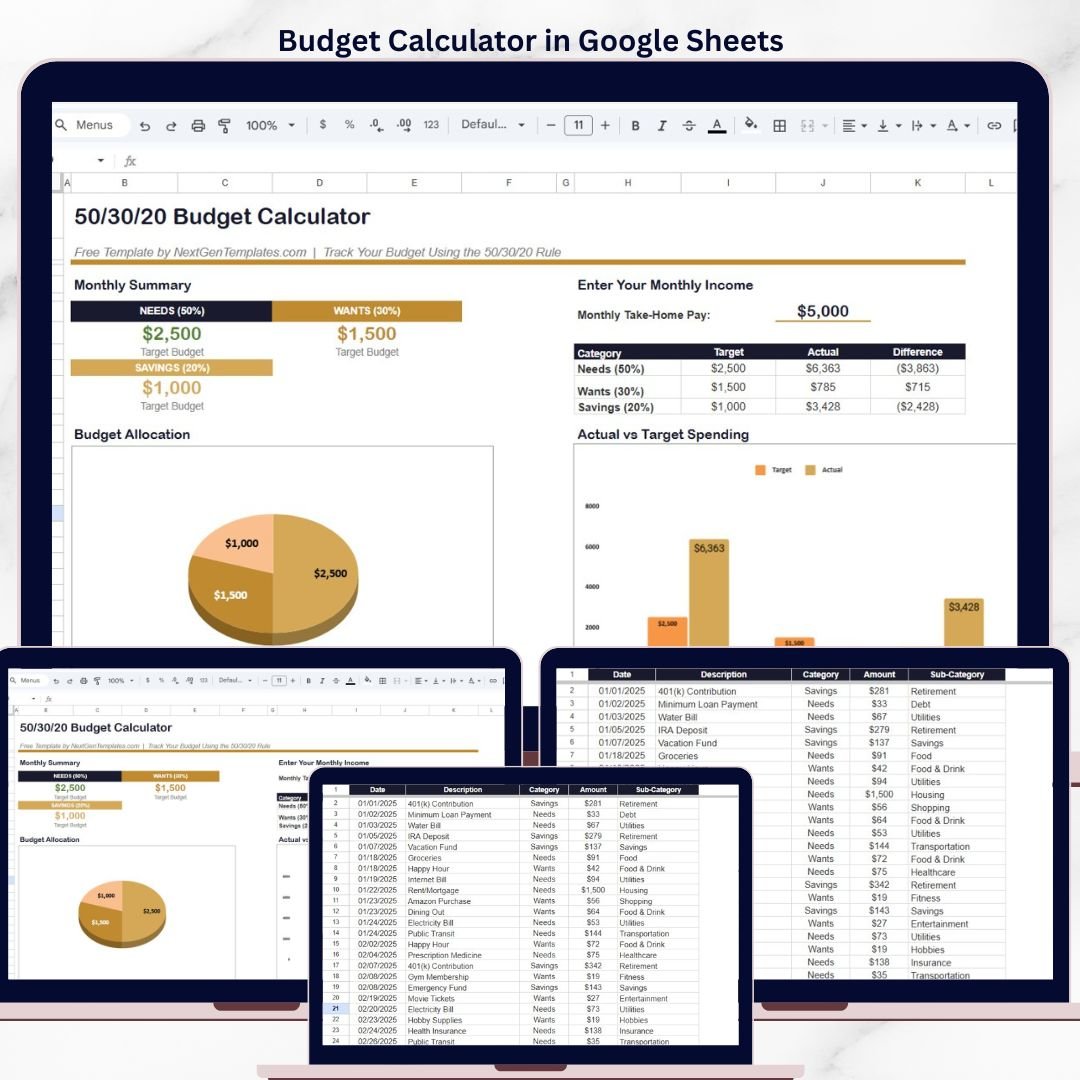

The Budget Calculator in Google Sheets uses the 50/30/20 budgeting rule to split your monthly take-home pay into 3 spending categories — Needs (50%), Wants (30%), and Savings (20%) — with a built-in expense tracker covering 15+ sub-categories. It includes 2 interactive pages, 3 budget allocation cards, a pie chart for budget distribution, and a bar chart comparing target vs actual spending. Setup takes under 5 minutes — enter your monthly income, log expenses, and the calculator auto-updates every chart and summary.
🌍 Join 8,400+ teams in 40+ countries using NextGenTemplates to replace paid SaaS tools with one-time-purchase Excel, Google Sheets, Power BI, and HTML templates.
✅ Instant download · Free template · No subscription · No per-user fees · Lifetime access
🔑 Key Features of Budget Calculator in Google Sheets
📊 50/30/20 Budget Rule Built-In — The calculator automatically divides your monthly take-home pay into Needs (50%), Wants (30%), and Savings (20%) target budgets. Enter your income once and the three allocation cards update instantly with exact dollar amounts for each category.
📈 Target vs Actual Spending Comparison — A grouped bar chart visually compares your target budget against actual spending for Needs, Wants, and Savings. The difference column in the summary table shows exactly how much you are over or under budget in each category — making overspending immediately visible.
🥧 Budget Allocation Pie Chart — A 3-slice pie chart displays your total budget split across Needs, Wants, and Savings with dollar values. This gives you a quick visual snapshot of how your income is distributed before you start spending.
📝 Built-In Expense Tracker with 15+ Sub-Categories — The Data Sheet logs every transaction with Date, Description, Category (Needs/Wants/Savings), Amount, and Sub-Category fields. Sub-categories include Housing, Utilities, Food, Transportation, Insurance, Healthcare, Retirement, Entertainment, Shopping, Fitness, Hobbies, Food & Drink, Debt, and Savings — covering virtually every personal expense type.
💰 Automatic Monthly Summary — Three KPI-style cards at the top of the calculator page display the target budget for Needs, Wants, and Savings. A separate comparison table shows Category, Target, Actual, and Difference — updating automatically as you log expenses in the Data Sheet.
🔄 Zero Formulas to Edit — All calculations are pre-built with Google Sheets formulas. Change your monthly income and the entire calculator recalculates. Add an expense row and the summary table and charts refresh automatically. No Apps Script, no macros needed.
☁️ Cloud-Based Access — Access your budget calculator from any device using Google Sheets in the browser or the Google Sheets app. Share with family members for collaborative household budget tracking.
Explore more Google Sheets Tracker Templates and Google Sheets Dashboard Templates on NextGenTemplates for budgeting, finance, and expense tracking solutions.
📦 What’s Inside the Budget Calculator in Google Sheets
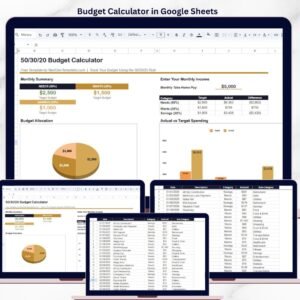
📄 Calculator Page — The main page displays the Monthly Summary section with 3 budget allocation cards (Needs $2,500 / Wants $1,500 / Savings $1,000 based on $5,000 sample income), a Budget Allocation pie chart, the Enter Your Monthly Income input field, a Category comparison table (Target vs Actual vs Difference for Needs, Wants, and Savings), and an Actual vs Target Spending bar chart.
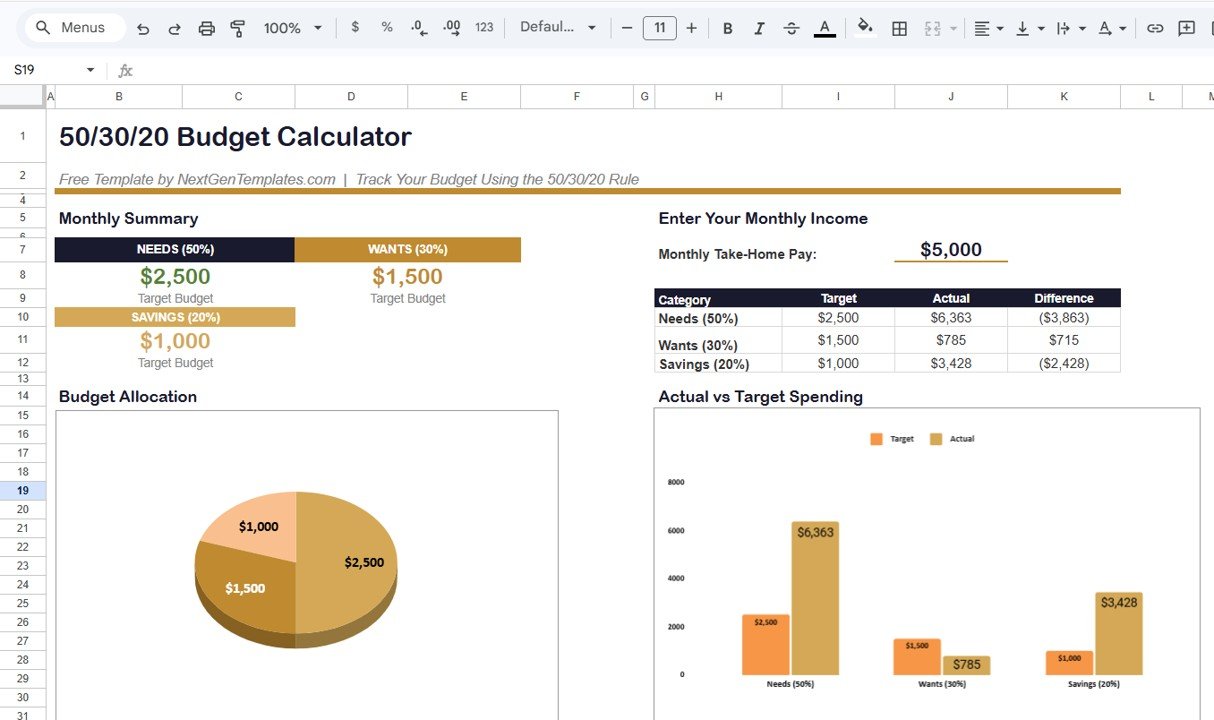 Budget Calculator in Google Sheets – Calculator Page
📄 Data Sheet — A structured transaction log with 5 columns: Date, Description, Category, Amount, and Sub-Category. Sample data includes 35+ rows covering expenses from January through April 2025 across all three budget categories. Categories map to Needs, Wants, or Savings, while Sub-Categories provide granular detail like Housing, Utilities, Food, Transportation, Entertainment, Retirement, and more.
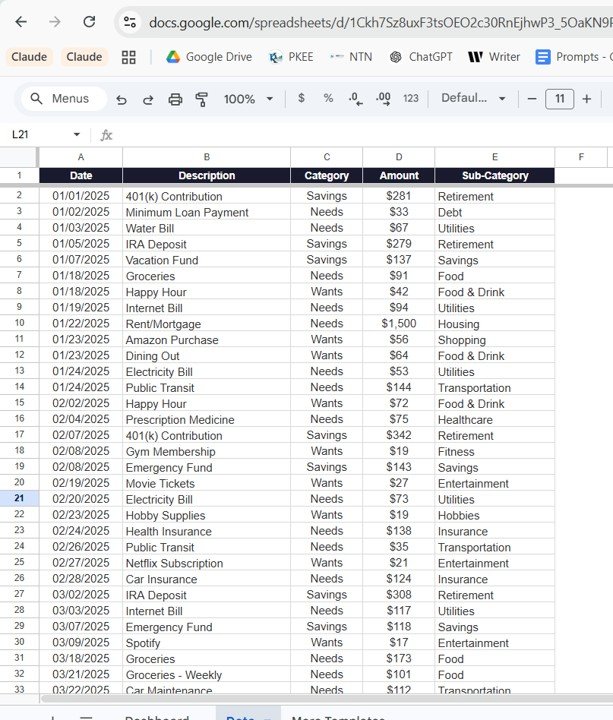 Budget Calculator in Google Sheets – Data Sheet
📊 Budget Calculator in Google Sheets vs. Excel Budget Calculator vs. YNAB — Where This Fits
| Feature | Budget Calculator in Google Sheets | Excel Budget Calculator | YNAB (You Need a Budget) |
|---|---|---|---|
| Cost | $0 free download | Free (with Excel) | $14.99/month ($99/year) |
| Platform | Google Sheets (browser + app) | Microsoft Excel (desktop) | Web + Mobile app |
| Setup Time | Under 5 minutes | Under 5 minutes | 30+ minutes with bank linking |
| 50/30/20 Rule Built-In | ✅ Yes — automatic allocation | ✅ Yes | ❌ Custom categories only |
| Real-Time Collaboration | ✅ Share with family via Google Drive | ❌ Single-user file | ✅ Multi-device sync |
| Offline Access | Limited (Google Sheets offline mode) | ✅ Full offline use | ❌ Requires internet |
| Bank Account Sync | ❌ Manual entry | ❌ Manual entry | ✅ Auto-sync with banks |
| Data Privacy | ✅ Your Google Drive — no third-party access | ✅ 100% local file | Stored on YNAB servers |
| Year-1 Cost (1 user) | $0 | $0 | $99/year |
For individuals who want a structured 50/30/20 budget calculator with cloud access and family sharing without paying monthly subscriptions, the Budget Calculator in Google Sheets sits in the sweet spot.
👥 Who This Template Is For — and Who It’s Not For
✅ This template is built for:
- Individuals and families who want to follow the 50/30/20 budgeting method in Google Sheets
- Working professionals tracking monthly take-home pay against spending categories from any device
- Students and young adults starting their first personal budget using a free cloud-based tool
- Couples who want to share and collaborate on a household budget in real time
❌ This template is NOT for:
- Users who need automatic bank account syncing and real-time transaction imports
- Businesses requiring multi-user expense approval workflows
- People looking for investment portfolio tracking or debt payoff calculators (see Debt Payoff Calculator in Google Sheets instead)
⚙️ How to Use the Budget Calculator in Google Sheets
- Open the PDF guide included in your download and click the Google Sheets copy link to create your own editable copy in Google Drive
- Enter your monthly take-home pay in the “Monthly Take-Home Pay” field on the Calculator page — the 50/30/20 allocation cards update automatically
- Go to the Data Sheet and start logging your expenses with Date, Description, Category (Needs/Wants/Savings), Amount, and Sub-Category
- Return to the Calculator page to see your Target vs Actual comparison table and charts update in real time
- Review the Difference column to identify categories where you are overspending or underspending
- Share with family via Google Drive for collaborative household budget tracking
💼 Real-World Use Cases
Priya is a 28-year-old software developer in Bangalore earning ₹80,000 per month. She uses the Budget Calculator in Google Sheets to split her salary into Needs (rent, groceries, utilities), Wants (dining out, subscriptions, shopping), and Savings (mutual funds, emergency fund). Each weekend she spends 5 minutes logging expenses in the Data Sheet. The Difference column on the Calculator helped her realize she was overspending on food delivery by ₹4,000 per month — money she now redirects to her emergency fund.
James and Sarah are a couple in Austin managing a combined $7,500 monthly income. They share the Budget Calculator in Google Sheets via Google Drive so both can log expenses in real time. The 50/30/20 rule gives them clear guardrails: $3,750 for Needs, $2,250 for Wants, and $1,500 for Savings. The bar chart made it clear that their “Wants” spending was hitting 38% of income — prompting them to cut streaming subscriptions and dining out.
Maria is a freelance graphic designer in Madrid with irregular monthly income. She updates her Monthly Take-Home Pay each month in the Budget Calculator and adjusts her spending targets accordingly. The pie chart helps her visualize how her variable income should be distributed, and the Data Sheet gives her a running record for tax season expense documentation.
❓ Frequently Asked Questions
What is the 50/30/20 budget rule in Google Sheets?
The 50/30/20 budget rule allocates 50% of your monthly take-home pay to Needs, 30% to Wants, and 20% to Savings. The Budget Calculator in Google Sheets automates this split — enter your income and the three budget category cards calculate target amounts instantly.
Is the Budget Calculator in Google Sheets really free?
Yes. The Budget Calculator in Google Sheets is a completely free template from NextGenTemplates. Download it instantly, create your own copy in Google Drive, and customize it without any subscription or hidden fees.
How many expense categories does this budget tracker support?
The Budget Calculator in Google Sheets tracks 3 main categories (Needs, Wants, Savings) and 15+ sub-categories including Housing, Utilities, Food, Transportation, Insurance, Healthcare, Retirement, Entertainment, Shopping, Fitness, Hobbies, Food and Drink, Debt, and Savings.
Can I use this budget calculator in Excel instead?
Yes. If you prefer Microsoft Excel, download the Budget Calculator in Excel for the same 50/30/20 budgeting experience on desktop.
How does this compare to paid budgeting apps like YNAB or Mint?
The Budget Calculator in Google Sheets is free and keeps your financial data in your Google Drive. YNAB costs $99/year and Mint relies on ad-supported bank syncing. For users who value simplicity and cloud access without paying monthly subscriptions, this Google Sheets template is the better fit.
Can I share this budget calculator with my family?
Yes. Since it runs on Google Sheets, you can share the file via Google Drive with family members. Multiple people can view and edit the budget simultaneously for collaborative household financial planning.
How long does it take to set up this budget calculator?
Setup takes under 5 minutes. Create your copy from the PDF guide link, enter your monthly income on the Calculator page, then start logging expenses in the Data Sheet. All charts and summary cards update automatically — no formulas to edit.
👤 About the Author
Built by PK — Microsoft Certified Professional with 15+ years of Excel, Google Sheets, and Power BI experience. Founder of NextGenTemplates, reaching 300K+ subscribers across YouTube channels (@PK-AnExcelExpert, @NextGenTemplates, @NeoTechNavigators). Every template is hand-built and tested before release.
🔗 Explore Related Templates
📌 Budget Calculator in Excel — The same 50/30/20 budget calculator designed for Microsoft Excel. Free
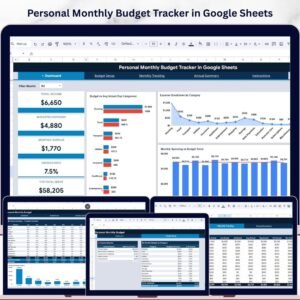
📌 Personal Monthly Budget Tracker in Google Sheets — Track income, expenses, and savings with 4 pages, 6 KPIs, and 3 interactive charts. $6.99
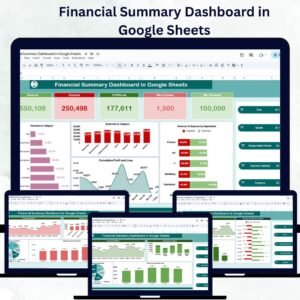
📌 Personal Finance Dashboard in Google Sheets — Track income, expenses, budgets, and investments across 6 interactive pages. $9.99
📌 Debt Payoff Calculator in Google Sheets — Compare Snowball vs Avalanche strategies to become debt-free faster. $4.99
📌 Also available: Personal Finance Dashboard in Excel | Personal Finance Dashboard in HTML
🎥 Visit our YouTube channel for step-by-step video tutorials
👉 YouTube.com/@NextGenTemplates
Compatibility and Requirements
- Works in Google Sheets with a free Google account, in a web browser or the Google Sheets app. Nothing to install.
- It uses built-in Google Sheets formulas, with no Apps Script or macros. Google explains charts in Add & edit a chart or graph.



























Reviews
There are no reviews yet.