

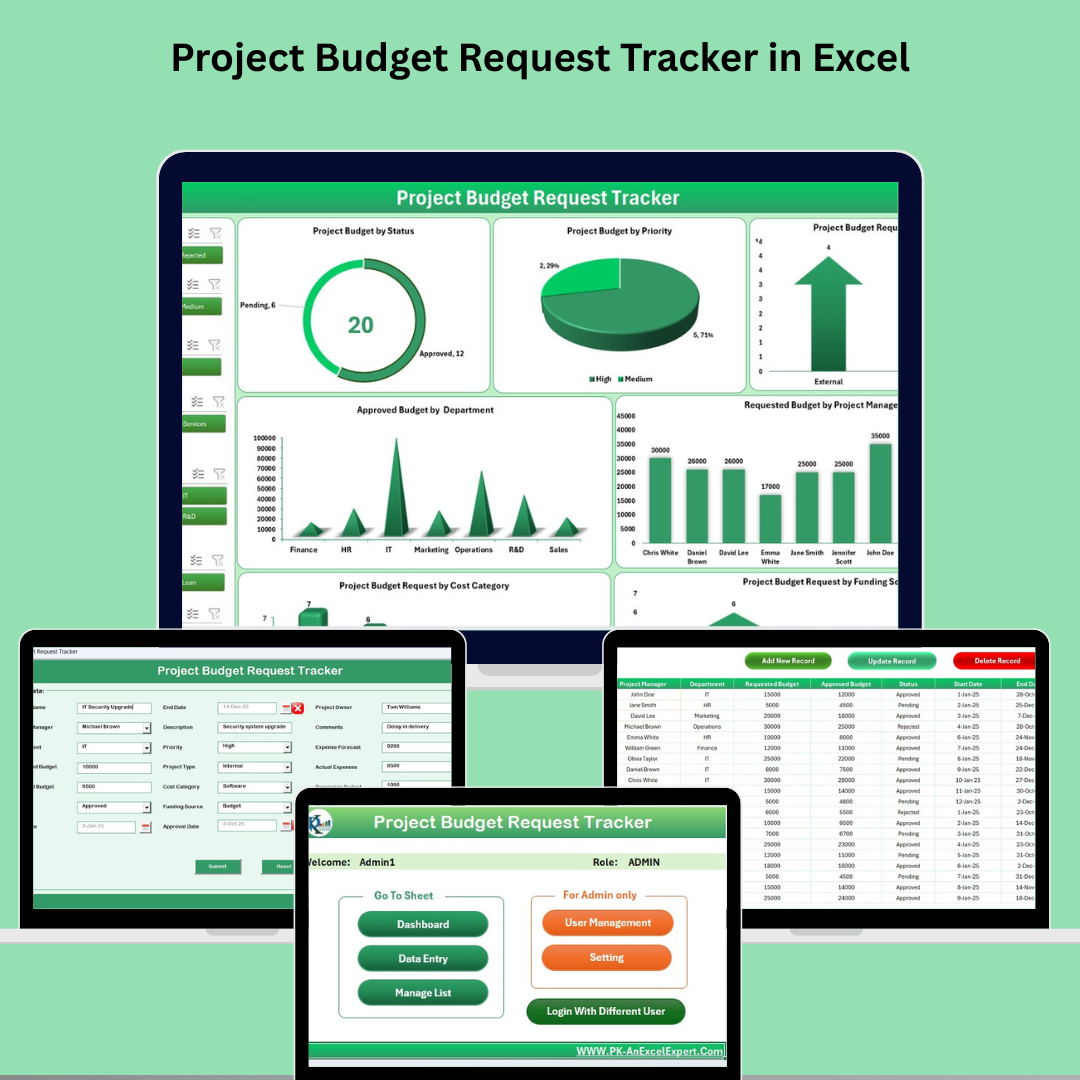

Managing project budgets can be time-consuming and prone to human error without the right tools. That’s why we built the Project Budget Request Tracker in Excel—a powerful, VBA-enabled solution that transforms your traditional spreadsheet into a dynamic, interactive, and user-friendly budget tracking system.
Whether you’re a project manager, finance officer, or department head, this tracker empowers you to request, manage, monitor, and report project budgets—all within Excel.
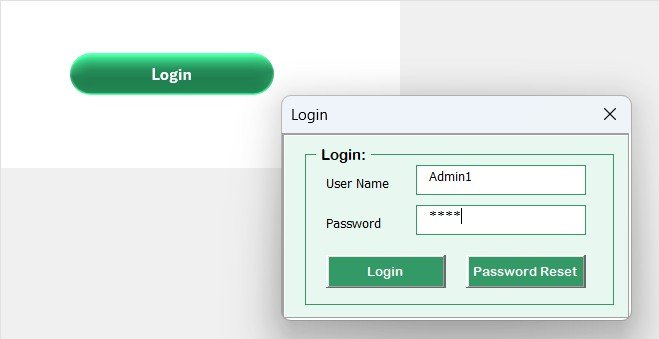
🔐 Secure Login System
The tool begins with a login form that ensures only authorized users access sensitive project data. Customize credentials for different users and enjoy full user-level access control.
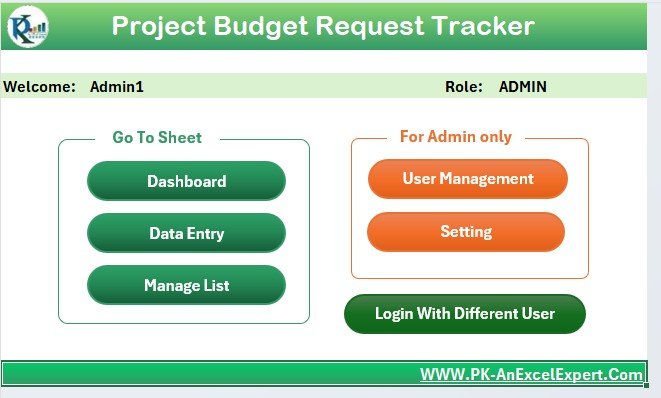
🧭 Main Form – Your Command Center
The intuitive Main Form gives you a central location to:
Add and update project budget records
Open the dashboard and data sheets
Manage users and settings
No need to navigate sheet tabs manually—everything is just a click away.
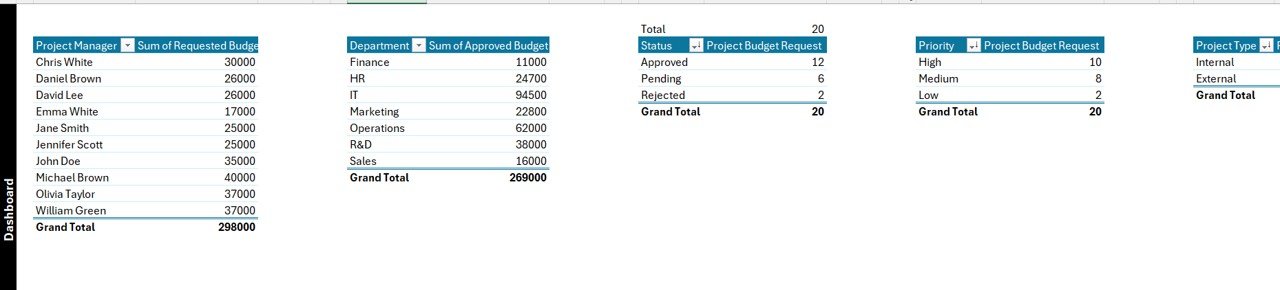
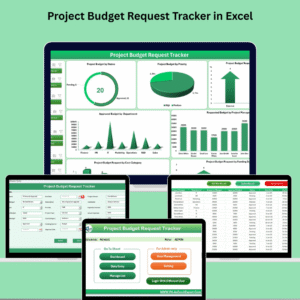
📊 Interactive Dashboard
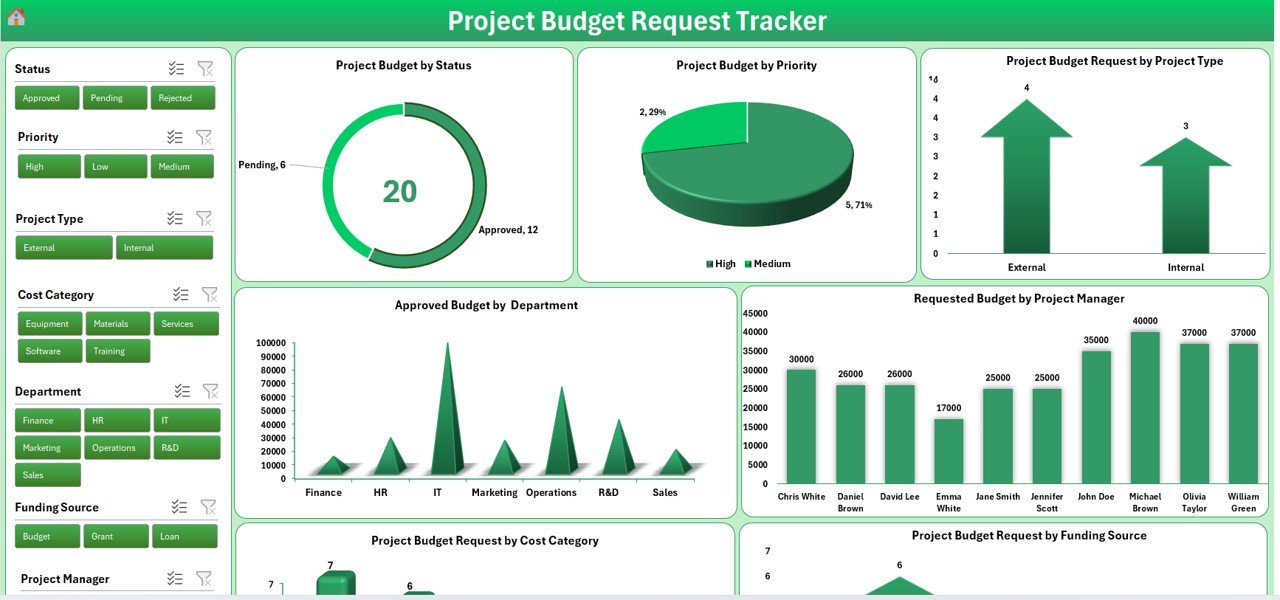
With real-time pivot charts and slicers, the dashboard gives you instant visibility into:
Budget Requests by Project Type (Arrow Chart)
Priority Budget by Status (Doughnut Chart)
Approved Budget by Department (Column Chart)
Budget by Project Manager, Funding Source, and more
You can filter by 7 slicers such as department, priority, or project status to gain actionable insights instantly.
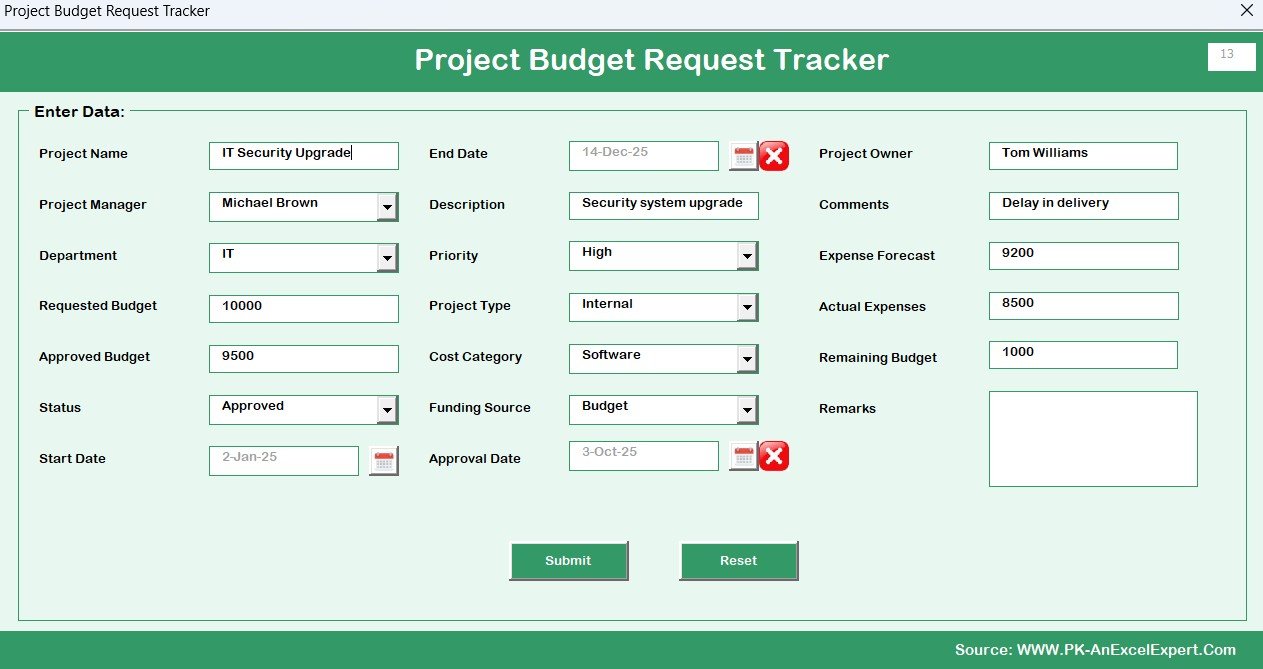
📝 Data Entry Made Easy
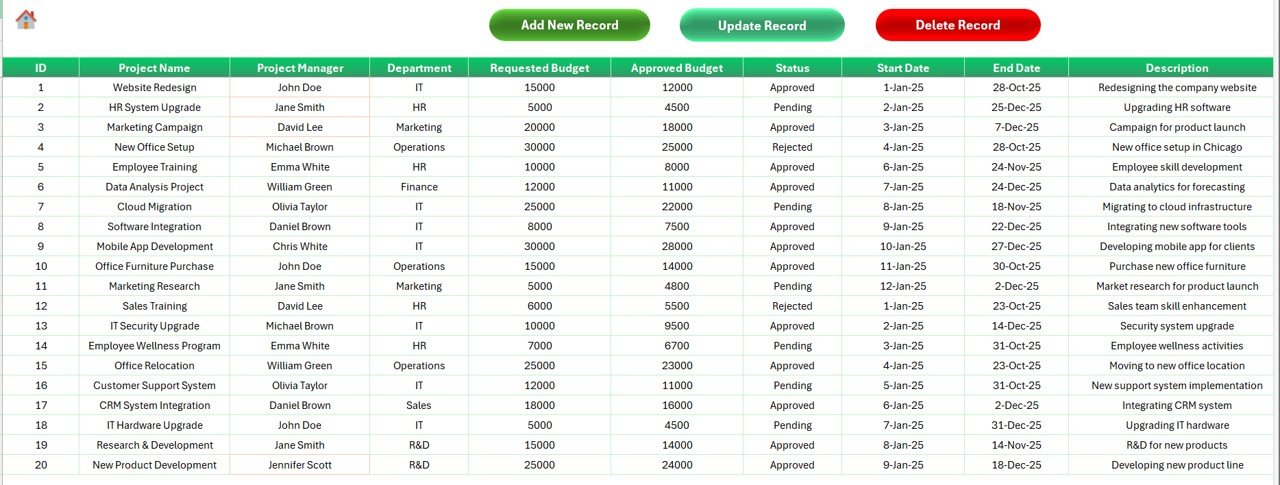
Capture all critical budget request details with structured fields like:
Project Name, Department, Manager
Budget Requested and Approved
Dates, Status, Type, Priority, Cost Category
Expense Forecasts, Actual Expenses, and Remarks
Three automation buttons let you:
➕ Add New Record (via Form)
✏️ Update Record
🗑️ Delete Record
No manual data entry errors—just fast and accurate recordkeeping.
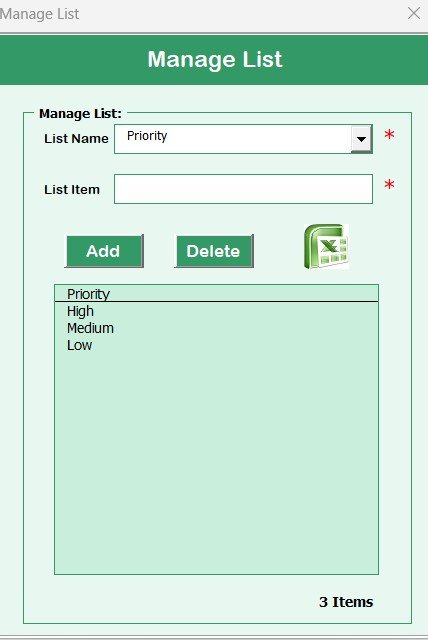
🗂️ Manage List Sheet
Customize drop-downs for:
Project Types
Statuses
Cost Categories
Departments
This ensures consistency across entries and supports scalable usage.
🔧 Support & Settings
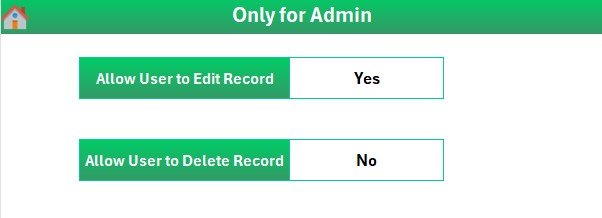
The Support Sheet powers your dashboard’s visuals in the background, while the Settings Sheet allows advanced users to configure the system to suit their needs.
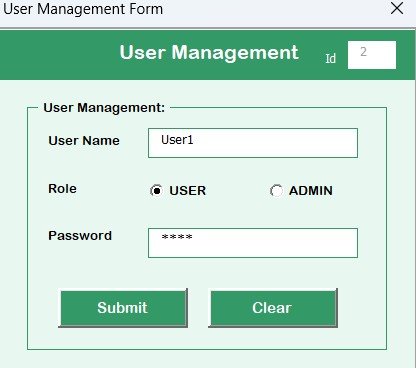
👥 User Management
Add, edit, or remove users directly from the tool. Assign passwords and manage secure access. Ideal for organizations with multiple teams or project leads.
✅ Why Use This Excel-Based Tool?
✔ No Coding Needed – Built-in VBA handles everything
✔ Plug and Play – Works immediately after download
✔ Highly Visual – Charts, graphs, and pivot summaries
✔ Secure and Multi-User – Protect your financial data
✔ Fully Customizable – Adjust to your workflow
✔ Scalable – Supports large volumes of project entries
✔ Excel-Based – No external software or subscriptions needed
🎯 Who Should Use It?
Project Managers – Track budget requests and approvals
Finance Teams – Compare forecast vs. actual expenses
Department Heads – View fund allocation and usage
Small Businesses – Manage multiple project budgets
NGOs – Monitor donor-funded project spending
Government Agencies – Ensure transparency and traceability
📘 How to Use It?
Download & Enable Macros
Log In using Admin or User credentials
Use the Main Form to navigate to dashboard or entry
Add or Edit Budget Requests
Analyze Data via Dashboard
Export Reports as PDF or share Excel file
📺 Learn More with Step-by-Step Tutorials
🔗 Click here to read the Detailed blog post
Watch the step-by-step video tutorial:
Compatibility and Requirements
- Needs Microsoft Excel desktop on Windows with macros enabled.
- The login form, data entry form and buttons run on VBA, so the file does not work in Excel for the web, Google Sheets or mobile apps.
- Microsoft’s guide Enable or disable macros in Microsoft 365 files shows how to turn macros on.
Frequently Asked Questions
How do users sign in?
The file opens with a login form. You can add, edit or remove users and set their passwords from the User Management area.
What details can I record for each budget request?
Project name, department, manager, budget requested and approved, dates, status, type, priority, cost category, expense forecasts, actual expenses and remarks.
Which charts are on the dashboard?
Budget requests by project type, priority budget by status, approved budget by department, and budget by project manager and funding source. Seven slicers filter the charts.
Can I change the dropdown lists?
Yes. The Manage List sheet holds the project types, statuses, cost categories and departments used in the dropdowns.
Related Project Budget Templates
- Project Budget Request Tracker in Google Sheets: the same tracker in Google Sheets
- Budget Request & Approval Tracker in Google Sheets: a budget request and approval tracker in Google Sheets
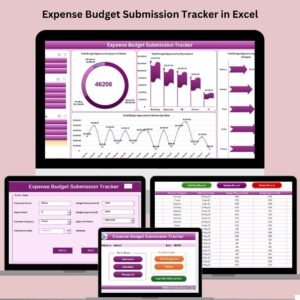
- Expense Budget Submission Tracker in Excel: track expense budget submissions in Excel
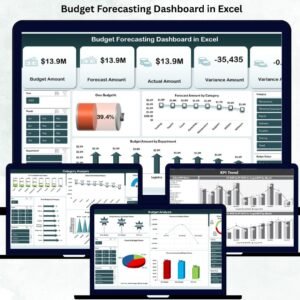
- Budget Forecasting Dashboard in Excel: forecast budgets against actuals in an Excel dashboard
- Project Management Pro Bundle: project management templates in one bundle
Browse all Excel VBA tools or the Excel financial tools.












Reviews
There are no reviews yet.