

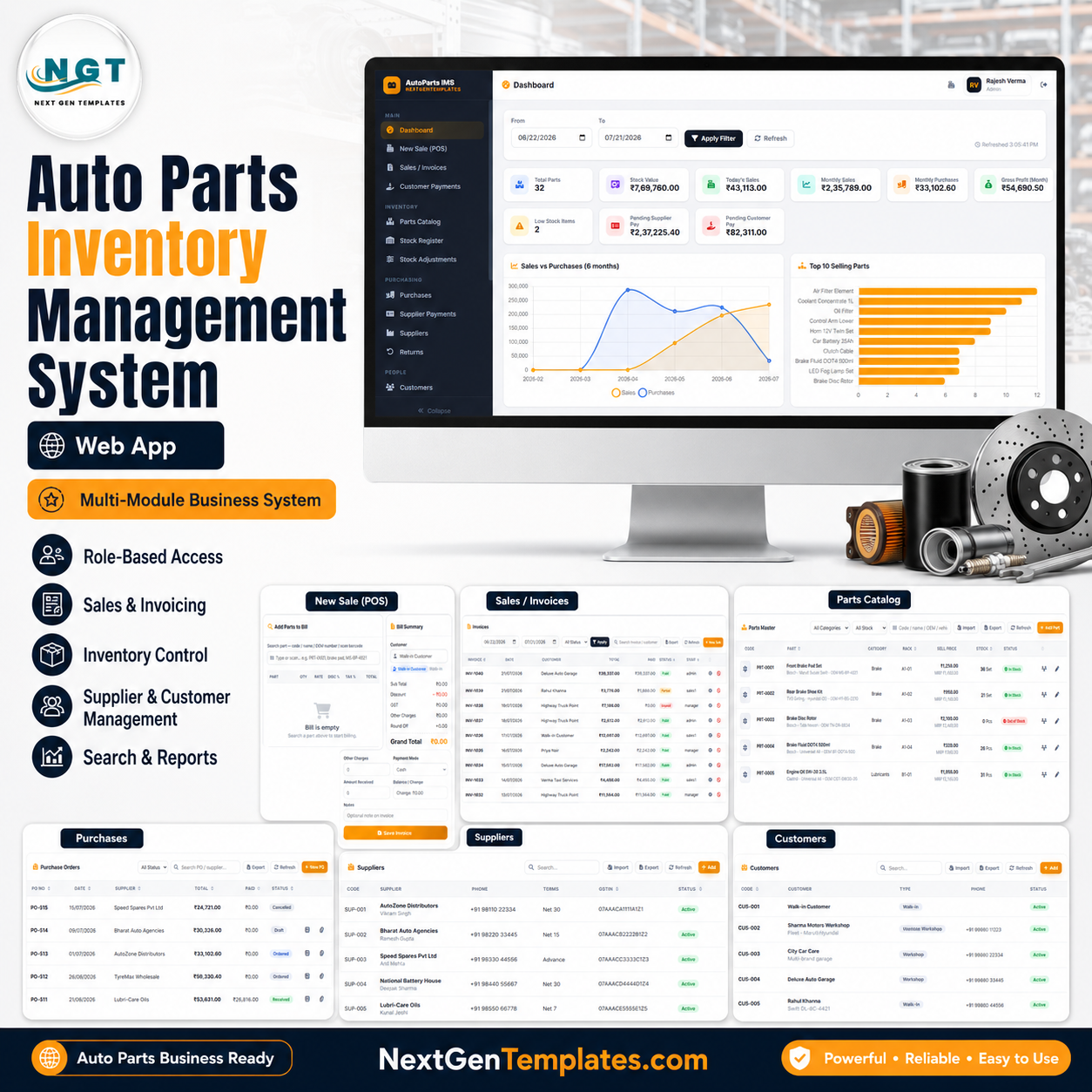

The auto parts inventory web app gives an auto parts shop an 18-page browser workspace for parts, purchases, POS billing, customer payments, supplier payables, stock adjustments, returns, reports, users, settings, and audit history. Instead of stitching together paper registers and disconnected spreadsheets, a counter team can review 6 dashboard chart groups, run sales and purchase records, and monitor stock value from one prepared system. Built by PK, a Microsoft Certified Professional with 15+ years of spreadsheet and dashboard experience and 300K+ YouTube subscribers, this one-time $39.99 sale template is designed for buyers who want to inspect every page screenshot before purchase.
Key Features of Auto Parts Inventory Management System Web App
- 18-page web app workflow: Manage login, dashboard, POS billing, sales, payments, stock, purchases, returns, reports, users, settings, and audit records.
- Parts catalog control: Track part codes, names, OEM references, vehicle fitment, categories, rack locations, sell price, stock status, and search fields.
- POS billing screen: Search parts, add billing items, calculate subtotal, discount, tax, charges, payment mode, received amount, and invoice totals.
- Purchase and supplier tracking: Manage purchase orders, supplier balances, supplier payment records, GSTIN details, payment terms, and status filters.
- Live stock monitoring: Review stock quantity, inventory value, reorder levels, stock status, rack location, and stock-adjustment history.
- Customer and payment records: Track customer types, phone numbers, invoice payments, payment modes, paid amounts, due amounts, and staff collection records.
- Returns and reports: Monitor sales returns, purchase returns, return reasons, sales summaries, date ranges, report output, tax, discount, and due amounts.
- Admin controls: Maintain users, roles, dropdown lists, business profile, invoice numbering, purchase order numbering, currency, date format, stock behavior, and audit logs.
What’s Inside the Auto Parts Inventory Management System Web App
The web app is organized into operational pages that match the daily flow of an auto parts business: sign in, review the dashboard, sell parts, receive payments, manage stock, purchase from suppliers, handle returns, and review reports.
1. Login Page
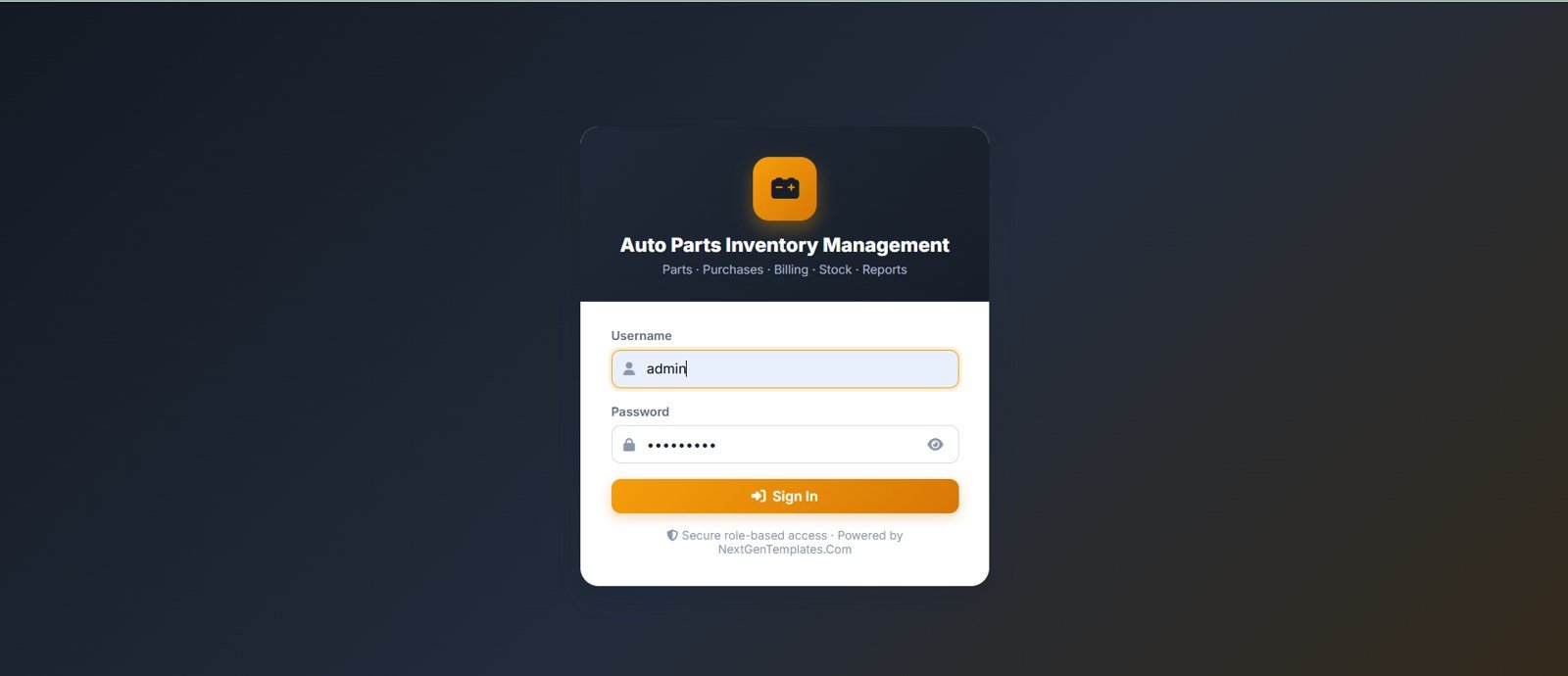
The login page shows the Auto Parts Inventory Management title, module subtitle, username field, password field, sign-in button, and a secure role-based access note. It creates the entry point for staff before they reach parts, purchases, billing, stock, and reports.
🚀 Try the Live Demo Before You Buy
We have deployed this web app in our own Google account so you can test every page, every role — with real sample data — before purchasing. No signup, no email required.
🔑 Test Login Credentials
Sign in as admin for full access — every operational module plus Settings, User Management, List Management, Database Archive and the Audit Log; as manager to run day-to-day operations (parts, stock, adjustments, purchases, supplier & customer payments, POS billing, returns and all reports); or as sales1 for counter billing — POS, own invoices, customer payments and parts lookup.
💡 What you get after purchase: The full source code (Code.gs + Index.html) plus a step-by-step deployment guide so you can deploy your own private instance in your own Google account in under 15 minutes.
2. Dashboard
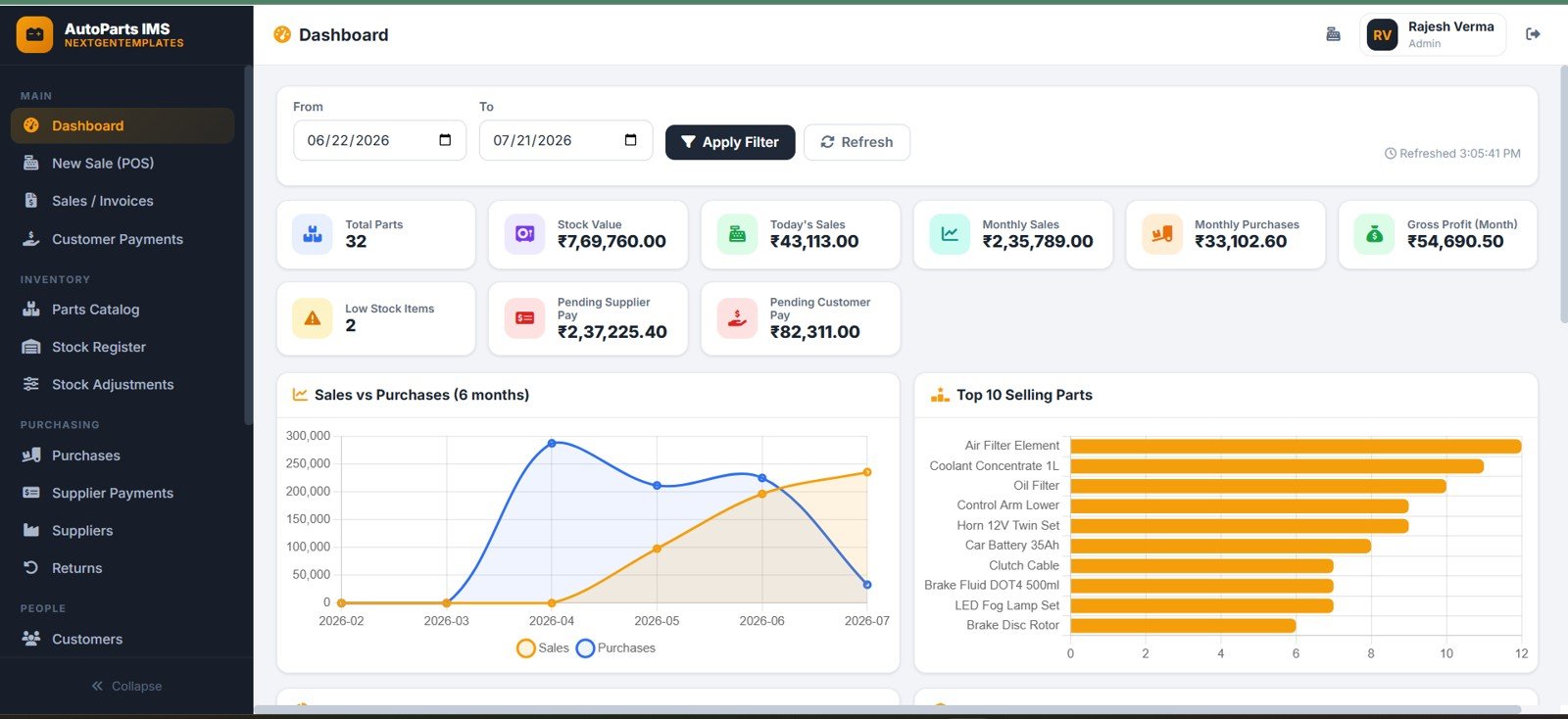
The dashboard summarizes sales, purchases, inventory, payables, and profit. It includes Sales vs Purchases by Month, Top 10 Selling Parts by Quantity, inventory summary counts, stock value, gross profit by month, and pending payables by supplier and customer.
3. New Sale POS
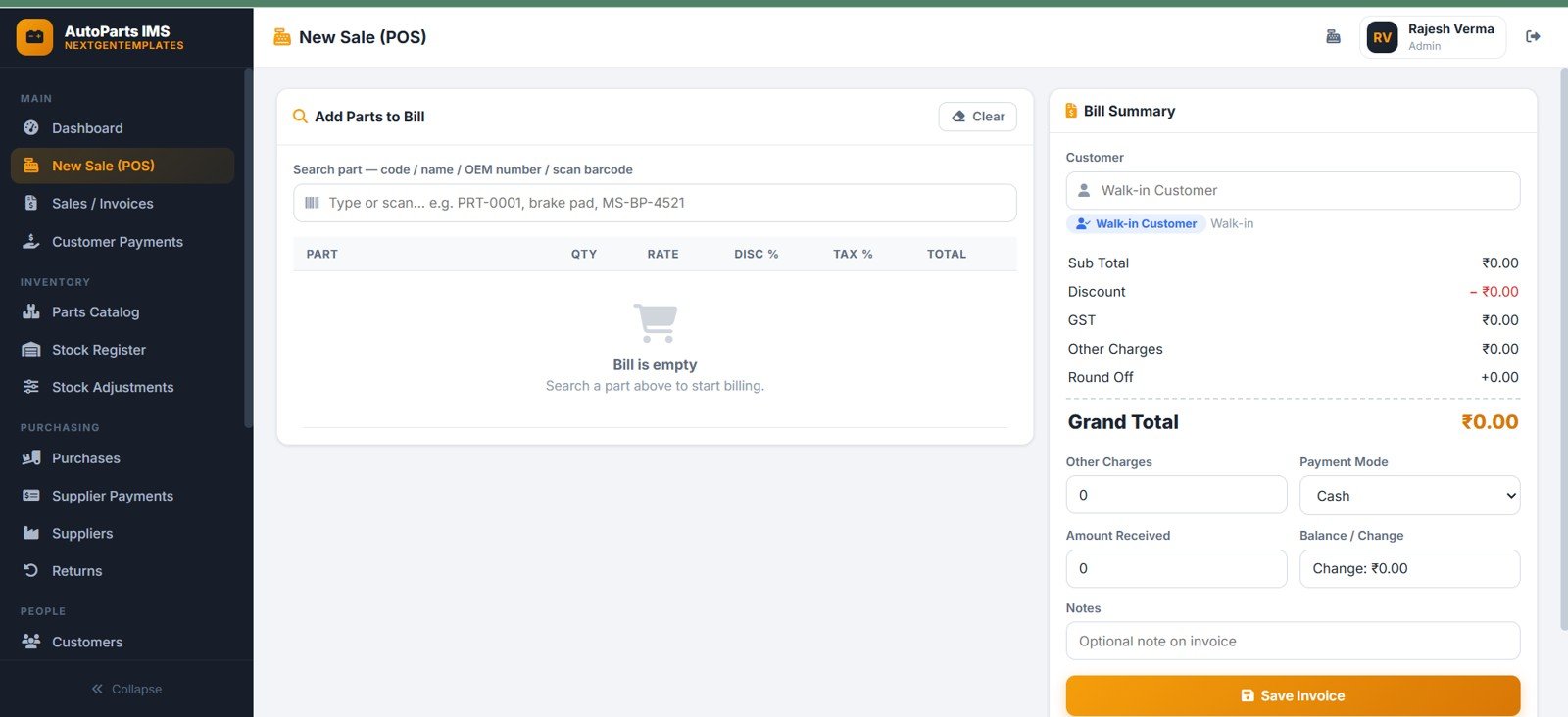
The New Sale POS page supports counter billing with part search, selected billing items, subtotal, discount, tax, charges, payment mode, amount received, and invoice total. It works for walk-in customers as well as selected customer records.
4. Sales and Invoices
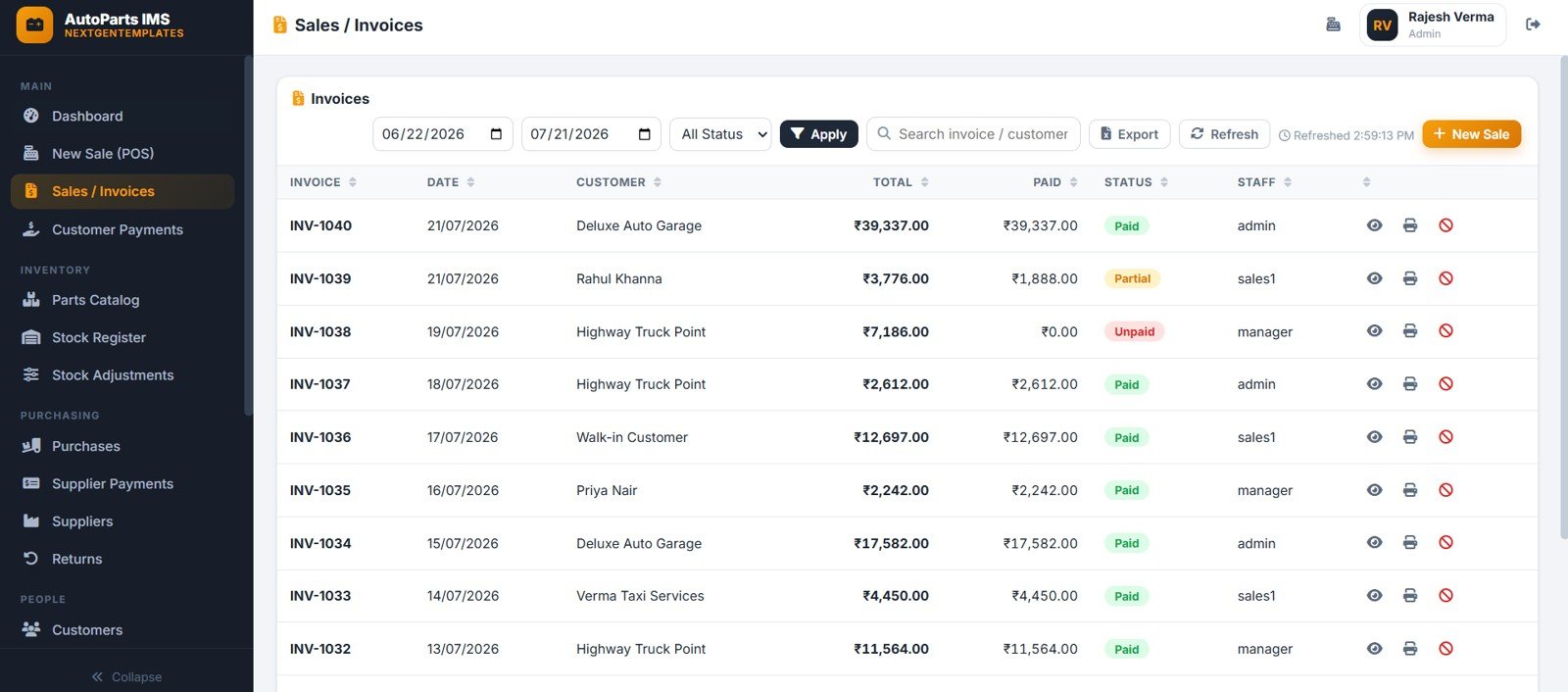
The Sales and Invoices page tracks invoices by date, customer, invoice number, paid amount, invoice total, invoice status, and staff. Date range and status filters help the team search sales records quickly.
5. Customer Payments
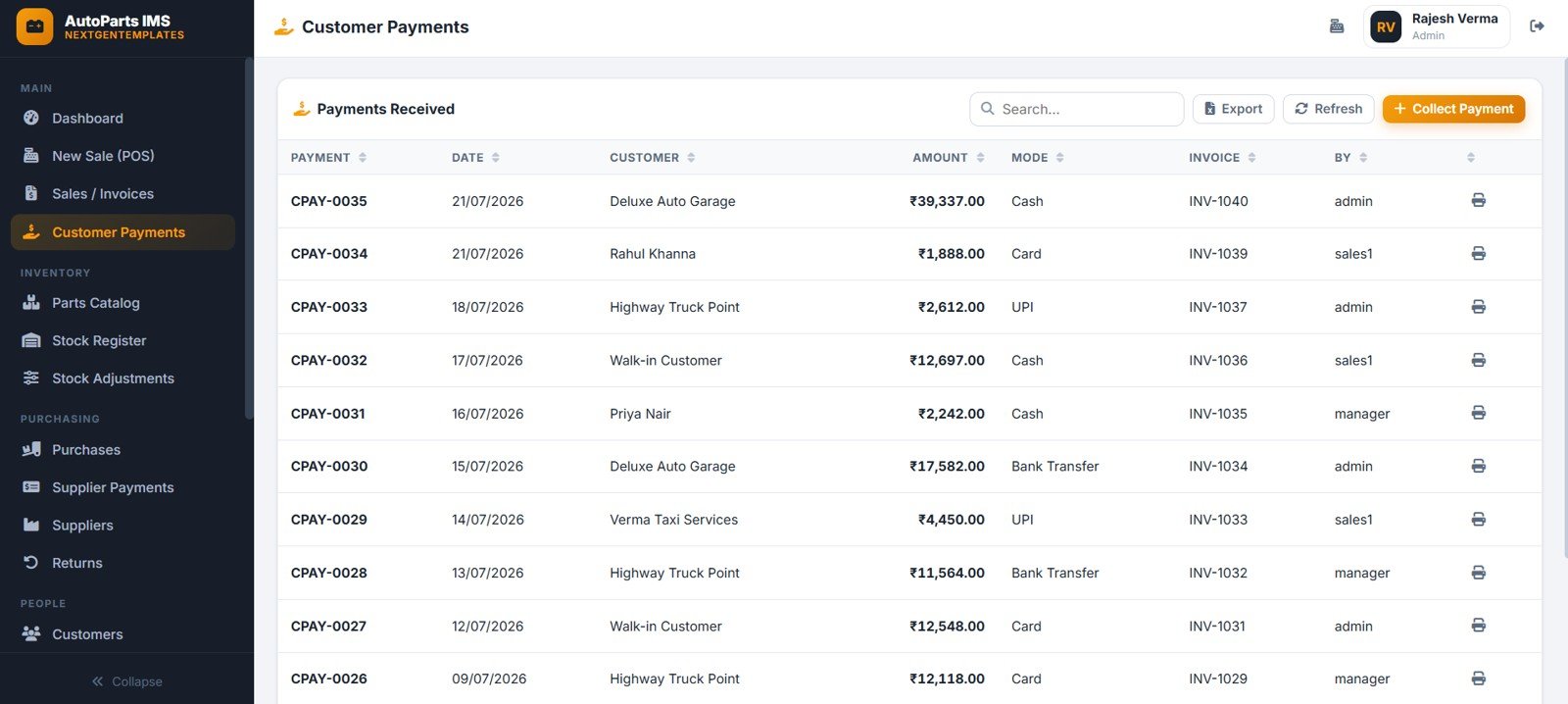
The Customer Payments page records payments received by customer, invoice, payment amount, payment mode, staff member, and date. It helps the business separate collected payments from pending balances.
6. Parts Catalog
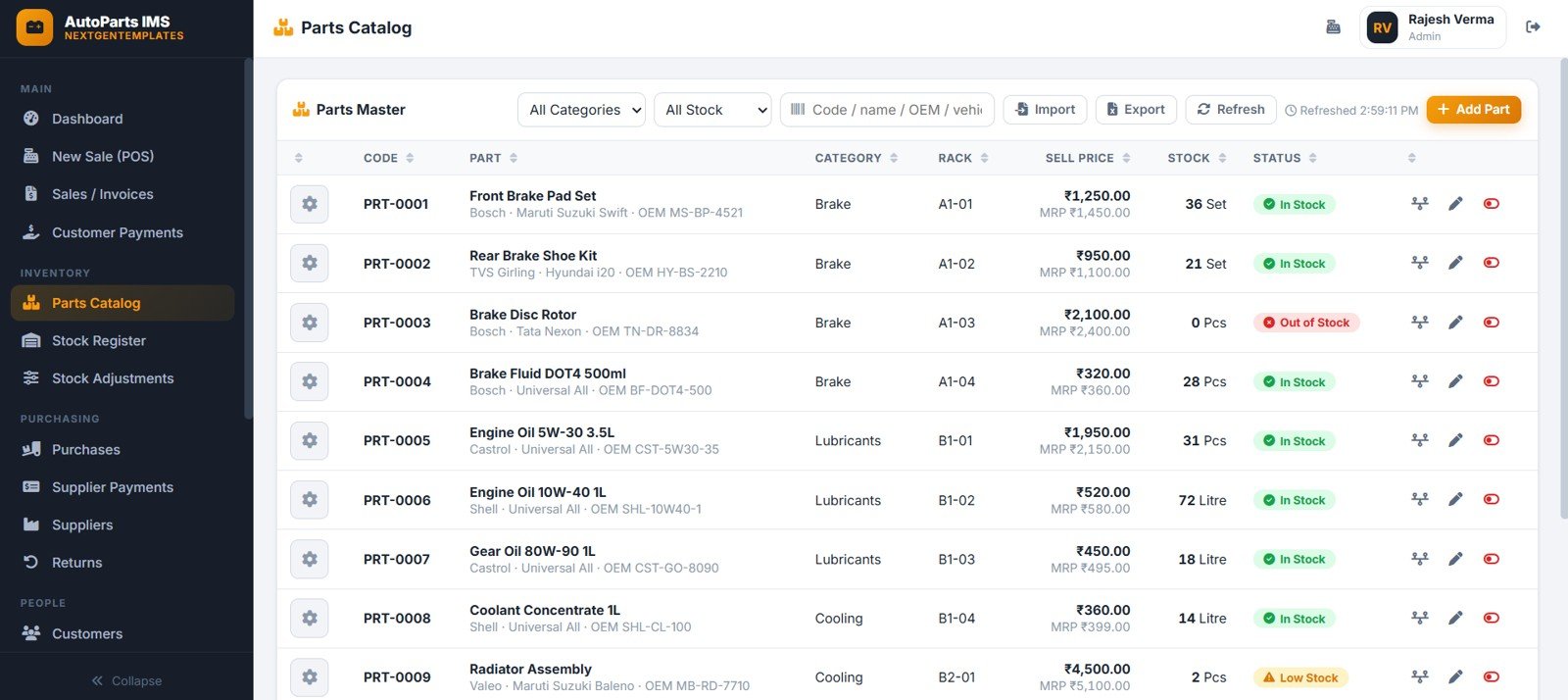
The Parts Catalog page stores the parts master list by code and part name, category, rack location, sell price, and stock status. Search can use code, name, OEM, and vehicle references to find parts faster.
7. Stock Register
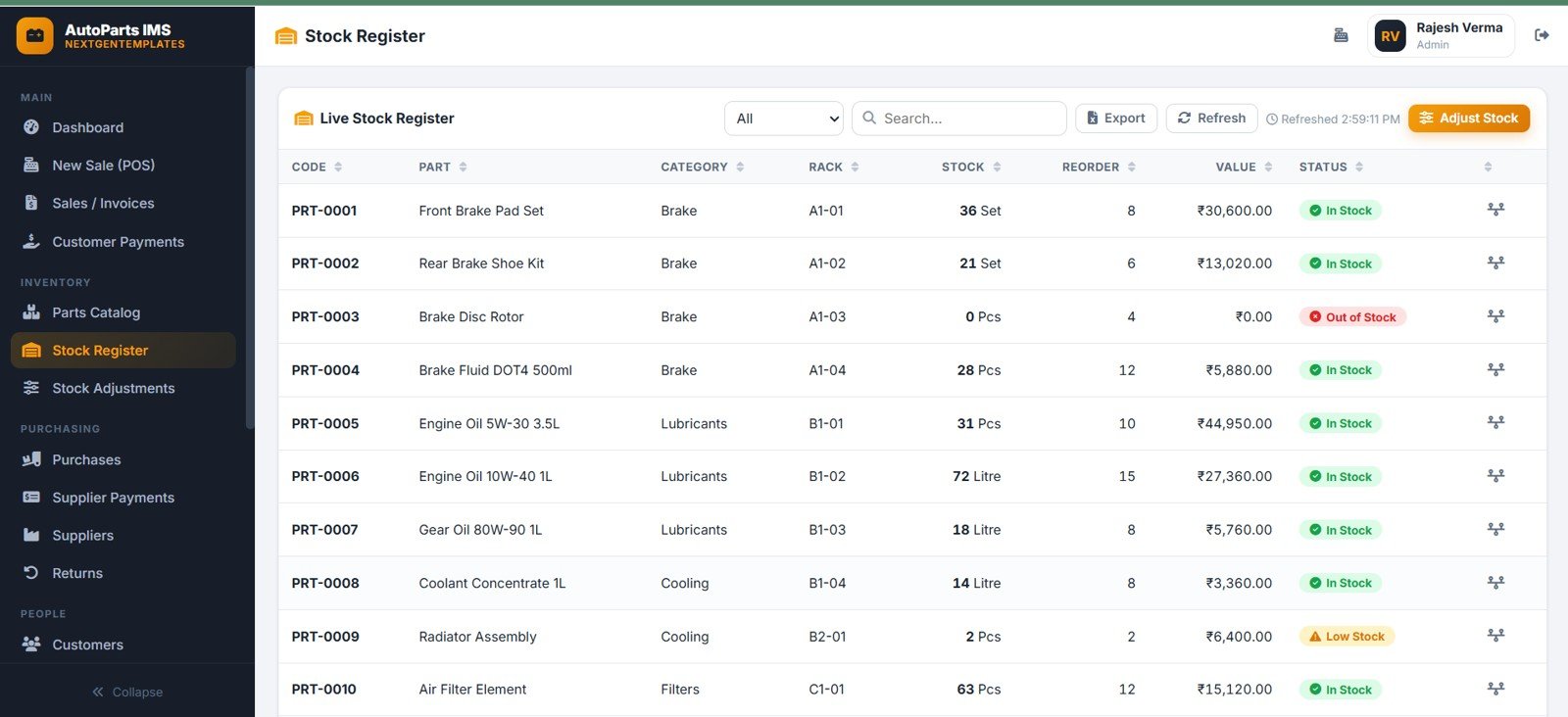
The Stock Register page shows live stock by part, inventory value by part, reorder level, stock status by category, and rack location by part code. It is the main page for daily stock review.
8. Stock Adjustments
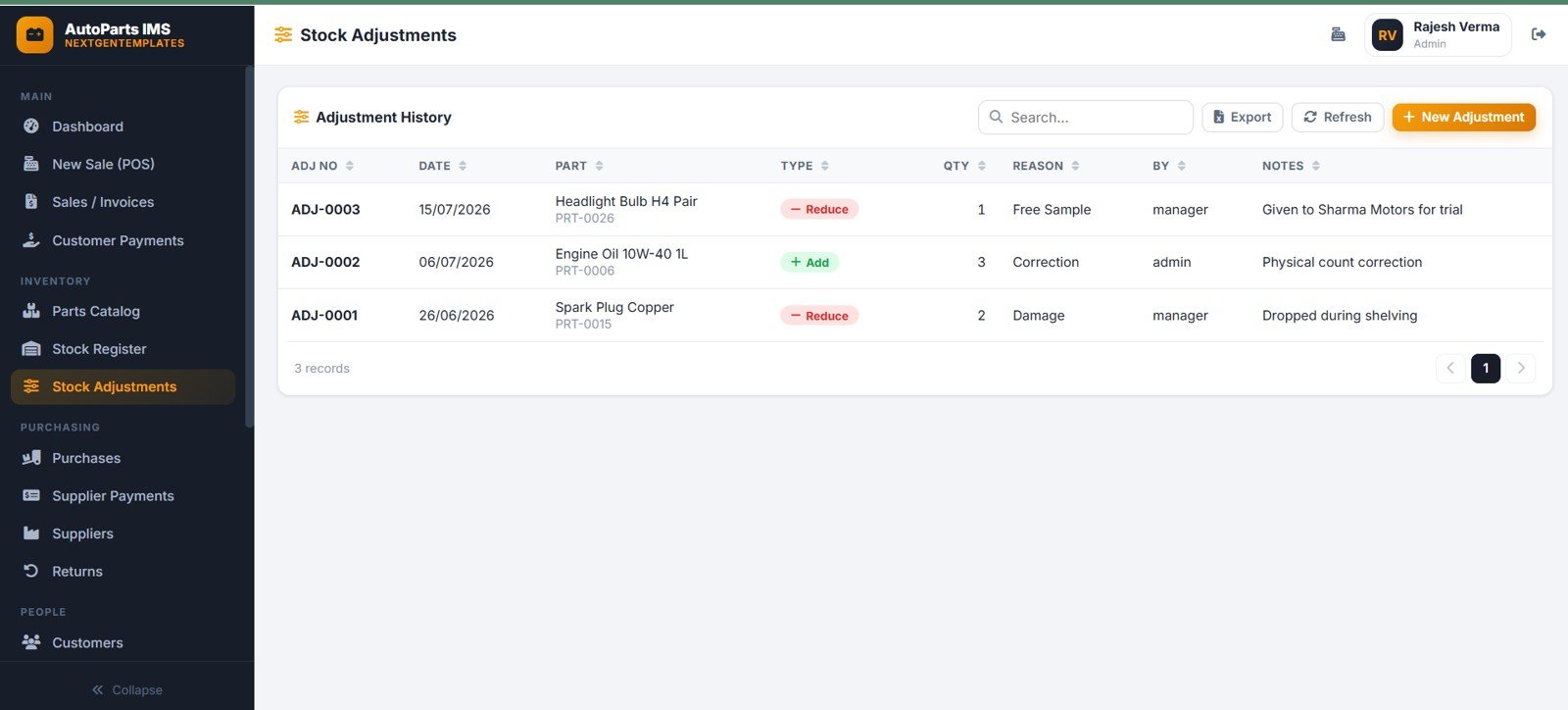
The Stock Adjustments page records adjustment quantity, adjustment type, reason, date, staff member, transaction note, and inventory corrections. It supports cleaner tracking when stock needs to be corrected after audit, damage, loss, or recount.
9. Purchases
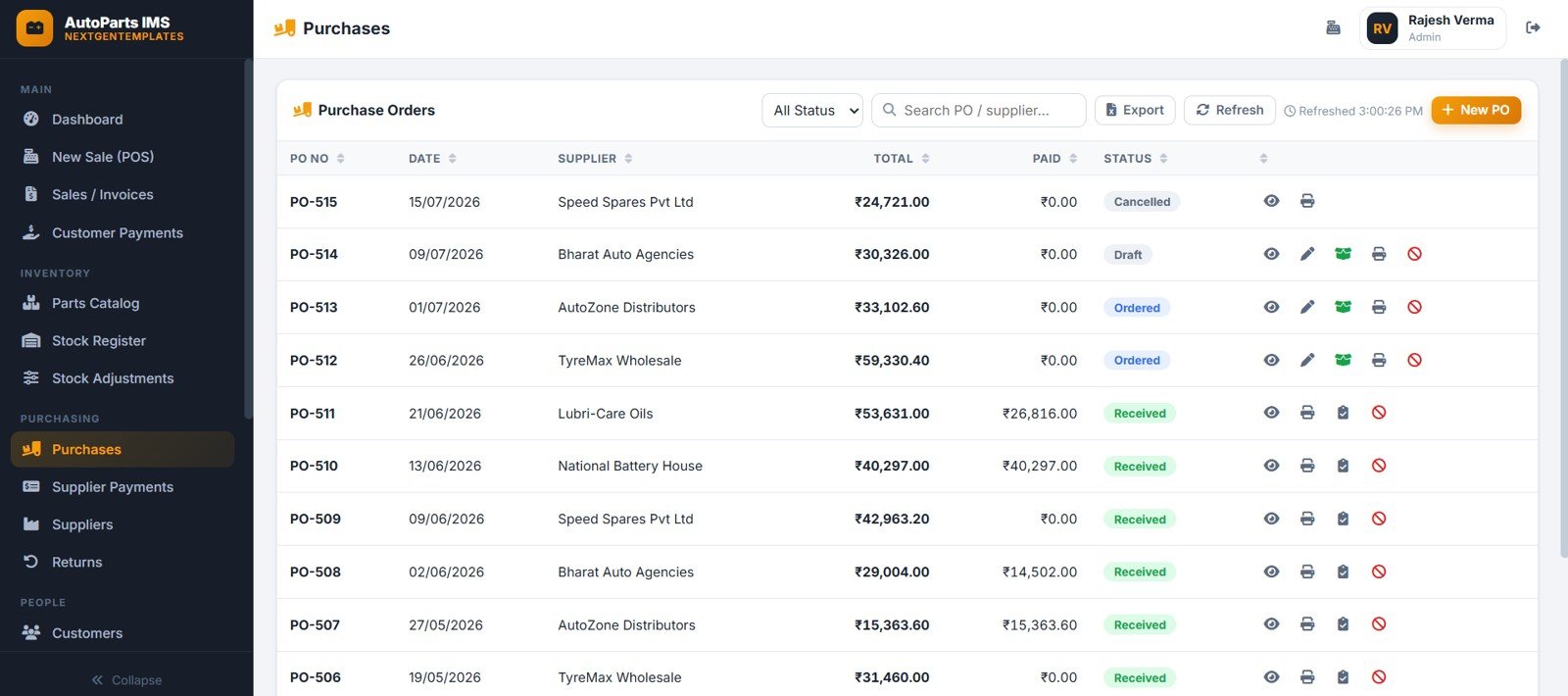
The Purchases page manages purchase orders by supplier, purchase total, PO number, paid amount, purchase status, date, and status filters. It gives purchasing staff one page for purchase records and payable review.
10. Supplier Payments
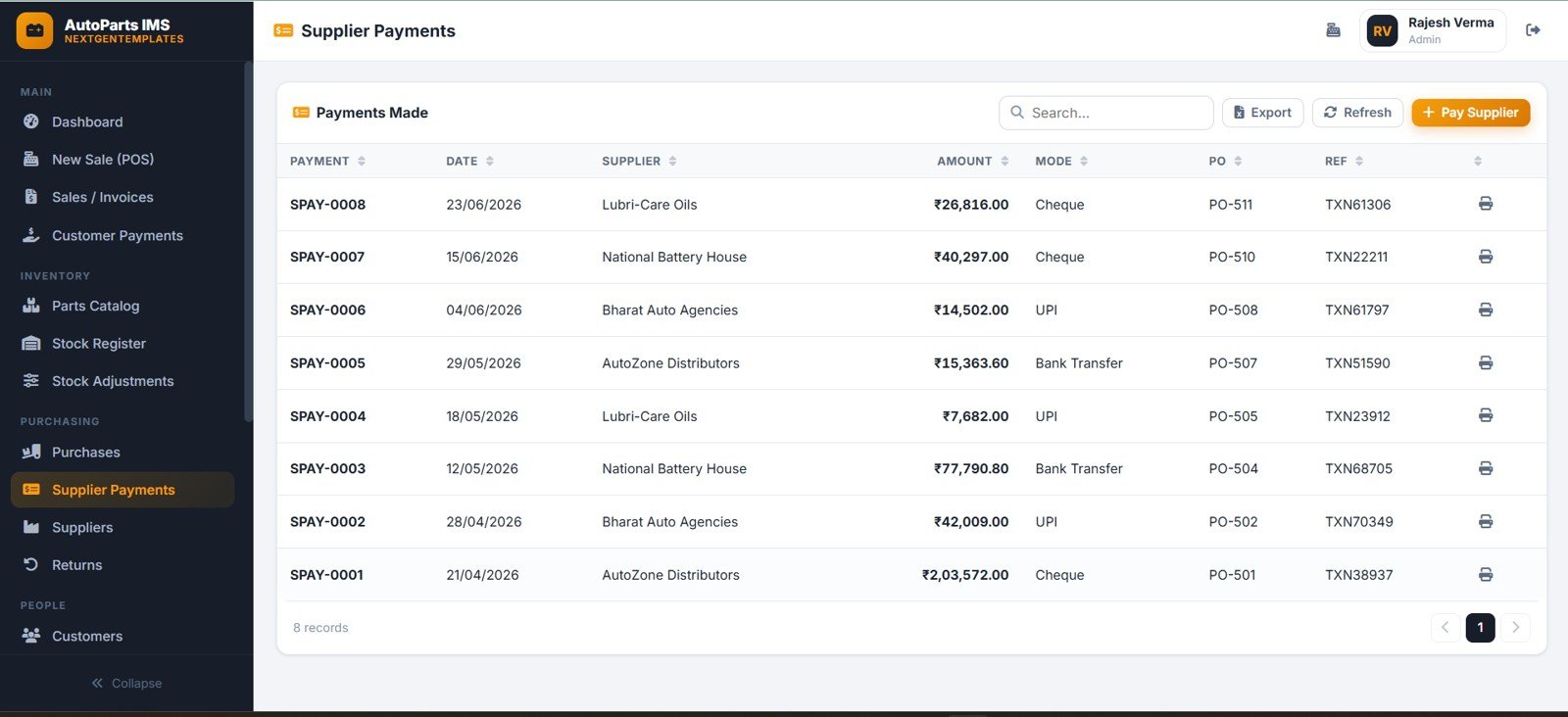
The Supplier Payments page tracks payments made by supplier, purchase order, payment amount, payment mode, payment reference, transaction, and payment date. This keeps supplier payables visible next to purchase activity.
11. Suppliers
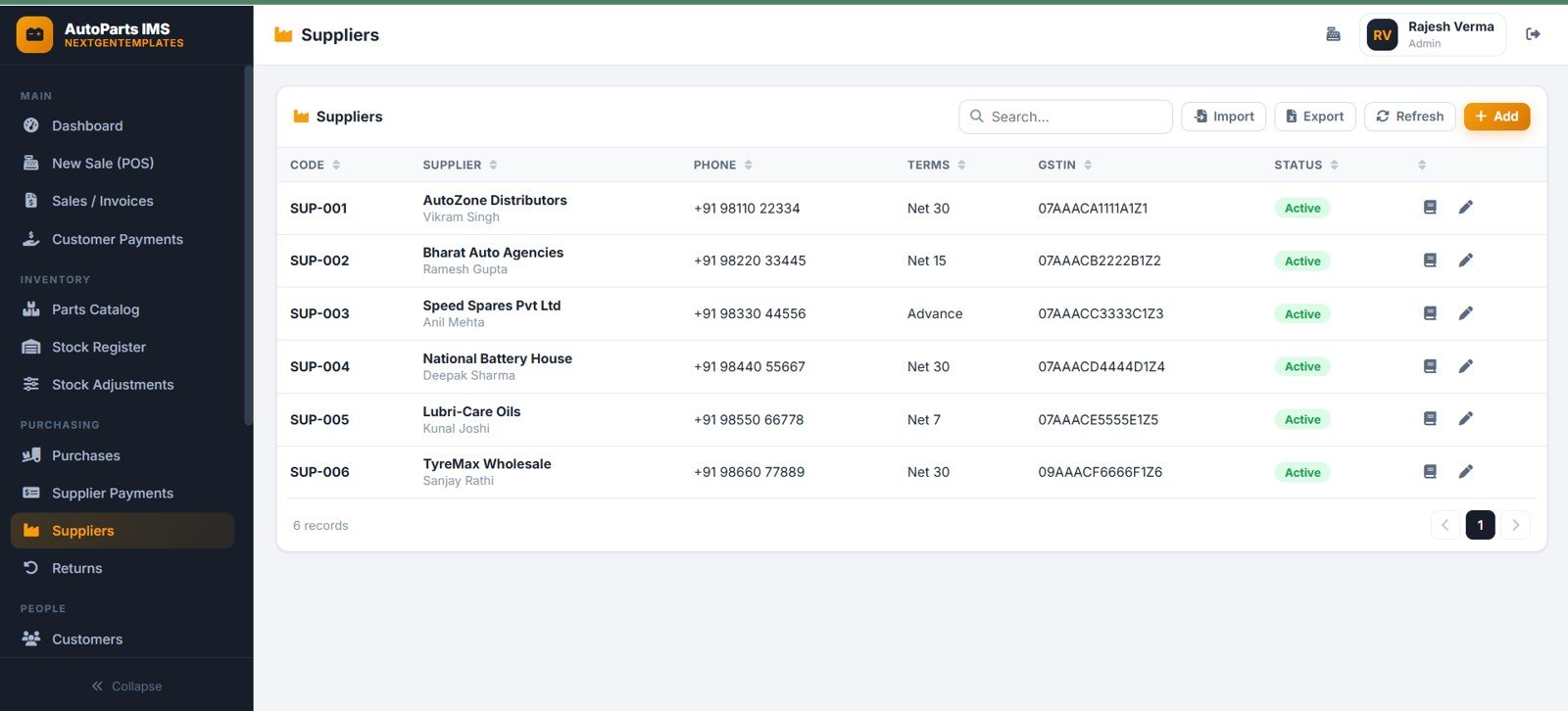
The Suppliers page manages supplier code, supplier contact, phone, GSTIN, payment terms, and supplier status. A clean supplier master helps avoid inconsistent purchasing and payment records.
12. Returns
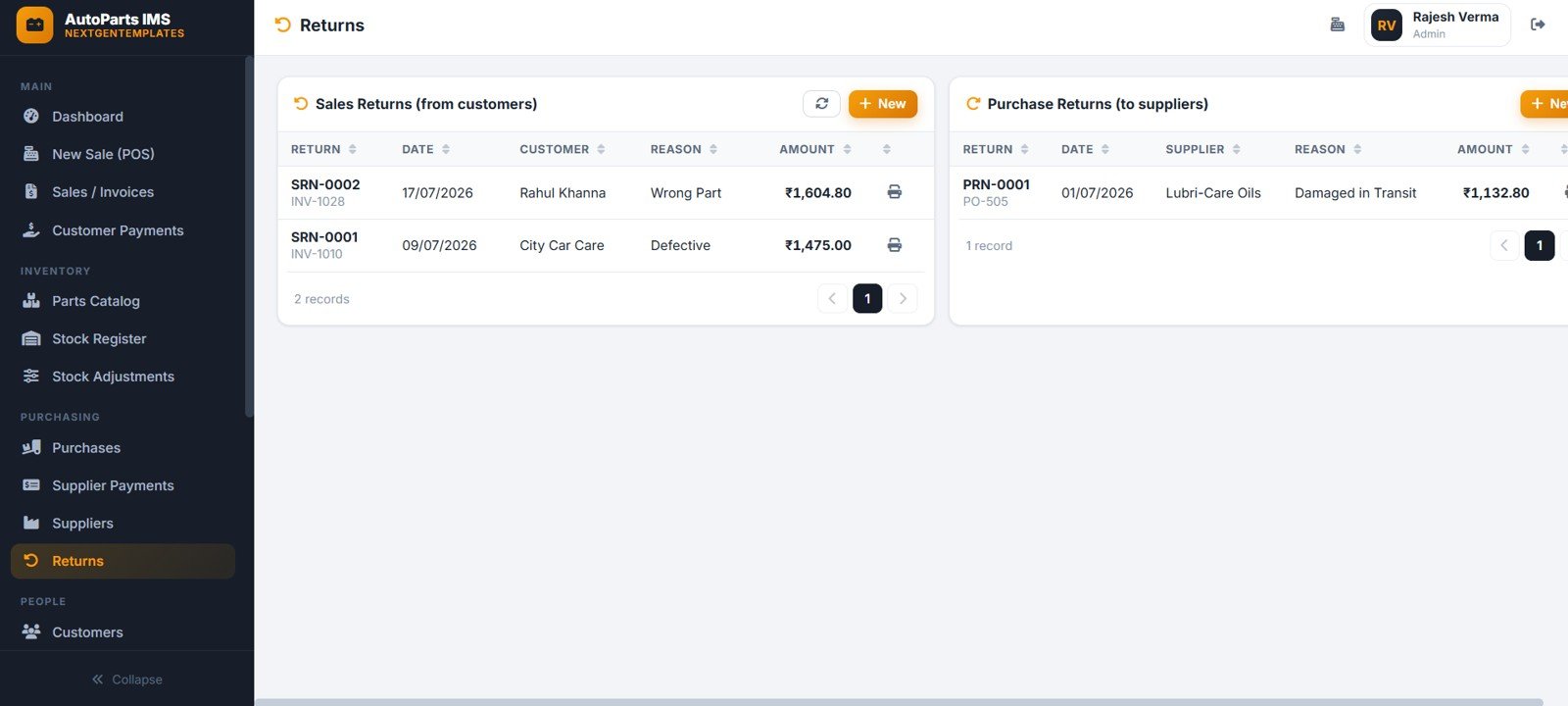
The Returns page tracks sales returns by customer, purchase returns by supplier, return amount, return reason, return date, sales invoice, and purchase order. It gives the business a controlled return register instead of scattered notes.
13. Customers
The Customers page stores customer code, customer type, phone number, status, and master data for workshops, walk-in customers, and dealers. It supports repeat billing and cleaner customer payment records.

14. Reports
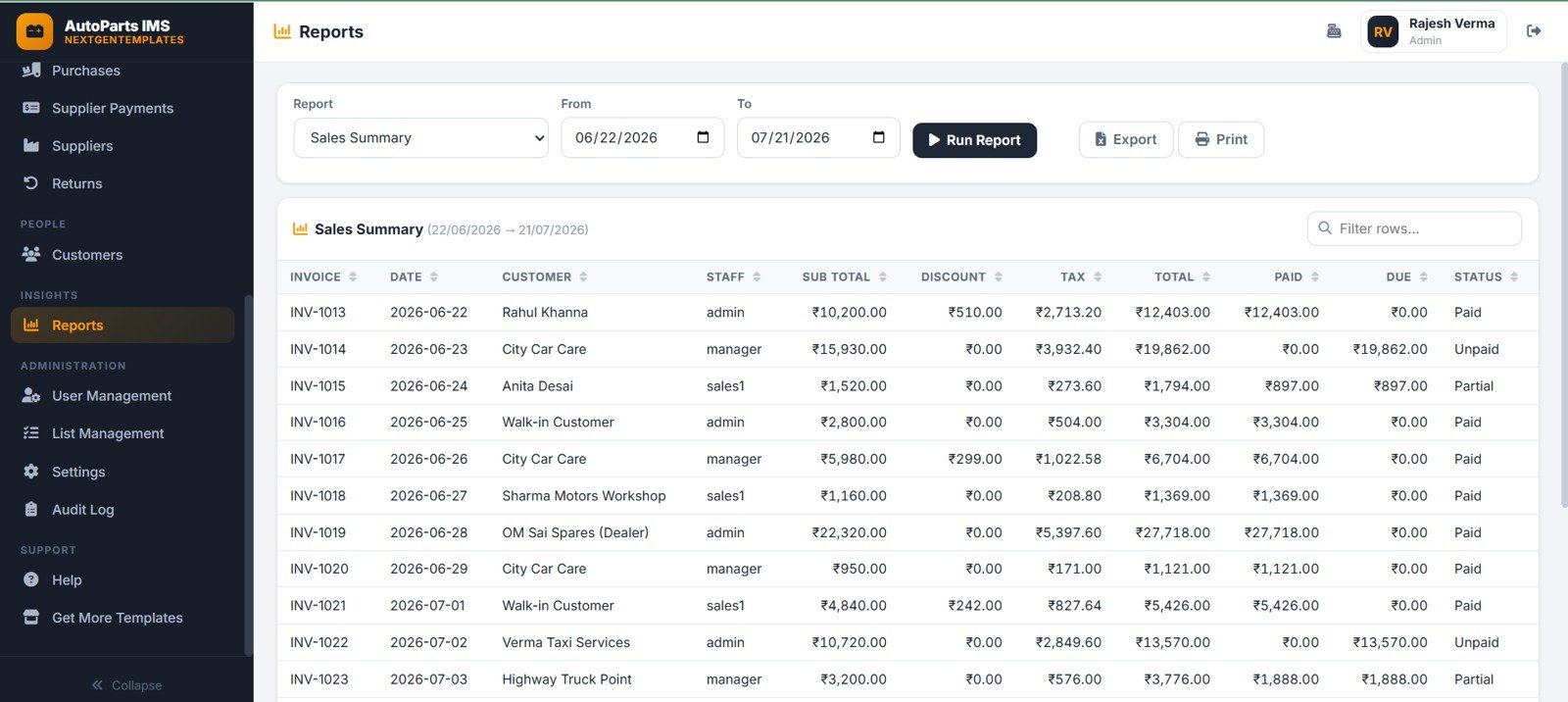
The Reports page gives sales summary output by invoice, customer, date, paid amount, due amount, tax, discount, and date range. It supports review meetings without rebuilding reports manually each time.
15. User Management
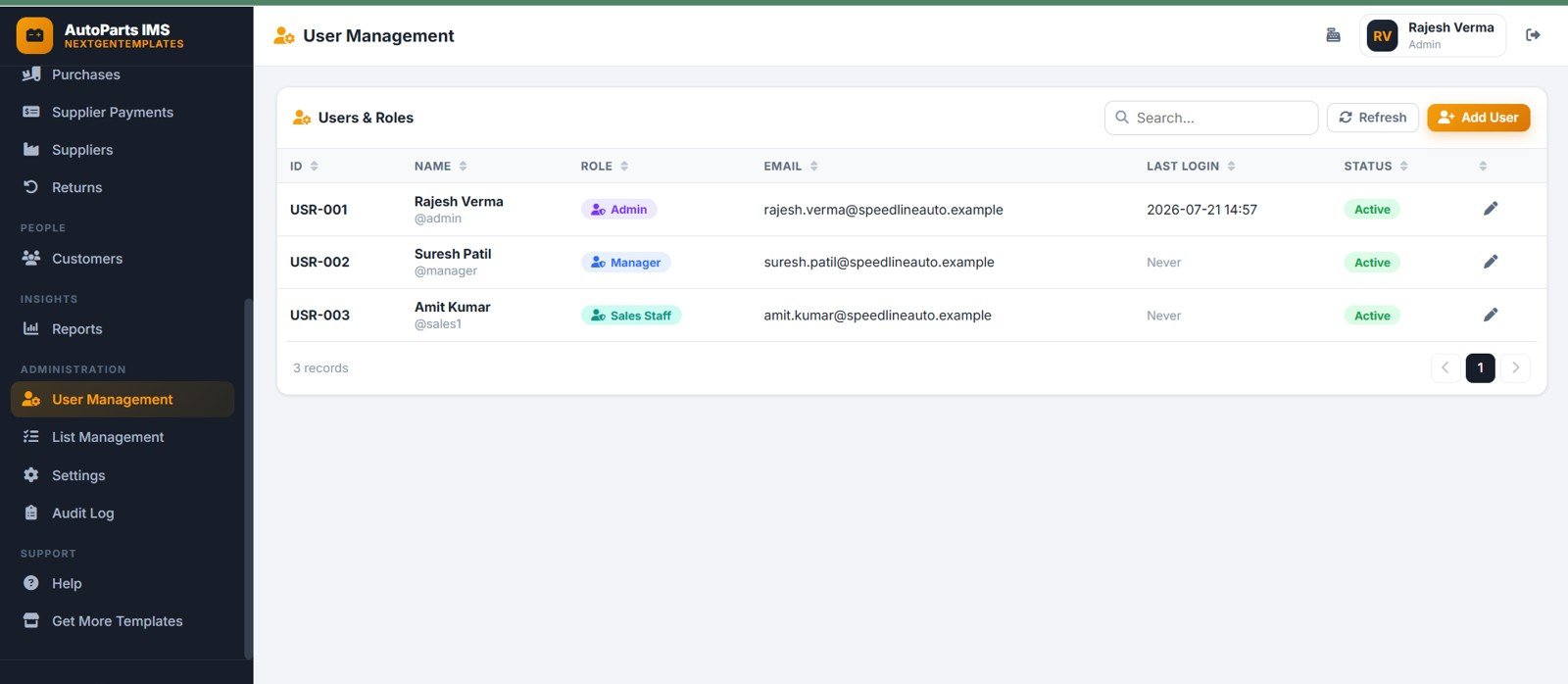
User Management maintains users by role, login access, user status, last login, email, and account record. Admin, manager, and sales staff access can be separated through role-based setup.
16. List Management
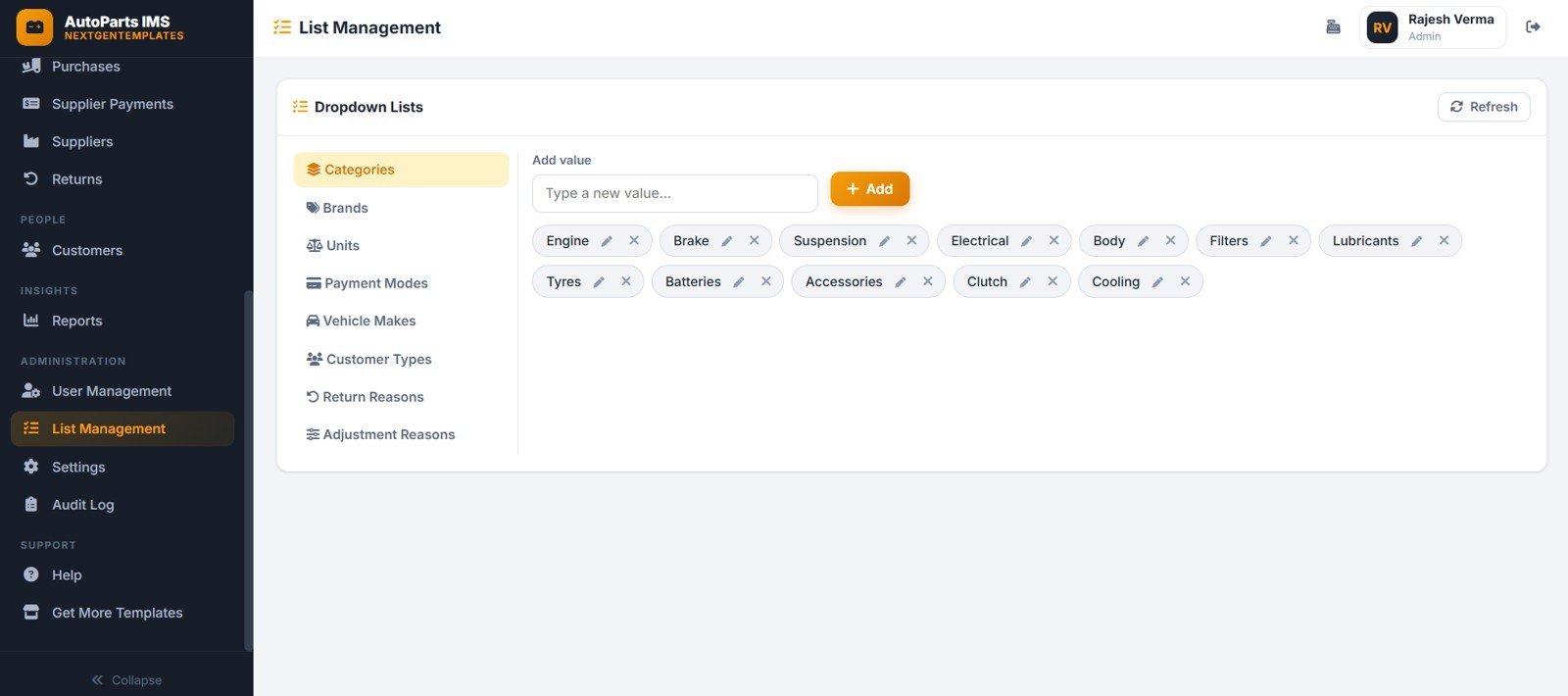
List Management controls dropdown values for auto parts groups, payment modes, customer types, adjustment reasons, return reasons, and other setup lists. This keeps forms and filters consistent for all users.
17. Settings
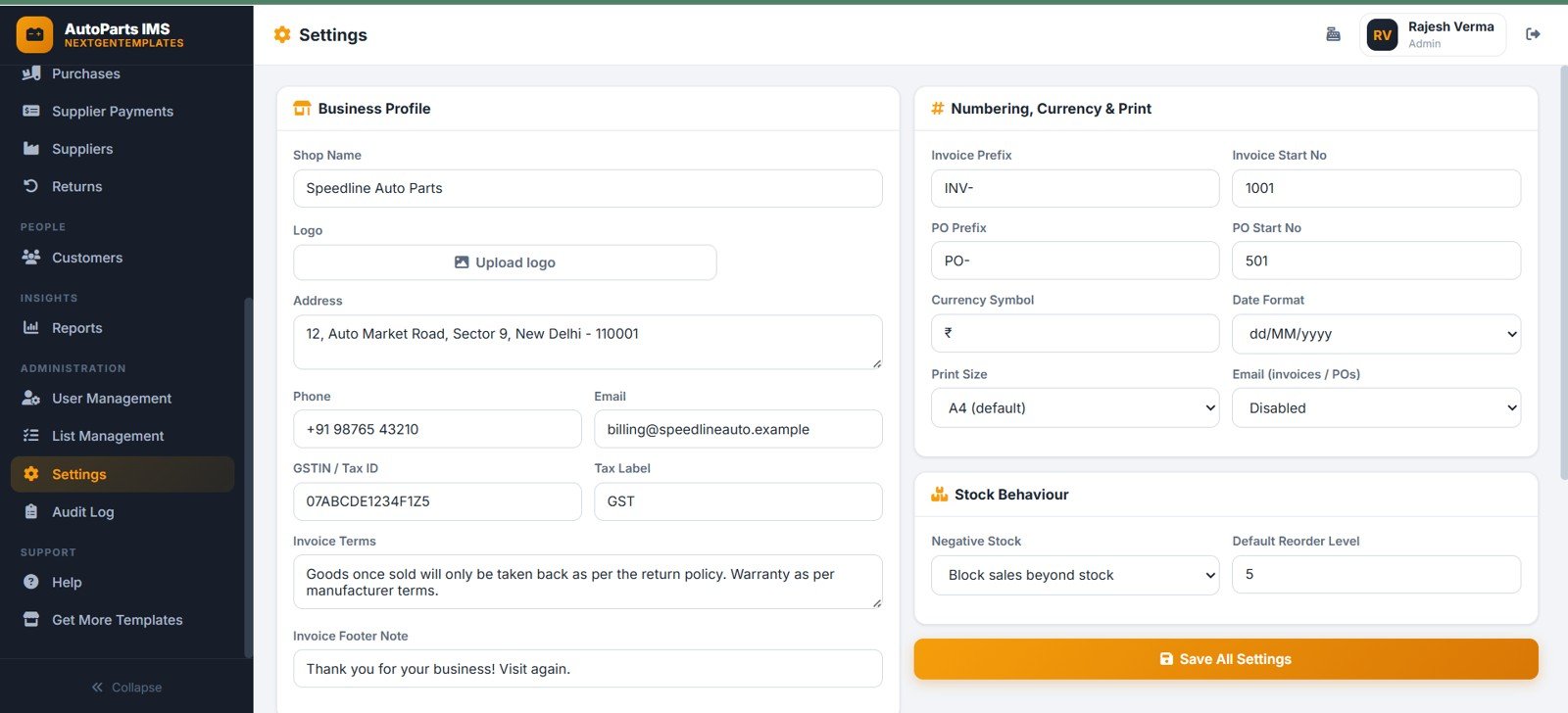
Settings manages the business profile, invoice prefix, invoice start number, purchase order prefix, purchase order start number, currency, date format, negative stock behavior, and reorder level behavior.
18. Audit Log
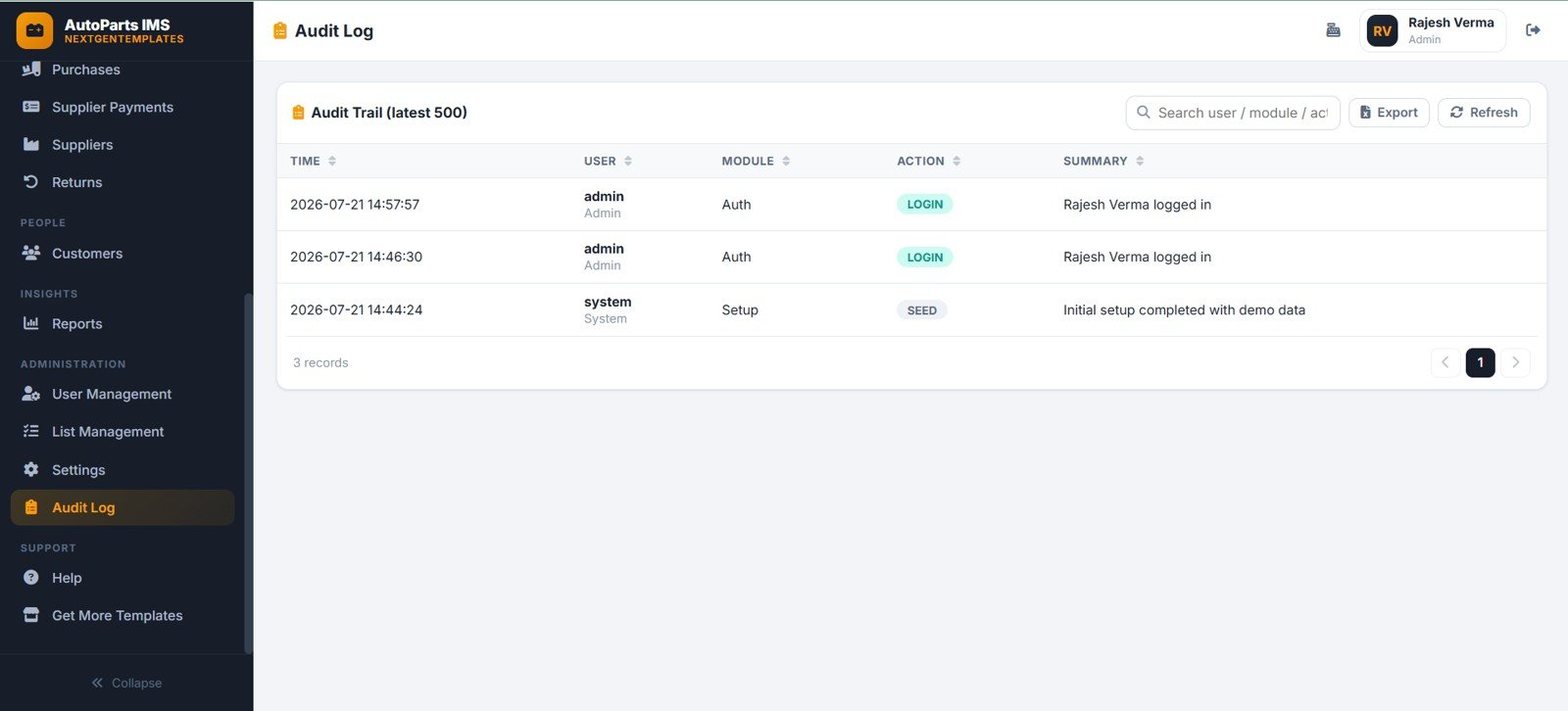
The Audit Log captures time, user activity, module, action summary, login events, setup events, and system-user activity. It helps owners review who changed what and when.
Auto Parts Inventory Management System Web App vs. Spreadsheet Tracker vs. Paid Inventory SaaS – Where This Fits
| Feature | This web app | Spreadsheet tracker | Paid inventory SaaS |
|---|---|---|---|
| Cost | $39.99 sale price, one-time download | Low tool cost, higher setup time | Recurring subscription or per-user fees |
| Platform | Browser workflow built around connected pages | Workbook or sheet tabs | Vendor-hosted app |
| Setup time | Start from 18 prepared pages | Design tables, formulas, forms, and reports yourself | Configure plan, users, imports, and permissions |
| Real-time team collaboration | Works as a shared web app after deployment | Depends on file-sharing discipline | Usually included by plan |
| Mobile access | Modern browser access after deployment | Spreadsheet app or browser | Usually included |
| Customizable fields | Editable lists, settings, and source structure | Editable columns and formulas | Limited by vendor configuration |
| Share with link | Possible after deployment and access setup | Yes, through file permissions | Usually account based |
| Year-1 cost at 5 users | $39.99 template cost before any hosting or workspace costs | Template plus internal build time | Can grow with seats and add-ons |
| Parts POS billing | Built into the New Sale POS page | Requires custom formulas and forms | Usually available in retail plans |
| Supplier payables and returns | Included with purchases, supplier payments, suppliers, and returns pages | Needs linked sheets and manual control | Depends on plan and modules |
Who This Template Is For – and Who It’s Not For
This web app is for auto parts stores, spare parts retailers, repair shop counters, wholesale parts distributors, and small automotive businesses that need parts catalog, billing, purchase, payment, stock, supplier, customer, return, report, and audit records in one structured system.auto parts inventory web app
It is not the best fit when the business needs live barcode hardware integration, accounting API sync, payment gateway settlement, dealer-management-system integration, warehouse robotics, EDI ordering, VIN decoding, or enterprise branch controls out of the box.auto parts inventory web app
How to Use the Auto Parts Inventory Management System Web App
- Unzip the downloaded package and review the included setup or deployment instructions.
- Update the business profile, invoice numbering, purchase order numbering, currency, date format, and stock behavior.
- Set up dropdown lists for part categories, payment modes, customer types, adjustment reasons, and return reasons.
- Add suppliers, customers, parts, opening stock, rack locations, prices, reorder levels, and user accounts.
- Record purchases, supplier payments, POS sales, customer payments, stock adjustments, and returns.
- Review the dashboard, reports, payables, dues, stock value, gross profit, and audit log on a regular schedule.
Real-World Use Cases
Nikhil, auto parts store owner
Nikhil reviews stock value, reorder levels, supplier payables, customer dues, and gross profit before placing the next purchase order.
Sana, parts counter manager
Sana uses the New Sale POS page to search parts, create invoices, collect payments, and keep walk-in and workshop customer billing in one place.
Dev, automotive distributor
Dev uses supplier payments, purchases, stock adjustments, returns, and reports to keep receiving, billing, and stock corrections visible to the admin team.
Frequently Asked Questions
What does the Auto Parts Inventory Management System Web App include?
It includes 18 pages for login, dashboard, POS billing, sales invoices, customer payments, parts catalog, stock register, stock adjustments, purchases, supplier payments, suppliers, returns, customers, reports, users, list management, settings, and audit logs.auto parts inventory web app
Can it handle counter sales?
Yes. The New Sale POS page supports part search, billing items, invoice total, discount, tax, charges, payment mode, received amount, and customer selection.auto parts inventory web app
Can it manage supplier payments?
Yes. Purchases, supplier payments, suppliers, and pending payable dashboard views are included so supplier balances can be reviewed.auto parts inventory web app
Can it track stock corrections?
Yes. Stock Adjustments records part, adjustment quantity, adjustment type, reason, date, staff, notes, and transaction context.auto parts inventory web app
Is this a monthly subscription?
No. This is a one-time downloadable template product. You may still have your own deployment, hosting, Google Workspace, or customization responsibilities.
Does it replace enterprise inventory software?
No. It is better suited to small and mid-size parts operations that want an editable web app template, not an enterprise ERP replacement.auto parts inventory web app
About the Author
Built by PK – Microsoft Certified Professional with 15+ years of Excel, Google Sheets, and Power BI experience. Founder of NextGenTemplates, reaching 300K+ subscribers across YouTube channels. Every template is hand-built and tested before release.auto parts inventory web app
Explore Related Templates
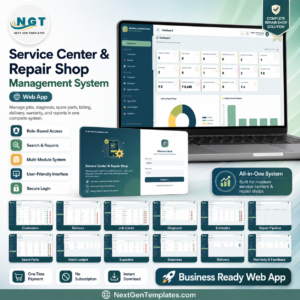
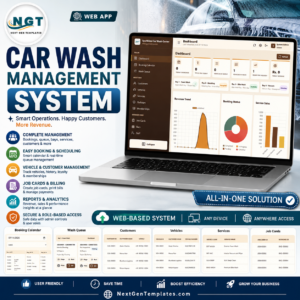
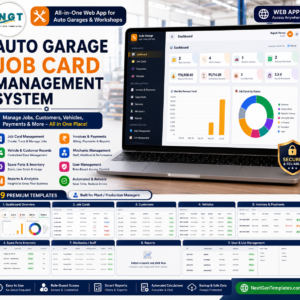
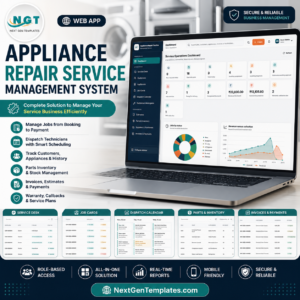
For related operating systems, explore Auto Garage Job Card Management System Web App, Service Center and Repair Shop Management System Web App, Appliance Repair Service Management System Web App, Car Wash Management System Web App, and Vehicle Movement Register Management System Web App. Browse more Web Apps from NextGenTemplates.
Watch the step-by-step video Demo:
Download the Auto Parts Inventory Management System Web App to organize parts, purchases, POS billing, payments, stock, returns, reports, users, settings, and audit history in one editable web app template.
Last updated: July 21, 2026.
Compatibility and Requirements
- This is a web app that runs in a modern web browser. The live demo and the Google Sheets Web App tag show it is built on Google Apps Script, so you deploy your own copy in your own Google account.
- You get the source code (Code.gs and Index.html) and a step-by-step deployment guide. Deploying your own private copy takes under 15 minutes.
- Google explains how spreadsheets work in Get started with Google Sheets.
More Questions About This Template
Can I try the app before I buy it?
Yes. A live demo is on this page. Sign in as admin, manager or sales1 to test every page with sample data. No signup or email is needed.
What can each user role do?
The admin role has full access, including Settings, User Management, List Management, Database Archive and the Audit Log. The manager role covers parts, stock, adjustments, purchases, supplier and customer payments, POS billing, returns and all reports. The sales1 role covers counter billing: POS, own invoices, customer payments and parts lookup.
Is there a similar app for managing a whole parts store?
Yes. See the Auto Parts Store Management System Web App.
Is there an Excel version for spare parts stock?
Yes. The Spare Parts Inventory Data Entry System in Excel covers stock entry in a workbook.






























Reviews
There are no reviews yet.