

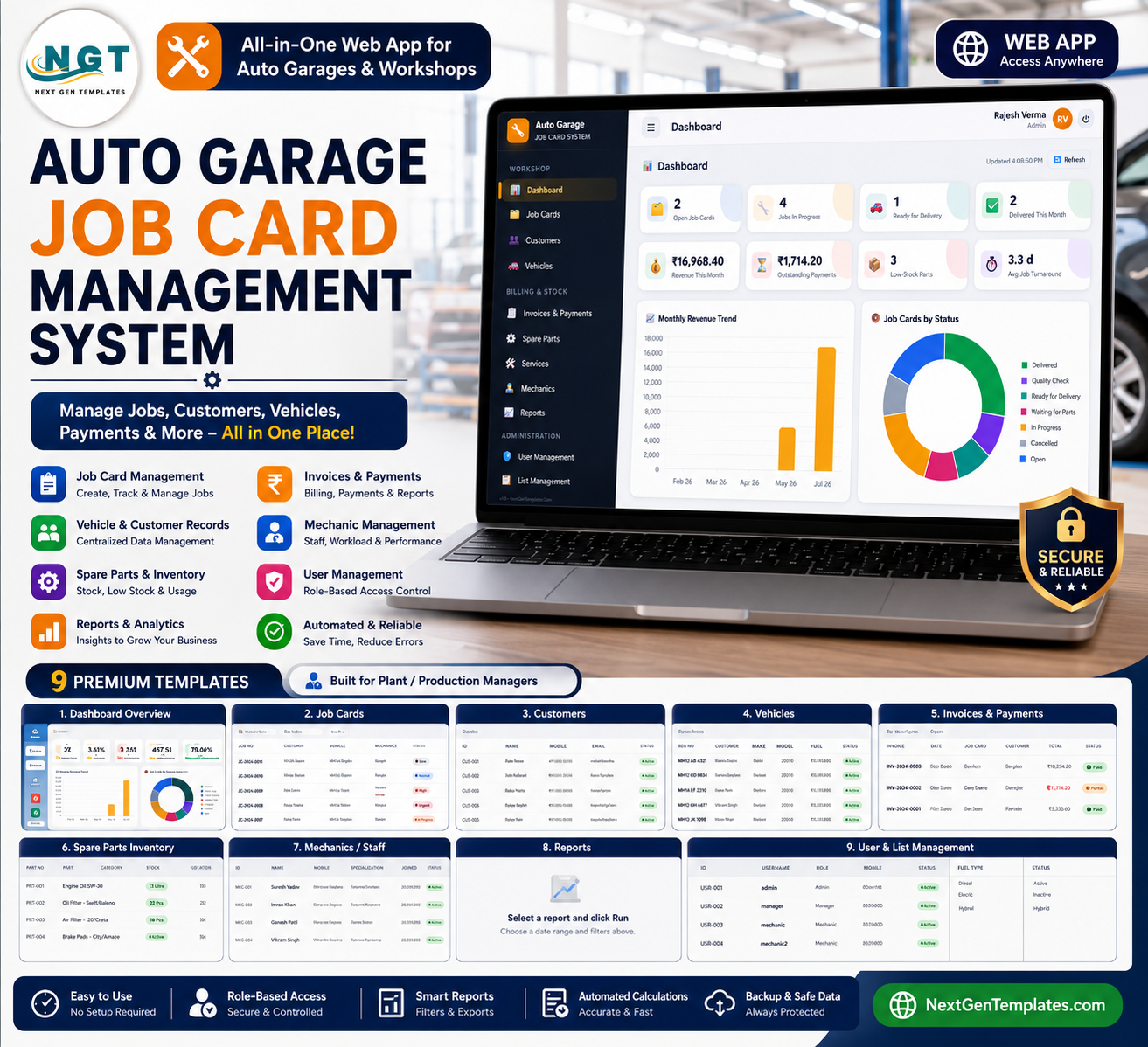

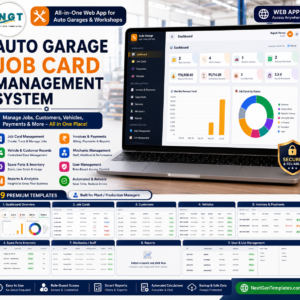
The Auto Garage Job Card Management System Web App gives an auto workshop 14 connected screens, 8 dashboard KPI cards, 4 analysis charts, and a one-time $39.99 sale price instead of a monthly garage-software bill. Built by PK, a Microsoft Certified Professional with 15+ years of Excel, Google Sheets, and Power BI experience and 300K+ YouTube subscribers, it helps a garage move from paper job cards and scattered spreadsheets to one browser workspace for jobs, vehicles, parts, invoices, staff, reports, users, and settings.
Key Features of Auto Garage Job Card Management System Web App
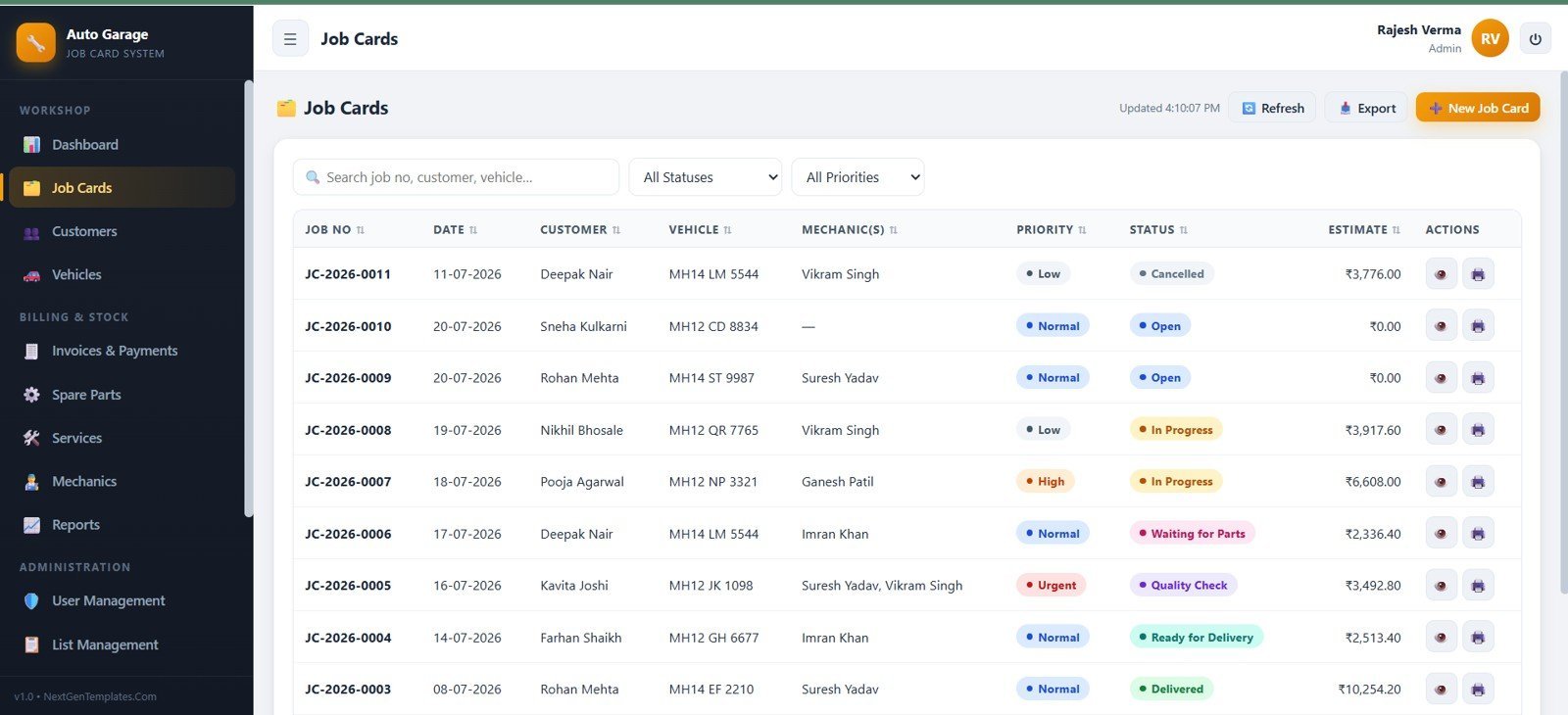
- Job card workflow: Create, search, filter, export, and monitor garage jobs by job number, customer, vehicle, mechanic, priority, status, and estimate.
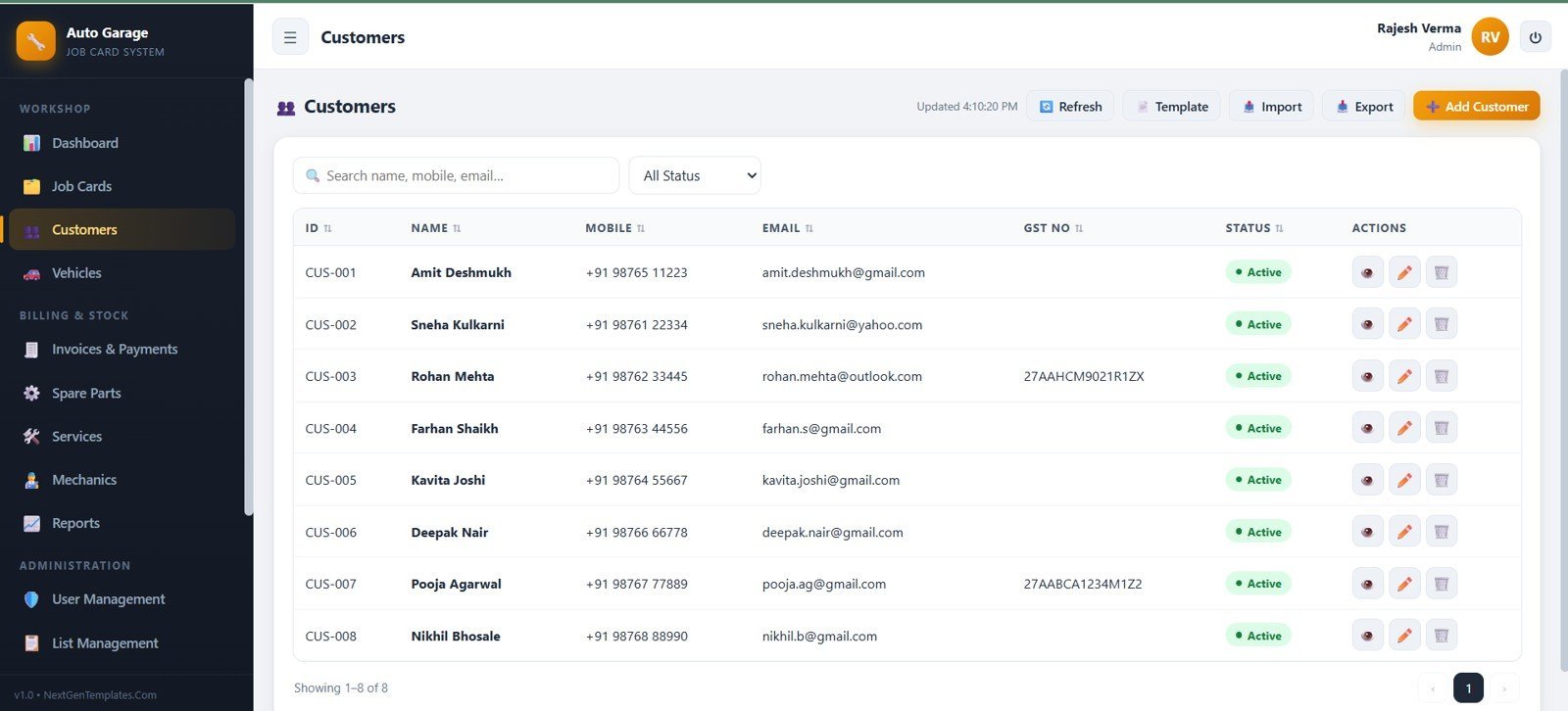
- Customer and vehicle records: Keep customer profiles, contact details, GST numbers, vehicle registration numbers, make, model, fuel type, insurance, and service history in one place.
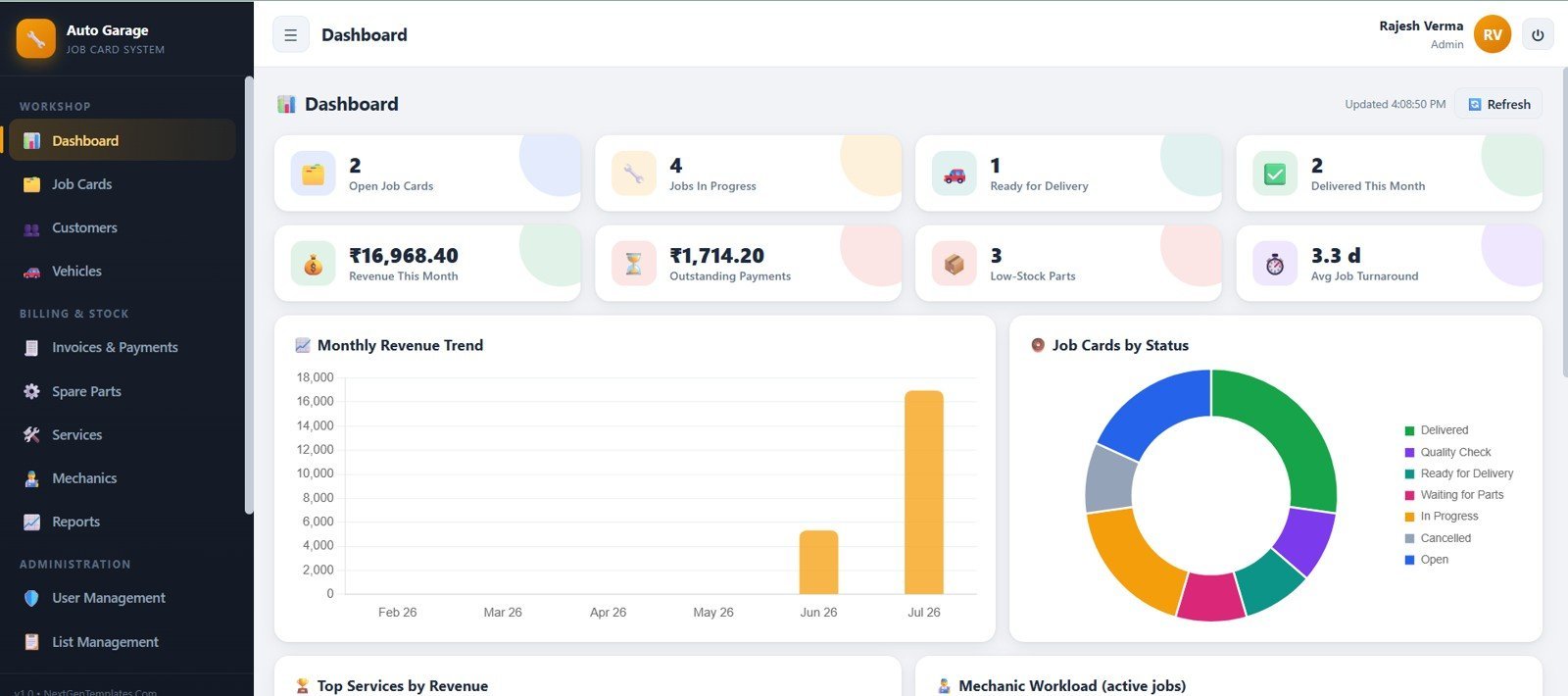
- Dashboard control: Track open job cards, jobs in progress, ready vehicles, delivered jobs, monthly revenue, outstanding payments, low stock, and average turnaround.
- Inventory and service pricing: Manage spare parts, rack locations, sell rates, reorder levels, labor services, estimated time, and standard charges.
- Billing and payments: Maintain invoice totals, received amounts, balances, payment modes, references, filters, print actions, and customer payment follow-up.
- Staff accountability: Manage mechanics, user accounts, roles, audit logs, and administrative settings from the same workspace.
- Reporting screen: Run operational reports by date range, status, mechanic, and customer, then export or print results for review.
- Editable setup: Update dropdown lists, tax settings, numbering prefixes, print size, garage profile, archive cutoff date, and footer terms.
What’s Inside the Auto Garage Job Card Management System Web App
1. Login Page
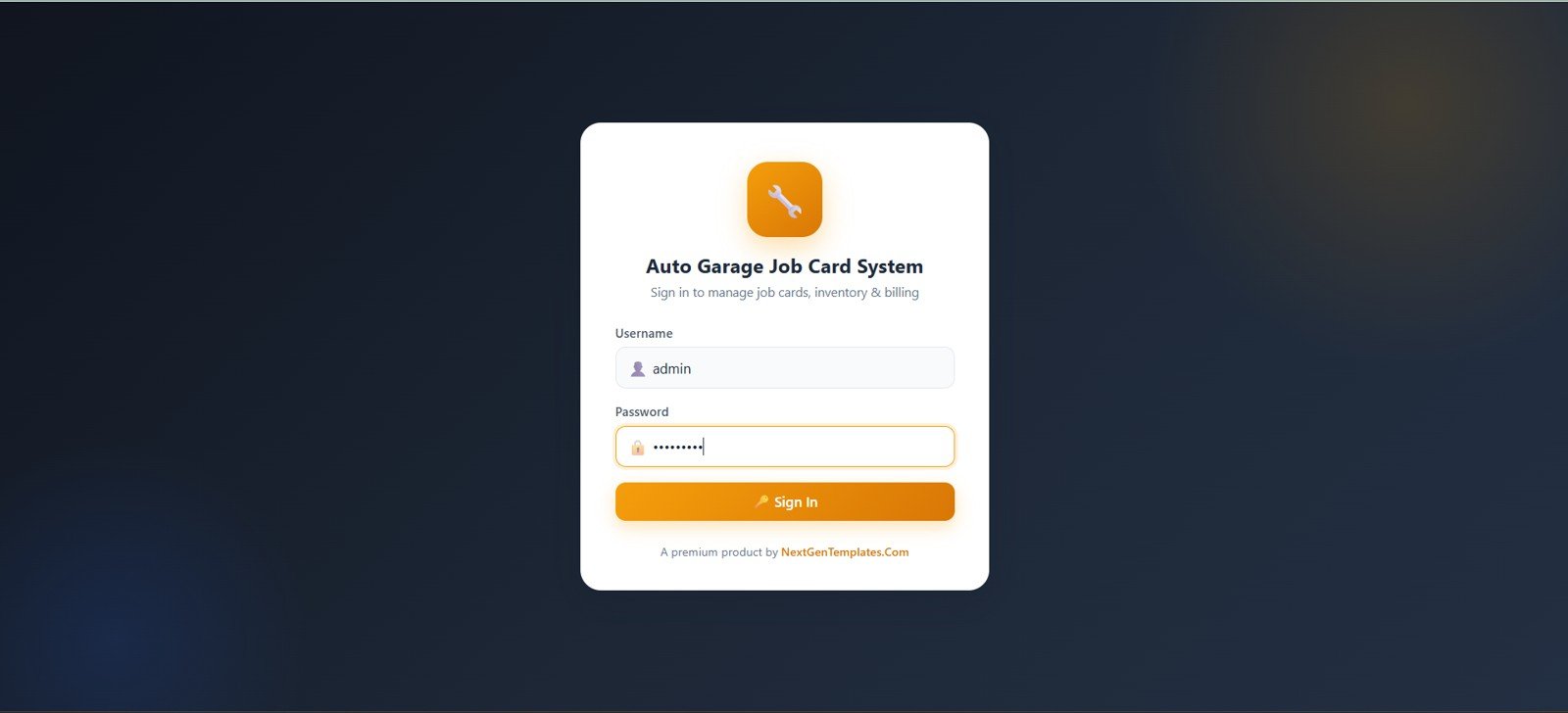
The login page provides authorized access with username and password fields, a sign-in button, account-entry messaging, and NextGenTemplates.com branding.
🚀 Try the Live Demo Before You Buy
We have deployed this web app in our own Google account so you can test every page, every role, and the full job-card workflow — with real sample data — before purchasing. No signup, no email required.
🔑 Test Login Credentials
Sign in as admin for full access — all modules, Settings, User Management, List Management, Audit Log and Database Archive — as manager to handle customers, vehicles, job cards, estimates, invoicing, payments, inventory and reports, or as mechanic to see only assigned job cards and update work status, notes and actual parts/labour used. 💡 Log in as both mechanic and mechanic2 to see how each mechanic sees only the jobs assigned to them.
💡 What you get after purchase: The full source code (Code.gs + Index.html) plus a step-by-step deployment guide so you can deploy your own private instance in your own Google account in under 15 minutes.
2. Dashboard
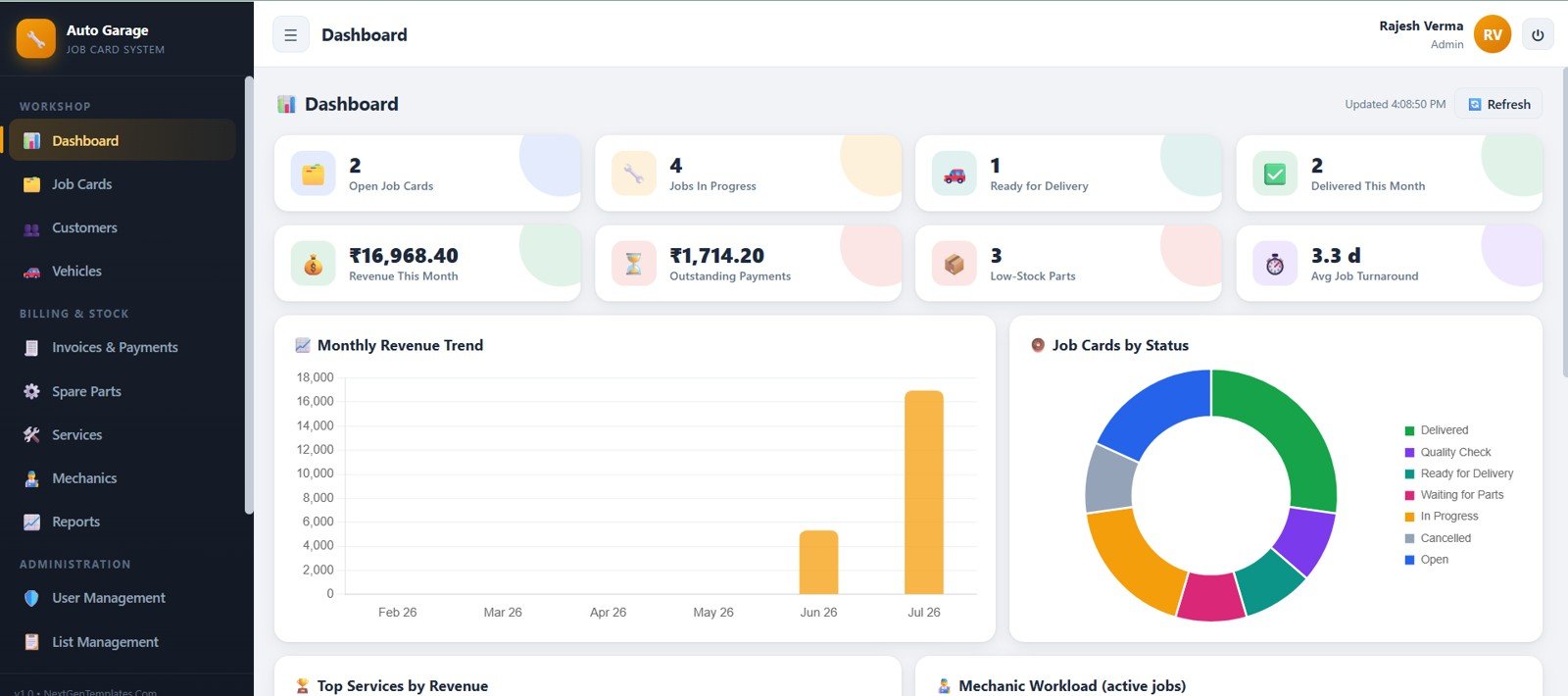
The dashboard shows operational cards for open jobs, in-progress jobs, ready-for-delivery vehicles, delivered jobs, revenue, outstanding payments, low-stock parts, and average turnaround. The charts explain monthly revenue, job status mix, top services by revenue, and mechanic workload.
3. Job Cards
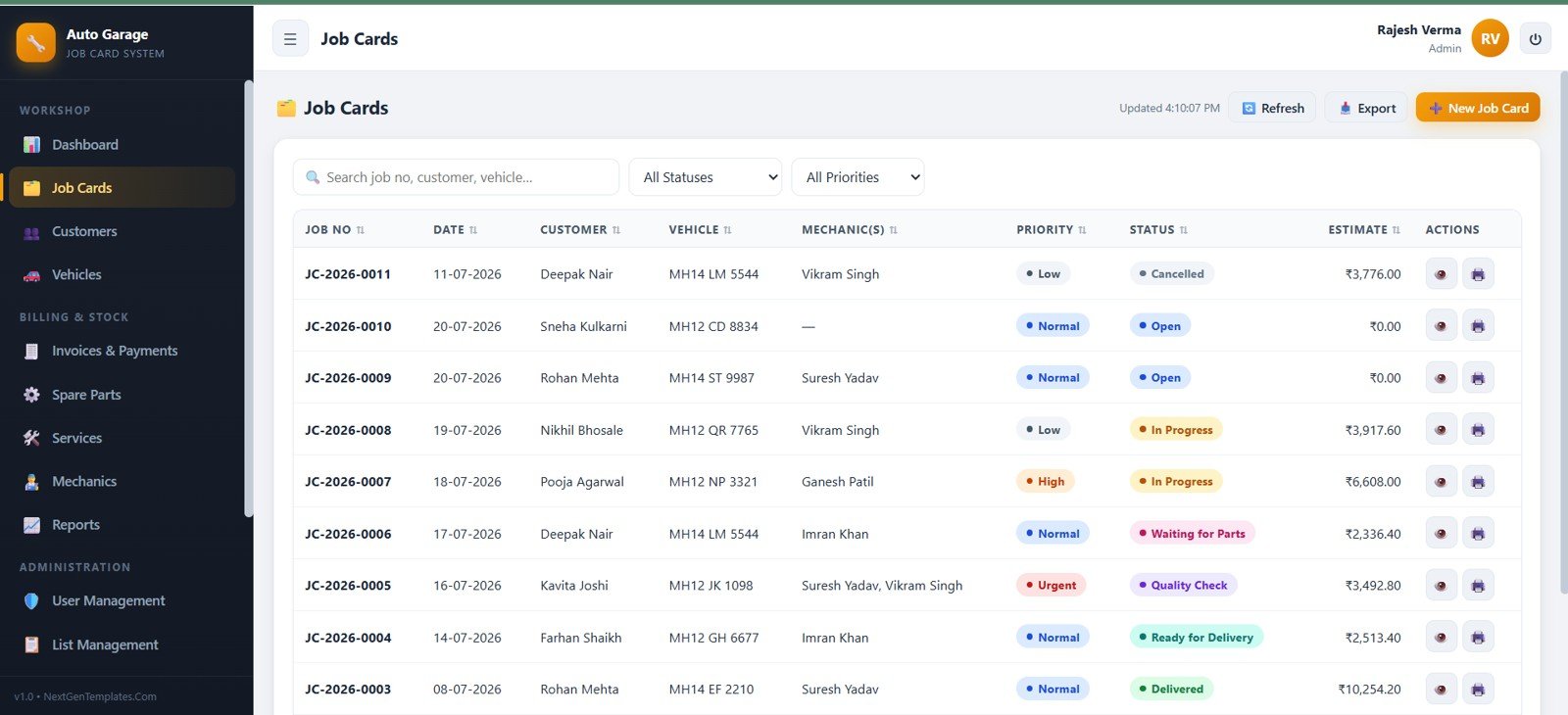
The Job Cards screen manages the service workflow with job number, date, customer, vehicle, mechanics, priority, status, estimate, search, filters, refresh, export, and new-job controls.
4. Customers
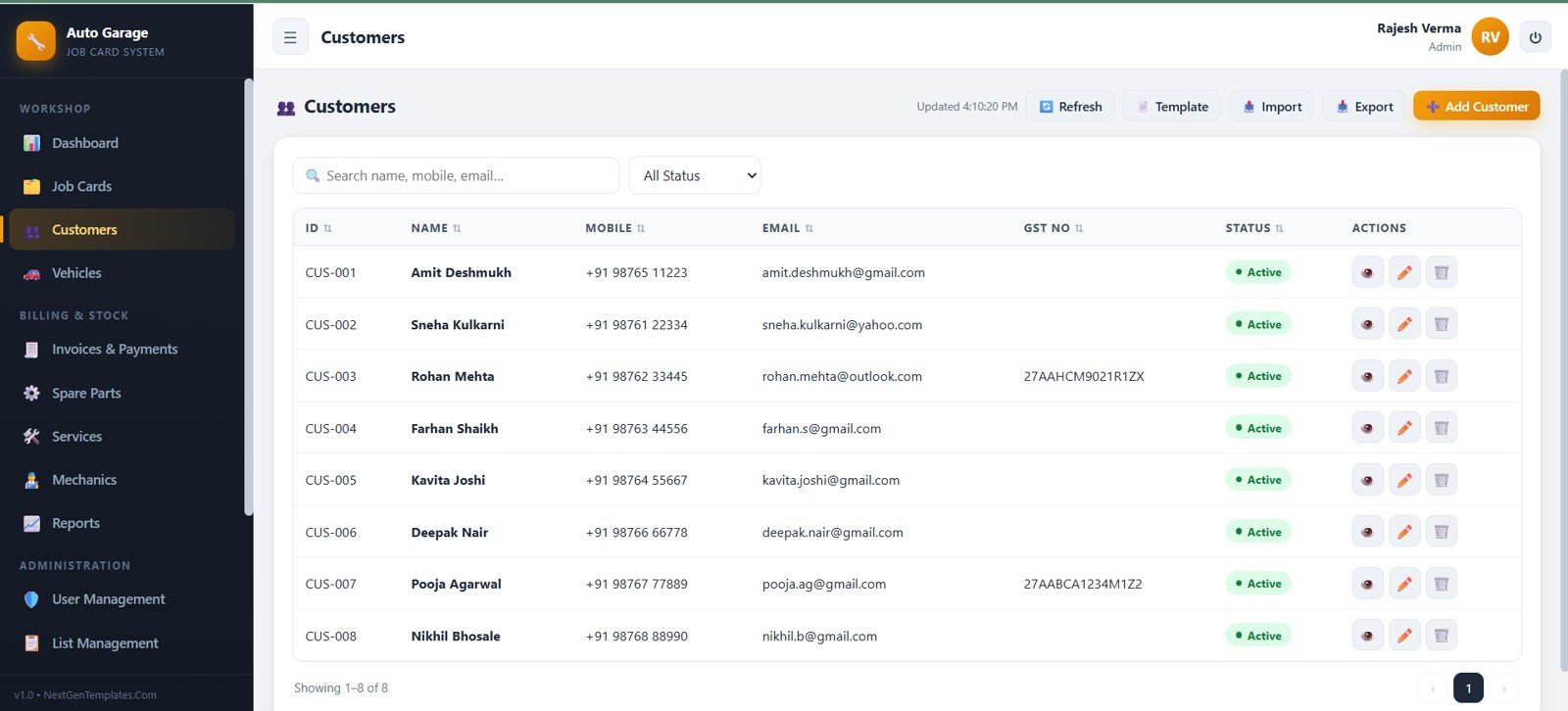
The Customers module stores customer ID, name, mobile, email, GST number, and status, with search, status filters, import, export, add, view, edit, and delete actions.
5. Vehicles
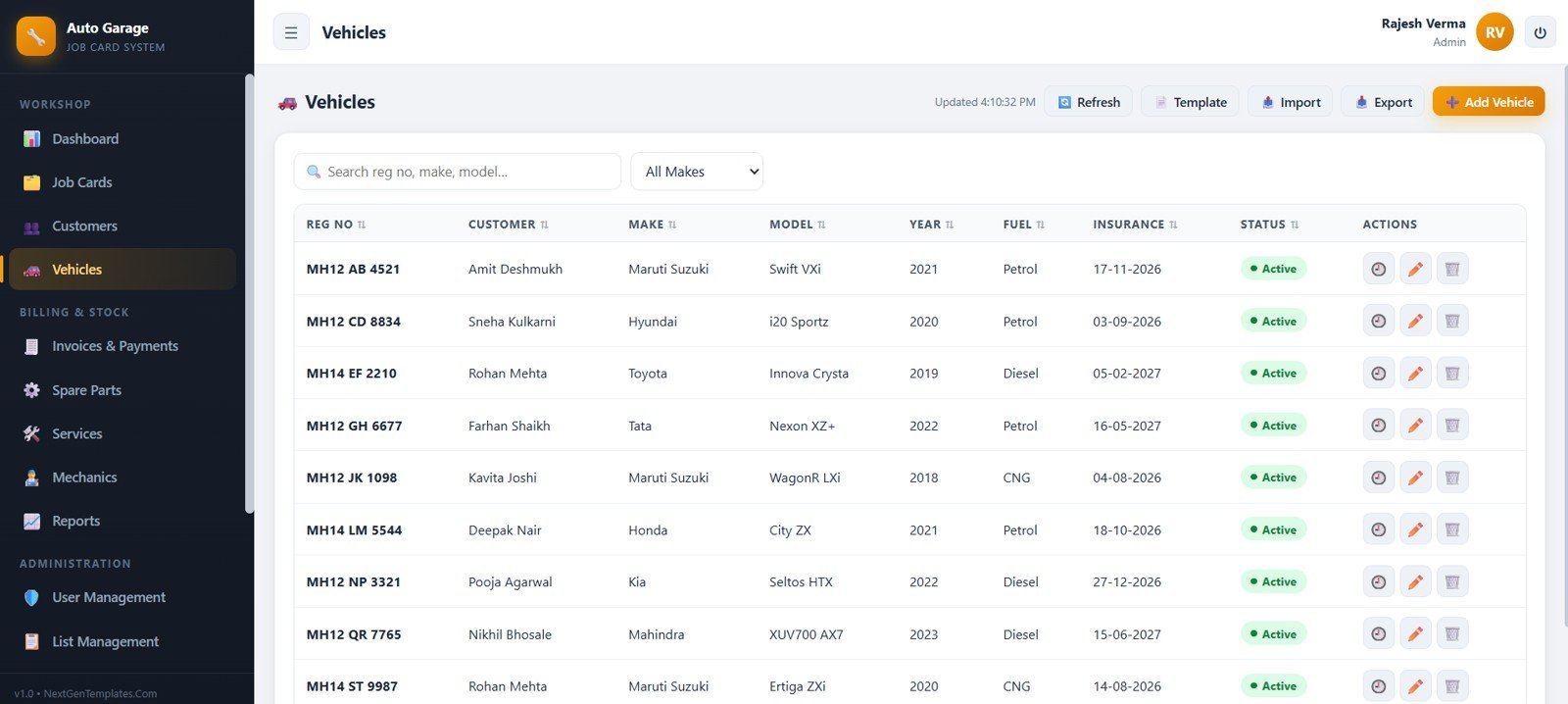
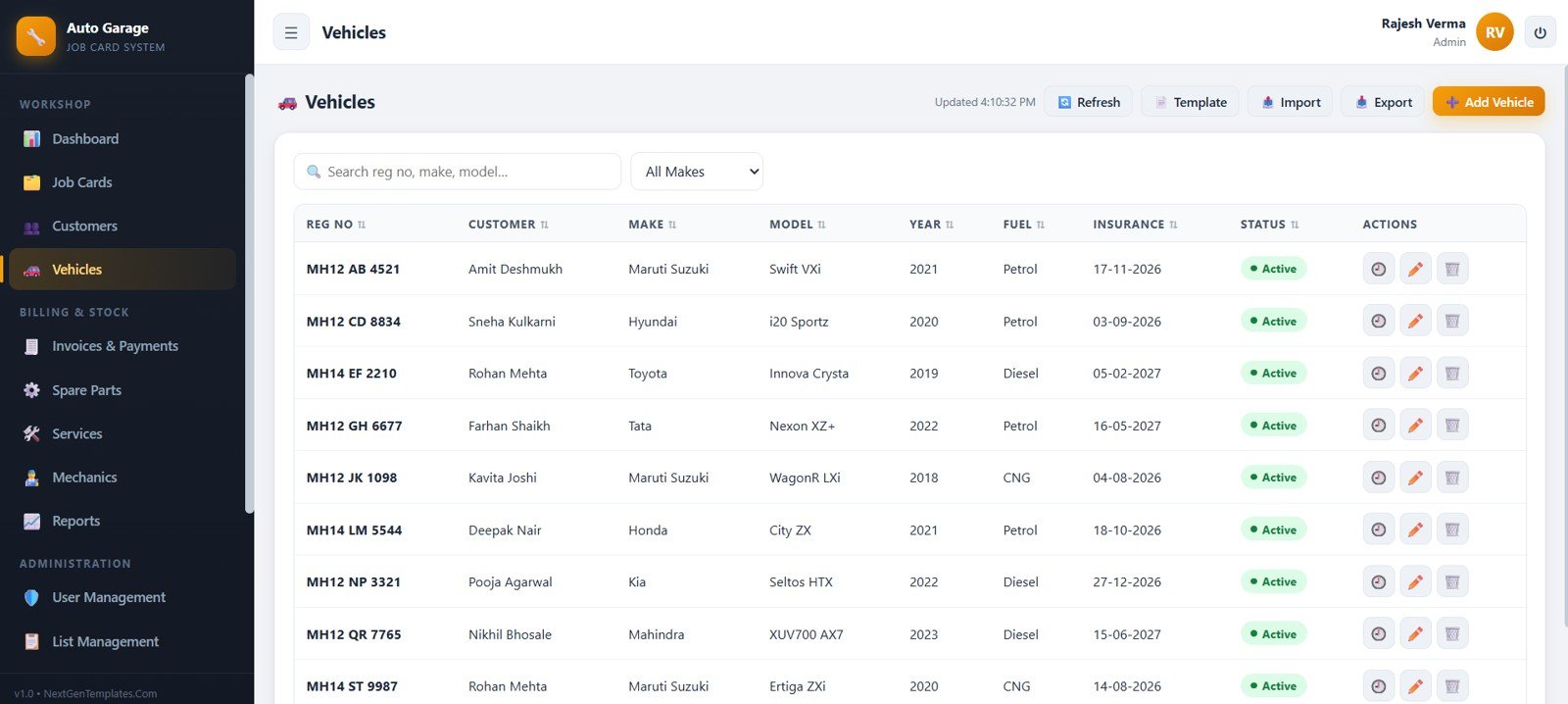
The Vehicles module links customer names to registration numbers, make, model, year, fuel, insurance, and vehicle status. It includes search, make filters, templates, import, export, add vehicle, service history, edit, and delete controls.
6. Invoices and Payments
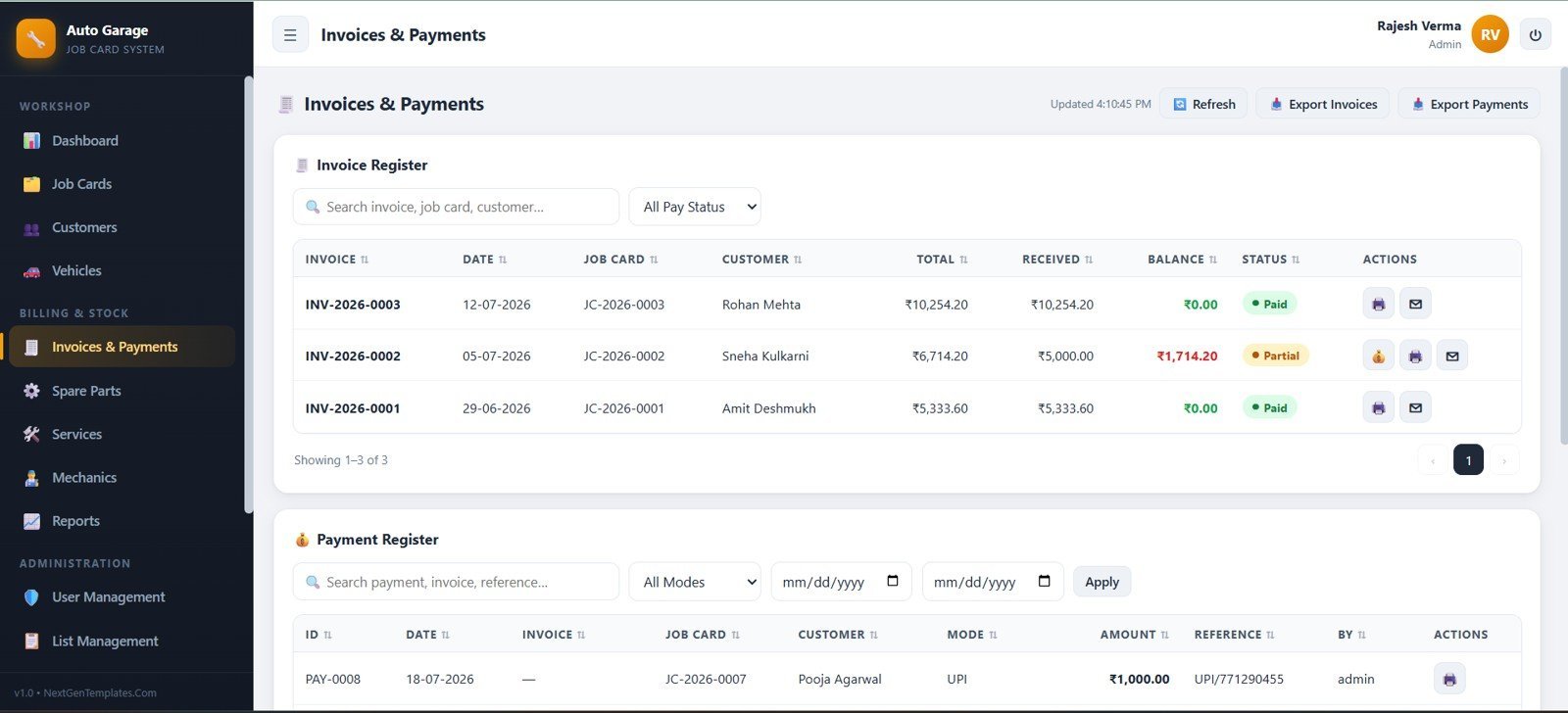
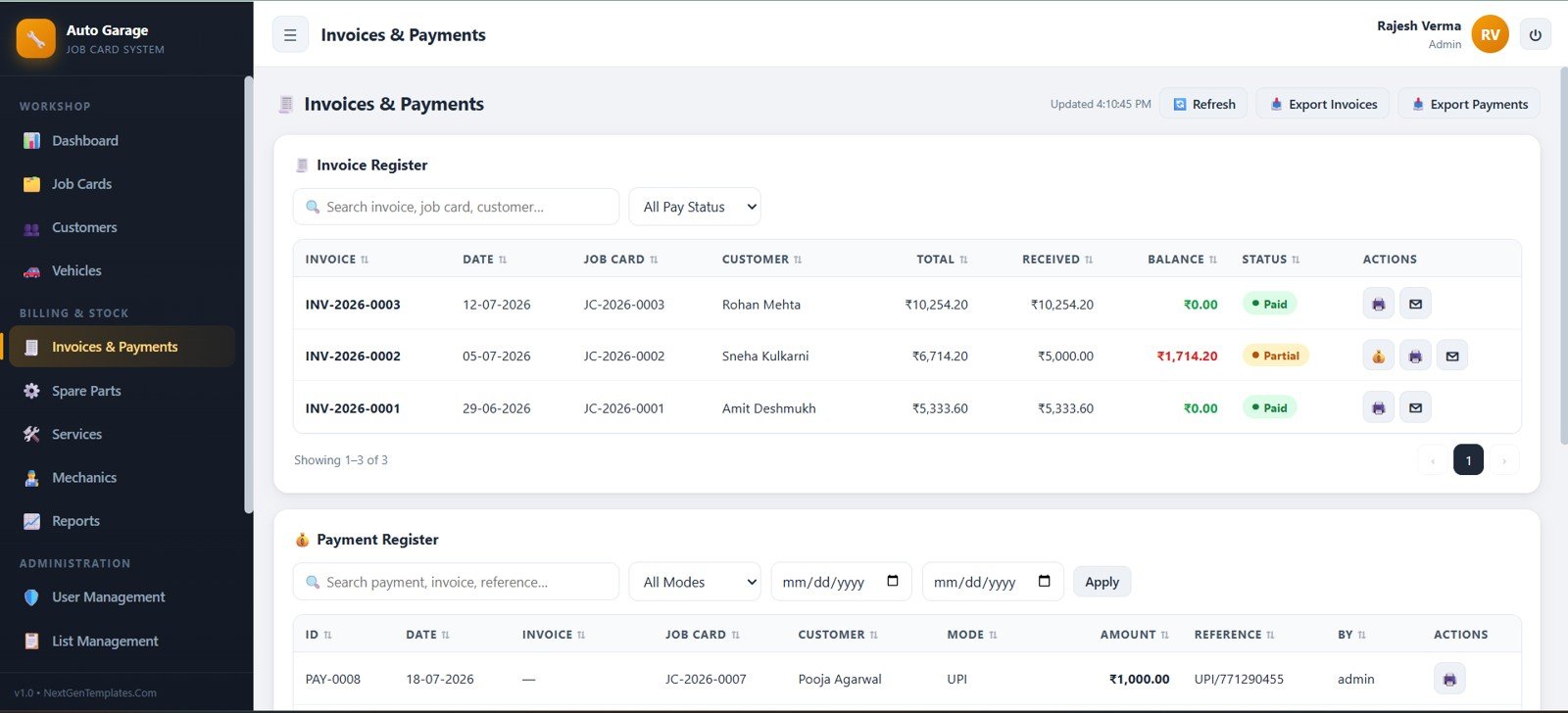
The billing screen combines invoice register and payment register information, including job card, customer, total, received amount, balance, payment mode, reference, recorded by, date filters, exports, print, email, and payment actions.
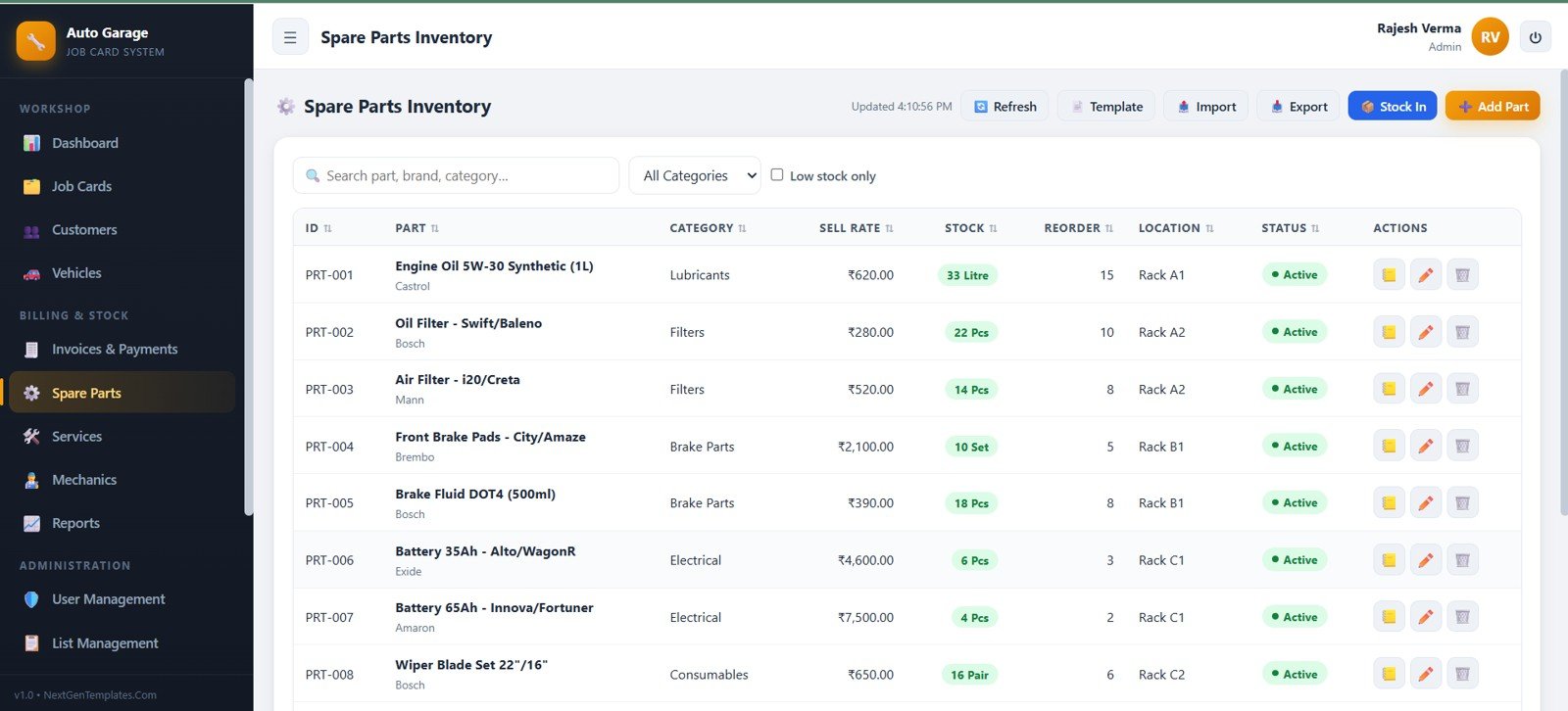
7. Spare Parts Inventory
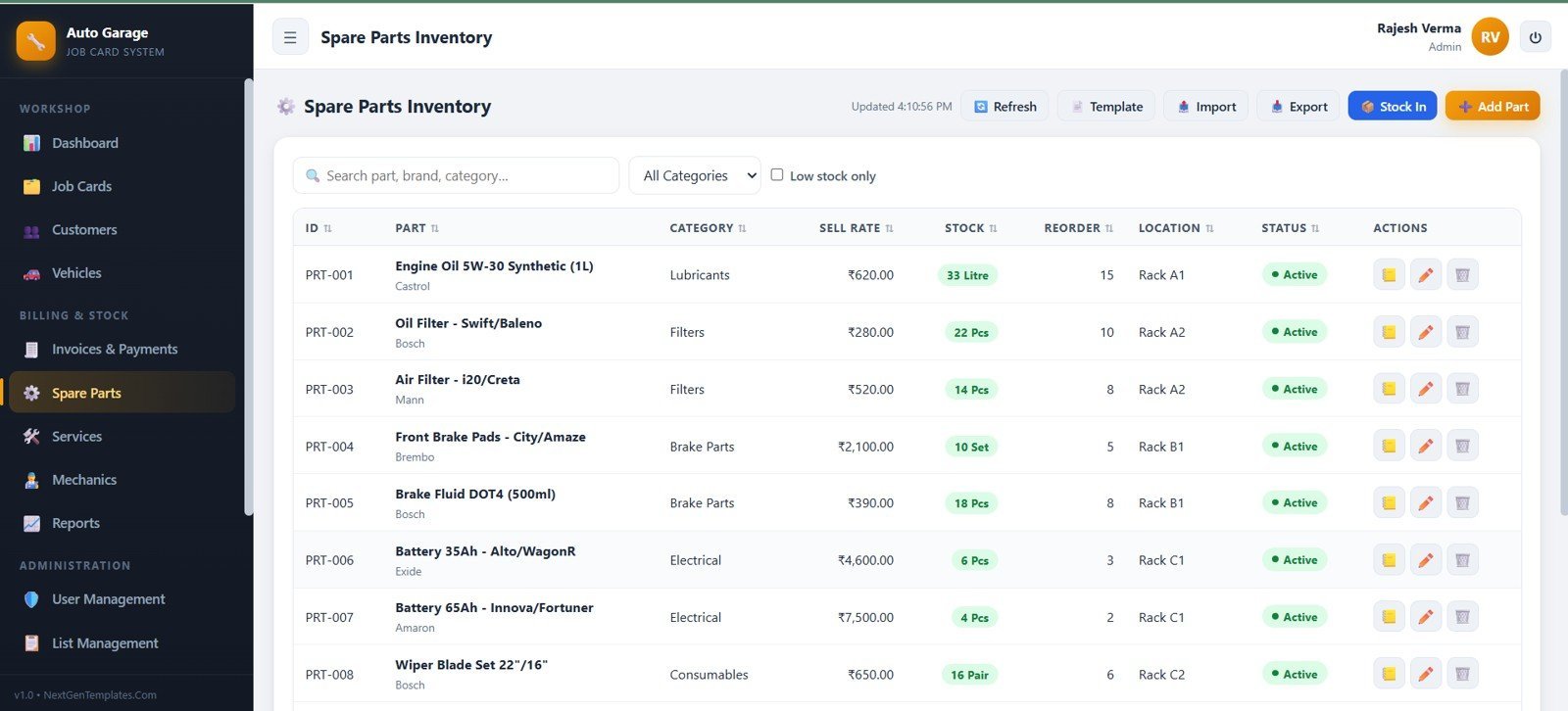
Spare Parts Inventory manages part ID, part name, category, sell rate, stock, reorder level, rack location, and status, with low-stock filtering, stock-in actions, templates, import, export, stock ledger, edit, and delete actions.
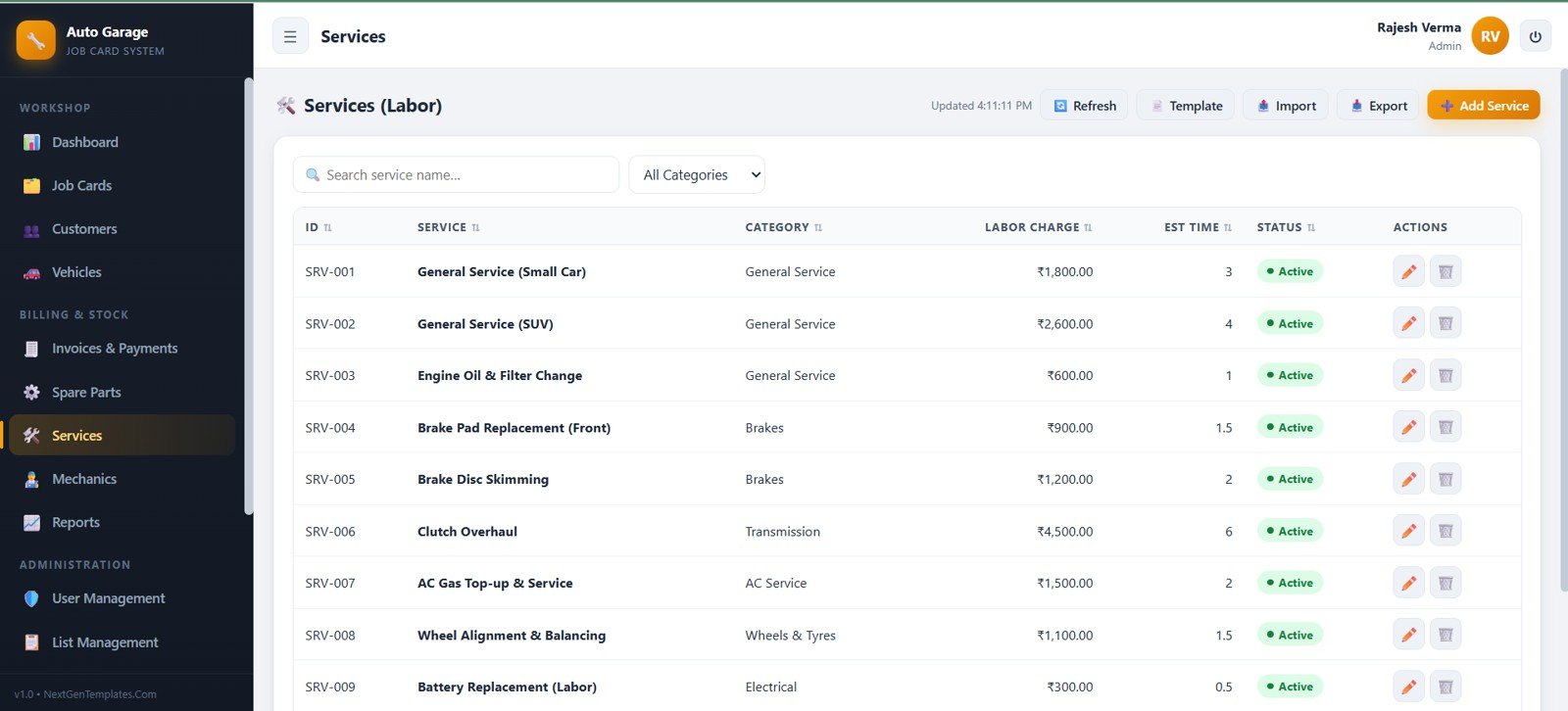
8. Services Labor
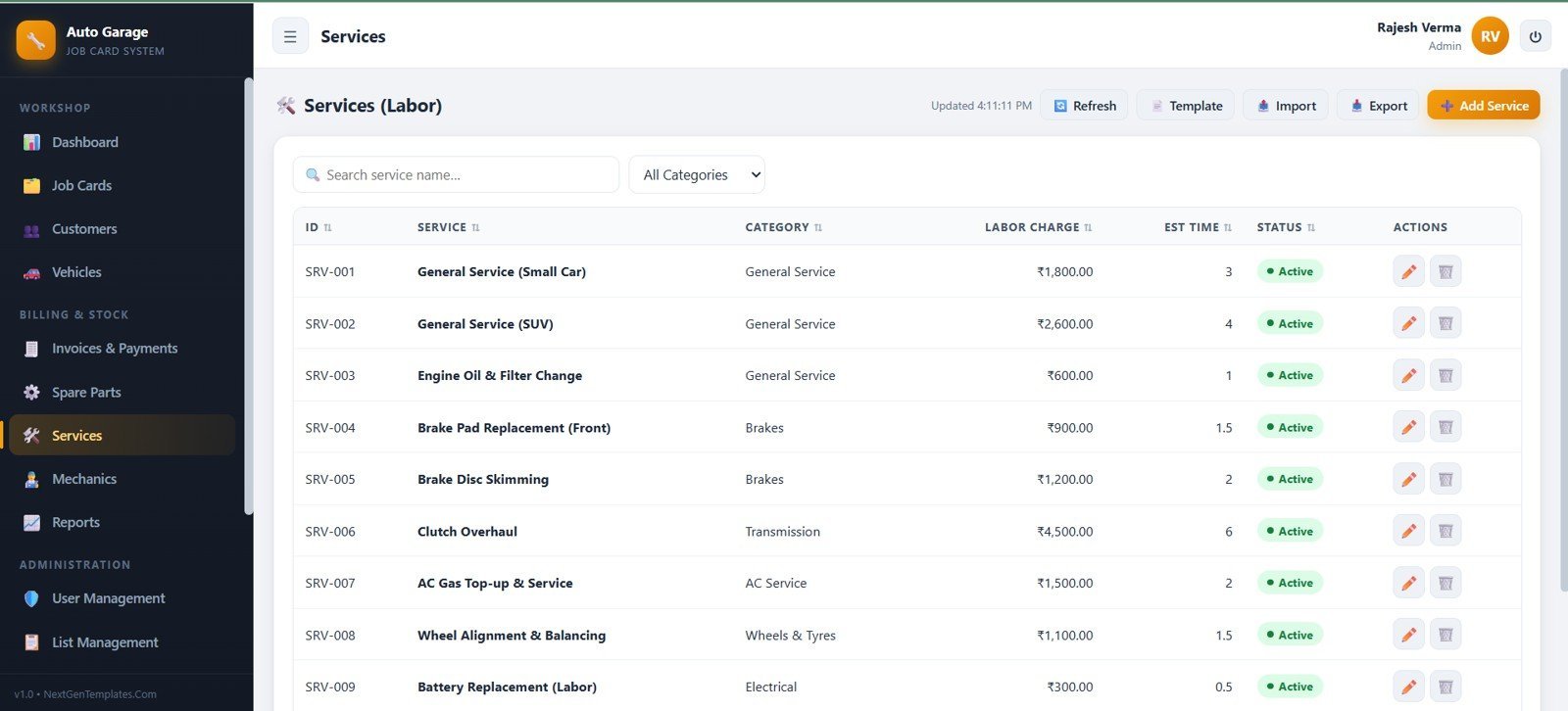
Services Labor stores service ID, service name, category, labor charge, estimated time, and status, making standard garage service pricing easier to maintain and apply.
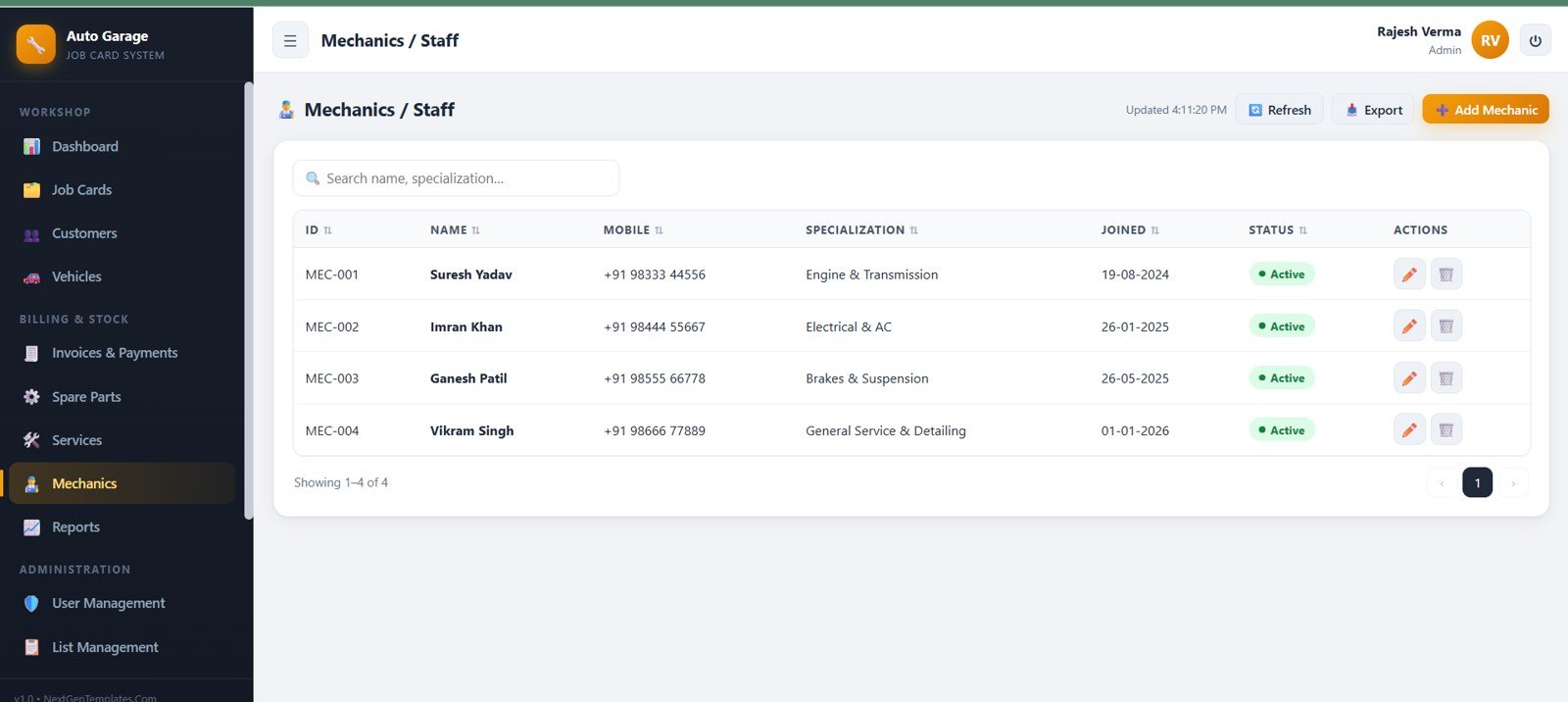
9. Mechanics and Staff
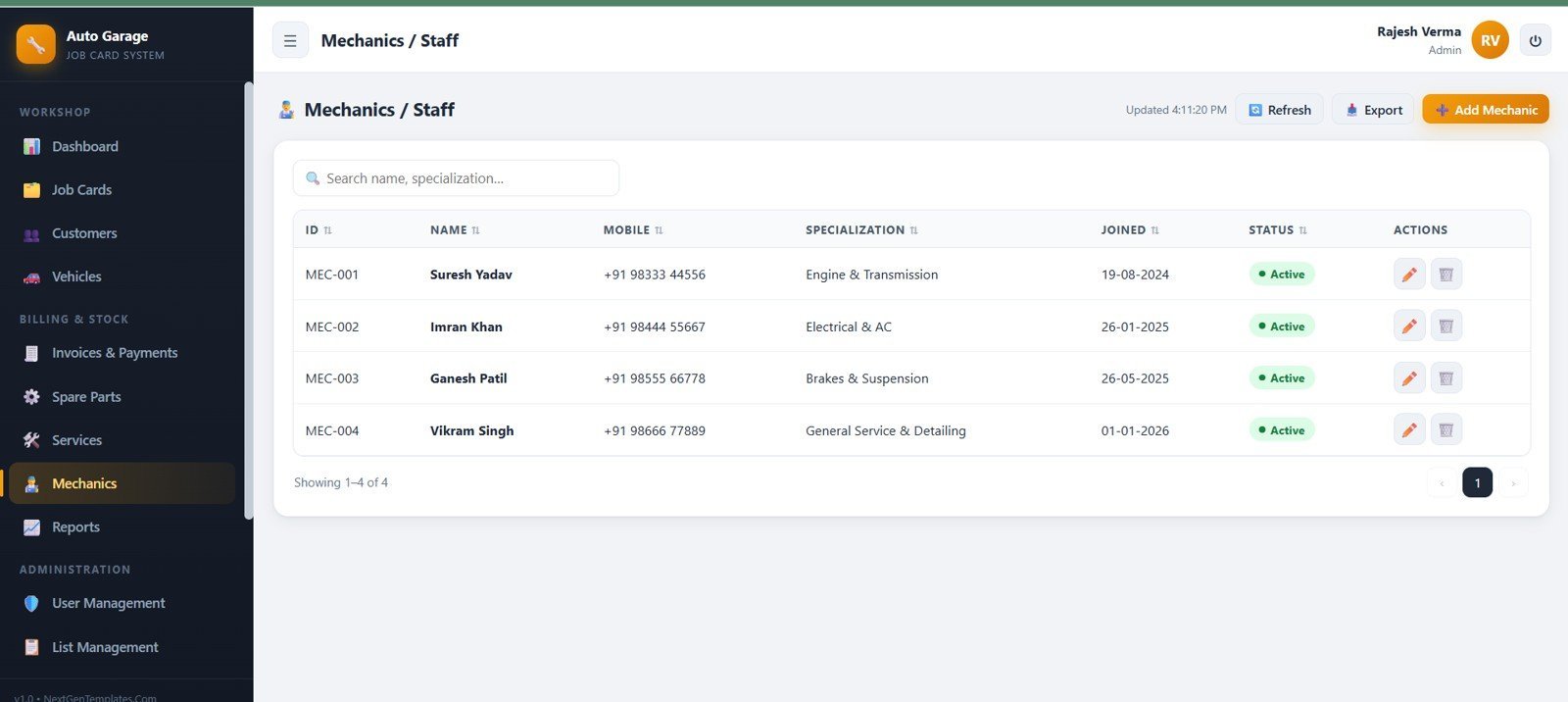
The staff screen records mechanic ID, name, mobile, specialization, joining date, status, search, export, add mechanic, edit, and delete actions so owners can maintain resource records.
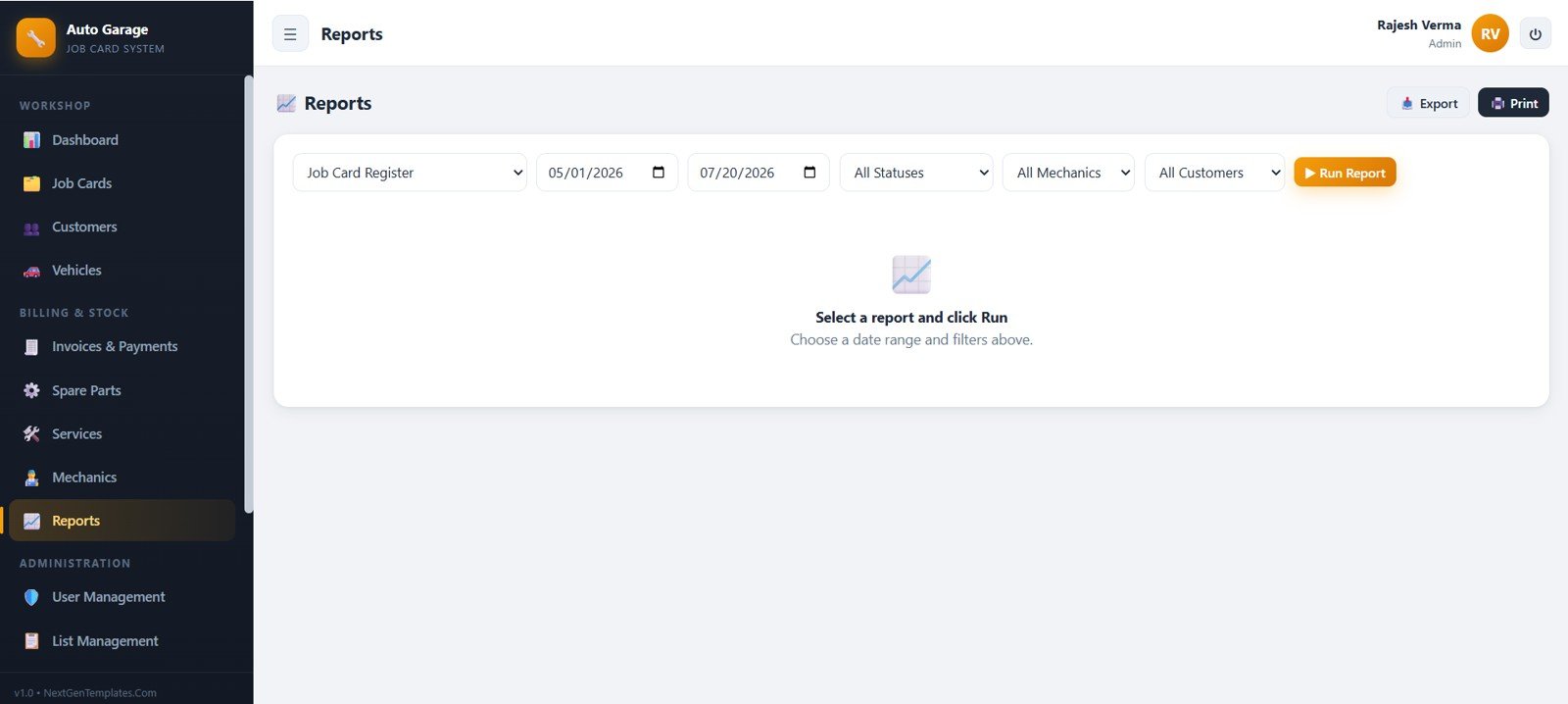
10. Reports
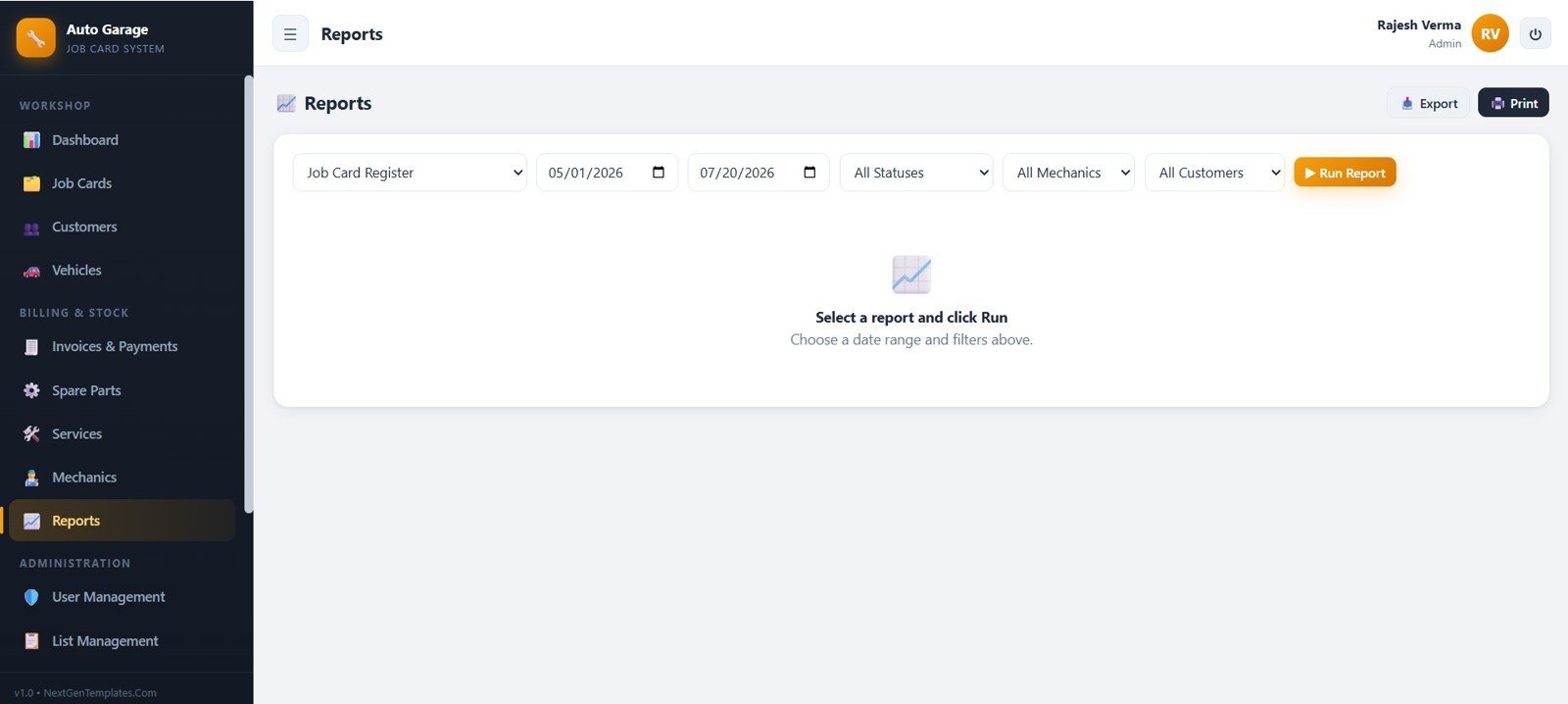
The Reports module includes a report selector, start date, end date, status, mechanic, customer, run report, export, print, and instruction area for generating filtered garage reports.
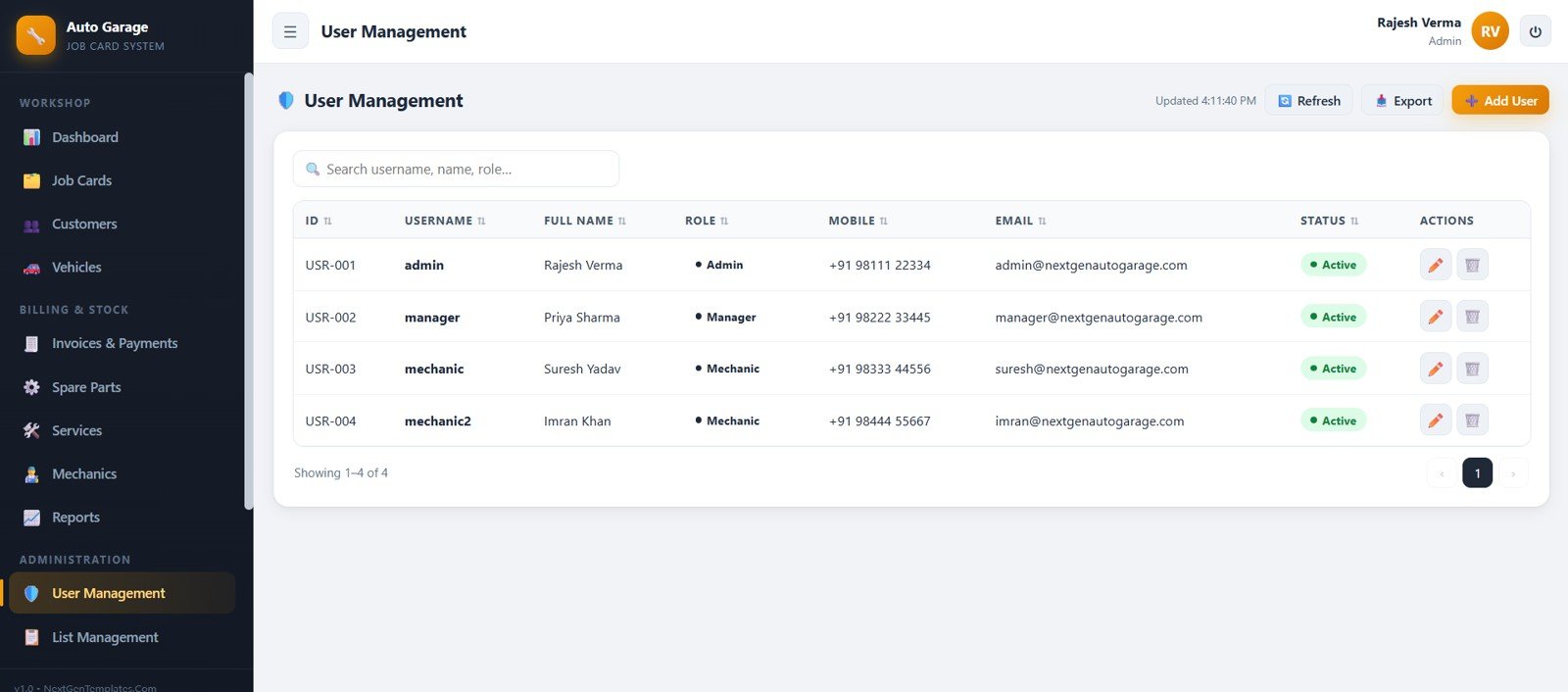
11. User Management
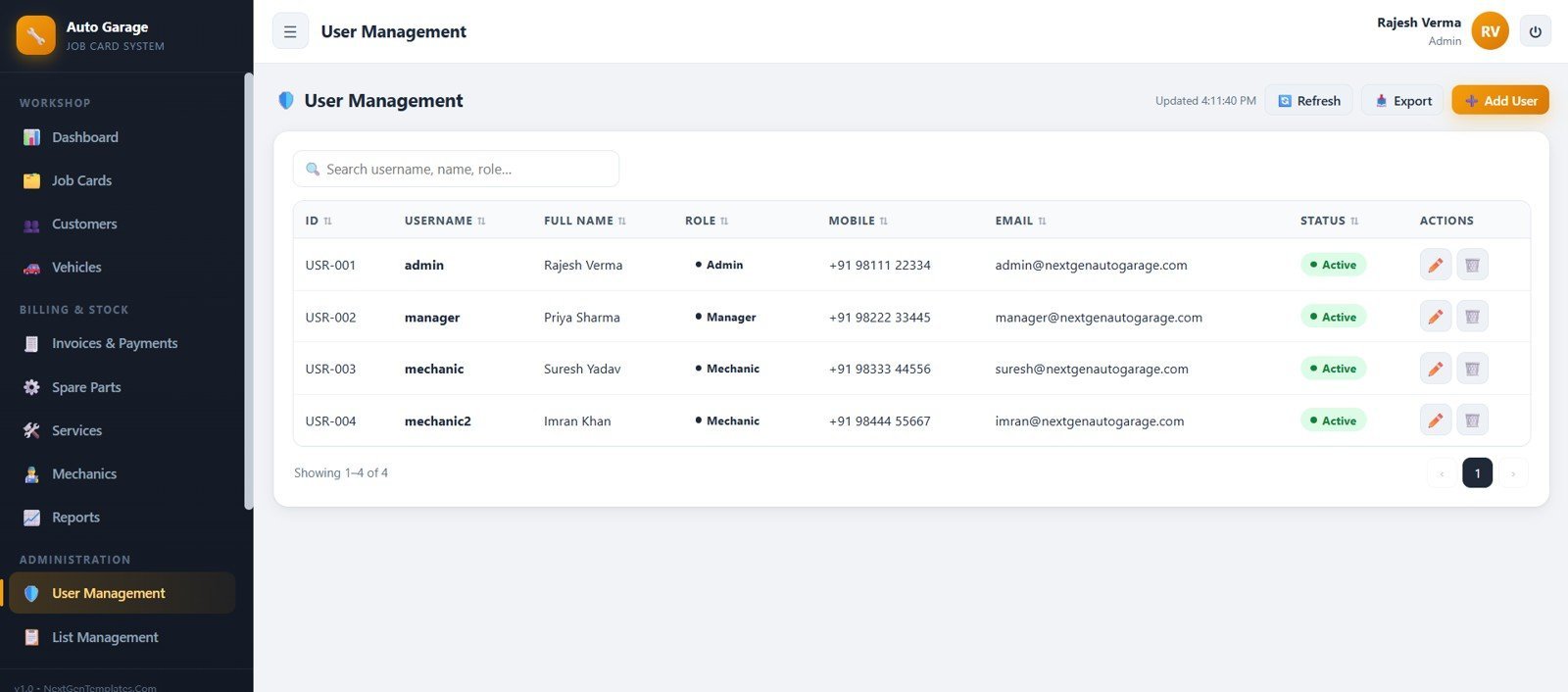
User Management helps admins maintain user ID, username, full name, role, mobile, email, status, search, refresh, export, add user, edit, and delete controls.
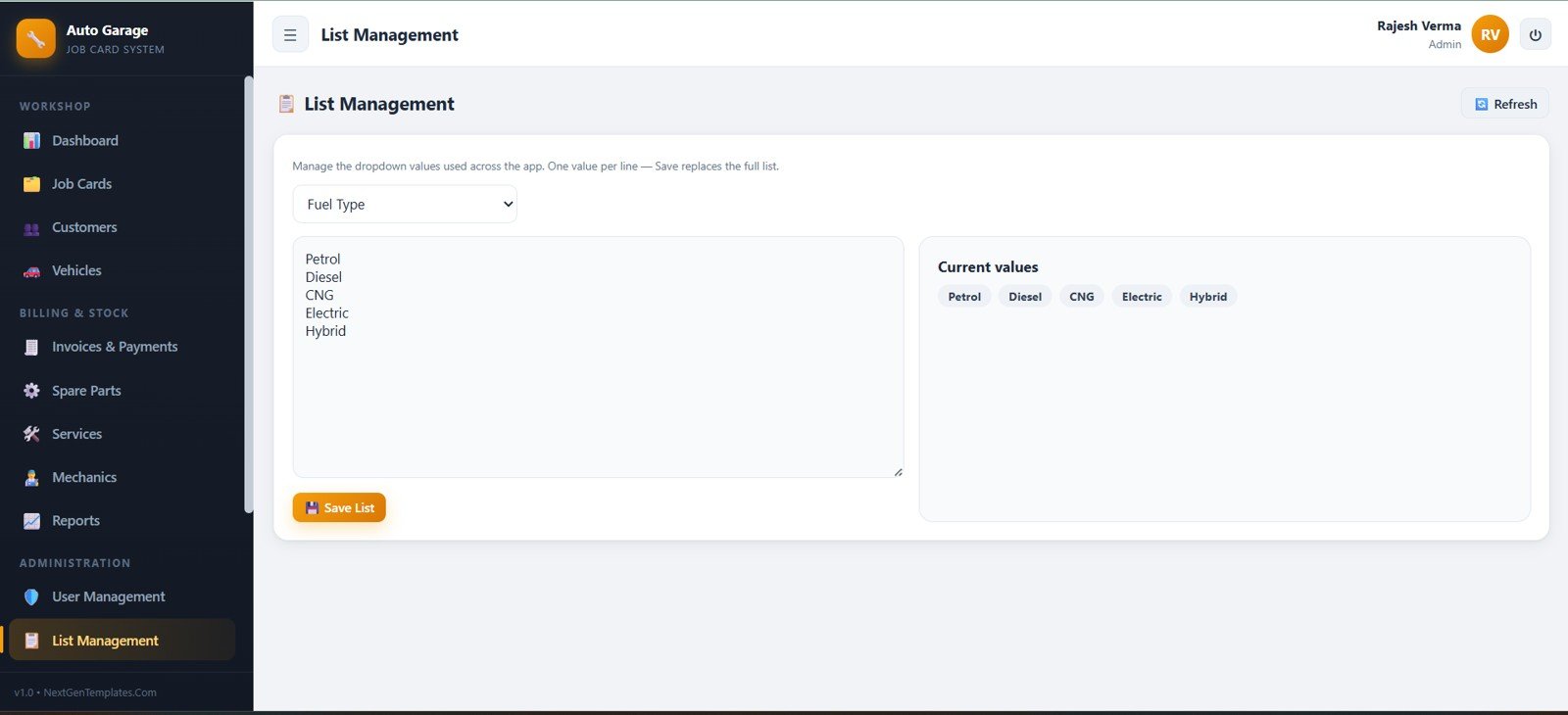
12. List Management
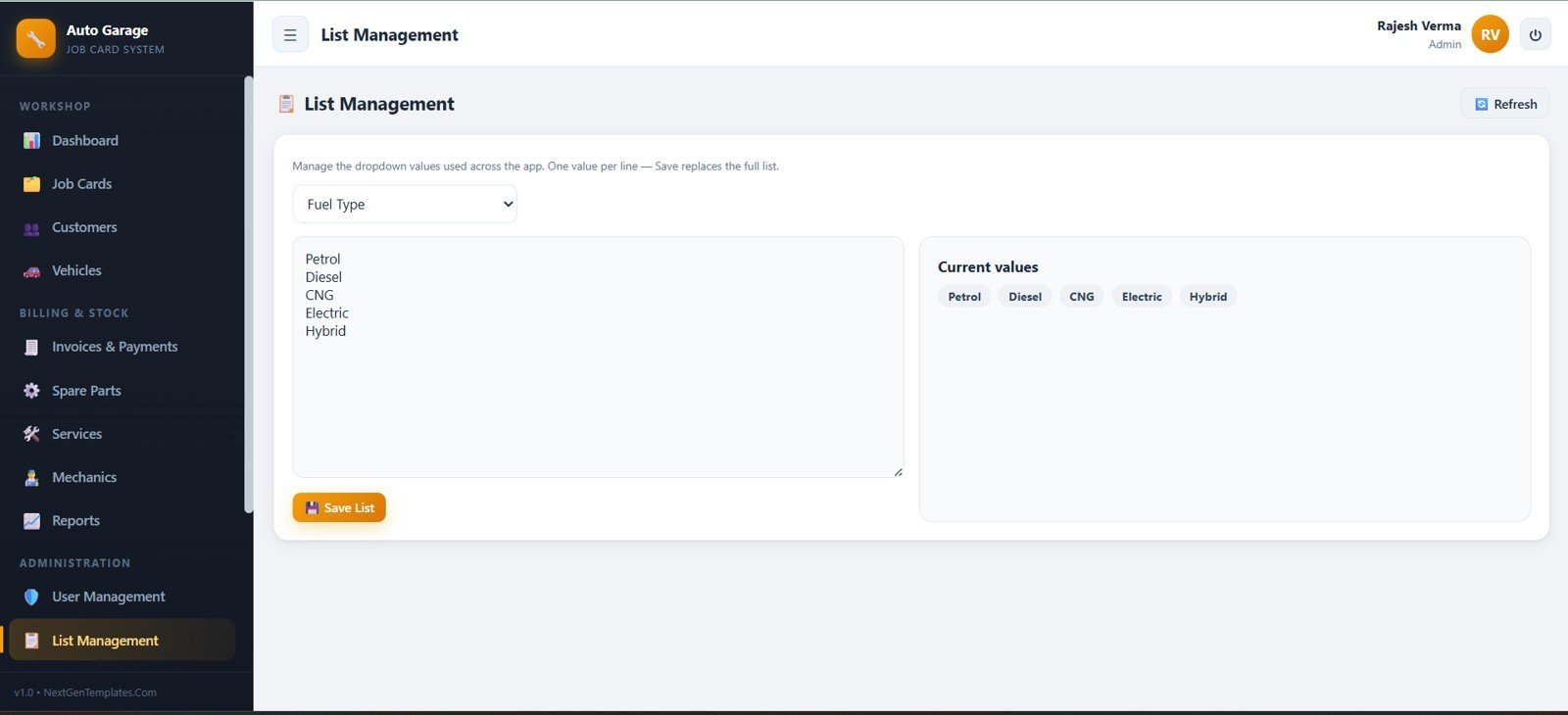
List Management lets administrators update dropdown values such as fuel type, including petrol, diesel, CNG, electric, and hybrid options, then save the list from one screen.
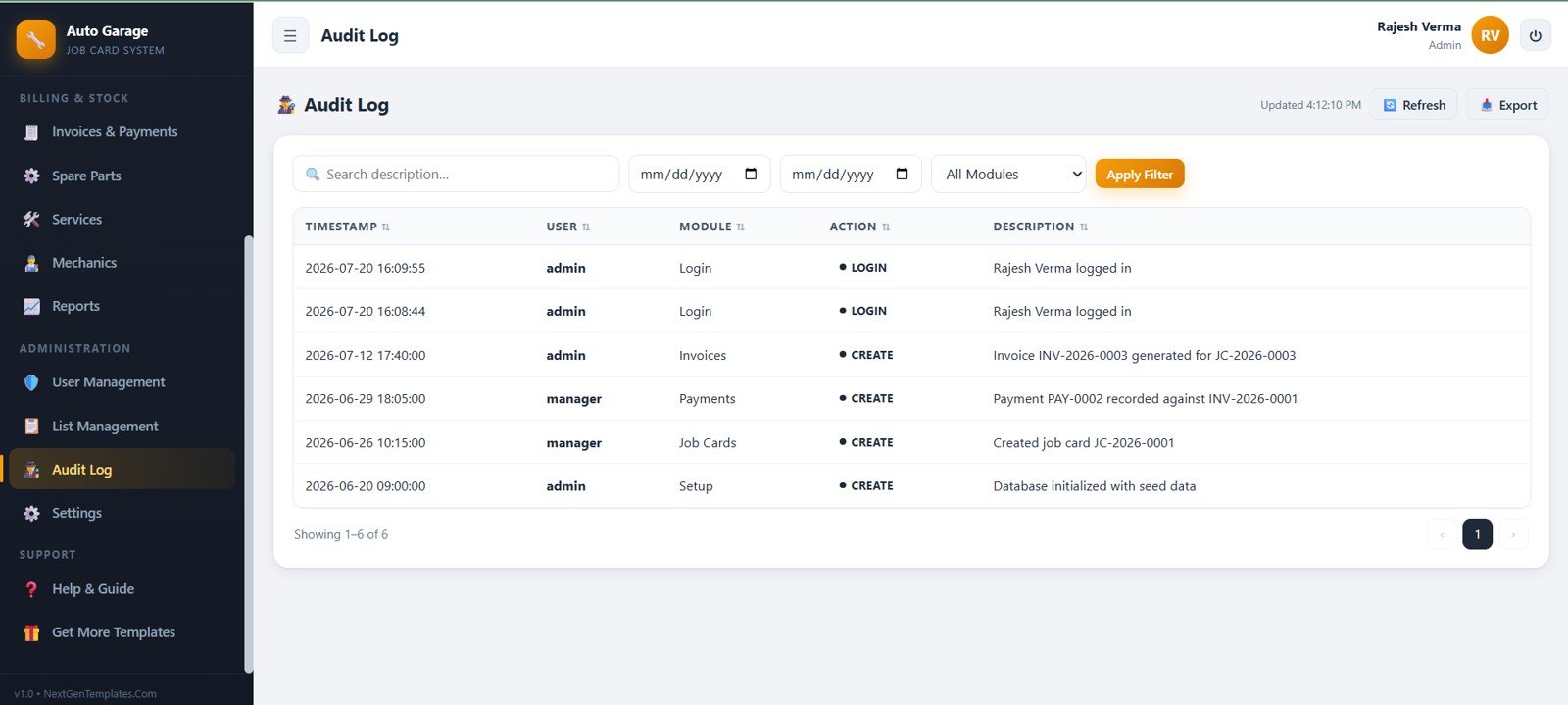
13. Audit Log
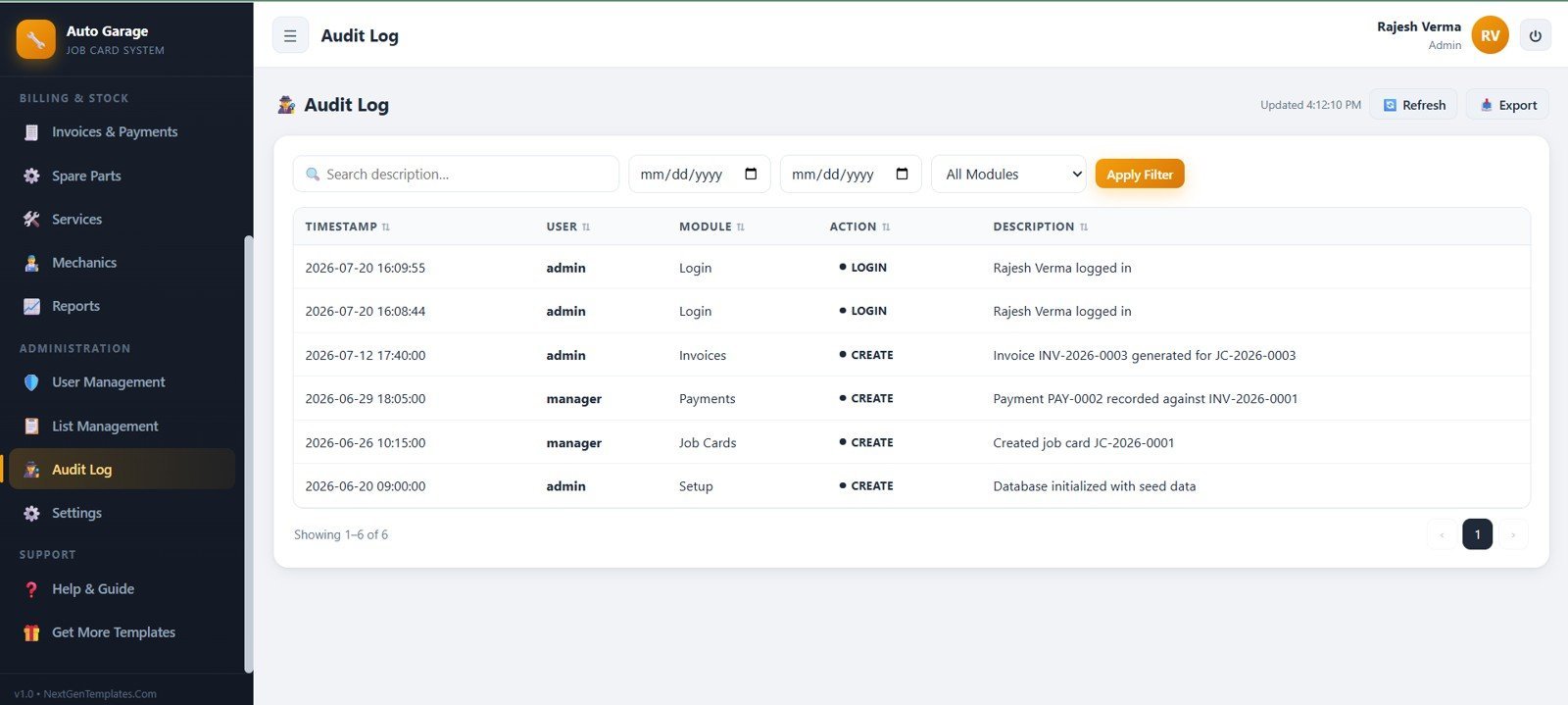
The Audit Log tracks timestamp, user, module, action, description, search, date range, module filters, refresh, export, login, and create actions for operational traceability.
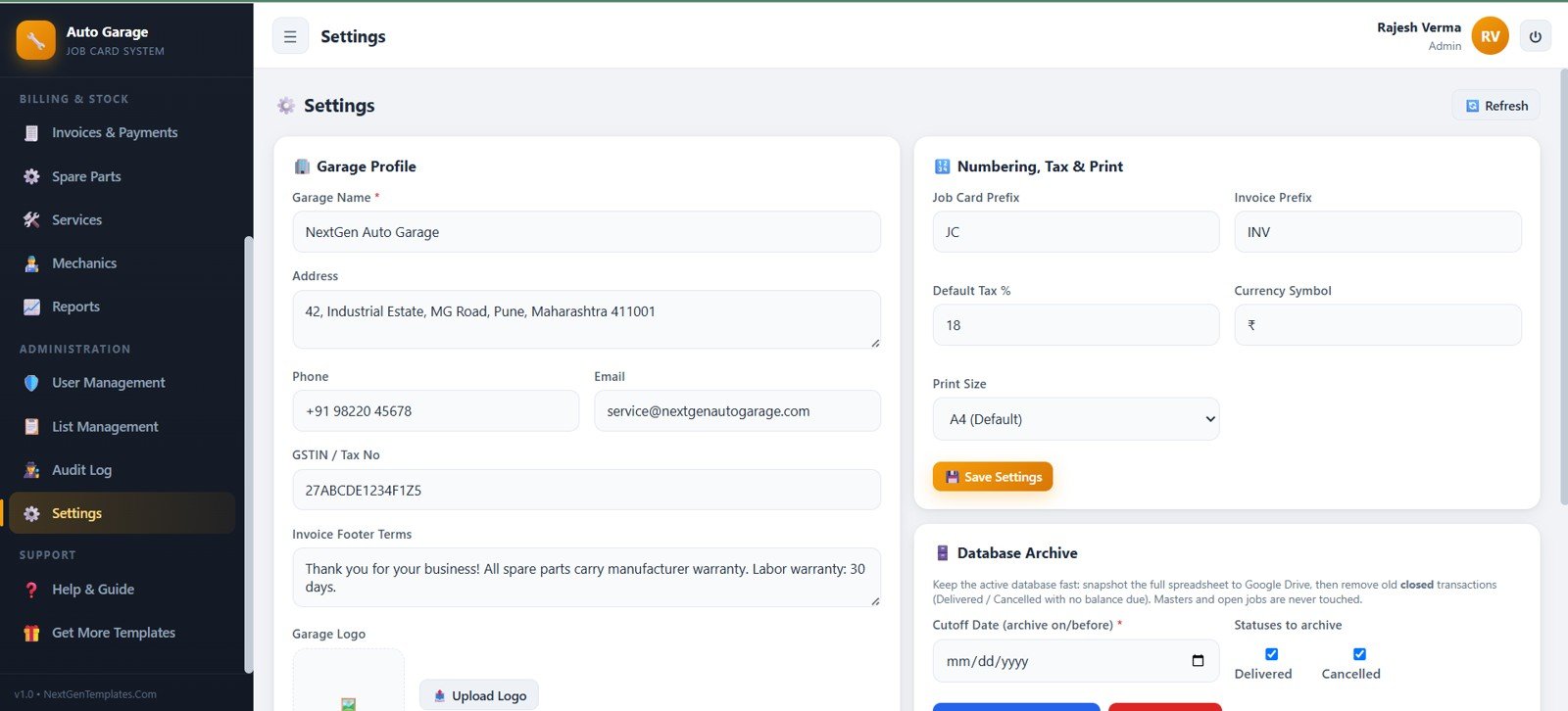
14. Settings
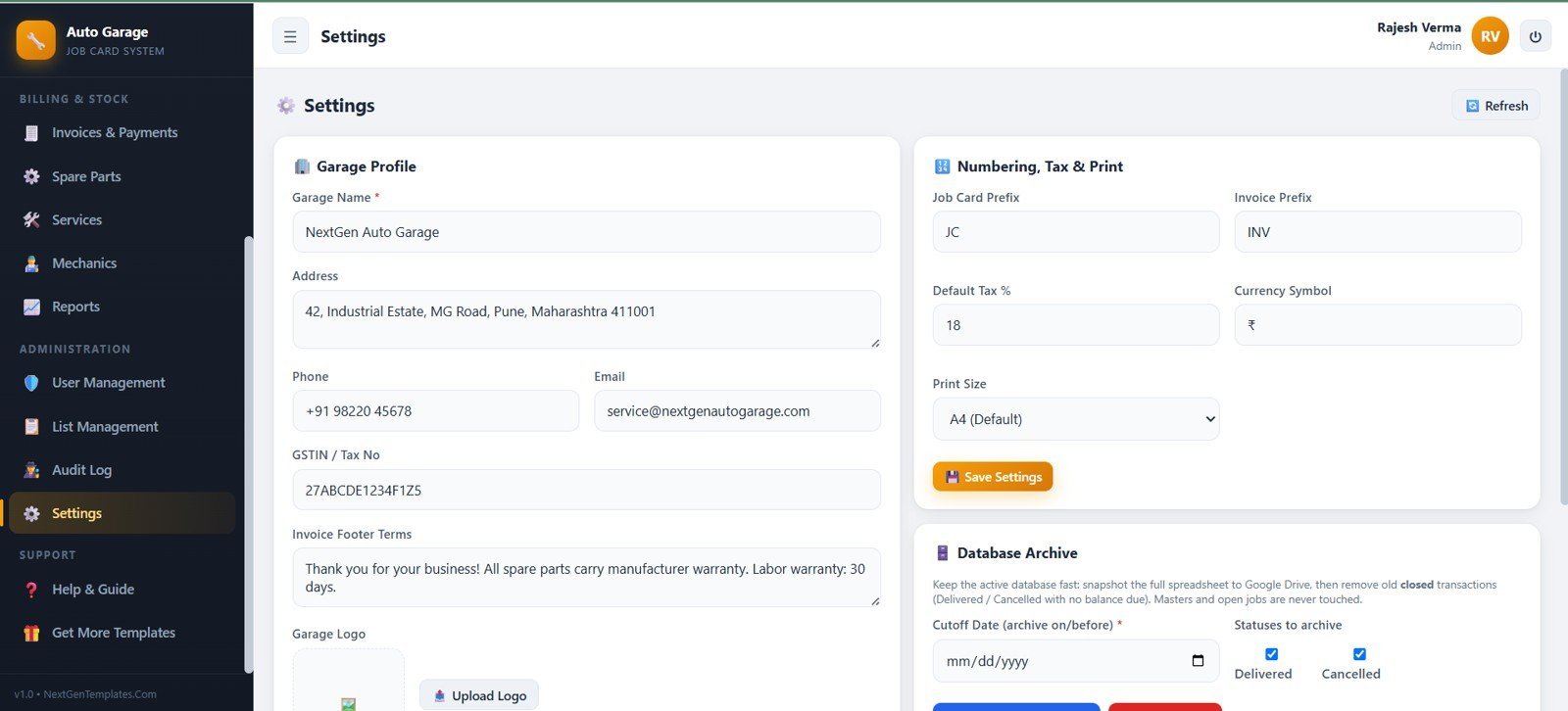
Settings covers garage profile, address, phone, email, GSTIN or tax number, invoice footer terms, logo, job card prefix, invoice prefix, default tax percentage, currency symbol, print size, archive cutoff date, and archive statuses.
Auto Garage Job Card Management System Web App vs. Google Sheets Tracker vs. Paid Garage SaaS – Where This Fits
| Feature | This web app | Google Sheets or Excel tracker | Paid garage SaaS |
|---|---|---|---|
| Cost | $39.99 sale price, one-time download | Low cash cost, higher setup time | Recurring plan or user-based fees |
| Platform | Browser-based garage workflow | Spreadsheet tabs | Vendor-hosted web app |
| Setup time | Start from 14 prepared screens | Design tables and formulas yourself | Plan setup, import, and onboarding |
| Real-time team collaboration | Shared workspace after deployment | Shared file editing | Usually included by plan |
| Mobile access | Browser access on modern devices | Spreadsheet app or browser | Web or native app |
| Customizable fields | Editable lists, settings, and source structure | Editable columns and sheets | Depends on vendor permissions |
| Share with link | Possible after deployment and access setup | Yes | Usually account-based |
| Year-1 cost at 5 users | $39.99 template cost | Template cost plus internal build time | Can grow with seats and add-ons |
| Garage job cards | Dedicated job card workflow included | Requires linked tables | Usually included |
| Parts and billing | Spare parts, invoices, payments, reports, and settings included | Manual structure required | Depends on plan |
Who This Template Is For – and Who It’s Not For
This web app is for independent auto repair garages, multi-mechanic workshops, vehicle service centers, small fleet-maintenance teams, and consultants helping garages replace paper job cards with a structured operating system. It is a fit when the owner wants job cards, customers, vehicles, parts, invoices, mechanics, reports, users, settings, and audit history in one workspace.
It is not a fit for businesses that need built-in payment gateway processing, VIN lookup integrations, OEM dealer-management-system integrations, accounting API sync, GPS telematics, enterprise branch hierarchy, or guaranteed vendor-hosted compliance controls.
How to Use the Auto Garage Job Card Management System Web App
- Unzip the download and review the included setup files.
- Deploy the web app in the intended account or hosting environment.
- Update garage profile, invoice prefixes, tax percentage, currency, and print settings.
- Add dropdown values such as fuel types, priorities, job statuses, payment modes, and archive statuses.
- Import or enter customers, vehicles, mechanics, services, and spare parts.
- Create live job cards, update statuses, issue invoices, and record payments.
- Review the dashboard, reports, stock levels, outstanding balances, and audit log on a regular schedule.
Real-World Use Cases
Ravi, independent garage owner
Ravi checks open jobs, jobs in progress, ready vehicles, low-stock parts, and outstanding payments each morning before assigning mechanics.
Meera, service advisor
Meera creates job cards, searches by customer or vehicle, updates status and priority, sends invoice information, and tracks payment balances from the same workflow.
Omar, parts and billing lead
Omar uses spare parts inventory, stock ledger, service labor charges, invoice records, and reports to keep parts usage and customer billing aligned.
Frequently Asked Questions
What does the Auto Garage Job Card Management System Web App include?
It includes 14 screens for login, dashboard, job cards, customers, vehicles, invoices and payments, spare parts, services labor, mechanics and staff, reports, users, list management, audit log, and settings.
Can it track both customers and vehicles?
Yes. Customer records and vehicle records are separate, so a garage can link service work to the right customer and registration number.
Can it track spare parts and low stock?
Yes. The inventory module includes part IDs, categories, sell rates, stock, reorder levels, locations, low-stock filters, and stock-ledger actions.
Does it replace paid garage software?
It can replace many internal registers for small and mid-size garages, but it does not claim to replace enterprise dealer systems, integrated payment gateways, or specialized OEM software.
Can admins manage users and settings?
Yes. The app includes user management, list management, audit log, profile settings, numbering, tax, print size, and database archive controls.
Is this a monthly subscription?
No. It is sold as a one-time downloadable template from NextGenTemplates. You may still have your own setup and customization responsibilities.
About the Author
Built by PK – Microsoft Certified Professional with 15+ years of Excel, Google Sheets, and Power BI experience. Founder of NextGenTemplates, reaching 300K+ subscribers across YouTube channels. Every template is hand-built and tested before release.
Explore Related Templates
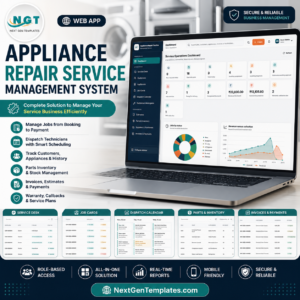
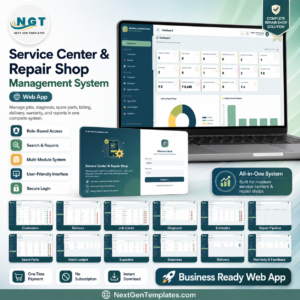
For similar operating systems, explore the Service Center and Repair Shop Management System Web App, Appliance Repair Service Management System Web App, Car Wash Management System Web App, Parking Management System Web App, and Vehicle Movement Register Management System Web App. Browse more Mini Web Apps from NextGenTemplates.
Get the Auto Garage Job Card Management System Web App to organize job cards, customers, vehicles, parts, invoices, payments, mechanics, reports, users, settings, and audit history in one garage workflow.
Last updated: July 20, 2026.
Compatibility and Requirements
- Runs in a web browser. The live demo is deployed as a Google Apps Script web app in a Google account, and the download includes the source files (Code.gs and Index.html) plus a deployment guide.
- You deploy your own private copy in your own Google account.
- Staff sign in with a username and password. The admin, manager and mechanic roles see different screens.
- If your team already keeps garage files in Google Drive, Google explains how office files work there in Edit Microsoft Office files with Google Docs, Sheets and Slides.
More Questions About This Web App
Who is this web app for?
It suits independent auto repair garages, multi-mechanic workshops and vehicle service centers that want job cards, customers, vehicles, spare parts, invoices and reports in one browser workspace.
Can I try it before I buy?
Yes. The page has a live demo with sample data. Sign in as admin, manager, mechanic or mechanic2 to see each role.
What can a mechanic see?
A mechanic sees only the job cards assigned to them and can update work status, notes and the parts and labor used.
Can I use it for appliance repair or a general service center?
This app is built around vehicle job cards. For service centers and appliance repair, see the Service Center and Repair Shop Management System Web App and the Appliance Repair Service Management System Web App.
Is there an Excel version for automotive KPIs?
Yes. The Automotive Dashboard in Excel and the Automotive KPI Scorecard in Excel cover performance tracking in Excel.






























Reviews
There are no reviews yet.