

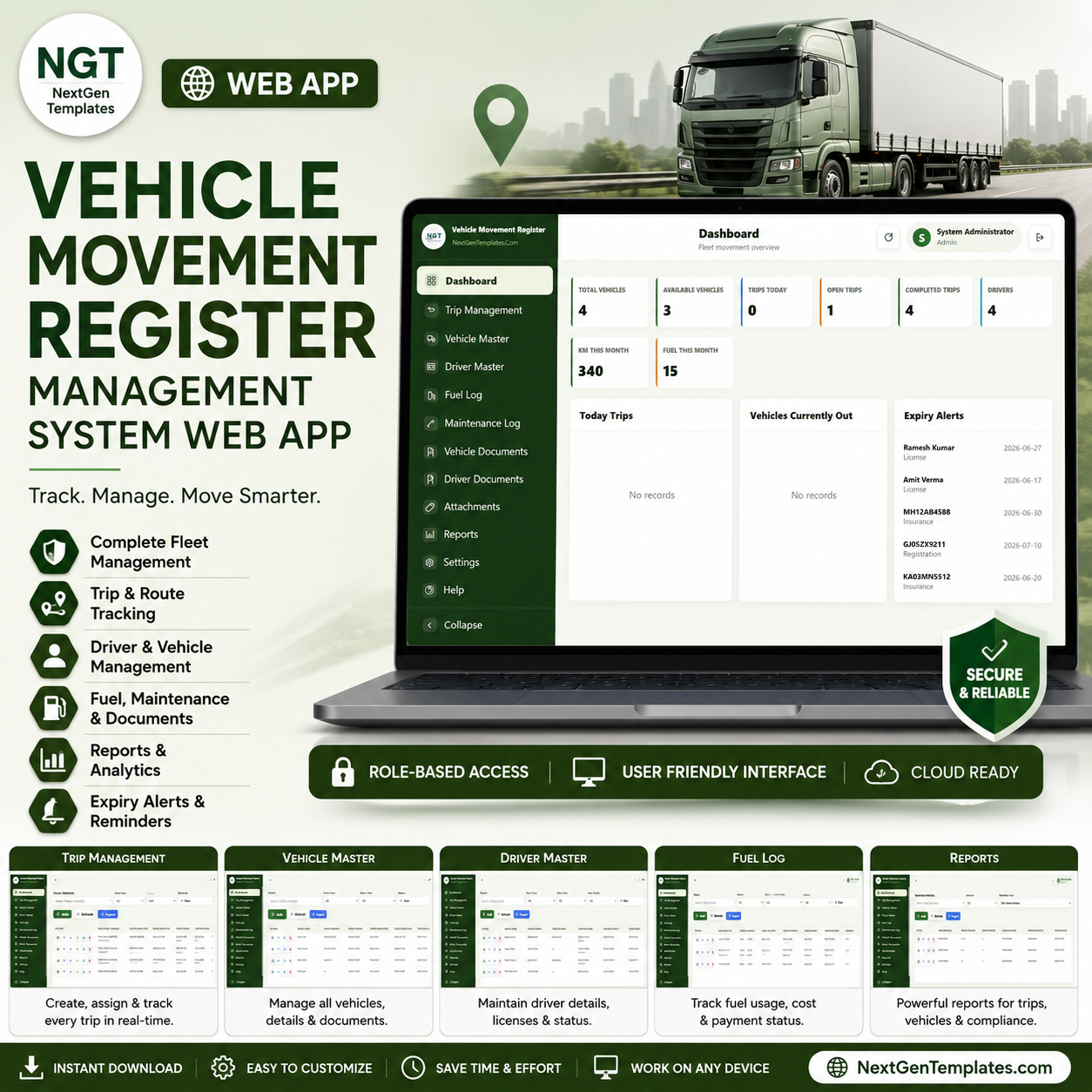

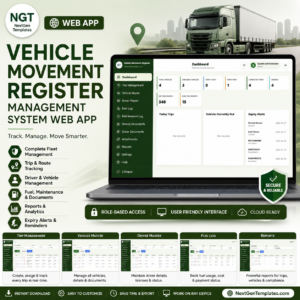
Vehicle Movement Register Management System Web App tracks 12 modules across a multi-user web interface, covering trip registration, vehicle master, driver master, fuel log, maintenance log, vehicle documents, driver documents, attachments, reports, and settings. Setup takes under 15 minutes — deploy from Google Apps Script and your entire team can log in with role-based access the same day. No server required. No per-user subscription.
🌍 Join 8,400+ teams in 40+ countries using NextGenTemplates to replace paid SaaS fleet tools with one-time-purchase Google Apps Script web apps.
✅ Instant download · One-time payment · No subscription · No per-user fees · Lifetime access
🔑 Key Features of Vehicle Movement Register Management System Web App
🔹 Multi-user login system — Every user signs in with a username and password. Admins control access levels for each person so the data stays secure and organized.
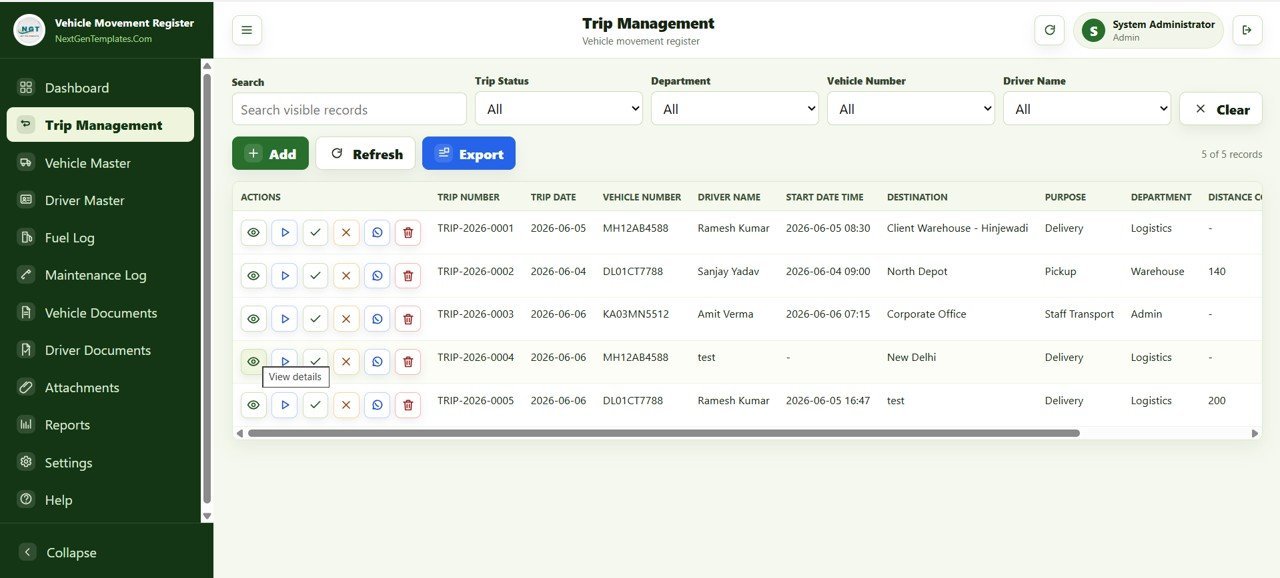
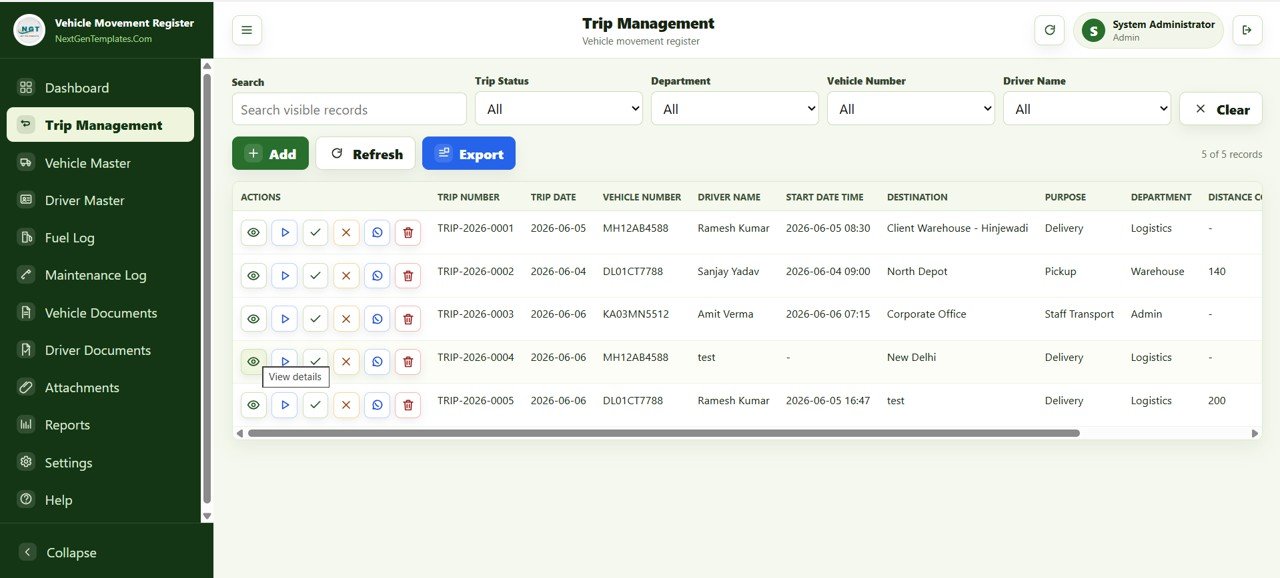
🔹 Complete trip register with 12+ data fields — Every trip is logged with trip number, date, vehicle, driver, start time, destination, purpose, department, and distance covered. You can add, view, start, close, message the driver on WhatsApp, and export all records.
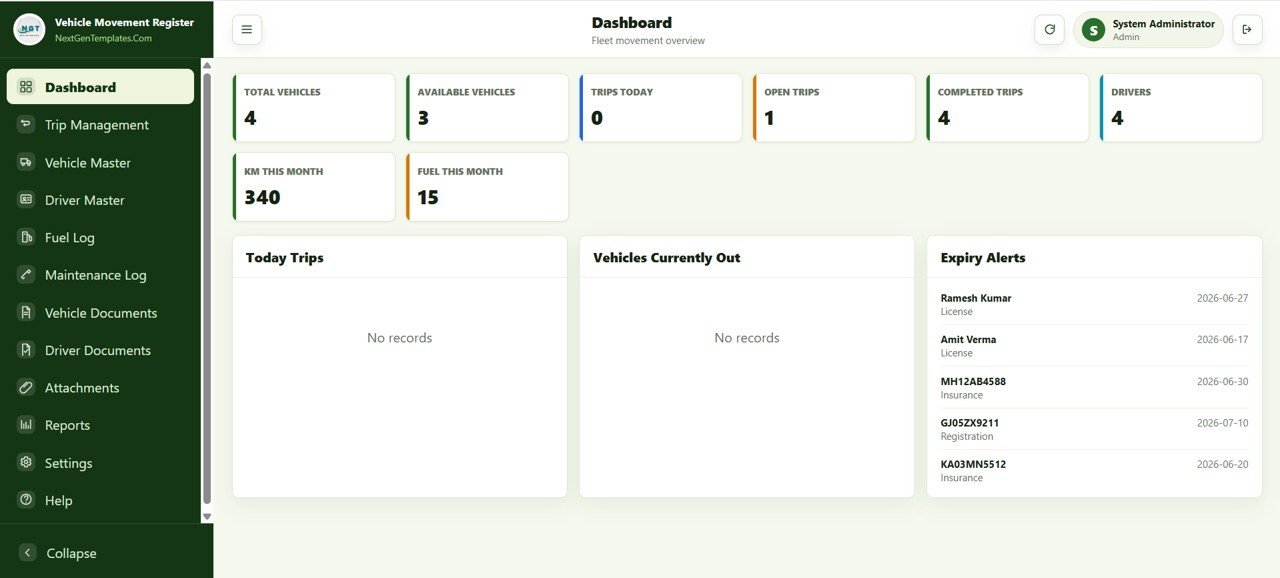
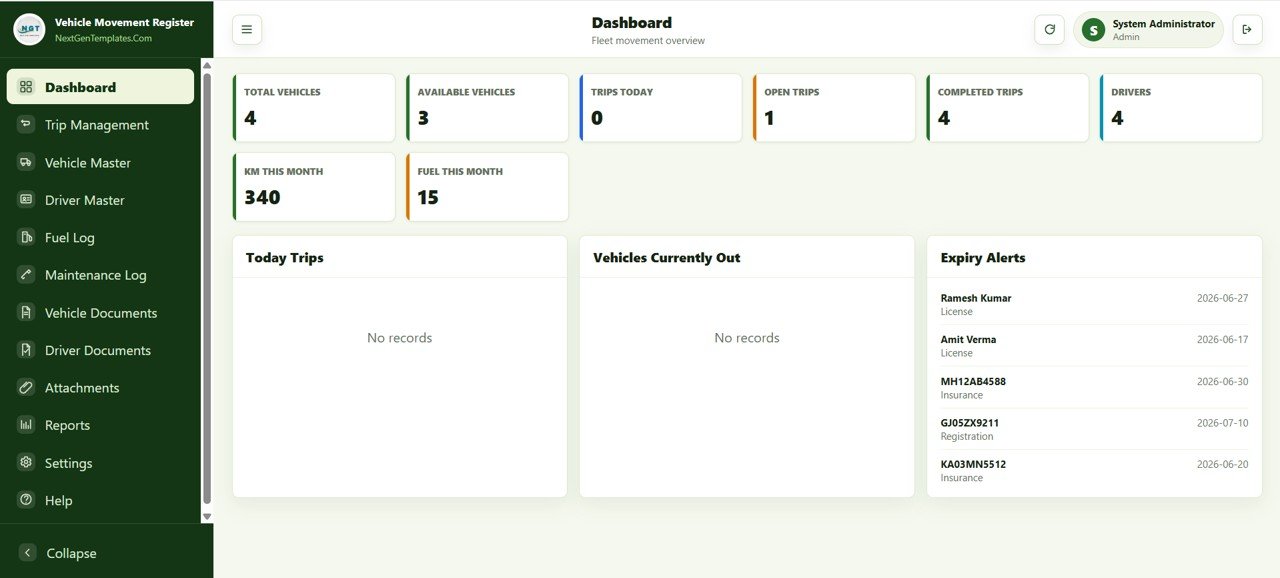
🔹 Live dashboard with 8 KPI cards — Total Vehicles, Available Vehicles, Trips Today, Open Trips, Completed Trips, Drivers, KM This Month, and Fuel This Month give a real-time fleet overview at a glance.
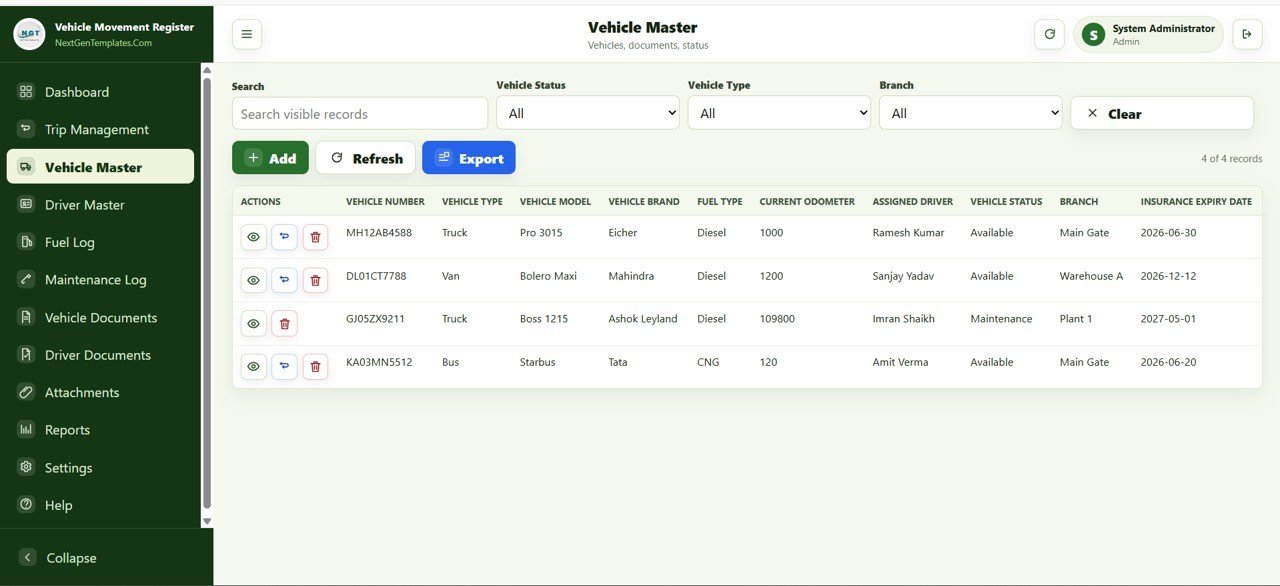
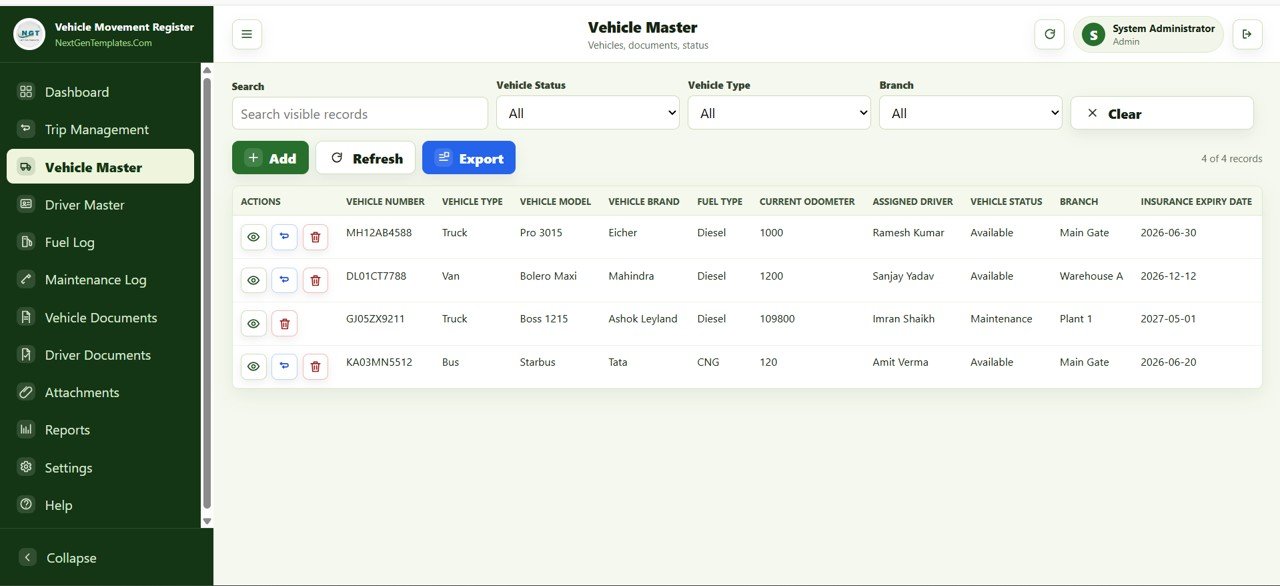
🔹 Vehicle Master and Driver Master modules — Store every vehicle document, type, model, brand, fuel type, odometer, assigned driver, status, and branch. Driver records include license details, WhatsApp number, and direct call/message links.
🔹 Fuel Log and Maintenance Log — Track every fill-up with quantity, rate, total cost, odometer reading, fuel station, and payment mode. Maintenance records keep next-service dates and odometer targets so you never miss a scheduled service.
🔹 Document Expiry Tracker — Vehicle Documents and Driver Documents modules store insurance, registration, and license files with issue date, expiry date, status, and document URL. Dashboard expiry alerts warn you before documents lapse.
🔹 Attachments module — Link any supporting file to any module in the system. Keep paperwork connected to the right trip, vehicle, or driver record automatically.
🔹 Ready-made Reports — Switch between Trip Register, Vehicle Availability, and Driver License Expiry reports in one click. Export any report to download the data you need.
🔹 WhatsApp integration — Send a message to any driver directly from the trip record using the pre-configured default WhatsApp message from Settings.
🔹 Settings panel — Configure company name, address, logo, default branch, drive folder ID, trip and vehicle number prefixes, document expiry alert days, email reminders, and country code all in one place.
📦 What’s Inside the Vehicle Movement Register Management System Web App
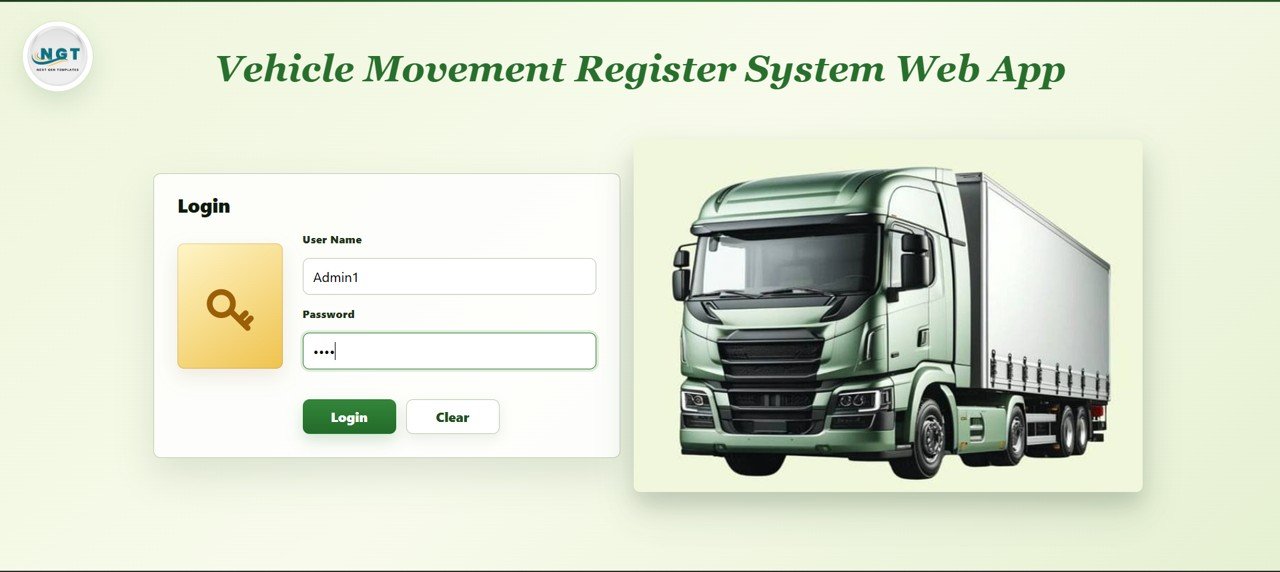
Login Screen
Every user signs in with a username and password. Access is controlled by user role — Admin or User — so managers see everything while drivers or field staff see only what they need.
Dashboard
The main dashboard gives a high-level fleet overview with 8 KPI cards — Total Vehicles, Available Vehicles, Trips Today, Open Trips, Completed Trips, Drivers, KM This Month, and Fuel This Month — plus live panels for Today Trips, Vehicles Currently Out, and Expiry Alerts.
🚀 Try the Live Demo Before You Buy
We have deployed this web app in our own Google account so you can test every page, every role — with real sample data — before purchasing. No signup, no email required.
🔑 Test Login Credentials
Sign in as Admin1 to manage users, vehicles, drivers, trips, lists, settings, exports, and reports or as User1 to add and update trips, view vehicles/drivers, use WhatsApp/call, and export if allowed.
💡 What you get after purchase: The full source code (Code.gs + Index.html) plus a step-by-step deployment guide so you can deploy your own private instance in your own Google account in under 15 minutes.
Trip Management
The core vehicle movement register. Every trip is recorded with Trip Number, Trip Date, Vehicle Number, Driver Name, Start DateTime, Destination, Purpose, Department, and Distance Covered. Add, view, start, close, WhatsApp the driver, search, filter, and export — all from one screen.
Vehicle Master
Stores the entire fleet with Vehicle Number, Type, Model, Brand, Fuel Type, Current Odometer, Assigned Driver, Status, Branch, and Insurance Expiry Date. Filter by status, type, or branch and export the list anytime.
Driver Master
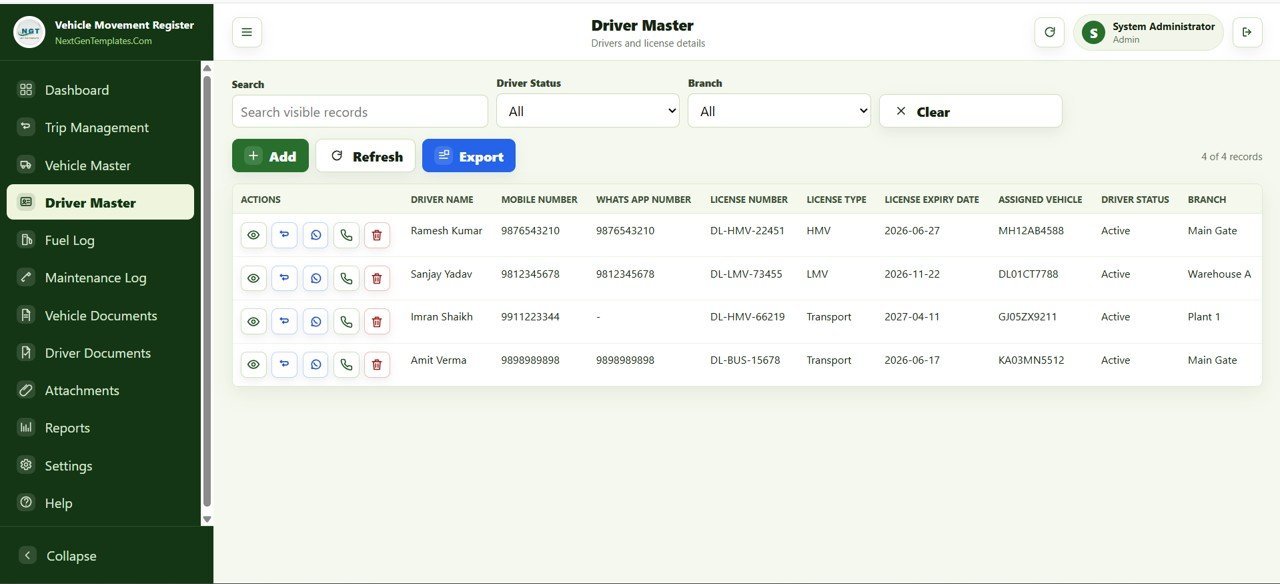
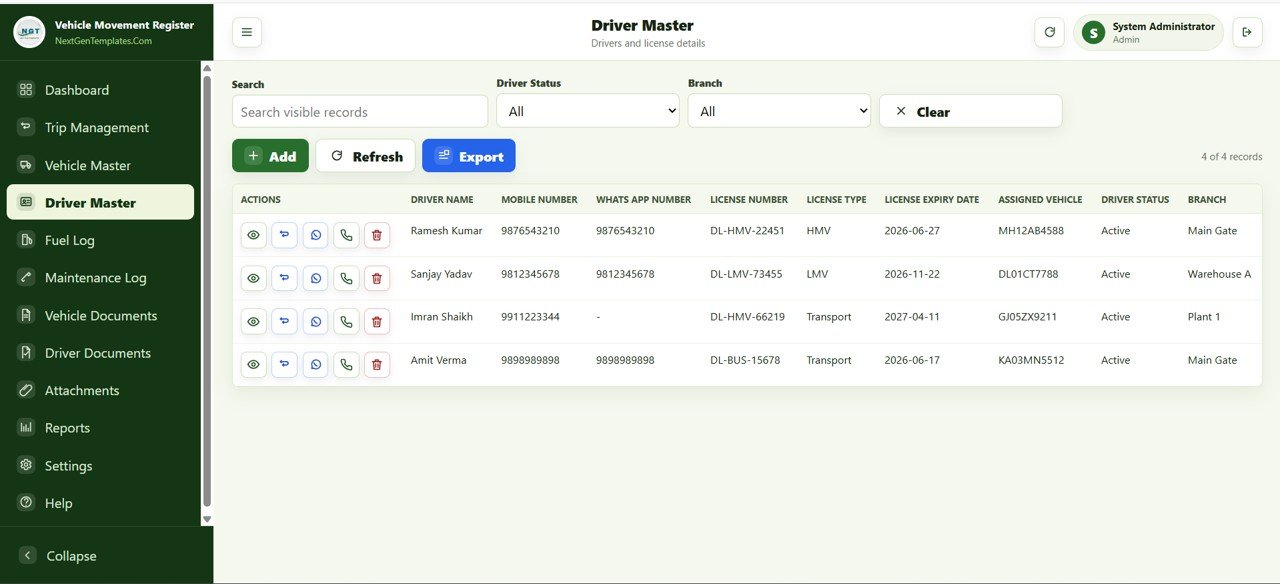
Every driver record includes Name, Mobile Number, WhatsApp Number, License Number, License Type, License Expiry Date, Assigned Vehicle, Status, and Branch. Call or message a driver directly from the screen — no copy-pasting numbers needed.
Fuel Log
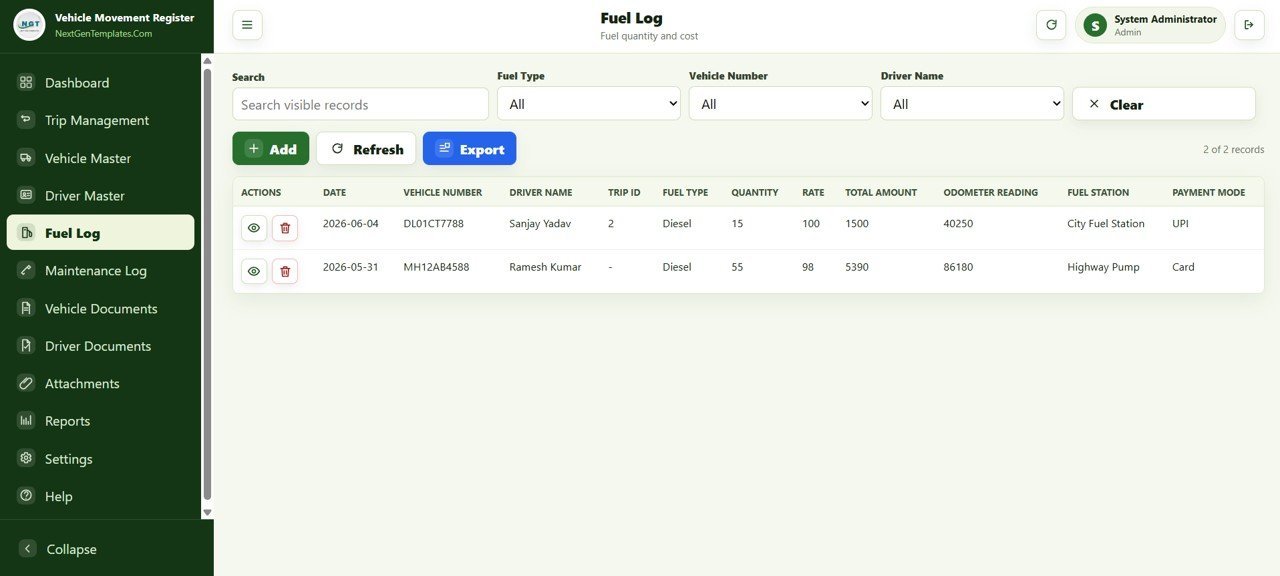
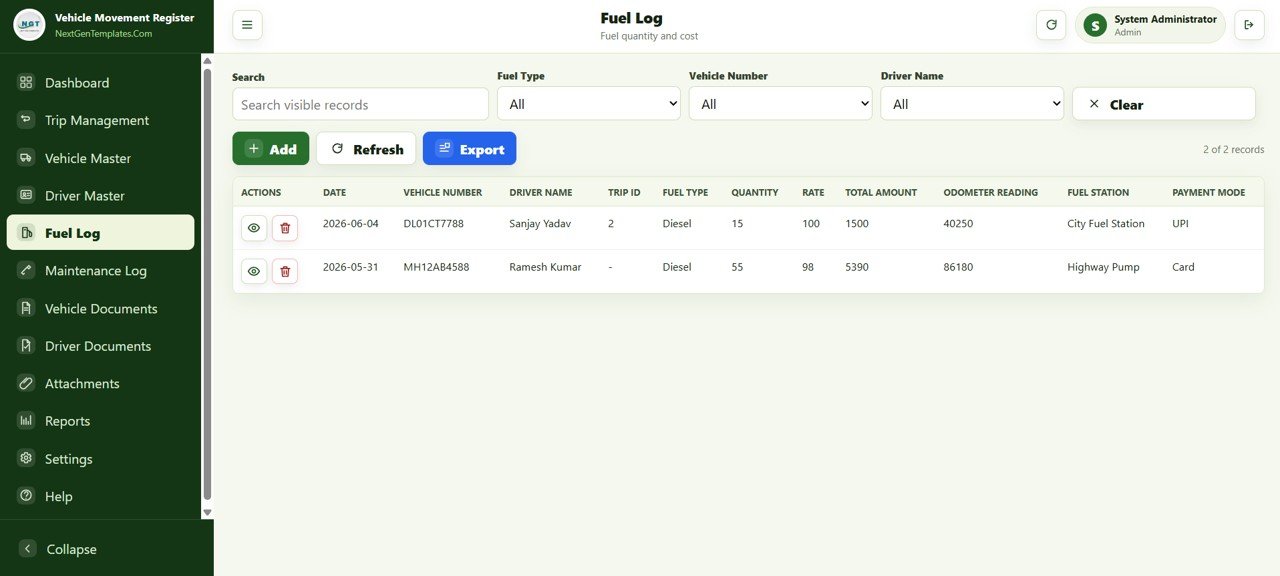
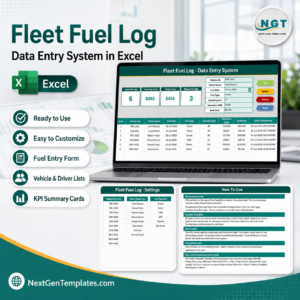
Records every fill-up with Date, Vehicle Number, Driver Name, Trip ID, Fuel Type, Quantity, Rate, Total Amount, Odometer Reading, Fuel Station, and Payment Mode. Filter by fuel type, vehicle, or driver and export the data for accounts or audits.
Maintenance Log
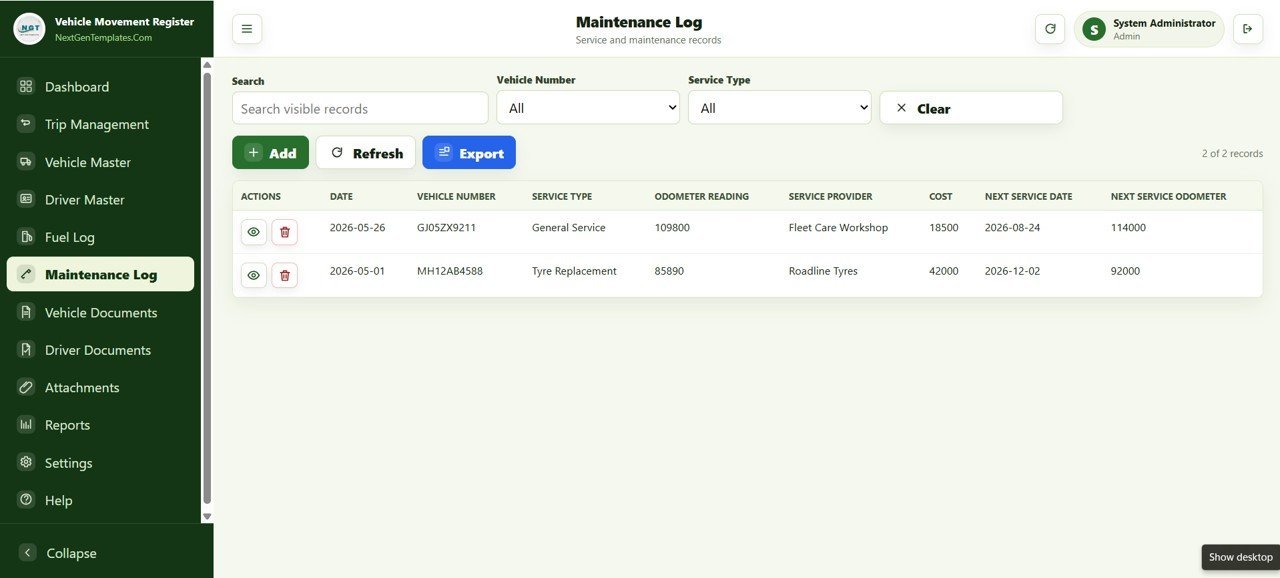
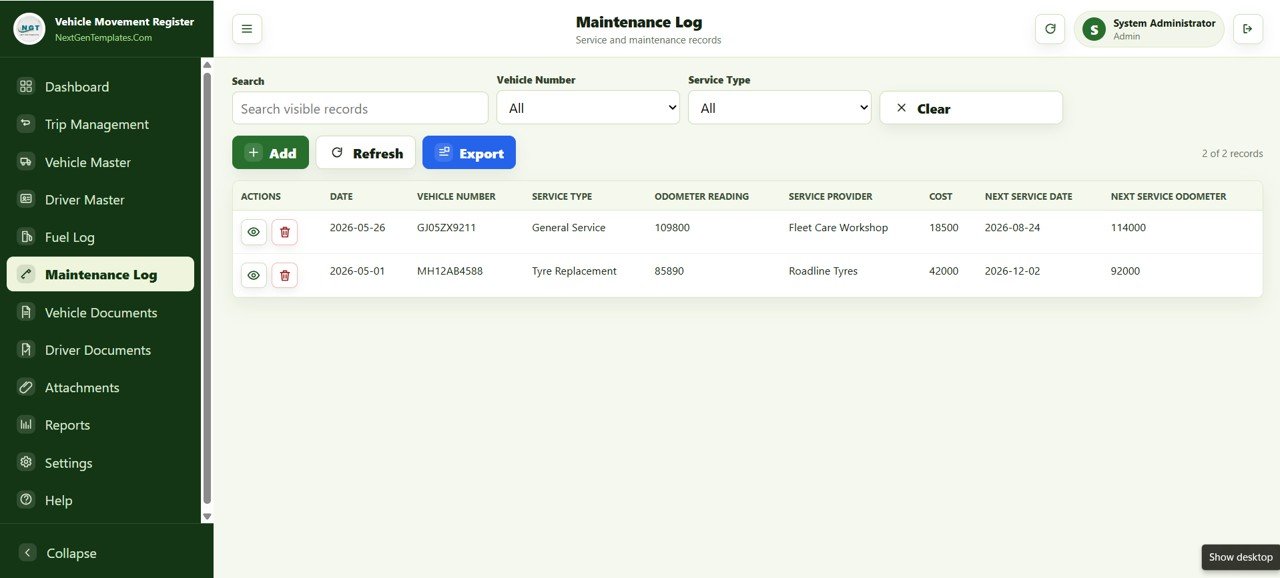
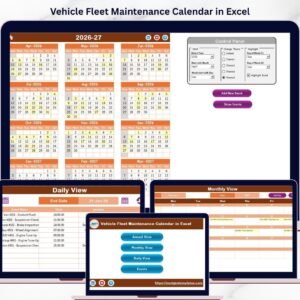
Keeps service and maintenance records for each vehicle including Date, Vehicle Number, Service Type, Odometer Reading, Service Provider, Cost, Next Service Date, and Next Service Odometer — so you never miss a scheduled service again.
Vehicle Documents
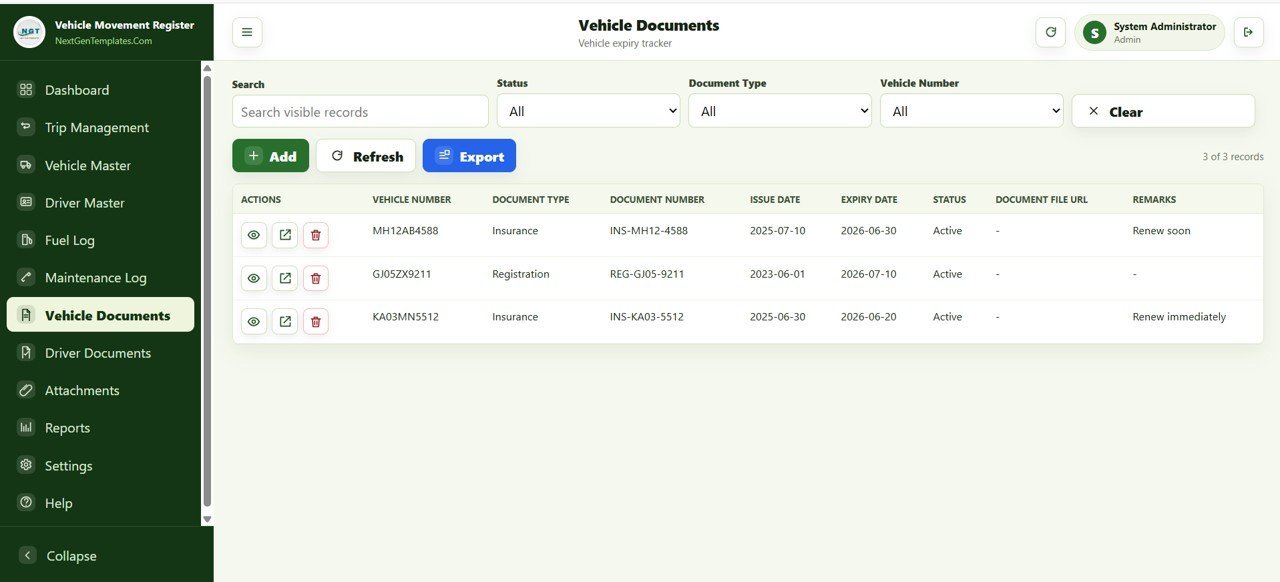
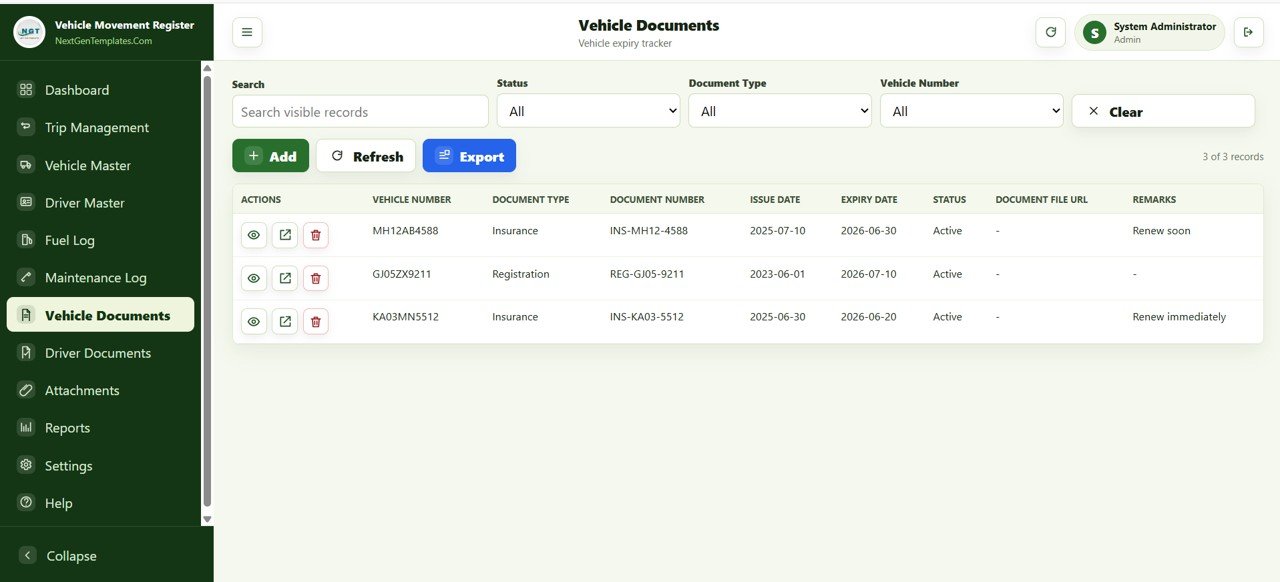
The expiry tracker for the entire fleet. Stores insurance, registration, and other documents with Vehicle Number, Document Type, Document Number, Issue Date, Expiry Date, Status, Document File URL, and Remarks — with dashboard alerts when documents are close to expiry.
Driver Documents
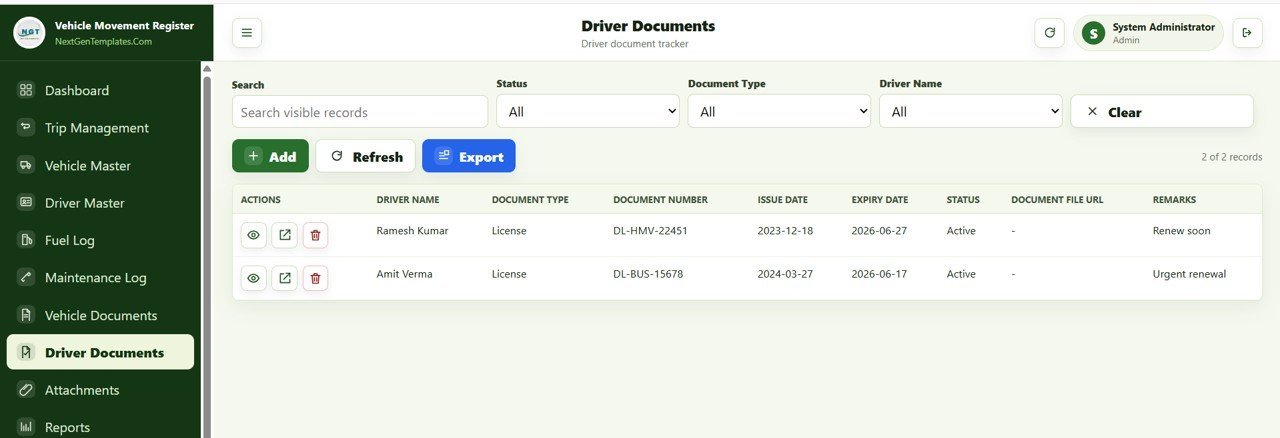
Tracks driver licenses and other documents with Driver Name, Document Type, Document Number, Issue Date, Expiry Date, Status, Document File URL, and Remarks — keeping compliance current without manual follow-up.
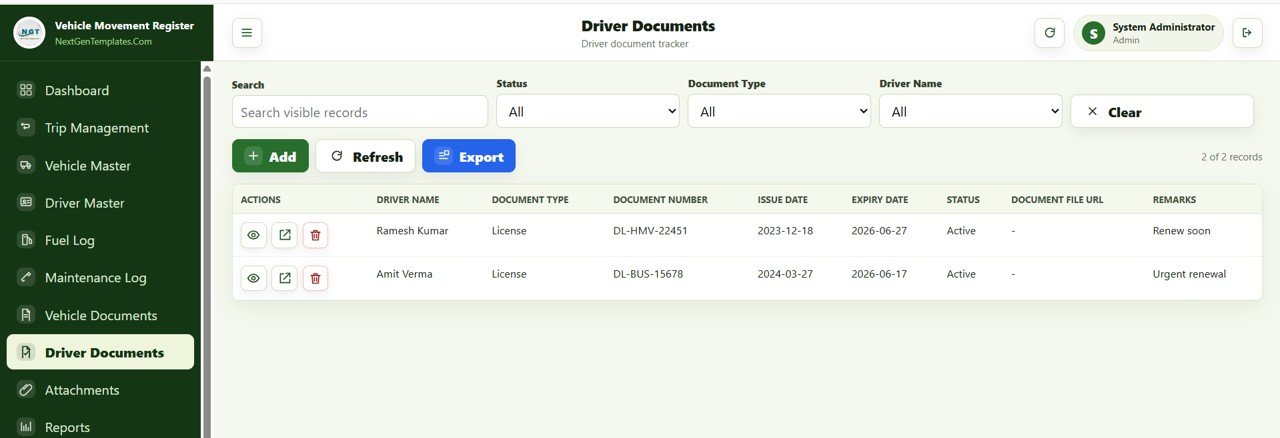
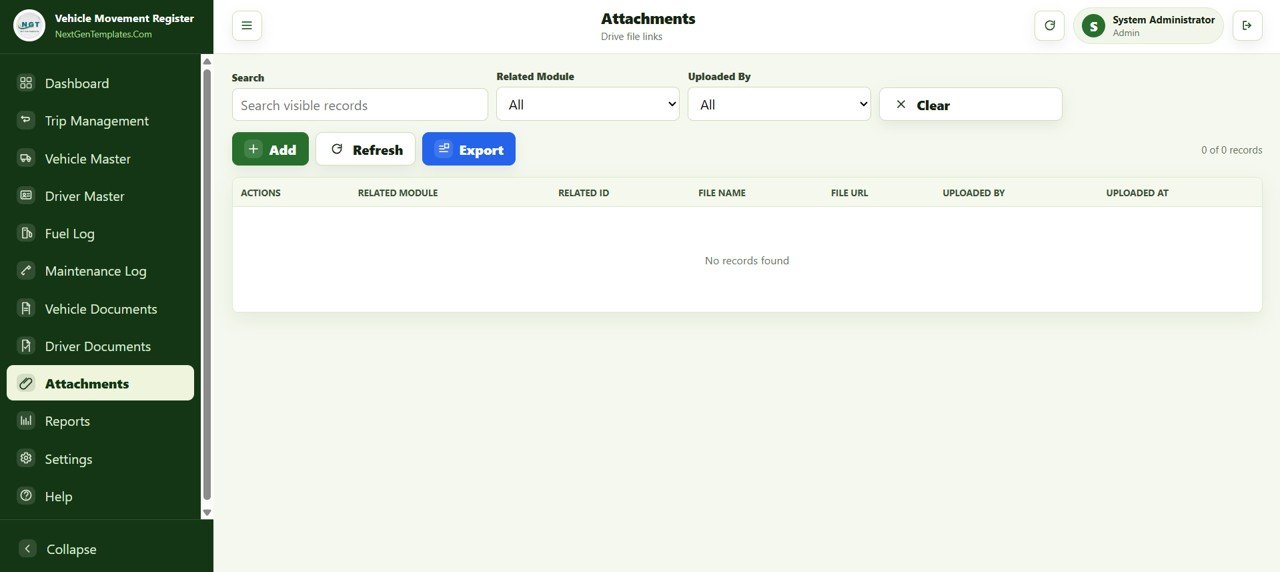
Attachments
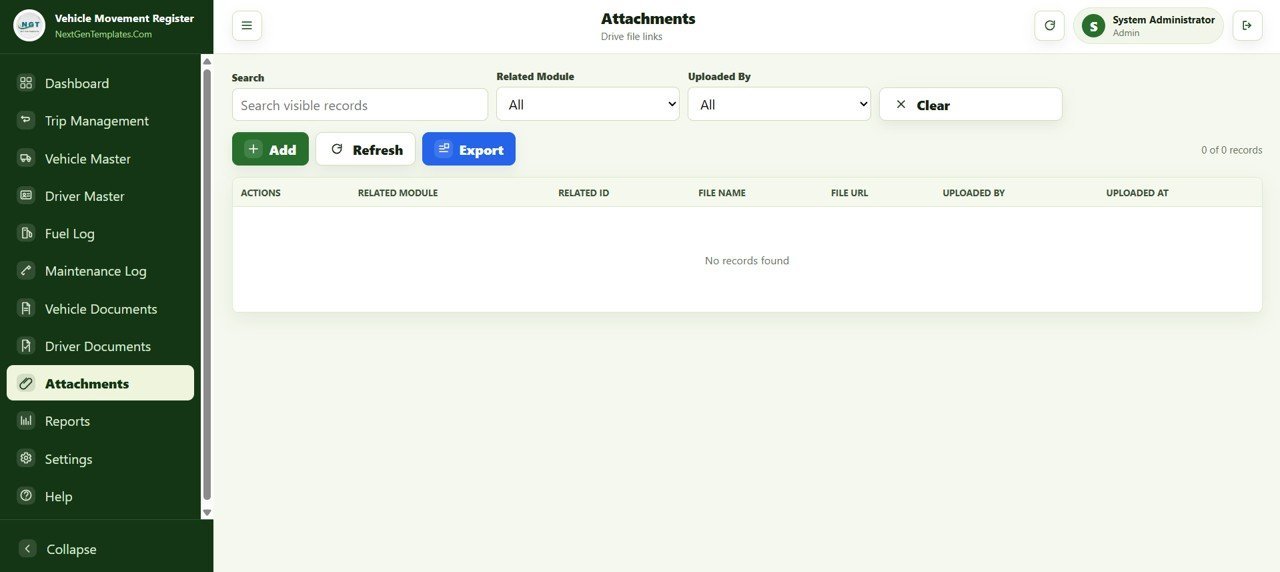
Links any supporting file to any record in the system. Each attachment stores Related Module, Related ID, File Name, File URL, Uploaded By, and Uploaded At — keeping all paperwork connected to the right record automatically.
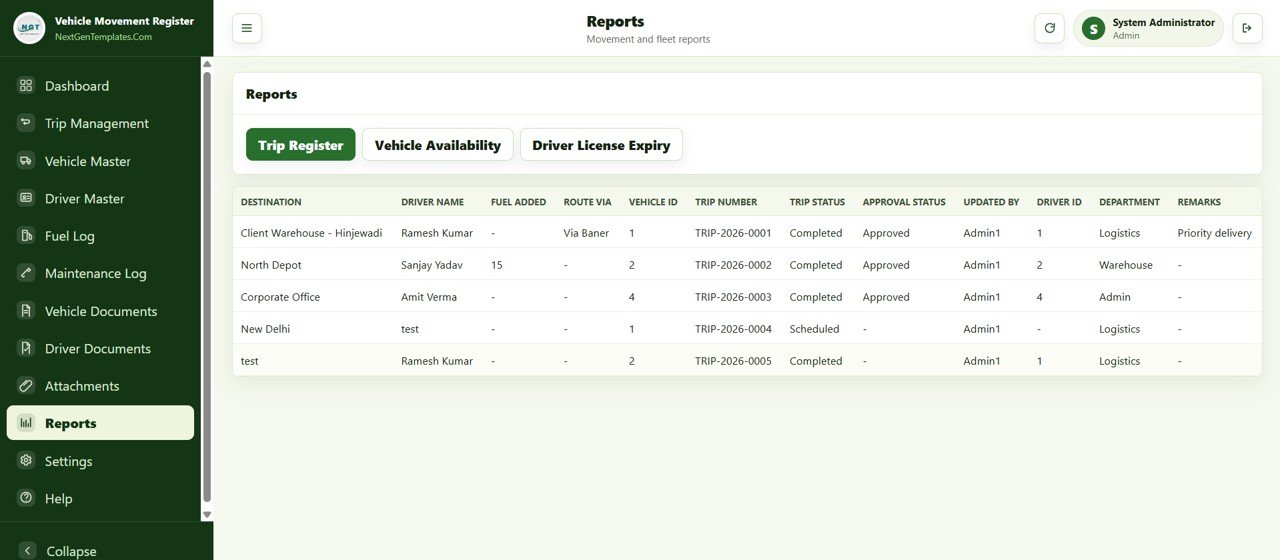
Reports
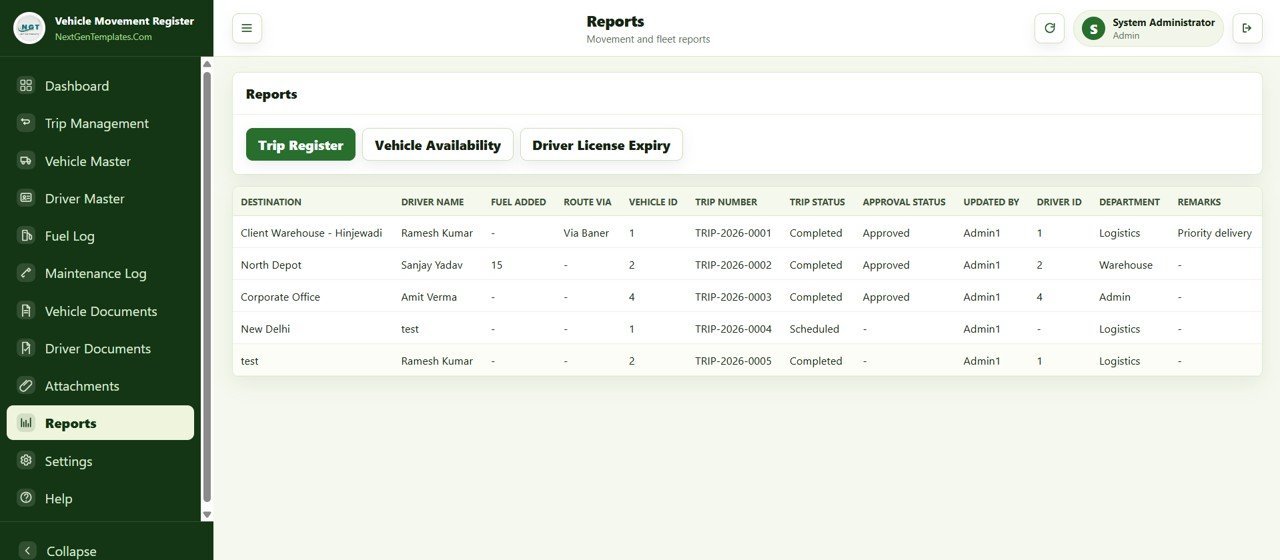
Ready-made reports including Trip Register, Vehicle Availability, and Driver License Expiry. The Trip Register report displays Destination, Driver Name, Fuel Added, Route Via, Vehicle ID, Trip Number, Trip Status, Approval Status, Updated By, Driver ID, Department, and Remarks in a clean exportable table.
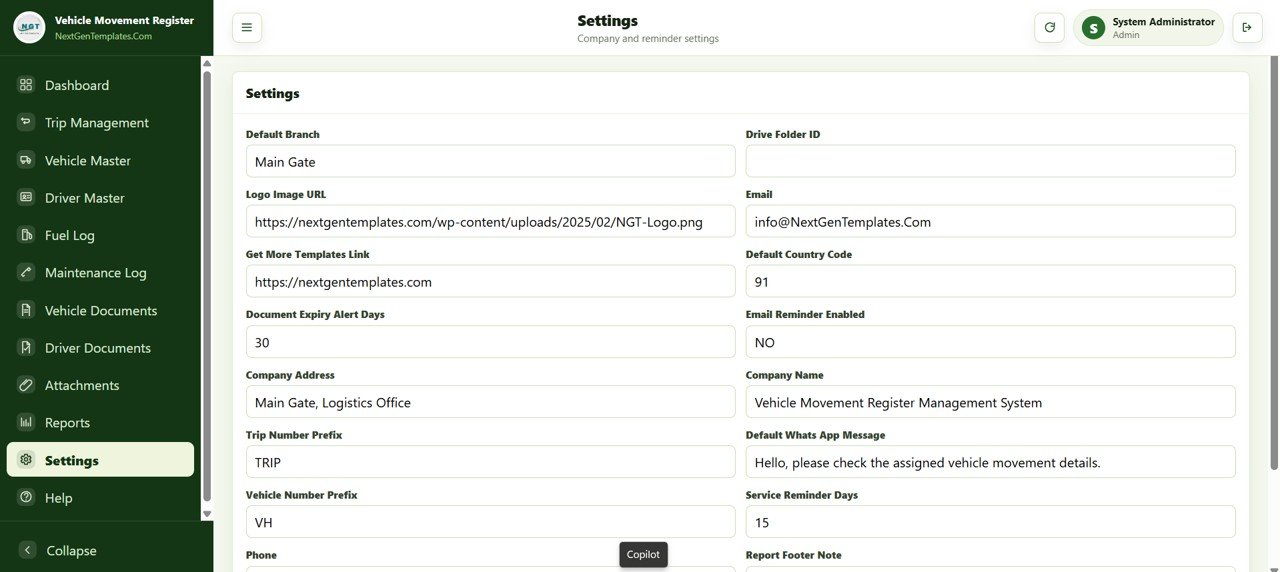
Settings
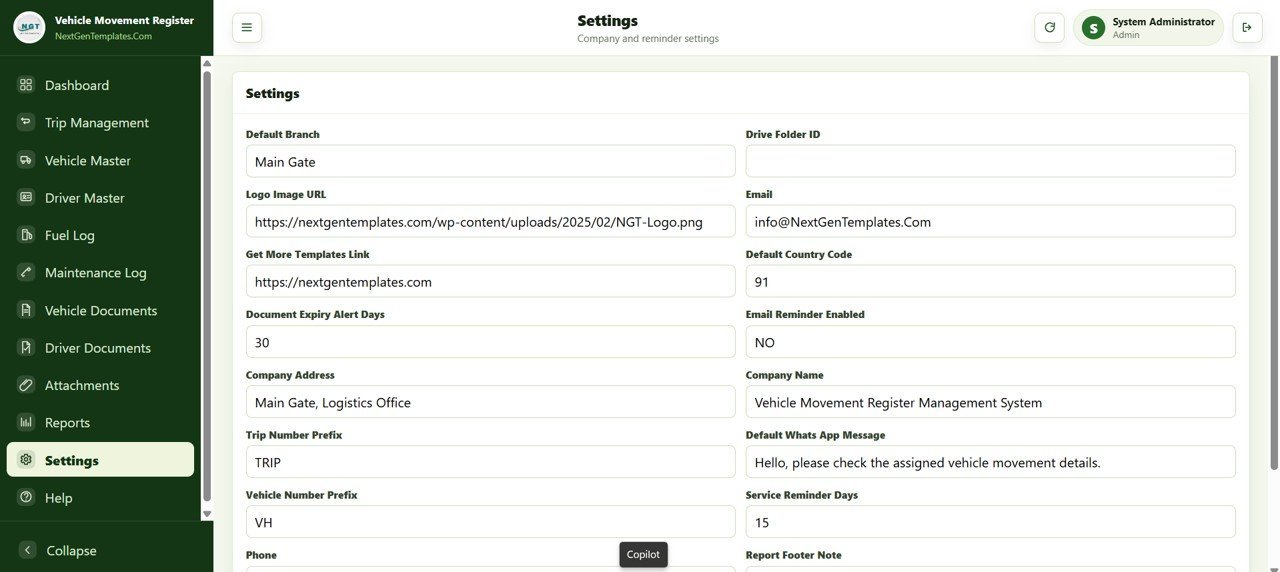
Controls the entire system behavior — configure Default Branch, Drive Folder ID, Logo Image URL, Email, Company Name, Company Address, Default Country Code, Document Expiry Alert Days, Email Reminder toggle, Trip Number Prefix, Vehicle Number Prefix, Service Reminder Days, and the Default WhatsApp Message all in one screen.
📊 Vehicle Movement Register Web App vs. Google Sheets Dashboard vs. Fleet SaaS — Where This Fits
| Feature | Vehicle Movement Register Web App | Google Sheets Dashboard | Fleet SaaS (Fleetio / Samsara) |
|---|---|---|---|
| Cost | $39.99 one-time | $6–10 one-time | $5–15 / vehicle / month |
| Platform | Google Apps Script — any browser | Google Sheets | Web SaaS (cloud-only) |
| Multi-user login | ✅ Yes — Admin and User roles | ❌ No login system | ✅ Yes |
| Trip register (add/start/close) | ✅ Full lifecycle | ❌ Read-only charts only | ✅ Yes |
| Document expiry alerts | ✅ Yes — vehicle and driver docs | ❌ Manual check | ✅ Yes |
| WhatsApp integration | ✅ Direct message from trip record | ❌ No | ❌ No |
| Setup time | Less than 15 minutes | Less than 5 minutes | 2–4 hours + onboarding |
| Year-1 cost at 10 vehicles | $39.99 | ~$9.99 | $600–1,800+ |
| Fuel and maintenance log | ✅ Both modules included | ❌ Not included | ✅ Yes |
For fleet teams that need multi-user trip registration and document compliance without paying per vehicle per month, the Vehicle Movement Register Web App sits in the sweet spot.
👥 Who This Template Is For — and Who It’s Not For
✅ This template is built for:
- Fleet managers and transport coordinators at SMBs with 5–100 vehicles
- Logistics companies, construction firms, and field service teams needing a digital trip register
- Schools, NGOs, and government departments managing shared vehicle pools
- Operations managers who want multi-user access without the cost of dedicated fleet SaaS
- Any business already using Google Workspace that wants fleet management without adding a new subscription
❌ This template is NOT for:
- Enterprise fleets needing GPS real-time tracking hardware integration
- Companies requiring SOC 2 certified cloud infrastructure or GDPR-compliant vendor agreements
- Teams without a Google Workspace or Gmail account
⚙️ How to Use the Vehicle Movement Register Management System Web App
- Purchase and download the ZIP file from your order confirmation email.
- Open the PDF setup guide — it contains the Google Apps Script deployment link and step-by-step instructions.
- Copy the script to your Google Drive and deploy it as a web app from the Apps Script editor.
- Open Settings and enter your company name, address, logo URL, default branch, and WhatsApp message template.
- Add your vehicles in Vehicle Master and your drivers in Driver Master with their license and contact details.
- Start recording trips in Trip Management — log the destination, purpose, department, and assigned driver for each movement.
- Use Fuel Log and Maintenance Log after each fill-up or service to keep running cost and next-service records current.
- Monitor the Dashboard daily for expiry alerts and open trips, and run Reports whenever you need an exportable summary.
💼 Real-World Use Cases
Rahul manages the vehicle fleet for a 200-person logistics company. Before this system, trip records were scattered across WhatsApp groups and Excel files. Now every driver logs out of the office through the web app, Rahul can see all open trips on the dashboard, and document expiry alerts give him 30 days’ notice before any insurance lapses.
Maria runs operations for a mid-size construction firm with 18 site vehicles. She uses the Fuel Log module to compare fuel costs by vehicle and driver each month, catching two vehicles that were consistently overfuelling. The Maintenance Log’s next-service odometer field means the mechanic is always called at the right time.
An NGO field coordinator manages 12 shared vehicles across 4 branches. The Vehicle Movement Register Web App lets staff at different branches log trips independently under their own logins. The coordinator pulls the Trip Register report each Friday for donor reporting.
❓ Frequently Asked Questions
What modules are included in the Vehicle Movement Register Management System Web App?
The Vehicle Movement Register Management System Web App includes 12 modules: Login, Dashboard, Trip Management, Vehicle Master, Driver Master, Fuel Log, Maintenance Log, Vehicle Documents, Driver Documents, Attachments, Reports, and Settings. All modules are accessible from the same web interface.
Does this web app require any paid subscriptions or server hosting?
No subscriptions or server required. The Vehicle Movement Register Management System Web App runs entirely on Google Apps Script, which is free with any Google account. You pay once for the template and deploy it yourself in under 15 minutes.
How does this compare to Fleetio or Samsara?
Fleetio and Samsara charge $5 to $15 per vehicle per month. The Vehicle Movement Register Web App is a one-time $39.99 purchase with the same core trip registration, fuel logging, maintenance tracking, and document expiry features.
How long does setup take?
Most users complete setup in under 15 minutes. Open the PDF guide from your download, copy the script to Google Drive, deploy as a web app, and configure your Settings. No coding required.
Can multiple team members use this at the same time?
Yes. The app supports multiple simultaneous users with role-based access control. Admins can add users, assign Admin or User roles, and control what each person can view or edit.
Can I use this on mobile?
Yes. Because the Vehicle Movement Register Web App is a browser-based application built on Google Apps Script, it works on any device with a modern browser including desktop, tablet, or smartphone.
👤 About the Author
Built by PK — Microsoft Certified Professional with 15+ years of Excel, Google Sheets, and Power BI experience. Founder of NextGenTemplates, reaching 300K+ subscribers across YouTube channels
(@PK-AnExcelExpert,
@NextGenTemplates,
@NeoTechNavigators).
Every template is hand-built and tested before release.
🔗 Explore Related Templates
Looking for more Google Sheets management tools? Explore these related products:
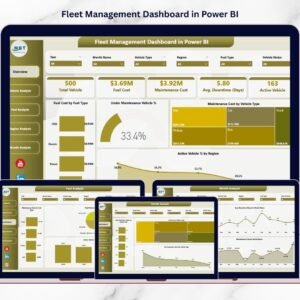
- Fleet Management Dashboard in Google Sheets — KPI-driven fleet analytics dashboard
- Fleet Utilization KPI Dashboard in Google Sheets — track utilization rates and efficiency
- CRM and Sales Pipeline Management System Web App — full-featured web app for sales teams
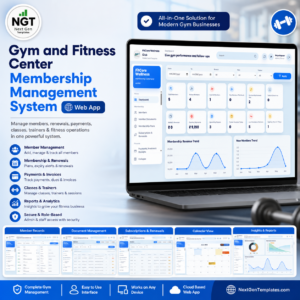
- Gym and Fitness Center Membership Management System Web App
📖 Click here to read the Detailed Blog Post
🎥 Visit our YouTube channel for step-by-step video tutorials
👉 YouTube.com/@NextGenTemplates
Watch the step-by-step video Demo:
Compatibility and Requirements
- Runs as a Google Apps Script web app. You need a free Google account and a web browser.
- Works on desktop, tablet or smartphone through any modern browser.
- Google explains how to work with files in your Drive in Get started with Google Sheets.
Who Should Use This Web App
- Fleet managers and transport coordinators who need one trip register for a small or mid-size fleet.
- Logistics companies, construction firms and field service teams that currently log trips in chat groups or loose spreadsheets.
- Schools, NGOs and government departments that share a pool of vehicles across branches.
- Operations managers who want Admin and User logins without a monthly fee per vehicle.
More Questions About This Template
Does it track real-time GPS location?
No. It is a register: staff log trips, fuel, maintenance and documents by hand. There is no GPS hardware integration.
Can I try it before buying?
Yes. The page has a live demo link with an Admin login and a User login, so you can open every module with sample data.
Is there an Excel version?
Yes. See the Vehicle Movement Register System V1.0 for Excel.
Can I track service dates for each vehicle?
Yes. The Maintenance Log stores the next service date and the next service odometer reading for every vehicle.
Related Fleet and Vehicle Templates
- Vehicle Movement Register System V1.0: the Excel version of the trip register
- Vehicle Maintenance Checklist in Google Sheets: a simple service checklist
- Vehicle Reservation Tracker in Google Sheets: book vehicles for staff
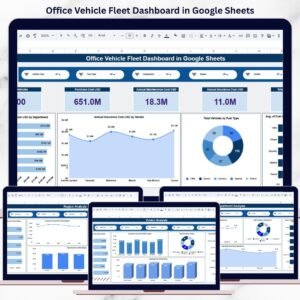
- Office Vehicle Fleet Dashboard in Google Sheets: a fleet overview dashboard
- Vehicle Service Log Data Entry System in Excel: log service records in Excel
Browse all web app templates and Google Sheets trackers.










Reviews
There are no reviews yet.