

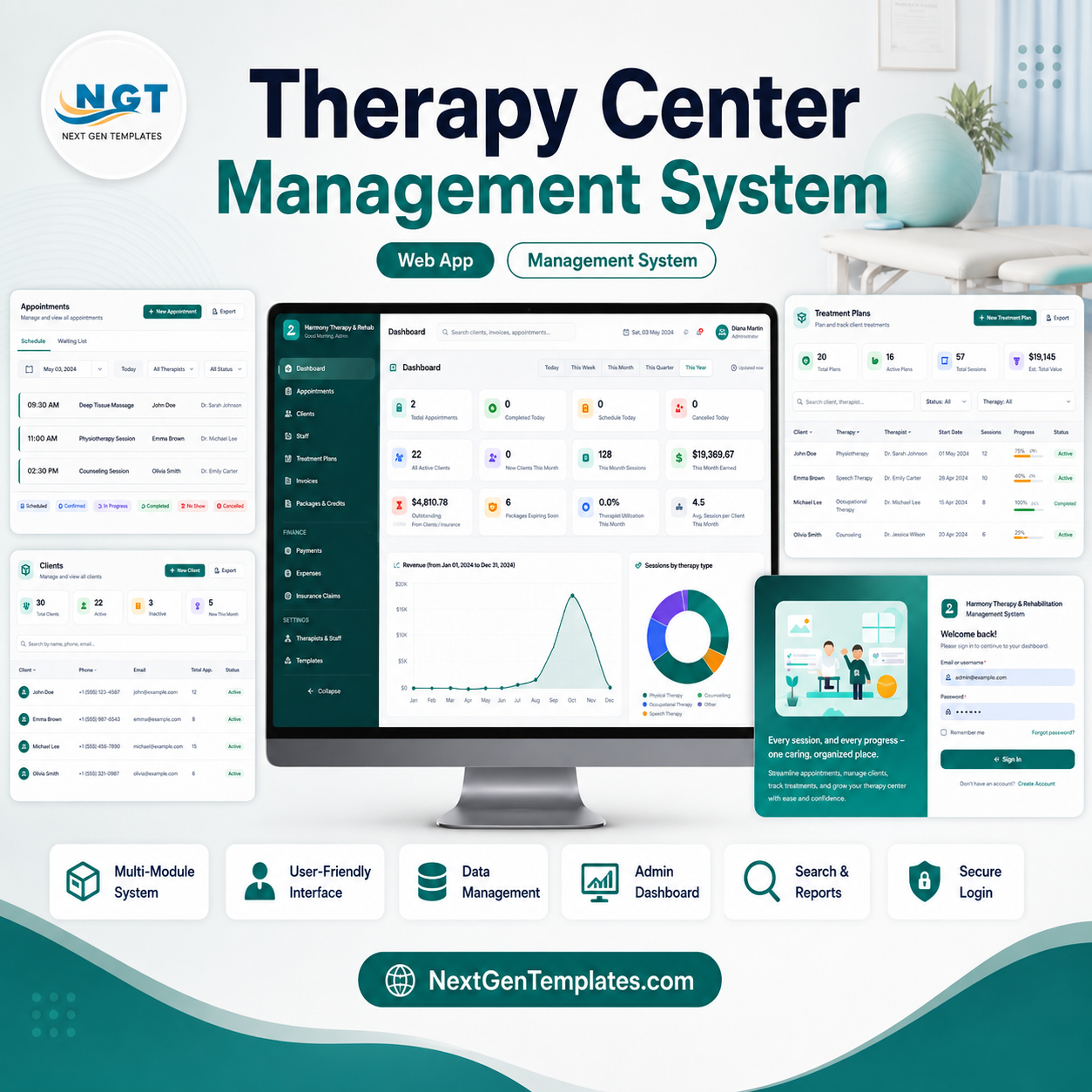





The Therapy Center Management System Web App runs a complete therapy or rehabilitation centre from 24 working modules and a 37-sheet Google Sheets database, with 4 permission roles and 20 built-in reports. Setup takes under 10 minutes — paste two files into Apps Script, run the installer, deploy, and the whole system is live on a URL your team opens in any browser.
🚀 Try the Live Demo Before You Buy
We have deployed this web app in our own Google account so you can test every page, every module and every report — with real sample data — before purchasing. No signup, no email required.
🔑 Test Login Credentials
Sign in as admin to explore the full system — patient records, therapist profiles, appointment scheduling, session notes, billing and invoices, plus the dashboard and reports. 💡 Tip: the demo database is shared, so please add test records only.
💡 What you get after purchase: The full source code (Code.gs + Index.html) plus a step-by-step deployment guide so you can deploy your own private instance in your own Google account in under 15 minutes.
🌍 Join 8,400+ teams in 40+ countries using NextGenTemplates to replace paid SaaS tools with one-time-purchase Excel, Google Sheets, Power BI and web app templates.
✅ Instant download · One-time payment · No subscription · No per-user fees · Lifetime access · Full source code included
Most clinic software charges per therapist, per month, forever. A five-therapist centre on a typical practice-management subscription pays roughly $1,800 a year and never owns anything. This web app is bought once, runs on your own Google account, stores every record in your own Google Sheet, and the source code is yours to edit. It sits alongside the rest of our Web App templates and our wider library of Google Sheets dashboards.
🔑 Key Features of the Therapy Center Management System Web App
🗓️ Appointment engine with live conflict detection. Book by therapist, room and service across day, week and list views. Before any booking is saved the server checks therapist availability, room availability, equipment holds, working hours, break times and blocked leave dates, then refuses double-bookings outright. Recurring series, reschedules, cancellations, no-shows and a waitlist are all handled in the same screen.
👥 Client 360 profile. One screen per client holds demographics, guardian and emergency contacts, referral source, insurance policy details, consent flags, the full appointment history, active treatment plans, every session note, package balances, invoices, payments and uploaded documents. No hunting across tabs.
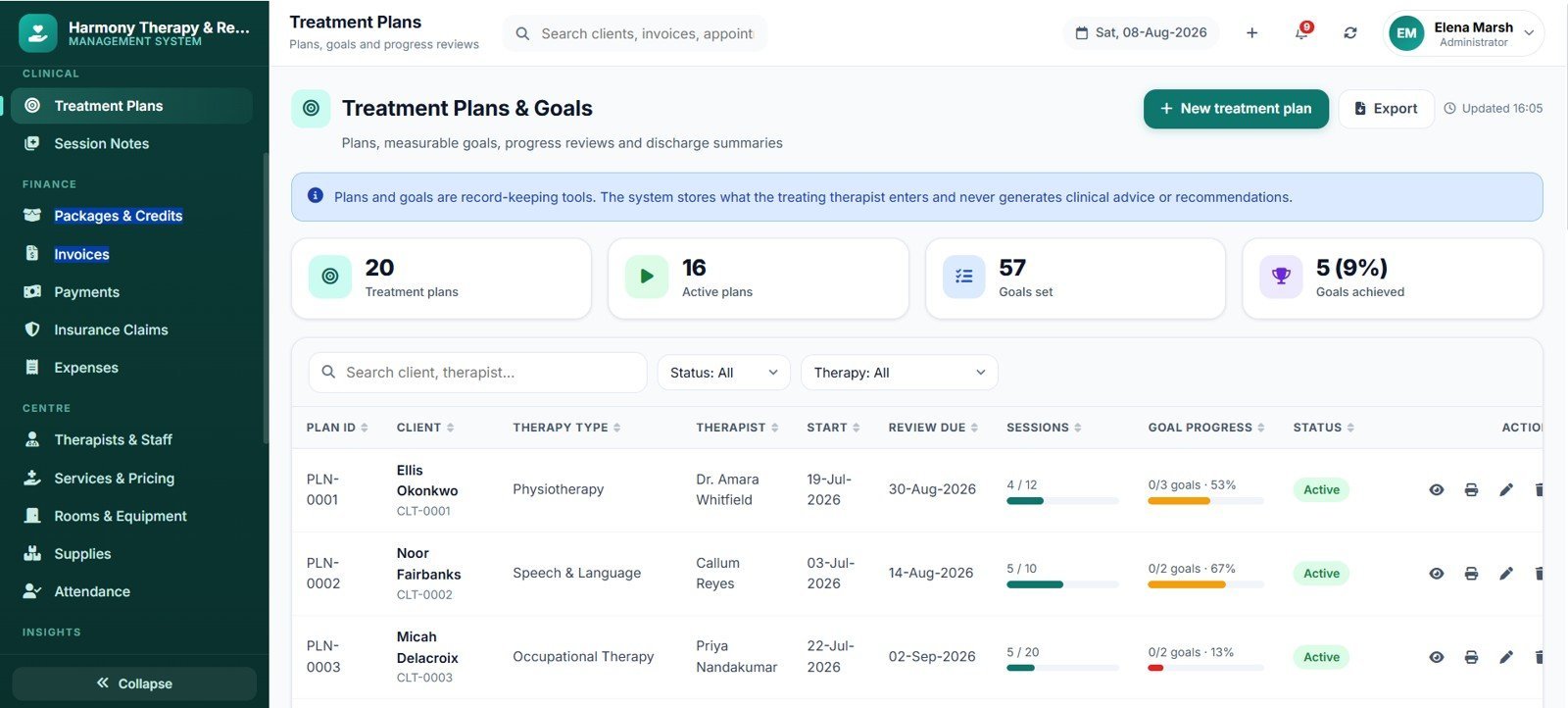
🎯 Treatment plans with measurable goals. Each plan carries a diagnosis reference, start and review dates, assigned therapist, and 2–8 goals with baseline, target, current value and a progress bar. Goal progress rolls up to the plan, the plan rolls up to the client, and the client rolls up to the therapist productivity report.
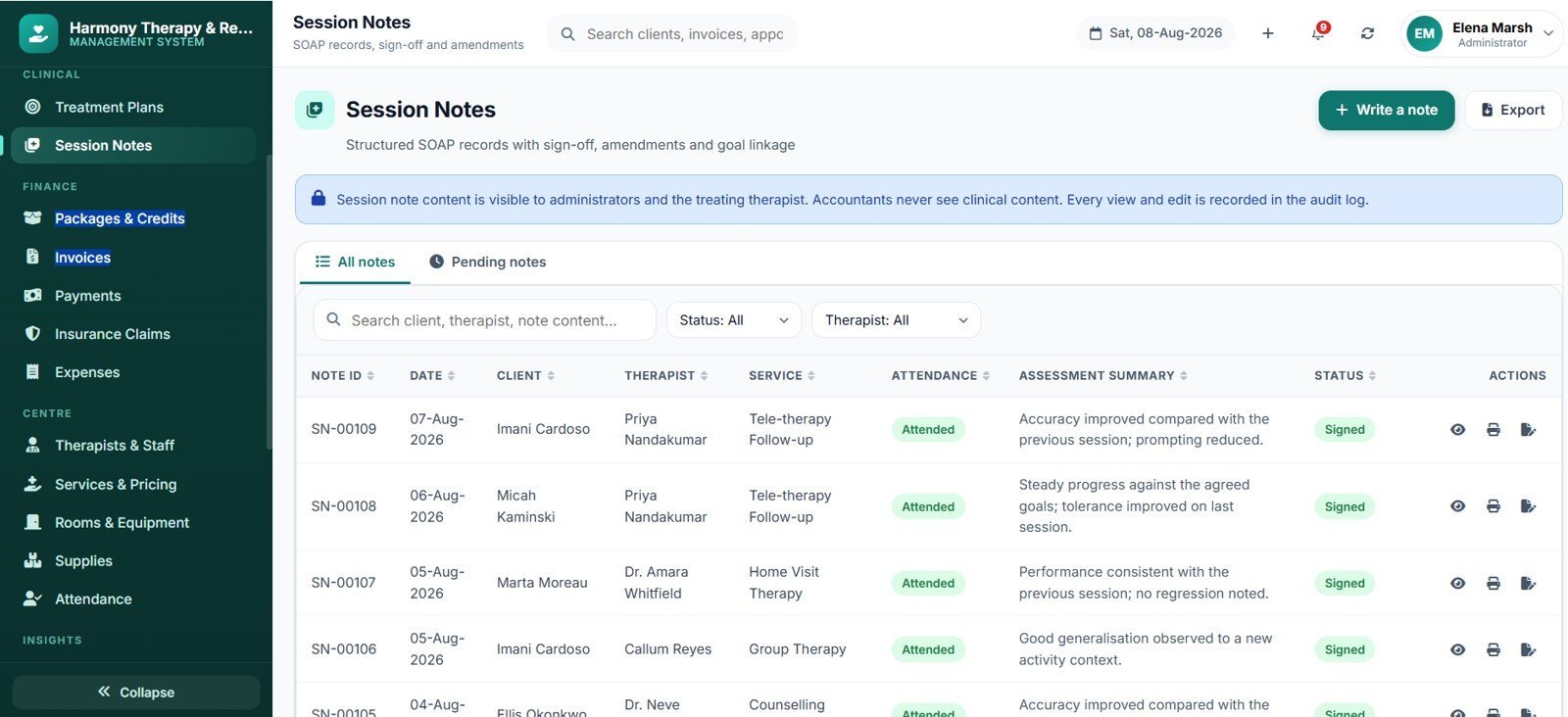
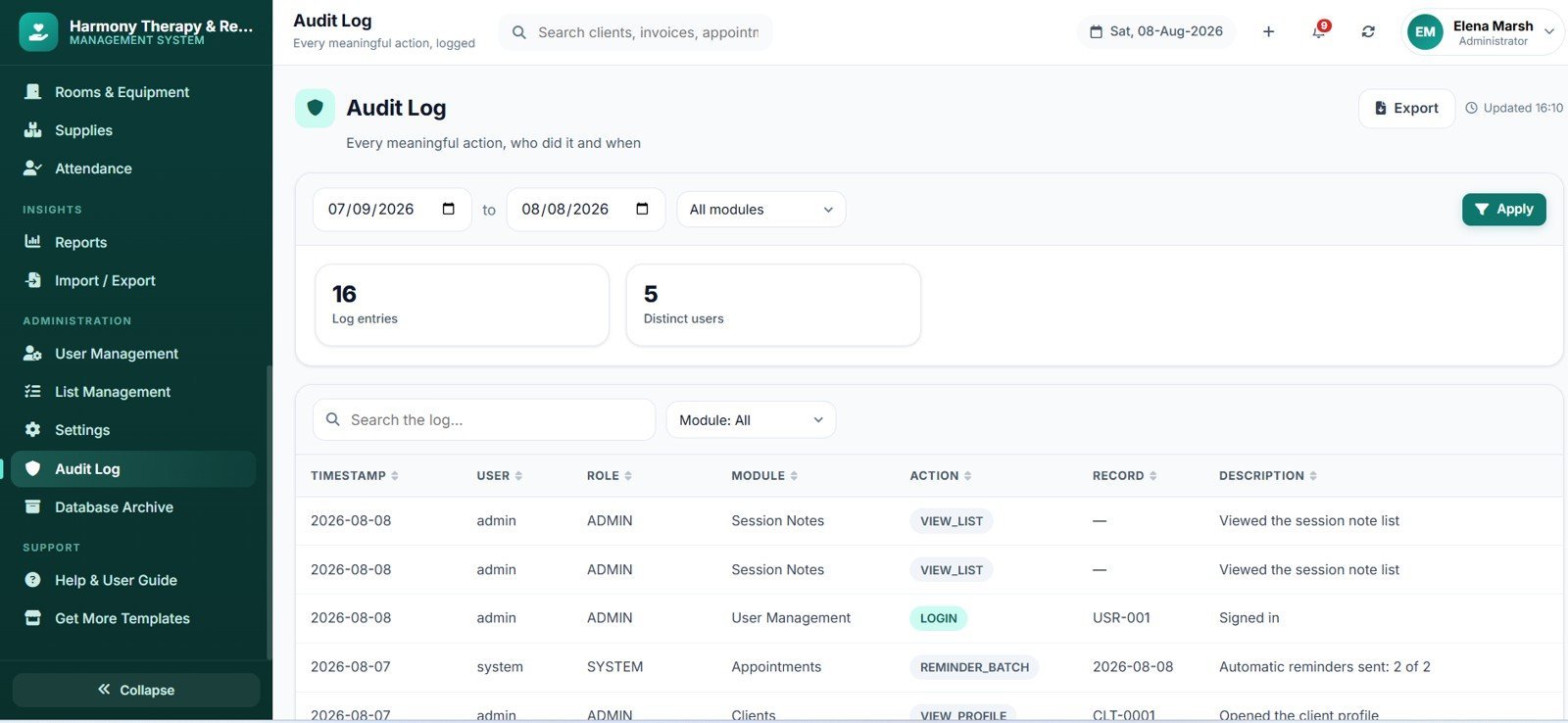
📝 Structured session notes. Notes follow a SOAP-style structure — subjective, objective, assessment, plan — with attendance, duration, techniques used, home programme and next-session focus. Notes can be saved as a draft, then signed. Once signed they lock, and every subsequent view is written to the audit log with the viewer’s name and timestamp.
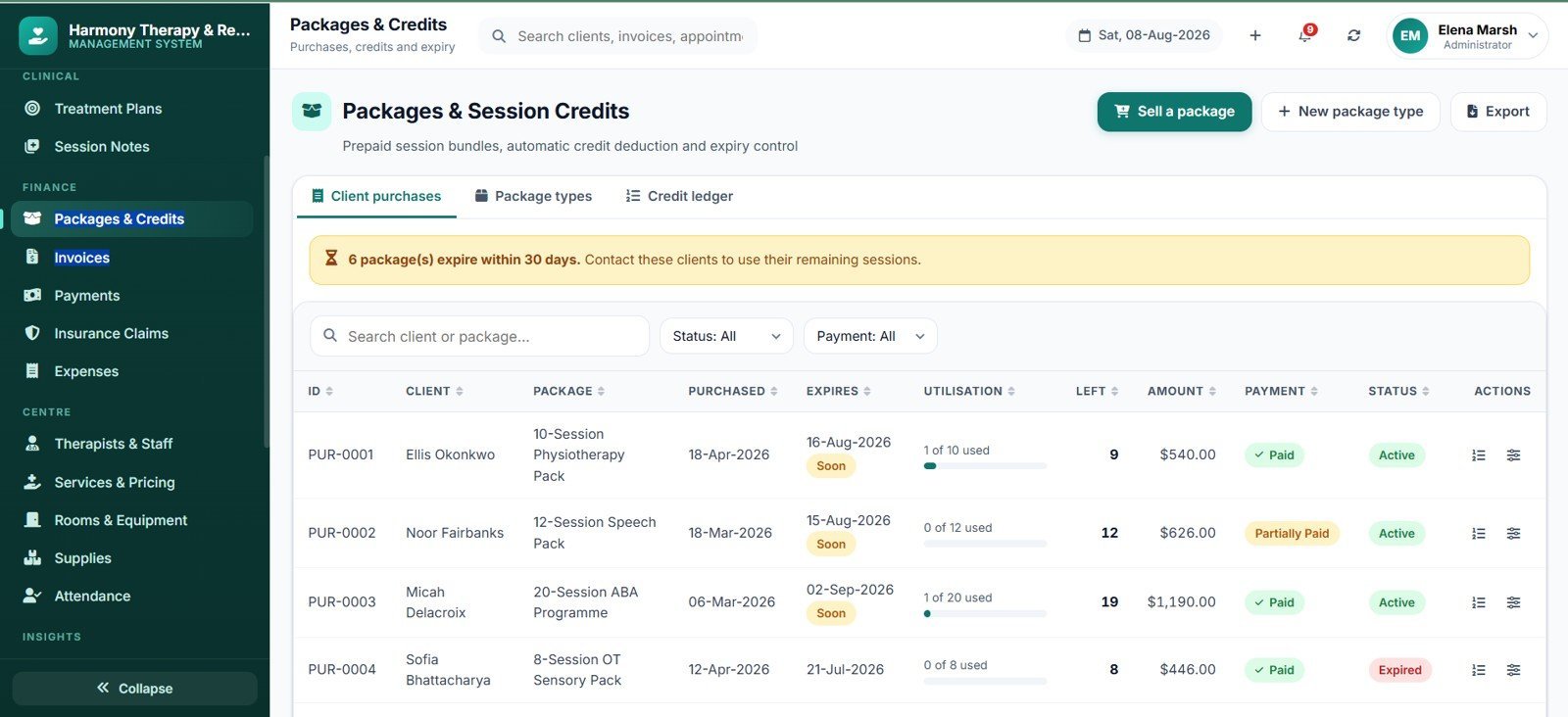
🎫 Session packages and credit tracking. Sell 5, 10 or 20-session bundles with validity windows and discounts. Every completed appointment burns one credit automatically, the balance updates live, and expiring packages surface on the dashboard 30 days before they lapse.
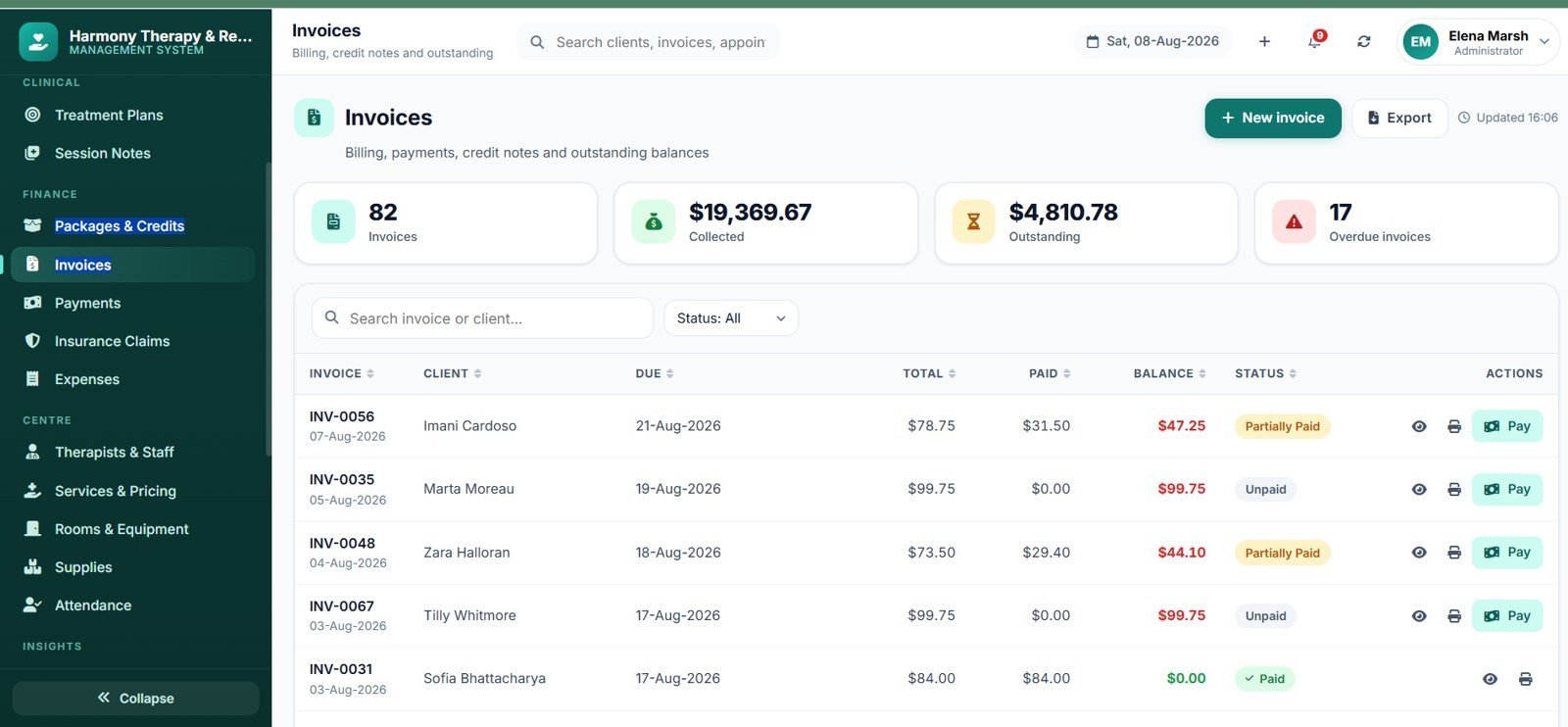
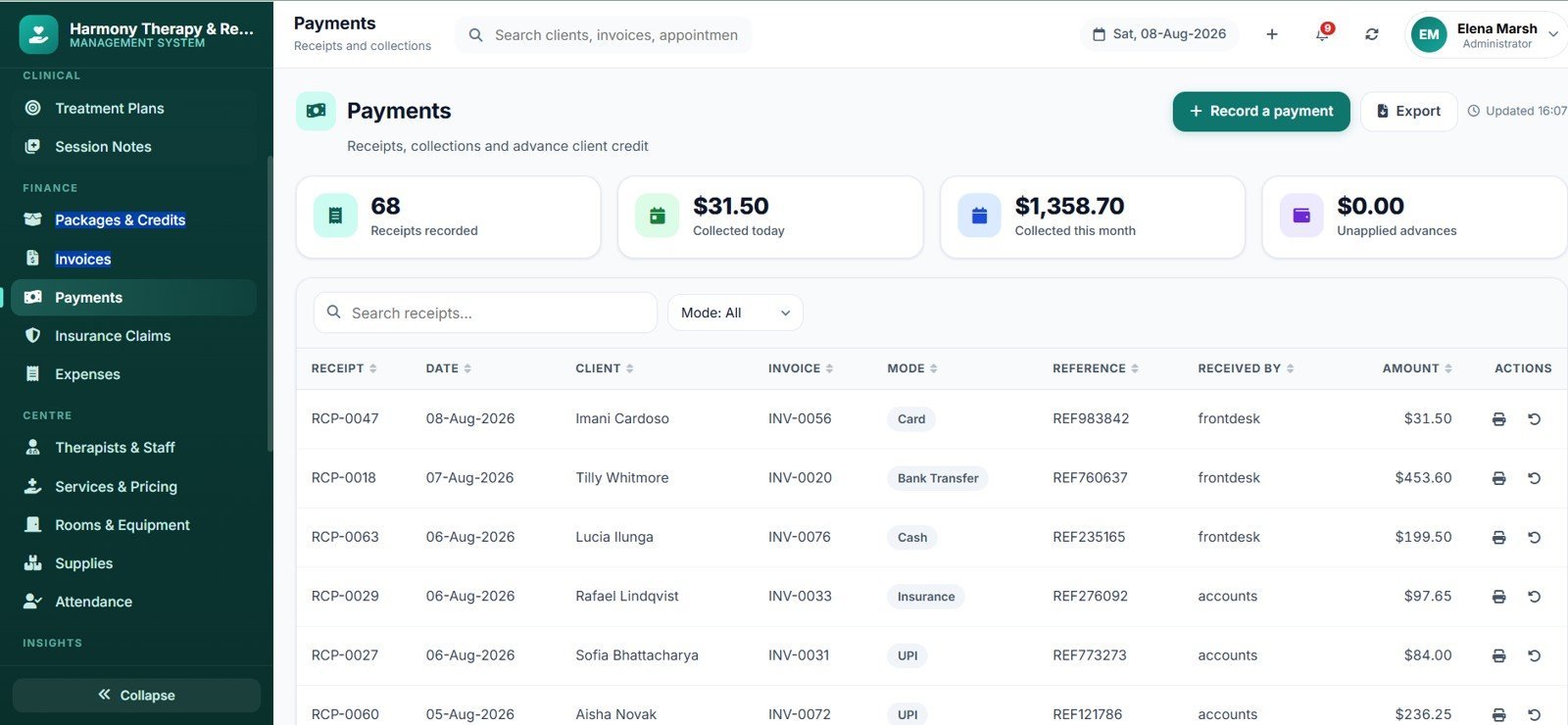
💰 Invoicing, payments and configurable tax. Build invoices from unbilled sessions, package sales or free-text service lines. Record part payments, advances, refunds and credit notes. Tax is entirely configurable in Settings — name it, set the rate, choose inclusive or exclusive, apply it per service or globally. No country’s tax rules are hardcoded, so it works anywhere.
🏥 Insurance claim tracking. Log a claim against an invoice, record policy and authorisation numbers, attach documents, and move it through submitted, in review, approved, partially paid, paid or rejected with the outstanding balance recalculated at each step. This is claim tracking and record-keeping — the app never submits anything to an insurer.
🔐 Four roles, enforced on the server. Administrator, Manager/Front Desk, Therapist and Accountant. Therapists see only their own caseload and notes. Front desk sees scheduling and billing but not clinical notes unless an administrator switches that on. Accountants see money but never note content. Salary and commission figures are hidden from everyone except the administrator.
🎥 Video Overview
This walkthrough shows the complete deployment of the Therapy Center Management System Web App, from a blank Google Sheet to a live URL you can share with your team. It covers creating the Apps Script project, pasting the two supplied code files, naming the HTML file exactly “Index” (the single step most people get wrong), running the one-click installer that builds all 37 database sheets and the Drive folder structure, authorising the script, and publishing the web app deployment. It also shows where the seeded login details live, how to change the administrator password on first sign-in, and how to publish a new version after you edit the code. Total setup time in the video is under 10 minutes.
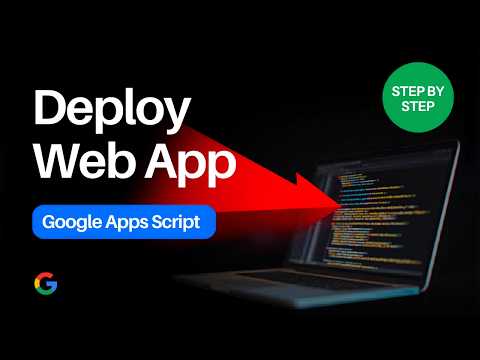
👉 Watch the full deployment walkthrough on YouTube
📦 What’s Inside the Therapy Center Management System Web App
The app opens as a single-page interface with a seven-group sidebar covering 24 screens. Every screen below is a working module, not a mock-up.
Dashboard
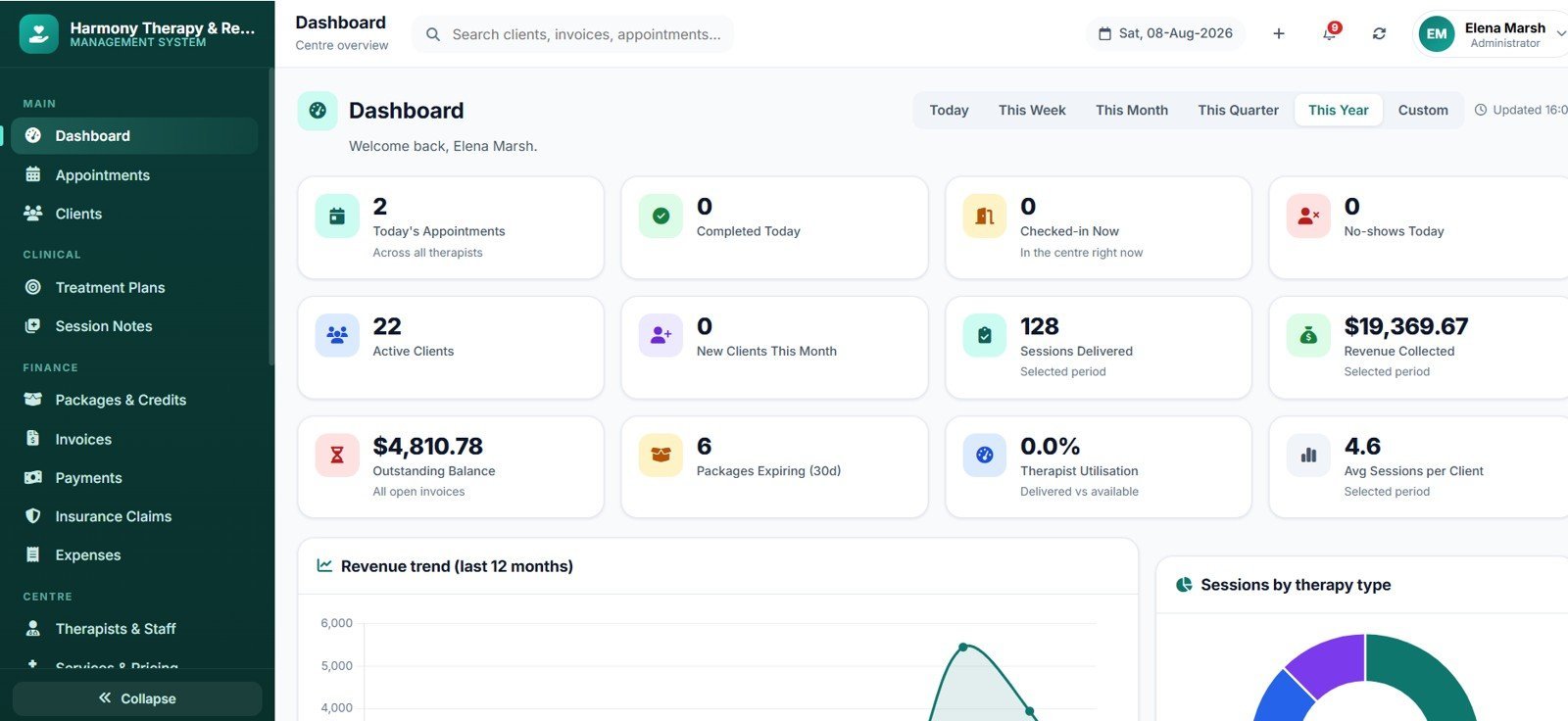
Opens on today’s numbers: appointments today, completed, cancelled and no-show counts, revenue this month, outstanding balance, active clients and therapist utilisation. Charts include Appointments by Status, Revenue by Month, Sessions by Service, Utilisation by Therapist and New Clients by Month, with an alert strip for expiring packages, unsigned notes, overdue invoices and low supply stock.

Appointments — Day, Week and List Views
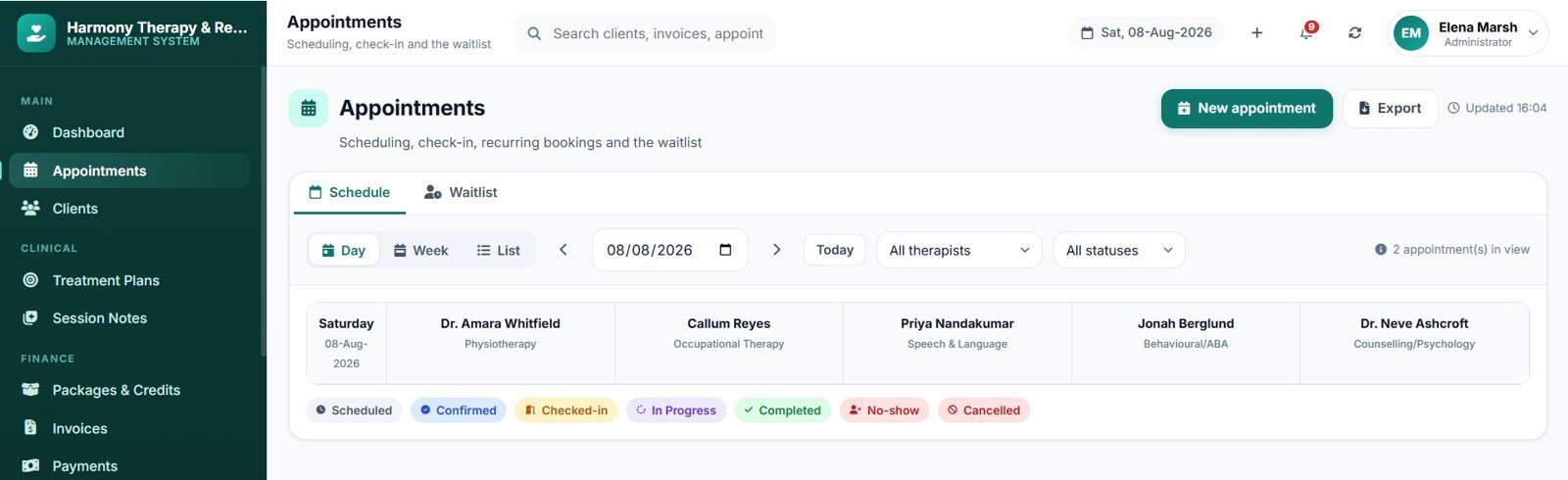
A colour-coded schedule by therapist and room, filterable by service, status and date range. Day view is a time-grid, week view is a seven-column planner, list view is a searchable table with inline status actions for check-in, complete, cancel, no-show and reschedule.

Booking Form with Live Availability
Pick a client, service, therapist and date, and the form fetches genuinely free slots from the server — already filtered for therapist availability, room capacity, equipment holds and leave. Recurring bookings, package credit selection and internal notes are set in the same form.

Clients & the 360 Profile
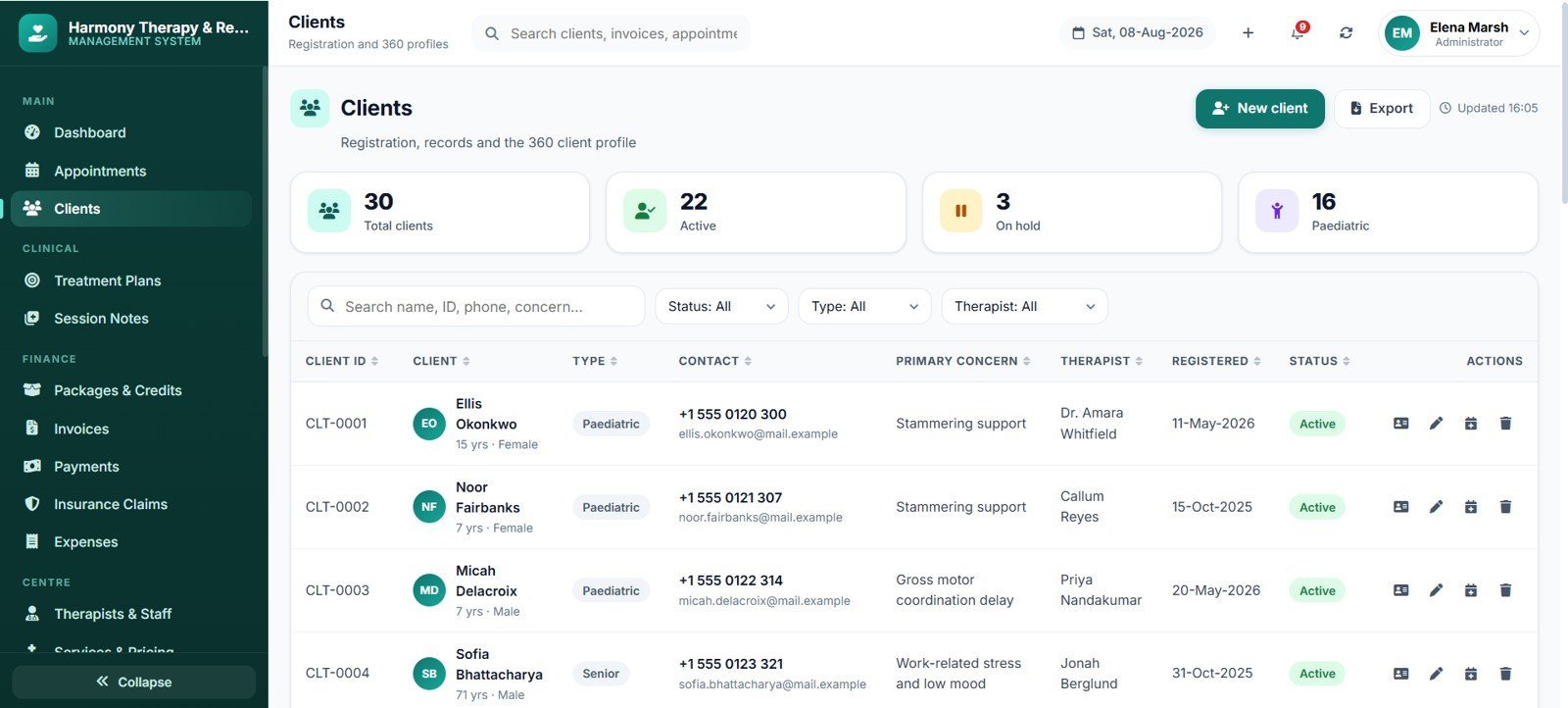
A searchable client register with status, therapist, referral source and insurance filters, opening into the tabbed 360 profile: overview, appointments, plans, notes, packages, billing and documents.

Treatment Plans & Measurable Goals
Plan list by client, therapist, status and review date, with a goal editor carrying baseline, target and current values, unit of measure, target date and an automatic progress percentage.

Session Notes
SOAP-structured note editor with attendance, duration, techniques, home programme and next-session focus, plus draft and signed states, a lock on signing, and a view-access trail in the audit log.

Packages, Invoices, Payments & Claims
Package catalogue and client purchases with live credit balances; invoice builder pulling unbilled sessions; payment recording with advances, refunds and credit notes; and an insurance claim register with status workflow and document attachments.

Reports, Centre Operations & Settings
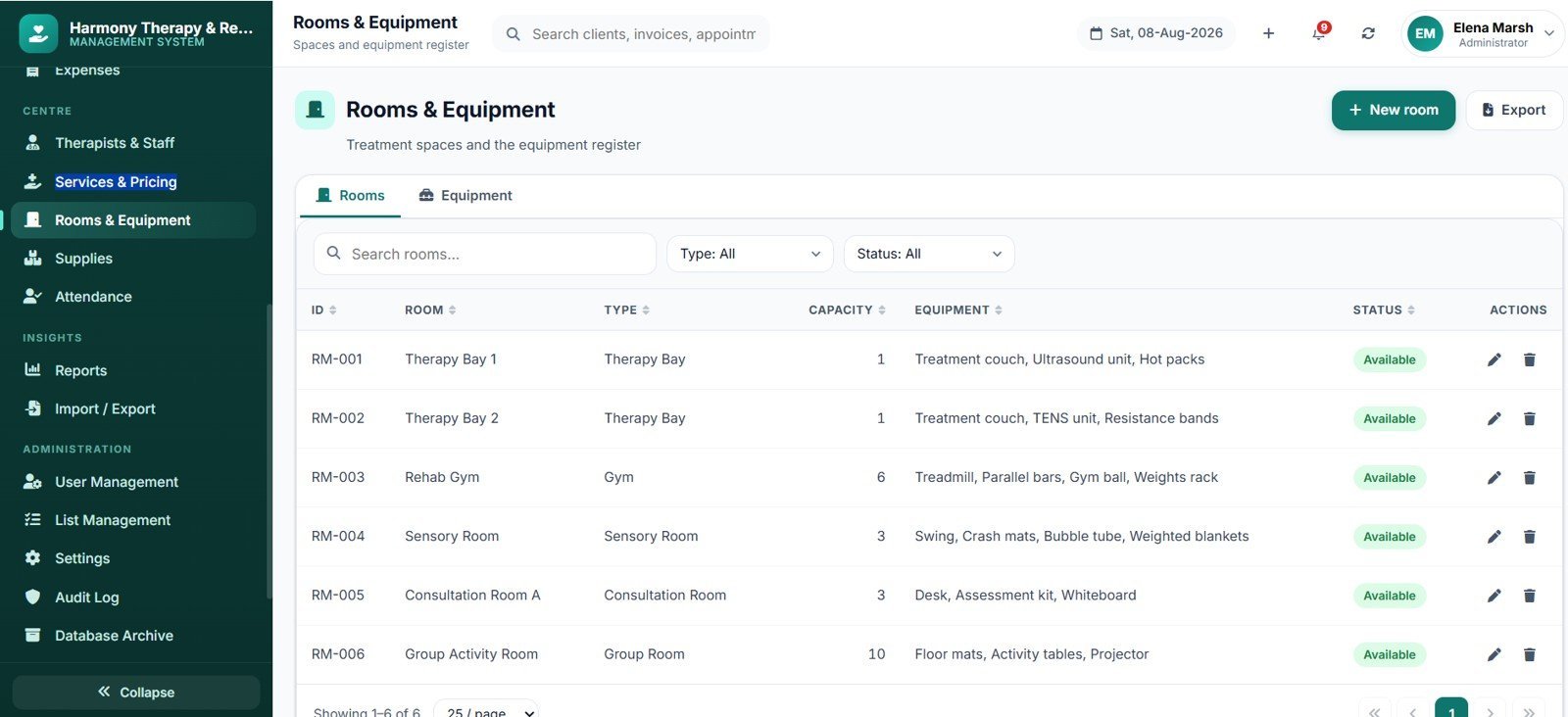
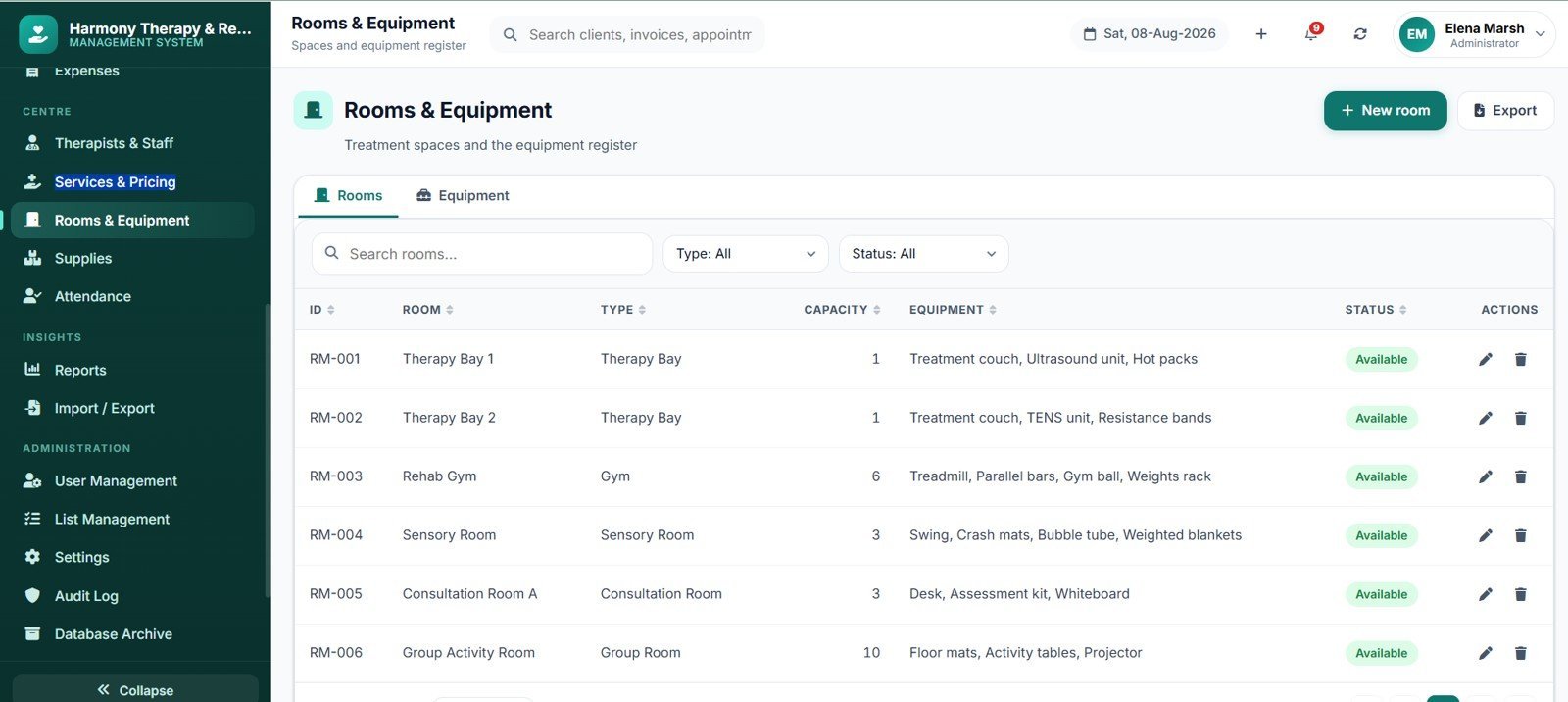
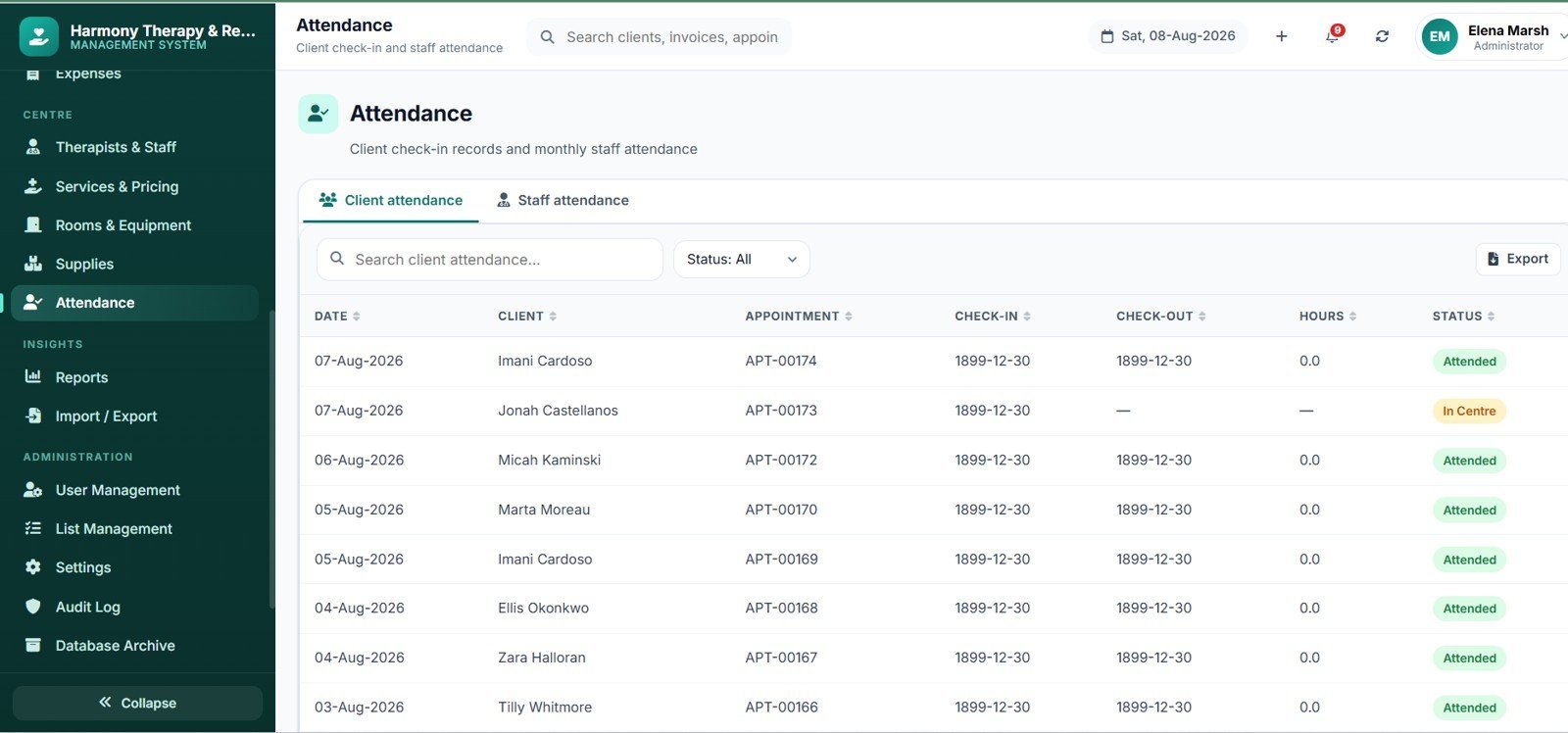
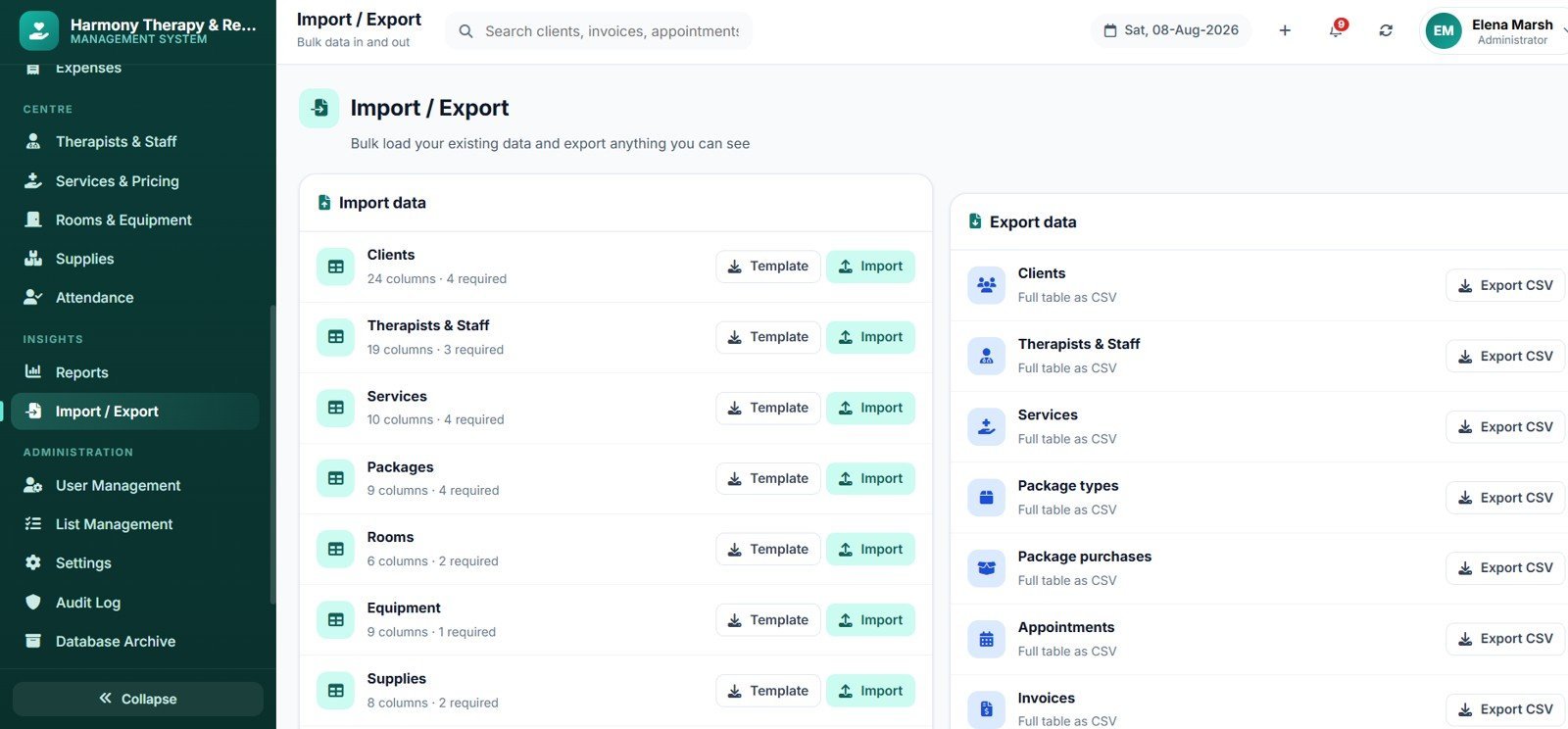
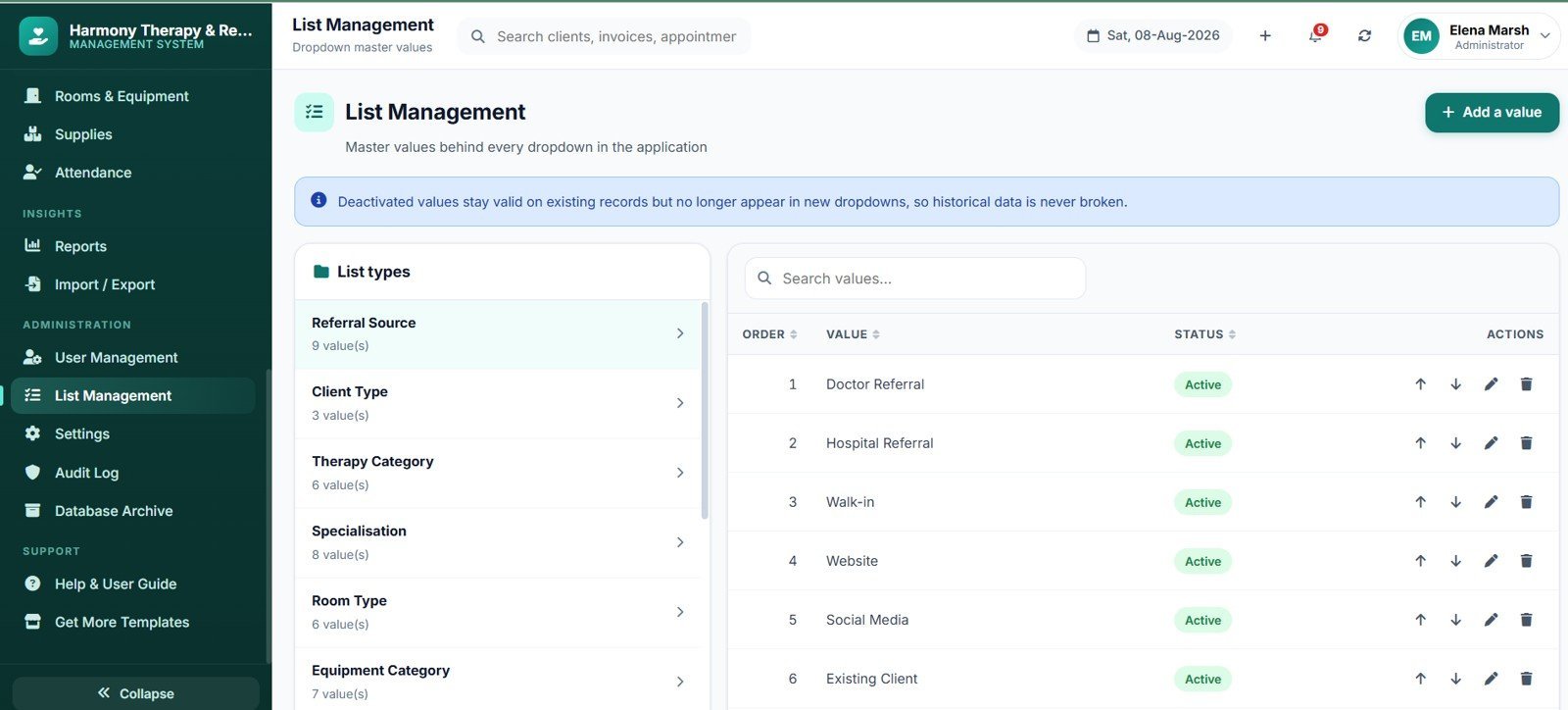
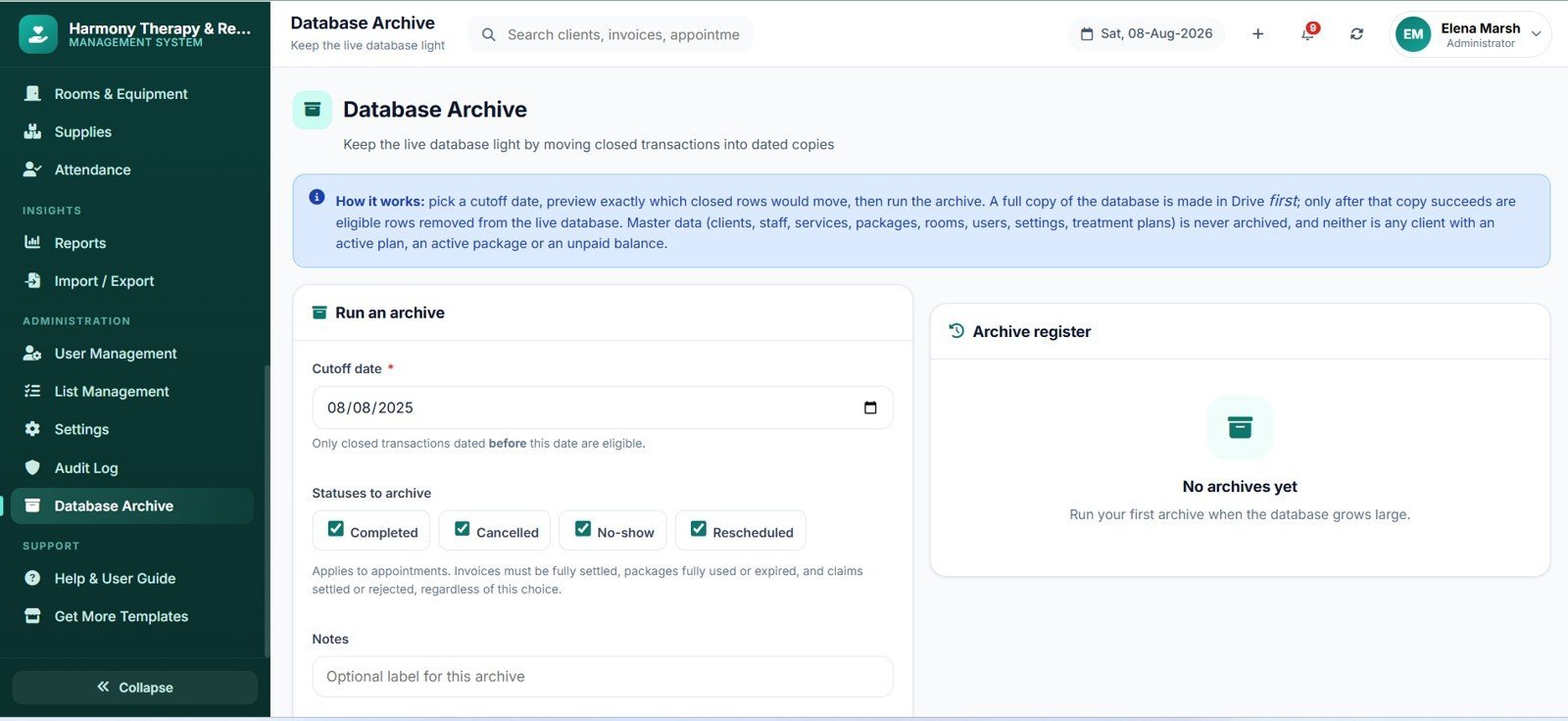
20 built-in reports covering revenue, outstanding ageing, therapist productivity, utilisation, service mix, cancellation and no-show analysis, package consumption, claim status, expenses and a Tax Summary Report for your accountant — all exportable to CSV. Centre operations adds staff, rooms, equipment, supplies with stock alerts, expenses and staff attendance. Settings covers centre profile, currency, date format, tax configuration, working hours, list management, user management with a view/add/edit/delete permission matrix, email templates, audit log and a database archive tool.

The gallery above the description shows all 22 screens in full resolution.
📊 Therapy Center Management System Web App vs. Excel Clinic Tool vs. Cliniko / SimplePractice — Where This Fits
| Capability | Therapy Center Management System Web App | Excel / VBA Clinic Tool | Cliniko / SimplePractice |
|---|---|---|---|
| Cost | One-time purchase, no recurring fee | One-time purchase | $45–$99 per practitioner per month |
| Multi-user, same time | Yes — browser-based, unlimited users | No — file locking, one editor at a time | Yes |
| Works on phone / tablet | Yes — responsive web app, any browser | Limited | Yes |
| Where data lives | Your own Google Sheet, your Google account | Your local file or network drive | The vendor’s servers |
| Source code you can edit | Yes — full Apps Script and HTML supplied | Yes — VBA is editable | No |
| Role-based access control | 4 roles + per-user permission matrix, server-enforced | Usually password-only | Yes |
| Setup time | Under 10 minutes | Minutes | Hours plus onboarding |
| Ongoing vendor dependency | None | None | Total — access ends when billing stops |
| Best suited to | 1–25 therapist centres wanting ownership | Solo practitioners, offline work | Large groups needing vendor support contracts |
👥 Who This Template Is For — and Who It’s Not For
A strong fit for:
✅ Physiotherapy, occupational therapy, speech and language, ABA/behavioural and counselling centres running 1–25 therapists.
✅ Paediatric therapy centres juggling guardians, school reports and long-running goal tracking.
✅ Multi-discipline rehabilitation clinics that need room and equipment scheduling alongside therapist scheduling.
✅ Practice owners who want to stop paying per-seat subscriptions and own their system outright.
✅ Anyone who wants the source code so a developer can extend it later.
Not the right fit for:
❌ Centres needing electronic claim submission direct to an insurer — this tracks claims, it does not transmit them.
❌ Practices requiring a vendor-supplied compliance certification for a specific jurisdiction. This is centre management and record-keeping software; your own policies, hosting decisions and legal review remain yours.
❌ Hospitals or 100+ practitioner groups needing enterprise integrations and 24/7 vendor support.
❌ Anyone wanting clinical decision support — the app records what your clinicians write, it never generates diagnoses, dosages or treatment recommendations.
⚙️ How to Use the Therapy Center Management System Web App
Step 1 — Create the script project. Make a new Google Sheet, open Extensions → Apps Script, and paste the contents of Code.cs.txt into Code.gs.
Step 2 — Add the interface file. Create a new HTML file named exactly Index and paste in Index.txt. The name must match exactly or the app will not load.
Step 3 — Run the installer. Save, reload the spreadsheet, and use the new Therapy Centre menu → Run Setup / Install. Authorise when prompted. The installer builds all 37 sheets with headers, formatting and validation, creates the Drive folder structure, and loads a full sample data set — 30 clients, 250+ appointments, invoices, notes and plans — so every chart and report has real shapes from the first minute.
Step 4 — Deploy as a web app. Deploy → New deployment → Web app, execute as Me, and choose who can access. Copy the URL and share it with your team.
Step 5 — Sign in and make it yours. Use the administrator account in the supplied Login_Details.txt, change the password when prompted, then set your centre profile, currency, date format, tax rule and working hours in Settings. Add your own therapists, services, rooms and packages, and clear the sample transaction rows when you go live.
💼 Real-World Use Cases
🏥 A six-therapist paediatric centre replaces a shared spreadsheet and a paper diary. Front desk books from live availability, therapists write notes on a tablet between sessions, and the owner sees utilisation and outstanding balances on one dashboard.
🏃 A sports rehabilitation clinic sells 10-session packages. Credits burn automatically as sessions complete, expiring packages appear 30 days ahead, and the front desk calls those clients to rebook — recovering revenue that used to quietly lapse.
🗣️ A speech and language practice tracks measurable goals across 12-week blocks. Progress percentages roll up from goals to plans to a printable client progress report for parents and referring clinicians.
🧾 An accountant is given a read-only account. They pull the Tax Summary Report and Accountant Support Export each quarter without ever seeing a clinical note.
❓ Frequently Asked Questions
What does the Therapy Center Management System Web App include?
Three text files — Code.cs.txt (the Apps Script backend), Index.txt (the complete interface) and Login_Details.txt (the seeded accounts and role matrix) — plus a 41-page Word user manual covering deployment, every module and troubleshooting. Nothing else needs to be installed or purchased.
How long does setup take?
Under 10 minutes. Paste two files, run the installer from the spreadsheet menu, authorise, deploy. The installer creates all 37 database sheets, the Drive folders and the sample data in a single pass, and it is safe to run again — existing data is preserved.
How does this compare to Cliniko or SimplePractice?
Those are hosted subscriptions billed per practitioner per month, typically $45–$99 each, and your data lives on the vendor’s servers. This is a one-time purchase running in your own Google account with unlimited users, full source code included, and no ongoing fee. The trade-off is that you host and support it yourself — there is no vendor helpdesk or compliance certification behind it.
Does it stop double-booking a therapist or a room?
Yes. Every booking is validated on the server against therapist working hours, breaks, blocked leave, existing appointments, room availability and equipment holds. A clashing booking is refused with an explanation rather than silently saved.
Can therapists see each other’s clients and notes?
No. Therapist accounts are scoped to their own caseload — their own appointments, clients, plans and notes only. Front desk cannot see clinical note content unless an administrator enables it in Settings, and salary and commission figures are visible to the administrator alone. All of it is enforced on the server, not by hiding menu items.
Where is my client data stored?
In a Google Sheet inside your own Google Drive, under your own Google account, with uploaded documents in Drive folders the installer creates. Nothing is sent to NextGenTemplates or any third party. Access, retention, backup and any legal or regulatory obligations for that data remain entirely yours — review them with your own advisers before going live.
👤 About the Author
NextGenTemplates builds production-grade Excel, Google Sheets, Power BI and web app templates for teams that would rather own their tools than rent them. Every template ships with the working file, sample data and documentation, and our management systems ship with full editable source code. Browse the complete template library or explore our Web App collection.
🔗 Explore Related Templates
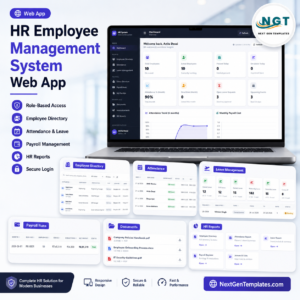
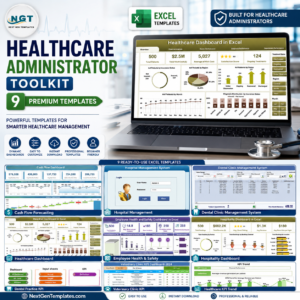
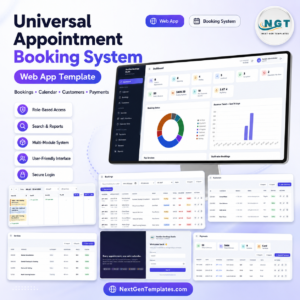
Pair this with the Hospital Management System Web App for larger multi-department facilities, or the Clinic Management System for general practice. For scheduling-first needs see the Appointment Booking System Web App, and for staffing see the Employee Management System Web App. Finance teams often add the Invoice Management System Web App, and you can find all of them together in the Healthcare Administrator Toolkit.
📖 Click here to read the Detailed Blog Post
🎥 Visit our YouTube channel for step-by-step video tutorials
👉 YouTube.com/@NextGenTemplates
Watch the demo video:
📅 Last updated: August 2026


















Reviews
There are no reviews yet.