

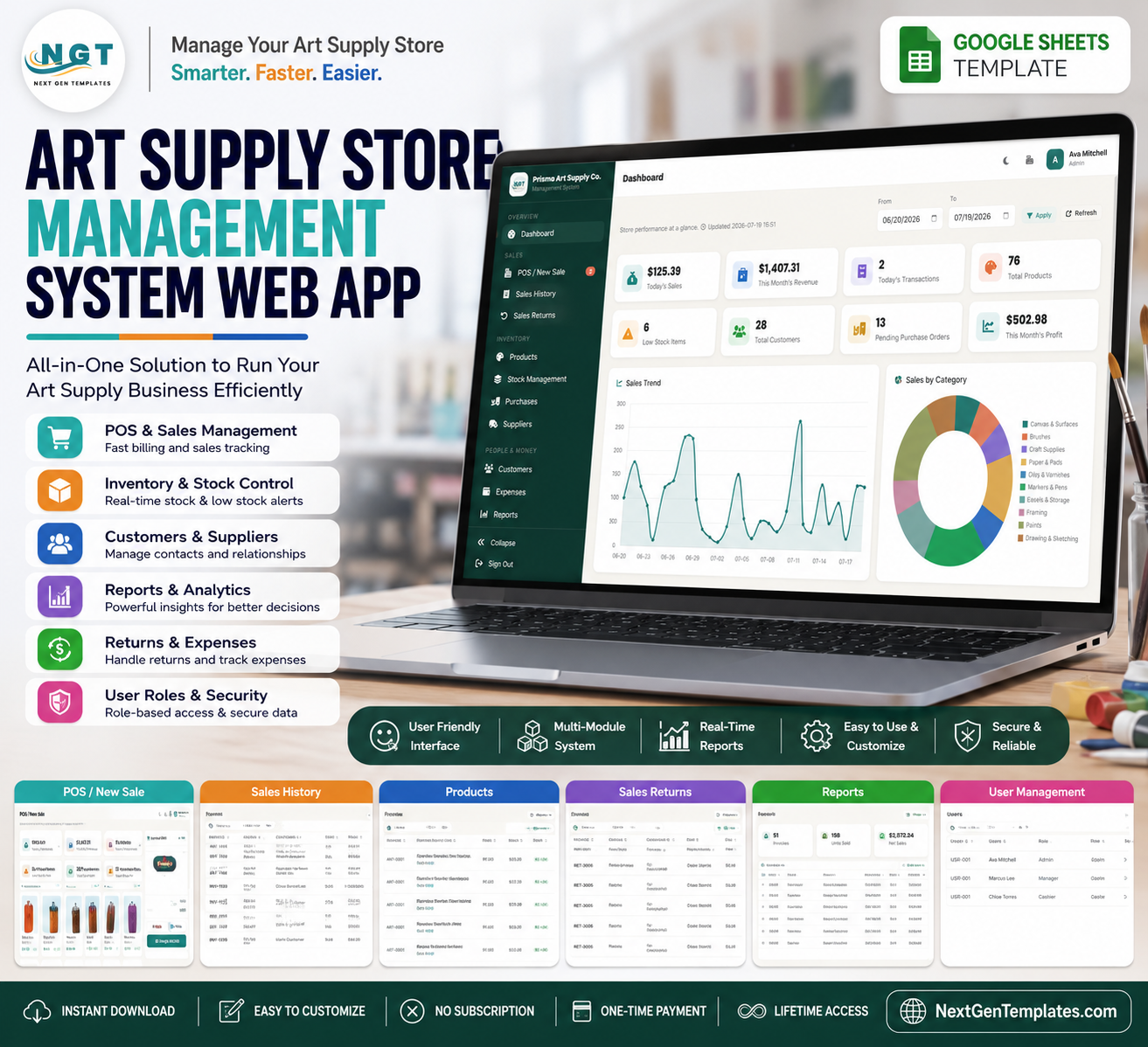

FRED’s U.S. Census retail series reported USD 2.123 billion in May 2026 hobby, toy, and game store sales, while Fortune Business Insights valued the global art and craft materials market at USD 23.56 billion in 2025. The Art Supply Store Management System Web App helps art retailers control POS billing, live stock, suppliers, purchases, customers, returns, expenses, reports, settings, users, and audit records from one browser-based operating system. Built by PK, a Microsoft Certified Professional with 15+ years of spreadsheet and automation experience and 300K+ YouTube subscribers, this is a one-time download with no monthly SaaS subscription.
Key Features of Art Supply Store Management System Web App
- Secure login: staff sign in with username, password visibility, role-based access highlights, and branded account entry.
- Retail dashboard: track today’s sales, monthly revenue, transactions, product count, low stock, customers, pending POs, and profit.
- POS checkout: search products by name, code, or barcode, apply discounts and tax, hold bills, add notes, and charge customers.
- Inventory control: maintain products, stock movements, reorder points, purchase orders, suppliers, returns, and low-stock visibility.
- Customer and expense records: manage retail, artist, and school customers plus daily operating expenses and receipts.
- Reporting suite: run sales, profit, inventory, low-stock, purchase, supplier payable, stock movement, and customer reports.
- Admin controls: maintain users, dropdown lists, store settings, low-stock alerts, archive options, and audit logs.
- Web app format: deploy as a browser-based Google account workflow instead of sending disconnected spreadsheets between staff.
What’s Inside the Art Supply Store Management System Web App
1. Login Page
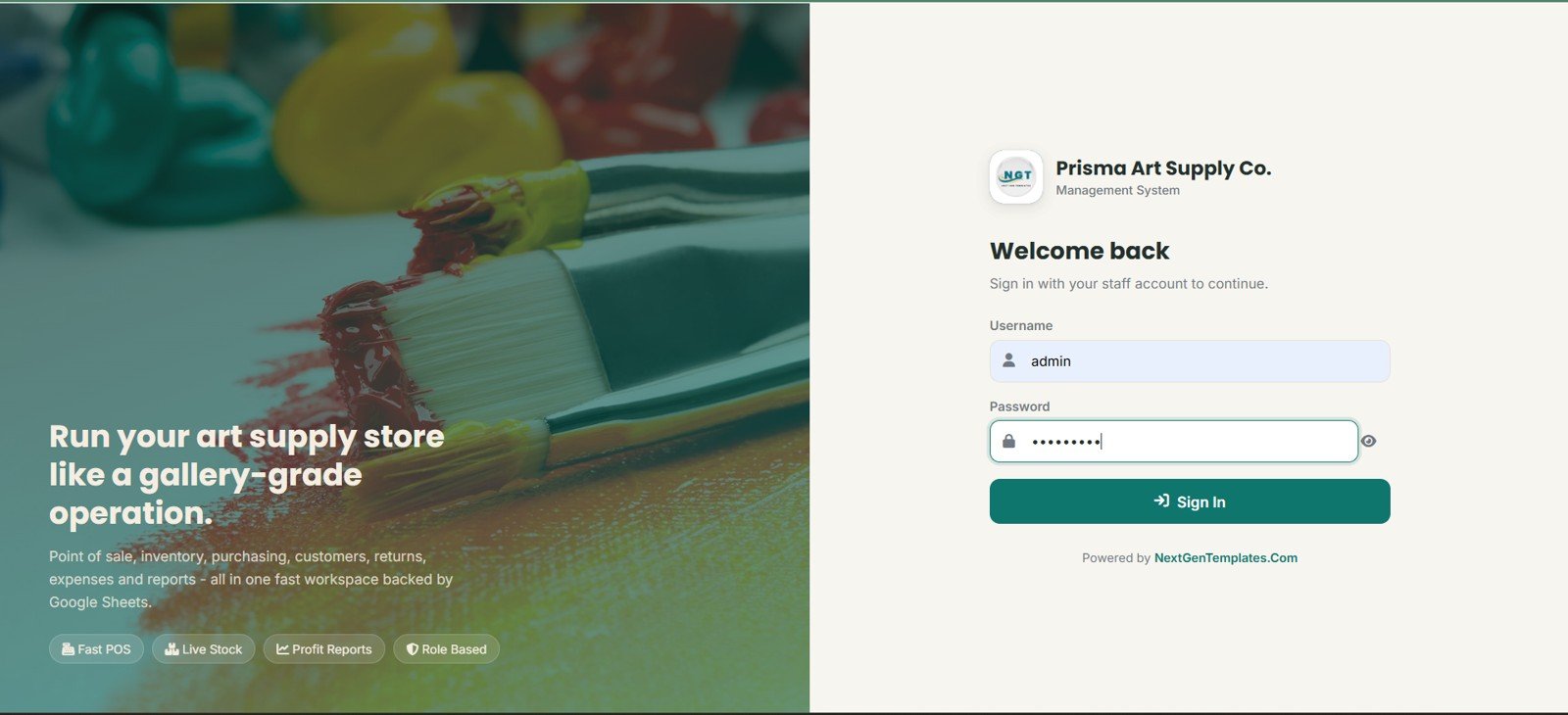
The login screen gives authorized staff access to the Prisma Art Supply Co system with username and password entry, password visibility, NextGenTemplates branding, and quick highlights for POS, live stock, profit reports, and role-based control.
🚀 Try the Live Demo Before You Buy
We have deployed this web app in our own Google account so you can test every page, every role and every permission level — with real sample data — before purchasing. No signup, no email required.
🔑 Test Login Credentials
Sign in as admin for full access to every module and setting, as manager for all operations and reports, or as cashier for the front-counter POS workflow. Role-based access is enforced in the UI and on the server.
💡 What you get after purchase: The full source code (Code.gs + Index.html) plus a step-by-step deployment guide so you can deploy your own private instance in your own Google account in under 15 minutes.
2. Dashboard Overview
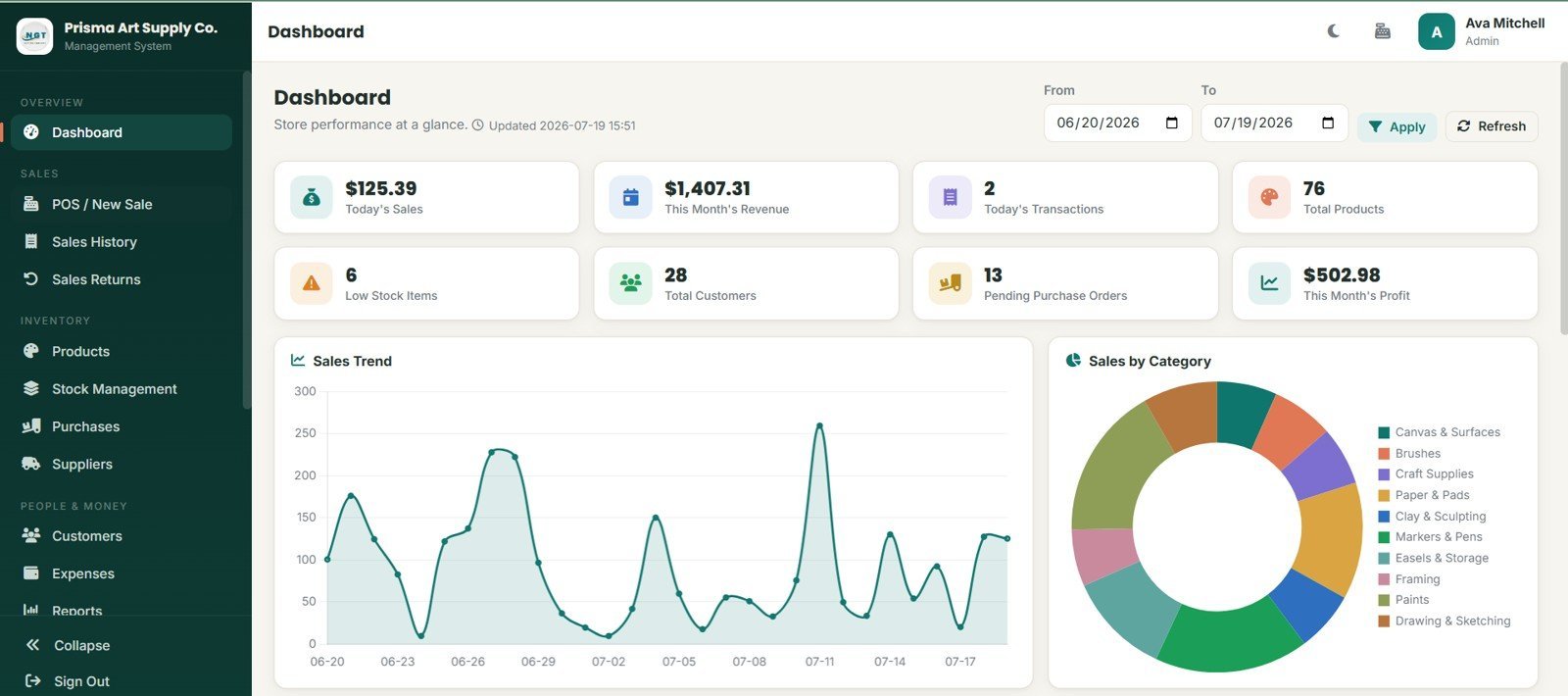
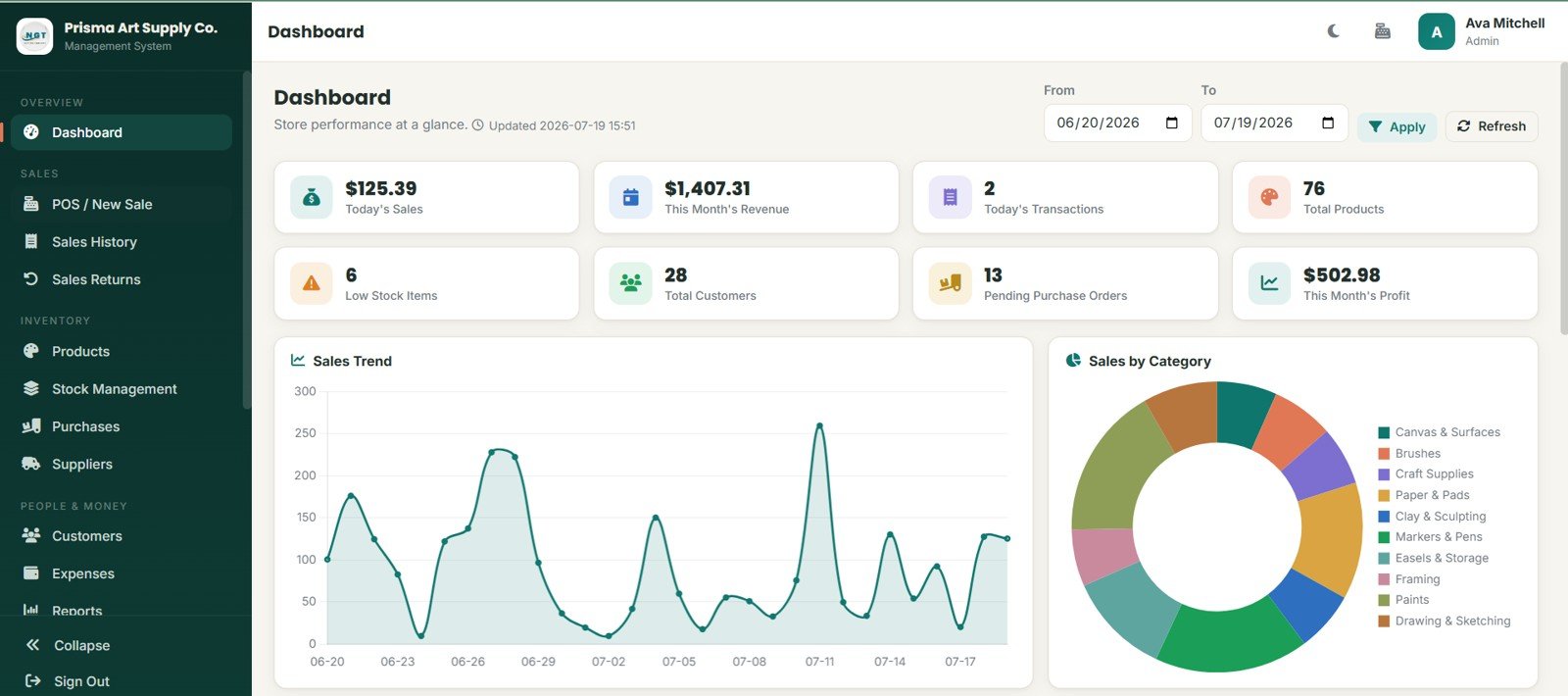
The overview page summarizes today’s sales, this month’s revenue, today’s transactions, total products, low-stock items, total customers, pending purchase orders, and this month’s profit. Sales Trend by Date explains daily sales movement, while Sales by Category shows which art supply categories are driving revenue.
3. POS / New Sale
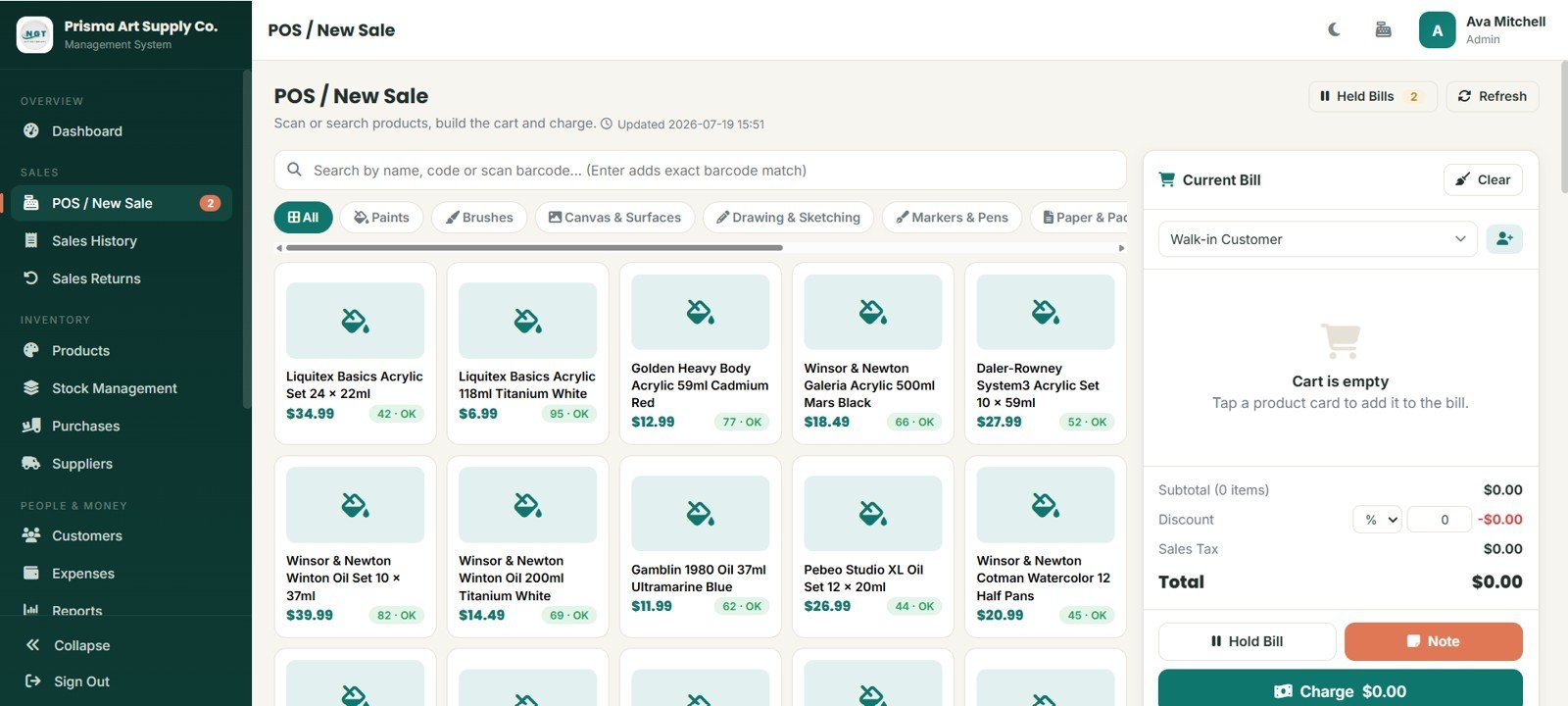
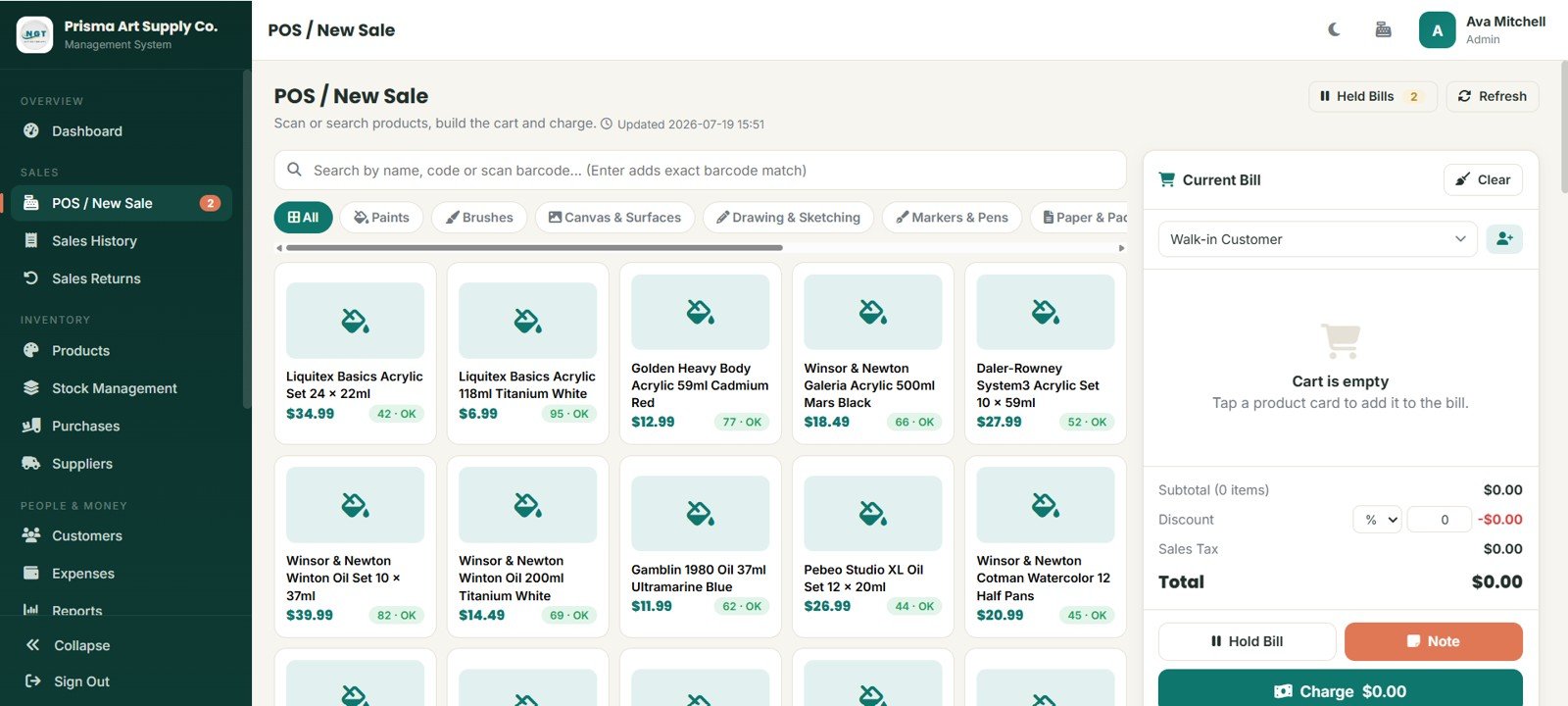
The POS page supports product lookup by name, code, or barcode, category filters, product cards, customer selection, subtotal, discount, sales tax, total, held bills, notes, refresh, and charge actions.
4. Sales History
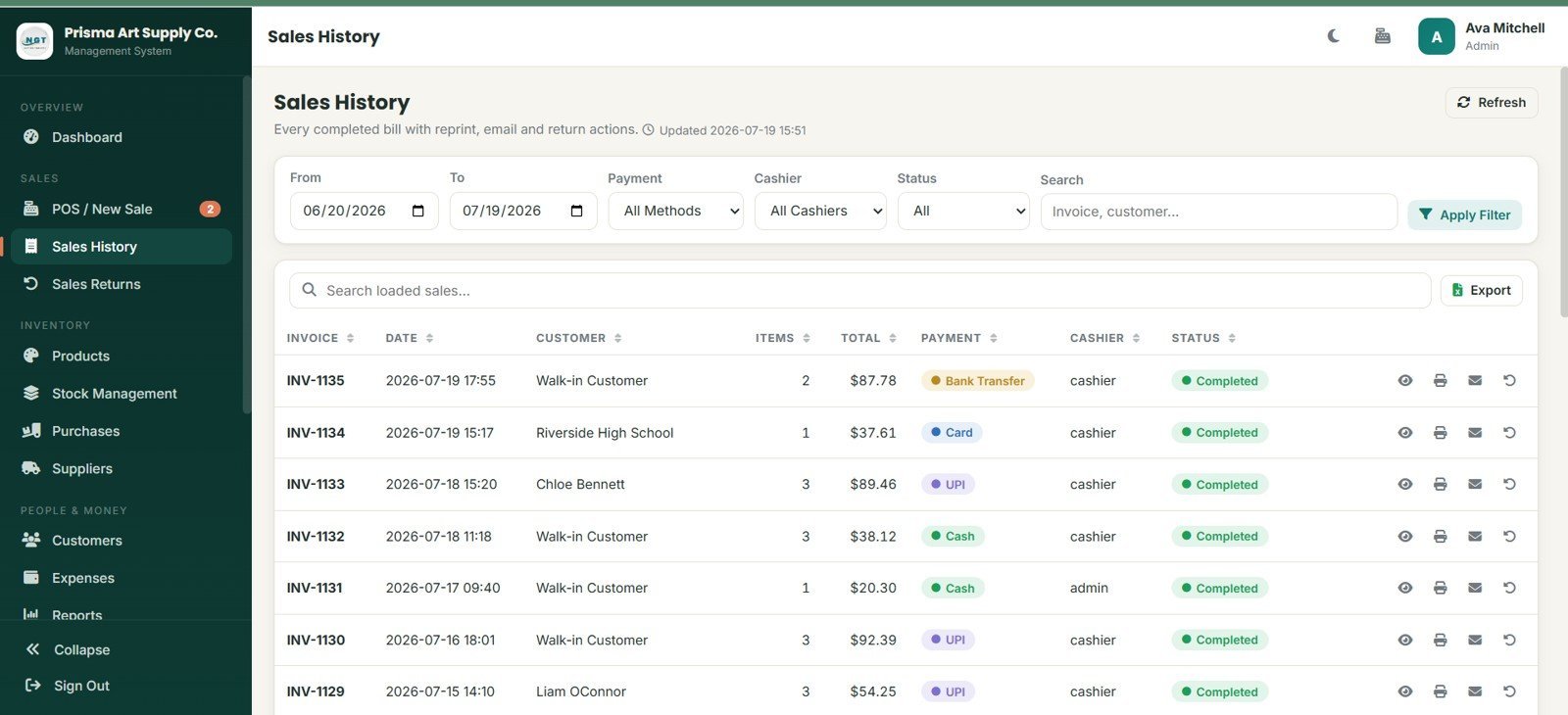
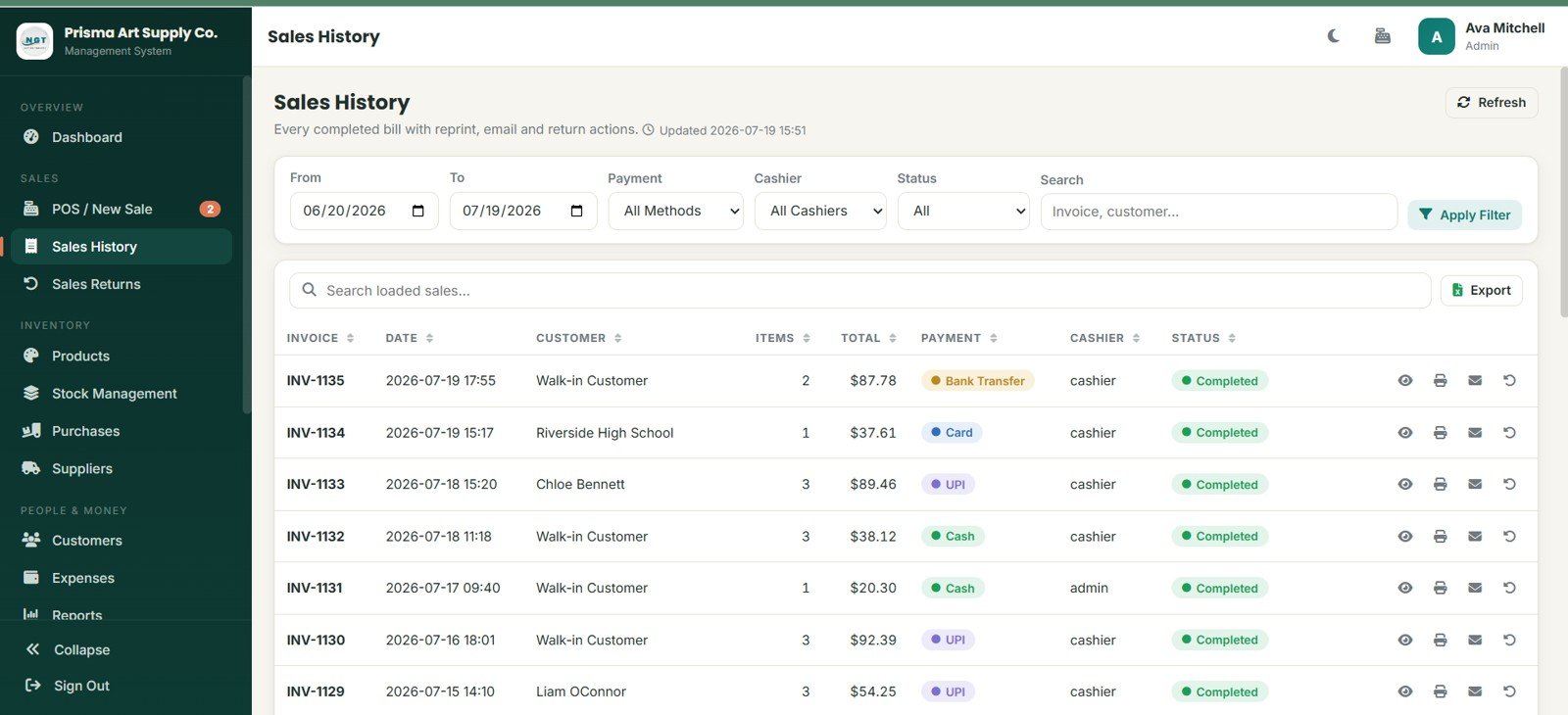
Sales History stores completed bills with invoice, date, customer, item count, total, payment method, cashier, and status. Filters, export, view, reprint, email, and return actions help staff handle post-sale work.
5. Sales Returns
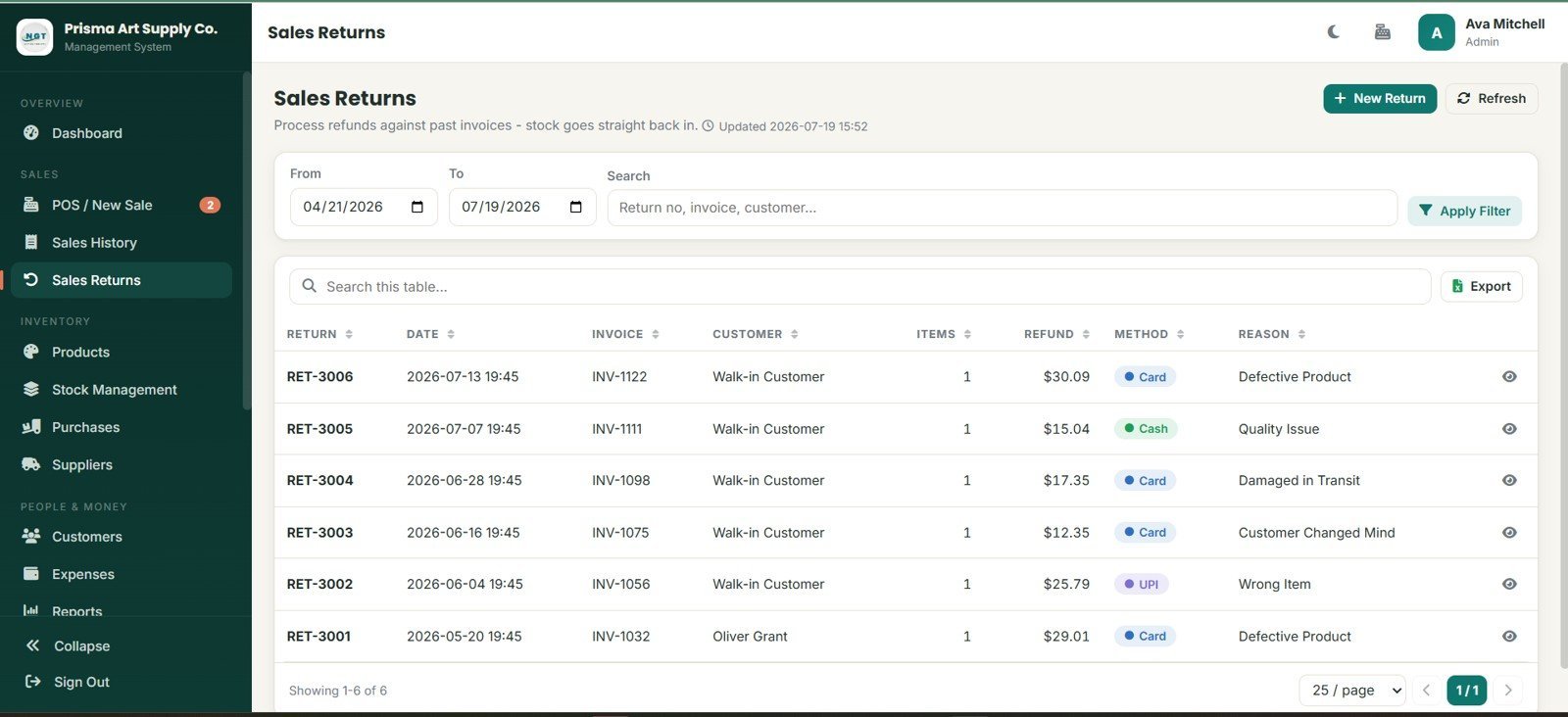
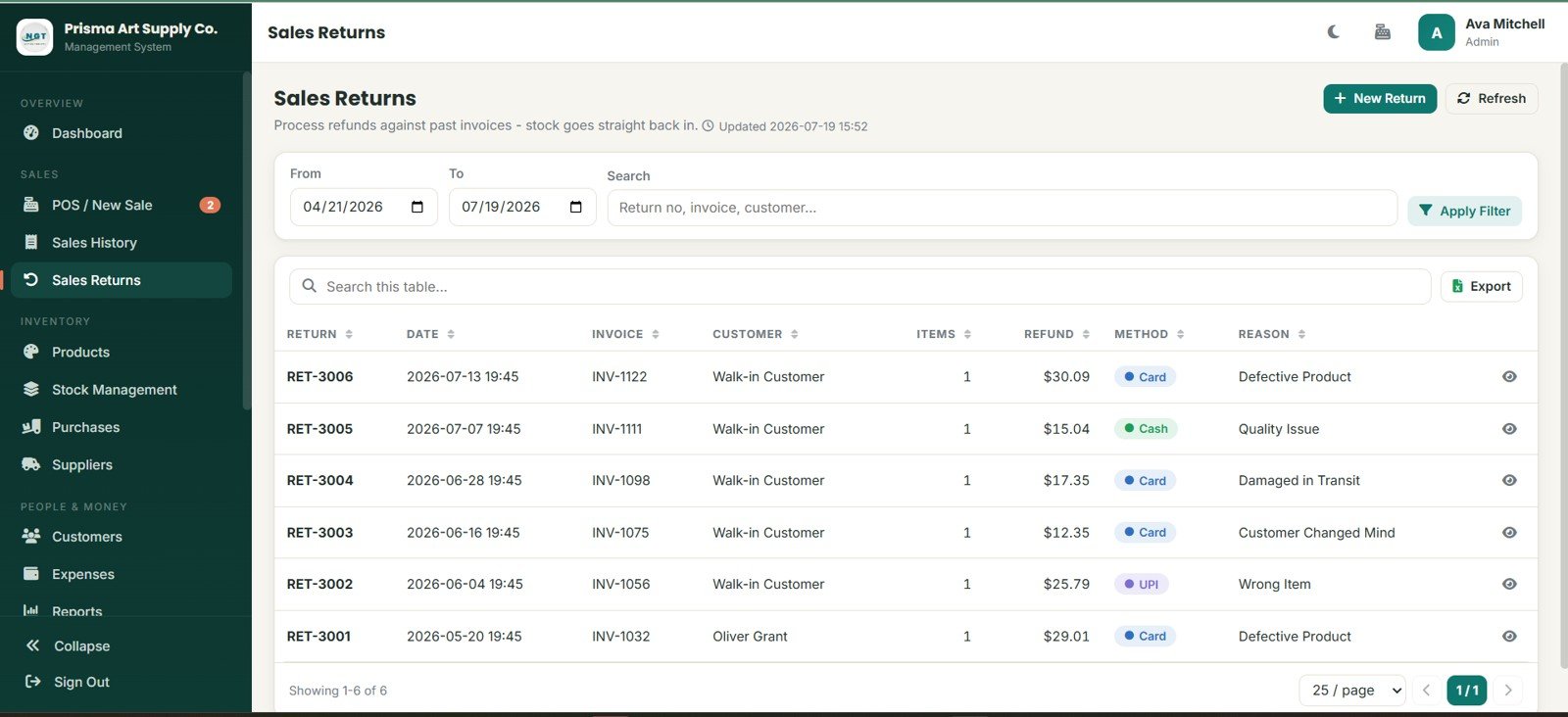
The returns module tracks return number, invoice, customer, items, refund amount, method, and reason, including defective product, quality issue, damage in transit, customer changed mind, and wrong item.
6. Products
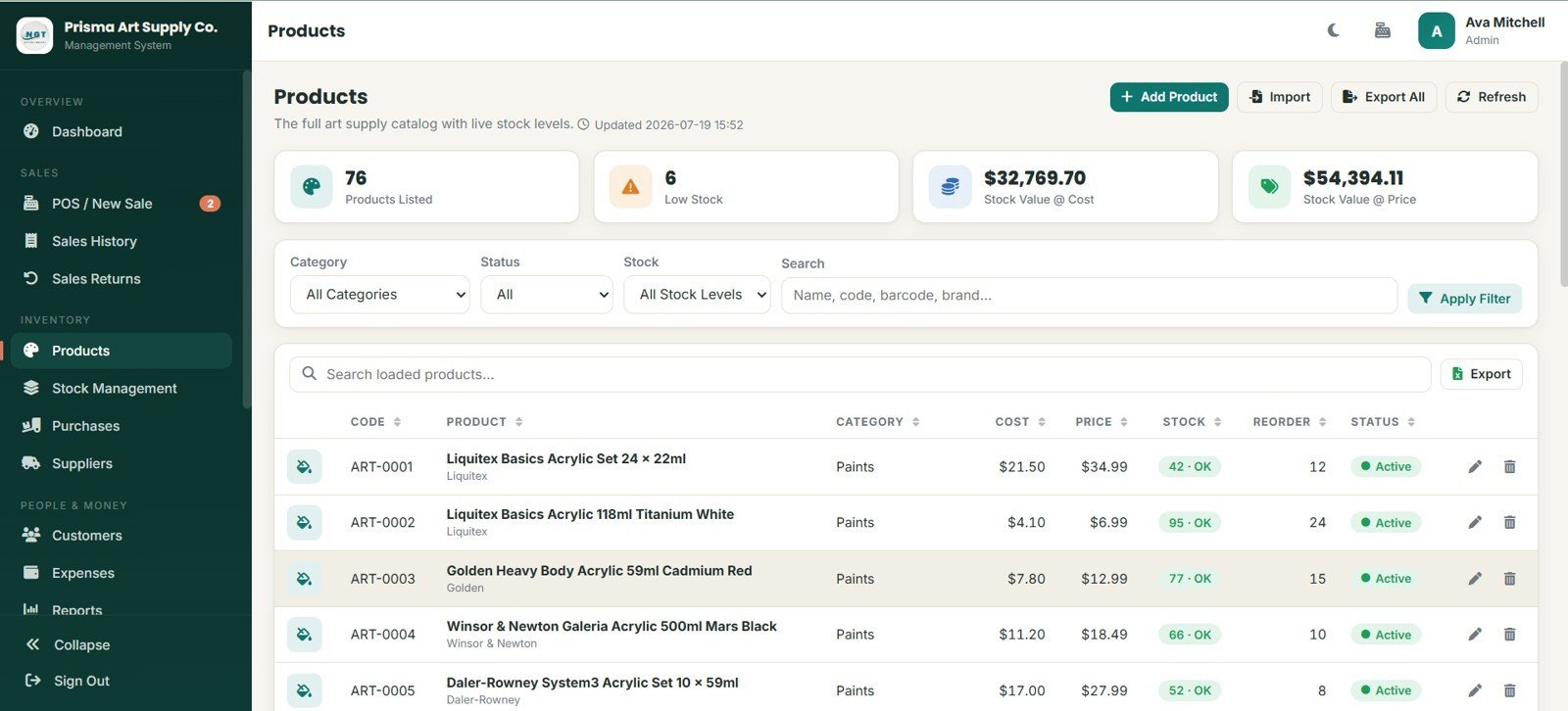
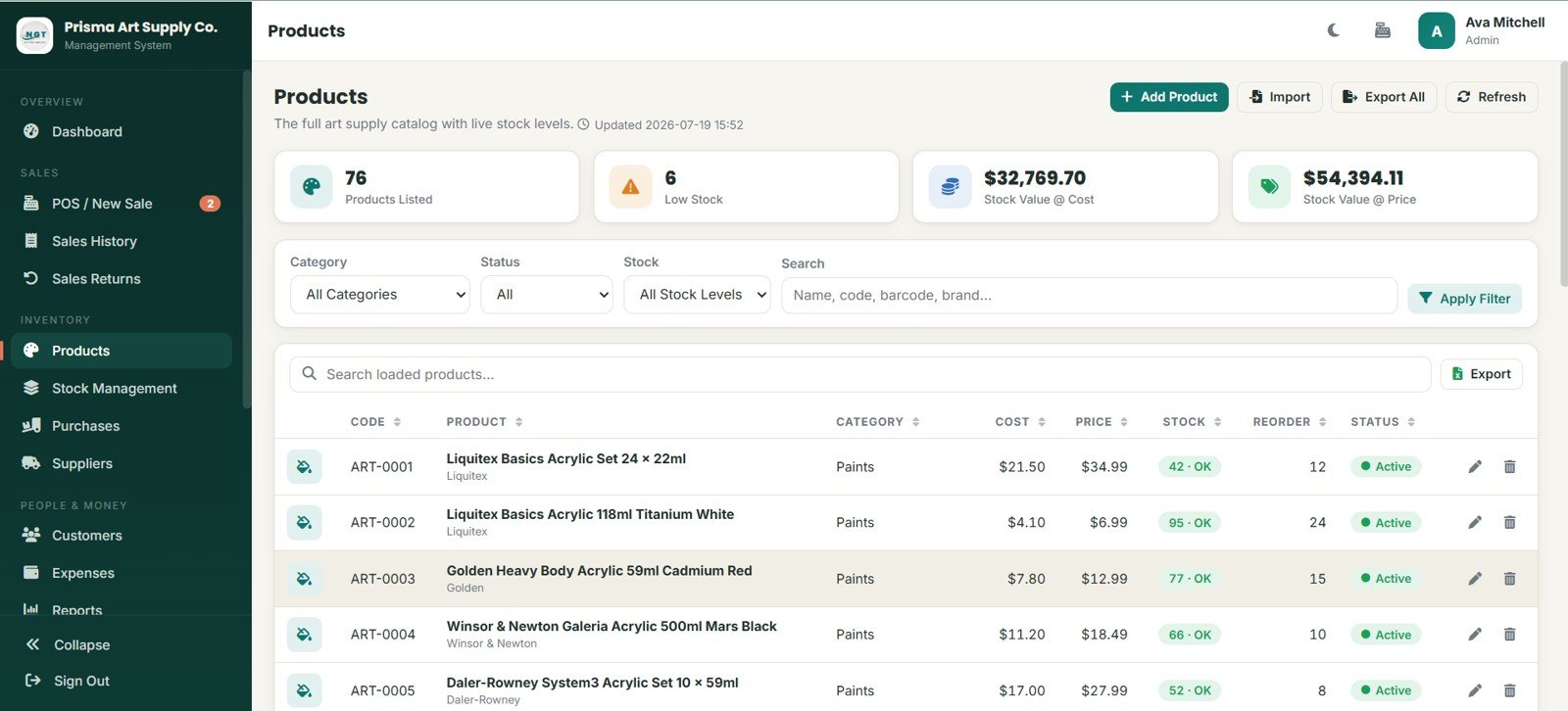
The Products page shows listed products, low stock, stock value at cost, stock value at price, category and status filters, product codes, cost, price, stock, reorder levels, and edit or delete actions.
7. Stock Management
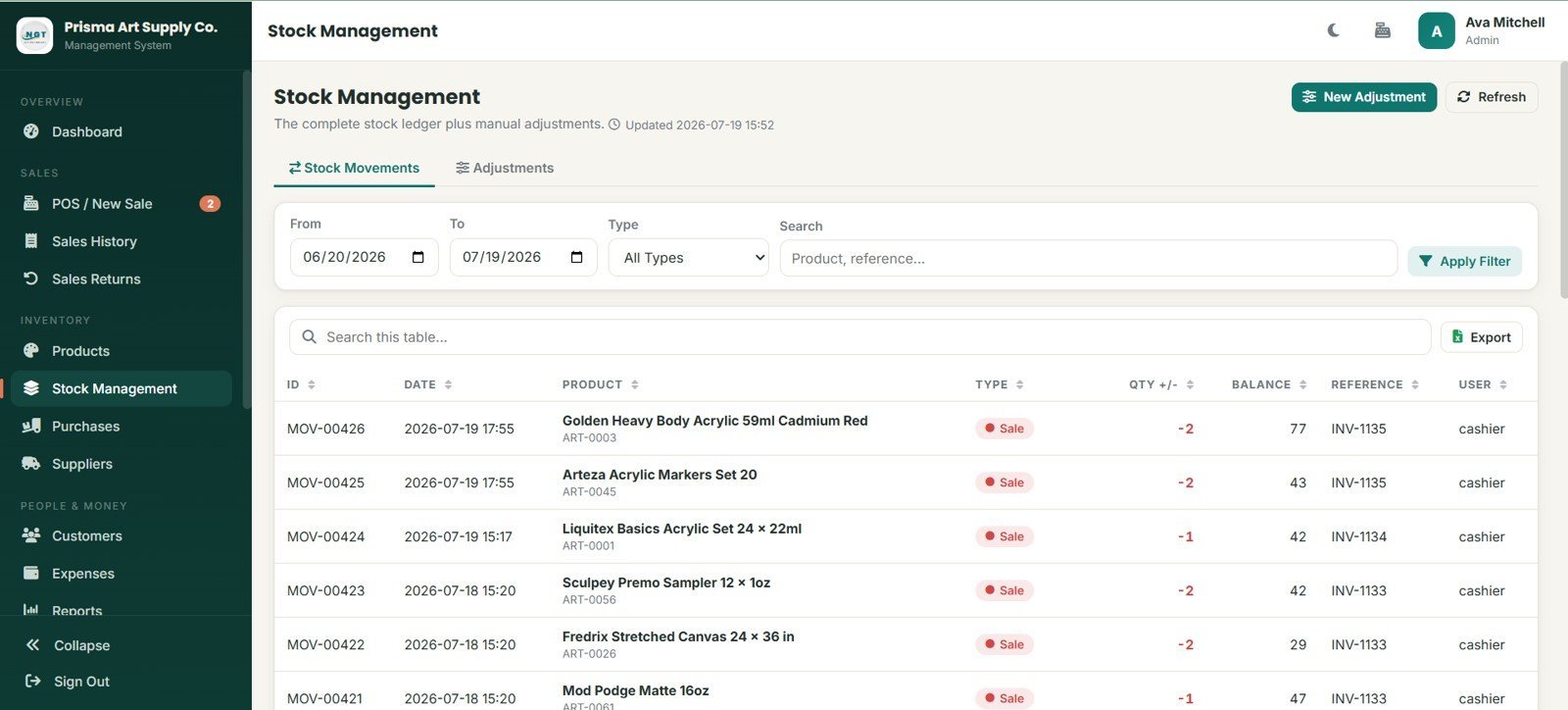
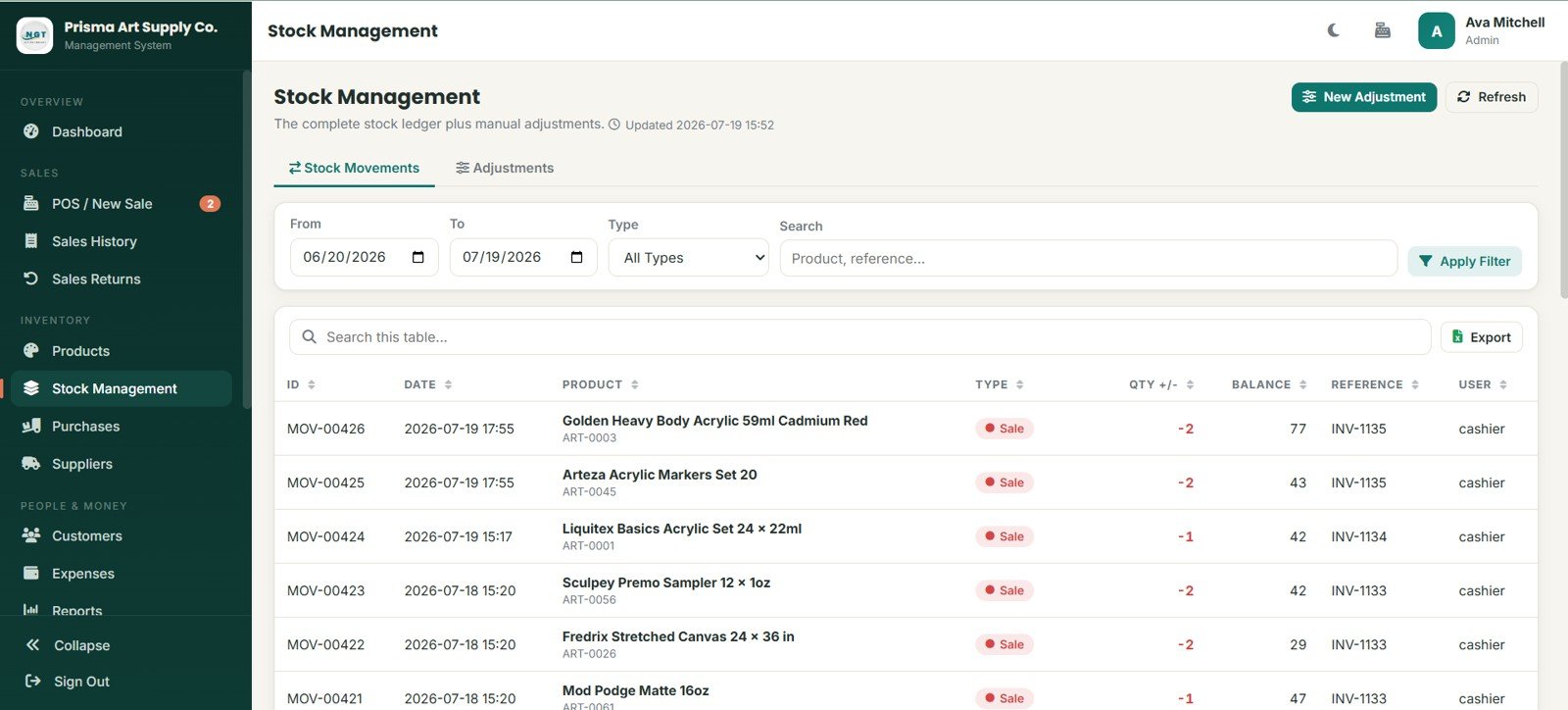
Stock Management separates stock movements and adjustments, with date, type, product, quantity change, balance, reference, user, invoice reference, and cashier tracking.
8. Purchases
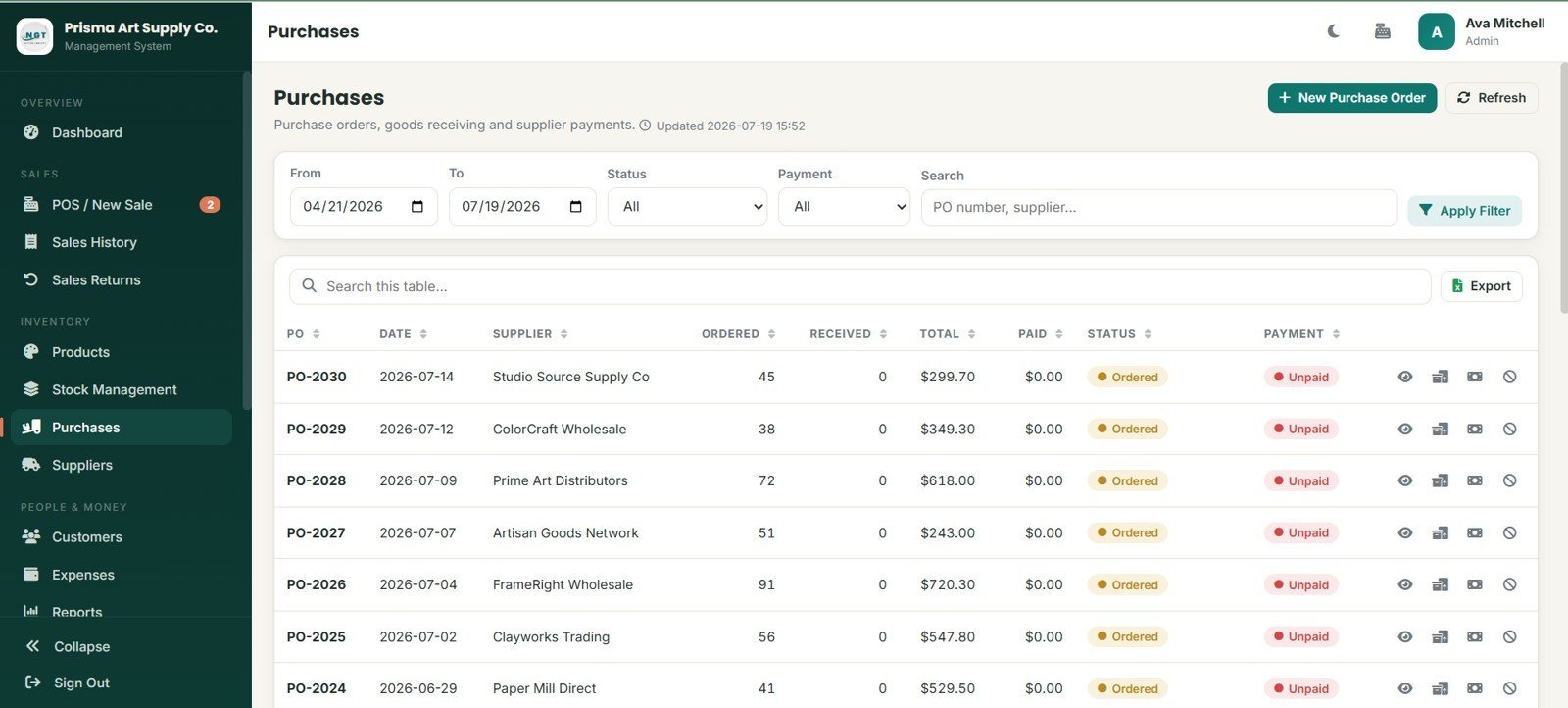
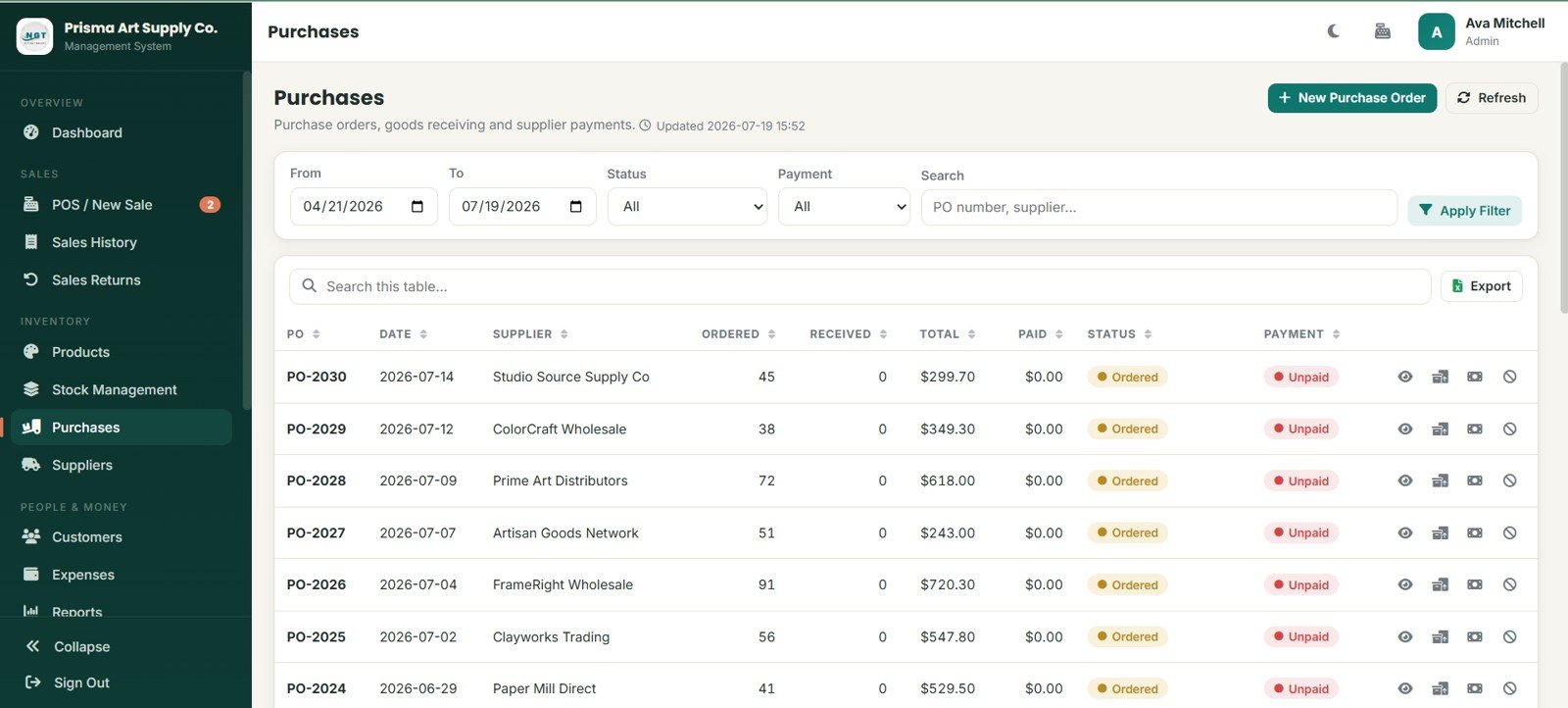
The Purchases page manages purchase orders by supplier, ordered quantity, received quantity, total, paid amount, status, payment, receiving, supplier payment, cancel action, search, export, and refresh.
9. Suppliers
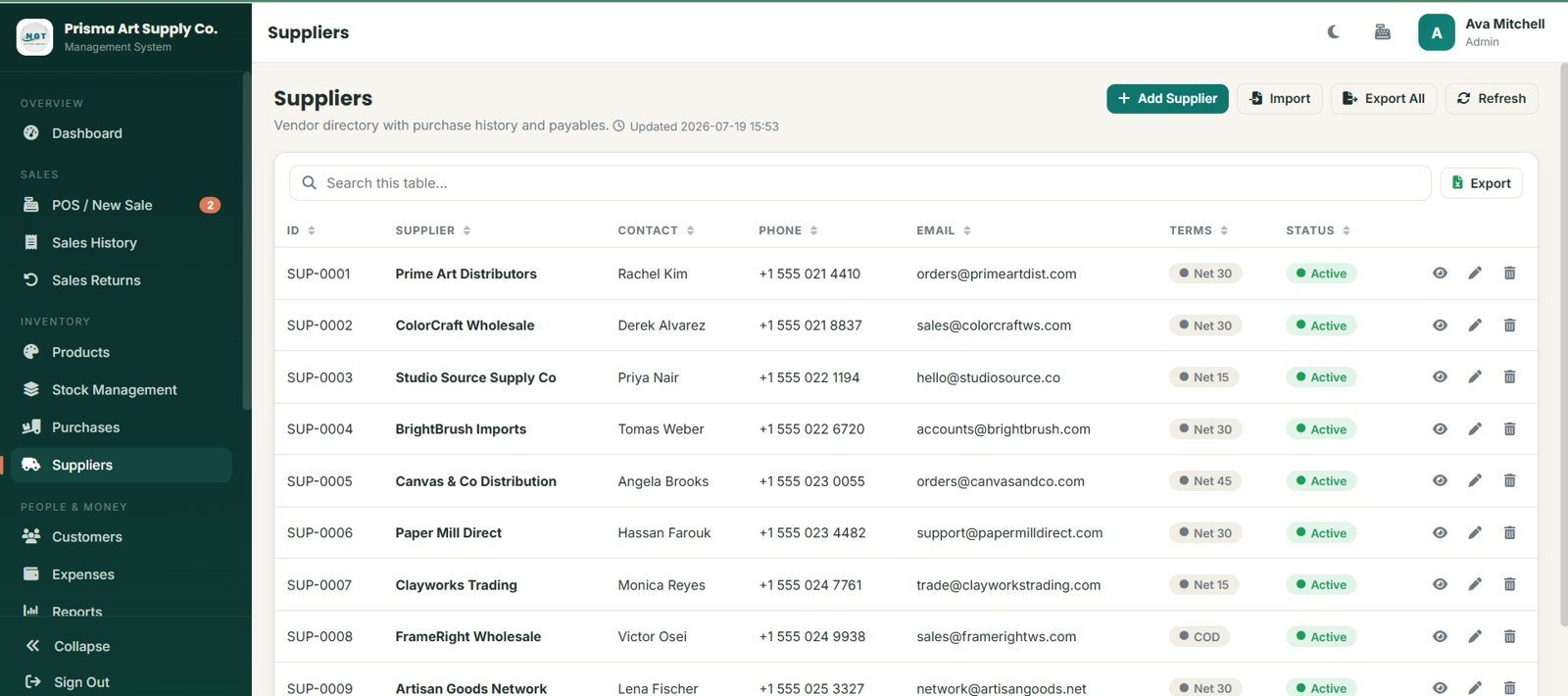
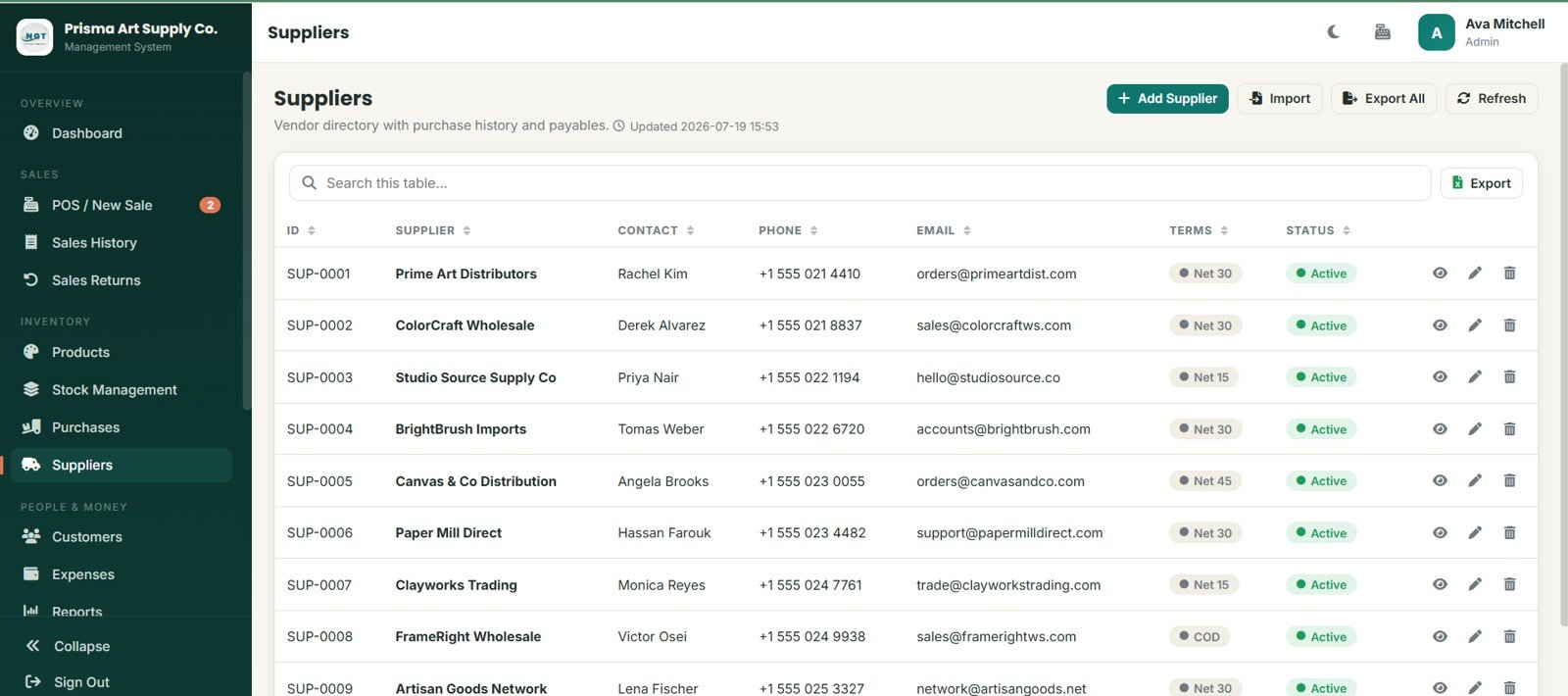
Suppliers stores vendor records, contact names, phone numbers, email addresses, payment terms, purchase history, payables, active status, import, export, view, edit, and delete actions.
10. Customers
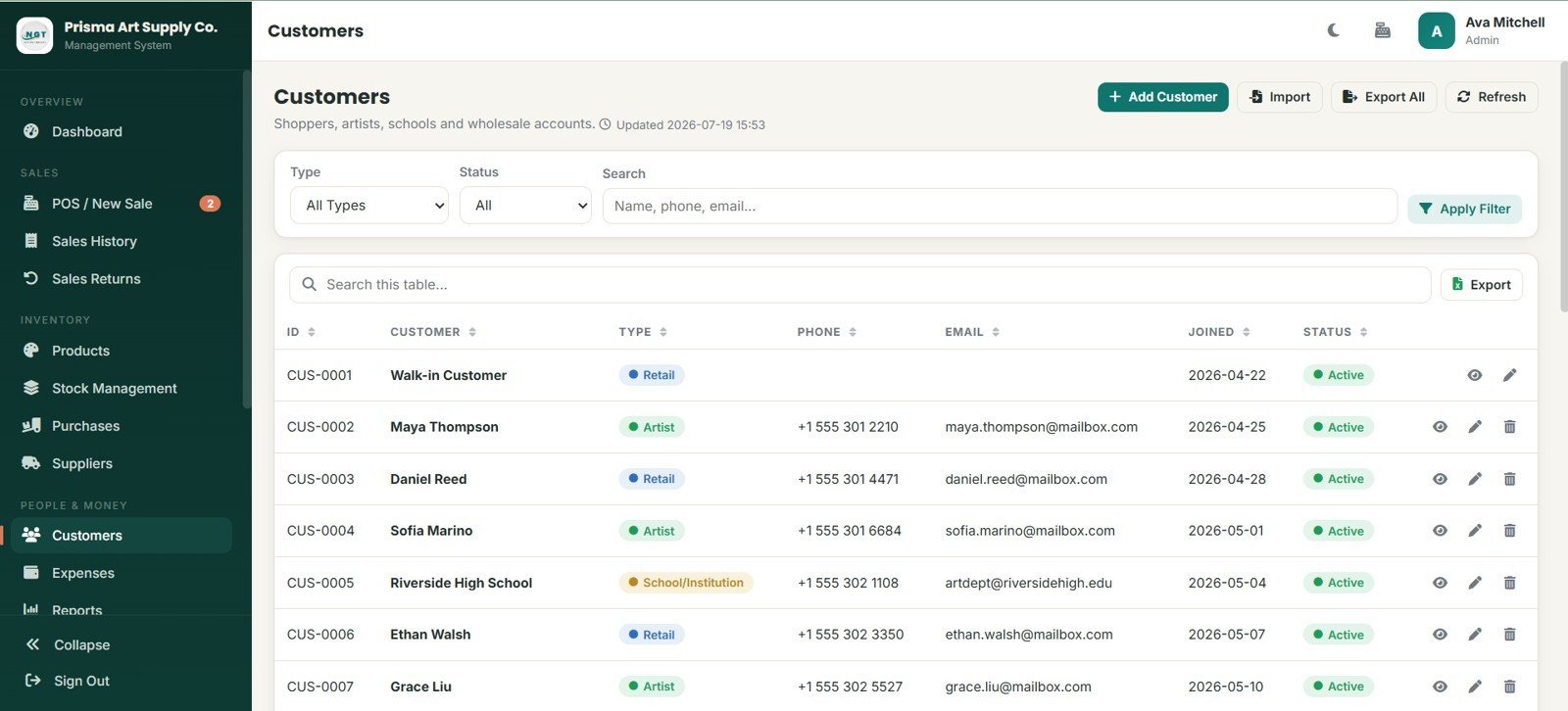
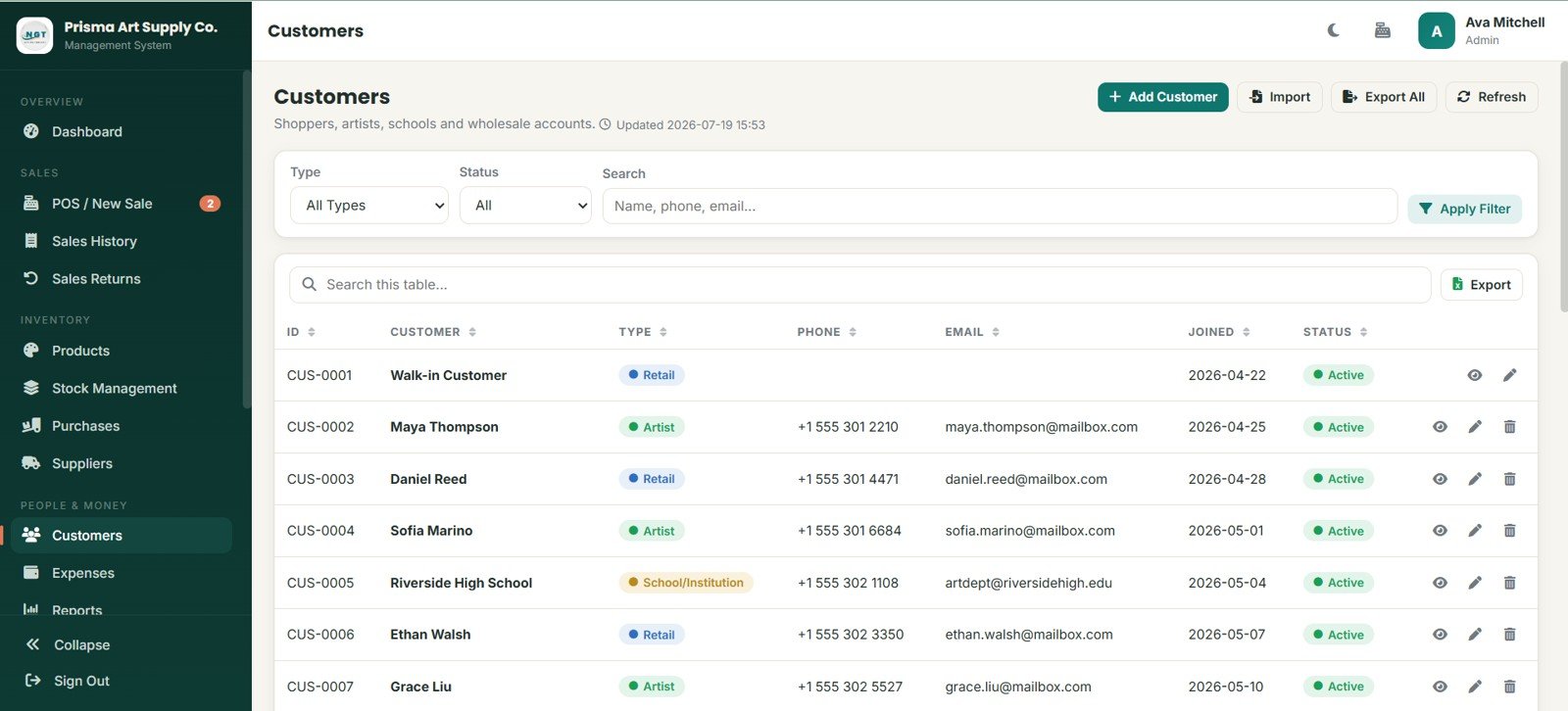
Customers records retail buyers, artists, and school or institution accounts with phone, email, joined date, status, type filters, search, import, export, view, edit, and delete controls.
11. Expenses
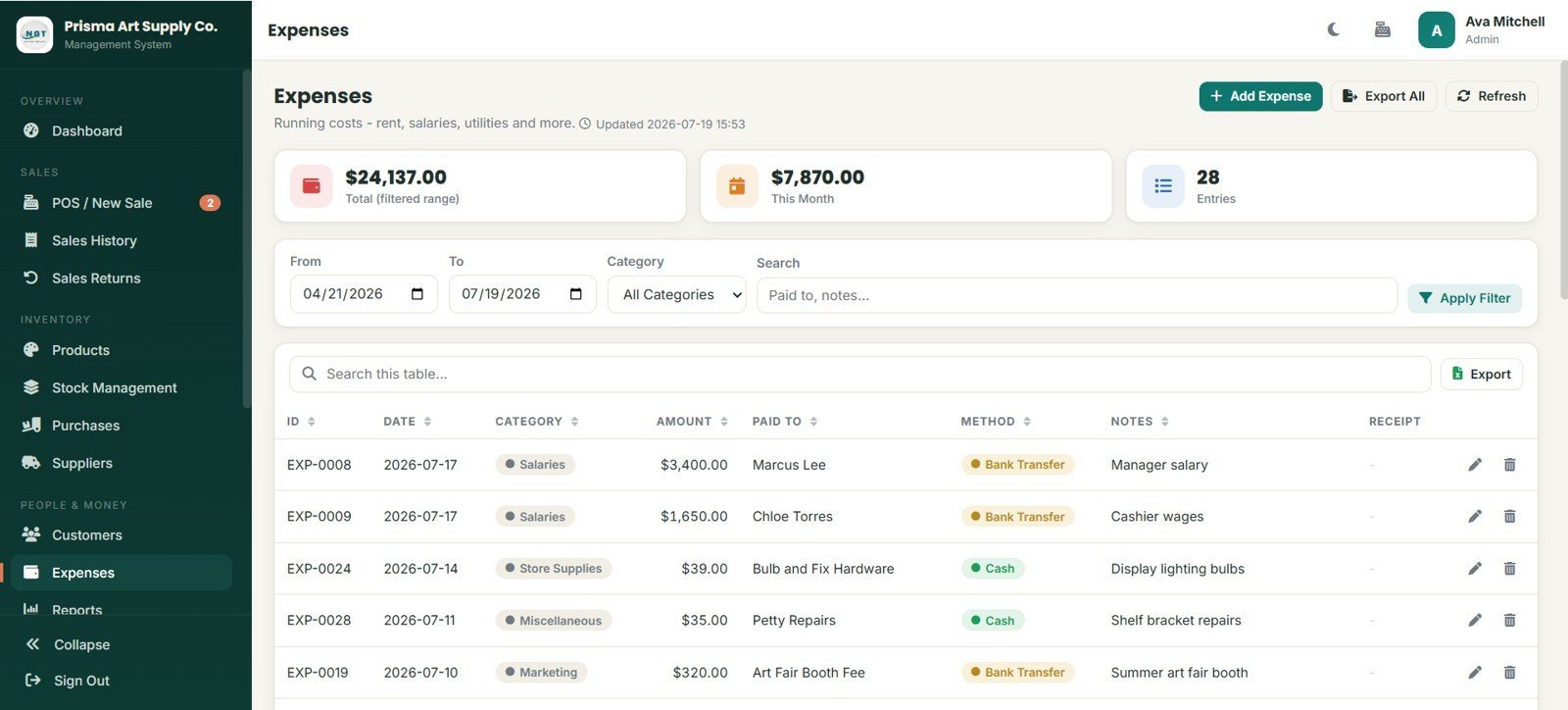
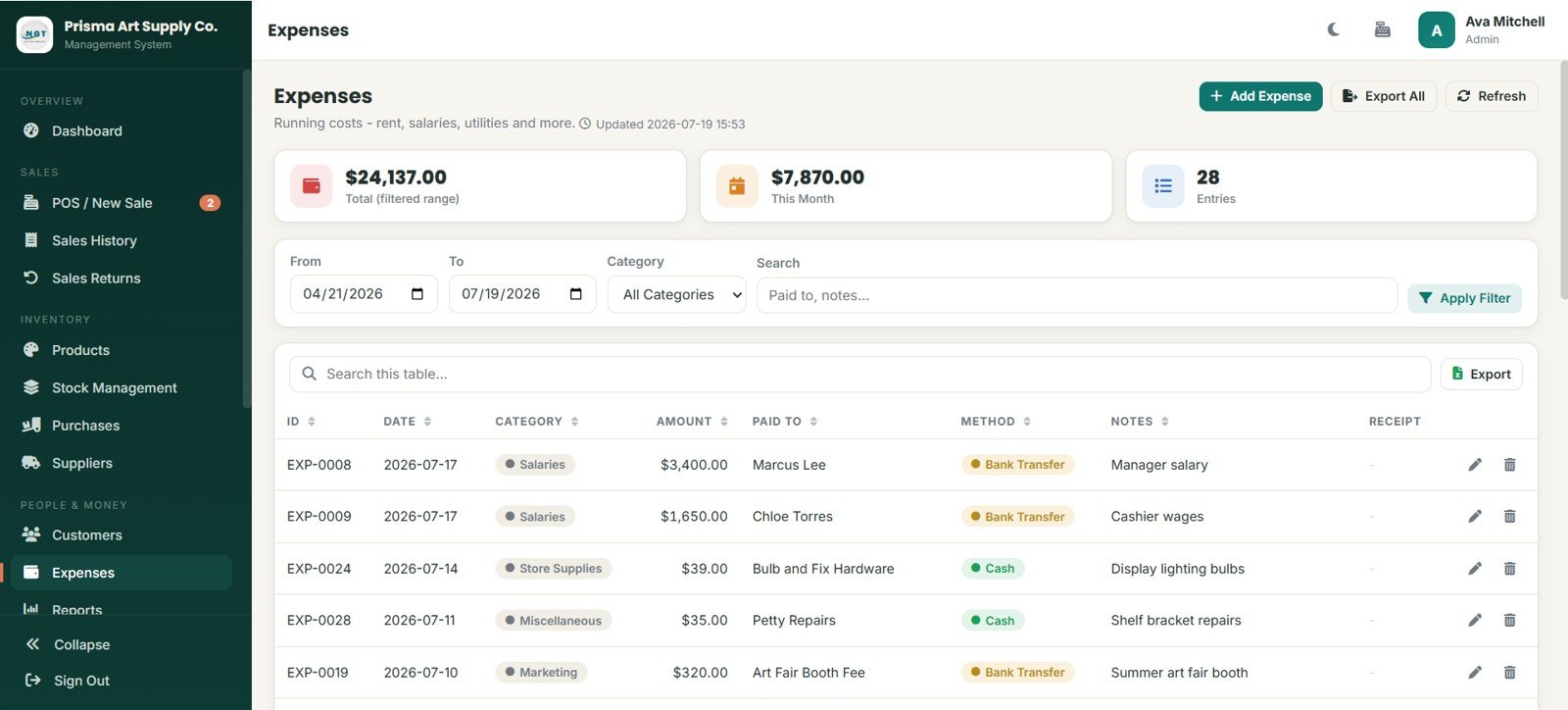
Expenses tracks total filtered spend, this month, entry count, category, date, amount, paid to, method, notes, receipt, export, edit, and delete actions.
12. Reports
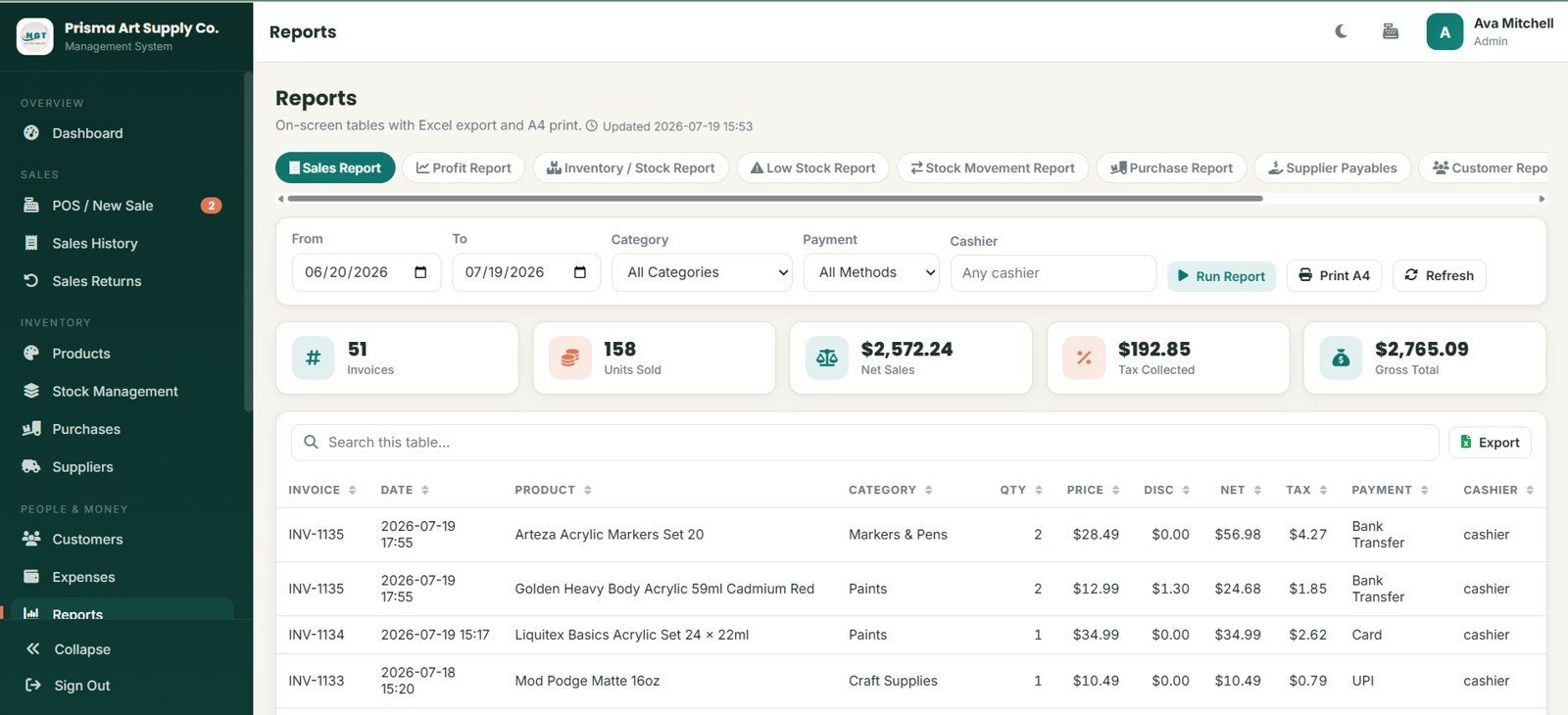
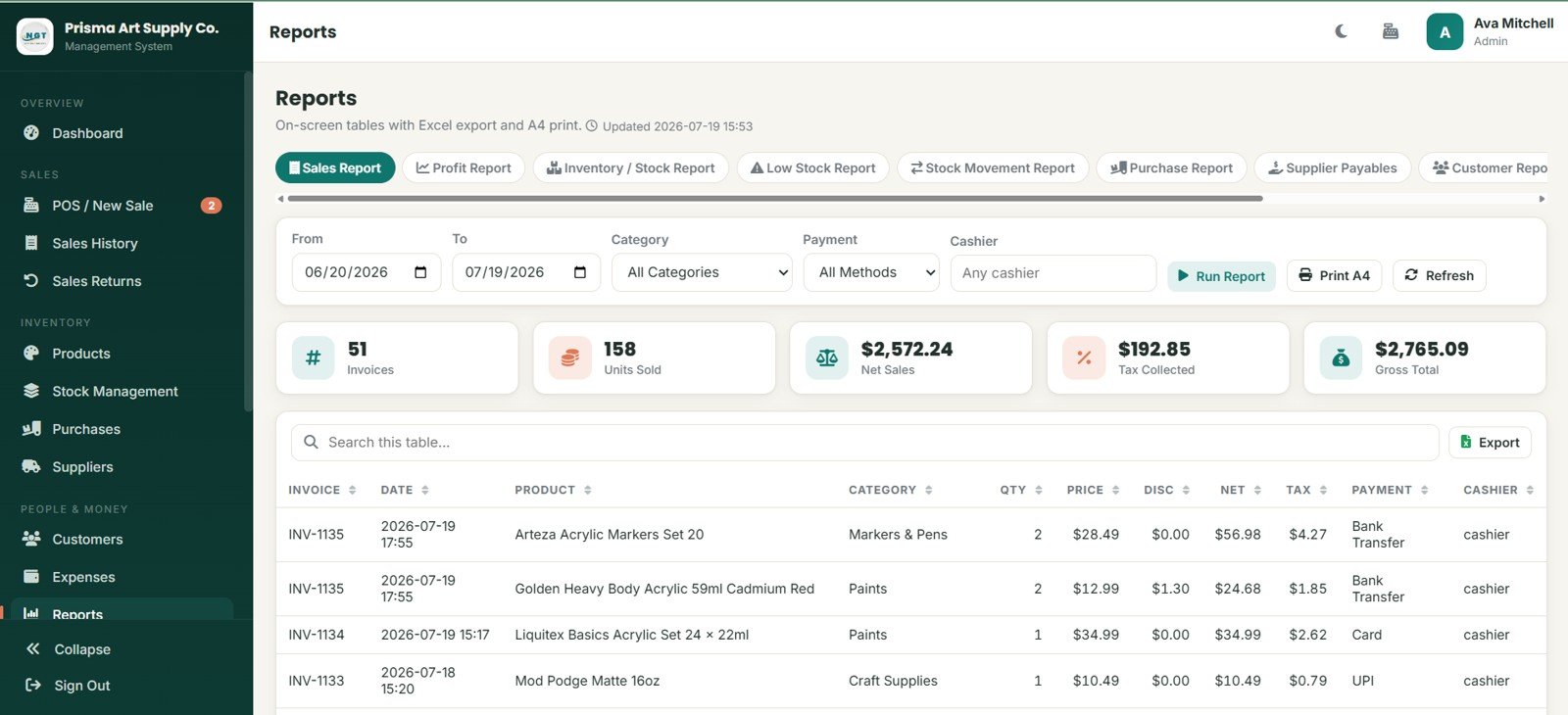
Reports includes sales, profit, inventory, low-stock, stock movement, purchase, supplier payables, and customer reports with date, category, payment, cashier, print, refresh, export, and A4 output options.
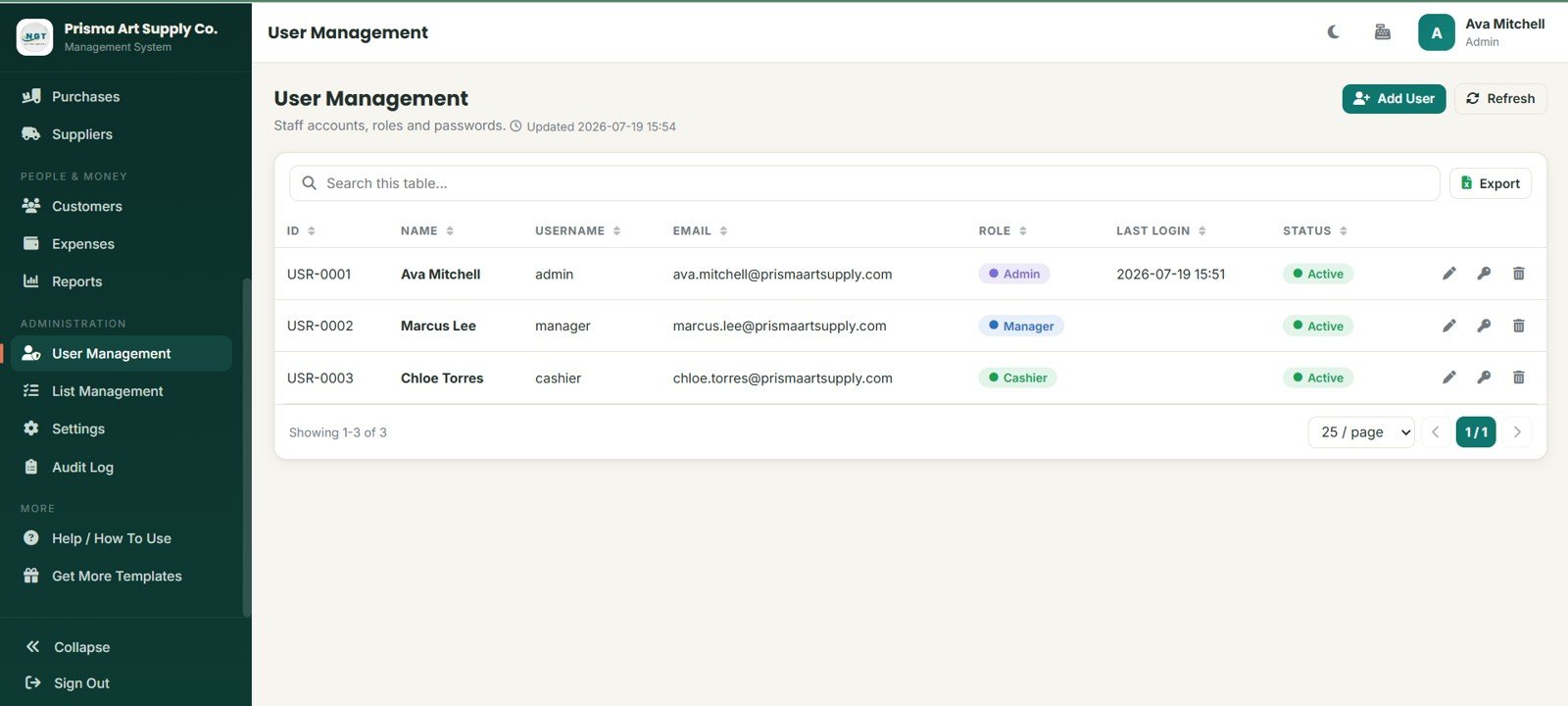
13. User Management
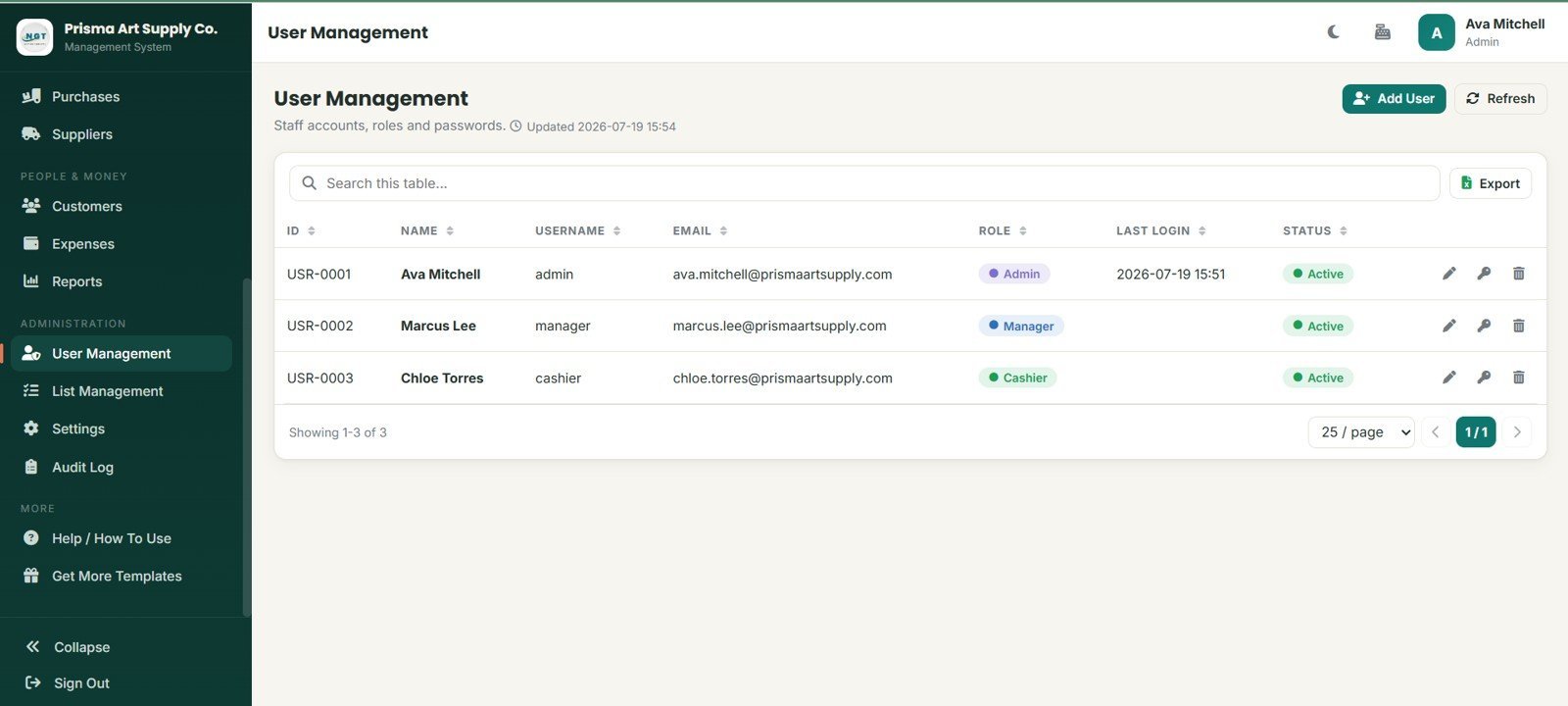
User Management lets admins control staff ID, name, username, email, role, last login, status, add user, refresh, export, edit, password, and delete actions.
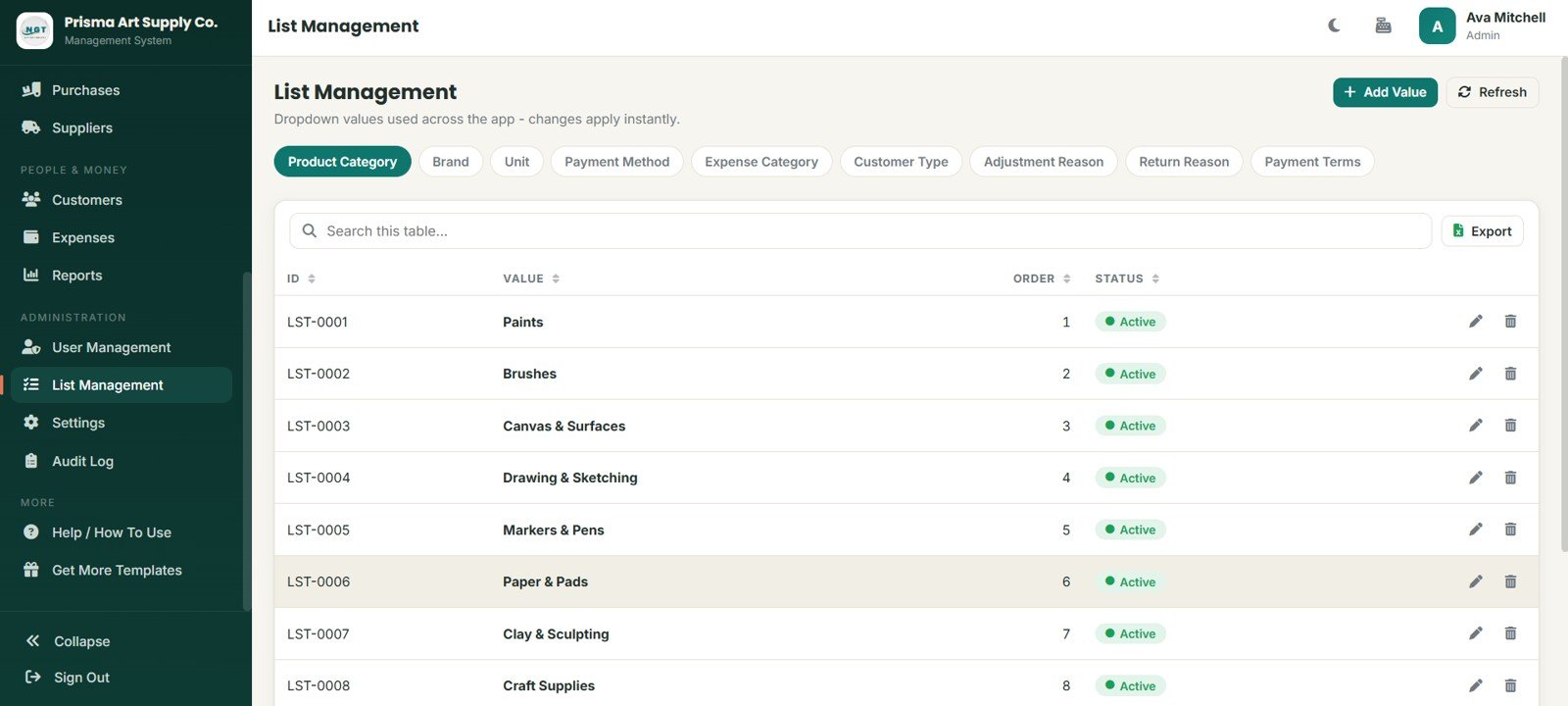
14. List Management
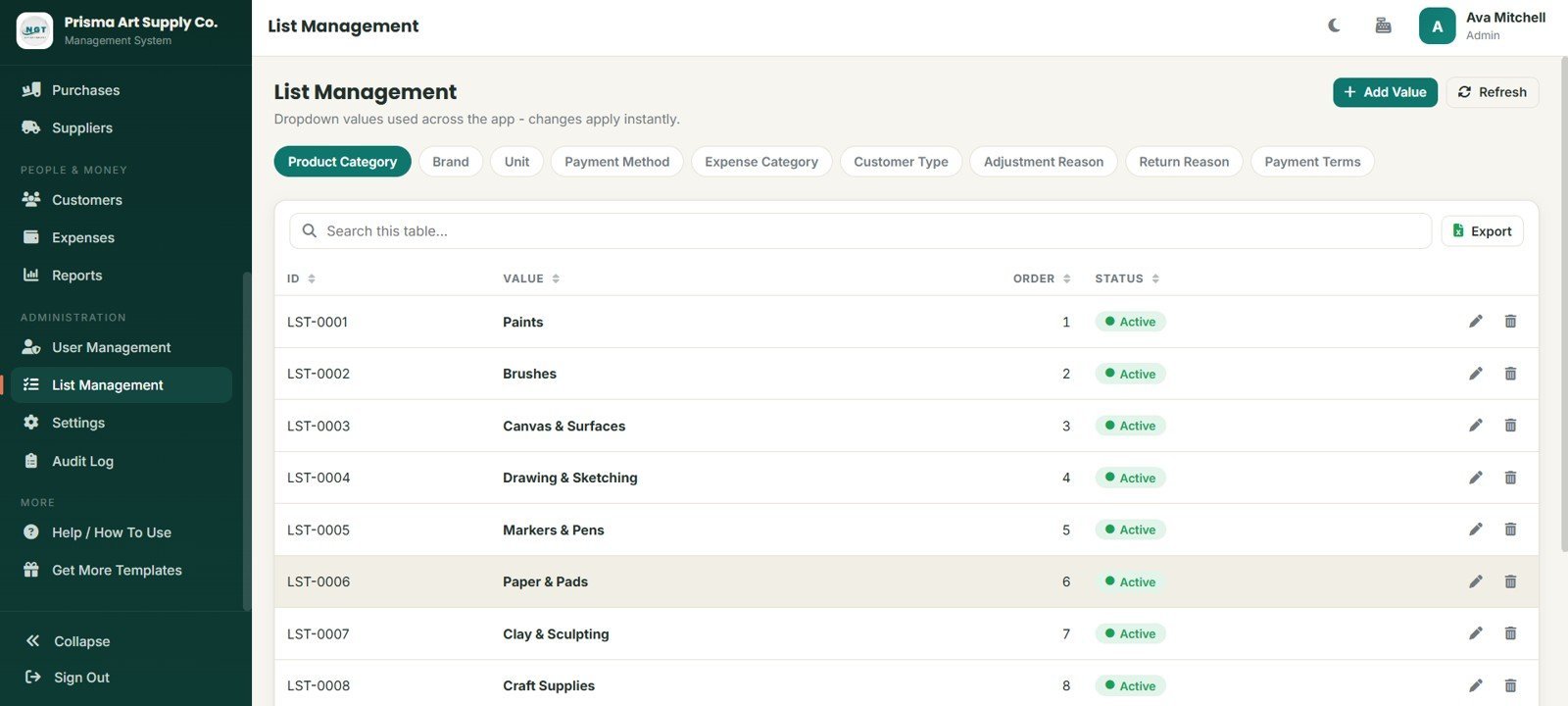
List Management maintains dropdown values for product categories, brands, units, payment methods, expense categories, customer types, adjustment reasons, return reasons, and payment terms.
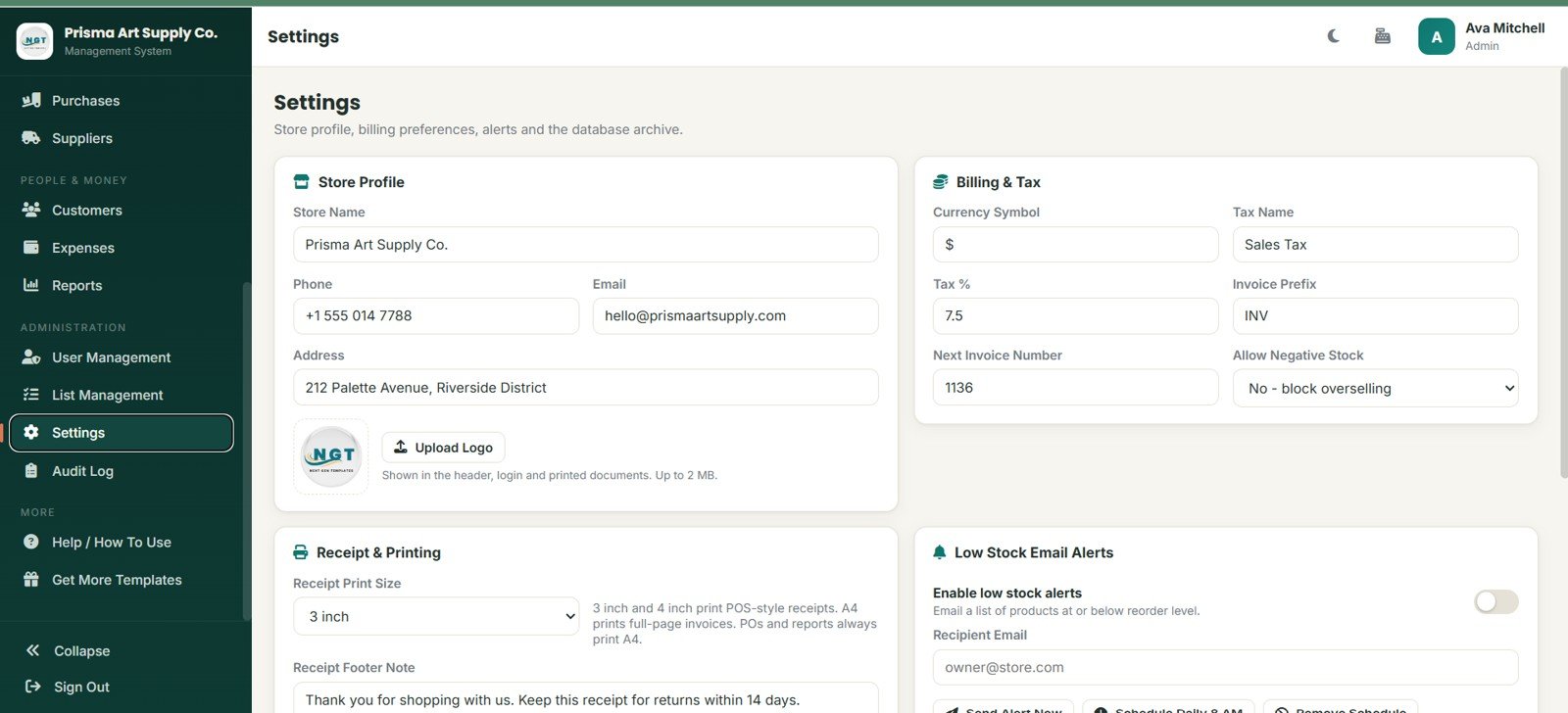
15. Settings
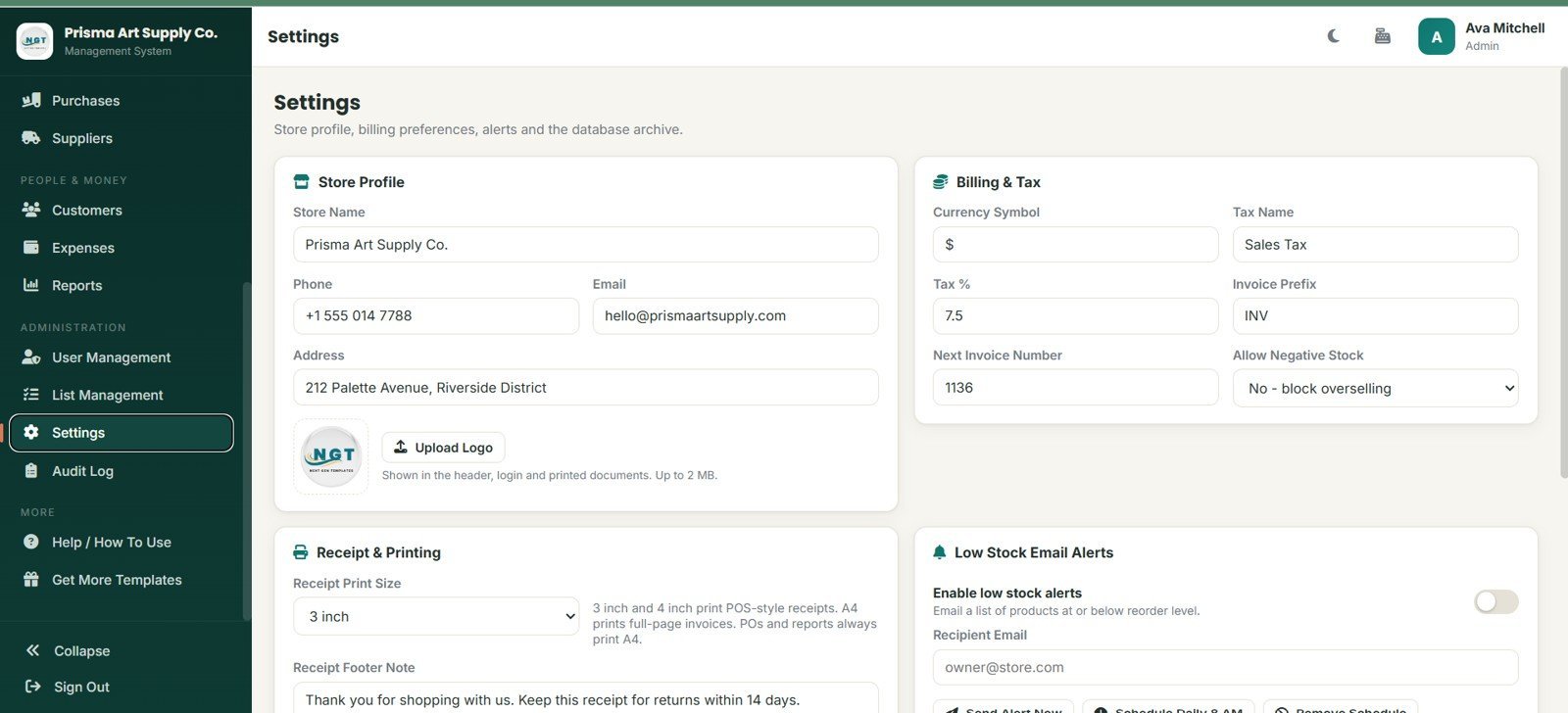
Settings covers store profile, phone, email, address, logo upload, currency symbol, tax name, tax percentage, invoice prefix, negative stock control, receipt printing, low-stock alerts, and database archive setup.
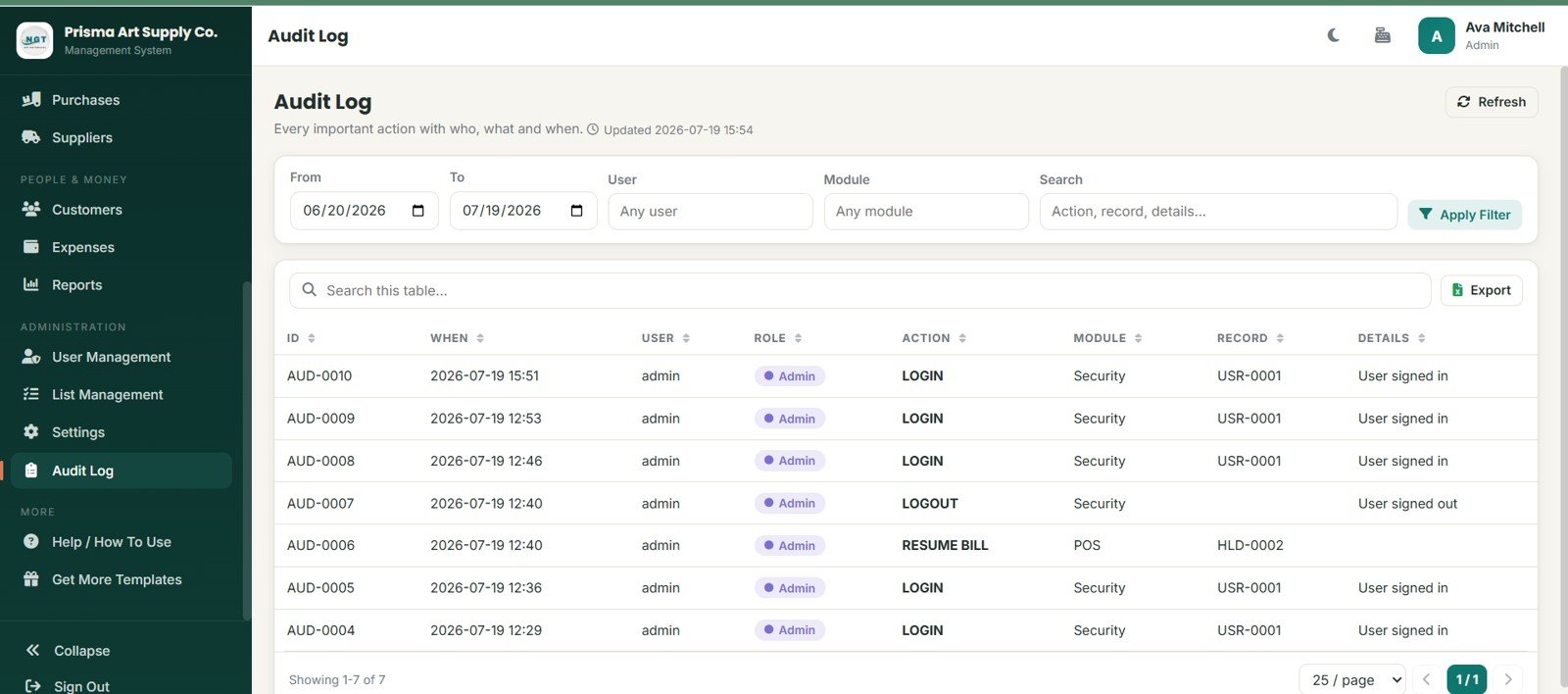
16. Audit Log
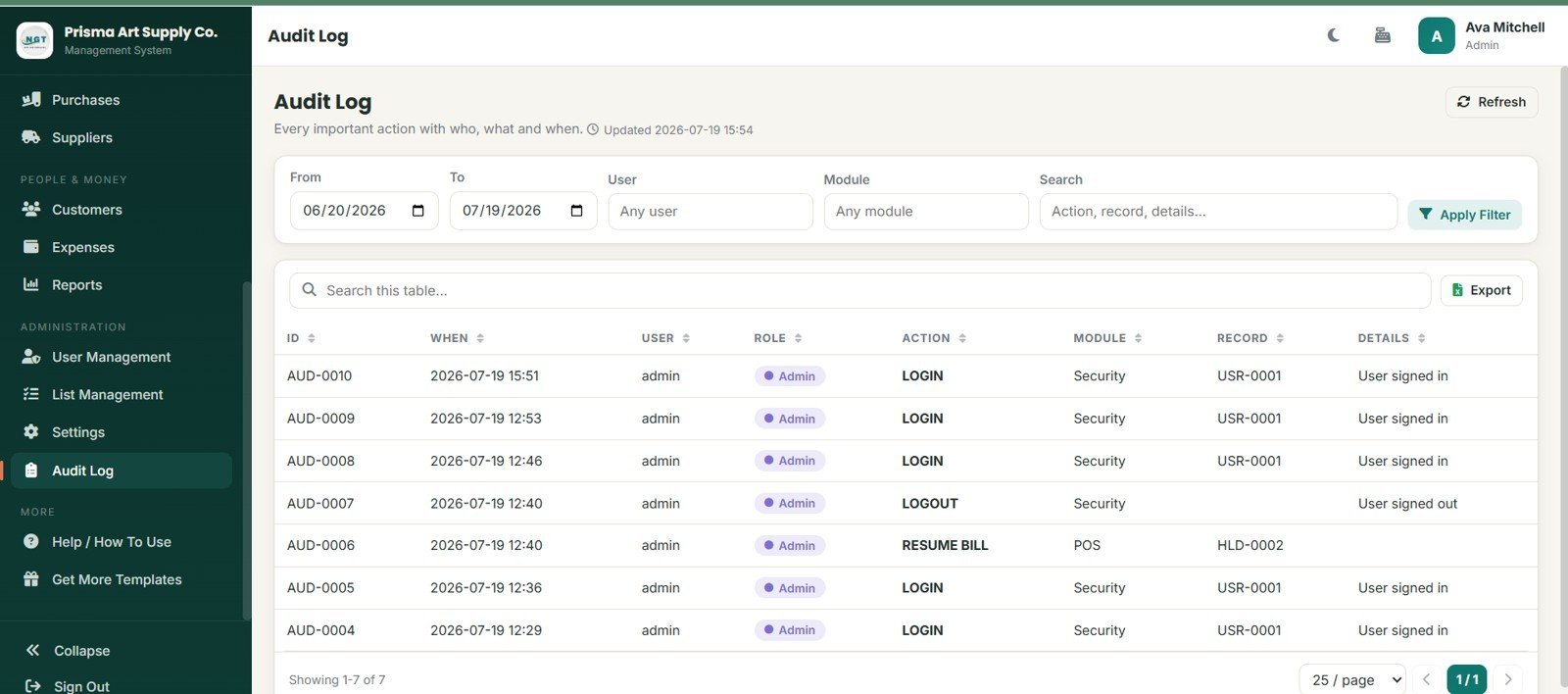
Audit Log records when, user, role, action, module, record, details, login, logout, resume bill, filters, search, refresh, and export activity for better operational traceability.
Art Supply Store Management System Web App vs. Google Sheets Workbook vs. Paid Retail POS SaaS – Where This Fits
| Feature | This web app | Google Sheets workbook | Paid retail POS SaaS |
|---|---|---|---|
| Cost | $39.99 sale price, one-time download | Low cash cost but more manual setup | Monthly or annual subscription |
| Platform | Browser-based workflow after deployment | Spreadsheet tabs | Vendor-hosted app |
| Setup time | Start from 16 prepared pages | Build sheets, formulas, and forms manually | Onboarding and configuration |
| Real-time team collaboration | Role-based multi-user access after setup | Shared sheet editing | Included on most plans |
| Mobile access | Browser access after deployment | Sheets app or browser | Vendor app or browser |
| Customizable fields | Editable app lists, labels, and source structure | Editable columns and formulas | Depends on vendor permissions |
| Share with link | Possible after deployment and access setup | Yes | Usually account-based |
| Year-1 cost at 5 users | $39.99 template cost | Template cost plus build time | Can rise with seats and add-ons |
| Art supply categories | Paints, brushes, canvas, drawing, markers, paper, clay, and craft supplies | Manual category setup | Vendor catalog setup |
| Operational control | POS, returns, purchases, suppliers, expenses, reports, users, lists, settings, and audit log | Often spread across tabs | Depends on plan |
Who This Template Is For – and Who It’s Not For
This template is for independent art supply stores, craft retailers, studio shops, school supply counters, art class stores, and consultants building an affordable retail workflow for a creative-products business. It is a strong fit when the team needs more structure than a spreadsheet but is not ready for recurring retail software.
It is not a fit for businesses that need integrated card terminals, barcode hardware drivers, tax filing automation, marketplace sync, accounting APIs, enterprise ERP controls, or guaranteed live support from a SaaS vendor.
How to Use the Art Supply Store Management System Web App
- Unzip the download and review the included setup files.
- Deploy the web app in the intended Google account or workspace.
- Set store profile, billing, tax, receipt, and low-stock alert options.
- Add product categories, brands, units, payment methods, return reasons, and payment terms.
- Enter suppliers, products, customers, opening stock, and reorder levels.
- Start recording POS sales, returns, purchases, expenses, and stock adjustments.
- Review reports and audit logs weekly before making business decisions.
Real-World Use Cases
Maya, independent art store owner
Maya uses POS, product cards, category filters, and low-stock reports to sell paints, brushes, canvas, and paper while keeping reorder levels visible.
Leo, studio retail manager
Leo reviews purchases, suppliers, stock movement, and expenses every Friday so class materials and retail stock stay balanced.
Anika, school art department buyer
Anika uses customer types, sales history, returns, and reports to separate retail buyers from school or institution accounts.
Frequently Asked Questions
What does the Art Supply Store Management System Web App include?
It includes 16 pages for login, dashboard, POS, sales history, returns, products, stock, purchases, suppliers, customers, expenses, reports, users, lists, settings, and audit log.
Is this a monthly subscription?
No. It is sold as a one-time download from NextGenTemplates. You may still have your own setup, Google account, hosting, or customization responsibilities.
Can it track low-stock art supplies?
Yes. The product and dashboard pages include low-stock visibility, reorder levels, stock value, and stock movement records.
Can staff use different roles?
Yes. The user management and login structure supports role-based access concepts for Admin, Manager, and Cashier workflows.
Does it replace a full retail POS platform?
No. It is a practical web app template, not a payment-terminal provider, certified tax system, or enterprise POS service.
Can I customize categories and dropdown lists?
Yes. List Management covers product category, brand, unit, payment method, expense category, customer type, adjustment reason, return reason, and payment terms.
About the Author
Built by PK – Microsoft Certified Professional with 15+ years of Excel, Google Sheets, and Power BI experience. Founder of NextGenTemplates, reaching 300K+ subscribers across YouTube channels. Every template is hand-built and tested before release.
Explore Related Templates
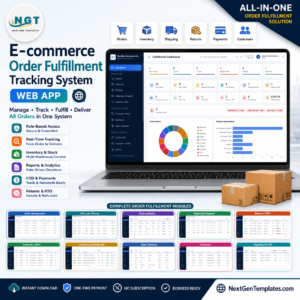
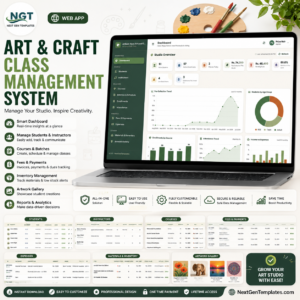
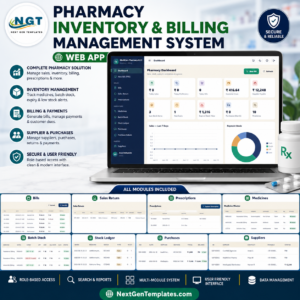
For similar operating systems, explore the Art and Craft Class Management System Web App, E-commerce Order Fulfillment Tracking System Web App, Pharmacy Inventory and Billing Management System Web App, and Web-based Advanced Inventory Management System. Browse more Web Apps and HTML templates from NextGenTemplates.
Watch the step-by-step video Demo:
Get the Art Supply Store Management System Web App to organize POS billing, stock, suppliers, purchases, customers, expenses, reports, users, settings, and audit activity in one art retail workflow.
Last updated: July 19, 2026.





























Reviews
There are no reviews yet.