

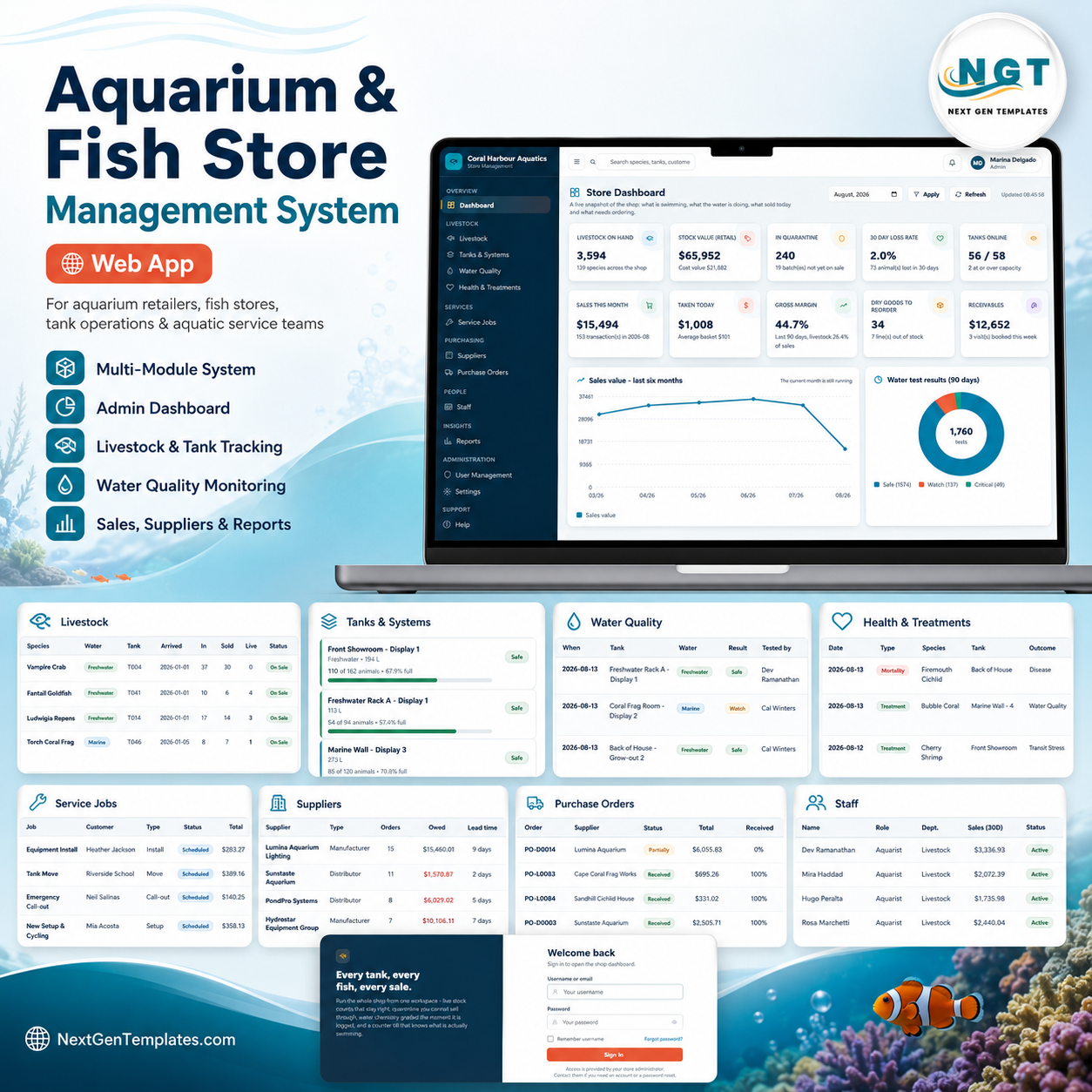
The Aquarium and Fish Store Management System Web App gives an aquarium retailer a 20-screen browser workspace for livestock, tanks, water tests, treatments, dry goods, sales, service jobs, suppliers, purchase orders, staff, reports and audit history. The dashboard alone brings together 12 KPI cards and 6 charts, while List Management stores 218 values across 36 dropdown lists. Built for one-time purchase use, it helps store owners move beyond paper registers and disconnected spreadsheets without a monthly POS or inventory subscription.
Join 8,400+ teams in 40+ countries using NextGenTemplates to replace recurring software costs with editable Excel, Google Sheets, Power BI, HTML and web app systems. Instant download, one-time payment, no per-user fees and lifetime access.
Key Features of Aquarium and Fish Store Management System Web App
- Livestock batch control: Track species, water type, tank, arrival date, quantity in, sold, lost, live stock, price, value and quarantine status.
- Tank and water quality monitoring: Manage tank capacity, occupancy, test due dates, pH, ammonia, nitrite, nitrate, salinity and automatic result grading.
- Health and treatment register: Record losses, medication, treatment outcomes and value lost by tank, species and event type.
- Retail and service workflow: Handle dry goods, counter sales, invoices, receivables, customers and aquarium service visits from one login-based app.
- Purchasing and supplier visibility: Review supplier spend, animal loss rates, lead days, purchase orders, receipts and open supplier balances.
- Reports, roles and audit trail: Use built-in report filters, user permissions, list management, settings and audit logs to keep operations traceable.
What’s Inside the Aquarium and Fish Store Management System Web App
1. Login Page
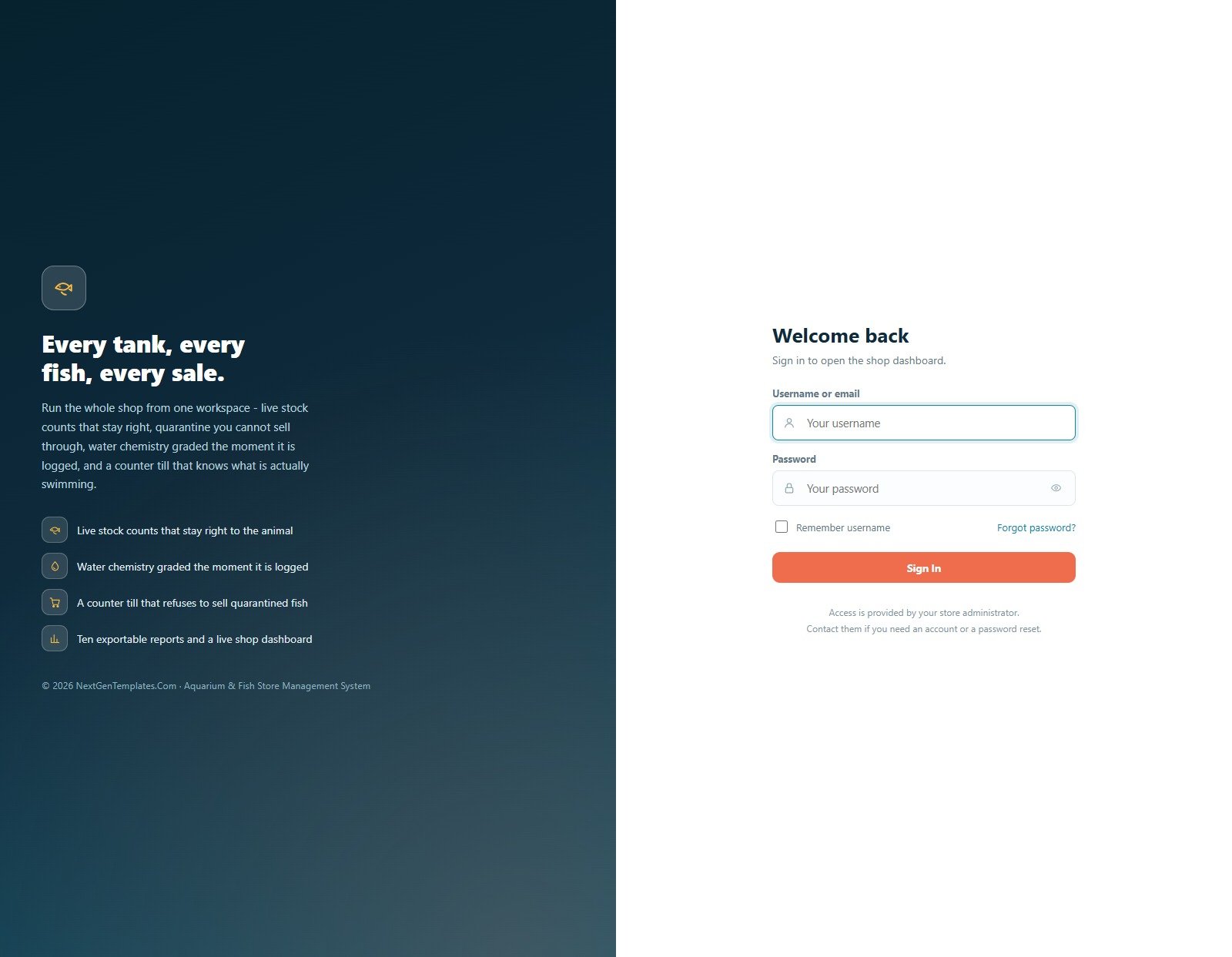
The secure sign-in screen protects the aquarium store workspace with username, password, remember username and forgot password options. The branding message highlights live stock counts, water chemistry, quarantine controls, counter sales and exportable reports.
🚀 Try the Live Demo Before You Buy
We have deployed this web app in our own Google account so you can test every page, every module and all six user roles — with real sample data — before purchasing. No signup, no email required.
🔑 Test Login Credentials
Sign in as admin to unlock every module, setting and report, or use any of the five staff logins below to see exactly what each role can and cannot access. Each login is linked to a sample staff member, so dashboards, records and reports change depending on who signs in.
💡 What you get after purchase: The full source code (Code.gs + Index.html) plus a step-by-step deployment guide so you can deploy your own private instance in your own Google account in under 15 minutes.
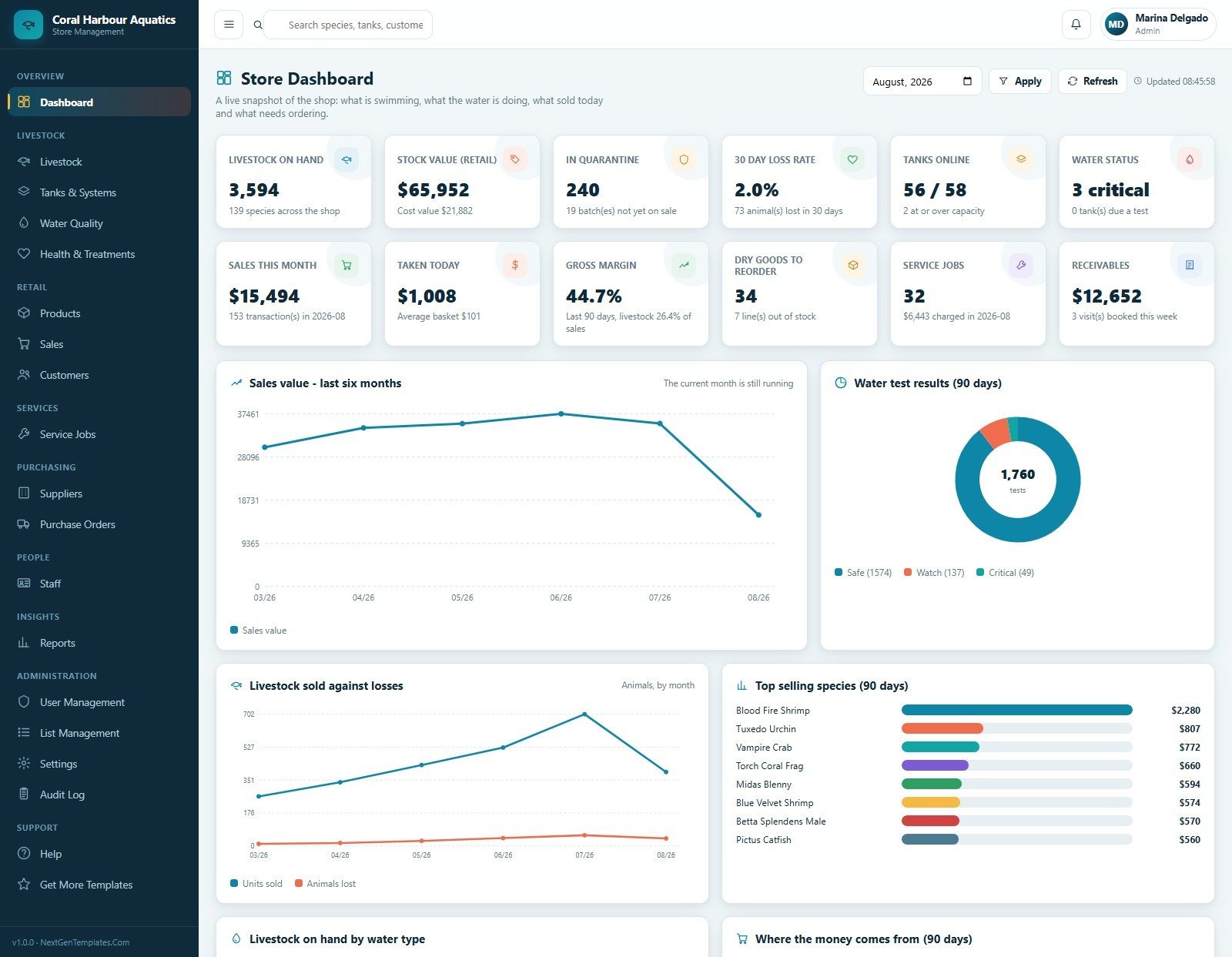
2. Store Dashboard
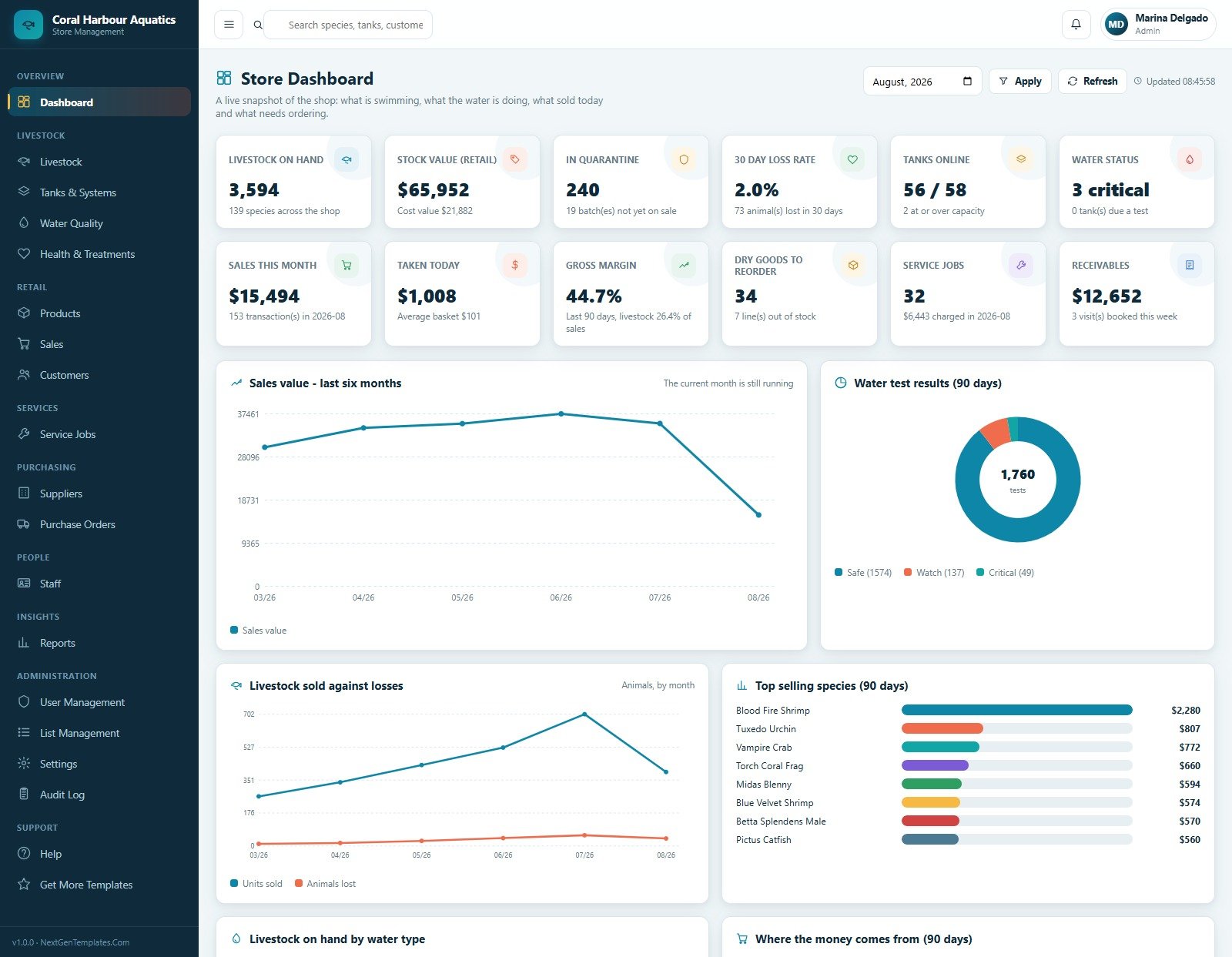
The dashboard summarizes livestock on hand, stock value, quarantine, loss rate, tanks, water status, sales, margin, reorder items, service jobs and receivables. Charts explain monthly sales, water-test status, livestock sold versus losses, top species, water type and revenue categories.
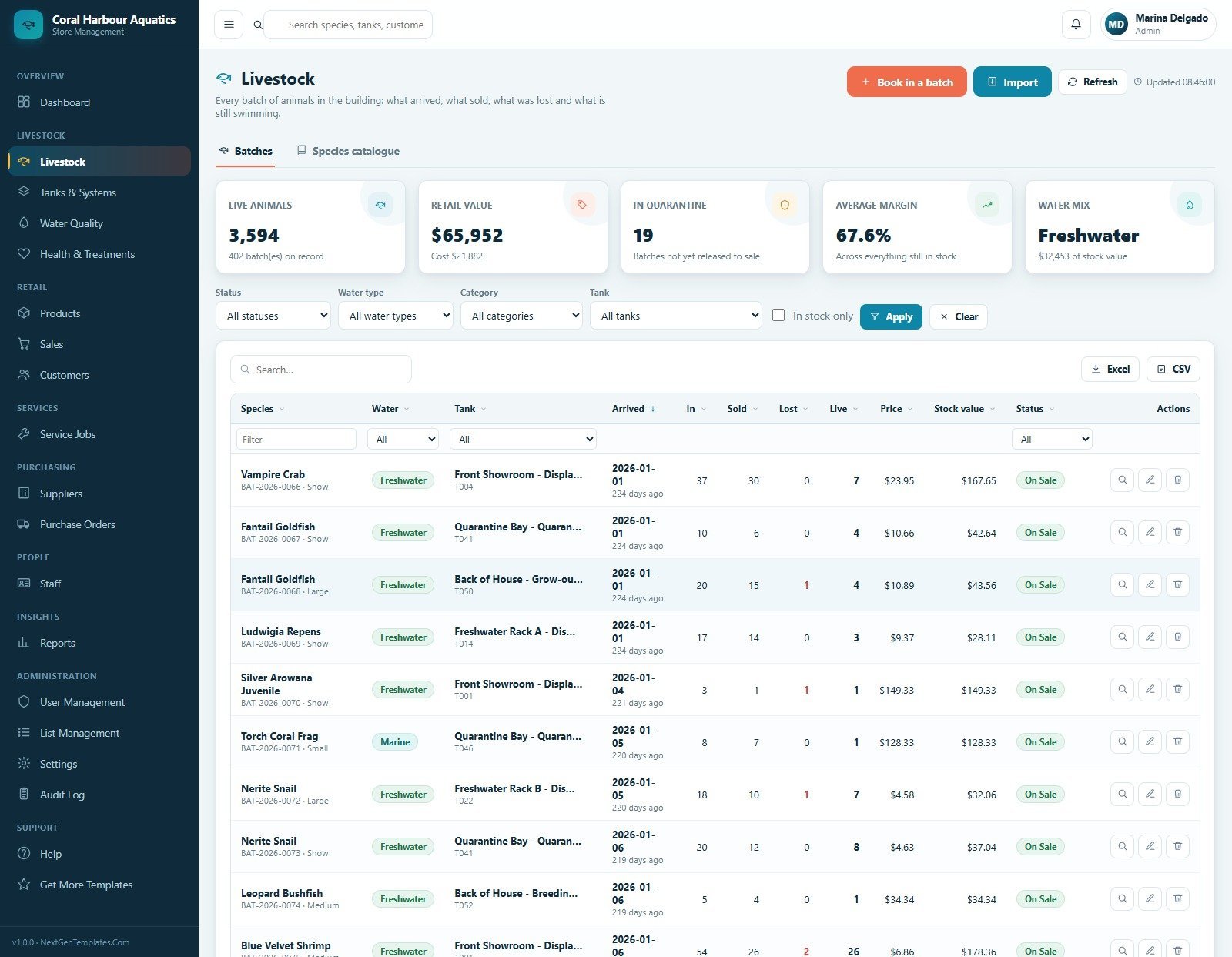
3. Livestock
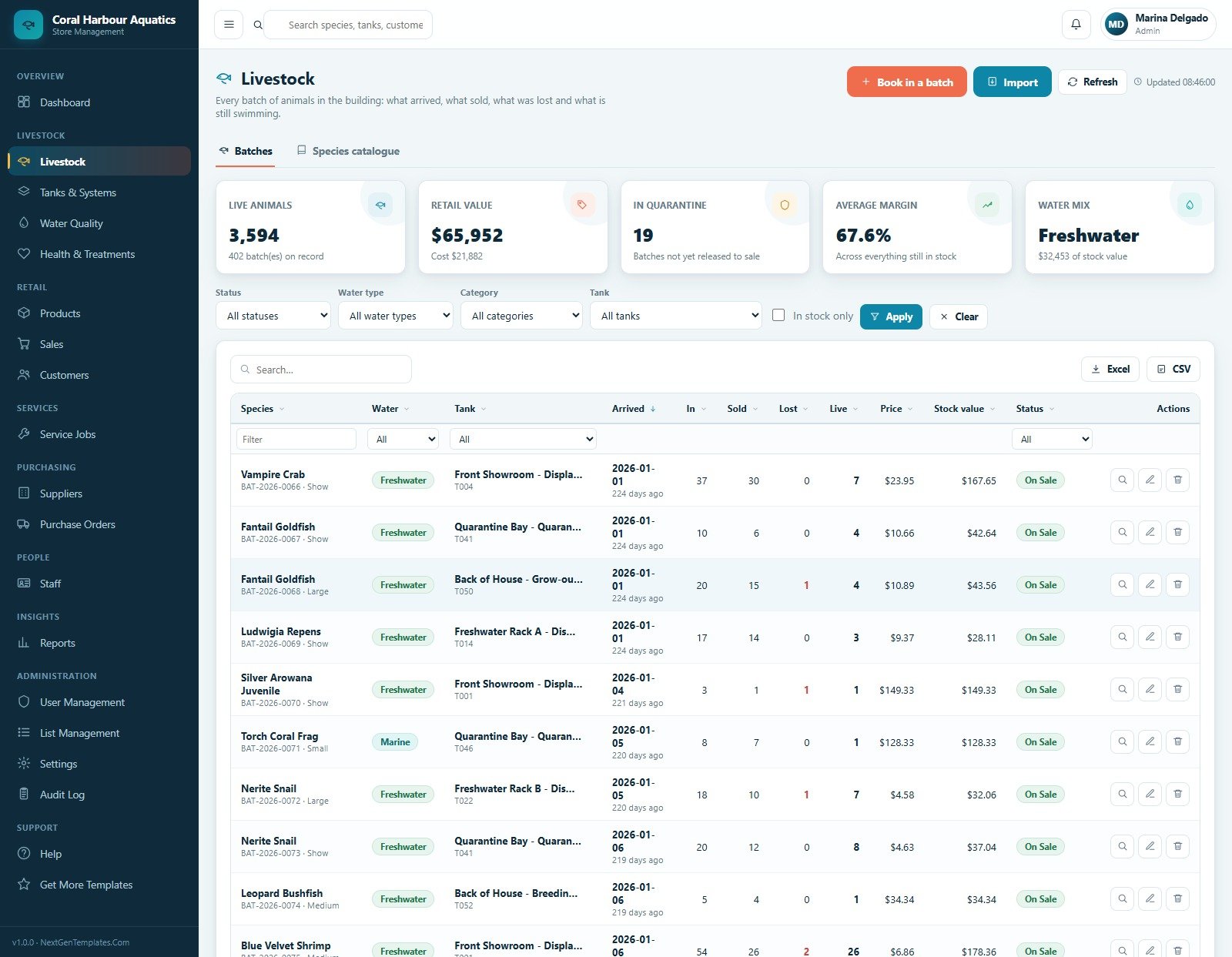
The livestock page works as the animal batch and species register, with filters for status, water type, category, tank and in-stock records. Staff can book in a batch, import data, refresh records, export the table, view, edit or delete entries.
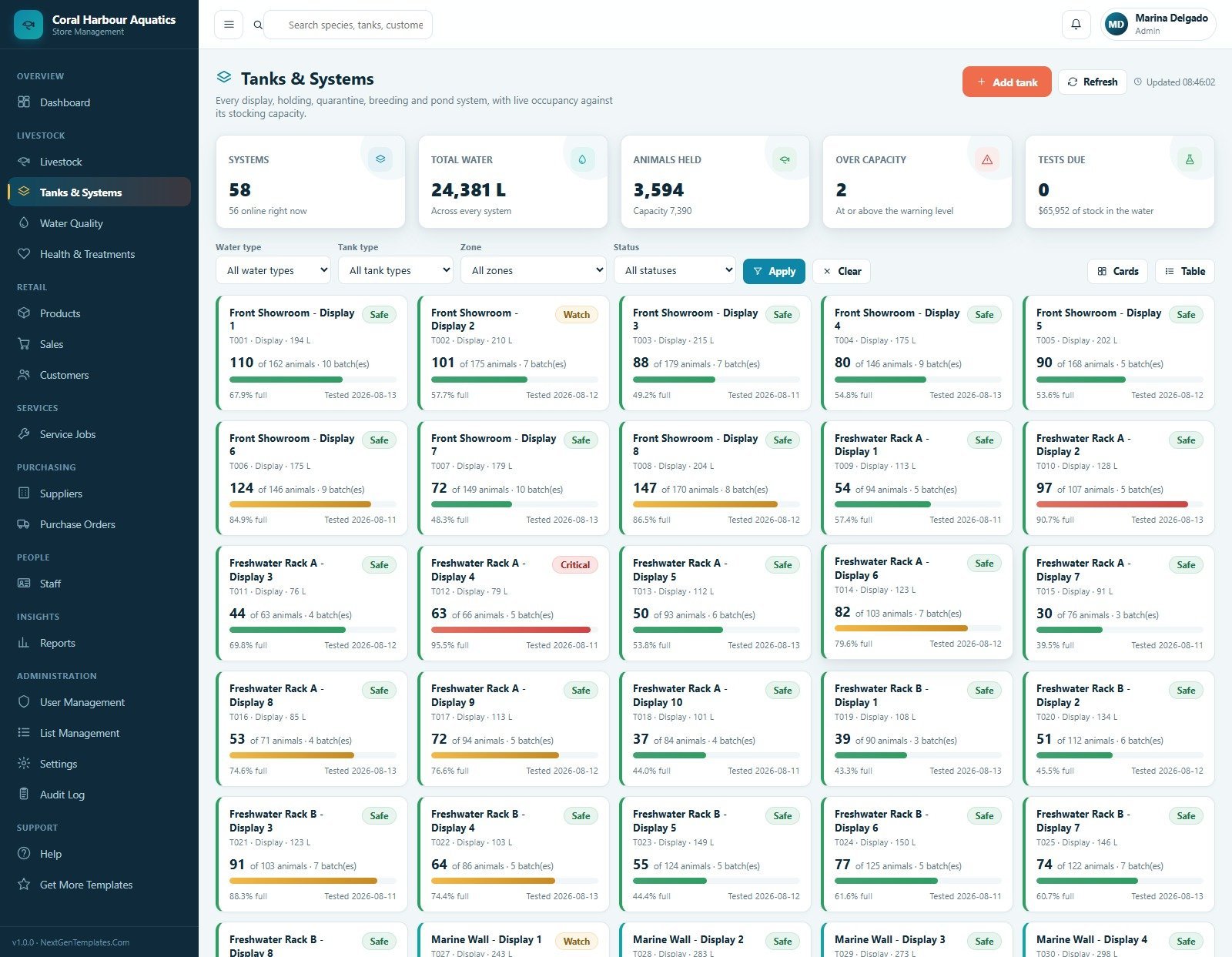
4. Tanks and Systems
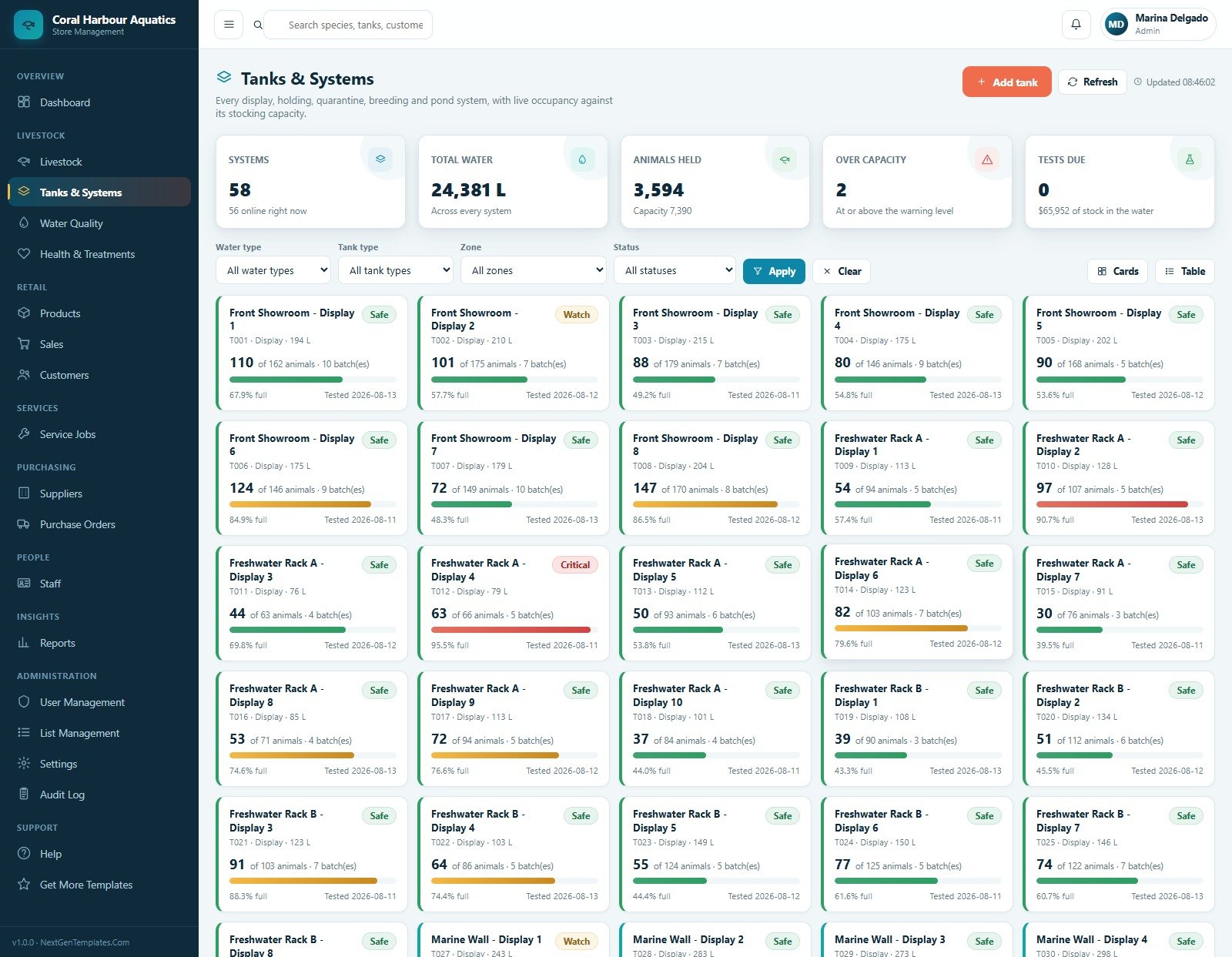
This screen tracks system count, total water, animals held, over-capacity tanks and tests due. Tank cards show tank code, type, capacity, animal count, batch count, fill percentage, tested date and safety status.
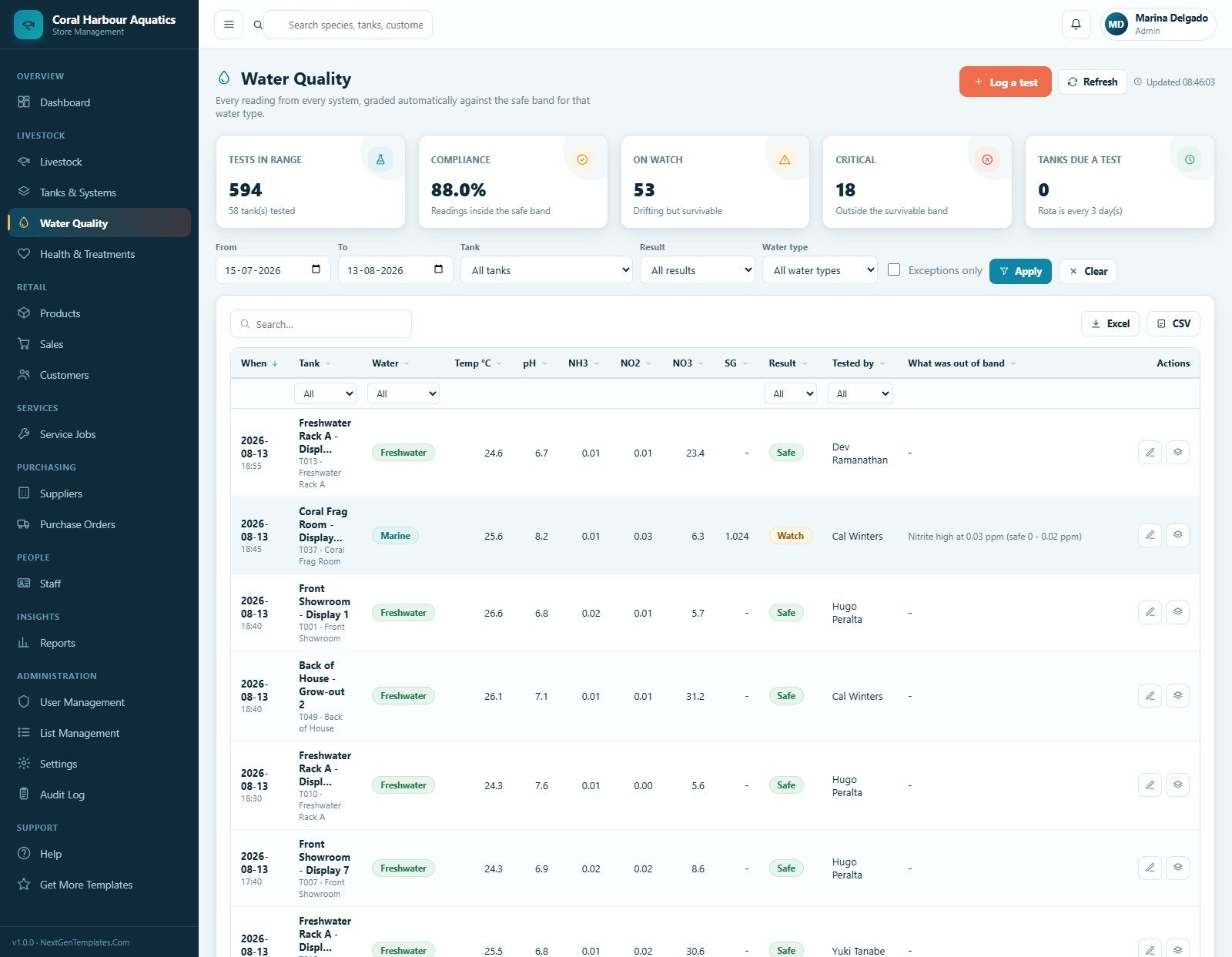
5. Water Quality
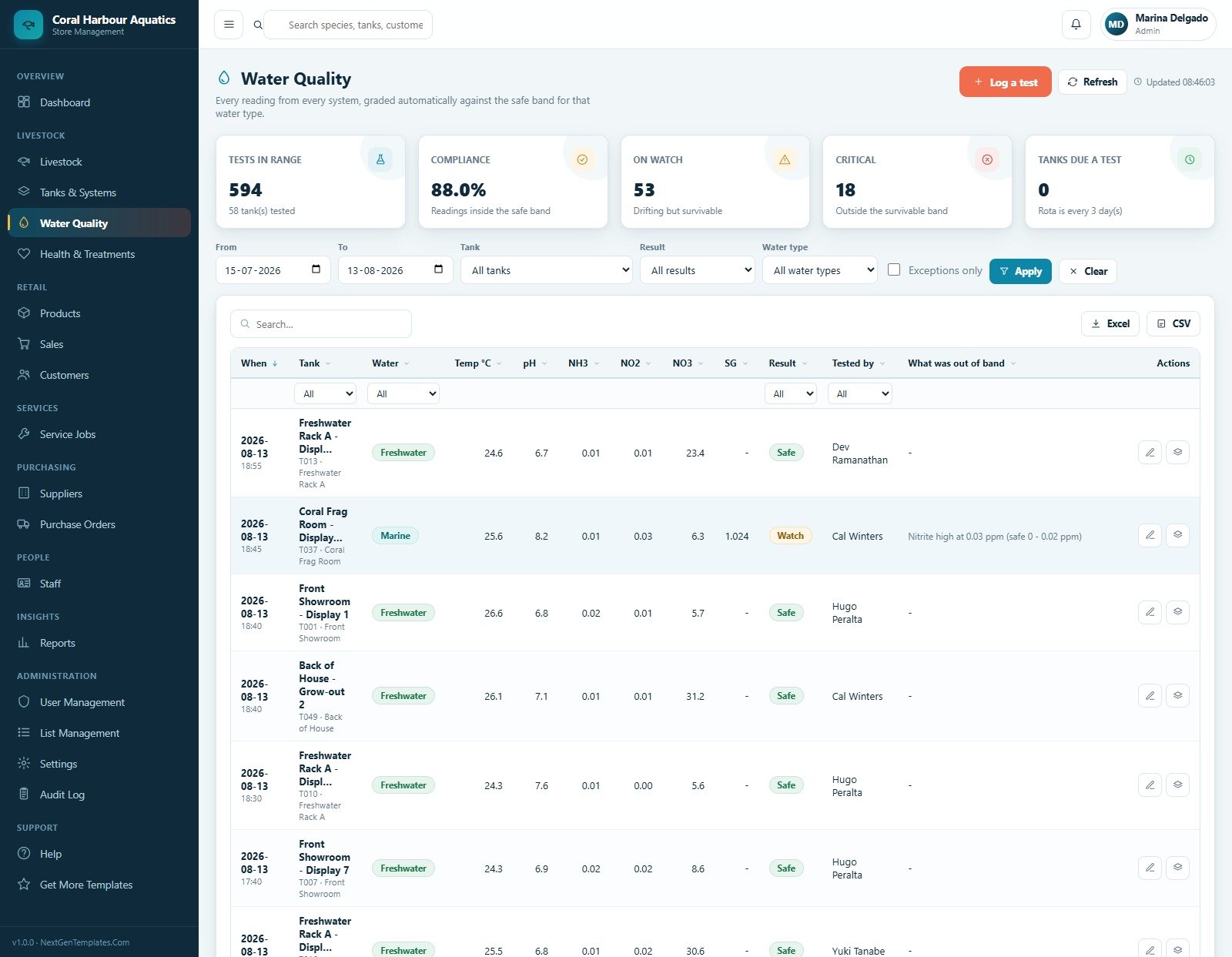
The water test log grades test results automatically and separates tests in range, compliance, watch items, critical readings and tanks due for testing. The table tracks temperature, pH, NH3, NO2, NO3, SG, result, tester and out-of-band fields.
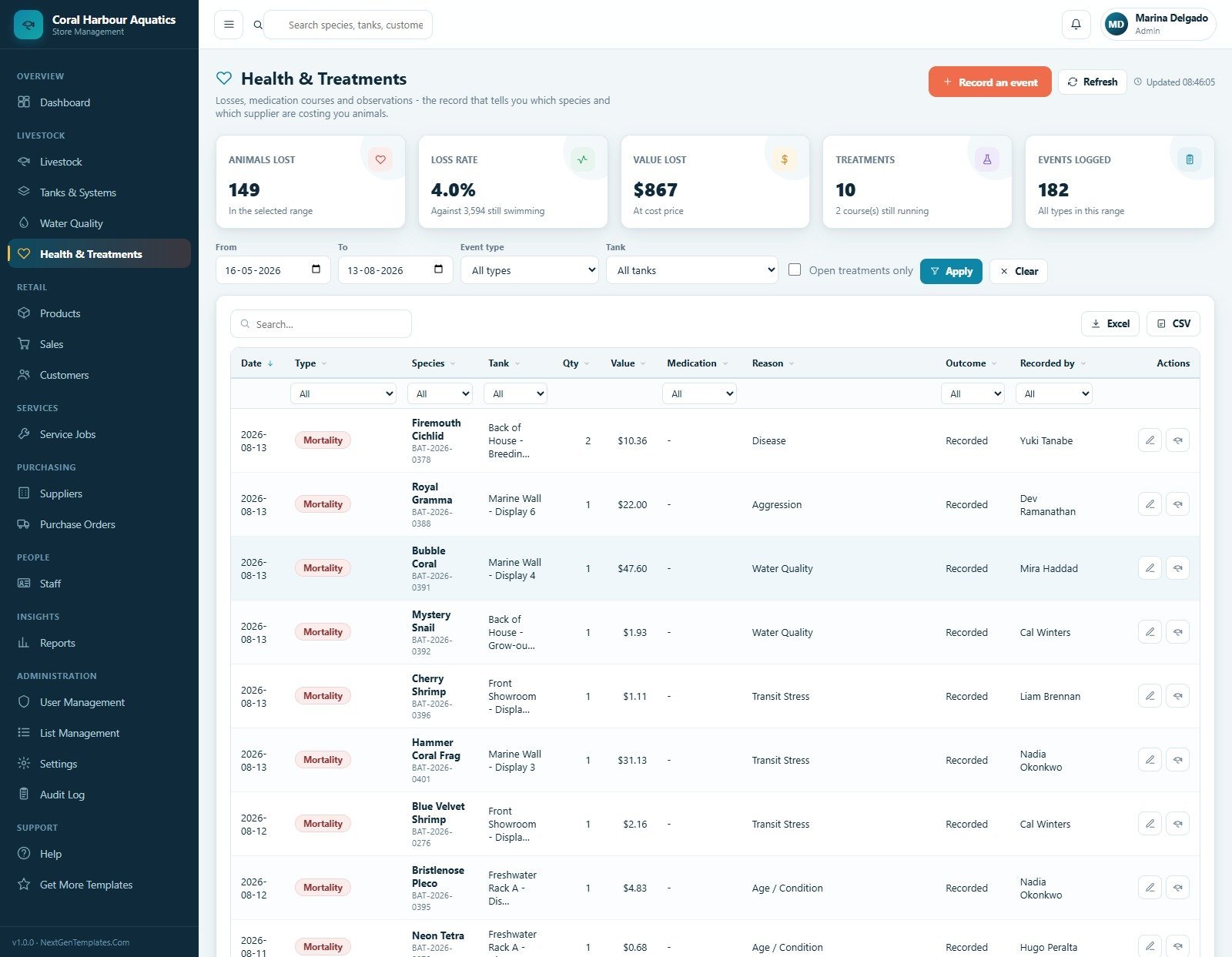
6. Health and Treatments
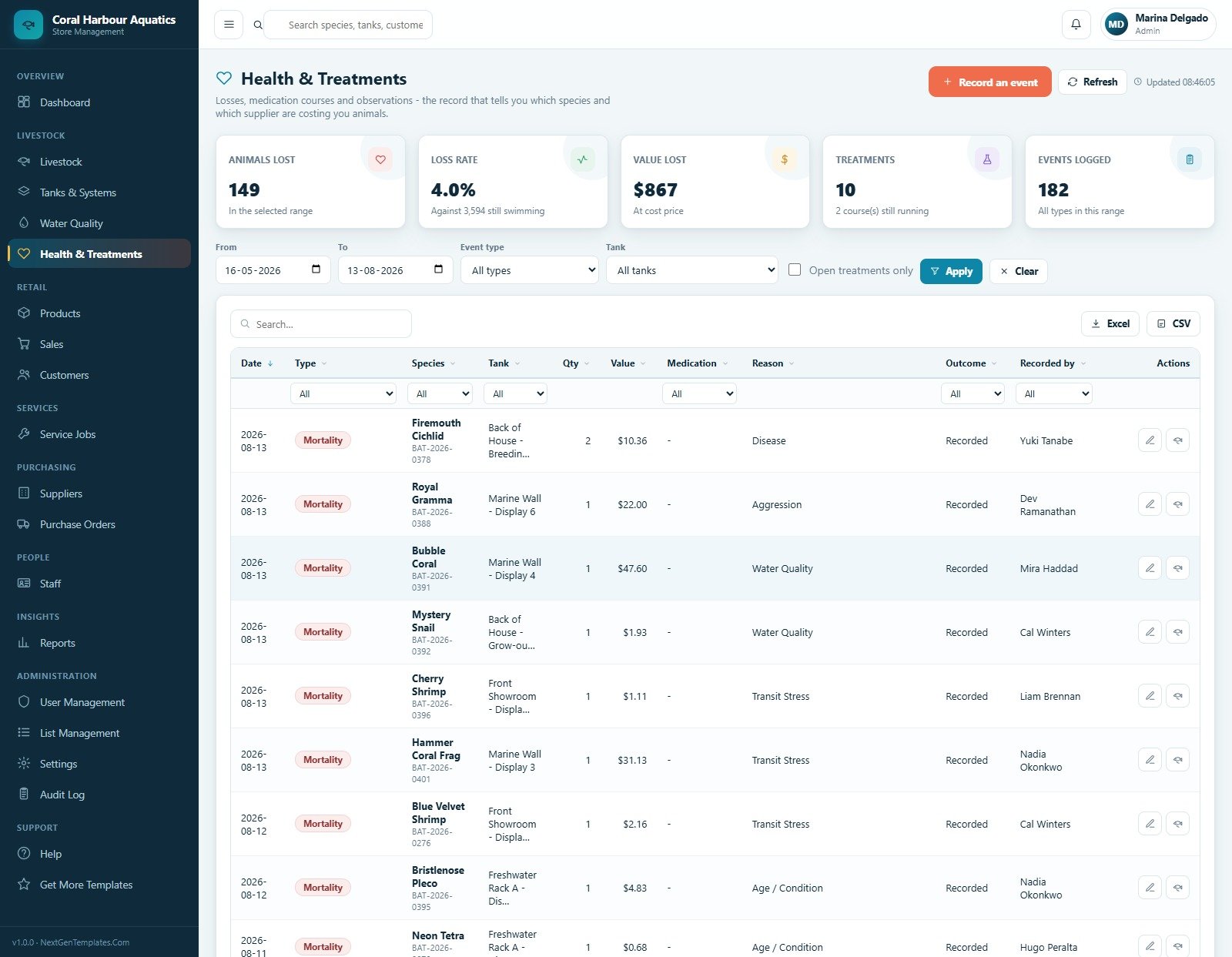
Health events capture animals lost, loss rate, value lost, treatments and total events logged. Filters help staff review event type, tank and open treatments while columns track medication, reason, outcome and recorder.
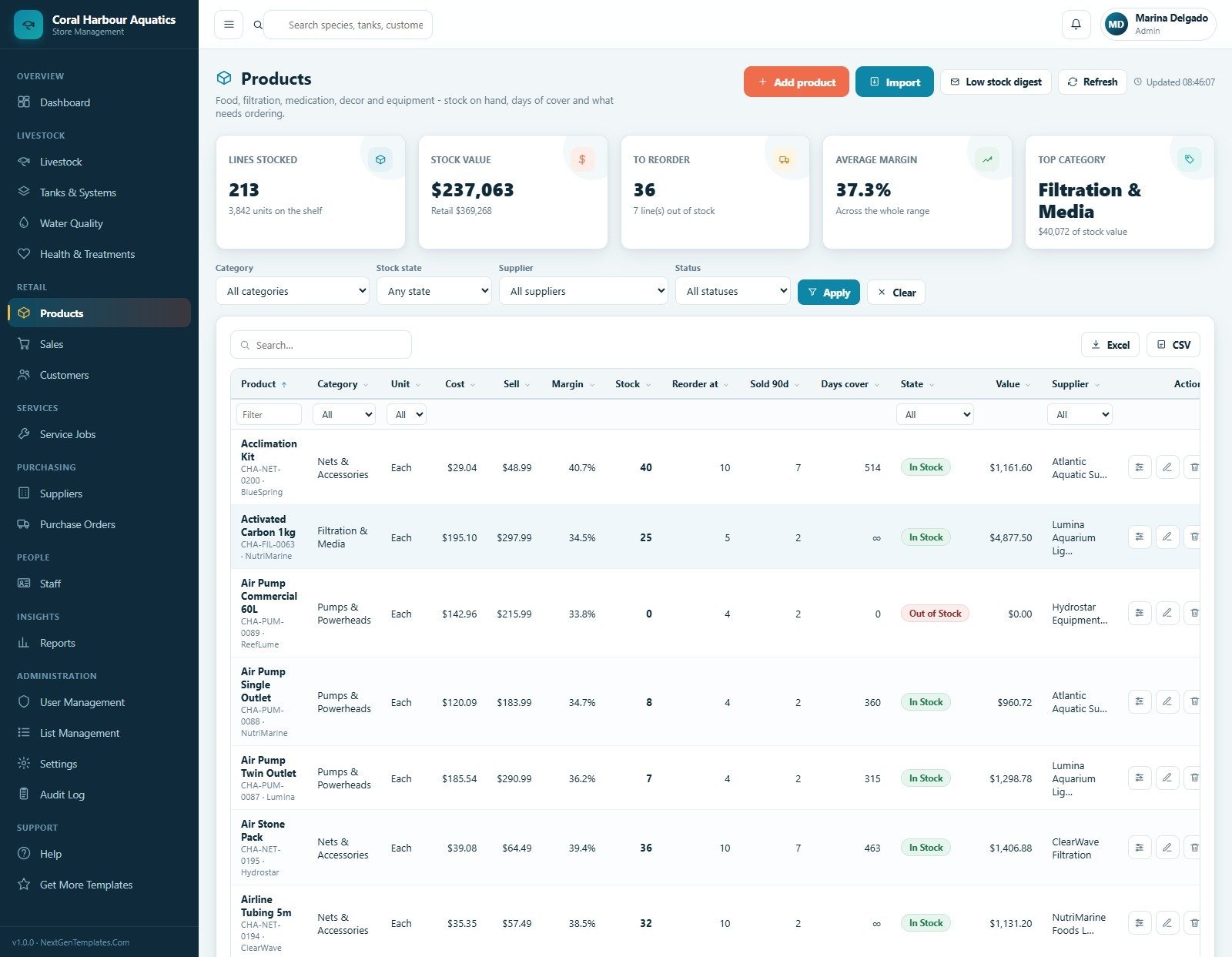
7. Products
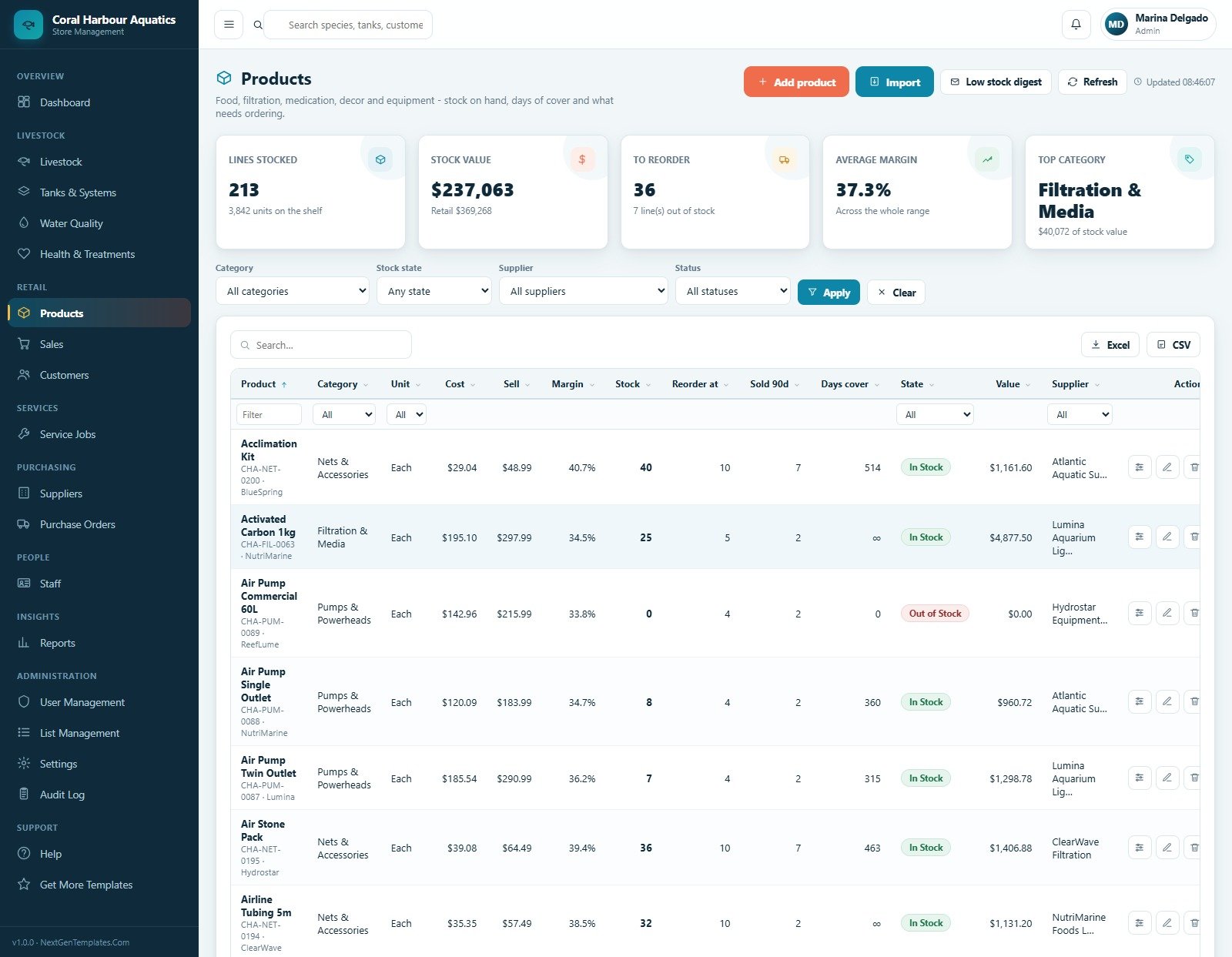
The products page manages dry goods with category, unit, cost, sell price, margin, stock, reorder level, days cover, state, value and supplier. Low-stock digest, stock adjustment, import, export, edit and delete actions keep shelves under control.
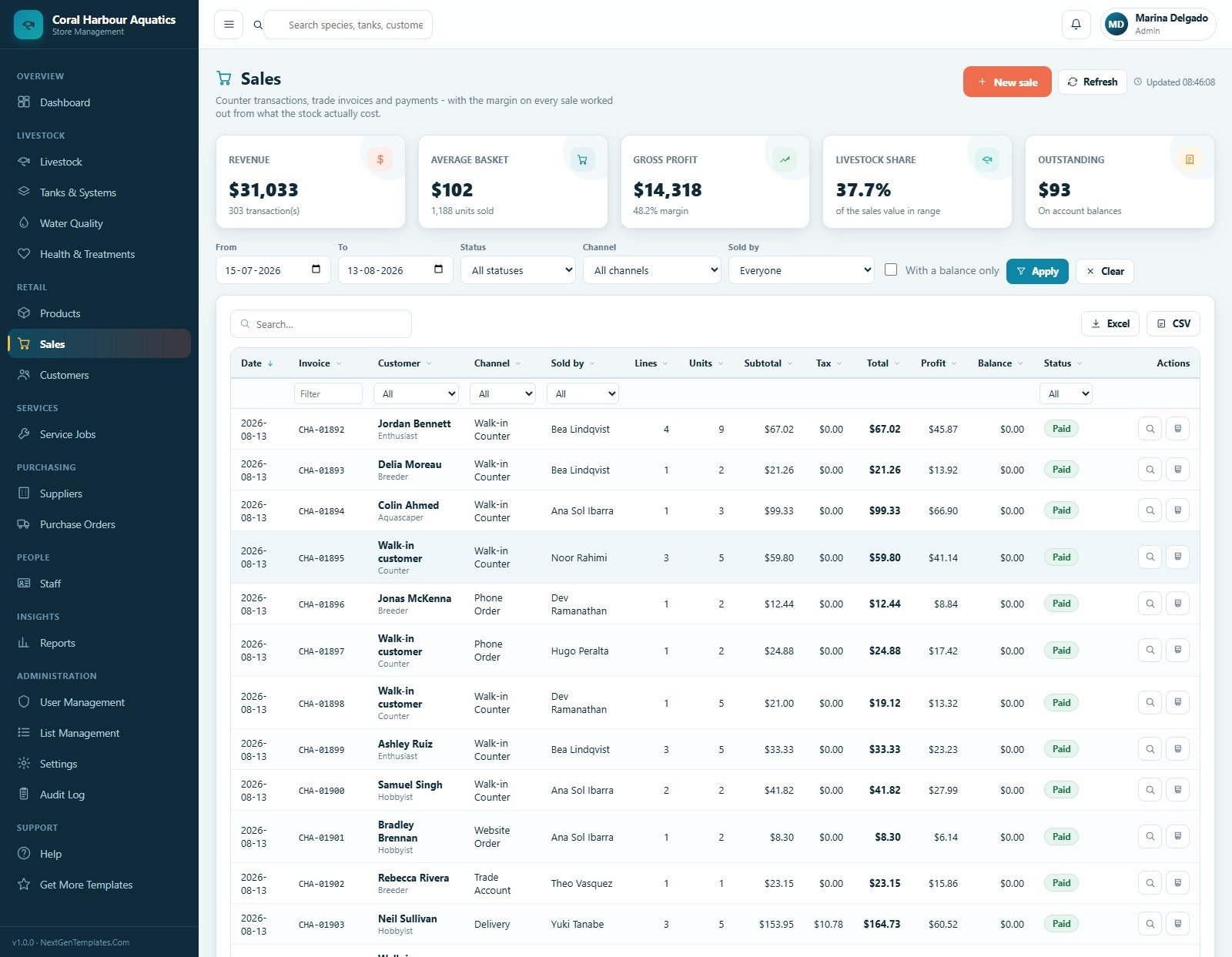
8. Sales
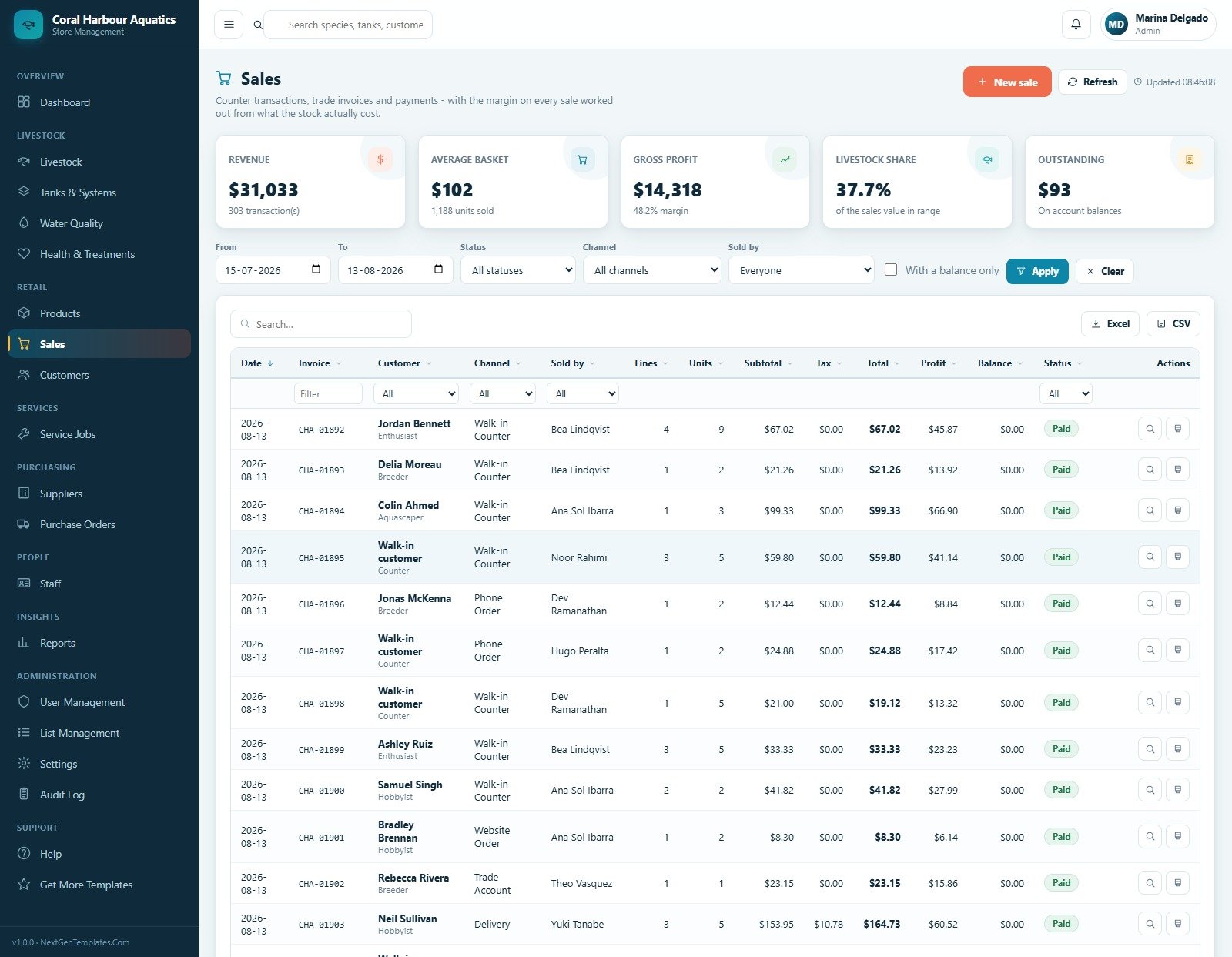
The sales register tracks counter sales and invoices by date, invoice, customer, channel, seller, lines, units, subtotal, tax, total, profit, balance and status. Staff can create new sales, export, refresh, view invoices and print receipts.
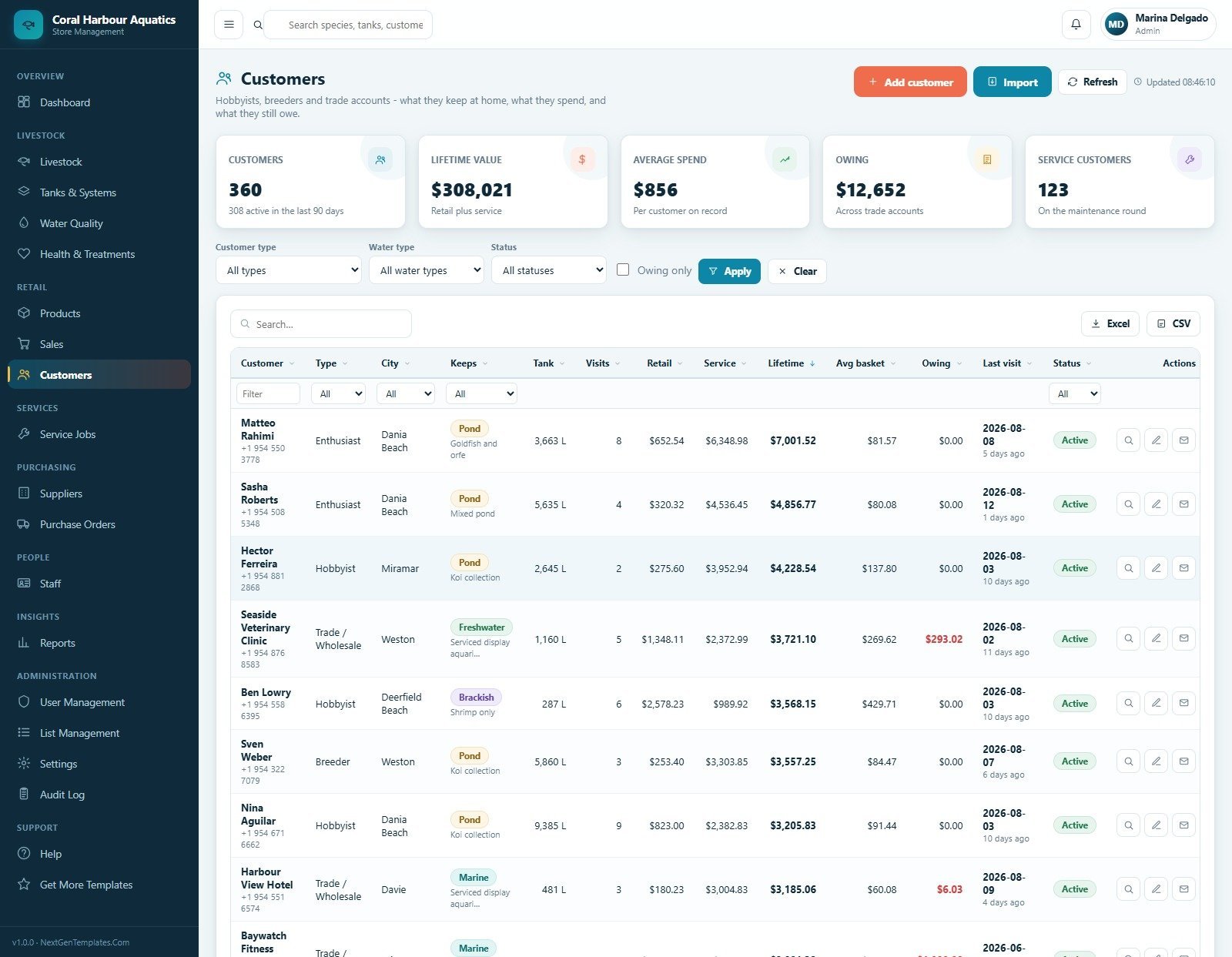
9. Customers
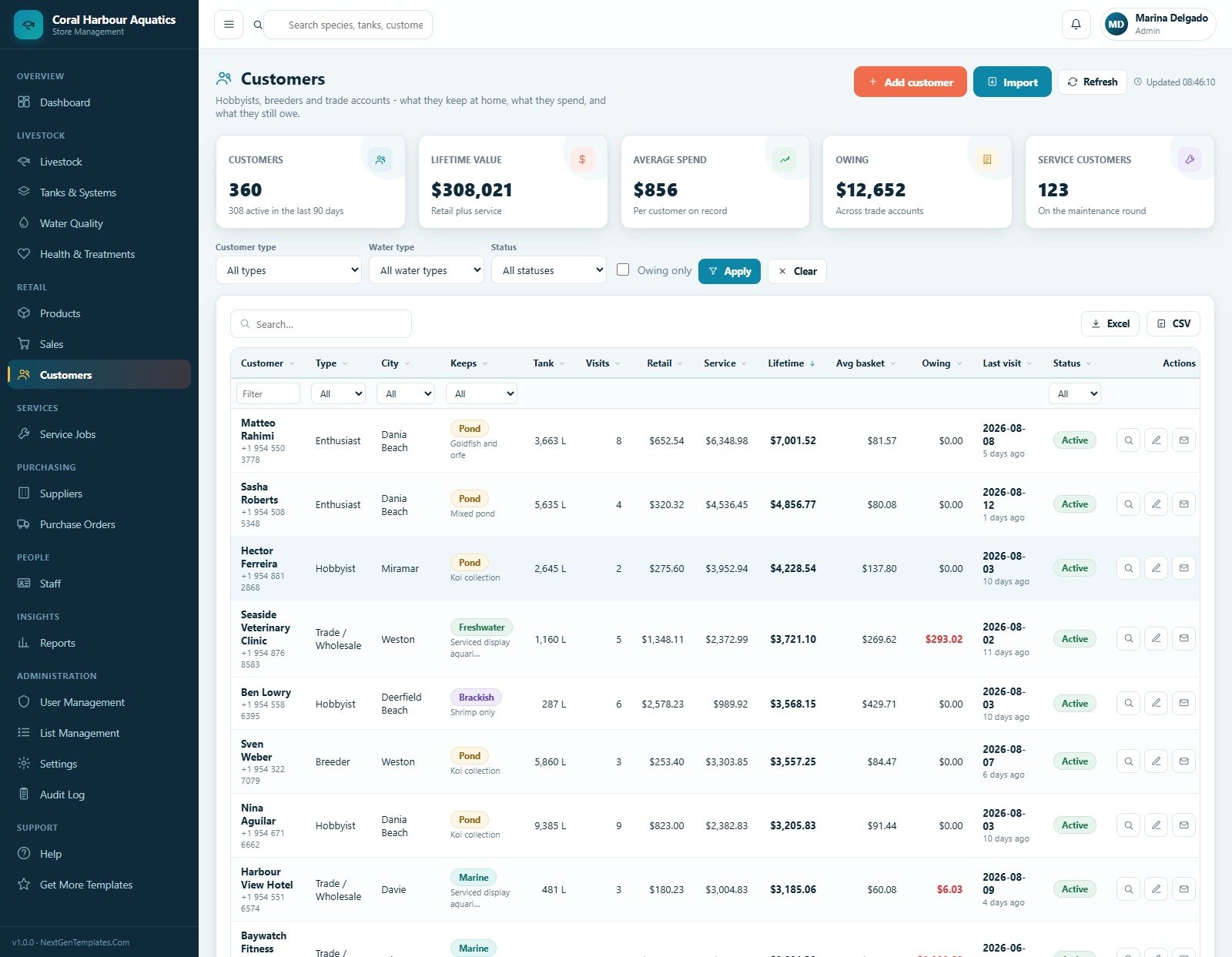
Customer records show type, city, water type kept, tank details, visits, retail spend, service spend, lifetime value, average basket, owing balance, last visit and status. Filters help identify service customers and accounts with balances.
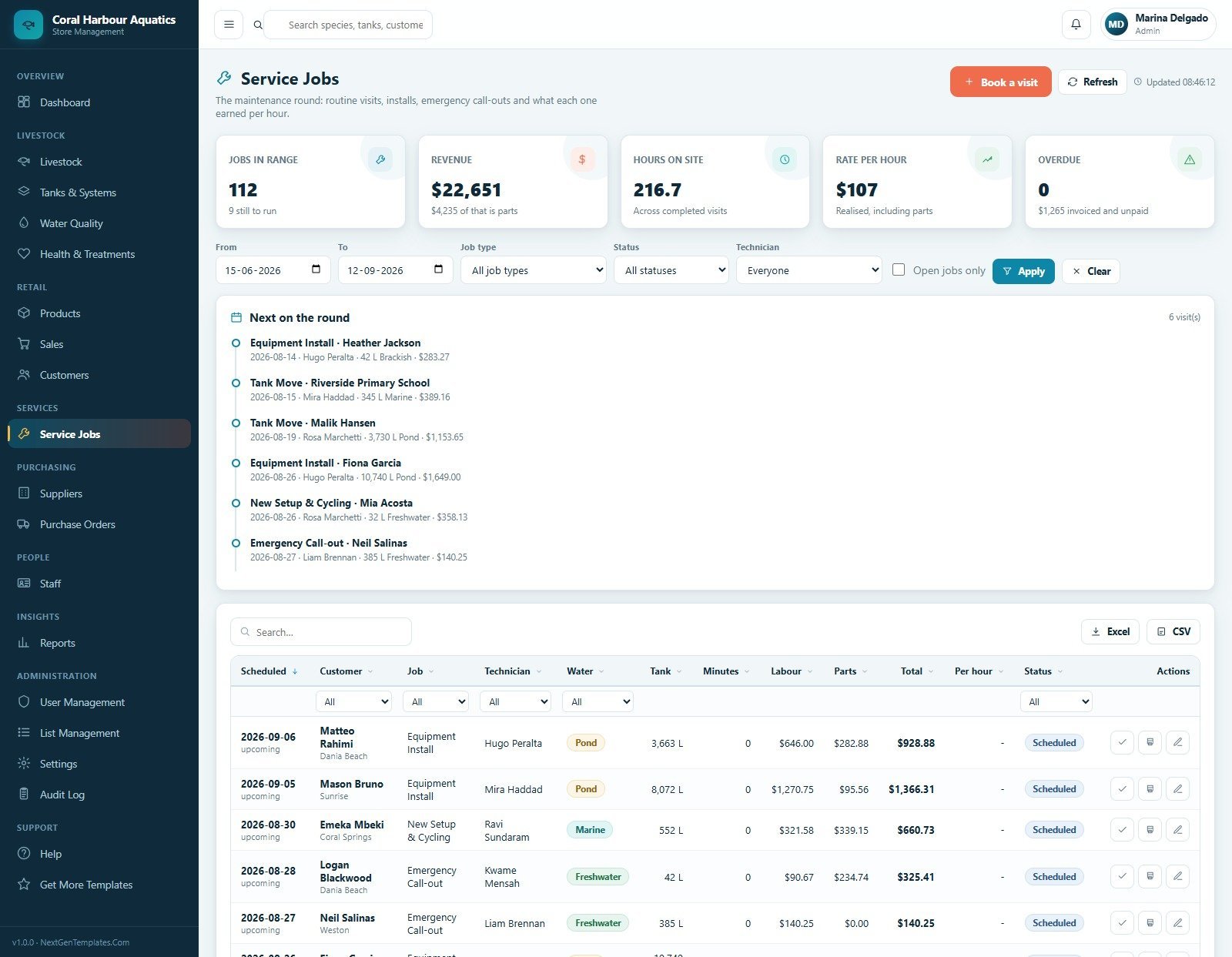
10. Service Jobs
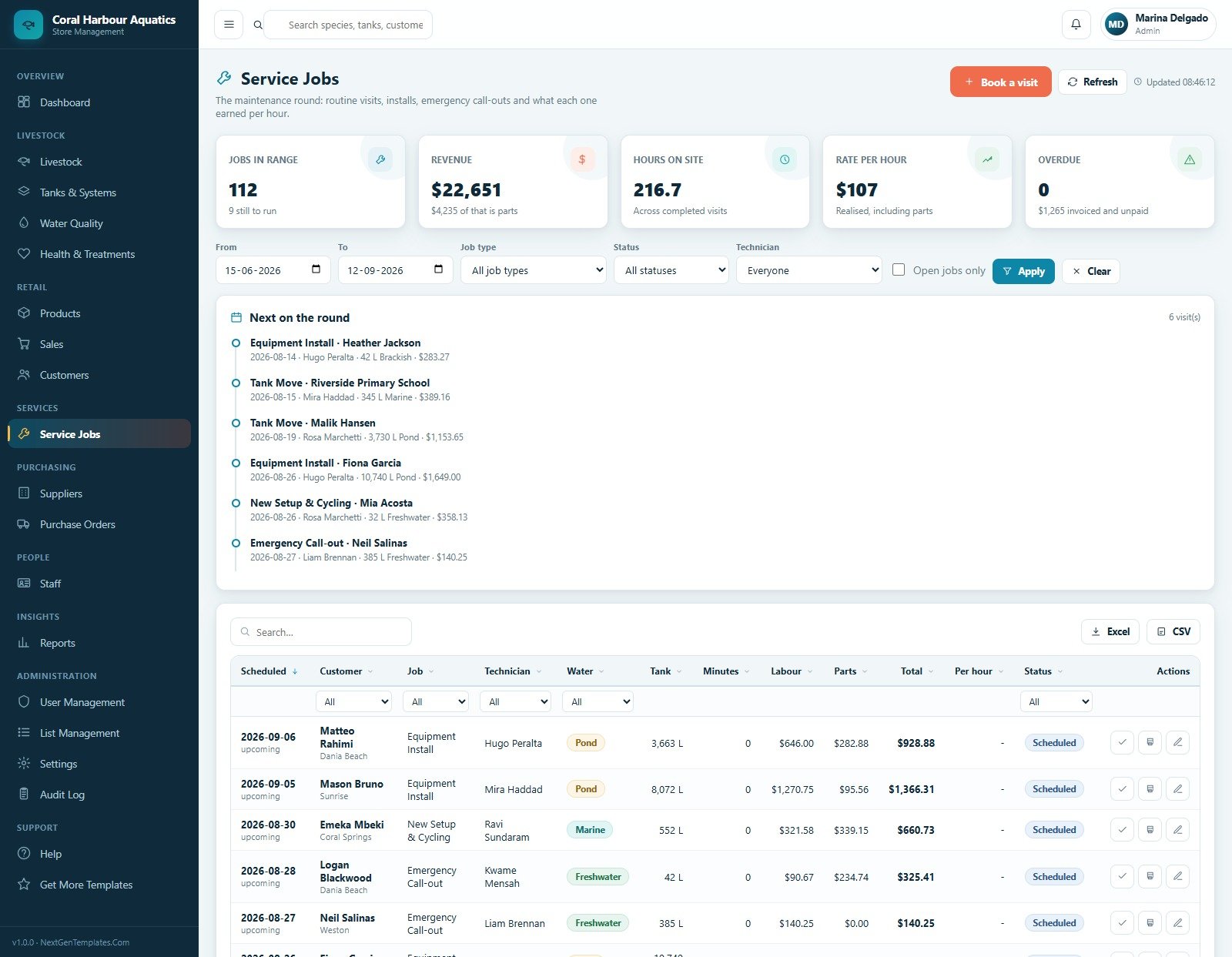
The service jobs screen handles maintenance visits, job type, technician, water type, tank, minutes, labour, parts, total and status. The timeline highlights upcoming visits, overdue jobs and open service work.
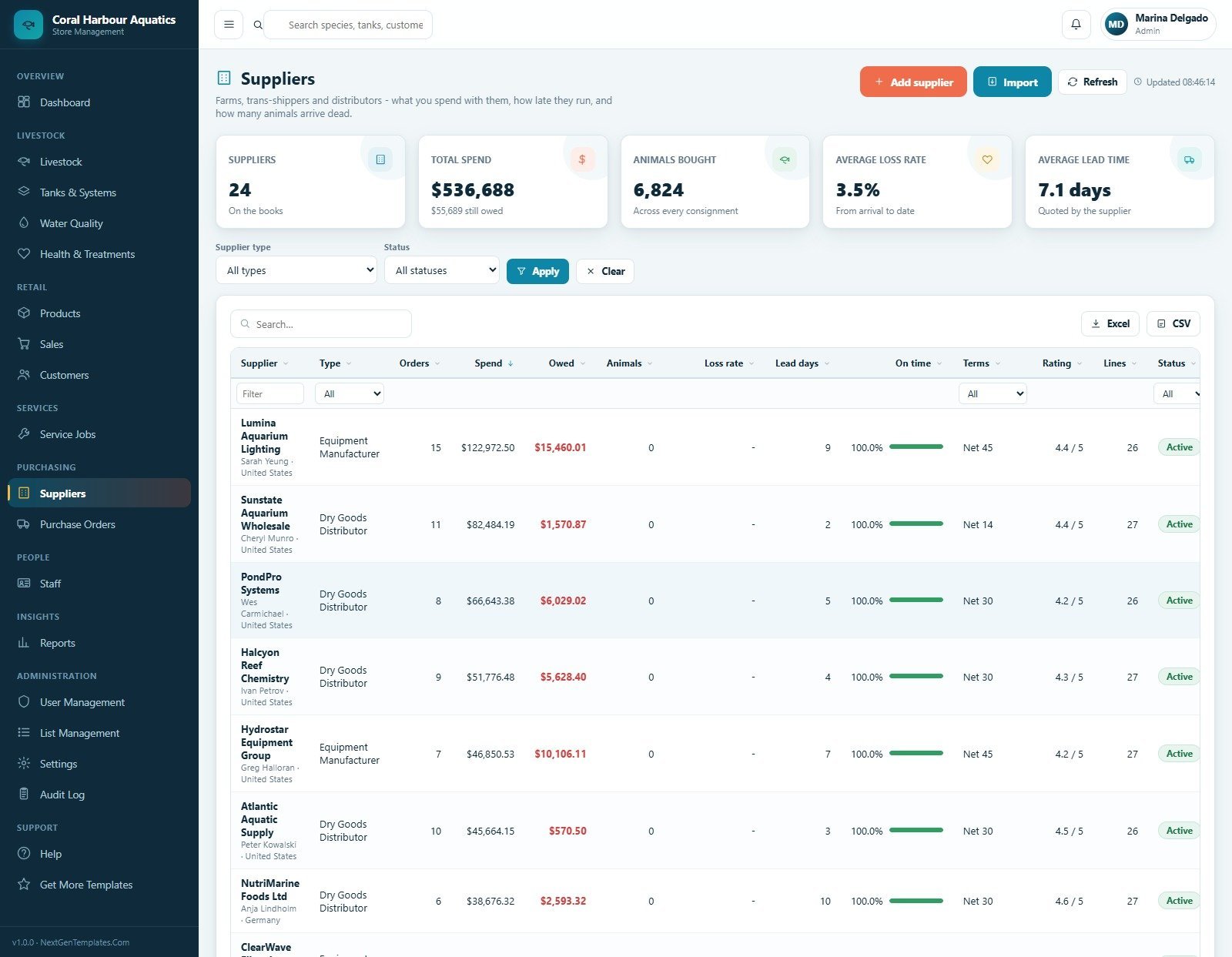
11. Suppliers
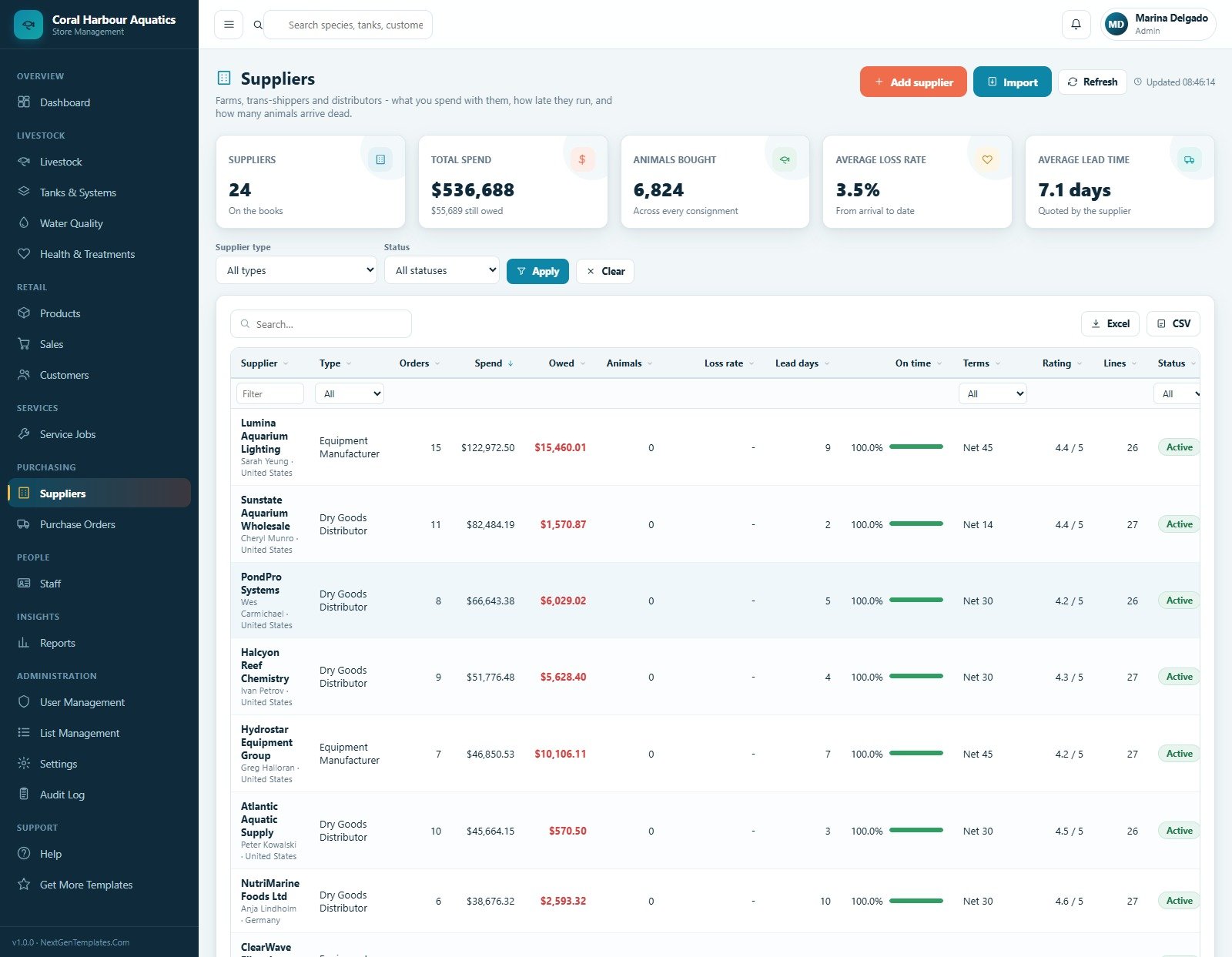
Supplier performance tracks supplier type, orders, spend, owed amount, animals bought, loss rate, lead days, on-time percentage, terms, rating, lines and status. Owners can compare vendors before placing the next livestock or dry-goods order.
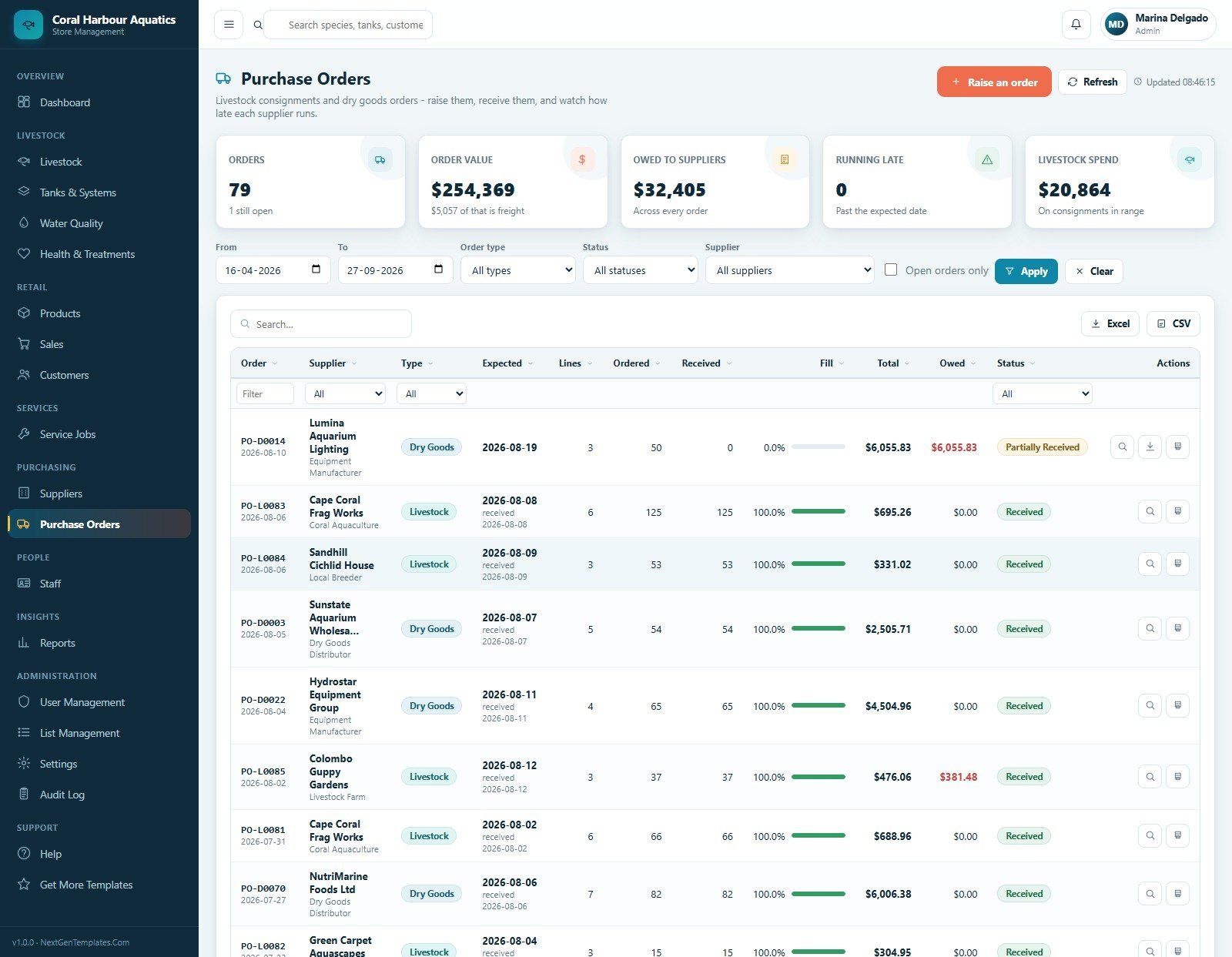
12. Purchase Orders
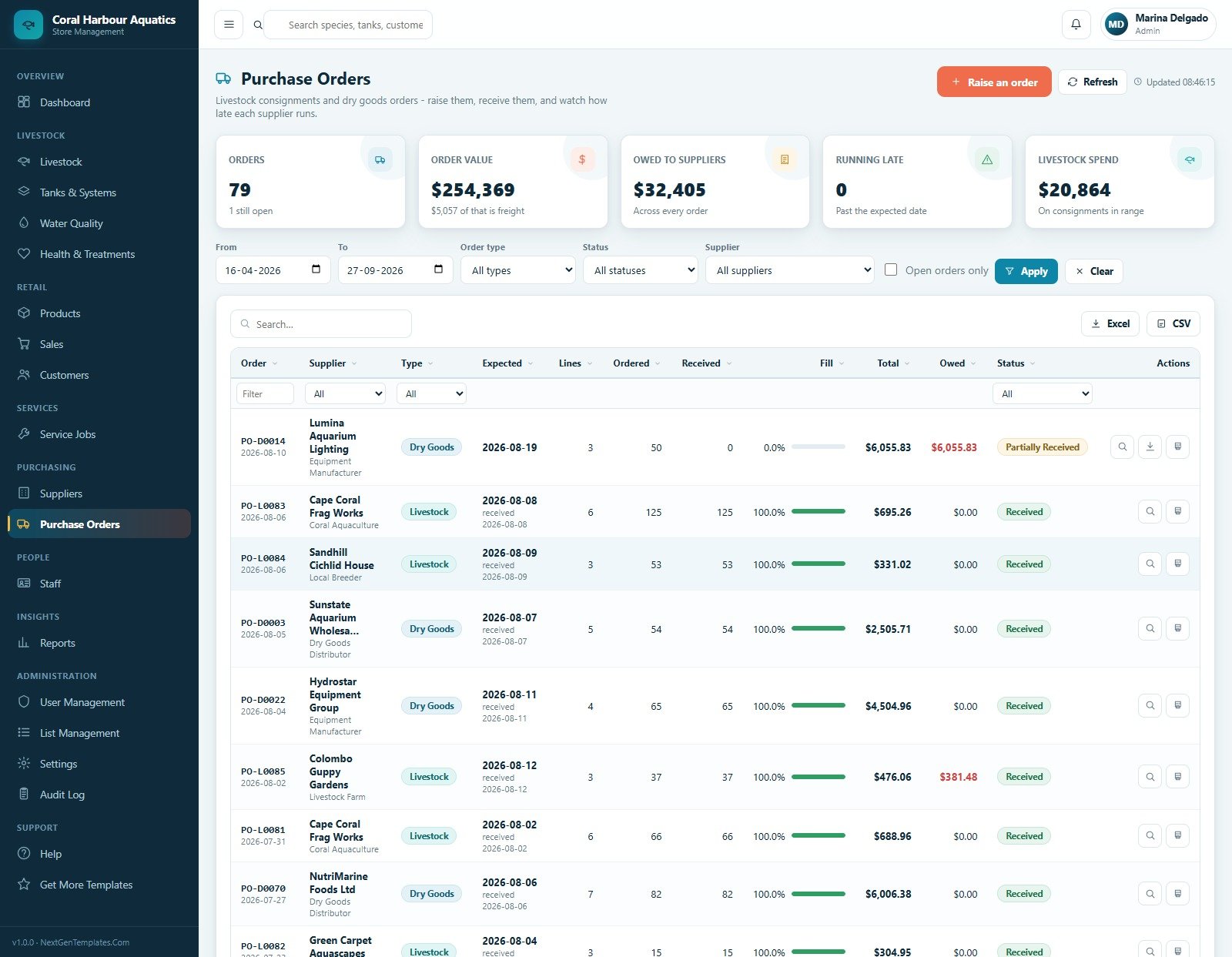
The purchase order page covers livestock consignments and dry-goods orders, showing order value, owed to suppliers, running late orders and livestock spend. Staff can raise orders, receive lines, export data and open documents.
13. Staff
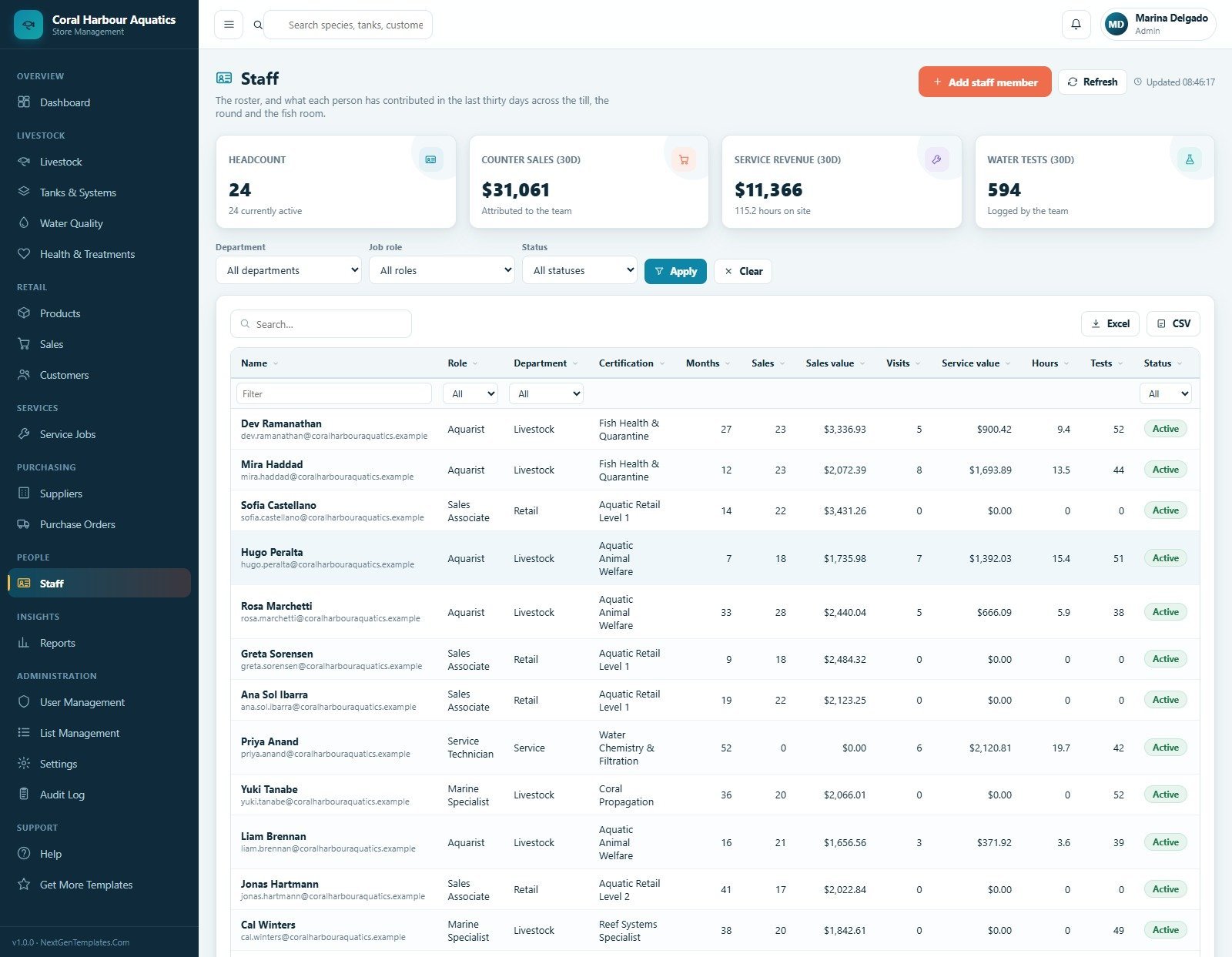
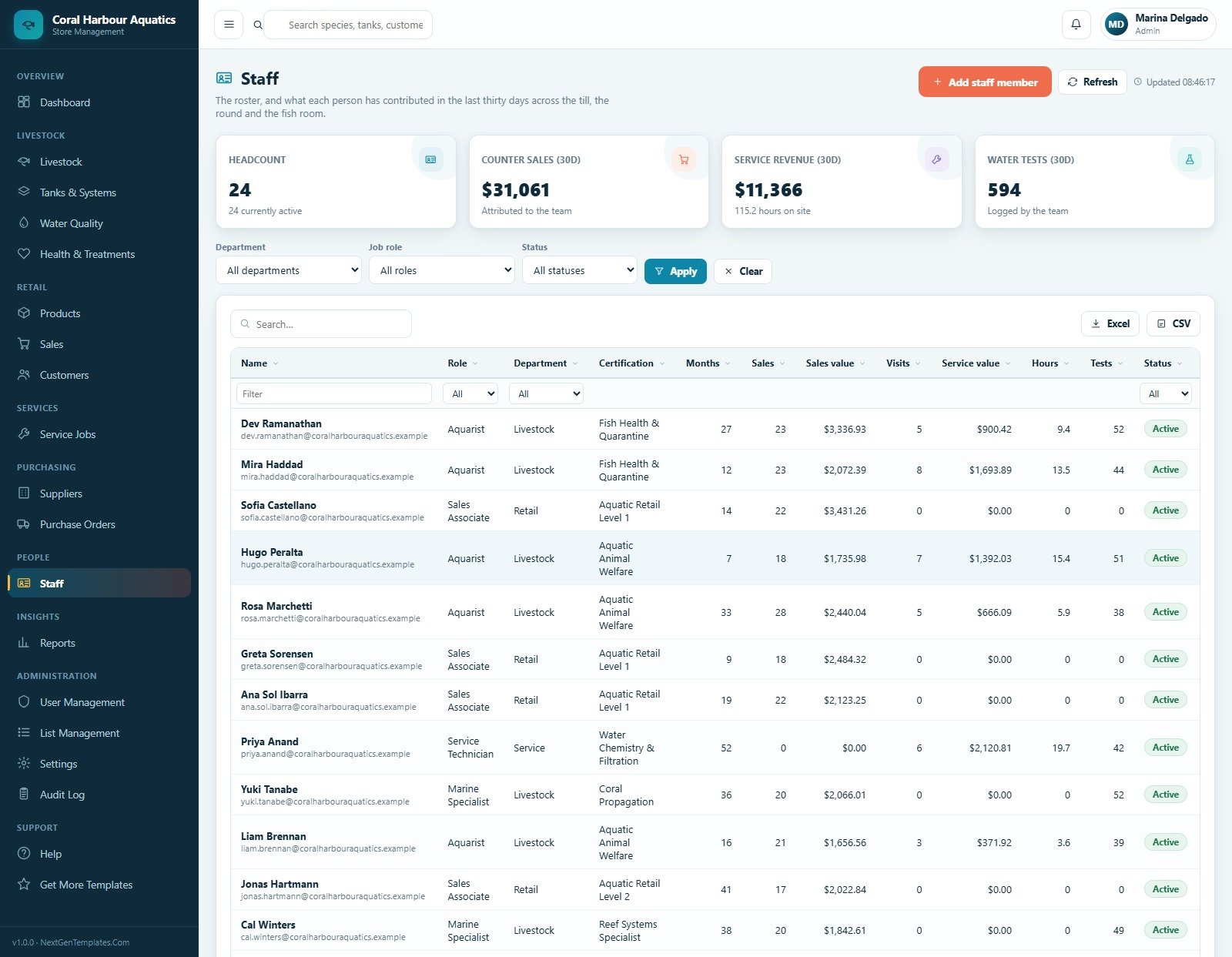
The staff register shows headcount, counter sales, service revenue, water tests, certification, tenure, visits, service value and hours. Department, role and status filters help managers review team contribution.
14. Reports
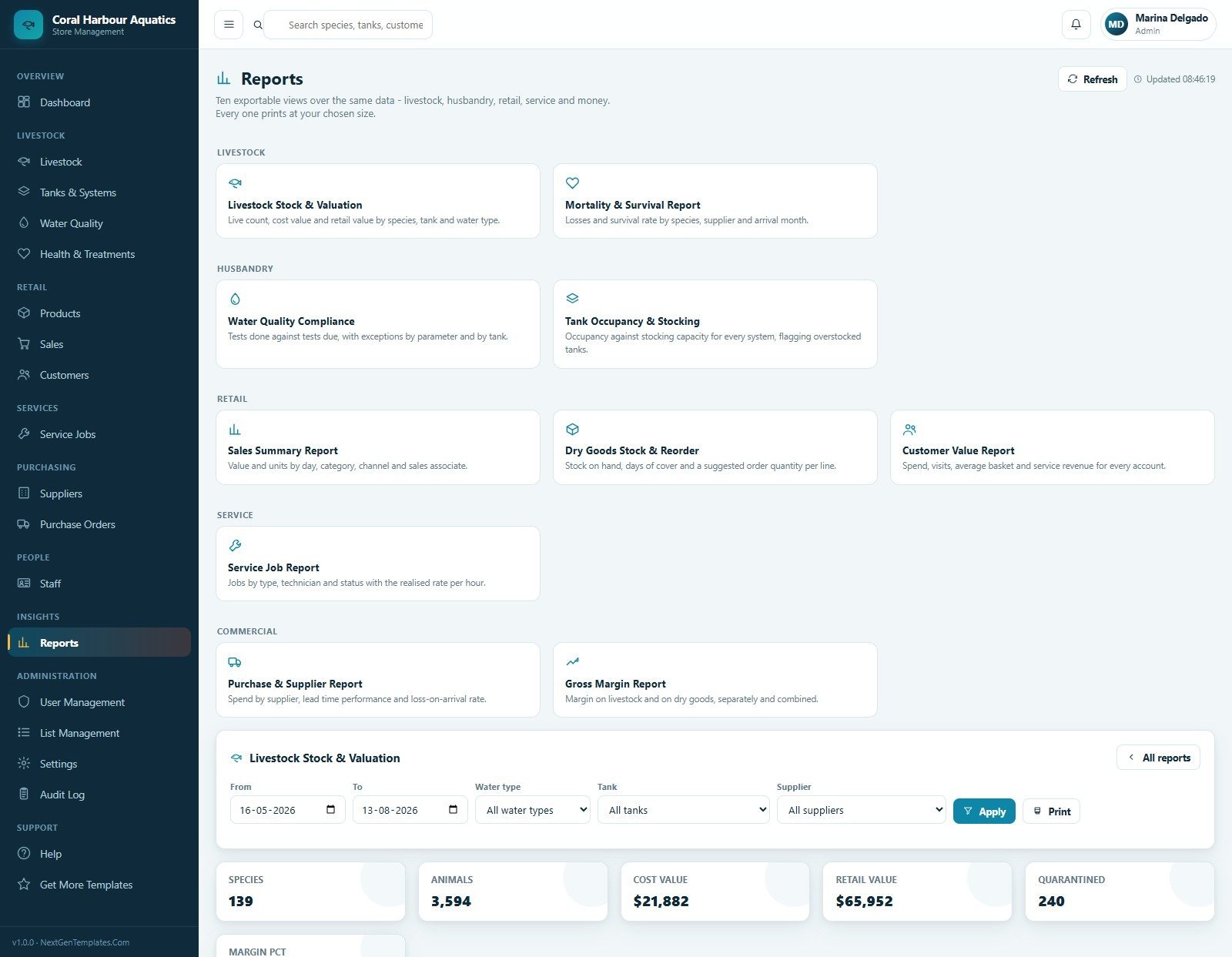
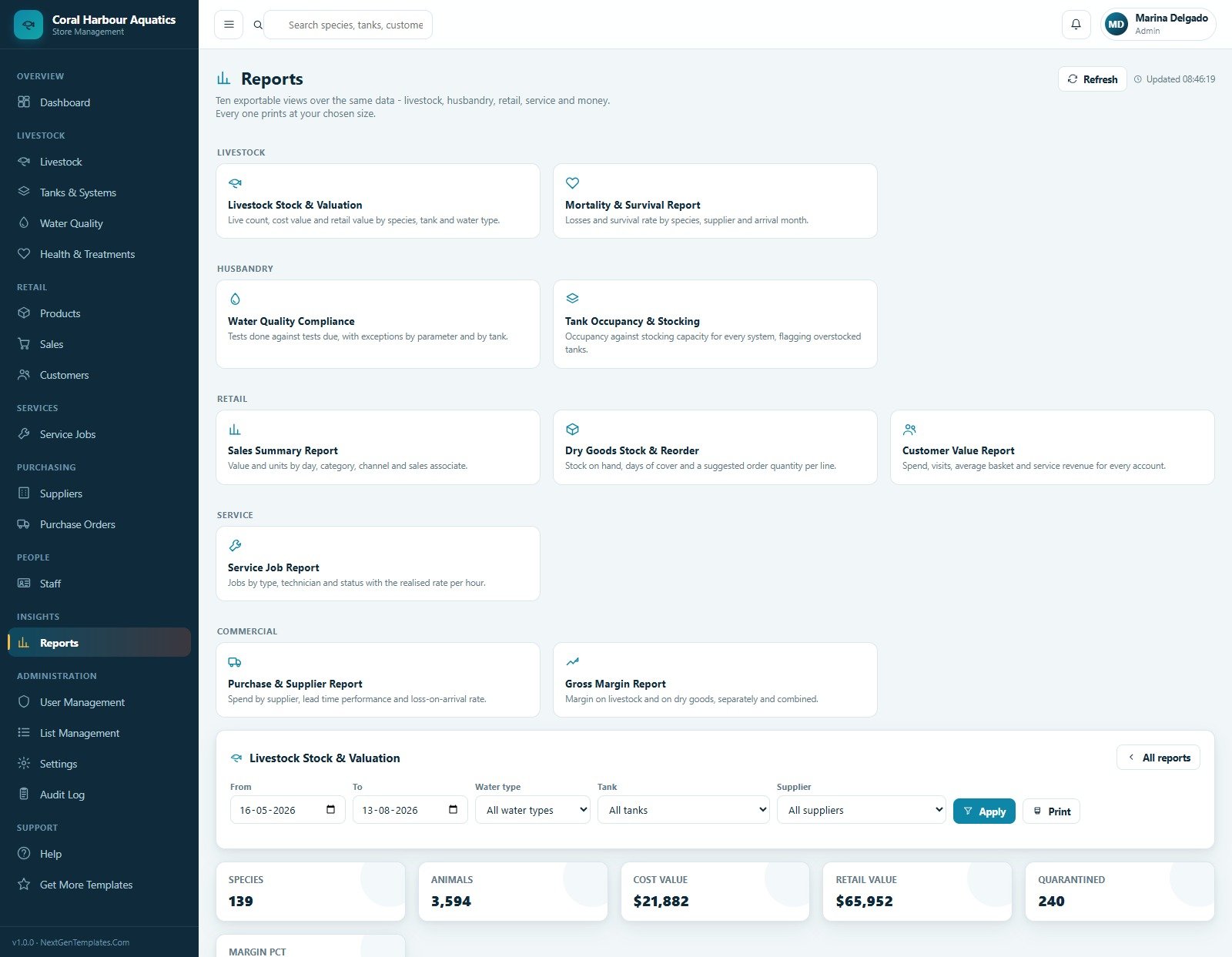
The report library includes livestock valuation, mortality, water compliance, tank occupancy, sales summary, dry goods reorder, customer value, service jobs, purchase and gross margin reports. Filters for date range, water type, tank and supplier make report review faster.
15. User Management
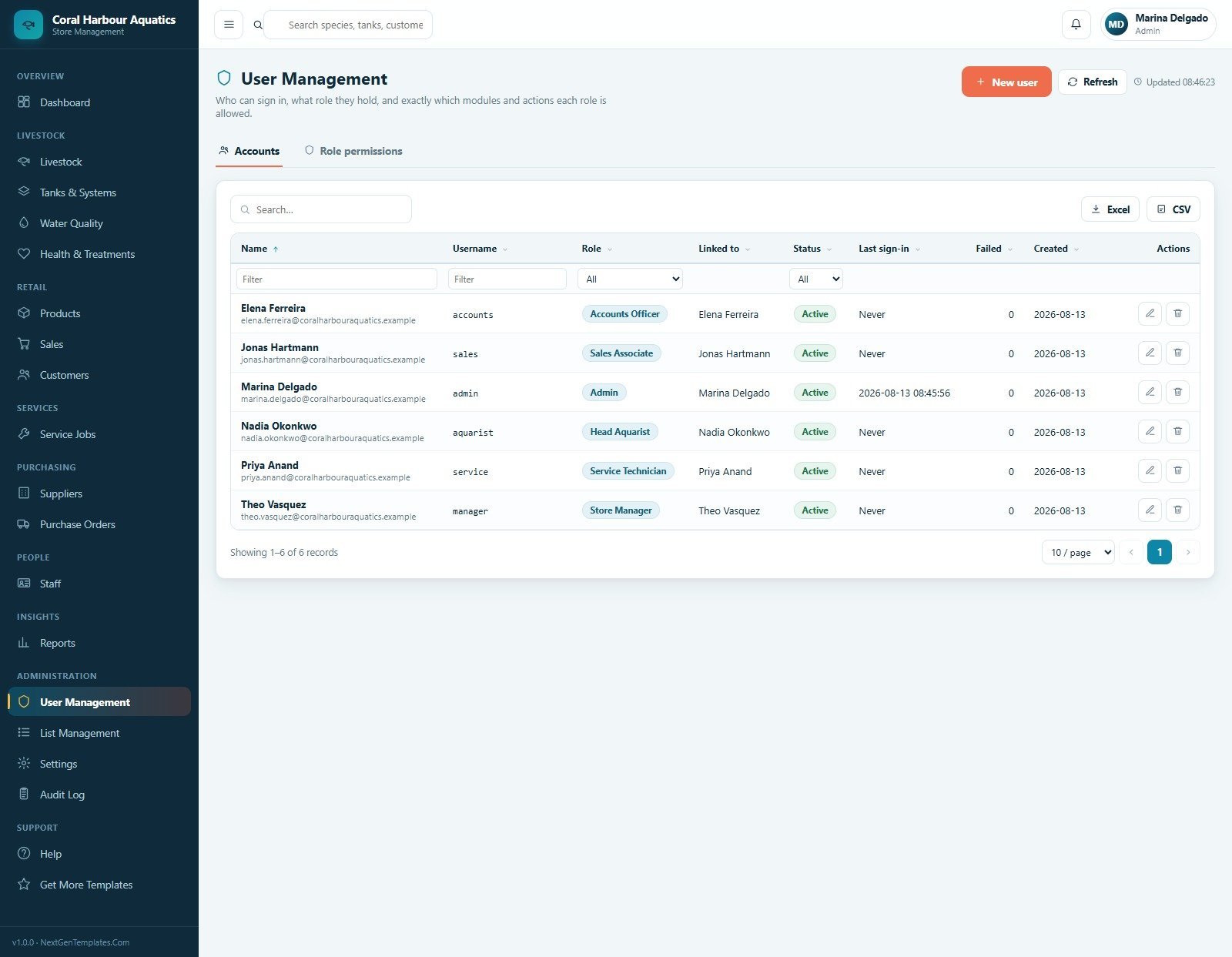
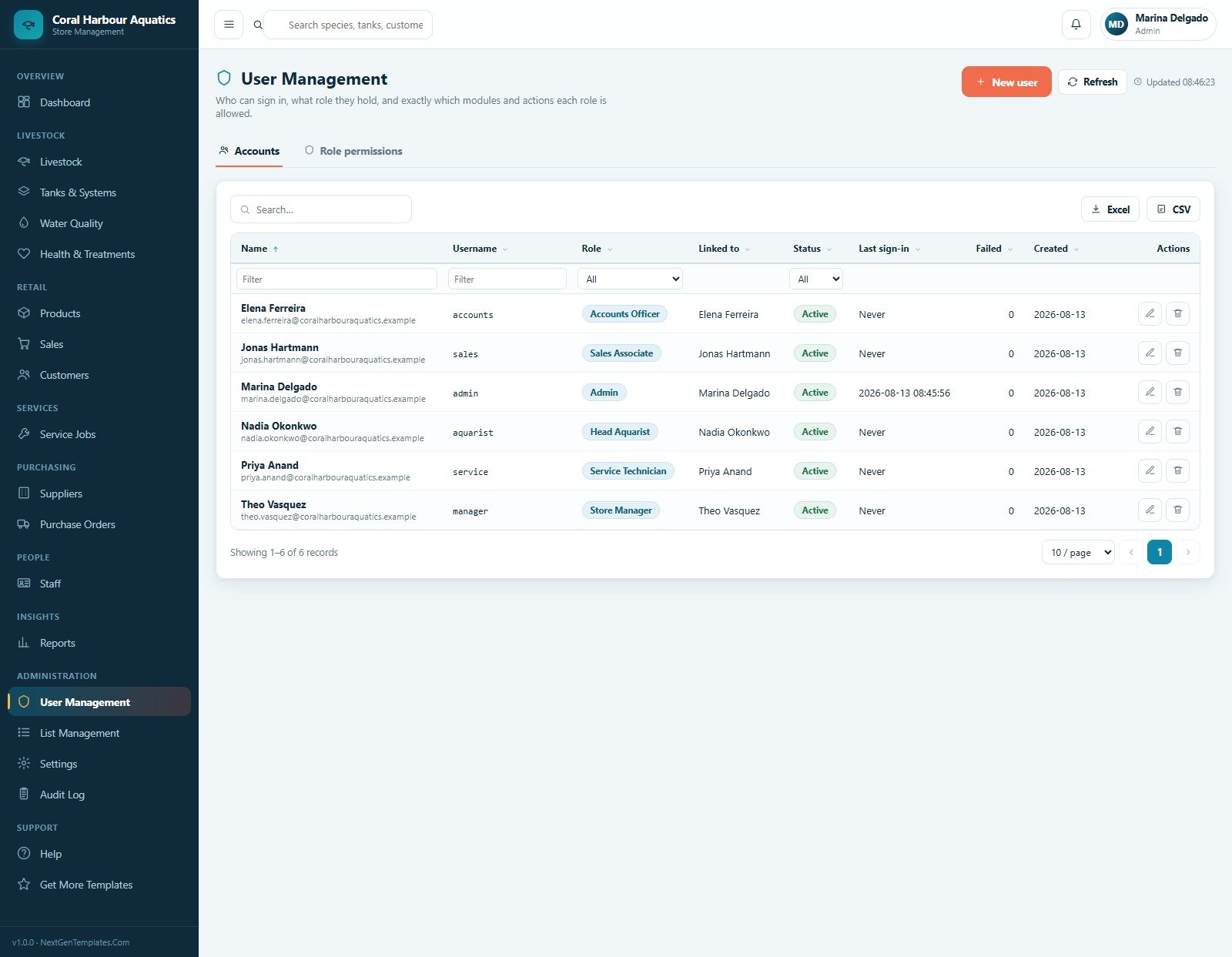
User Management controls accounts and role permissions for Accounts Officer, Sales Associate, Admin, Head Aquarist, Service Technician and Store Manager. Search, role filter, status filter, export, new user, edit and delete options are included.
16. List Management
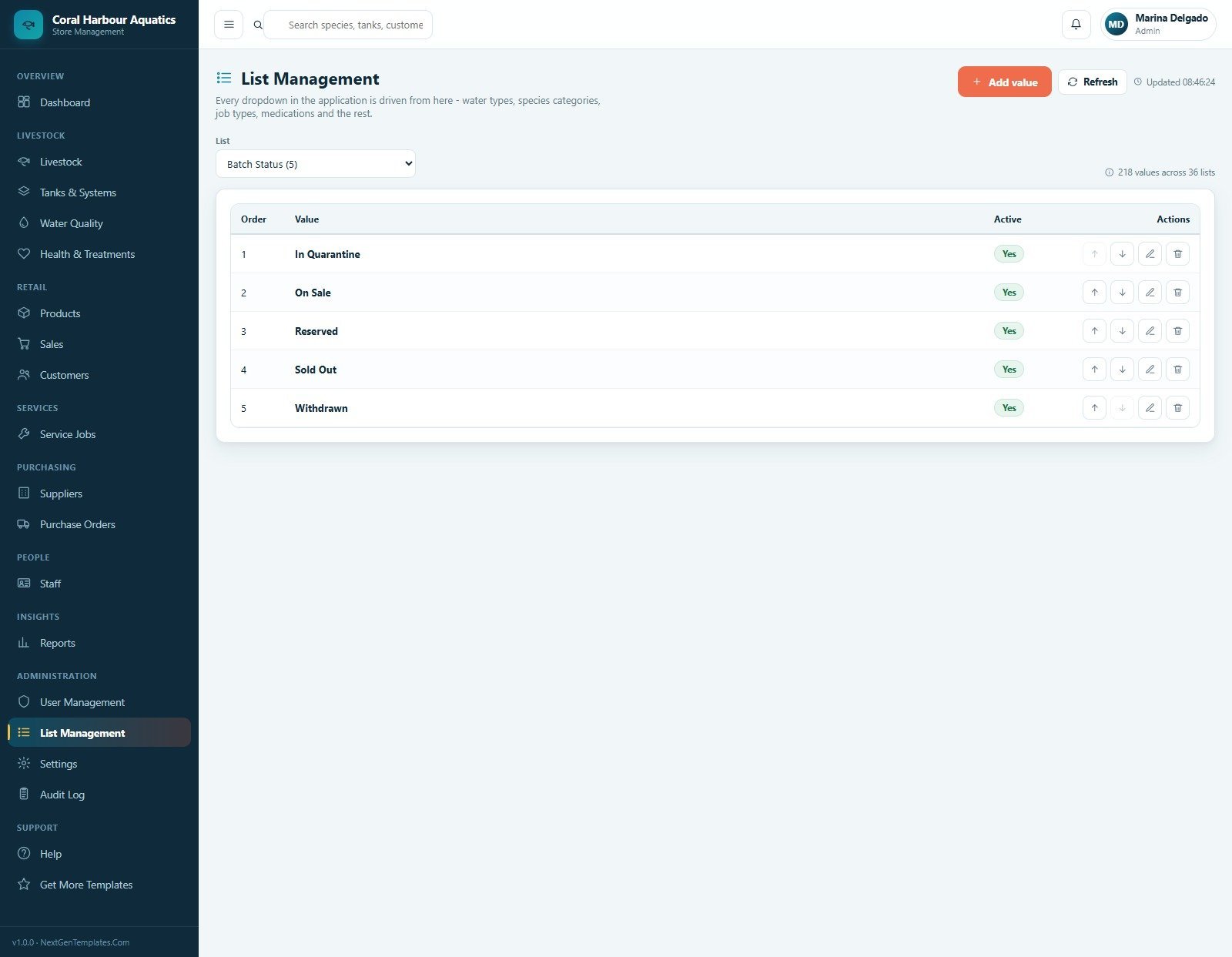
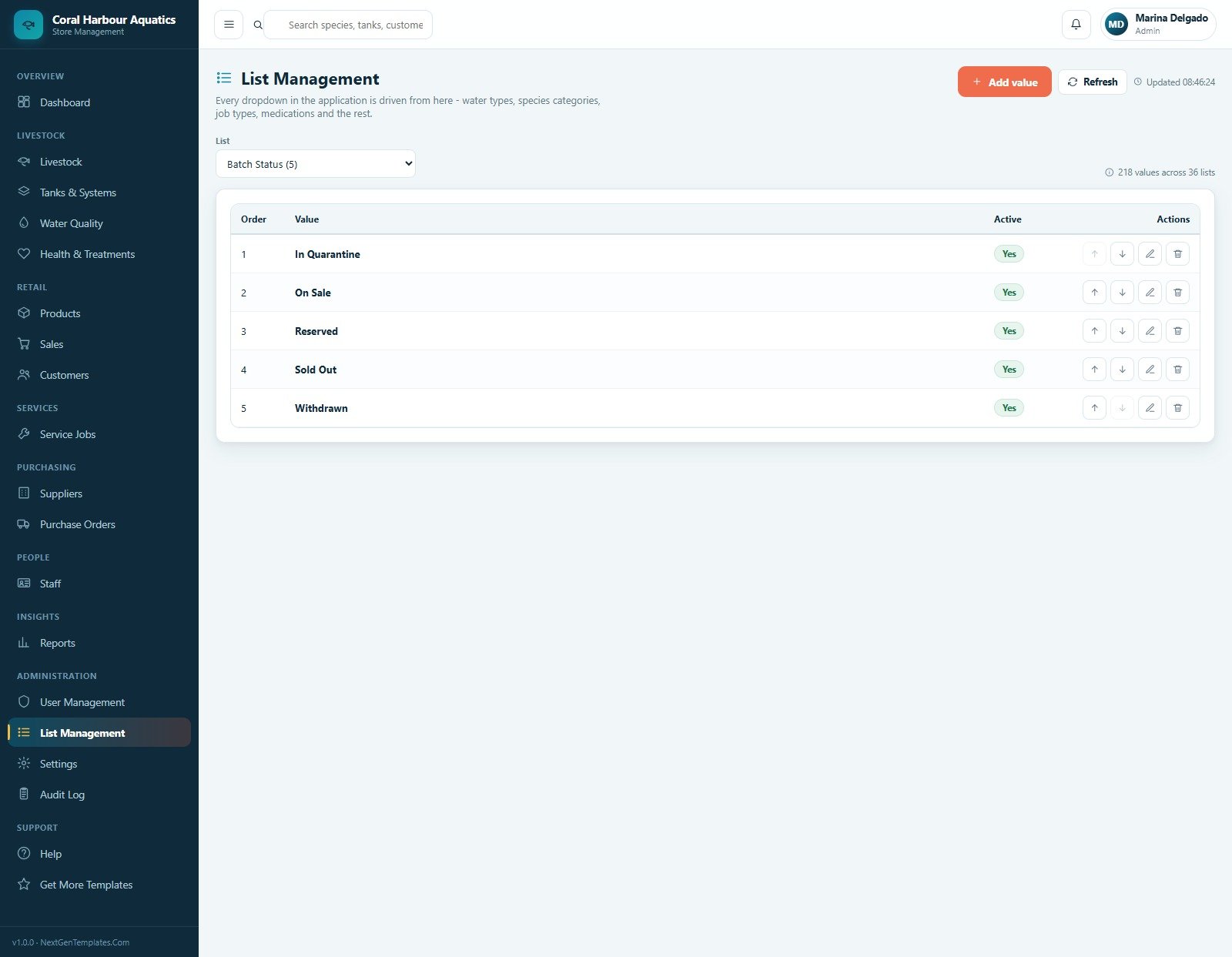
List Management controls dropdown values such as batch status, including In Quarantine, On Sale, Reserved, Sold Out and Withdrawn. The screen shows 218 values across 36 lists, with add, refresh, move, edit and delete actions.
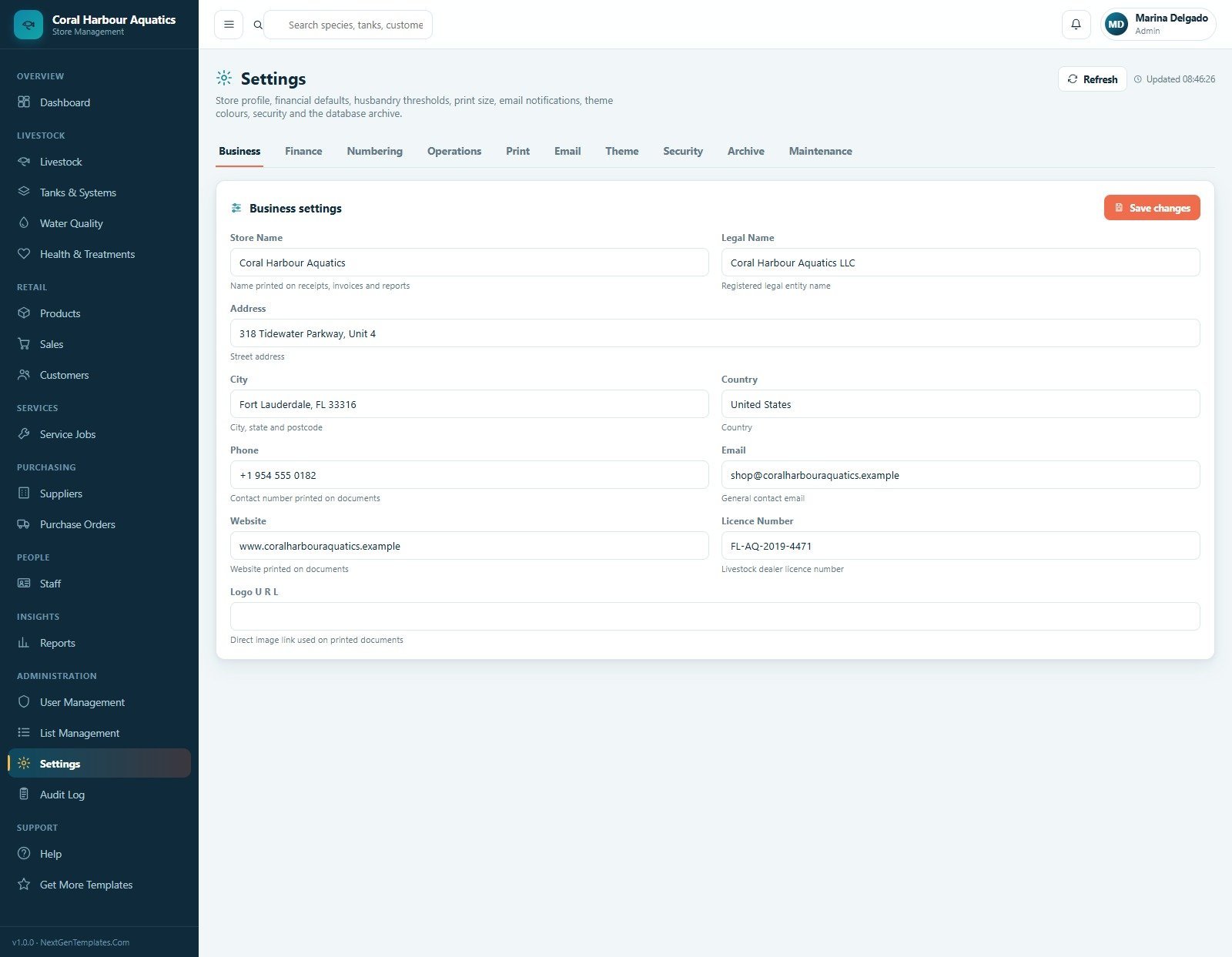
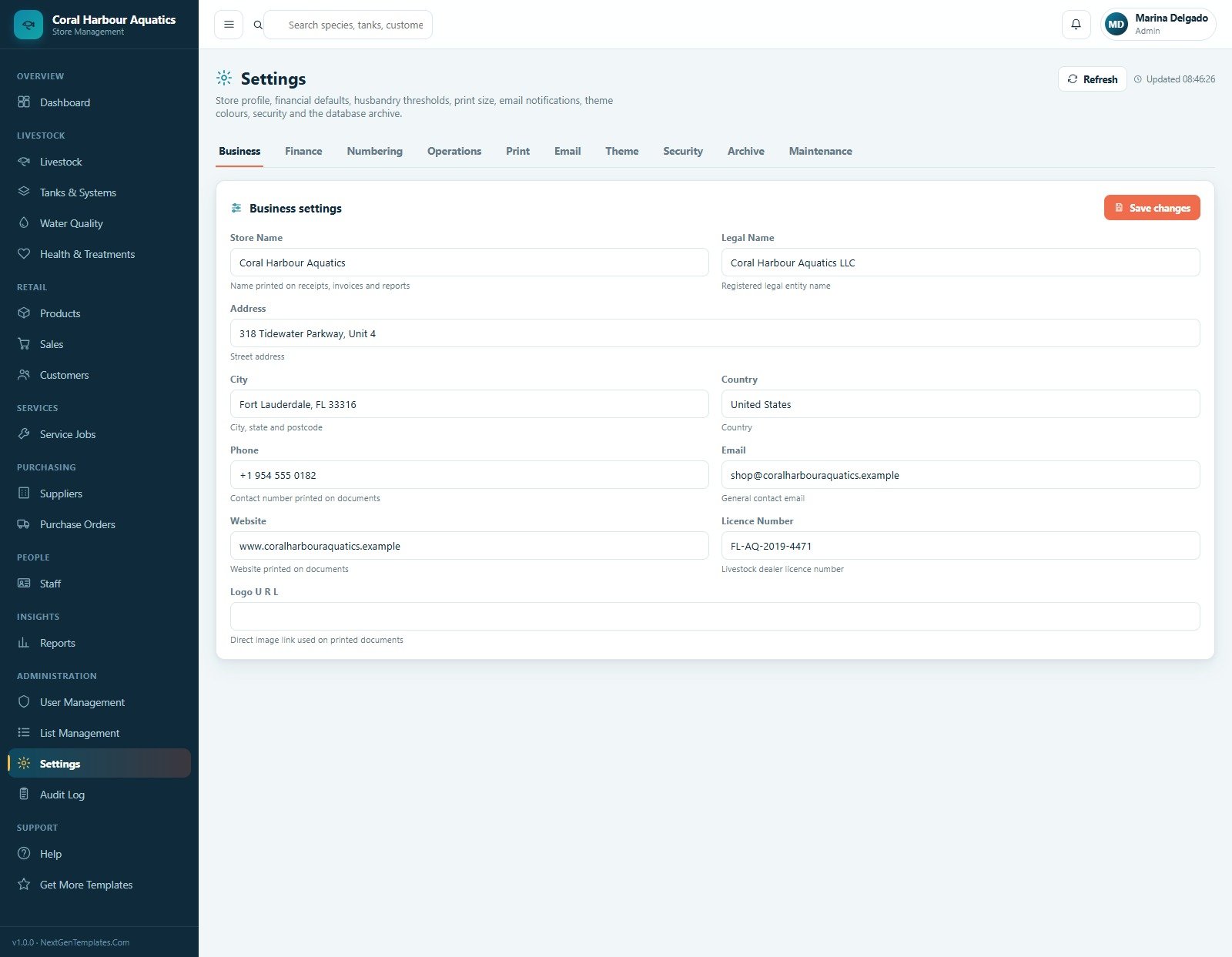
17. Settings
Settings manages the store profile and system configuration across Business, Finance, Numbering, Operations, Print, Email, Theme, Security, Archive and Maintenance tabs. Store name, legal name, address, contact details and logo URL are all configurable.
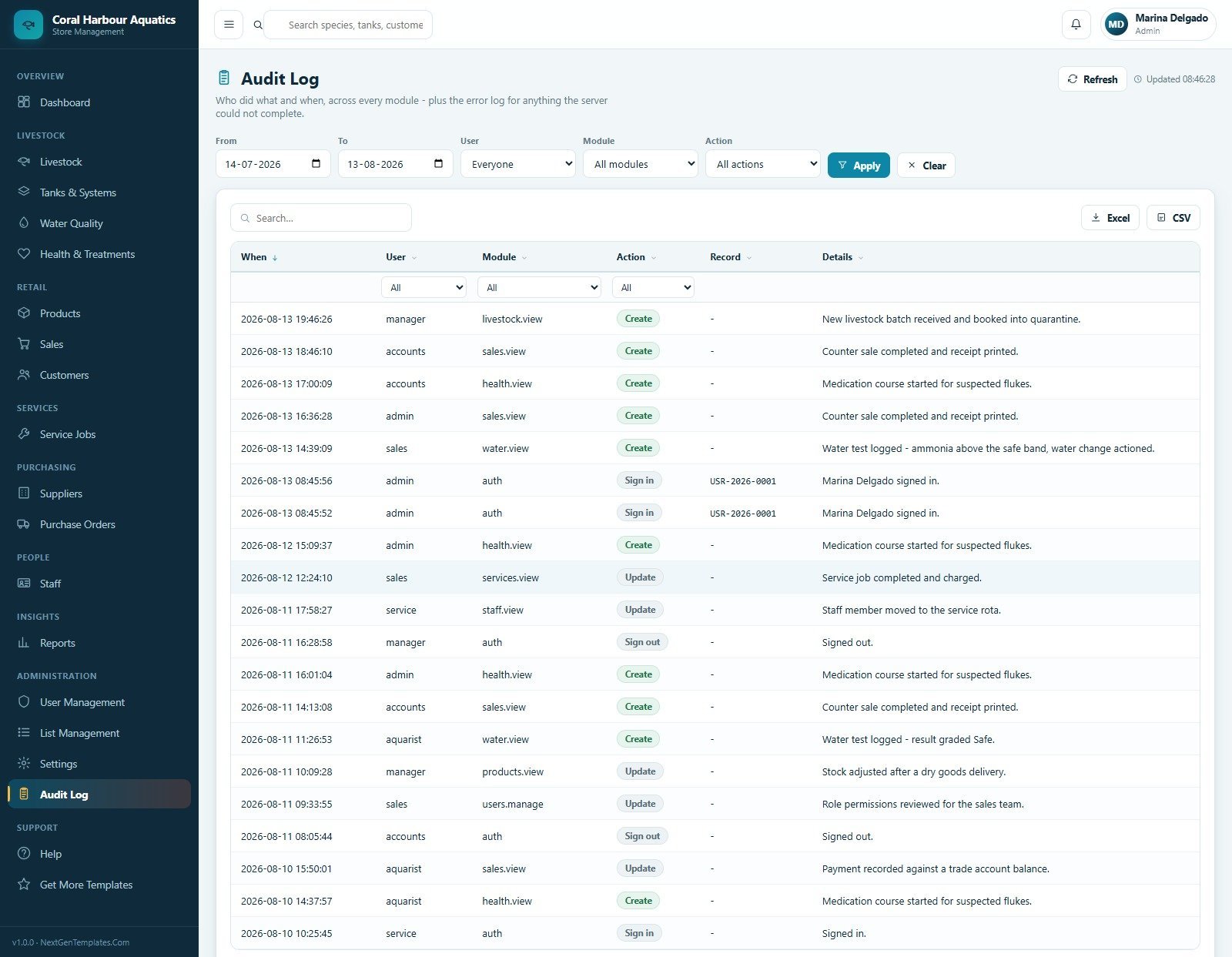
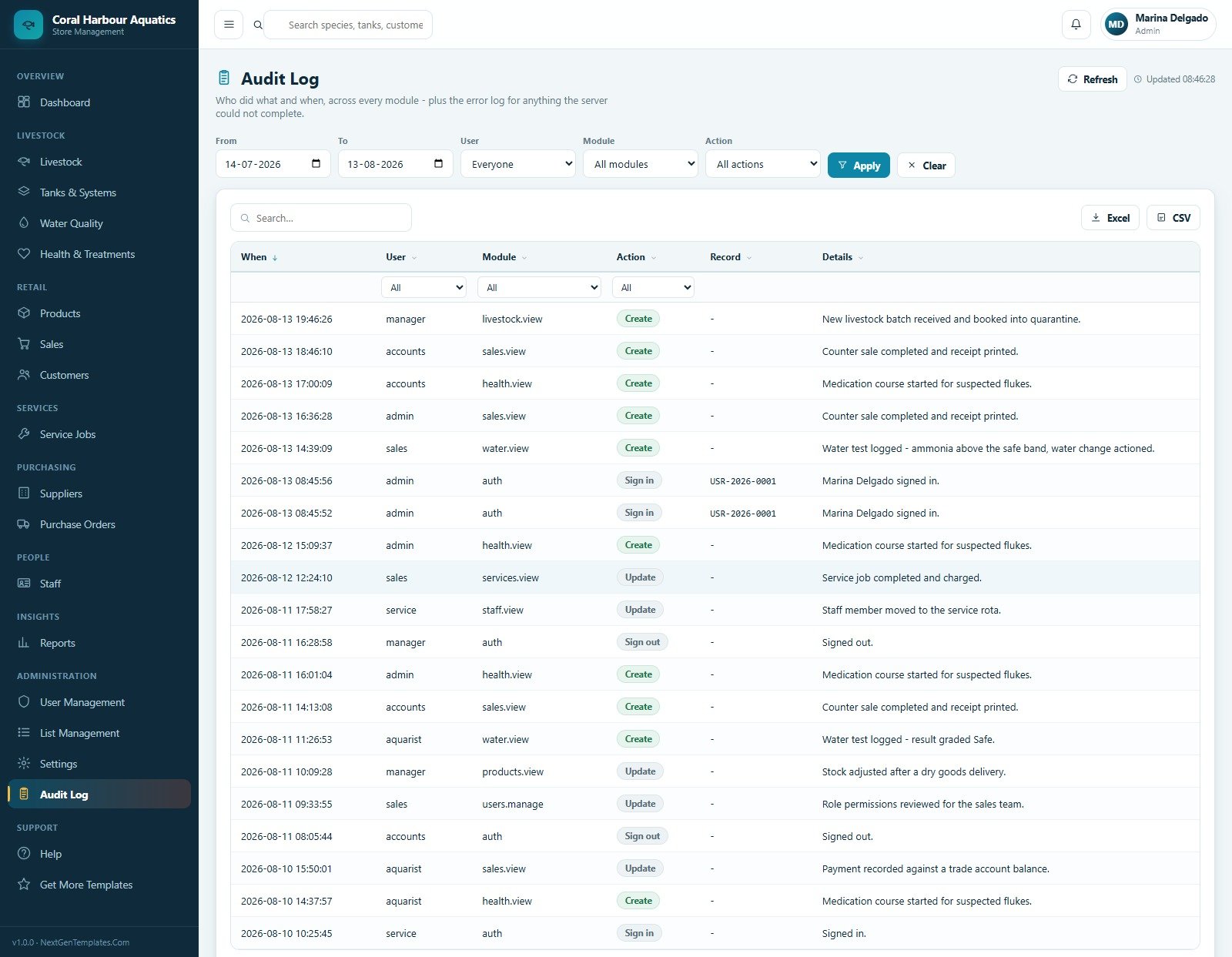
18. Audit Log
The audit trail records when, user, module, action, record and details across livestock, sales, health, water, services, staff, users and authentication. Filters, search, Excel export, CSV export and refresh actions help maintain accountability.
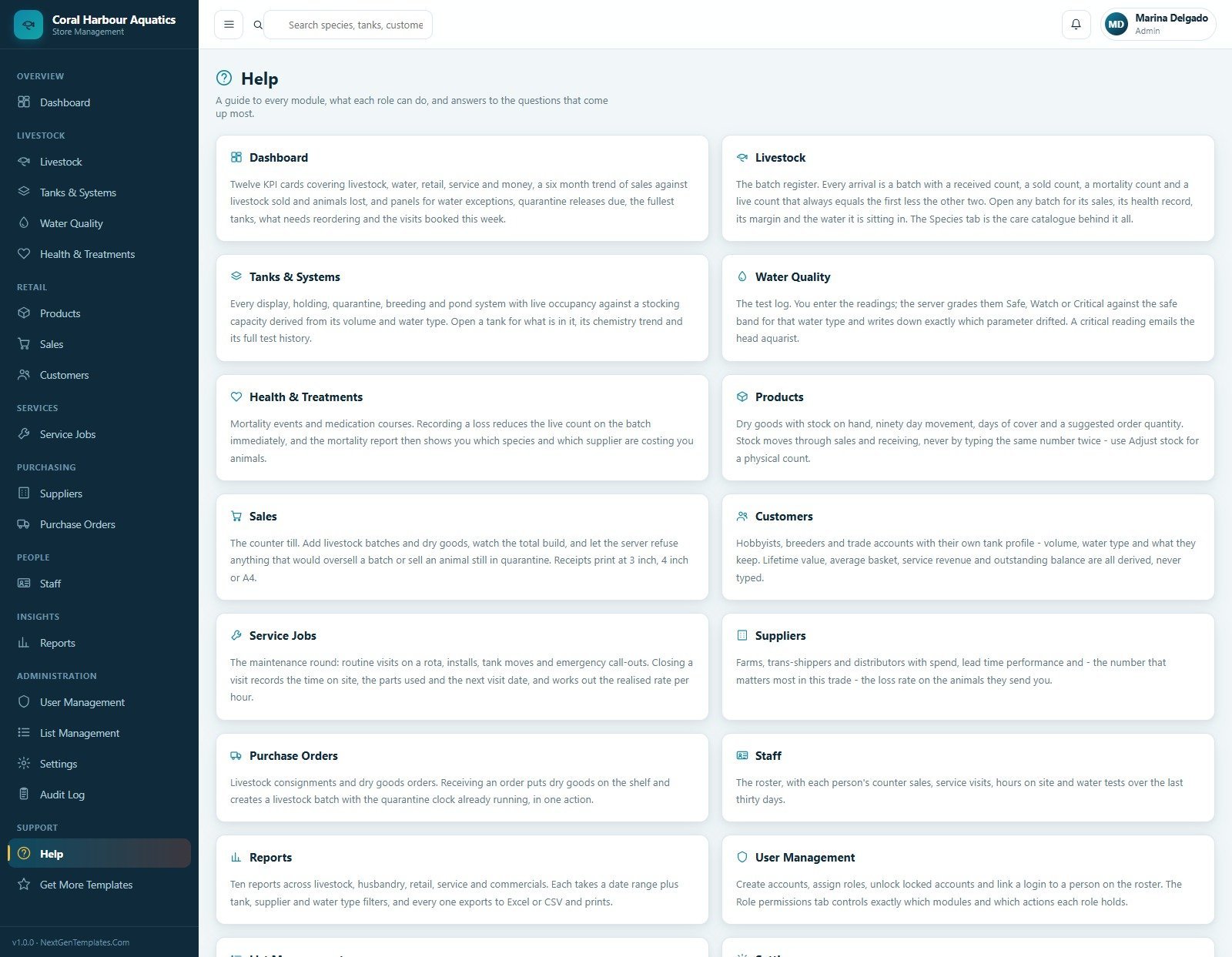
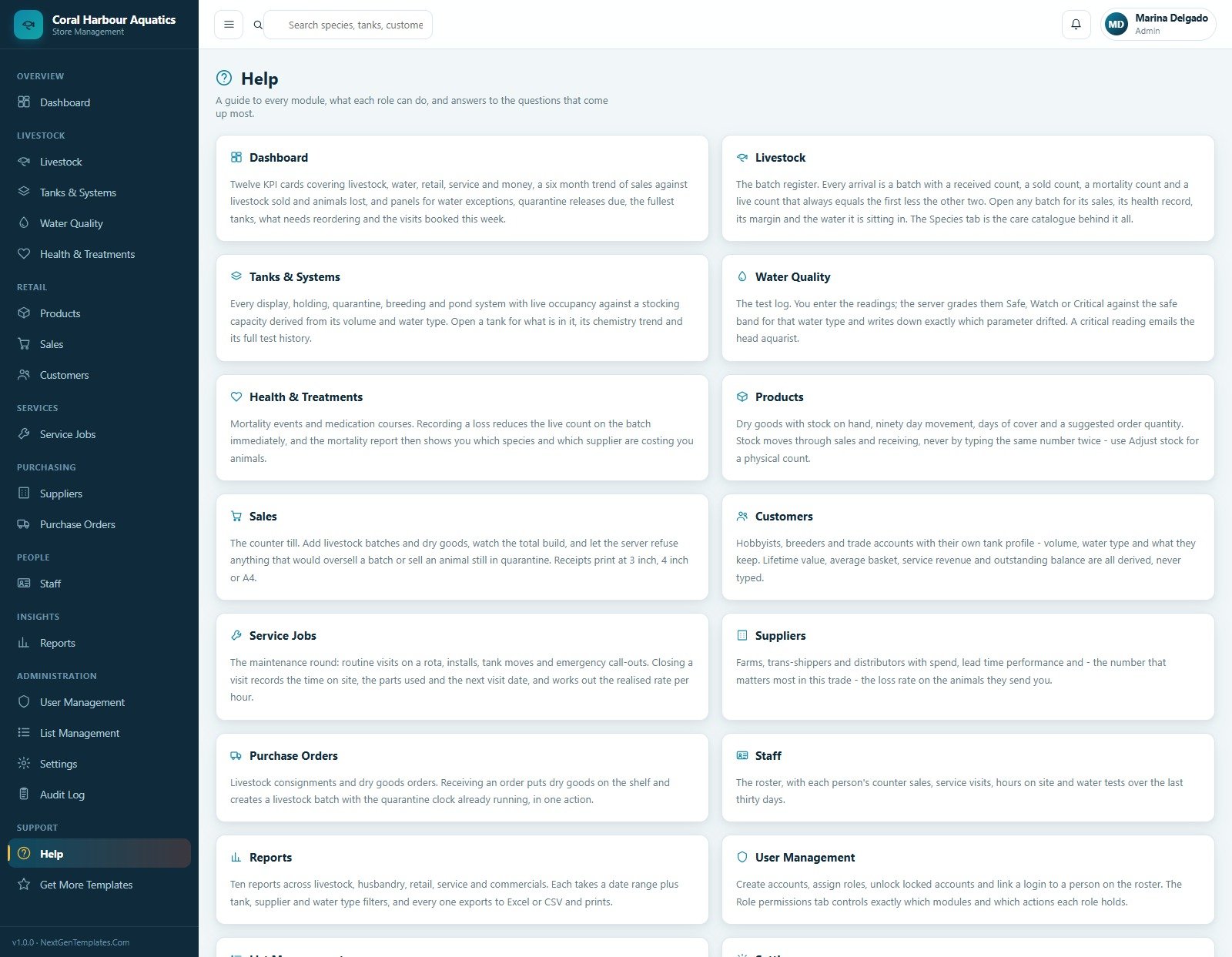
19. Help
The Help page gives built-in guidance cards for Dashboard, Livestock, Tanks and Systems, Water Quality, Health and Treatments, Products, Sales, Customers, Service Jobs, Suppliers, Purchase Orders, Staff, Reports and User Management.
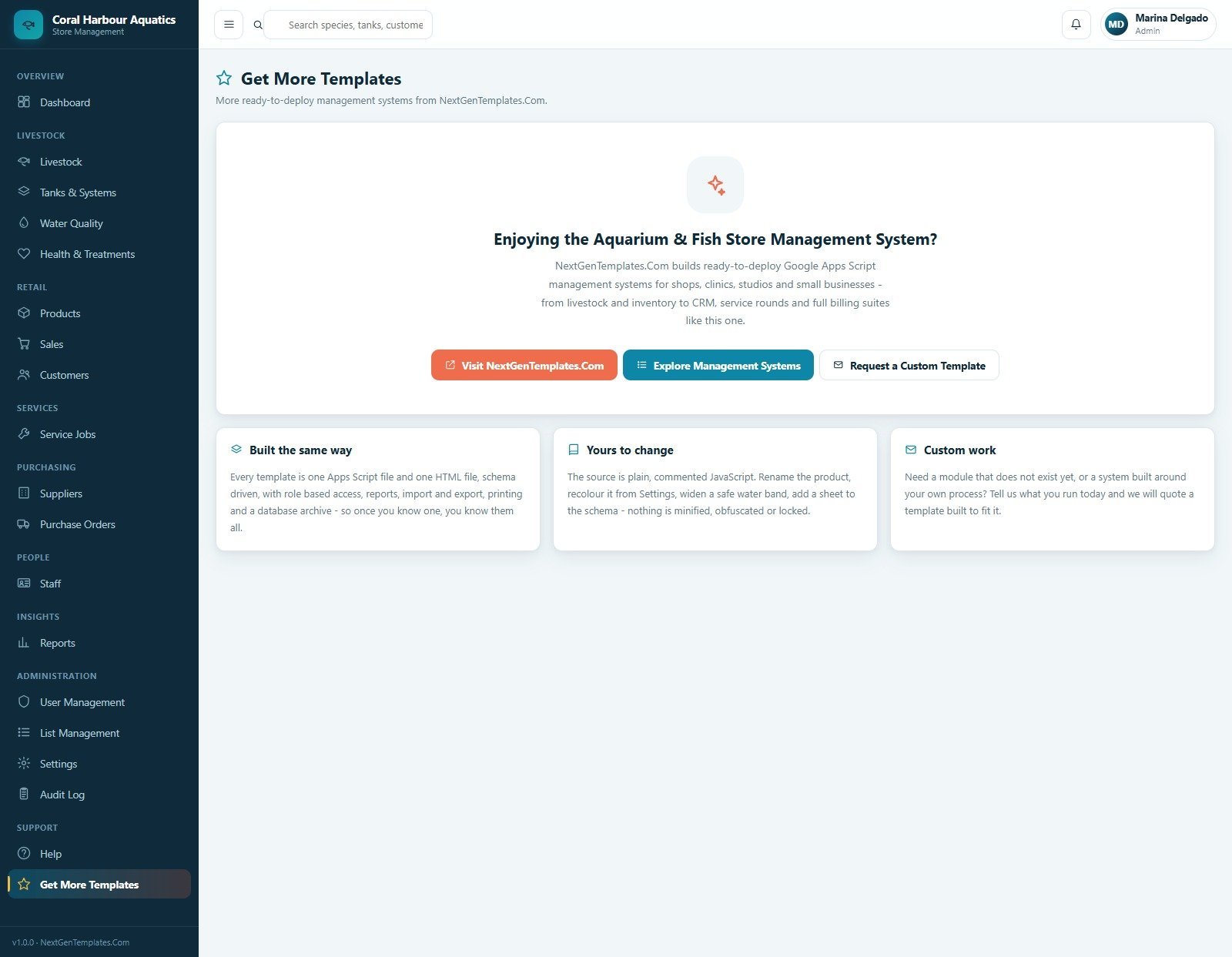
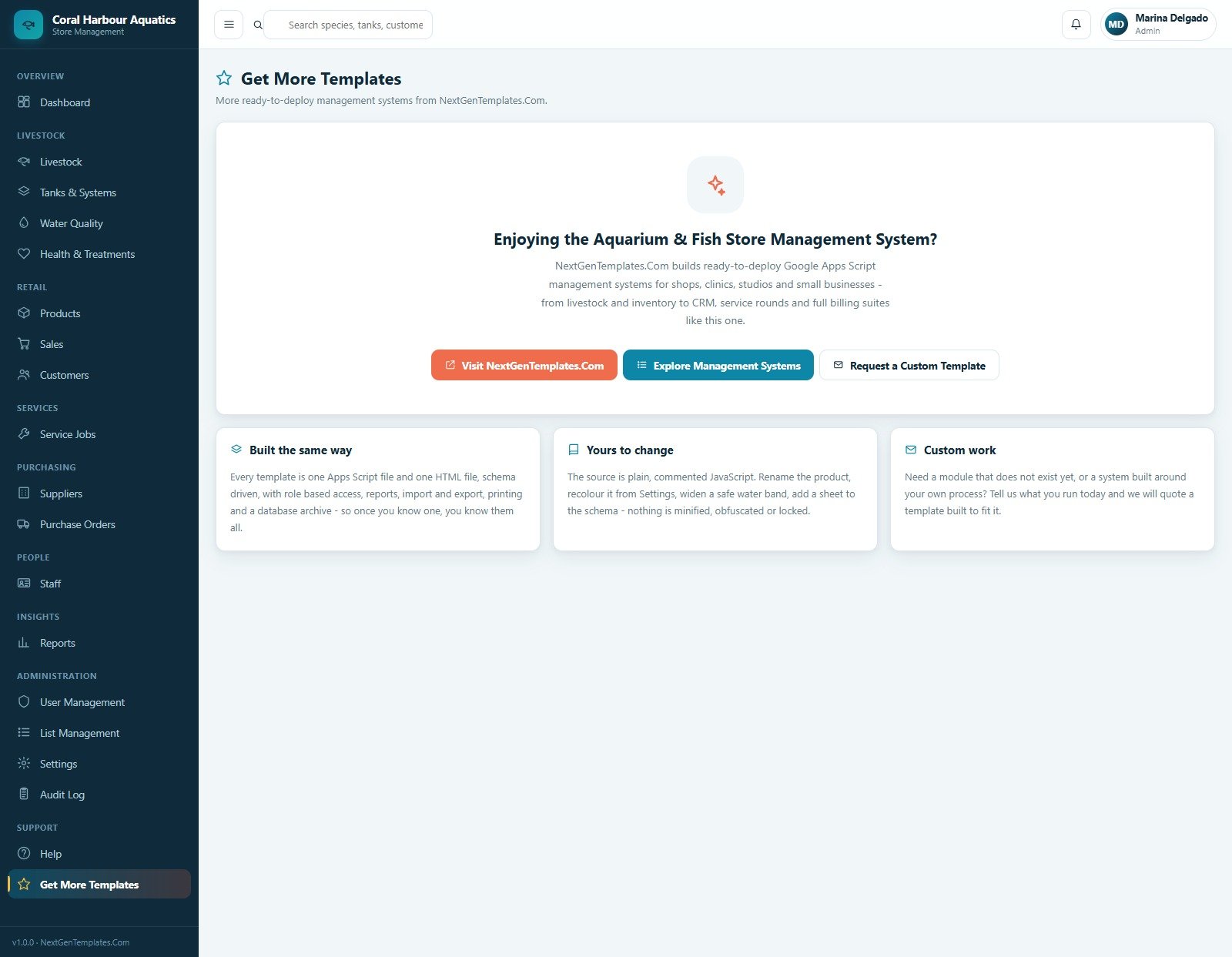
20. Get More Templates
The final screen links users back to NextGenTemplates for more ready-to-deploy Google Apps Script management systems, with buttons to visit NextGenTemplates.com, explore management systems and request a custom template.
Aquarium and Fish Store Management System Web App vs. Spreadsheet Tracker vs. Paid Retail SaaS – Where This Fits
| Feature | This web app | Spreadsheet tracker | Paid POS or inventory SaaS |
|---|---|---|---|
| Cost | $39.99 sale price, one-time download | Low tool cost, higher build time | Often monthly, per-user or per-location |
| Platform | Browser-based Google Apps Script style system | Excel or Google Sheets file | Vendor-hosted cloud software |
| Setup time | Start from 20 prepared screens | Design sheets, forms and reports yourself | Configure plan, users, imports and settings |
| Real-time team collaboration | Role-based login workflow after deployment | Limited by file permissions and version control | Usually included by plan |
| Mobile access | Works in a modern browser after deployment | Depends on sheet layout | Usually included |
| Aquarium-specific operations | Livestock, tanks, water tests, treatments and service jobs included | Requires custom tabs and formulas | Often generic retail unless customized |
| Year-1 cost at 5 users | $39.99 template cost before any workspace costs | Template plus internal build time | Can rise with seats and add-ons |
Who This Template Is For – and Who It’s Not For
This template is built for aquarium stores, fish retailers, aquatic pet shops, pond supply sellers and aquarium service businesses that need stock, water quality, service, customer and sales records in one editable system.
It is not the best fit for large multi-branch chains needing payment-gateway settlement, hardware barcode integration, accounting API sync, enterprise ERP controls or a vendor-hosted SaaS contract out of the box.
How to Use the Aquarium and Fish Store Management System Web App
- Download and unzip the package after purchase.
- Follow the included deployment guide to set up the source files in your own Google account.
- Update store profile, numbering, finance, print, email, theme and security settings.
- Add tanks, species, products, suppliers, customers, staff and dropdown list values.
- Record livestock batches, water tests, treatments, counter sales, service jobs and purchase orders.
- Review dashboard KPIs, reports and audit logs on a daily or weekly schedule.
Real-World Use Cases
Meera, Aquarium Store Owner
Meera uses the dashboard each morning to check livestock value, quarantine count, water alerts, sales this month and dry goods to reorder before staff open the counter.
Daniel, Head Aquarist
Daniel reviews tanks due for tests, logs pH and nitrogen readings, records treatments, and catches repeated loss events by tank before they become a wider stock problem.
Sofia, Service Coordinator
Sofia schedules customer aquarium visits, tracks technician minutes, invoices service work and reviews overdue jobs from the same workspace used for customers and receivables.
Frequently Asked Questions
What does the Aquarium and Fish Store Management System Web App include?
It includes 20 screens for login, dashboard, livestock, tanks, water quality, health events, dry goods, sales, customers, service jobs, suppliers, purchase orders, staff, reports, users, lists, settings, audit log, help and NextGenTemplates links.
Can it track livestock batches and losses?
Yes. The livestock and health modules track species, tank, quantity in, sold, lost, live count, stock value, status, treatment events, medication, reason and outcome.
Can it manage water quality?
Yes. The Water Quality page records temperature, pH, NH3, NO2, NO3, SG, result, tester and out-of-band readings, with filters for date range, tank, water type and exceptions.
Does it include retail sales and invoices?
Yes. The Sales screen tracks invoices, customer, channel, seller, lines, units, subtotal, tax, total, gross profit, balance and status, with export and receipt actions.
Is this a monthly subscription?
No. This is sold as a one-time downloadable template product. You may still have your own Google account, deployment, customization or workspace responsibilities.
Can I customize the dropdown lists and settings?
Yes. List Management includes 218 values across 36 lists, while Settings covers business profile, finance, numbering, operations, print, email, theme, security, archive and maintenance options.
About the Author
Built by PK – Microsoft Certified Professional with 15+ years of Excel, Google Sheets, and Power BI experience. Founder of NextGenTemplates, reaching 300K+ subscribers across YouTube channels. Every template is hand-built and tested before release.
Explore Related Templates
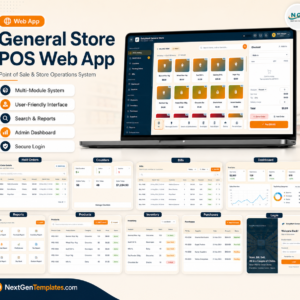
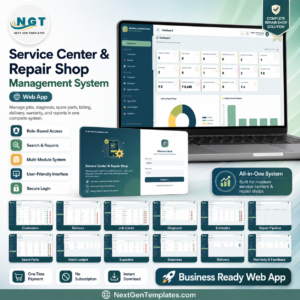
For related retail operations, explore the General Store POS Web App, Service Center and Repair Shop Management System Web App, Auto Parts Inventory Management System Web App and Aquatic Pet Stores Dashboard in Power BI. You can also browse the full Web Apps category and Google Sheets template category.
Ready to manage livestock, tanks, sales and service work from one browser workspace? Add the Aquarium and Fish Store Management System Web App to your toolkit today.
Last updated: August 13, 2026.



























Reviews
There are no reviews yet.