

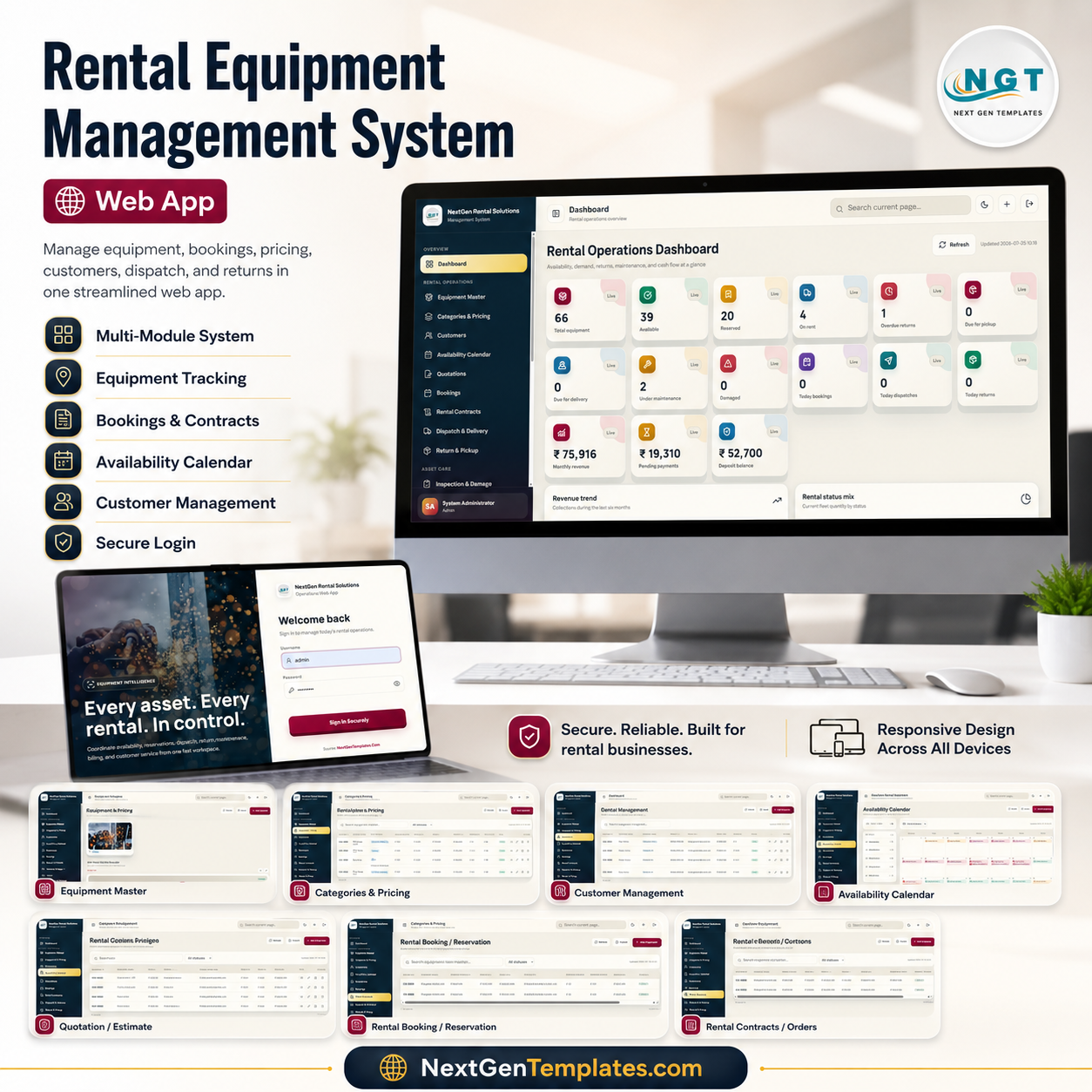

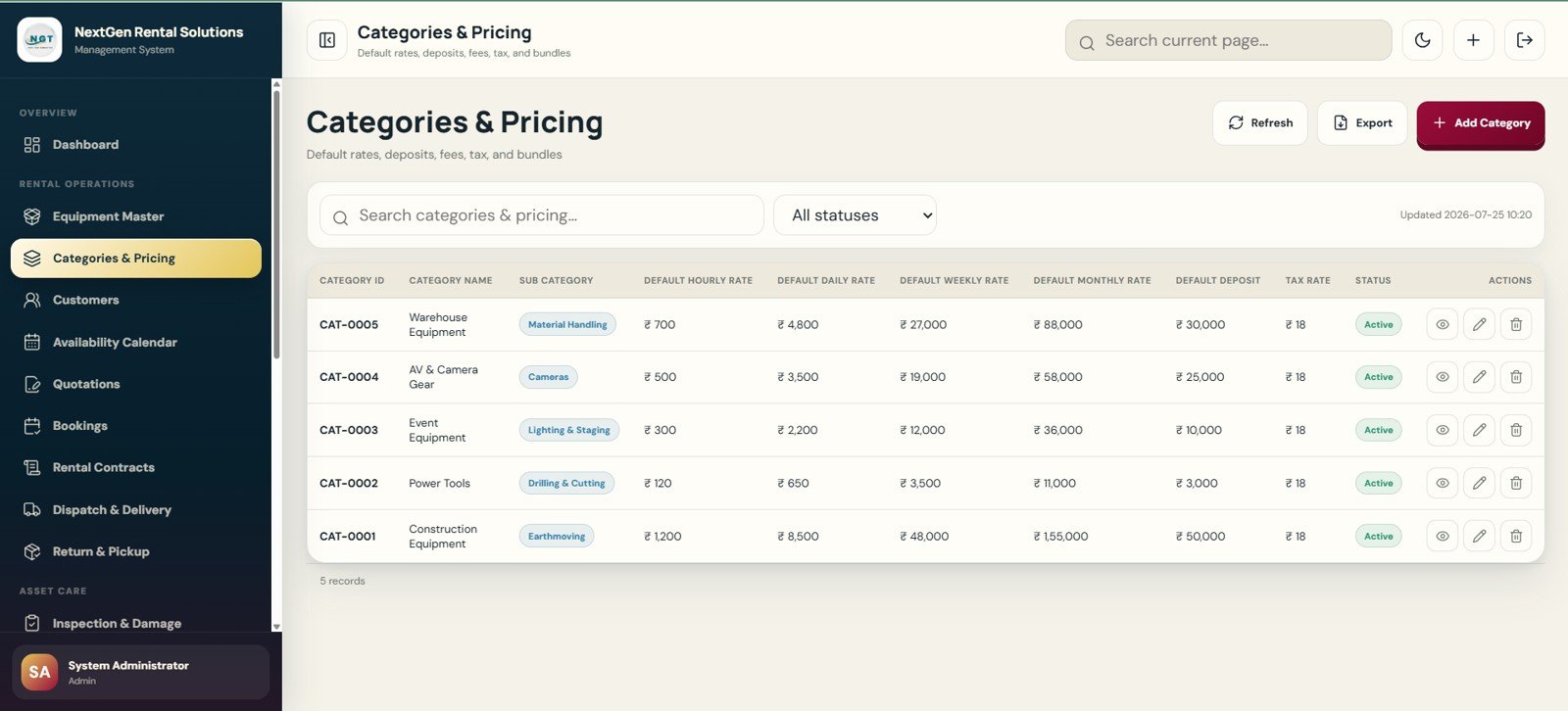
Rental Equipment Management System Web App helps rental teams control equipment, reservations, contracts, dispatch, returns, maintenance, billing and reports in one browser-based workspace. The American Rental Association’s 2026 forecast projects U.S. construction and general tool rental revenue at $83.5 billion, so missed availability, late returns and manual invoice gaps are not small problems. Built by PK for the NextGenTemplates audience of 300K+ tutorial subscribers, this template gives rental operators a one-time purchase starting point with no per-user software subscription from NextGenTemplates.
Launch price: $39.99 sale price, regular price $69.99. The draft is prepared as a digital web app product; the downloadable file URL should be added before publishing.
Key Features of Rental Equipment Management System – Web App
- Secure role-based login: Users enter the rental workspace through a branded login page with password visibility control and role-aware access.
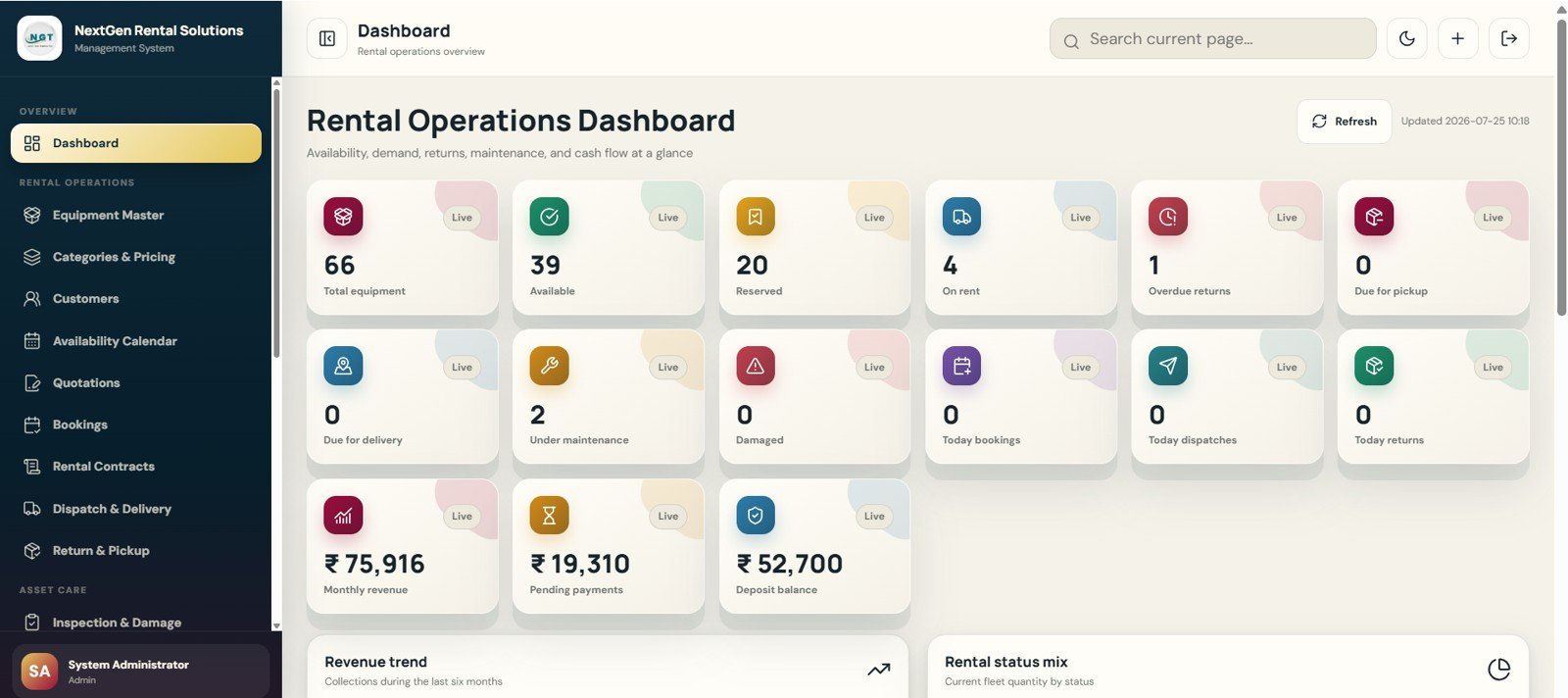
- Rental operations dashboard: View total equipment, available items, reserved items, active rentals, overdue returns, dispatches, returns, monthly revenue, payments and deposits.
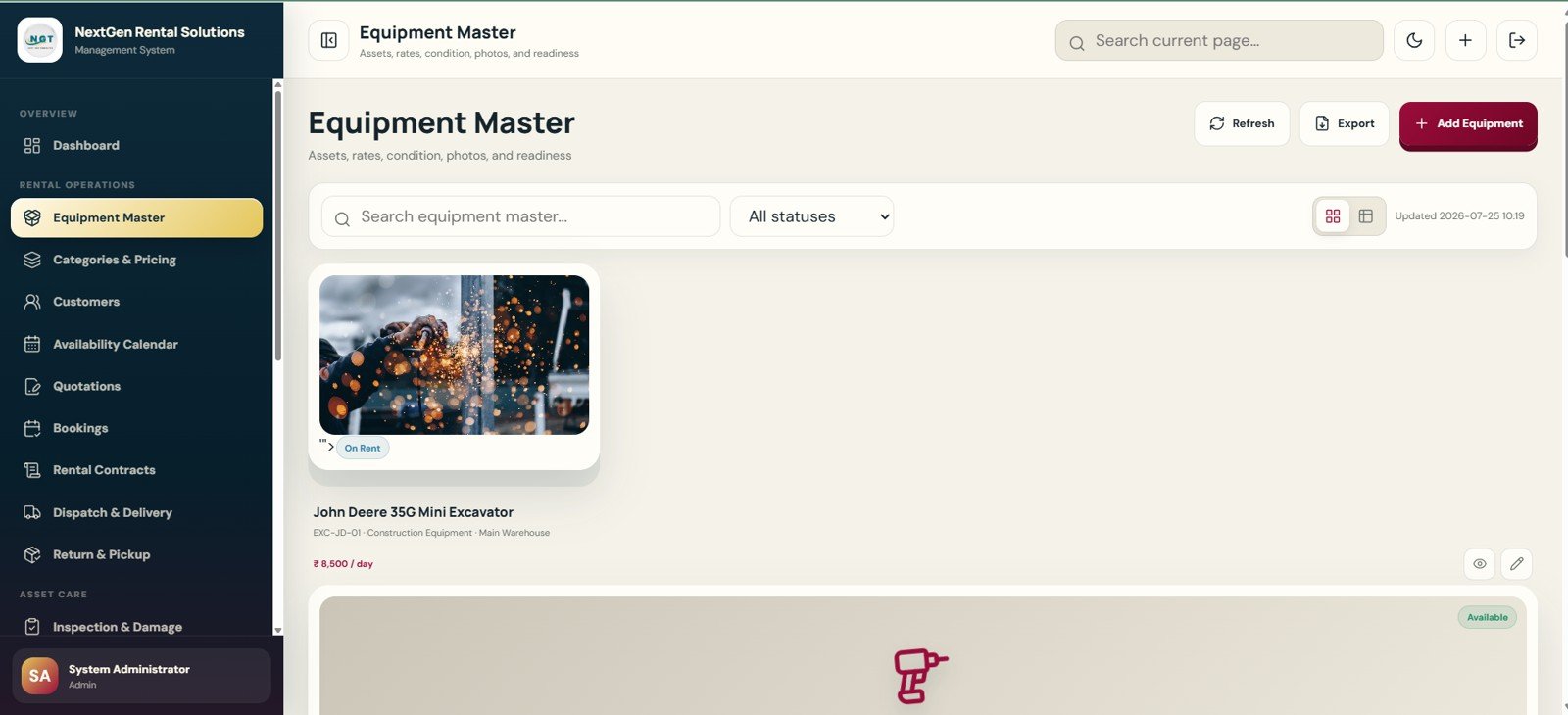
- Equipment master: Maintain equipment codes, names, categories, asset types, locations, conditions, availability, rates, deposits and photos.
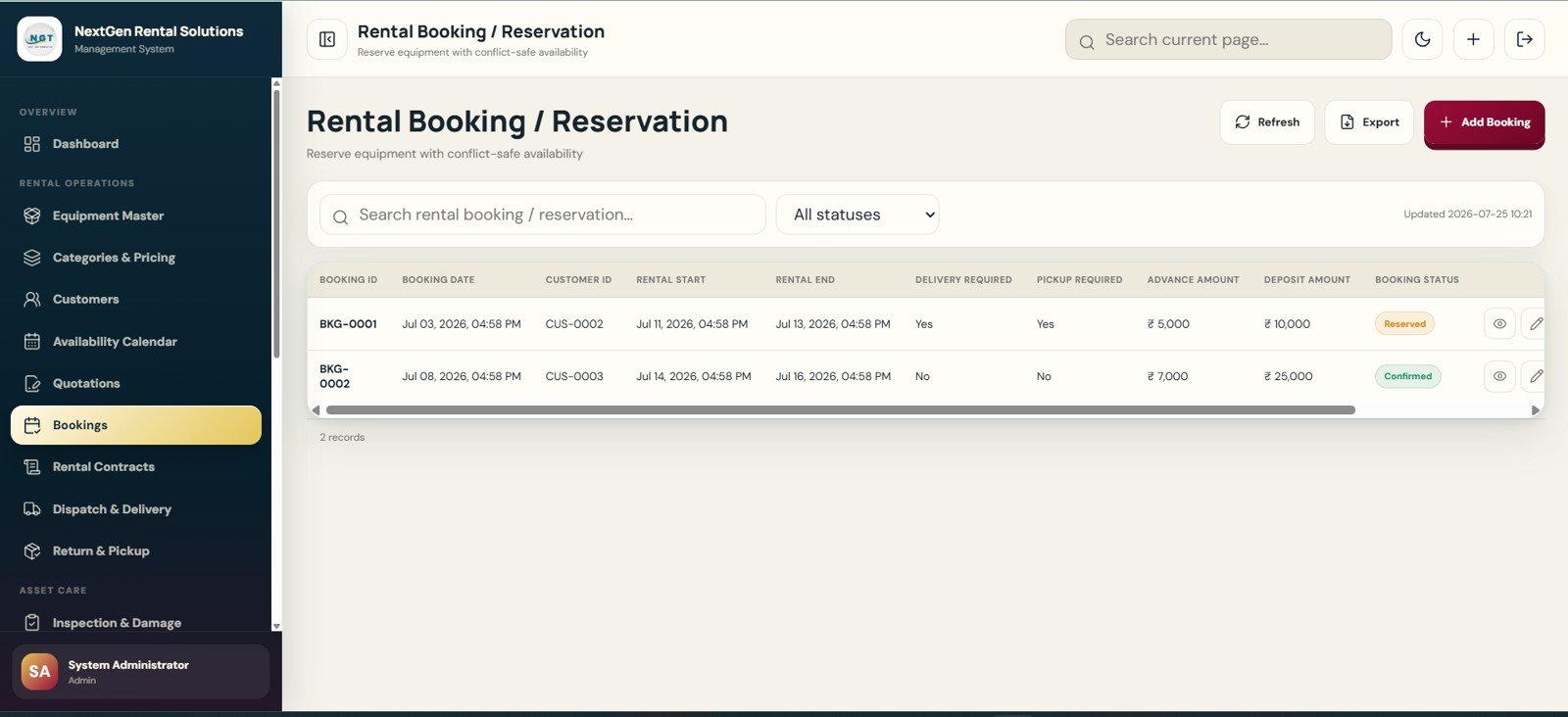
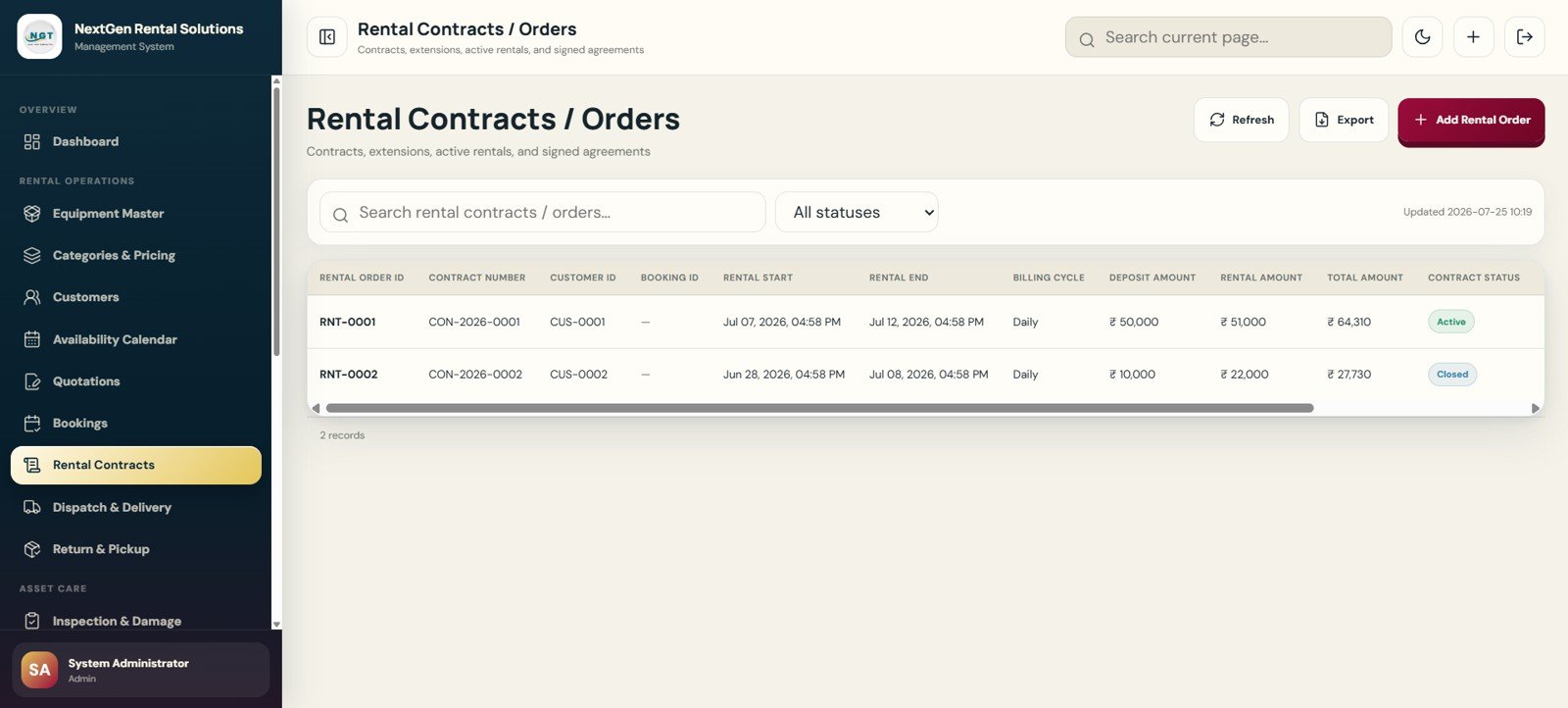
- Booking and contract workflow: Move from quotation to reservation, rental order, dispatch, return, pickup, inspection and billing.
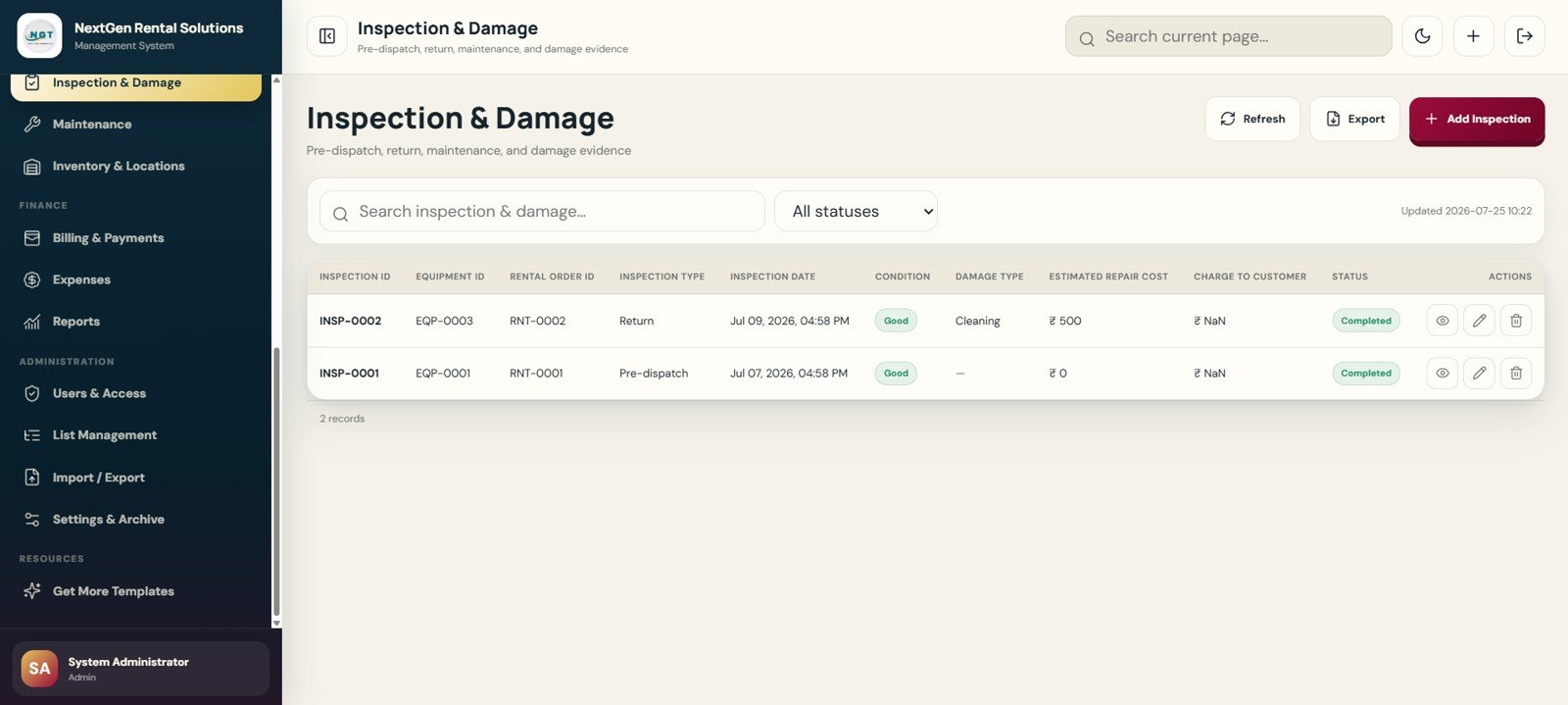
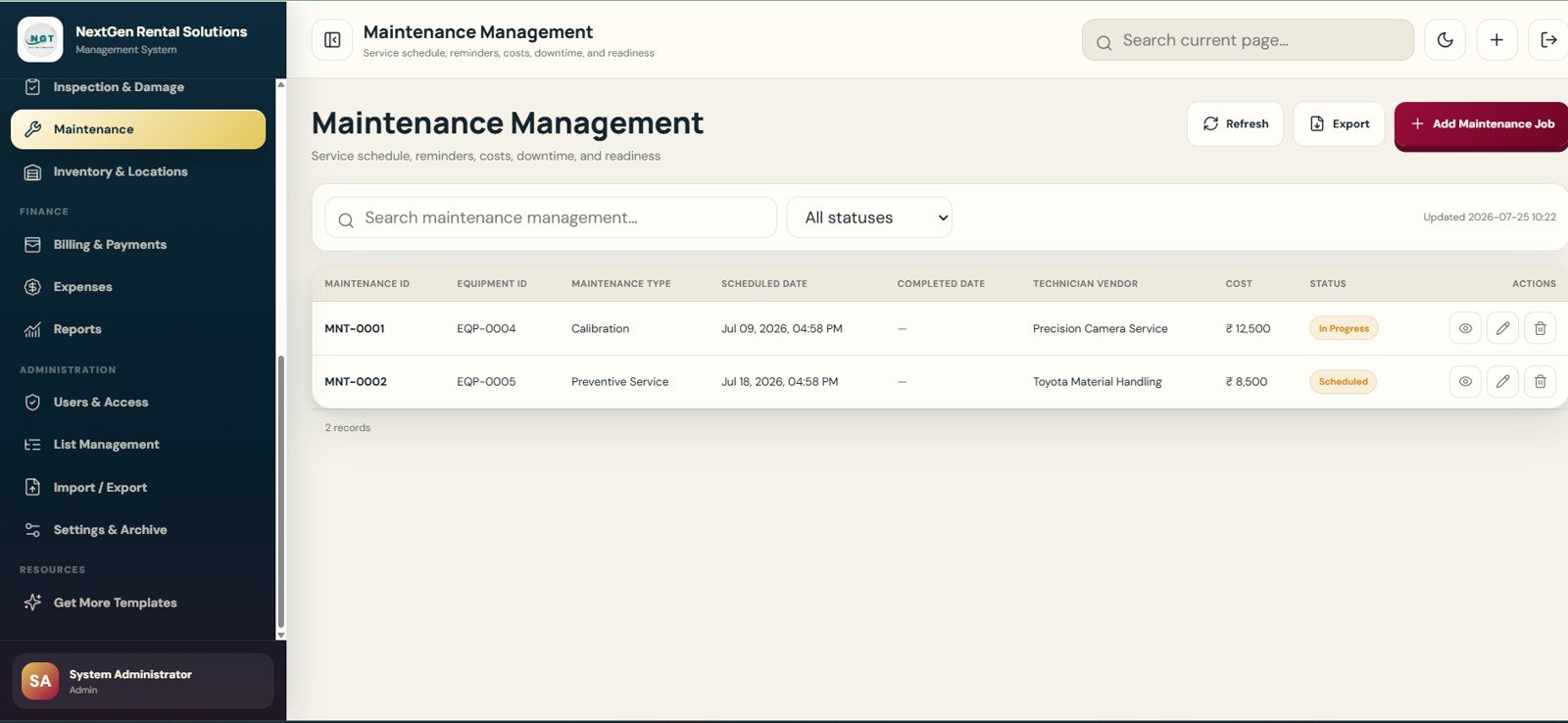
- Maintenance and damage control: Track inspections, repair estimates, service jobs, vendors, downtime and charge-to-customer decisions.
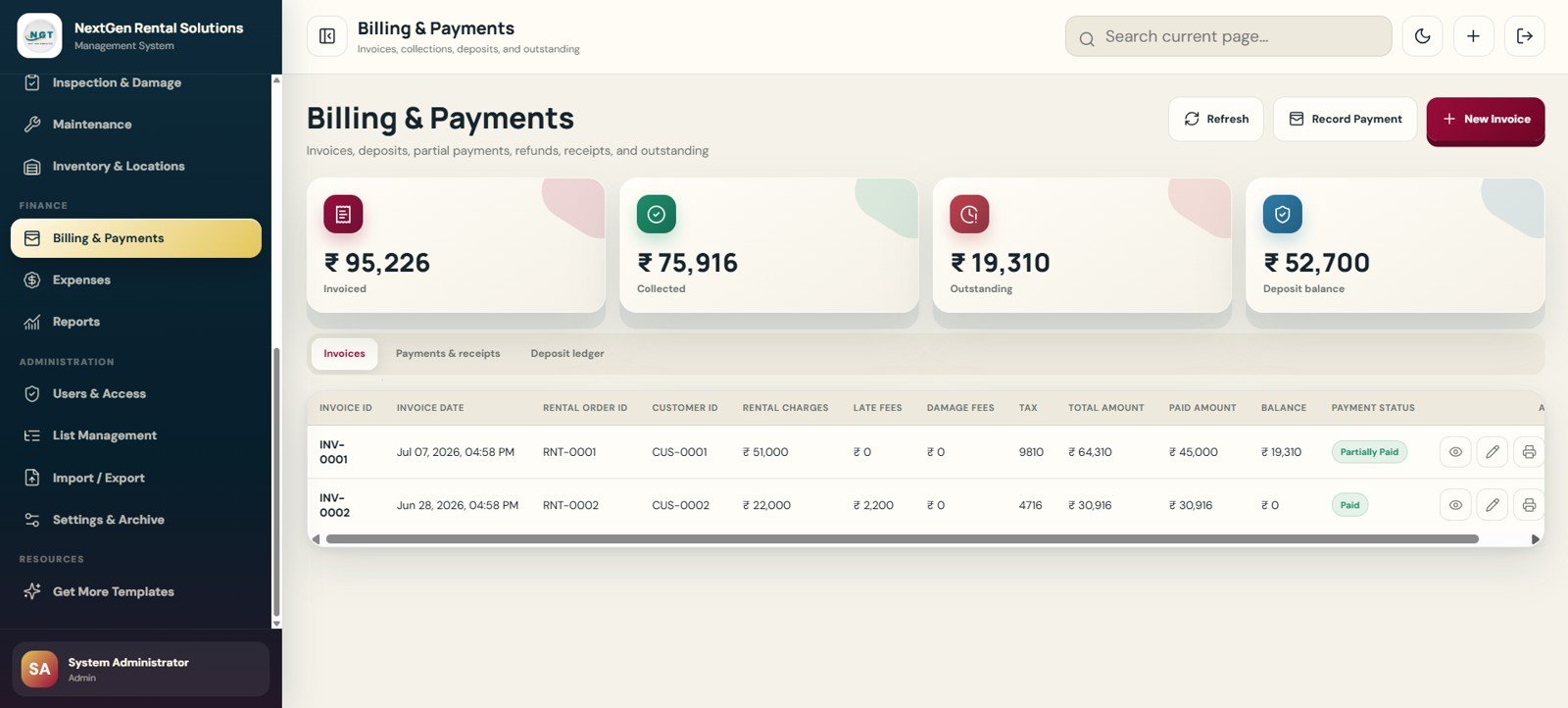
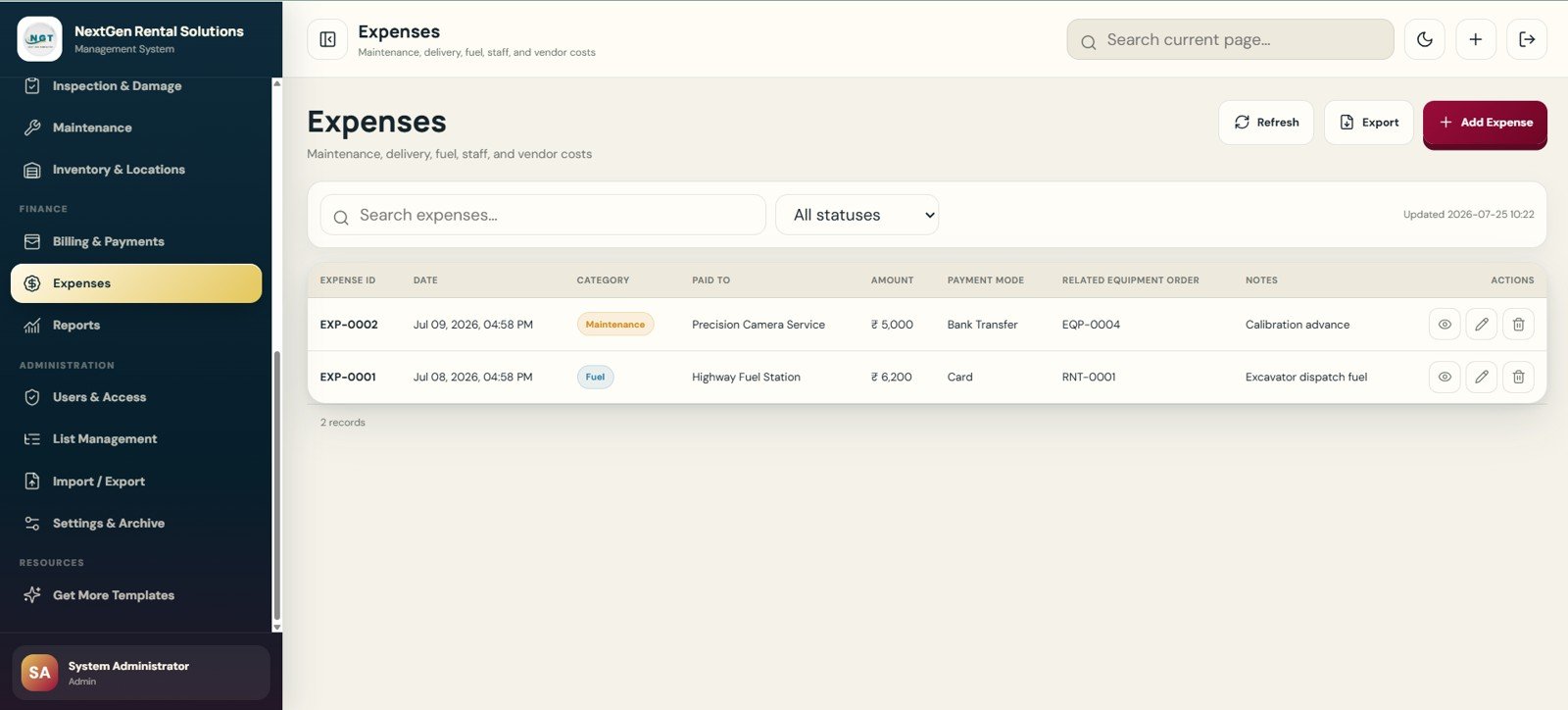
- Billing and payments: Manage invoices, deposits, late fees, damage fees, receipts, refunds and outstanding balances.
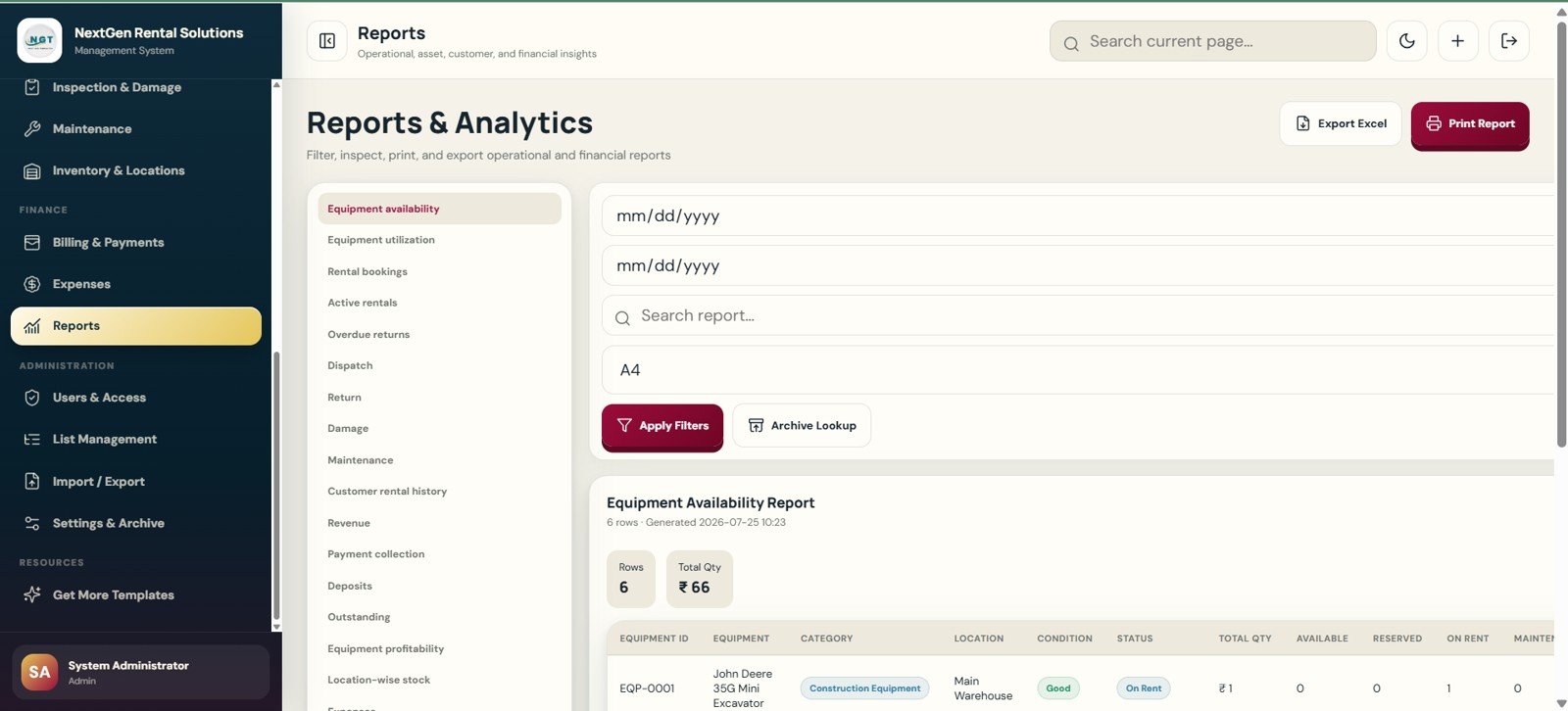
- Reporting center: Filter, print and export equipment availability, utilization, active rentals, overdue returns, dispatch, revenue and collection reports.
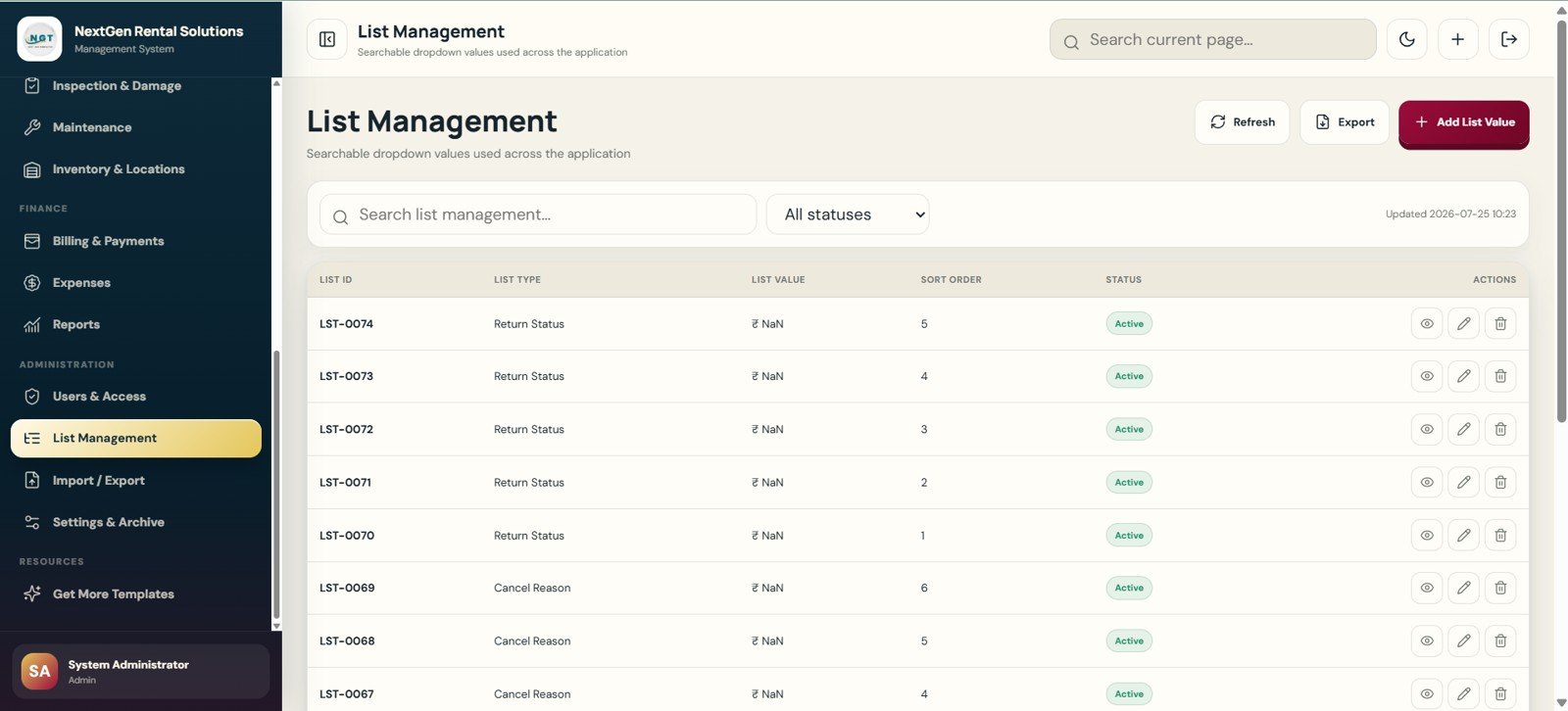
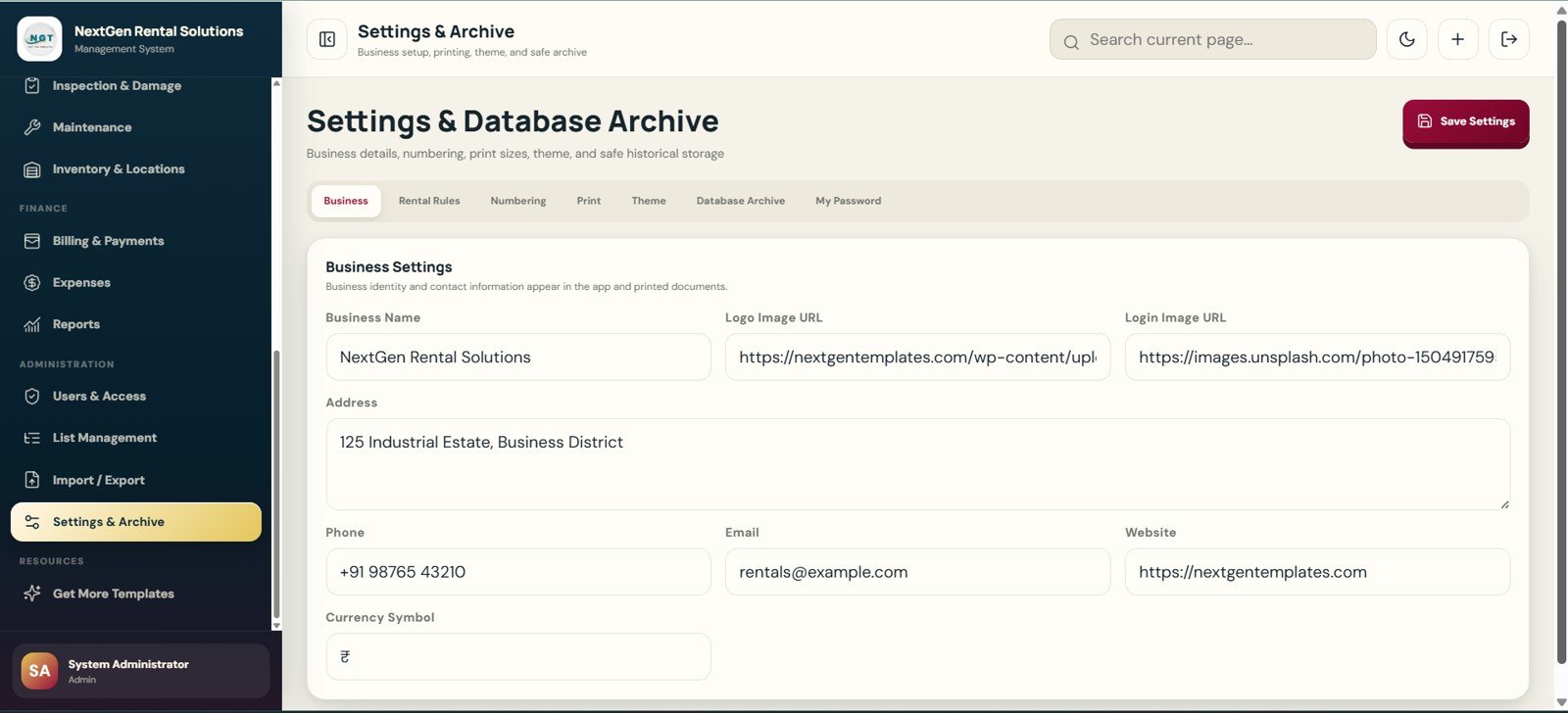
- Admin settings: Control users, module access, dropdown lists, import/export tools, print settings, business profile, theme and database archive.
What’s Inside the Rental Equipment Management System – Web App
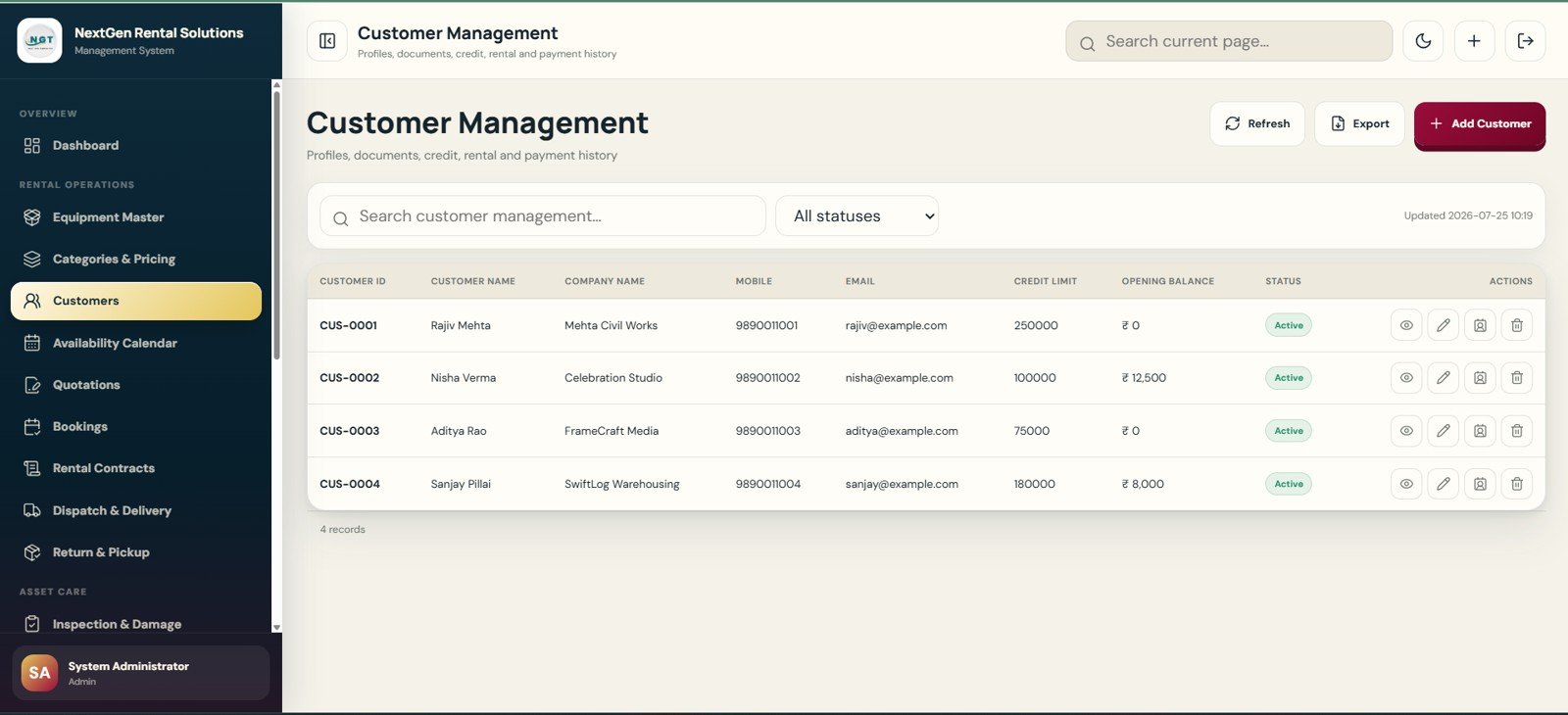
The web app includes 21 prepared pages covering the full rental lifecycle, from sign-in to dashboard reporting and archive settings. It is designed for equipment rental shops, tool libraries, event rental teams, construction rental counters and operations consultants who need a structured starting point instead of a blank spreadsheet or a recurring rental SaaS subscription.
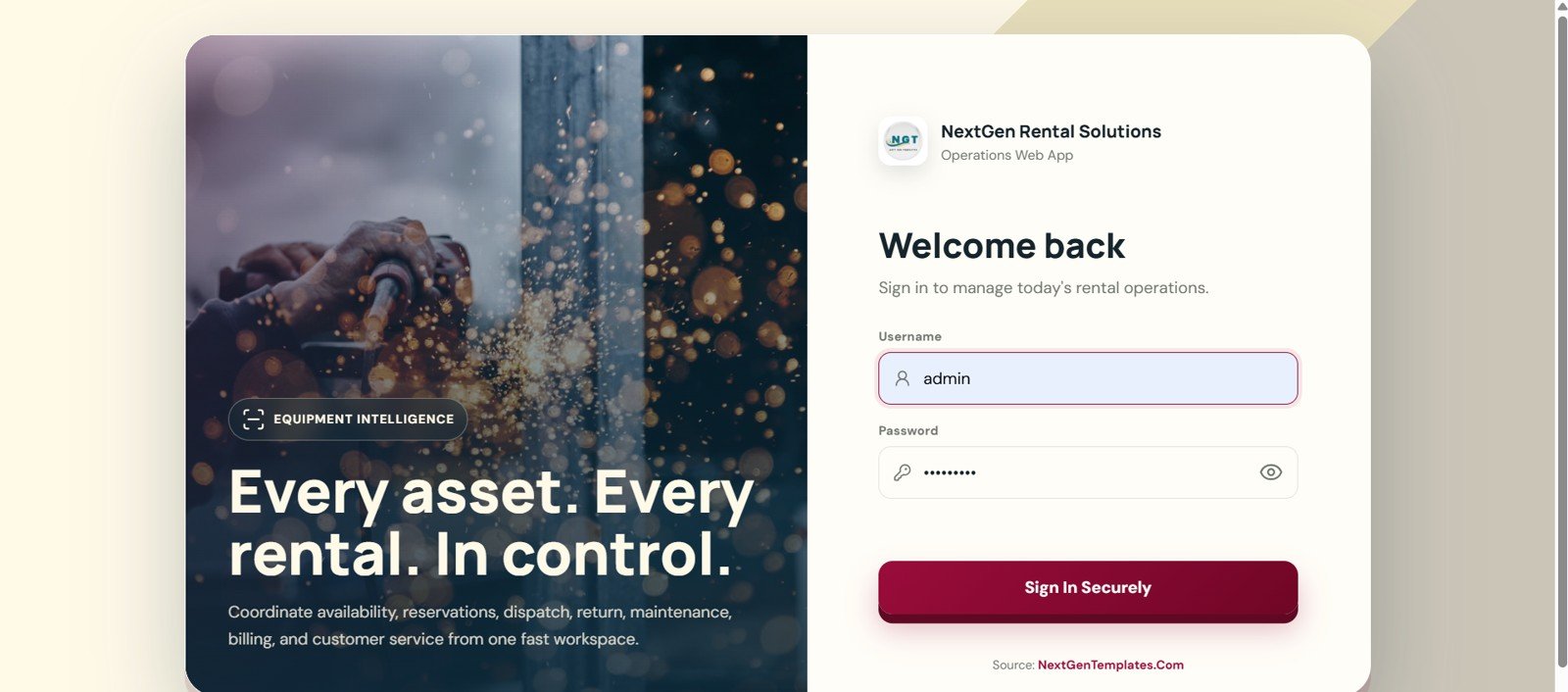
🚀 Try the Live Demo Before You Buy
We have deployed this web app in our own Google account so you can test every page, every module and all 8 user roles — with real sample data — before purchasing. No signup, no email required.
🔑 Test Login Credentials
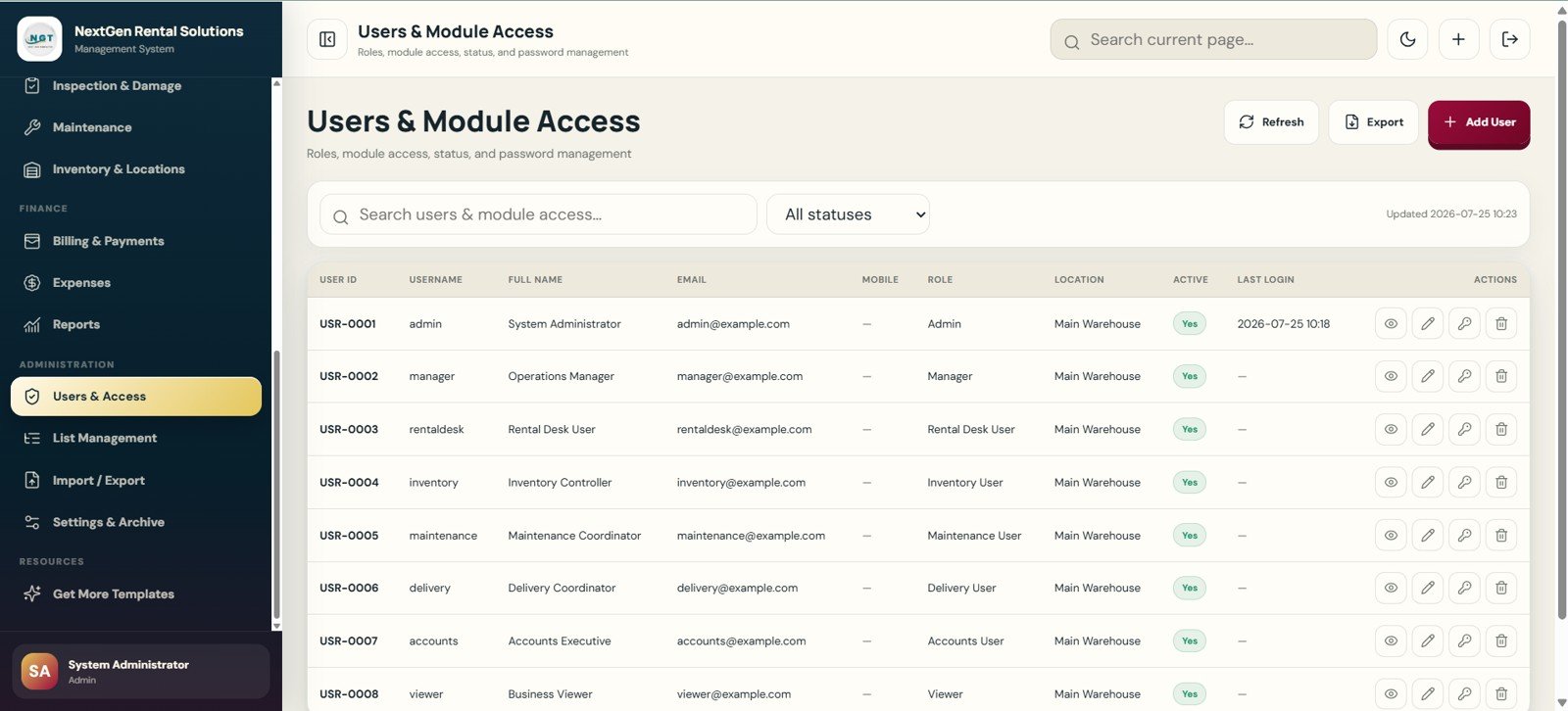
Sign in as admin to explore the complete system — dashboard, masters, user management and every report — or use any of the role logins below to see exactly what a rental desk, inventory, maintenance, delivery, accounts or viewer user is allowed to do. 💡 Tip: log in as Admin first to see the full picture, then switch roles to compare the restricted menus.
💡 What you get after purchase: The full source code (Code.gs + Index.html) plus a step-by-step deployment guide so you can deploy your own private instance in your own Google account in under 15 minutes.
Rental Equipment Management System – Web App vs. Google Sheets Tracker vs. Paid Rental SaaS – Where This Fits
| Feature | This web app template | Google Sheets tracker | Paid rental SaaS |
|---|---|---|---|
| Cost | $39.99 one-time sale price | Low cash cost, more setup work | Monthly or annual subscription |
| Platform | Browser-based app after deployment | Spreadsheet tabs | Vendor-hosted cloud system |
| Setup time | Start from 21 prepared pages | Build forms, reports and formulas manually | Onboarding and data migration |
| Real-time team collaboration | Supported after deployment and access setup | Shared editing | Usually included by plan |
| Mobile access | Browser access after deployment | Sheets app or browser | Usually app or browser |
| Customizable fields | Lists, labels, pages and source code are editable | Editable cells and formulas | Plan and vendor dependent |
| Share with link | Possible through deployment settings | Yes | Usually account based |
| Year-1 cost at 5 users | $39.99 template cost | Template cost plus build time | Can become much higher with seats and add-ons |
| Rental lifecycle coverage | Quote, booking, order, dispatch, return, billing and reports | Only if custom built | Usually broad, but less editable |
Who This Template Is For – and Who It’s Not For
Best fit: equipment rental businesses, event rental counters, tool libraries, construction equipment teams, warehouse rental operations and consultants who need a practical rental management structure they can adapt.
Not the best fit: teams that need built-in payment terminal certification, telematics/GPS integration, barcode hardware drivers, tax filing automation, accounting sync or live vendor support without customization.
How to Use the Rental Equipment Management System – Web App
- Deploy the web app files in your own workspace and test the login flow.
- Set business name, address, logo, currency, print settings, rental rules and numbering.
- Load equipment categories, rates, deposits, customer records, locations and users.
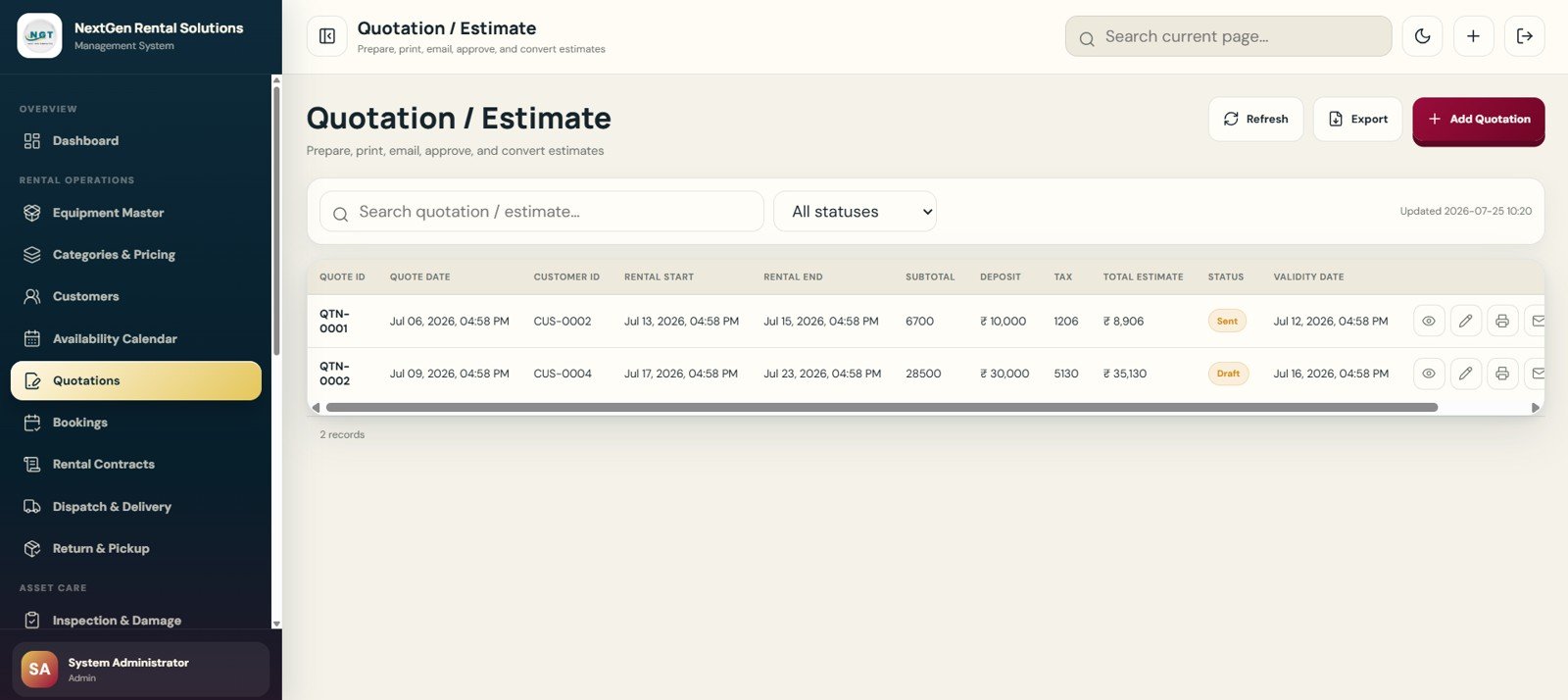
- Create quotations, convert approved estimates into bookings, then issue rental orders.
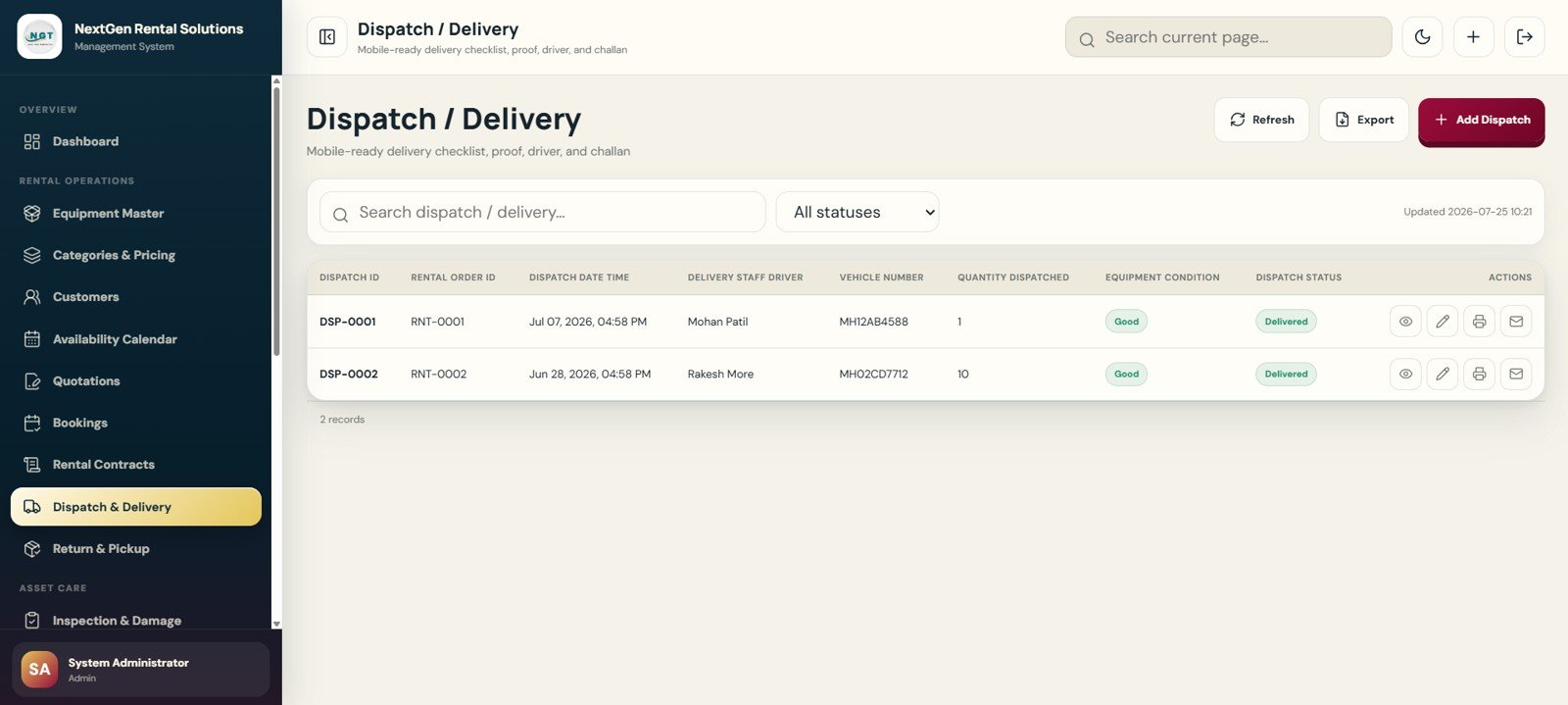
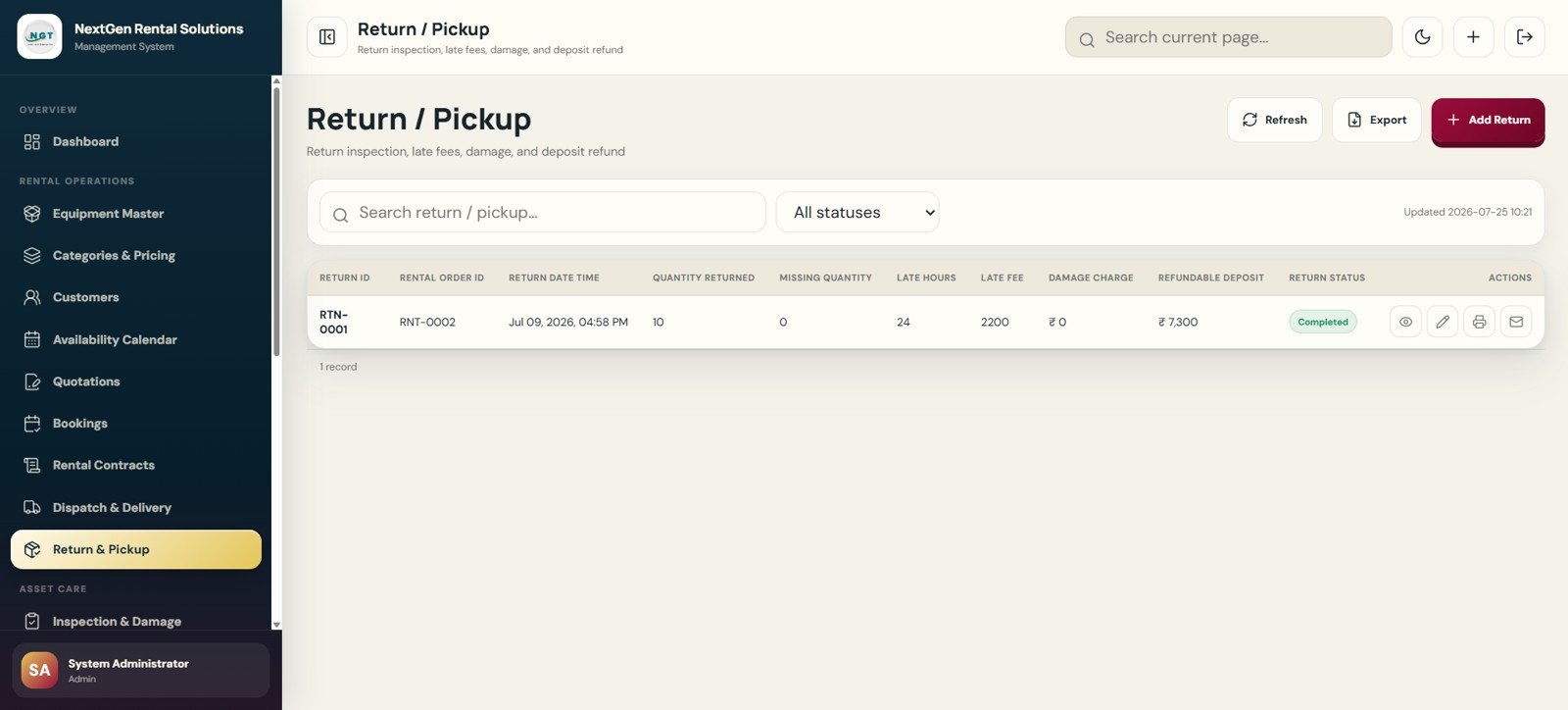
- Track dispatch, delivery proof, returns, inspection results, damage fees and refundable deposits.
- Use reports, exports and archive tools to review availability, utilization, revenue and overdue returns.
Real-World Use Cases
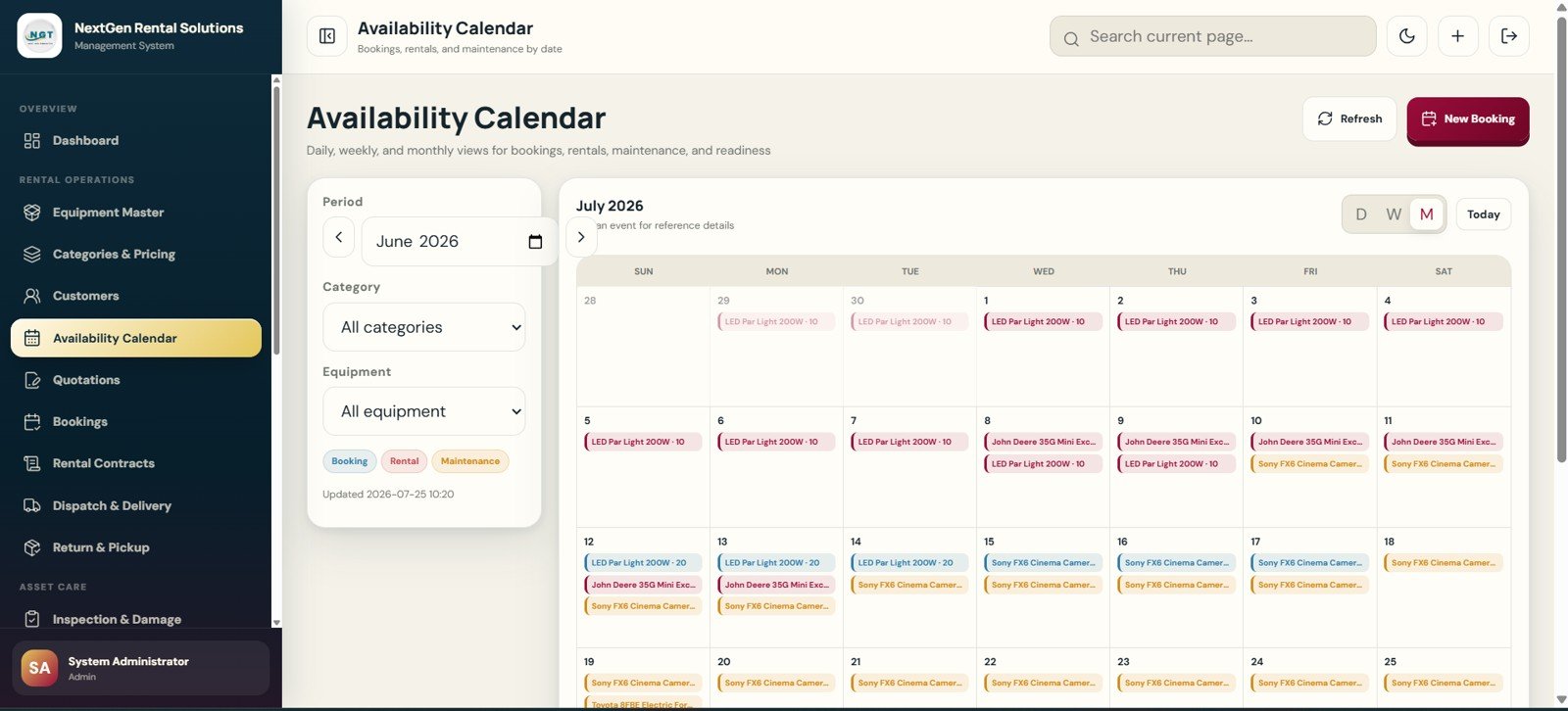
Ravi manages a construction tool rental shop. He uses Equipment Master, Availability Calendar and Rental Orders to avoid double-booking generators and power tools during busy weeks.
Melissa runs an event rental counter. She uses Quotation, Booking, Dispatch, Return and Billing pages to track tents, lighting, furniture and deposits from one customer record.
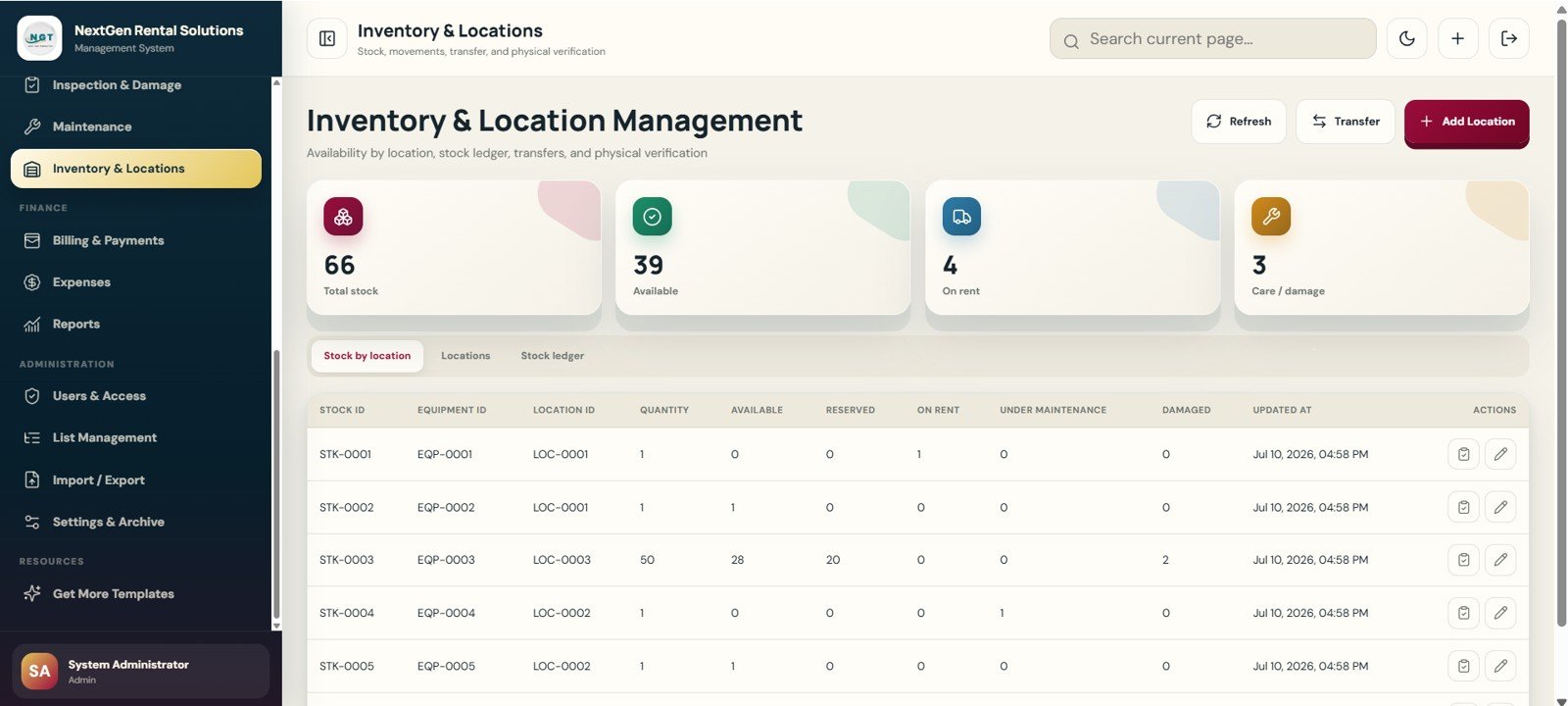
Omar supports a multi-location equipment yard. He uses Inventory and Location Management, Maintenance, Reports and User Access to keep stock, repairs and branch responsibilities visible.
Frequently Asked Questions
What does the Rental Equipment Management System Web App include?
It includes 21 pages for login, dashboard, equipment, pricing, customers, availability, quotations, bookings, contracts, dispatch, returns, inspections, maintenance, inventory, billing, expenses, reports, users, lists, import/export and settings.
Is this a monthly software subscription?
No. NextGenTemplates sells this as a one-time template download. You may still need your own hosting, Google account, customization work or support depending on how you deploy it.
Can it manage deposits, late fees and damage charges?
Yes. The workflow includes billing, payments, deposit balance, late fee, damage charge, refundable deposit and payment status fields.
Does it replace full rental SaaS?
Not for every business. It is a template-based app for teams that want editable structure. Large rental companies needing telematics, accounting integrations and hardware workflows should review dedicated rental software.
Can users and roles be controlled?
Yes. The Users and Module Access page supports admin, manager, rental desk, inventory, maintenance, delivery, accounts and viewer roles.
Can I import or export data?
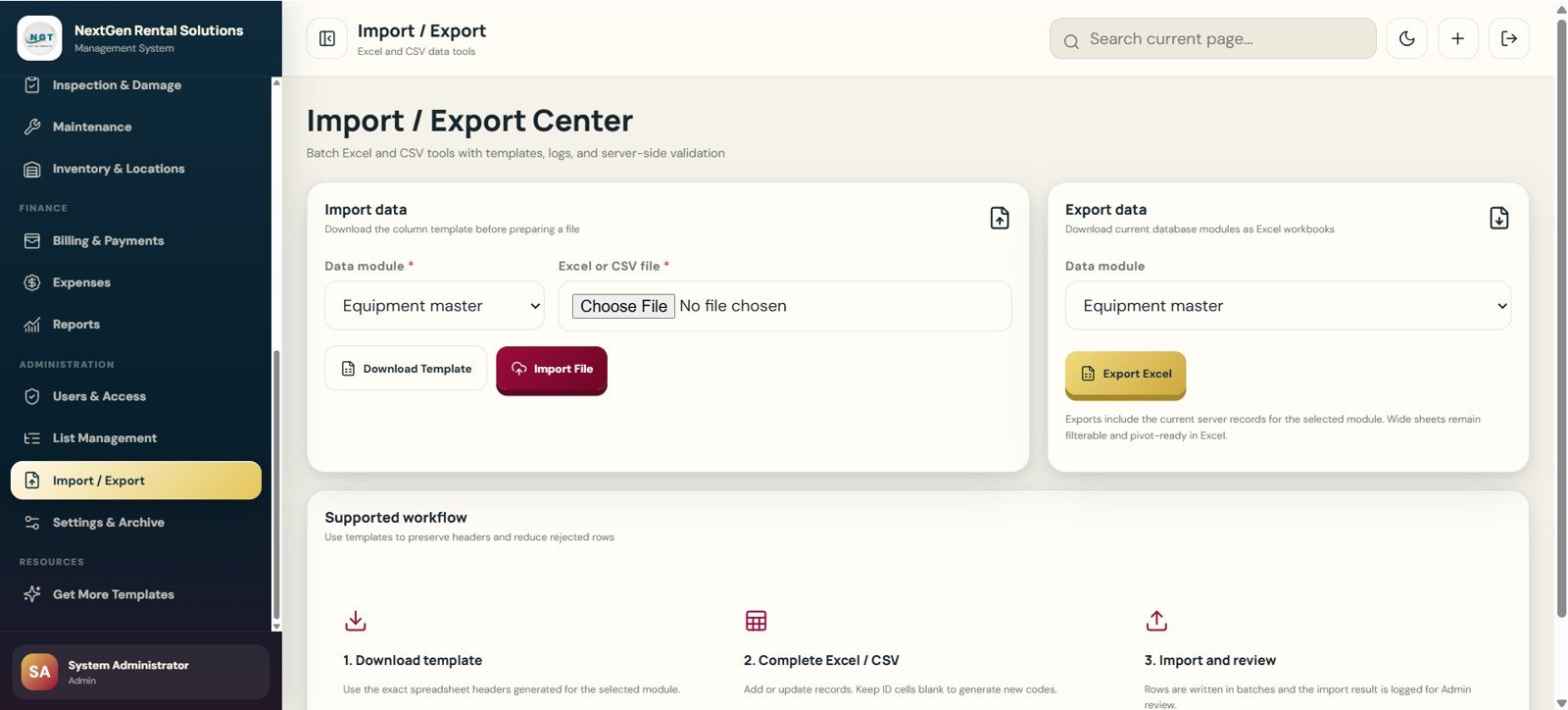
Yes. The Import / Export Center supports Excel and CSV templates, import logs, export actions and validation workflows.
About the Author
Built by PK – Microsoft Certified Professional with 15+ years of Excel, Google Sheets, and Power BI experience. Founder of NextGenTemplates, reaching 300K+ subscribers across YouTube channels. Every template is hand-built and tested before release.
Explore Related Templates
- Logistics Manager Toolkit – a higher-value pack for transport, dispatch and logistics teams.
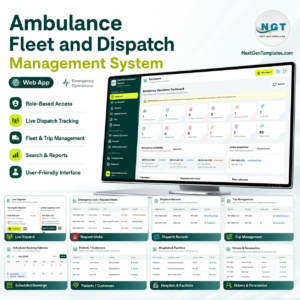
- Ambulance Fleet and Dispatch Management System Web App – related fleet dispatch workflow.
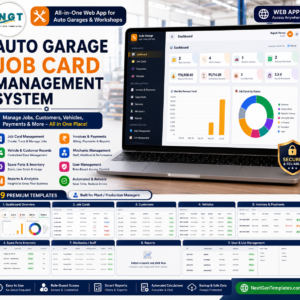
- Auto Garage Job Card Management System Web App – service workflow for vehicle repair shops.
- Equipment Borrowing Request Tracker in Excel – lighter equipment request tracking.
- Vehicle Reservation Tracker in Excel – focused reservation workflow for shared vehicles.
Browse more Mini Web Apps and HTML templates on NextGenTemplates.
Get the Rental Equipment Management System Web App if you need a practical operating base for equipment availability, rentals, returns, maintenance and billing. Review the draft, add the downloadable file URL, then publish when ready.
Watch the step-by-step video Demo:
Last updated: July 26, 2026.






























Reviews
There are no reviews yet.