

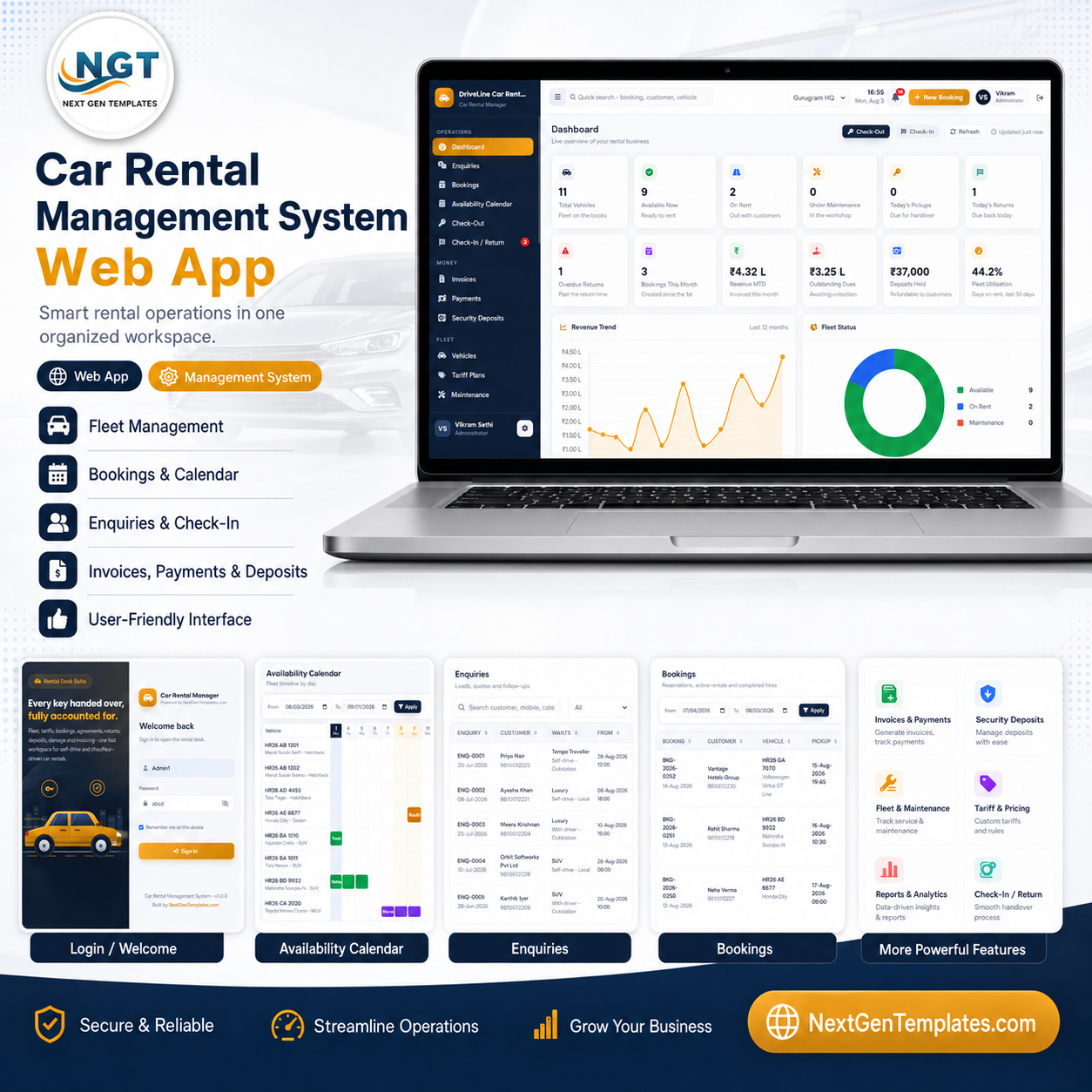

The Car Rental Management System Web App runs a complete self-drive and chauffeur-driven rental business across 26 screens, with 12 live KPI cards, 16 built-in reports, 20 controlled dropdown lists and 28 Google Sheets tabs. It ships seeded with 24 vehicles, 32 customers, 5 drivers and 252 bookings so every feature can be tested on day one. Setup takes about 10 minutes: paste two files, run one function, deploy.
🚀 Try the Live Demo Before You Buy
We have deployed this Car Rental Management System in our own Google account so you can test every page, every module and every role — with real sample data — before purchasing. No signup, no email required.
🔑 Test Login Credentials
Sign in as Admin1 to explore the full system — vehicle fleet, bookings and reservations, customers, rental agreements, payments, maintenance records, reports and user management. Feel free to add, edit and delete records; the demo data resets periodically.
💡 What you get after purchase: The full source code (Code.gs + Index.html) plus a step-by-step deployment guide so you can deploy your own private instance in your own Google account in under 15 minutes.
🌍 Join 10,000+ customers in 180+ countries using NextGenTemplates to replace paid SaaS tools with one-time-purchase Excel, Google Sheets, Power BI and Google Apps Script templates.
✅ Instant download · One-time payment · No subscription · No per-user fees · Lifetime access
🔑 Key Features of the Car Rental Management System Web App
🚗 A fleet record built for rental, not for a garage. Every car carries registration, make, model, category, transmission, fuel type, colour, seats, branch, ownership type, odometer, security deposit and seven expiry dates — insurance, RC, fitness, permit, PUC, next service date and next service kilometres.
🔒 Double-booking is impossible, not merely discouraged. Every booking save re-runs an overlap test on the server against all Reserved, Confirmed and Checked-Out hires for that vehicle. If it clashes the save is refused and the conflicting booking number is shown, and all ID allocation runs inside LockService so two counters saving at the same instant can never receive the same booking, agreement, invoice or receipt number.
🧮 One charge engine, used twice. The same calculation drives the live preview at the counter and the saved invoice: base rental + extra hours + extra kilometres + add-ons + driver allowance + fuel + cleaning + damage + fines + late fee + other, less discount, then tax, then less advance and deposit adjustment. The number the customer sees on screen is the number that prints.
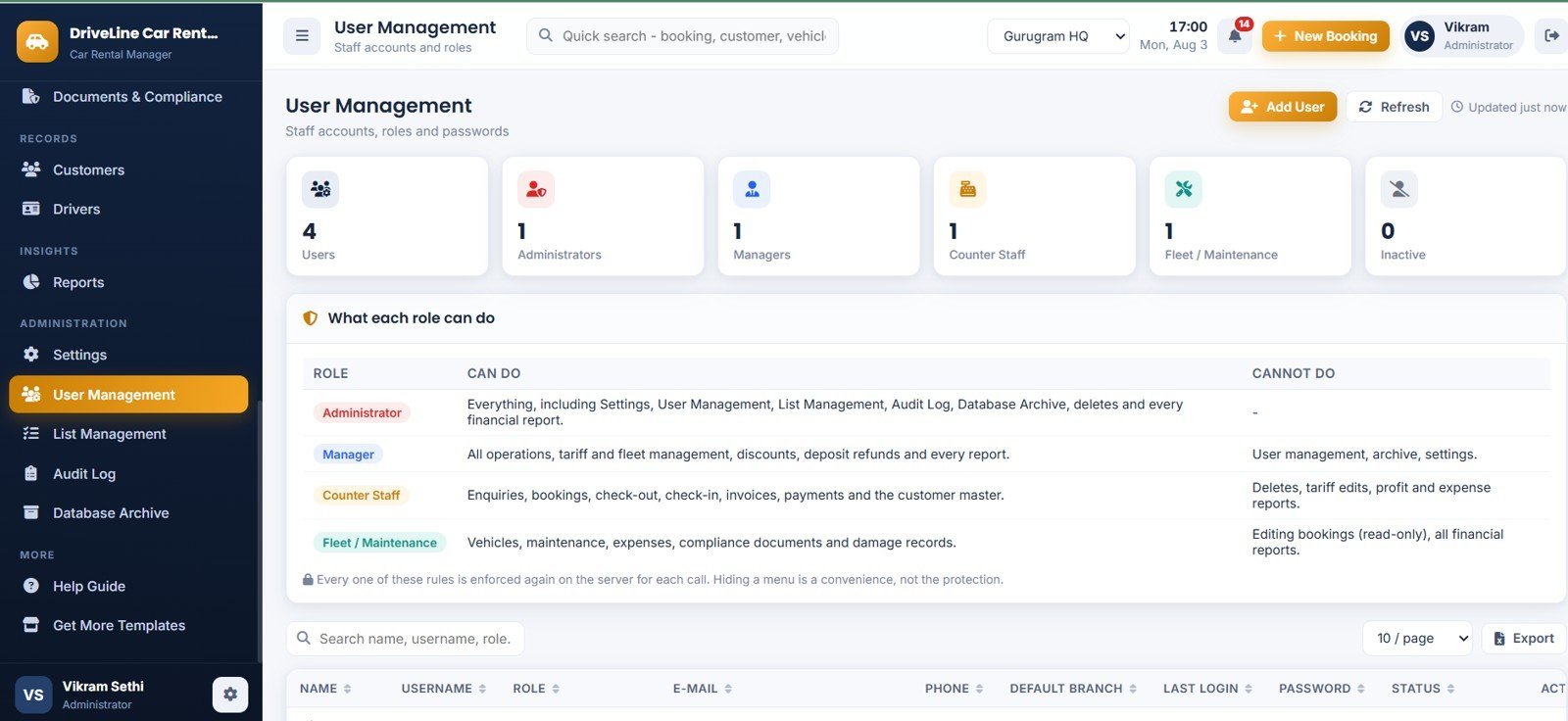
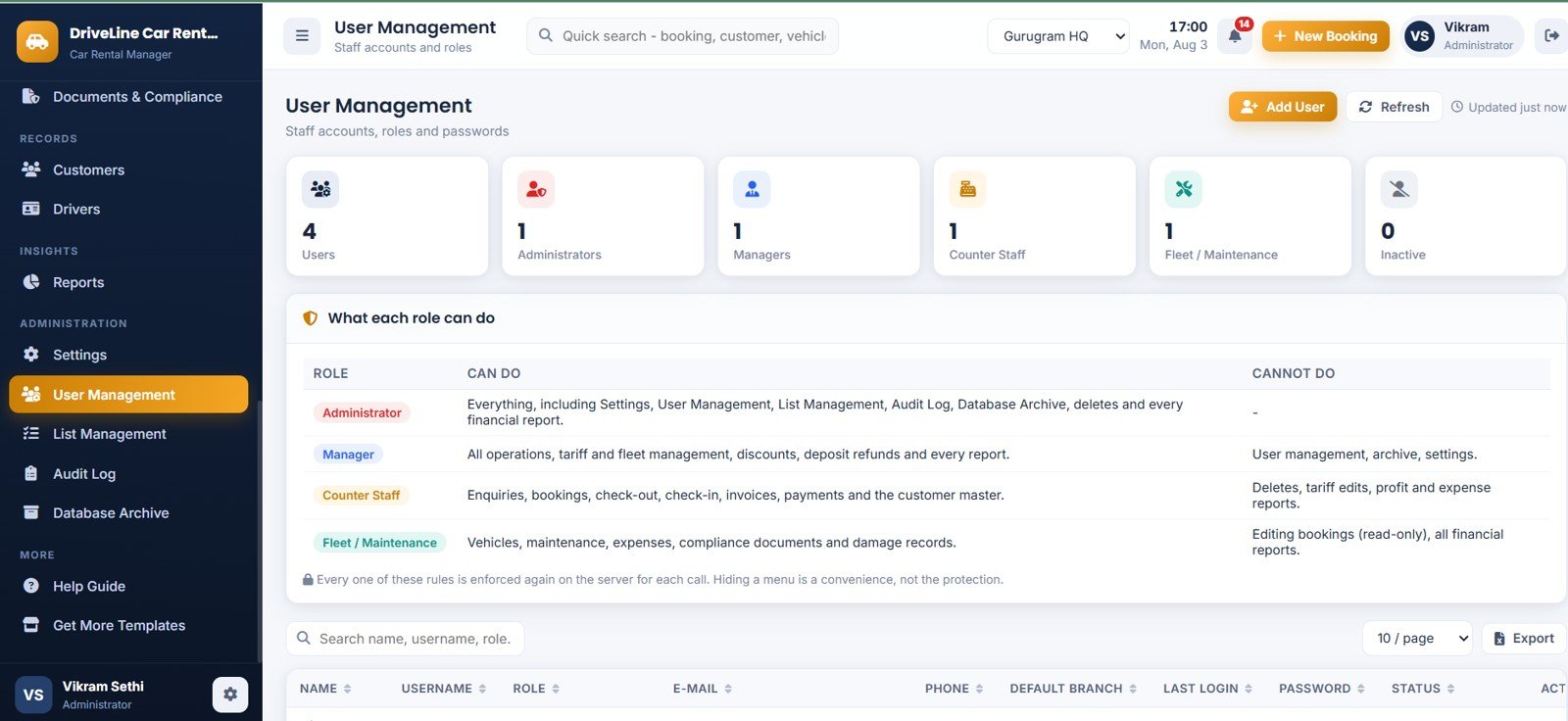
👥 Four roles, re-checked on the server every call. Administrator, Manager, Counter Staff and Fleet / Maintenance. Hiding a menu item is a convenience for the user, never the protection — a Counter Staff account cannot reach a profitability report even by editing the page.
🛡️ Security that holds up. Passwords are stored only as SHA-256 hashes with a random per-user salt, sessions carry a server-side token with a 12-hour expiry, and every blacklist override, rate override, discount, deposit deduction, refund, password reset, import, export and archive run is written to the Audit Log.
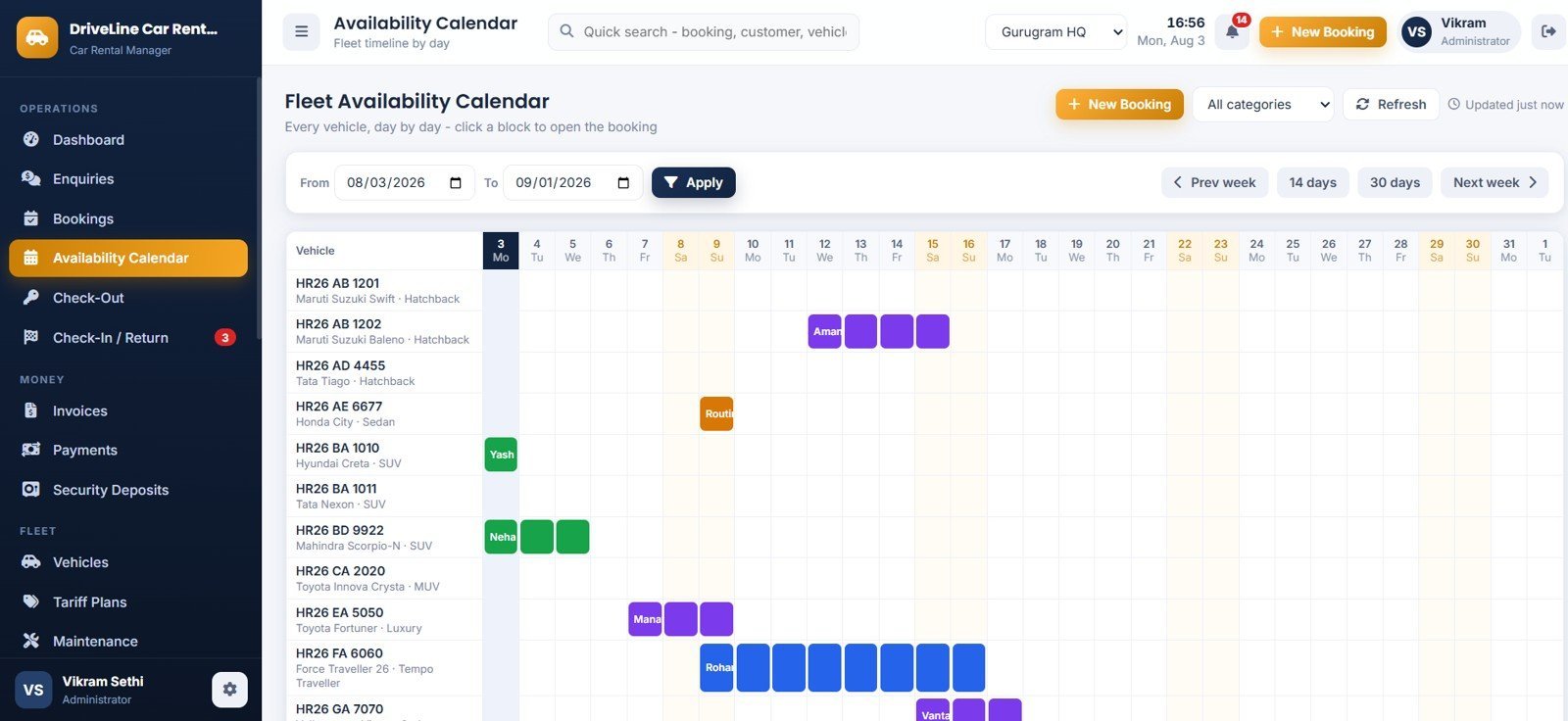
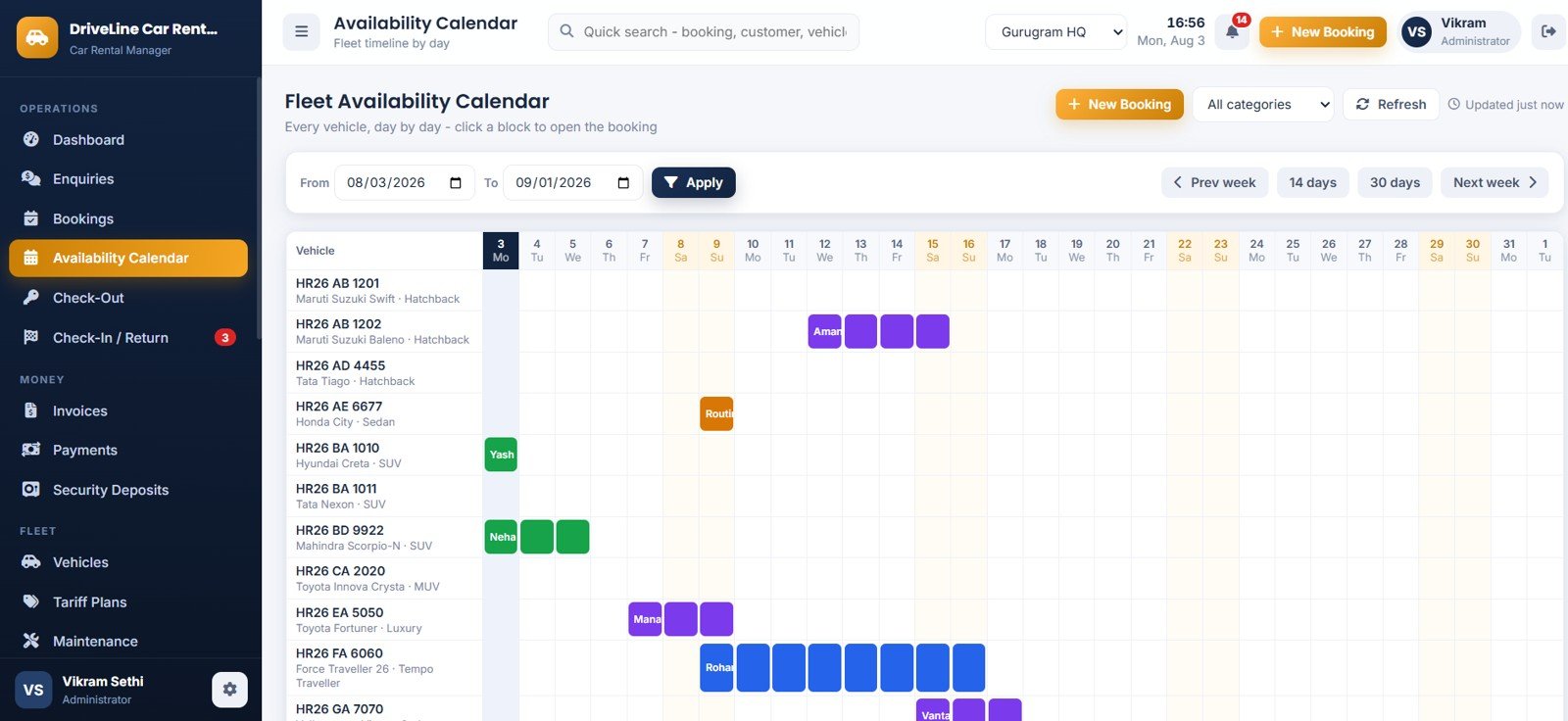
📅 A real availability calendar. Vehicles down the side, days across the top, one colour-coded block per booking. Click any block to open the hire. Jump 14 days, 30 days, or step week by week.
🖨️ Documents that actually print. Rental agreement, tax invoice and payment receipts at 3 inch, 4 inch or A4 — A4 by default — with your own company profile, tax number, numbering prefixes and terms and conditions.
📥 Import and export with column mapping. Bring your existing fleet and customer list in from CSV with row-level validation, and export any grid back out.
📦 What’s Inside the Car Rental Management System Web App
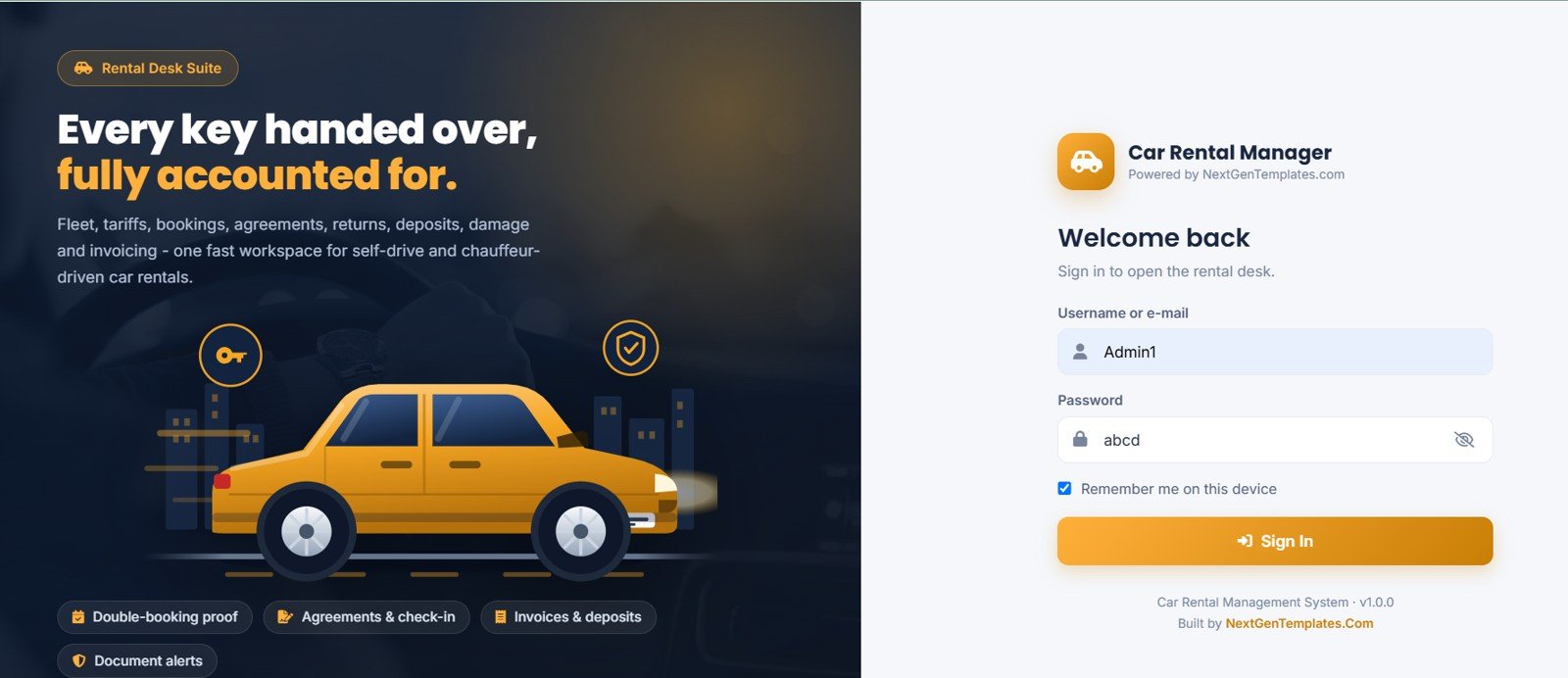
Page 1: Login Page
A branded split-screen sign-in with the rental illustration on one side and the sign-in card on the other. Default credentials are deliberately never displayed here.
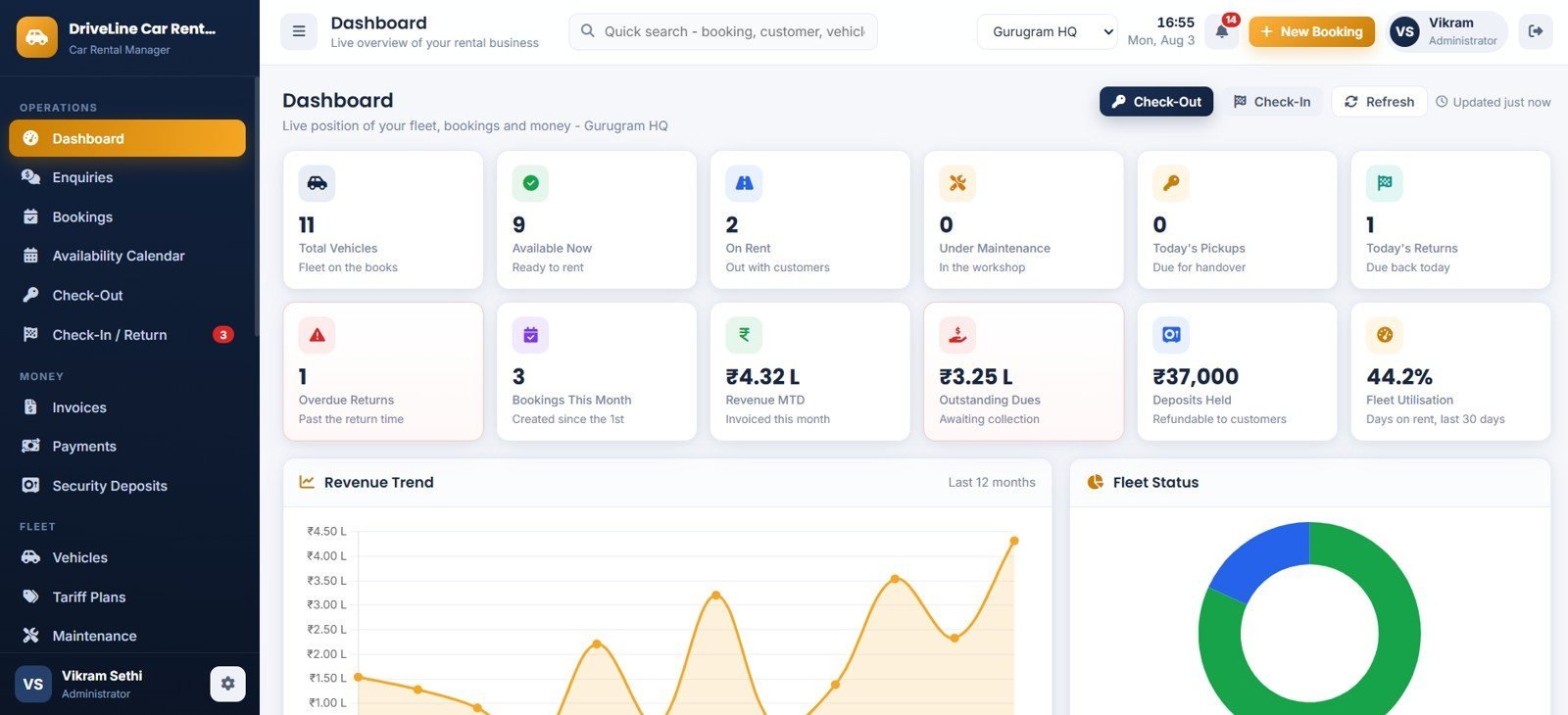
Page 2: Dashboard
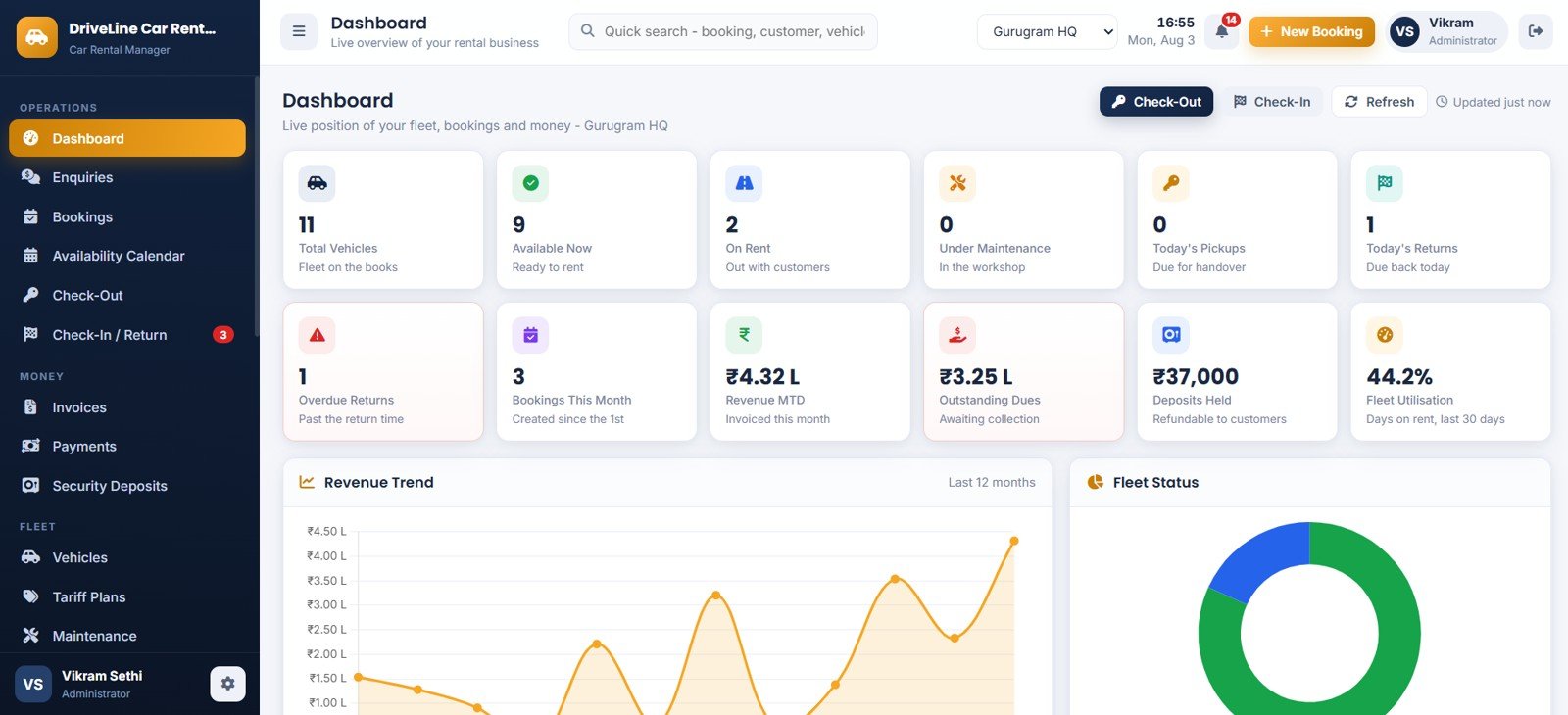
Twelve KPI cards — Total Vehicles, Available Now, On Rent, Under Maintenance, Today’s Pickups, Today’s Returns, Overdue Returns, Bookings This Month, Revenue MTD, Outstanding Dues, Deposits Held and Fleet Utilisation — above Revenue Trend by Month and Fleet Status by Vehicle Status, with quick Check-Out and Check-In buttons.
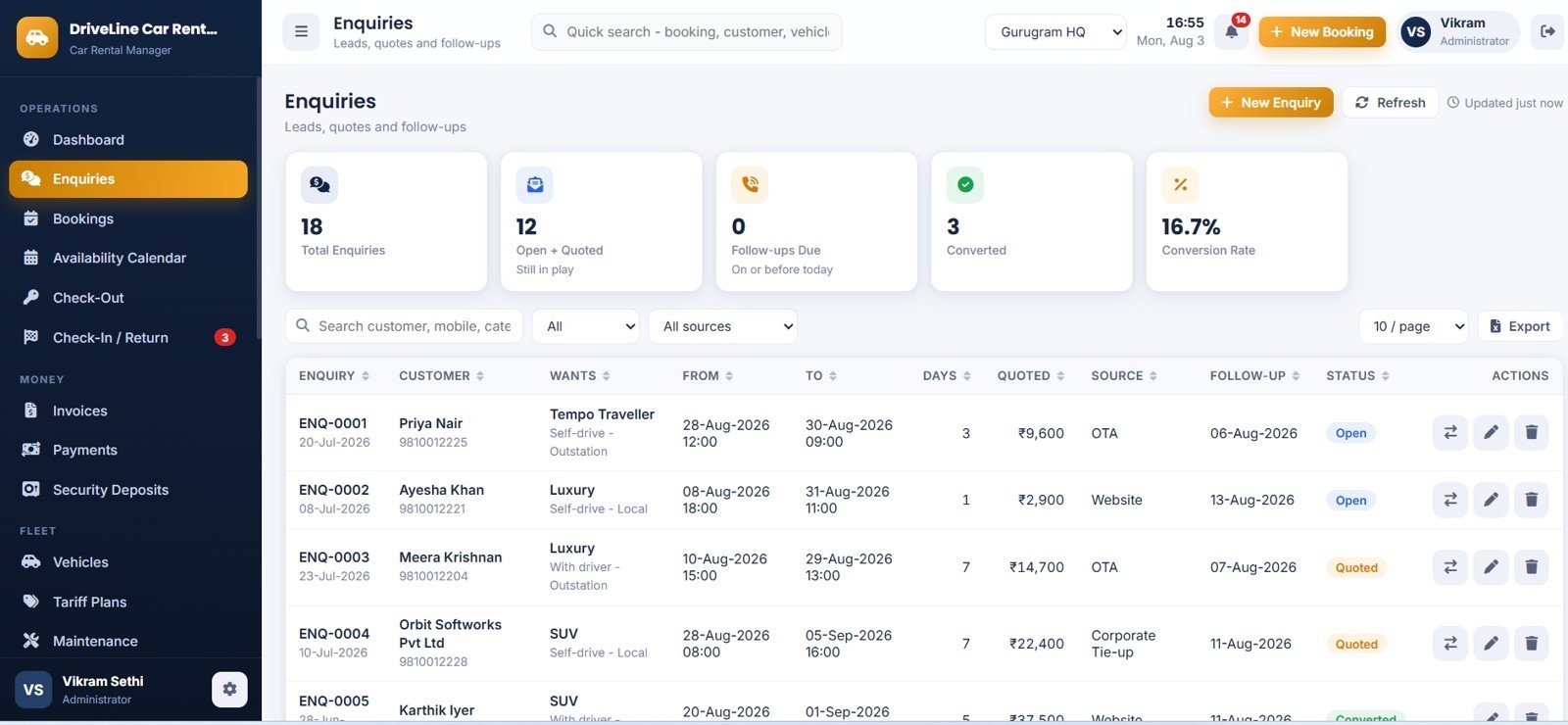
Page 3: Enquiries
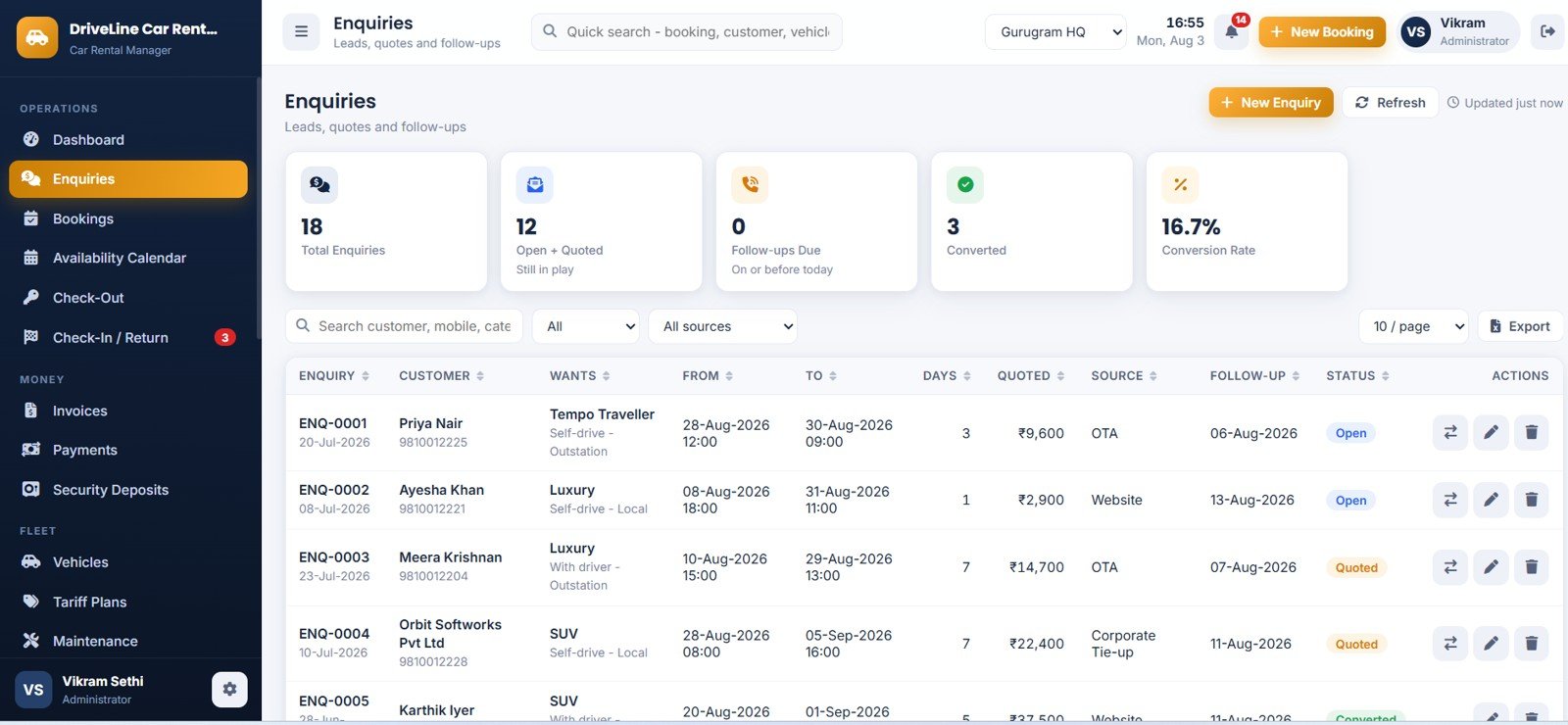
The lead pipeline, showing Total Enquiries, Open + Quoted, Follow-ups Due, Converted and Conversion Rate. Each row carries the wanted category, dates, quoted value, source and follow-up date, and converts to a booking in one click.
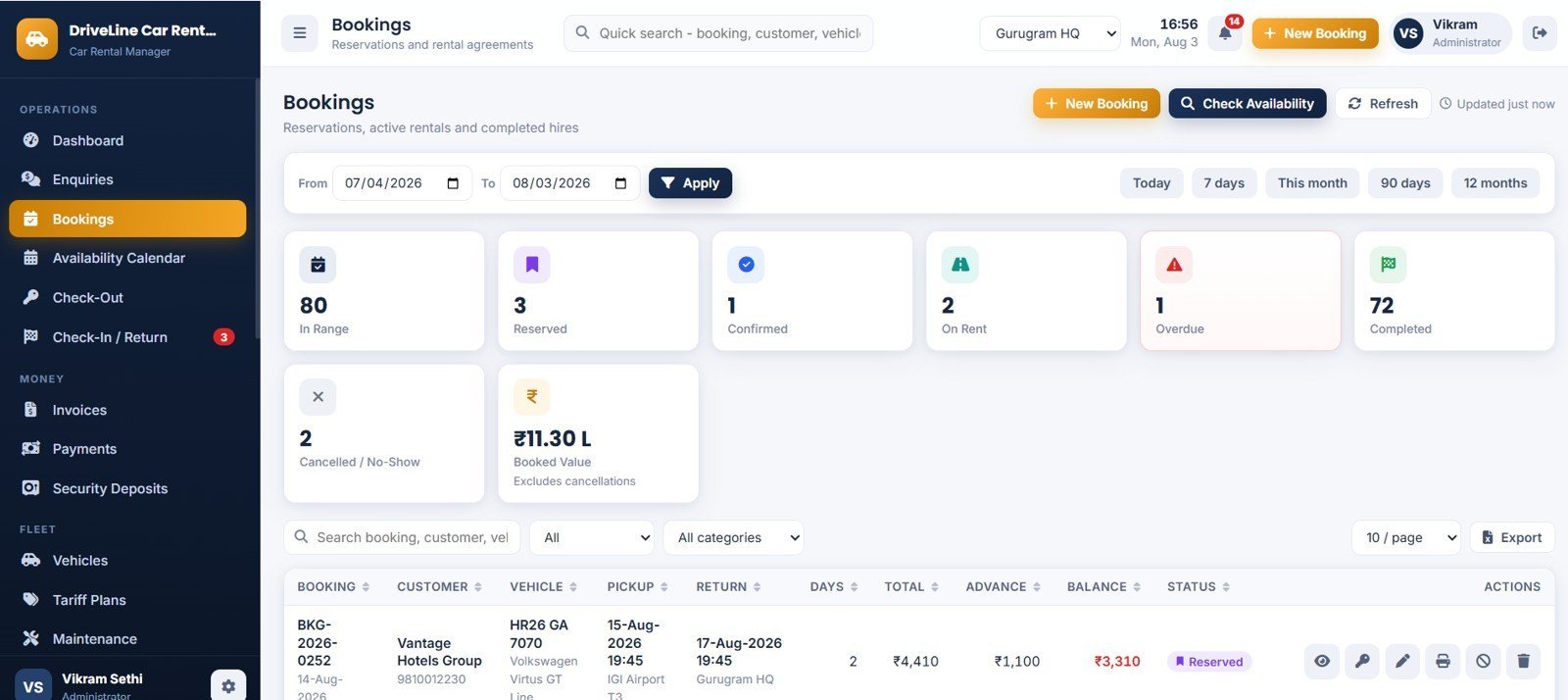
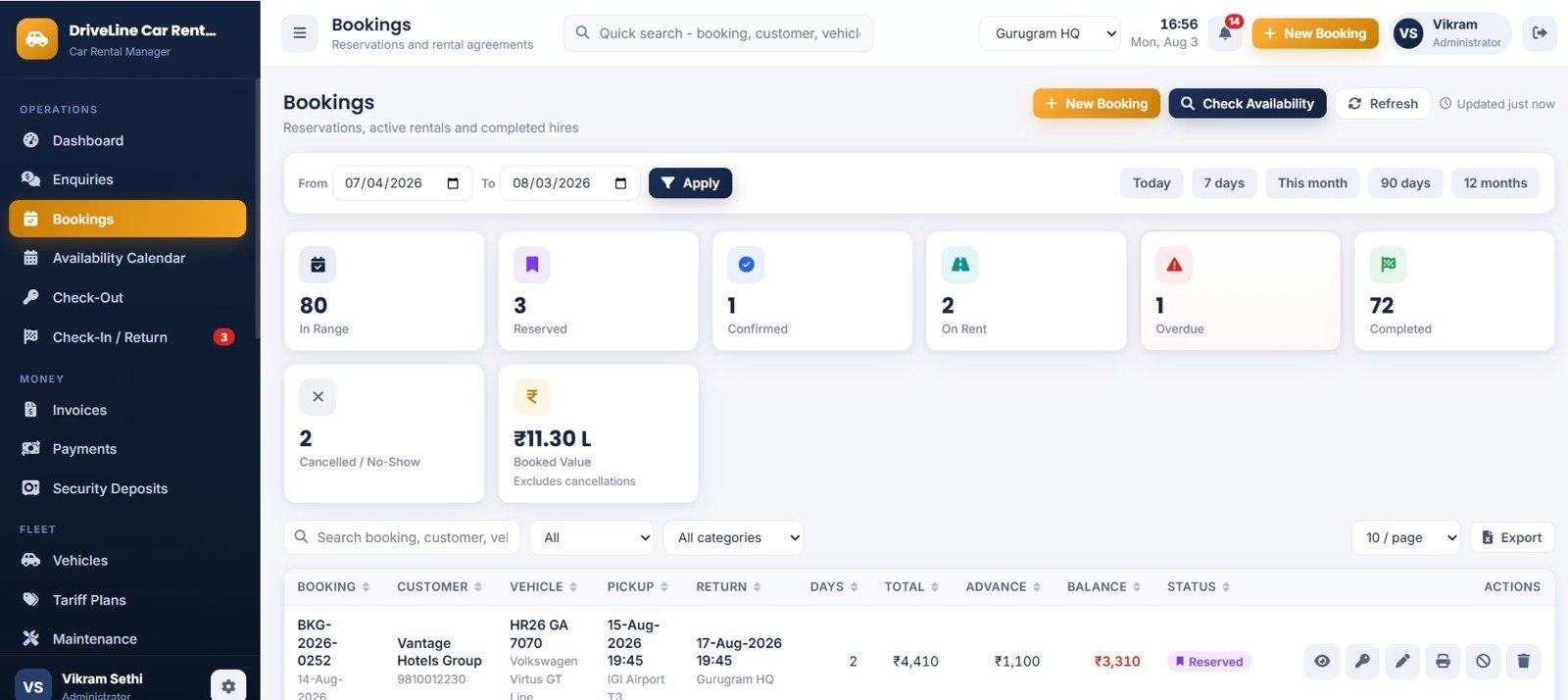
Page 4: Bookings
The reservation register with In Range, Reserved, Confirmed, On Rent, Overdue, Completed, Cancelled / No-Show and Booked Value. Every row shows vehicle, pickup, return, days, total, advance and balance, and the Check Availability panel finds free cars for a window.
Page 5: Fleet Availability Calendar
Every vehicle, day by day, as colour-coded blocks by booking status. Filter by category, step by week, or view 14 or 30 days at a time, and click a block to open that booking.
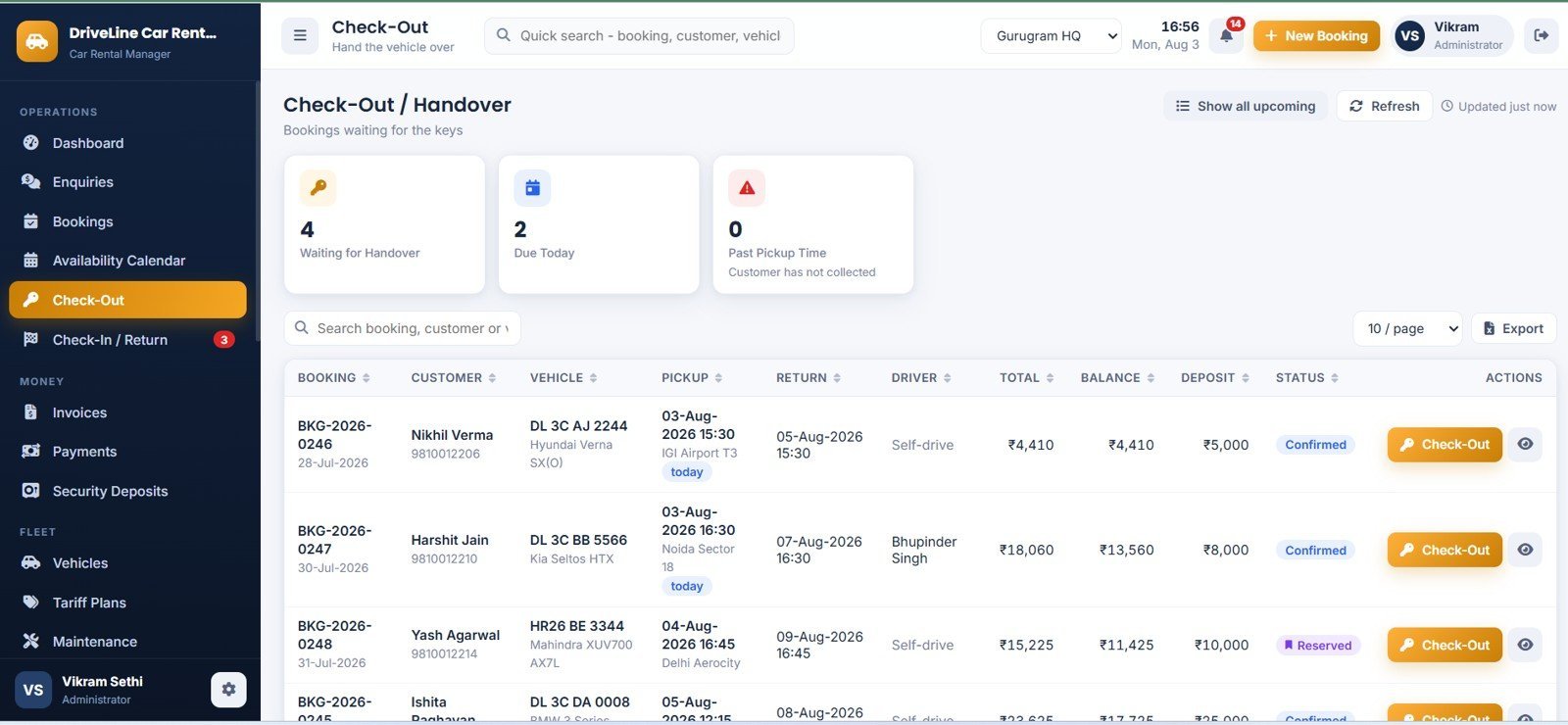
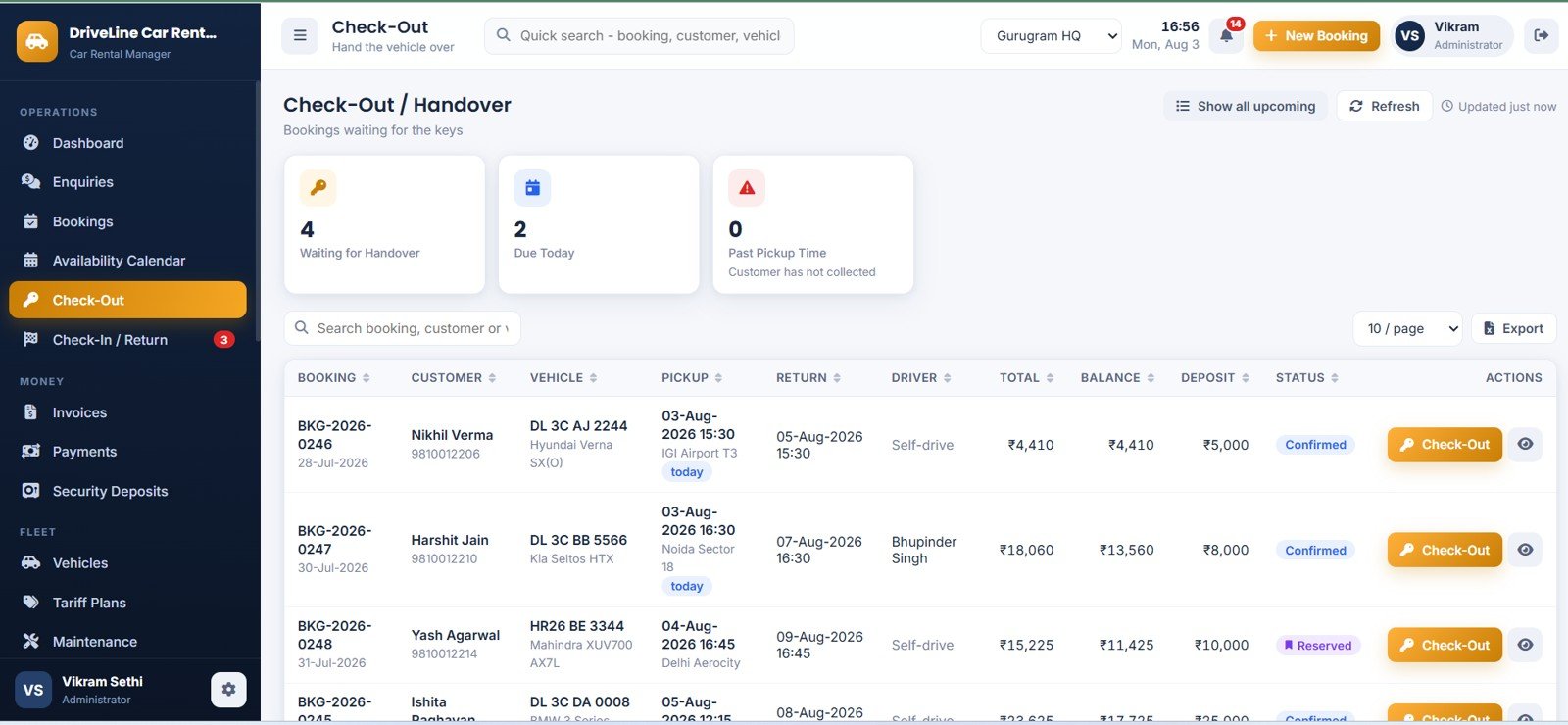
Page 6: Check-Out / Handover
Bookings waiting for the keys, counted by Waiting for Handover, Due Today and Past Pickup Time. Capture actual start time, odometer out, fuel level, driver, deposit and mode, the condition checklist and photographs, then print the rental agreement.
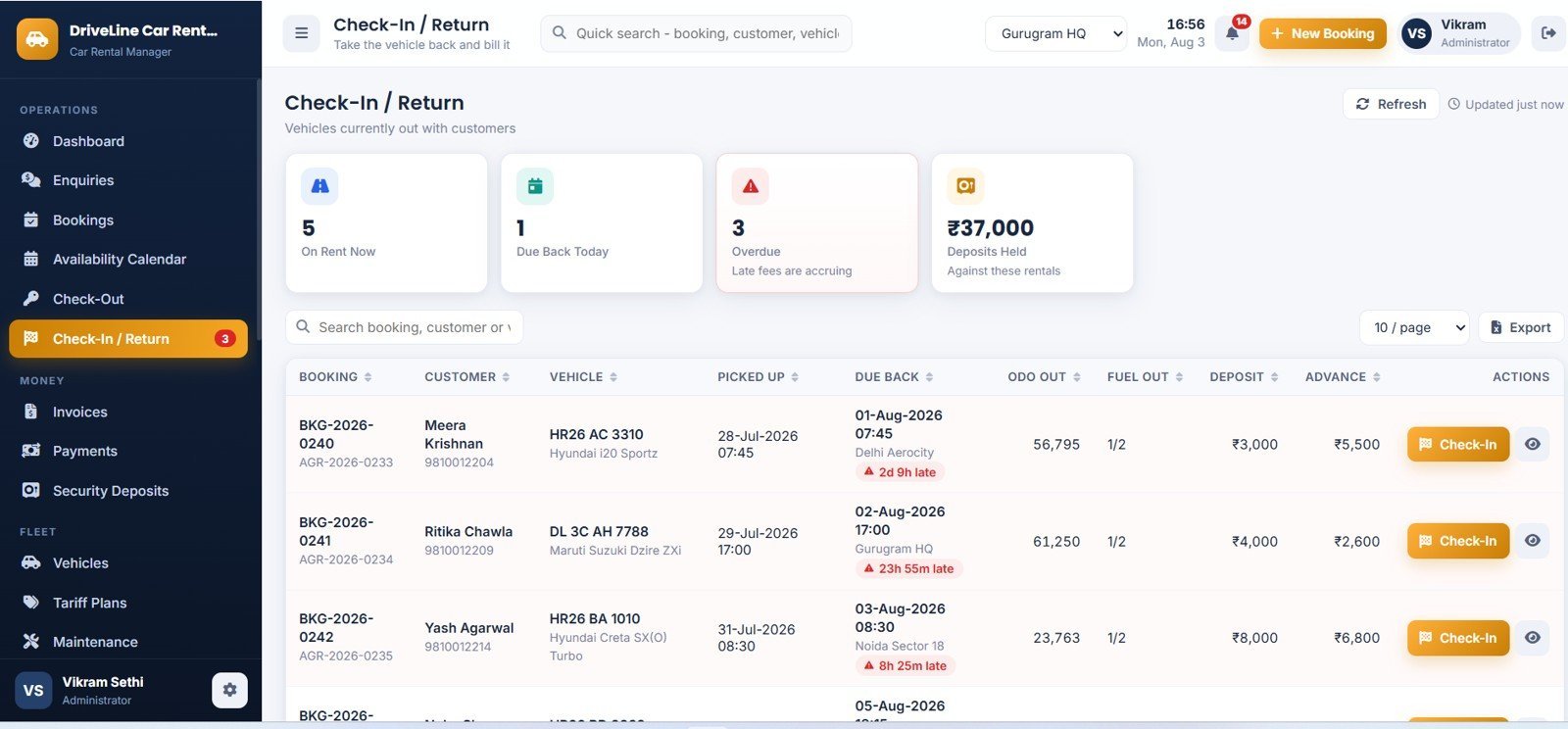
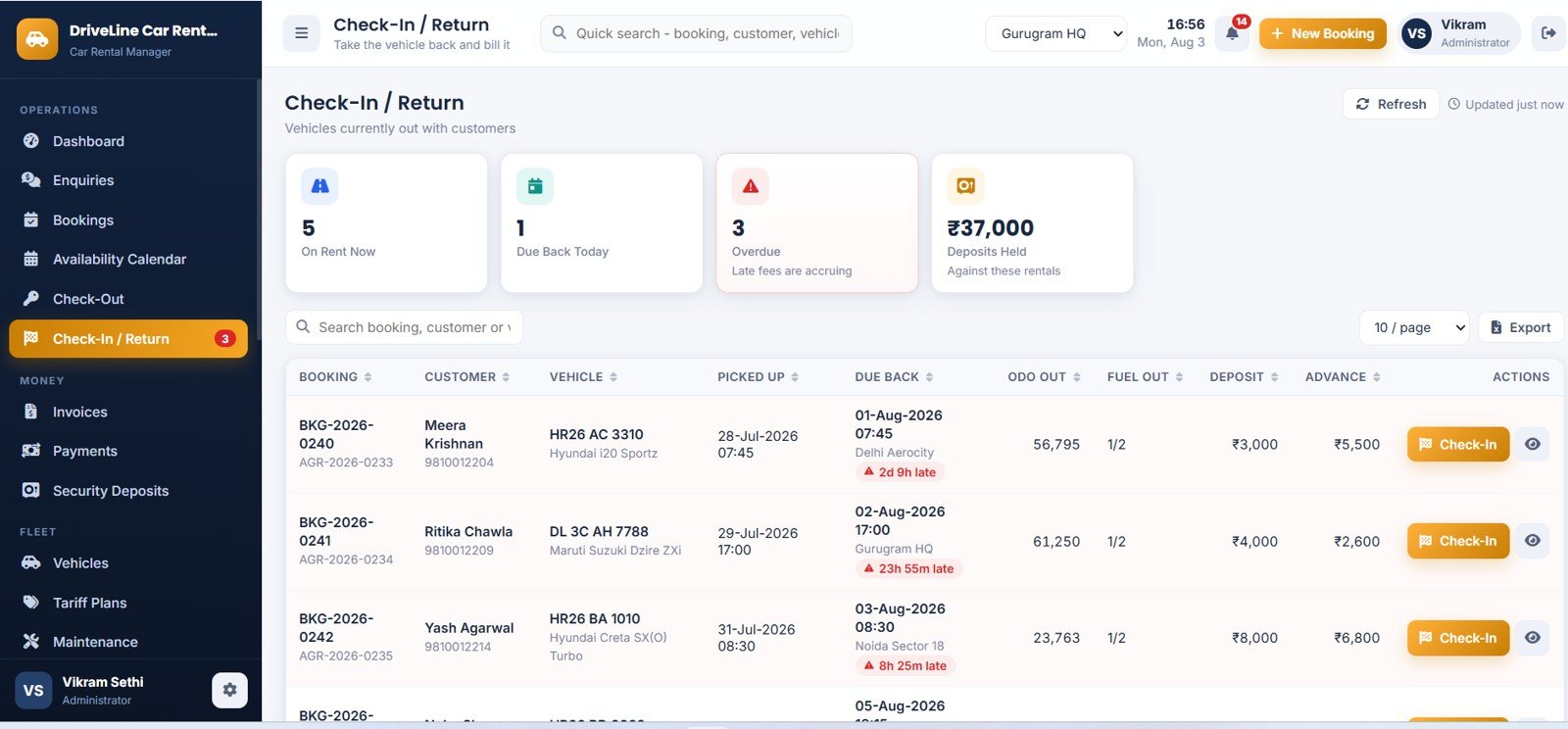
Page 7: Check-In / Return
Vehicles currently out, counted by On Rent Now, Due Back Today, Overdue and Deposits Held, with late rows flagged in red and the exact overdue duration shown. The live bill panel recalculates as the operator types.
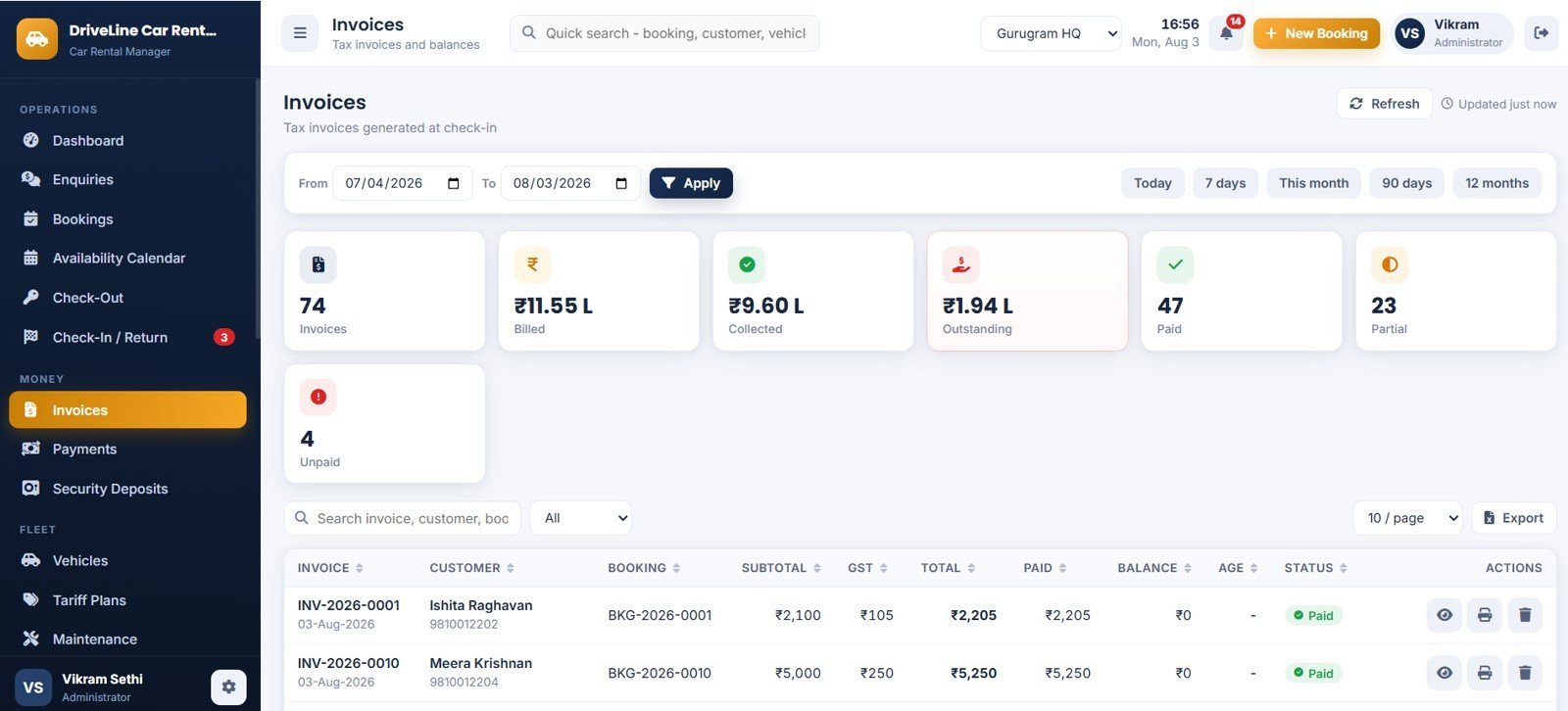
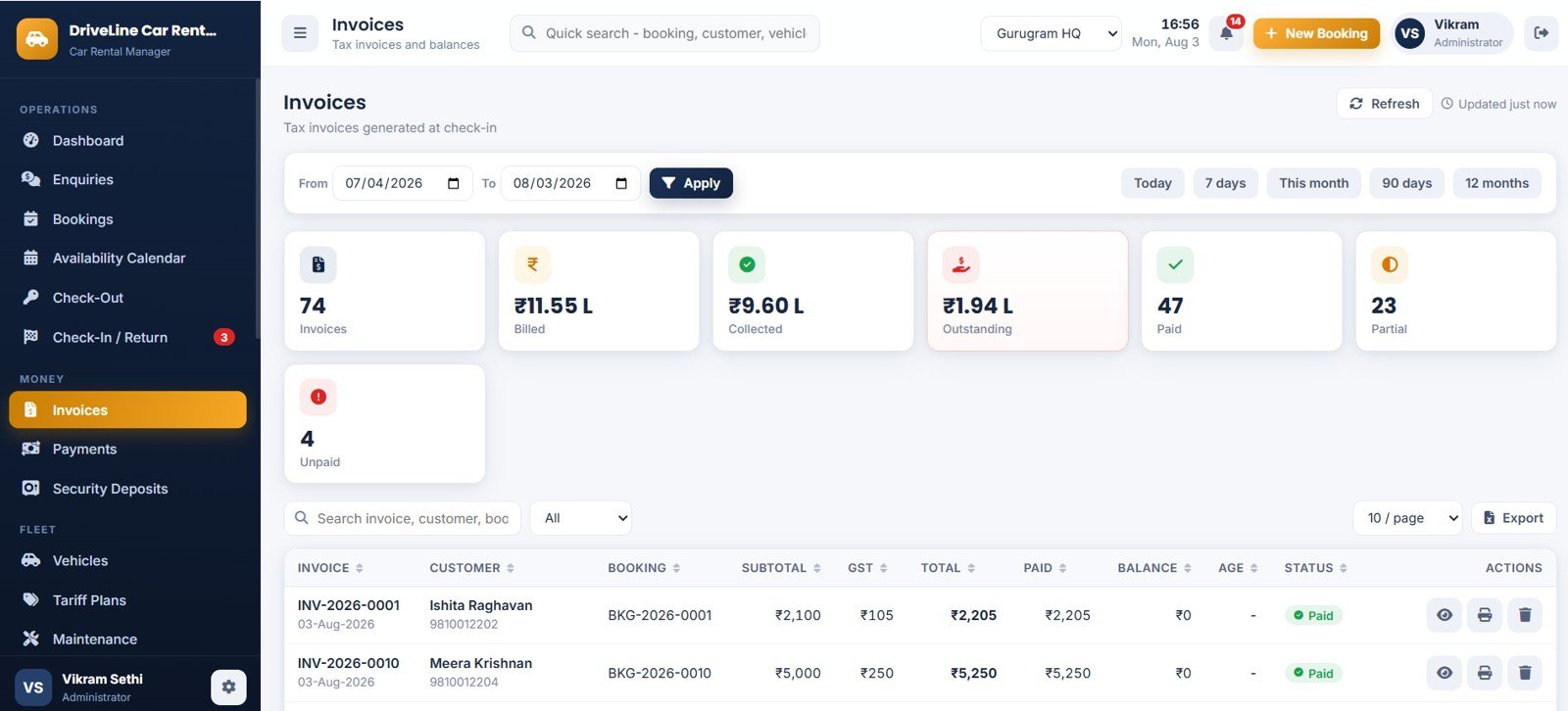
Page 8: Invoices
Every tax invoice generated at check-in, with Invoices, Billed, Collected, Outstanding, Paid, Partial and Unpaid. Each line shows subtotal, tax, total, paid, balance, ageing bucket and status, and prints at your configured size.
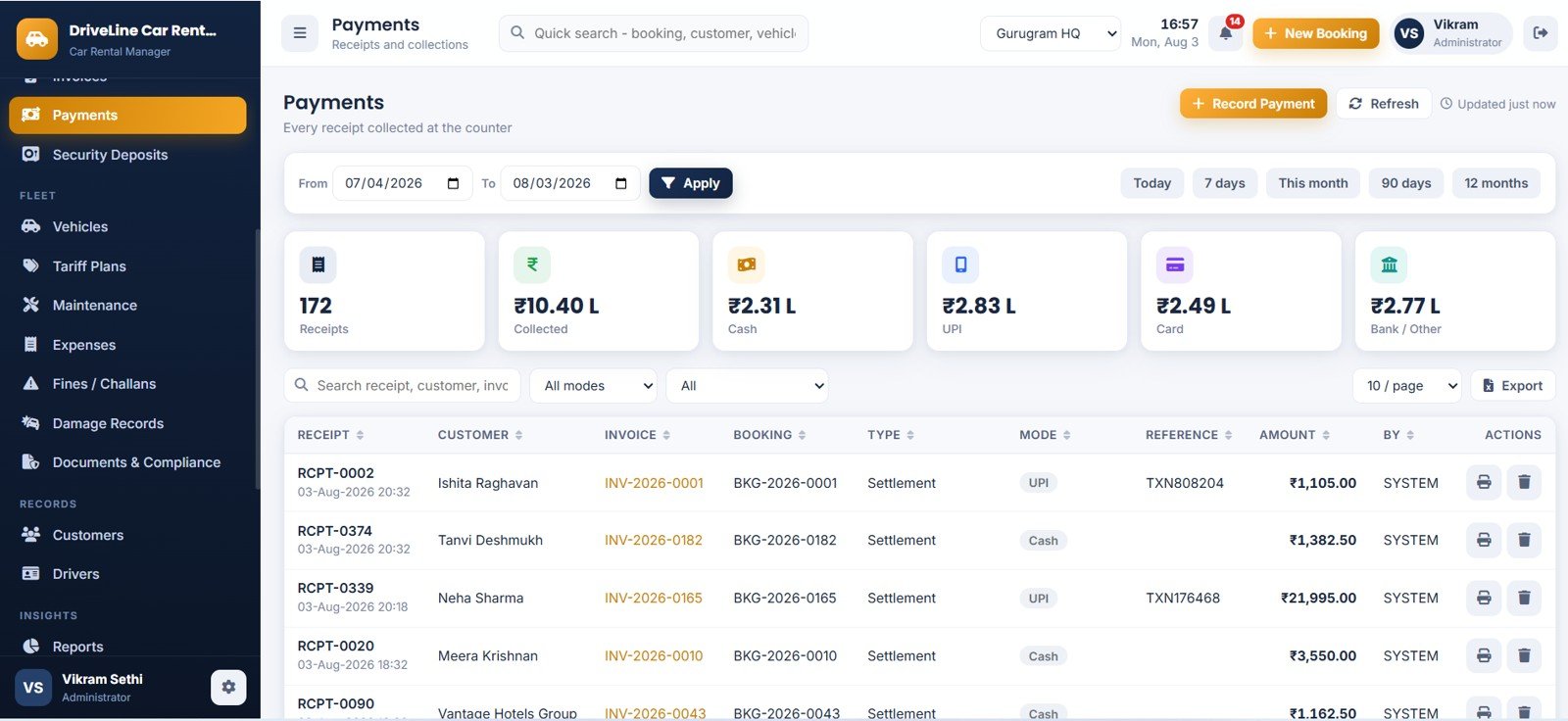
Page 9: Payments
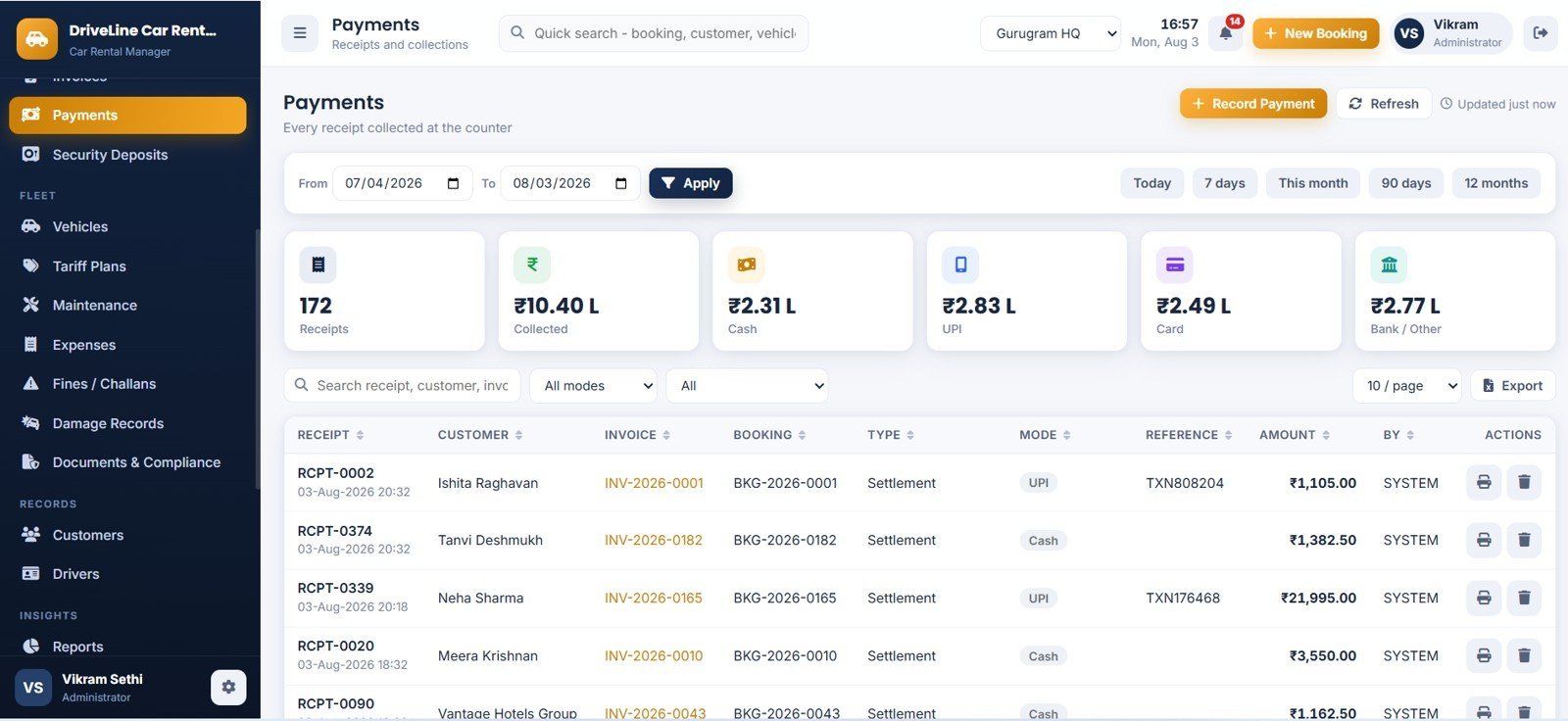
Every receipt collected at the counter, split by Receipts, Collected, Cash, UPI, Card and Bank / Other. Advances, settlements and refunds all land here against their invoice and booking, and each receipt prints.
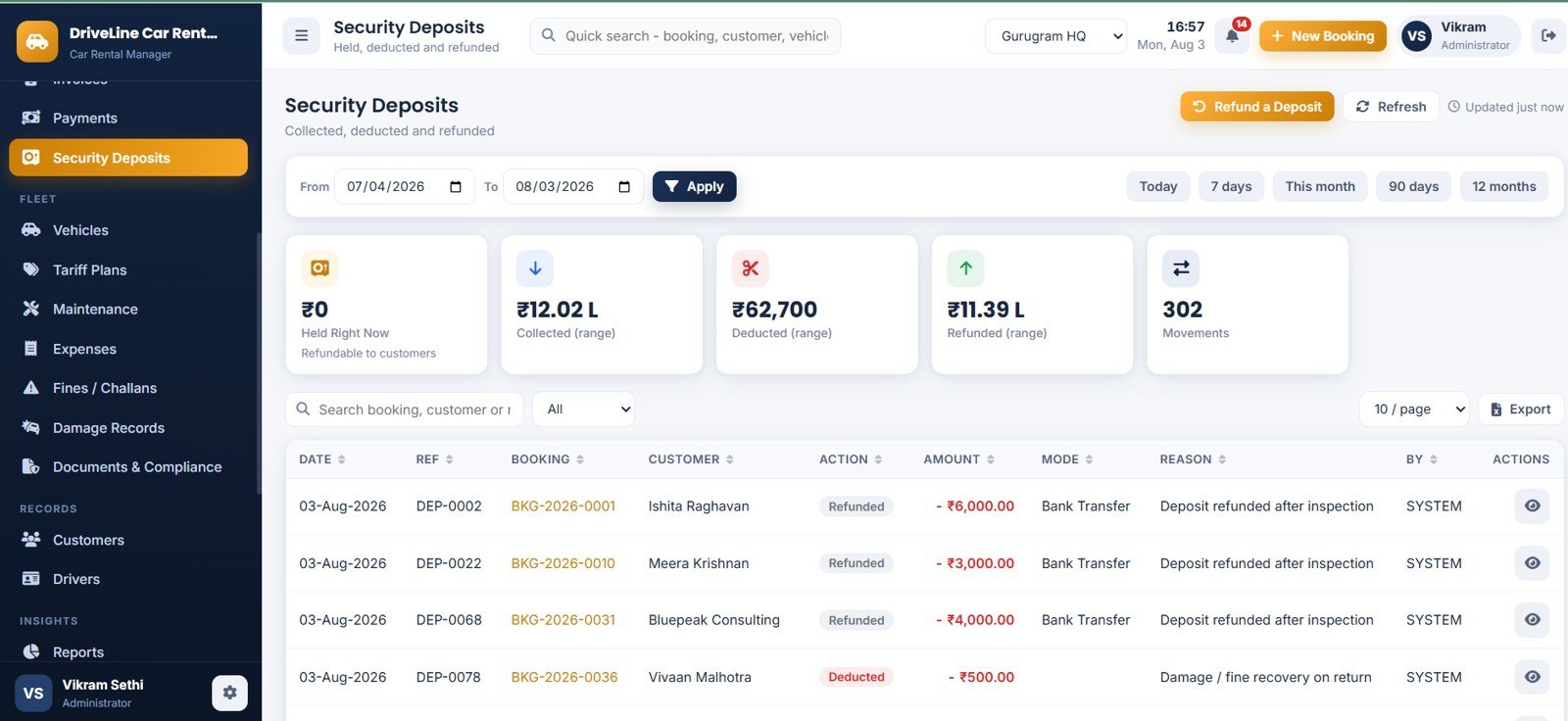
Page 10: Security Deposits
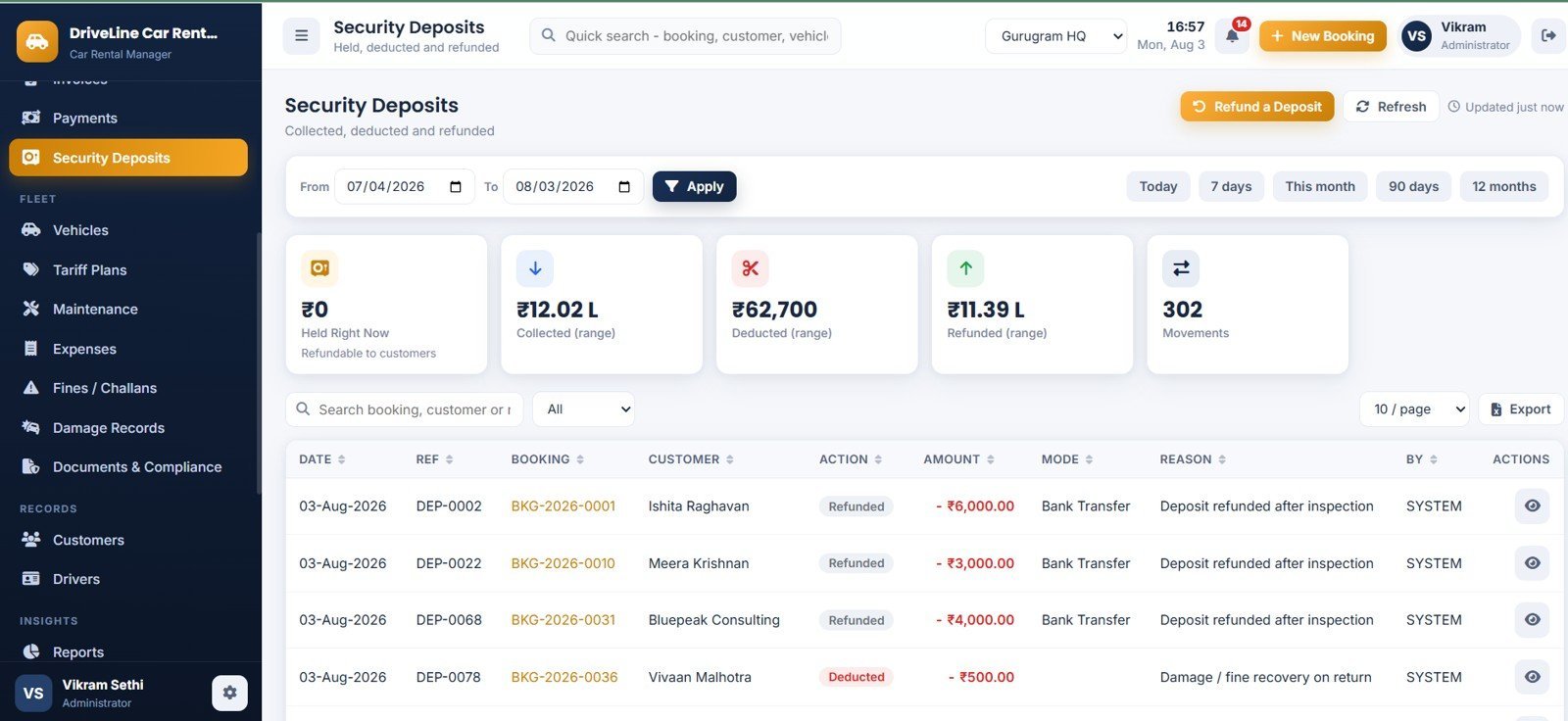
The deposit ledger, showing Held Right Now, Collected, Deducted, Refunded and total Movements. Deposits are treated as a customer liability rather than income, and every collection, deduction and refund carries a reason.
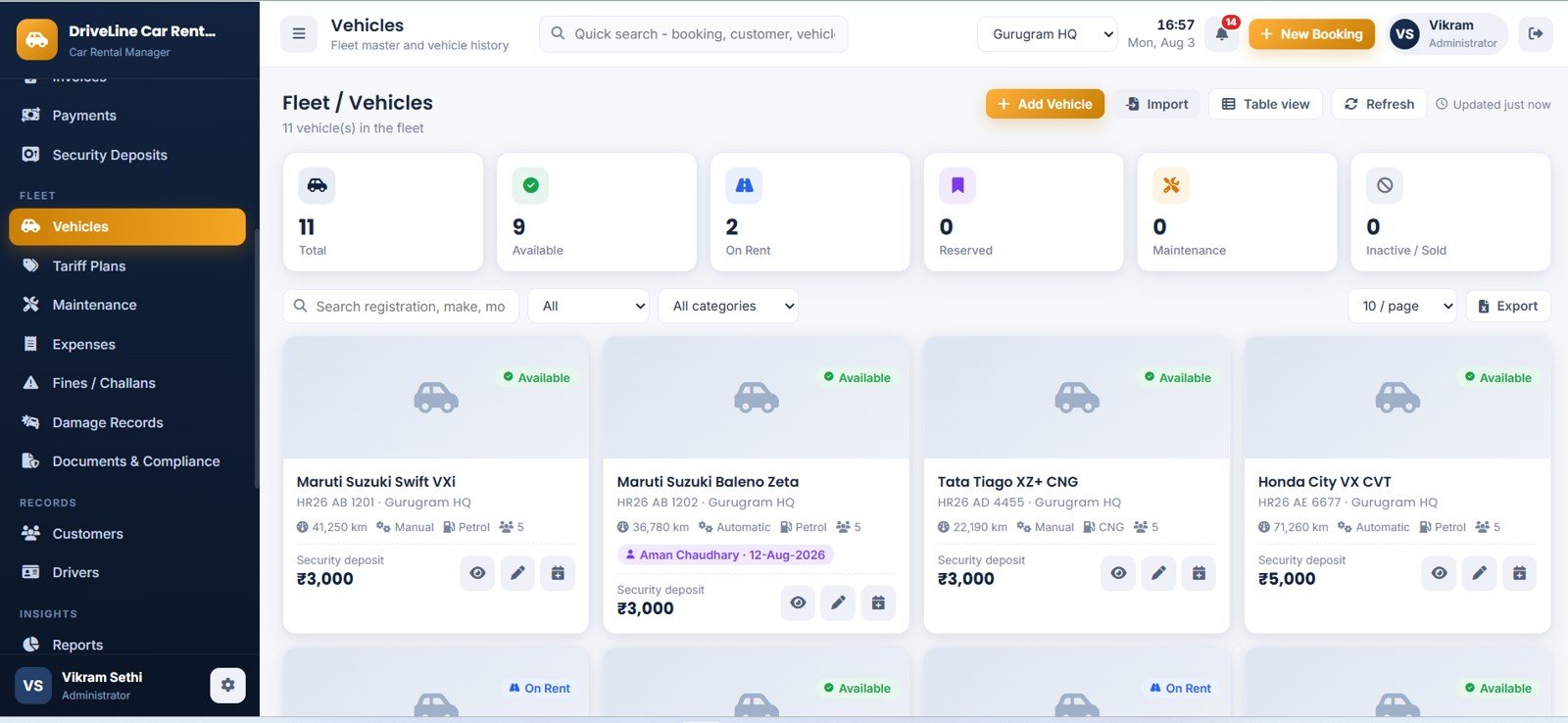
Page 11: Fleet / Vehicles
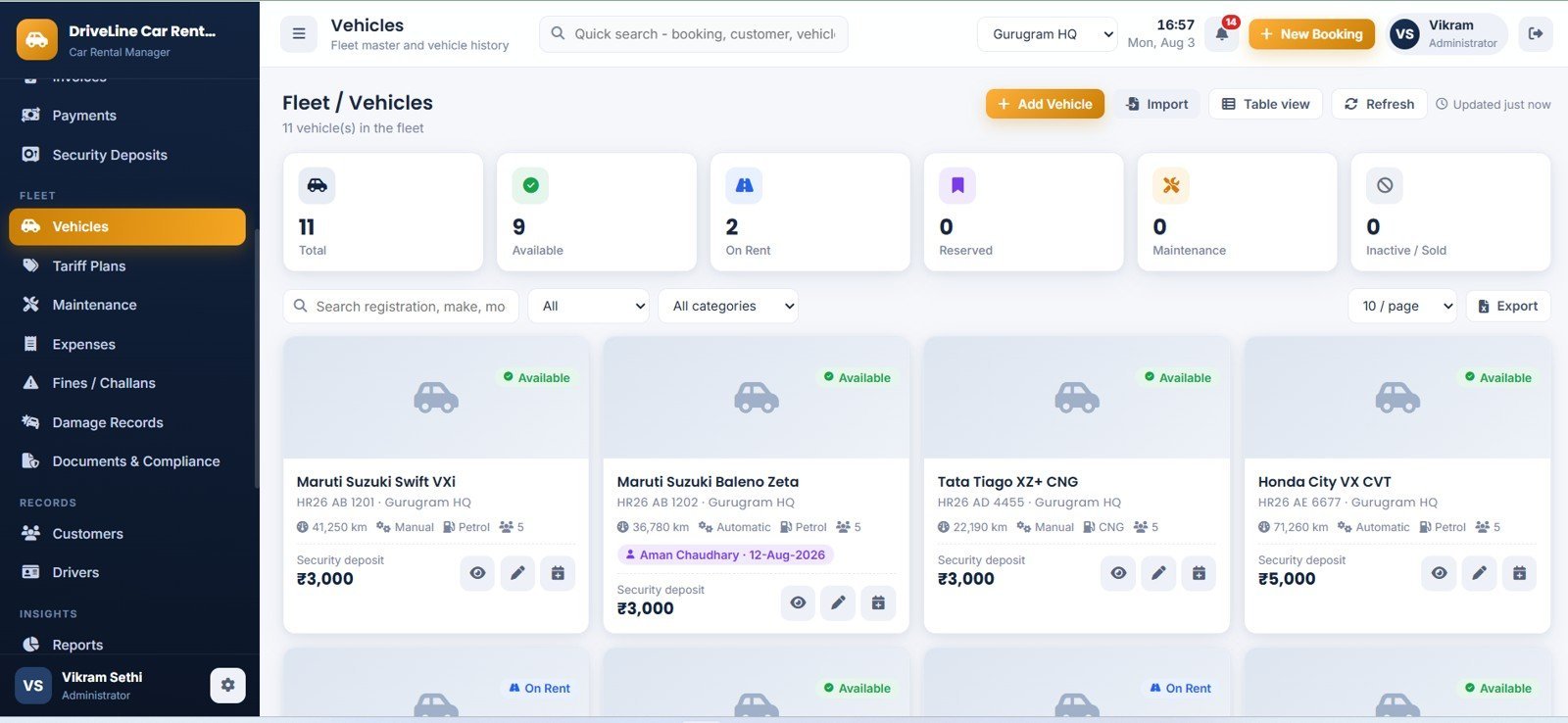
The fleet master as a card or table view, counted by Total, Available, On Rent, Reserved, Maintenance and Inactive / Sold. Each card shows odometer, transmission, fuel, seats and deposit, and opens a full history of revenue, kilometres and workshop cost.
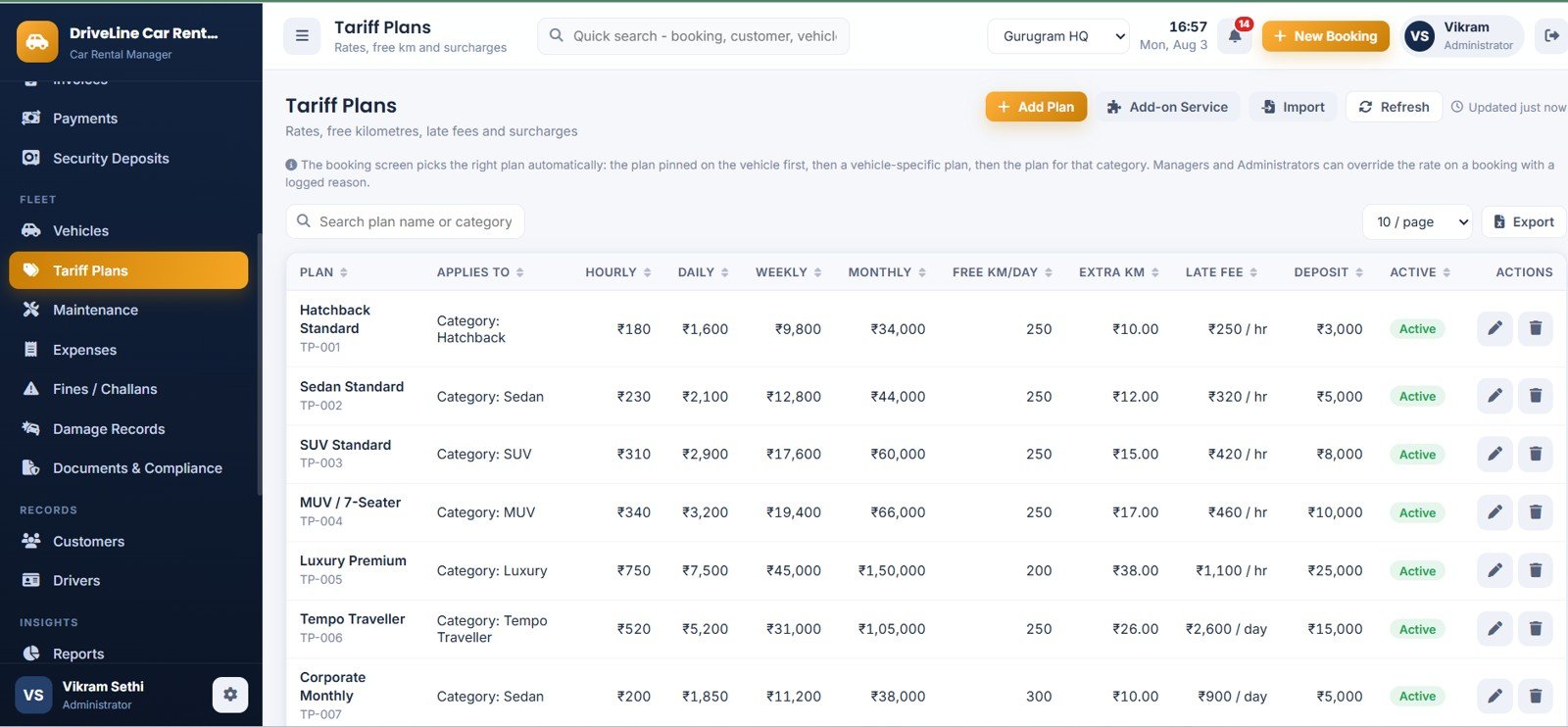
Page 12: Tariff Plans
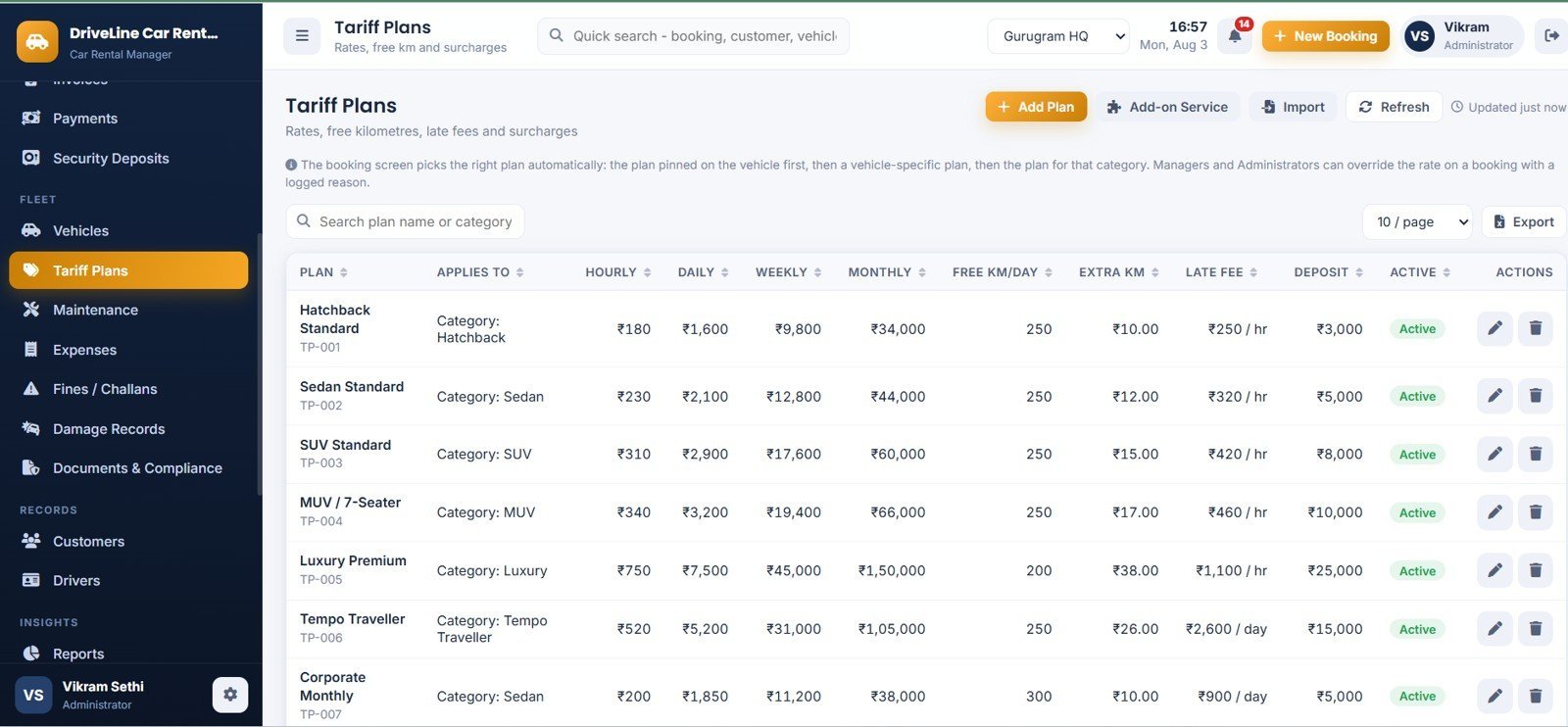
Rate cards by category with hourly, daily, weekly and monthly rates, free km per day, extra km rate, late fee and deposit. The booking screen picks the right plan automatically — vehicle pin first, then vehicle-specific, then category.
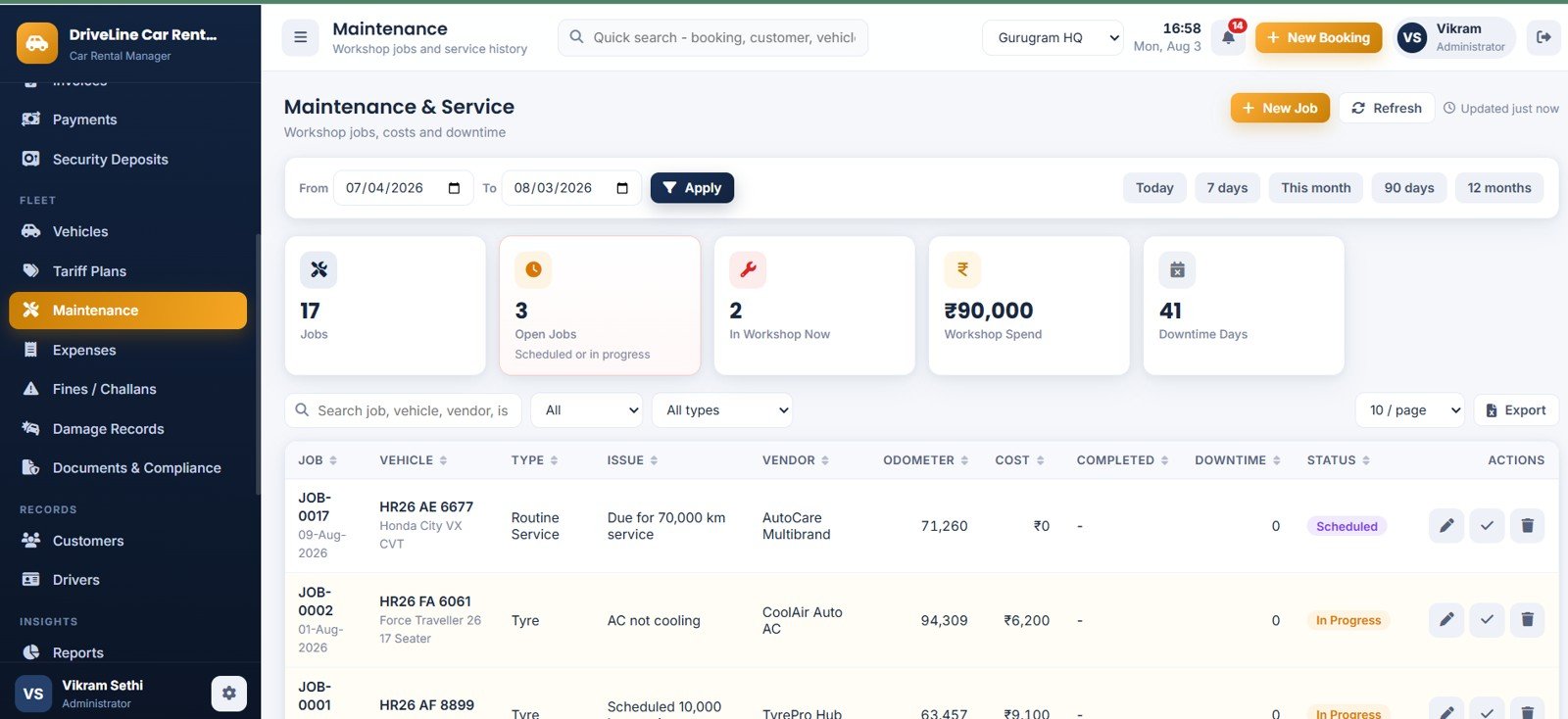
Page 13: Maintenance & Service
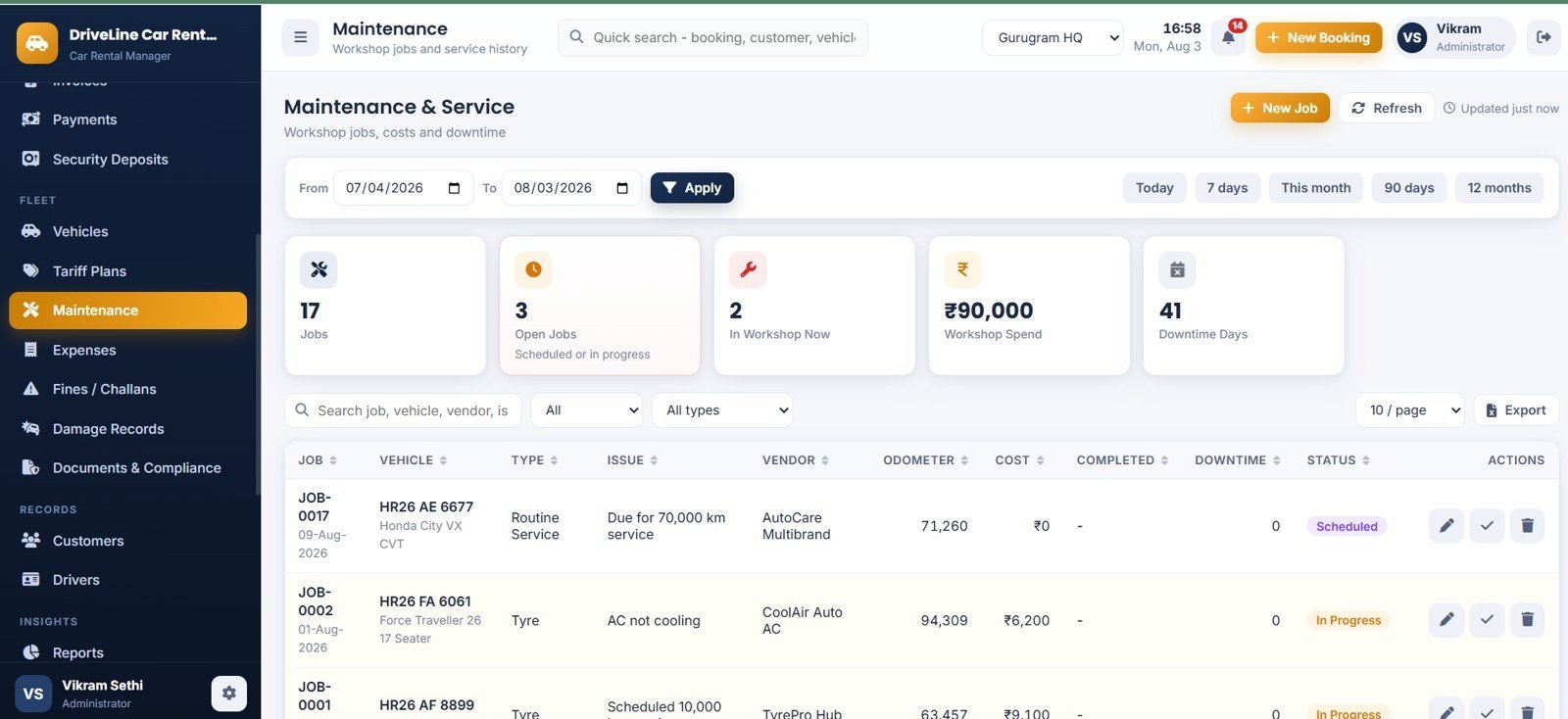
Workshop jobs by Jobs, Open Jobs, In Workshop Now, Workshop Spend and Downtime Days. Opening a job takes the car out of availability; completing a service rolls the next service date and kilometre reading forward automatically.
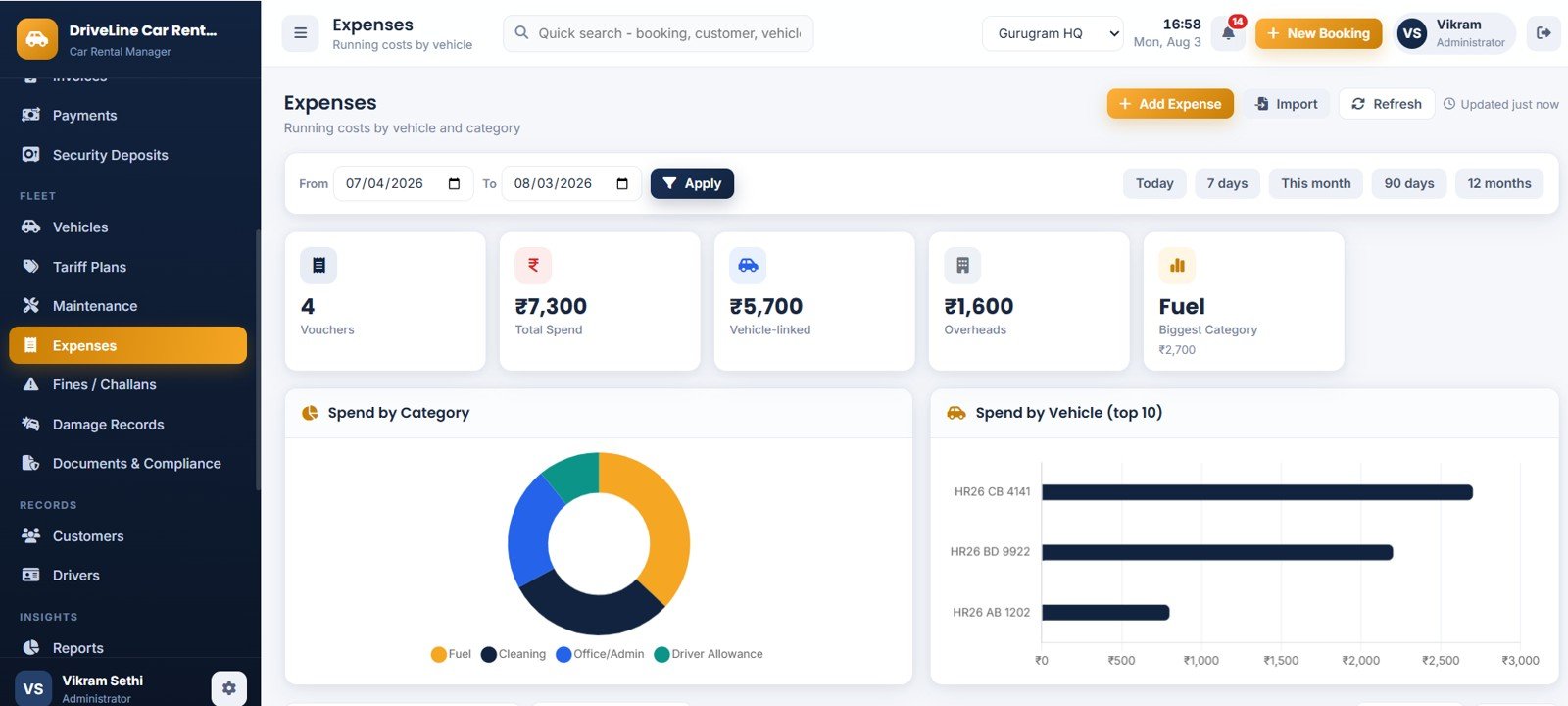
Page 14: Expenses
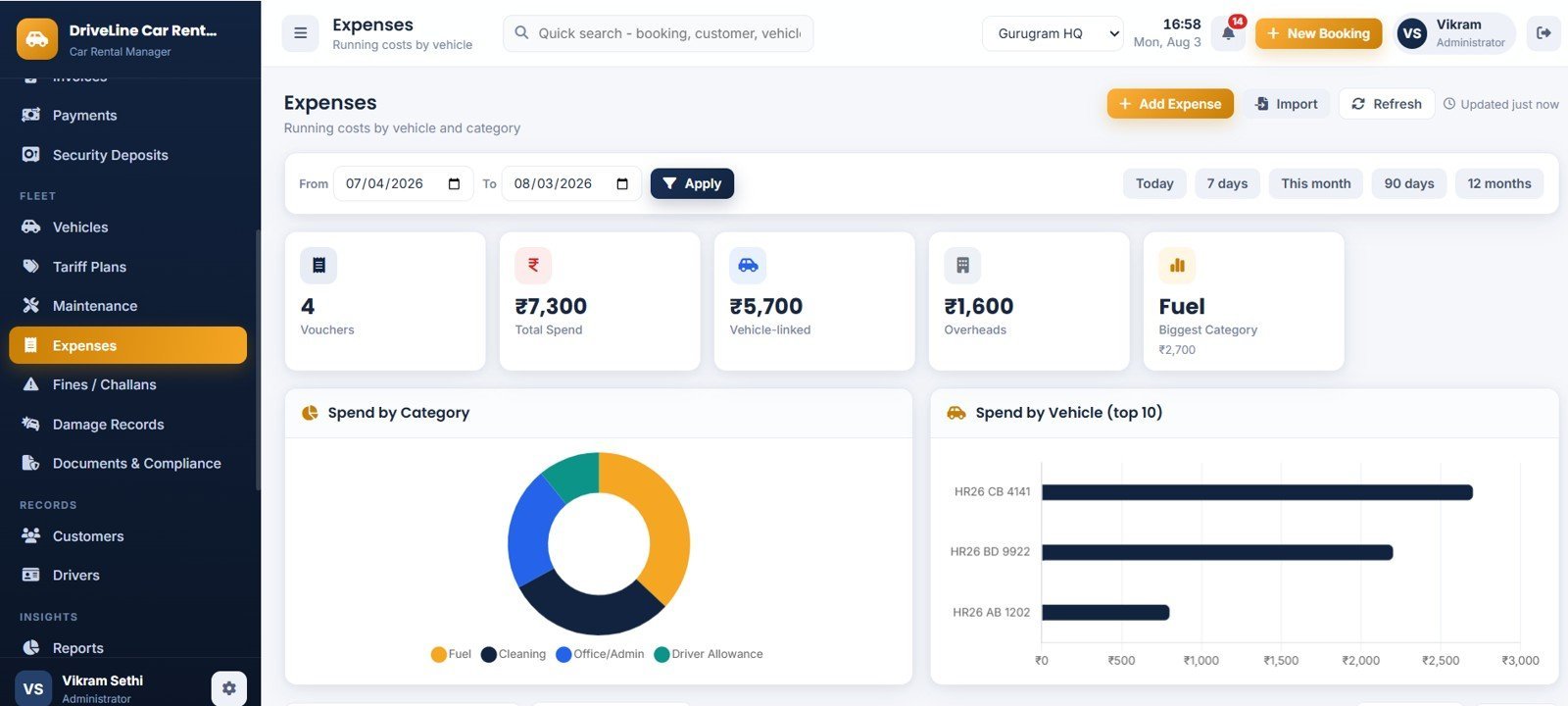
Running costs by Vouchers, Total Spend, Vehicle-linked, Overheads and Biggest Category, with Spend by Category and Spend by Vehicle charts. Vehicle-linked spend feeds straight into the Vehicle Profitability report.
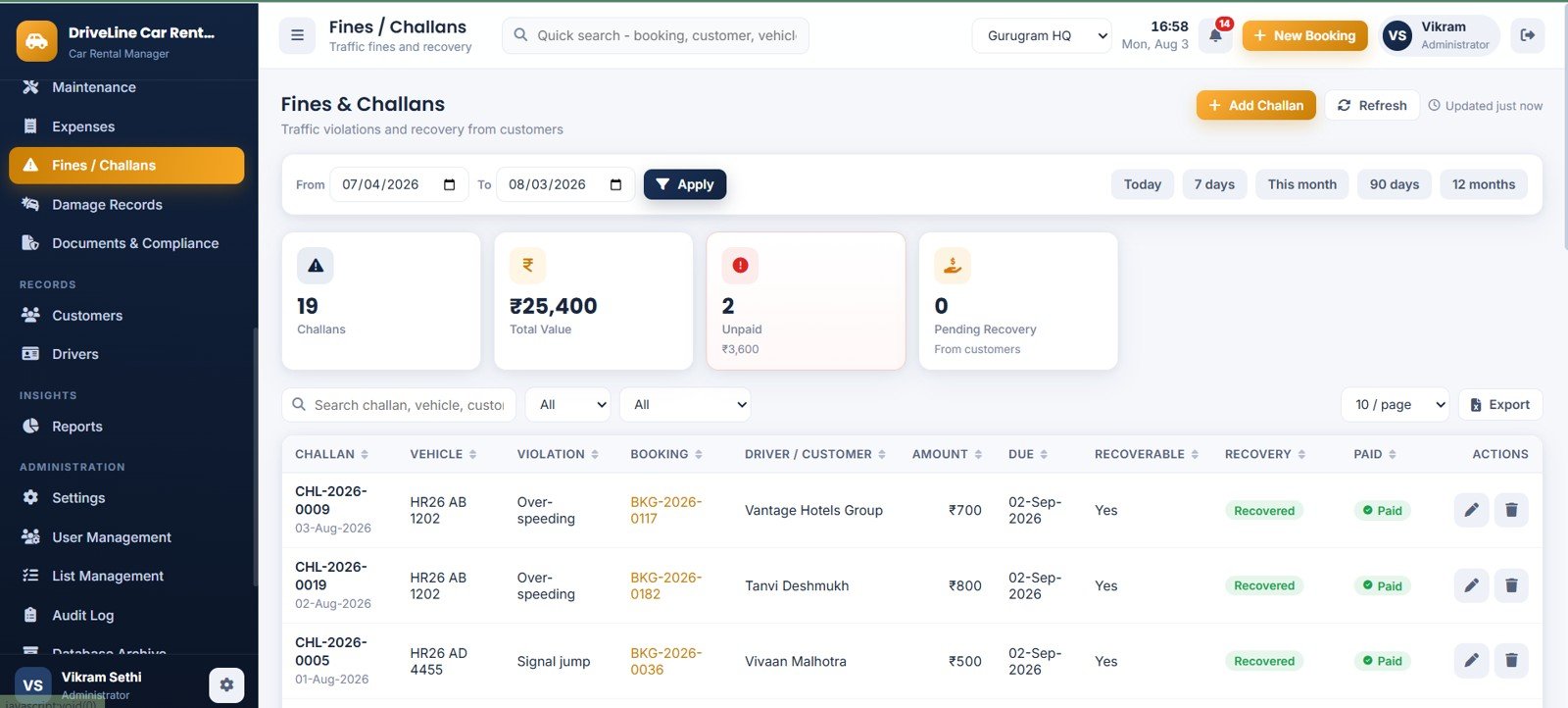
Page 15: Fines & Challans
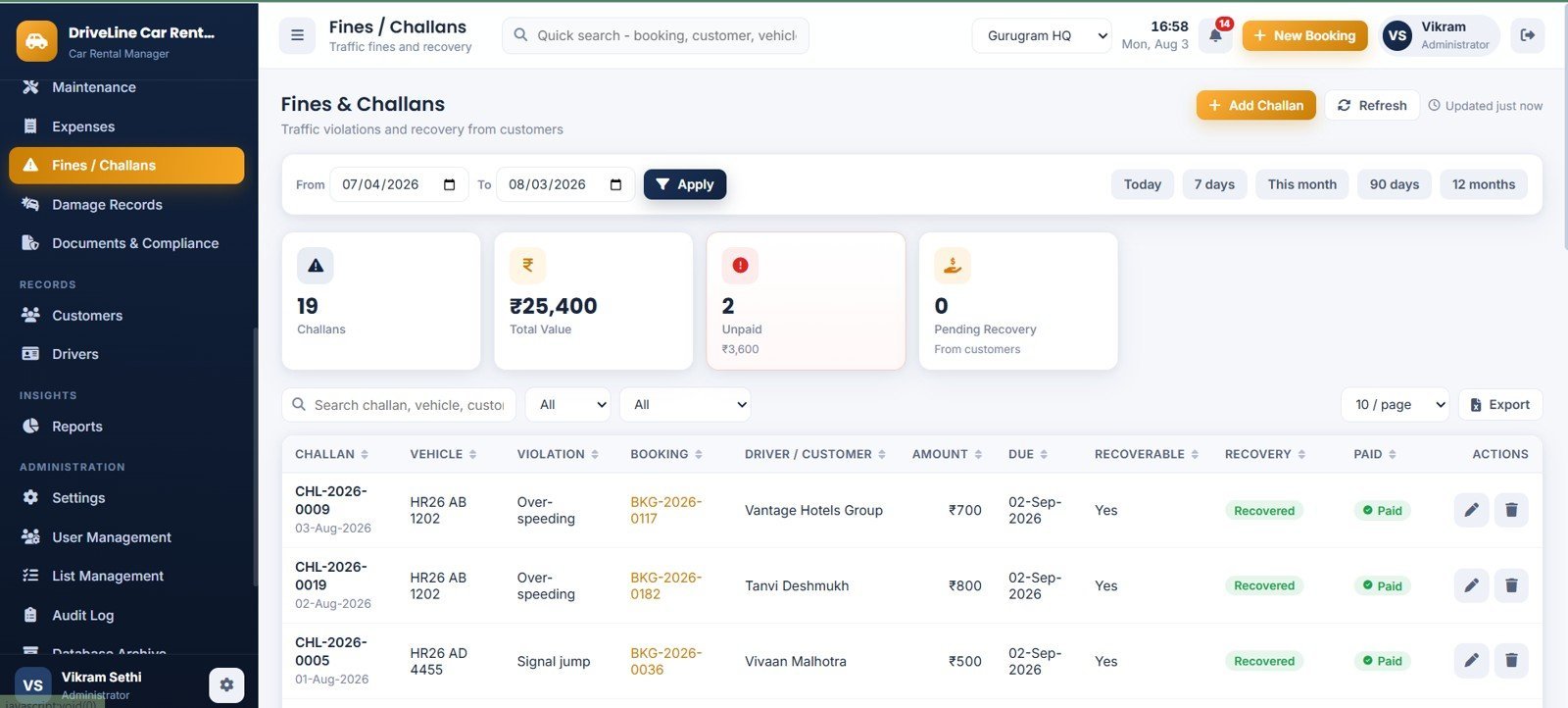
Traffic violations tied to the vehicle, the booking and the driver or customer who was holding the car, tracked by Challans, Total Value, Unpaid and Pending Recovery. Recoverable challans can be pushed onto the customer’s bill.
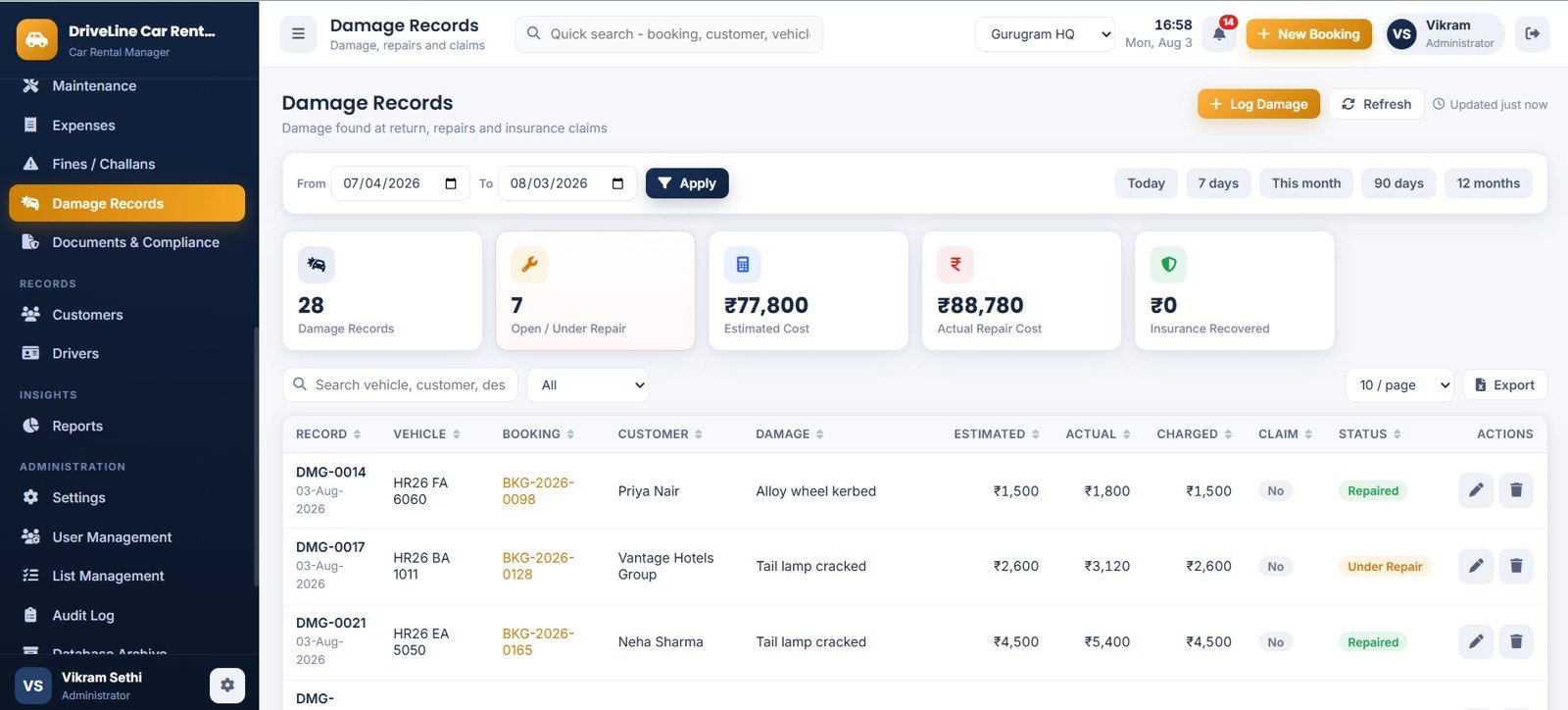
Page 16: Damage Records
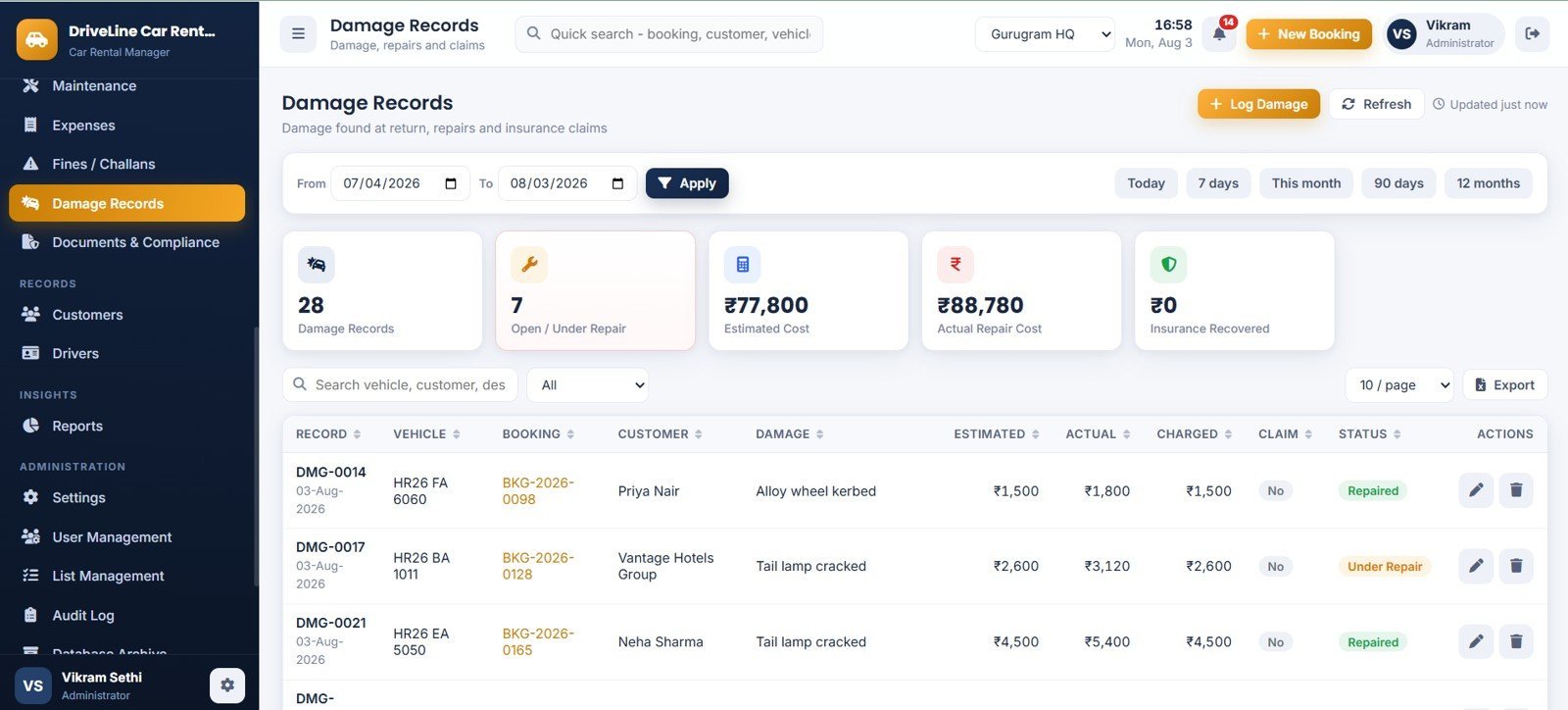
Damage found at return, tracked by Damage Records, Open / Under Repair, Estimated Cost, Actual Repair Cost and Insurance Recovered. Each record links back to the booking and the customer charged.
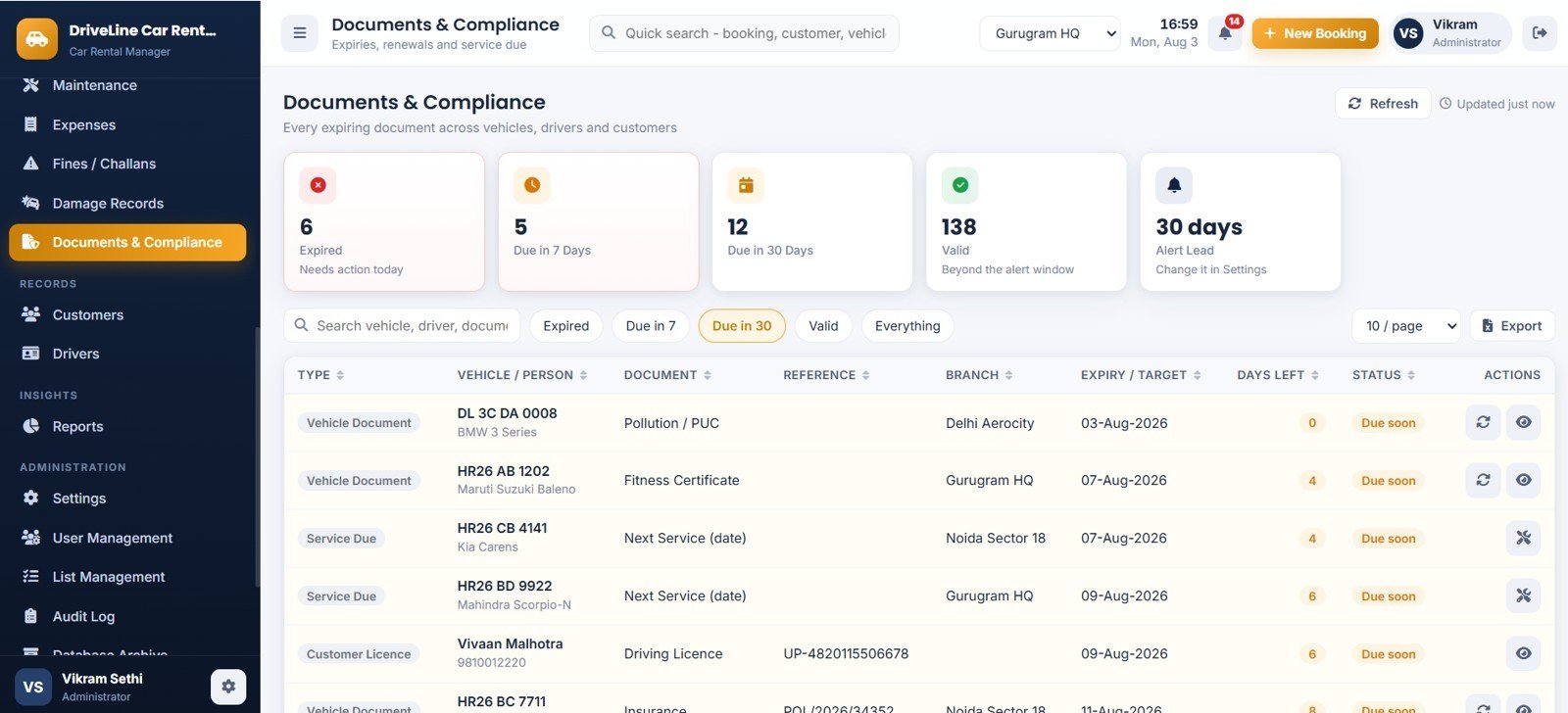
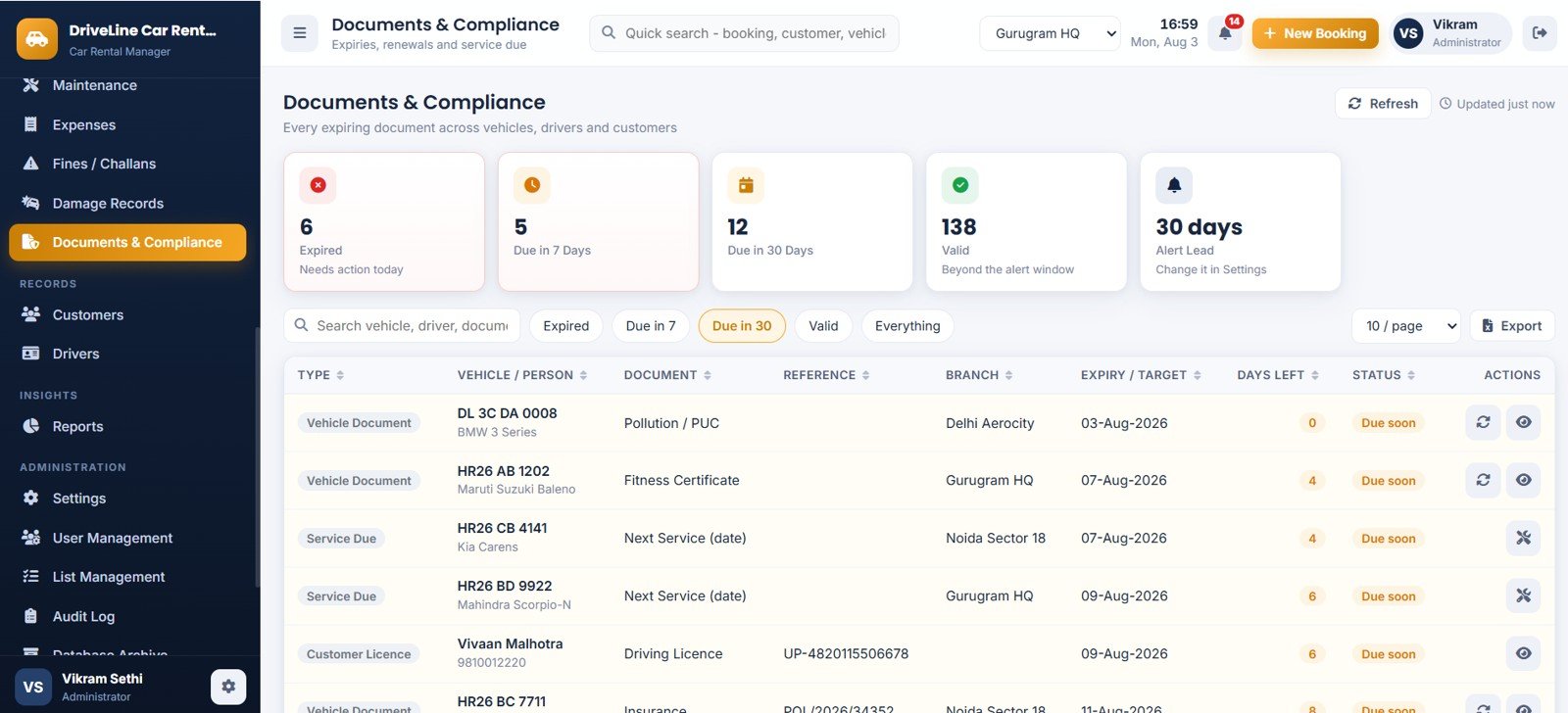
Page 17: Documents & Compliance
Every expiring document across vehicles, drivers and customers in one place — Expired, Due in 7 Days, Due in 30 Days and Valid — covering insurance, RC, fitness, permit, PUC, service due and driving licences, with your own alert lead days.
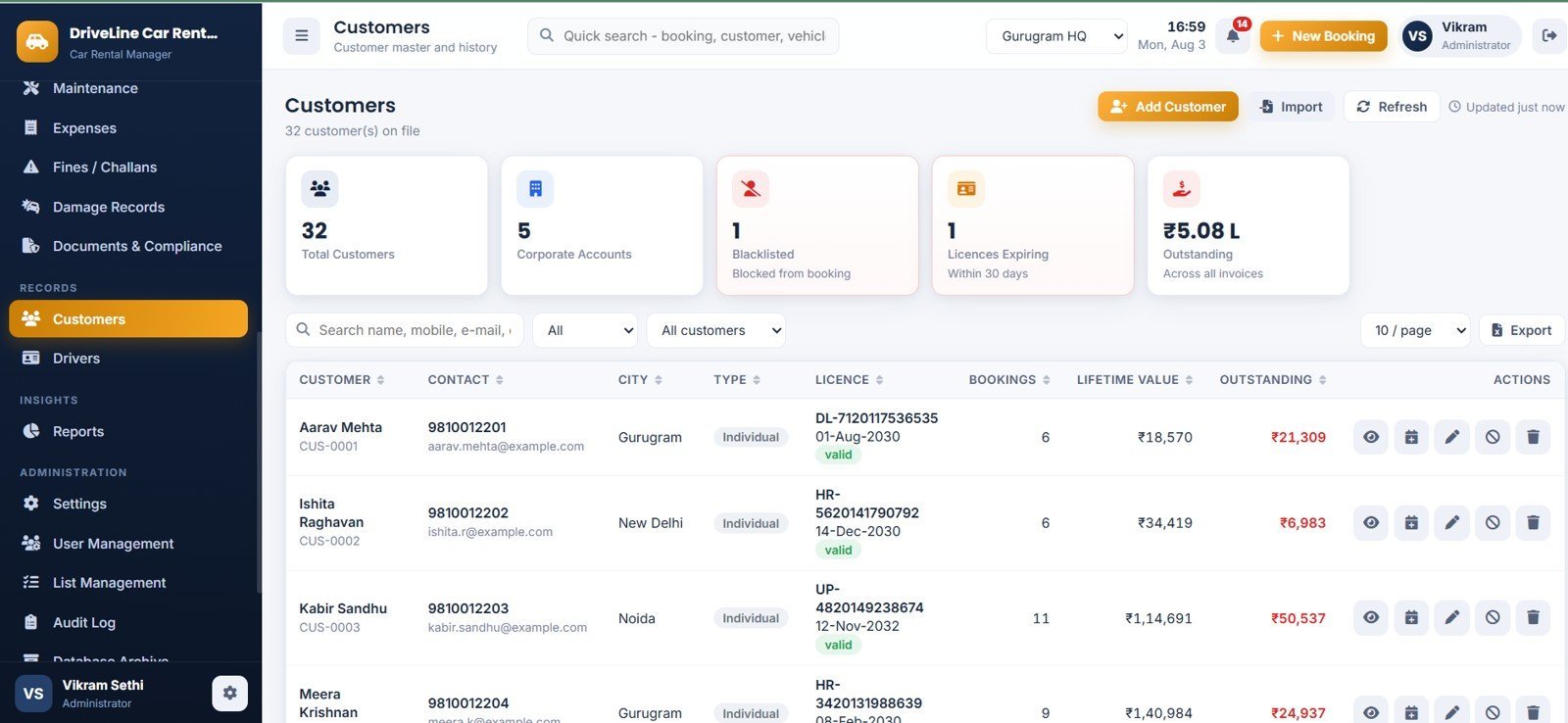
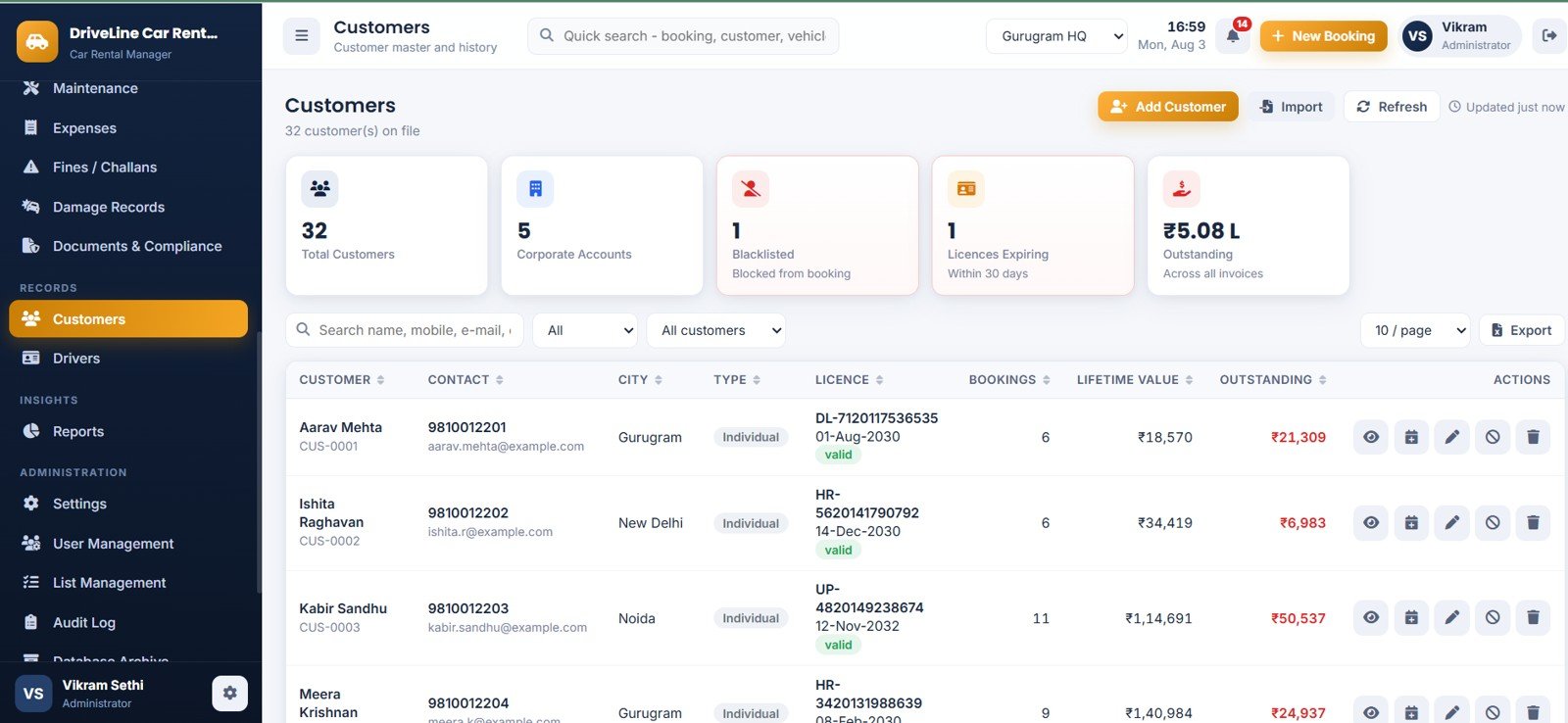
Page 18: Customers
The customer master with Total Customers, Corporate Accounts, Blacklisted, Licences Expiring and Outstanding. Each row shows licence number and validity, bookings, lifetime value and dues; blacklisting blocks new hires outright.
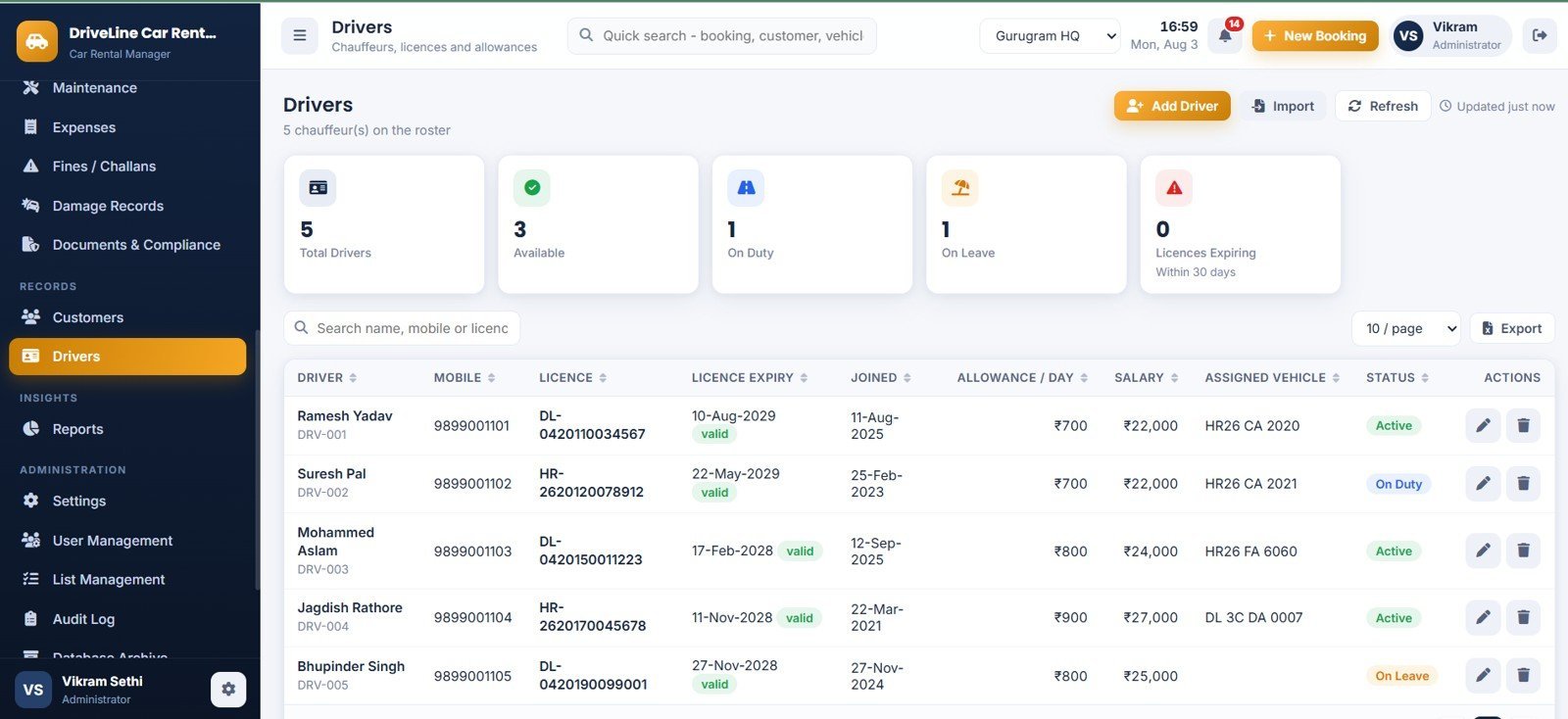
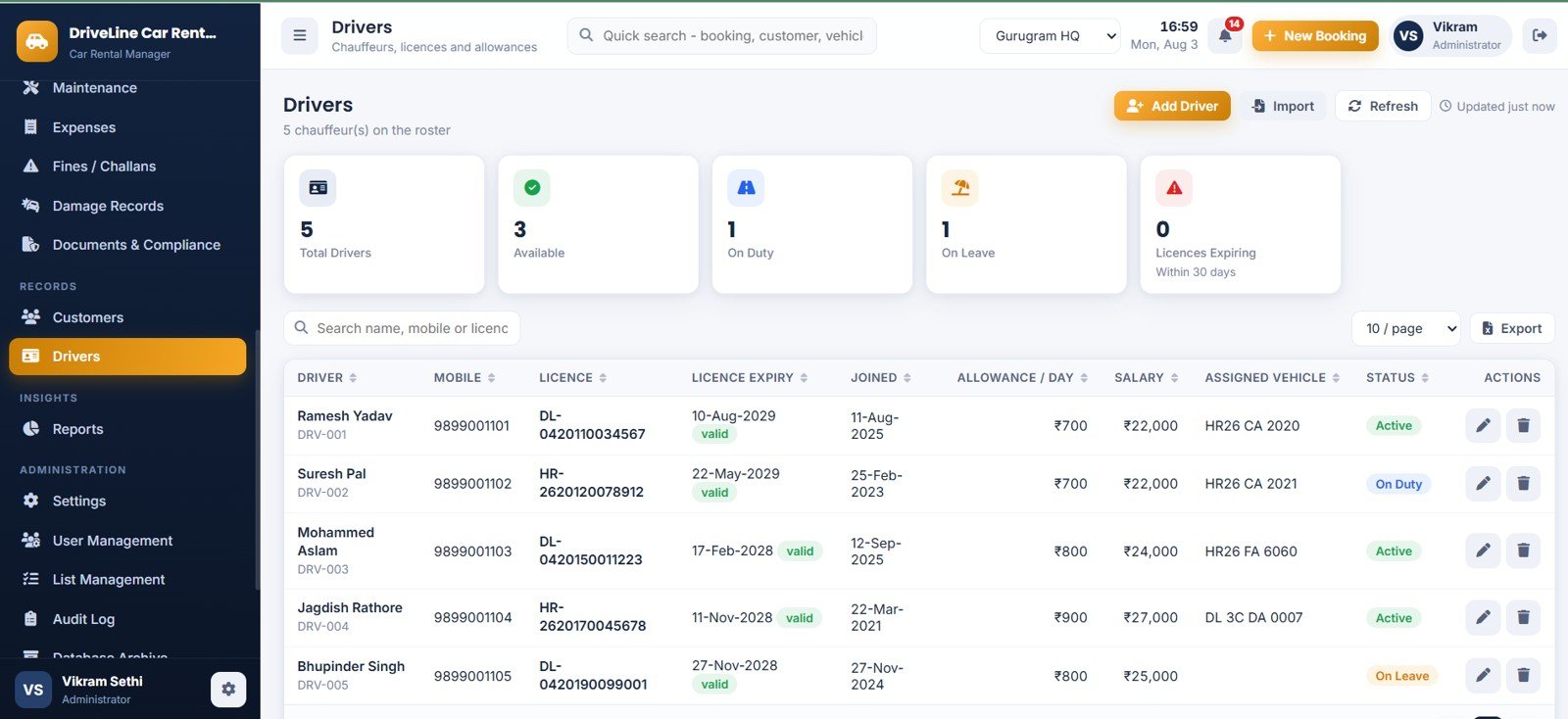
Page 19: Drivers
The chauffeur roster with Total Drivers, Available, On Duty, On Leave and Licences Expiring. Each driver carries licence expiry, joining date, daily allowance, salary and assigned vehicle, and feeds the Driver Report.
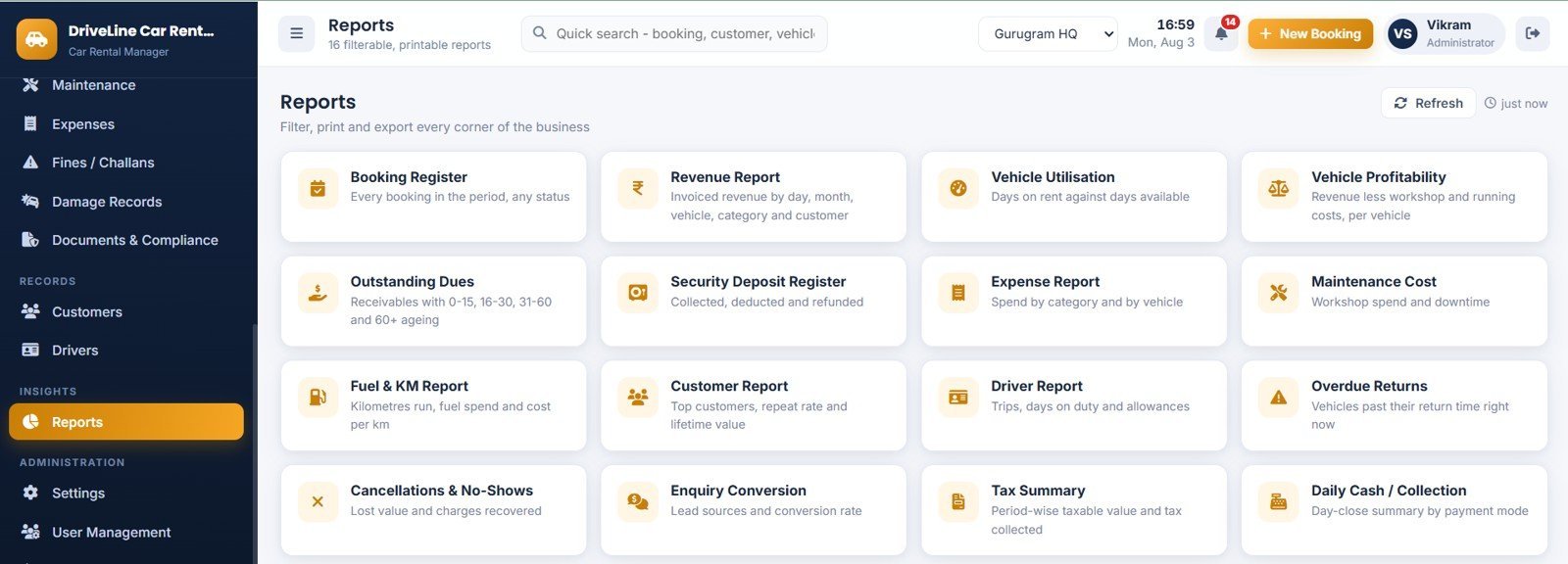
Page 20: Reports
Sixteen filterable, printable reports: Booking Register, Revenue Report, Vehicle Utilisation, Vehicle Profitability, Outstanding Dues, Security Deposit Register, Expense Report, Maintenance Cost, Fuel & KM Report, Customer Report, Driver Report, Overdue Returns, Cancellations & No-Shows, Enquiry Conversion, Tax Summary and Daily Cash / Collection.
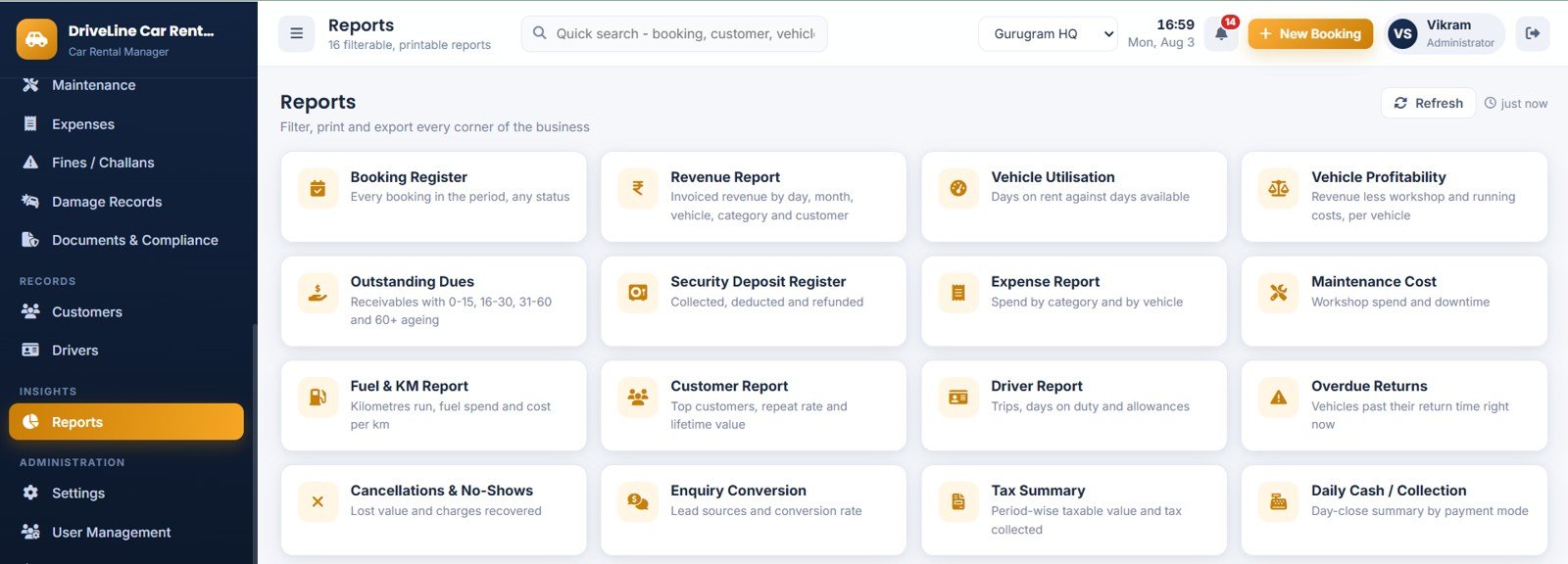
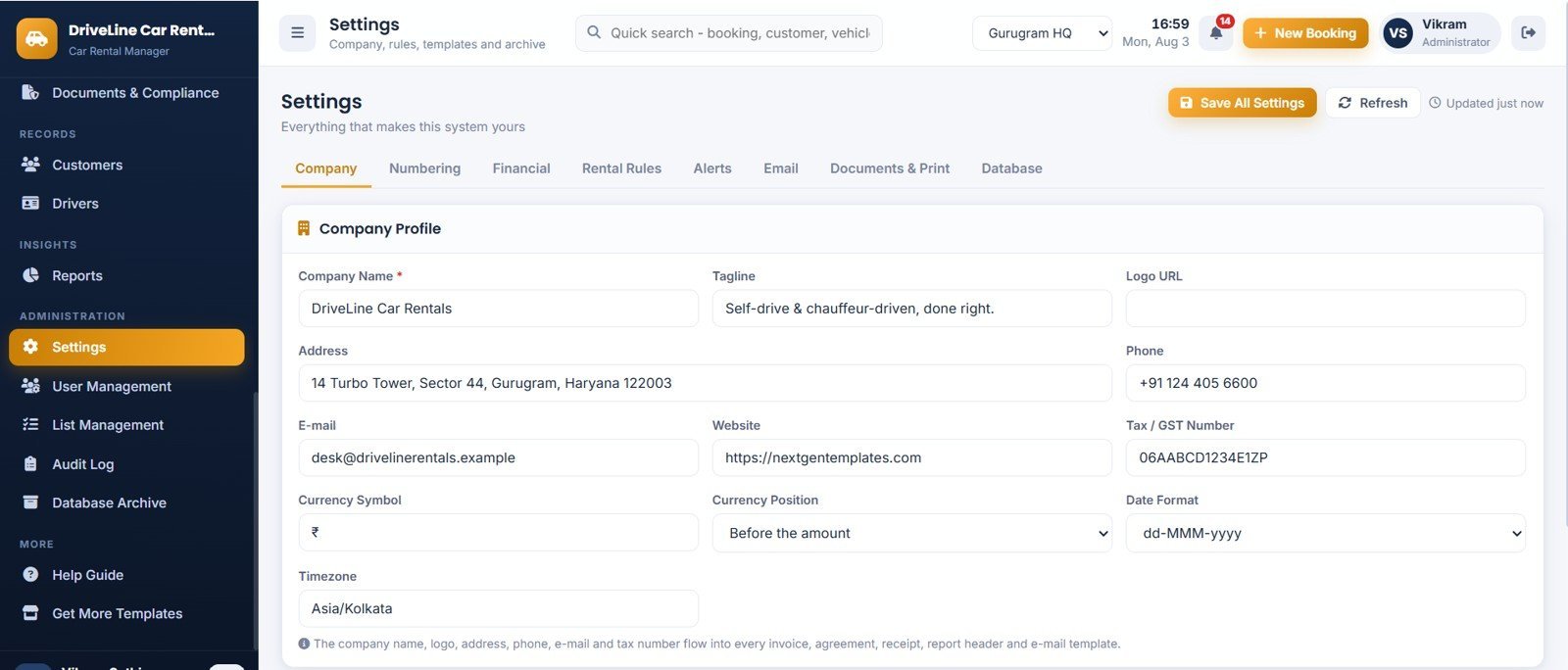
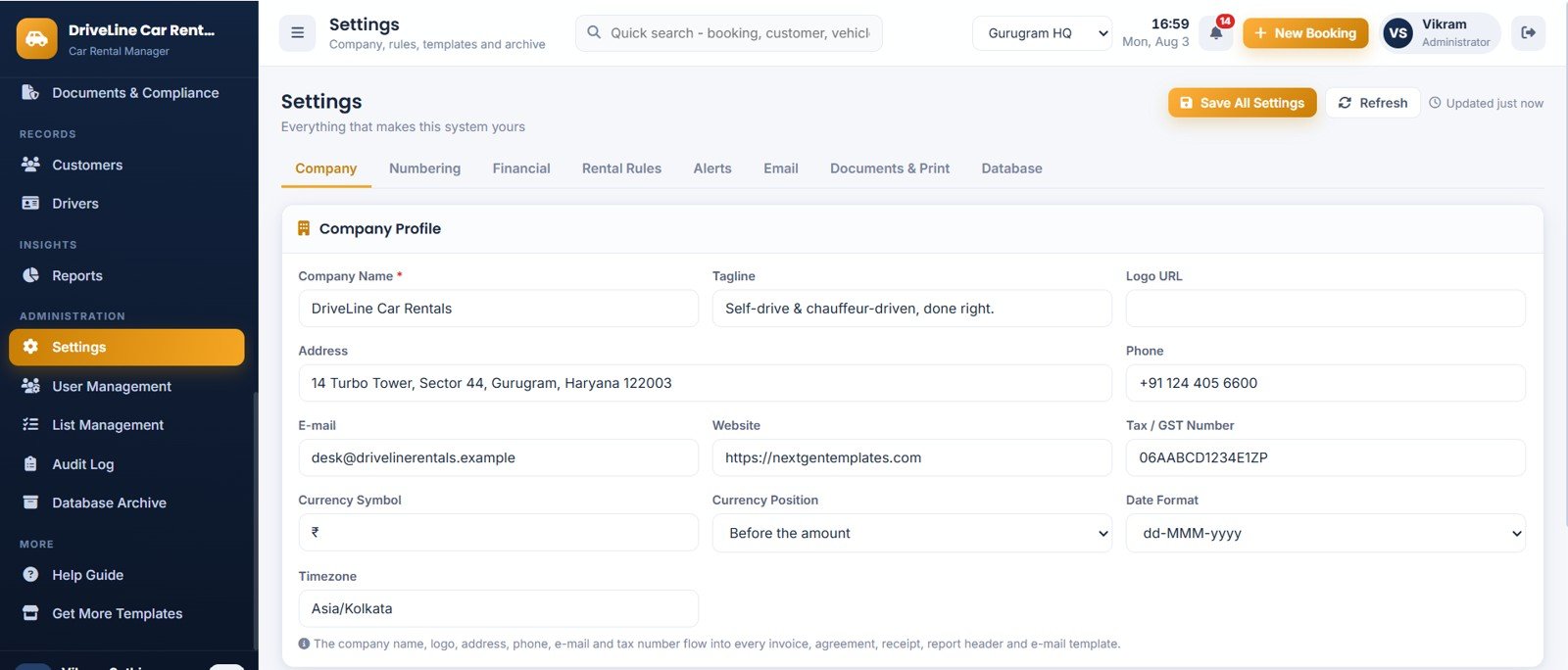
Page 21: Settings
Eight tabs — Company, Numbering, Financial, Rental Rules, Alerts, Email, Documents & Print and Database. Rental Rules drive every automatic charge: grace hours, late-fee basis, free km, extra km rate, minimum hire hours, cancellation percentage and deposit rule.
Page 22: User Management
Staff accounts by Users, Administrators, Managers, Counter Staff, Fleet / Maintenance and Inactive, with a plain-language matrix of what each role can and cannot do. The system always keeps at least one active Administrator.
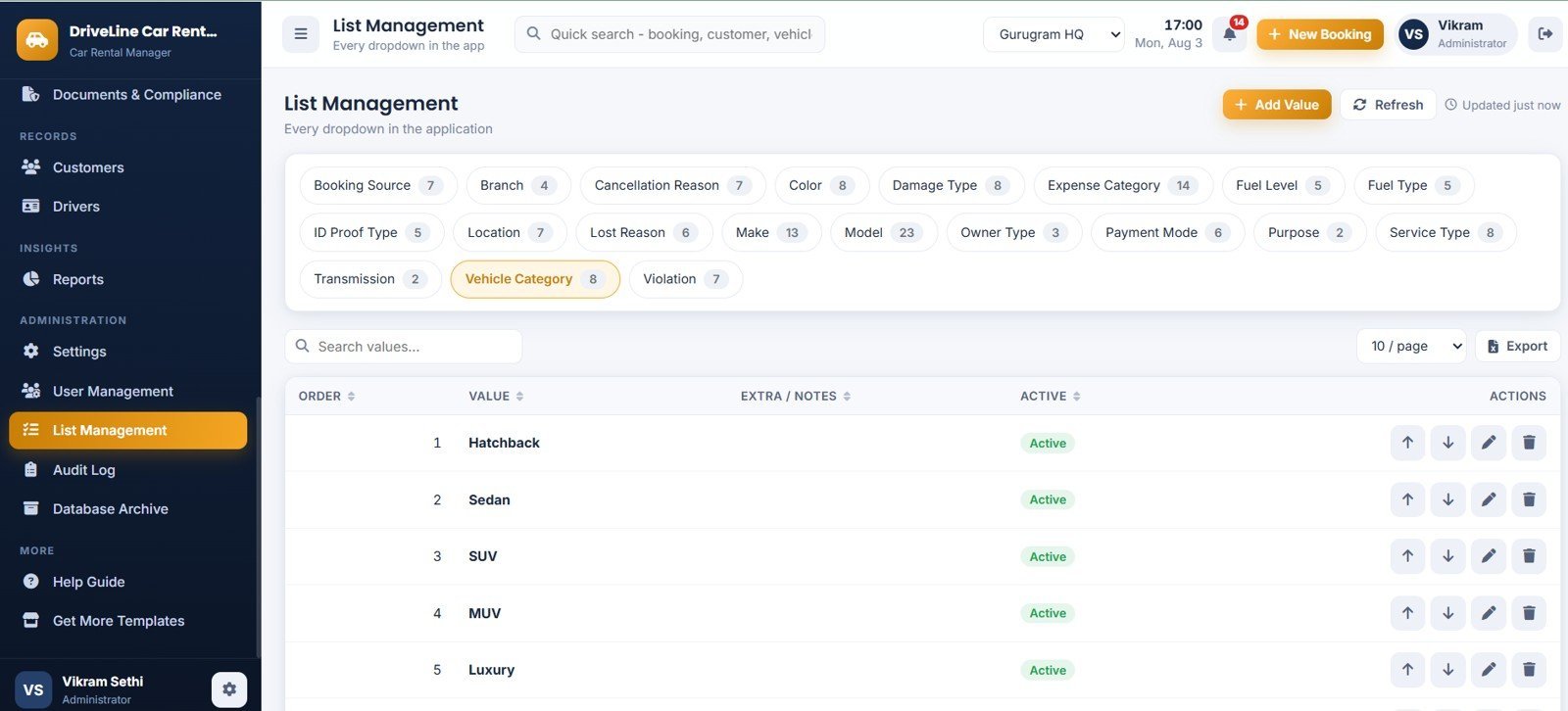
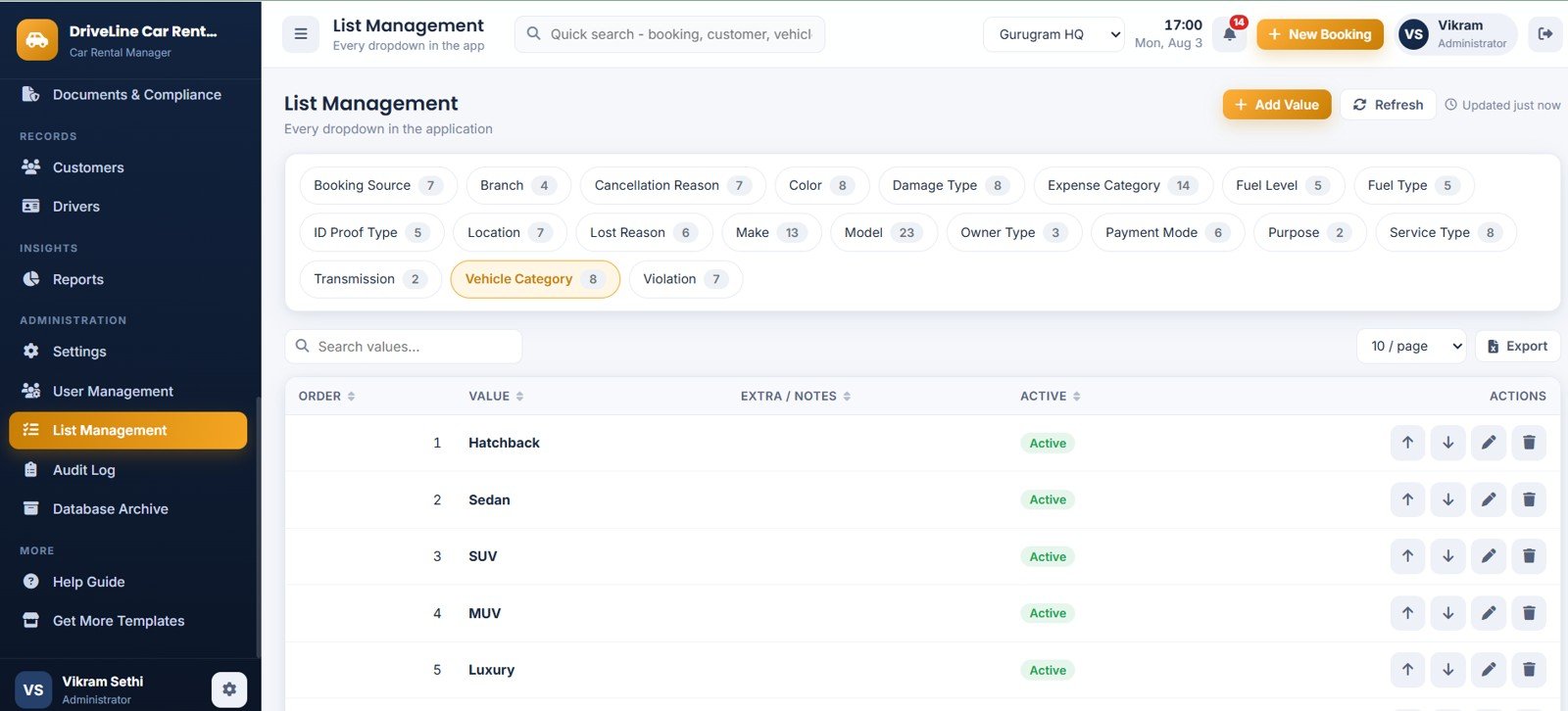
Page 23: List Management
Twenty controlled dropdown lists — booking source, branch, cancellation reason, colour, damage type, expense category, fuel level, fuel type, ID proof, location, lost reason, make, model, owner type, payment mode, purpose, service type, transmission, vehicle category and violation.
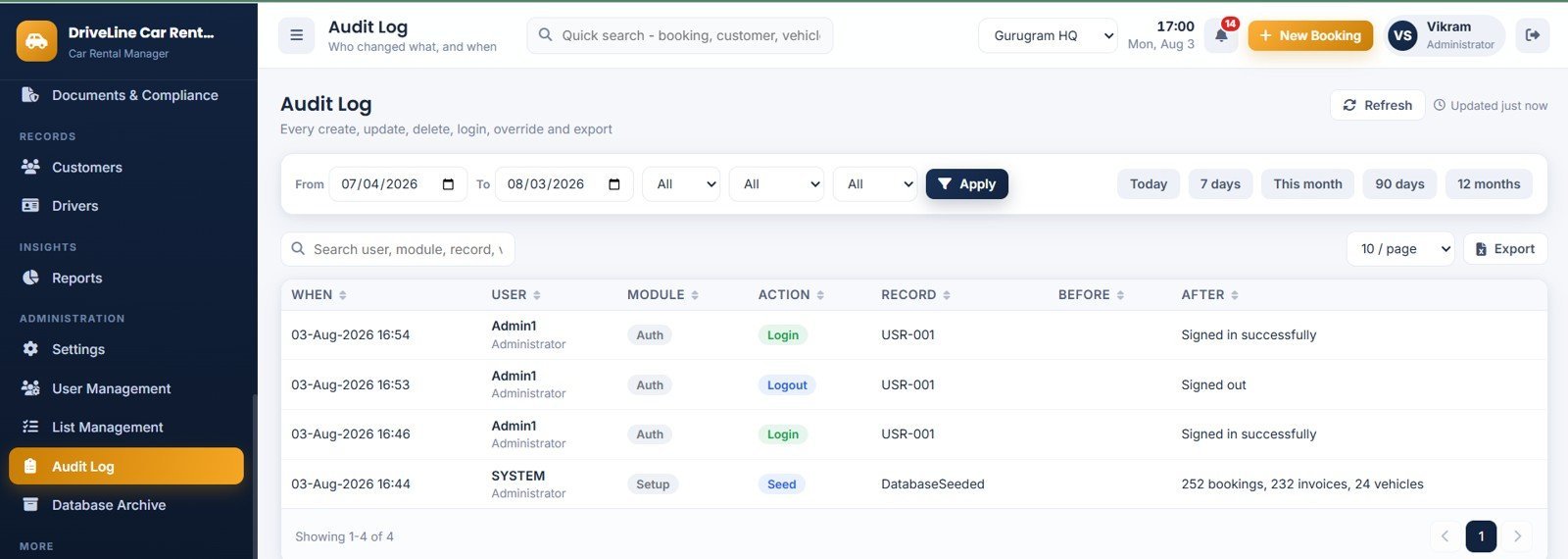
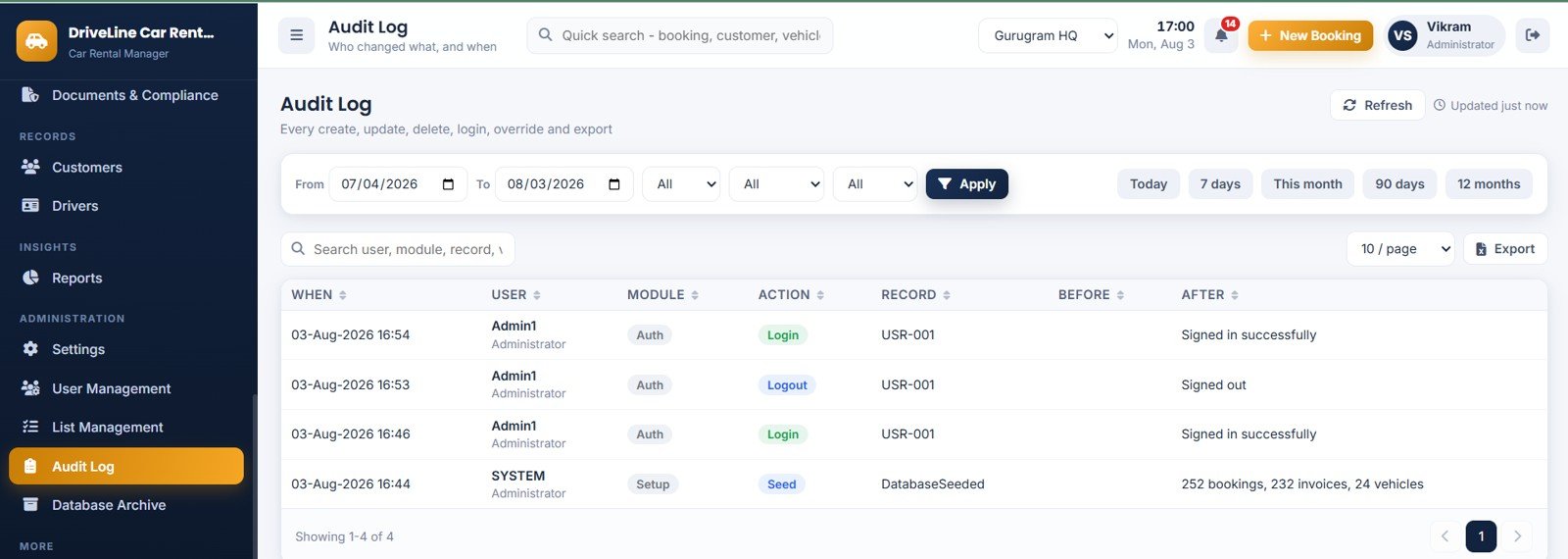
Page 24: Audit Log
Who changed what and when, filterable by date, user, module and action, with a before-and-after summary on every create, update, delete, sign-in, override and export.
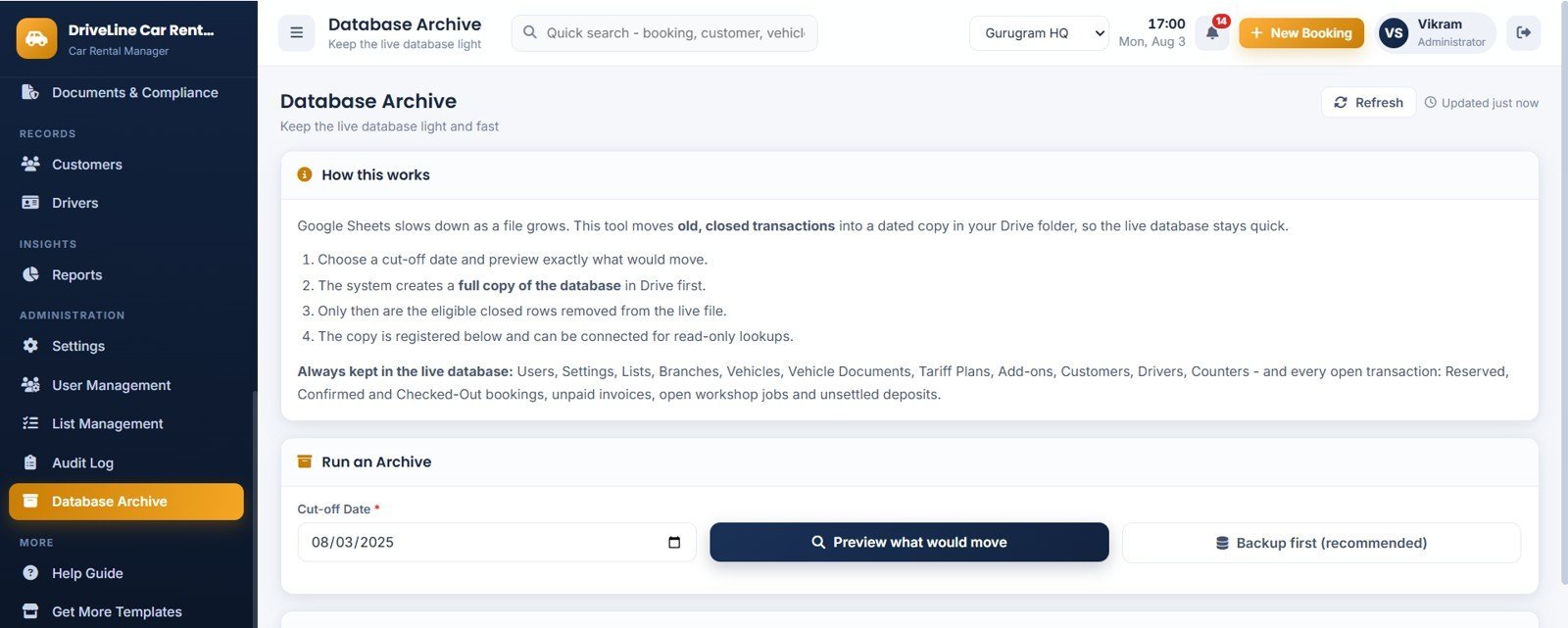
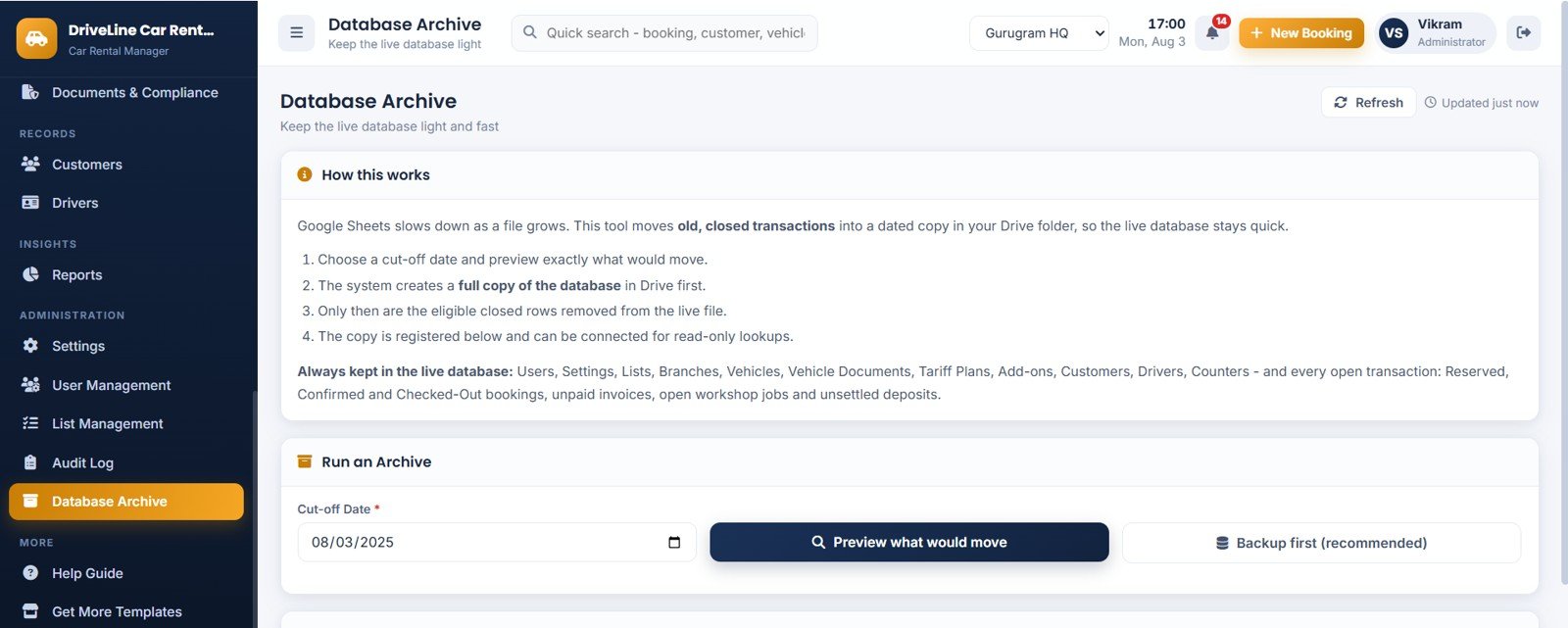
Page 25: Database Archive
Keeps the live spreadsheet fast. Pick a cut-off date, preview exactly what would move, take a full Drive backup, and only then remove old closed transactions — master data and every open booking always stay.
📊 Car Rental Management System vs. Excel Rental Workbook vs. Paid Rental SaaS — Where This Fits
| Feature | Car Rental Management System Web App | Excel / VBA Rental Workbook | HQ Rental Software / Booqable / RentSyst |
|---|---|---|---|
| Cost | $39.99 one-time | $6-$30 one-time | ~$29-$400 / month |
| Platform | Browser web app on Google Sheets | Desktop Excel only | Vendor cloud |
| Setup time | About 10 minutes | Minutes | Days, usually with onboarding calls |
| Multi-user login with roles | 4 roles, server-enforced | Rarely, file-level only | Yes, priced per user |
| Double-booking prevention | Server-side overlap test inside a lock | Manual checking | Yes |
| Deposit, damage, challan and late-fee automation | All four built in | Manual formulas | Partly, on higher plans |
| Built-in reports | 16, all date-filtered and printable | Whatever you build | Yes, plan-dependent |
| Document expiry alerts (insurance, permit, PUC, licence) | Built in with your own lead days | Manual | Sometimes |
| Data ownership | Your own Google Sheet and Drive | Your file | Vendor-hosted |
| Year-1 cost at 5 users | $39.99 total | $6-$30 | ~$350-$4,800+ |
If you want proper multi-user booking control, deposit handling and reporting without a monthly per-seat fee, this sits squarely in the middle ground between a spreadsheet and a subscription platform.
👥 Who Should Use This Template
Built for:
- 🚗 Self-drive car rental companies running 5-150 vehicles across one or several branches.
- 🧳 Chauffeur-driven and airport-transfer operators who need driver allowances and duty tracking alongside the hire.
- 🏨 Hotel, resort and travel-desk fleets hiring cars to guests.
- 🏢 Corporate tie-up operators billing monthly against a tariff plan.
- 🚐 Mixed fleets of hatchbacks, sedans, SUVs, MUVs, luxury cars and tempo travellers.
Not the right fit if:
- You need a customer-facing online booking portal with card capture. This is a staff-side desk system — payments are recorded, not processed.
- You need live GPS or telematics feeds from the vehicles.
- You require SOC 2, SSO or a signed data-processing agreement.
💼 Real-World Use Cases
A 30-car self-drive operator at an airport counter. The morning starts on the dashboard: today’s pickups, today’s returns and anything overdue on one screen. When a car comes back four hours late having run 320 km over its free allowance, the late fee and extra-kilometre charge are already on the bill before the conversation starts.
A travel company with a corporate tie-up. Enquiries arrive from the website and from the corporate desk, get quoted, and convert to bookings without re-typing. The Outstanding Dues report with 0-15, 16-30, 31-60 and 60+ ageing buckets drives the monthly collection call.
A two-branch operator with a workshop. The Fleet Supervisor logs in on a Fleet / Maintenance account: he can open workshop jobs, log expenses, record challans and damage and update compliance documents, but bookings are read-only and financial reports are simply not reachable.
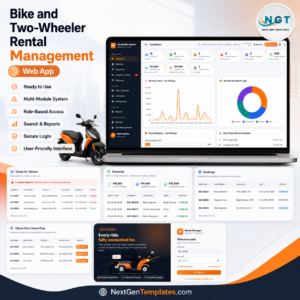
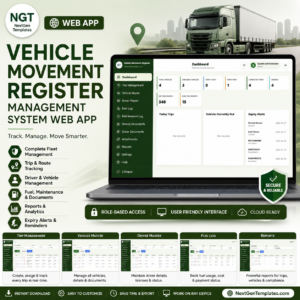
If you also hire out two-wheelers, the Bike and Two-Wheeler Rental Management System Web App uses the same architecture, and the Rental Equipment Management System Web App covers tools and event gear. For fleets that move vehicles rather than rent them, see the Vehicle Movement Register Management System Web App. If you already have a booking process and only need reporting, the Car Rental KPI Dashboard in Google Sheets is the lighter option, and there are more Google Sheets Web App templates and Google Sheets Dashboards in the wider catalogue.
❓ Frequently Asked Questions
What exactly does the Car Rental Management System Web App track?
It tracks 12 live KPIs — total vehicles, available now, on rent, under maintenance, today’s pickups, today’s returns, overdue returns, bookings this month, revenue month-to-date, outstanding dues, deposits held and fleet utilisation — across 26 screens, 16 reports and 28 Google Sheets tabs.
How long does setup take?
About 10 minutes. You paste two files into a new Apps Script project, name the HTML file exactly Index, run Setup Database once from the sheet menu, then deploy as a web app. It arrives seeded with 24 vehicles, 32 customers, 5 drivers and 252 bookings so you can test everything immediately.
Can two staff members book the same car twice?
No. Every save re-runs an overlap test on the server against all Reserved, Confirmed and Checked-Out bookings for that vehicle, inside a script lock. The save is refused and the clashing booking number is named.
How are late fees, extra kilometres and damage charged?
Late fees begin only after your grace hours, then follow a per-hour, per-day or percentage-of-daily-rate rule. Extra kilometres are anything beyond the free allowance per hire day at your per-km rate. Damage, recoverable challans, fuel and cleaning are added as separate lines, so the invoice shows exactly what was charged and why.
What happens to the security deposit?
At return you choose: refund it in full, deduct dues or damage from it and refund the balance, or hold it. Every movement is written to the deposit ledger with a reason, printed on the invoice and reported in the Security Deposit Register.
Will the Google Sheet slow down after a couple of years?
No. The Admin-only Database Archive copies the whole spreadsheet to Drive first, then removes only old closed transactions. Master data and every open booking always remain in the live file, and modules load once and are then served from browser memory.
Do I need to know how to code?
No. The download includes both source files and a step-by-step deployment guide, plus a video walkthrough. If you can copy, paste and click Deploy, you can run it.
✍️ About the Author
Built by PK — Microsoft Certified Professional with 15+ years of Excel, Google Sheets, Power BI and Google Apps Script experience, and founder of NextGenTemplates with 300K+ subscribers across YouTube. Every template is hand-built and tested against real transaction data before release. Questions? Email [email protected].
🚀 Get the Car Rental Management System Web App
One payment. Your own Google account. No monthly fee, no per-user charge, and your booking data never leaves your Drive. Add it to your cart above and deploy it this afternoon.
✅ Instant download · One-time payment · No subscription · Lifetime access
Watch the demo video:
Last updated: August 2026




























Reviews
There are no reviews yet.