

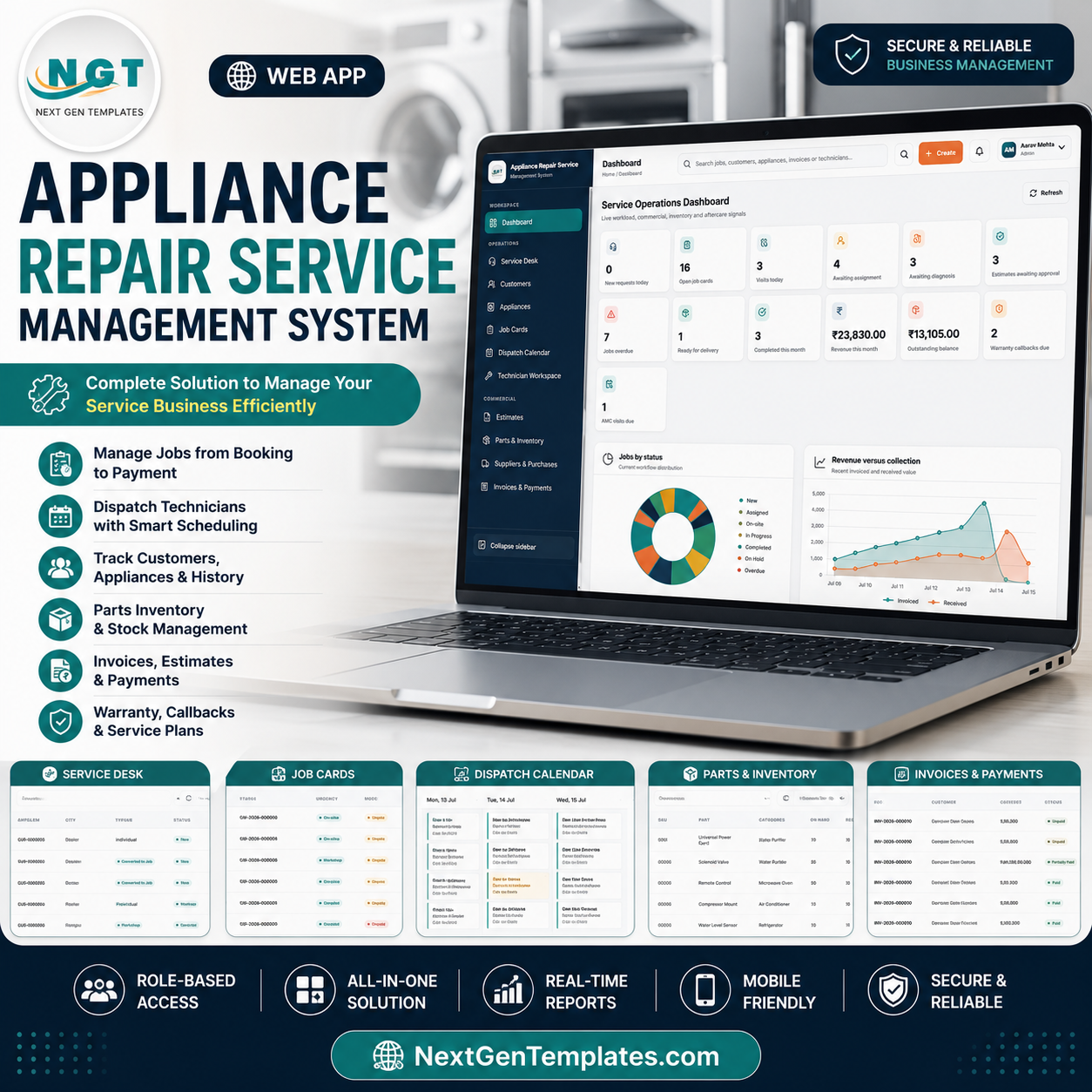

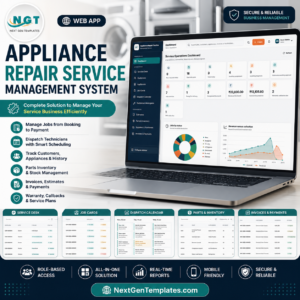
The Appliance Repair Service Management System Web App brings 17 connected screens, 15 dashboard KPI cards, 2 management charts, and 10 settings areas into one browser-based workspace. It covers the repair journey from request intake and technician scheduling through diagnosis, estimate approval, parts, invoicing, warranty callbacks, and AMC visits. Built by PK, whose template tutorials reach 300K+ YouTube subscribers, it is offered as an instant digital download for a $39.99 one-time sale price, without shipping or a recurring template subscription.
Key Features of the Appliance Repair Service Management System Web App
- End-to-end workflow: move requests through diagnosis, approval, repair, delivery, and completion.
- Dispatch planning: schedule technicians with service-mode filters and conflict protection.
- Connected records: keep customer, appliance, warranty, balance, and service history together.
- Estimates and billing: record decisions, invoices, payments, and balances.
- Parts and purchasing: track stock, reservations, reorder points, suppliers, and receipts.
- Warranty and AMC: manage eligibility, callbacks, visits, renewals, and balances.
- Reports: analyze jobs, inventory, finance, warranties, and service plans.
- Access control: configure roles, permissions, login activity, and security.
What’s Inside the Appliance Repair Service Management System Web App
1. Secure Login
Staff sign in securely; expiring sessions and temporary lockout help protect the workspace.
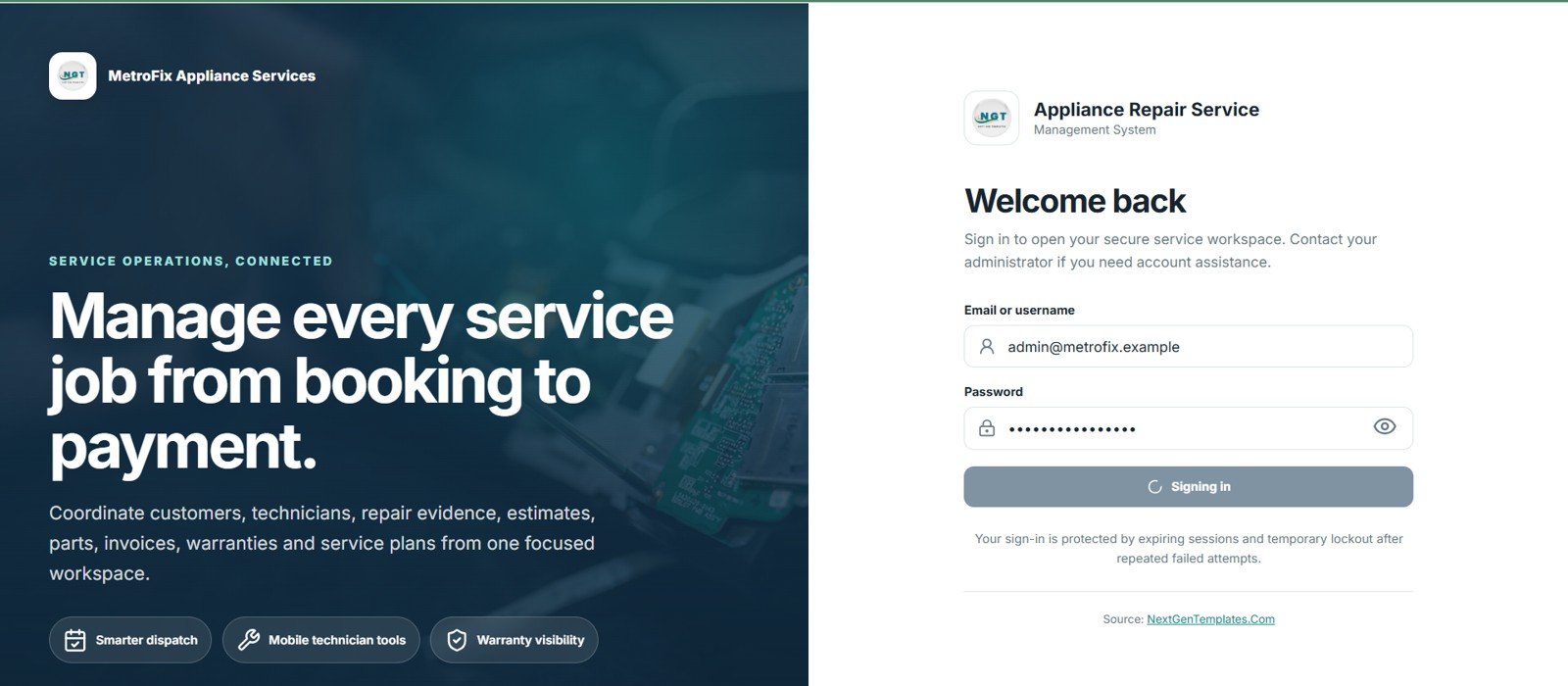
Secure Login
🚀 Try the Live Demo Before You Buy
We have deployed this web app in our own Google account so you can test every page and every role — with real sample data — before purchasing. No signup, no email required.
🔑 Test Login Credentials
Sign in as Admin for full control over users, all modules, and settings — or try any of the six role logins below to see exactly what each team member can access, from the Service Manager assigning jobs to the Technician updating repairs and the Accounts/Cashier handling billing.
💡 What you get after purchase: The full source code (Code.gs + Index.html) plus a step-by-step deployment guide so you can deploy your own private instance in your own Google account in under 15 minutes.
2. Service Operations Dashboard
Fifteen cards summarize operations. Jobs by Status shows workload mix; Revenue versus Collection compares billed income with receipts.
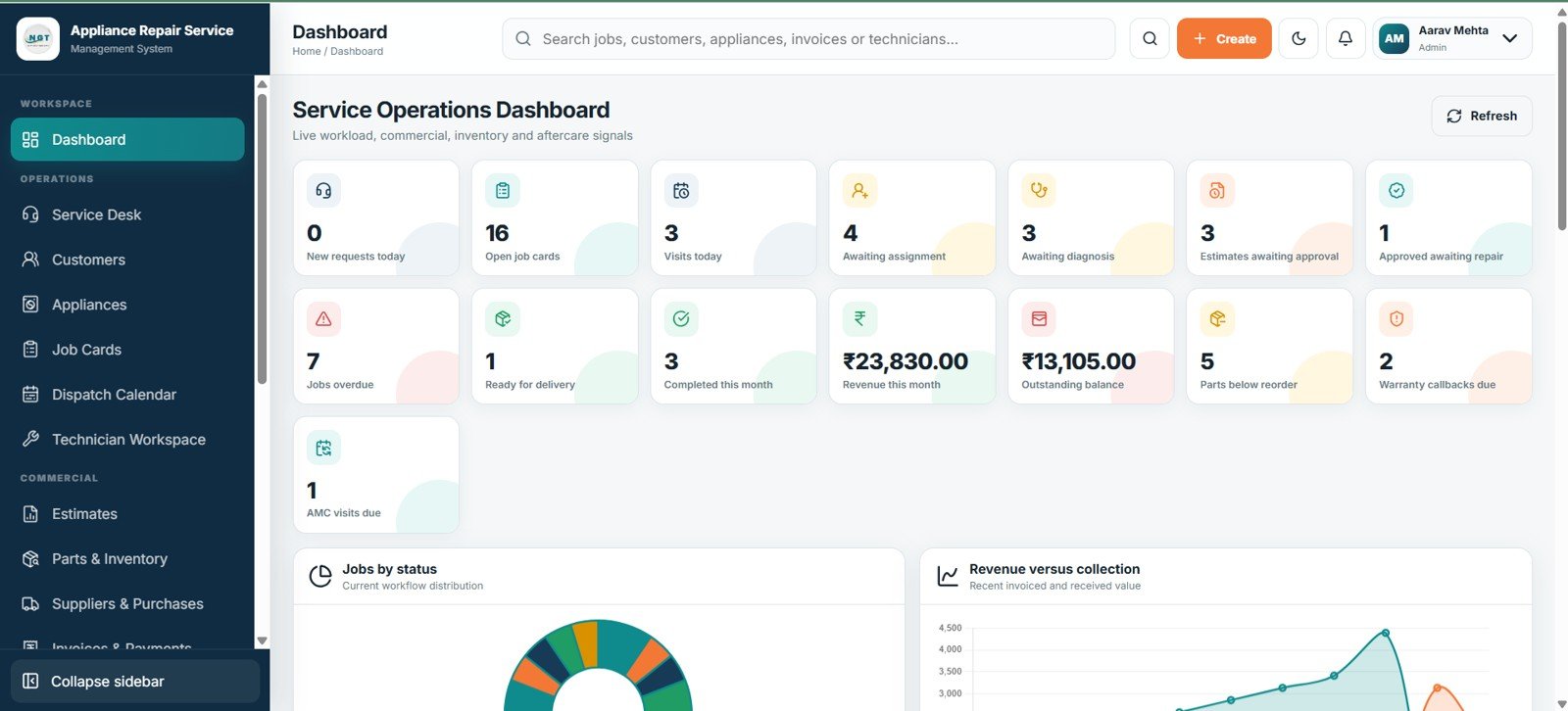
Service Operations Dashboard
3. Service Desk
Register, schedule, and convert requests with customer, appliance, problem, urgency, channel, and status details.
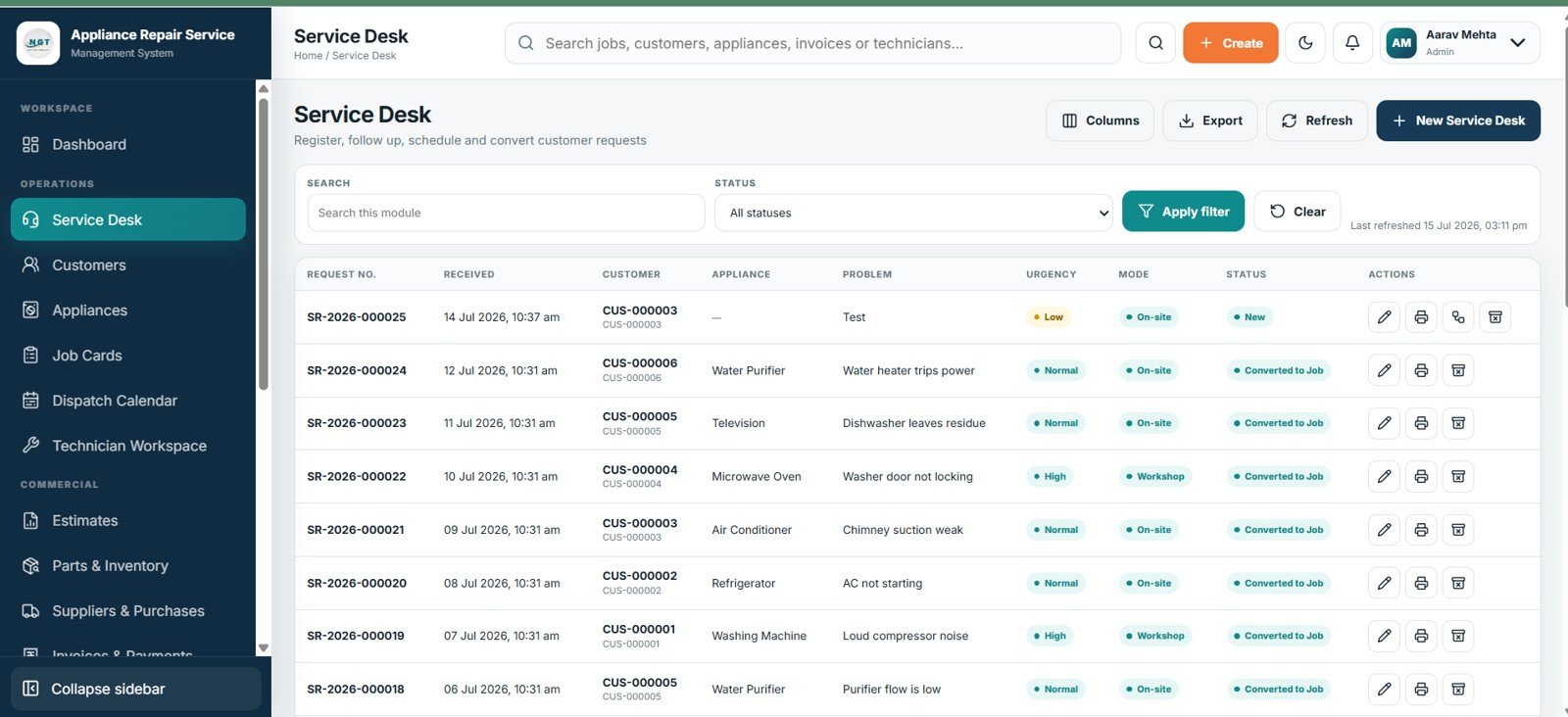
Service Desk
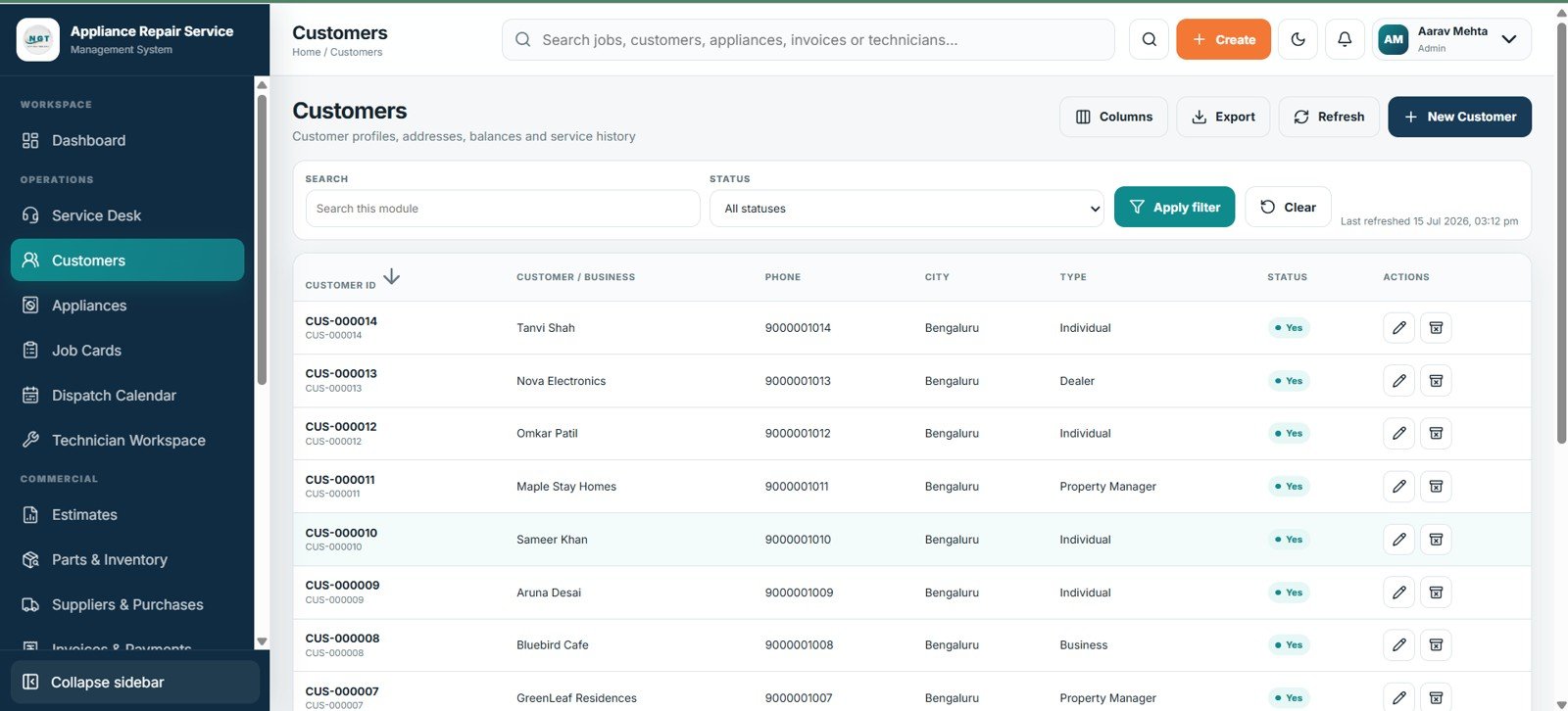
4. Customers
Maintain customer contacts, addresses, balances, status, and repair history.
Customers
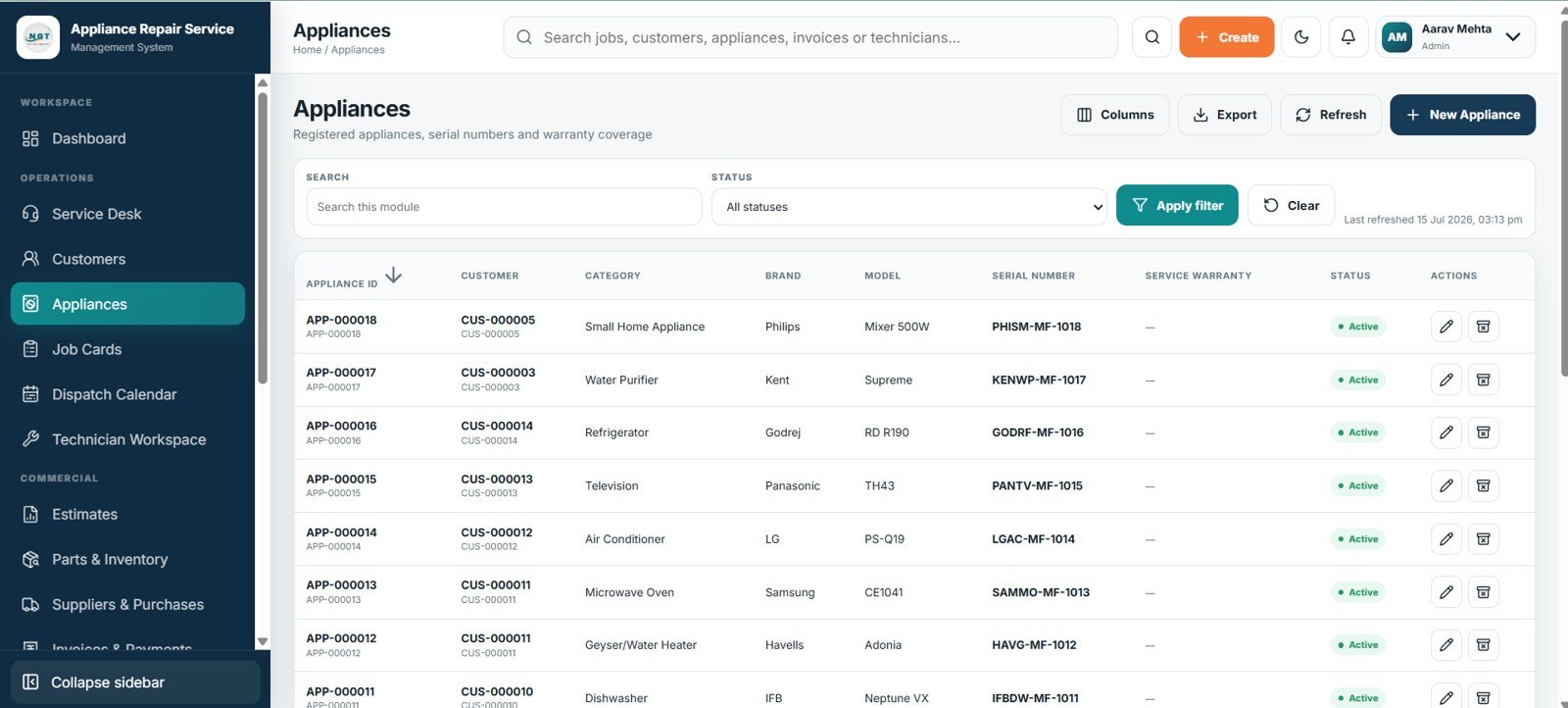
5. Appliances
Register appliance category, brand, model, serial number, warranty, and status.
Appliances
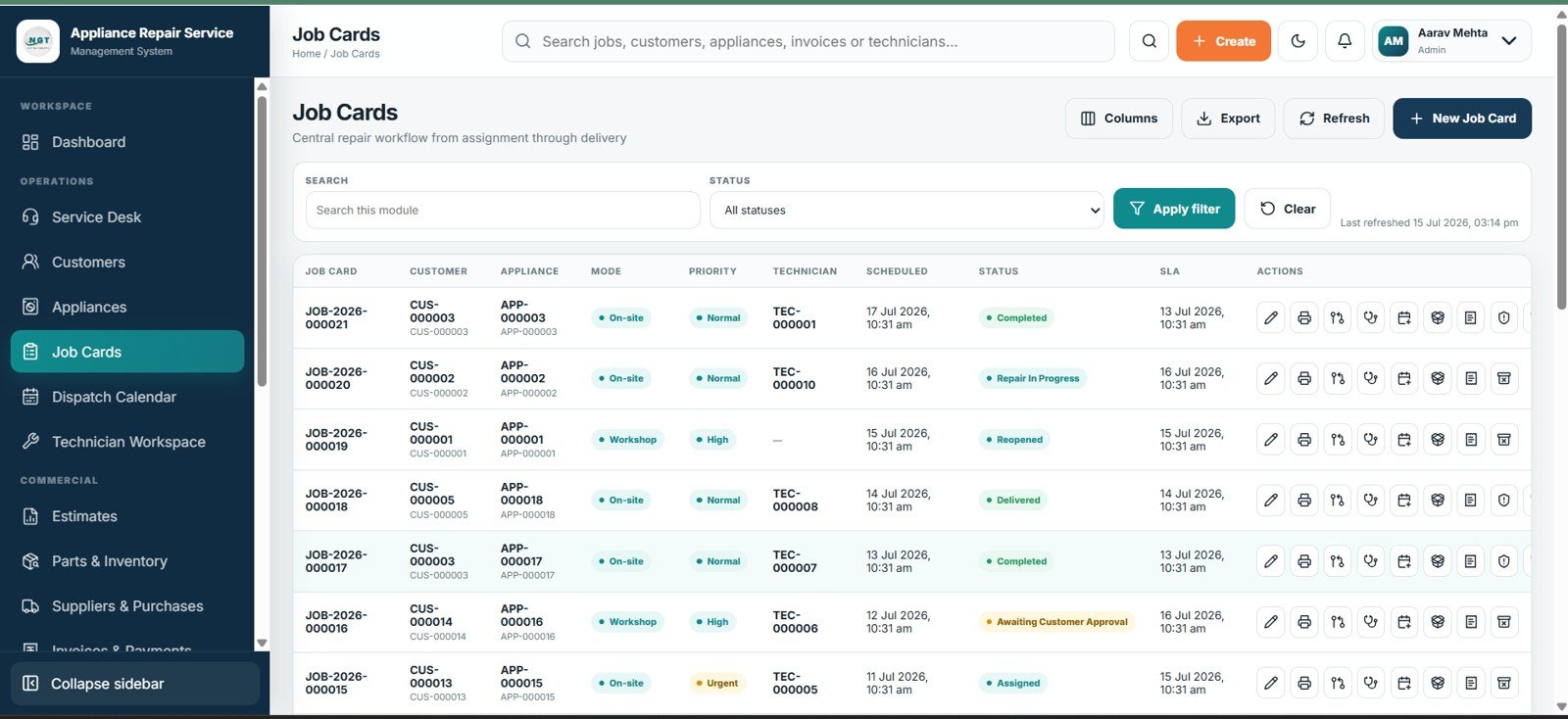
6. Job Cards
Control assignment through delivery with technician, schedule, priority, status, and SLA details.
Job Cards
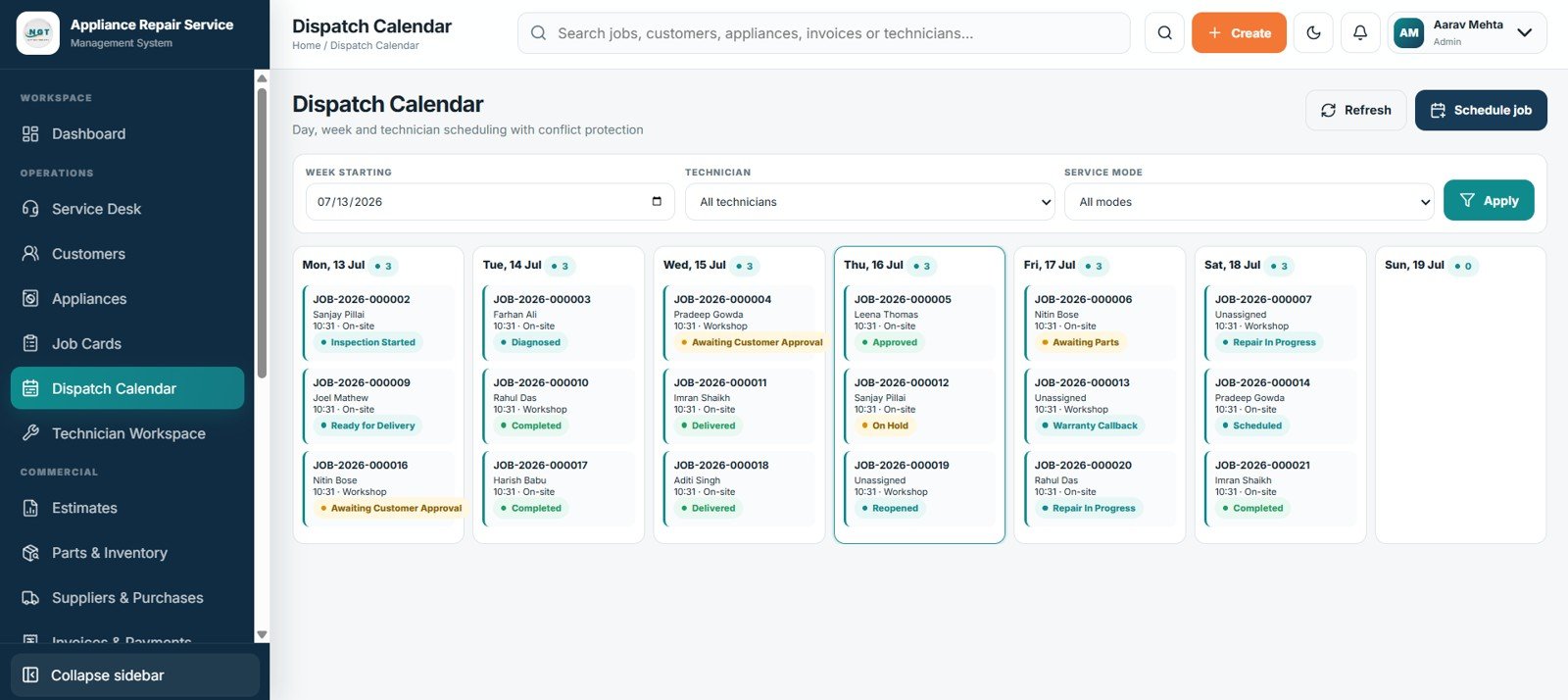
7. Dispatch Calendar
Plan visits by day, week, or technician with filters and conflict protection.
Dispatch Calendar
8. Estimates
Create versioned estimates, capture decisions, compare costs, and monitor validity and status.
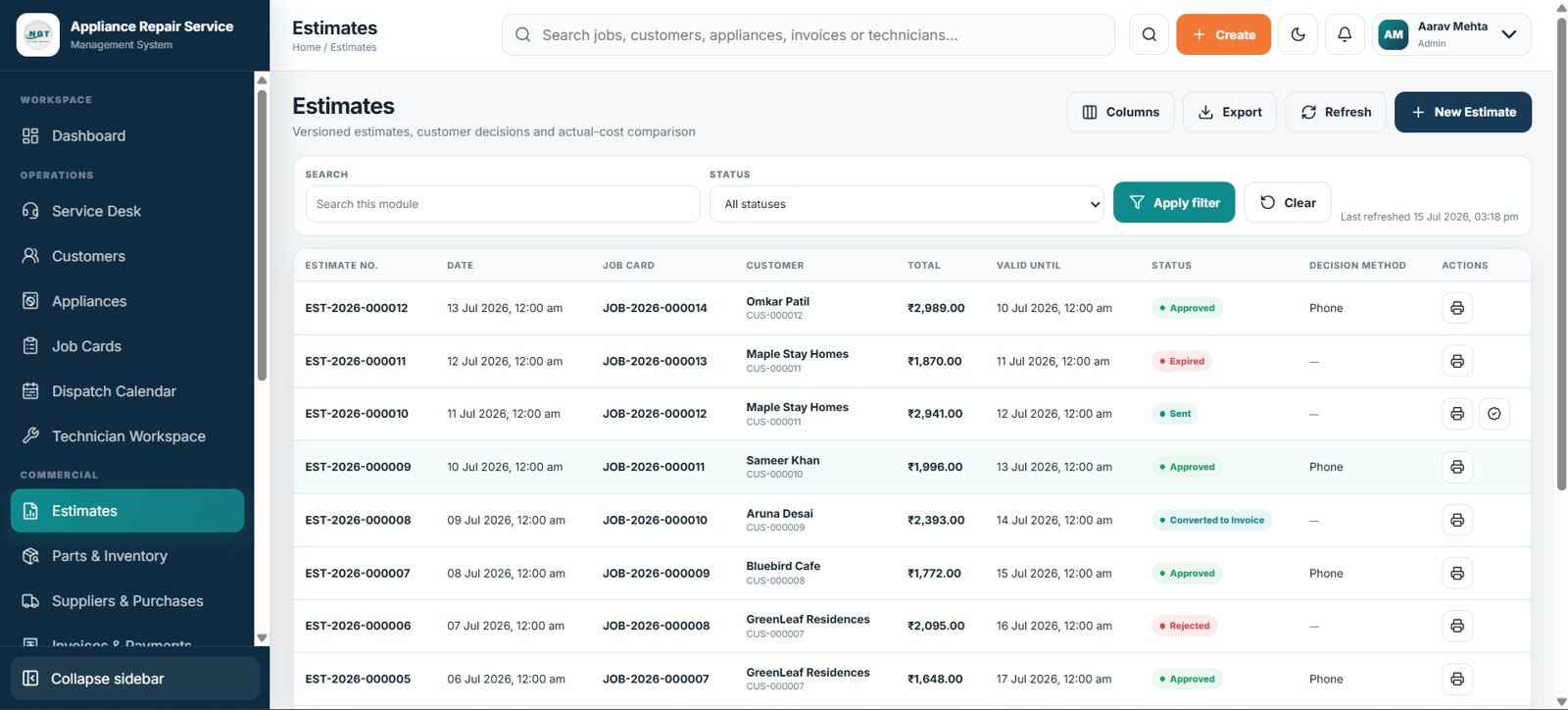
Estimates
9. Parts & Inventory
Monitor stock, reservations, reorder levels, costs, prices, bins, and status.
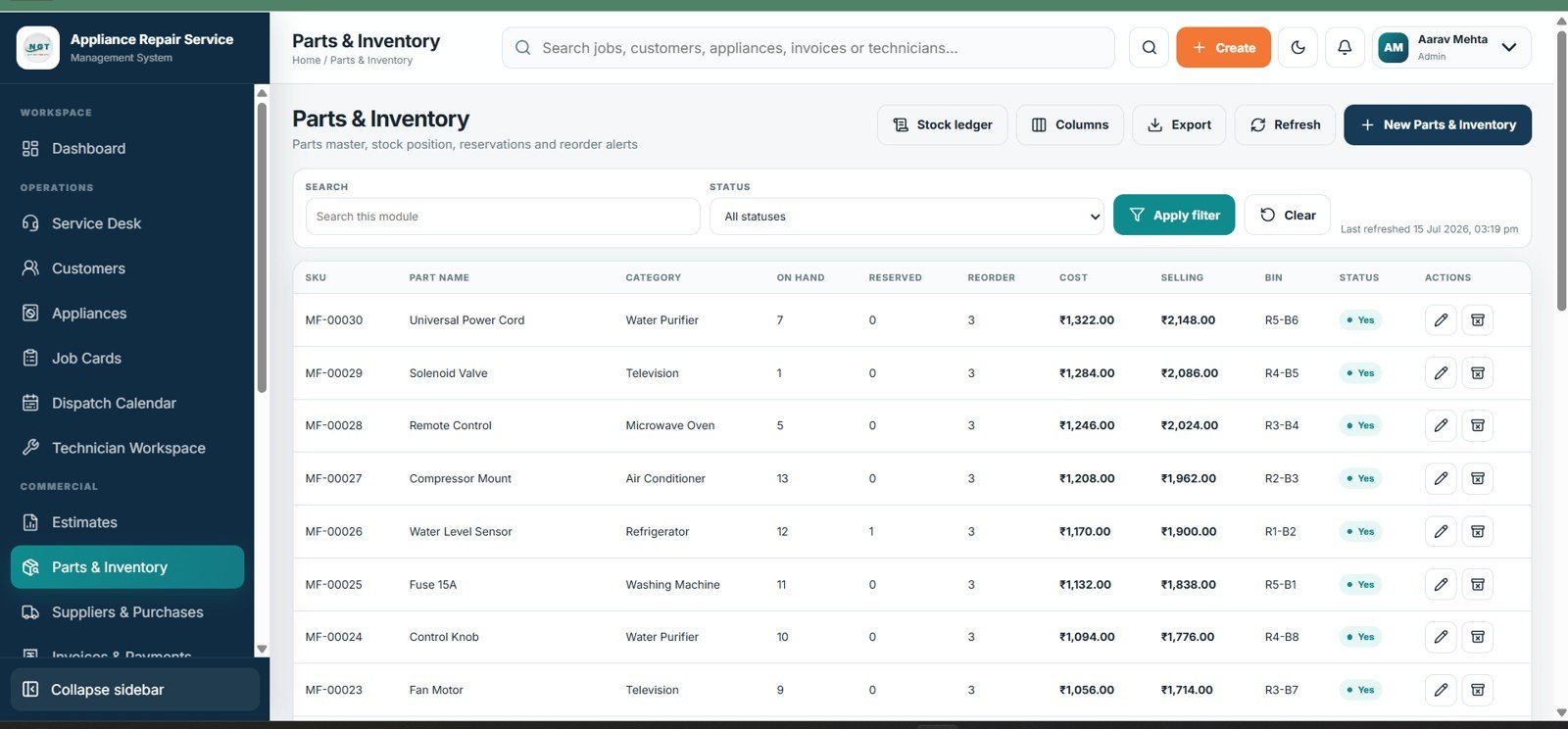
Parts & Inventory
10. Suppliers & Purchases
Track supplier invoices, receipts, purchase totals, payments, balances, and status.
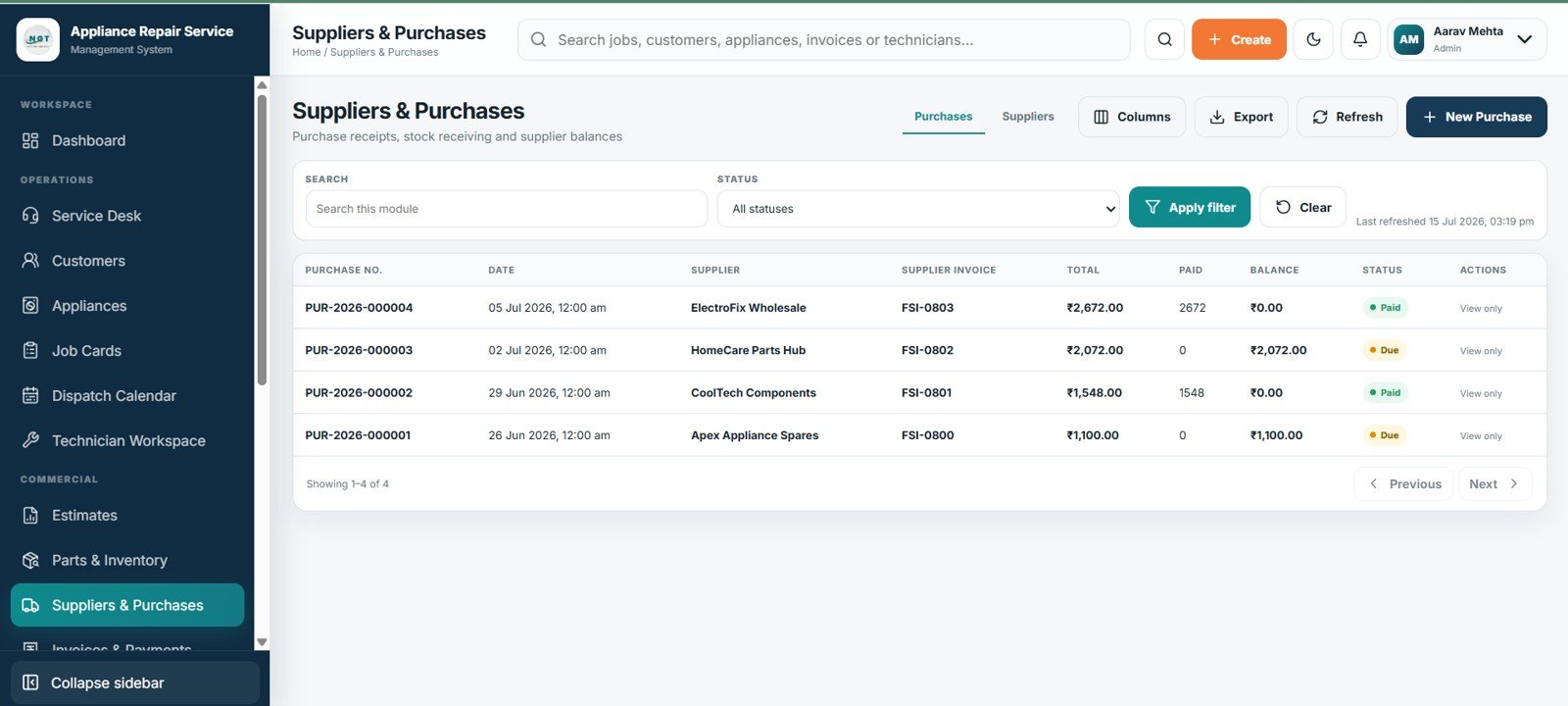
Suppliers & Purchases
11. Invoices & Payments
Link invoices to jobs, record payments, and monitor balances and delivery controls.
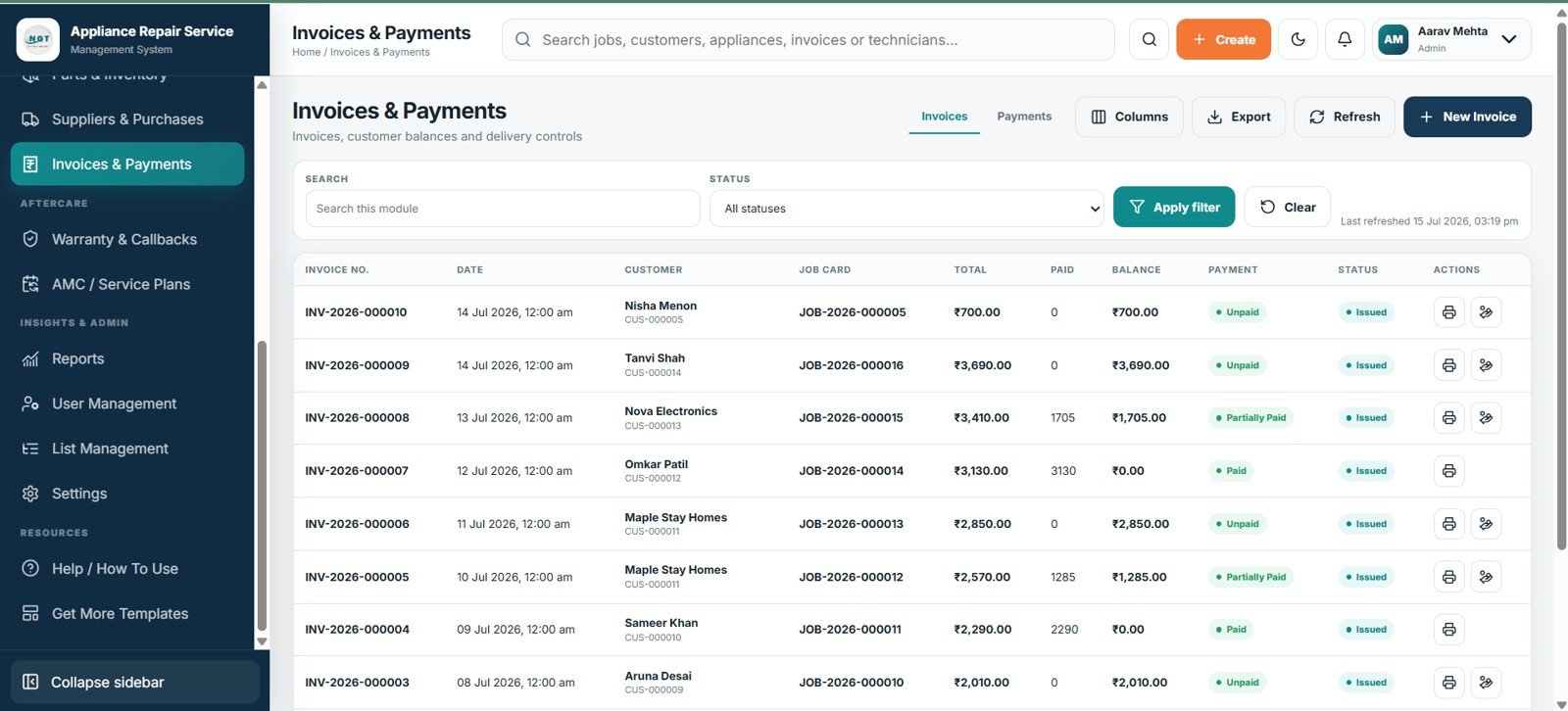
Invoices & Payments
12. Warranty & Callbacks
Check eligibility, link callbacks, identify chargeable cases, and review repeat repairs.
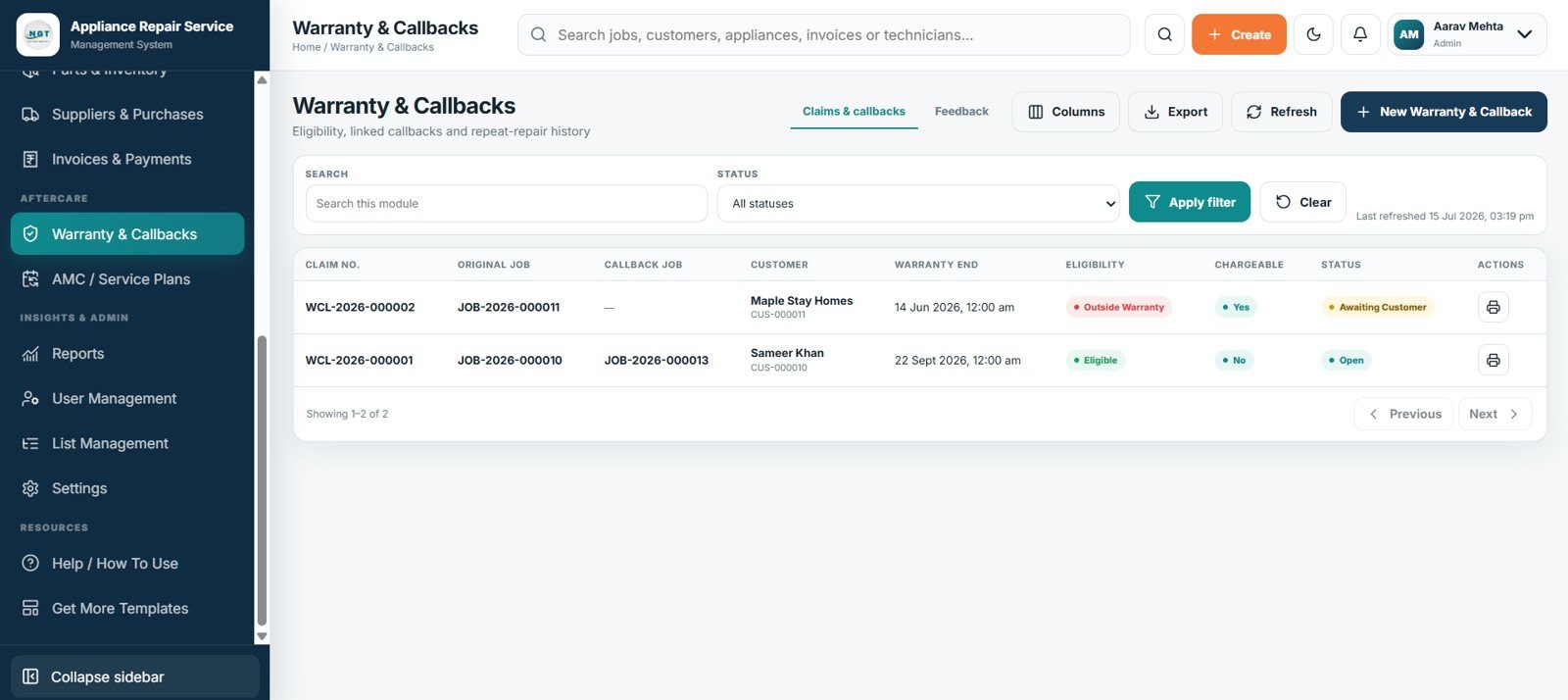
Warranty & Callbacks
13. AMC / Service Plans
Manage covered appliances, visit usage, next service, balances, validity, and renewals.
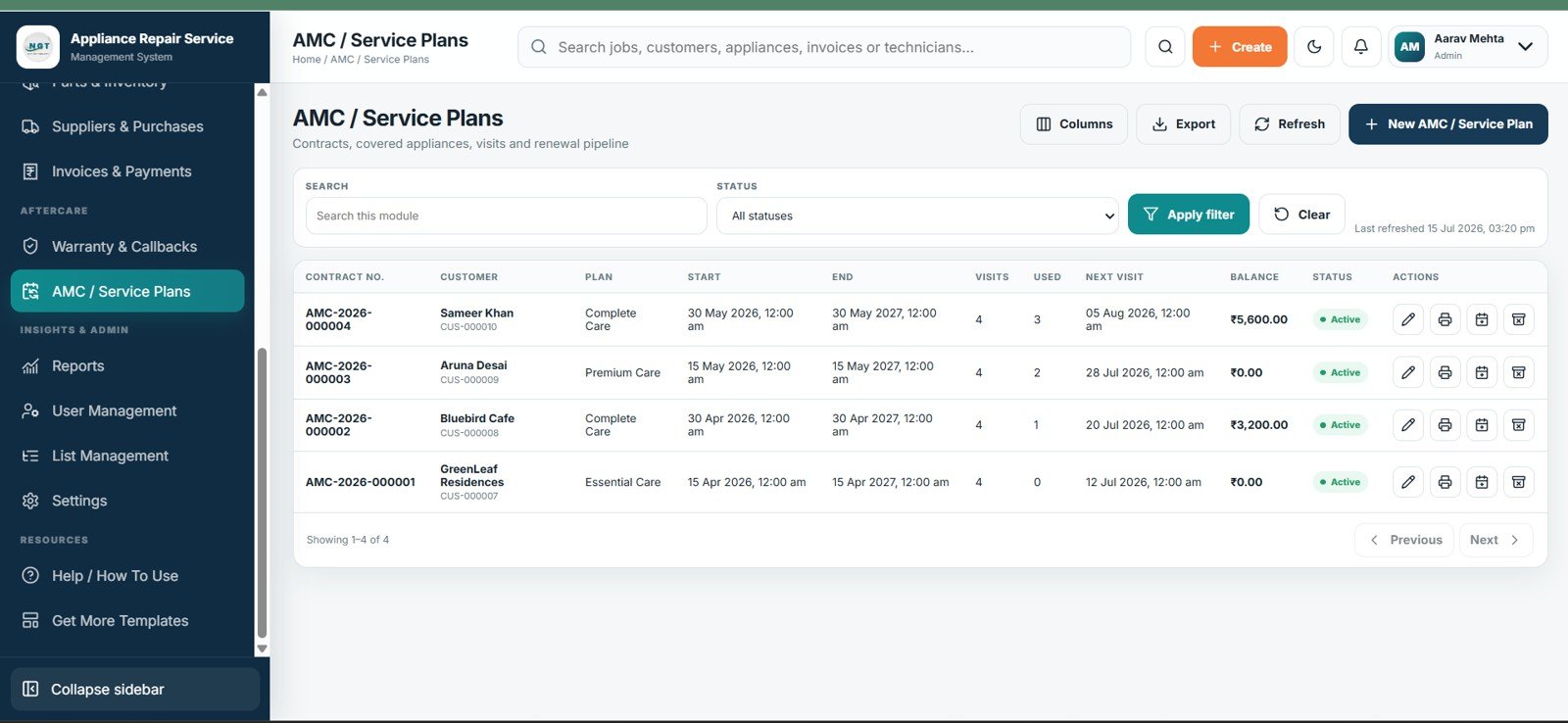
AMC / Service Plans
14. Reports
Run operational, inventory, financial, AMC, and warranty reports with filters.
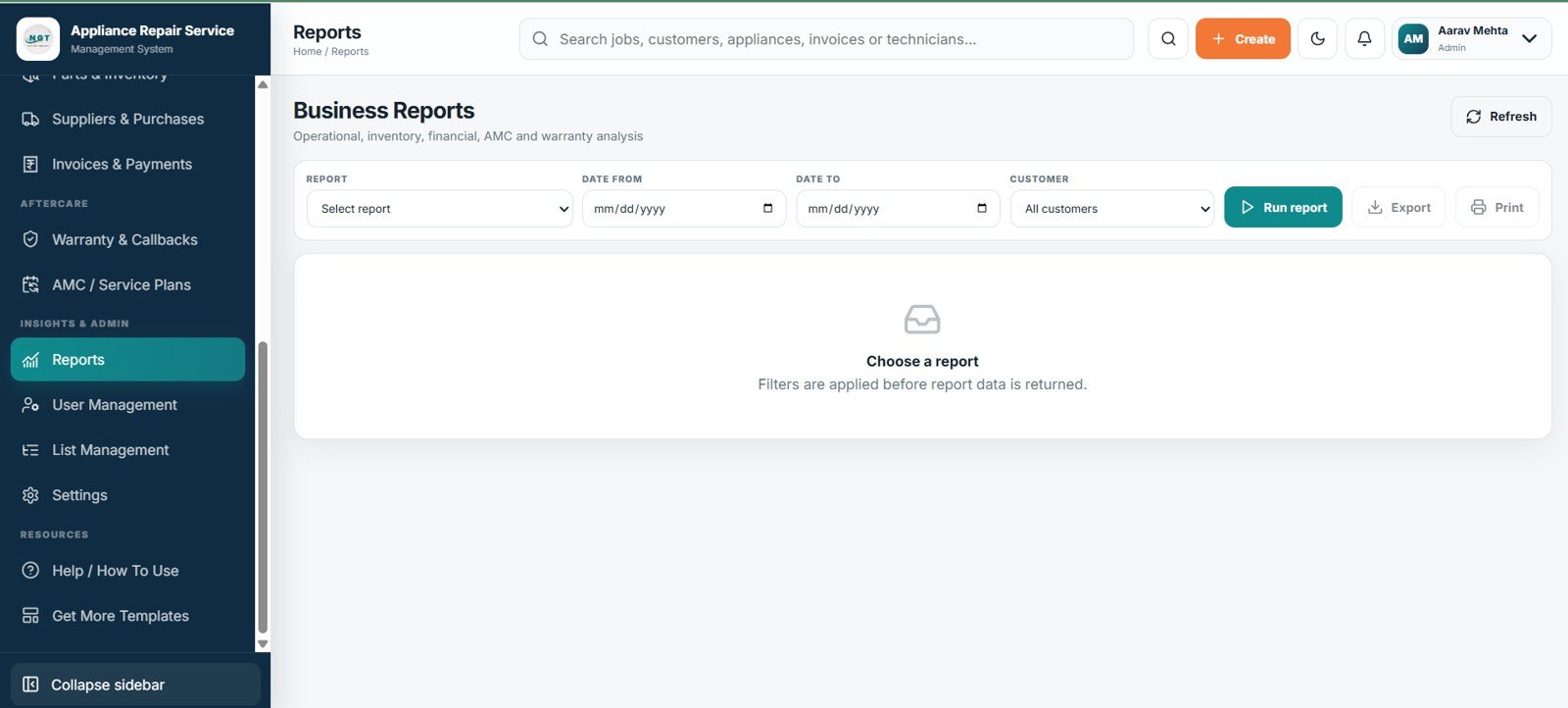
Business Reports
15. User Management
Administer users, roles, branches, permissions, login activity, and account status.
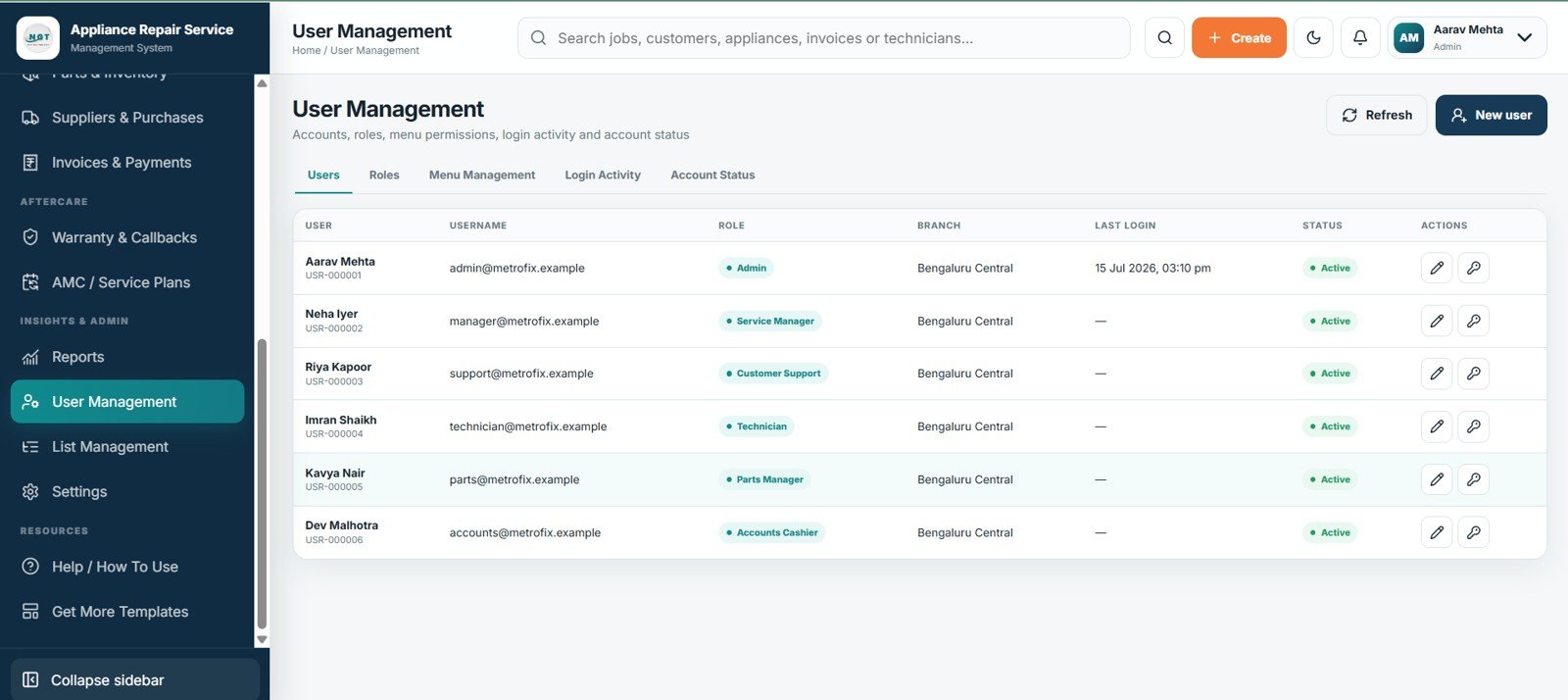
User Management
16. List Management
Maintain dropdown values, parent lists, order, availability, and protected entries.
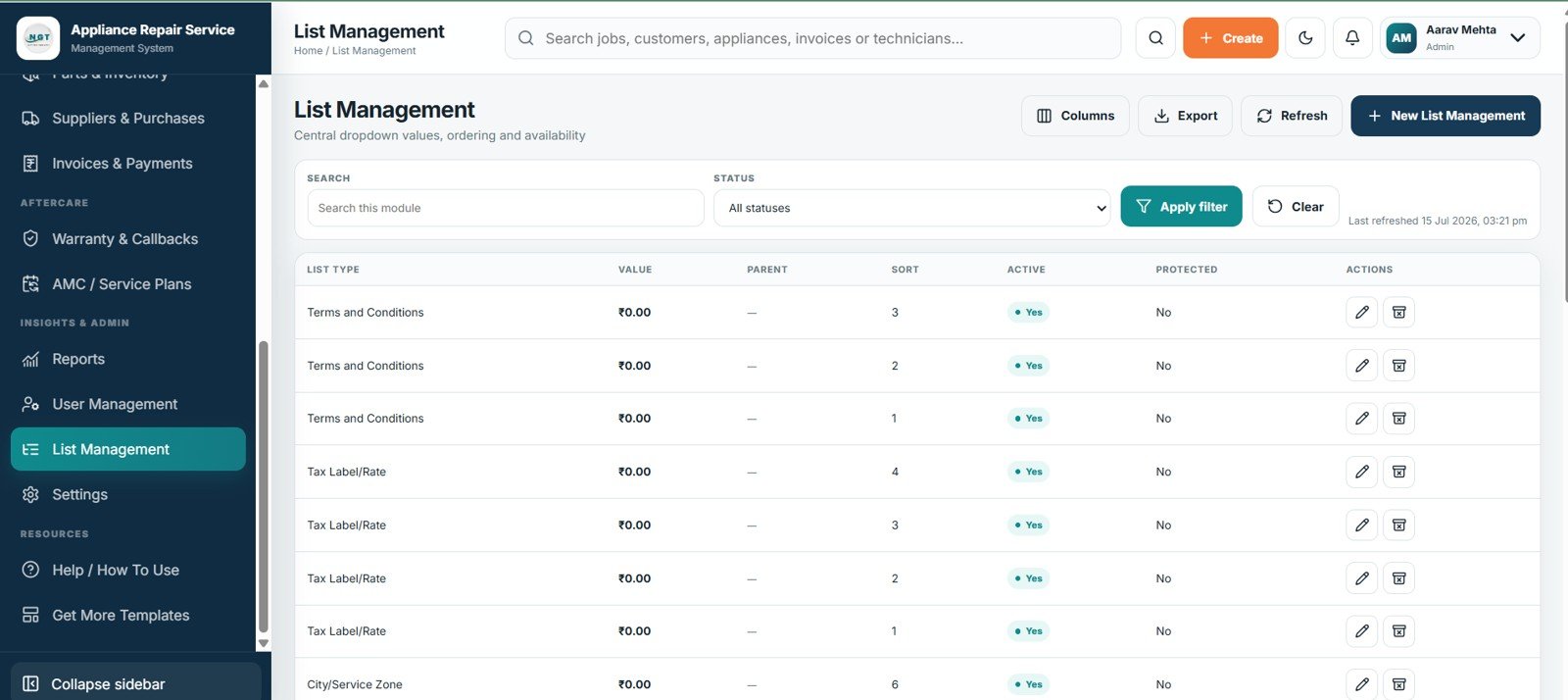
List Management
17. Settings
Configure profile, formats, numbering, finance, printing, communications, Drive, archives, imports, and security.
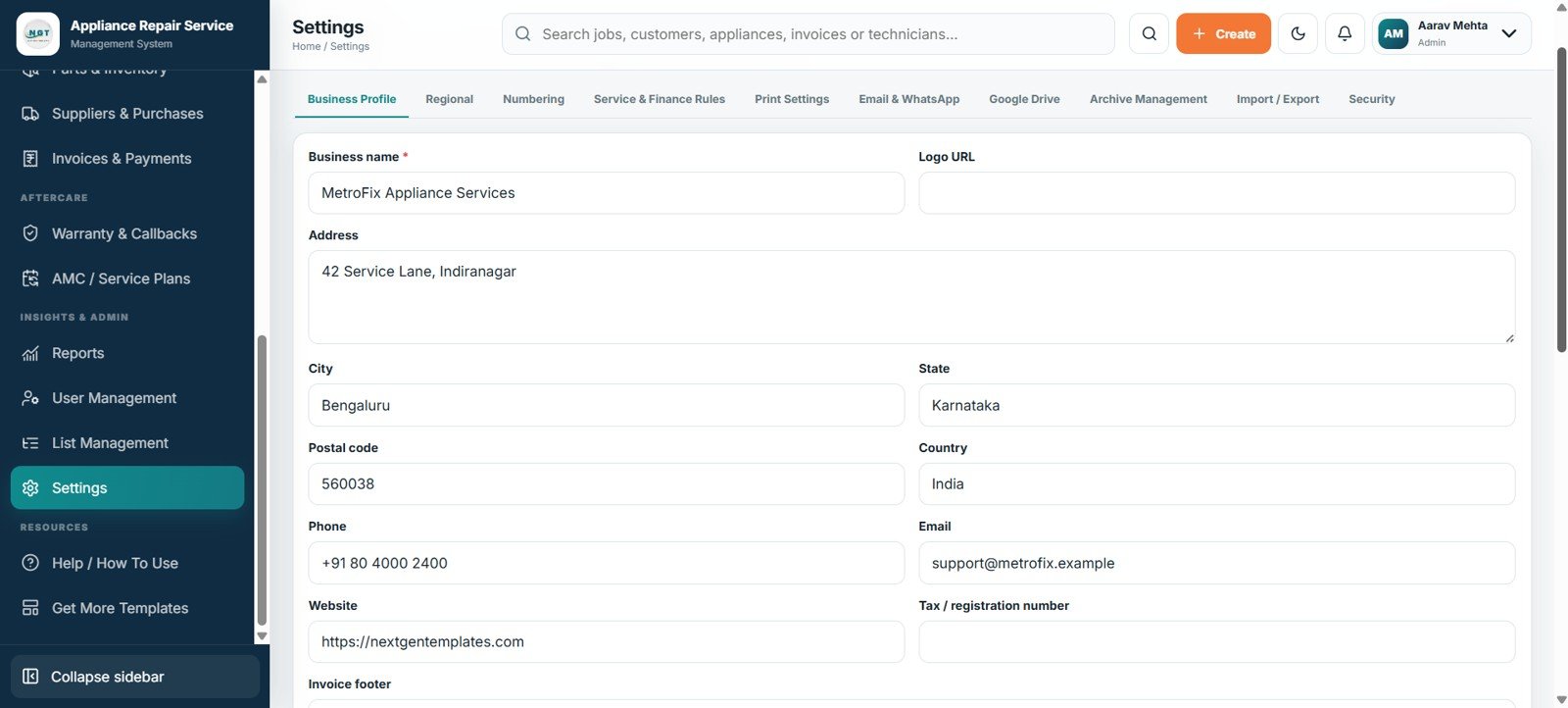
Settings
Appliance Repair Service Management System Web App vs. Google Sheets Tracker vs. Paid Repair SaaS – Where This Fits
| Feature | This Web App | Basic Google Sheets Tracker | Paid Repair SaaS |
|---|---|---|---|
| Cost | $39.99 one-time sale price | Low software cost; manual build time | Recurring, plan-dependent fee |
| Platform | Google Sheets-backed browser app | Spreadsheet grid | Vendor-hosted platform |
| Setup | Deploy and configure | Build tables and formulas | Onboarding varies |
| Collaboration | Shared access with roles | Sheet permissions | Usually included |
| Mobile | Browser workflow | App or browser | Web or native app |
| Customization | Editable lists and settings | Flexible but manual | Plan-dependent |
| Share with link | Yes, after deployment | Yes | Yes |
| Year-1 cost, 5 users | $39.99 | Internal build effort | Vendor-dependent |
| Job cards/SLA | Built in | Custom build | Varies |
| Warranty/AMC | Built in | Linked sheets | Varies |
Who This Template Is For – and Who It’s Not For
Best for: independent appliance repair shops, home-service businesses, authorized service centers, multi-technician field teams, and small operations replacing disconnected registers or spreadsheets.
Not the right fit for: large franchises needing enterprise multi-country infrastructure, companies requiring a built-in online payment gateway, or teams unwilling to deploy and maintain a Google-based web app. Payment records are managed in the system; the supplied screens do not show card processing.
How to Use the Appliance Repair Service Management System Web App
- Deploy the project in your Google account and set access.
- Configure profile, numbering, formats, finance, printing, and security.
- Add users, technicians, lists, parts, suppliers, customers, and appliances.
- Capture requests, schedule visits, and create job cards.
- Record diagnosis, estimates, approval, parts, invoices, and payment.
- Review KPIs, reports, warranties, stock risks, and AMC visits.
Real-World Use Cases
Ravi, repair-shop owner, checks requests, overdue jobs, balances, and low-stock parts before assigning work.
Meera, service coordinator, schedules technicians, follows approvals, and contacts customers when jobs are ready.
Daniel, AMC manager, tracks covered appliances, visits, callbacks, balances, and renewals.
Frequently Asked Questions
What does the Appliance Repair Service Management System Web App include?
It includes 17 screens spanning login, operations, jobs, stock, billing, warranties, AMC plans, reports, users, lists, and settings.
Is this a one-time purchase or a subscription?
It is sold for a one-time $39.99 sale price; Google policies, quotas, and connected services remain separate.
Can it manage both workshop and onsite repairs?
Yes. Service mode distinguishes workshop repairs from field visits.
Can I track parts reserved for repair jobs?
Yes. It shows stock, reservations, reorder levels, costs, prices, bins, and status.
Does it support warranties and annual maintenance contracts?
Yes. It links callbacks to original jobs and tracks AMC appliances, visits, balances, and renewals.
Can different staff members have different access?
Yes. User Management controls roles, branches, permissions, login activity, and status.
About the Author
Built by PK – Microsoft Certified Professional with 15+ years of Excel, Google Sheets, and Power BI experience. Founder of NextGenTemplates, reaching 300K+ subscribers across YouTube channels. Every template is hand-built and tested before release.
Explore Related Templates
- Service Center and Repair Shop Management System Web App
- Car Wash Management System Web App
- Universal Appointment Booking System Web App Template
- Appliance Service Data Entry System in Excel
- Browse more Google Sheets-backed Web App templates.
Ready to replace scattered service registers? Get the Appliance Repair Service Management System Web App and manage requests, jobs, technicians, parts, billing, warranties, and AMC visits from one connected workspace.
Watch the step-by-step video Demo:
Last updated: July 15, 2026.





























Reviews
There are no reviews yet.