

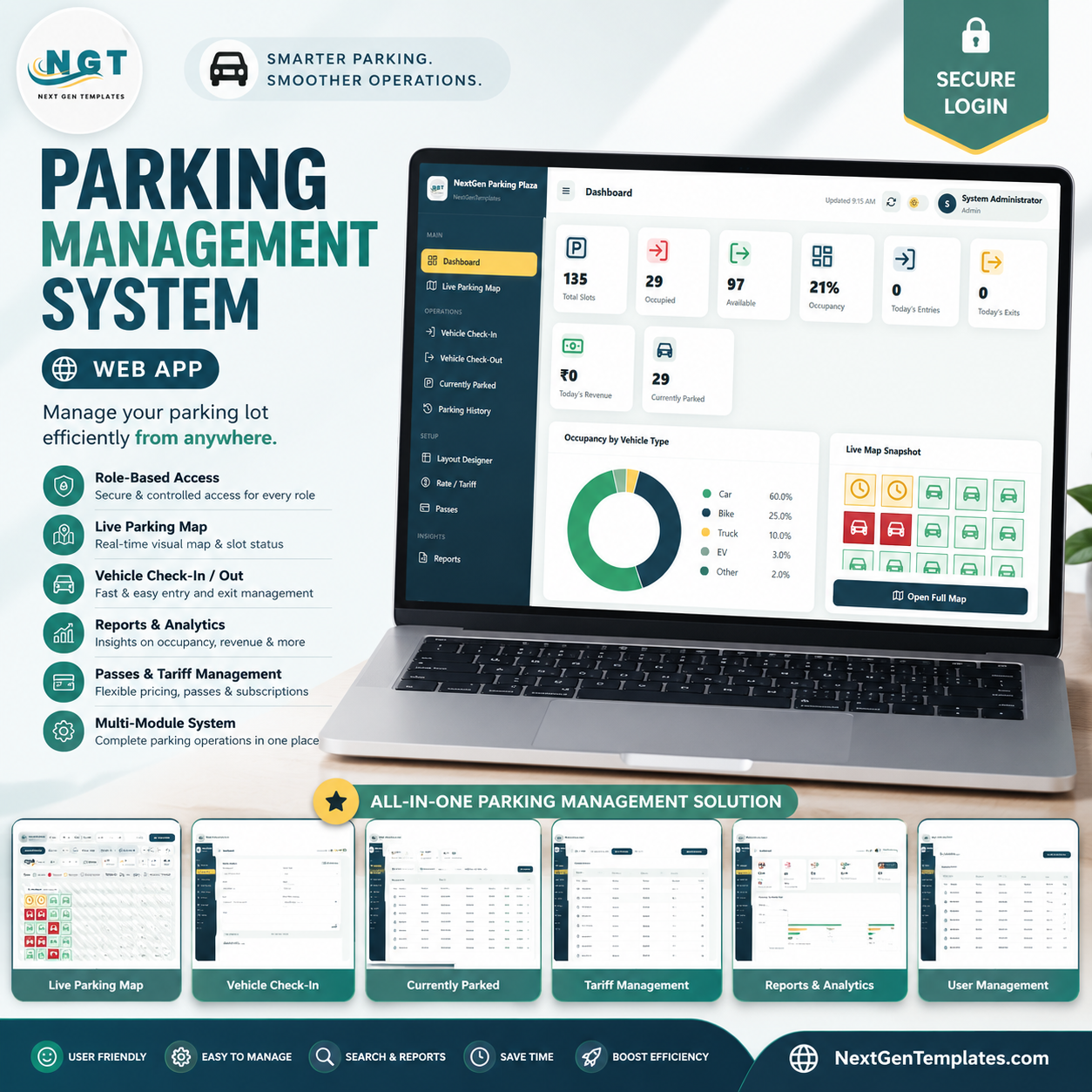

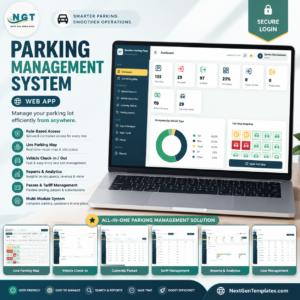
Parking Management System Web App gives parking operators a 15-screen browser workspace for slot control, vehicle entry, check-out, tariffs, passes, revenue reports, user access, and audit tracking. It is built for day-to-day parking operations where teams need faster check-ins, a live visual map, running fee visibility, and cleaner history than scattered notebooks or spreadsheets. NextGenTemplates supports 8,400+ template buyers across 40+ countries. You get instant download, lifetime access, a one-time price, and no monthly subscription.
Login Page
🚀 Try the Live Demo Before You Buy
We have deployed this web app in our own Google account so you can test every page, every role — with real sample data — before purchasing. No signup, no email required.
🔑 Test Login Credentials
Sign in as Admin1 to manage everything — Layout Designer, parking Rates, Passes, full Reports, User & List Management, Settings, Database Archive and the Audit Log — or as User1 to run the attendant desk: check vehicles in and out, view the Live Parking Map, search vehicles, and print tickets & receipts. A second attendant login (User2) is included too, so you can test how the system behaves with multiple operators sharing the same lot in real time.
💡 What you get after purchase: The full source code (Code.gs + Index.html) plus a step-by-step deployment guide so you can deploy your own private instance in your own Google account in under 15 minutes.
Key Features of Parking Management System Web App
- 15 connected screens: login, dashboard, live map, check-in, check-out, parked vehicles, history, layout designer, tariffs, passes, reports, users, lists, settings, and audit log.
- Live parking map: monitor slot status by floor, section, vehicle type, reserved spaces, EV spaces, and out-of-service areas.
- Fast vehicle check-in and check-out: capture vehicle number, type, slot, driver details, notes, entry time, running duration, and fee closure.
- Tariff and pass control: manage vehicle-type rates, grace periods, daily caps, active passes, subscriptions, and payment-ready records.
- Reports for collections and occupancy: review total collection, sessions, average duration, pass income, current occupancy, and daily collection trends.
- Admin governance: maintain users, dropdown lists, settings, and audit logs so changes are traceable.
What’s Inside the Parking Management System Web App
The app is organized around the real parking workflow: open the system, view occupancy, allocate a slot, track active vehicles, close the ticket, and report collections. Each screen below supports one part of that operating rhythm.
Login Page
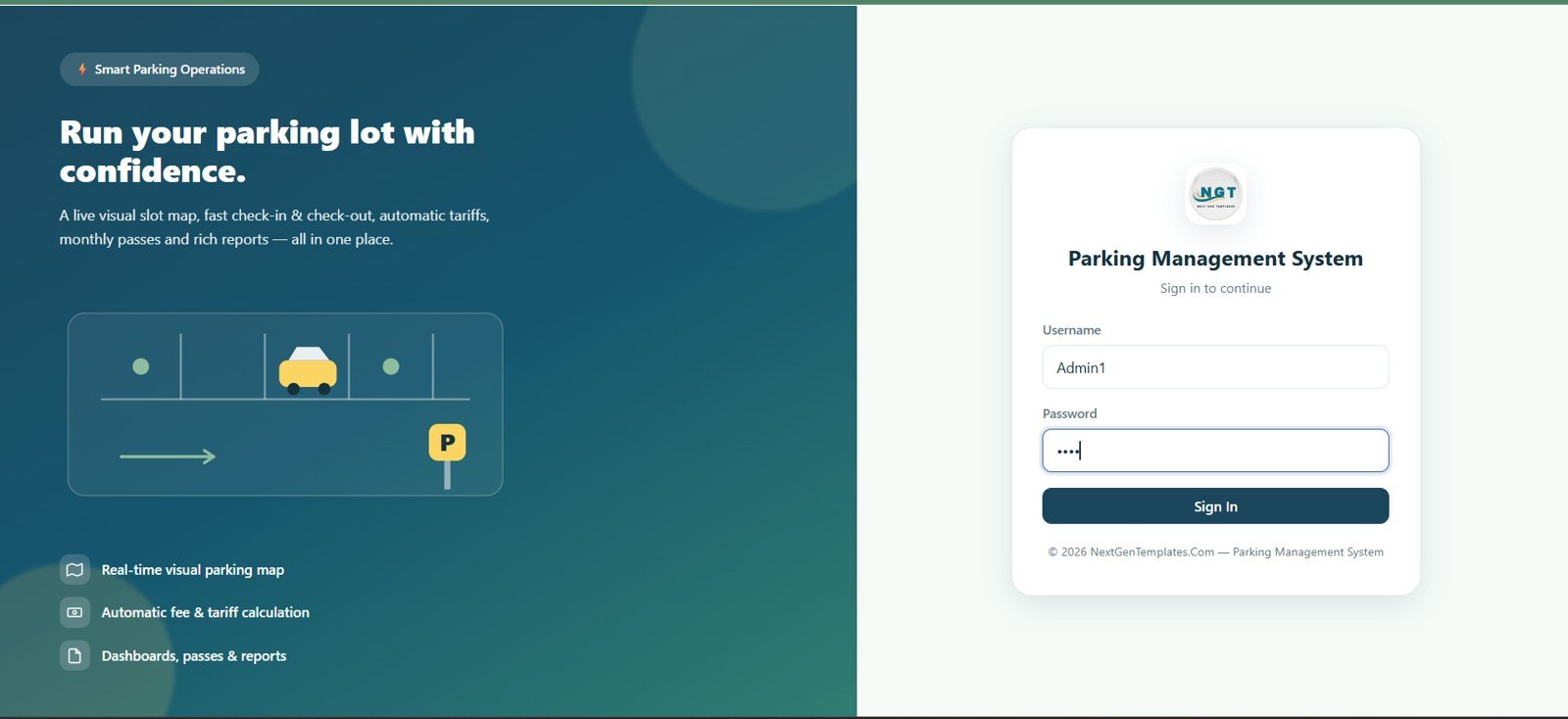
The login screen protects the parking workspace with username and password fields. It presents the Parking Management System branding, a smart parking operations message, and highlights for the live map, automatic fee calculation, dashboards, passes, and reports.
Dashboard
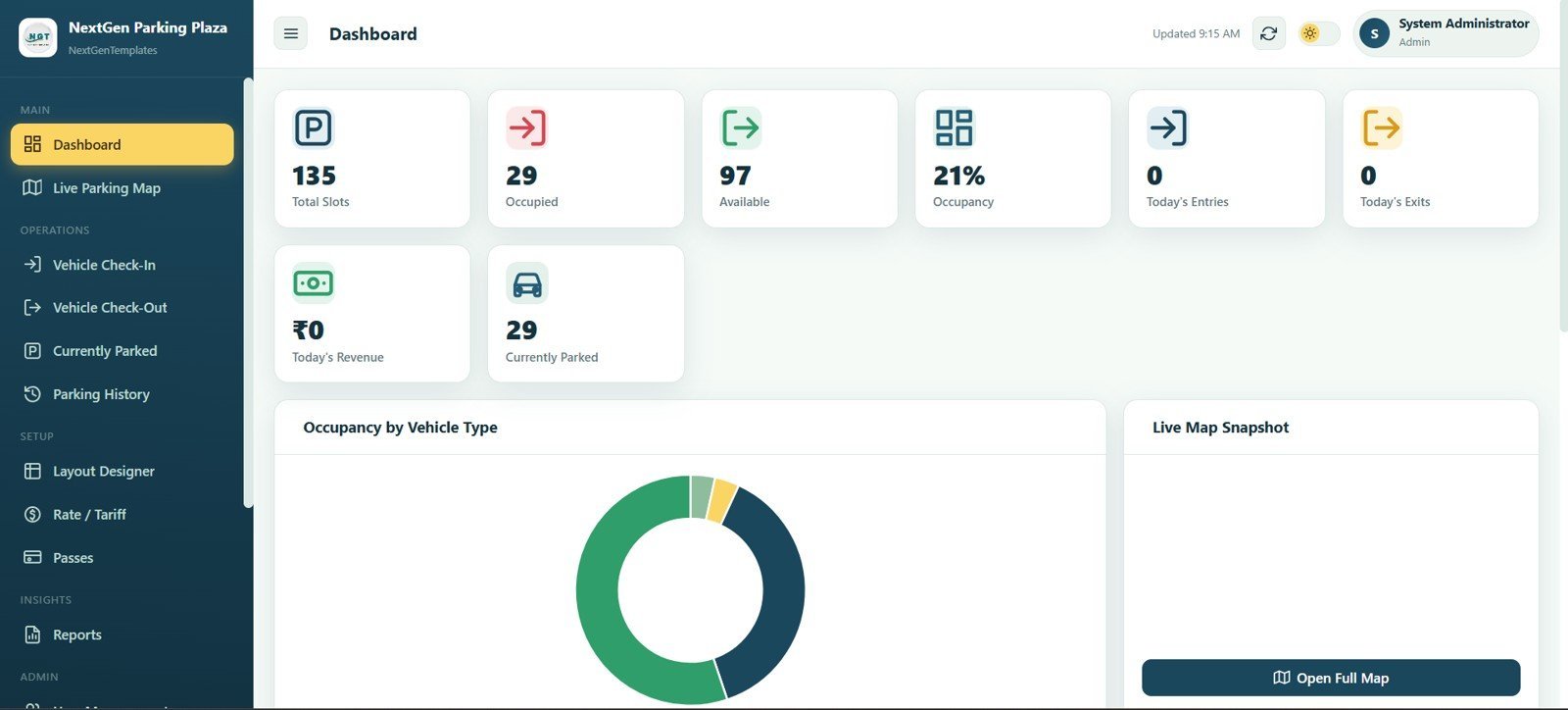
The dashboard gives managers a high-level parking summary with Total Slots, Occupied, Available, Occupancy, Today’s Entries, Today’s Exits, Today’s Revenue, and Currently Parked cards. Occupancy by Vehicle Type and Live Map Snapshot panels help the team understand the lot position quickly.
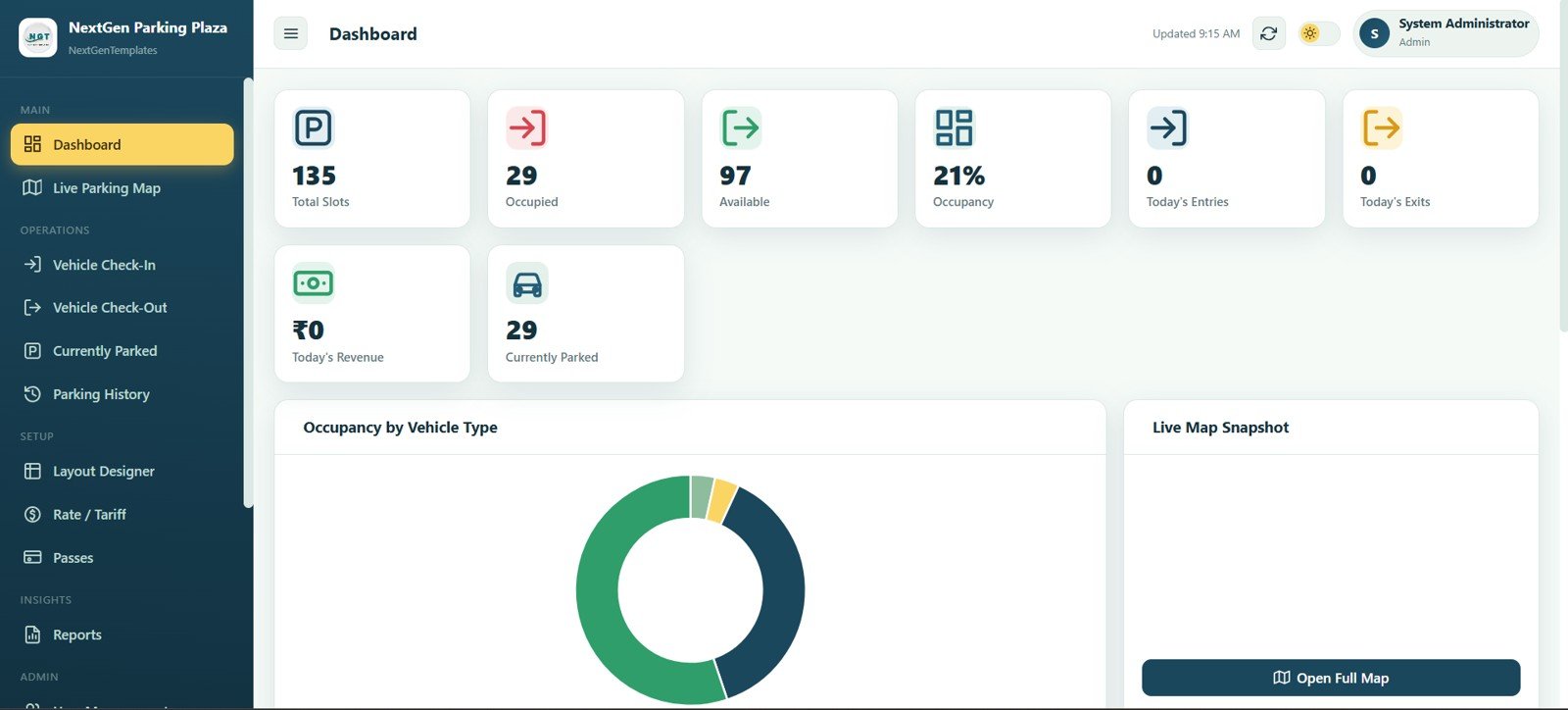
Dashboard
Live Parking Map
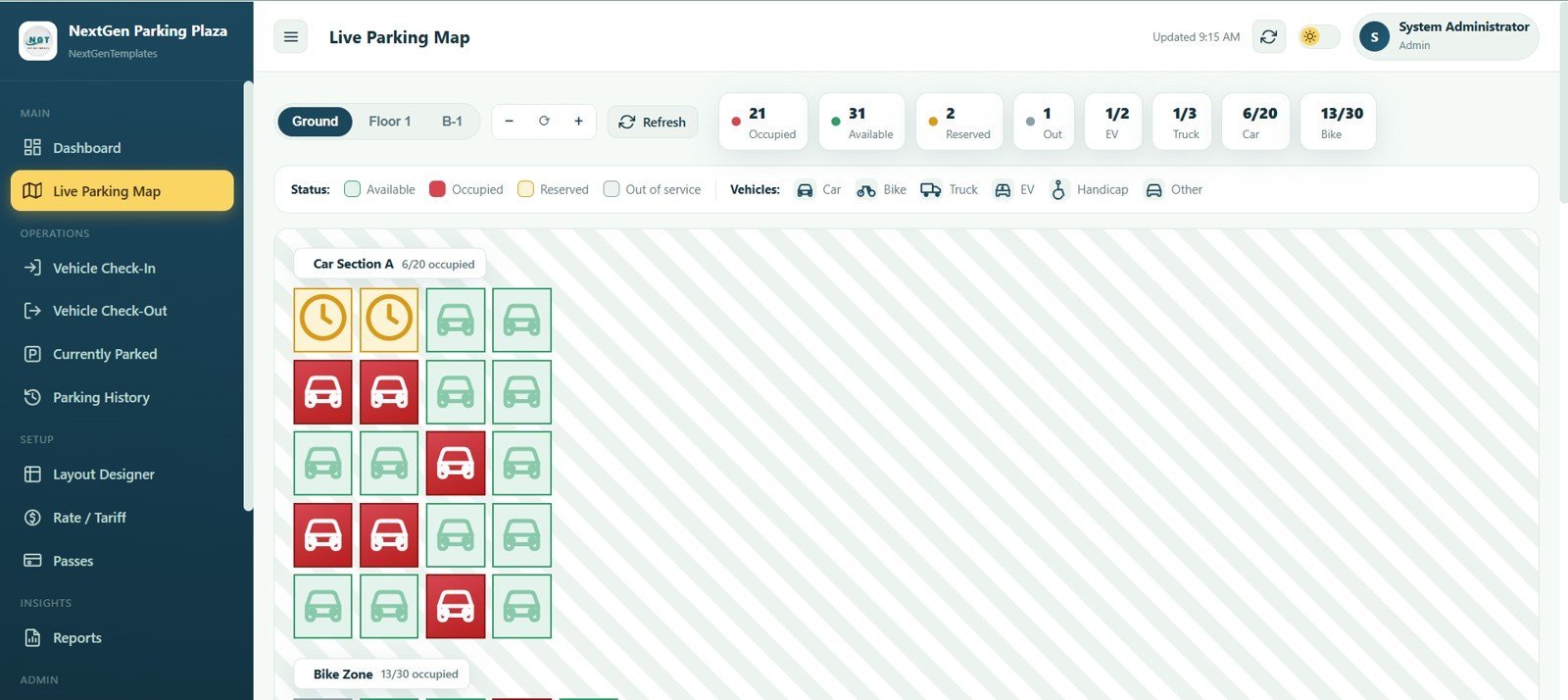
The live parking map shows slots by floor, section, status, and vehicle type. Floor tabs, zoom controls, refresh, slot status legends, vehicle type legends, and counts for occupied, available, reserved, out, EV, truck, car, and bike slots give operators a visual control panel.
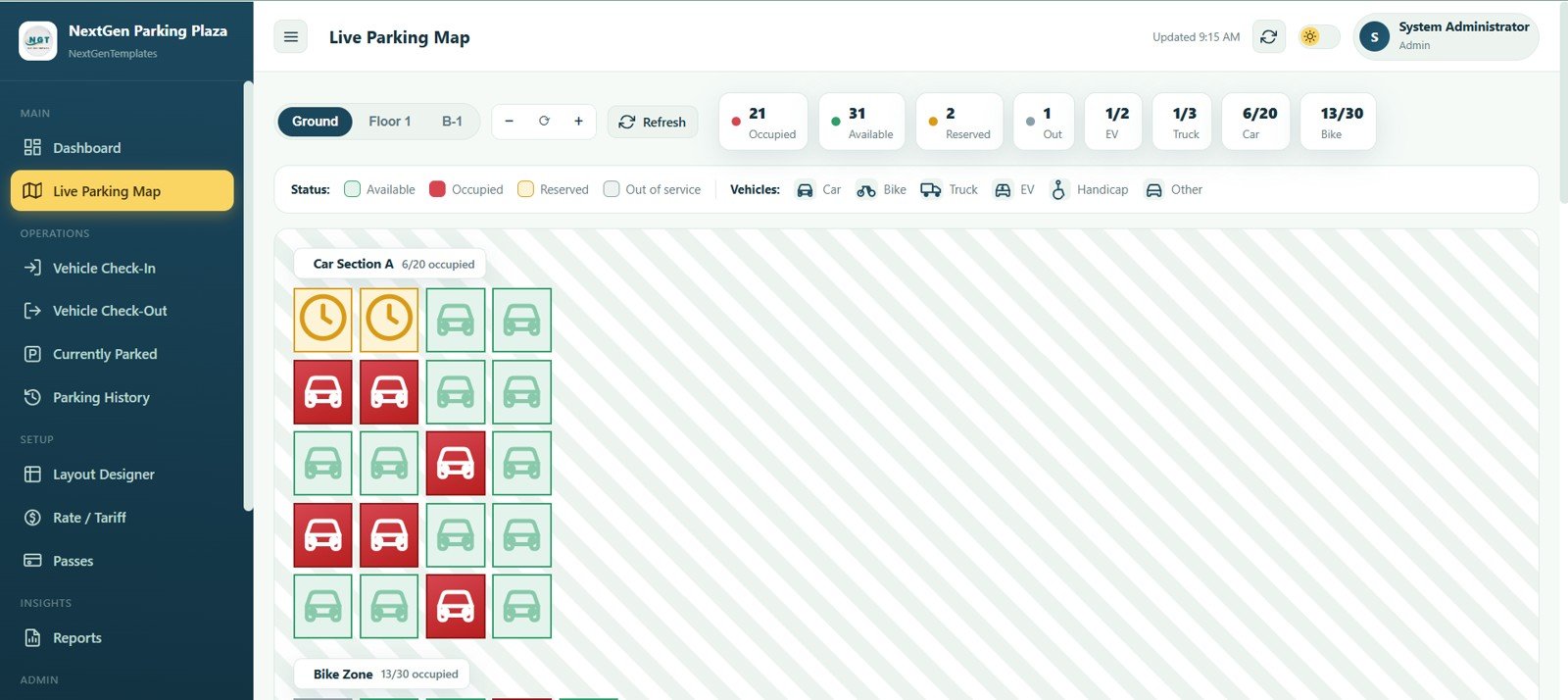
Live Parking Map
Vehicle Check-In
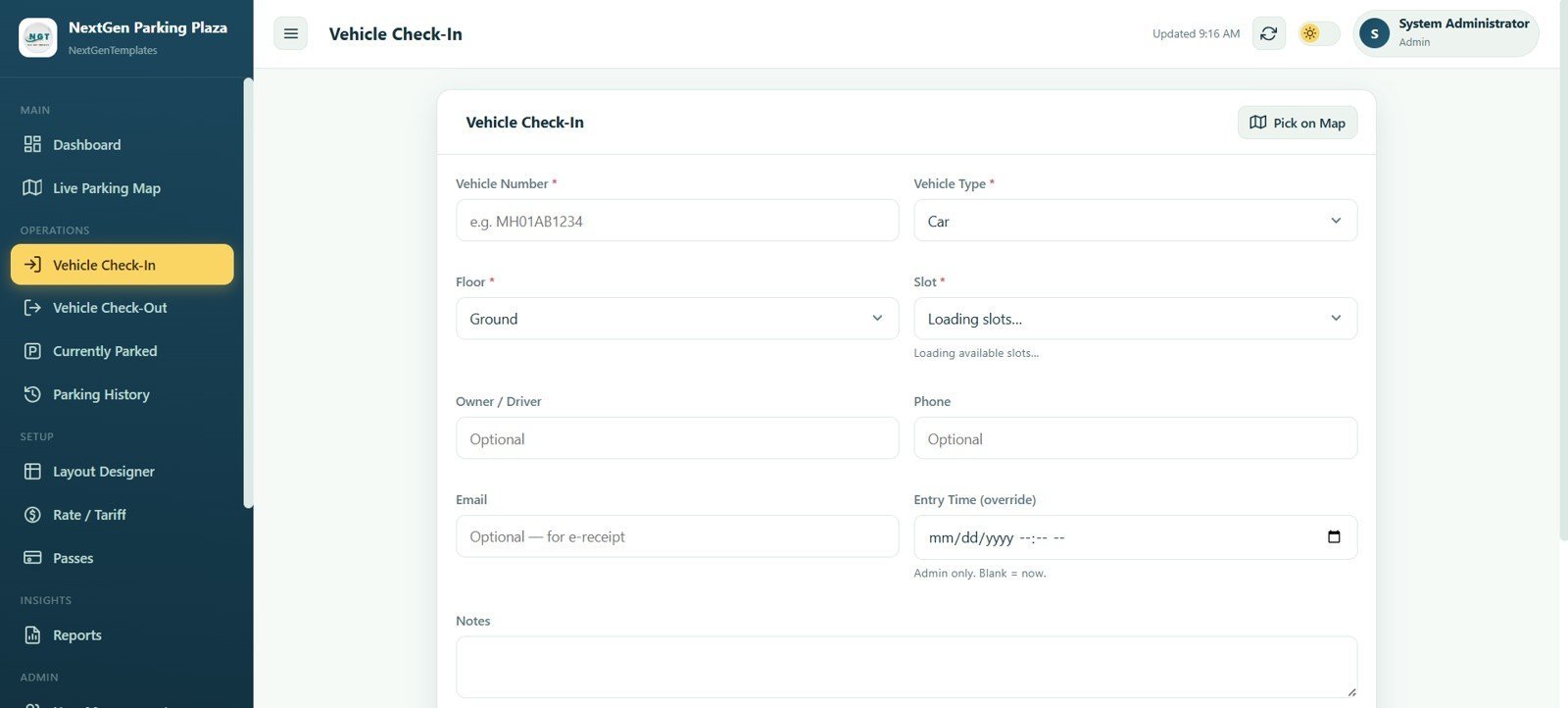
The check-in screen captures a new parking session with vehicle number, vehicle type, floor, slot, owner or driver, phone, email, entry time override, notes, and a Pick on Map option. It is built for fast counter or gate entry when a vehicle arrives.
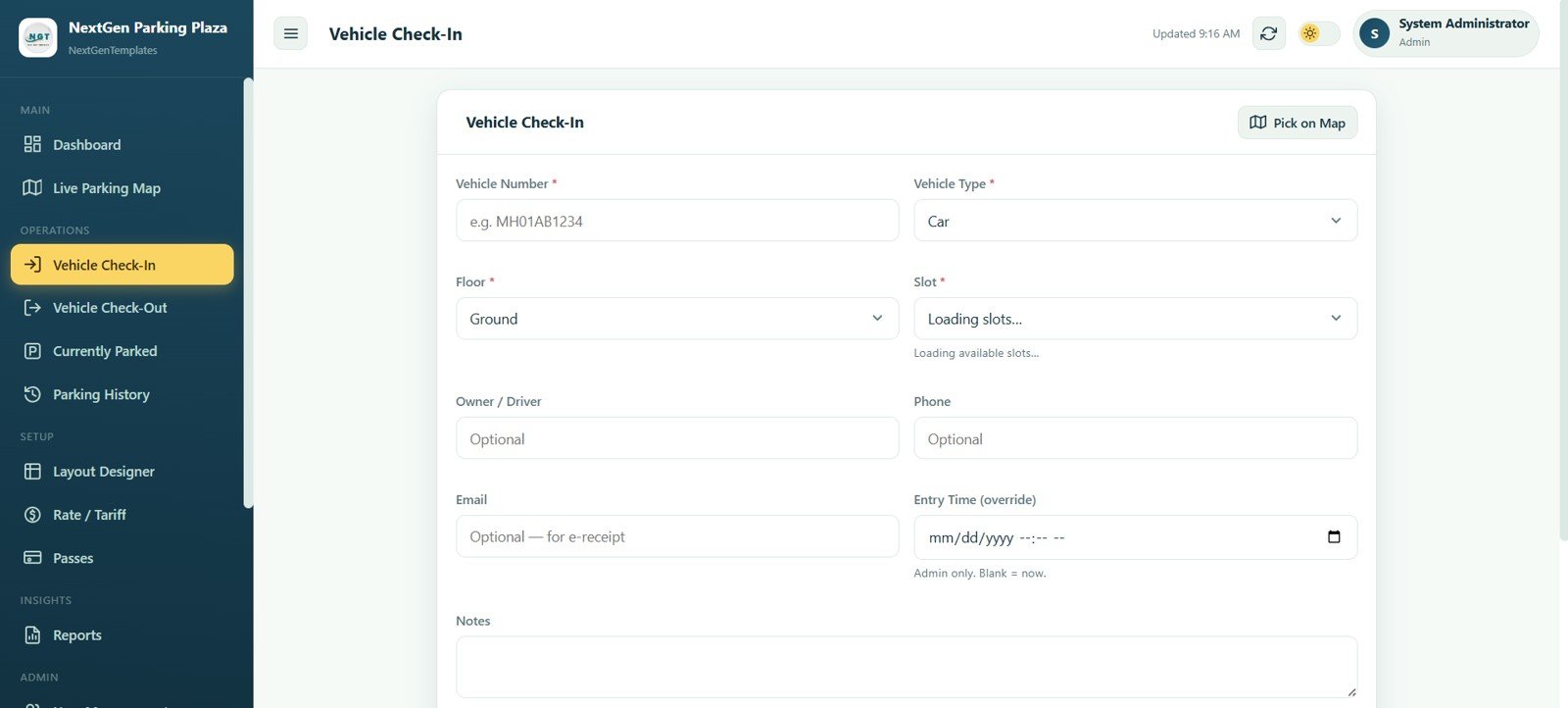
Vehicle Check-In
Vehicle Check-Out
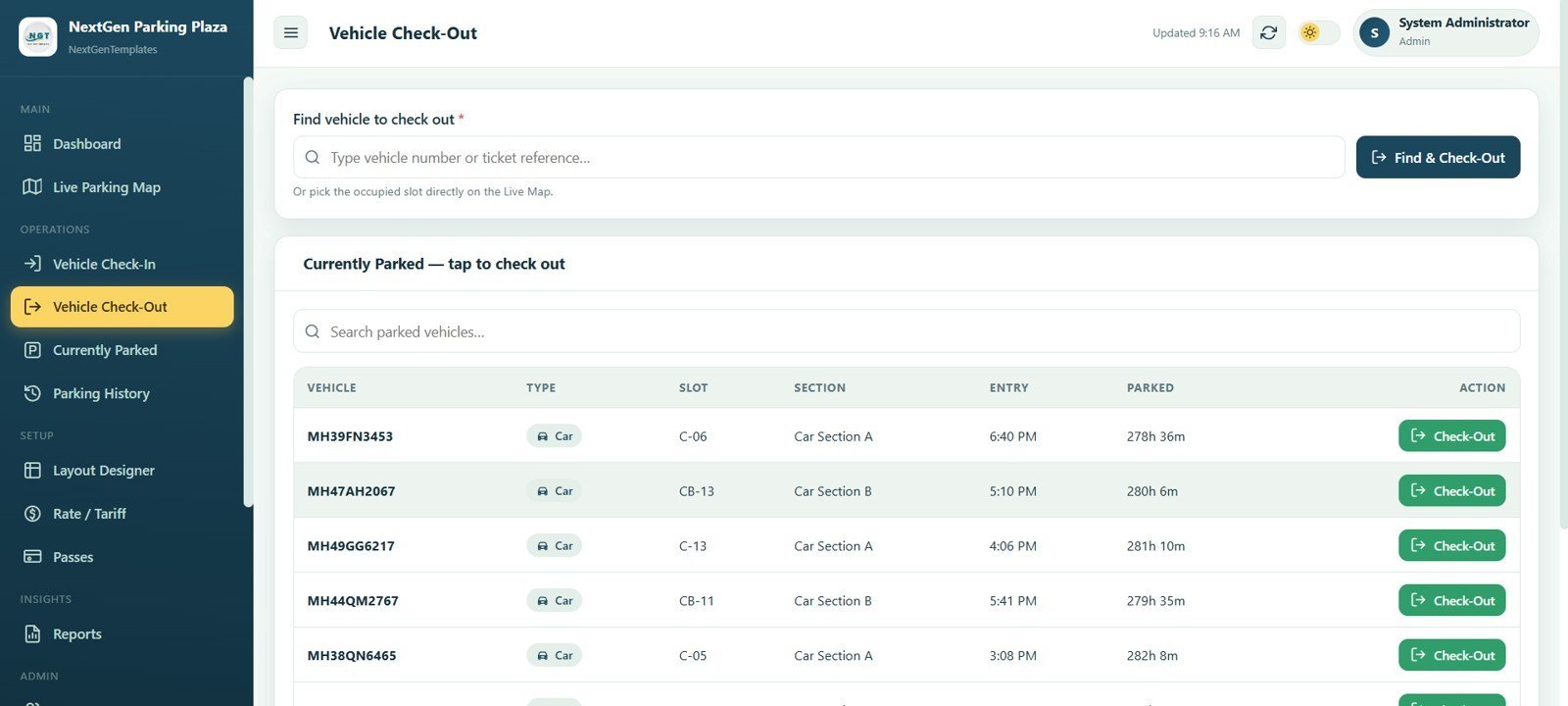
The check-out workflow lets staff find a parked vehicle and close the session. The table shows Vehicle, Type, Slot, Section, Entry, Parked duration, and an Action column with Check-Out so attendants can move from search to closure quickly.
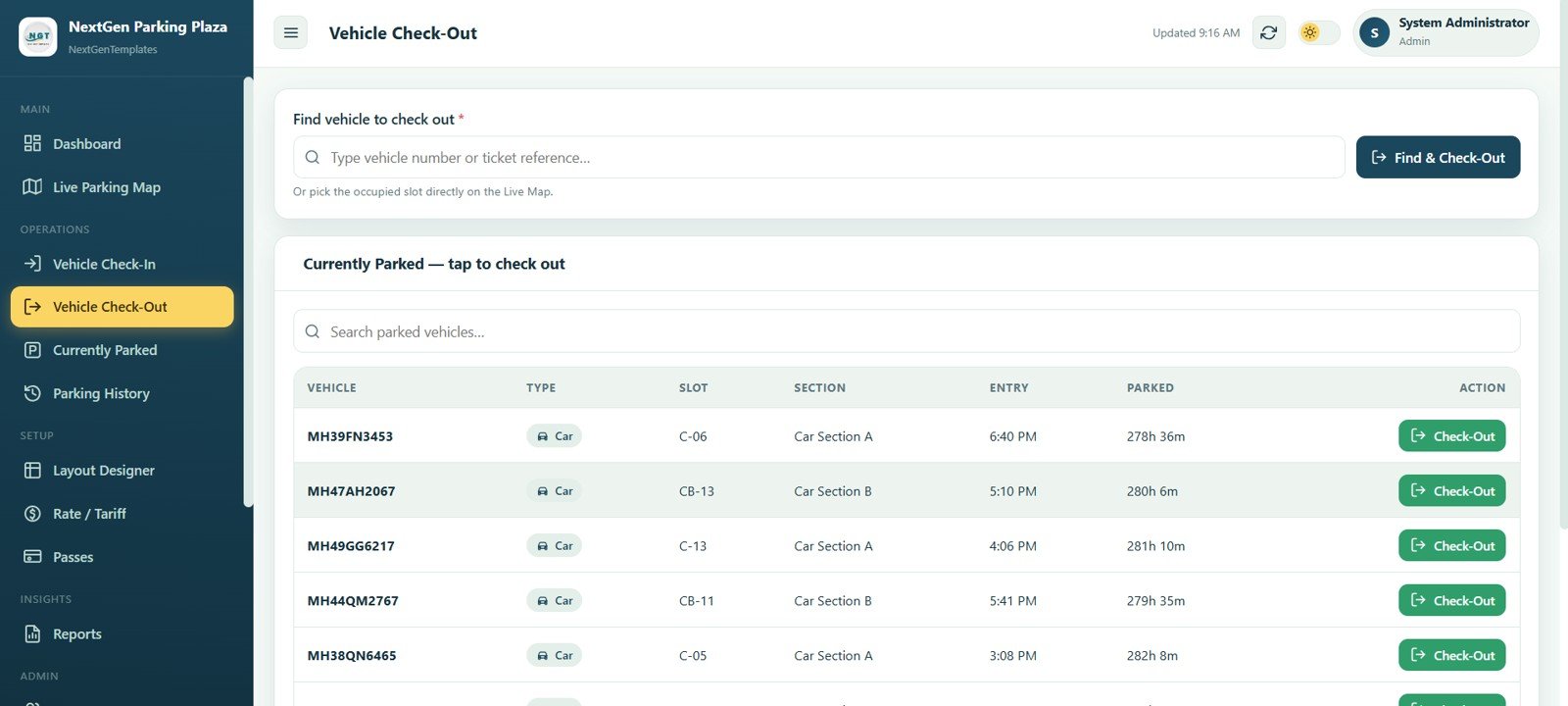
Vehicle Check-Out
Currently Parked
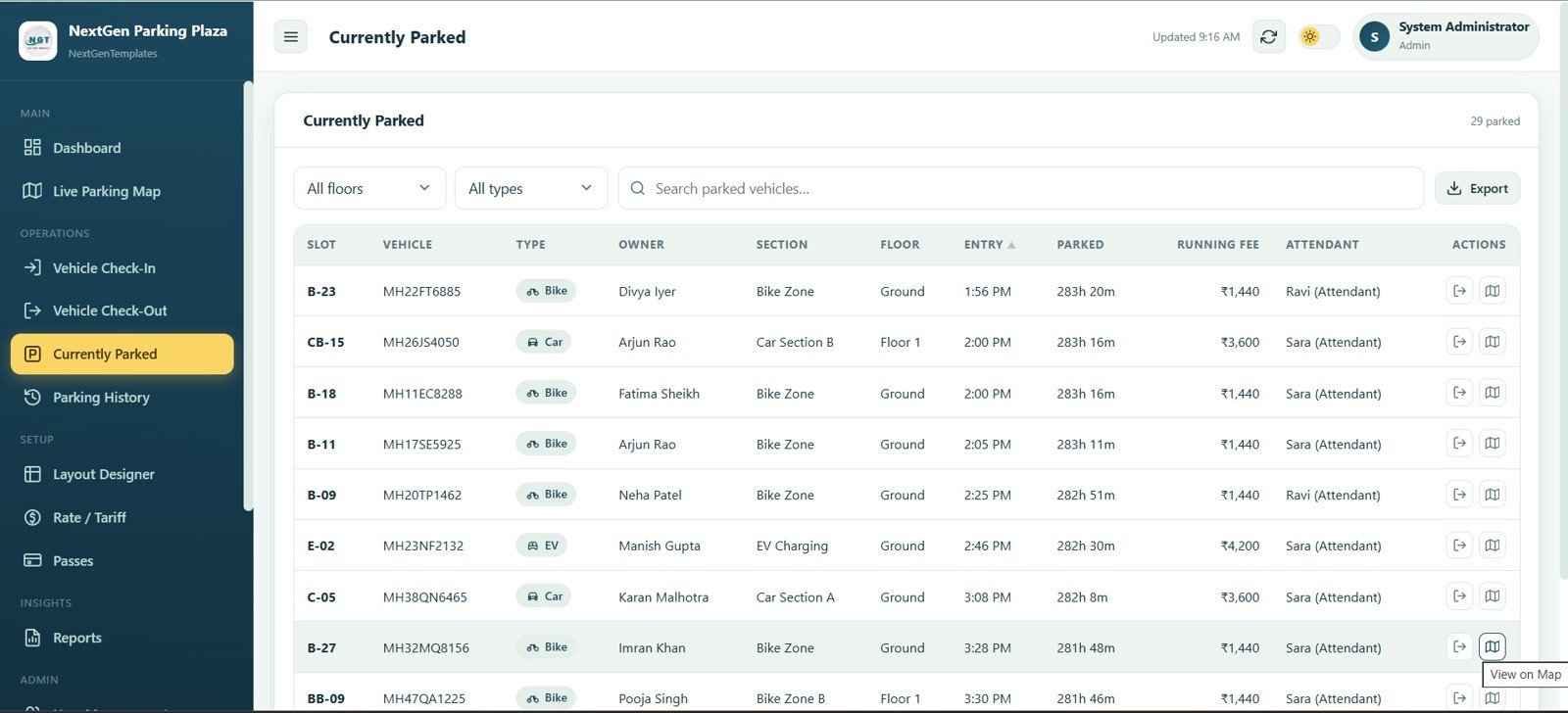
The currently parked list shows every active parking session in one searchable table. Staff can filter, export, and use quick actions while reviewing Slot, Vehicle, Type, Owner, Section, Floor, Entry, Parked time, Running Fee, and Attendant.
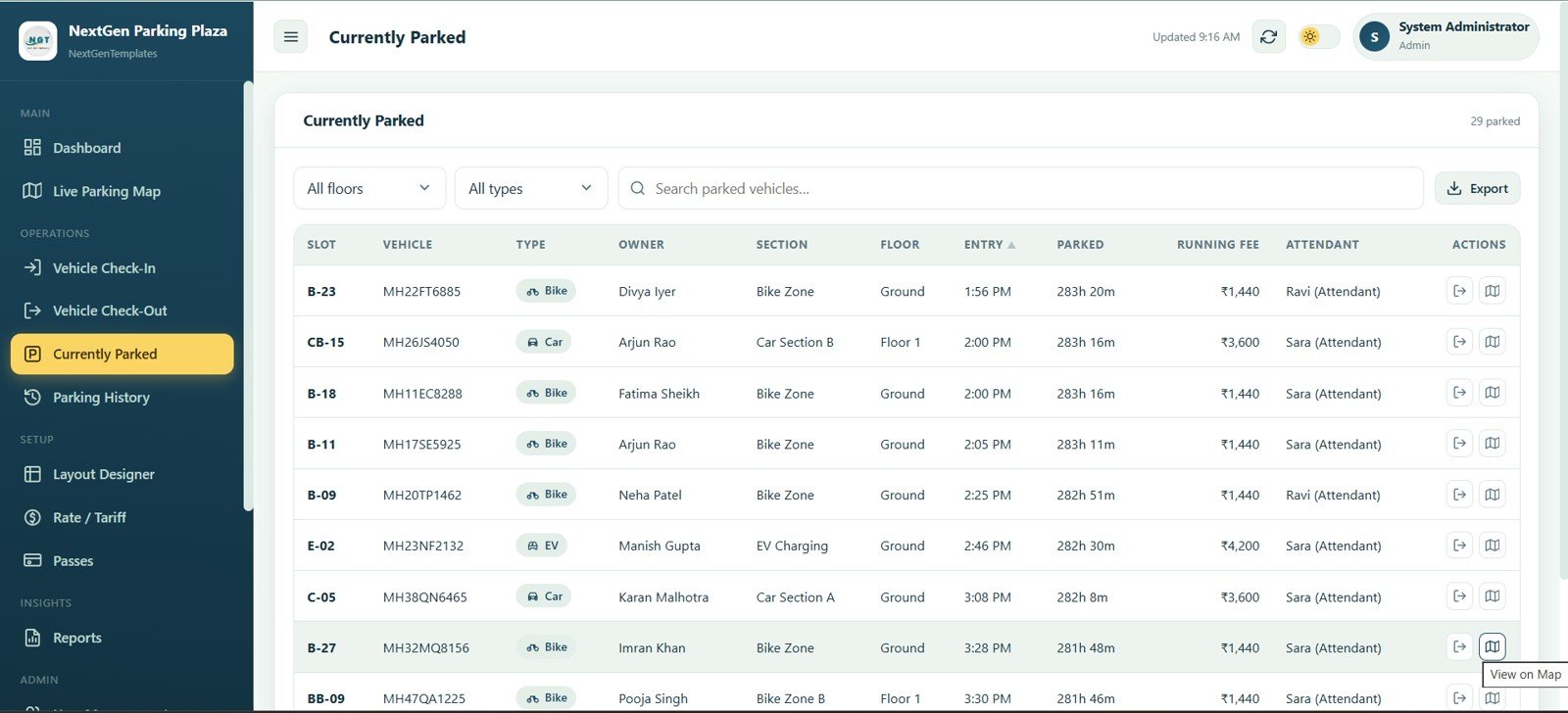
Currently Parked
Parking History
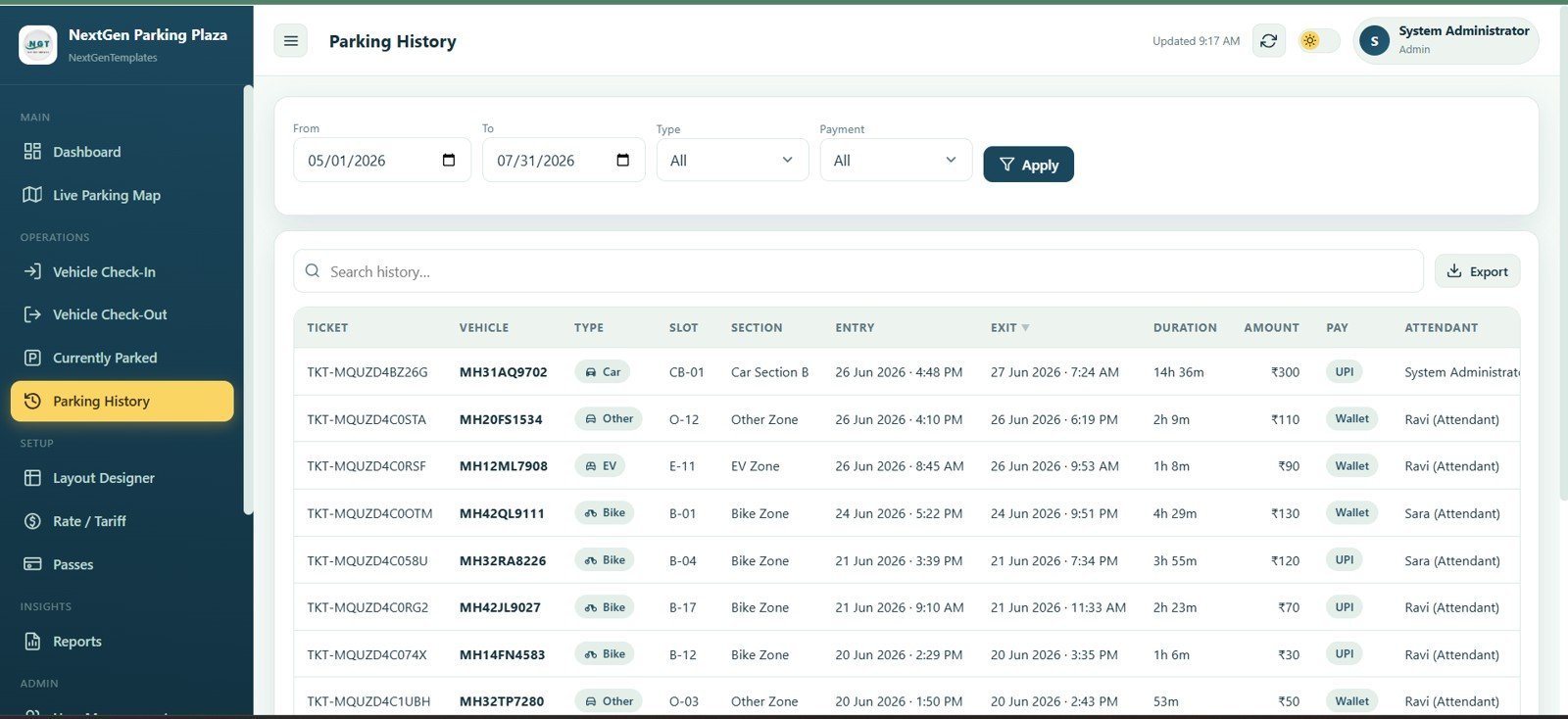
The history screen stores completed parking sessions for review by date range, vehicle type, and payment mode. Ticket, Vehicle, Type, Slot, Section, Entry, Exit, Duration, Amount, Pay, and Attendant columns keep the parking record auditable.
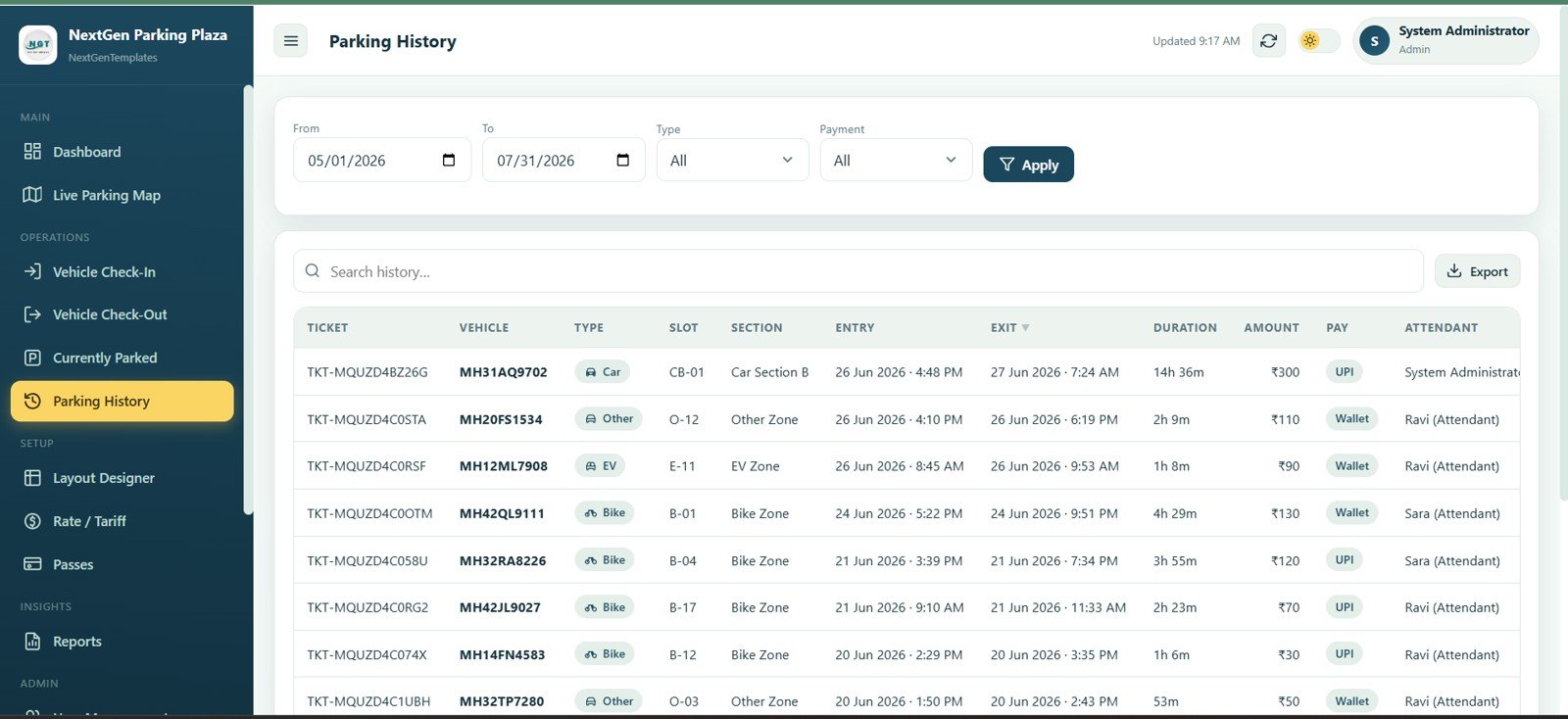
Parking History
Layout Designer
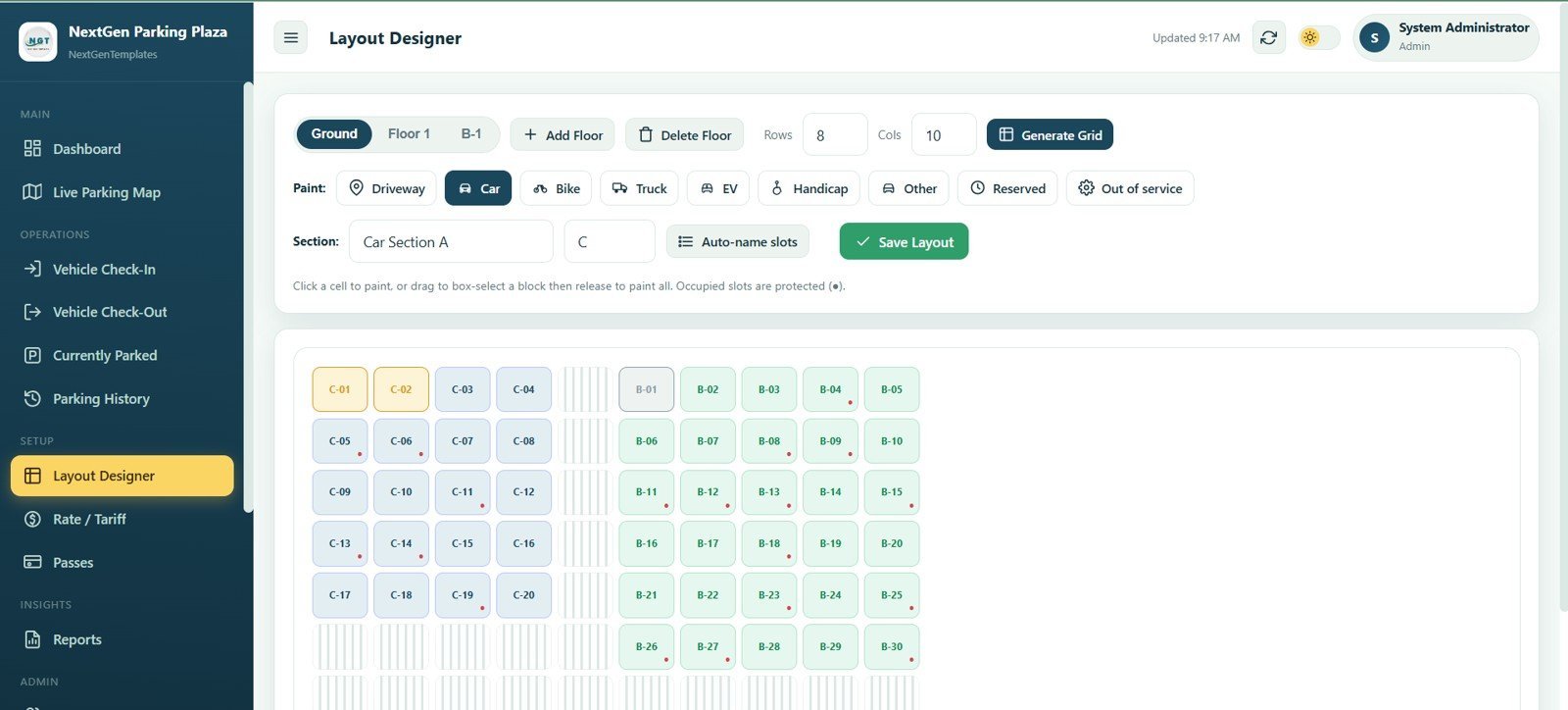
The layout designer helps admins build floors, sections, and parking slots visually. Controls for Ground, Floor 1, B-1, rows, columns, grid generation, driveway, car, bike, truck, EV, handicap, reserved, out-of-service, section naming, auto-name slots, and Save Layout make the map configurable.
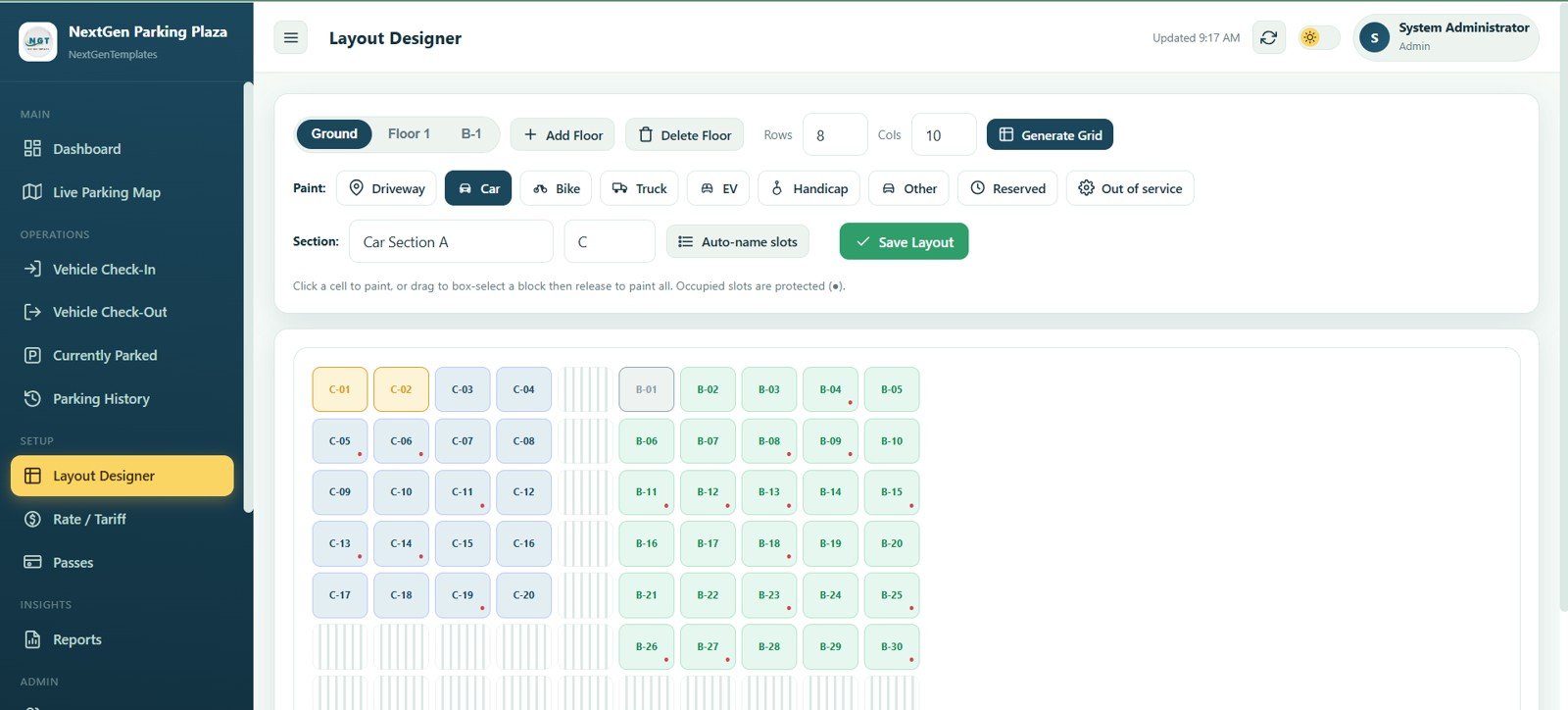
Layout Designer
Rate / Tariff
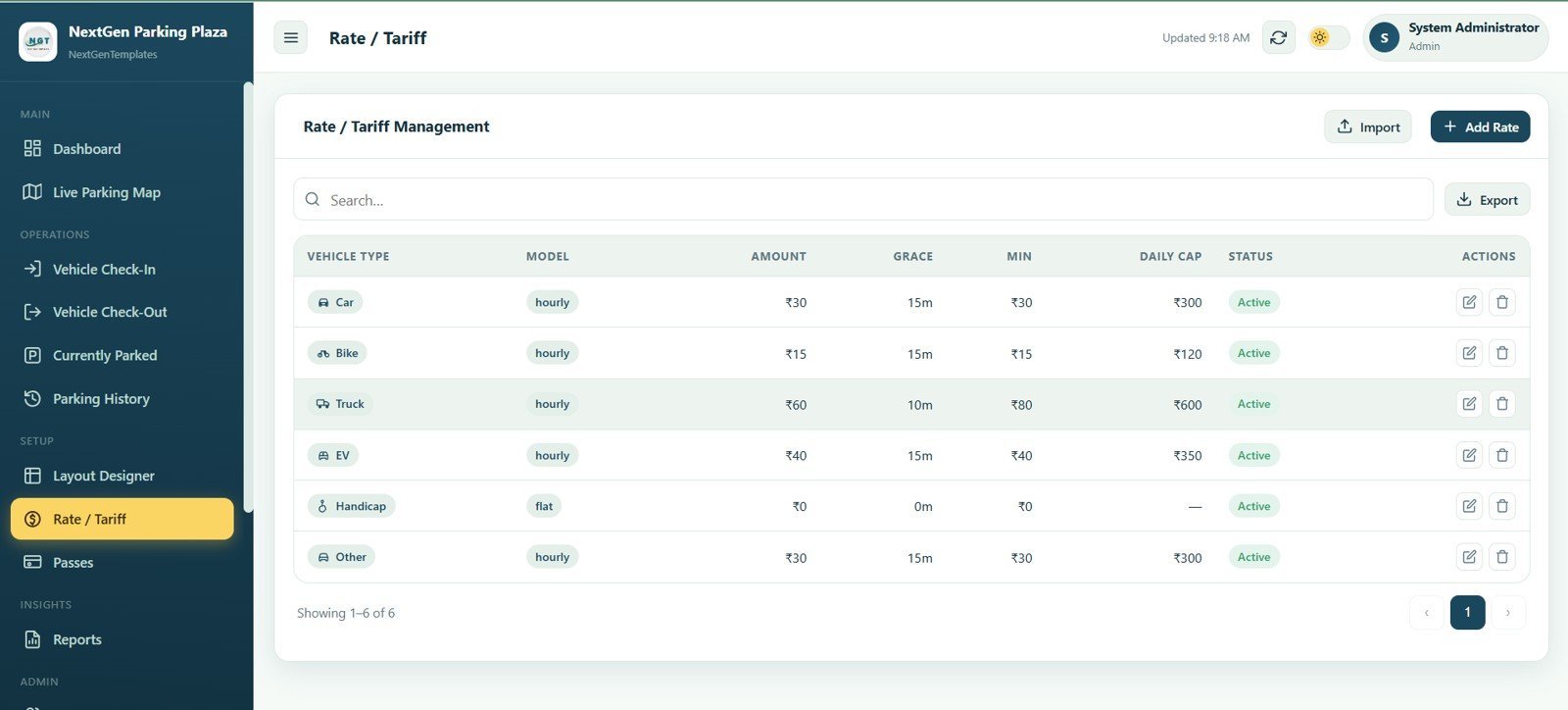
The tariff module defines fee rules by vehicle type. Columns for Vehicle Type, Model, Amount, Grace, Min, Daily Cap, Status, and Actions, plus Import, Add Rate, and Export buttons, make parking price updates easier to control.
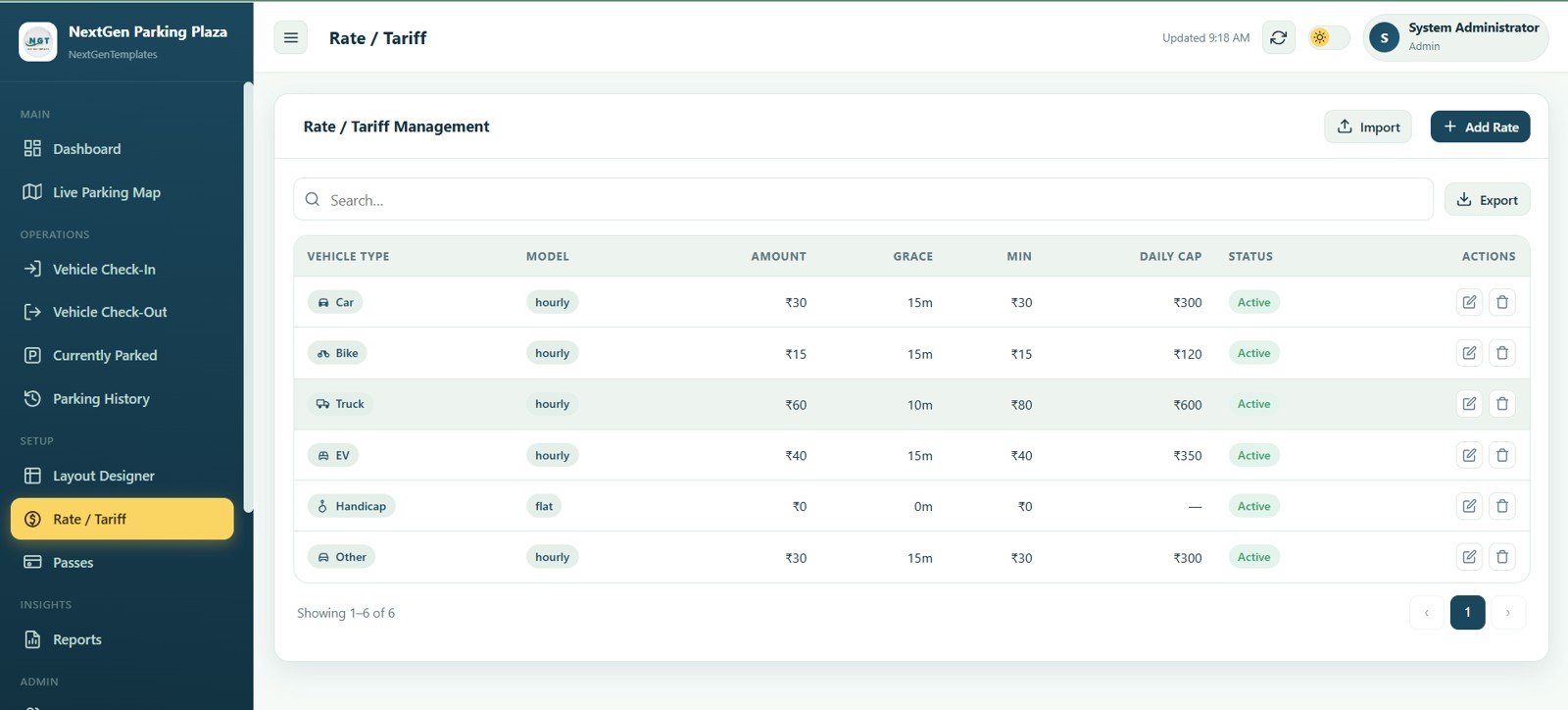
Rate / Tariff
Passes
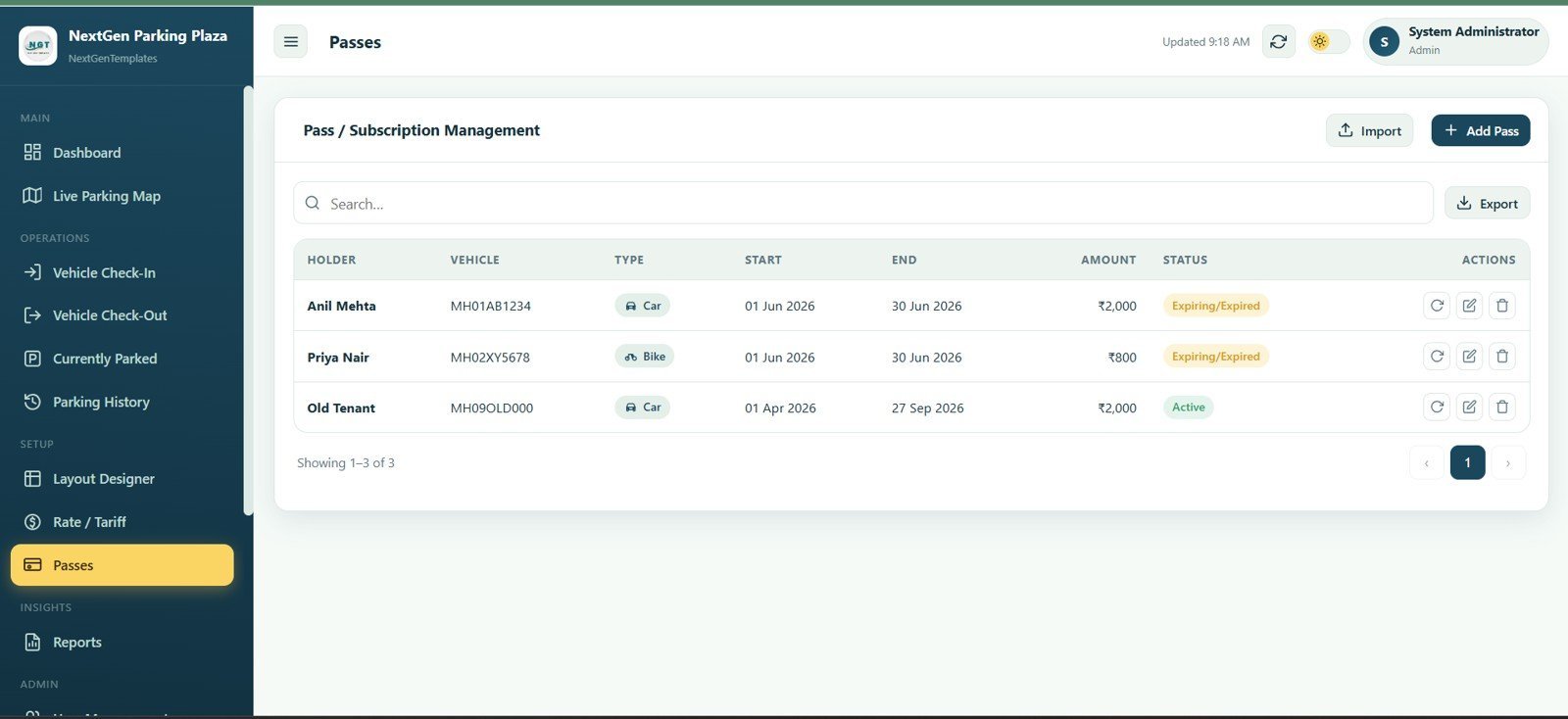
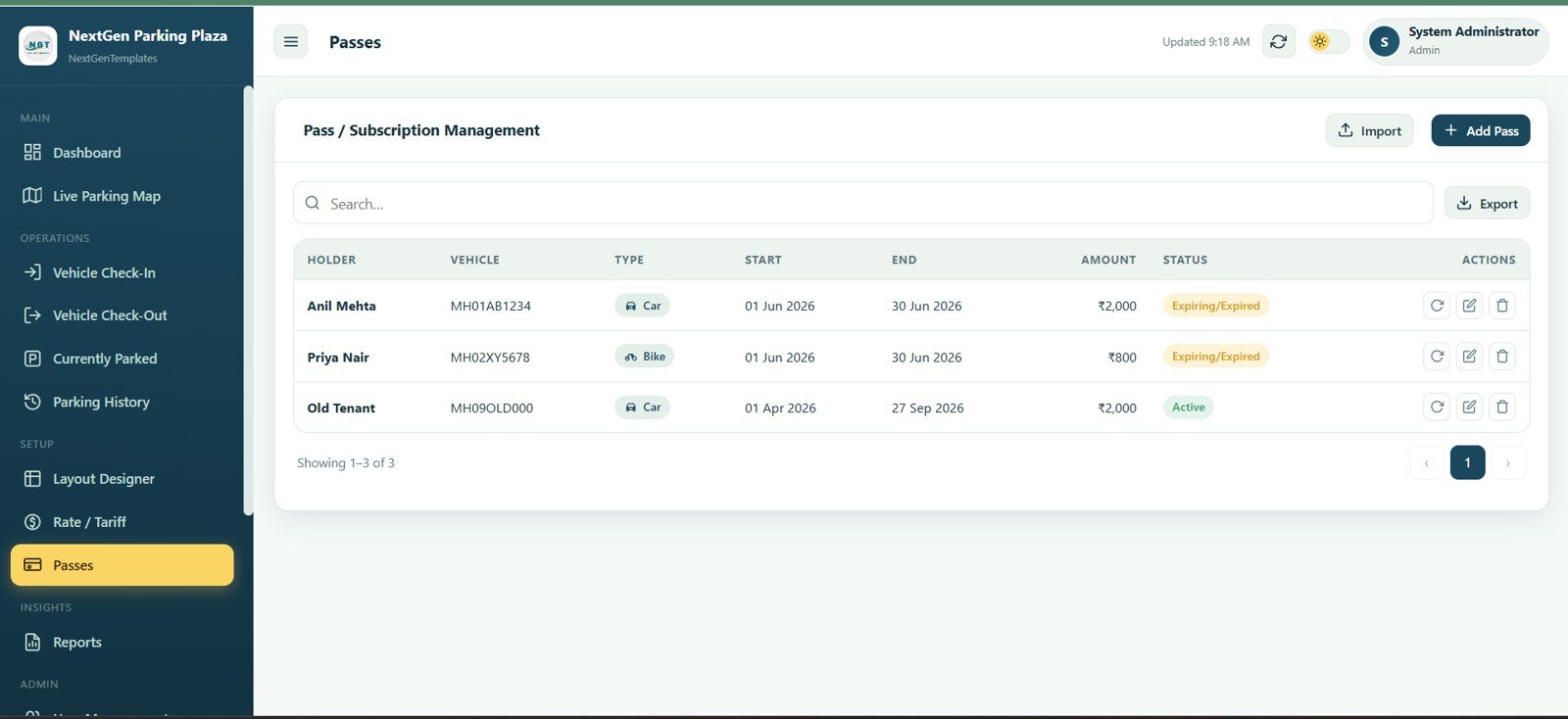
The passes screen manages regular customer subscriptions and prepaid access. Holder, Vehicle, Type, Start, End, Amount, Status, and Actions columns, plus Import, Add Pass, and Export controls, support monthly or staff parking workflows.
Passes
Reports
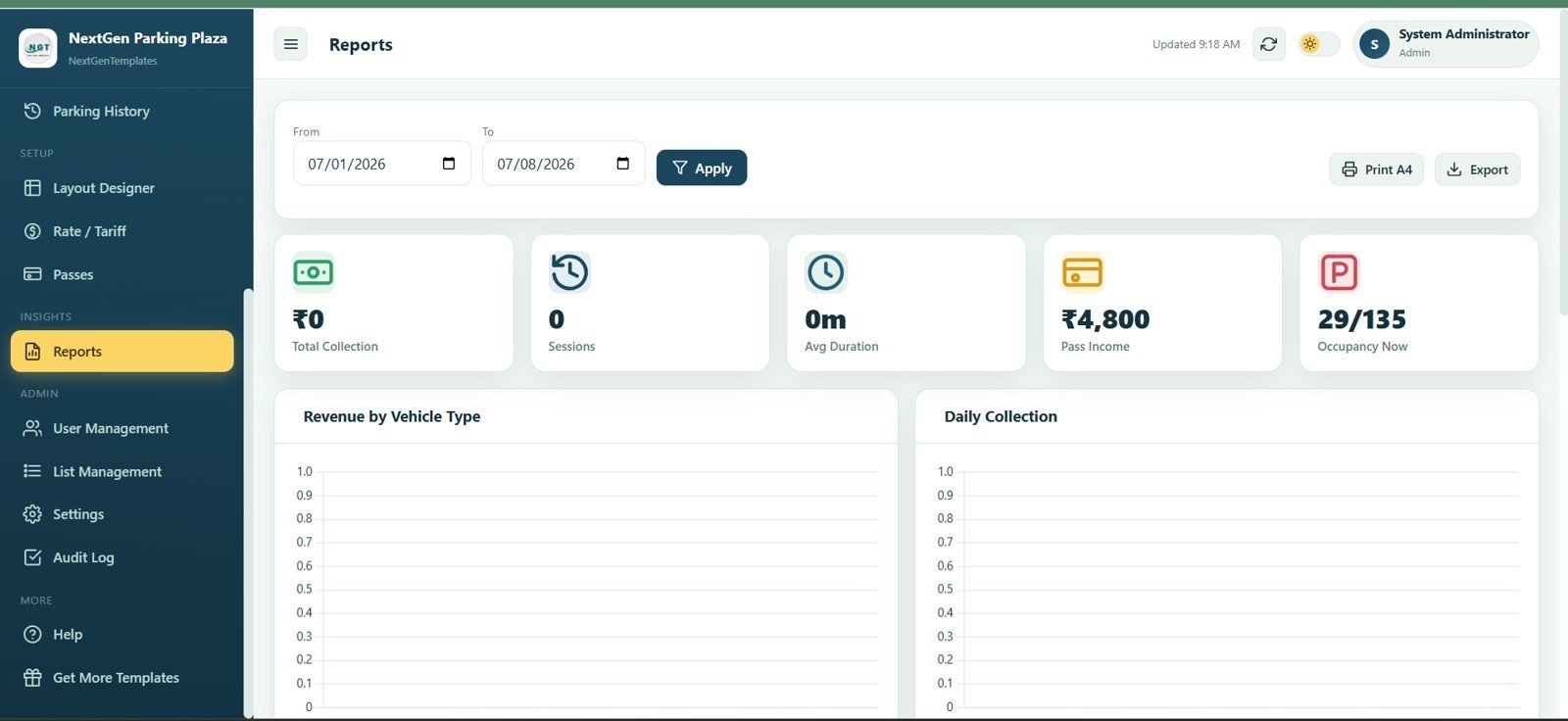
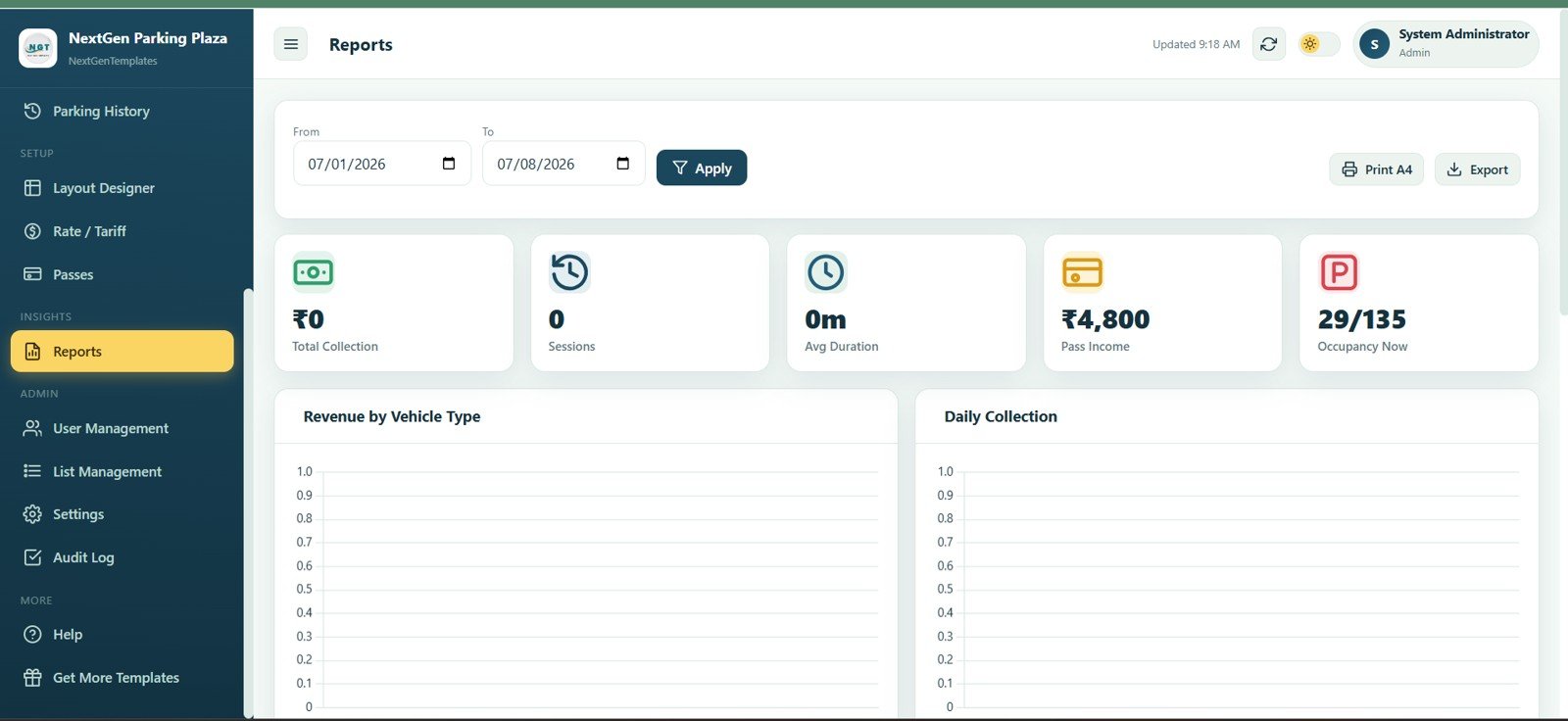
The reports page turns parking activity into management numbers for a selected date range. From Date, To Date, Apply, Print A4, Export, Total Collection, Sessions, Avg Duration, Pass Income, Occupancy Now, Revenue by Vehicle Type, and Daily Collection are available in one place.
Reports
User Management
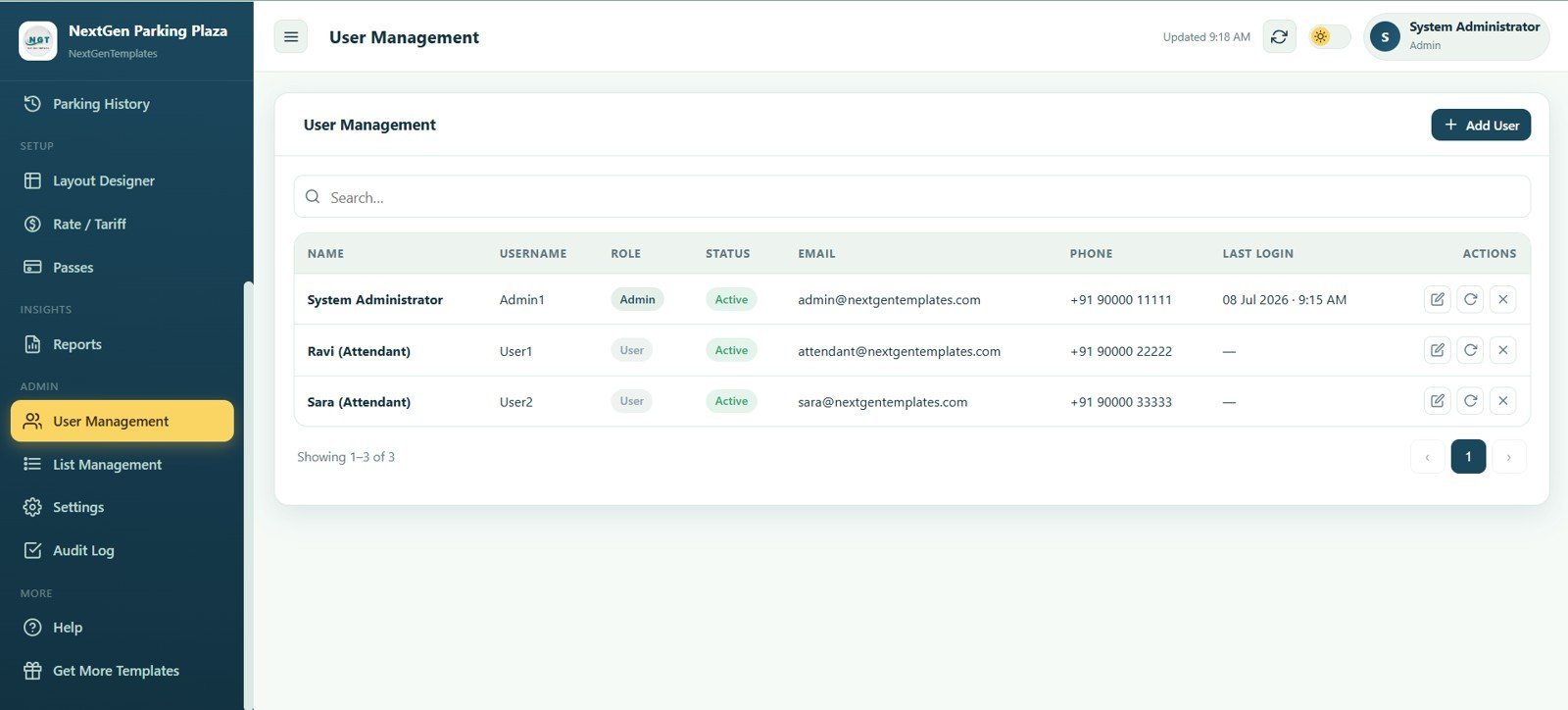
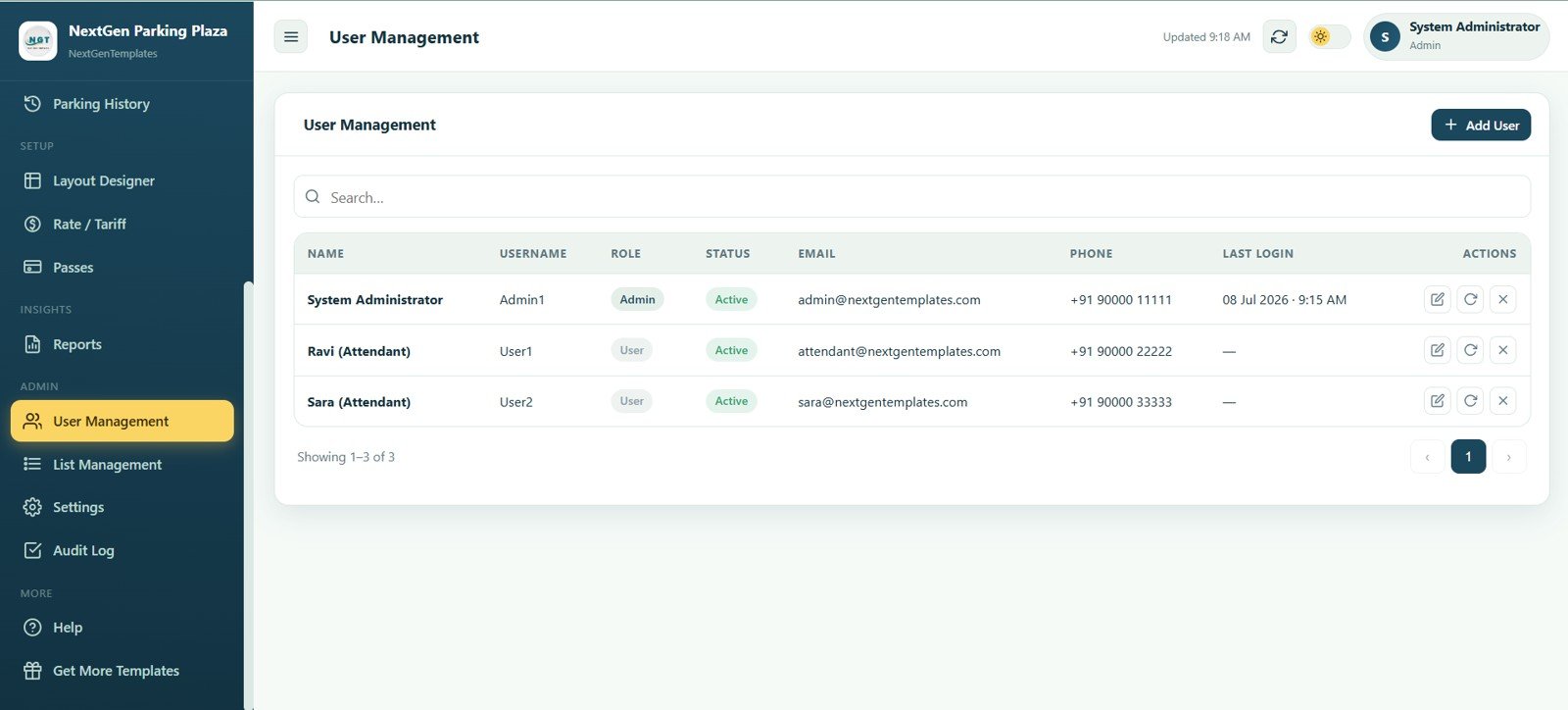
User Management keeps admin and attendant access organized. Name, Username, Role, Status, Email, Phone, Last Login, Actions, and Add User fields let the owner manage who can operate the parking system.
User Management
List Management
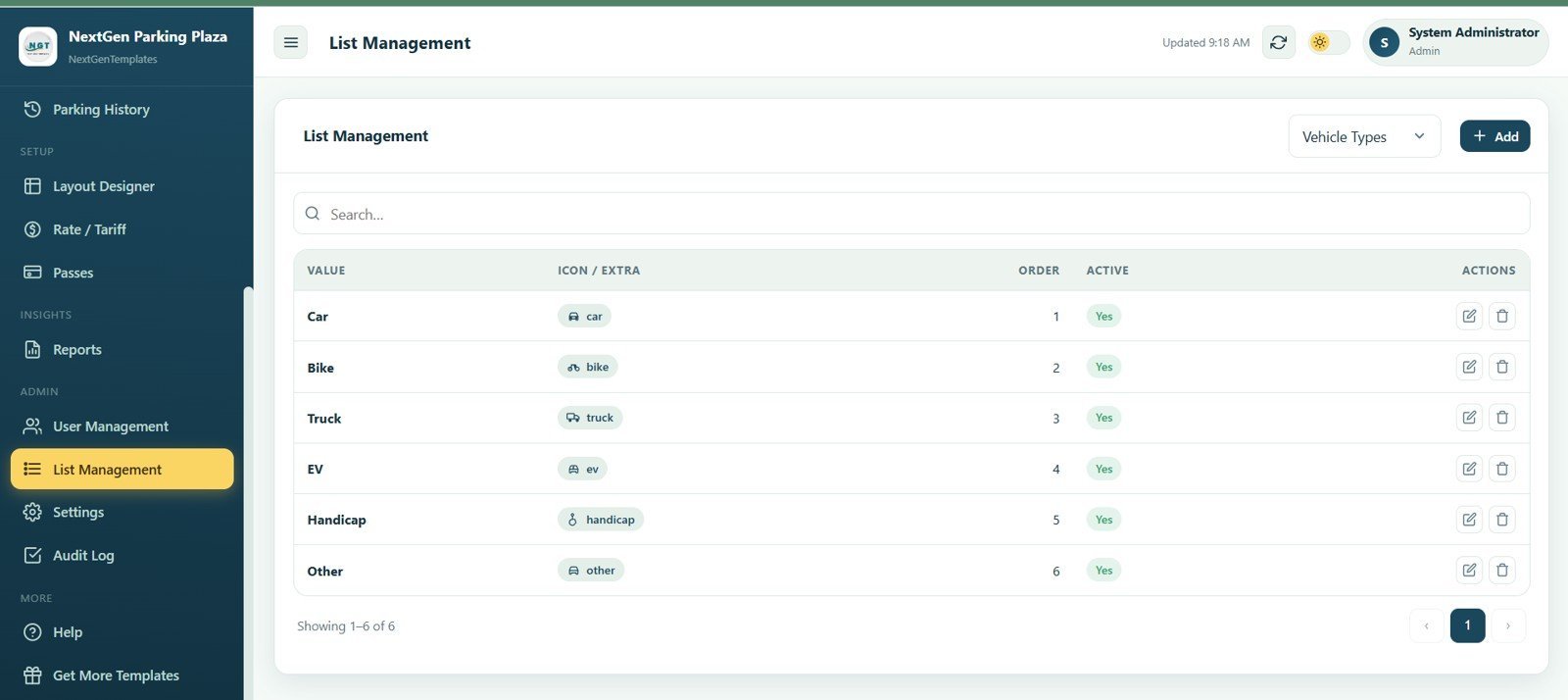
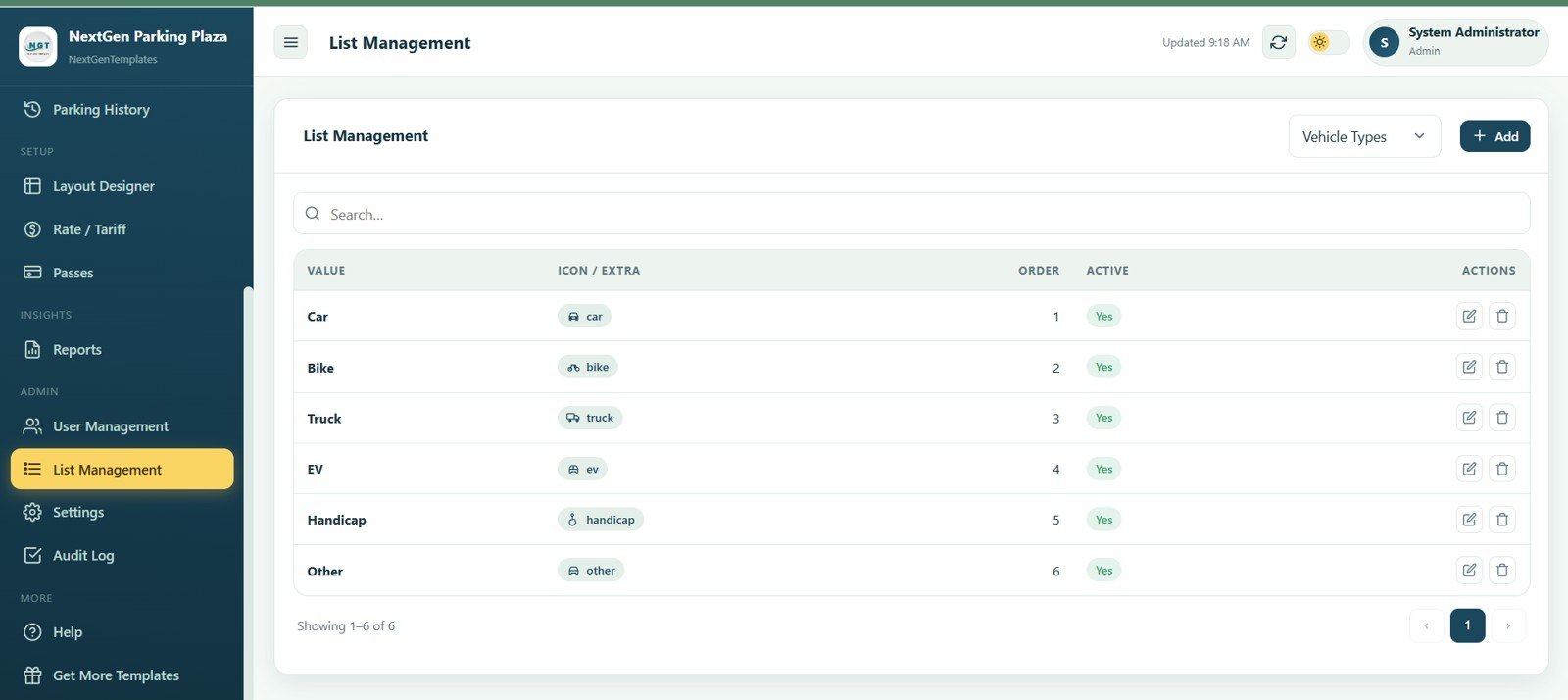
List Management controls dropdown values such as vehicle types. Admins can add, search, order, activate, or edit values like Car, Bike, Truck, EV, Handicap, and Other so data entry stays consistent.
List Management
Settings
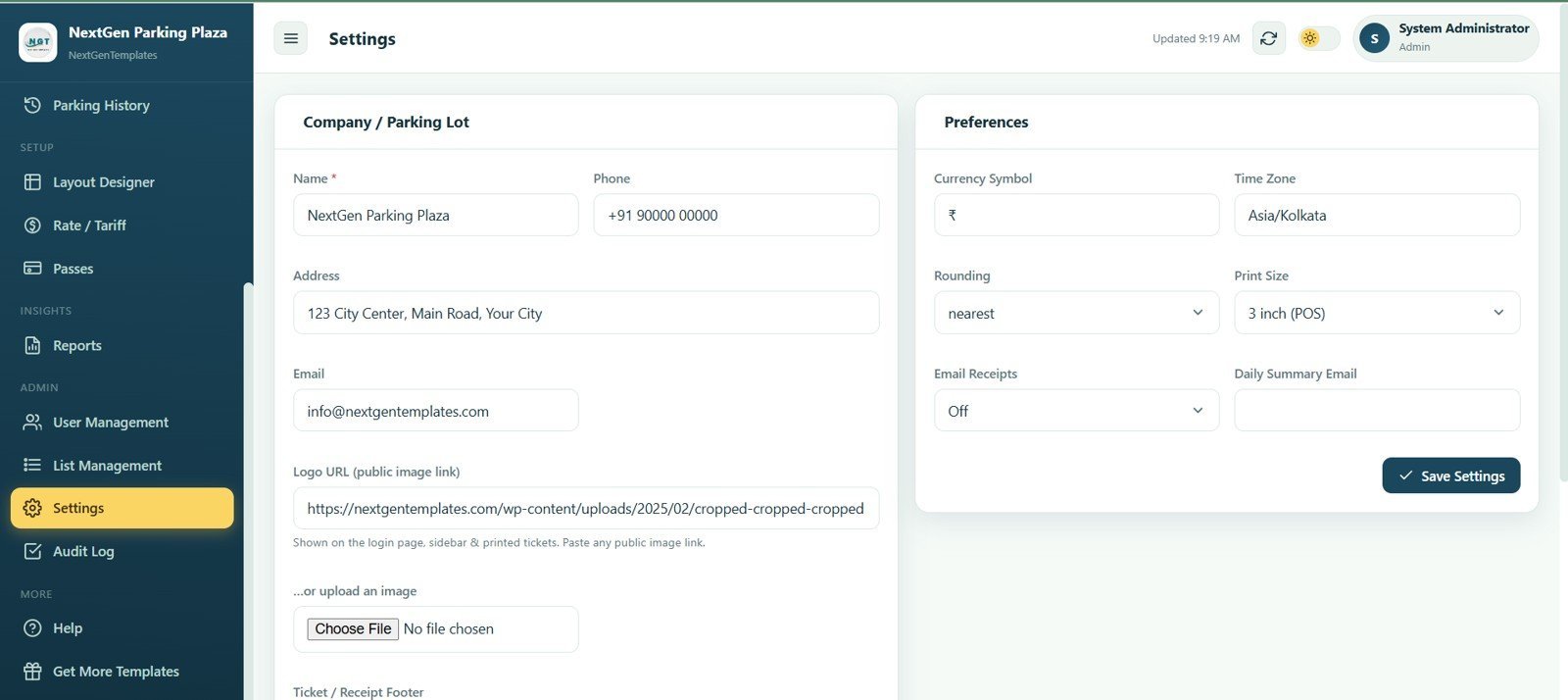
The settings page stores company and parking lot details, including name, phone, address, email, logo URL, currency symbol, time zone, rounding, print size, email receipts, and daily summary email. These controls help brand tickets and match local operating preferences.
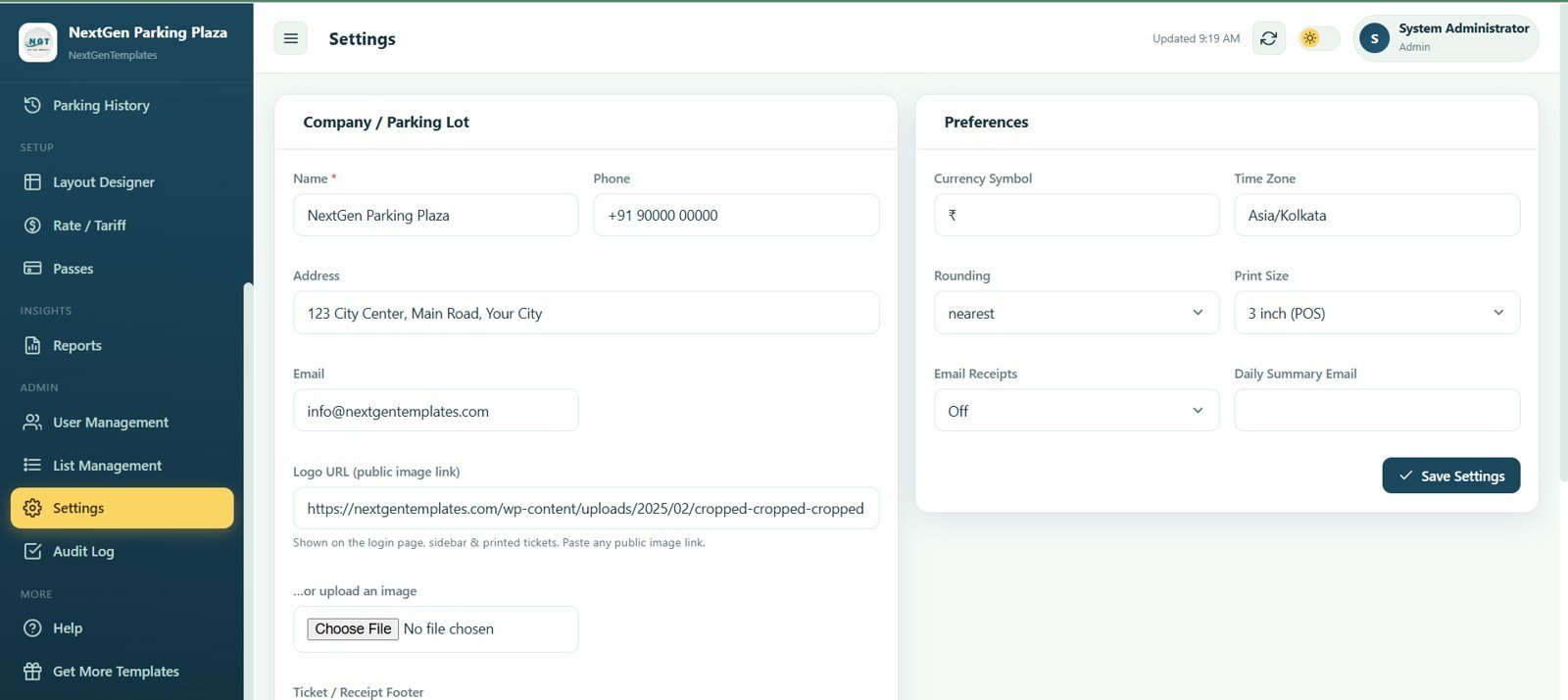
Settings
Audit Log
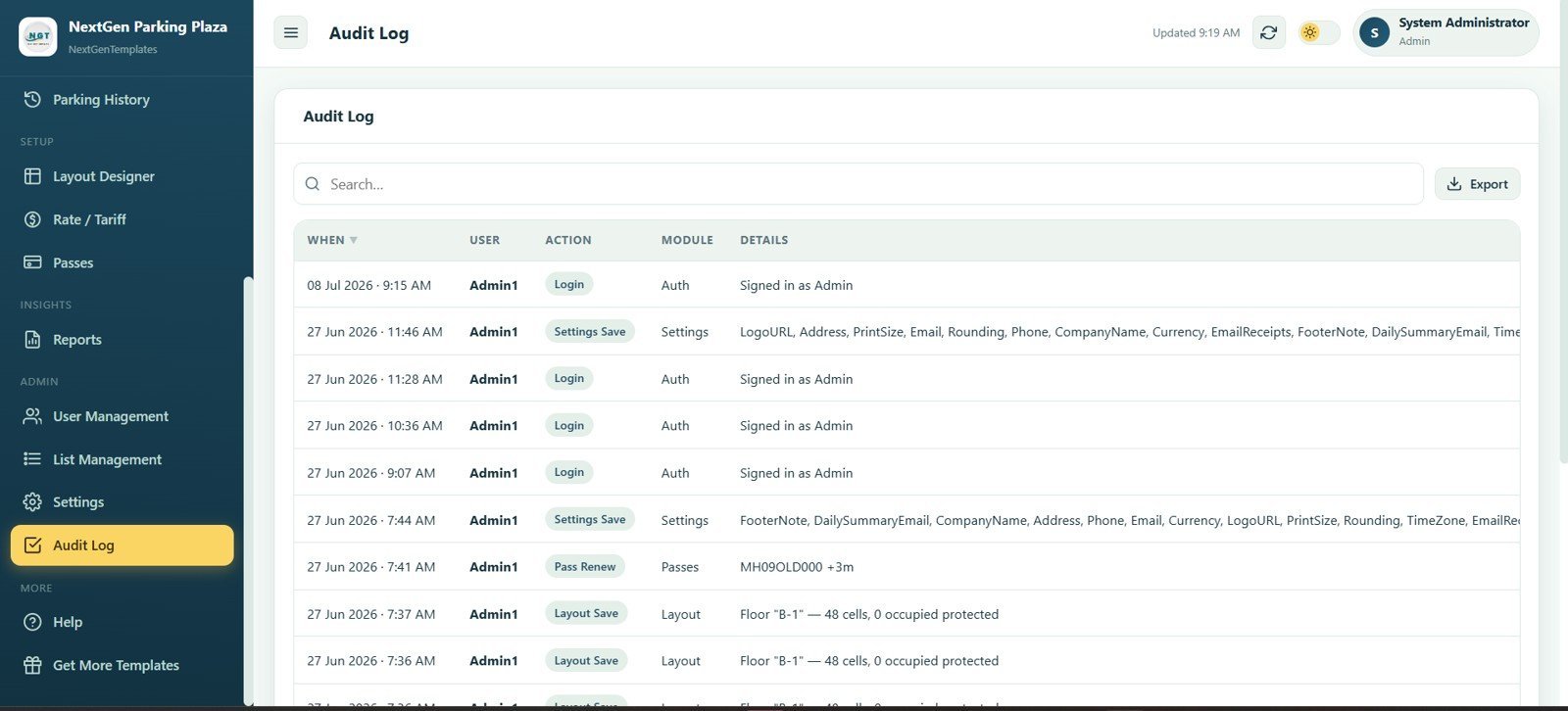
The audit log records important user and system activity, including Login, Settings Save, Pass Renew, and Layout Save events. Columns for When, User, Action, Module, Details, Search, and Export give admins a traceable change history.
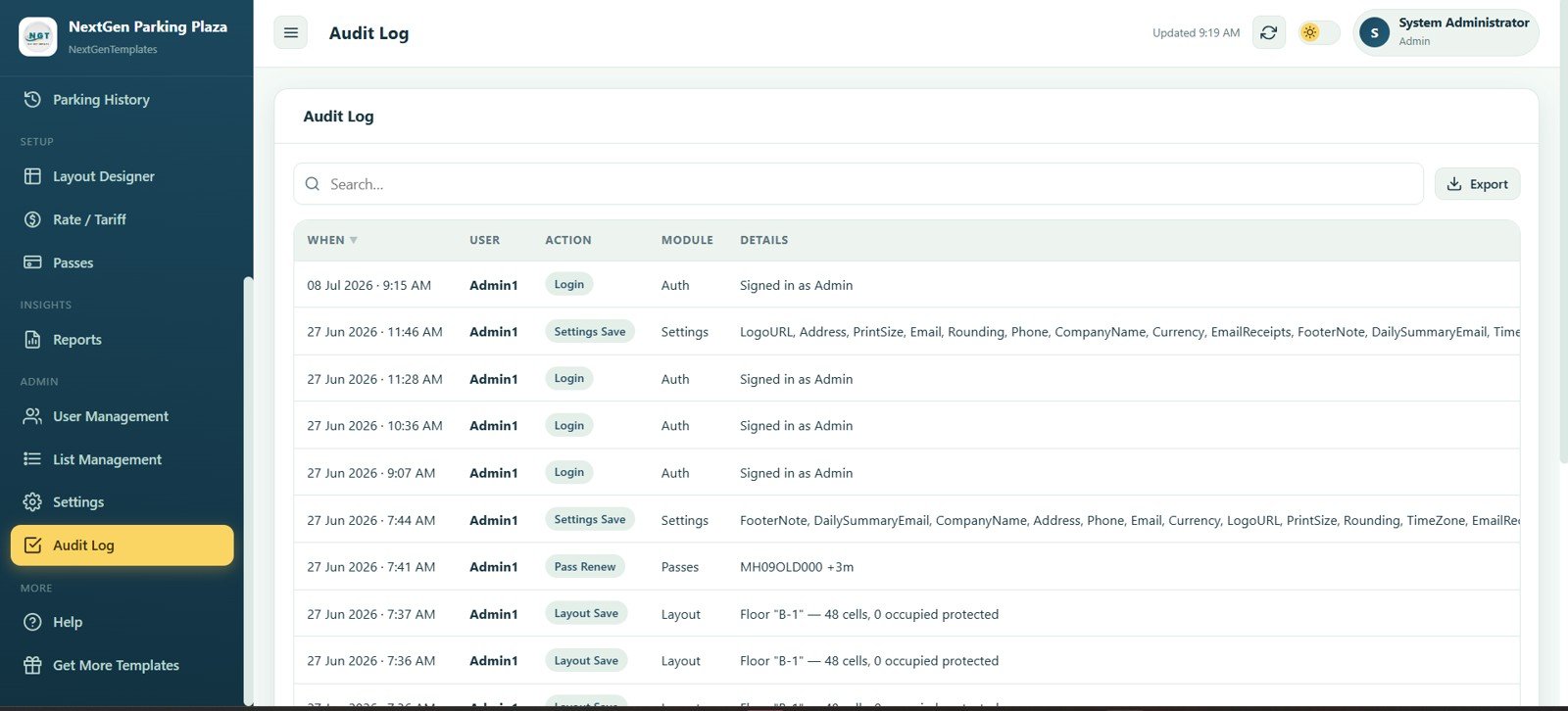
Audit Log
Parking Management System Web App vs. Google Sheets Tracker vs. Paid CRM/SaaS – Where This Fits
| Feature | This Web App | Google Sheets Tracker | Paid Parking SaaS |
|---|---|---|---|
| Cost | $39.99 one-time | Low cost, but mostly manual | Monthly subscription, often with add-ons |
| Platform | Browser-based web app with structured modules | Spreadsheet tabs | Vendor-hosted cloud platform |
| Setup time | Deploy, configure layout, add rates and users | Build formulas and tables yourself | Vendor setup and onboarding |
| Live slot map | Built in | Manual or custom-built | Usually available on higher plans or hardware-connected systems |
| Check-in/check-out workflow | Included | Manual rows | Included, sometimes tied to gates or devices |
| Customizable fields | Editable app files and dropdown lists | Editable cells | Limited by vendor settings |
| Year-1 cost at 5 users | $39.99 total | Low cash cost, higher manual effort | Can become hundreds or thousands depending on plan and site count |
Who This Template Is For – and Who It’s Not For
This template is for parking lot owners, facility managers, building administrators, malls, hospitals, schools, residential complexes, hotels, and small operators who need a private parking operations system without paying a recurring SaaS fee.
It is not for operators who need integrated boom barriers, ANPR cameras, payment terminals, public mobile booking apps, or government-grade enforcement workflows. Those teams should use a dedicated parking hardware and SaaS provider.
How to Use the Parking Management System Web App
- Download and unzip the template package.
- Follow the included setup or deployment guide to open the app in your own account or environment.
- Update Settings with parking lot name, contact details, currency, time zone, rounding, print size, and receipt preferences.
- Build floors, sections, and slots in Layout Designer, then save the live map.
- Add vehicle types and dropdown values in List Management.
- Create rate rules and passes, then start using Check-In, Check-Out, Currently Parked, History, and Reports daily.
Real-World Use Cases
Ravi manages a 180-slot office building. He uses the live map and pass module to separate monthly employee parking from visitor parking, then reviews daily collections and occupancy before closing.
Maria runs parking for a small hospital. Her attendants check in vehicles at the gate, monitor available slots, and use reports to understand peak hours by vehicle type.
Arjun operates paid parking near an event venue. He changes tariffs for high-demand days, tracks passes for nearby shop owners, and exports history for weekly cash reconciliation.
Frequently Asked Questions
What is included in the Parking Management System Web App?
It includes 15 screens for login, dashboard, live parking map, check-in, check-out, parked vehicle tracking, history, layout setup, tariffs, passes, reports, users, list values, settings, and audit logs.
Can I create floors, sections, and different slot types?
Yes. The Layout Designer supports floors, sections, rows, columns, driveways, car slots, bike slots, truck slots, EV slots, handicap slots, reserved slots, and out-of-service slots.
Does it calculate fees automatically?
The system includes tariff fields for vehicle type, model, amount, grace period, minimum charge, and daily cap so parking fees can be controlled through rate rules.
Can I manage monthly parking passes?
Yes. The Passes page tracks holder, vehicle, type, start date, end date, amount, status, and actions for regular parking customers or staff parking.
Does it support reports and exports?
Yes. Reports include total collection, sessions, average duration, pass income, current occupancy, revenue by vehicle type, and daily collection, with print and export controls shown in the app.
Is this a one-time purchase?
Yes. This is a one-time digital download from NextGenTemplates with lifetime access and no monthly subscription charged by NextGenTemplates.
About the Author
Built by PK – Microsoft Certified Professional with 15+ years of Excel, Google Sheets, and Power BI experience. Founder of NextGenTemplates, reaching 300K+ subscribers across YouTube channels. Every template is hand-built and tested before release.
Explore Related Templates
- Browse Mini Web Apps for more browser-based business systems.
- Logistics Management System Web App for transport and dispatch operations.
- Web App Based: Hotel Booking Management System for hotel reservation workflows.
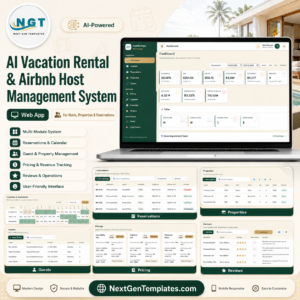
- AI Vacation Rental & Airbnb Host Management System Web App for property host operations.
- Salon and Spa Management System Web App for appointment-led service businesses.
Download the Parking Management System Web App today and bring slot layout, live occupancy, vehicle sessions, tariffs, passes, reports, and admin controls into one organized workspace.
Watch the step-by-step video Demo:
Last updated: July 8, 2026.




























Reviews
There are no reviews yet.