

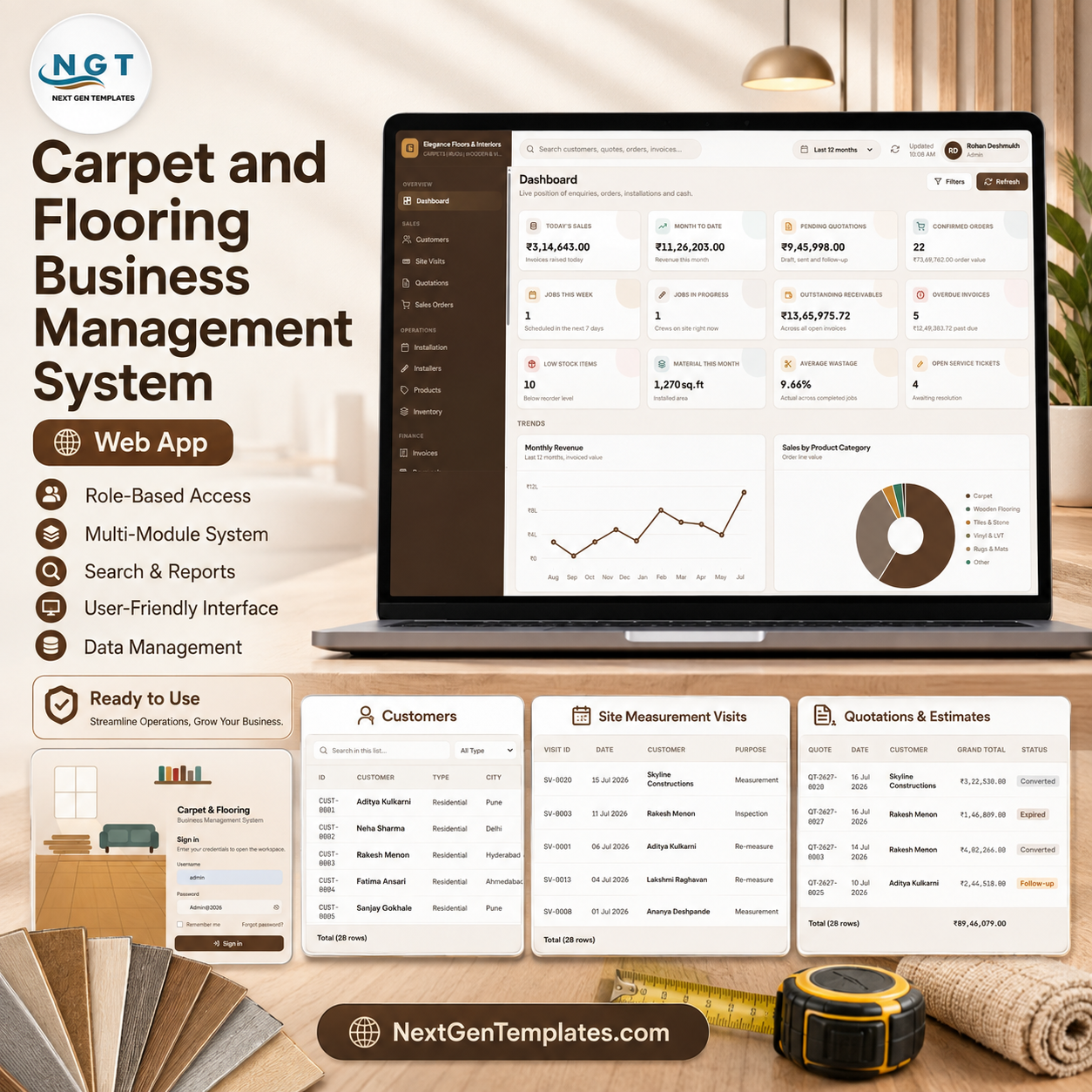
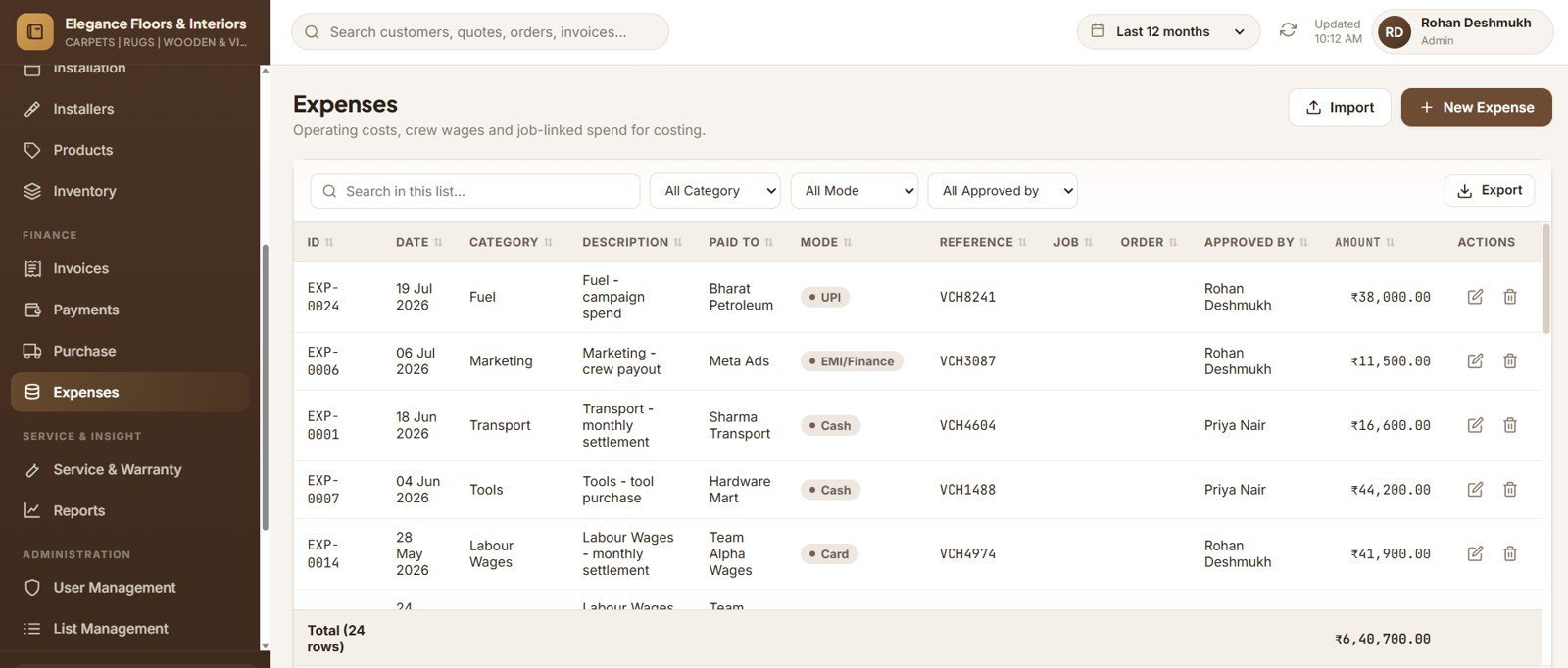

The Carpet and Flooring Business Management System runs 21 modules on a 38-sheet Google Sheets database, ships 19 built-in reports, and enforces 6 roles through a server-side permission matrix. Setup takes under 15 minutes — paste two files into Apps Script, run one function, and the system builds its own database with 12 months of sample data already loaded.
🌍 Join 10,000+ customers in 180+ countries using NextGenTemplates to replace paid SaaS tools with one-time-purchase Excel, Google Sheets, Power BI, and HTML templates.
✅ Instant download · One-time payment · No subscription · No per-user fees · Lifetime access
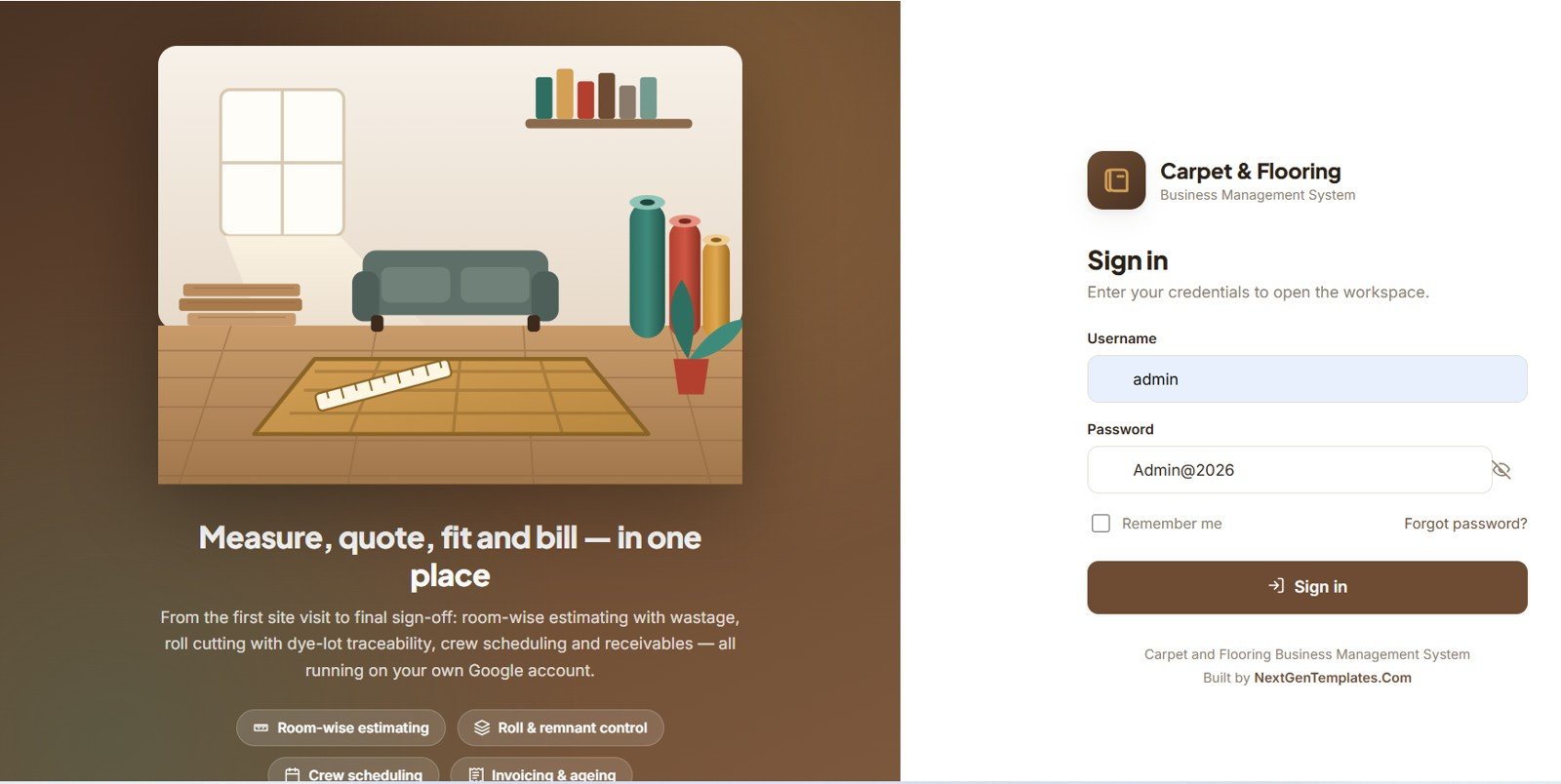
🚀 Try the Live Demo Before You Buy
We have deployed this web app in our own Google account so you can test every page, every role — Admin, Manager, Sales Executive, Store Keeper, Installation Supervisor and Accountant — with real sample data — before purchasing. No signup, no email required.
🔑 Test Login Credentials
Sign in as admin for full system control, as manager to approve quotations and review every report, as sales1 to run site visits and quoting, as store for rolls and remnants, as supervisor for the installation calendar, or as accounts for billing and receivables.
💡 What you get after purchase: The full source code (Code.gs + Index.html) plus a step-by-step deployment guide and Word user manual, so you can deploy your own private instance in your own Google account in under 15 minutes.
🎥 Watch the deployment walkthrough
🔑 Key Features of the Carpet and Flooring Business Management System
📐 Room-wise estimating engine. Net area = area × (1 + wastage %), with the default wastage pulled from each product record and overridable per room.
📏 Feet-and-inch input. Type 12’6″, 12.5, 12′ 6 or 12-6 — all four resolve to twelve feet six inches, so nobody converts by hand.
🧮 Roll and box maths done for you. Rolls = ceil(net area ÷ (roll width × roll length)); boxes = ceil(net area ÷ coverage per box); stairs use steps × (riser + tread) × width.
🎨 Dye-lot traceability. Each lot follows the material from goods receipt to the customer’s room, with a shade-variation warning if one room mixes two lots.
✂️ Roll cutting that keeps stock honest. Every cut reduces the roll, writes a ledger line with its document reference, and creates a remnant from a usable leftover.
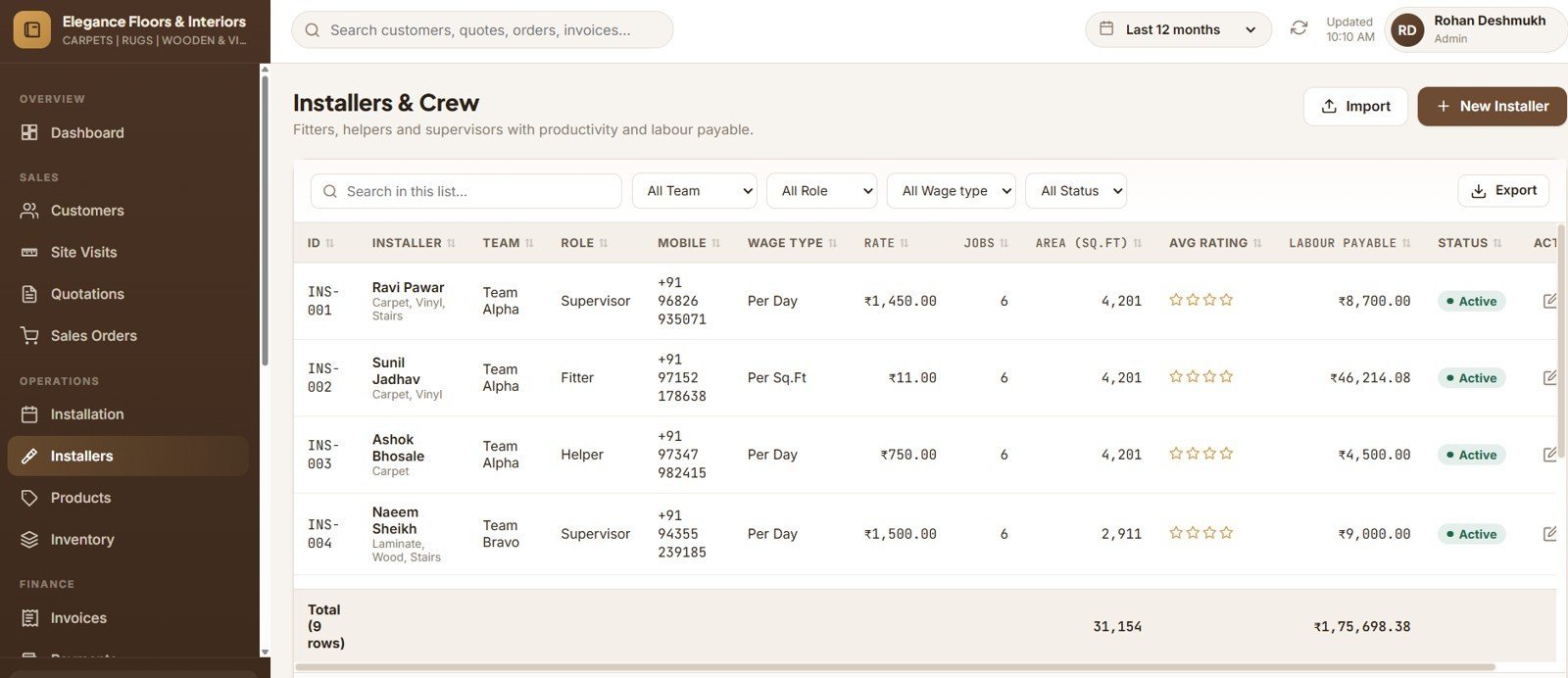
🗓️ Crew scheduling with sign-off. Colour-coded calendar, double-booking checks, printable job cards, and completion capturing actual area, wastage, photos and a 1–5 rating.
💰 Billing that closes the loop. Tax invoice, proforma, advance receipt and credit note — one receipt settles several invoices, and deleting it reverses every allocation.
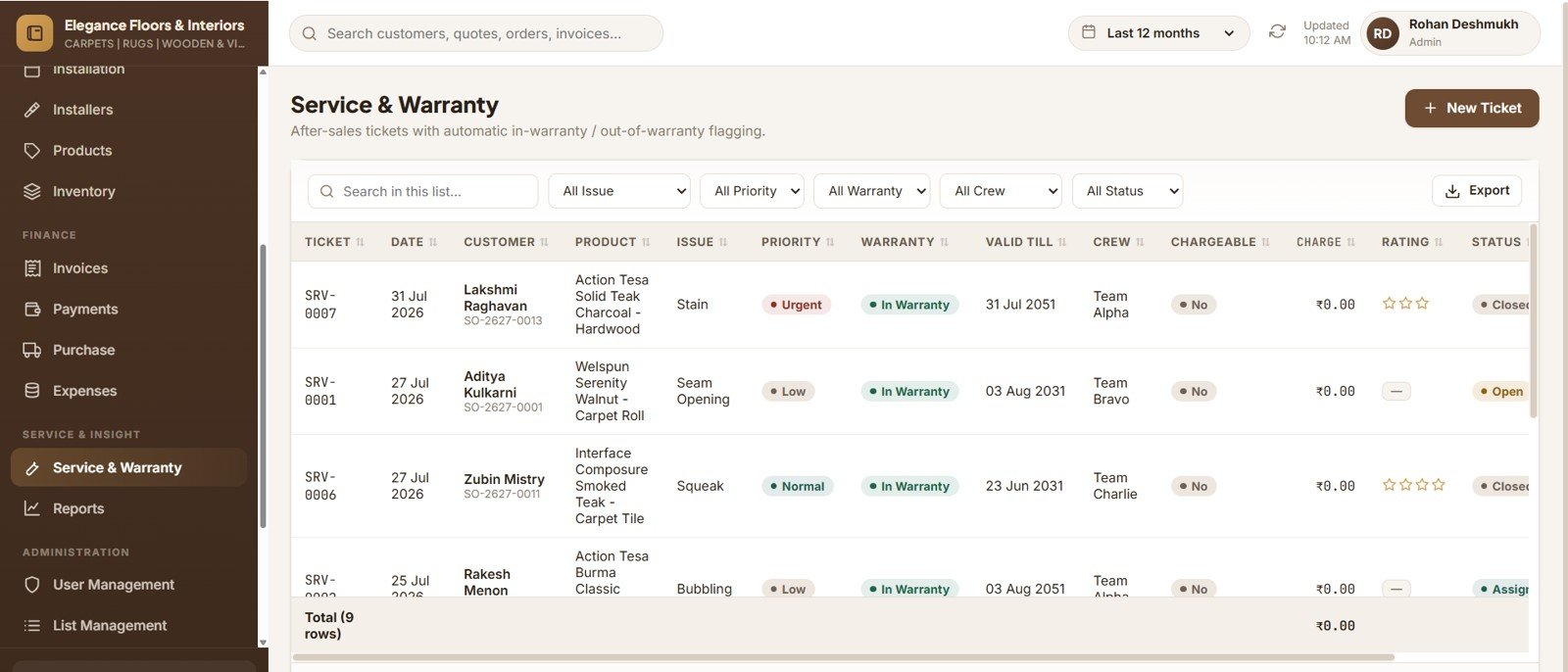
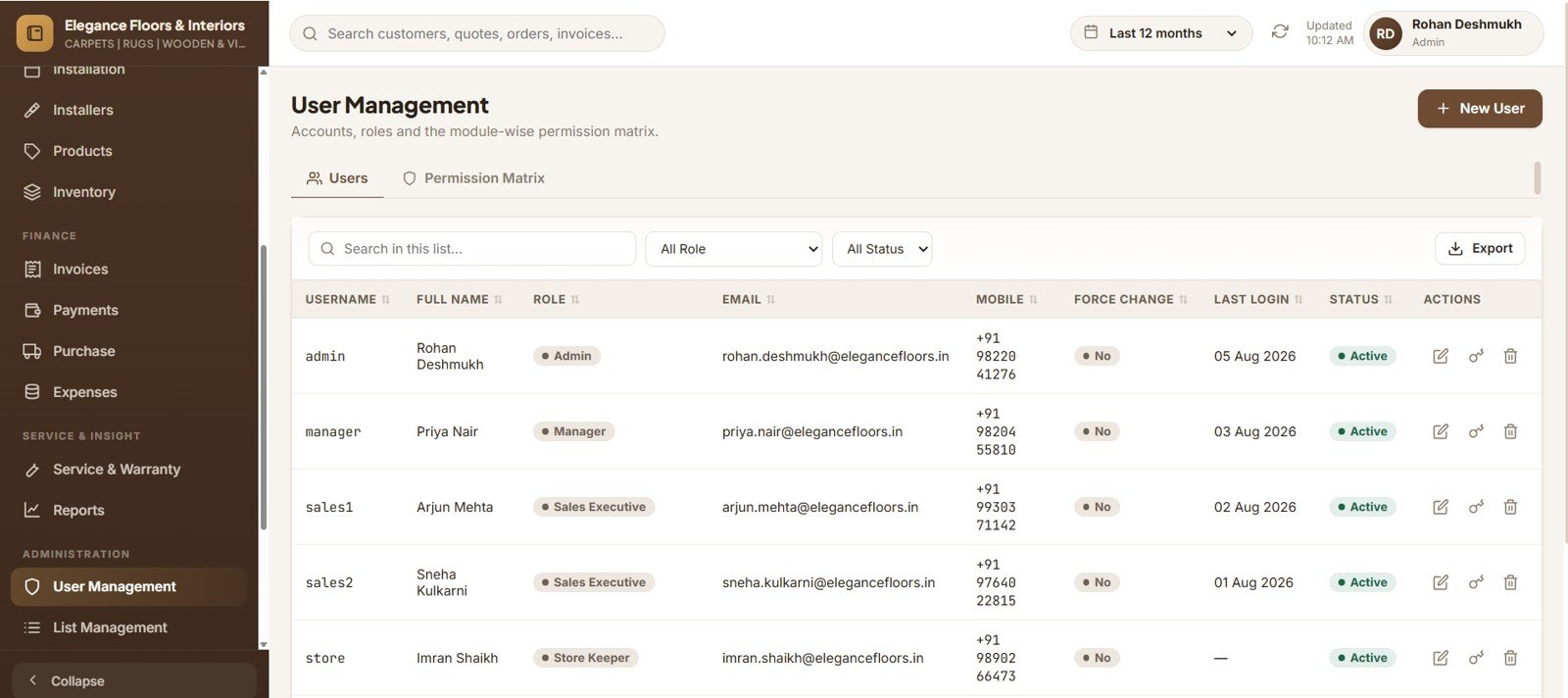
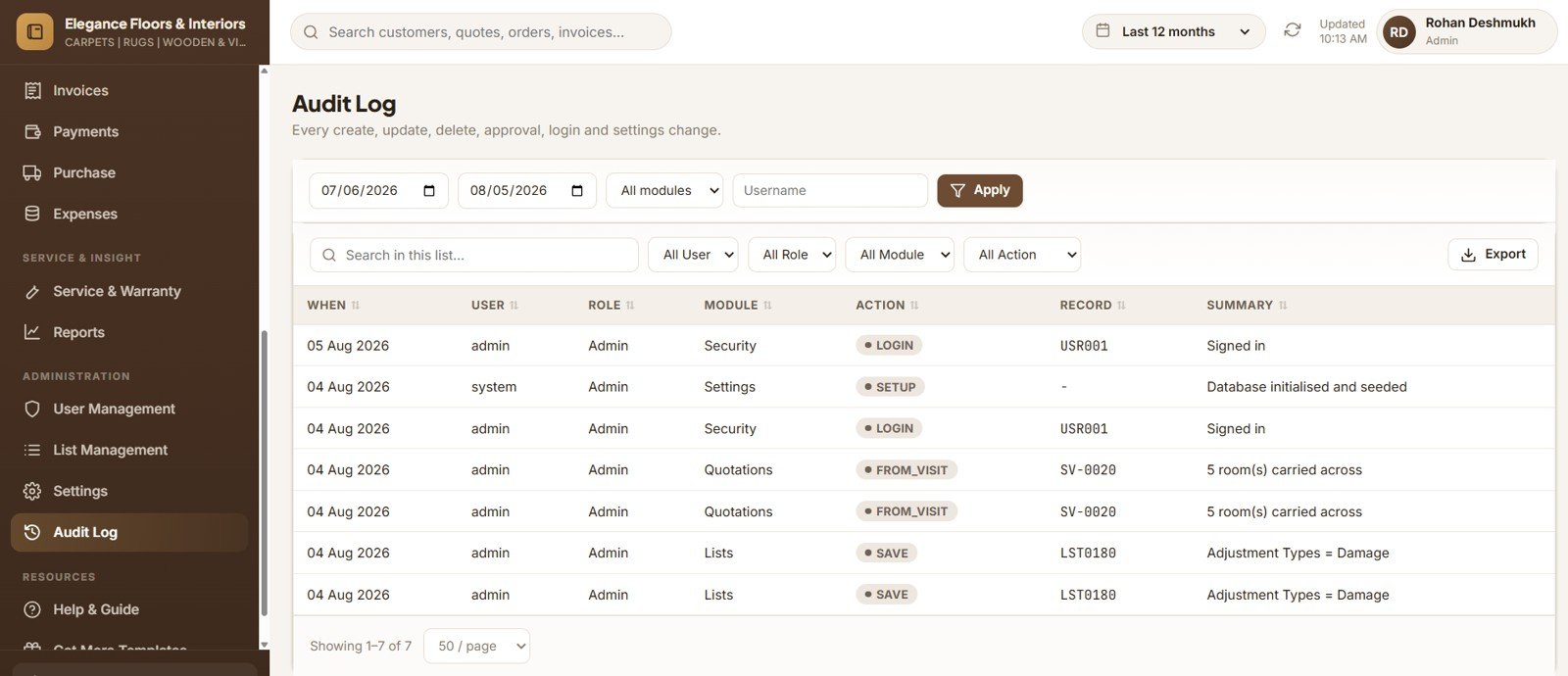
🔐 Six roles enforced on the server. A View / Add / Edit / Delete / Approve / Export matrix across 20 modules, checked by the API rather than merely hidden in the menu.
📦 What’s Inside the Carpet and Flooring Business Management System
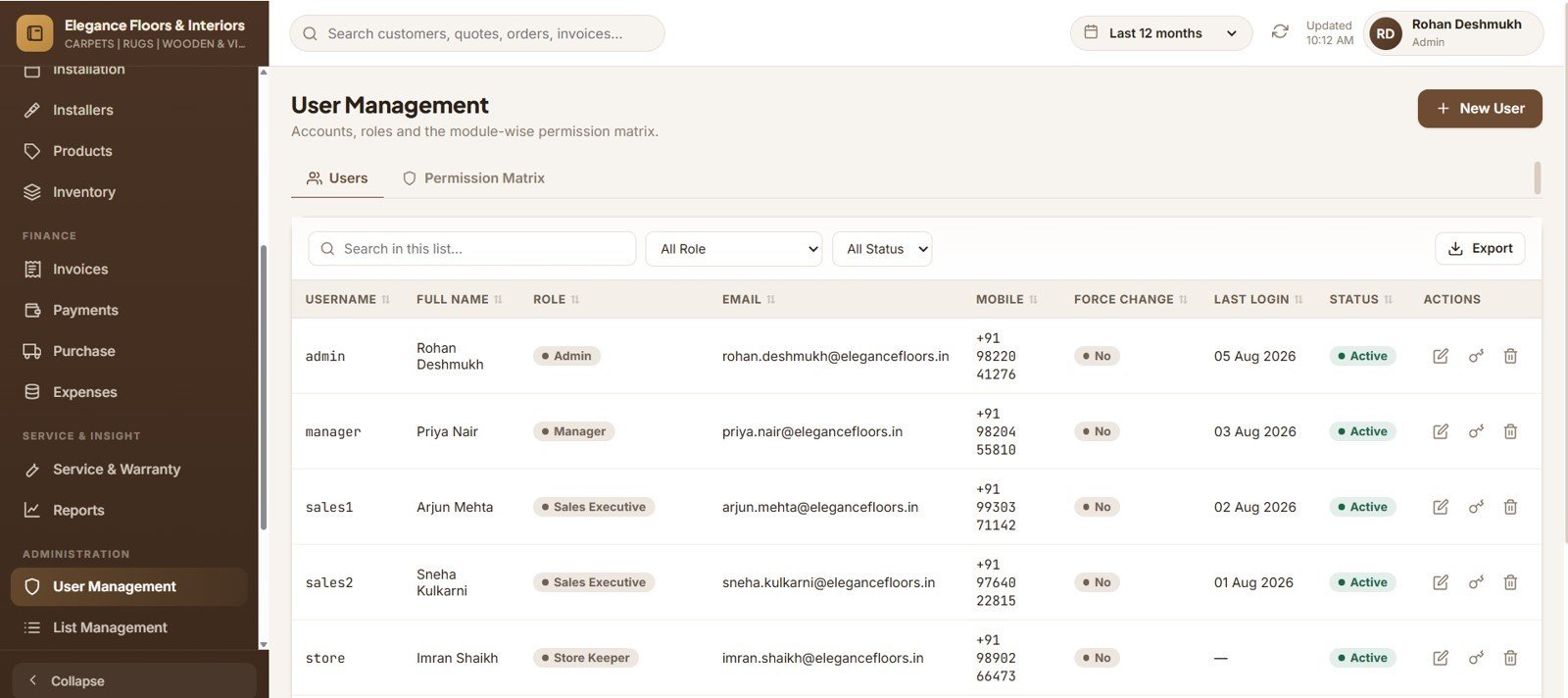
Secure Login with Role-Based Access
Branded sign-in with show/hide password. Passwords are SHA-256 hashed with a per-user salt, and seven accounts cover all six roles.
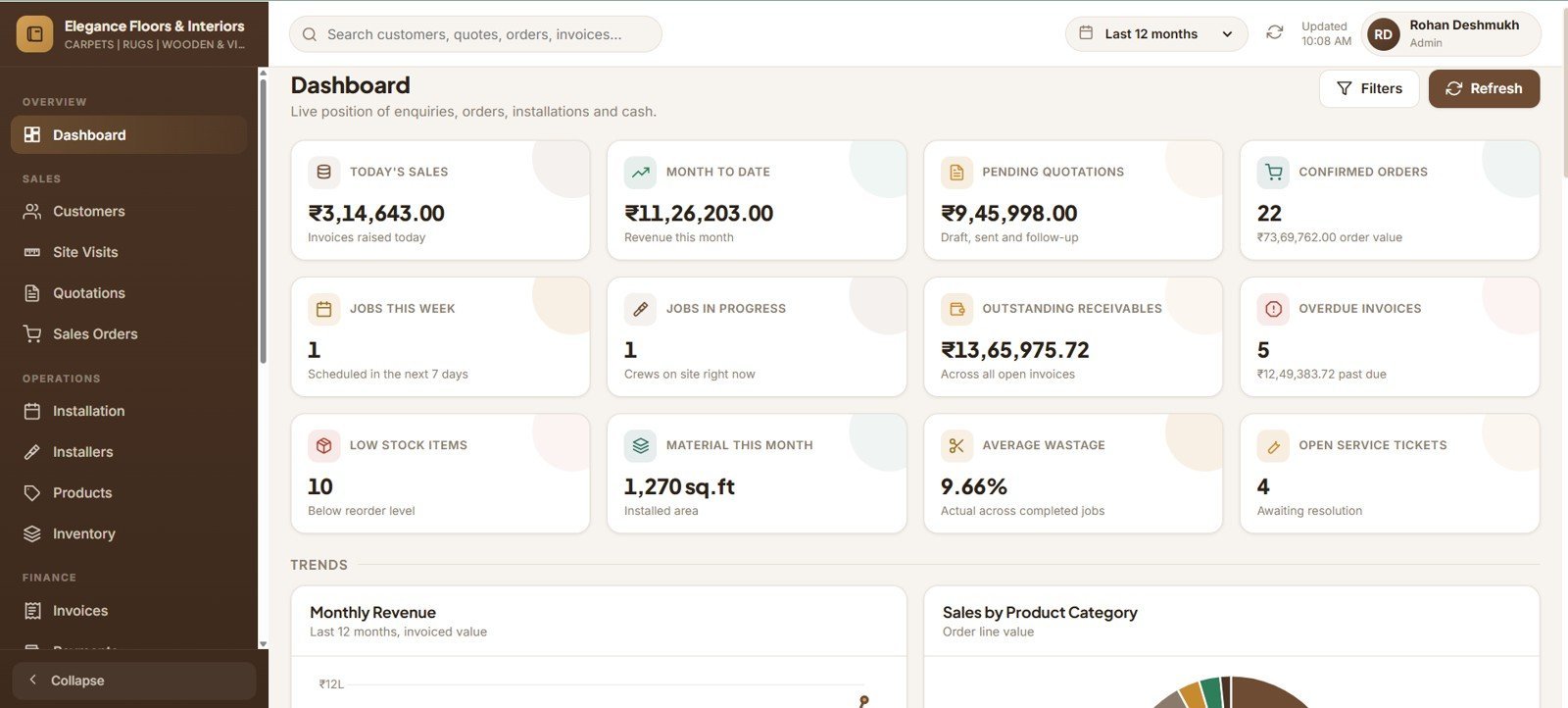
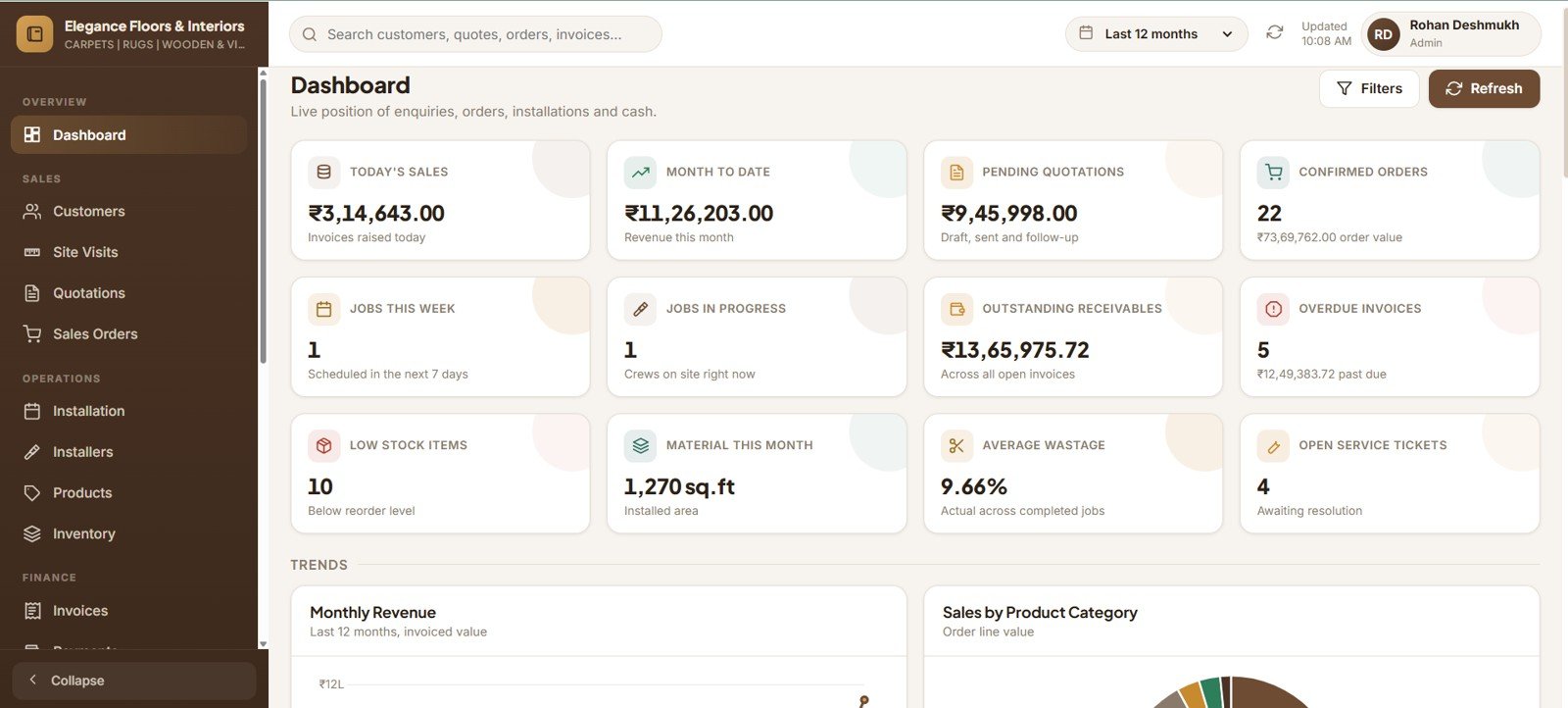
Dashboard
Twelve KPI cards, six charts and four action lists — today’s sales, receivables, jobs this week, low stock, average wastage and open service tickets.
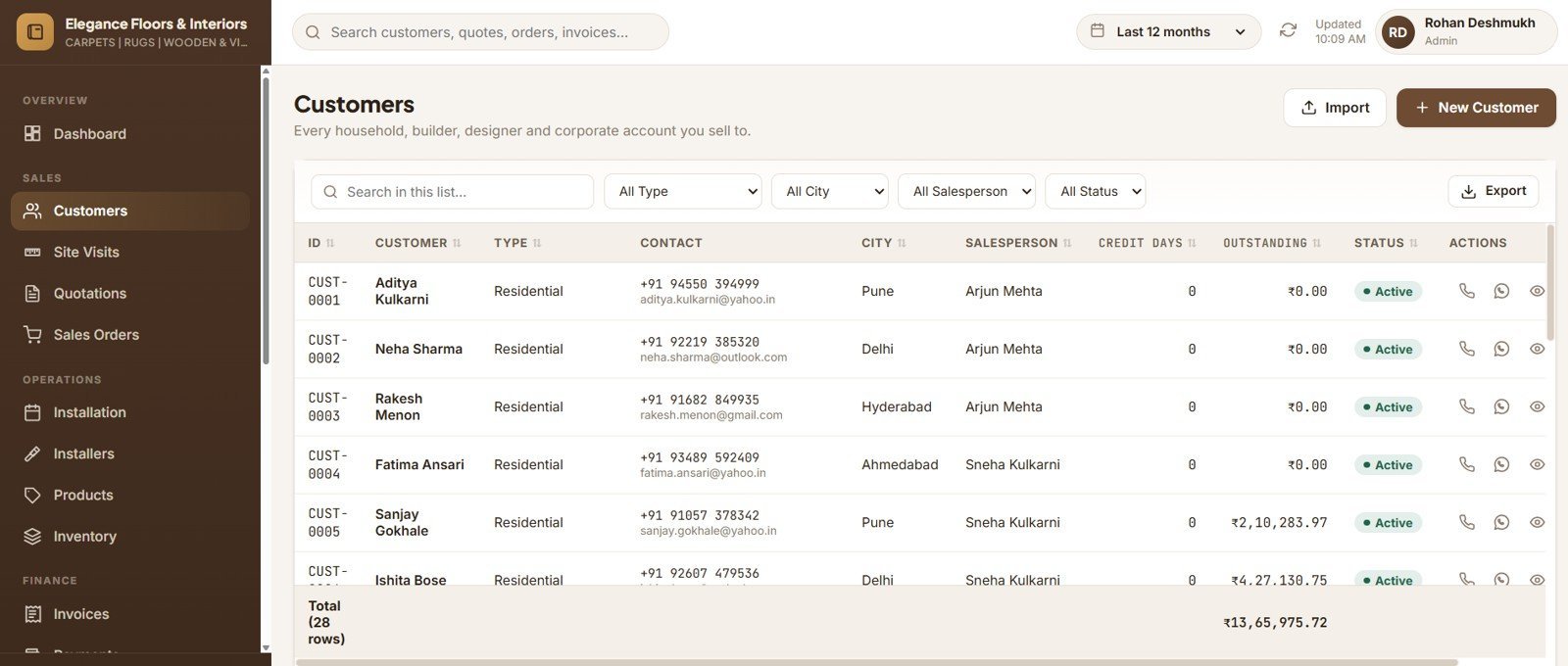
Customers with a 360° View
Full customer master with credit terms, plus a nine-tab drawer showing that customer’s visits, quotes, orders, jobs, invoices, payments and files.
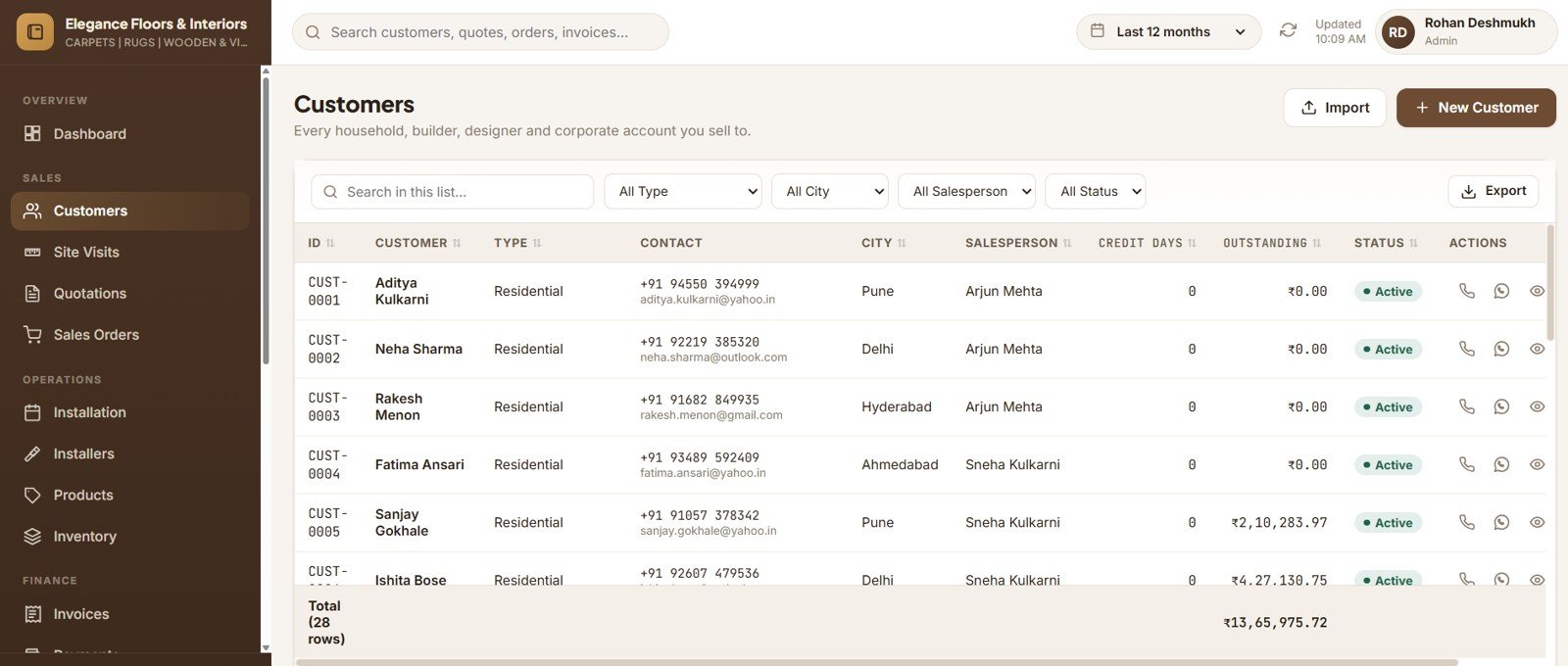
Customer History Drawer
Every transaction for one customer in one place, with the live outstanding balance across the top.
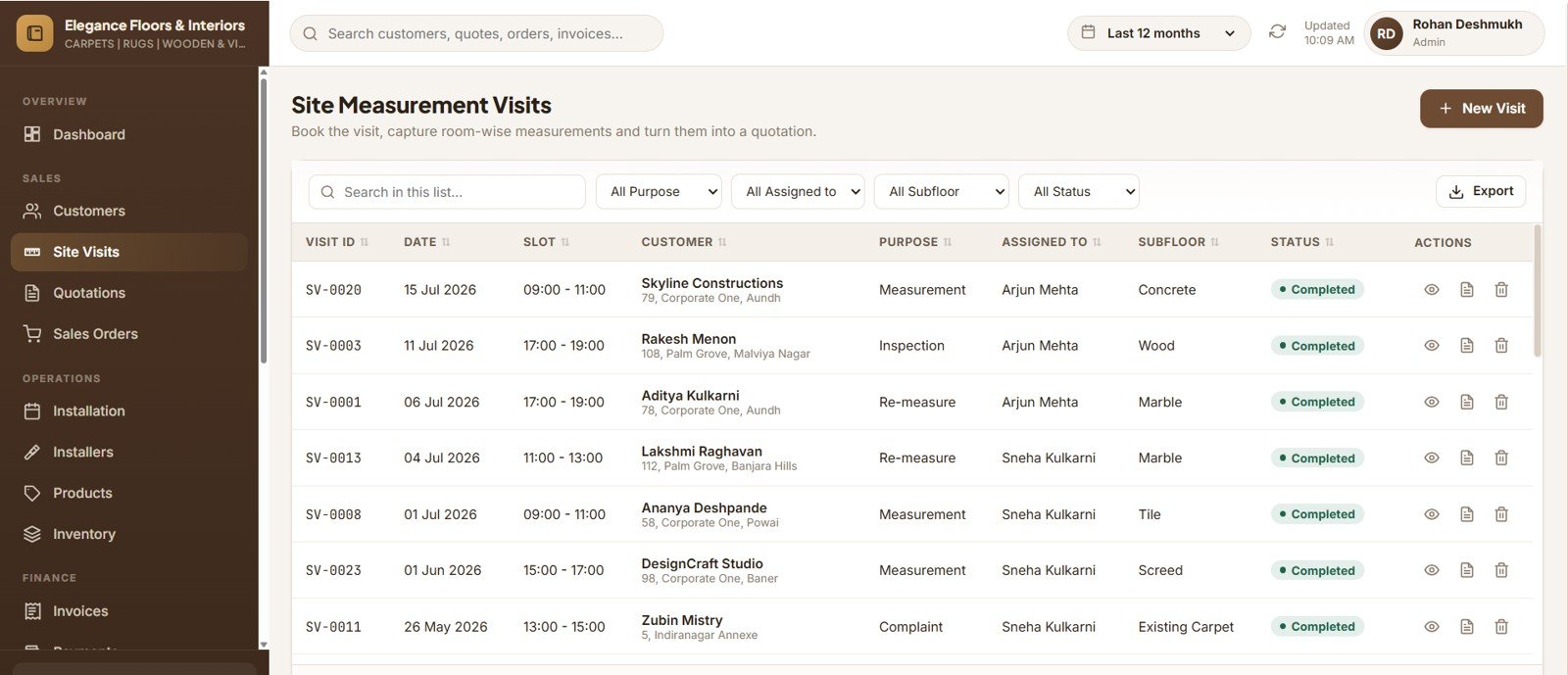
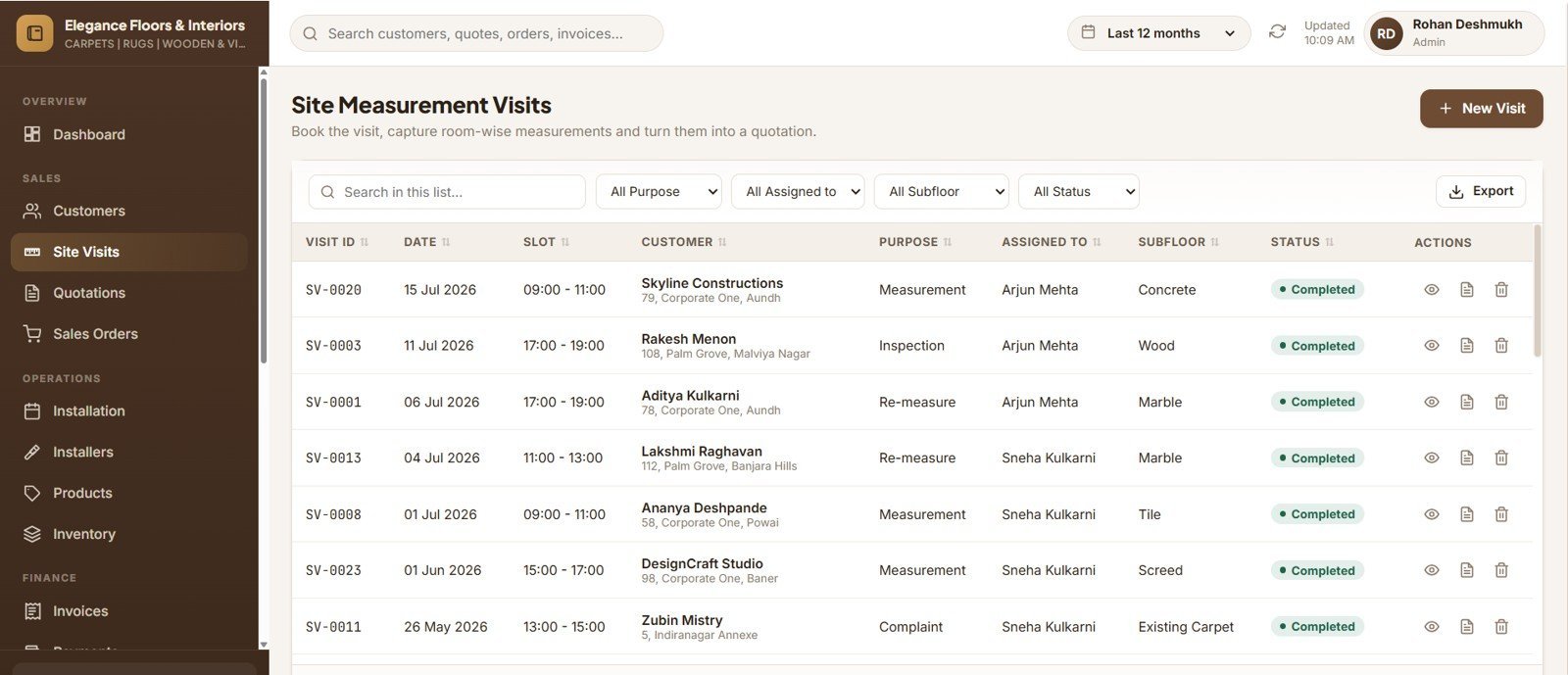
Site Measurement Visits
Capture a room-by-room grid on site with shape, dimensions, stair details and skirting run — then convert the visit to a quotation in one click.
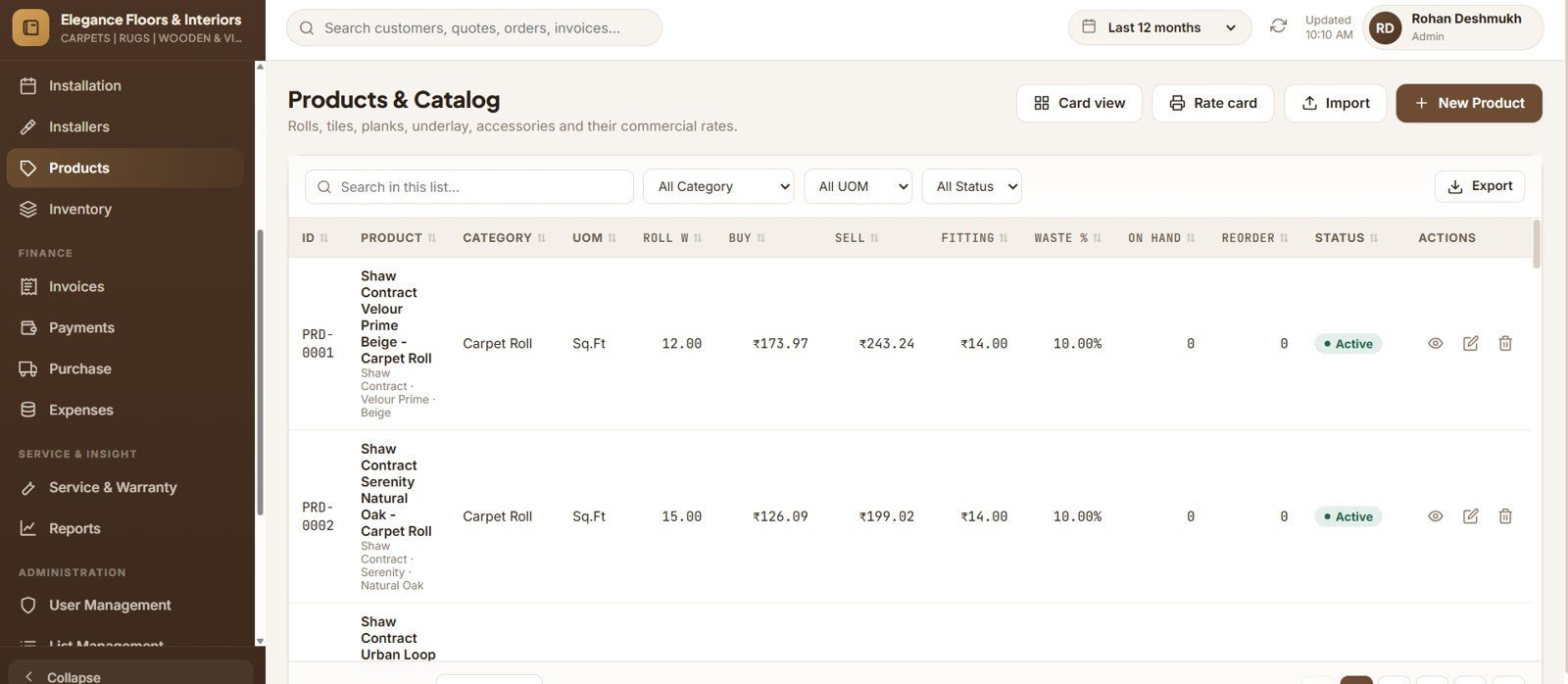
Products and Catalog
Thirteen categories, each carrying roll width, roll length, coverage per box, rates, minimum selling rate, tax, warranty months, reorder level and default wastage.
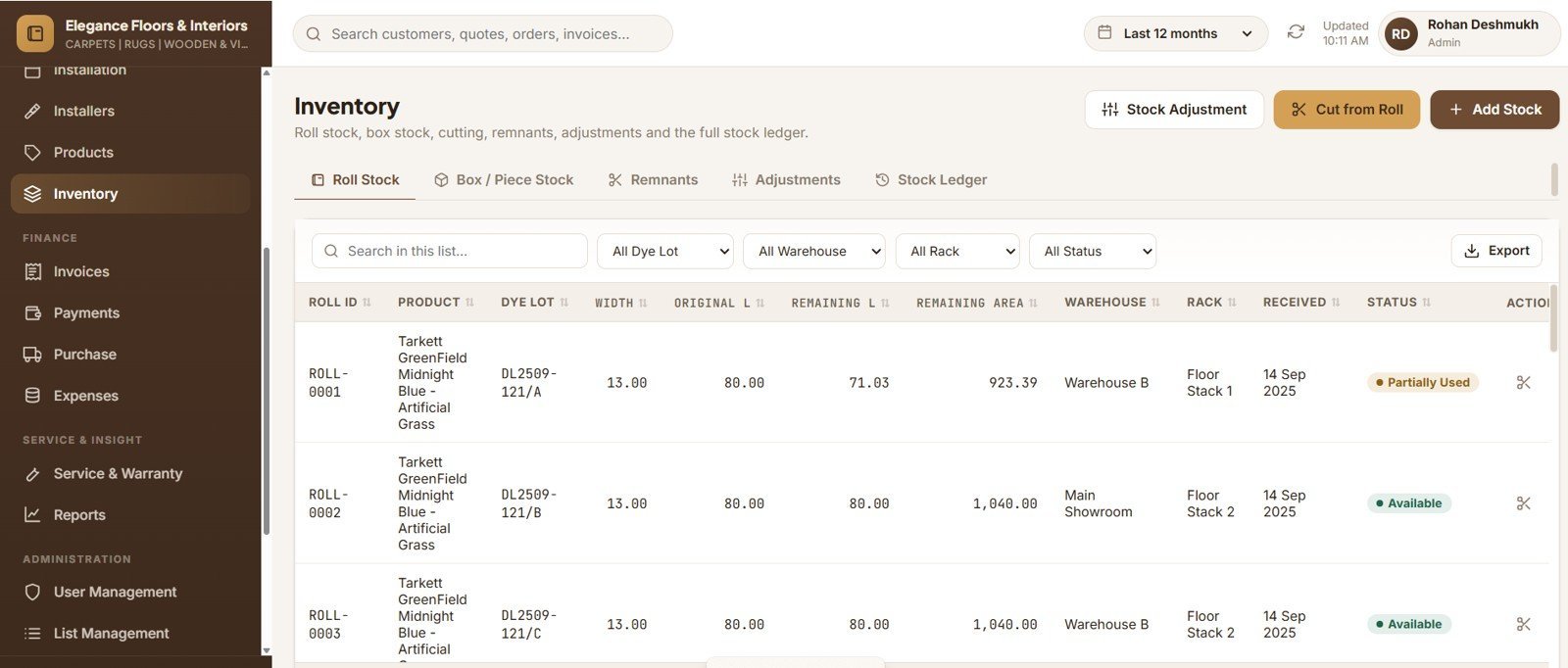
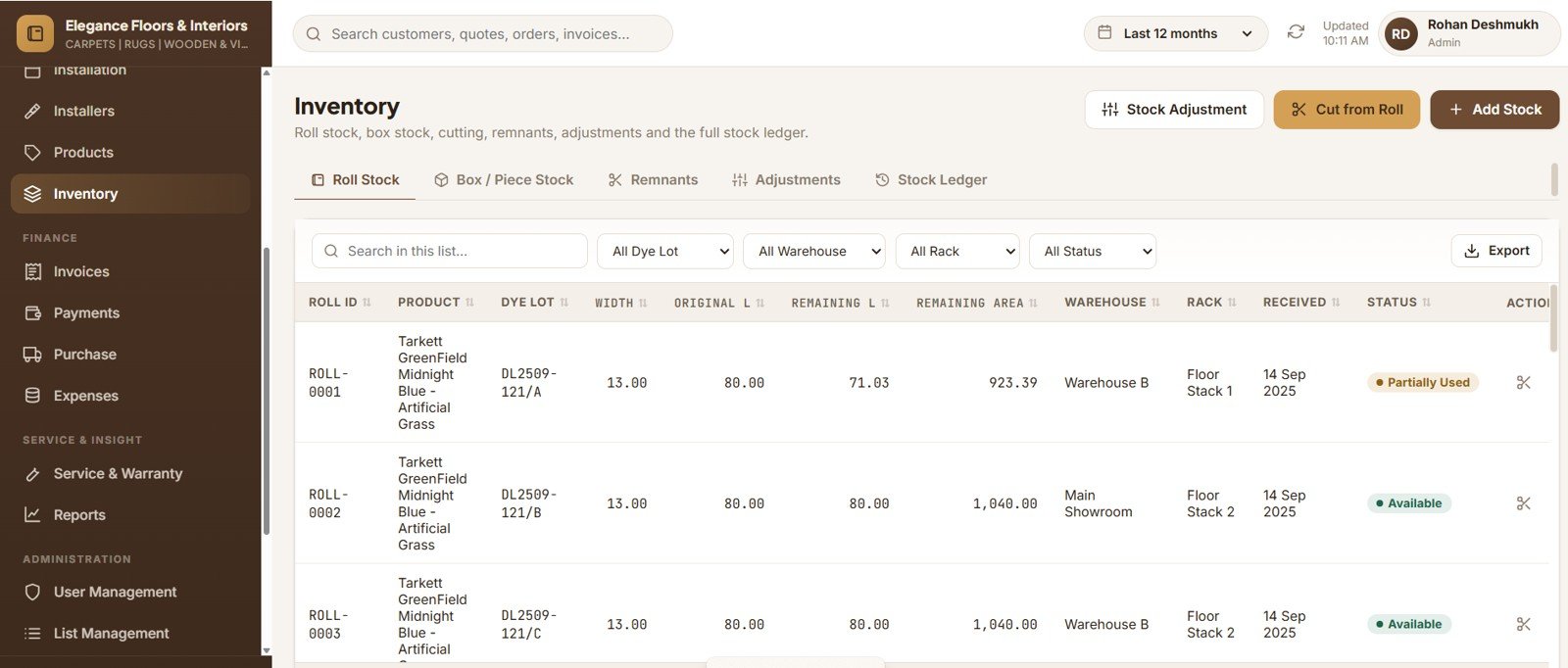
Inventory — Roll Stock
Every physical roll with its dye lot, original and remaining length, rack location and status.
Roll Cutting and Remnants
Cutting reduces the roll, writes the stock ledger and turns a usable leftover into a sellable remnant automatically.
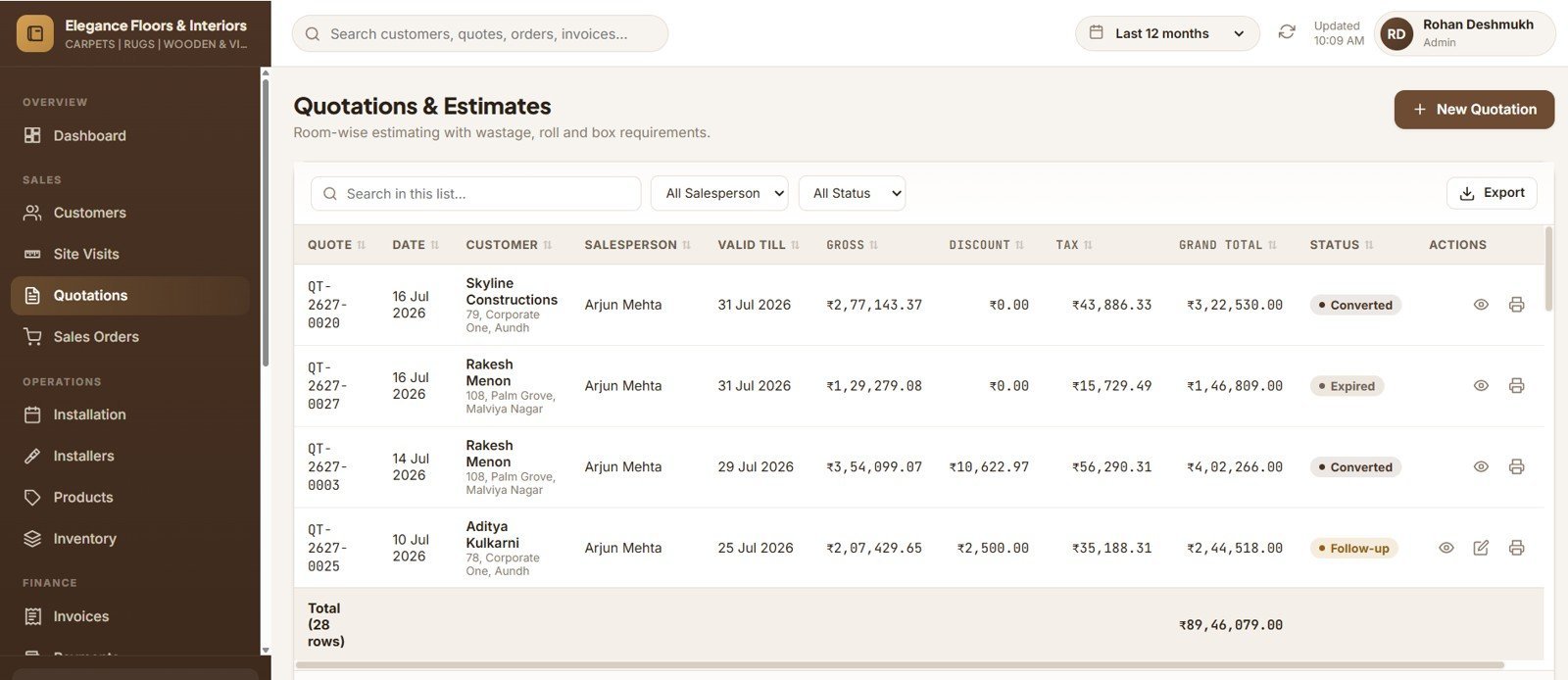
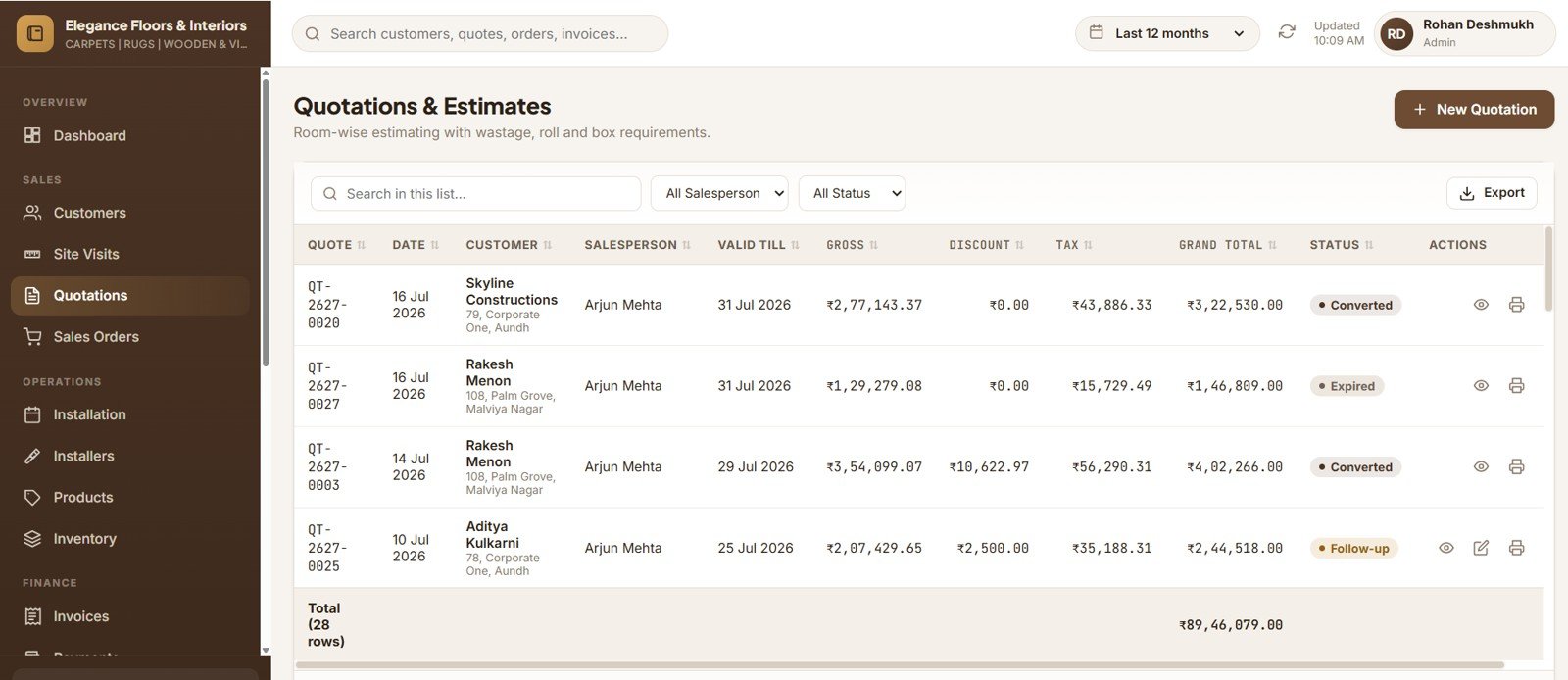
Room-wise Quotation Builder
Each line returns area, net area after wastage, material, underlay, skirting, fitting, rolls and boxes required — with seam, dye-lot and minimum-rate warnings.
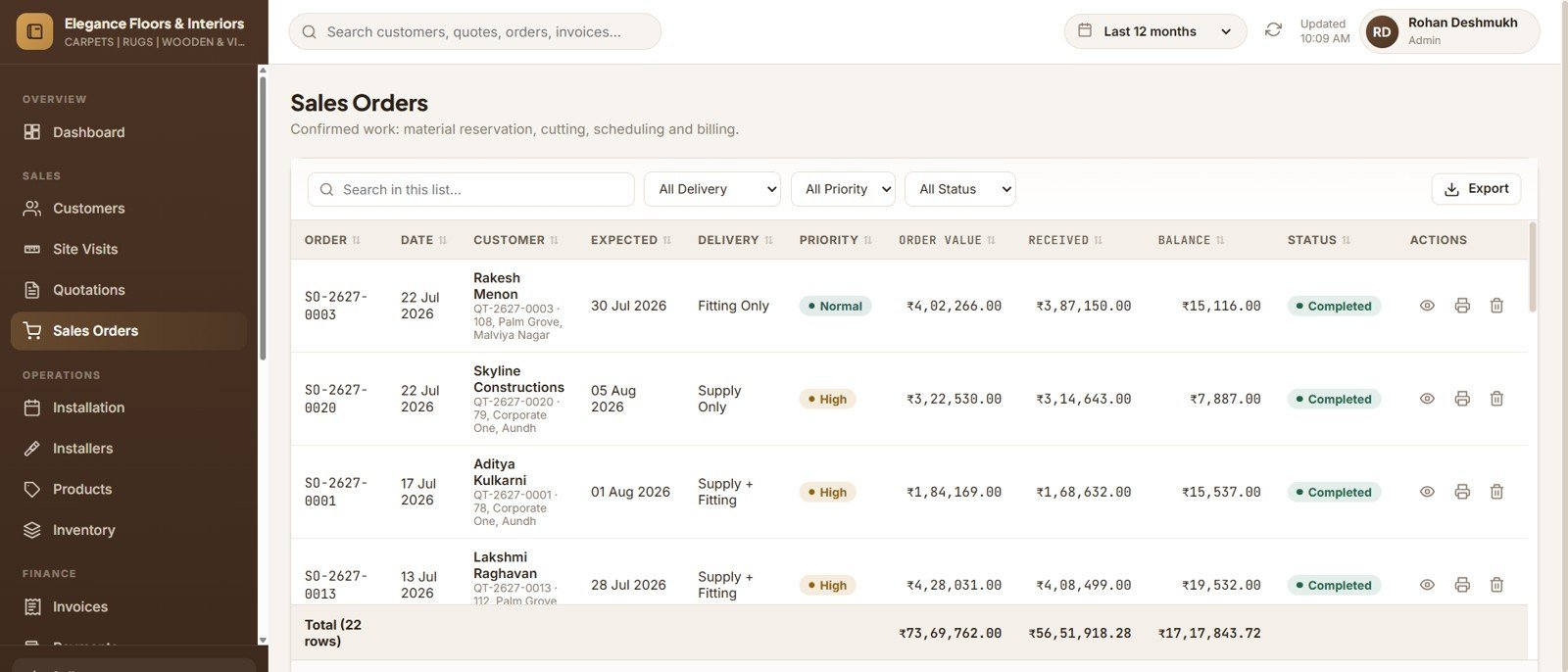
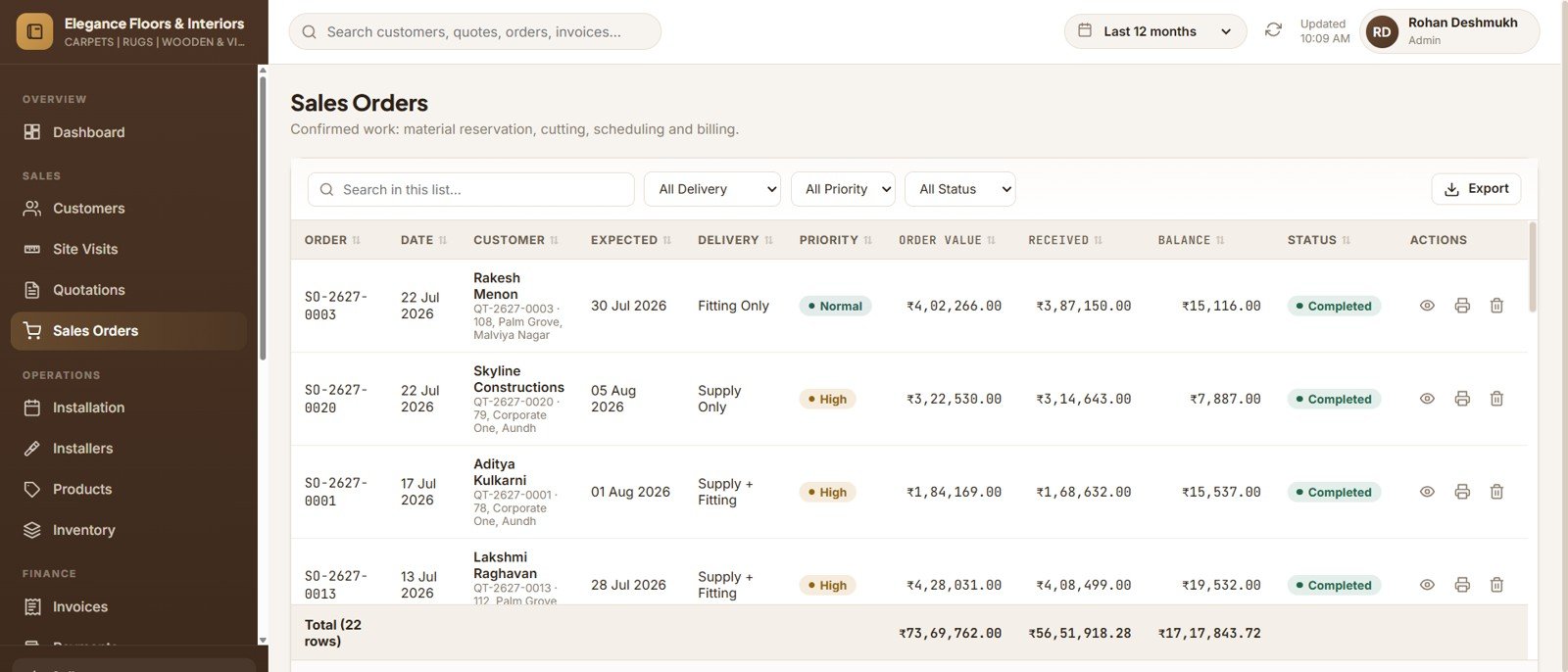
Sales Orders and Material Reservation
Order timeline from Confirmed through Completed, roll reservation against the job, and a one-click purchase order for any shortfall.
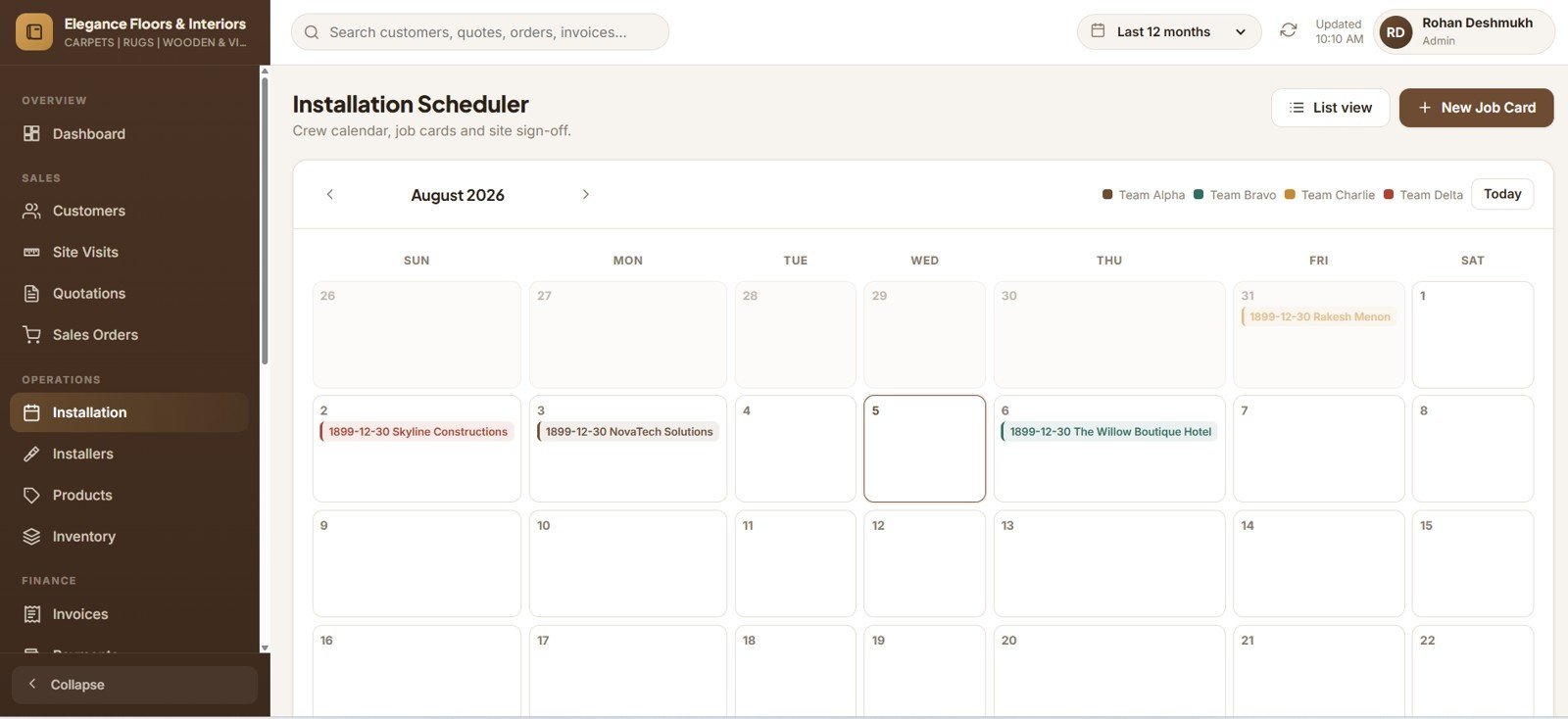
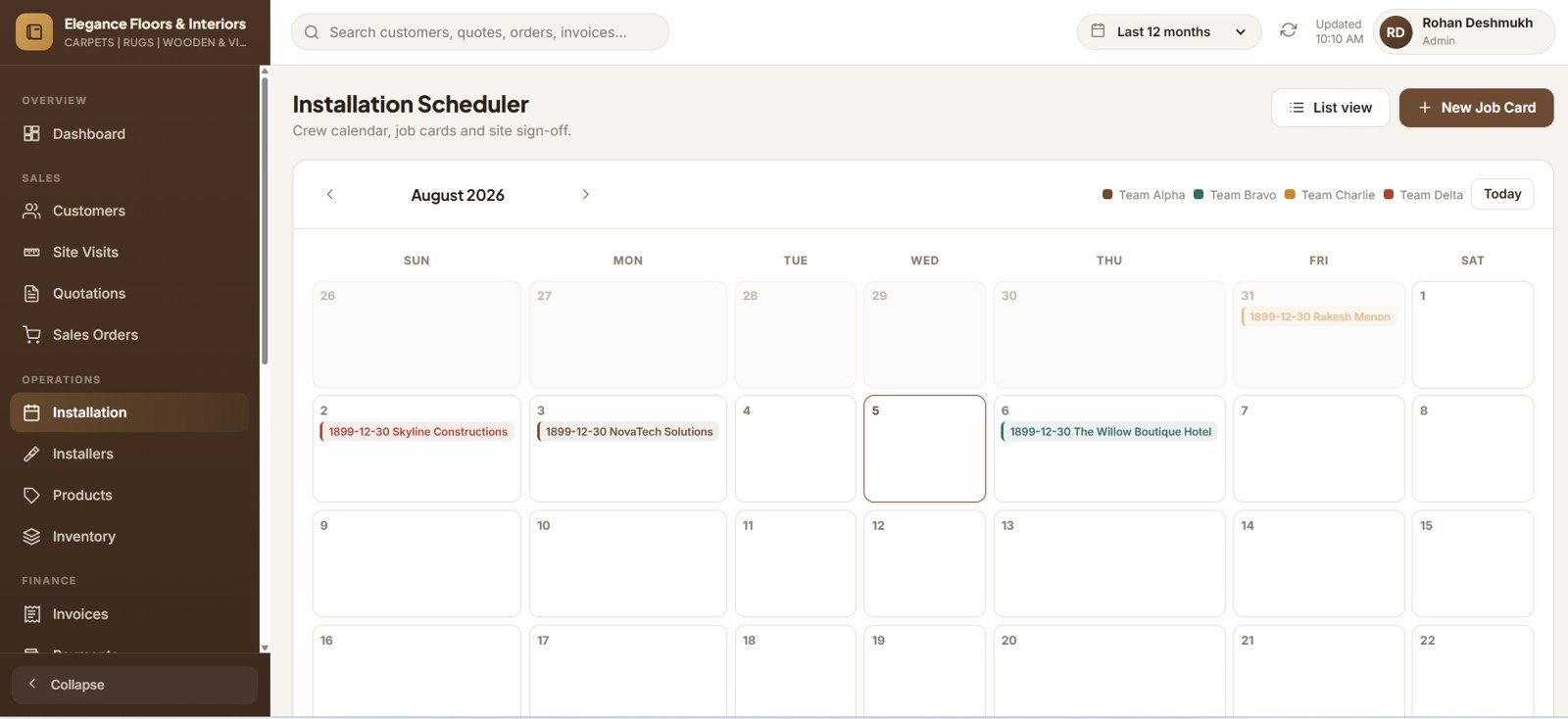
Installation Scheduler and Job Cards
Crew calendar colour-coded by team, double-booking warnings, printable job cards and sign-off capturing actual area, wastage, photos and rating.
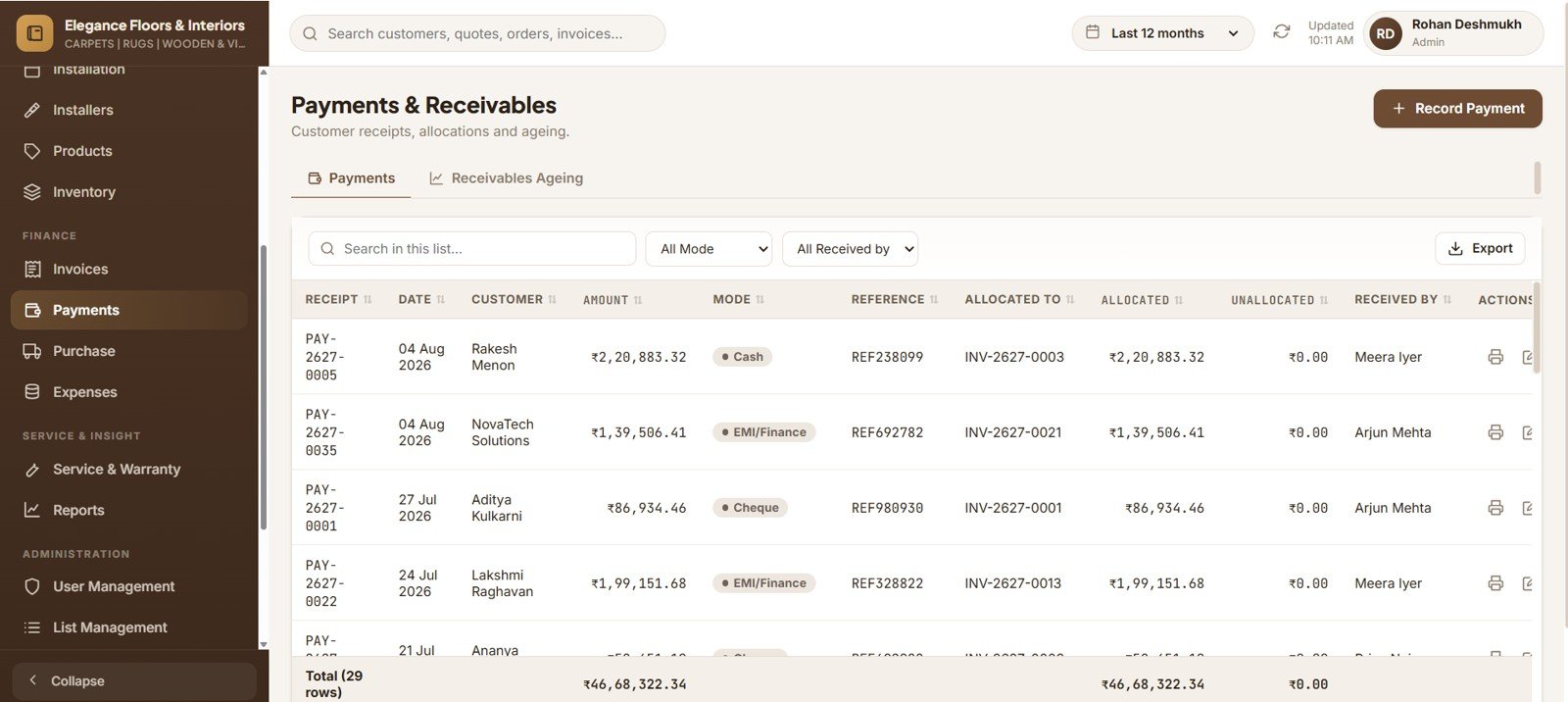
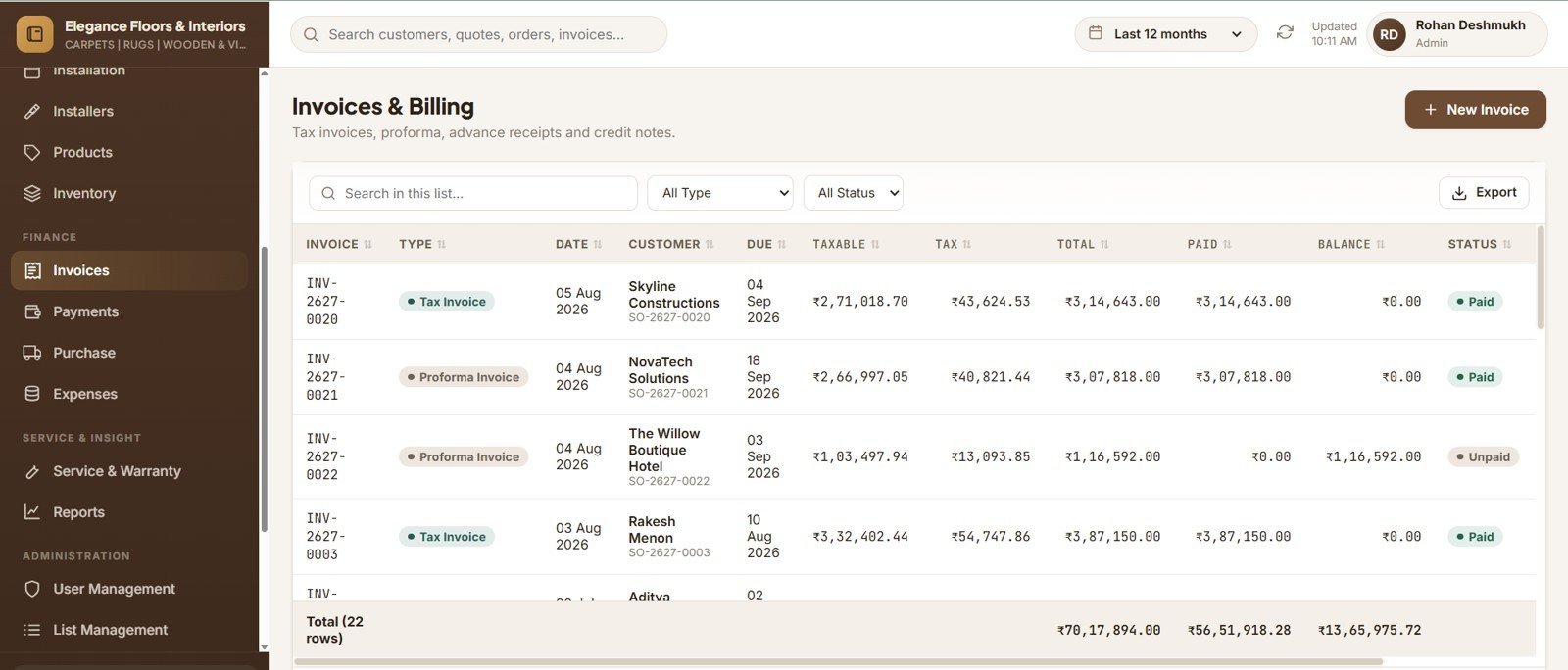
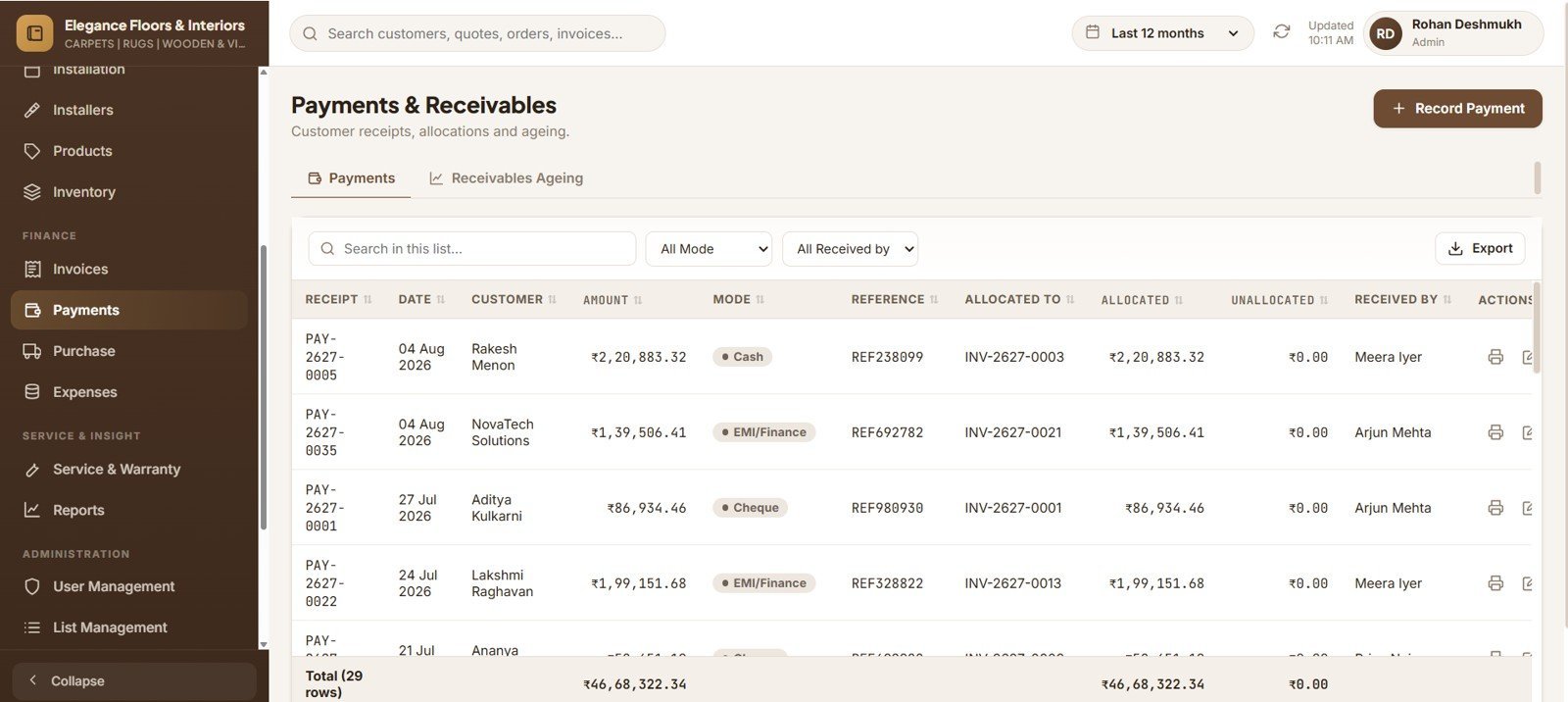
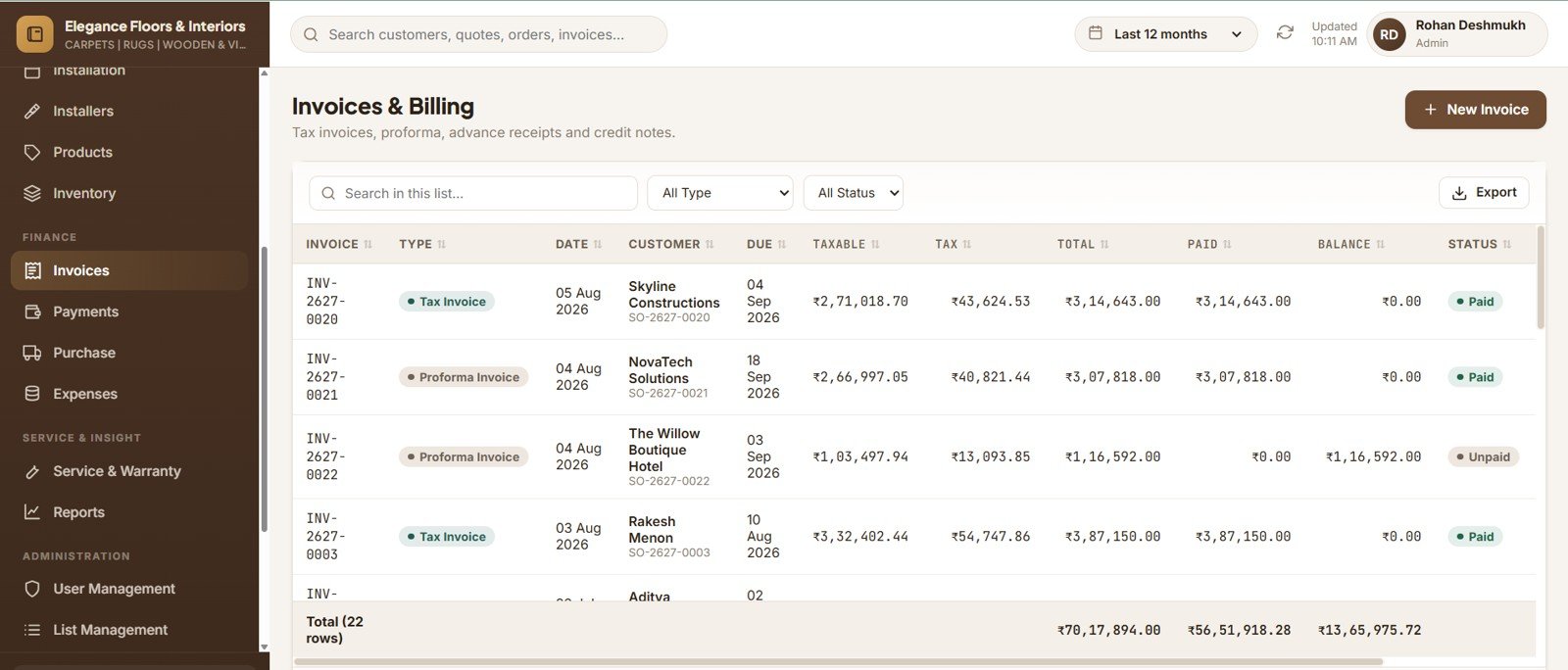
Invoices, Payments and Receivables
Invoices built from installed quantities with full tax breakup, payments allocated across several invoices, and 0–30 to 90+ day ageing.
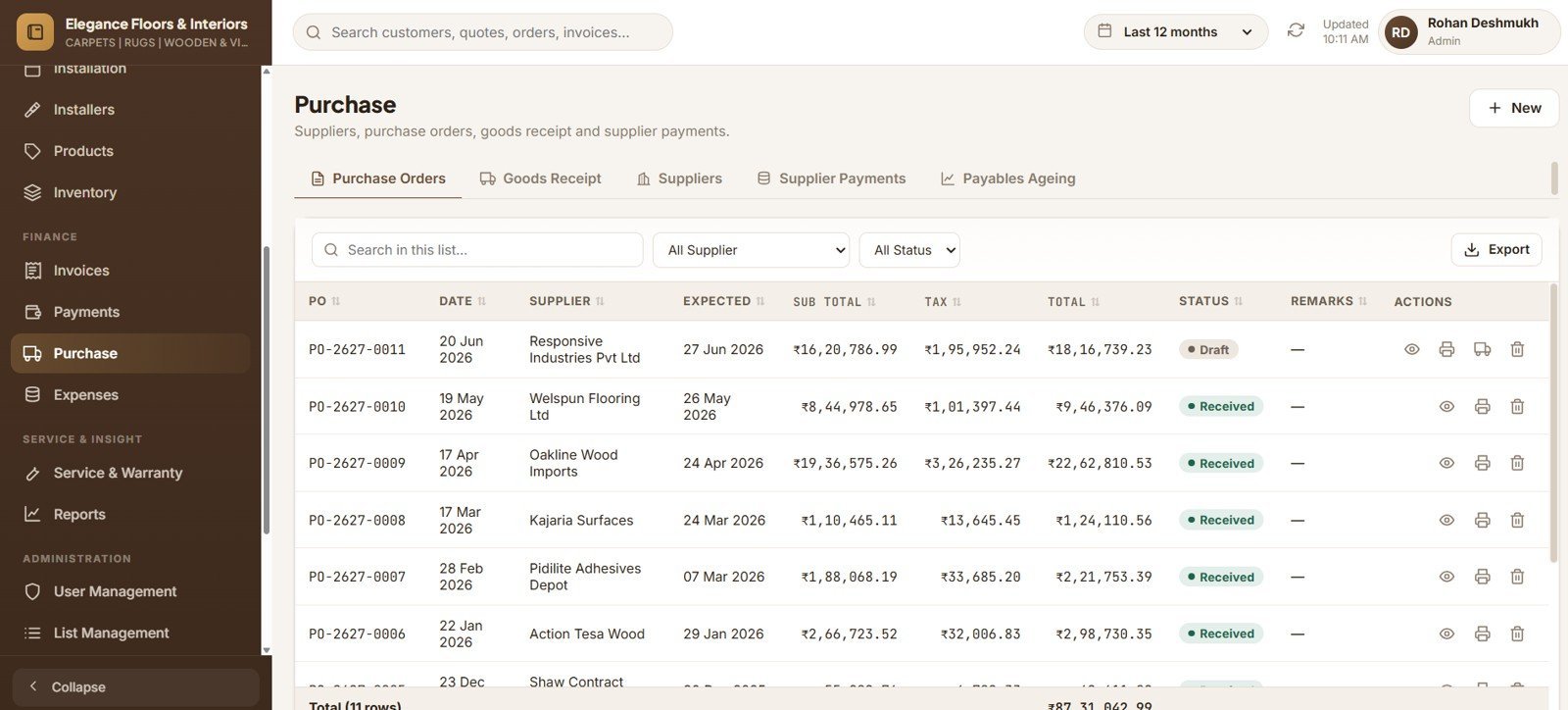
Purchase and Goods Receipt
Accepted GRN lines with a roll width and length become Roll IDs automatically, complete with an inward stock ledger entry.
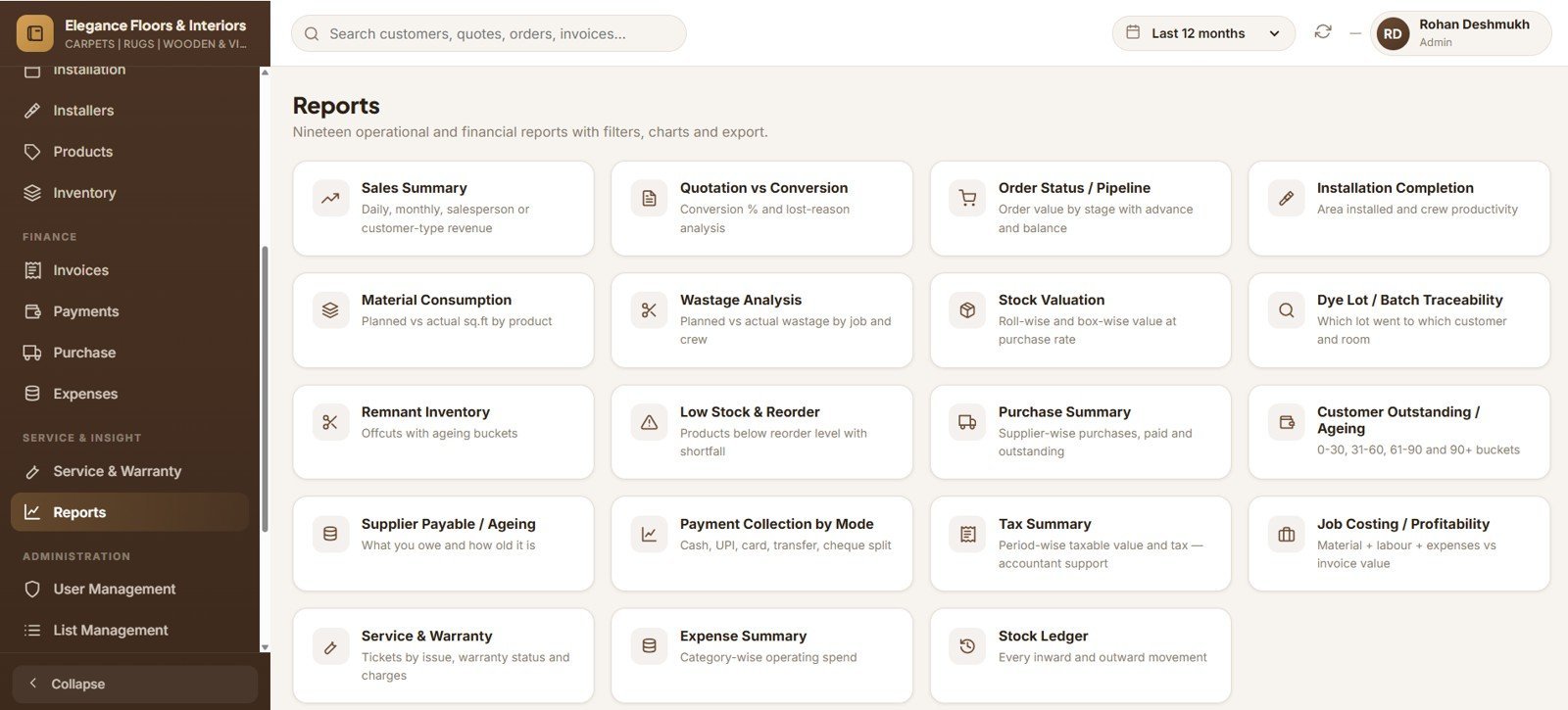
Nineteen Built-in Reports
Wastage Analysis, Dye Lot Traceability, Stock Valuation, Remnant Ageing, Job Costing, Customer Ageing and Tax Summary, all exportable to CSV.
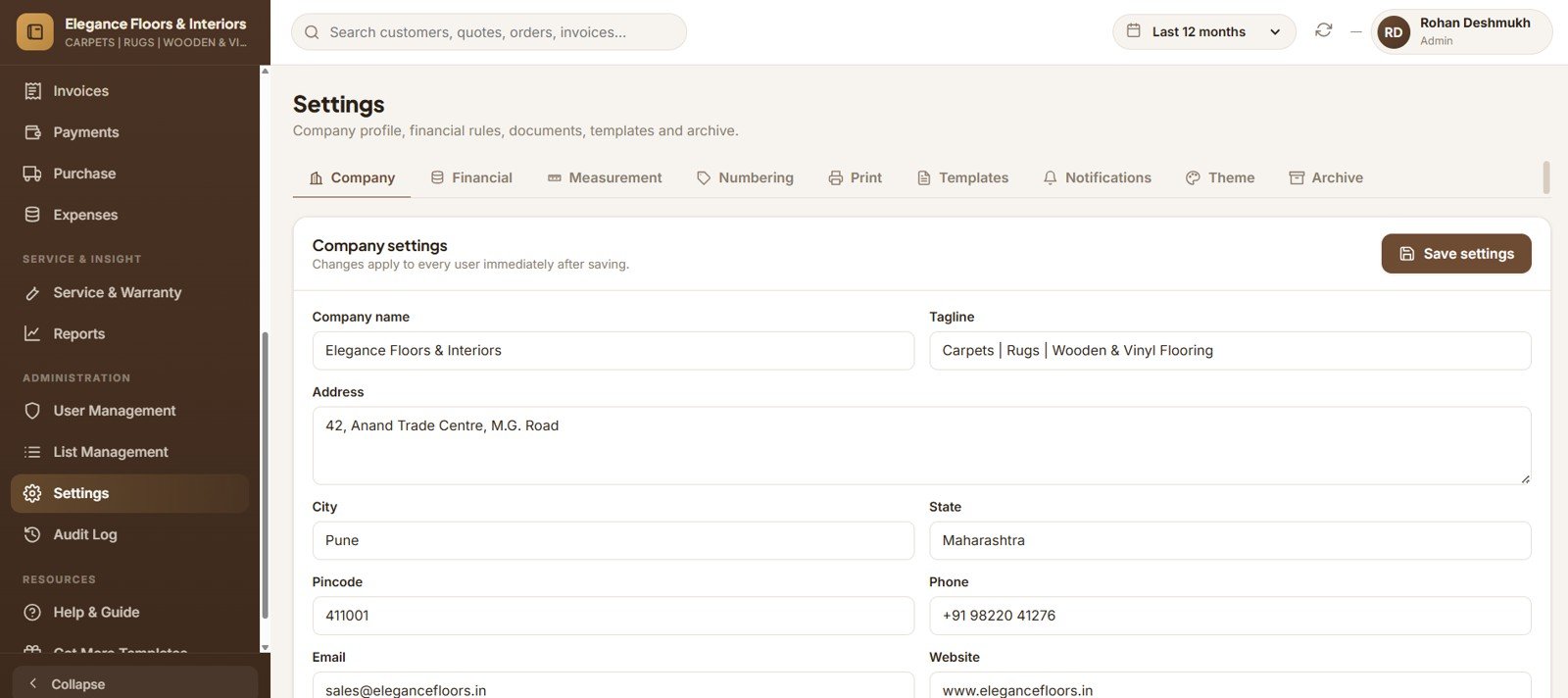
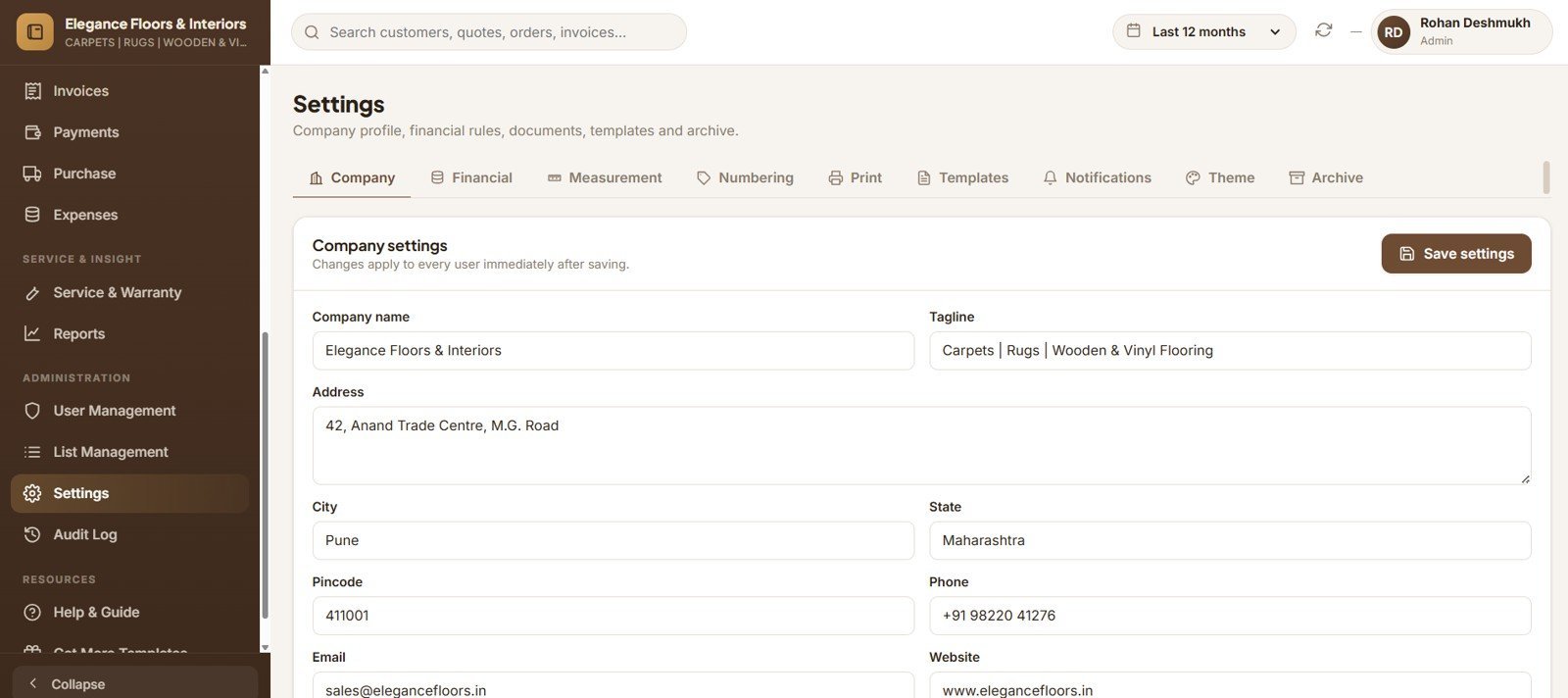
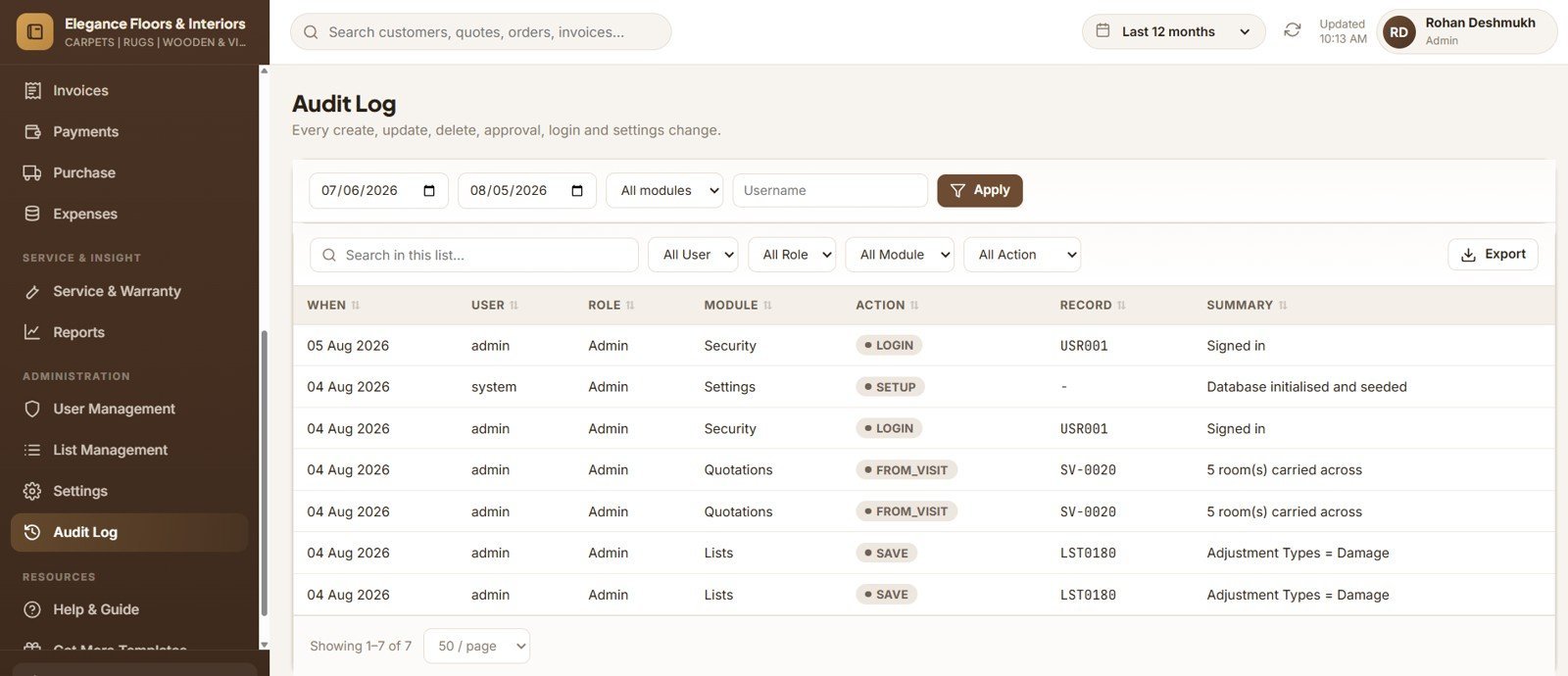
Settings and Administration
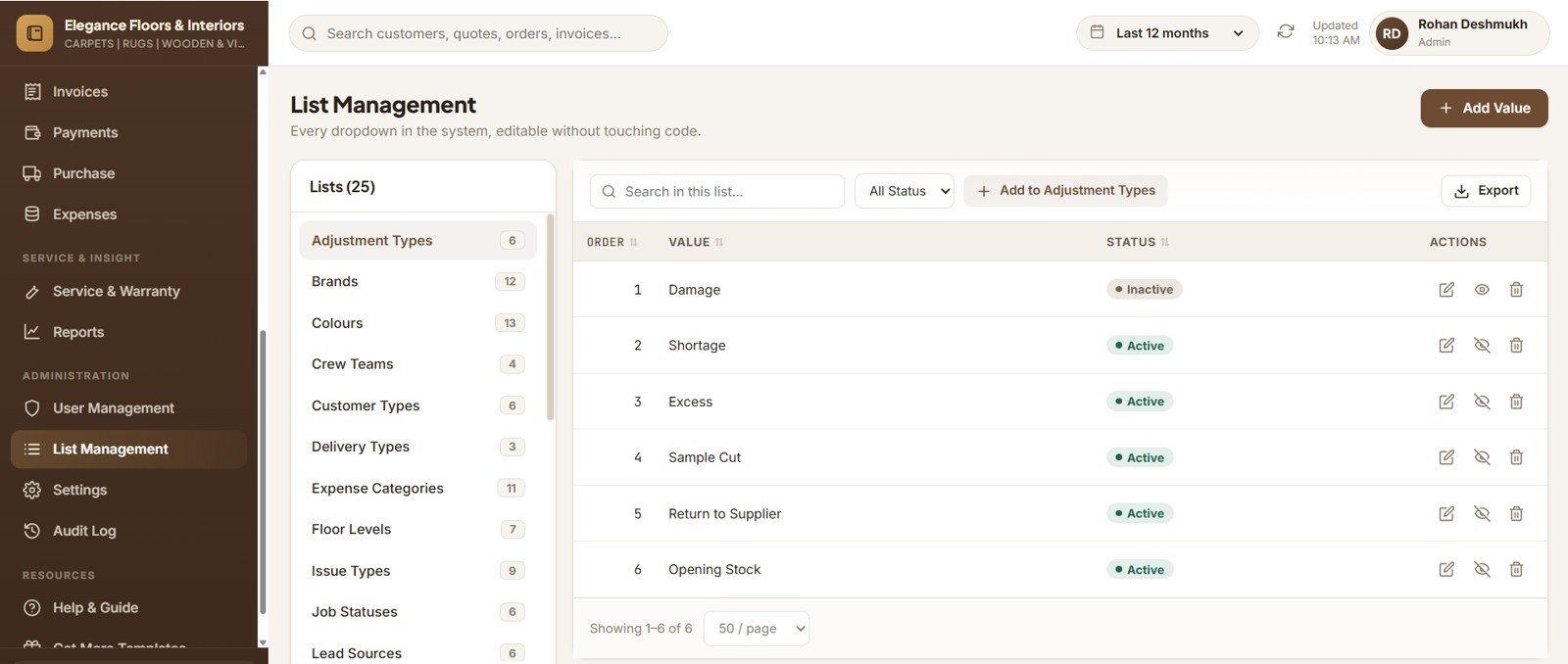
Company profile, tax mode, measurement defaults, document numbering, print sizes, email templates, permissions and the database archive.
📊 Carpet and Flooring Management System vs. Excel VBA Tools vs. Paid Flooring SaaS — Where This Fits
| Feature | Carpet & Flooring Management System | Excel VBA Flooring Tool | Measure Square / RFMS / Comp-U-Floor |
|---|---|---|---|
| Cost | $39.99 one-time | $30–80 one-time | $99–400 / user / month |
| Platform | Any browser — desktop, tablet, mobile | Windows Excel only | Desktop + mobile app |
| Setup time | Under 15 minutes | 10 minutes | 2–6 weeks onboarding |
| Real-time team collaboration | ✅ Multi-user with 6 roles | ❌ Single file, one user | ✅ Yes |
| Mobile access on site | ✅ Responsive drawer navigation | ❌ No | ✅ Yes |
| Dye-lot traceability | ✅ GRN → roll → room | ❌ Manual | ✅ Yes |
| Roll cutting + auto remnants | ✅ Built in | ❌ Manual | ✅ Yes |
| Data ownership | ✅ Your own Google Drive | ✅ Local file | ❌ Vendor-hosted |
| Year-1 cost at 5 users | $39.99 total | $30–80 total | $5,940–24,000 |
For flooring retailers who want dye-lot control, roll cutting and crew scheduling without paying per user every month, the Carpet and Flooring Business Management System sits in the sweet spot.
👥 Who This Template Is For — and Who It’s Not For
✅ This template is built for:
- Carpet, rug and wall-to-wall flooring showrooms with 2–30 staff who supply and fit
- Vinyl, LVT, laminate, engineered wood, hardwood and SPC dealers running their own crews
- Flooring contractors quoting room-by-room and needing wastage and roll maths done for them
- Owners tired of spreadsheets who still refuse a per-user monthly subscription
❌ This template is NOT for:
- Enterprises needing SOC 2, SSO or a signed vendor security review
- Businesses wanting on-screen CAD room drawing or laser-measure device integration
- Teams that need offline access — this is a browser-based Google Apps Script web app
- Anyone wanting a plain Excel file; this deploys as a multi-user web application
⚙️ How to Use the Carpet and Flooring Business Management System
- Open script.google.com and create a new project.
- Paste Code.cs.txt into Code.gs, then add an HTML file named exactly Index and paste Index.txt into it.
- Run setupSystem once and authorise it. The system builds its own 38-sheet database in your Drive and seeds 12 months of sample data.
- Deploy as a web app — Execute as: Me, Who has access: Anyone with the link.
- Sign in with the Admin account from the included Login_Details file and change every password.
- Set your company profile, tax mode, default wastage and document number prefixes in Settings.
- Load your product catalog, then receive opening stock through Purchase → GRN so roll records are created.
- Start selling: Site Visit → Quotation → Sales Order → Job Card → Invoice → Payment.
💼 Real-World Use Cases
Ramesh runs a 6-person carpet showroom. His sales team measures on site, converts the visit straight into a room-wise quotation, and the system works out wastage, rolls needed and where a seam will fall — so quotes go out the same evening instead of two days later, and nobody under-quotes a large living room again.
Priya manages stock for a flooring contractor with three fitting crews. She reserves rolls against each confirmed order, cuts against the job so the stock ledger always shows which roll went where, and reviews the Remnant Inventory report monthly to discount ageing offcuts before they become scrap.
Anil handles accounts for a builder-supply flooring business. He raises invoices straight from signed-off job cards, allocates a single customer cheque across four open invoices, and works the 0–30 day ageing bucket every Monday instead of chasing 90-day debt.
❓ Frequently Asked Questions
What does the Carpet and Flooring Business Management System actually do?
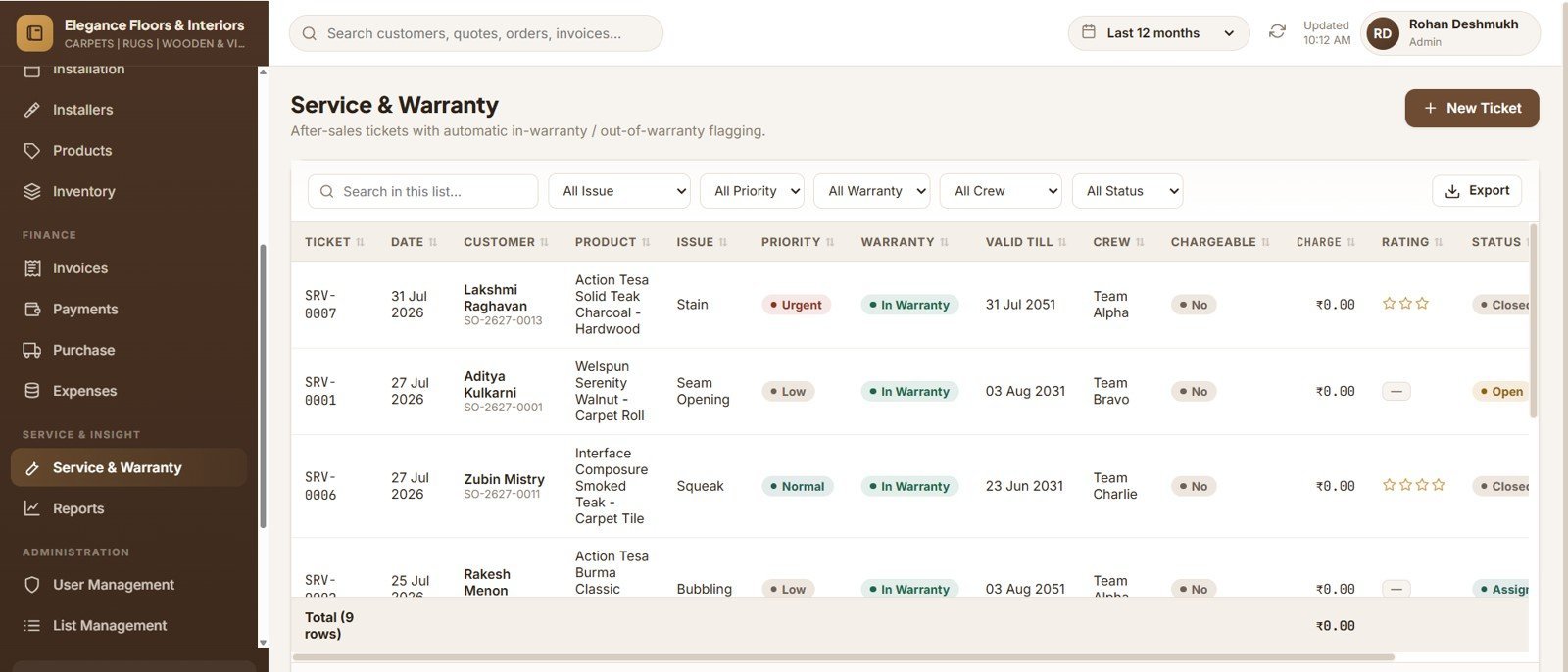
The Carpet and Flooring Business Management System runs your whole flooring business — site measurement visits, room-wise quotations with wastage, roll cutting with dye-lot tracking, crew scheduling, invoicing, payments and warranty service — across 21 modules and 19 reports.
How does it calculate the material needed for a room?
The system multiplies length by width for the area, applies your wastage percentage to get net area, then divides net area by the roll’s usable area or the box coverage and rounds up. It also flags a seam when room width exceeds roll width.
Can I enter measurements in feet and inches?
Yes. The Carpet and Flooring Business Management System accepts 12’6″, 12.5, 12′ 6 and 12-6 — all resolve to twelve feet six inches. Your team enters what the measuring tape shows without converting anything by hand.
How does this compare to Measure Square or RFMS?
Those platforms charge roughly $99–400 per user per month and take weeks to onboard. The Carpet and Flooring Business Management System is a one-time $39.99 purchase, deploys in under 15 minutes, and stores every record in your own Google Drive.
How long does setup take?
Under 15 minutes. Paste two files into a Google Apps Script project, run setupSystem once, and deploy as a web app. The system creates all 38 database sheets and seeds sample data so every screen works immediately.
How many people can use it at once?
There is no user limit and no per-user fee. The Carpet and Flooring Business Management System ships with 6 roles and 7 ready-made accounts, and you can add as many users as your business needs from the User Management screen.
Does it work on a phone at the customer’s site?
Yes. The interface is fully responsive with slide-in drawer navigation, horizontally scrolling tables and stacked forms, so your sales team can capture room measurements on a phone or tablet during the visit.
👤 About the Author
Built by PK — Microsoft Certified Professional with 15+ years of Excel, Google Sheets, and Power BI experience. Founder of NextGenTemplates, reaching 300K+ subscribers across YouTube channels (@PK-AnExcelExpert, @NextGenTemplates, @NeoTechNavigators). Every template is hand-built and tested before release.
🔗 Explore Related Templates
If you also run project work alongside supply-and-fit, the Home Renovation Project Management Web App handles multi-trade schedules and change orders on the same Apps Script foundation. Retailers who sell from a counter as well as a showroom floor often pair this with the Beauty Products Distributor Management System for its distribution and route-billing patterns, while businesses hiring out sanders, stretchers and floor tools use the Rental Equipment Management System. For crew payroll, the Payroll and Salary Management System Web App covers attendance, overtime and payslips.
Browse every ready-to-deploy system in our Web Apps collection, or explore our Google Sheets Dashboards for reporting-only needs.
📖 Click here to read the Detailed Blog Post
🎥 Visit our YouTube channel for step-by-step video tutorials
👉 YouTube.com/@NextGenTemplates
📅 Last updated: August 2026





























Reviews
There are no reviews yet.