










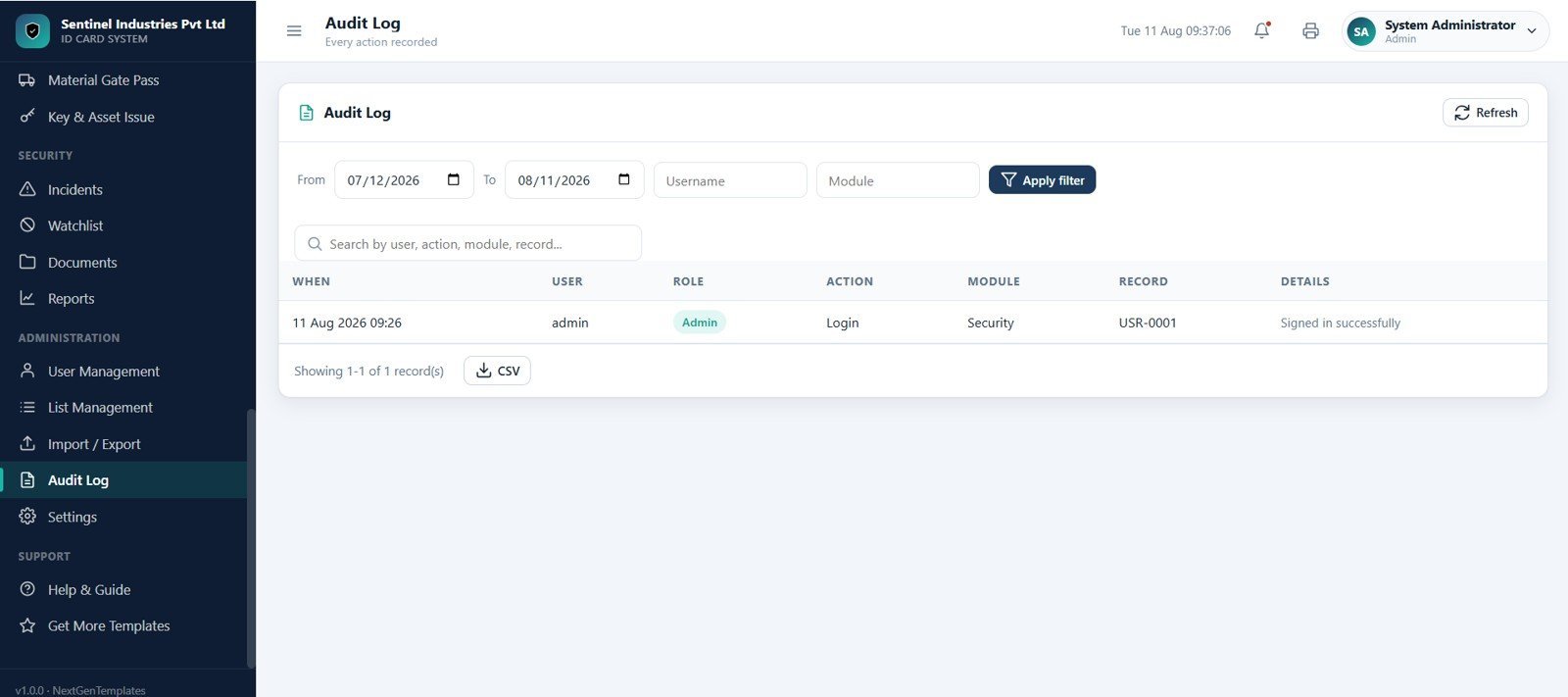

Access Control and ID Card Management System Web App gives security teams a 29-screen browser workspace for cardholders, ID cards, gates, doors, readers, access rights, events, visitors, vehicle passes, material gate passes, keys, incidents, watchlists, reports, users, audit logs, and settings. The system starts with 8 dashboard cards, includes 29 product screenshots, and is packaged as a one-time downloadable web app for $39.99 launch sale pricing. Join 8,400+ teams in 40+ countries using NextGenTemplates to replace scattered spreadsheets and monthly software subscriptions with editable Excel, Google Sheets, Power BI, and web app templates. Instant download, one-time payment, no subscription, no per-user fees, and lifetime access.
🚀 Try the Live Demo Before You Buy
We have deployed this web app in our own Google account so you can test every page, every module and all six user roles — with real sample data — before purchasing. No signup, no email required.
🔑 Test Login Credentials
Sign in as admin to unlock every module — cardholders, ID card issuance, access zones, devices, users and settings — or try any of the other roles to see exactly what each team member is allowed to view and do. 💡 Tip: start with admin, then re-login as guard or auditor to compare the role-based permissions.
💡 What you get after purchase: The full source code (Code.gs + Index.html) plus a step-by-step deployment guide so you can deploy your own private instance in your own Google account in under 15 minutes.
Key Features of Access Control and ID Card Management System Web App
- 29 connected pages: Login, dashboard, gate punch, alerts, cardholders, ID cards, requests, designer, sites, zones, doors, readers, schedules, groups, rights, events, attendance, visitors, passes, incidents, reports, users, settings, and audit tools.
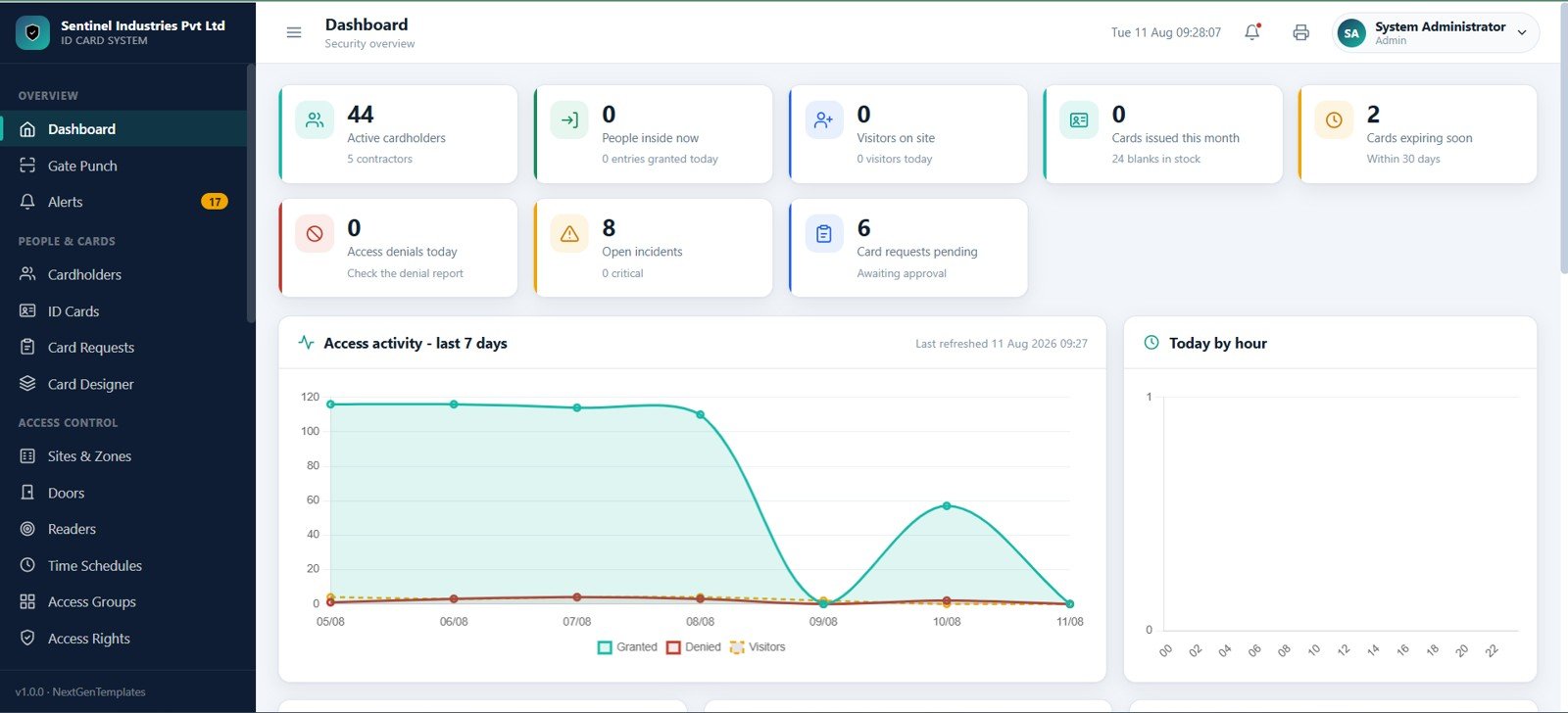
- Security dashboard: Track active cardholders, people inside now, visitors on site, cards issued this month, expiring cards, access denials, open incidents, and pending card requests.
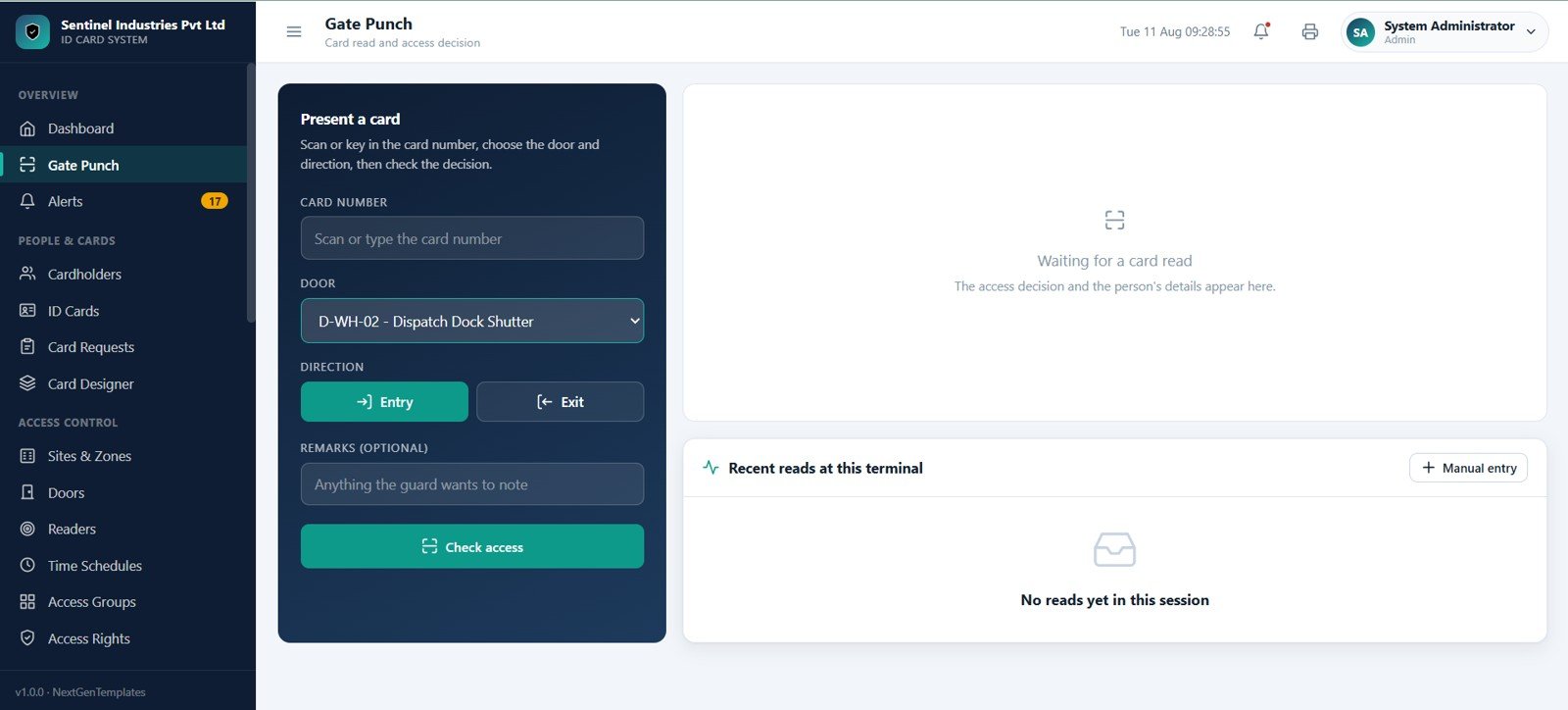
- Guard gate screen: Scan or type a card number, select the door, choose entry or exit, record remarks, and review the access decision with recent reads.
- Cardholder lifecycle: Manage employees, contractors, visitors, pass holders, card status, valid-till dates, department, site, and mobile details.
- ID card workflow: Track card stock, issued cards, expiring cards, blocked cards, lost cards, damaged cards, renewals, replacements, approvals, printing, issue, and collection.
- Access control setup: Maintain sites, zones, doors, readers, schedules, access groups, access rights, door matrix views, and rights requiring review.
- Security operations: Log access events, currently-inside records, attendance from access events, visitors, vehicle passes, material gate passes, keys, assets, incidents, and watchlist records.
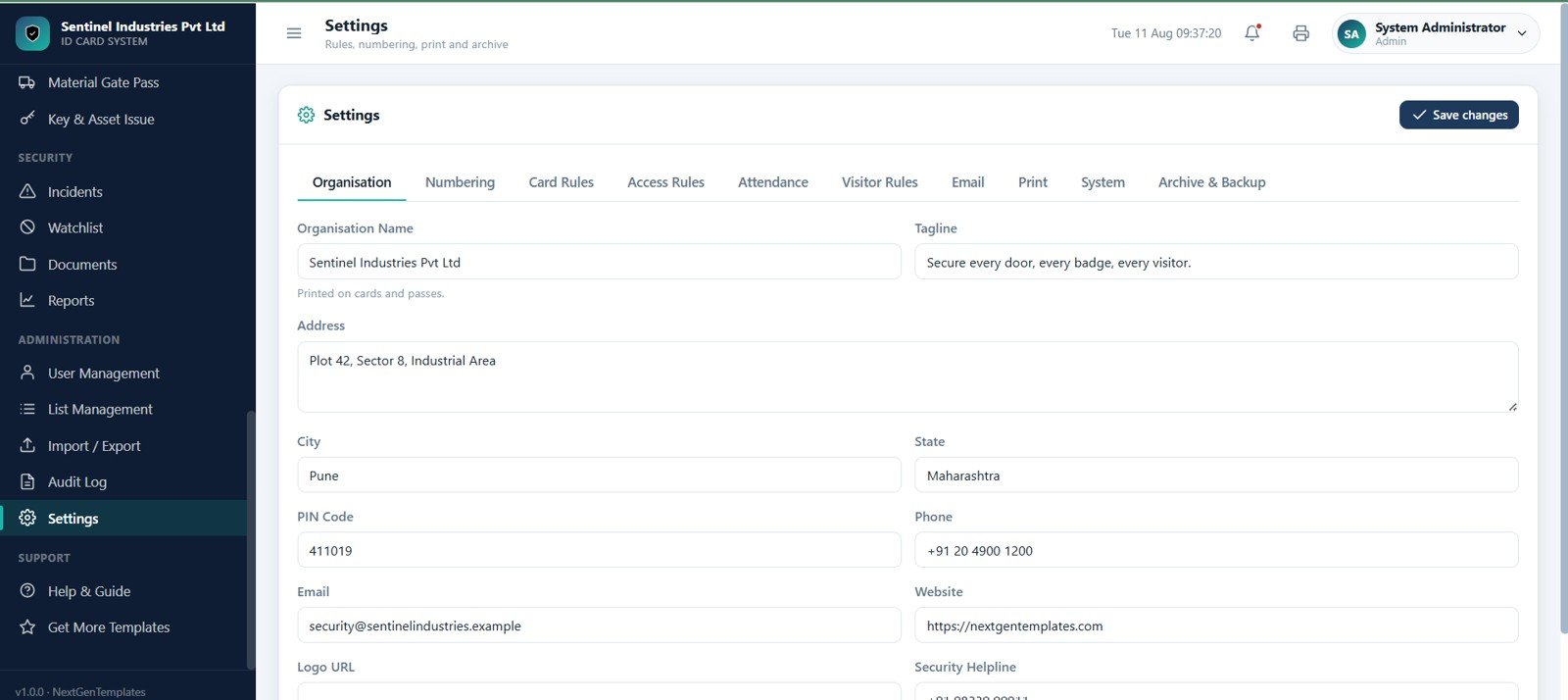
- Admin and governance: Includes user management, list management, import/export, audit log, organisation profile, numbering, card rules, access rules, attendance rules, visitor rules, print settings, archive, and backup settings.
What’s Inside the Access Control and ID Card Management System Web App
The template is built around the daily security control room workflow: sign in, review the dashboard, validate gate punches, manage cardholders and cards, configure access rules, monitor events, register visitors and passes, investigate incidents, and maintain audit-ready records.
Login Page
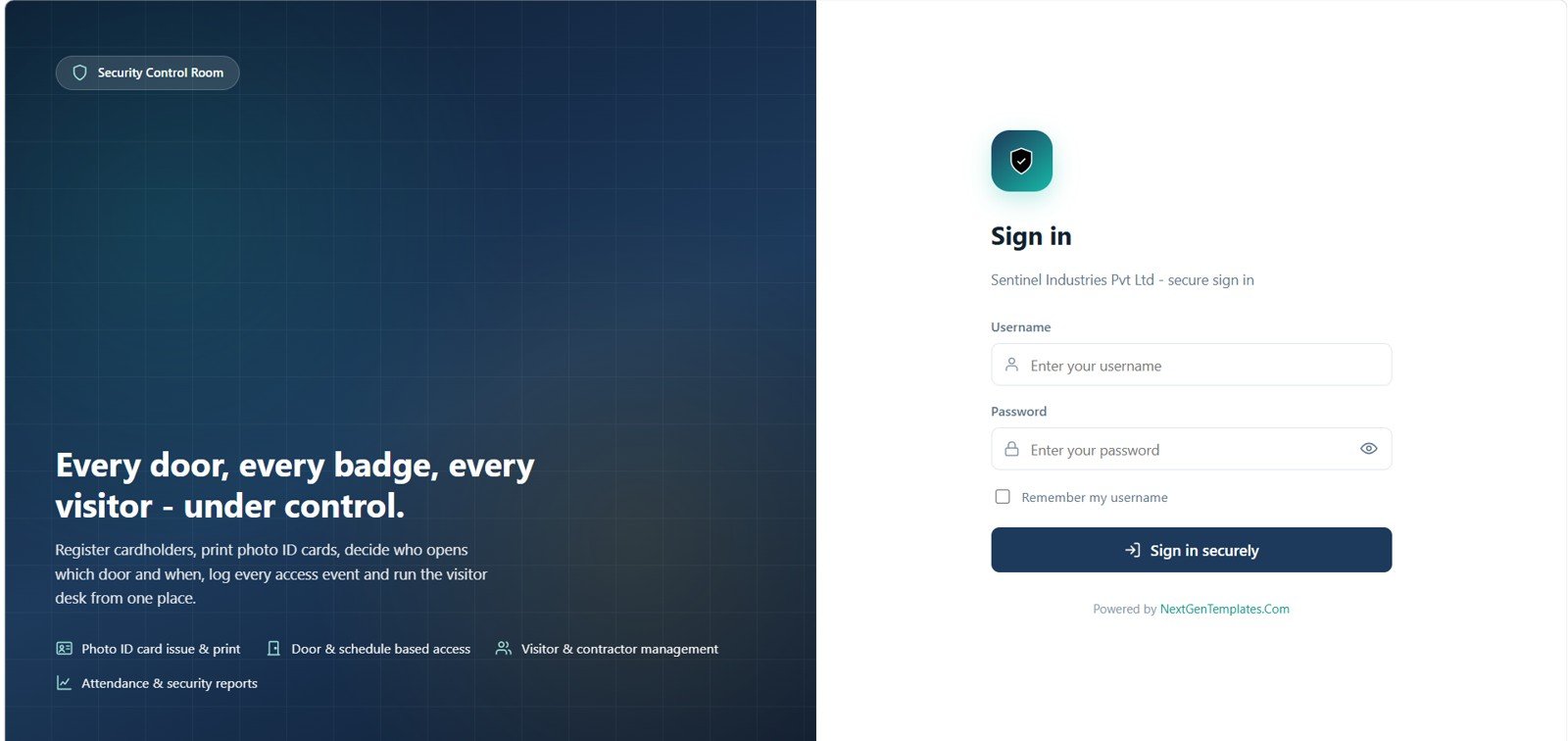
The secure sign-in screen opens the Security Control Room workspace. Users enter their username and password, can remember the username, and access the system based on their assigned role.
Dashboard
The dashboard shows active cardholders, people inside now, visitors on site, cards issued this month, cards expiring soon, access denials today, open incidents, and pending card requests. It also includes access activity for the last 7 days and activity by hour.
Gate Punch
The gate punch screen is designed for guards. It supports card number scan or manual input, door selection, entry and exit direction buttons, remarks, check access, access decision output, recent reads, and manual event entry.
Alerts
Alerts bring overdue and action-required records into one place, including keys, gate passes, incidents, devices, cards, access events, and card requests. Open, rebuild, and refresh options help the team act quickly.
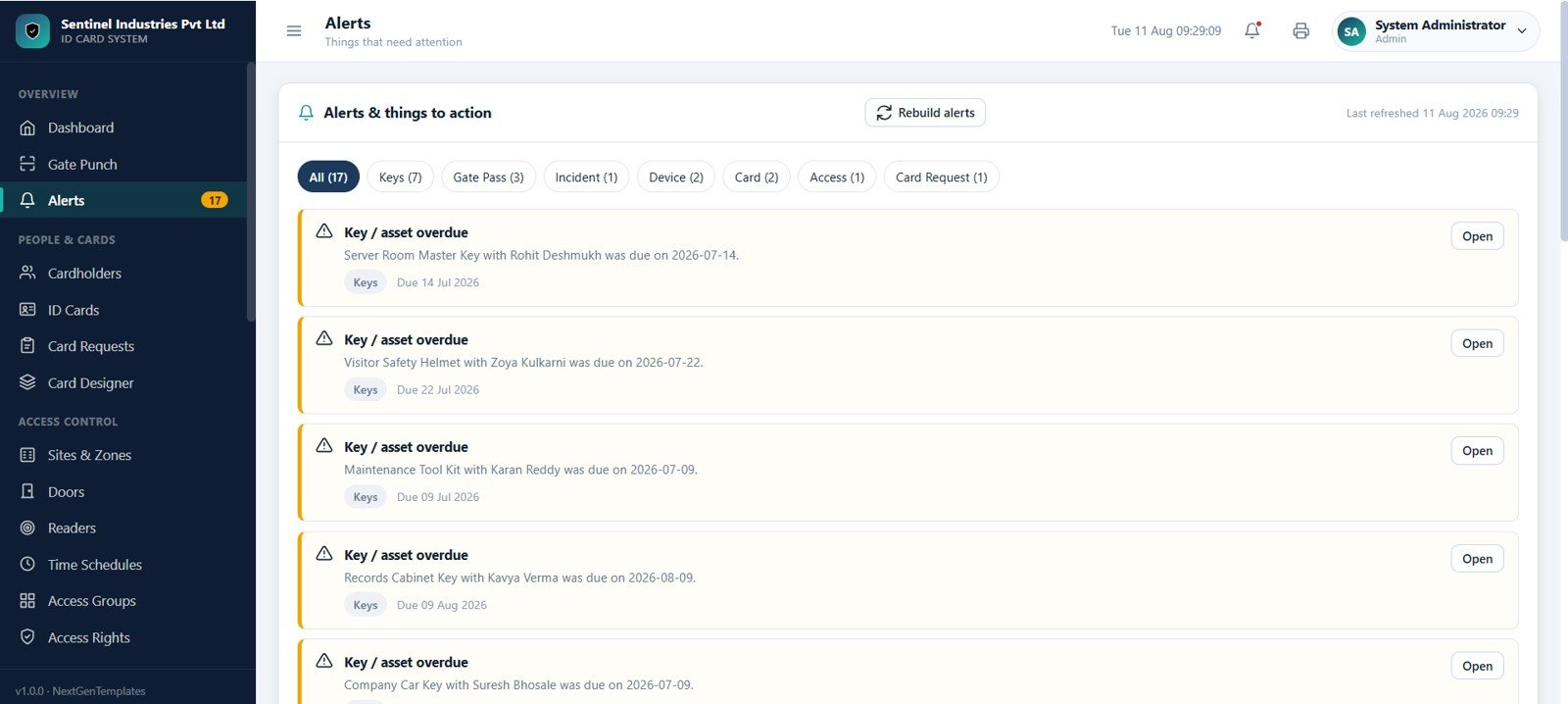
Cardholders
The cardholder register covers employees, contractors, and pass holders with filters for status, department, site, and type. Search by name, code, department, or card before adding, viewing, or editing a record.
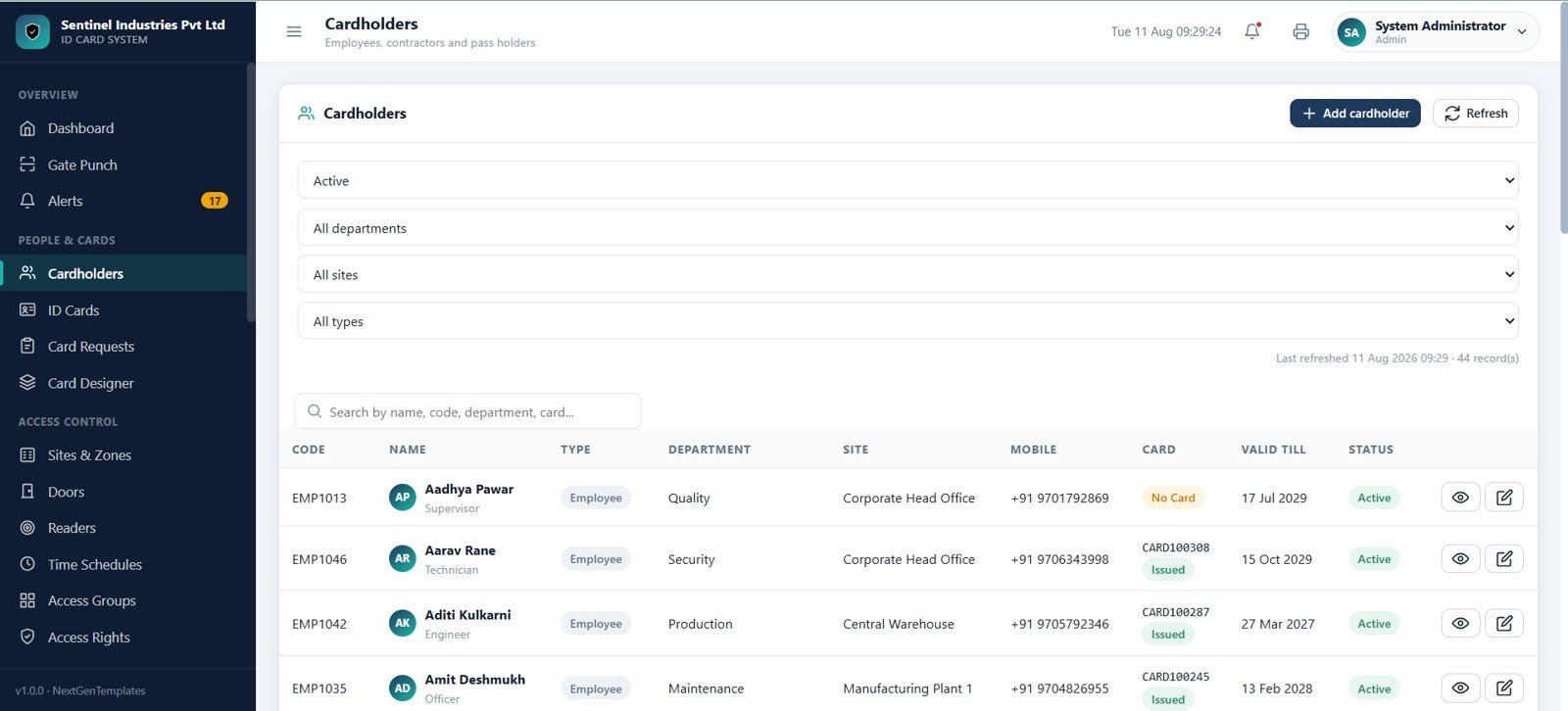
ID Cards
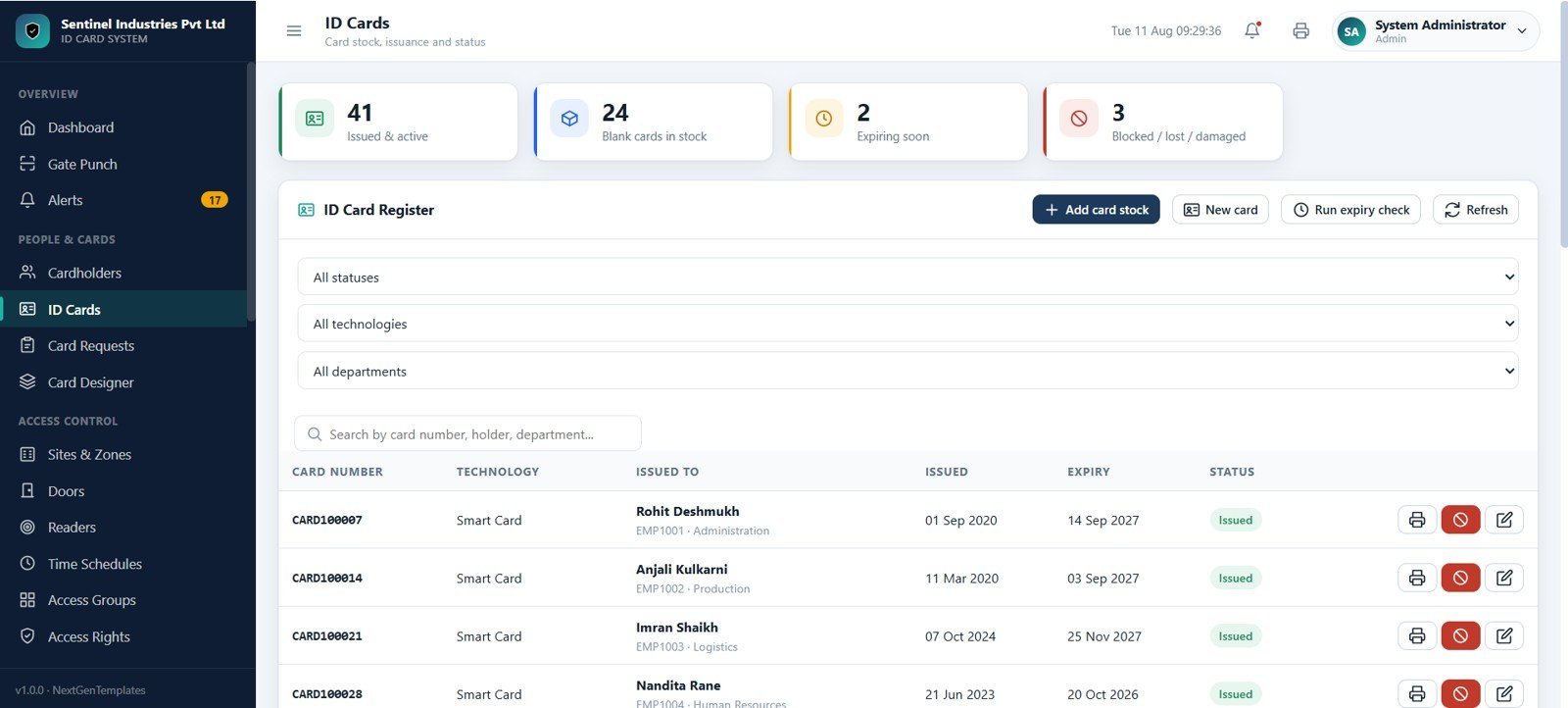
The ID Cards page manages issued and active cards, blank stock, cards expiring soon, blocked cards, lost cards, and damaged cards. It includes card number, technology, issued-to, issue date, expiry date, status, and stock actions.
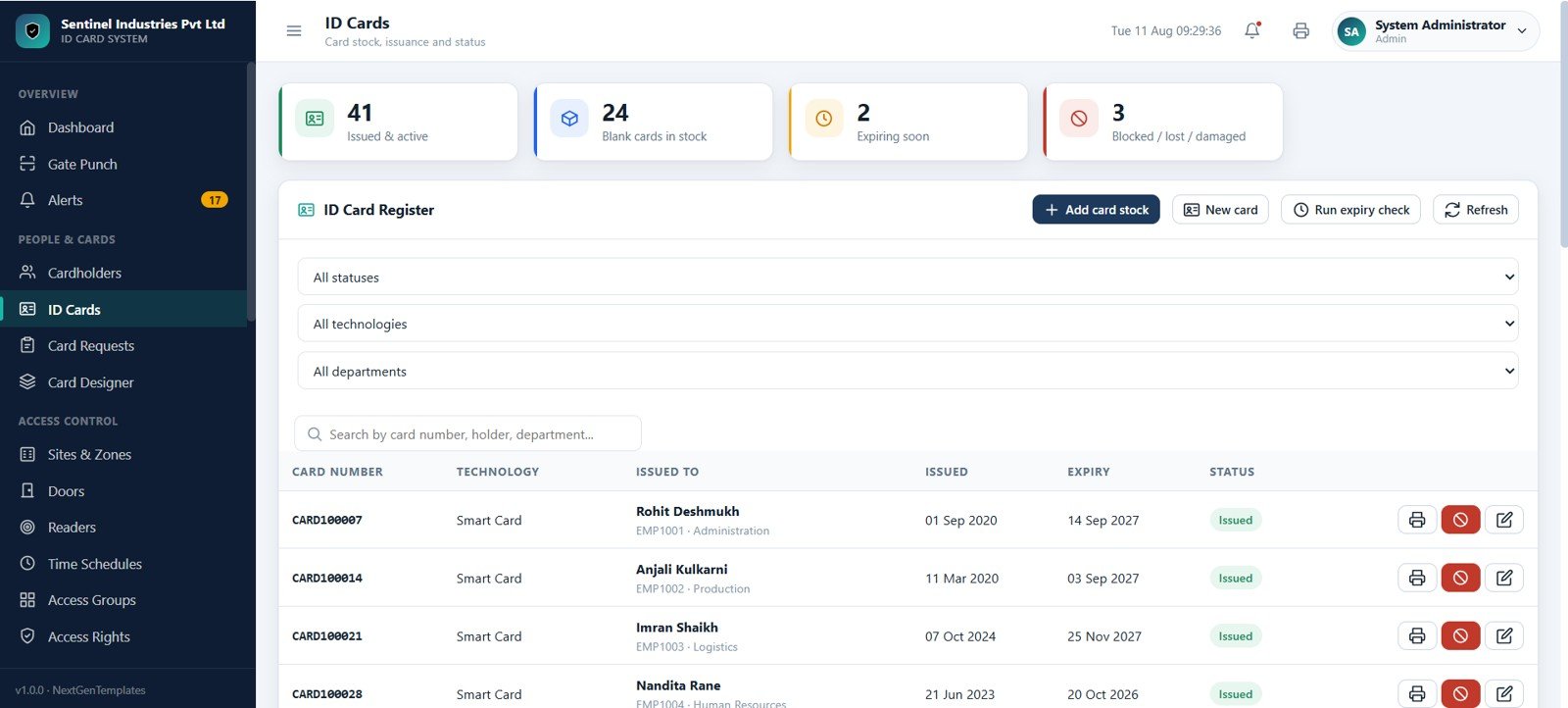
Card Requests
Card Requests tracks new, renewal, replacement lost, and replacement damaged workflows. Each request can move through approve, reject, print, issue, collect, and view actions.
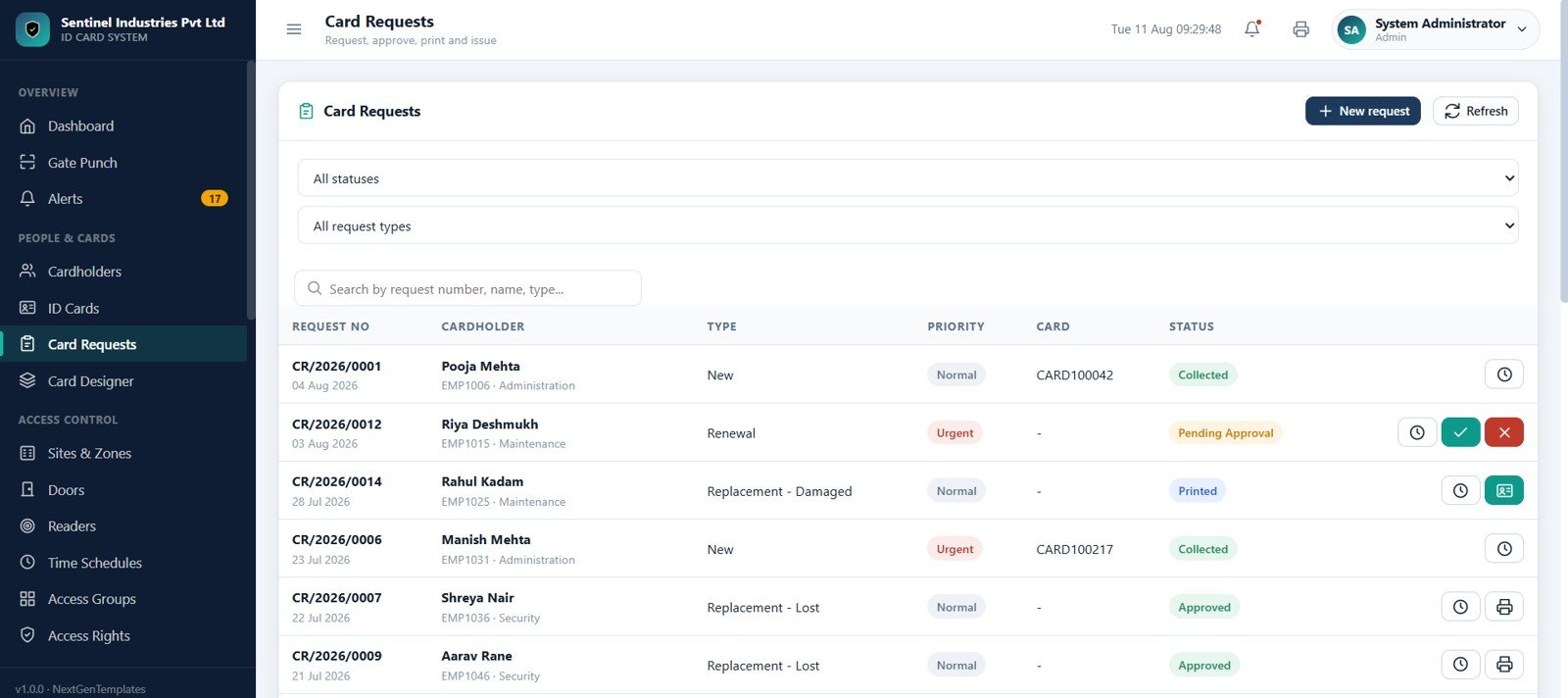
Card Designer
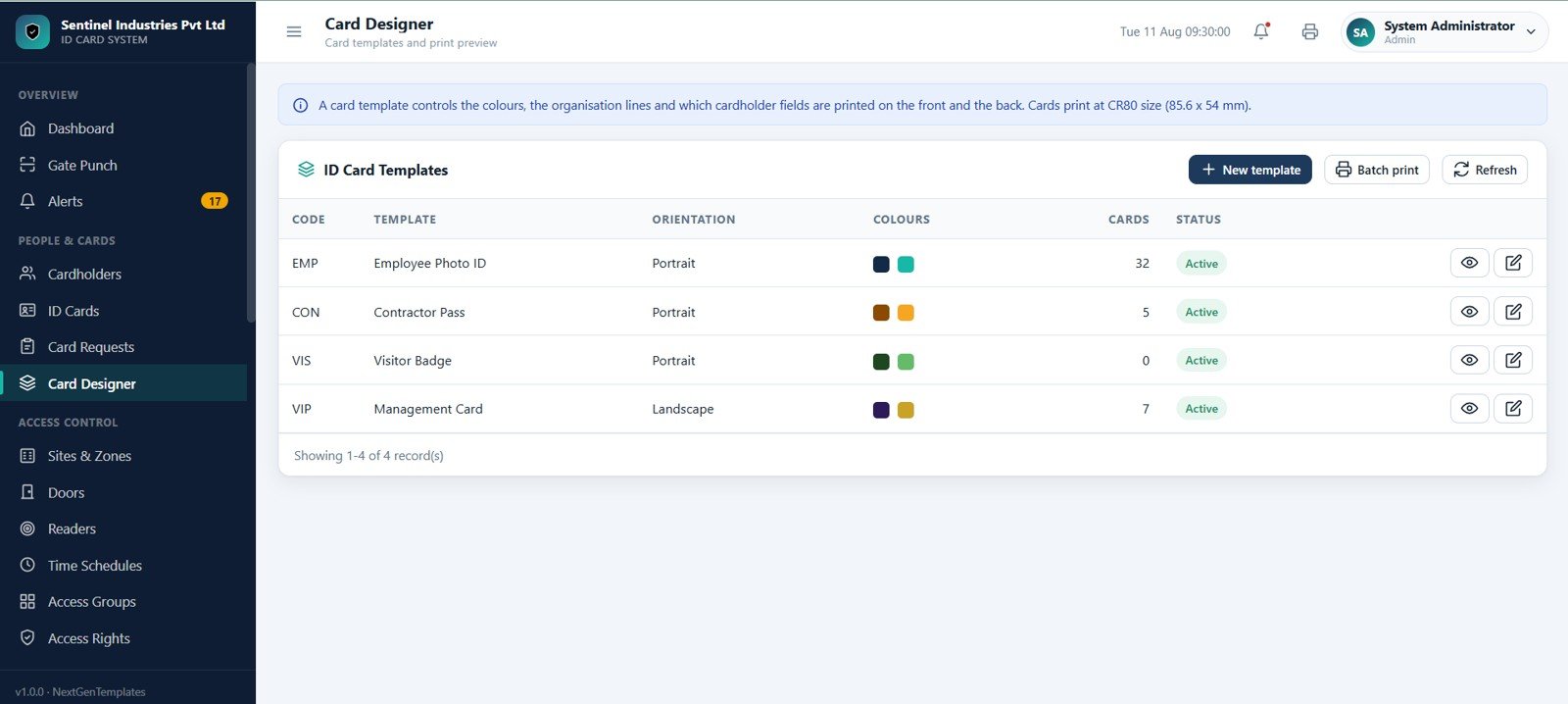
Card Designer manages ID card templates, preview orientation, portrait or landscape layouts, colours, template codes, and batch print actions for employee, contractor, visitor, and management card designs.
Sites, Zones, Doors, Readers, and Schedules
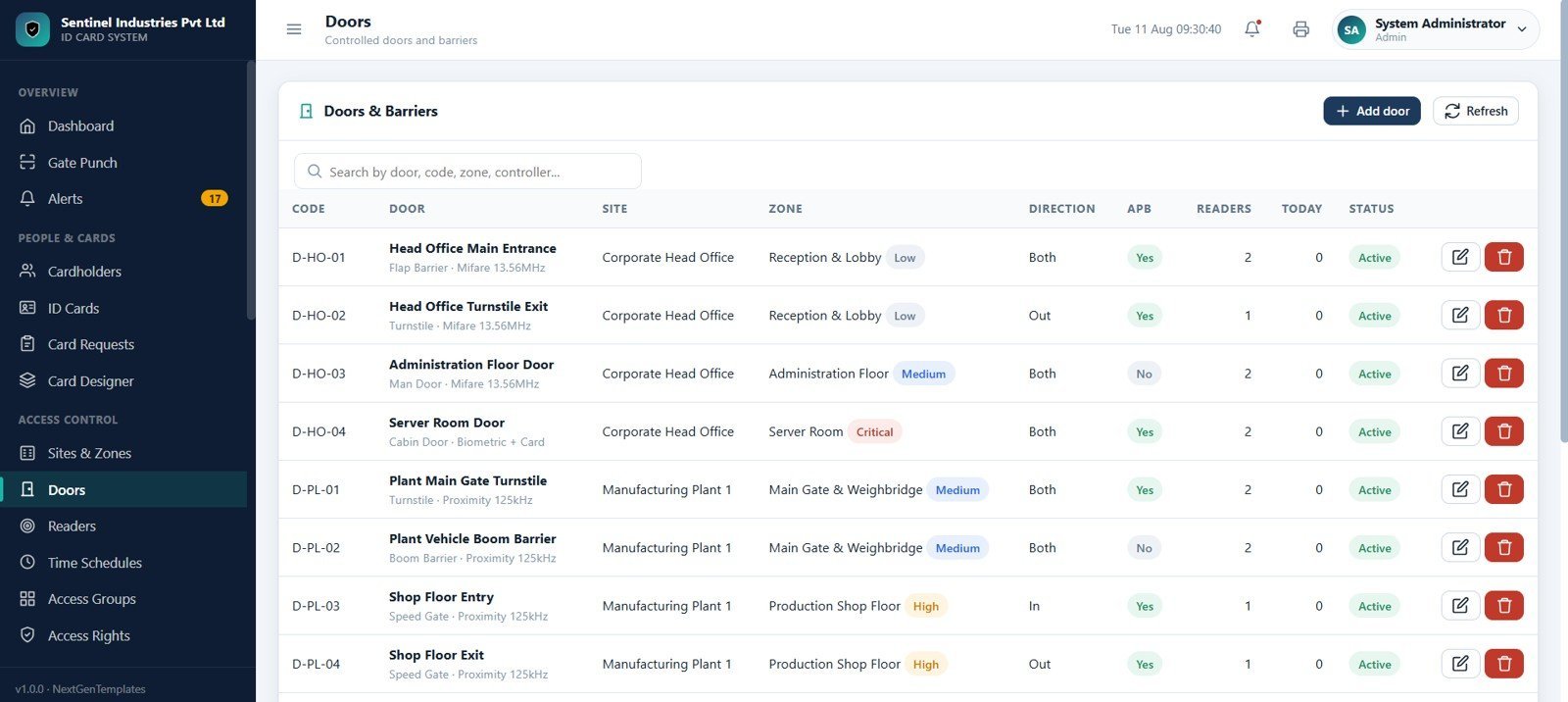
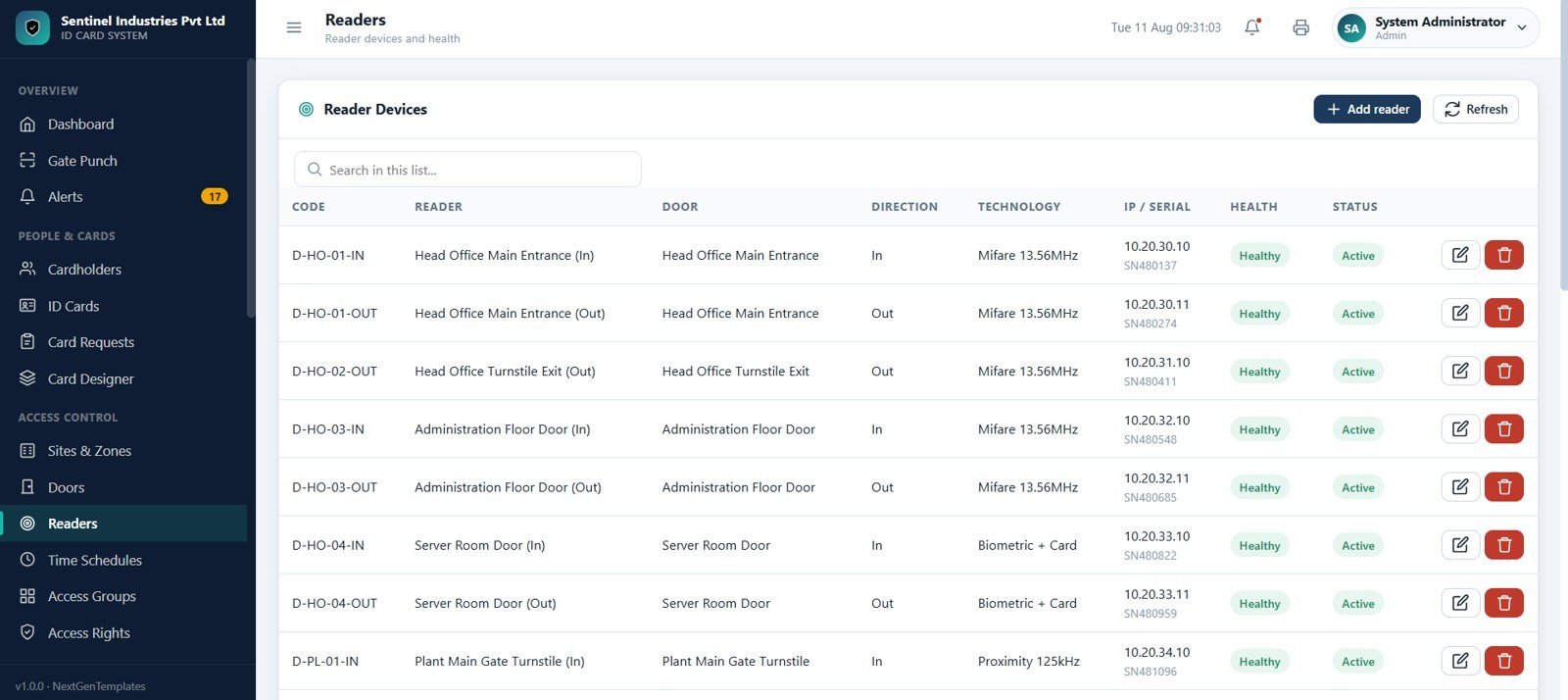
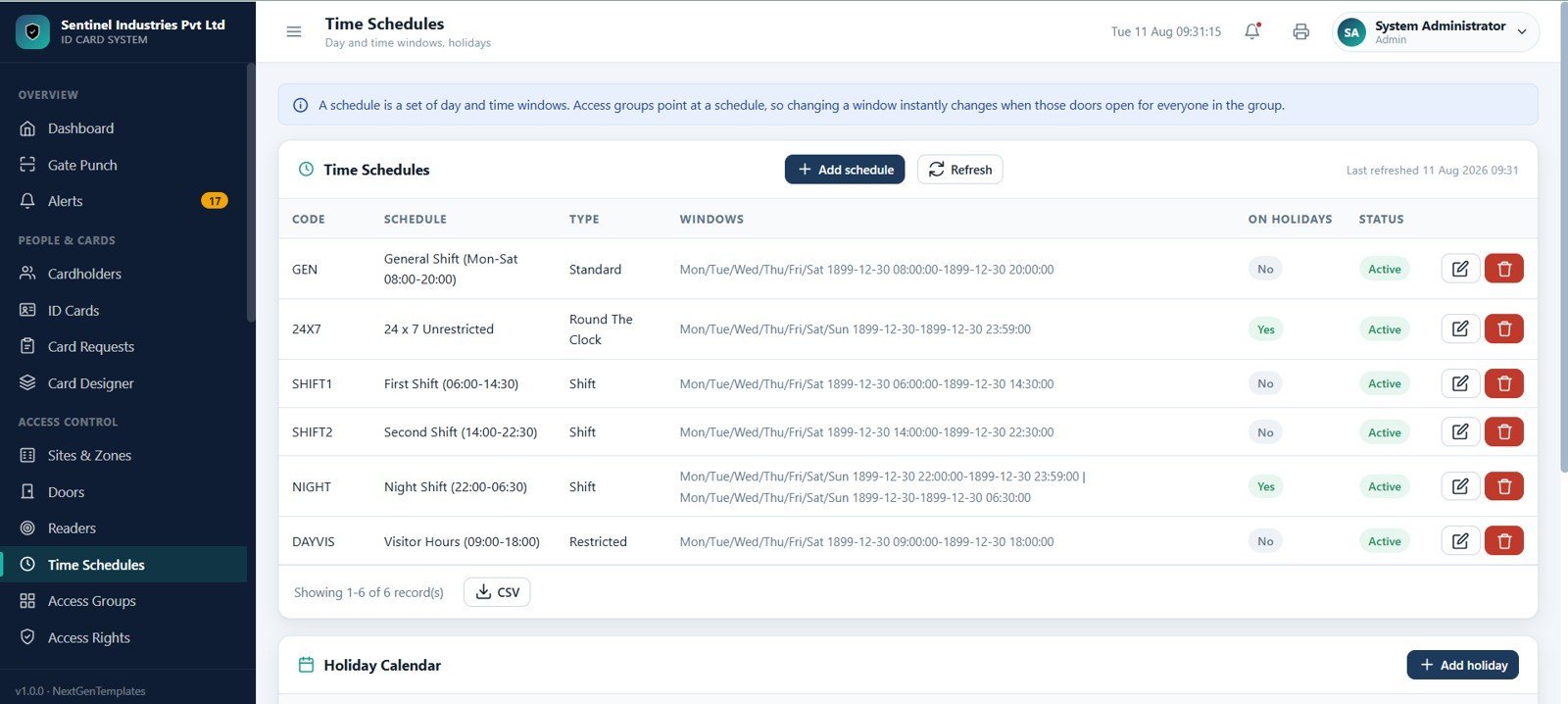
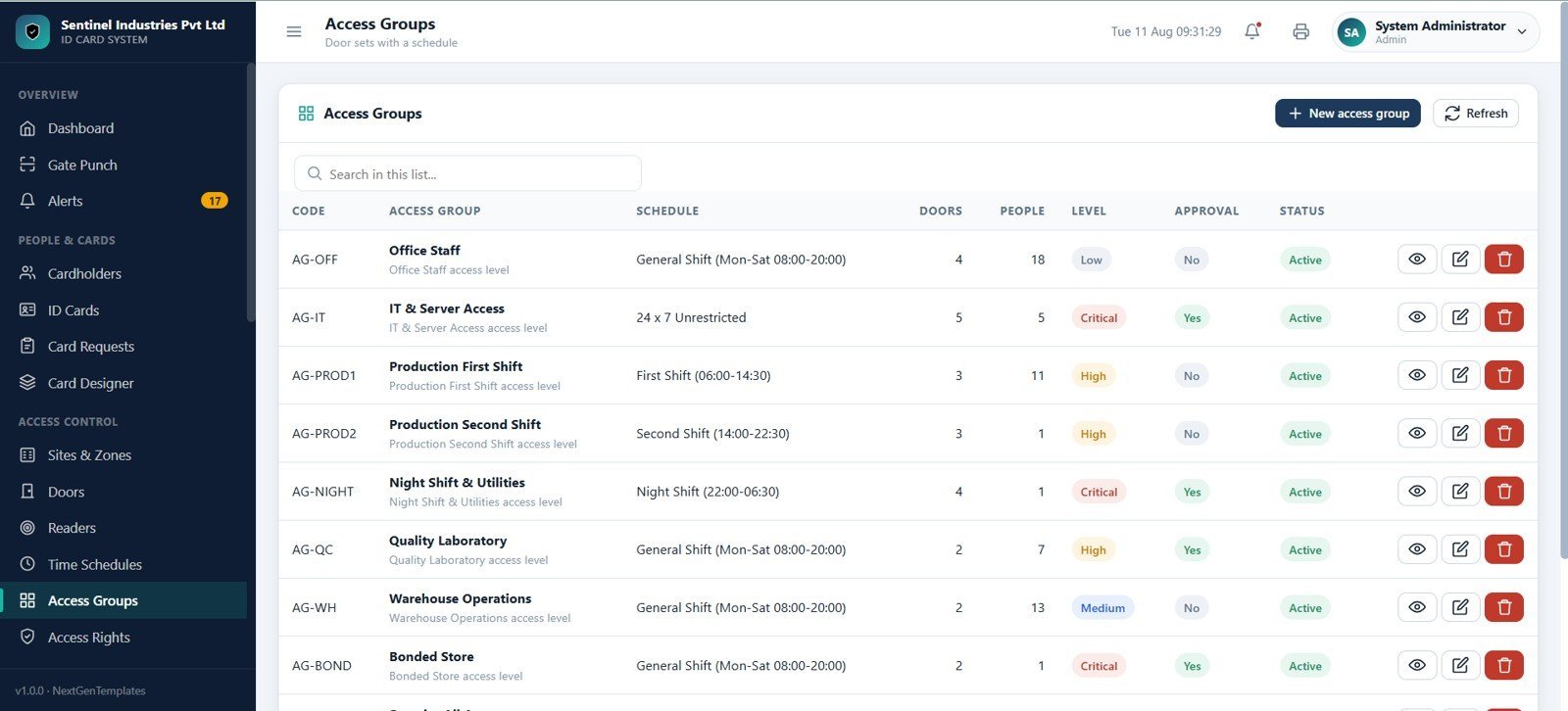
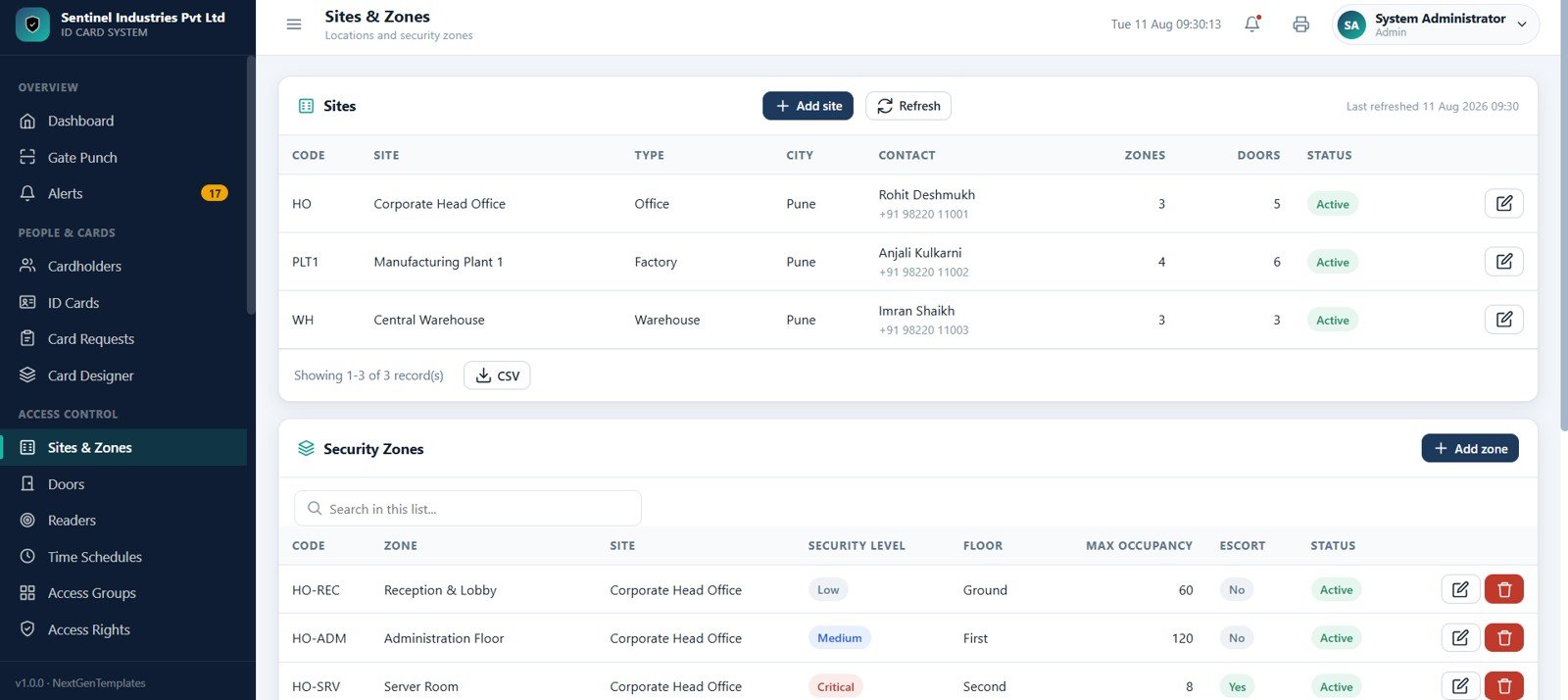
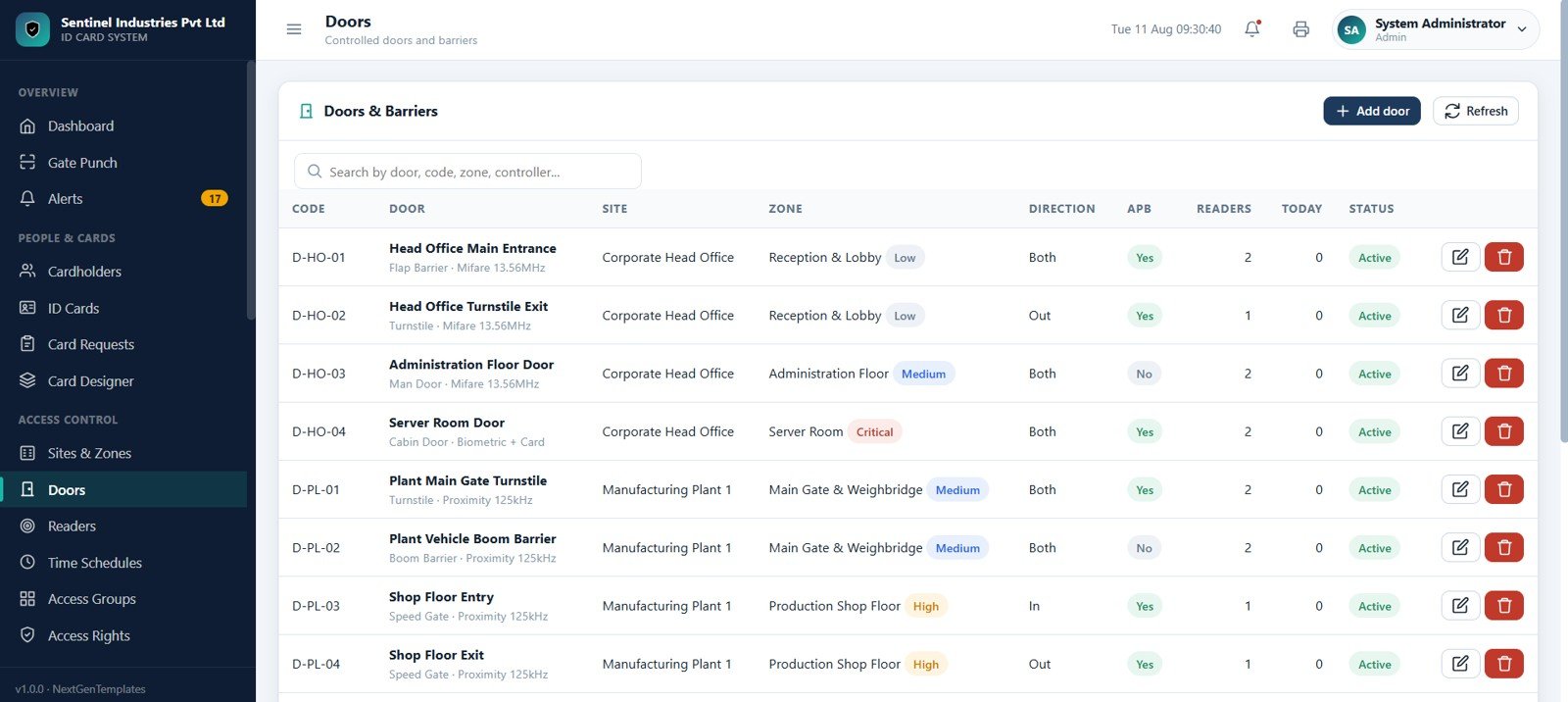
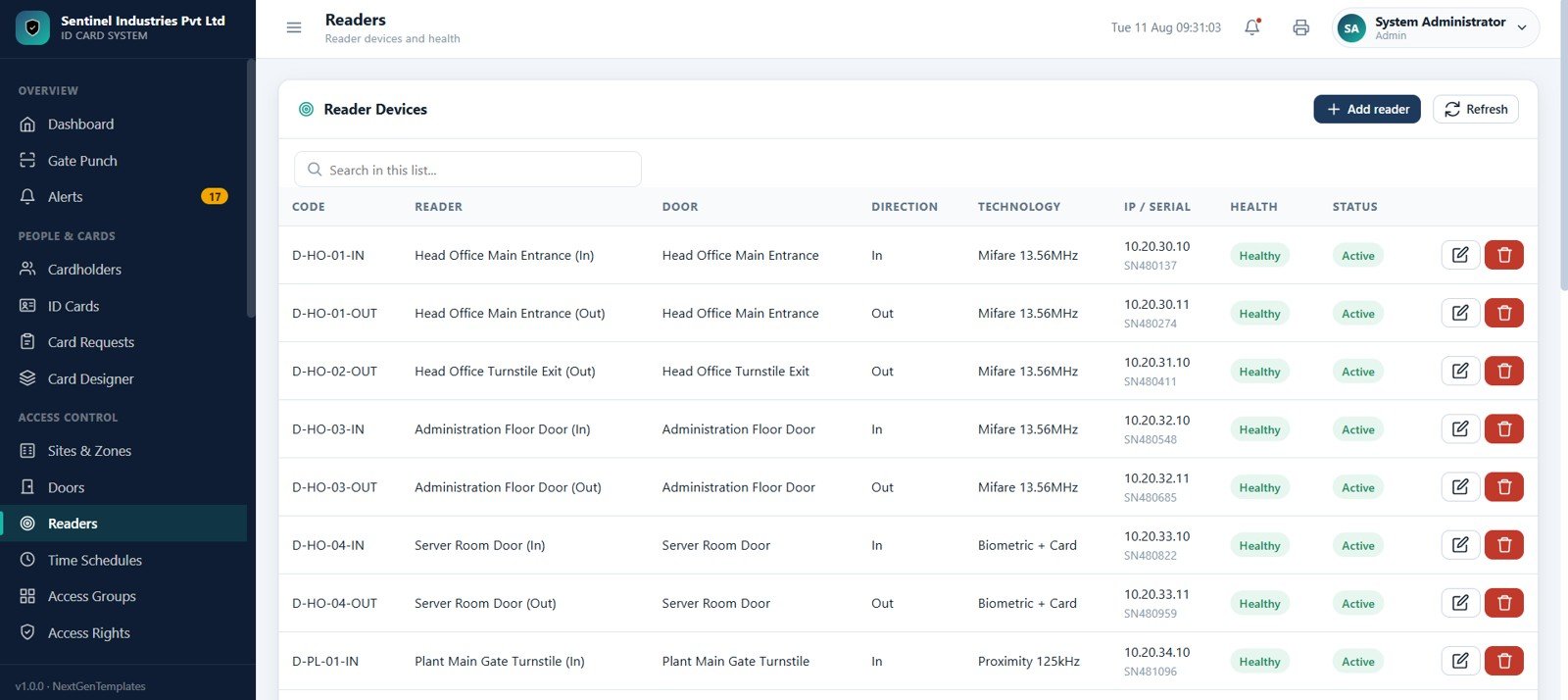
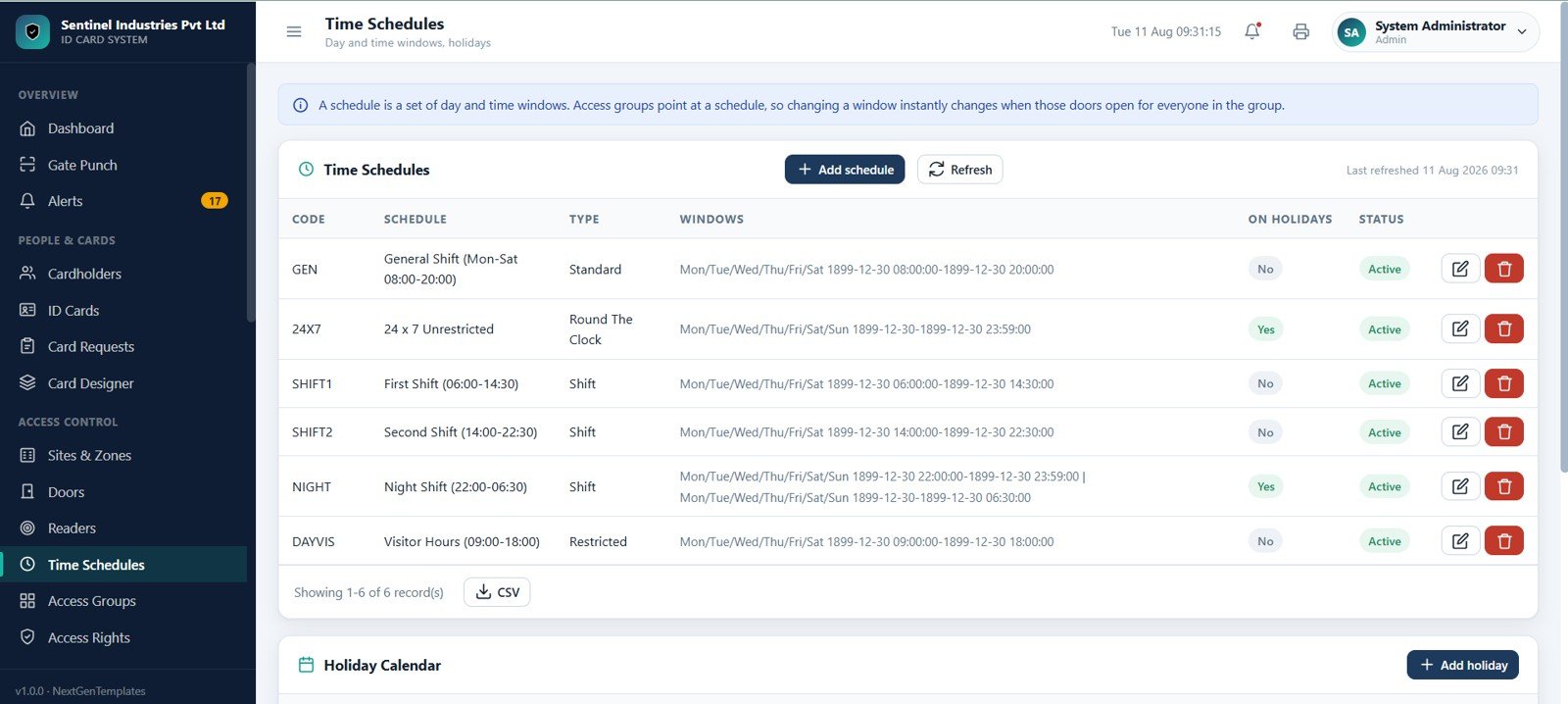
The setup area keeps site masters, security zones, doors, barriers, reader devices, reader health, and time schedules in one operating structure. Security levels such as Low, Medium, High, and Critical help teams document risk-sensitive areas.
Access Groups and Access Rights
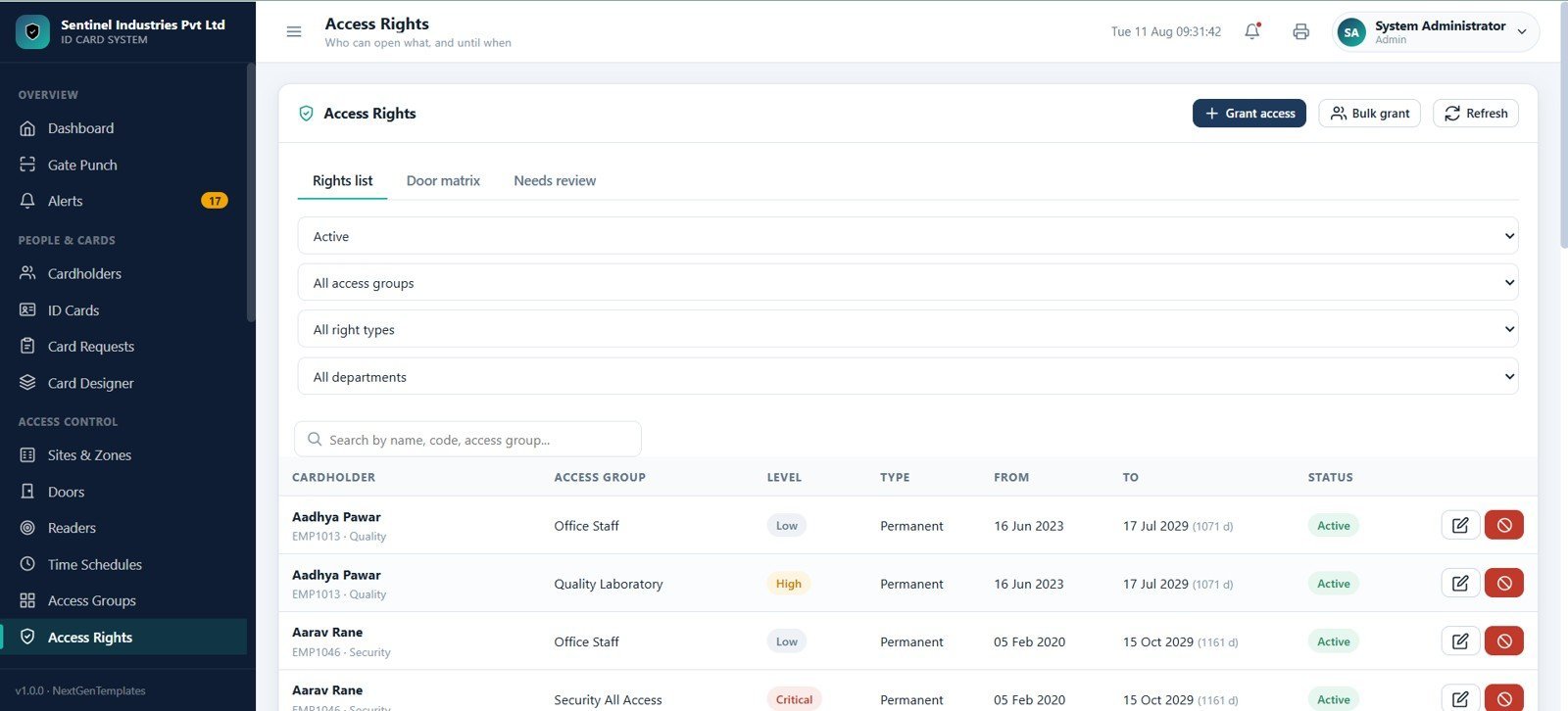
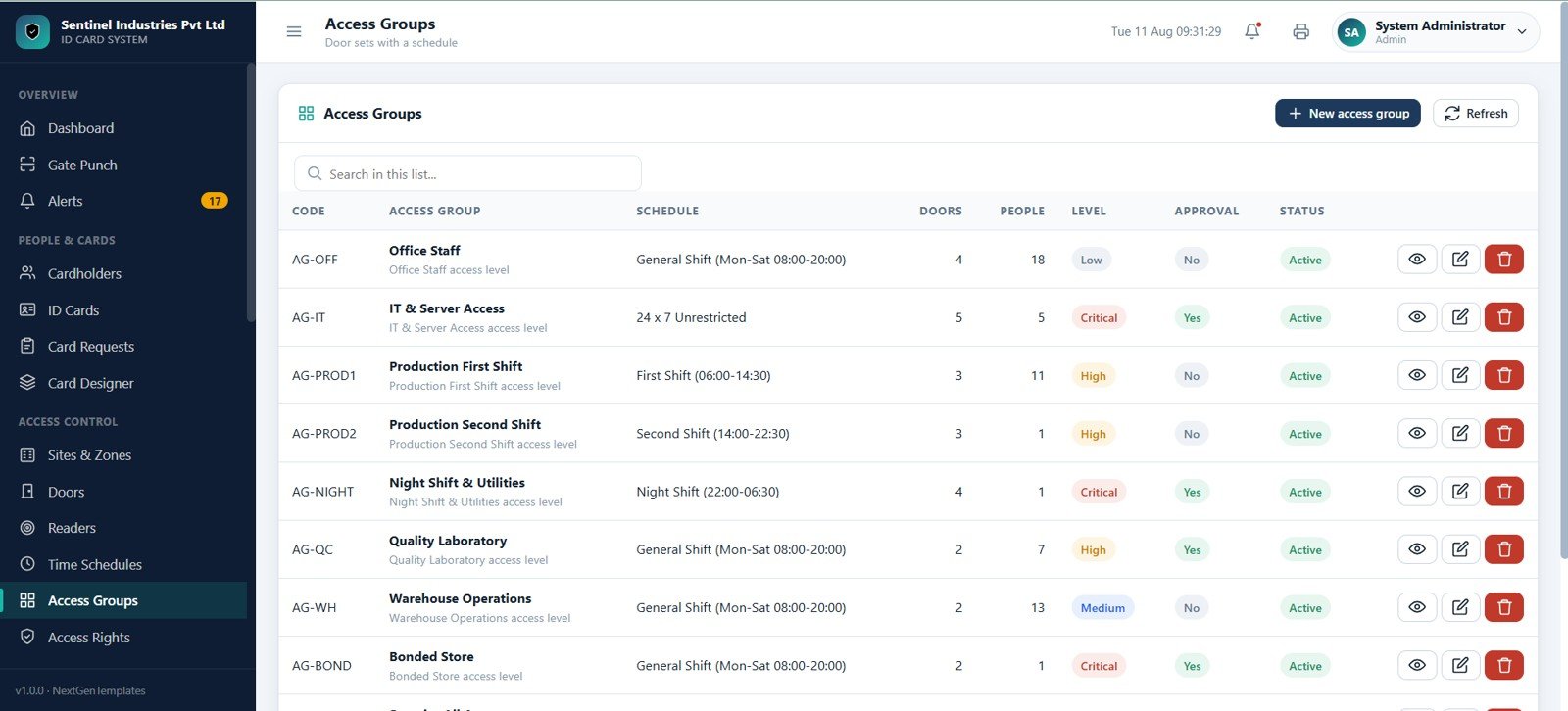
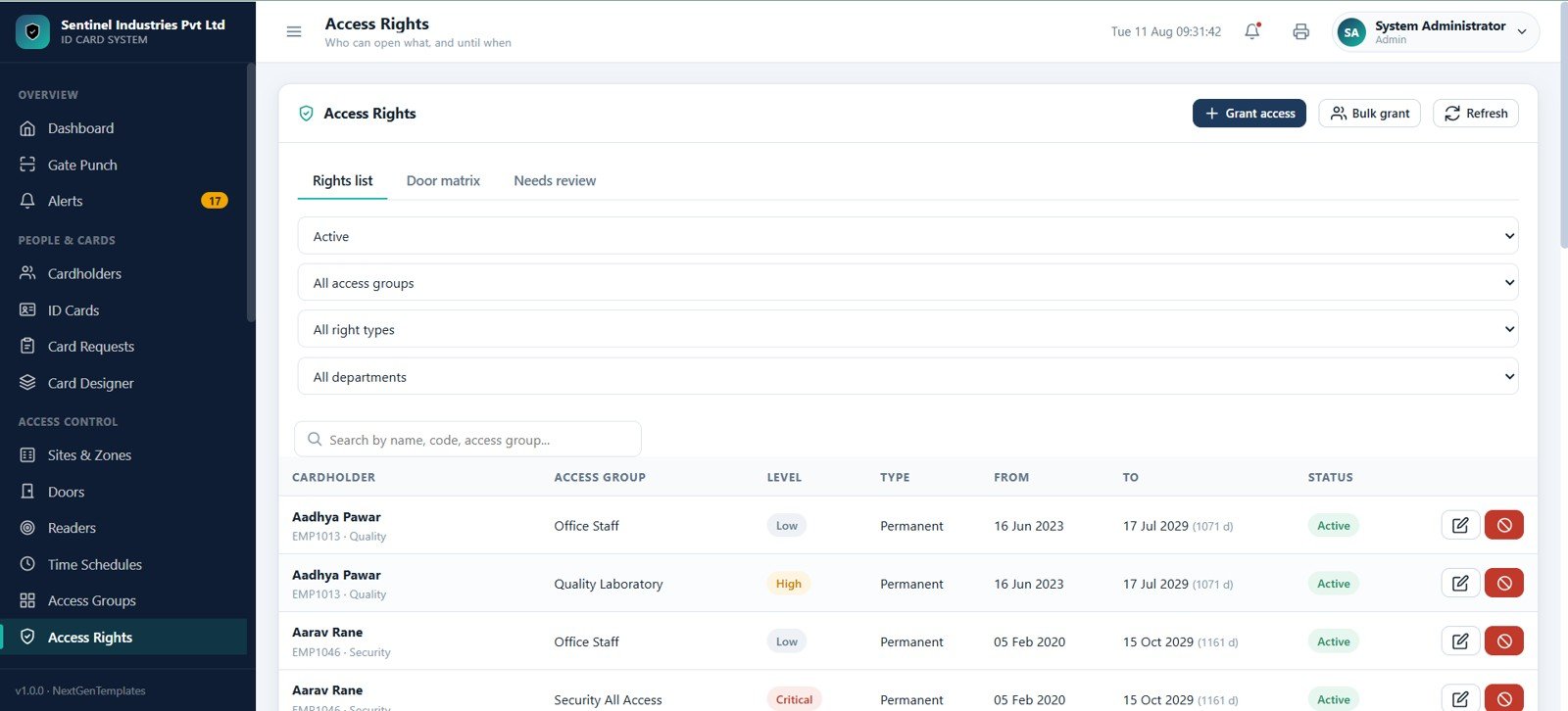
Access Groups combine doors with schedules and security levels. Access Rights shows who can open which area, for what date range, and whether the right is active, due for review, or ready to revoke.
Access Events and Attendance
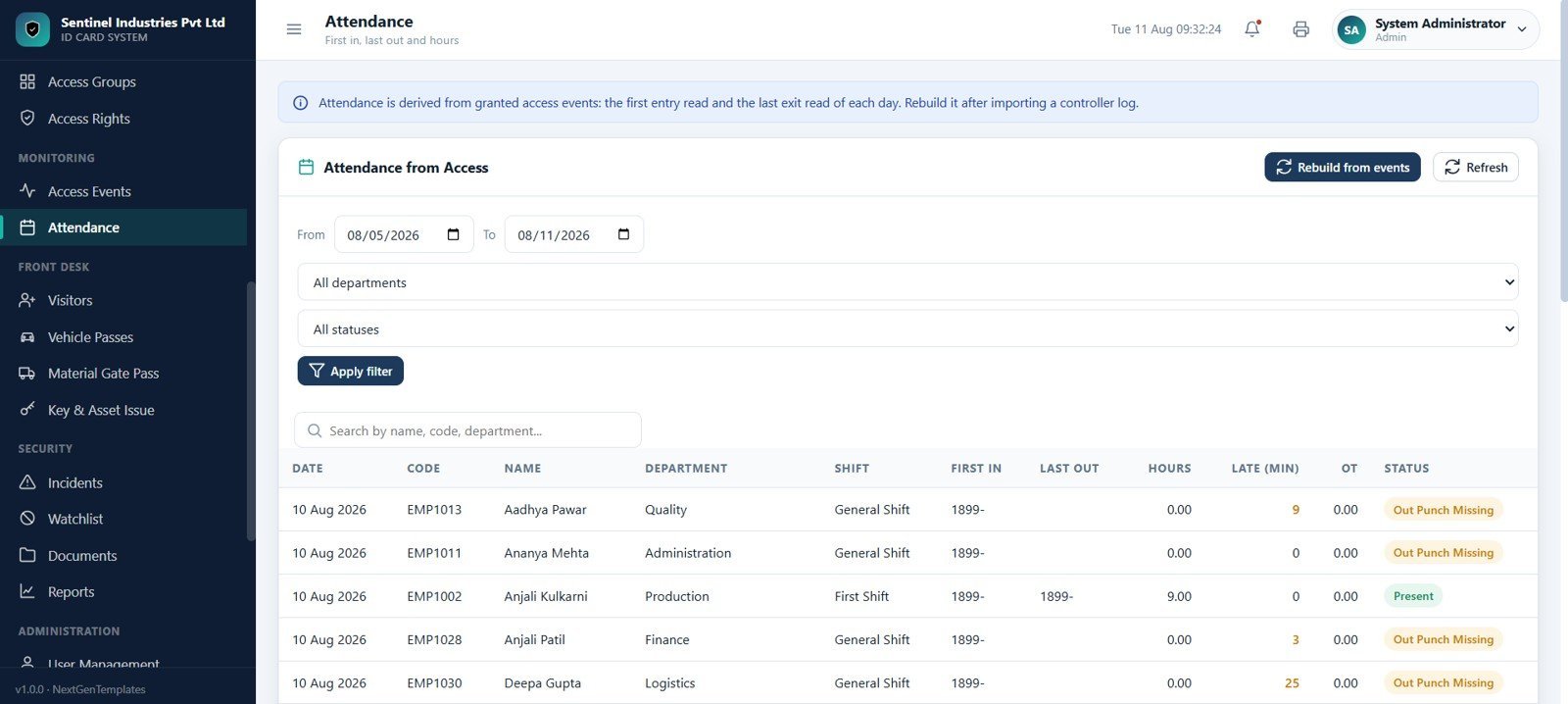
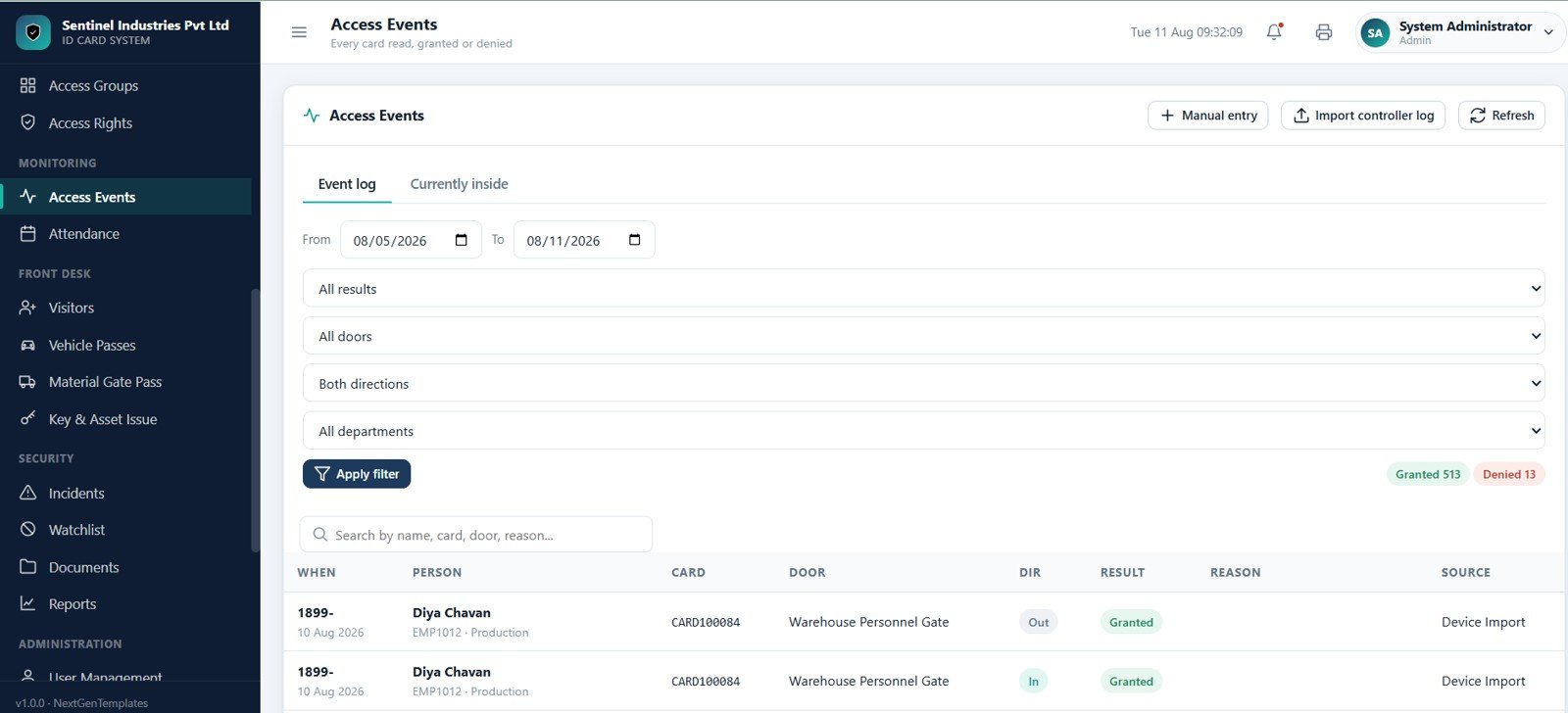
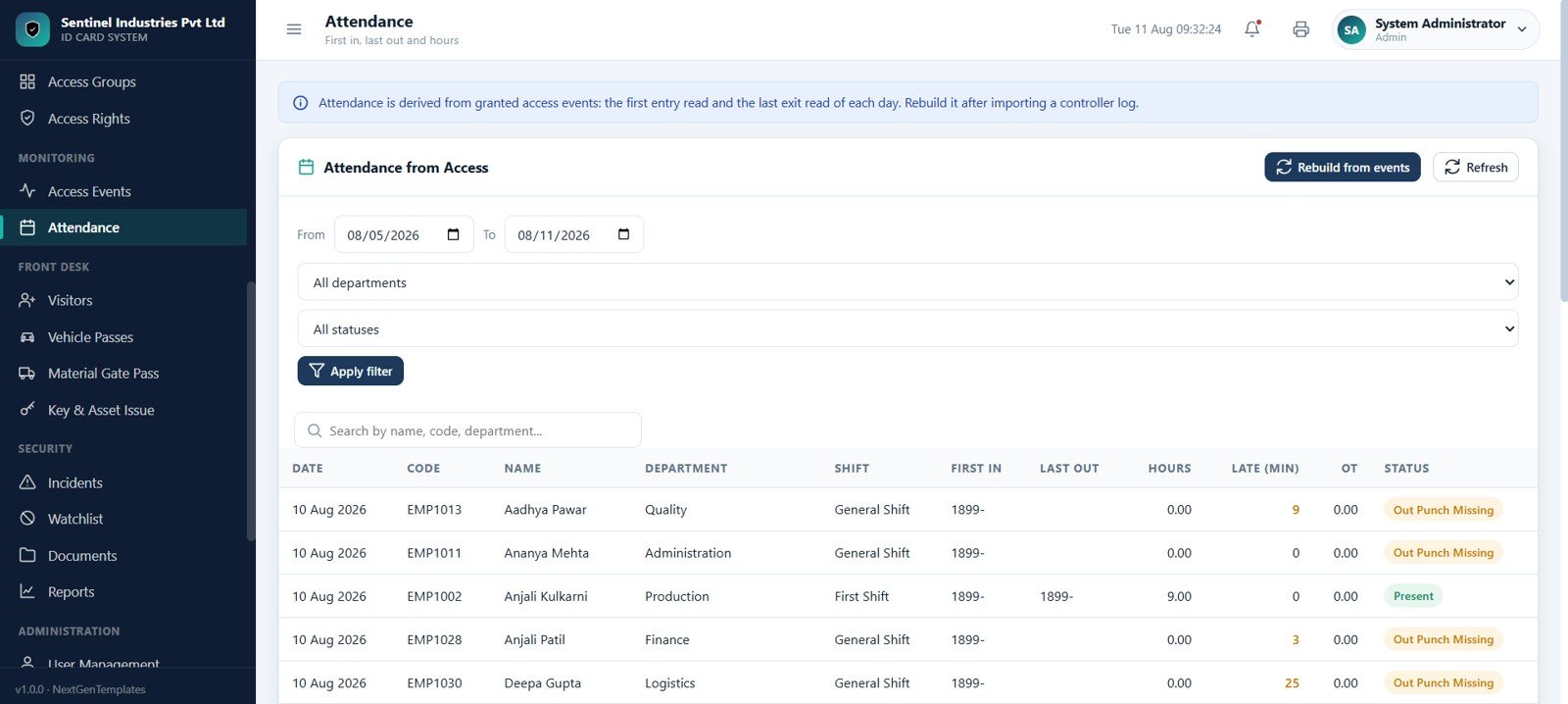
Access Events logs every card read, grant, denial, door, direction, reason, and source. Attendance converts access activity into first-in, last-out, hours, late minutes, overtime, present, and out-punch-missing views.
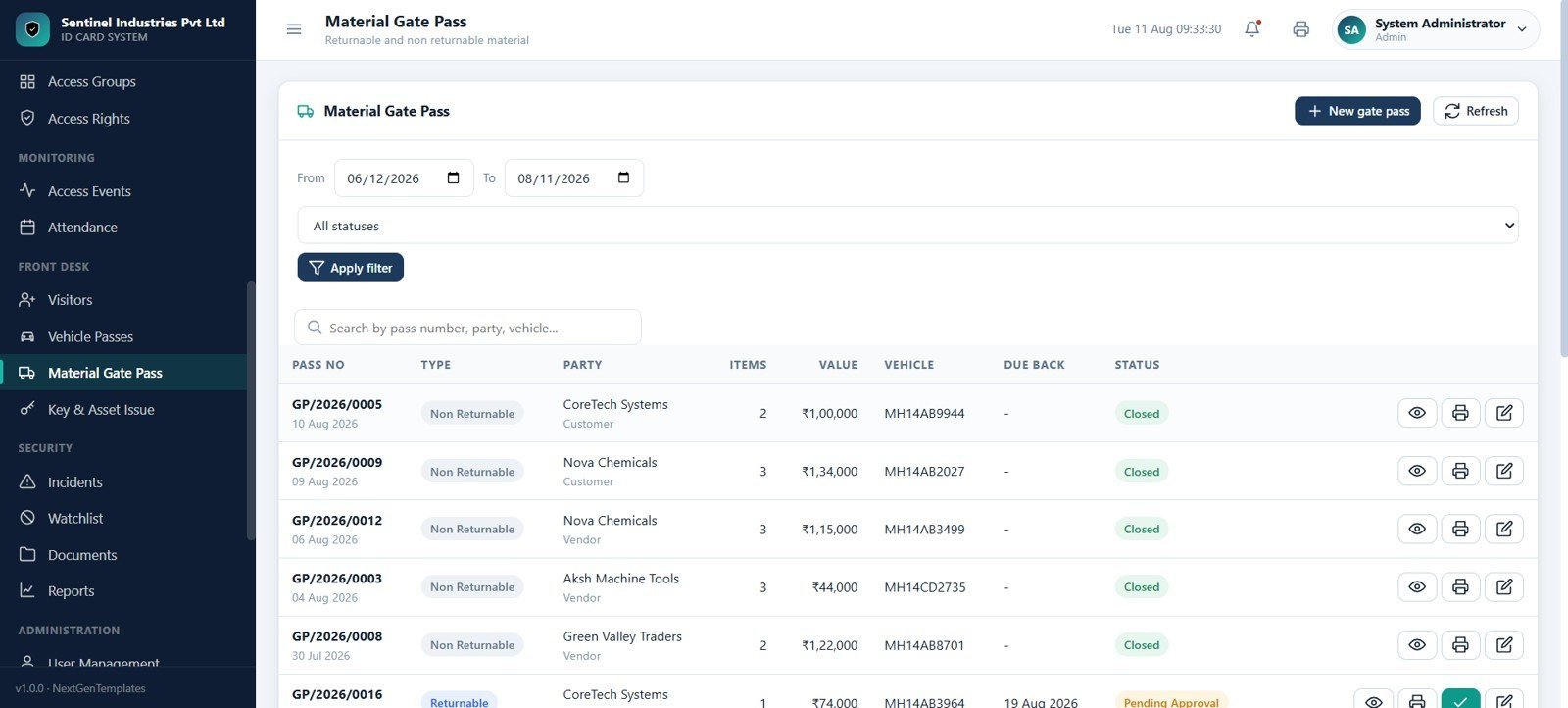
Visitors, Vehicle Passes, and Material Gate Pass
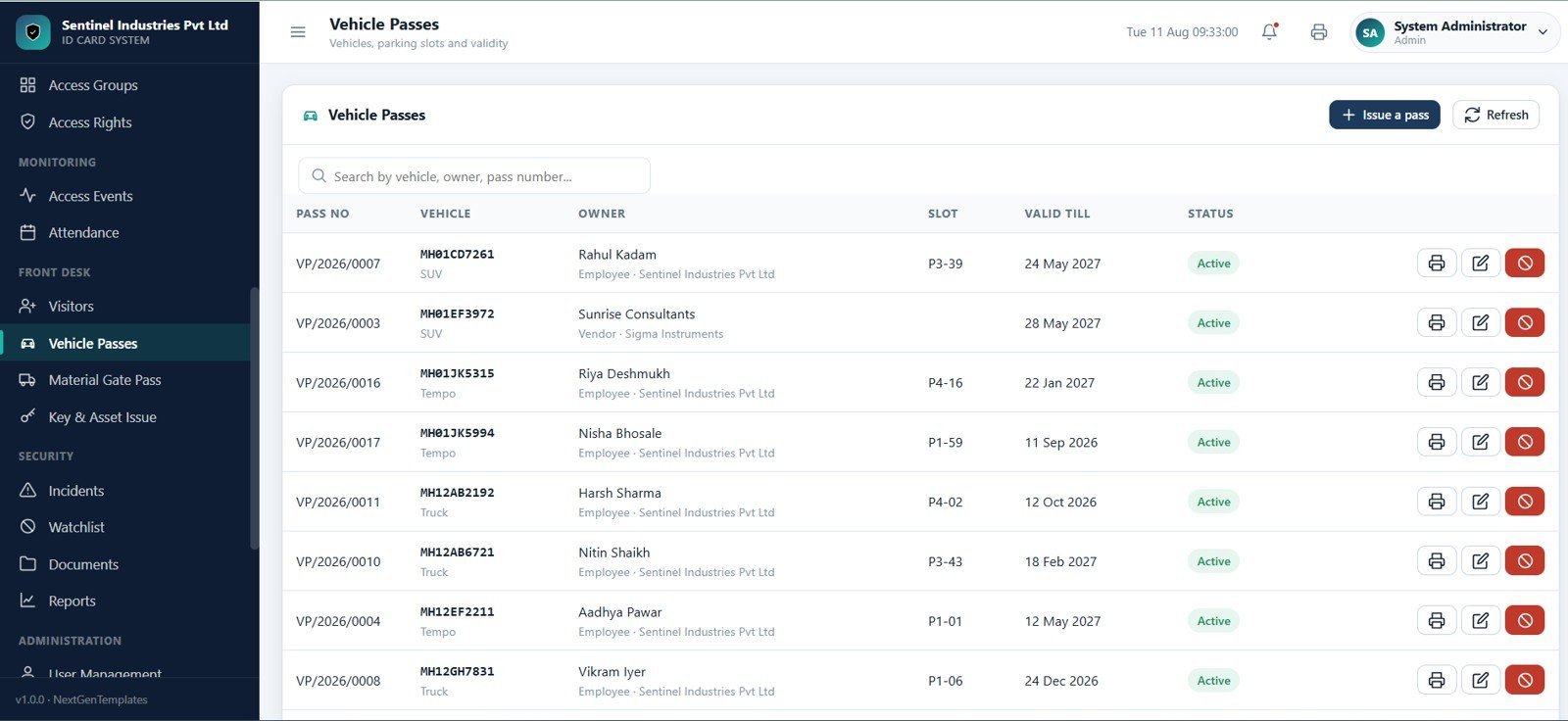
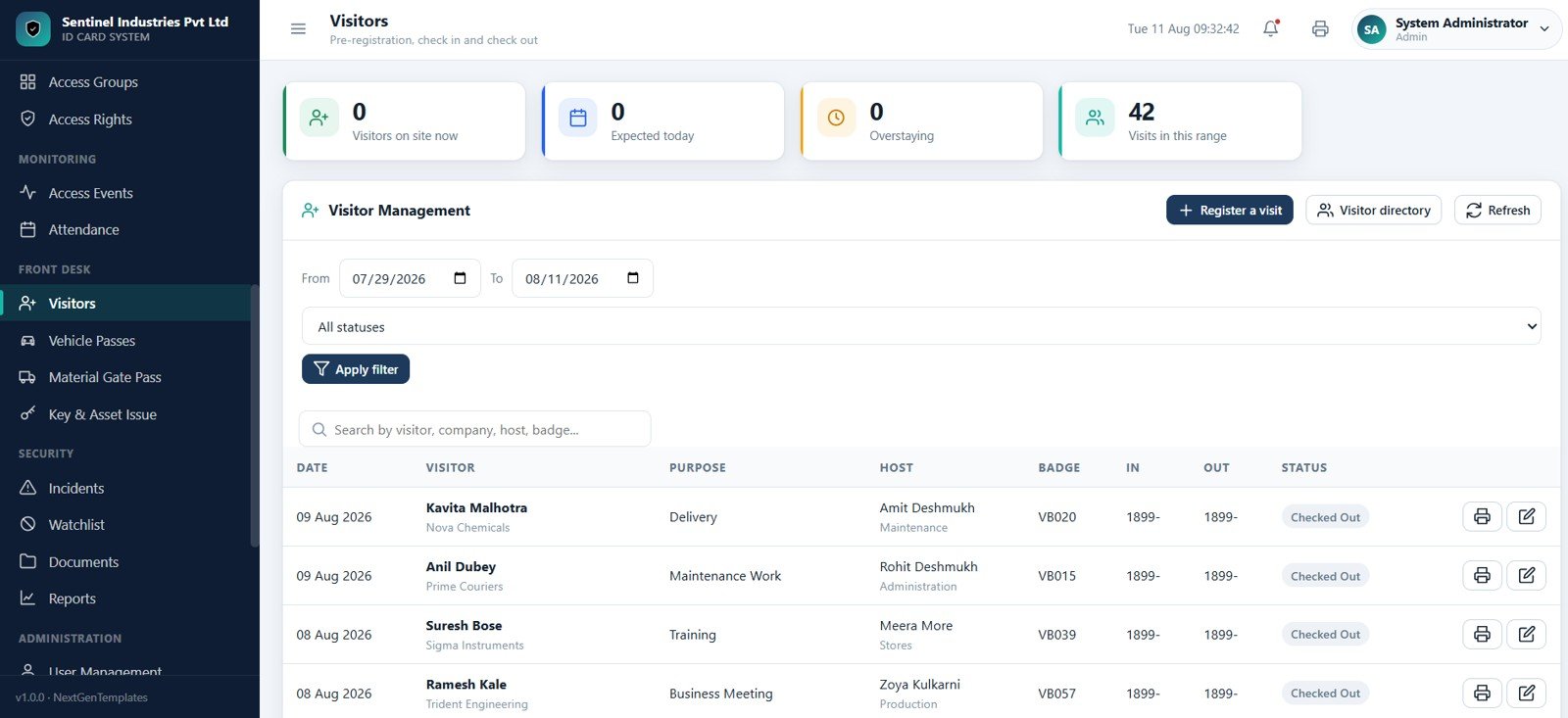
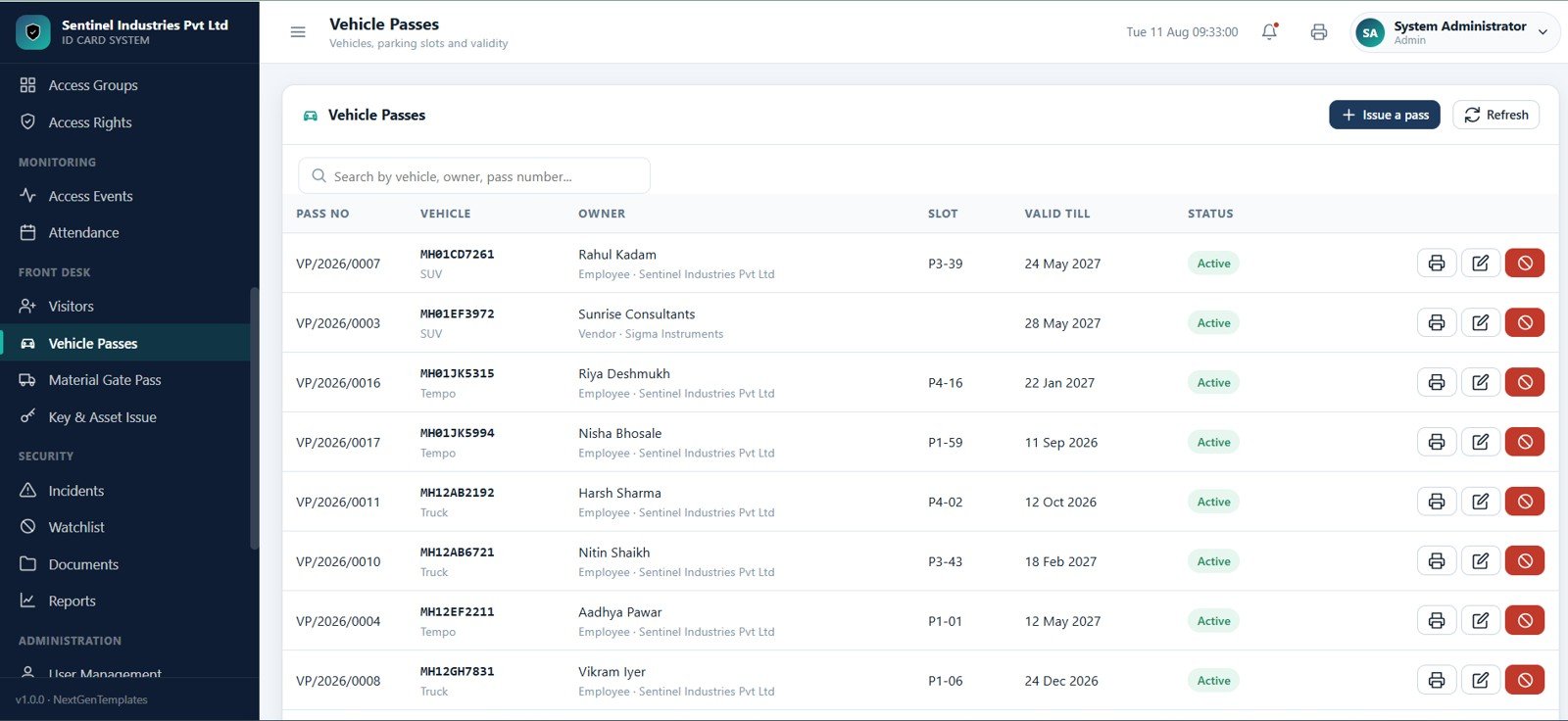
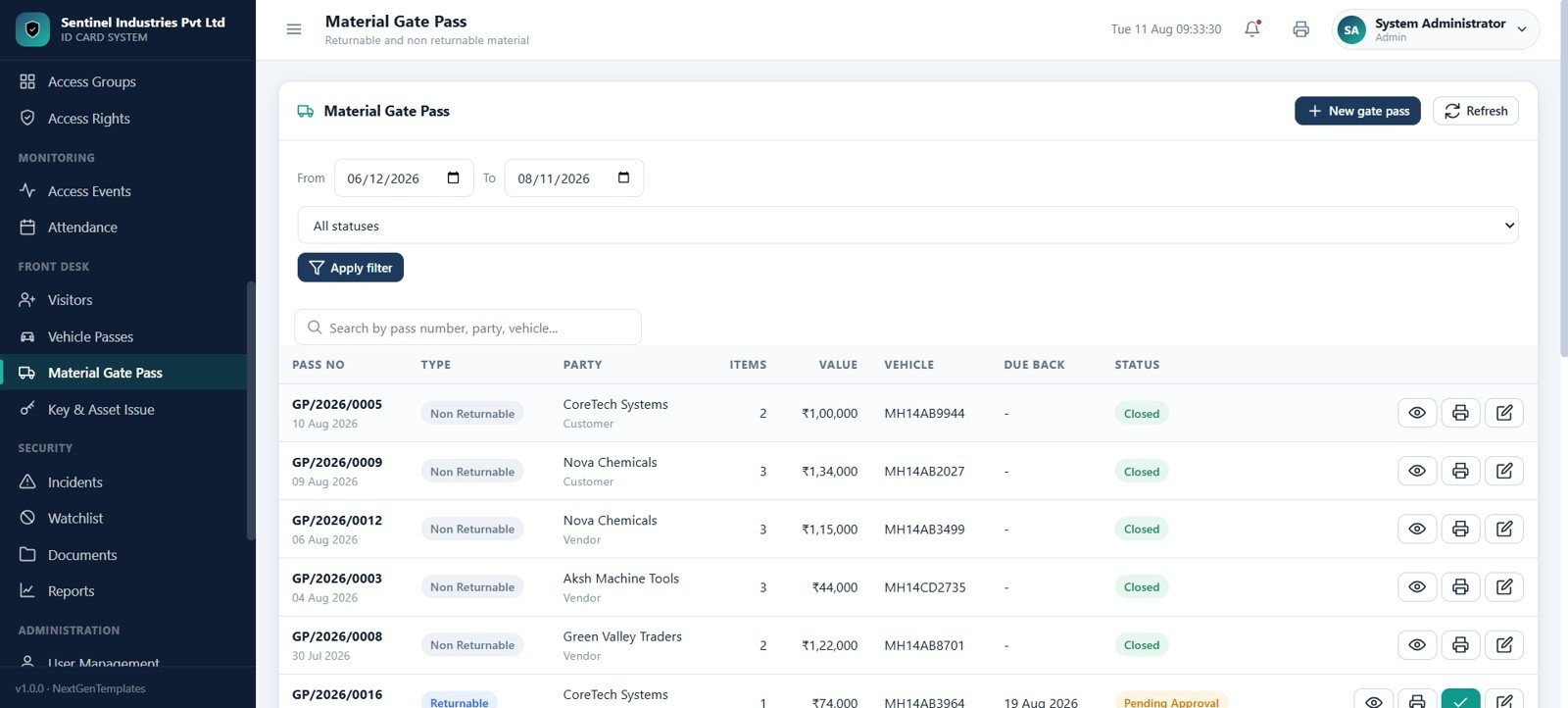
Visitor, vehicle, and material movement pages help reception and security teams record visits, badges, hosts, overstays, vehicle passes, returnable material, non-returnable material, due-back dates, approvals, and prints.
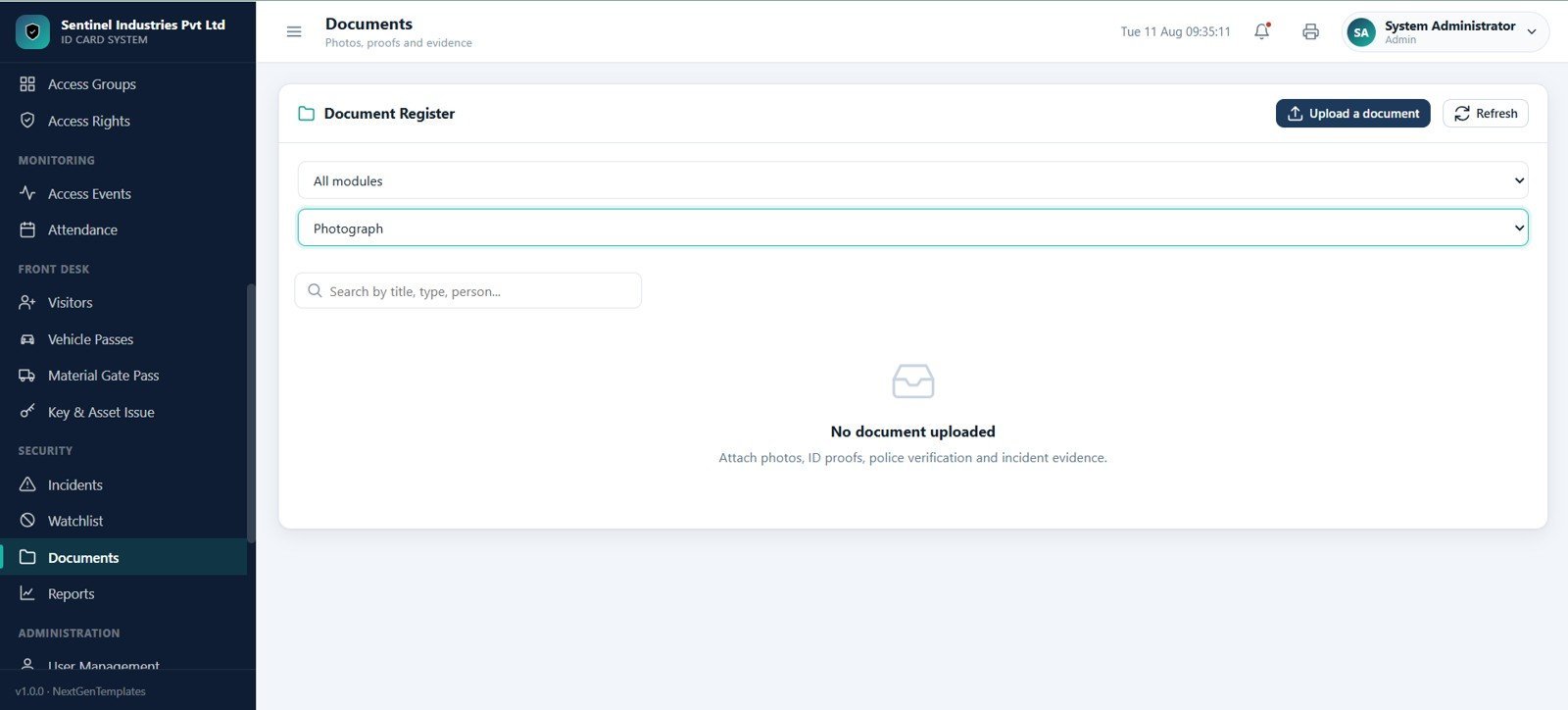
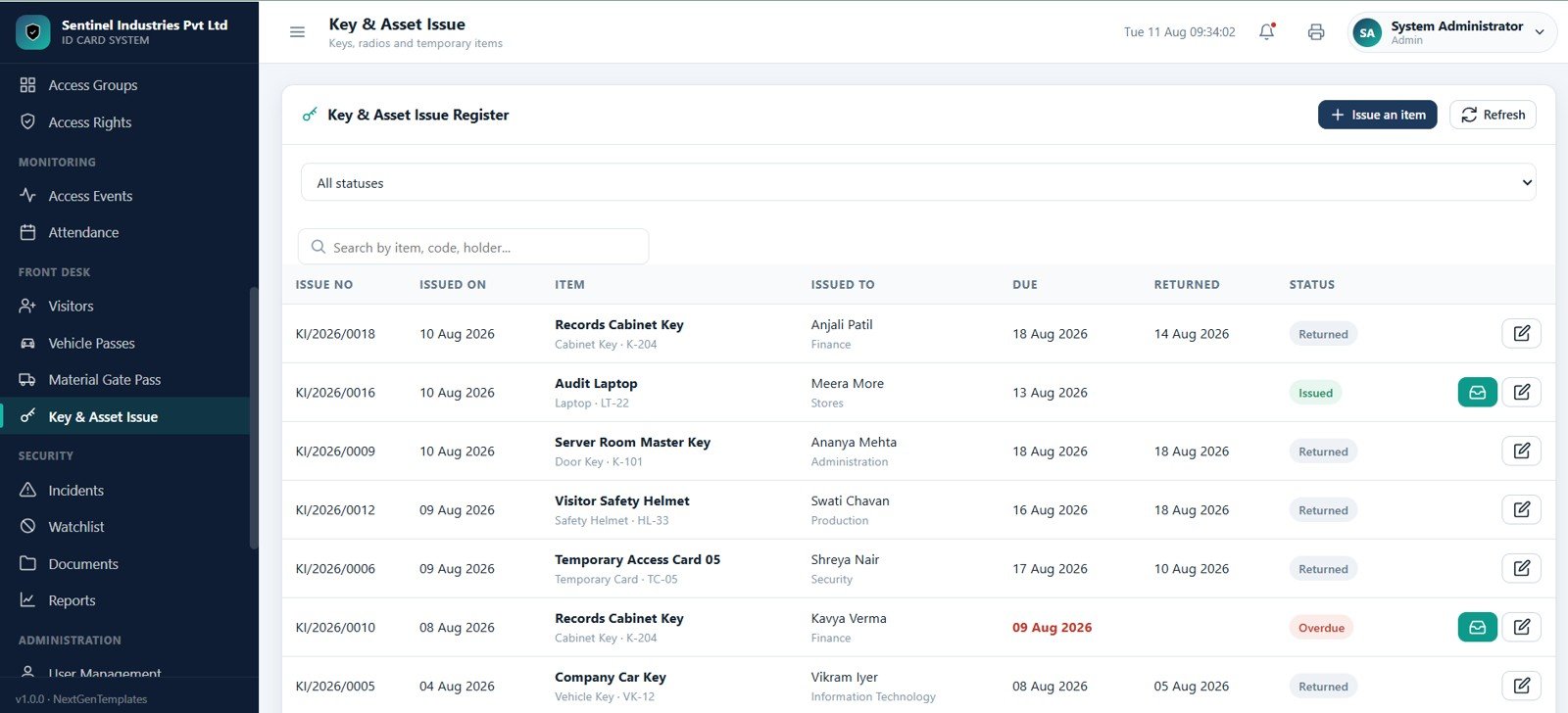
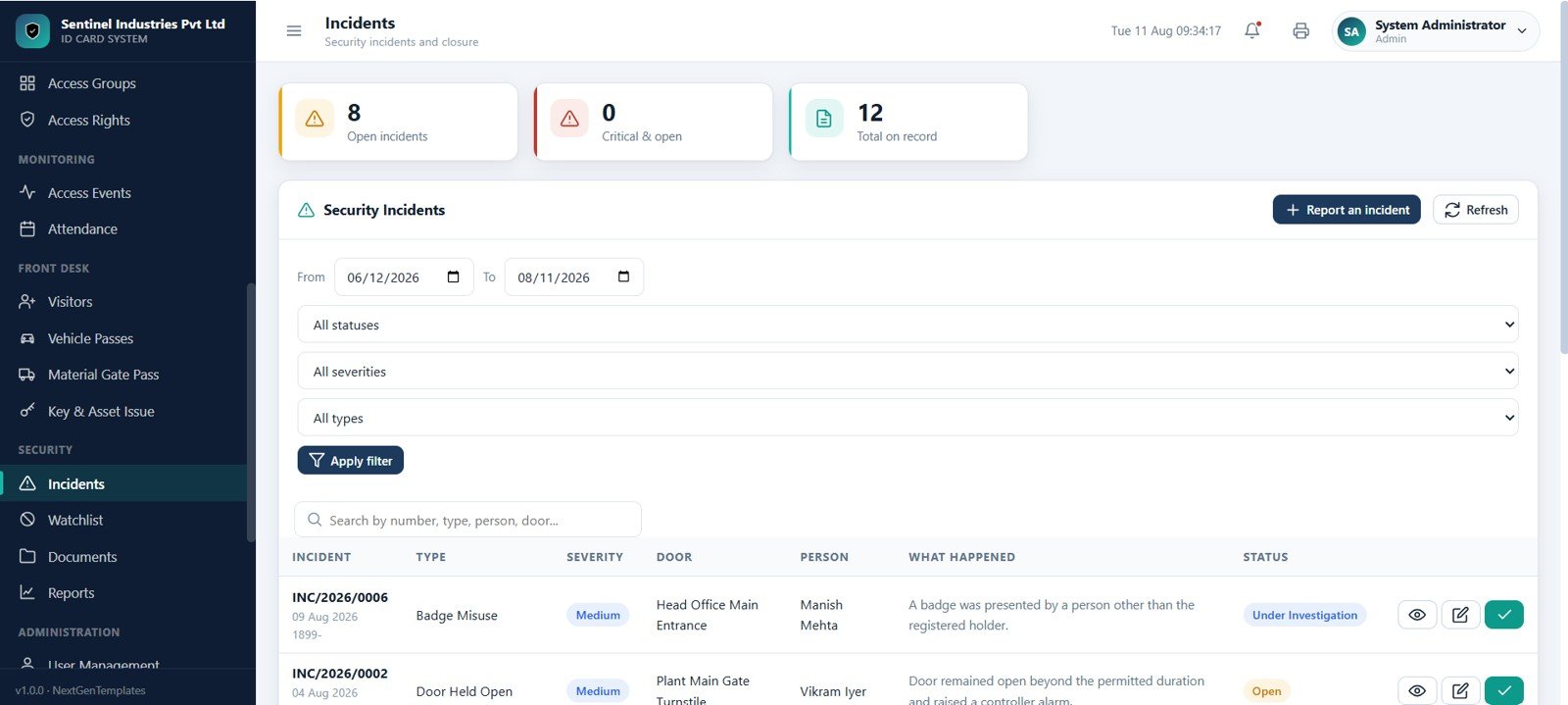
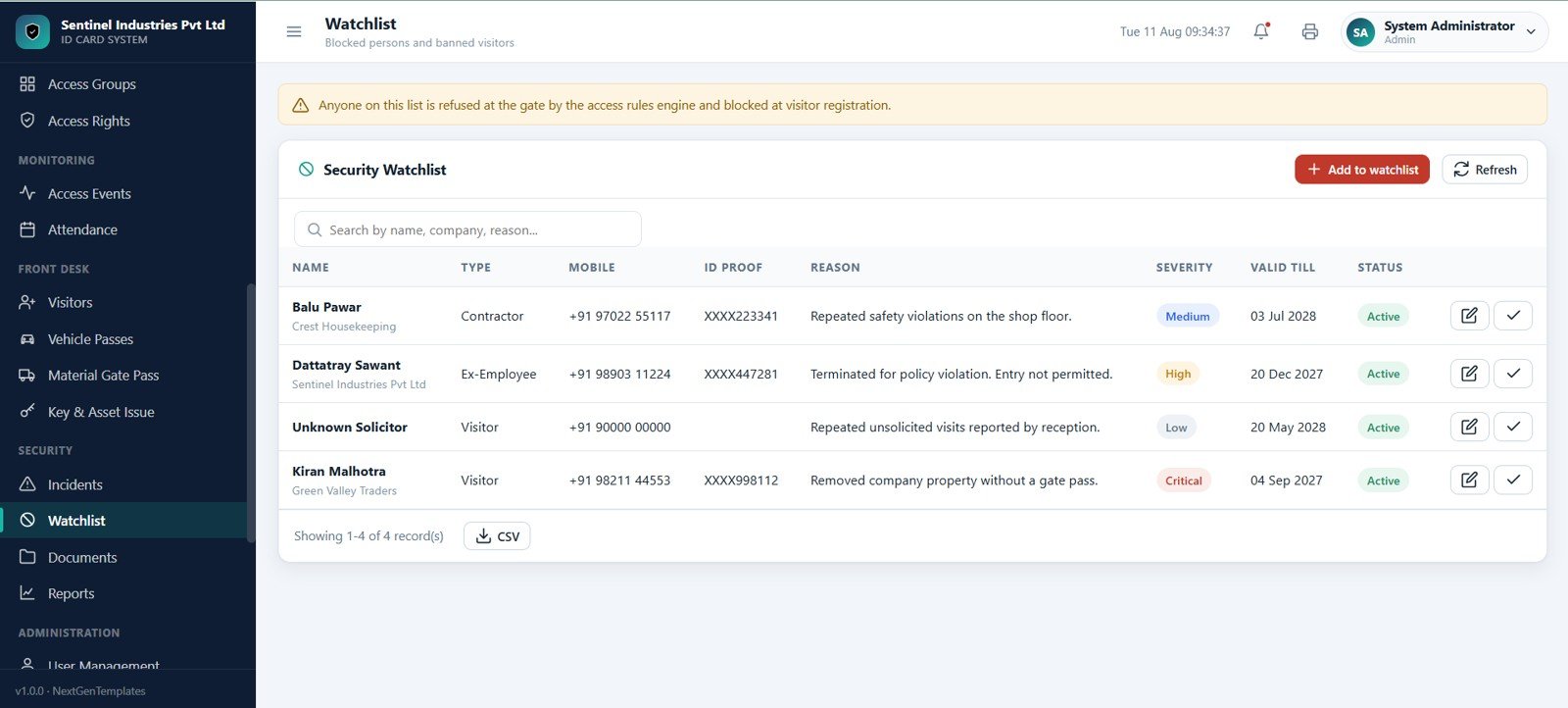
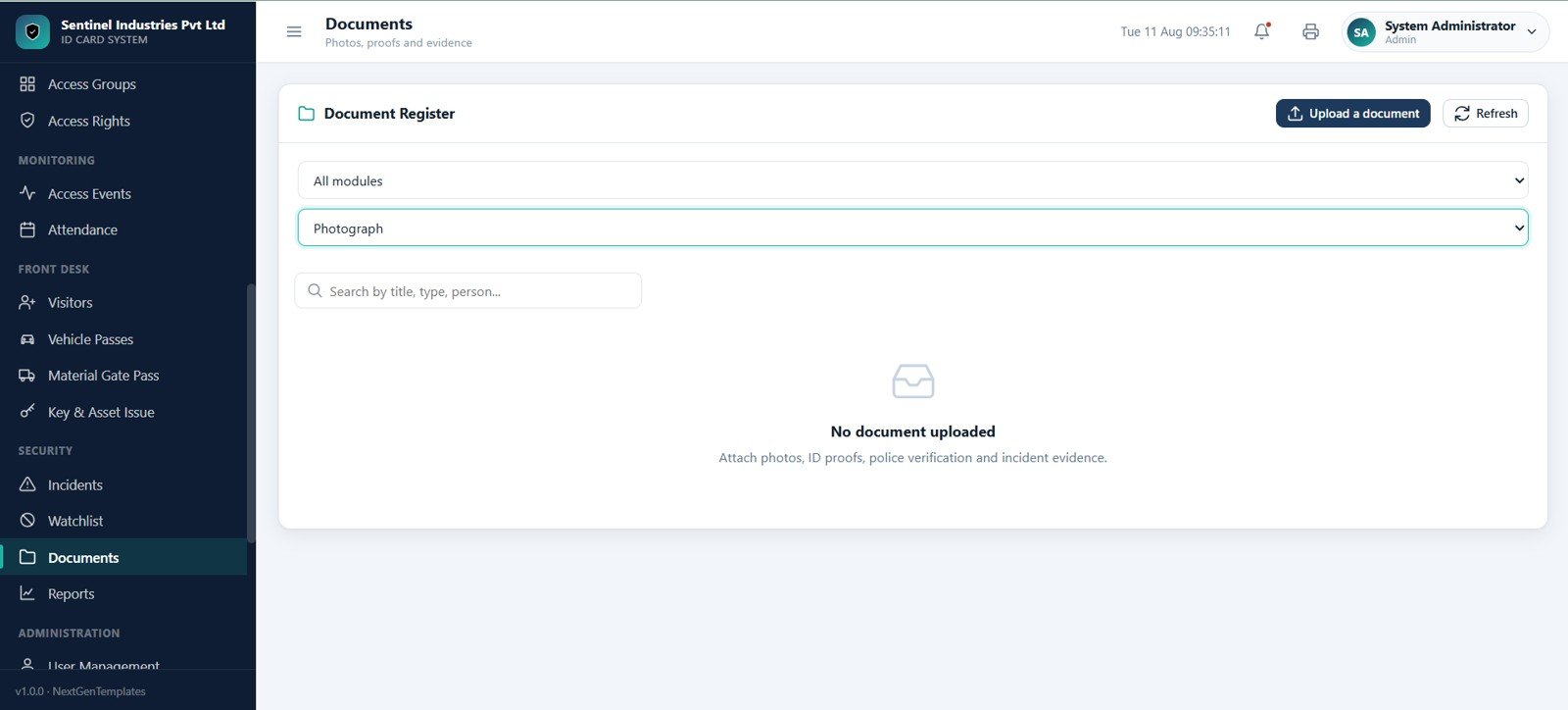
Keys, Assets, Incidents, Watchlist, and Documents
Operational security records include key and temporary asset issues, due dates, returns, incidents by severity and type, watchlisted persons, banned visitors, photos, ID proofs, police verification files, and incident evidence.
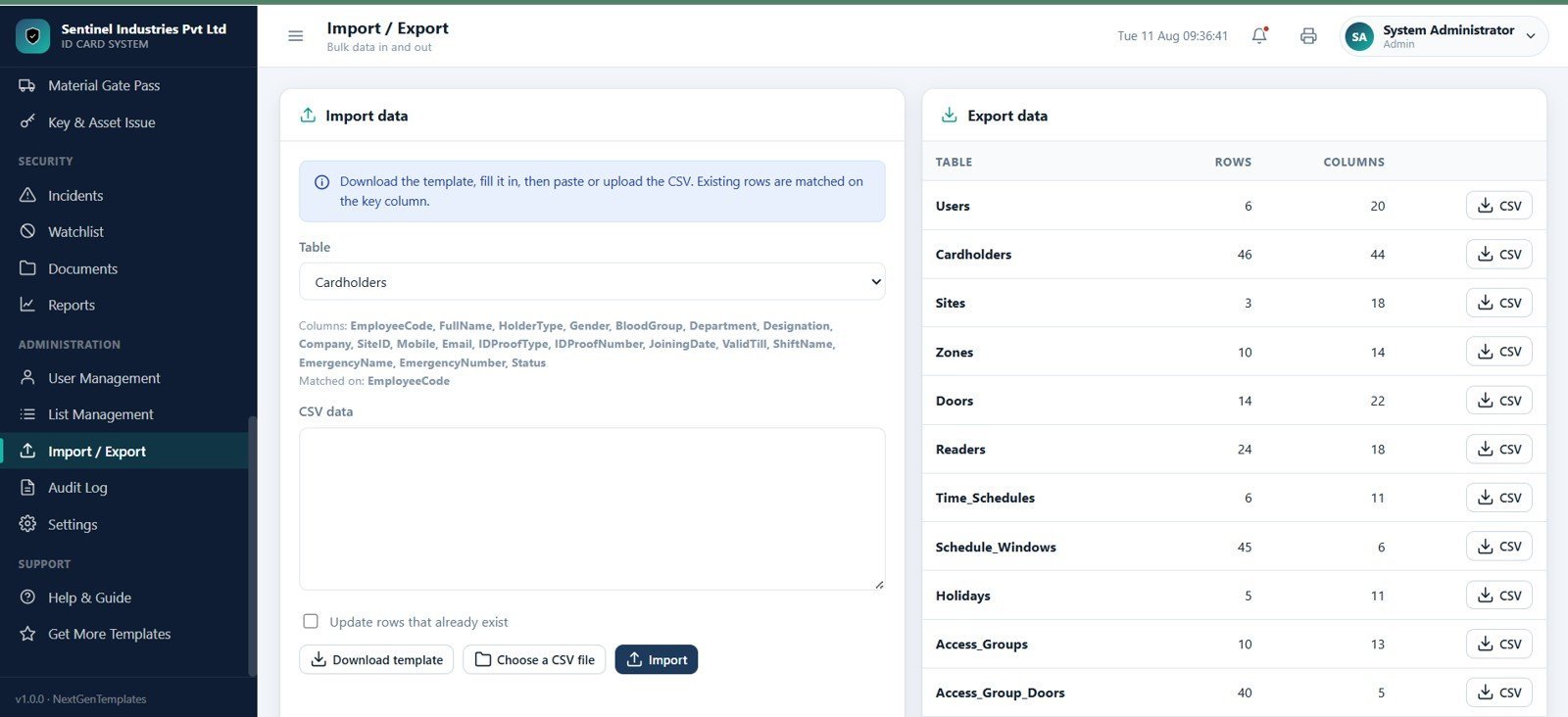
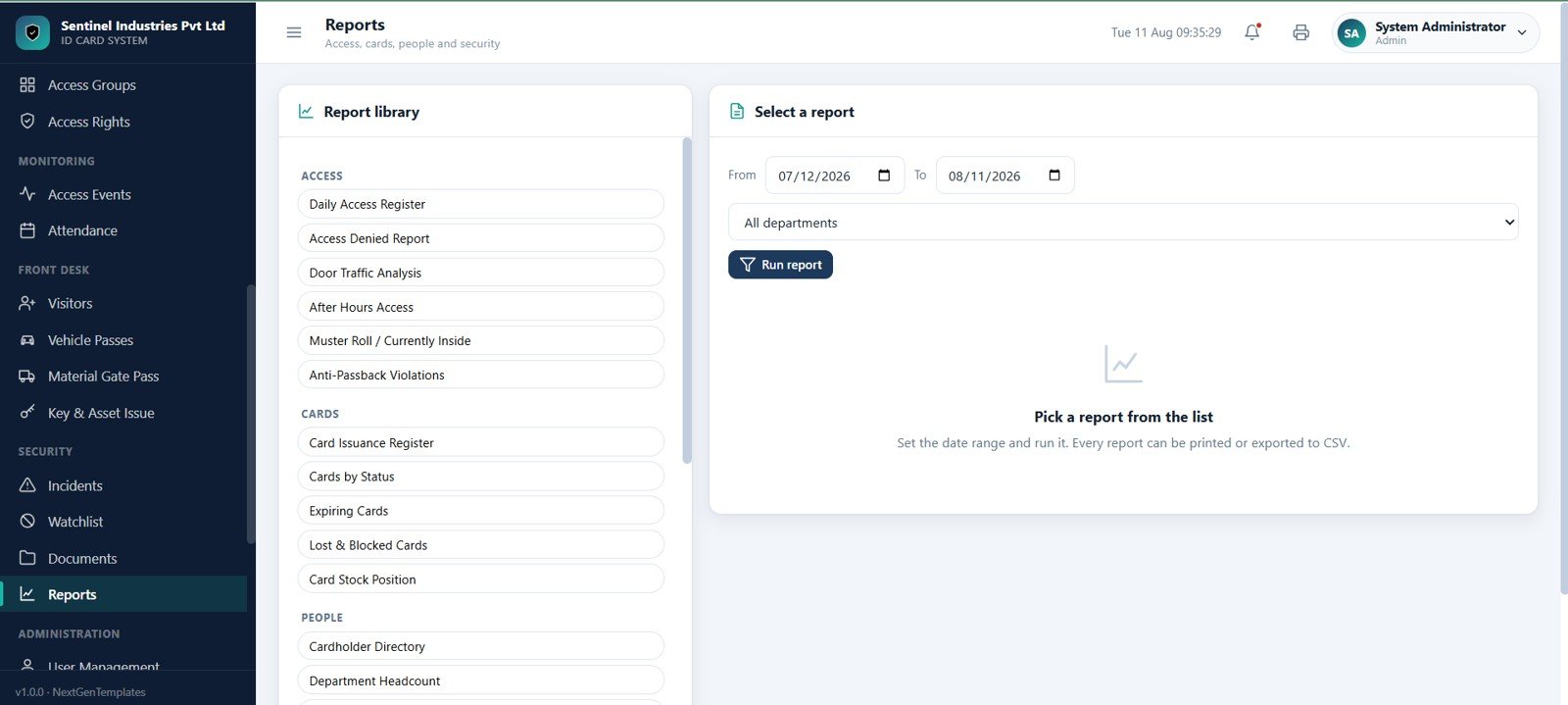
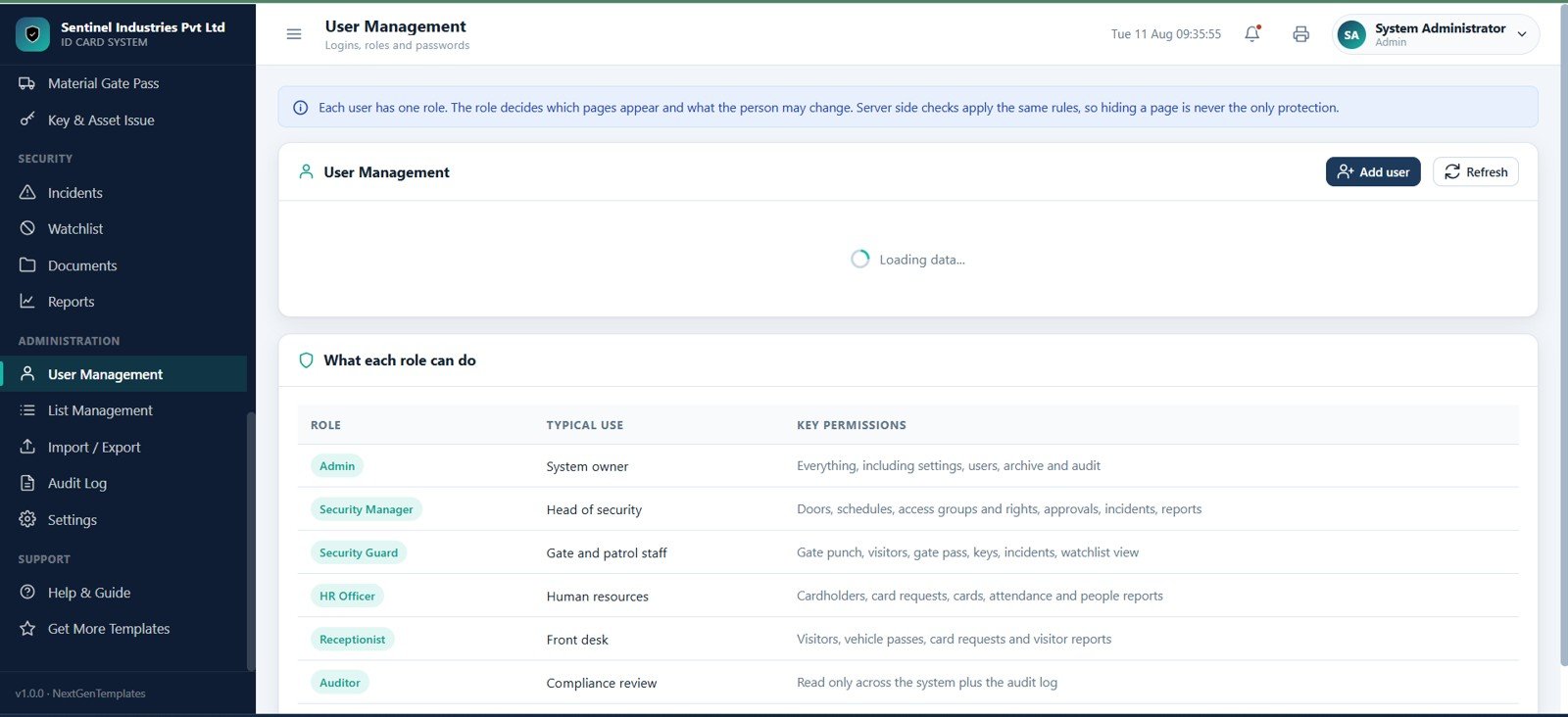
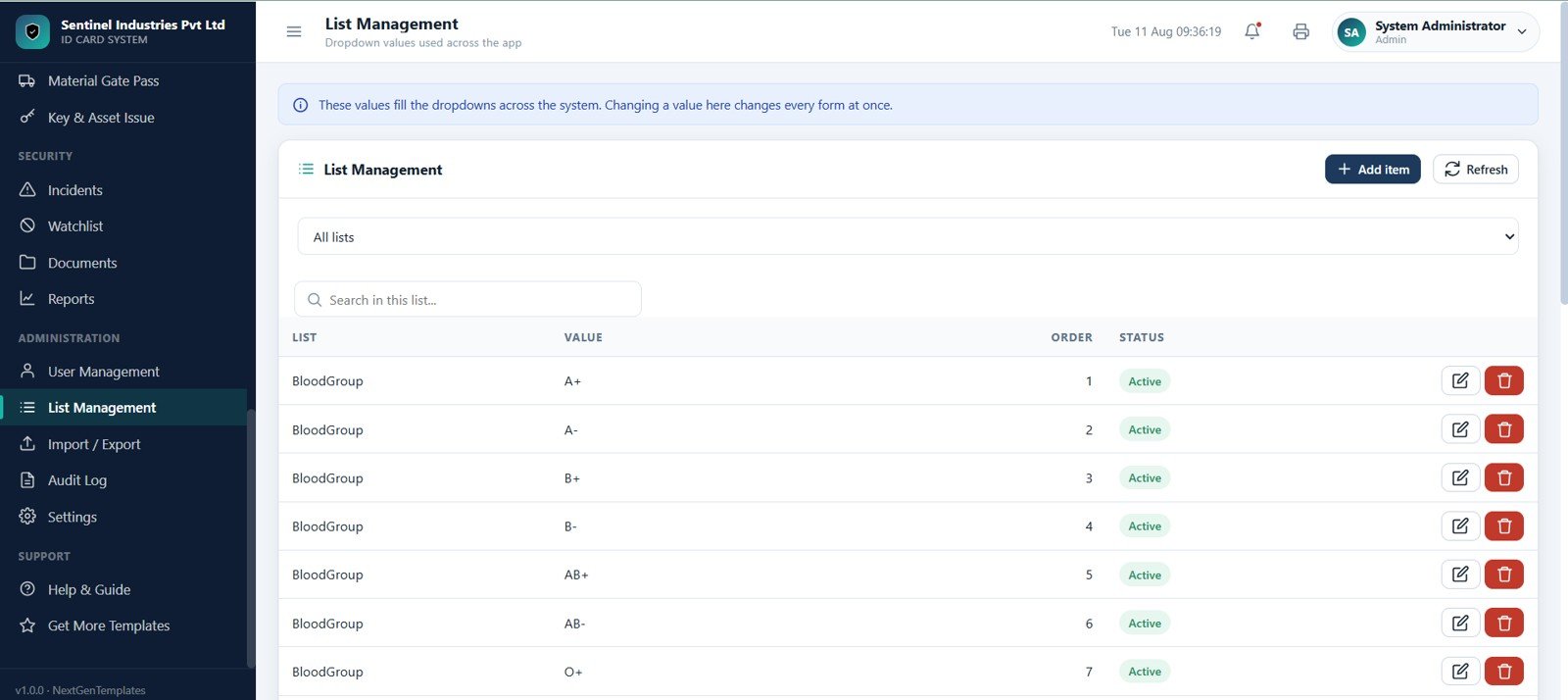
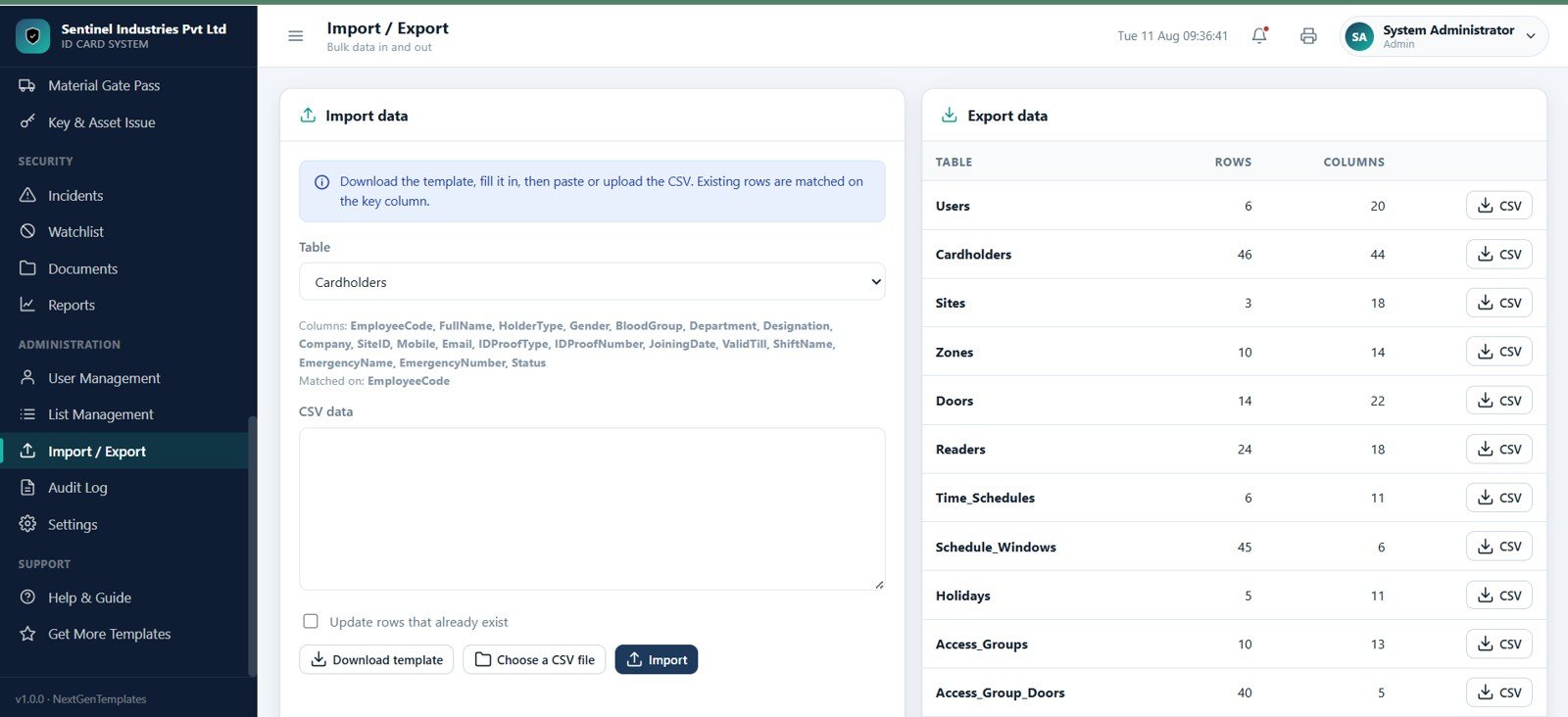
Reports, Users, Lists, Import/Export, Audit Log, and Settings
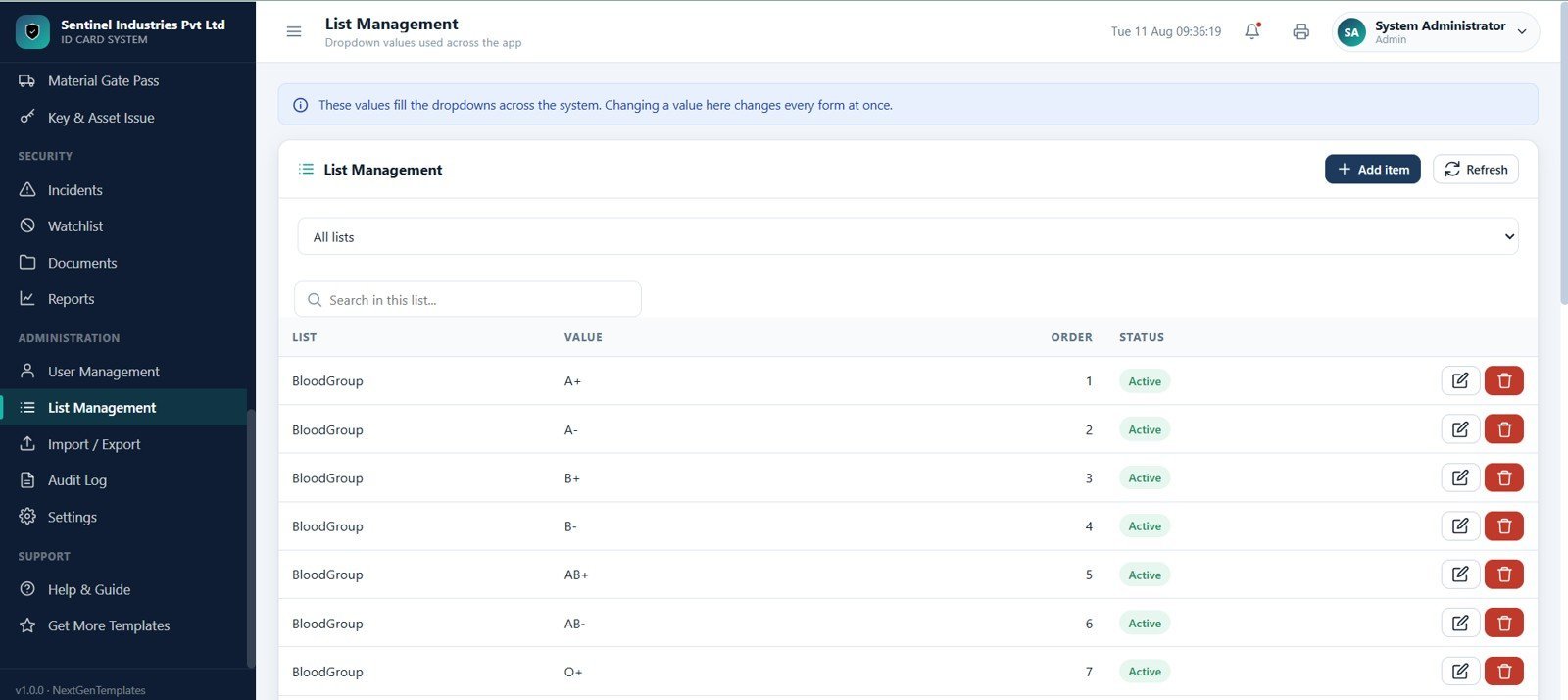
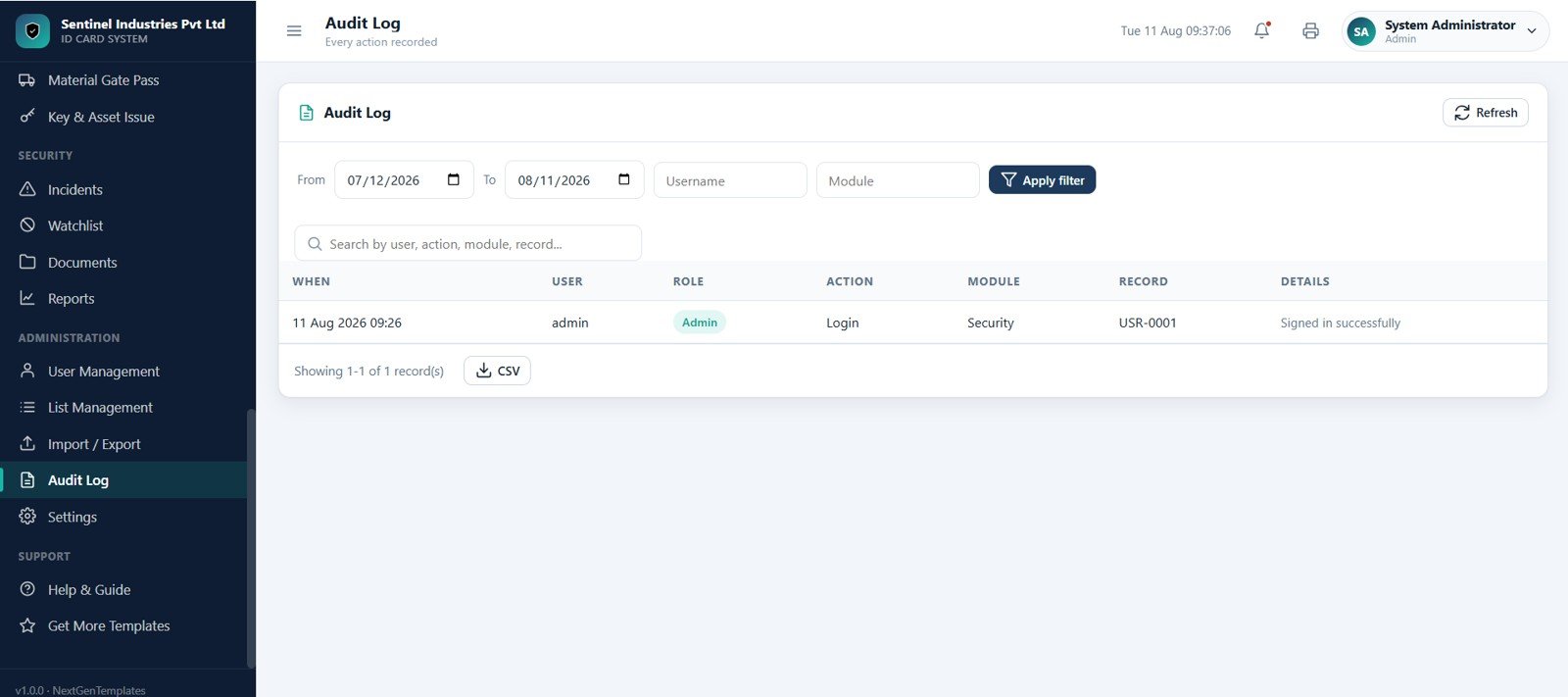
Admin pages cover report libraries, users and roles, dropdown values, CSV import and export, audit trail review, organization settings, numbering, card rules, access rules, visitor rules, print settings, archive, and backup.
Access Control and ID Card Management System Web App vs. Google Sheets Tracker vs. Paid Security SaaS – Where This Fits
| Feature | This web app template | Google Sheets tracker | Paid access-control SaaS |
|---|---|---|---|
| Cost | $39.99 one-time sale price | Low cost, but manual setup | Monthly, per-site, per-door, or per-user fees |
| Platform | Browser-based web app with spreadsheet-style data control | Spreadsheet tabs and filters | Vendor cloud platform |
| Setup time | Start from 29 prepared screens | Build forms, lists, filters, and reports manually | Vendor onboarding and configuration |
| Real-time team collaboration | Supported after deployment and permissions setup | Possible through file sharing | Usually included by plan |
| Mobile access | Modern browser access after deployment | Spreadsheet app or browser | Usually included |
| Customizable fields | Editable source, lists, settings, and data structure | Editable columns, formulas, and sheets | Limited by vendor configuration |
| Share with link | Possible after deployment and access setup | Yes, with Drive permissions | Usually account based |
| Year-1 cost at 5 users | $39.99 before any workspace or customization cost | Low cash cost, higher internal effort | Often hundreds or thousands per year |
| Access events and gate punch | Included with access decisions and event logs | Manual entry | Usually included |
| ID card workflow | Requests, approvals, print, issue, collection, expiry, lost, blocked, and damaged statuses | Usually separate trackers | Usually included by plan |
Who This Template Is For – and Who It’s Not For
This template is for security managers, facility administrators, factory gate teams, office admins, HR and security coordinators, school or campus administrators, contractors managing controlled access, and consultants building an internal security workflow for a client.
It is not the right fit if you need direct controller hardware integration, biometric device integration, automatic turnstile control, certified enterprise physical access control, CCTV integration, mobile credential provisioning, or legal compliance validation out of the box.
How to Use the Access Control and ID Card Management System Web App
- Download and unzip the product file.
- Review the setup guide and deploy the included web app source in your own account or environment.
- Update organization details, numbering rules, card rules, access rules, visitor rules, print settings, and backup settings.
- Add sites, zones, doors, readers, time schedules, access groups, cardholders, ID cards, and user roles.
- Run test card requests, gate punches, access events, visitors, vehicle passes, material gate passes, key issues, incidents, watchlist records, reports, and audit log entries.
- Replace sample data with your own records before using it for live security operations.
Real-World Use Cases
Ramesh, factory security manager: uses Gate Punch, Access Events, Visitors, Vehicle Passes, Material Gate Pass, and Reports to manage daily entry and exit records.
Priya, HR and admin lead: manages employee cardholders, card requests, renewals, lost-card replacements, ID card design, and expiring card follow-up from one workspace.
Arjun, facility operations consultant: configures sites, zones, doors, readers, schedules, access groups, and rights before handing a controlled-access workflow to a client.
Frequently Asked Questions
What does this access control web app manage?
It manages cardholders, ID cards, card requests, gate punch checks, alerts, sites, zones, doors, readers, schedules, groups, rights, events, attendance, visitors, vehicles, material gate passes, key issues, incidents, watchlists, reports, users, lists, imports, exports, audit logs, and settings.
Does it connect to physical card readers automatically?
No. It is an editable web app template for managing access-control records and workflows. Hardware controller integration would require custom development.
Can guards use it at a gate?
Yes. The Gate Punch page is designed for card scan or manual entry, door selection, entry/exit direction, remarks, access decision review, recent reads, and manual event entry.
Does it include ID card request approvals?
Yes. Card Requests supports new, renewal, replacement lost, and replacement damaged request types with approve, reject, print, issue, collect, and view actions.
Can I customize dropdown lists and security levels?
Yes. List Management and Settings let you adjust dropdown values, organization details, rules, and system behavior. Security levels such as Low, Medium, High, and Critical are used across doors, zones, and groups.
Is this a monthly subscription?
No. It is a one-time downloadable template product. You may still have your own deployment, hosting, account, or customization responsibilities depending on how you use it.
Can it replace enterprise access-control software?
No. It is best for internal tracking and workflow management. Enterprise physical access control with certified hardware, door controllers, mobile credentials, and real-time device integrations requires specialized software and hardware.
About the Author
Built by PK – Microsoft Certified Professional with 15+ years of Excel, Google Sheets, and Power BI experience. Founder of NextGenTemplates, reaching 300K+ subscribers across YouTube channels. Every template is hand-built and tested before release.
Explore Related Templates
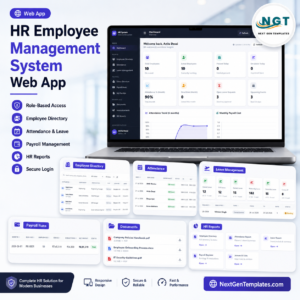
Pair this web app with HR Employee Management System Web App, Payroll and Salary Management System Web App, Logistics Management System Web App, Ambulance Fleet and Dispatch Management System Web App, and Cloud Kitchen Management System Web App. Browse more Web App templates.
Download the Access Control and ID Card Management System Web App to organize cardholders, ID cards, gates, access rules, events, visitors, incidents, and audit-ready security operations in one editable workspace.



























Reviews
There are no reviews yet.