
Are you investing heavily in advertising but still unsure which campaigns actually generate results? Stop guessing and start making data-driven marketing decisions with the Advertising Dashboard in Power BI — a powerful, ready-to-use analytics solution designed to transform raw advertising data into actionable business insights.
Modern businesses run campaigns across multiple platforms including social media, search engines, and digital advertising networks. However, managing performance through scattered spreadsheets and manual reports often leads to confusion and delayed decisions. This dashboard solves that problem by providing a centralized, interactive reporting system that tracks revenue, costs, engagement, and ROI in one professional interface.
Built using Microsoft Power BI, this dashboard enables marketers, analysts, and business leaders to monitor campaign performance in real time, identify profitable channels, and optimize advertising budgets with confidence.
🚀 Key Features of Advertising Dashboard in Power BI
The dashboard includes five interactive analytical pages designed for deep marketing insights:
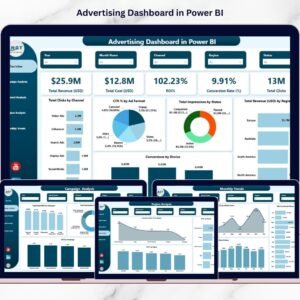
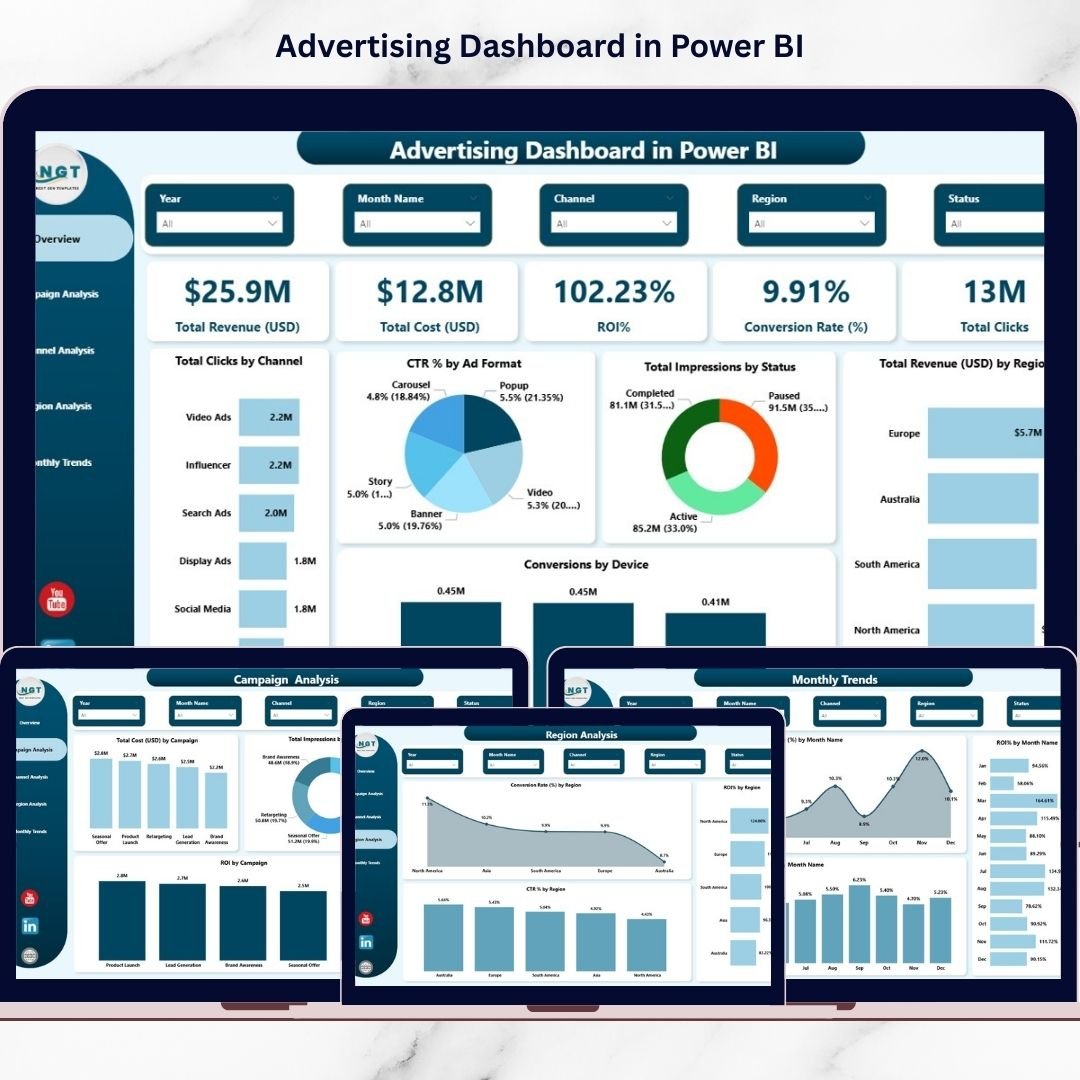
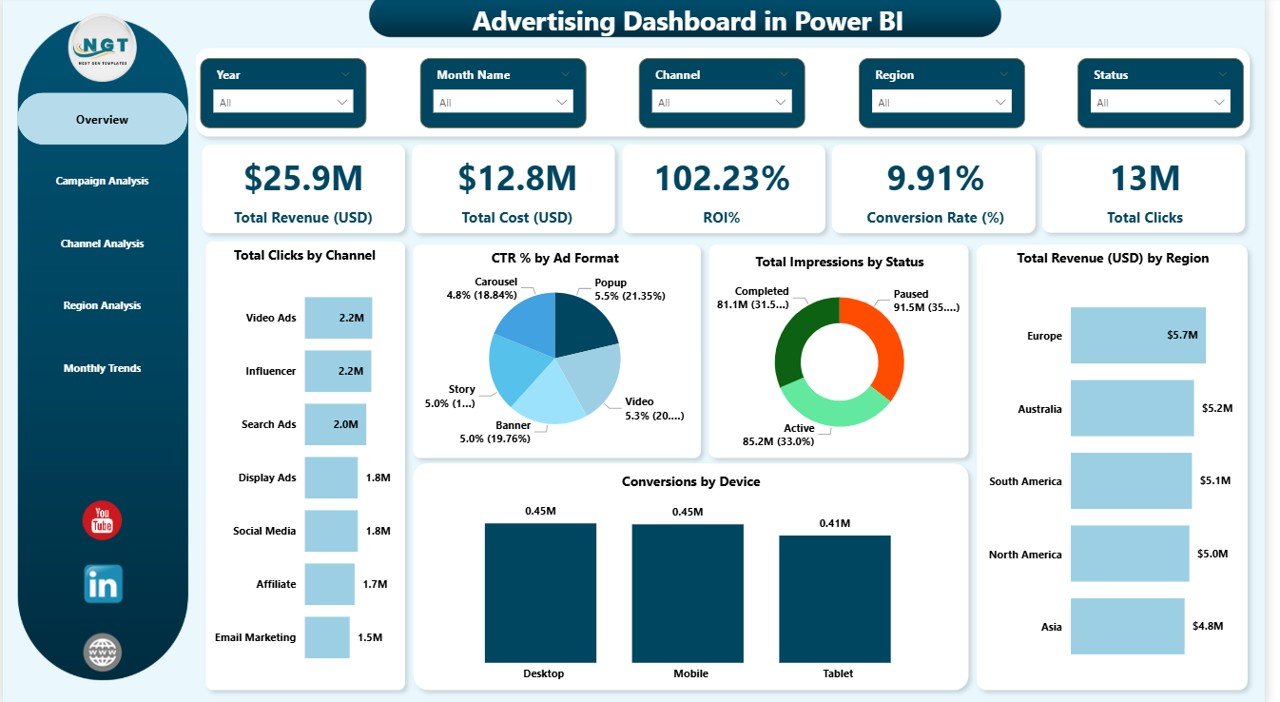
📊 Overview Dashboard – Instantly view Total Revenue, Total Cost, ROI, Conversion Rate, and Click performance through KPI cards and visual charts.
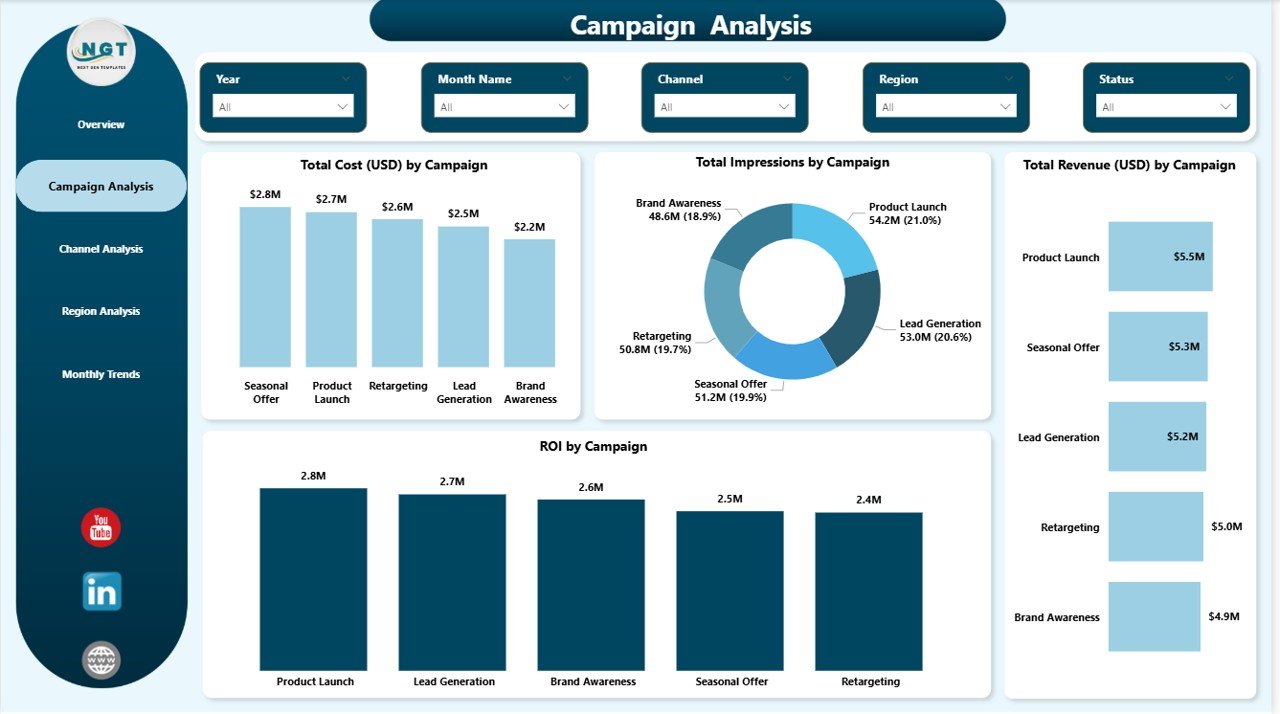
📈 Campaign Analysis – Compare campaign performance using revenue, impressions, costs, and ROI metrics.
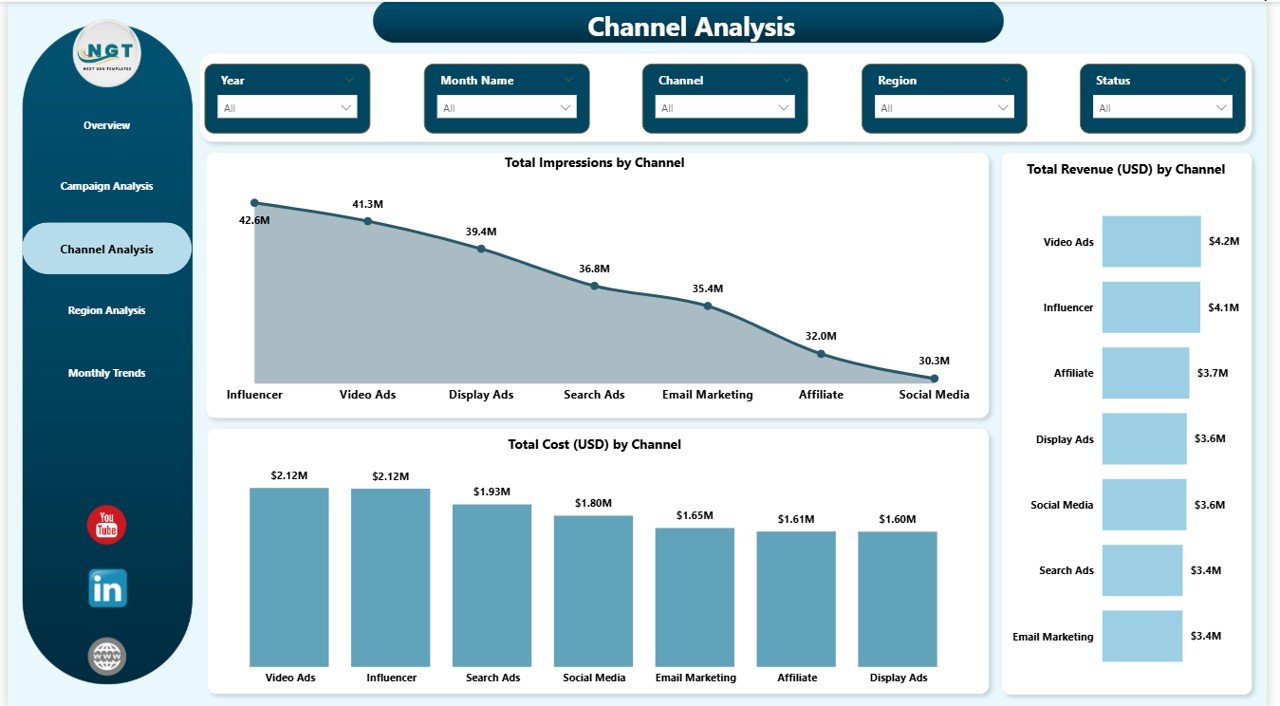
📣 Channel Analysis – Discover which marketing channels generate the best results and maximize profitability.
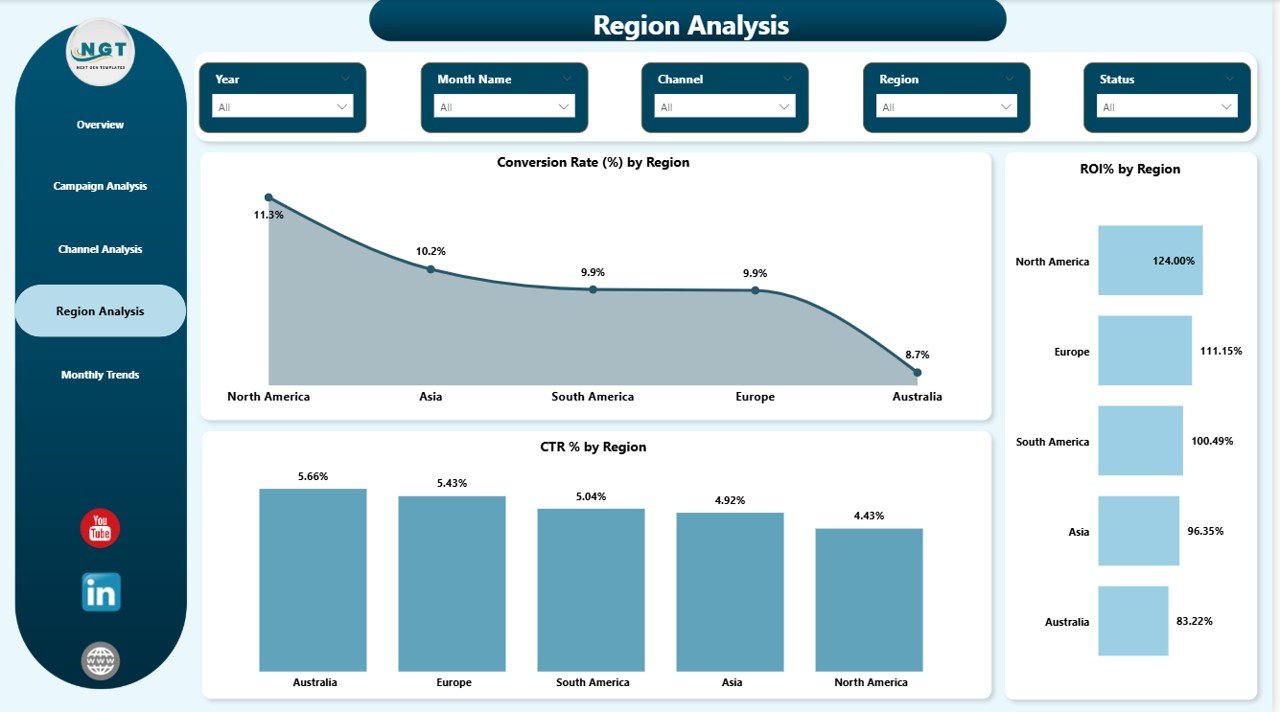
🌍 Region Analysis – Analyze geographic performance and optimize advertising strategies by region.
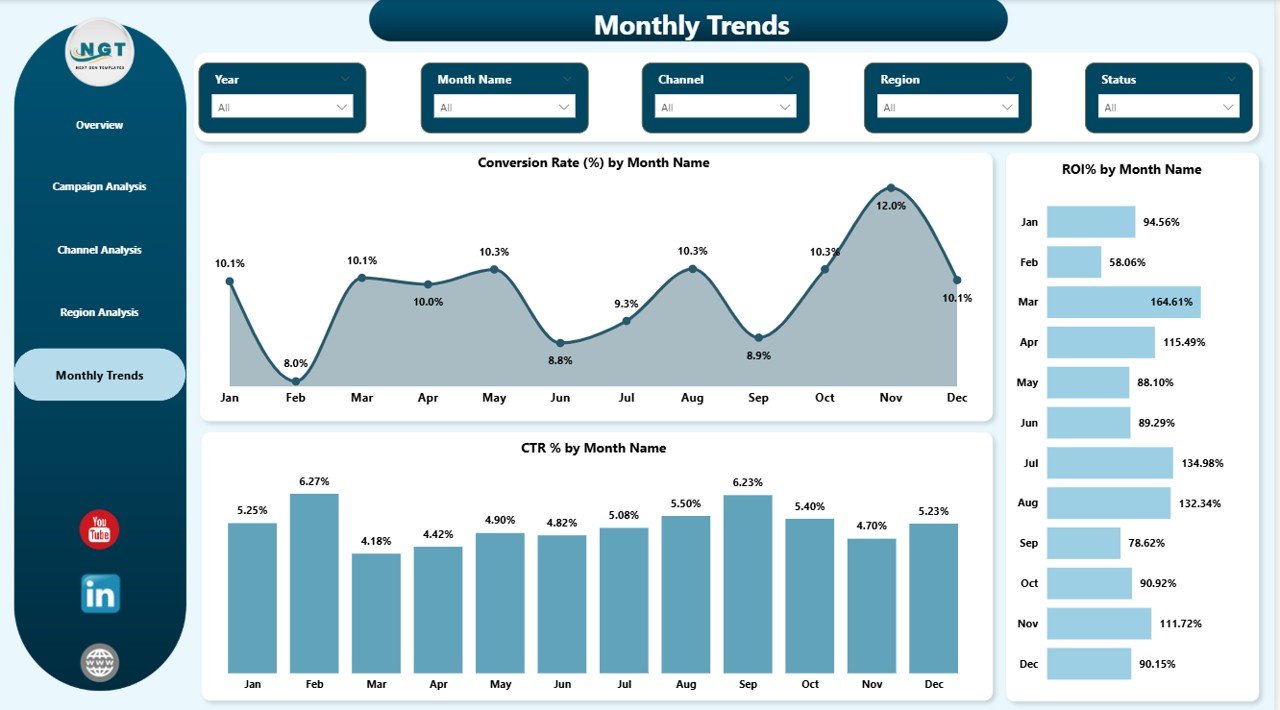
📅 Monthly Trends – Track CTR, ROI, and conversion trends over time to identify seasonal patterns and performance improvements.
⚡ Interactive Slicers & Filters – Explore data dynamically using campaign, channel, and time filters.
🔄 Automated Insights – Power BI updates visuals automatically when data changes.
📦 What’s Inside the Advertising Dashboard in Power BI
This ready-to-use Power BI file is professionally structured to deliver instant analytics:
✅ Fully designed Power BI dashboard file
✅ KPI performance cards and advanced visual charts
✅ Campaign, Channel, Region, and Monthly analysis pages
✅ Interactive slicers for flexible data exploration
✅ Clean and professional layout for business reporting
✅ Pre-built performance metrics including ROI, CTR, conversions, and revenue tracking
Everything is designed to help you start analyzing advertising performance immediately without complex setup.
🧭 How to Use the Advertising Dashboard in Power BI
Getting started is simple — even for beginners.
1️⃣ Import your advertising data from platforms like Google Ads or Meta Ads.
2️⃣ Refresh the dataset inside Power BI.
3️⃣ Use slicers to filter campaigns, channels, or time periods.
4️⃣ Analyze KPI cards for quick performance insights.
5️⃣ Identify high-performing campaigns and optimize budgets accordingly.
Within minutes, you can convert marketing data into meaningful insights that support smarter decision-making.
👥 Who Can Benefit from This Advertising Dashboard in Power BI
This dashboard is ideal for professionals and organizations that rely on advertising analytics:
🎯 Marketing Agencies – Monitor multiple client campaigns efficiently.
🛒 E-commerce Businesses – Track ad-driven revenue and conversions.
🚀 Startups – Optimize limited marketing budgets using real data.
🏢 Enterprises – Analyze large-scale advertising performance globally.
📊 Marketing Analysts – Perform advanced performance analysis quickly.
Whether you manage small campaigns or enterprise-level advertising strategies, this dashboard provides clarity and control.
By using this Advertising Dashboard, organizations gain better transparency, faster reporting, and improved marketing ROI. Instead of spending hours preparing reports, teams focus on insights that actually drive growth.
If you want to eliminate guesswork, reduce wasted ad spend, and scale profitable campaigns, this dashboard becomes an essential business tool.
Click here to read the Detailed blog post
Watch the step-by-step video tutorial:
Visit our YouTube channel to learn step-by-step video tutorials
Compatibility and Requirements
- Works in Power BI Desktop, which is free from Microsoft. Download it from Get Power BI Desktop.
- Your advertising data comes from platforms such as Google Ads or Meta Ads, then you refresh the dataset inside Power BI.
Frequently Asked Questions
What pages does the dashboard have?
Five analytical pages: Overview Dashboard, Campaign Analysis, Channel Analysis, Region Analysis and Monthly Trends.
Which metrics can I track?
Total Revenue, Total Cost, ROI, Conversion Rate and Clicks on the overview KPI cards. The Monthly Trends page adds CTR, ROI and conversion trends over time.
How do I load my own advertising data?
Import your data from platforms like Google Ads or Meta Ads, then refresh the dataset inside Power BI. The visuals update automatically when the data changes.
Can I filter by campaign, channel or time period?
Yes. Interactive slicers let you filter by campaign, channel and time period.
Is there an Excel or Google Sheets version?
Yes. See the Advertising Dashboard in Excel and the Advertising Dashboard in Google Sheets.
Related Advertising Templates
- Advertising KPI Dashboard in Power BI: a KPI-focused Power BI view of ad performance
- Digital Advertising KPI Dashboard in Power BI: KPIs for digital ad channels
- Advertising Dashboard in Excel: the same topic in Excel
- Advertising Dashboard in Google Sheets: the Google Sheets edition
- Marketing and Social Media Analytics Kit: 7 marketing templates in one download
Browse all Power BI dashboards.